HOOVER HIF84DCS - Cooker

HIF84DCS - Cooker HOOVER - Free user manual and instructions

Find the device manual for free HIF84DCS HOOVER in PDF.
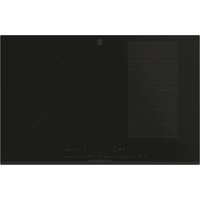
📄 412 pages English EN Download 💬 AI Question
Notice HOOVER HIF84DCS - page 24
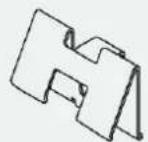
Pick your language and provide your email: we'll send you a specifically translated version.

User questions about HIF84DCS HOOVER

0 question about this device. Answer the ones you know or ask your own.

Ask a new question about this device

The email remains private: it is only used to notify you if someone responds to your question.

No questions yet. Be the first to ask one.

Download the instructions for your Cooker in PDF format for free! Find your manual HIF84DCS - HOOVER and take your electronic device back in hand. On this page are published all the documents necessary for the use of your device. HIF84DCS by HOOVER.

USER MANUAL HIF84DCS HOOVER
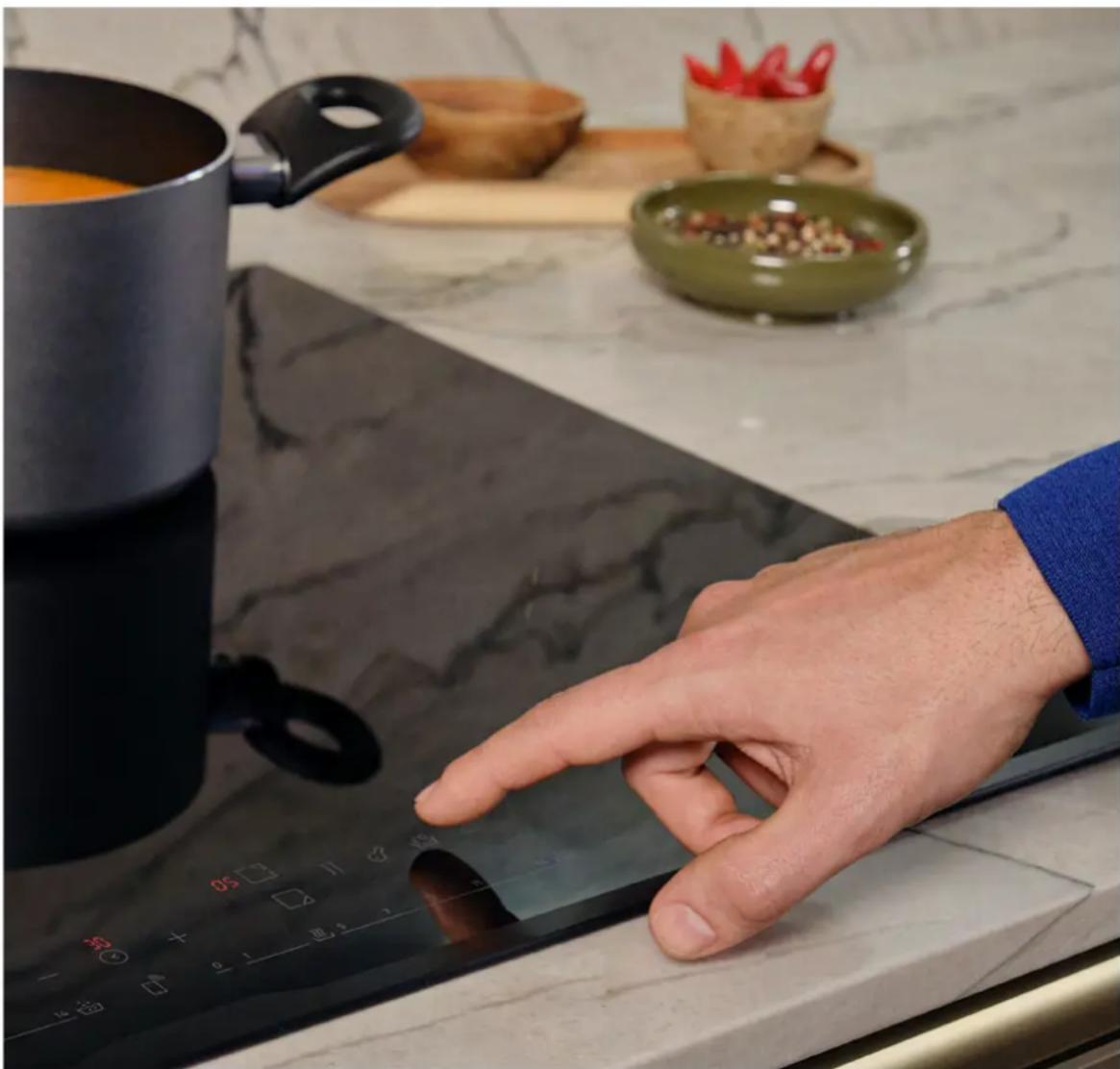
natural_image Man cooking in a modern kitchen with a stovet and pot on an induction cooktop, no visible text or symbols

HOOVER HIF84DCS - 1

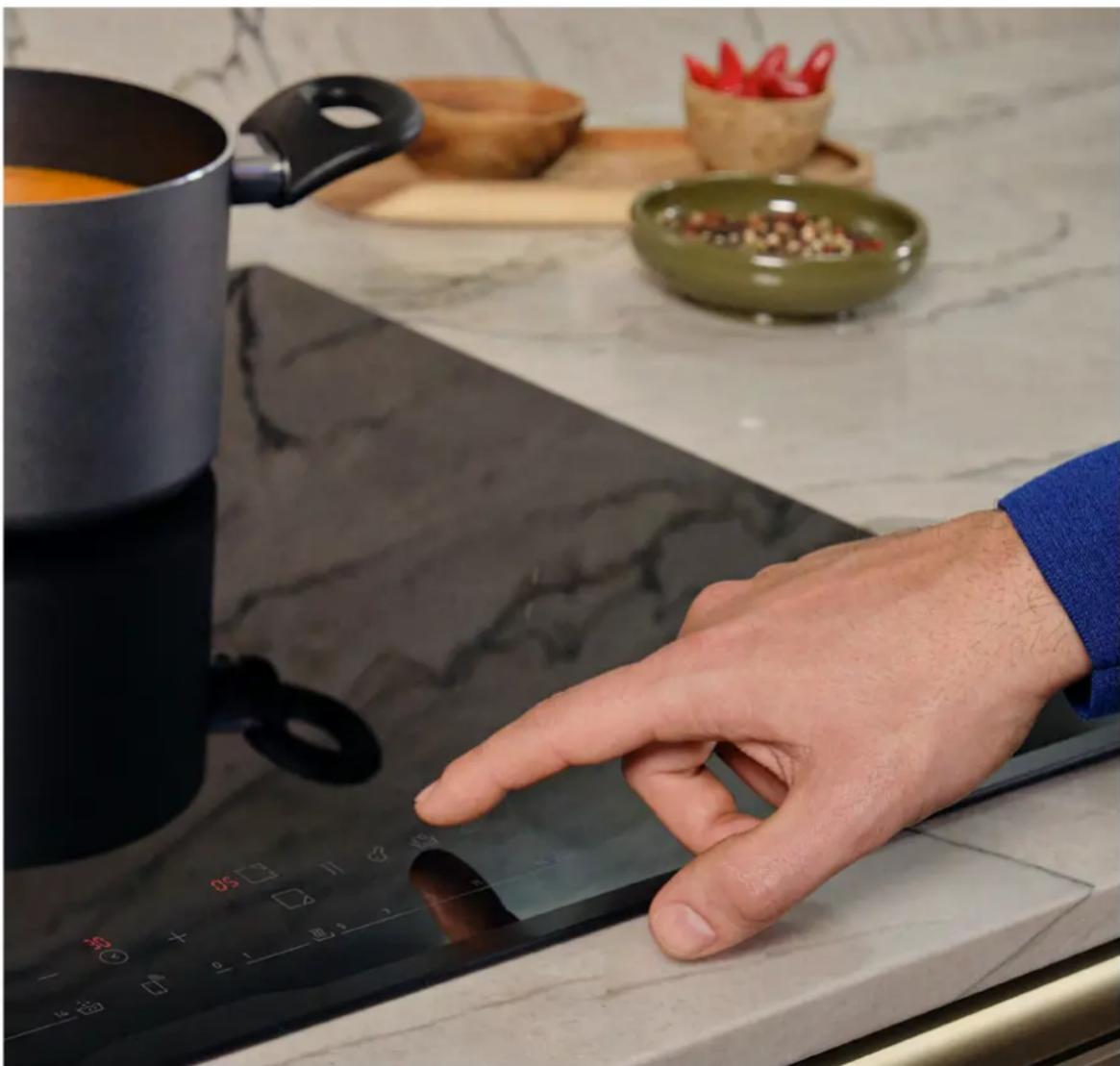
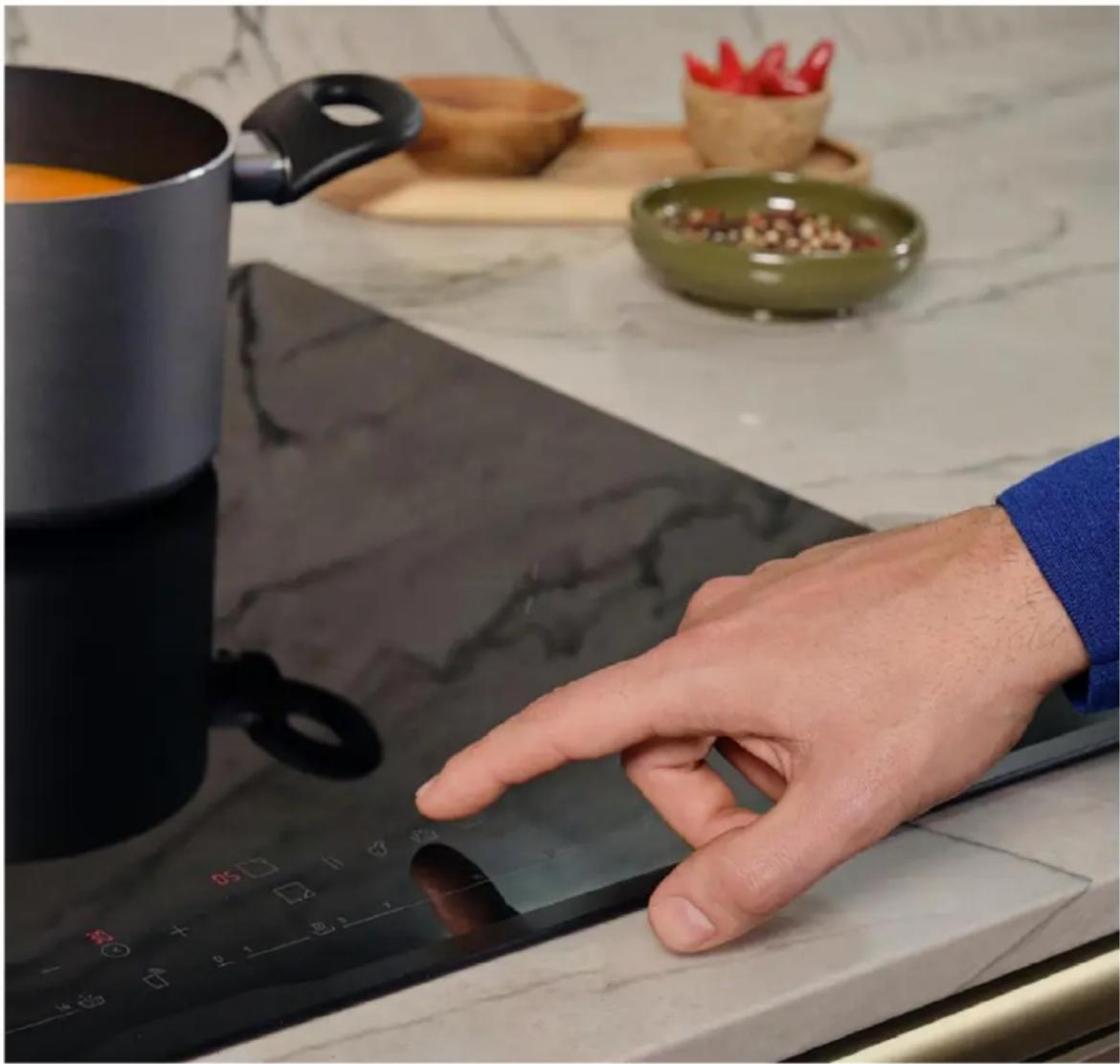
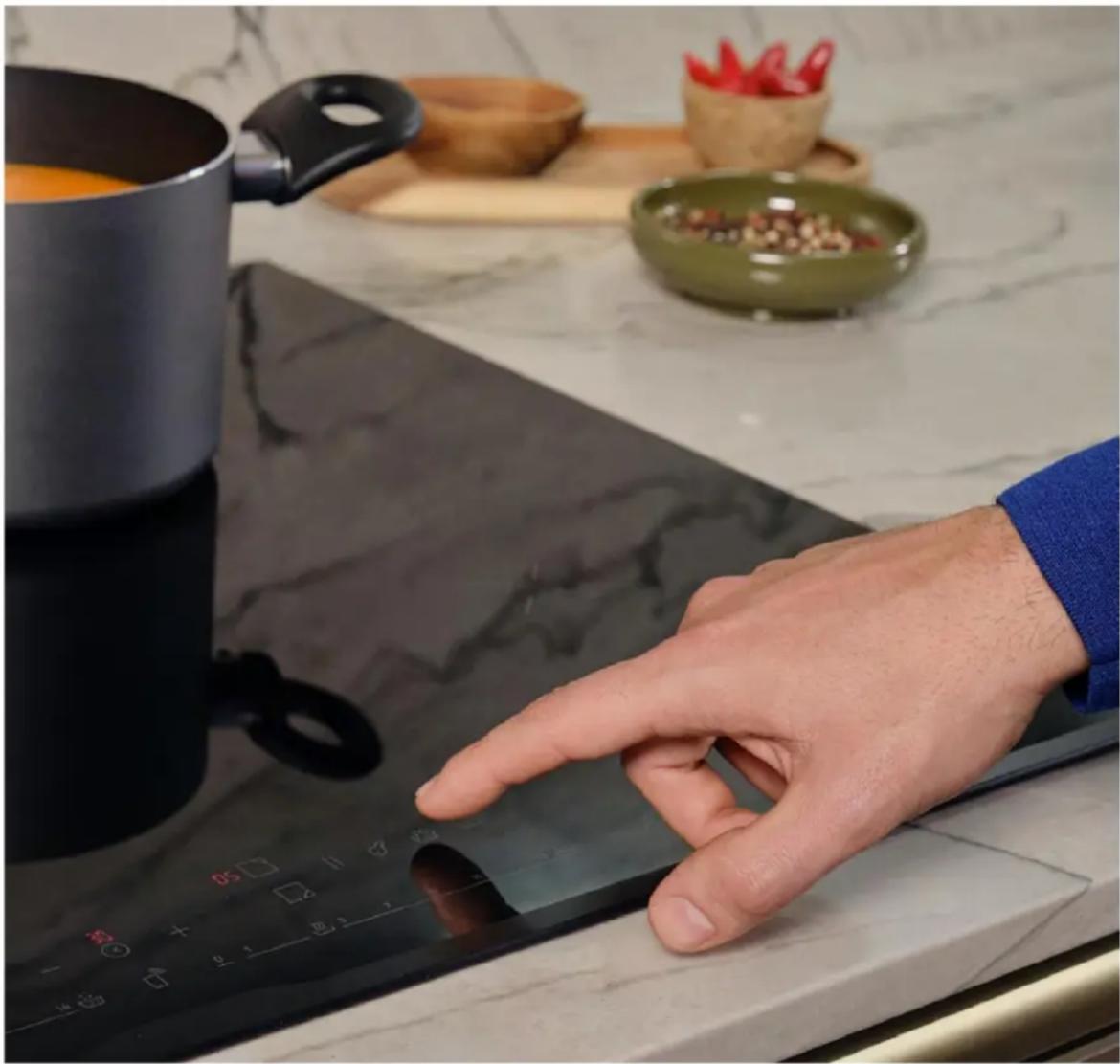
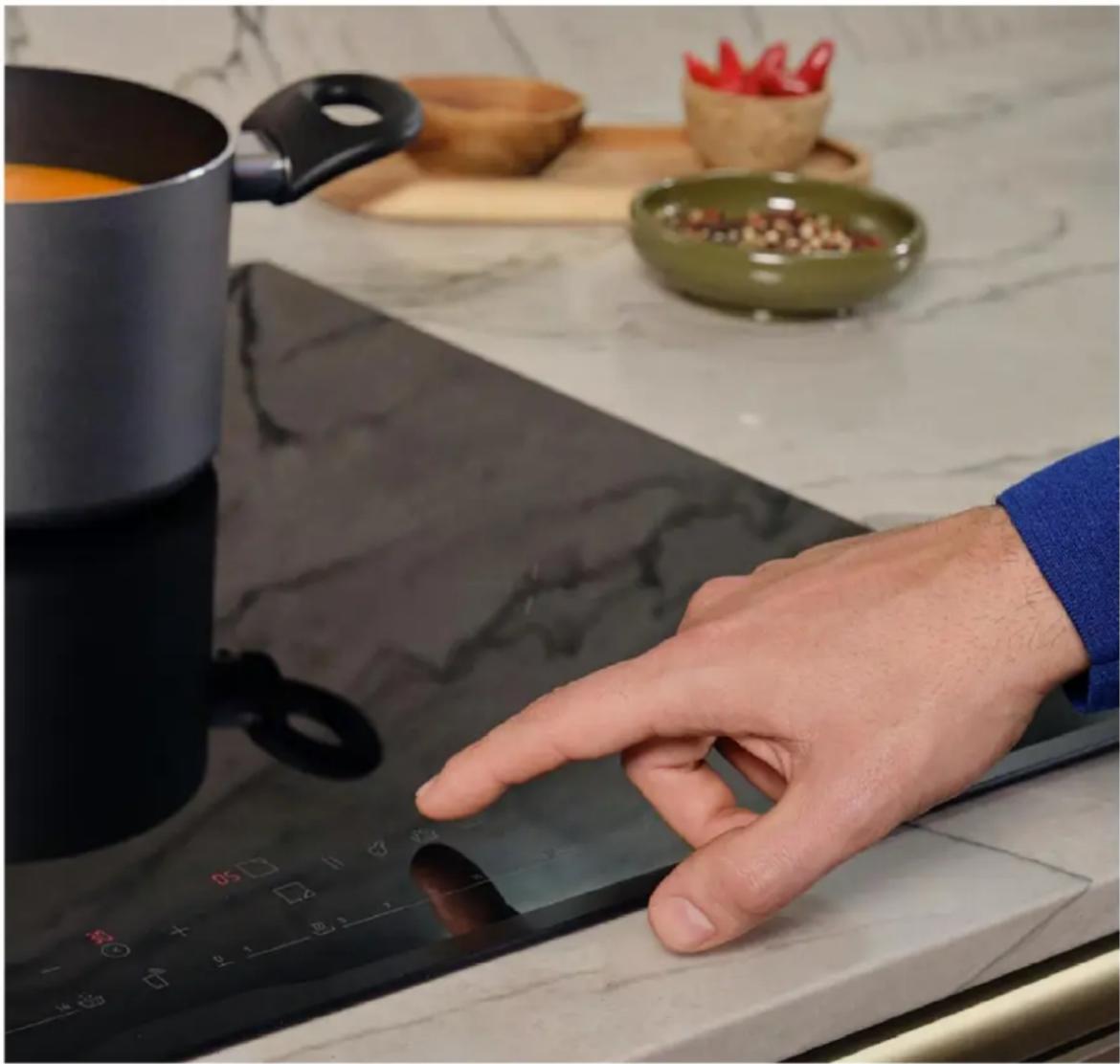
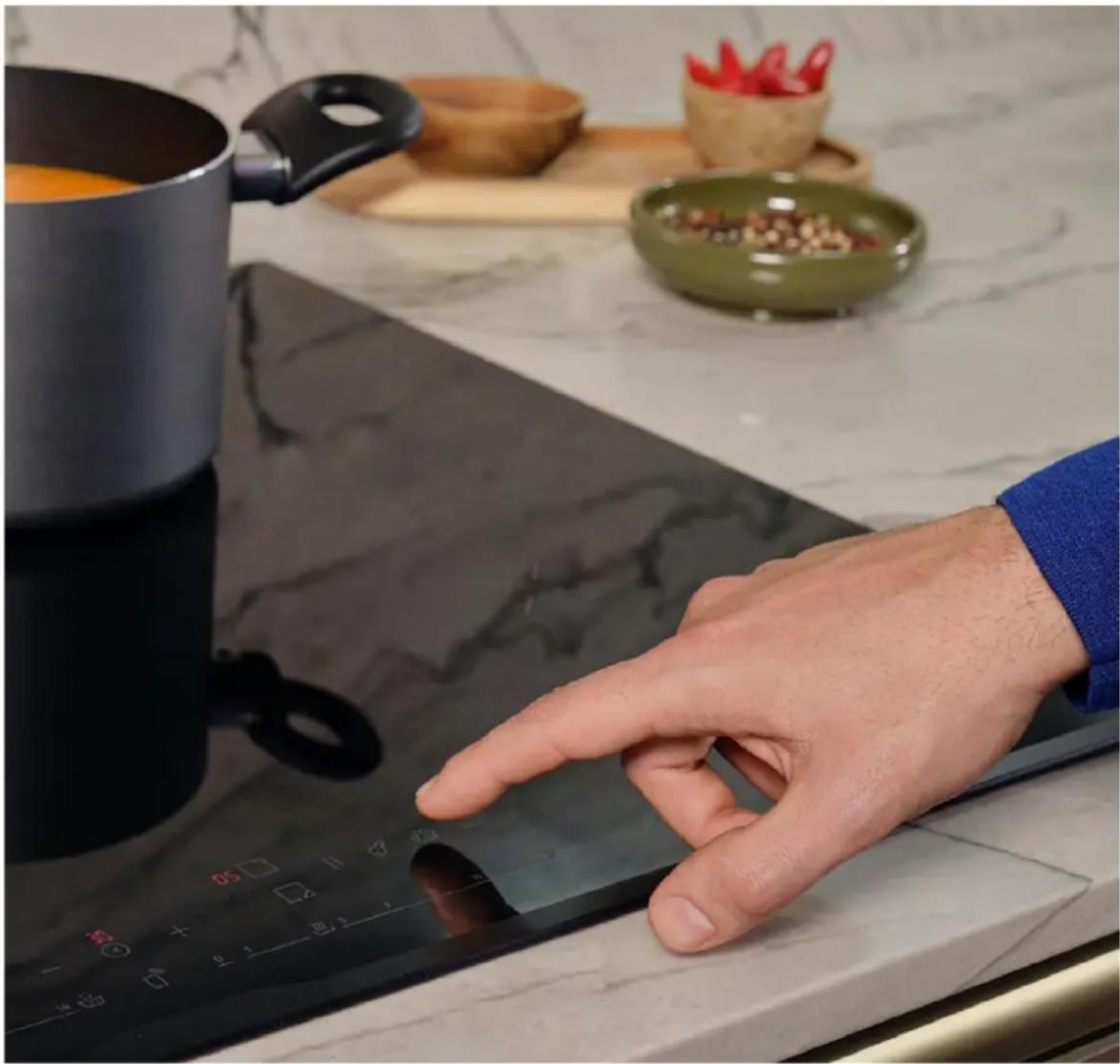
natural_image Close-up of a hand pressing down on a stone cooktop with a pot and bowl in the background (no visible text or symbols)

WELCOME

This installation manual is designed for kitchen manufacturers who will deal with these products. To ensure safety and get the best results, please read this manual carefully, including the safety instructions, and keep it for future reference. Before proceeding with the installation, take note of the serial number, as you may need it in case of repairs. Check for any damage during transport and consult a technician when in doubt before using. Always keep all packing material away from children.

NOTE: Features, pictures in the manual and product accessories may vary depending on the model purchased.

index

1 Safety warnings for installation p. 2
2 Where to install the product

2.1 Other advice

3 Hob Dimensions p.4-9

3.1 Width 60

3.2 Width 65

3.3 Width 80

4 Installation tools

4.1 Standard installation

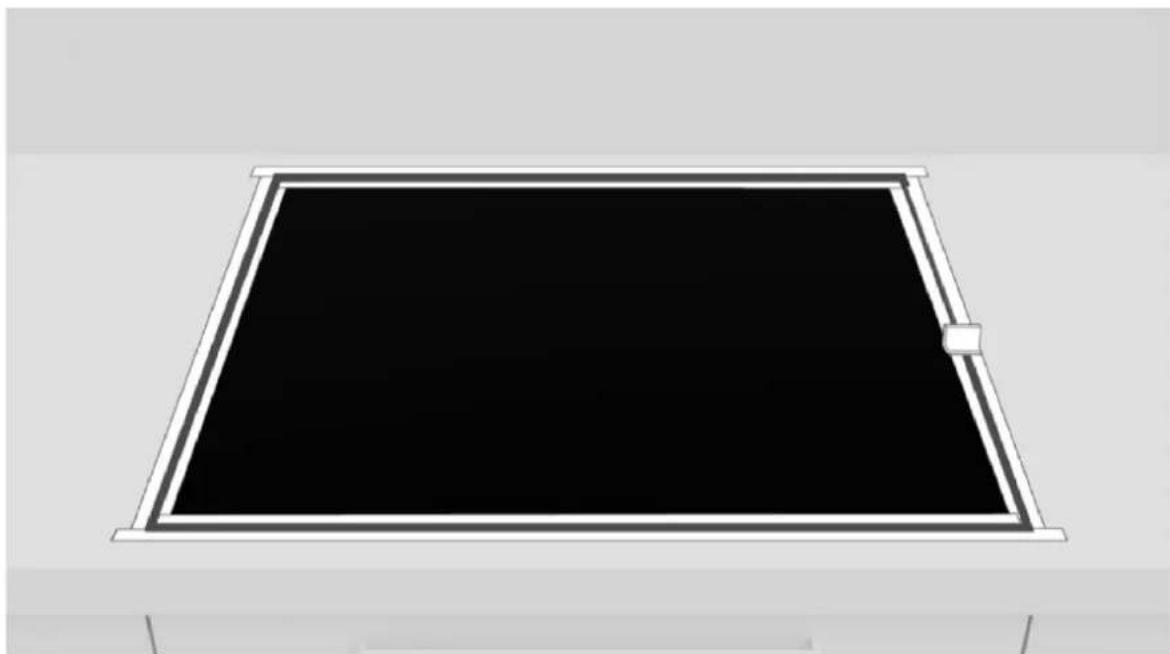
4.2 Flush installation

5 Distance of installation

5.1 Precautions

6 Furniture and ventilation p.12

6.1 Width 60 - 65 - 80 on oven base

6.2 Width 60 - 65 - 80 on base with drawers

6.3 Width 60 - 65 - 80 on base with shelves

6.4 Top thickness

7 Built in dimensions p.14 - 19

7.1 Hob width 60

7.2 Hob width 65

7.3 Hob width 80

8 Connection to the mains p.20 - 22

8.1 Safety warnings

8.2 Instructions

8.3 Other advice

8.4 Layout of connection

9 Instructions for installation p.24

10.1 Important warnings

10.2 Step-by-step installation

11 Delivery to the user p.32

12 First startup p.32

13 Disassembling the product p.32

1 Safety warnings for installation

Observe these directions before beginning the installation of the product.

  • Your safety is very important to us. Please read this information carefully before using the product;
  • Installation must be carried on by a qualified technician who must know and respect the laws in force in the country of installation and the manufacturer's instructions;
  • If the manufacturer service is required to eliminate faults resulting from improper installation, such service is not covered by the warranty;
  • Remove the packing material before starting the appliance;
  • After unboxing the appliance, carefully check there are no damages, in case of any issue contact the customer service before installing and do not connect to the power supply;
  • A damaged product can be the cause of a short circuit, electrical shock, fire start and other hazards;
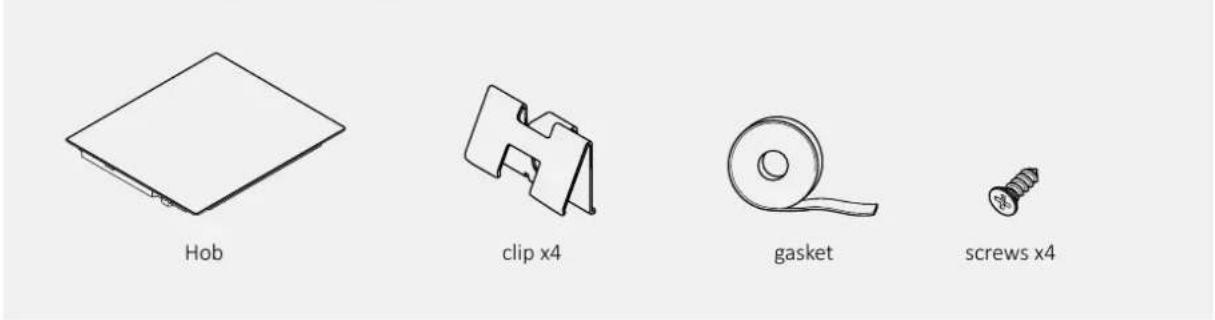
  • Check the packaging for accessories or accompanying materials (documents, screws, accessory, brochure bag, user manual, etc.) remove and store them;
  • The product can be installed in overlay or flush on the countertop;
  • Before installing the product, ensure the space is well-ventilated to allow circulation of fresh air, which is necessary for proper cooling. Follow the illustrations for minimum opening spaces suggested.
  • No additional operation/setting is required in order to operate the appliance at the rated frequencies;
  • If the assistance of the manufacturer is required to rectify faults arising from incorrect installation, this assistance is not covered by the warranty. The installation instructions for professionally qualified personnel must be followed;
  • Incorrect installation may cause harm or injury to people, animals or belongings. The manufacturer cannot be held responsible for such harm or injury;
  • Safe use is only guaranteed if installation has been carried out properly according to these instructions. In case of damage due to improper installation, the responsibility lies with the person who installed the product;
  • During installation the hob should be disconnected from the mains;
  • It is recommended to wear protective gloves during installation to avoid injuries;
  • Warranty does not cover damage caused by improper installation;
  • In case of incorrect installation, tampering with the device and improper connection, the validity of the product warranty will expire;
  • Make sure that when the product's power supply cable is completed, it is not accessible;

  • After assembly, the power cord must not come into contact with moving parts (such as a drawer) must not be exposed to mechanical stresses;

  • This product requires constant ventilation during use. Do not cover the air vents;
  • When delivering the product to the end user, the technician must ensure that it has been installed correctly.

Where to install the product

2

• Install and use this product in a closed, covered, dry and well-ventilated environment;
- Do not install the product in open environments exposed to atmospheric agents;
- This appliance is designed to be used at altitude lower than 2000m;
- Mount the product near an electrical outlet;
- Use the product only when placed in a recessed compartment, otherwise you risk injury and burns.
- Do not install the cooktop over an uncooled oven, dryer, dishwasher or fridge. It is also recommended to avoid installation over a washing machine. Installation of the hob over a cooled oven is permitted;

2.1 Other tips

  • Cut out the work surface precisely, using the tools needed depending on the material to be cut. All surfaces must be sealed or otherwise resistant to the penetration of humidity;
  • The work surface must be shaped by following the diagrams in this manual. The cooking surface must be in a perfect horizontal position. Check that the seal under the cooking surface, where provided, is properly placed;
  • Use a soft cloth during installation to avoid damaging the cooktop and work surface;

⚠ WARNING: Danger of fire and damage from open flames. Keep open flames (e.g., a candle) away from the product.

3 Hob Dimensions

Width 603.1

Dimensions in mm

Top axonometric view
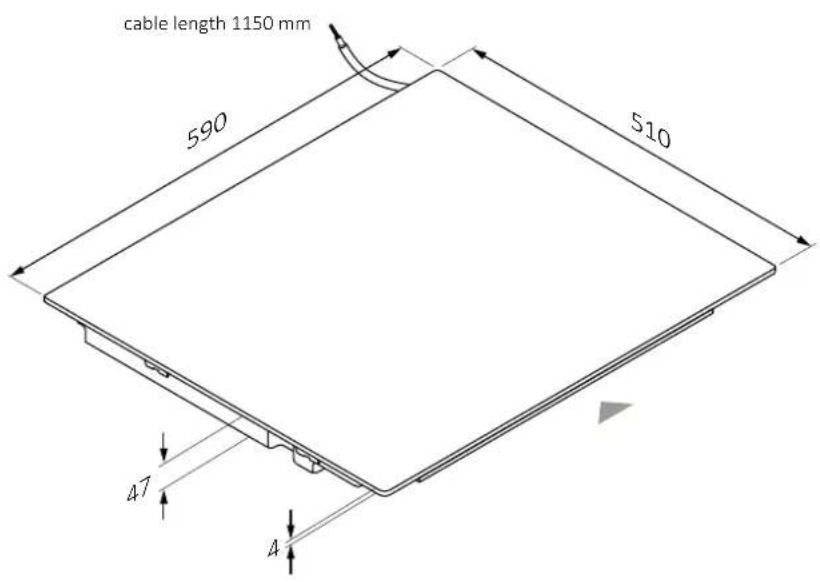
HOOVER HIF84DCS - Width 603.1 - 1

text_image cable length 1150 mm 590 510 47 4

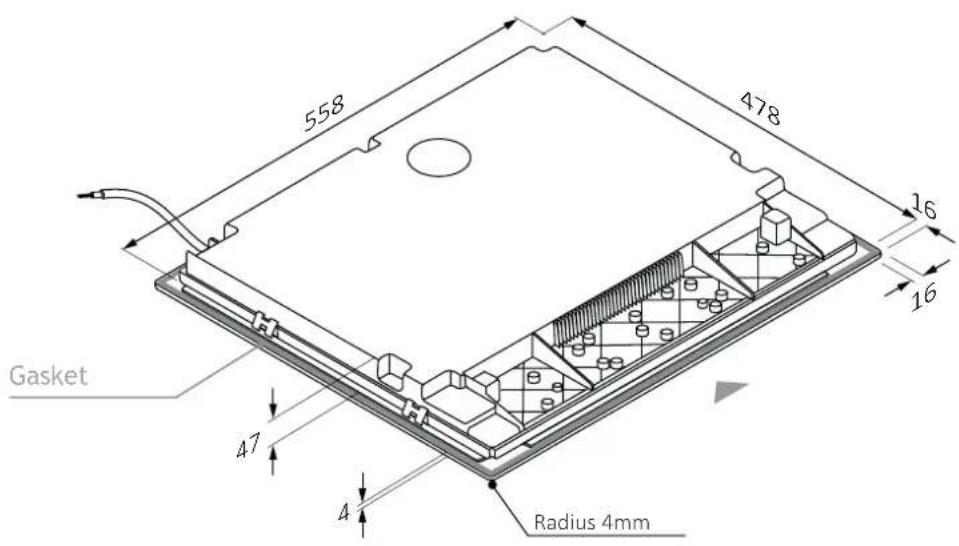
Lower axonometric view

HOOVER HIF84DCS - Width 603.1 - 2

text_image 558 478 16 16 Gasket 47 A Radius 4mm

3.1 Width 60

Dimensions in mm

front view
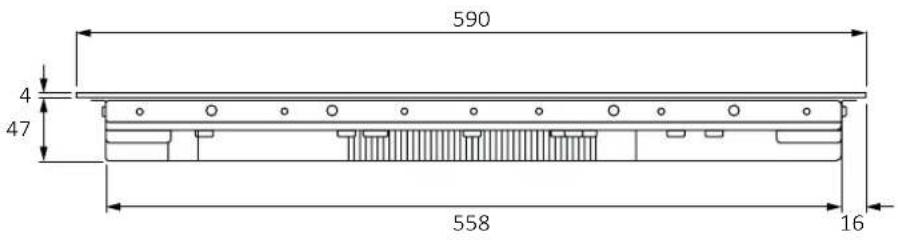
HOOVER HIF84DCS - Width 60 - 1

text_image 590 4 47 558 16

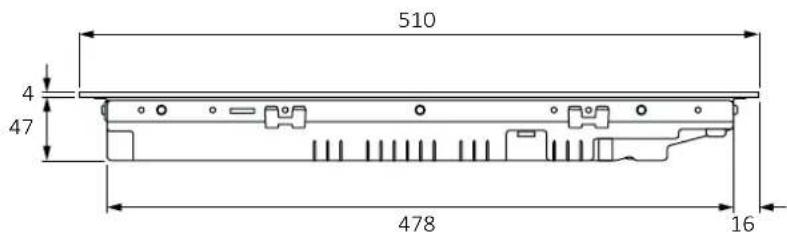
side view

HOOVER HIF84DCS - Width 60 - 2

text_image 510 4 47 478 16

Product codes

HAIF64DCS

HAMT68IRB1S

HAMT66IRCS

HAIF64IRB1S

3 Hob Dimensions

Width 653.2

Dimensions in mm

Top axonometric view
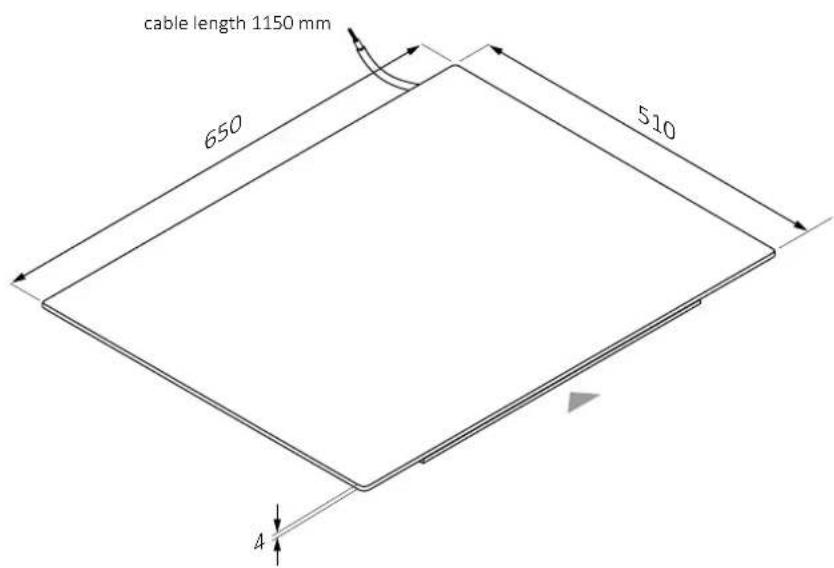
HOOVER HIF84DCS - Width 653.2 - 1

text_image cable length 1150 mm 650 510 4

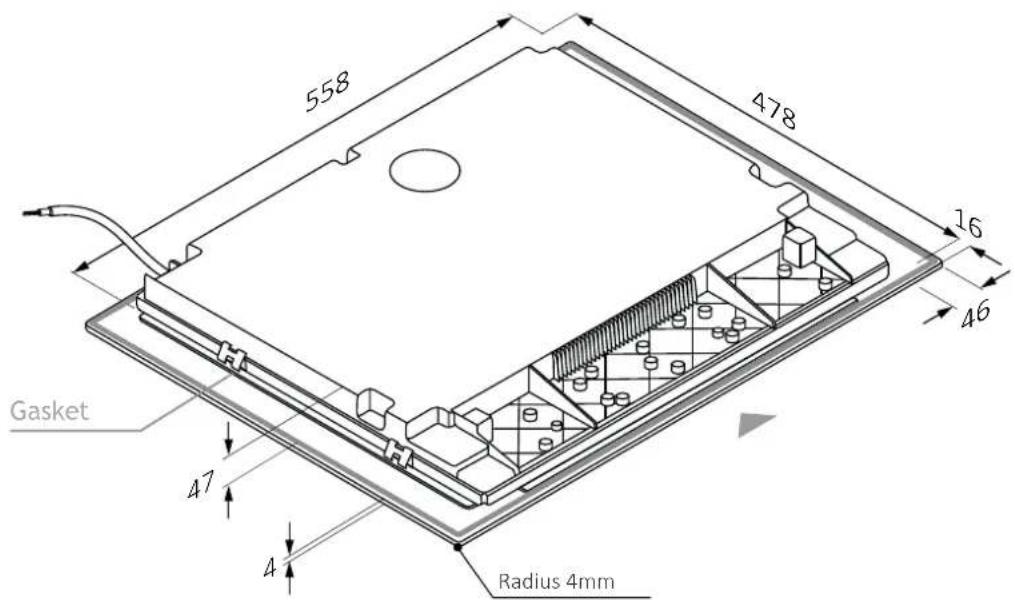
Lower axonometric view

HOOVER HIF84DCS - Width 653.2 - 2

text_image 558 478 16 46 Gasket 47 4 Radius 4mm

3.2 Width 65

Dimensions in mm

front view
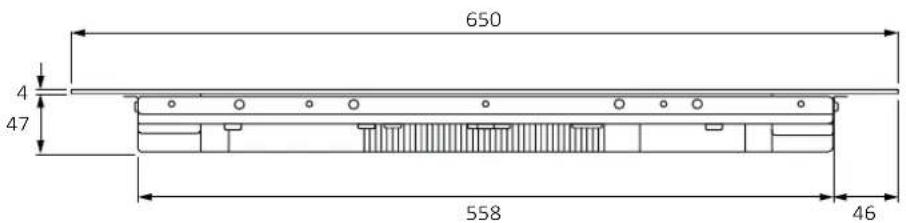
HOOVER HIF84DCS - Width 65 - 1

text_image 650 4 47 558 46

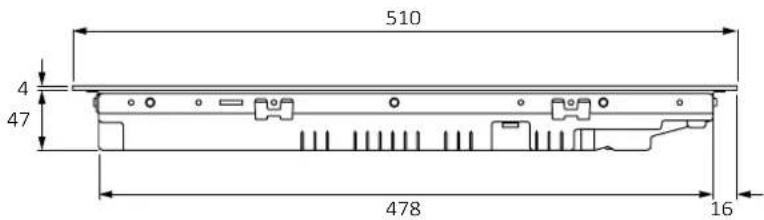
side view

HOOVER HIF84DCS - Width 65 - 2

text_image 510 4 47 478 16

Product codes

HAIFB54IRCS

HAIFB53IRCS

HAMTB56IRB1S

HA2MTB58IRB1S

HAMTB56IWCS

HAIFB54IWCS

HAIFB54CIRS

HA2MTB58IWB1S

HAIFB64TFTCS

3 Hob Dimensions

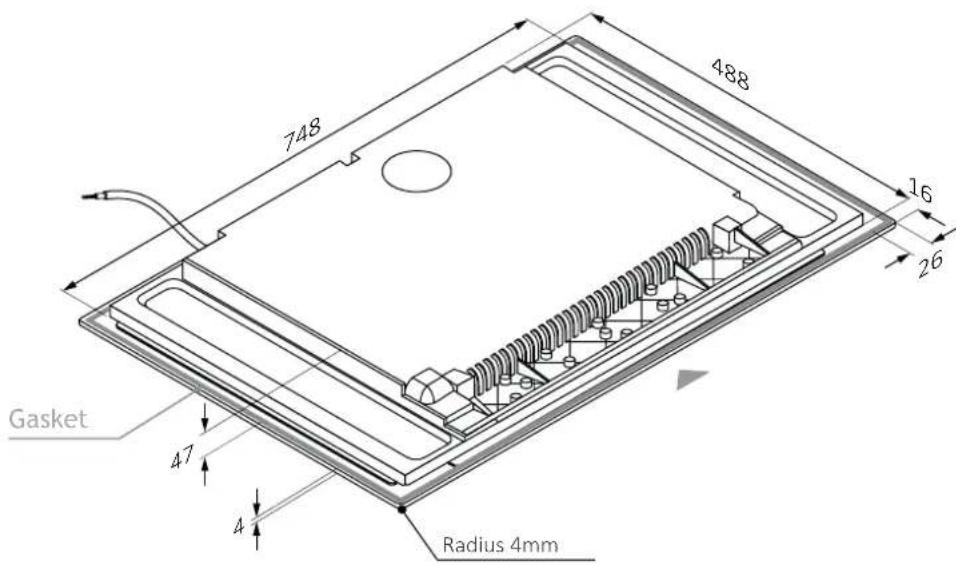
Width 803.3

Dimensions in mm

Top axonometric view
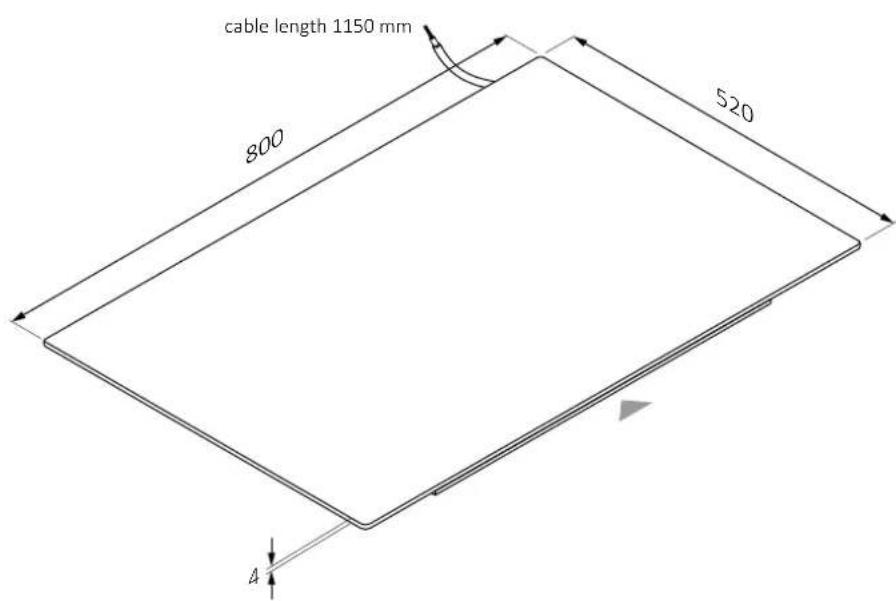
HOOVER HIF84DCS - Width 803.3 - 1

text_image cable length 1150 mm 800 520 4

Lower axonometric view

HOOVER HIF84DCS - Width 803.3 - 2

text_image 748 488 16 26 Gasket 47 4 Radius 4mm

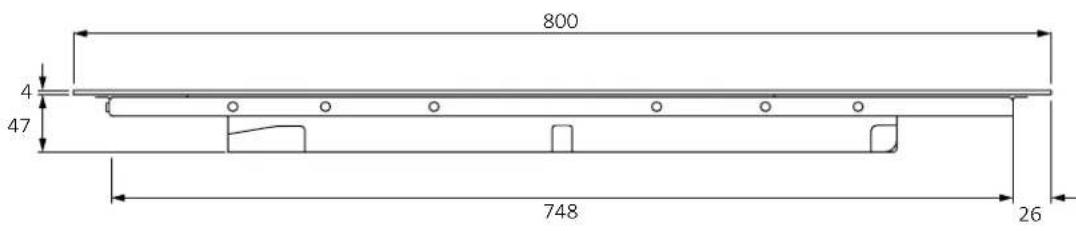
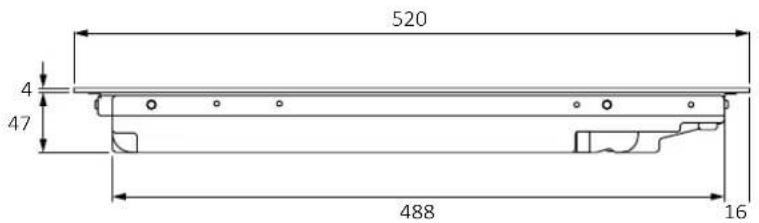
3.3 Width 80

Dimensions in mm

front view

HOOVER HIF84DCS - Width 80 - 1

text_image 800 4 47 748 26

side view

HOOVER HIF84DCS - Width 80 - 2

text_image 520 4 47 488 16

Product codes

HAMTB86IRCS

HAMTB86IWCS

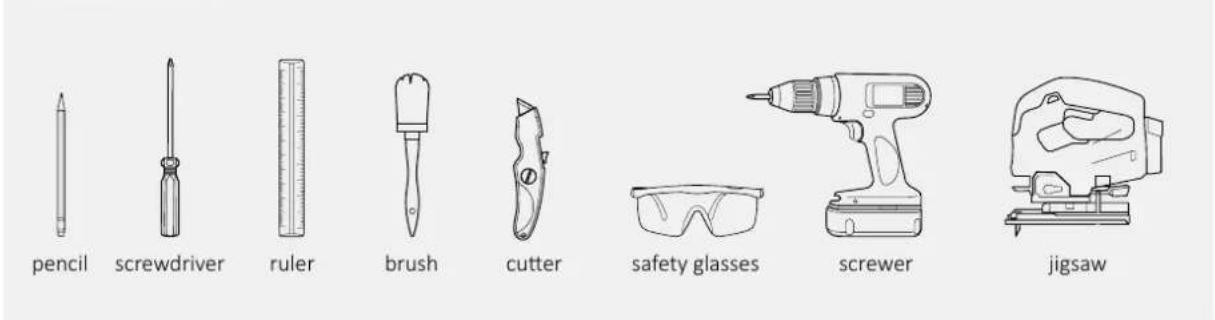
4 Installation tools

Standard installation4.1

Tools needed
HOOVER HIF84DCS - Standard installation4.1 - 1

text_image pencil screwdriver ruler brush cutter safety glasses screwer jigsaw

Tools provided with the product
HOOVER HIF84DCS - Standard installation4.1 - 2

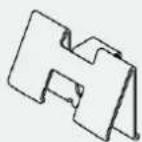
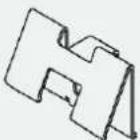
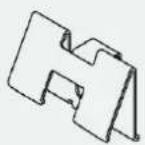
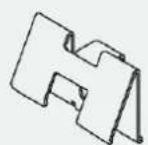
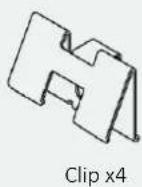
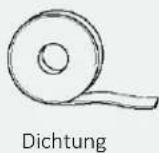
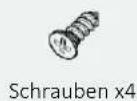
text_image Hob clip x4 gasket screws x4

4.2 Flush installation

Tools needed
HOOVER HIF84DCS - Flush installation - 1

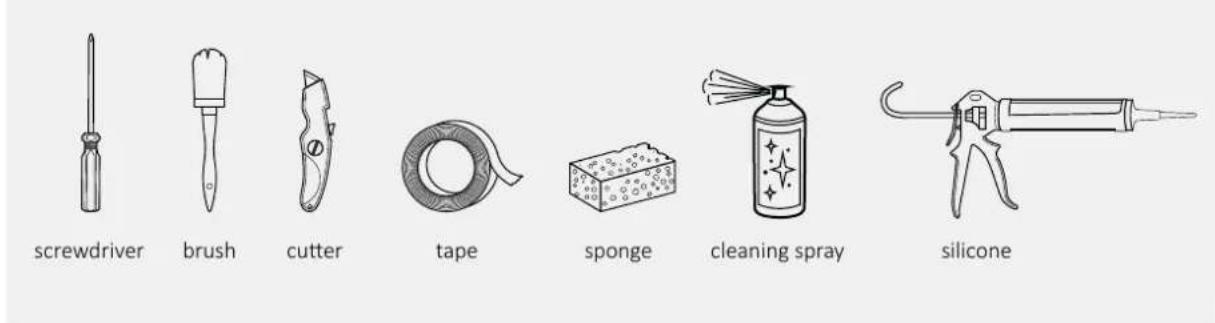
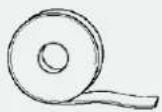
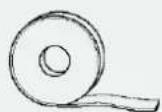
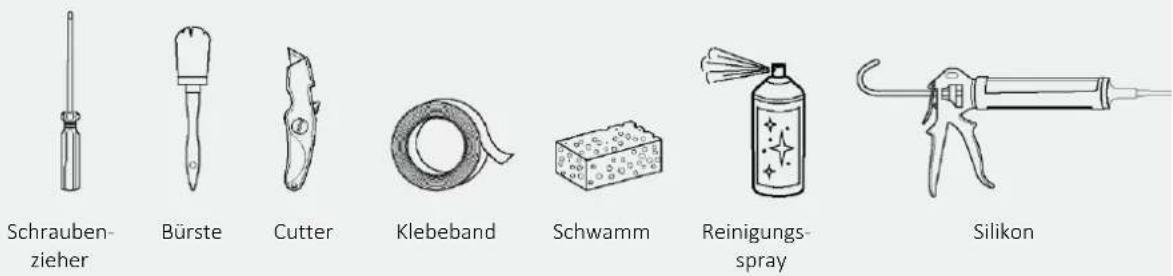
text_image screwdriver brush cutter tape sponge cleaning spray silicone

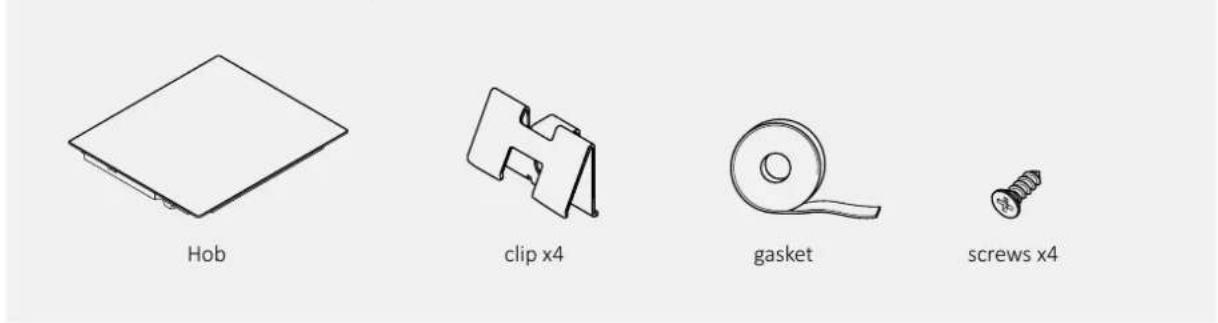
Tools provided with the product
HOOVER HIF84DCS - Flush installation - 2

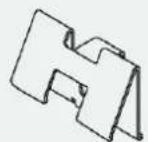
text_image Hob clip x4 gasket screws x4

5.1 Precautions

  • With regard to safety, this product complies with current regulations;
  • The distance between the cooktop and the cabinets or recessed appliances should be such as to ensure sufficient ventilation and air release;
  • The minimum distance between the hob and the hood depends on the model of the hood (A);
  • The distance between cooktop and wall cabinets should take into account the presence of bulky objects (pots, ladles, etc.), and their use (B);
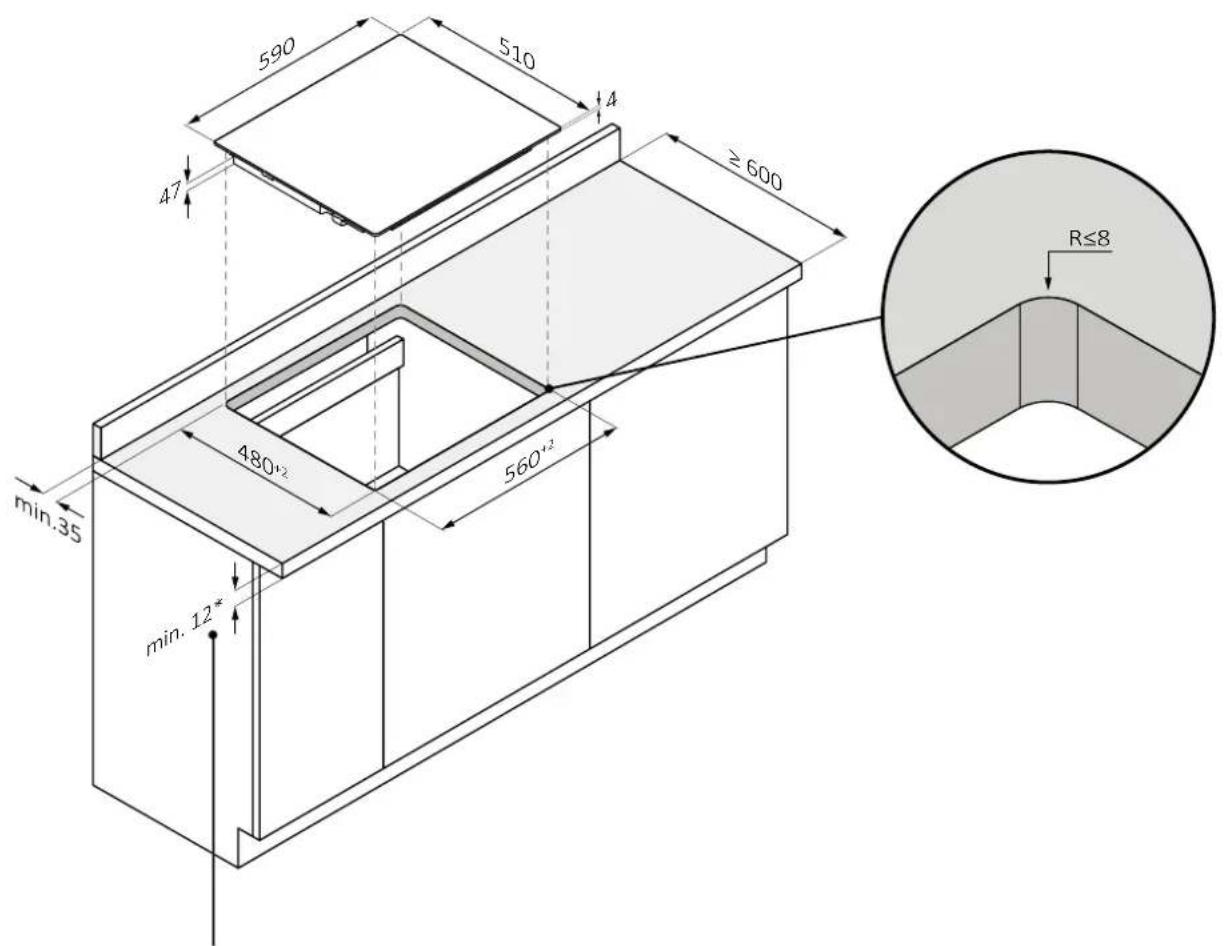
  • The minimum distance between the hob hole and the kitchen back panel/back-splash should be at least 35 mm (C);
  • Maintain a safe side distance from the furniture (D). The side covering of the furniture should be made of heat-resistant material;
  • In the area below the hob it is necessary to have a free space of at least 10 mm between the hob and any other object, which could be affected by the heat generated during use;
  • Follow the instructions in this manual for ventilation of the product;
  • If the product is installed above an oven, also consult the oven installation instructions.
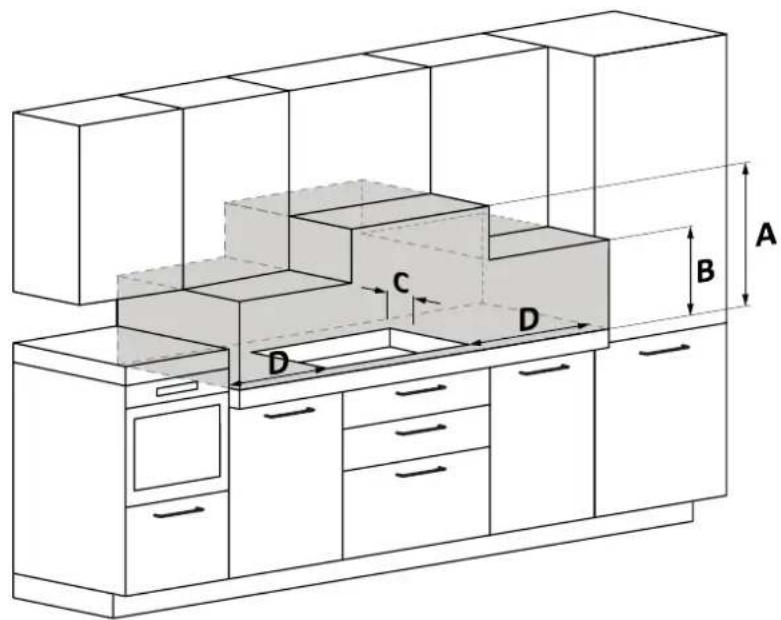
HOOVER HIF84DCS - Precautions - 1

text_image Technical diagram of a kitchen cabinet with labeled dimensions A, B, C, D and internal compartments

A We recommend a distance of at least 650mm, also consult the hood manual;
B Consider a useful space for handling pots, ladles and other items;
C 35 mm distance from the recessed hole to the back panel/backsplash;
D 35 mm: hob width 60; 55 mm: hob width 65; 35 mm: hob width 80;

6.1 Width 60 - 65 - 80 on oven base
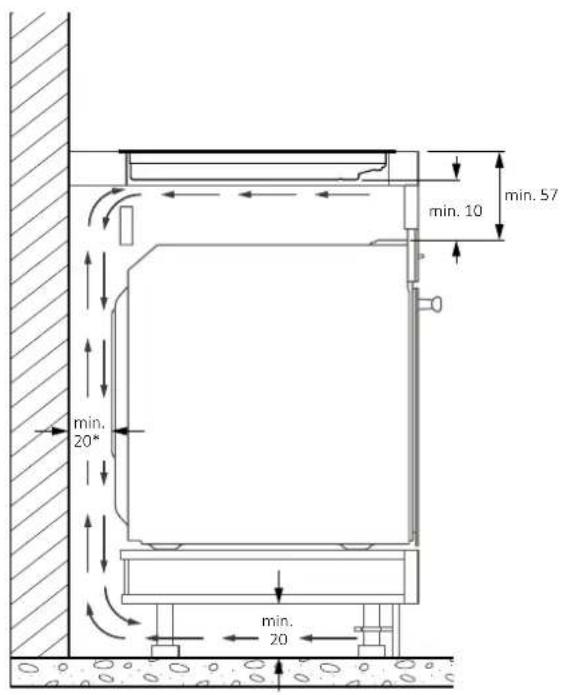
HOOVER HIF84DCS - Width 60 - 65 - 80 on oven base - 1

* Indication relating to the hob.
For information relating to the oven, consult the dedicated installation manual.

6.2 Width 60 - 65 - 80 on base with drawers
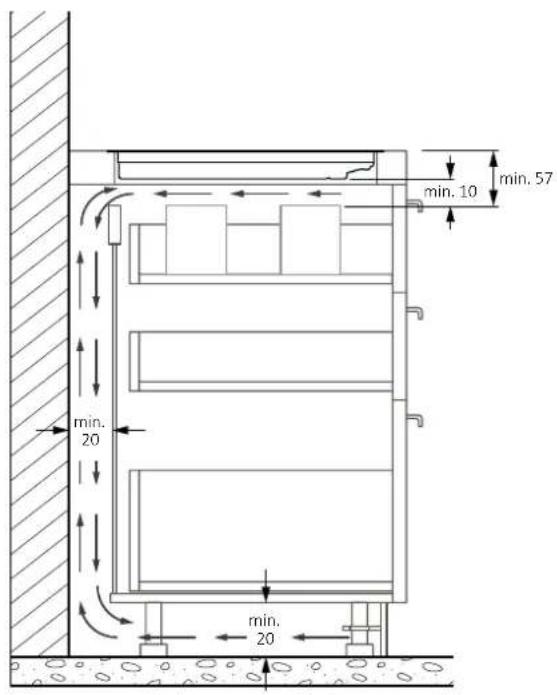
HOOVER HIF84DCS - Width 60 - 65 - 80 on base with drawers - 1

6.3 Width 60 - 65 - 80 on base with shelves
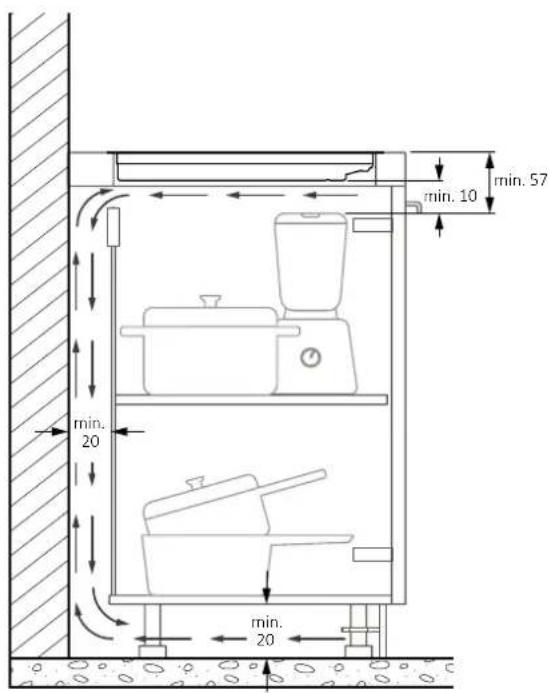
HOOVER HIF84DCS - Width 60 - 65 - 80 on base with shelves - 1

Furniture with thick countertop: provide a rear opening of at least 45mm between the top and the rear chain.
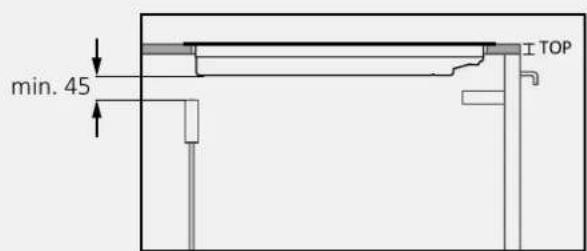
HOOVER HIF84DCS - Width 60 - 65 - 80 on base with shelves - 2

text_image min. 45 TOP

Furniture with reduced thickness countertop: provide a rear opening of at least 45mm between the cooktop and the rear chain.

7 Built in dimensions

• The kitchen countertop should be shaped by following the diagrams below;
- The back of the cabinet should provide openings, follow the diagrams below.

7.1 Hob width 60

standard installation

HOOVER HIF84DCS - Hob width 60 - 1

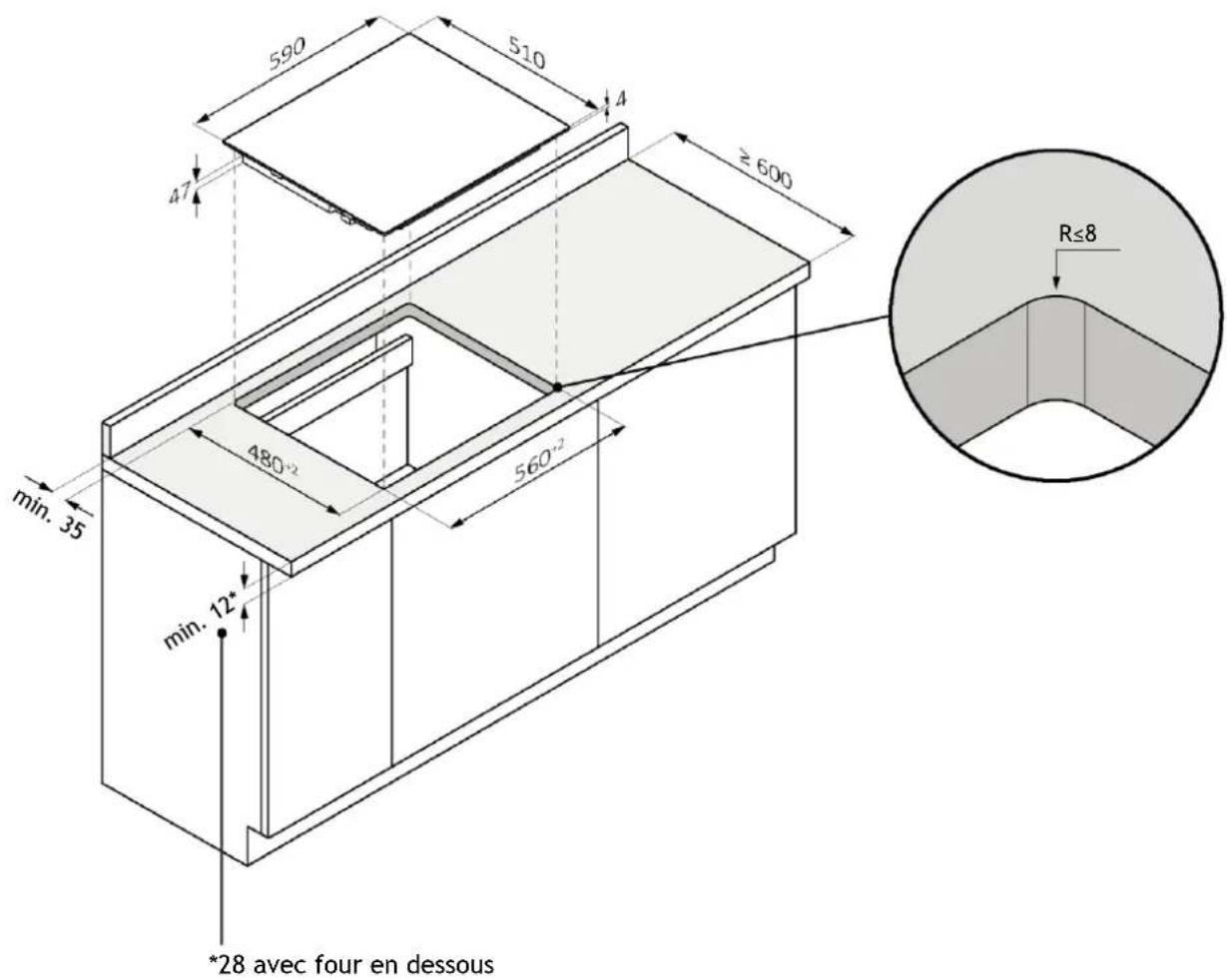
text_image 590 510 4 ≥ 600 47 min.35 480+2 560+2 min. 12* R≤8

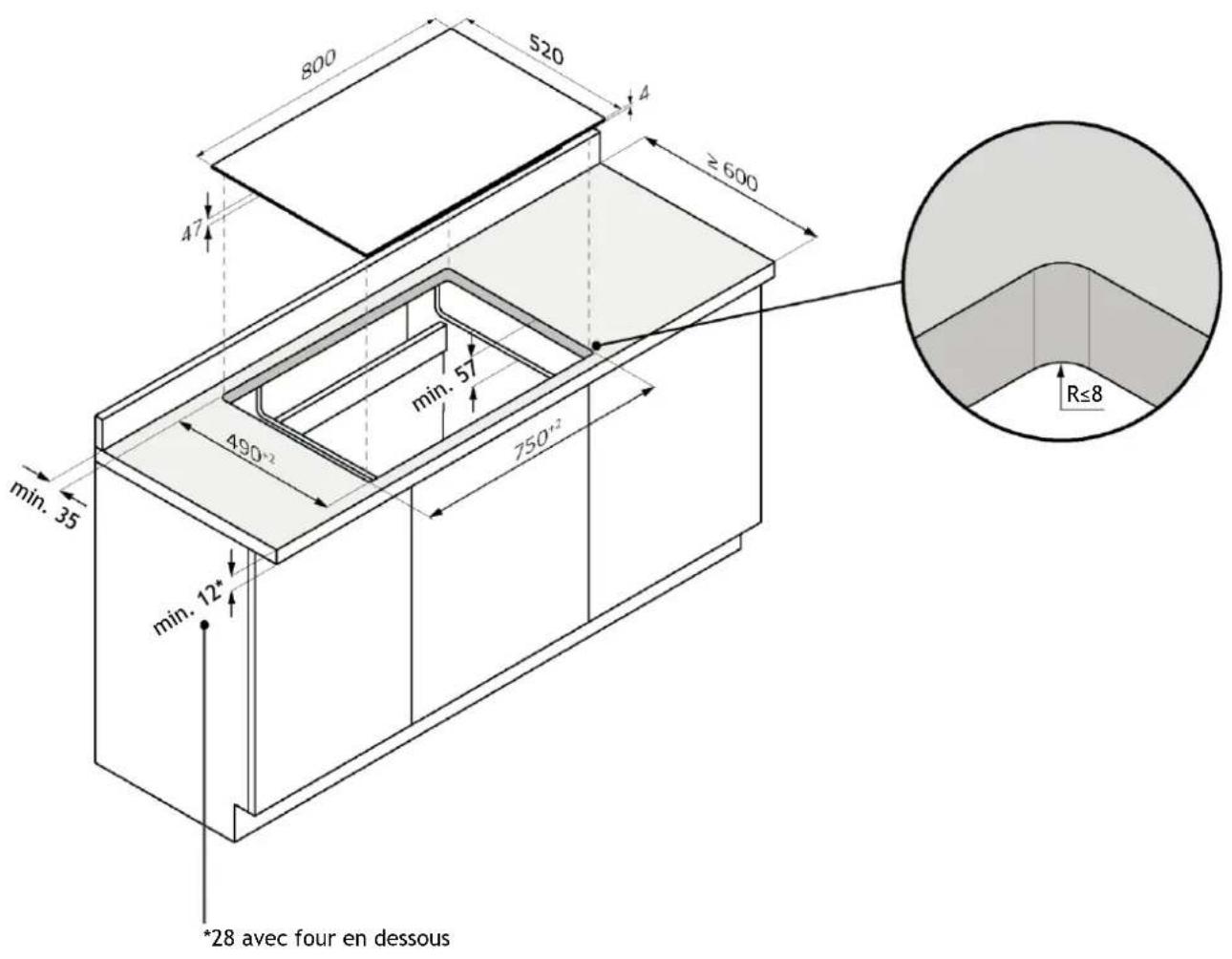
*28 with oven underneath

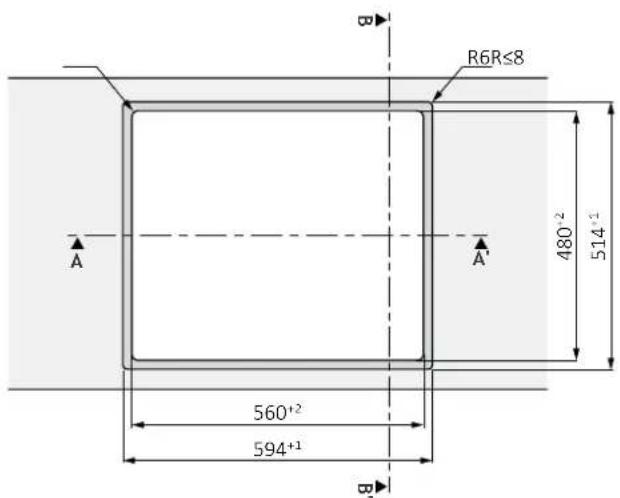
7.1 Hob width 60

flush installation

WARNING: Not available for products with beveled glass.
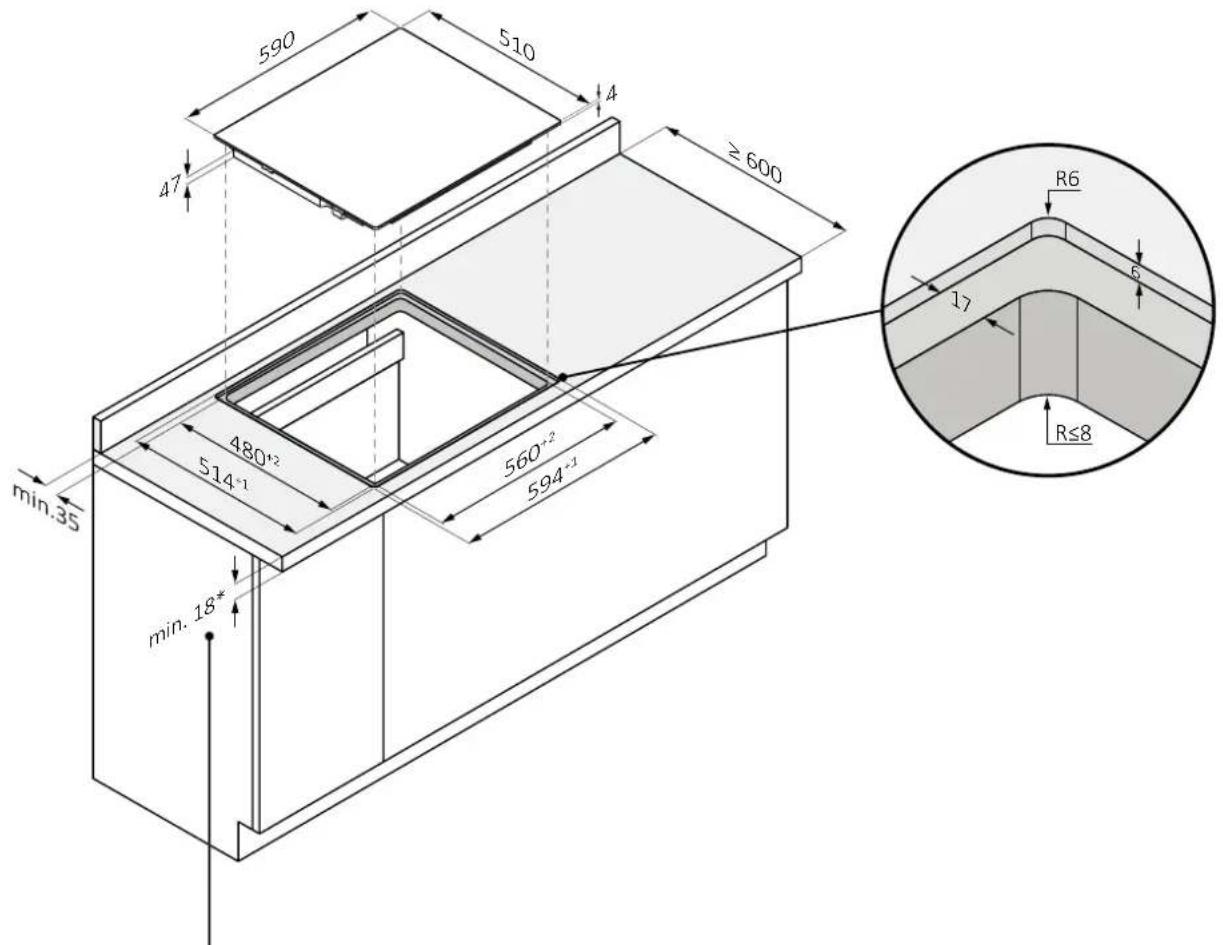
HOOVER HIF84DCS - Hob width 60 - 1

text_image 590 510 4 ≥ 600 47 min.35 480+2 514-1 560-2 594-1 min.18* R6 6 17 R≤8

*28 with oven underneath

HOOVER HIF84DCS - Hob width 60 - 2

text_image R6R≤8 480°² 514°² 560°² 594°¹

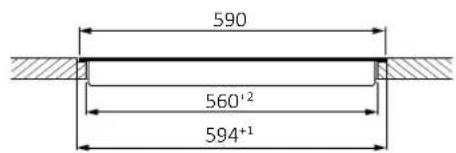
HOOVER HIF84DCS - Hob width 60 - 3

text_image 590 560'2 594+1

A-A'

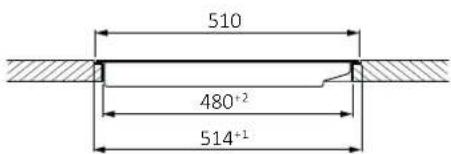
HOOVER HIF84DCS - Hob width 60 - 4

text_image 510 480⁺² 514⁺¹

B-B'

7 Built in dimensions

7.2 Hob width 65

standard installation
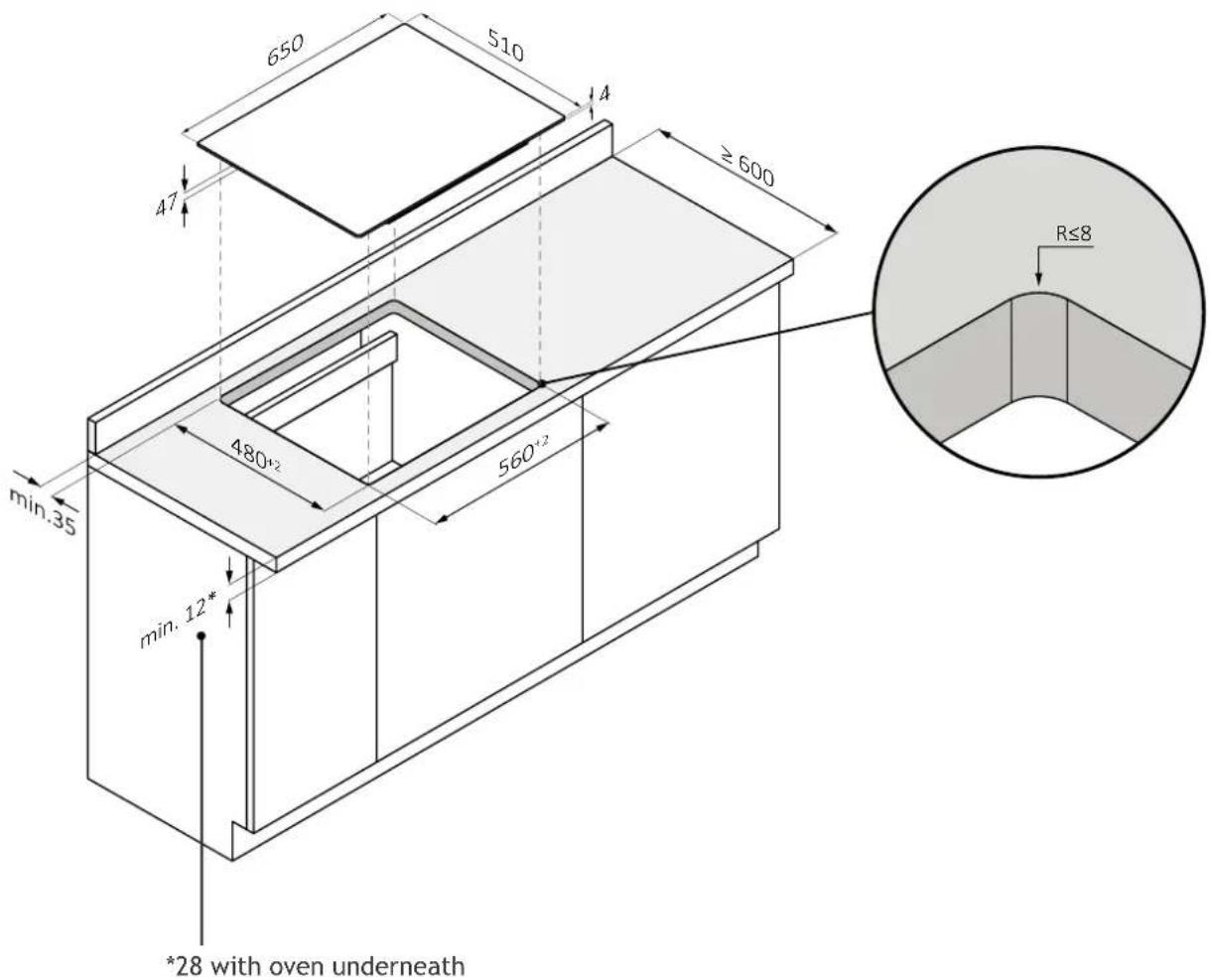
HOOVER HIF84DCS - Hob width 65 - 1

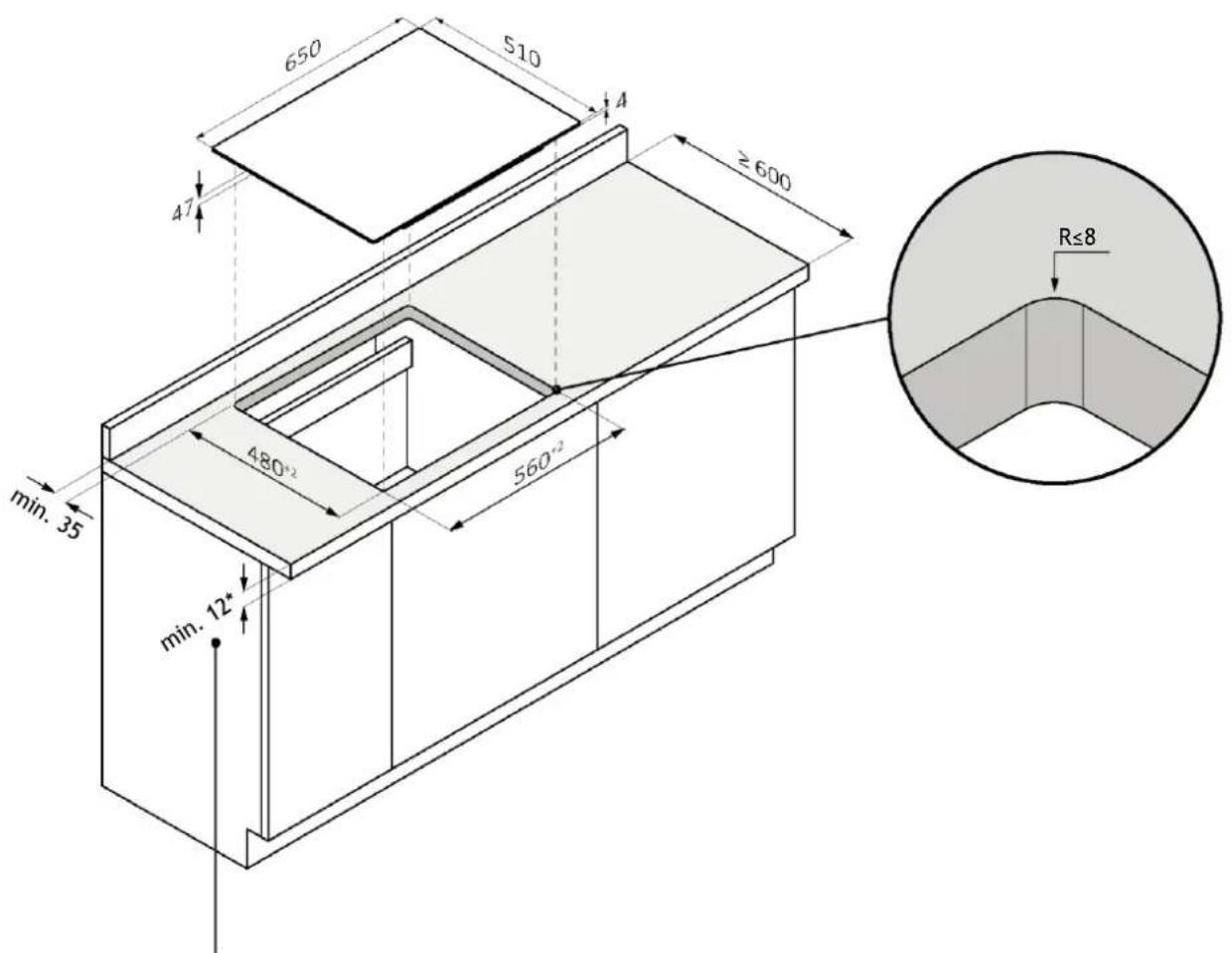
text_image 650 510 4 ≥ 600 47 min.35 480+2 560+2 min. 12* *28 with oven underneath R≤8

7.2 Hob width 65

flush installation

⚠ WARNING: Not available for products with beveled glass.
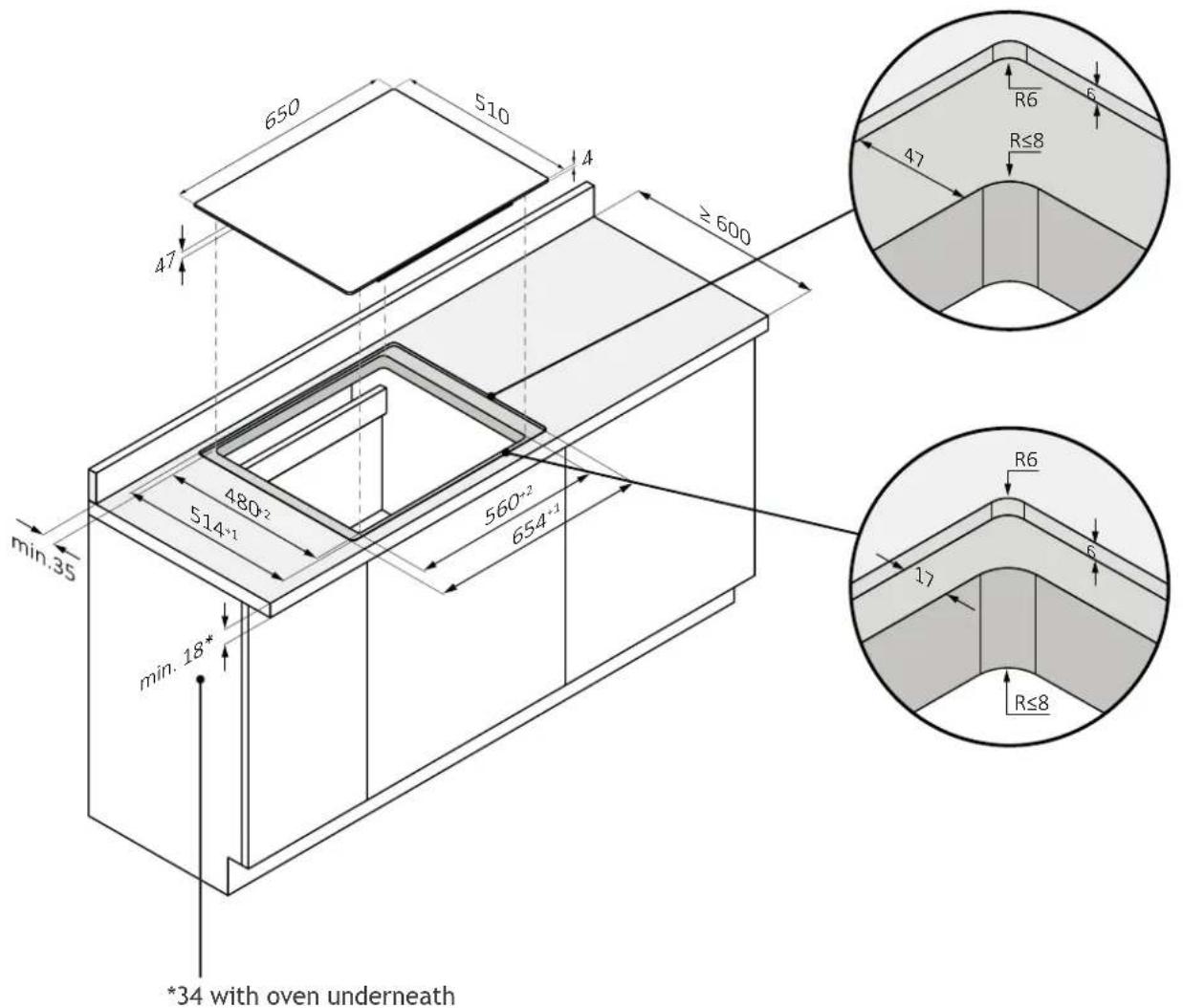
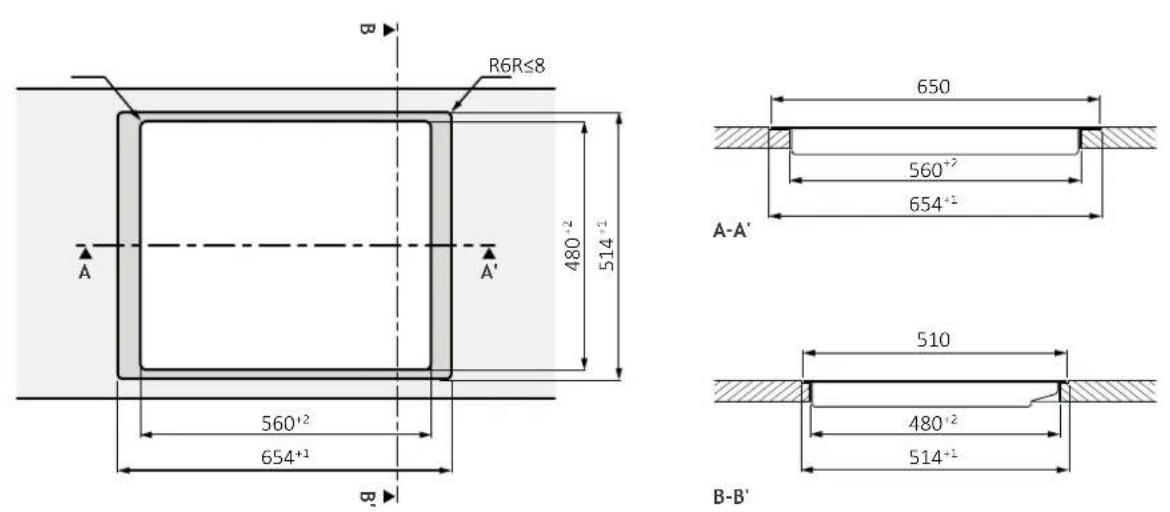
HOOVER HIF84DCS - Hob width 65 - 1

text_image 650 510 4 ≥ 600 47 min.35 480-2 514-1 560-2 654-1 min.18* *34 with oven underneath R6 6 47 R≤8 R6 6 17 R≤8

HOOVER HIF84DCS - Hob width 65 - 2

7 Built in dimensions

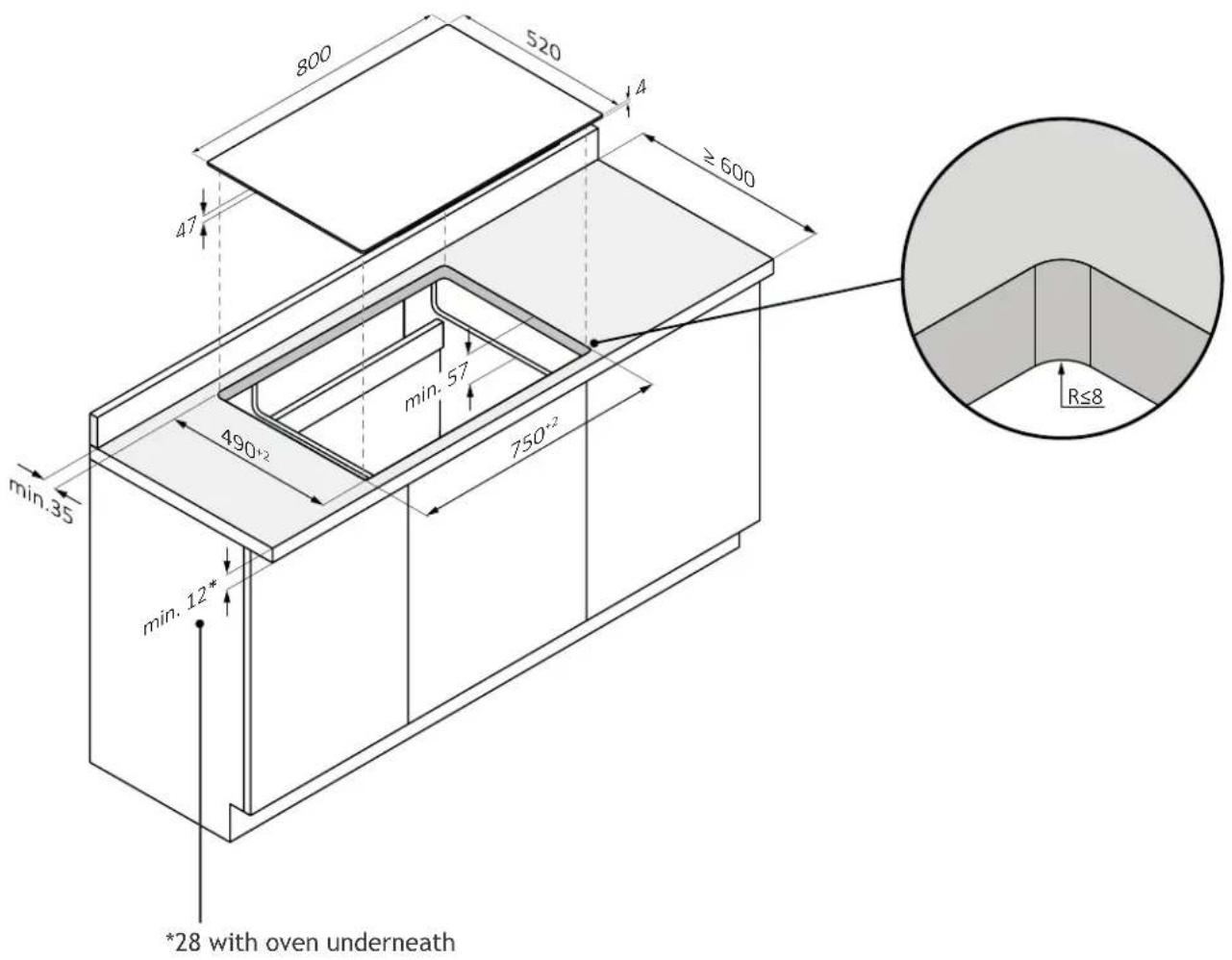
7.3 Hob width 80

standard installation

HOOVER HIF84DCS - Hob width 80 - 1

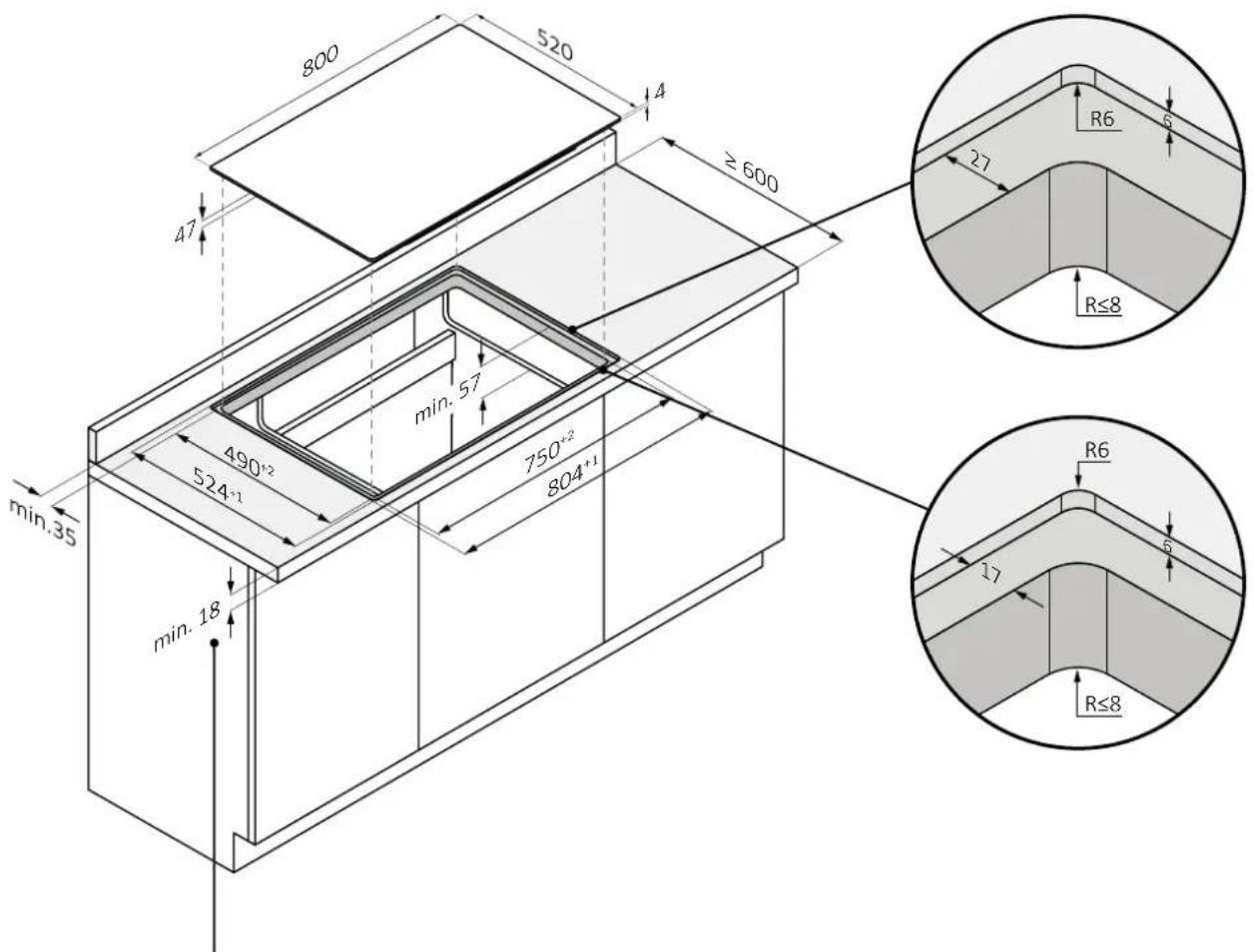
text_image 800 520 4 ≥ 600 47 min. 57 490+2 750-2 min. 35 min. 12* *28 with oven underneath R≤8

7.3 Hob width 80

flush installation

⚠ WARNING: Not available for products with beveled glass.
HOOVER HIF84DCS - Hob width 80 - 1

text_image 800 520 4 ≥ 600 47 min. 35 490+2 524+1 min. 57 750+2 804+1 min. 18 R6 27 R≤8 R≤8 R6 17

*34 with oven underneath

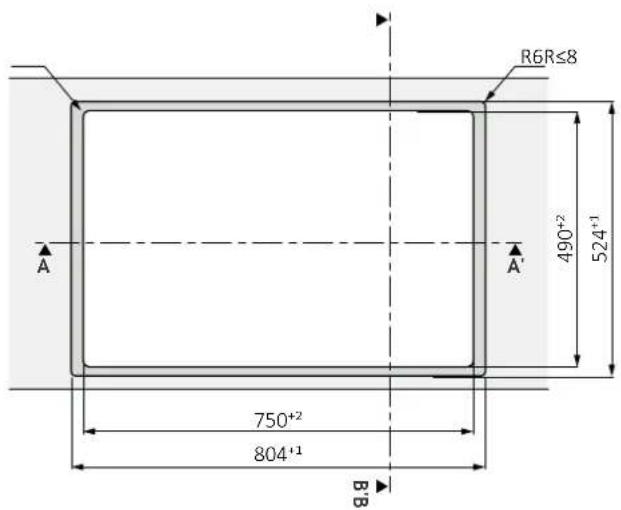
HOOVER HIF84DCS - Hob width 80 - 2

text_image R6R≤8 490+2 524+1 A A' 750+2 804+1 B-B

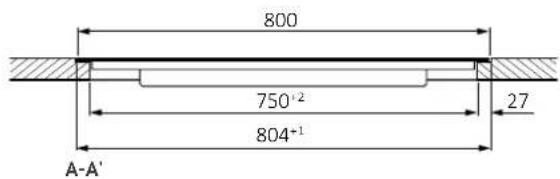
HOOVER HIF84DCS - Hob width 80 - 3

text_image 800 750⁺² 804⁺¹ 27 A-A'

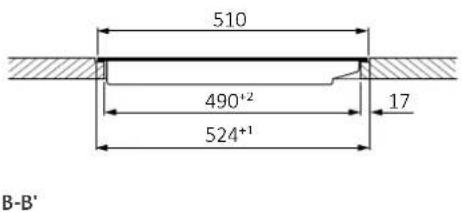
HOOVER HIF84DCS - Hob width 80 - 4

text_image 510 490⁺² 524⁺¹ 17 B-B'

8 Connection to the mains

8.1 Safety warnings

To carry out the electrical connection of the device safely, observe the following warnings:

  • Any improperly performed repair, installation and maintenance can seriously endanger the user;
  • The producer declares that it assumes no liability for direct or indirect damage caused by incorrect installation, maintenance or repair. It is also not liable for damage caused by missing or interrupted grounding pipeline (electric shock);
  • Have the hob connected to the power grid only by a qualified technician who knows and complies with local regulations and additional regulations of the local power company;
  • The product falls under protection class I and can operate only if it is equipped with a grounding conductor;
  • The product must be voltage-free during installation;
  • During installation, do not place metal objects, (e.g., knives, forks, spoons and lids) on the surface of the cooktop because they may get hot;
  • Connect the product using only the supplied cable;
  • The product must be connected to a properly made electrical system;
  • In case of incorrect installation, tampering with the device and improper connection, the validity of the product warranty will expire;
  • If the power cord is damaged, it should be replaced by the manufacturer, a service technician or similarly qualified person to avoid risk;
  • Connection to a reliable grounding system is essential and mandatory;
  • This appliance should be installed and grounded only by a properly qualified person;
  • Disconnect the appliance from the main power supply before doing any work or maintenance on it;
  • This appliance must be connected to a circuit that incorporates an isolation switch that provides complete disconnection from the power source;
  • Modifications to the home electrical system should be carried out only by a qualified electrician;
  • Failure to follow these recommendations could result in electric shock or death;
  • The hob must be connected to the power supply via an omnipolar disconnection device that ensures separation between contacts compliant with supercharging category III. This device must withstand the maximum connected loads and comply with current regulations.

⚠ WARNING: To avoid any danger caused by accidental resetting of the thermal cutout device, the appliance must not be powered by an external switching device, such as a timer, or be connected to a circuit that is regularly switched on and off.

- Electrical power cable: the appliance is equipped with a power cable which must be connected to the home network. Find out the different connection possibilities, depending on the type of domestic power supply, from the relevant diagram. The data plate also indicates the connection voltage permitted for this appliance and the relative absorbed power.

8.2 Instructions

Power absorbed

See product data plate.

Differential circuit breaker (life-saving)

The use of a residual current circuit breaker (earth leakage circuit breaker) with trip current complying with current standards is recommended.

Separation devices

In the event that it is necessary to use it, the hob must be connected to the power supply via an omnipolar disconnection device that ensures a separation between contacts complying with overvoltage category III. Such a device must withstand the maximum loads connected and comply with current standards.

⚠ WARNING: To avoid any danger caused by accidentally resetting the thermal cut-off device, the appliance must not be powered by an external switching device, such as a timer, or be connected to a circuit that is regularly switched on and off. The product is not designed to be operated by an external timer or a separate remote control system.

Electrical power cable

The product is equipped with a power cable that must be connected to the home network. Find out the different connection possibilities, depending on the type of domestic power supply, from the relevant diagram. The data plate also indicates the permitted connection voltage for this appliance and the relative absorbed power.

Replacing the power cord

Do not replace the cable yourself. Contact the authorized assistance centre.

Connection to the mains

8.3 Other advice

The use of any household appliance requires adherence to certain basic rules:

  • Do not pull the power cord to disconnect the appliance from the power supply;
  • Do not touch the appliance with wet or damp hands or feet;
  • In general, the use of adapters, power strips or extension cords is discouraged;
  • In case of malfunction and/or drop in performance, turn off the appliance and do not tamper with it.

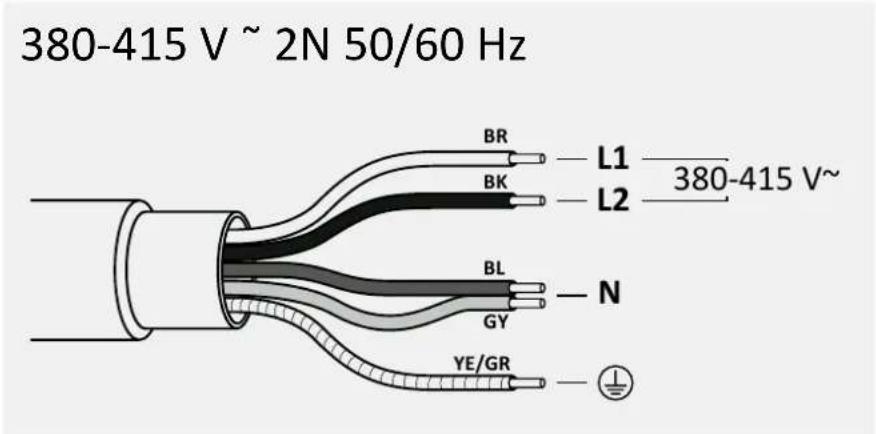
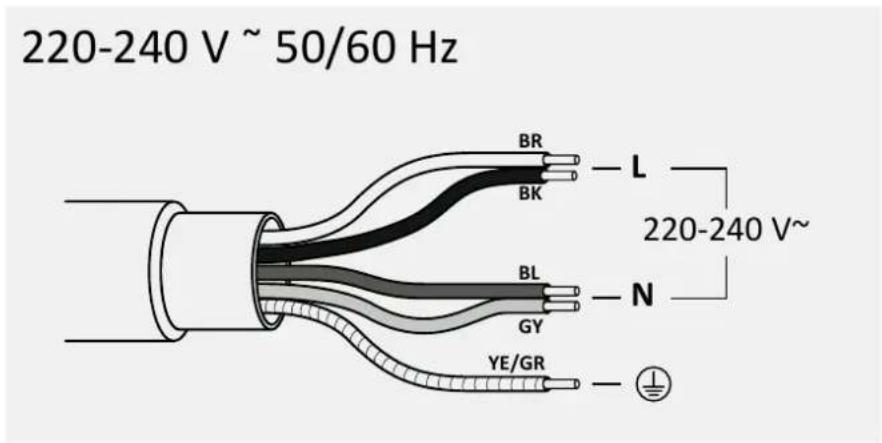
8.4 Layout of connection

Comply with local regulations and additional regulations of the local electrical company.

Connecting the appliance

Observe the connection data on the rating plate.

Carry out the connection exclusively in accordance with the relevant diagram:

  • BR: brown
  • BL: blue
    • YE/GN: yellow and green
  • BK: black
  • GY: grey

HOOVER HIF84DCS - Connecting the appliance - 1

text_image 380-415 V ~ 2N 50/60 Hz BR L1 —— 380-415 V~ BK L2 BL N GY YE/GR

HOOVER HIF84DCS - Connecting the appliance - 2

text_image 220-240 V ~ 50/60 Hz BR L BK 220-240 V~ BL N GY YE/GR

9.1 Important warnings

  • Remove any possible transverse strips that are in the area of the worktop hole;
  • For protection against humidity and the infiltration of liquids, all cut surfaces must be sealed with a suitable product;
    • The product must be in a perfect horizontal position;
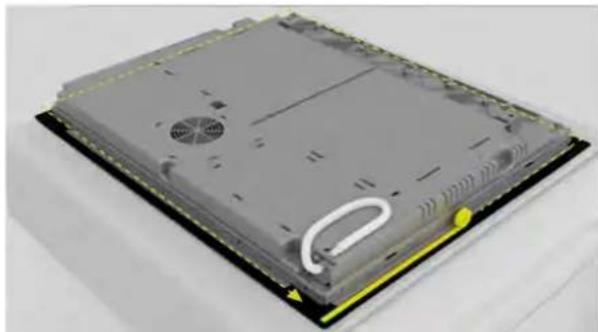
  • Before installation, check that the hob gasket is positioned correctly (pic. 1).

pic. 1
HOOVER HIF84DCS - Important warnings - 1

natural_image 3D rendering of a flat electronic device with visible internal components and a yellow accent (no text or symbols)

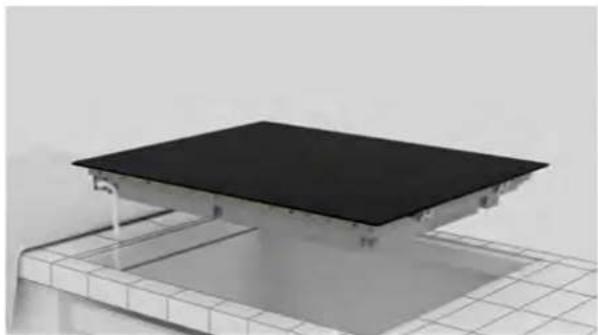
- The supporting surface of the cooktop must be perfectly smooth so that it rests evenly and the applied gasket can provide a sufficient seal (pic. 2).

pic. 2
HOOVER HIF84DCS - Important warnings - 2

natural_image 3D rendering of a black rectangular platform mounted on a grid-patterned base (no text or symbols visible)

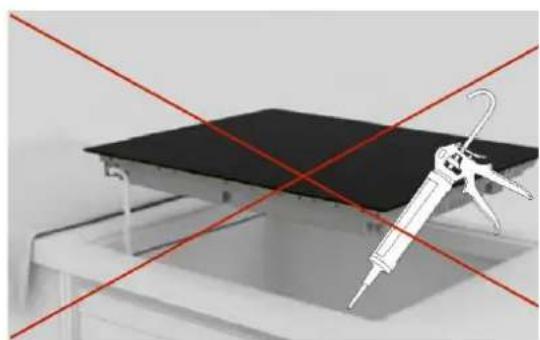
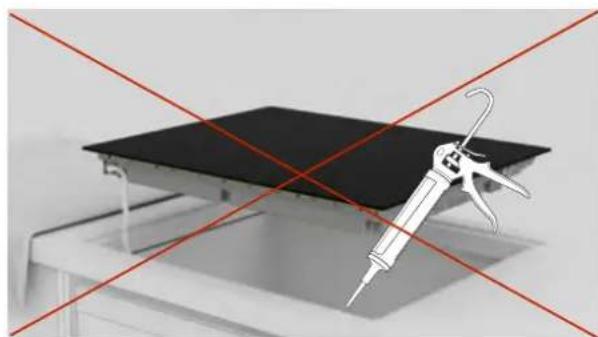
- Do not fix the cooktop by using silicone or any other adhesive! Such fixing would damage the product if you were to disassemble it (pic. 3).

pic. 3
HOOVER HIF84DCS - Important warnings - 3

natural_image Diagram showing a syringe and a black panel on a table, with red diagonal lines indicating crossed or no text or symbols.

9 Instructions for installation

9.2 Step-by-step installation

The images below show the step-by-step installation of the product.

Standard installation

You can view the product installation video by scanning the Qr Code

Flush installation

You can view the product installation video by scanning the Qr Code

HOOVER HIF84DCS - Flush installation - 1

or by clicking this link clicking this

HOOVER HIF84DCS - Flush installation - 2

HOOVER HIF84DCS - Flush installation - 3

HOOVER HIF84DCS - Flush installation - 4

HOOVER HIF84DCS - Flush installation - 5

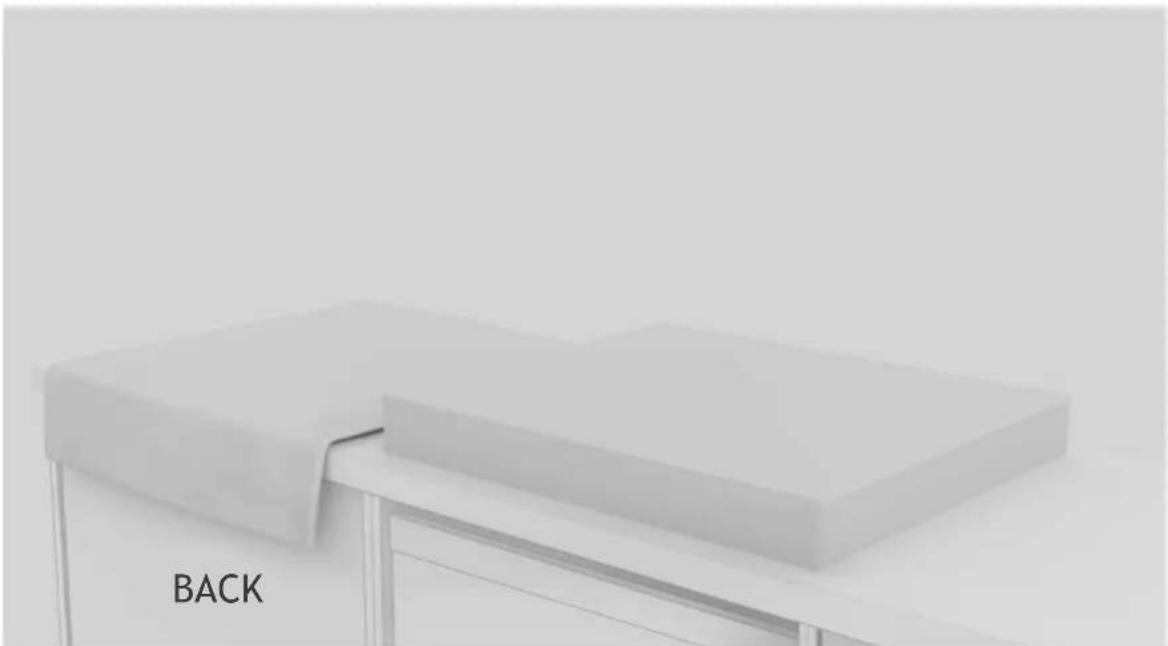
text_image BACK

1

Engage the tools indicated in the “Installation Tools” chapter of the manual. Lay a cloth beside the product package to rest the hob on;

24

HOOVER
HOOVER HIF84DCS - Flush installation - 6

text_image BACK FRONT

2

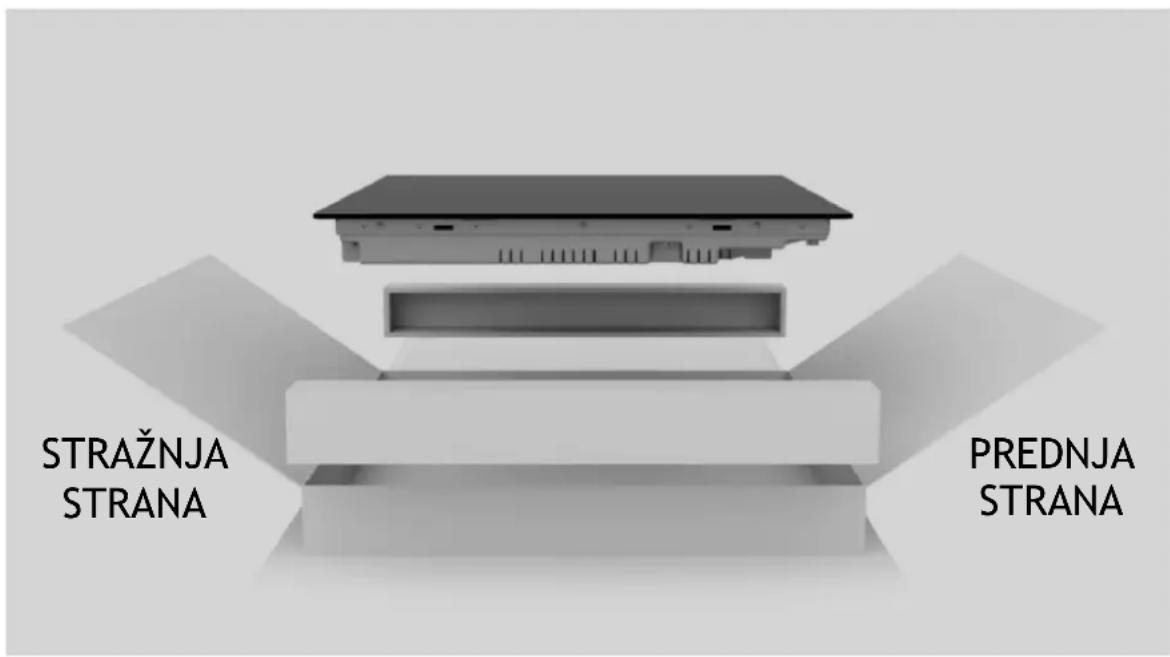
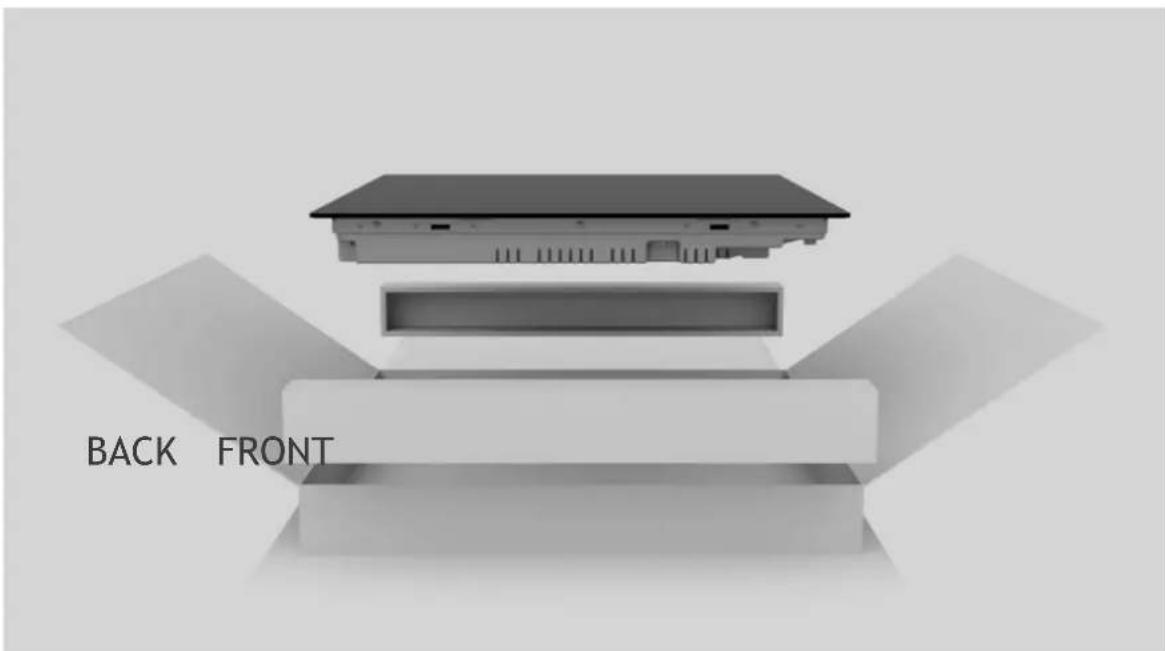
Wear gloves. Remove package and wrapping making sure not to damage the glass of the hob;
HOOVER HIF84DCS - 2 - 1

natural_image Exterior view of a modern office building (no signage)

3

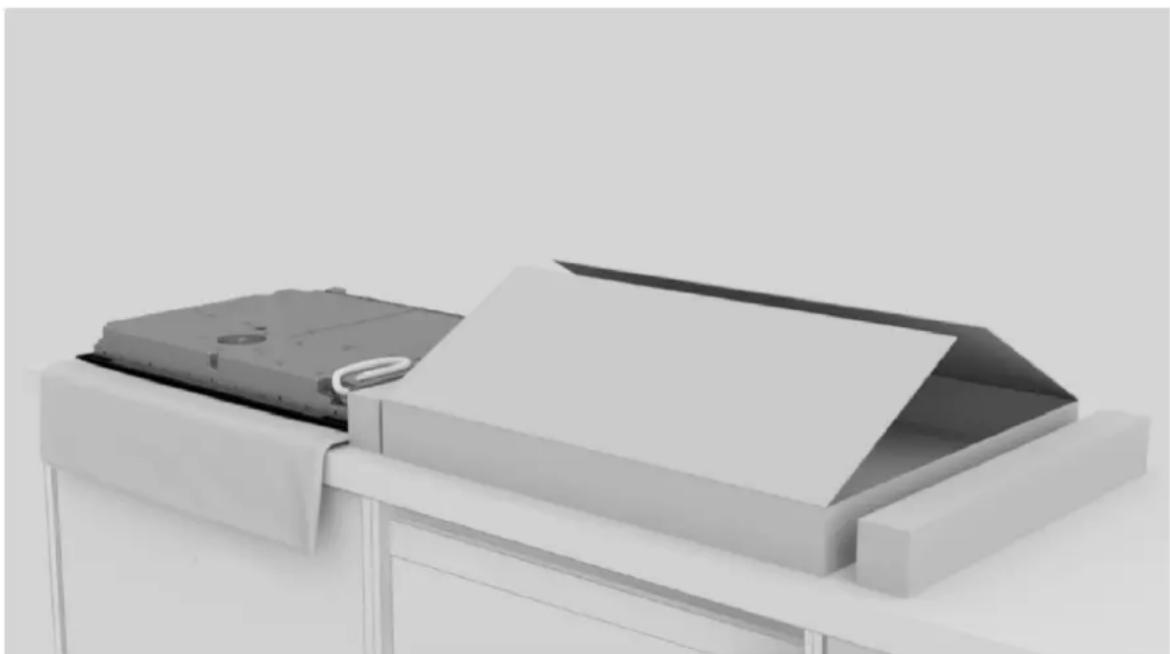
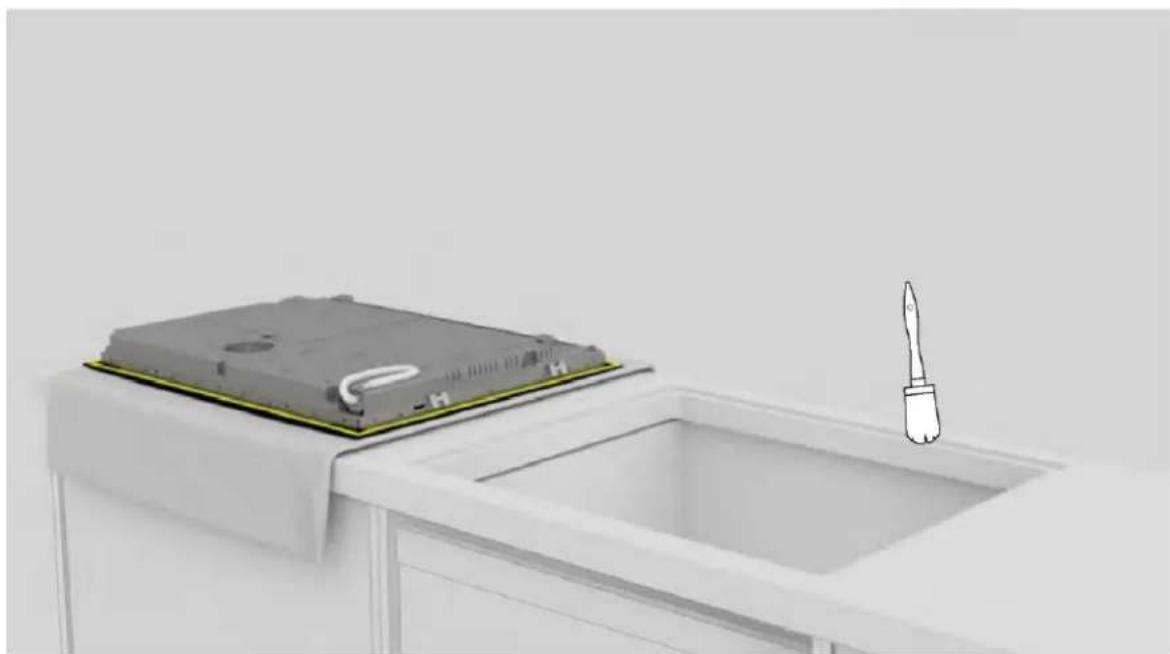
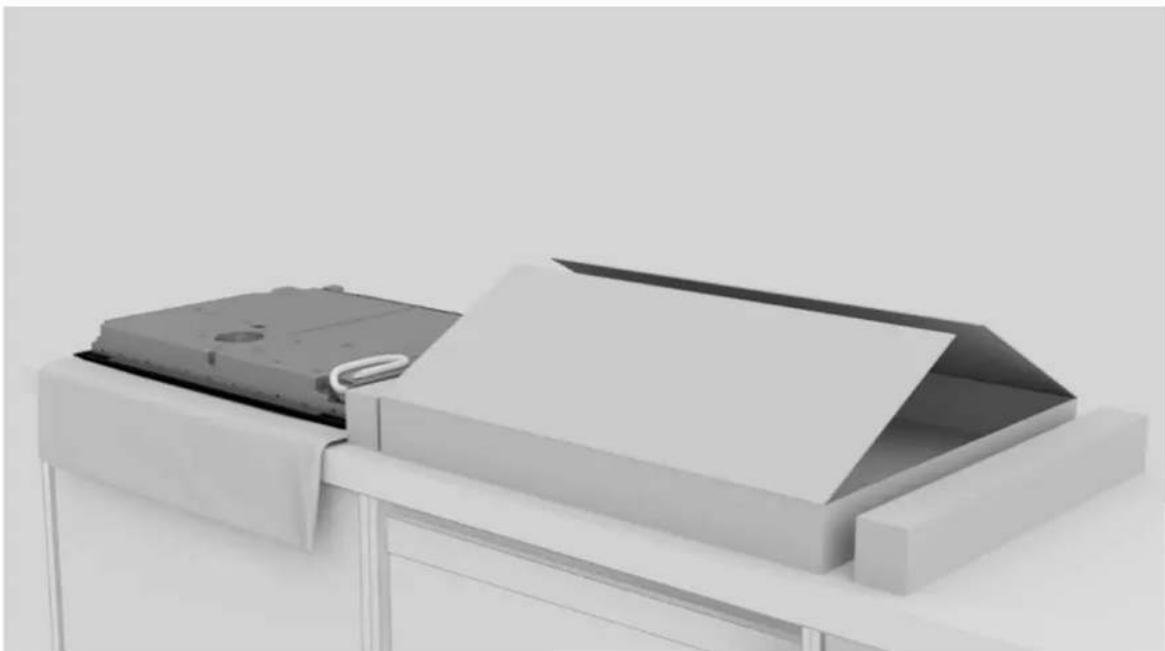
Place the hob by laying it upside down on the cloth previously laid beside the package;

9 Instructions for installation
HOOVER HIF84DCS - Instructions for installation - 1

natural_image 3D rendering of a gray electronic device casing with ventilation slots and a white cable, showing no text or symbols.

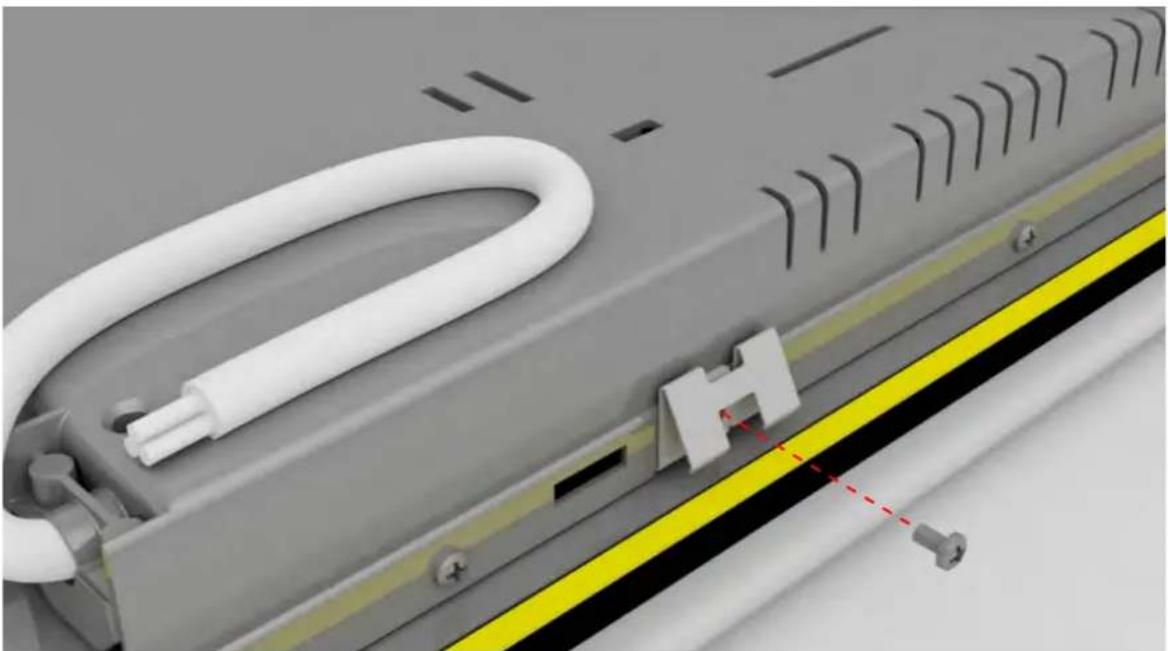
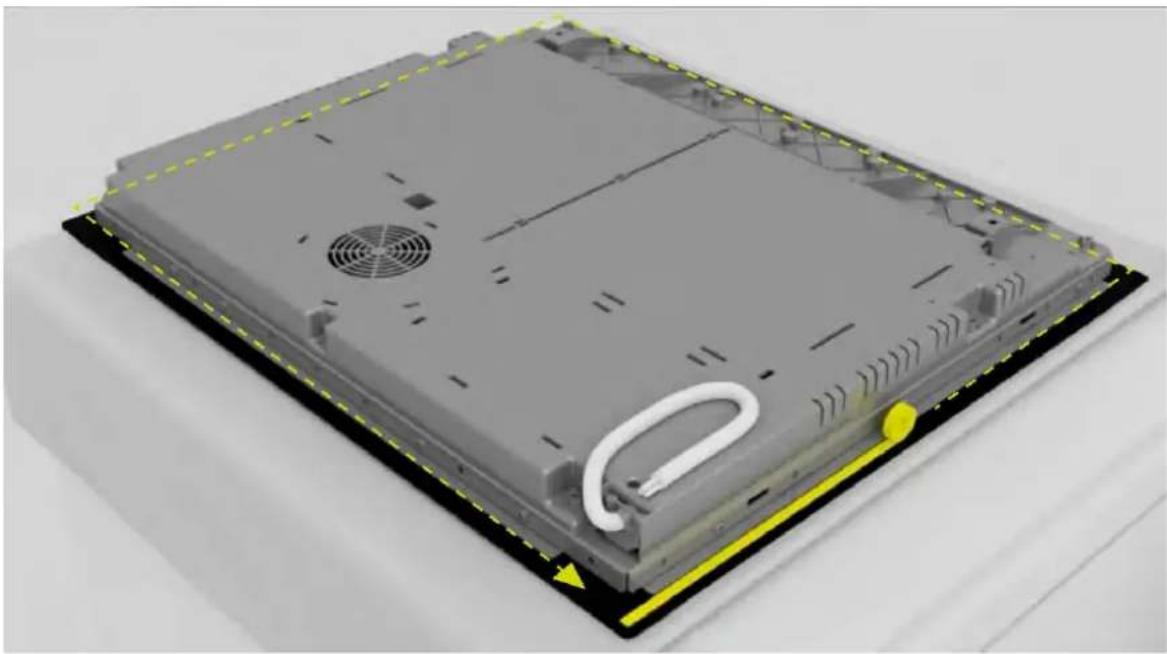
4

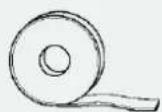
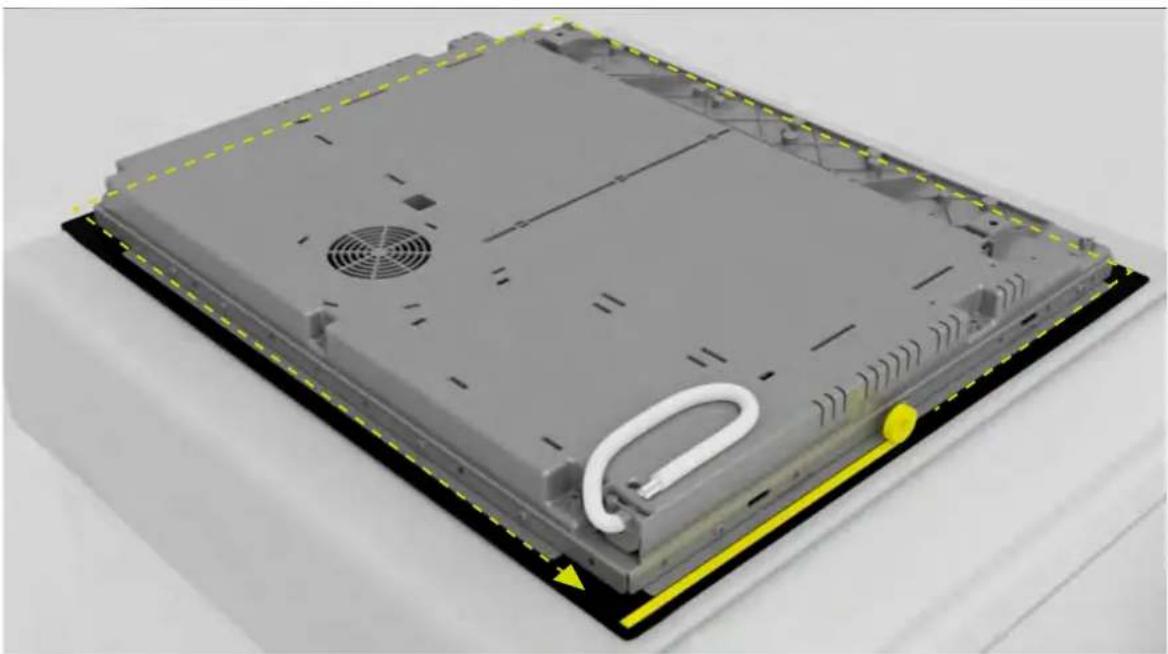
Apply gasket around the perimeter;

HOOVER HIF84DCS - Instructions for installation - 2

natural_image Close-up of a mechanical component with white tubing and a yellow safety stripe (no visible text or symbols)

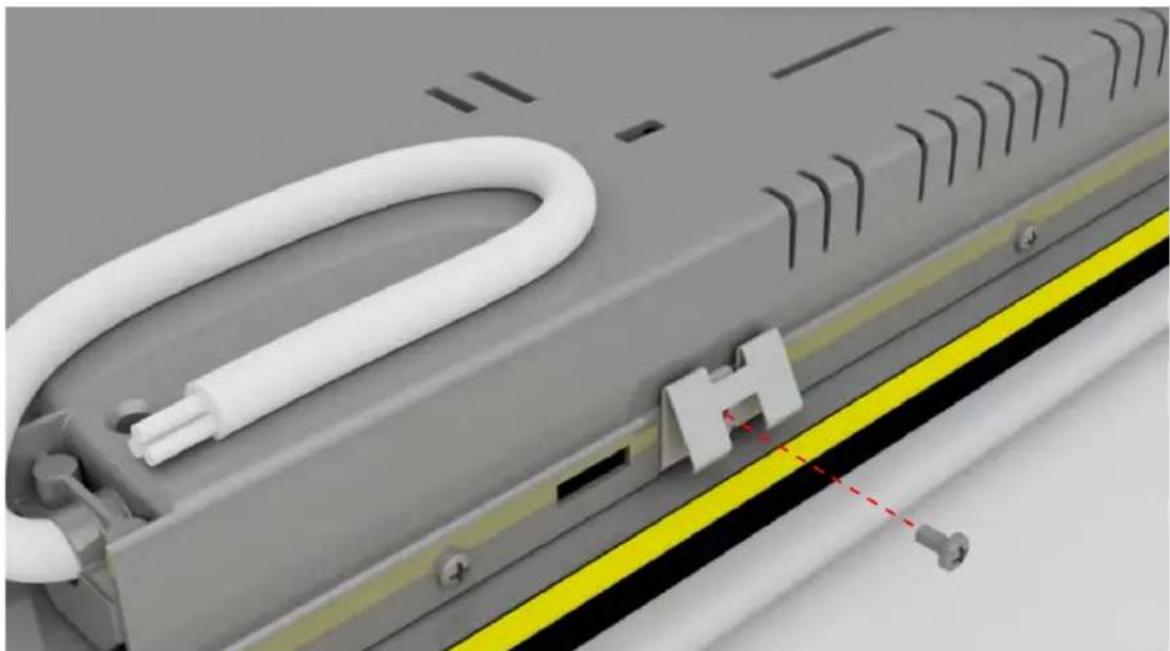
5

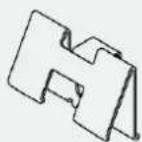
Attach the clips on the short sides of the hob;
HOOVER HIF84DCS - Instructions for installation - 3

natural_image 3D illustration of a device with a battery cover placed on top of a rectangular tray, next to a stylus (no text or symbols)

6

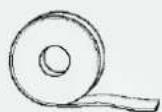
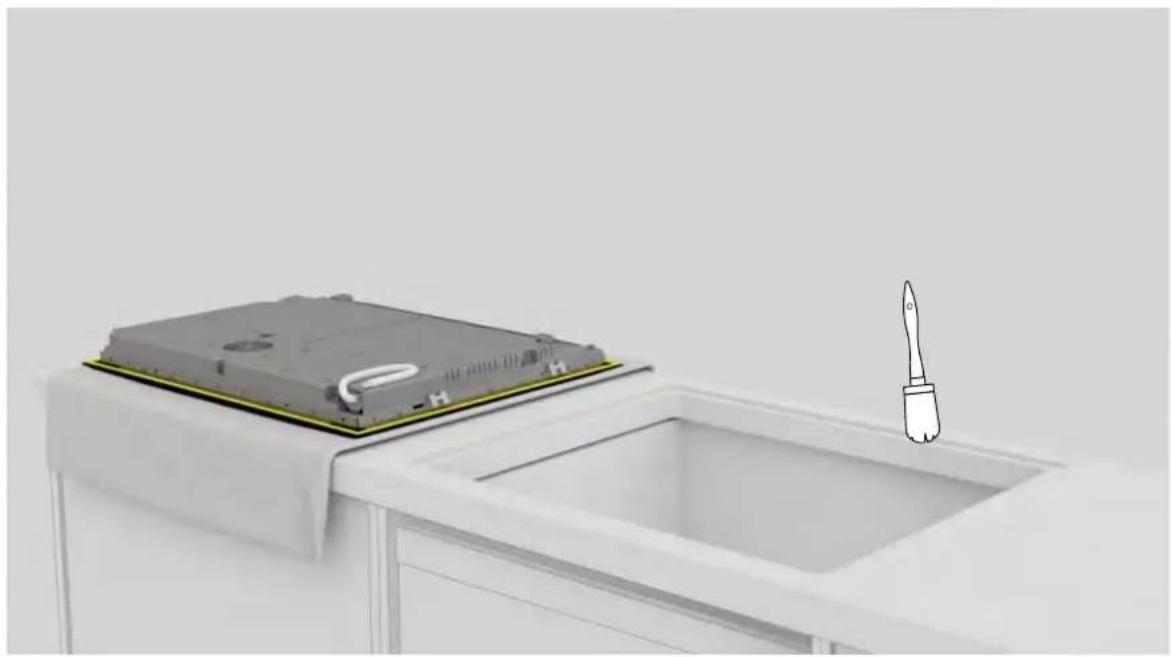
Clean the edge of the recessed area;
HOOVER HIF84DCS - Instructions for installation - 4

natural_image 3D rendering of a white appliance with a black top mounted on a stand, no visible text or symbols

7

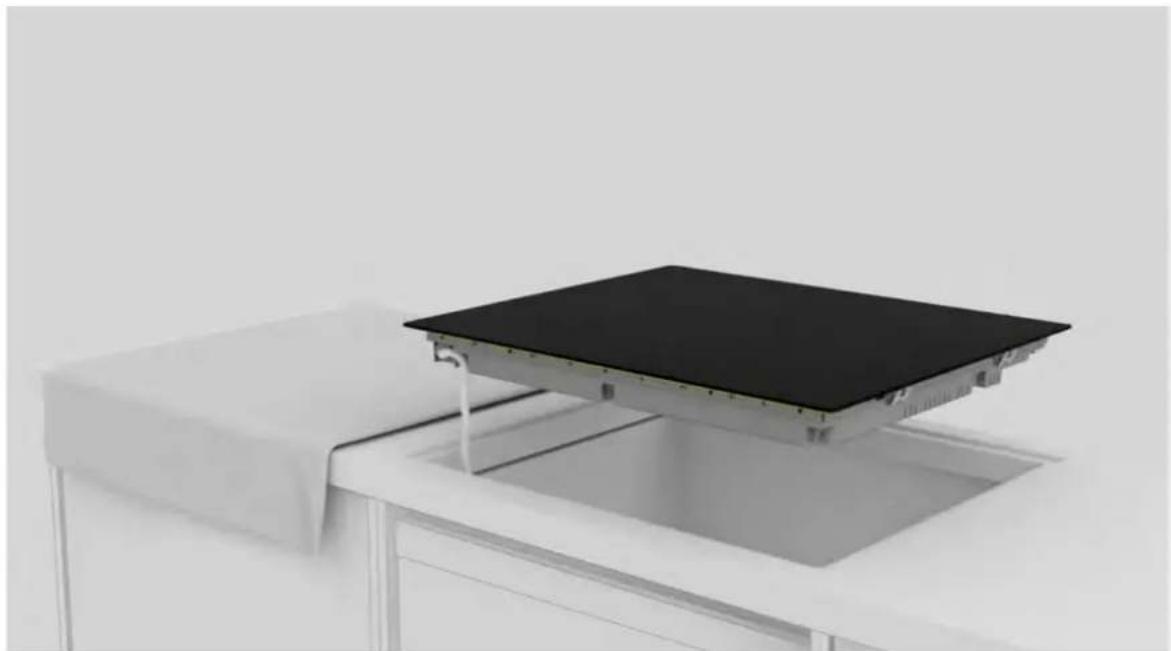
Connect the power supply cord according to the connection diagram shown in the "Mains Connection" section of the manual (no other objects should be on the hob during mains connection).

9 Instructions for installation
HOOVER HIF84DCS - Instructions for installation - 1

natural_image White table with a black flat-screen display on top, no visible text or symbols

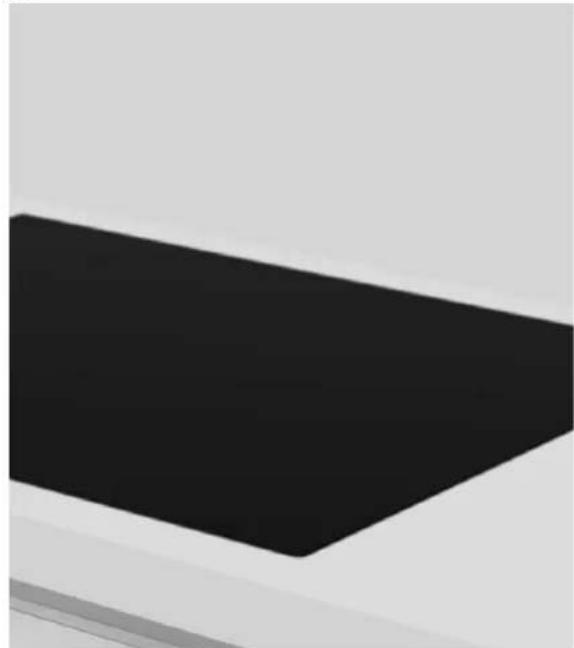
8

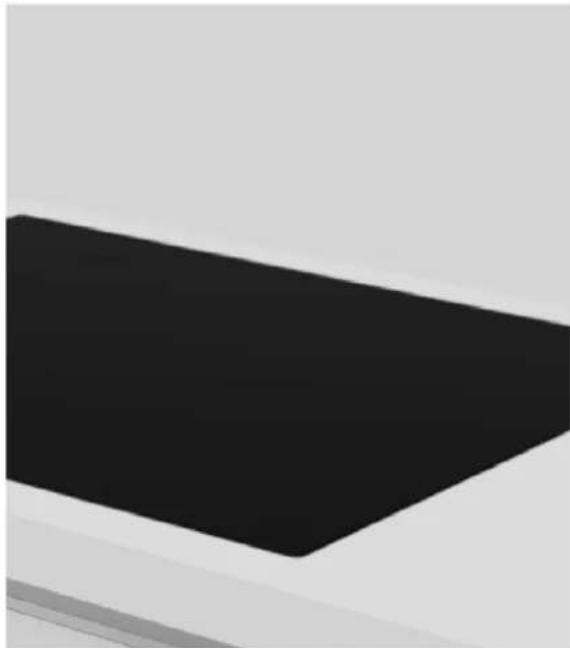
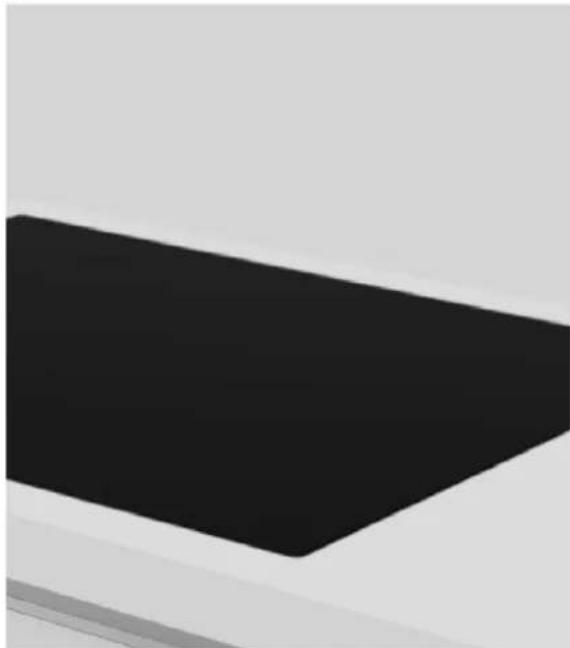
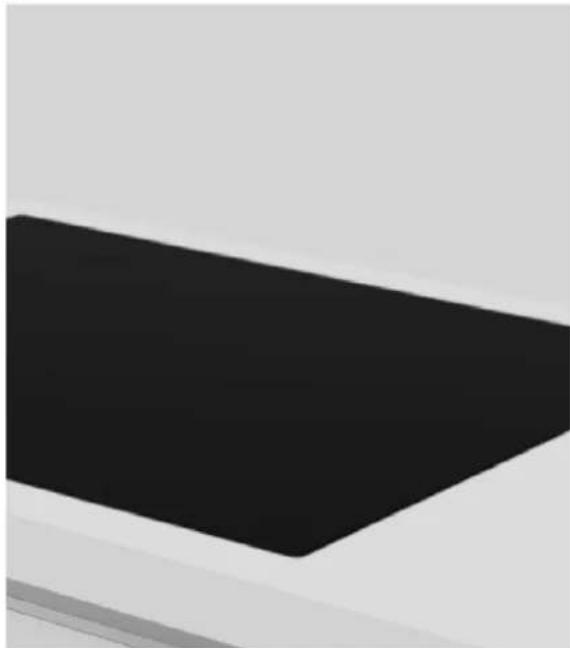
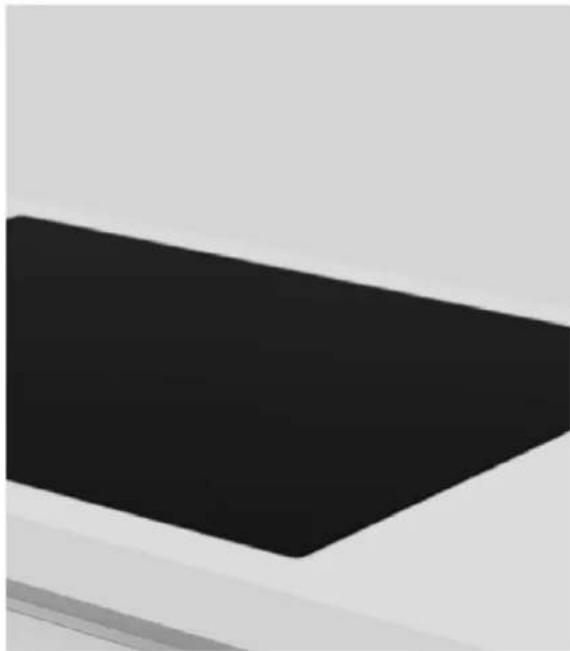
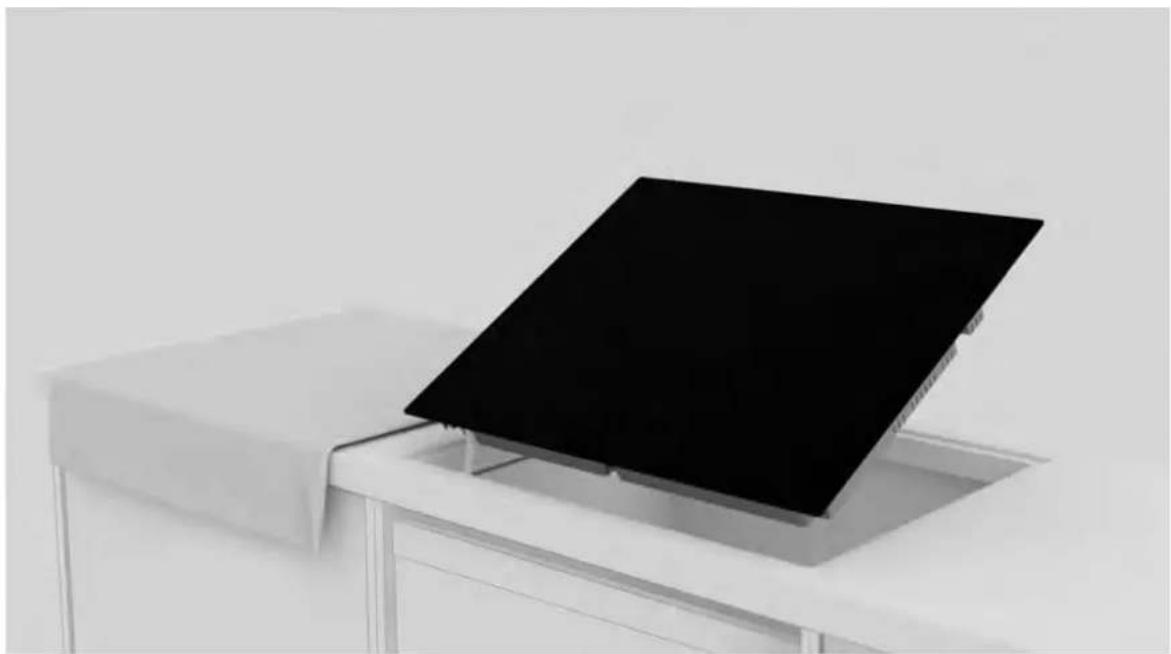
Place the hob centrally in the notch. Make sure the hob gasket rests on the worktop so that a seal is guaranteed.

a.
HOOVER HIF84DCS - Instructions for installation - 2

natural_image Exterior view of a modern office building (no signage)

b.
HOOVER HIF84DCS - Instructions for installation - 3

natural_image Abstract geometric shape with black rectangle and gray background (no text or symbols)

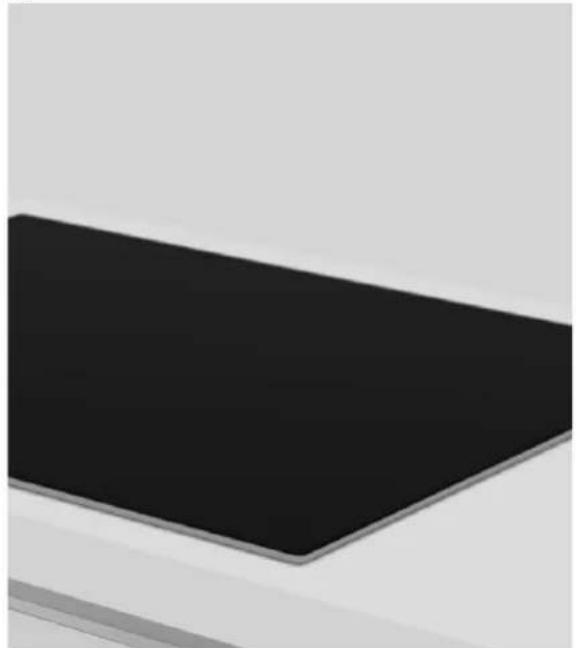
9

a. For standard installation: installation completed;
b. For flush installation: follow the steps on the next pages;
HOOVER HIF84DCS - Instructions for installation - 4

natural_image Simple diagram of a black rectangular frame with white borders, no text or symbols present.

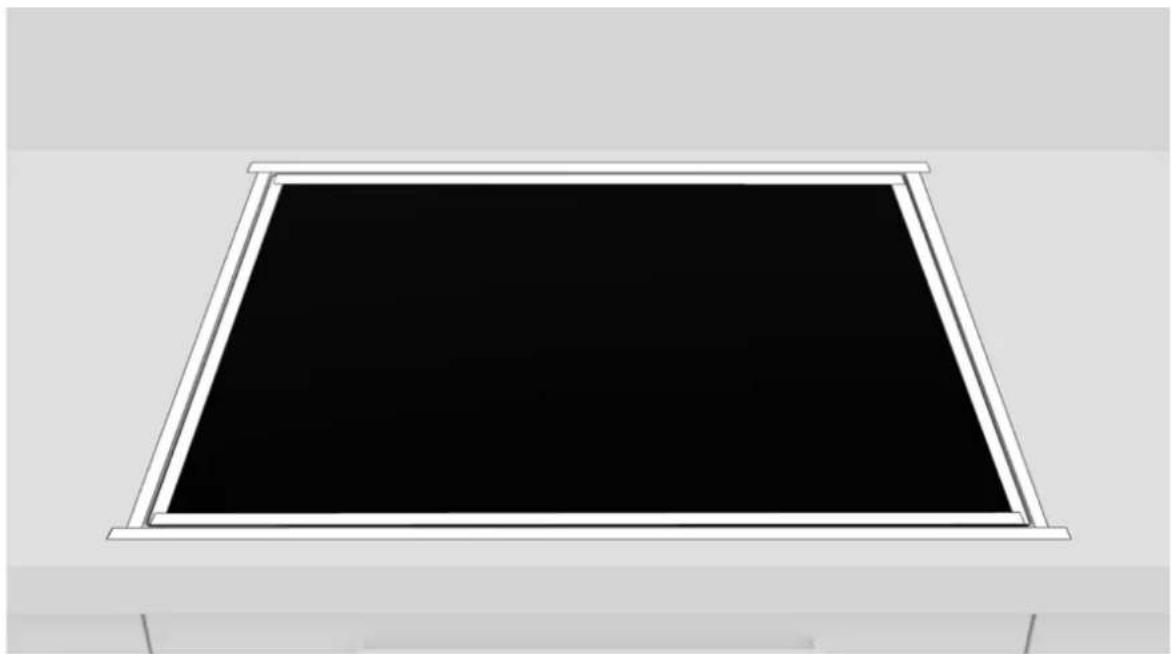
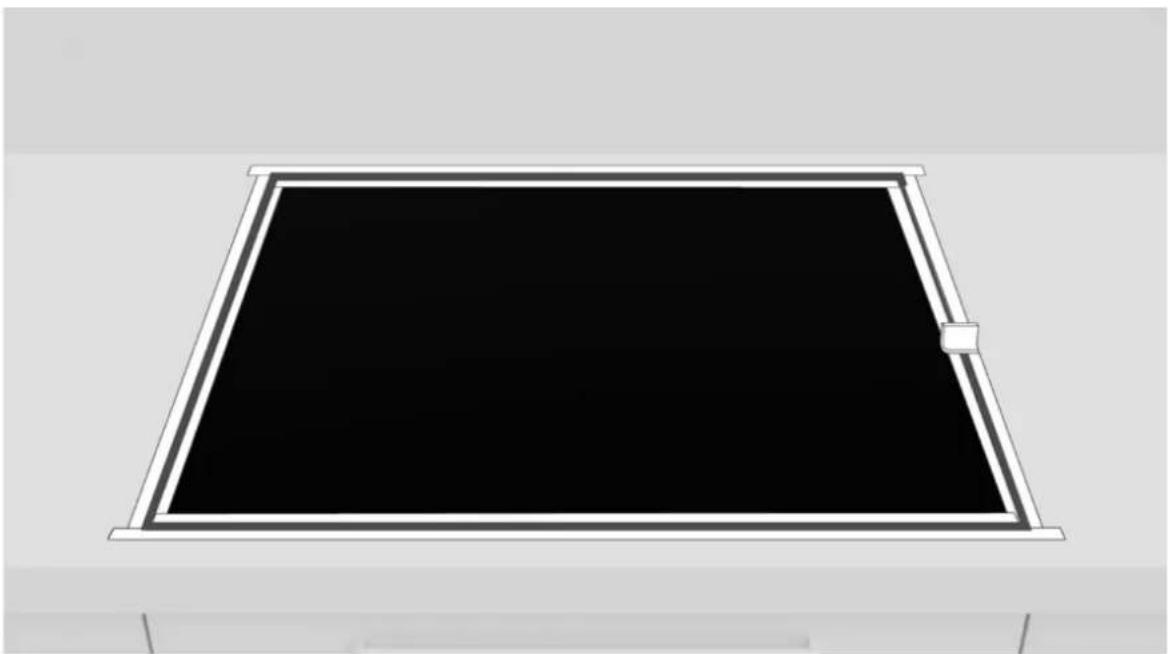
10

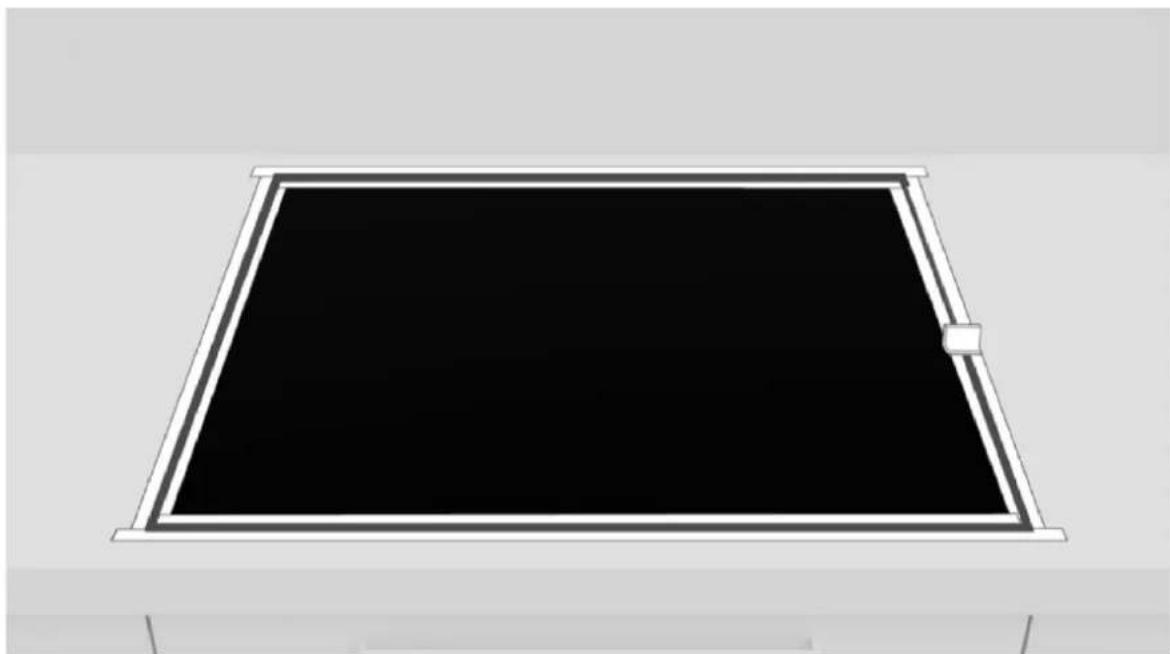
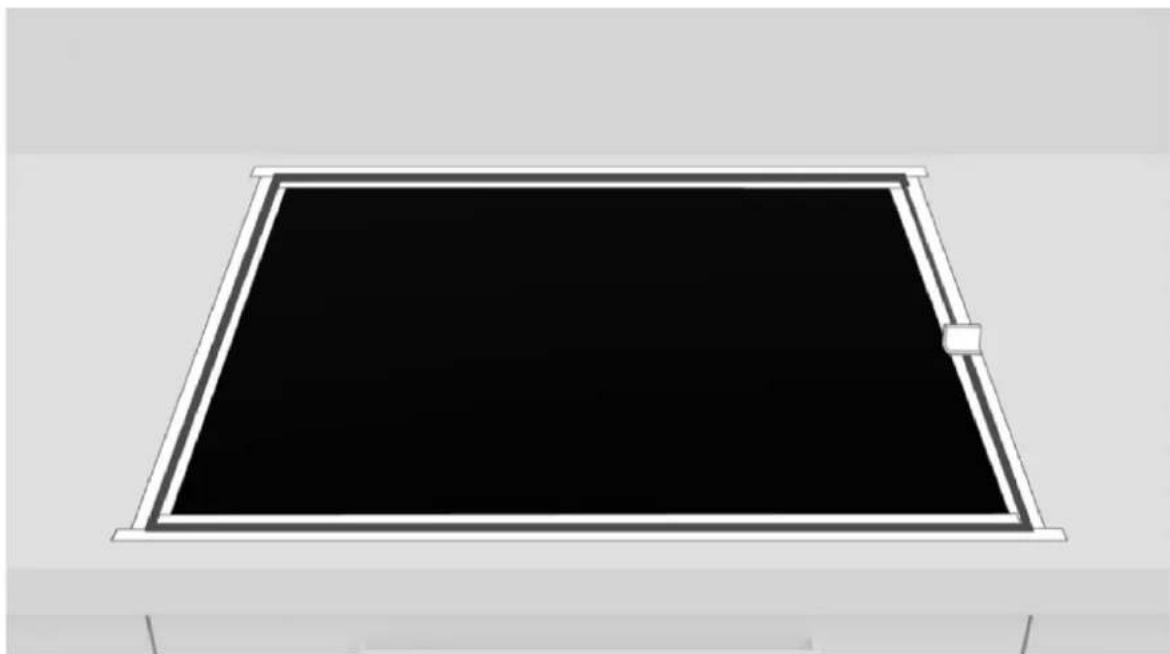
Apply tape to both the inside and outside of the edge;
HOOVER HIF84DCS - Instructions for installation - 5

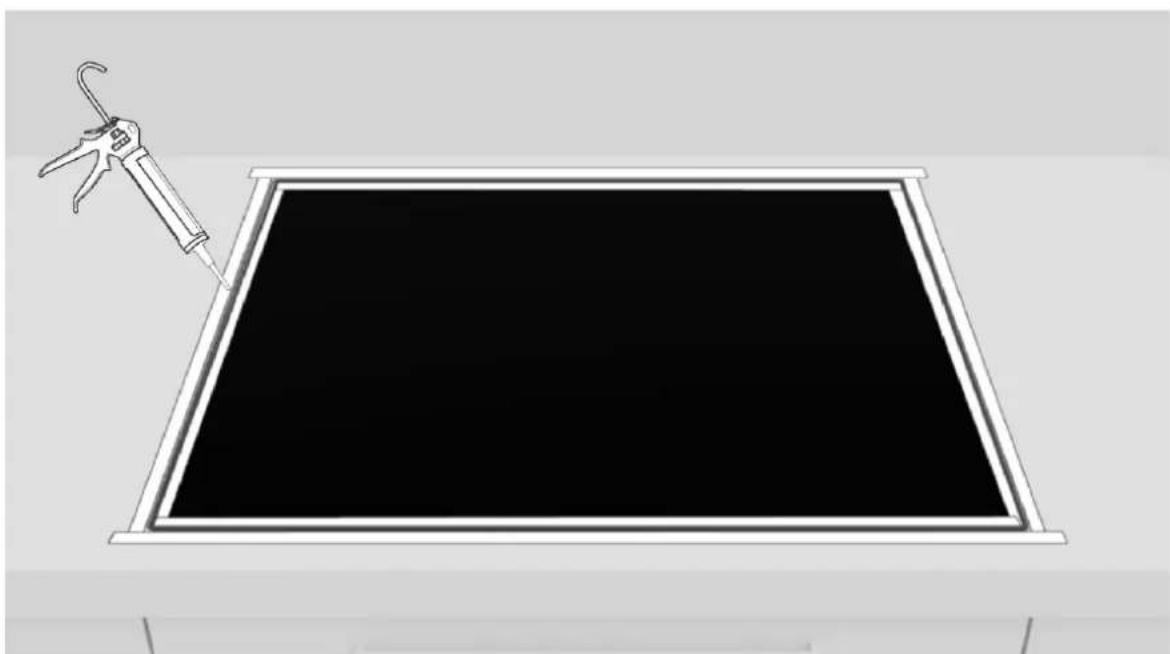
natural_image Illustration of a syringe attached to a blackboard inside a frame (no text or symbols)

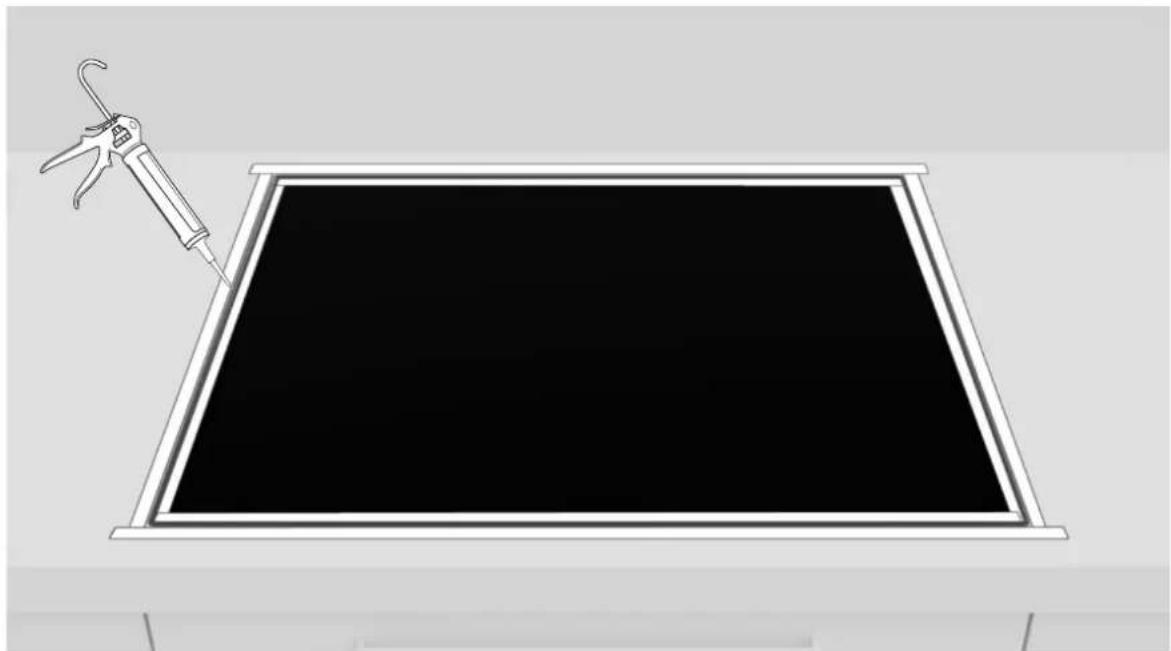
11

Apply the silicone.

9 Instructions for installation
HOOVER HIF84DCS - Instructions for installation - 1

natural_image Simple line drawing of a rectangular frame with a black center and white border (no text or symbols)

12

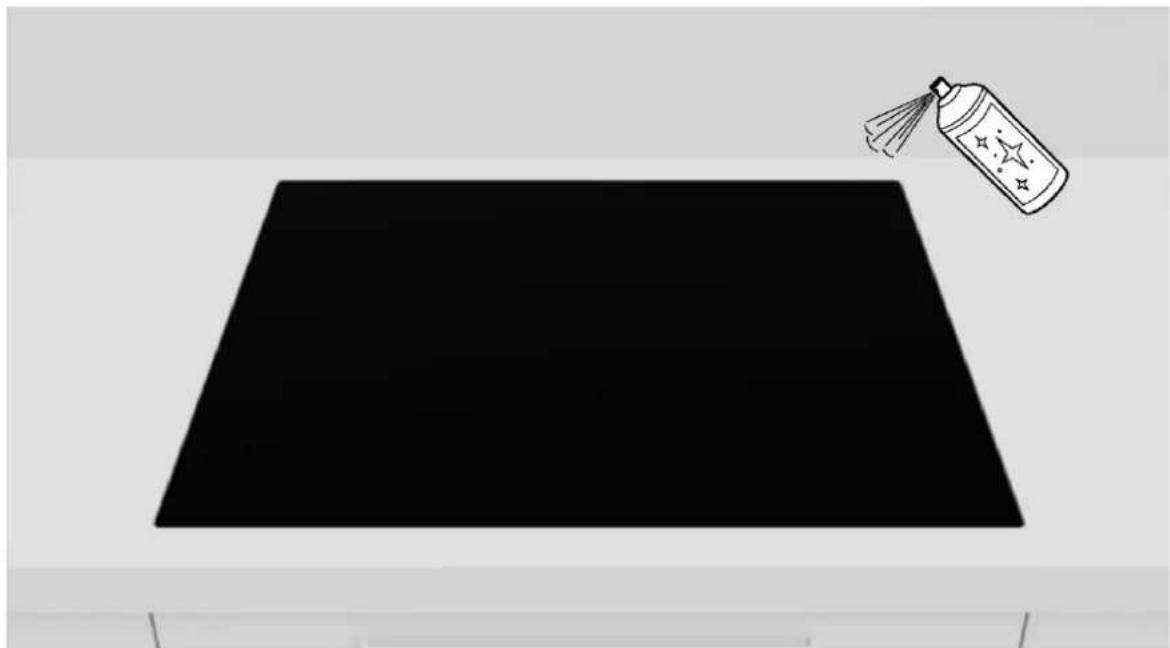
Remove excess silicone;

HOOVER HIF84DCS - Instructions for installation - 2

natural_image Black trapezoid with a spray can on top, no text or symbols present

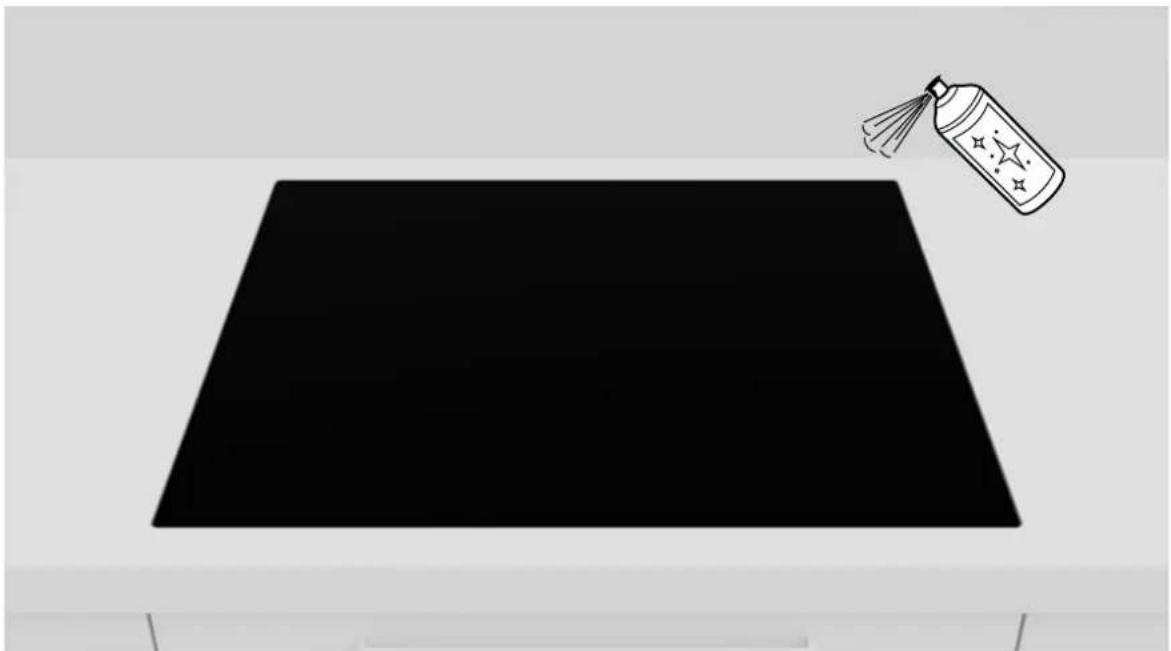
13

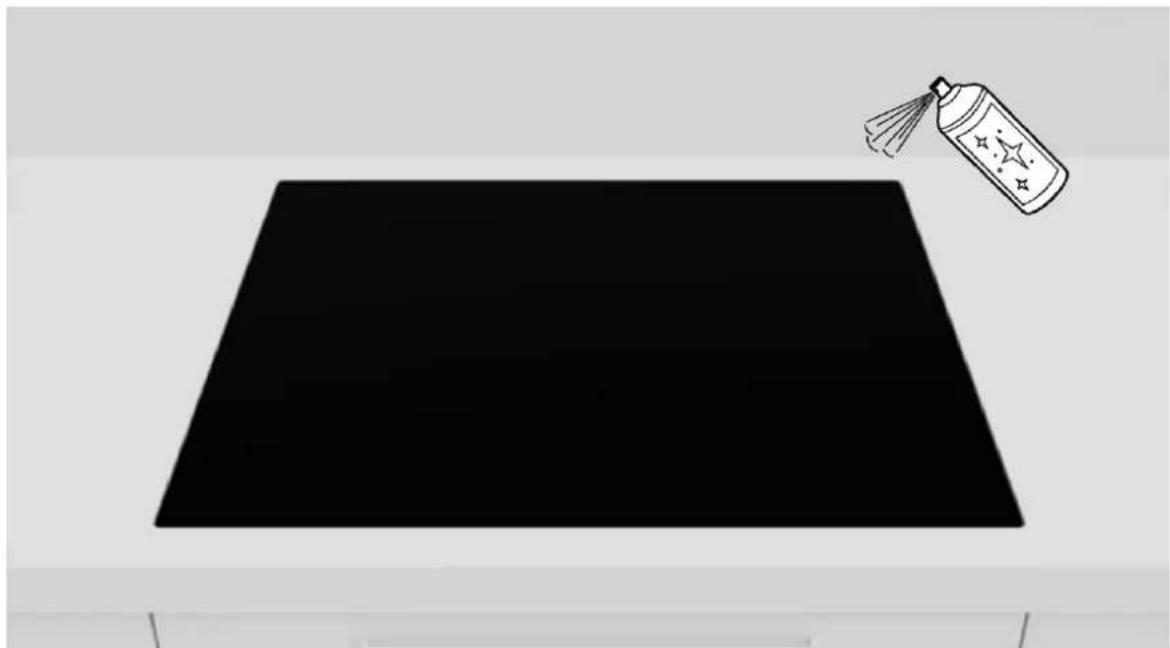
Remove the tape and clean the edges;

30

HOOVER
HOOVER HIF84DCS - Instructions for installation - 3

text_image 24 h

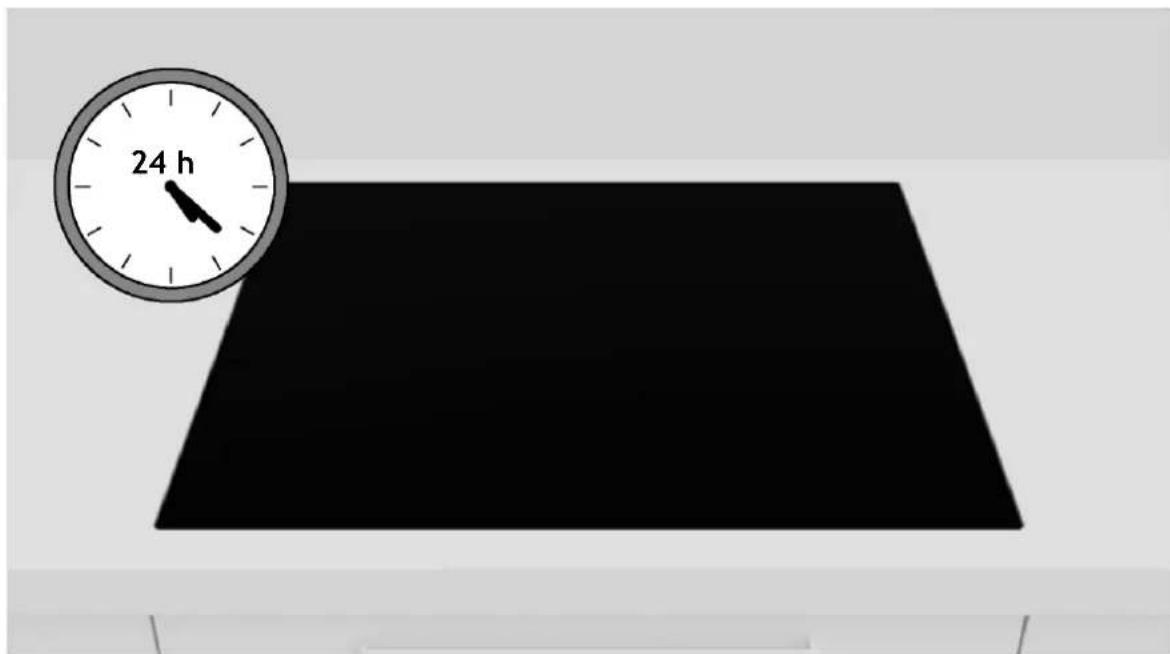
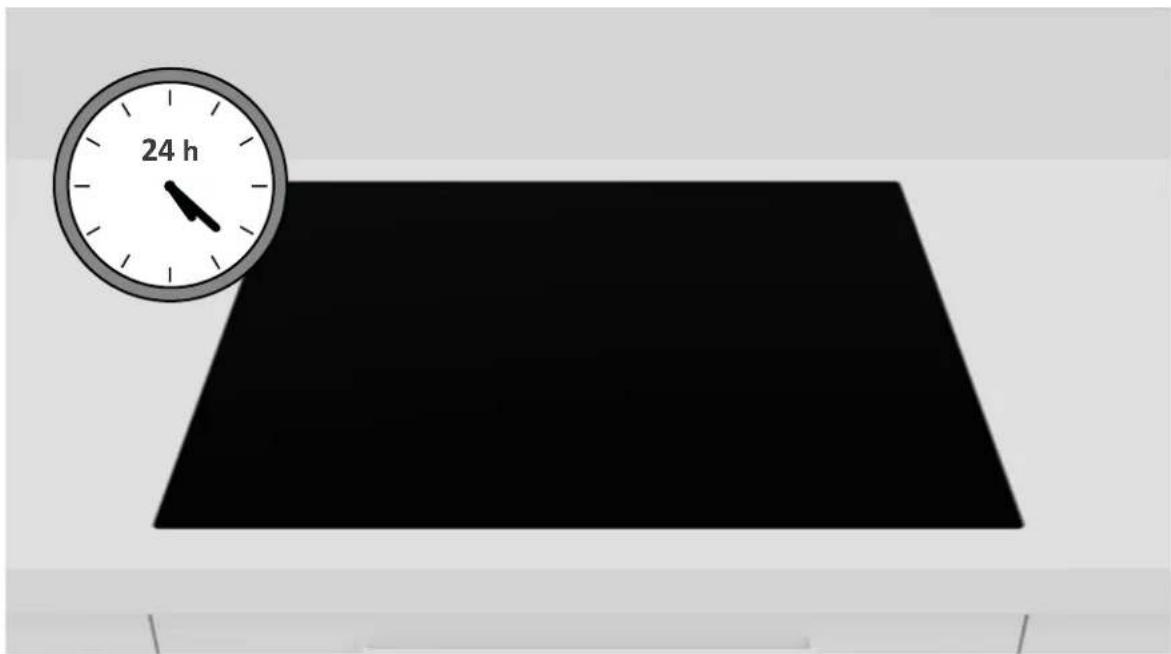
14

Wait 24 hours before starting up for the first time;

Delivery to the user

At the end of installation:

• Inform the user about essential functions;
• Inform the user about all aspects relevant to safe use and handling;
- Deliver accessories and instructions for use and assembly to the user to be kept with care.

After installation is complete, remove the protective film, tape, and all other packing materials.

⚠ WARNING: The product requires adequate ventilation for normal operation. Do not obstruct the ventilation openings for any reason.
NOTE: The actual appearance of the hob depends on the model chosen.

11 First startup

When product is first used, the hob is set to maximum reachable power. Different power limits can be chosen according with home main supply system by using power management function.

How to set the power management

It is possible to set a maximum power absorption level for the Induction hob, choosing up to different power ranges. Induction hobs are able to limit themselves automatically in order to work at lower power level, to avoid the riskofoverloading.

To enter Power Management Function:

  • Turn on the hob, then press at the same time + and - on the control panel;
  • The timer indication will show "P8" which means power level 8. The default mode is on 7,4 kW.

To switch to another level

  • Press + or – to change the power management level;
  • There are 8 power levels from "P1" to "PS". The timer indicator will show one of them:
P1 P2 P3 P4 P5 P6 P7 P8
2 kW 2,5kW 3 kW 3,5kW 4,5 kW 5,5 kW 6,8 kW 7,4 kW

Disassembling the product

  • Disconnect the product from the power supply;
  • Lift the product slightly and pull it out completely;
  • This product will not damage the cabinet, which can also be used with a new appliance.

HOOVER HIF84DCS - Disassembling the product - 1

natural_image Man cooking in a modern kitchen with a wooden spatula, surrounded by glass stove and stainless steel cabinets (no visible text or symbols)

HOOVER HIF84DCS - Disassembling the product - 2

natural_image Close-up of a hand pressing down on a stone cooktop with a pot and bowl in the background (no visible text or symbols)

BENVENUTI

text_image Technical diagram of a kitchen cabinet with labeled dimensions A, B, C, D and internal compartments
natural_image 3D rendering of a rectangular electronic device with internal components and a yellow arrow indicating direction (no text or symbols visible)
natural_image 3D rendering of a black rectangular electronic device mounted on a grid base (no text or symbols visible)
natural_image Diagram showing a syringe and a black panel on a table, with red diagonal lines indicating crossed or no text or symbols.
natural_image 3D rendering of a gray electronic device casing with ventilation slots and a white cable, showing no text or symbols.

4

natural_image Close-up of a mechanical component with white tubing and a yellow safety stripe (no visible text or symbols)

5

natural_image 3D illustration of a device with a battery cover placed on top of a rectangular tray, next to a stylus (no text or symbols)

6

natural_image 3D rendering of a white appliance with a black top mounted on a stand, no visible text or symbols

7

natural_image White table with a black screen mounted on top, no visible text or symbols

8

natural_image Abstract geometric shape with a black rectangular base on a light gray background (no text or symbols)

b.
HOOVER HIF84DCS - BENVENUTI - 1

natural_image Exterior view of a modern office building (no signage)

9

natural_image Simple diagram of a black rectangular frame with white border, no text or symbols present

10

natural_image Illustration of a syringe attached to a blackboard inside a frame (no text or symbols)

11

natural_image Simple line drawing of a rectangular frame with a black center and white border (no text or symbols)

12

natural_image Black trapezoid with a spray can on top, no text or symbols present

13

natural_image Man cooking in a modern kitchen with a stovet and pot on an induction cooktop, no visible text or symbols

HOOVER HIF84DCS - BENVENUTI - 2

natural_image Close-up of a hand pressing down on a stone stovet with kitchen utensils in the background (no visible text or symbols)

BIENVENUE

text_image Plaque de cuisson clip x4 joint vis x4

5.1 Précautions

text_image Technical diagram of a kitchen cabinet with labeled dimensions A, B, C, D and internal compartments

installation standard

HOOVER HIF84DCS - Précautions - 1

text_image 590 510 A ≥ 600 47 min. 35 480°2 560°2 min. 12* *28 avec four en dessous R≤8

installation standard

HOOVER HIF84DCS - Précautions - 2

text_image 650 510 47 ≥600 min. 35 480°² 560°² min. 12° R≤8

installation standard

HOOVER HIF84DCS - Précautions - 3

text_image 800 520 4 ≥ 600 47 min. 57 490°² 750°² min. 35 min. 12* *28 avec four en dessous R≤8
natural_image 3D rendering of a flat electronic device with visible internal components and a yellow cable (no text or symbols)
natural_image 3D rendering of a black roof structure mounted on a grid base (no text or symbols visible)
natural_image 3D rendering of a mechanical assembly with a syringe and red diagonal lines intersecting (no text or symbols)

Installation standard

natural_image Exterior view of a modern office building (no signage)

3

natural_image 3D rendering of a computer chassis with visible ventilation duct and cable (no text or symbols)

4

natural_image Close-up of a gray industrial component with white tubing and mounting bracket, no visible text or symbols

5

natural_image 3D rendering of a white electronic device with a circuit board and a pen, no visible text or symbols

6

natural_image 3D rendering of a white rectangular tray with a black top, placed on a white base (no text or symbols visible)

7

natural_image White table with a blackboard placed on top, no visible text or symbols

8

natural_image Exterior view of a modern office building (no signage)

b.
HOOVER HIF84DCS - Installation standard - 1

natural_image Abstract geometric shape with black rectangle and gray background (no text or symbols)

9

natural_image Simple diagram of a black rectangular frame with white borders, no text or symbols present.

10

natural_image Illustration of a soldering iron being inserted into a black rectangular frame (no text or symbols)

11

Appliquez le silicone.

natural_image Simple diagram of a rectangular frame with a black center and white border, no text or symbols present.

12

natural_image Black trapezoid with a spray bottle on top-right corner (no text or symbols)

13

natural_image Man cooking in a modern kitchen with a stovet and pot on an induction cooktop, no visible text or symbols

HOOVER HIF84DCS - Installation standard - 2

natural_image Close-up of a hand pressing down on a stone stovet with kitchen utensils in the background (no visible text or symbols)

WELKOM

text_image Technical diagram of a kitchen cabinet with labeled dimensions A, B, C, D and internal compartments
natural_image 3D rendering of a rectangular electronic device with internal components and a curved white line on its side (no text or symbols visible)
natural_image 3D rendering of a black roof structure mounted on a grid base (no text or symbols visible)
natural_image 3D diagram of a medical device with surgical tool and red cross lines, no visible text or symbols
natural_image Exterior view of a modern office building (no signage)

3

natural_image 3D rendering of a computer chassis with visible ventilation duct and cable (no text or symbols)

4

natural_image Close-up of a gray industrial component with white tubing and mounting bracket, no visible text or symbols

5

natural_image 3D rendering of a white electronic device with a circuit board and a pen, no visible text or symbols

6

natural_image 3D rendering of a white rectangular tray with a black top, placed on a white base (no text or symbols visible)

7

natural_image White table with a black screen on top, no visible text or symbols

8

natural_image Exterior view of a modern office building (no signage)

b.
HOOVER HIF84DCS - 3 - 1

natural_image Abstract geometric shape with a black rectangle on a light gray background (no text or symbols)

9

natural_image Simple diagram of a black rectangular frame with white borders, no text or symbols present.

10

natural_image Illustration of a soldering iron being inserted into a black rectangular frame (no text or symbols)

11

natural_image Simple diagram of a rectangular frame with a black center and white border, no text or symbols present.

12

natural_image Black trapezoid on a plain background with a small spray bottle nearby (no text or symbols)

13

natural_image Man cooking in a modern kitchen with a stovet and pot on an induction cooktop, no visible text or symbols

HOOVER HIF84DCS - 3 - 2

natural_image Close-up of a hand pressing down on a stone stovet with kitchen utensils in the background (no visible text or symbols)

WITAMY

natural_image Simple line drawing of a diamond shape with no text or symbols

Płyta grzewcza

HOOVER HIF84DCS - WITAMY - 1
klips x4

HOOVER HIF84DCS - WITAMY - 2
uszczelka

HOOVER HIF84DCS - WITAMY - 3
śruby x4

natural_image Simple line drawing of a tilted square frame (no text or symbols)

Płyta grzewcza

HOOVER HIF84DCS - WITAMY - 4
klips x4

HOOVER HIF84DCS - WITAMY - 5
uszczelka

HOOVER HIF84DCS - WITAMY - 6
śruby x4

text_image Technical diagram of a kitchen cabinet with labeled dimensions A, B, C, D and internal compartments
natural_image Close-up of a flat electronic device with visible circuit board and ventilation slots (no text or symbols)
natural_image 3D rendering of a black rectangular platform mounted on a grid base, no visible text or symbols
natural_image Diagram showing a syringe and a black panel on a tray, with red diagonal lines indicating alignment or support (no text or symbols present)
natural_image Exterior view of a modern office building (no signage)

3

natural_image 3D rendering of a computer chassis with visible ventilation duct and cable (no text or symbols)

4

natural_image Close-up of a gray industrial component with white tubing and mounting bracket, no visible text or symbols

5

natural_image 3D rendering of a white electronic device with a circuit board and a pen, no visible text or symbols

6

natural_image 3D rendering of a white rectangular tray with a black top, placed on a white base (no text or symbols visible)

7

natural_image White table with a black screen on top, no visible text or symbols

8

natural_image Exterior view of a modern office building (no signage)

b.
HOOVER HIF84DCS - WITAMY - 7

natural_image Abstract geometric shape with a black rectangle on a light gray background (no text or symbols)

9

natural_image Simple diagram of a black rectangular frame with white borders, no text or symbols present.

10

natural_image Illustration of a soldering iron being inserted into a black rectangular frame (no text or symbols)

11

Nałóż silikon.

natural_image Simple diagram of a rectangular frame with a black center and white border, no text or symbols present.

12

Usuń nadmiar silikonu;

HOOVER HIF84DCS - WITAMY - 8

natural_image Black trapezoid on a plain background with a small spray bottle nearby (no text or symbols)

13

natural_image Man cooking in a modern kitchen with a stovet and pot on an induction cooktop, no visible text or symbols

HOOVER HIF84DCS - WITAMY - 9

natural_image Close-up of a hand pressing down on a stone stovet with kitchen utensils in the background (no visible text or symbols)

BEM-VINDO

text_image Technical diagram of a kitchen cabinet with labeled dimensions A, B, C, D and internal compartments
natural_image Close-up of a flat electronic device with visible internal components and a yellow accent stripe (no text or symbols)
natural_image 3D rendering of a black rectangular electronic component mounted on a grid base (no text or symbols visible)
natural_image Diagram showing a medical device with a syringe and surgical instrument, crossed by red diagonal lines (no text or symbols)
natural_image Exterior view of a modern office building (no signage)

3

natural_image 3D rendering of a computer chassis with visible ventilation duct and cable (no text or symbols)

4

natural_image Close-up of a gray industrial component with white tubing and mounting bracket, no visible text or symbols

5

natural_image 3D rendering of a white electronic device with a circuit board and a pen, no visible text or symbols

6

natural_image 3D rendering of a white rectangular tray with a black top, placed on a white base (no text or symbols visible)

7

natural_image White table with a black screen on top, no visible text or symbols

8

natural_image Exterior view of a modern office building (no signage)

b.
HOOVER HIF84DCS - BEM-VINDO - 1

natural_image Abstract geometric shape with a black rectangle on a light gray background (no text or symbols)

9

natural_image Simple diagram of a black rectangular frame with white borders, no text or symbols present.

10

Aplique fita adesiva no interior e no exterior do rebordo;

HOOVER HIF84DCS - BEM-VINDO - 2

natural_image Illustration of a soldering iron being inserted into a black rectangular frame (no text or symbols)

11

Aplique o silicone.

natural_image Simple diagram of a rectangular frame with a black center and white border, no text or symbols present.

12

natural_image Black trapezoid on a plain background with a small spray bottle nearby (no text or symbols)

13

natural_image Man cooking in a modern kitchen with a stovet and pot on an induction cooktop, no visible text or symbols

HOOVER HIF84DCS - BEM-VINDO - 3

natural_image Close-up of a hand pressing down on a stone stovet with kitchen utensils in the background (no visible text or symbols)

ΚΑΛΩΣΗΡΘΑΤΕ

natural_image Simple line drawing of a diamond shape with no text or symbols

Eotia

HOOVER HIF84DCS - ΚΑΛΩΣΗΡΘΑΤΕ - 1
κλιπ ×4

HOOVER HIF84DCS - ΚΑΛΩΣΗΡΘΑΤΕ - 2
τσιμούχα

HOOVER HIF84DCS - ΚΑΛΩΣΗΡΘΑΤΕ - 3
βίδες ×4

5.1 Προφυλάξεις

text_image Technical diagram of a kitchen cabinet with labeled dimensions A, B, C, D and internal compartments
natural_image 3D rendering of a rectangular electronic device with internal components and a curved white line on its surface (no text or symbols visible)
natural_image 3D rendering of a black rectangular electronic component mounted on a grid base (no text or symbols visible)
natural_image 3D rendering of a medical implant on a patient's lap, with red diagonal lines indicating surgical or diagnostic zones (no text or symbols present)
natural_image Exterior view of a modern office building (no signage)

1

natural_image Exterior view of a modern office building (no signage)

3

natural_image 3D rendering of a computer chassis with visible ventilation duct and cable (no text or symbols)

4

natural_image Close-up of a gray industrial component with white tubing and mounting bracket, no visible text or symbols

5

natural_image 3D rendering of a white electronic device with a circuit board and a pen, no visible text or symbols

6

natural_image 3D rendering of a white rectangular tray with a black top, placed on a white base (no text or symbols visible)

7

natural_image White table with a black screen mounted on top, no visible text or symbols

8

natural_image Exterior view of a modern office building (no signage)

b.
HOOVER HIF84DCS - Προφυλάξεις - 1

natural_image Abstract geometric shape with black rectangle and gray background (no text or symbols)

9

natural_image Simple diagram of a black rectangular frame with white borders, no text or symbols present.

10

natural_image Illustration of a soldering iron being inserted into a black rectangular frame (no text or symbols)

11

natural_image Simple diagram of a rectangular frame with a black center and white border, no text or symbols present.

12

natural_image Black trapezoid with a spray bottle on top-right corner (no text or symbols)

13

natural_image Man cooking in a modern kitchen with a stovet and pot on an induction cooktop, no visible text or symbols

HOOVER HIF84DCS - Προφυλάξεις - 2

natural_image Close-up of a hand pressing down on a stone stovet with kitchen utensils in the background (no visible text or symbols)

VÍTEJTE

natural_image Simple line drawing of a diamond shape with no text or symbols

Varná deska

HOOVER HIF84DCS - VÍTEJTE - 1
svorka, 4 ks

HOOVER HIF84DCS - VÍTEJTE - 2
těsnění

HOOVER HIF84DCS - VÍTEJTE - 3
šroub, 4 ks

natural_image Line drawing of a syringe tool (no text or symbols)

silikon

natural_image Simple line drawing of a diamond shape with no text or symbols

Varná deska

HOOVER HIF84DCS - VÍTEJTE - 4
svorka, 4 ks

HOOVER HIF84DCS - VÍTEJTE - 5
těsnění

HOOVER HIF84DCS - VÍTEJTE - 6
šroub, 4 ks

5.1 Opatření

text_image Technical diagram of a kitchen cabinet with labeled dimensions A, B, C, D and internal compartments
natural_image Close-up of a flat electronic device with visible internal components and a yellow accent stripe (no text or symbols)
natural_image 3D rendering of a black rectangular electronic component mounted on a grid base (no text or symbols visible)
natural_image Diagram showing a syringe and a black panel on a table, with red diagonal lines indicating alignment or crossed sections (no text or symbols present)

9 Pokyny pro instalaci

natural_image Exterior view of a modern office building (no signage)

3

natural_image 3D rendering of a computer chassis with visible ventilation duct and cable (no text or symbols)

4

natural_image Close-up of a gray industrial component with white tubing and mounting bracket, no visible text or symbols

5

natural_image 3D rendering of a white electronic device with a circuit board and a pen, no visible text or symbols

6

natural_image 3D rendering of a white rectangular tray with a black top, placed on a white base (no text or symbols visible)

7

natural_image White table with a black screen on top, no visible text or symbols

8

natural_image Exterior view of a modern office building (no signage)

b.
HOOVER HIF84DCS - 3 - 1

natural_image Abstract geometric shape with a black rectangle on a light gray background (no text or symbols)

9

natural_image Simple diagram of a black rectangular frame with white borders, no text or symbols present.

10

natural_image Illustration of a soldering iron being inserted into a black rectangular frame (no text or symbols)

11

Aplikujte silikon.

9 Pokyny pro instalaci

HOOVER HIF84DCS - Pokyny pro instalaci - 1

natural_image Simple diagram of a rectangular frame with a black center and white border, no text or symbols present.

12

natural_image Black trapezoid on a plain background with a small spray bottle nearby (no text or symbols)

13

natural_image Man cooking in a modern kitchen with a stovet and pot on an induction cooktop, no visible text or symbols

HOOVER HIF84DCS - Pokyny pro instalaci - 2

natural_image Close-up of a hand pressing down on a stone stovet with kitchen utensils in the background (no visible text or symbols)

ÜDVÖZÖLJÜK

natural_image Simple line drawing of a diamond shape with no text or symbols

Főzólap

HOOVER HIF84DCS - ÜDVÖZÖLJÜK - 1
szorítóbilincs x4

HOOVER HIF84DCS - ÜDVÖZÖLJÜK - 2
tömítés

HOOVER HIF84DCS - ÜDVÖZÖLJÜK - 3
csavarok x4

natural_image Line drawing of a rubber gun (no text or symbols)

szilikon

natural_image Simple line drawing of a tilted square frame with no text or symbols

Főzólap

HOOVER HIF84DCS - ÜDVÖZÖLJÜK - 4
szorítóbilincs x4

HOOVER HIF84DCS - ÜDVÖZÖLJÜK - 5
tömítés

HOOVER HIF84DCS - ÜDVÖZÖLJÜK - 6
csavarok x4

5.1 Óvintézkedések

text_image Technical diagram of a kitchen cabinet with labeled dimensions A, B, C, D and internal compartments
natural_image 3D rendering of a rectangular electronic device with visible internal components and a yellow clip, no text or symbols present.
natural_image 3D rendering of a black rectangular platform mounted on a grid base (no text or symbols visible)
natural_image Diagram showing a syringe and a black panel on a device, with red diagonal lines indicating alignment or crossed-out boundaries (no text or symbols present)
natural_image Exterior view of a modern office building (no signage)

3

natural_image 3D rendering of a computer chassis with visible ventilation duct and cable (no text or symbols)

4

natural_image Close-up of a gray industrial component with white tubing and mounting bracket, no visible text or symbols

5

natural_image 3D rendering of a white electronic device with a circuit board and a pen, no visible text or symbols

6

natural_image 3D rendering of a white rectangular tray with a black top, placed on a white base (no text or symbols visible)

7

natural_image White table with a black screen on top, no visible text or symbols

8

natural_image Exterior view of a modern office building (no signage)

b.
HOOVER HIF84DCS - Óvintézkedések - 1

natural_image Abstract geometric shape with a black rectangle on a light gray background (no text or symbols)

9

natural_image Simple diagram of a black rectangular frame with white borders, no text or symbols present.

10

natural_image Illustration of a soldering iron being inserted into a black rectangular frame (no text or symbols)

11

natural_image Simple diagram of a rectangular frame with a black center and white border, no text or symbols present.

12

natural_image Black trapezoid on a plain background with a small spray bottle nearby (no text or symbols)

13

natural_image Man cooking in a modern kitchen with a stovet and pot on an induction cooktop, no visible text or symbols

HOOVER HIF84DCS - Óvintézkedések - 2

natural_image Close-up of a hand pressing down on a stone stovet with digital kitchen controls, no visible text or symbols.

DOBRO DOŠLI

natural_image Simple line drawing of a diamond shape with no text or symbols

Ploča za kuhanje

HOOVER HIF84DCS - DOBRO DOŠLI - 1
4 kopče

HOOVER HIF84DCS - DOBRO DOŠLI - 2
brtva

HOOVER HIF84DCS - DOBRO DOŠLI - 3
4 vijka

natural_image Simple line drawing of a diamond shape with no text or symbols

Ploča za kuhanje

HOOVER HIF84DCS - DOBRO DOŠLI - 4
4 kopče

HOOVER HIF84DCS - DOBRO DOŠLI - 5
brtva

HOOVER HIF84DCS - DOBRO DOŠLI - 6
4 vijka

5.1 Mjere opreza

text_image Technical diagram of a kitchen cabinet with labeled dimensions A, B, C, D and internal compartments

A Preporučujemo udaljenost od najmanje 650 mm, ali pogledajte i priručnik nape;
B Razmislite o korisnom prostoru za rukovanje posudama, velikim žlicama i drugim predmetima;
C Udaljenost 35 mm od udubljenog otvora do stražnje ploče / zaštitne površine;
D 35 mm: širina ploče 60; 55 mm: širina ploče 65; 35 mm: širina ploče 80;

natural_image Close-up of a flat electronic device with visible circuitry and a coiled cable (no text or symbols)
natural_image 3D rendering of a black rectangular platform mounted on a tiled floor (no text or symbols visible)

- Ploču za kuhanje nemojte učvršćivati silikonom ili nekim drugim ljepilom! Takvo pričvršćivanje oštetilo bi proizvod ako biste ga rastavili (slika 3).

slika 3
HOOVER HIF84DCS - Mjere opreza - 1

natural_image Diagram showing a medical device with a syringe and catheter against a black panel, crossed by red diagonal lines (no text or symbols)

9 Upute za ugradnju

9.2 Upute za ugradnju

text_image STRAŽNJA STRANA

1

Uključite alate navedene u poglavlju „Alati za ugradnju” u sklopu priručnika. Stavite krpu pored pakiranja proizvoda na koju ćete nasloniti ploču za kuhanje;

HOOVER HIF84DCS - Upute za ugradnju - 1

text_image STRAŽNJA STRANA PREDNJA STRANA

2

Nosite rukavice. Uklonite ambalažu i omot pazeći da ne oštetite staklo ploče za kuhanje;

HOOVER HIF84DCS - 2 - 1

natural_image Exterior view of a modern office building (no signage)

3

Postavite ploču za kuhanje tako da je položite naopako na krpu koju ste prethodno postavili pored pakiranja;

9 Upute za ugradnju

HOOVER HIF84DCS - Upute za ugradnju - 1

natural_image 3D rendering of a computer chassis with visible ventilation duct and cable (no text or symbols)

4

Nanesite brtvu oko oboda;

HOOVER HIF84DCS - Upute za ugradnju - 2

natural_image Close-up of a gray industrial component with white tubing and mounting bracket, no visible text or symbols

5

Pričvrstite kopče na kratke strane ploče za kuhanje;

HOOVER HIF84DCS - Upute za ugradnju - 3

natural_image 3D rendering of a white electronic device with a circuit board and a pen, no visible text or symbols

6

natural_image 3D rendering of a white rectangular tray with a black top, placed on a white base (no text or symbols visible)

7

natural_image White table with a black screen on top, no visible text or symbols

8

natural_image Exterior view of a modern office building (no signage)

b.
HOOVER HIF84DCS - Upute za ugradnju - 4

natural_image Abstract geometric shape with a black rectangle on a light gray background (no text or symbols)

9

natural_image Simple diagram of a black rectangular frame with white borders, no text or symbols present.

10

natural_image Illustration of a soldering iron being inserted into a black rectangular frame (no text or symbols)

11

Nanesite silikon.

9 Upute za ugradnju

HOOVER HIF84DCS - Upute za ugradnju - 1

natural_image Simple diagram of a rectangular frame with a black center and white border, no text or symbols present.

12

Uklonite višak silikona;

HOOVER HIF84DCS - Upute za ugradnju - 2

natural_image Black trapezoid with a spray bottle on top-right corner (no text or symbols)

13

Uklonite traku i očistite rubove;

HOOVER HIF84DCS - Upute za ugradnju - 3

text_image 24 h

14

natural_image Man cooking in a modern kitchen with a stovet and pot on an induction cooktop, no visible text or symbols

HOOVER HIF84DCS - Upute za ugradnju - 4

natural_image Close-up of a hand pressing down on a stone stovet with kitchen utensils in the background (no visible text or symbols)

BUN VENIT

natural_image Simple line drawing of a diamond shape with no text or symbols

Plită

HOOVER HIF84DCS - BUN VENIT - 1
clip x4

natural_image Line drawing of a rubber gun (no text or symbols)

silicon

natural_image Simple line drawing of a diamond shape with no text or symbols

Hob

HOOVER HIF84DCS - BUN VENIT - 2
clip x4

text_image Technical diagram of a kitchen cabinet with labeled dimensions A, B, C, D and internal compartments
natural_image Close-up of a flat electronic device with visible circuit board and ventilation slots (no text or symbols)
natural_image 3D rendering of a black rectangular platform mounted on a grid base, no text or symbols visible
natural_image Diagram showing a syringe and a black panel on a platform, with red diagonal lines indicating alignment or crossed-out boundaries (no text or symbols present)

9 Instructiuni de instalare

9.2 Instalare pas cu pas

text_image SPATE FATĂ

2

natural_image Exterior view of a modern office building (no signage)

3

natural_image 3D rendering of a computer chassis with visible ventilation duct and cable (no text or symbols)

4

natural_image Close-up of a gray industrial component with white tubing and mounting bracket, no visible text or symbols

5

natural_image 3D rendering of a white electronic device with a circuit board and a pen, no visible text or symbols

6

natural_image 3D rendering of a white furniture sink with a black top panel, no text or symbols visible

7

natural_image White table with a black screen on top, no visible text or symbols

8

natural_image Exterior view of a modern office building (no signage)

b.
HOOVER HIF84DCS - Instalare pas cu pas - 1

natural_image Abstract geometric shape with a black rectangle on a light gray background (no text or symbols)

9

natural_image Simple diagram of a black rectangular frame with white borders, no text or symbols present.

10

natural_image Illustration of a soldering iron being inserted into a black rectangular frame (no text or symbols)

11

Aplicați siliconul.

9 Instructiuni de instalare

HOOVER HIF84DCS - Instructiuni de instalare - 1

natural_image Simple diagram of a rectangular frame with a black center and white border, no text or symbols present.

12

natural_image Black trapezoid on a plain background with a small spray bottle nearby (no text or symbols)

13

natural_image Man cooking in a modern kitchen with a stovet and pot on an induction cooktop, no visible text or symbols

HOOVER HIF84DCS - Instructiuni de instalare - 2

natural_image Close-up of a hand pressing down on a stone stovet with kitchen utensils in the background (no visible text or symbols)

WILLKOMMEN

natural_image Simple line drawing of a tilted square shape labeled 'Kochfeld' (no other text or symbols)

HOOVER HIF84DCS - WILLKOMMEN - 1

HOOVER HIF84DCS - WILLKOMMEN - 2

HOOVER HIF84DCS - WILLKOMMEN - 3

4.2 Bündige Installation

Benötigte Werkzeuge
HOOVER HIF84DCS - Bündige Installation - 1

text_image Technical diagram of a kitchen cabinet with labeled dimensions A, B, C, D and internal compartments
natural_image Close-up of a flat electronic device with visible internal components and a yellow accent (no text or symbols)
natural_image 3D rendering of a black rectangular electronic component mounted on a grid base (no text or symbols visible)
natural_image Diagram showing a syringe and a black panel on a platform, with red diagonal lines indicating alignment or crossed-out boundaries (no text or symbols present)
natural_image Exterior view of a modern office building (no signage)

3

natural_image 3D rendering of a computer chassis with visible ventilation duct and cable (no text or symbols)

4

natural_image Close-up of a gray industrial component with white tubing and mounting bracket, no visible text or symbols

5

natural_image 3D rendering of a white electronic device with a circuit board and a pen, placed on a rectangular base (no text or symbols visible)

6

natural_image 3D rendering of a white rectangular tray with a black top, placed on a white base (no text or symbols visible)

7

natural_image White table with a blackboard placed on top, no visible text or symbols

8

natural_image Exterior view of a modern office building (no signage)

b.
HOOVER HIF84DCS - 3 - 1

natural_image Abstract geometric shape with black rectangle and gray background (no text or symbols)

9

natural_image Simple diagram of a black rectangular frame with white borders, no text or symbols present.

10

natural_image Illustration of a syringe dispensing liquid into a black rectangular frame (no text or symbols)

11

natural_image Simple diagram of a rectangular frame with a black center and white border, no text or symbols present.

12

natural_image Black trapezoid on a plain background with a small spray bottle nearby (no text or symbols)

13

natural_image Man cooking in a modern kitchen with a wooden spatula, surrounded by food and a potted plant (no visible text or symbols)

HOOVER HIF84DCS - 3 - 2

text_image OOVER
Manual assistant
Powered by Anthropic
Waiting for your message
Product information

Brand : HOOVER

Model : HIF84DCS

Category : Cooker