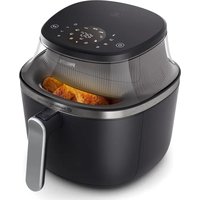
NA321 - Deep fryer PHILIPS - Free user manual and instructions
Find the device manual for free NA321 PHILIPS in PDF.

 FR
FR
 BG
BG
 CS
CS
 DA
DA
 DE
DE
 EL
EL
 EN
EN
 ES
ES
 ET
ET
 FI
FI
 HE
HE
 HU
HU
 IT
IT
 KK
KK
 LT
LT
 LV
LV
 MK
MK
 NO
NO
 PL
PL
 PT
PT
 RO
RO
 RU
RU
 SK
SK
 SL
SL
 SQ
SQ
 SV
SV
 TR
TR
 UK
UK
| Product type | Hot air fryer (Airfryer) |
| Brand | Philips |
| Model | NA321 |
| Maximum capacity (frozen fries) | 500 g |
| Temperature range | 40 °C to 200 °C |
| Timer | 1 min to 24 h (40-100 °C) / 1 min to 3 h (100-200 °C) |
| Preset programs | 10 presets (frozen fries, homemade fries, chicken drumsticks, chops, dehydrated fruits, vegan, eggs with toast, muffins, vegetable mix, whole fish) |
| Keep warm function | Yes, adjustable from 1 to 30 minutes at 80 °C |
| Shake reminder | Yes, built-in |
| Favorite setting | Yes |
| Interior light | Yes |
| Automatic shut-off | Yes, after 20 minutes of inactivity |
| Cleaning | Dishwasher-safe basket and pan |
| Safety | Automatic shut-off, hot surface warning, overheat protection |
| Power supply | Mains (220-240 V) |
Frequently Asked Questions - NA321 PHILIPS
User questions about NA321 PHILIPS
0 question about this device. Answer the ones you know or ask your own.
Ask a new question about this device
Download the instructions for your Deep fryer in PDF format for free! Find your manual NA321 - PHILIPS and take your electronic device back in hand. On this page are published all the documents necessary for the use of your device. NA321 by PHILIPS.
USER MANUAL NA321 PHILIPS
natural_image
Black Philips air fryer with visible brand logo and 'RapidAirlines Technology' text (no other signage)
natural_image
Blue circular icon with a white silhouette of a person using a laptop (no text or symbols)-1
1_
-1
1
English 4
Čeština 27
Dansk 51
Deutsch 74
Eesti 101
Español 124
Français 150
Hrvatski 176
Italiano 200
Latviešu 225
Lietuviškai 249
Magyar 274
Norsk 300
Polski 323
Português 348
Română 374
Shqip 399
Slovenščina 424
Slovensky 447
Srpski 471
Suomi 495
Svenska 519
Türkçe 541
Ελληνικά 565
Български 593
Македонски 621
Русский 649
Українська 678
Қазақша 705
732
Contents
Important 4
Recycling 6
Warranty and support 7
Introduction 7
General description 7
Before first use 9
Preparations before first use 9
Using the appliance 9
Cleaning 2
Storage 24
Troubleshooting 24
Important
Read this important information carefully before you use the appliance and save it for future reference.
Danger
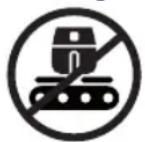
- Do not place the appliance on or near a hot gas stove or all kinds of electric stove and electric cooking plates, or in a heated oven.
- Never immerse the appliance in water nor rinse it under the tap.
- Do not let any water or other liquid enter the appliance to prevent electric shock.
- Always put the ingredients to be fried in the pan, to prevent them from coming into contact with the heating elements.
- Do not cover the air inlet and the air outlet openings while the appliance is operating.
- Do not fill the pan with oil as this may cause a fire hazard.
- Do not use the appliance, if the plug, the mains cord or the appliance itself is damaged.
- Never touch the inside of the appliance while it is operating.
- Never put any amount of food that exceeds the maximum level indicated in the pan.
- Always make sure heater is free and no food stuck in heater.
Warning
- If the supply cord is damaged, it must be replaced by Philips, its service agent or similarly qualified persons in order to avoid a hazard.
- Only connect the appliance to an earthed wall socket, protected by an earth leakage circuit breaker.
- Always make sure that the plug is inserted into the wall socket properly.
- This appliance is not intended to be operated by means of an external timer or a separate remote control system.
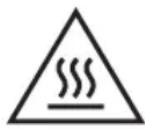
- The accessible surfaces may become hot during use.
- This appliance can be used by children aged from 8 years and above and persons with reduced physical, sensory or mental capabilities or lack of experience and knowledge if they have been given supervision or instruction concerning use of the appliance in a safe way and understand the hazards involved.
- Children shall not play with the appliance. Cleaning and user maintenance shall not be made by children unless they are older than 8 and supervised.
- Keep the appliance and its cord out of the reach of children less than 8 years.
- Do not place the appliance against a wall or against other appliances. Leave at least 10 cm free space at the back, on both sides and above the appliance. Do not place anything on top of the appliance.
- During hot air frying, hot steam is released through the air outlet openings. Keep your hands and face at a safe distance from the steam and from the air outlet openings. Also, be careful of hot steam and air when you remove the pan from the appliance.
- Never use light ingredients or baking paper in the appliance.
- Accessible surfaces may become hot during use.
- Storage of potatoes: The temperature shall be appropriate to the potato variety stored and it shall be above 6 °C to minimize the risk of acrylamide exposure in the prepared foodstuff.
- Never fill the pan with oil.
- This appliance is designed to be used at ambient temperatures between 5°C and 40°C.
- Check if the voltage indicated on the appliance corresponds to the local mains voltage before you connect the appliance.
- Keep the mains cord away from hot surfaces.
- Do not place the appliance on or near combustible materials such as a tablecloth or curtain.
- Do not use the appliance for any other purpose than described in this manual and use only original Philips accessories.
- Do not let the appliance operate unattended.
- The pan and accessories placed inside the cooking chamber becomes hot during and after use of the appliance, always handle carefully.
- Thoroughly clean the parts that come into contact with food before you use the appliance for the first time. Refer to the instructions in the manual.
- Immediately unplug the appliance if you see dark smoke coming out of the appliance. Wait for the smoke emission to stop before you pull the pan out of the appliance.
- Do not plug in the appliance or operate the control panel with wet hands.
Caution
- This appliance is intended for normal household use only. It is not intended for use in environments such as staff kitchens of shops, offices, farms or other work environments. Nor is it intended to be used by clients in hotels, motels, bed and breakfasts and other residential environments.
- Always disconnect the appliance from the supply if it is left unattended and before you assemble, disassemble, store or cleaning.
-
Place the appliance on a horizontal, even and stable surface.
-
If the appliance is used improperly or for professional or semi-professional purposes or if it is not used according to the instructions in the user manual, the guarantee becomes invalid and Philips refuses any liability for damage caused.
- Always return the appliance to a service center authorized by Philips for examination or repair. Do not attempt to repair the appliance yourself, otherwise the guarantee becomes invalid.
- Always unplug the appliance after use.
- Let the appliance cool down for approximately 30 minutes before you handle or clean it.
- Make sure the ingredients prepared in this appliance come out golden-yellow instead of dark or brown.
- Remove burnt remnants. Do not fry fresh potatoes at a temperature above 180^ C (to minimize the production of acrylamide).
- Be careful when cleaning the upper area of the cooking chamber: Hot heating element, edge of Metal parts.
- Always make sure that you have the control over your Airfryer, also when using the remote function or delayed start.
- When cooking fatty food, the Airfryer could emit smoke. Pay special attention when using the remote control function or delayed start.
- Make sure that only one person at a time is using the remote control function.
- Be cautious when cooking easy perishable food with the delayed start function (bacteria may breed).
Electromagnetic fields (EMF)
This appliance complies with the applicable standards and regulations regarding exposure to electromagnetic fields.
Automatic shut-off
- This appliance is equipped with an automatic shut-off function. If you do not press a button within 20 minutes, the appliance switches off automatically. To switch off the appliance manually, press the power On/off button.
Recycling
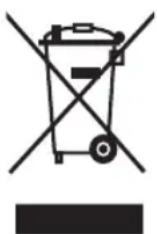
- This symbol means that electrical products shall not be disposed of with normal household waste.
- Follow your country's rules for the separate collection of electrical products.
Warranty and support
Versuni offers a two-year warranty after purchase on this product. This warranty is not valid if a defect is due to incorrect use or poor maintenance. Our warranty does not affect your rights under law as a consumer. For more information or for invoking the warranty, please visit our website www.philips.com/support.
Introduction
Congratulations on your purchase and welcome to Philips!
To fully benefit from the support that we offer, register your product at www.philips.com/welcome.
General description
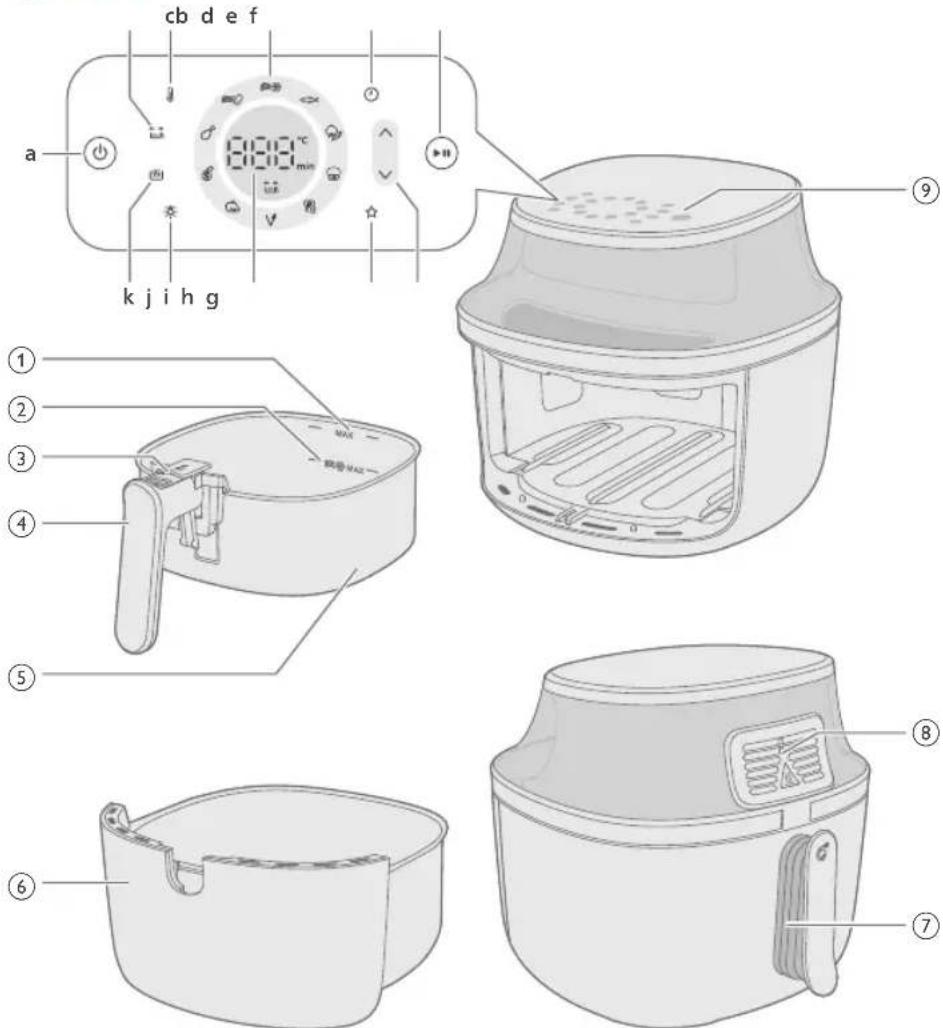
1 MAX indication for ingredients
2 MAX indication for frozen potato based snacks
3 Eject button
4 Basket handle
5 Basket
6 Pan
7 Power cord
8 Air outlets
9 Control panel
a On/off button
b Shaking reminder indication
Your airfryer has a shaking reminder that reminds you to shake, stir or turn your food during cooking to ensure even cooking, particularly for foods with many pieces, like fries, or when cooking items like chicken drumsticks that need to be turned over.
The shaking reminder will automatically turn on. You can turn off the shaking reminder in the settings by press the button.
c Temperature button
You can set the cooking temperature between 40^ and 200^ Celsius in the manual cooking mode.
When the temperature is set between 40 - 100°C, you can set a cooking time of up to 24 hours
When the temperature is set over 100^ C, you can set a cooking time of up to three hours.
d Preset buttons
See "Cooking with a preset" for details on preset functions.
e Time button
You can set the cooking time between 1 minute and 24 hours.
f Start/pause button
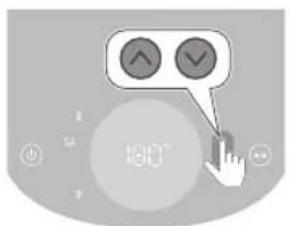
g Increase and decrease for temperature and time control button
h Favorite setting
Your Airfryer comes with a save favorite setting mode. You select your favorite cooking temperature and time, then press and hold the save favorite button. You will hear a beep after the setting is saved. If you want to change your favorite setting, do the previous steps again.
i Status display
It shows the remaining time and temperature for cooking.
j Light button
You can press the light button to turn it on. When you turn the light on, it will stay on until appliance is turned off automatically. You can also turn off the light by pressing the button.
k Keep warm button
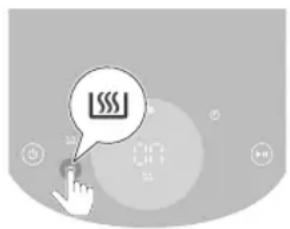
Your Airfryer has a keep warm mode that you can activate by pressing the keep warm button at any time before or during cooking. More details can be found in the "keep warm" chapter.
Before first use
1 Remove all packing material including the protective paperboard in/under the drawer.
2 Remove any stickers or labels (if applicable) from the appliance.
3 Remove the protection foil from the display.
4 Thoroughly clean the appliance before first use (see chapter "cleaning").
Preparations before first use
Place the appliance on a stable, horizontal, level and heat-resistant surface.
Note
- Do not put anything on top or on the sides of the appliance. This could disrupt the airflow and affect the frying result.
- Do not place the operating appliance near or underneath objects that could be damaged by steam, such as walls and cupboard.
Using the appliance
Food table
The table below helps you select the basic settings for the types of food you want to prepare.
Note
- Make sure not to exceed the MAX level indication in the basket when cooking fries for even cooking results.
- Keep in mind that these settings are suggestions. As ingredients differ in origin, size, shape as well as brand, we cannot guarantee the best setting for your ingredients.
When preparing larger amount of food (e.g. fries, prawns, drumsticks, frozen snacks), shake, turn, or stir the ingredients in the pan 2 to 3 times in order to achieve a consistent result.
NA32X (model number)
Ingredients Max. amount Temperature Cooking time Note
| Thin frozen fries(7x7 mm/0.3x0.3in) | 500g 180°C | 26-28 Shake, turn, or stir 3 | times in between |
| Homemade fries(10x10mm/0.4x0.4 in thick) | 500g 180°C | 34-36 Shake, turn, or stir 3 | times in between |
| Frozen spring rolls | 500g 200°C | 15-17 Shake, turn, or stir | halfway |
| Hamburger(around 150 g/5 oz) | 3 patties 200°C | 12-14 Turn halfway | |
| Meat loaf 1000g | 150°C | 43-45 Use the baking | accessory |
| Meat chops without bone(around 190 g/7 oz) | 2 chops 200°C | 11-14 Shake, turn, or stir | halfway |
| Chicken drumsticks(around 125 g/4.5 oz) | 6 pieces 180°C | 24-28 Shake, turn, or stir | halfway |
| Chicken breast(around 160 g/6 oz) | 3 pieces 180°C | 19-21 Turn halfway | |
| Whole fish(around 300-400 g/11-14 oz) | 1 fish 200°C | 11-15 | |
| Eggs with toast 2 eggs, 1 toast 160°C | 11 egg first 6 min, add | toast 5 min | |
| Falafel (50g each,diameter 4cm) | 9 pieces 180°C | 20-22 Shake, turn, or stir | halfway |
| Dehydrated fruit(apple chips, cutinto 2mm slides) | 100g 75°C | 90 | Shake, turn, or stirhalfway |
Mixed vegetables 800g 180°C 12-14 Set the cooking (roughly chopped)
time according to your own taste - Shake, turn or stir 2 times in between
Muffins (around 5 cups 160°C 15-18 50g/1.8oz per paper cup)
NA33X (model number)
Ingredients Max. amount Temperature Cooking time Note
| Thin frozen fries (7x7 mm/0.3x0.3 in) | 800g 180°C | 26-28 Shake, turn, or stir 3 | times in between |
| Homemade fries (10x10 mm/0.4x0.4 in thick) | 800g 180°C | 34-36 Shake, turn, or stir 3 | times in between |
| Frozen spring rolls | 700g 200°C | 13-15 Shake, turn, or stir | halfway |
| Hamburger (around 150 g/5 oz) | 5 patties 200°C | 13-15 Turn halfway | |
| Meat loaf 1200g | 150°C | 51-53 Use the baking | accessory |
| Meat chops without bone (around 190 g/7 oz) | 3 chops 200°C | 13-16 Shake, turn, or stir | halfway |
| Chicken drumsticks (around 125 g/4.5 oz) | 8 pieces 180°C | 28-30 Shake, turn, or stir | halfway |
| Chicken breast (around 160 g/6 oz) | 4 pieces 180°C | 20-22 Turn halfway | |
| Whole chicken (1200g/42oz) | 1 piece 180°C | 55-65 | |
| Whole fish (around 300-400 g/11-14 oz) | 2 fish 200°C | 14-16 | |
| Eggs with toast | 3 eggs, 2 toasts | 160°C | 11 egg first 6 min, add toast 5 min |
English
| Falafel (50g each, diameter 4cm) | 12 pieces 180°C | 19-21 Shake, turn, or stir | halfway |
| Dehydrated fruit (apple chips, cut into 2mm slides) | 150g 75°C | 90 Shake, turn, or stir | halfway |
| Mixed vegetables (roughly chopped) | 1000g 180°C | 12-14 Set the cooking | time according to your own taste - Shake, turn or stir 2 times in between |
| Muffins (around 50g/1.8oz per paper cup) | 7 cups 160°C | 15-18 |
NA34X (model number)
Ingredients Max. amount Temperature Cooking time Note
| Thin frozen fries (7x7 mm/0.3x0.3 in) | 1000g 180°C | 26-28 Shake, turn, or stir 3 | times in between |
| Homemade fries (10x10 mm/0.4x0.4 in thick) | 1000g 180°C | 32-34 Shake, turn, or stir 3 | times in between |
| Frozen spring rolls 800g 200°C | 13-15 Shake, turn, or stir | halfway | |
| Hamburger (around 150 g/5 oz) | 6 patties 200°C | 15-17 Turn halfway | |
| Meat loaf 1400g 150°C | 51-53 Use the baking | accessory | |
| Meat chops without bone (around 190 g/7 oz) | 4 chops 200°C | 15-18 Shake, turn, or stir | halfway |
| Chicken drumsticks (around 125 g/4.5 oz) | 10 pieces 180°C | 24-28 Shake, turn, or stir | halfway |
| Chicken breast (around 160 g/6 oz) | 5 pieces | 180°C | 17-19 Turn halfway |
| Whole chicken (1200g/42oz) | 1 piece | 180°C | 50-65 |
Whole fish 2 fish 200°C 14-16 (around 300-400 g/11-14 oz)
| Eggs with toast 4 eggs, 3 toasts 160°C 12 egg first 6 min, add | toast 5 min | ||
| Falafel (50g each, diameter 4cm) | 15 pieces 180°C | 21-23 Shake, turn, or stir | halfway |
| Dehydrated fruit (apple chips, cut into 2mm slides) | 180g 75°C | 90 Shake, turn, or stir | halfway |
| Mixed vegetables (roughly chopped) | 1400g 180°C | 12-14 Set the cooking | time according to your own taste - Shake, turn or stir 2 times in between |
| Muffins (around 50g/1.8oz per paper cup) | 9 cups 160°C | 15-18 | |
Airfrying
Caution
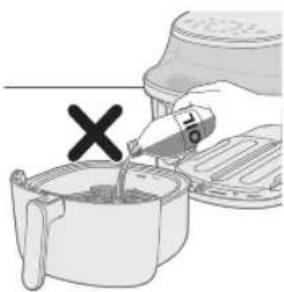
- This is an Airfryer that works on hot air. Do not fill the pan with oil, frying fat or any other liquid.
- Do not touch hot surfaces. Use handles or knobs. Handle the hot pan with oven-safe gloves.
- This appliance is for household use only.
- This appliance may produce some smoke when you use it for the first time. This is normal.
- Preheating of the appliance is not necessary.
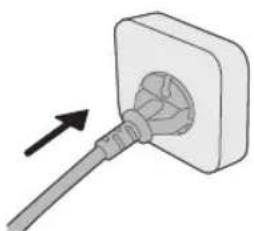
1 Put the plug in the wall outlet.
natural_image
Simple line drawing of a plug inserted into a socket (no text or symbols)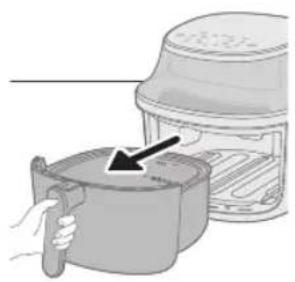
natural_image
Illustration of a hand holding a cooking pot next to a toaster oven (no text or symbols visible)2 Remove the pan from the appliance by pulling the handle.
3 By pulling the handle, pull the pan out horizontally to remove it from the appliance.
Caution
- Do not pull the pan out at an inclined angle to avoid scratching the pot.
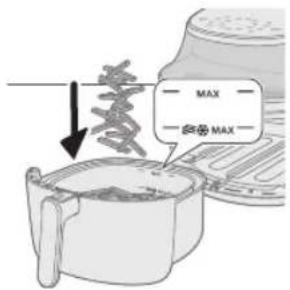
4 Put the ingredients in the pan.
Note
- The Airfryer can prepare a large range of ingredients. Consult the 'Food table' for the right quantities and approximate cooking times.
- Do not exceed the amount indicated in the 'Food table' section or overfill the pan beyond the 'MAX' indication as this could affect the quality of the end result.
- Do not exceed the MAX indication with a fries icon for frozen potato based snacks and homemade fries.
- If you want to prepare different ingredients at the same time, make sure you check the suggested cooking time required for the different ingredients before you start to cook them simultaneously.
natural_image
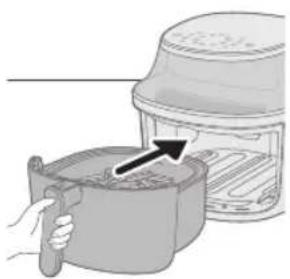
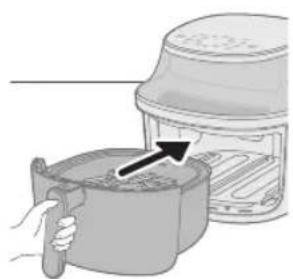
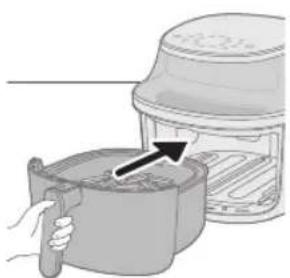
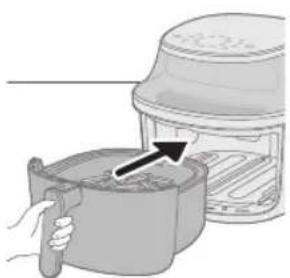
Illustration of a hand pouring liquid into a cooking pot with an arrow indicating the process (no text or symbols present)5 Put the pan horizontally back into the Airfryer.
Caution
- Never use the pan without the basket in it.
- Do not touch the pan during and for some time after use, as it could get very hot.
- Do not put the pan in at an inclined angle to avoid scratching the pot.
natural_image
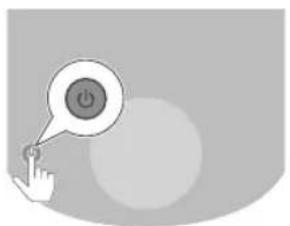
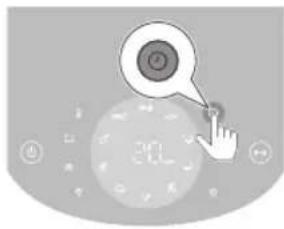
Illustration of a hand pressing a button with a power symbol (no text or labels)6 Press the power on/off button to switch on the appliance.
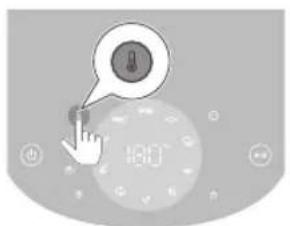
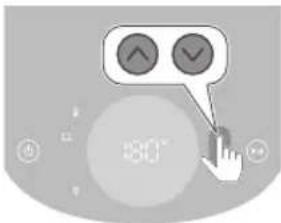
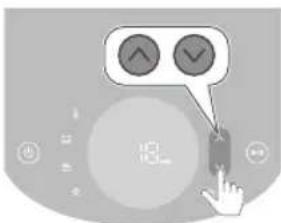
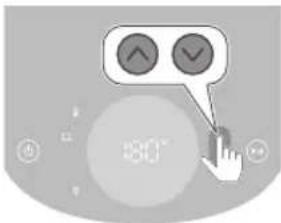
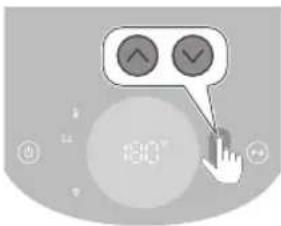
7 Press the temperature button.
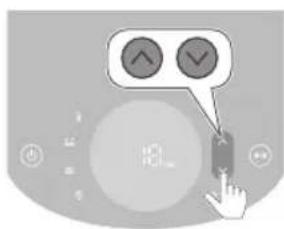
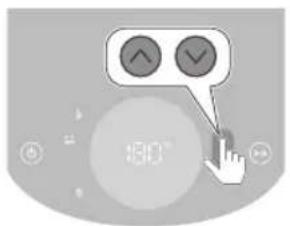
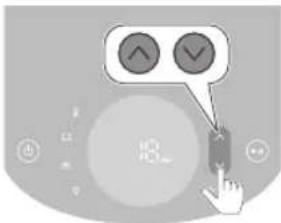
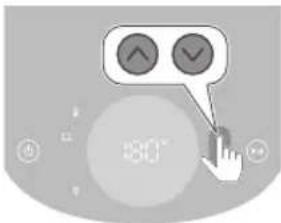
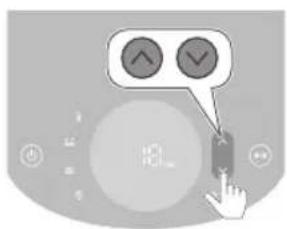
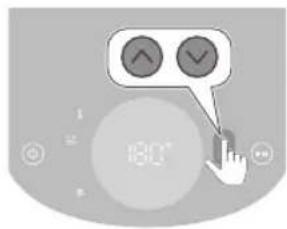
8 Press the increase or decrease button to set the temperature.
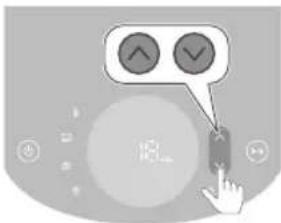
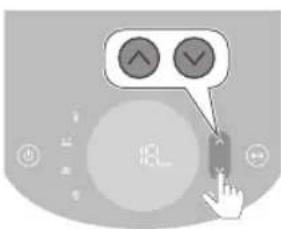
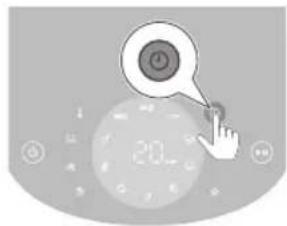
9 Press the time button.
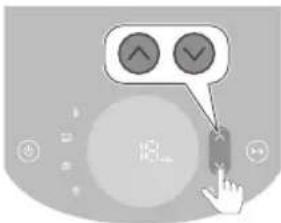
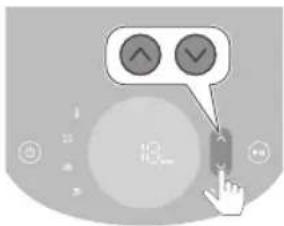
10 Press the increase of decrease button to set the time.
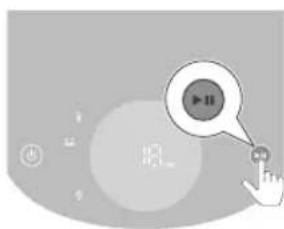
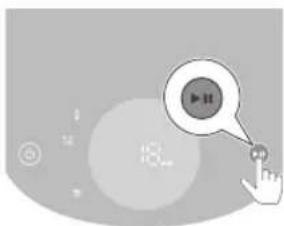
11 Press the start/pause button to start the cooking process.
Note
- During cooking the temperature and time are shown alternately.
- The last cooking minute counts down in seconds.
- Refer to the food table with basic cooking settings for different types of food.
Tip
- While cooking, press the up or down button at any time to change the cooking time or temperature.
- To pause the cooking process, press the start/pause button. To resume the cooking process, press the same button again to continue the cooking process.
- The device is automatically in pause mode when you pull out the pan. The cooking process continues when the pan is put in the appliance again.
natural_image
Illustration of a steaming hot pot with a bell and lid, next to a toaster oven (no text or symbols)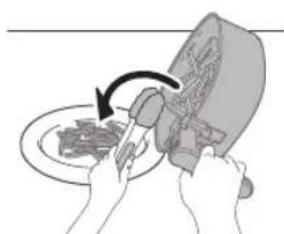
natural_image
Illustration of hands using a tool to cut or brush over a plate, no text or symbols presentNote
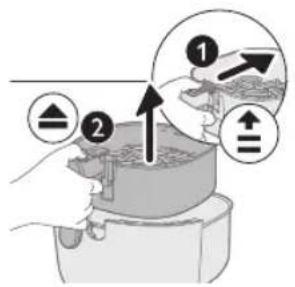
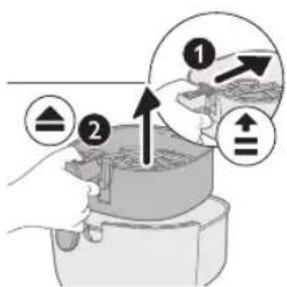
- Some ingredients require shaking or turning halfway through the cooking time (see 'Food table'). To shake the ingredients, release the basket from the pan first. Slide the switch on the handle towards the basket to reveal the eject button, then press it to release the basket from the pan. Shake the basket over the sink. Then put the pan with basket back into the appliance.
- If you do not set the required cooking time within 20 minutes, the appliance automatically shuts off for safety reasons.
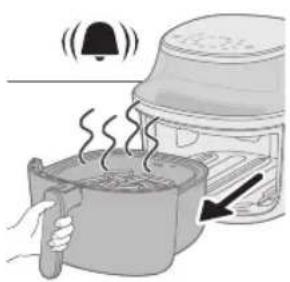
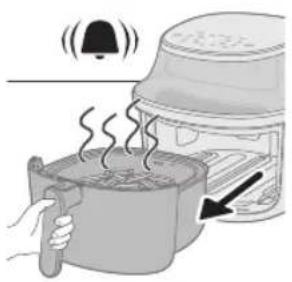
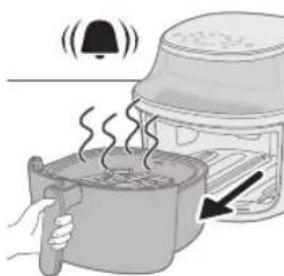
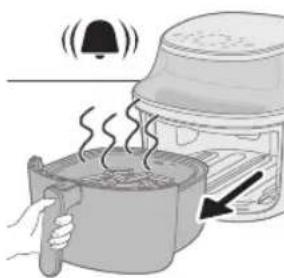
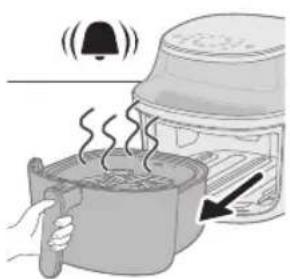
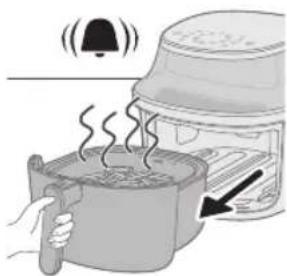
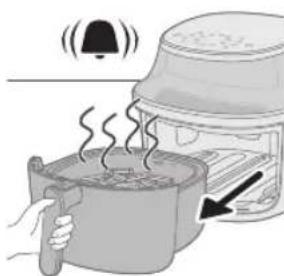
12 When you hear the timer bell, the cooking time has elapsed.
Note
- You can manually stop the cooking process by pressing the start/pause button.
13 Pull out the pan and check if the ingredients are ready.
Caution
- The Airfryer pan is hot after the cooking process. Always place it on a heat resistant work top (eg. trivet, etc.) when you remove the pan from the device.
Note
- If the ingredients are not ready yet, simply slide the pan back into the Airfryer and add a few extra minutes.
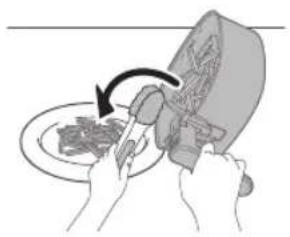
14 Empty the contents into a bowl or onto a plate.
Caution
- After the cooking process, the pan, the interior housing, the window and the ingredients are hot. Depending on the type of ingredients in the Airfryer, steam may escape from the pan.
Note
- To remove large or fragile ingredients, use a pair of tongs to lift out the ingredients.
- Excess oil or rendered fat from the ingredients is collected on the bottom of the pan.
- Depending on the type of ingredients cooking, you may want to carefully pour off any excess oil or rendered fat from the pan after each batch or before shaking. Place the pan on a heat-resistant surface. Wear oven-safe gloves to pour off excess oil or rendered fat. Return the pan into the appliance.
- When a batch of ingredients is ready, the Airfryer is instantly ready for preparing another batch.
- Repeat steps 3 to 12 if you want to prepare another batch.
Using the keep warm mode
1 Press the power on/off button to switch on the appliance.
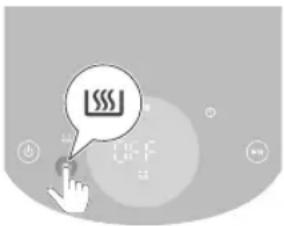
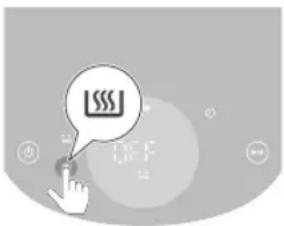
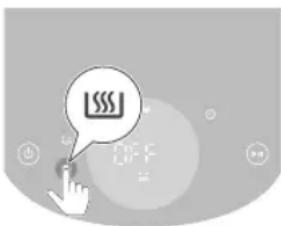
2 Press the keep warm button.
3 Press the start/pause button to activate the keep warm mode.
Note
- To change the keep warm time, press the time down button (1 - 30 minutes).
- The temperature cannot be changed in keep warm mode.
4 To pause the keep warm mode, press the start/pause button. To resume the keep warm mode, press the start/pause button again.
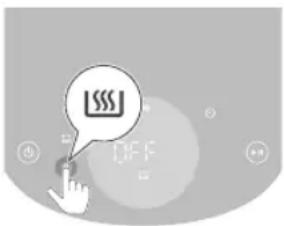
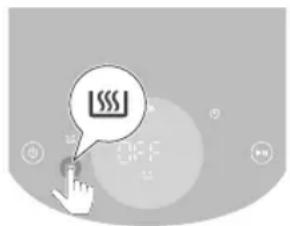
5 To exit the keep warm mode, press the On/Off button.
Tip
- If French fries lose crispness during keep warm mode, either reduce the keep warm time or crisp them up for 2-3 minutes at 180^ .
- During keep warm mode, the appliance's fan and heater turn on intermittently.
- The keep warm mode is for keeping your food warm after cooking and not for reheating.
Using the keep warm mode for presets
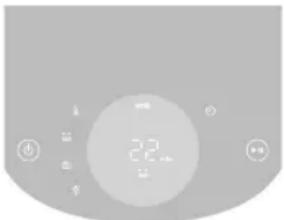
You can activate or deactivate the keep warm mode before or after preset cooking starts.
natural_image
Close-up of a digital kitchen control panel with buttons and a central display (no readable text or symbols)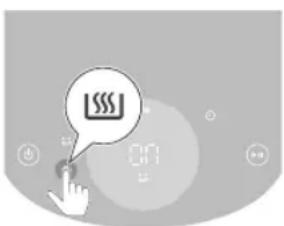
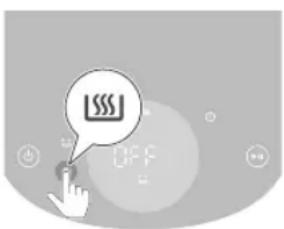
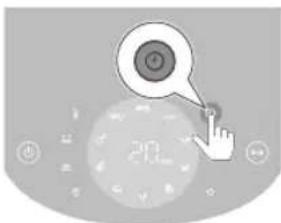
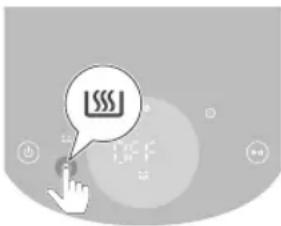
1 Press the keep warm button after selecting a preset to activate the keep warm mode.
The keep warm mode automatically will be activated after cooking.
2 Press the keep warm button again to deactivate the keep warm mode if needed.
Cooking with a preset
1 Follow steps 1 to 5 in chapter "Airfrying".
2 Press the desired preset button.
The selected preset is blinking.
3 Start the cooking process by pressing the start/pause button.
Note
- When cooking with fresh fries or frozen potato-based snacks preset, the appliance will automatically remind you to shake the food for even cooking with shake reminder. To disable this reminder, press the frozen potato-based snacks preset and the homemade fries preset simultaneously after turning on the appliance. To re-enable the shaking reminder, repeat this action.
- If you set the time for fresh fries and potato snacks to less than 5 minutes when customizing the preset, the shaking reminder will be disabled.
- The appliance will remind you to shake several times when using one of those two presets. To stop the beeping sound during cooking, pull out the basket to shake the fries. This will silence the sound for this cooking process, but won't turn off the shaking reminder function.
Personalize the preset settings
To save your customized time and temperature for a preset on the Airfryer, you can
1 Press the preferred preset button briefly.
2 Adjust the time and/or temperature.
3 Press the time or temperature button to confirm your settings.
4 Press the time or temperature button again to go back to the main menu.
5 Long press the same preset button until the device beeps.
- The adjusted preset setting is saved.
Restore to the default preset settings
To reset your customized preset settings, you can
1 Select and press the customized preset setting.
2 Long press its preset button until the appliance beeps.
- The selected preset setting is reset to default.
NA32X (model number)
| Presets | Preset time (min) | Pre-set temperature | Weight (Max.) Remark |
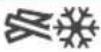 Thin frozen fries Thin frozen fries | 28 180°C | 500g - Frozen Potato based | snacks like frozen French fries, potato wedges, criss-cross fries etc.- Shake, turn or stir 3 times in between |
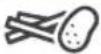 French fries French fries | 35 180°C | 500g - Use mealy potatoes | - 10 x 10 mm/0.4 x 04 in thick cut- Soak 30 minutes in water, dry then add 1⁄4 to 1 tbsp of oil.- Shake, turn or stir 3 times in between |
 Chicken drumsticks Chicken drumsticks | 28 180°C | 6 pieces - Up to 6 chicken | drumsticks- Shake, turn or stir in between |
 Meat chops Meat chops | 14 200°C | 2 chops - Up to 2 meat chops | without bone- Turn in between |
 Dehydrated fruit Dehydrated fruit | 90 75°C | 100g - Cut into 2mm slices | - Soak 15 minutes in water, and dry them before cook- Turn in between |
 Vegan Vegan | 20 180°C | 9 pieces - Up to 9 pieces falafel | - Shake, turn or stir in between |
| [3x7z]Eggs with toast | 11 160°C | 2 eggs, 1 toast - Add egg first 6 min, add | toast 5 min |
 Muffins Muffins | 18 160°C | 5 cups - Up to 5 cups of muffin | |
 Mixed vegetables Mixed vegetables | 12 180°C | 800g - Roughly chopped | - Use the baking accessory- Stir 2 times in between |

Whole fish
14 200°C 300g - 1 fish, 300g each

Keep warm
30 80°C N/A - Temperature cannot be
adjusted
NA33X (model number)
| Presets | Preset time (min) | Pre-set temperature | Weight (Max.) | Remark |
 Thin frozen fries Thin frozen fries | 28 180°C | 800g - Frozen Potato based | snacks like frozen French fries, potato wedges, criss-cross fries etc.- Shake, turn or stir 3 times in between | |
 French fries French fries | 36 180°C | 800g - Use mealy potatoes | - 10 x 10 mm/0.4 x 04 in thick cut- Soak 30 minutes in water, dry then add 1⁄4 to 1 tbsp of oil.- Shake, turn or stir 3 times in between | |
 Chicken drumsticks Chicken drumsticks | 30 180°C | 8 pieces - Up to 8 chicken | drumsticks- Shake, turn or stir in between | |
 Meat chops Meat chops | 16 200°C | 3 chops - Up to 3 meat chops | without bone- Turn in between | |
 Dehydrated fruit Dehydrated fruit | 90 75°C | 150g - Cut into 2mm slices | - Soak 15 minutes in water, and dry them before cook- Turn in between | |
 Vegan Vegan | 21 180°C | 12 pieces - Up to 12 pieces falafel | - Shake, turn or stir in between | |
 Eggs with toast Eggs with toast | 11 160°C | 3 eggs, 2 toasts - Add egg first 6 min, add | toast 5 min |

Muffins
18 160°C 7 cups - Up to 7 cups of muffin

Mixed vegetables
12 180°C 1000g - Roughly chopped
- Use the baking accessory
- Stir 2 times in between

Whole fish
16 200°C 600g - 2 fish, 300g each

Keep warm
30 80°C N/A - Temperature cannot be
adjusted
NA34X (model number)
| Presets | Preset time (min) | Pre-set temperature | Weight (Max.) Remark |
 Thin frozen fries Thin frozen fries | 28 180°C | 1000g - Frozen Potato based | snacks like frozen French fries, potato wedges, criss-cross fries etc.- Shake, turn or stir 3 times in between |
 French fries French fries | 34 180°C | 1000g - Use mealy potatoes | - 10 x 10 mm/0.4 x 04 in thick cut- Soak 30 minutes in water, dry then add 1⁄4 to 1 tbsp of oil.- Shake, turn or stir 3 times in between |
 Chicken drumsticks Chicken drumsticks | 28 180°C | 10 pieces - Up to 10 chicken | drumsticks- Shake, turn or stir in between |
 Meat chops Meat chops | 18 200°C | 4 chops - Up to 4 meat chops | without bone- Turn in between |
 Dehydrated fruit Dehydrated fruit | 90 75°C | 180g - Cut into 2mm slices | - Soak 15 minutes in water, and dry them before cook- Turn in between |
English

Vegan
23 180°C 15 pieces - Up to 15 pieces falafel
- Shake, turn or stir in between

Eggs with toast
12 160°C 4 eggs, 3 toasts - Add egg first 7 min, add
toast 5 min

Muffins
18 160°C 9 cups - Up to 9 cups of muffin

Mixed vegetables
12 180°C 1400g - Roughly chopped
- Use the baking accessory
- Stir 2 times in between

Whole fish
16 200°C 600g - 2 fish, 300g each

Keep warm
30 80°C N/A - Temperature cannot be
adjusted
Cooking with another preset
1 During the cooking process, press preset button to go back to the main menu.
2 Press another preferred preset button.
3 Press the start/pause button again to start the new cooking process.
Save your favorite setting
1 Press the On/Off button to switch on the appliance.
2 Press the Favorite button.
3 Press the temperature button.
4 Select the temperature.
5 Press the time button.
6 Select the time.
7 After selecting time, press the time button to the main menu.
8 Press and hold the button for 2 second to save the settings to your favourite. You will hear a beep after the setting is saved.
9 Press the Start button to start the cooking process.
Cooking with a favorite setting
1 Press the On/Off button to switch on the appliance.
2 Press the favorite button.
3 Press the Start button to start the cooking process.
Making home-made fries
To make great home-made fries in the Airfryer:
- Choose a potato variety suitable for making fries, e.g. fresh, (slightly) floury potatoes.
- It is best to air fry the fries in portions of up to 500 g / 18 oz for an even result. Larger quantities of fries tend to be less crispy than smaller portions.
1 Peel the potatoes and cut into fries (10x10 mm / 0.4x0.4 in thick).
2 Soak the potato sticks in a bowl of water for at least 30 minutes.
3 Empty the bowl and dry the potato sticks with a dish towel or paper towel.
4 Pour one tablespoon of cooking oil into the bowl, put the sticks in the bowl and mix until the sticks are coated with oil.
5 Remove the sticks from the bowl with your fingers or a slotted kitchen utensil so excess oil remains in the bowl.
Note
- Do not tilt the bowl to pour all the sticks in the pan at once to prevent excess oil from going into the pan.
6 Put the sticks into the pan.
7 Fry the potato sticks and stir them 2-3 times during cooking.
Cleaning
Warning
- Unplug from outlet before cleaning
- Let the pan and the inside of the appliance cool down completely before you start cleaning.
- The pan has a non-stick coating. Do not use metal kitchen utensils or abrasive cleaning materials as this may damage the non-stick coating.
Clean the appliance after every use. Remove oil and fat from the bottom of the pan after every use.
1 Press the on/off button to switch off the appliance, remove the plug from the wall outlet and let the appliance cool down.
Tip
- Remove the pan to let the Airfryer cool down faster.
2 Dispose of rendered fat or oil from the bottom of the pan.
3 Clean the pan and basket in a dishwasher. You can also clean them with hot water, dishwashing liquid and a non-abrasive sponge (see "cleaning table").
Tip
- If food residues stuck to the pan or basket, you can soak them in hot water and dishwashing liquid for 10–15 minutes. Soaking loosens the food residues and makes it easier to remove. Make sure you use a dishwashing liquid that can dissolve oil and grease. If there are grease stains on the pan or basket and you have not been able to remove them with hot water and dishwashing liquid, use a liquid degreaser.
- If necessary, food residues stuck to the heating element can be removed with a soft to medium bristle brush. Do not use a steel wire brush or a hard bristle brush, as this might damage the heating element.
4 Wipe the outside of the appliance with a moist cloth.
Note
- Ensure the control panel is dry after cleaning by using a cloth to wipe away any moisture.
5 Clean the heating element with a cleaning brush to remove any food residues.
6 Clean the inside of the appliance with hot water and a non-abrasive sponge.
7 Clean the window of the appliance with a soft cloth.
| ✓ | ✓ | × | |
| ✓ | ✓ | × |
Storage
1 Unplug the appliance and let it cool down.
2 Make sure all parts are clean and dry before storing.
Note
- When carrying the Airfryer, hold it horizontally and support the pan at the front to prevent any accidental tilting and potential damage to the parts.
- Always make sure that the removable parts of the Airfryer are fixed before you carry and/or store it.
Troubleshooting
This chapter summarizes the most common problems you could encounter with the appliance. If you are unable to solve the problem with the information below, visit www.philips.com/support for a list of frequently asked questions or contact the Consumer Care Center in your country.
Problem Possible cause Solution
| The outside of the appliance becomes hot during use. | The heat inside radiates to the outside walls. | This is normal. All handles and knobs that you need to touch during use stay cool enough to touch. |
| The pan and the inside of the appliance always become hot when the appliance is switched on to ensure the food is properly cooked. These parts are always too hot to touch. |
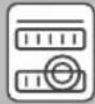
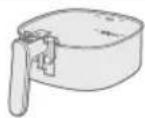


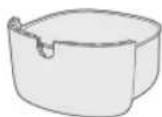


Problem Possible cause Solution
If you leave the appliance switched on for a longer time, some areas get too hot to touch. These areas are marked on the appliance with the following icon:  | ||
| As long as you are aware of the hot areas and avoid touching them, the appliance is completely safe to use. | ||
| My home-made fries do not turn out as I expected. | You did not use the right potato type. | To get the best results, use fresh floury potatoes. If you need to store the potatoes, do not store them in a cold environment like in a fridge. Choose potatoes whose package states that they are suitable for frying. |
| The amount of ingredients in the pan is too big. | Follow the instructions in this user manual to prepare homemade fries. | |
| Certain types of ingredients need to be shaken halfway through the cooking time. | Follow the instructions in this user manual to prepare homemade fries. | |
| The Airfryer does not switch on. | The appliance is not plugged in. | Check if the plug is inserted in the wall outlet properly. |
| Several appliances are connected to one outlet. | The Airfryer has a high wattage. Try a different outlet and check the fuses. | |
| I see some peeling off spots inside my Airfryer. | Some small spots can appear inside the pan of the Airfryer due to the incidental touching or scratching of the coating (e.g. during cleaning with harsh cleaning tools and/or while inserting the basket). | You can prevent damage by lowering the basket into the pan properly. If you insert the basket at an angle, its side may knock against the wall of the pan, causing small pieces of coating to chip off. If this occurs, please be informed that this is not harmful as all materials used are food-safe. |
| White smoke comes out of the appliance. | You are cooking fatty ingredients. | Carefully pour off any excess oil or fat from the pan and then continue cooking. |
| The pan still contains greasy residues from previous use. | White smoke is caused by greasy residues heating up in the pan. Always clean the pan and the basket thoroughly after every use. | |
Problem Possible cause Solution
| Breading or coating did not adhere properly to the food. | Tiny pieces of airborne breading can cause white smoke. Firmly press breading or coating to food to ensure it sticks. | |
| Marinade, liquid or meat juices are splattering in the rendered fat or grease. | Pat food dry before placing it in the pan. | |
| The screen on the Airfryer shows "E1". | Your Airfryer might be stored in a place where it is too cold. | If your device was stored at a low ambient temperature, let it warm up to room temperature for at least 15 minutes before you plug it in again.If the problem persists, call the Philips service hot line or contact the Consumer Care Center in your country. |
| The screen on the Airfryer shows "E9". | The appliance is plugged into a malfunctioning power strip or in unstable grid conditions. | Unplug the appliance from the power strip and plug it into the wall socket.If the problem persists, call the Philips service hot line or contact the Consumer Care Center in your country. |
| The screen on the Airfryer shows "E12". | The appliance runs into an error. | Unplug the appliance and plug in again.If the problem persists, call the Philips service hot line or contact the Consumer Care Center in your country. |
Obsah
Upozornění
natural_image
Illustration of a plug inserted into a socket with an arrow indicating direction (no text or symbols)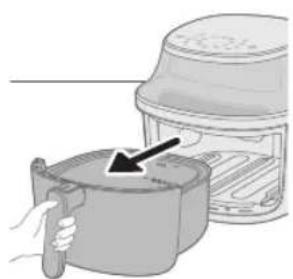
natural_image
Illustration of a hand holding a cooking pot next to a lid, with a black arrow pointing to the lid (no text or symbols present)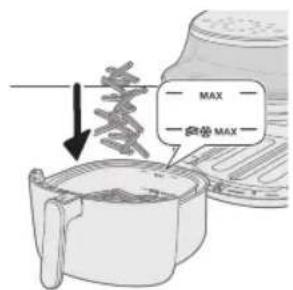
natural_image
Illustration of a hand pouring liquid into a container with a lid (no text or symbols)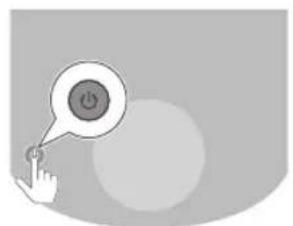
natural_image
Illustration of a hand pressing a button with a power symbol (no text or labels)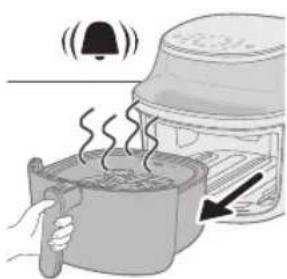
natural_image
Illustration of a cooking pot with steam rising, accompanied by a bell and a hand holding a spoon (no text or symbols)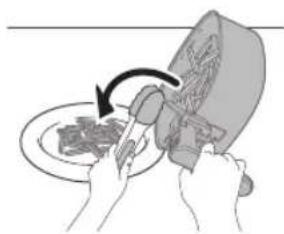
natural_image
Illustration of hands using a knife to cut food on a plate (no text or symbols visible)natural_image
Close-up of a digital kitchen control panel with buttons and a central display (no readable text or symbols)natural_image
Illustration of a plug inserted into a socket with an arrow indicating direction (no text or symbols)natural_image
Illustration of a hand holding a cooking pot next to a lid, with an arrow pointing to the lid (no text or symbols present)natural_image
Illustration of a hand holding a cooking pot with an arrow pointing to a lid (no text or symbols)5 Sæt beholderen vandret tilbage i din Airfryer.
Forsigtig
natural_image
Illustration of a hand pressing a button with a power symbol (no text or labels)8 Tryk på op- eller ned-knappen for at indstille temperaturen.
natural_image
Illustration of a hand pointing at a circular digital display with a clock icon (no text or symbols)10 Tryk på op- eller ned-knappen for at indstille tiden.
natural_image
Gray-scale icon showing a hand pressing a button with a play button, surrounded by icons (no text or symbols)11 Tryk på start/standby-knappen for at starte tilberedningsprocessen.
Bemærk
natural_image
Illustration of hands using a tool to cut meat on a plate, no text or symbols presentnatural_image
Pure electrical circuit lines without any symbolsnatural_image
Illustration of a plug inserted into a socket with an arrow indicating direction (no text or symbols)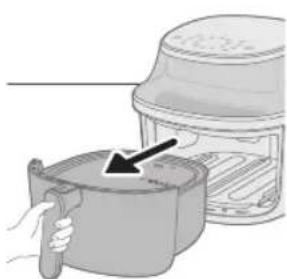
natural_image
Illustration of a hand pressing down on an air fryer with a black arrow indicating the process (no text or symbols present)natural_image
Illustration of a hand pouring liquid into a container with an arrow indicating flow (no text or symbols)natural_image
Illustration of a hand pressing a button with a power symbol (no text or labels)natural_image
Illustration of a hand interacting with a circular object, no text or symbols presentnatural_image
Illustration of a hand interacting with a play button and circular icons (no text or symbols)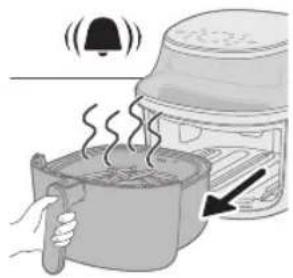
natural_image
Illustration of a toaster oven with steam rising, showing a bell and heat exchanger (no text or symbols)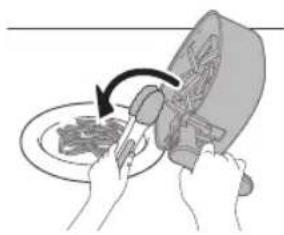
natural_image
Illustration of hands using a tool to cut meat on a plate, no text or symbols presentHinweis
natural_image
Close-up of a kitchen air conditioner unit with control buttons and a digital display (no readable text or symbols)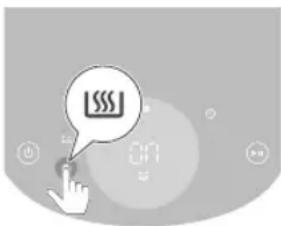
Ettevaatust
natural_image
Illustration of a plug inserted into a socket with an arrow indicating direction (no text or symbols)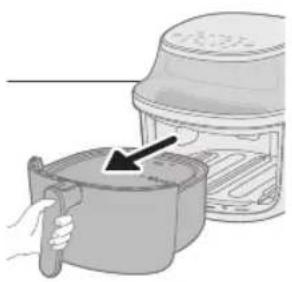
natural_image
Illustration of a hand holding a cooking pot next to a toaster oven (no text or symbols)natural_image
Illustration of a hand pouring liquid into a container with an arrow indicating flow direction (no text or symbols)5 Pange pott horisontaalselt tagasi Airfryerisse.
Ettevaatust
natural_image
Illustration of a hand pressing a button with a power symbol (no text or labels)natural_image
Illustration of a hand interacting with a circular device displaying a button and number 20 (no text or symbols on the device itself)9 Vajutage ajanuppu.
natural_image
Illustration of a hand interacting with a play button, no text or symbols present
natural_image
Illustration of a cooking process showing a steaming pot with a bell and lid, next to an oven with a hand holding a tool (no text or symbols)natural_image
Illustration of hands using a knife to cut food on a plate (no text or symbols)natural_image
Close-up of a circular device with indicator lights and a central display (no readable text or symbols)Precaución
natural_image
Simple line drawing of a plug inserted into a socket (no text or symbols)natural_image
Illustration of a hand holding a cooking pot next to a lid, with an arrow pointing to the lid (no text or symbols present)natural_image
Illustration of a hand pouring liquid into a container with an arrow indicating flow (no text or symbols)natural_image
Illustration of a hand pressing a button with a power symbol (no text or labels)natural_image
Illustration of a hand cursor clicking a button on a circular interface with a speedometer icon (no text or symbols)natural_image
Illustration of a hand interacting with a play button, no text or symbols present
natural_image
Illustration of a steaming pot with a lid emitting smoke, next to a food oven (no text or symbols)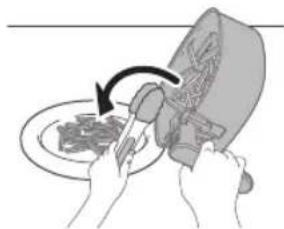
natural_image
Illustration of hands using a tool to cut a plate with a lid, no text or symbols presentNote
natural_image
Close-up of a circular electronic device with indicator lights and a central display (no readable text or symbols)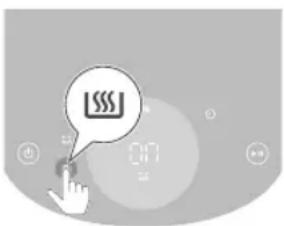
natural_image
Illustration of a hand pouring liquid into a container with a cross mark and 1/6 label (no text or symbols on the diagram itself)Attention
natural_image
Illustration of a plug inserted into a socket with an arrow indicating direction (no text or symbols)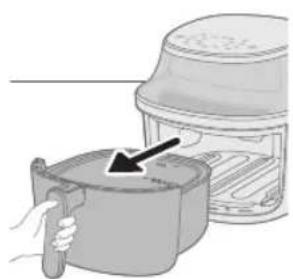
natural_image
Illustration of a hand holding a cooking pot next to a lid, with a black arrow pointing to the lid (no text or symbols)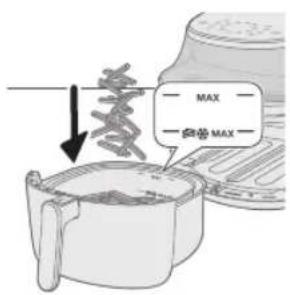
natural_image
Illustration of a hand pouring liquid into a cooking pot with an arrow indicating flow (no text or symbols)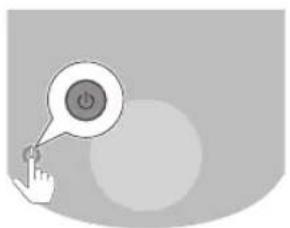
natural_image
Illustration of a hand pressing a button with a power symbol (no text or labels)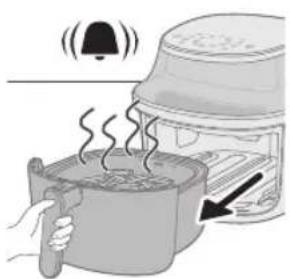
natural_image
Illustration of a toaster oven with a hand holding a pot and a bell icon above it (no text or symbols)
natural_image
Illustration of hands using a knife to cut food on a plate (no text or symbols)natural_image
Close-up of a circular digital display with control buttons and a central numeric display (no readable text or symbols)Oprez
- Ovo je Airfryer koji prži vrućim zrakom. Posudu nemojte puniti uljem, mašću niti nekom drugom tekućinom.
- Nemojte dodirivati vruće površine. Upotrebljavajte drške i regulatore. Vruću tavu primajte s kuhinjskim rukavicama.
- Aparat je namijenjen isključivo kućnoj uporabi.
- Prilikom prve uporabe možda ćete primijetiti malo dima. To je normalno.
- Aparat ne treba prethodno zagrijavati.

7 Pritisnite gumb za temperaturu.
natural_image
Close-up of a hand cursor clicking a circular button with a target icon, next to a digital display (no readable text or symbols)9 Pritisnite gumb za vrijeme.
natural_image
Illustration of a hand interacting with a play button and a circular interface (no text or symbols)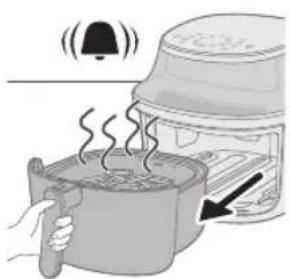
natural_image
Illustration of a steaming pot with a bell and lid emitting smoke, next to a toaster oven (no text or symbols)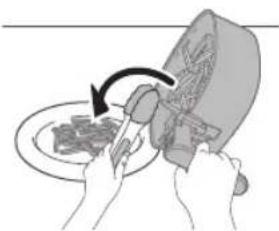
natural_image
Illustration of hands using a tool to cut or spread food on a plate, with no visible text or symbols.- Kad izvadite posudu, aparat automatski prelazi u način rada pauziranja. Proces pripreme hrane nastavit će se nakon što u aparat vratite posudu.
Napomena
- Neki sastojci moraju se protresti ili okrenuti nakon isteka pola vremena kuhanja (pogledajte Tablicu hrane). Kako biste protresli sastojke, najprije izvadite košaru iz posude. Pomicanjem prekidača na dršci prema košari prikazat će se gumb za izbacivanje koji zatim trebate pritisnuti kako biste otpustili košaru iz posude. Protresite košaru iznad sudopera. Zatim vratite posudu s košarom natrag u aparat.
- Ako željeno vrijeme kuhanja ne postavite u roku od 20 minuta, aparat se automatski isključuje iz sigurnosnih razloga.
12 Kad se oglasi zvono mjerača vremena, vrijeme kuhanja je isteklo.
Napomena
- Ručno prekinite postupak kuhanja pritiskom gumba za pokretanje/pauziranje.
natural_image
Close-up of a circular digital display with control buttons and a central numeric display (no readable text or symbols)Attenzione
natural_image
Illustration of a plug inserted into a socket with an arrow indicating direction (no text or symbols)natural_image
Illustration of a hand holding a cooking pot next to a steamer (no text or symbols)natural_image
Illustration of a hand placing a container into a microwave oven with an arrow indicating the process (no text or symbols present)natural_image
Illustration of a hand holding a button with a power symbol inside, no text or labels presentnatural_image
Illustration of a hand pointing at a circular device with a speech bubble containing a small icon (no text or symbols present)natural_image
Illustration of a hand interacting with a circular digital display showing a target symbol (no text or numbers present)natural_image
Gray-scale icon showing a play button with a circular button and finger pointing at it, no text or symbols present.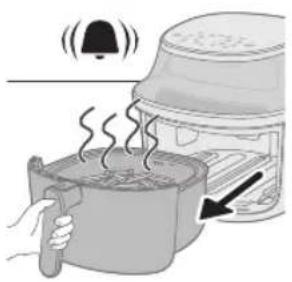
natural_image
Illustration of a cooking process showing a steaming pot with a bell and lid, next to an oven with a hand holding a tool (no text or symbols)natural_image
Pure electrical circuit lines without any symbolsUzmanību!
natural_image
Illustration of a plug inserted into a socket with an arrow indicating direction (no text or symbols)2 No ierīces iznemiet pannu, velkot aiz roktura.
natural_image
Illustration of a hand holding a cooking pot next to a lid (no text or symbols)4 lelieciet produktus pannā.
Piezime
natural_image
Illustration of a hand pouring liquid into a container with an arrow indicating flow (no text or symbols)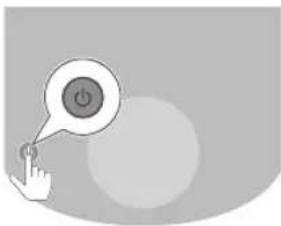
natural_image
Illustration of a hand pressing a button with a power symbol (no text or labels)natural_image
Illustration of a hand interacting with a circular device displaying a small icon, no text or symbols present.natural_image
Illustration of a hand pointing at a circular icon with a spiral symbol, set against a blurred background with no readable text or symbols.9 Nospiediet laika pogu.
natural_image
Illustration of a hand interacting with a digital display showing a play button (no text or symbols)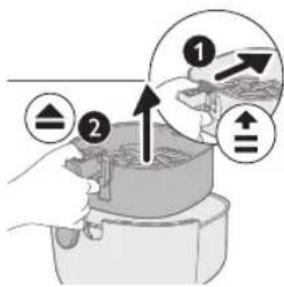
natural_image
Illustration of a toaster oven with steam rising, showing a bell and hand gesture (no text or symbols)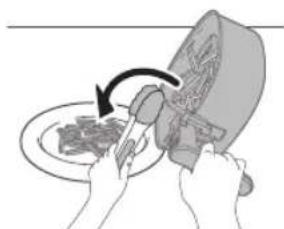
natural_image
Illustration of hands using a tool to cut meat on a plate, no text or symbols presentnatural_image
Close-up of a circular digital display with control buttons and a central numeric display (no readable text or symbols)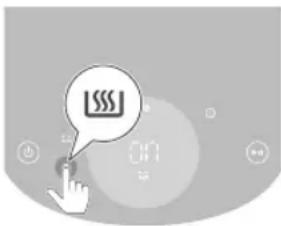
natural_image
Illustration of a hand pouring liquid into a container with a cross mark and partial lid (no text or symbols)Dèmesio
natural_image
Simple line drawing of a plug inserted into a socket (no text or symbols)natural_image
Illustration of a hand holding a cooking pot with a lid, next to a steamer (no text or symbols)natural_image
Illustration of a hand placing a container into a storage bin with an arrow indicating the process (no text or symbols present)natural_image
Illustration of a hand pressing a button with a power symbol (no text or labels)natural_image
Illustration of a hand interacting with a light bulb icon, no text or symbols presentnatural_image
Illustration of a hand interacting with a circular device displaying '201' (no text or symbols on the device itself)natural_image
Illustration of a hand interacting with a play button and a circular icon (no text or symbols)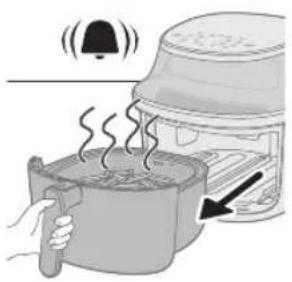
natural_image
Illustration of a steaming hot pot with a bell and lid, next to a food oven (no text or symbols)natural_image
Illustration of hands using a knife to cut a plate with a knife, no text or symbols presentnatural_image
Close-up of a circular digital display with no visible text or symbols on the screen or backgroundnatural_image
Illustration of a hand pouring liquid into a container with a cross mark and '1/6' label (no text or symbols on the diagram itself)Vigyázat!
natural_image
Illustration of a hand pressing a button with a power symbol (no text or labels)natural_image
Illustration of a hand interacting with a circular device displaying a small icon, no text or symbols present.natural_image
Illustration of a hand pointing at a circular icon with a spiral symbol, set against a blurred background with no readable text or symbols.natural_image
Illustration of a hand interacting with a digital interface, featuring a play button and control knob (no text or symbols)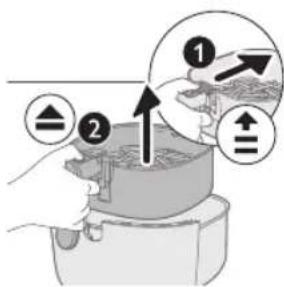
natural_image
Illustration of a steaming hot pot with a bell and lid, showing heat transfer from a container to a microwave oven (no text or symbols)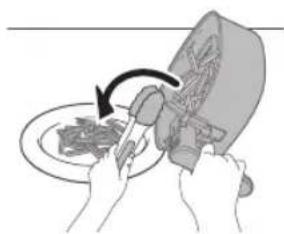
natural_image
Illustration of hands using a knife to cut meat on a plate (no text or symbols)natural_image
Pure electrical circuit lines without any symbolsnatural_image
Simple line drawing of a plug inserted into a socket (no text or symbols)natural_image
Illustration of a hand holding a cooking pot next to a food item (no text or symbols visible)natural_image
Illustration of a hand pouring liquid into a cooking pot with an arrow indicating flow (no text or symbols)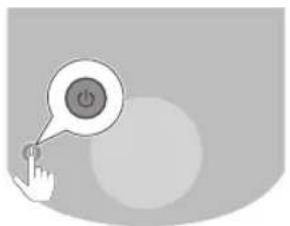
natural_image
Illustration of a hand pressing a button with a power button icon (no text or symbols)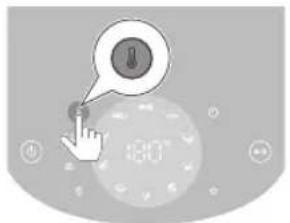
4 Legg ingrediensene i pannen.
Merk
- Med Airfryer kan du tilberede en rekke ulike ingredienser. Se i mattabellen for riktige mengder og tilnærmet steketid.
- Ikke overstig mengden angitt i avsnittet Mattabell eller overfyll pannen over MAX-merket da det kan påvirke kvaliteten på sluttresultatet.
- Ikke overskrid MAKS-merket med pommes frites-ikonet for frosne potetbaserte snacks og hjemmelaget pommes frites.
- Hvis du vil tilberede ulike ingredienser samtidig, må du først kontrollere den foreslåtte steketiden for de ulike ingrediensene.
5 Sett pannen horisontalt tilbake i airfryeren.
Forsiktig
natural_image
Illustration of a hand interacting with a circular device displaying '201' and a button labeled 'O', no readable text or symbols present.9 Trykk på timerknappen.
natural_image
Illustration of a hand interacting with a play button and a circular icon (no text or symbols)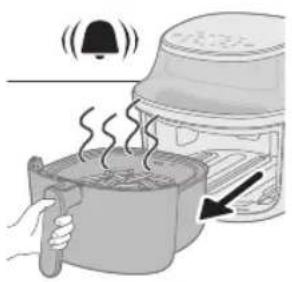
natural_image
Illustration of hands using a tool to cut food on a plate, no text or symbols presentnatural_image
Close-up of a circular digital display with icons, no readable text or symbols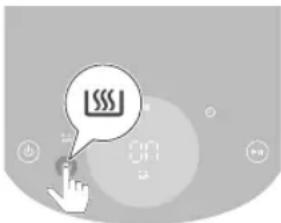
18 160 °C 7 former - Opptil 7 former med
muffins

Blandede grønnsaker
12 180 °C 1000 g. - Grovhakket
- Bruk baketilbehøret
- Rør 2 ganger innimellom

Hel fisk
16 200 °C 600 g. - 2 fisk, 300 g hver

Varmholding
Przestroga
natural_image
Illustration of a hand interacting with a play button and a circular interface (no text or symbols)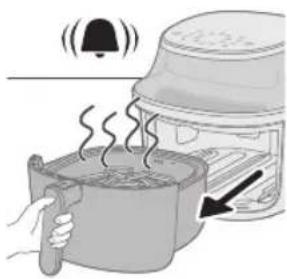
natural_image
Illustration of a toaster oven with a bell and steam rising, showing heat transfer (no text or symbols)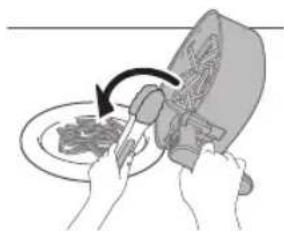
natural_image
Illustration of hands using a tool to cut a plate with a knife (no text or symbols visible)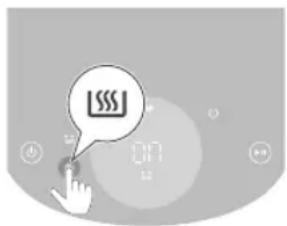
natural_image
Illustration of a hand pouring liquid into a container with a cross mark and '1/6' label (no text or symbols on the diagram itself)Atenção
natural_image
Illustration of a plug inserted into a socket with an arrow indicating direction (no text or symbols)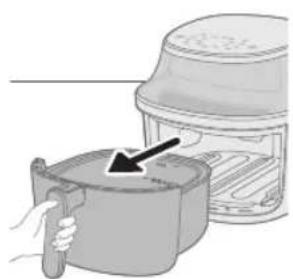
natural_image
Illustration of a hand holding a cooking pot next to a lid, with a black arrow pointing to the lid (no text or symbols)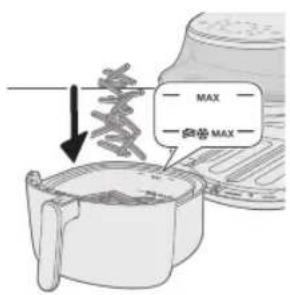
natural_image
Illustration of a hand pouring liquid into a cooking pot with an arrow indicating flow direction (no text or symbols)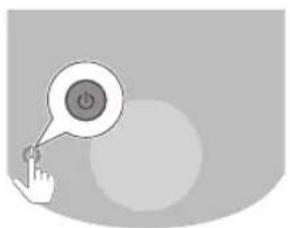
natural_image
Illustration of a hand pressing a button with a power symbol (no text or labels)natural_image
Illustration of a hand interacting with a play button and circular icons (no text or symbols)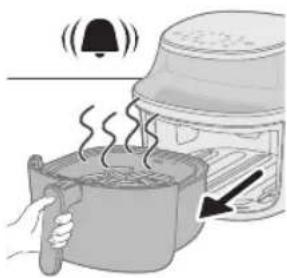
natural_image
Illustration of a toaster oven with a hand holding a steaming pot and a bell emitting sound waves (no text or symbols)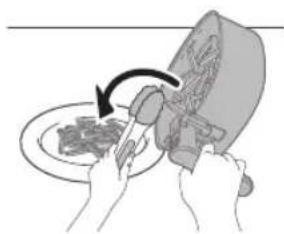
natural_image
Illustration of hands using a tool to cut meat on a plate, no text or symbols presentnatural_image
Close-up of a digital kitchen appliance with control buttons and a central display (no visible text or symbols)
Atentie
natural_image
Illustration of a plug inserted into a socket with an arrow indicating direction (no text or symbols)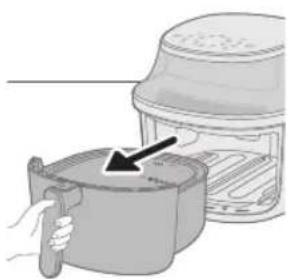
natural_image
Illustration of a hand holding a cooking pot next to a lid, with a black arrow pointing to the lid (no text or symbols)natural_image
Illustration of a hand placing a container into a microwave oven with an arrow indicating the process (no text or symbols present)natural_image
Illustration of a hand pressing a button with a power symbol (no text or labels)natural_image
Illustration of a hand pointing at a circular button with a small icon, next to a digital clock (no text or symbols on the clock face)natural_image
Illustration of a hand interacting with a circular device displaying '201' (no text or symbols on the device itself)natural_image
Gray-scale icon showing a hand pressing a button with a play button, surrounded by icons (no text or symbols)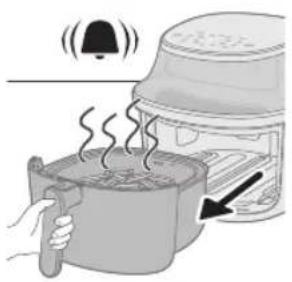
natural_image
Illustration of hands using a knife to cut meat on a plate, with no text or symbols presentnatural_image
Close-up of a circular device with indicator lights and a central display (no readable text or symbols)natural_image
Illustration of a hand pouring liquid into a container with a cross mark and partial lid (no text or symbols)Kujdes
natural_image
Illustration of a plug inserted into a socket with an arrow indicating direction (no text or symbols)natural_image
Illustration of a hand holding a cooking pot with a lid, showing a hand pressing down (no text or symbols)natural_image
Illustration of a hand using a tool to clean or install a cooking pan (no text or symbols visible)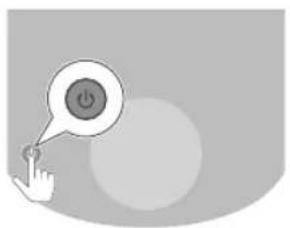
natural_image
Illustration of a hand pressing a button with a power symbol (no text or labels)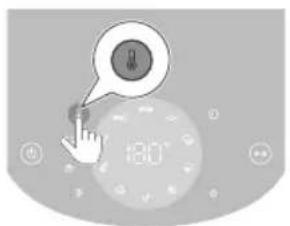
natural_image
Illustration of a hand interacting with a circular device displaying '20' (no text or symbols on the device itself)natural_image
Illustration of a hand interacting with a play button and a circular interface (no text or symbols)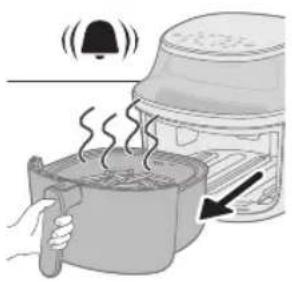
natural_image
Illustration of a steaming hot pot with a bell and lid, next to a food oven (no text or symbols)natural_image
Illustration of hands using a tool to cut or brush on a plate, with no visible text or symbolsnatural_image
Close-up of a gray electronic device with a circular display and control buttons (no readable text or symbols)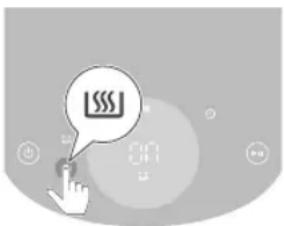
Previdno
7 Pritisnite gumb za temperaturo.
8 Pritiskajte gumb za zvišanje ali znižanje, da nastavite želeno temperaturo.
9 Pritisnite gumb za časovnik.
natural_image
Illustration of a hand interacting with a play button and a circular interface (no text or symbols)11 Pritisnite gumb za zagon/premor, za zaženete pripravo jedi.
Opomba
natural_image
Illustration of a steaming pot with a bell and lid emitting smoke, next to a toaster oven (no text or symbols)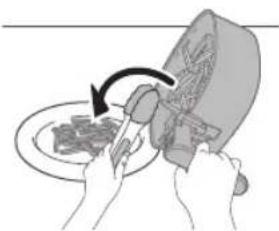
natural_image
Illustration of hands using a knife to cut a plate with a knife, showing a curved arrow (no text or symbols)- Ko izvlečete posodo, se aparat samodejno preklopi v način premora. Priprava jedi se nadaljuje, ko v aparat ponovno vstavite posodo.
Opomba
- Nekatere sestavine je treba pretresti ali obrniti na polovici časa priprave (glejte "Preglednico s hrano"). Če želite pretresti sestavine, najprej sprostite košaro iz posode. Varovalo na ročaju potisnite proti košari, da se pojavi gumb za izmet, nato pa ga pritisnite, da sprostite košaro iz posode. Košaro pretresite nad lijakom. Nato namestite posodo s košaro nazaj v aparat.
- Če v 20 minutah ne nastavite želenega časa priprave jedi, se aparat iz varnostnih razlogov samodejno izklopi.
natural_image
Close-up of a digital kitchen control panel with buttons and a central display (no readable text or symbols)1 Po izbiri prednastavitve pritisnite gumb za ohranjanje toplote, da aktivirate način ohranjanja toplote.
Način ohranjanja toplote se samodejno aktivira po kuhanju.
2 Po potrebi ponovno pritisnite gumb za ohranjanje toplote, da deaktivirate način ohranjanja toplote.
Upozornenie
natural_image
Illustration of a plug inserted into a socket with an arrow indicating direction (no text or symbols)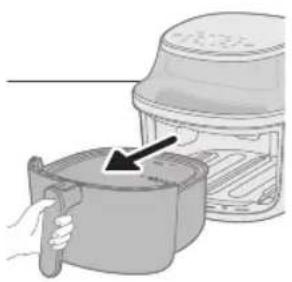
natural_image
Illustration of a hand holding a cooking pot next to a steamer (no text or symbols visible)2 Nádobku vyberte zo zariadenia potiahnutím za rukovát.
3 Potiahnutím rukoväte vytiahnite nádobu vodorovne von a vyberte ju zo zariadenia.
Upozornenie
natural_image
Illustration of a hand pouring liquid into a cooking pot with an arrow indicating the process (no text or symbols present)natural_image
Illustration of a hand pressing a button with a power symbol (no text or labels)natural_image
Illustration of a hand cursor clicking a button on a circular interface with a speedometer icon (no text or symbols)natural_image
Illustration of a hand interacting with a play button, no text or symbols present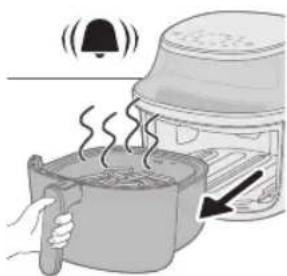
natural_image
Illustration of a steaming pot with a bell and lid, showing heat transfer from a container to a microwave oven (no text or symbols)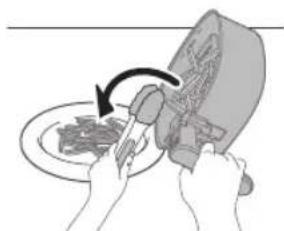
natural_image
Illustration of hands using a tool to cut a plate with a knife (no text or symbols visible)Poznámka
natural_image
Close-up of a gray electronic device with a central circular button and control buttons (no readable text or symbols)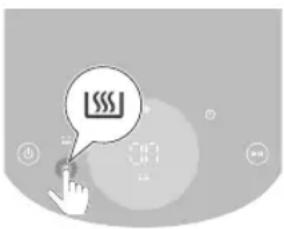
Oprez
- Ovo je Airfryer koji za pripremu koristi vruć vazduh. Nemojte da punite posudu uljem, mašću za prženje niti bilo kojom drugom tečnošću.
- Nemojte da dodirujete vruće površine. Koristite ručke ili regulatore. Vrućom posudom rukujte rukavicama otpornim na toplotu.
- Ovaj aparat namenjen je isključivo upotrebi u domaćinstvu.
- Pri prvoj upotrebi ovaj aparat može da proizvodi izvesnu količinu dima. To je normalno.
- Prethodno zagrevanje aparata nije potrebno.
natural_image
Illustration of a plug inserted into a socket with an arrow indicating direction (no text or symbols)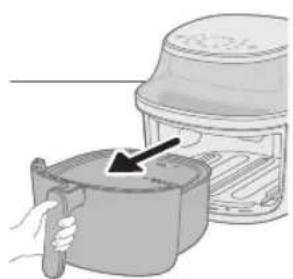
natural_image
Illustration of a hand holding a container with an arrow pointing to a lid, next to a food item (no text or symbols visible)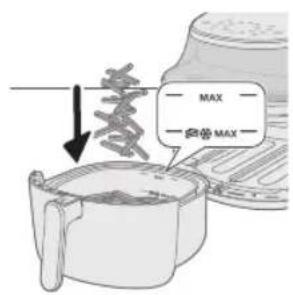
natural_image
Illustration of a hand pouring liquid into a container with an arrow indicating flow (no text or symbols)
natural_image
Illustration of a hand pressing a button with a power symbol (no text or labels)7 Pritisnite dugme za temperaturu.
8 Pritisnite dugme za povećavanje ili smanjivanje da biste podesili temperaturu.
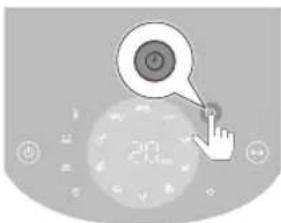
9 Pritisnite dugme za vreme.
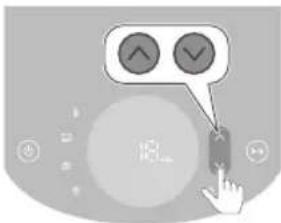
10 Pritisnite dugme za povećavanje ili smanjivanje da biste podesili vreme.
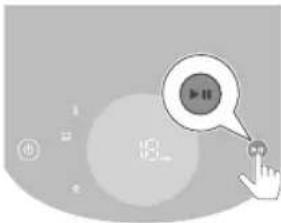
11 Pritisnite dugme za pokretanje/pauziranje da biste pokrenuli proces kuvanja.
Napomena
- Tokom kuvanja se naizmenično prikazuju temperatura i vreme.
- Poslednji minut kuvanja se odbrojava u sekundama.
- Pogledajte tabelu hrane za osnovne postavke za pripremu različitih vrsta hrane.
Savet
- Bilo kada tokom pripreme pritisnite dugme nagore ili nadole da biste promenili vreme ili temperaturu pripreme.
- Da biste pauzirali proces kuvanja, pritisnite dugme za pokretanje/pauziranje. Da biste nastavili proces kuvanja, ponovo pritisnite isto dugme kako biste nastavili proces kuvanja.
natural_image
Illustration of a toaster oven with a bell emitting steam, no text or symbols present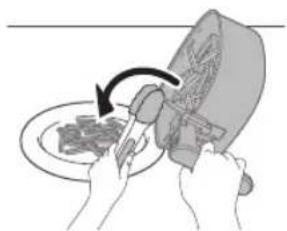
natural_image
Illustration of hands using a knife to cut meat on a plate, no text or symbols present- Aparat automatski prelazi u režim pauze kada izvadite posudu. Proces kuvanja se nastavlja kada se posuda vrati u aparat.
Napomena
natural_image
Close-up of a digital kitchen appliance with control buttons and a central display (no visible text or symbols)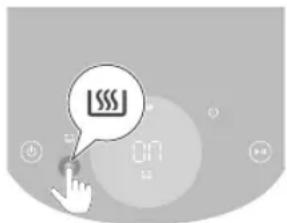
1 Pritisnite dugme za održavanje temperature nakon izbora unapred podešene postavke da biste aktivirali režim za održavanje temperature. Režim za održavanje temperature automatski će se aktivirati nakon pripreme.
2 Ponovo pritisnite dugme za održavanje temperature da biste po potrebi deaktivirali režim za održavanje temperature.
Kuvanje pomoću unapred podešene postavke
1 Pratite korake 1 do 5 u poglavlju „Prženje na vazduhu“.
2 Pritisnite željeno unapred podešeno dugme. Izabrana unapred podešena postavka treperi.
3 Pokrenite proces kuvanja tako što ćete pritisnuti dugme za pokretanje/pauziranje.
Napomena
- Kada za pripremu koristite unapred podešenu postavku za svež pomfrit ili smrznute grickalice na bazi krompira, aparat će vas automatski podsetiti da protresete hranu da biste dobili ravnomeran rezultat pripreme. Da biste onemogućili ovaj podsetnik, istovremeno pritisnite unapred podešenu postavku za smrznute grickalice na bazi krompira i unapred podešenu postavku za domaći pomfrit nakon uključivanja aparata. Da biste ponovo omogućili podsetnik za protresanje, ponovite ovu radnju.
- Ako vreme za svež pomfrit i grickalice od krompira podesite na manje od 5 minuta prilikom prilagođavanja unapred podešene postavke, podsetnik za protresanje će biti onemogućen.
- Aparat će vas podsetiti da nekoliko puta protresete kada koristite jednu od te 2 unapred podešene postavke. Da biste zaustavili zvučni signal tokom pripreme, izvucite korpu da biste protresli pomfrit. Ovo će utišati zvuk za tu sesiju pripreme, ali neće isključiti funkciju podsetnika za protresanje.
Personalizovanje unapred podešenih postavki
Da biste sačuvali prilagodeno vreme i temperaturu za unapred podešenu postavku na aparatu Airfryer, možete da:
1 Kratko pritisnete željeno dugme za unapred podešenu postavku.
2 Podesite vreme i/ili temperaturu.
3 Pritisnete dugme za vreme ili temperaturu da biste potvrdili postavke.
4 Ponovo pritisnete dugme za vreme ili temperaturu da biste se vratili u glavni meni.
5 Pritisnete i držite isto dugme za unapred podešenu postavku dok se aparat ne oglasi zvučnim signalom.
- Prilagođena unapred podešena postavka je sačuvana.
Huomio
natural_image
Illustration of a plug inserted into a socket with an arrow indicating direction (no text or symbols)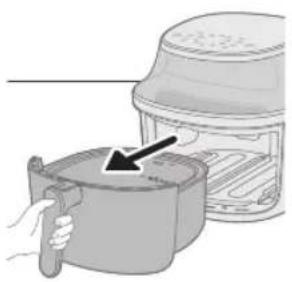
natural_image
Illustration of a hand holding a cooking pot next to a toaster oven (no text or symbols visible)natural_image
Illustration of a hand holding a cooking pan with an arrow pointing to a lid (no text or symbols)natural_image
Illustration of a hand pressing a button with a power symbol (no text or labels)natural_image
Illustration of a hand cursor clicking a circular button with a gear symbol, next to a digital display (no text or symbols present)9 Paina aikapainiketta.
natural_image
Illustration of a hand interacting with a play button and circular icons (no text or symbols)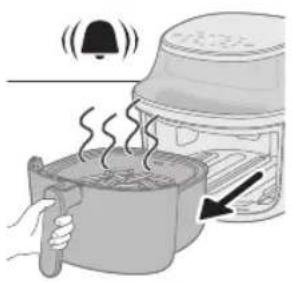
natural_image
Illustration of hands using a tool to cut food on a plate, no text or symbols presentnatural_image
Pure electrical circuit lines without any symbolsVihje
natural_image
Illustration of a hand pouring liquid into a container with a cross mark and '10' label (no text or symbols on the diagram itself)natural_image
Illustration of a plug inserted into a socket with an arrow indicating direction (no text or symbols)natural_image
Illustration of a hand holding a cooking pot next to a lid, with an arrow pointing to the lid area (no text or symbols present)natural_image
Illustration of a hand pouring liquid into a cooking pot with an arrow indicating the process (no text or symbols present)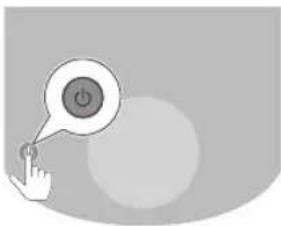
natural_image
Illustration of a hand pressing a button with a power symbol (no text or labels)natural_image
Illustration of a hand interacting with a circular device displaying a small icon, no text or symbols present.natural_image
Illustration of a hand pointing at a circular icon with a spiral symbol, set against a blurred background with no readable text or symbols.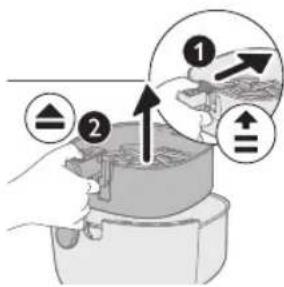
natural_image
Illustration of a toaster oven with steam rising and a bell icon above it (no text or symbols)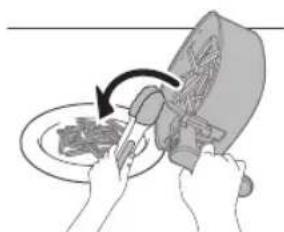
natural_image
Illustration of hands using a knife to cut meat on a plate (no text or symbols)natural_image
Close-up of a gray electronic device with a central circular button and control buttons (no readable text or symbols)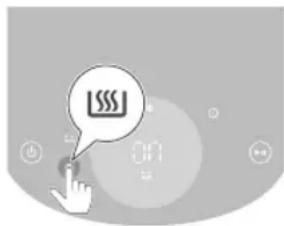
Dikkat
natural_image
Simple line drawing of a plug inserted into a socket (no text or symbols)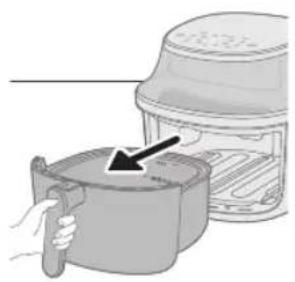
natural_image
Illustration of a hand holding a cooking pot next to a toaster oven (no text or symbols visible)natural_image
Illustration of a hand pouring liquid into a container with an arrow indicating flow (no text or symbols)natural_image
Illustration of a hand pressing a button with a power symbol (no text or labels)natural_image
Illustration of a hand cursor clicking a button on a circular interface with a speedometer (no text or symbols)natural_image
Illustration of a hand interacting with a play button, no text or symbols present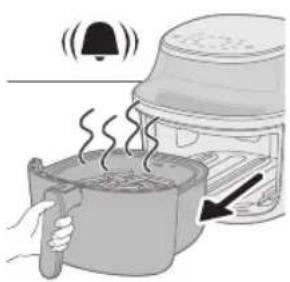
natural_image
Illustration of a steaming hot pot with a bell and lid, next to a toaster oven (no text or symbols)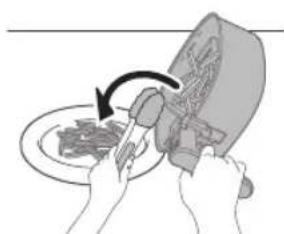
natural_image
Illustration of hands using a tool to cut or brush on a plate, no text or symbols presentNot
natural_image
Close-up of a digital kitchen control panel with buttons and a central display (no readable text or symbols)natural_image
Illustration of a hand pouring liquid into a container with a cross mark and '1/2' label (no text or symbols on the diagram itself)Προσοχή
natural_image
Illustration of a plug inserted into a socket with an arrow indicating direction (no text or symbols)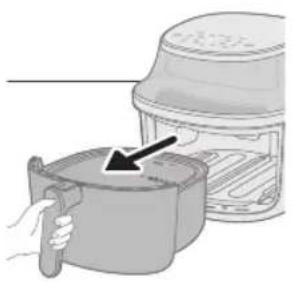
natural_image
Illustration of a hand holding a cooking pot next to a steamer (no text or symbols visible)natural_image
Illustration of a hand pouring liquid into a container with an arrow indicating flow (no text or symbols)natural_image
Illustration of a hand holding a button with a power symbol inside, no text or labels present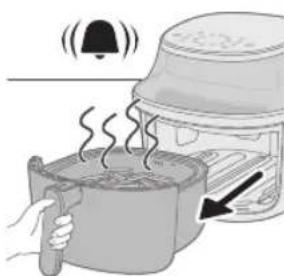
natural_image
Illustration of a steaming hot pot with a bell and lid, next to a food container with a hand holding a pan (no text or symbols)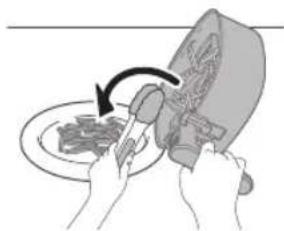
natural_image
Illustration of hands using a tool to cut or mark a piece of food on a plate (no text or symbols visible)natural_image
Close-up of a digital kitchen control panel with buttons and a central display (no readable text or symbols)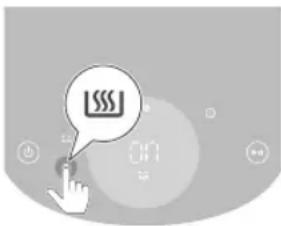
Внимание
natural_image
Illustration of a plug inserted into a socket with an arrow indicating direction (no text or symbols)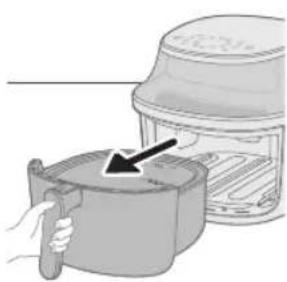
natural_image
Illustration of a hand holding a cooking pot with a black arrow pointing to the lid (no text or symbols)natural_image
Illustration of a hand pouring liquid into a cooking pot with an arrow indicating the process (no text or symbols present)natural_image
Illustration of a hand holding a button with a power symbol inside, no text or symbols present7 Натиснете бутона за температурата.
natural_image
Illustration of a hand cursor clicking a button on a circular interface with a speedometer icon (no text or symbols)9 Натиснете бутона за време.
natural_image
Illustration of a hand interacting with a play button, no text or symbols present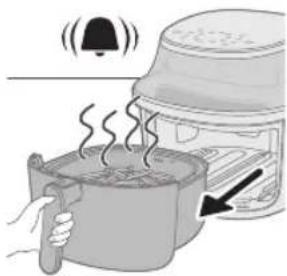
natural_image
Illustration of a steaming pot with a bell and lid emitting smoke, next to a food processor (no text or symbols)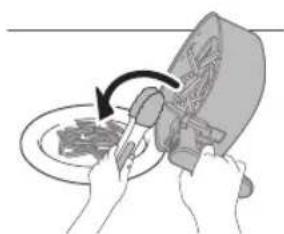
natural_image
Illustration of hands using a tool to cut or spread food on a plate, with no visible text or symbols.Забележка
natural_image
Close-up of a kitchen appliance control panel with buttons and a central display (no visible text or symbols)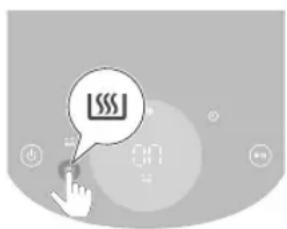
natural_image
Illustration of a hand pouring liquid into a container with a cross mark and a bottle, no text or symbols present.natural_image
Illustration of a plug inserted into a socket with an arrow indicating direction (no text or symbols)natural_image
Illustration of a hand holding a cooking pot next to an oven with a lid (no text or symbols)natural_image
Illustration of a hand using a tool to lift a cooking pot into an oven (no text or symbols visible)Внимание
natural_image
Simple icon showing a hand pressing a button with a power symbol (no text or labels)natural_image
Illustration of a hand clicking a button with a speech bubble containing a small icon, next to a circular background with floating numbers (no text or symbols)natural_image
Illustration of a hand pointing at a circular object with a spiral symbol, surrounded by abstract shapes (no text or symbols)natural_image
Illustration of a hand interacting with a digital interface, featuring a play button and control knob (no text or symbols)Забелешка
natural_image
Illustration of a cooking pot with steam rising, emitting a bell and pouring into a grater (no text or symbols)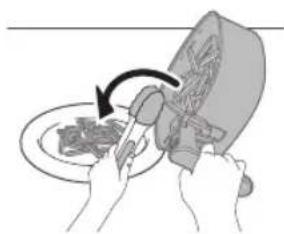
natural_image
Illustration of hands using a knife to cut meat on a plate (no text or symbols)natural_image
Abstract grayscale circular design with no visible text, numbers, or symbolsnatural_image
Illustration of a hand pouring liquid into a container with a cross mark and a label '1/6' (no text or symbols on the diagram itself)natural_image
Illustration of a plug inserted into a socket with an arrow indicating direction (no text or symbols)natural_image
Illustration of a hand holding a cooking pot next to a steamer (no text or symbols visible)natural_image
Illustration of a hand pouring liquid into a cooking pot with an arrow indicating flow (no text or symbols)natural_image
Illustration of a hand pressing a button with a power symbol (no text or labels)natural_image
Illustration of a hand pointing at a circular interface with a clock icon and '20' on the screen (no readable text or symbols)natural_image
Abstract graphic with a speech bubble containing a play button and a finger pointing at it (no text or symbols)Примечание
natural_image
Illustration of a steaming pot with a bell and lid emitting sound waves (no text or symbols)natural_image
Illustration of hands using a tool to cut a plate with a knife (no text or symbols visible)natural_image
Close-up of a digital kitchen control panel with buttons and a central display (no readable text or symbols)natural_image
Illustration of a plug inserted into a socket with an arrow indicating direction (no text or symbols)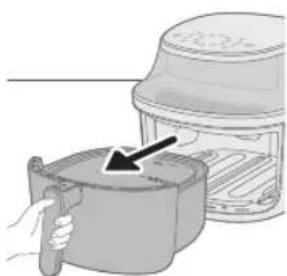
natural_image
Illustration of a hand holding a tool next to a container with an arrow pointing to it (no text or symbols present)natural_image
Illustration of a hand placing a container into a storage bin with an arrow indicating the process (no text or symbols present)natural_image
Illustration of a hand holding a button with a power symbol inside, no text or symbols presentnatural_image
Illustration of a hand interacting with a light bulb icon, no text or symbols presentnatural_image
Illustration of a hand interacting with a circular device displaying '20' and a target symbol (no readable text or labels)natural_image
Illustration of a hand interacting with a play button icon (no text or symbols)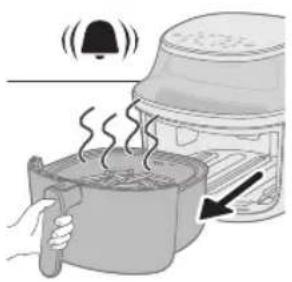
natural_image
Illustration of a cooking process showing a steaming pot with a bell and lid, next to an oven with a hand holding a tool (no text or symbols)natural_image
Illustration of hands using a tool to cut food from a plate, no text or symbols presentnatural_image
Close-up of a circular digital display with no visible text or symbols on the screen or background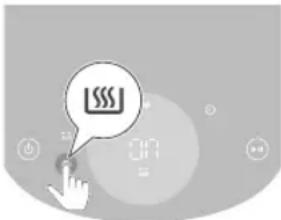
Саç болыңыз
natural_image
Illustration of a plug inserted into a socket with an arrow indicating direction (no text or symbols)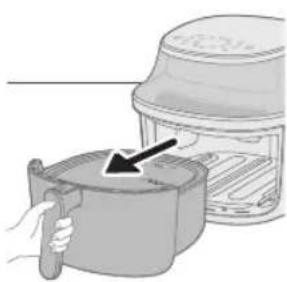
natural_image
Illustration of a hand holding a cooking pot with a lid, showing a hand pressing the pot (no text or symbols present)natural_image
Illustration of a hand pouring liquid into a container with an arrow indicating flow (no text or symbols)natural_image
Illustration of a hand pressing a button with a power symbol (no text or labels)natural_image
Illustration of a hand cursor clicking a button on a circular interface with a speedometer icon (no text or symbols)natural_image
Illustration of a hand interacting with a play button, no text or symbols present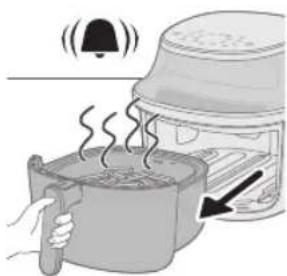
natural_image
Illustration of a steaming pot with a lid emitting smoke, next to a food oven (no text or symbols)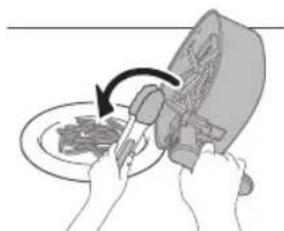
natural_image
Illustration of hands using a tool to cut a plate with a knife (no text or symbols visible)Ескертпе
natural_image
Close-up of a digital kitchen appliance with control buttons and a central display (no visible text or symbols)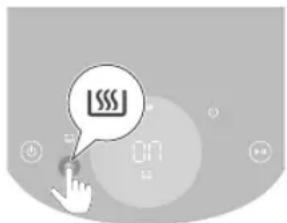
fall. Null nuclear nuclear
,הכלה,הכלההוּרָהוּרָהוּרָהוּרָהוּרָהוּרָהוּרָהוּרָהוּרָהוּרָהוּרָהוּרָהוּרָהוּרָהוּרָה
.II70 IN DIONX
-
natural_image
Illustration of a hand pouring liquid into a container with a cross mark, no text or symbols presentnatural_image
Simple line drawing of a plug inserted into a socket (no text or symbols)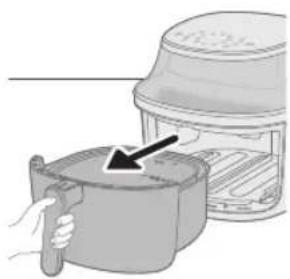
natural_image
Illustration of a hand holding a cooking pot next to an oven with a lid (no text or symbols)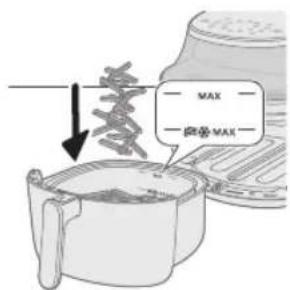
- הַרְהָרִים
3176
.
תְרָה
natural_image
Illustration of a hand placing a container into a microwave oven with an arrow indicating the process (no text or symbols present)natural_image
Illustration of a hand pressing a button with a power symbol (no text or labels)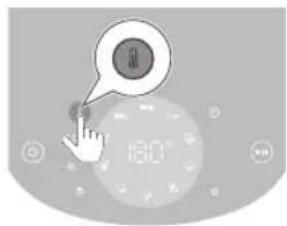
- מַרְשׁעֹתָה
8.תְרָהִיַעֹת
natural_image
Illustration of a hand pointing at a circular button with a plus sign, next to a digital display (no text or symbols)- מְרָה לַל 7:
- מַרְשׁה
natural_image
Illustration of a hand interacting with a play button icon (no text or symbols)- 71-72-73
תַרְשָׁ
בִרְשָׁה, כְרַעֹרְשָׁה, אַרְשָׁה, אַרְשָׁה, אַרְשָׁה, אַרְשָׁה, אַרְשָׁה, אַרְשָׁה, אַרְשָׁה, אַרְשָׁ
natural_image
Illustration of hands using a tool to cut a plate with a knife (no text or symbols visible)- מַרְשָׁאָה
תְרָה
1
.ロナ 75 10:46
www.philips.com/support
PHILIPS and the Philips Shield Emblem are registered trademarks of Koninklijke Philips N.V. and are used under license.
This product has been manufactured by and is sold under the responsibility of Versuni Holding B.V., and Versuni Holding B.V. is the warrantor in relation to this product.