307023 - Alarm Clock Bearware - Free user manual and instructions
Find the device manual for free 307023 Bearware in PDF.


| Product type | Alarm clock radio |
| Brand | Bearware |
| Model | 307023 |
| Power supply | 1 AA 1.5 V battery |
| Dimensions | 115 x 115 x 40 mm |
| Weight | Approximately 200 g |
| Display | Analog dial |
| Time setting | Dial on the back |
| Alarm setting | Alarm setting dial on the back |
| Alarm indicator | Hand on the front panel |
| Alarm on/off | ON/OFF switch |
| Main functions | Time display and alarm |
| Use | Private use, dry indoors |
| Maintenance and cleaning | Clean with a dry cloth |
| Safety | Do not open, avoid moisture, keep out of reach of children |
| Package contents | Alarm clock and quick start guide |
| Recycling | Follow WEEE guidelines, do not dispose with household waste |
| Certifications | CE, UKCA, WEEE Directive 2012/19/EU |
| Manufacturer | WD Plus GmbH, Wohlenbergstraße 16, 30179 Hannover |
Frequently Asked Questions - 307023 Bearware
User questions about 307023 Bearware
0 question about this device. Answer the ones you know or ask your own.
Ask a new question about this device
Download the instructions for your Alarm Clock in PDF format for free! Find your manual 307023 - Bearware and take your electronic device back in hand. On this page are published all the documents necessary for the use of your device. 307023 by Bearware.
USER MANUAL 307023 Bearware
ENG: Current drivers, user manuals and other relevant documents for this product can be found on our homepage.
Thank you for purchasing a BEARWARE product. Please read the following quick guide carefully so that you can enjoy your new appliance for a long time to come.
1. Scope of delivery
- Alarm clock
- Quick guide
2. Technical data
| Power supply 1x 1.5 V AA battery |
| Dimensions 115x115x40 mm |

3. Additional information about this alarm clock
Before using the appliance, make sure that it is not damaged. If this is the case, do not operate it. The alarm clock must not be exposed to moisture or direct sunlight. The product is not suitable for medical purposes or for public information and is intended for private use only.

Attention!
Keep the batteries and the appliance out of the reach of children. Batteries contain acids that are harmful to health. Weak batteries should be replaced as soon as possible to prevent leakage! Never use new and old batteries or batteries of different types at the same time. Never throw batteries into a fire and do not short-circuit them. Never charge the batteries and do not take them apart. There is a risk of explosion!
4. Commissioning
Remove the product from the packaging and remove all packaging material. Open the battery compartment on the back of the device and insert 1x 1.5V AA battery. Ensure that the polarity of the contacts is correct.
5. Set the time
To set the time, turn the time setting dial on the back of the device until the desired time is displayed in the alarm clock.
6. Alarm setting
6.1 Set alarm
To set the alarm, turn the alarm time setting dial on the back of the device until the desired alarm time is displayed in the alarm clock. The alarm pointer on the front indicates the currently set alarm.
6.2 Activate/deactivate alarm
To activate or deactivate the alarm, set the „Alarm ON/OFF“ switch to ON (switched on) or OFF (switched off).

7. Safety instructions and disclaimer
Never attempt to open the appliance to carry out repairs or modifications. Avoid contact with the mains voltage. Do not short-circuit the product. The device is not waterproof, please only use it in dry conditions. Protect it from high humidity, water and snow. Keep the device away from high temperatures. Do not expose the device to sudden temperature changes or strong vibrations, as this could damage the electronic parts. Check the device for damage before use. The appliance should not be used if it has been knocked or damaged in any other way. Please observe the national regulations and restrictions.
Do not use the device for purposes other than those described in the instructions. This product is not a toy. Keep it out of the reach of children or mentally impaired persons. Any repair or modification to the appliance that is not carried out by the original supplier will invalidate the warranty or guarantee. The appliance may only be used by persons who have read and understood these instructions. The device specifications may change without prior notice.

8. Disposal instructions
According to the European WEEE Directive, electrical and electronic devices may not be disposed of with household waste. Their components must be recycled or disposed of separately, as toxic and hazardous components can cause lasting damage to the environment if disposed of incorrectly. As a consumer, you are obliged under the Electrical and Electronic Equipment Act (ElektroG) to return electrical and electronic equipment free of charge at the end of its life to the manufacturer, the point of sale or to public collection centres set up for this purpose. Details are regulated by the respective state law. The symbol on the product, the operating instructions and/or the packaging refers to these regulations.
By separating, recycling and disposing of old appliances in this way, you are making an important contribution to protecting our environment.

9. Notes on battery disposal
In connection with the sale of batteries or the delivery of devices containing batteries, the supplier is obliged to inform the customer of the following: The customer is legally obliged to return used batteries as the end user. The customer can return used batteries that the supplier carries or has carried as new batteries free of charge to the supplier's dispatch warehouse (dispatch address). The symbols shown on the batteries have the following meaning: Pb = battery contains more than 0.004 per cent lead by mass, Cd = battery contains more than 0.002 per cent cadmium by mass, Hg = battery contains more than 0.0005 per cent mercury by mass.

The crossed-out dustbin symbol means that the battery must not be disposed of with household waste.

CE
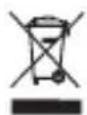
WEEE Directive 2012/19/EU WEEE Register No.: DE 67896761
Hereby, WD Plus GmbH declares that the device 307023 is in compliance with the essential requirements and other relevant regulations. A complete declaration of conformity can be obtained from: WD Plus GmbH, Wohlenbergstraße 16, 30179 Hanover, Germany
MO-FR 9:30am - 18pm CET

downloads.ganzeinfach.de
WD Plus GmbH
Brand : Bearware
Model : 307023
Category : Alarm Clock