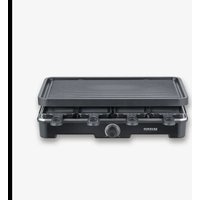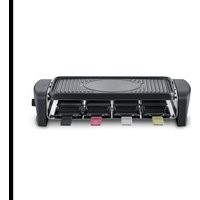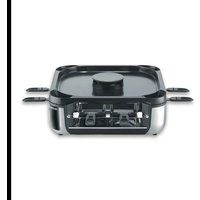
RG 2350 - Fondue, raclette and wok appliance SEVERIN - Free user manual and instructions
Find the device manual for free RG 2350 SEVERIN in PDF.


| Product type | Fondue, raclette and wok appliance |
| Brand | SEVERIN |
| Model | RG 2350 |
| Power supply | 220-240 V / 50-60 Hz, 1900 W |
| Temperature range | 80 °C to 230 °C |
| Dimensions (L x D x H) | 37 x 37 x 12 cm |
| Plate material | Ceramic coating |
| Plate size | 41,7 x 26,3 cm |
| Number of mini pans | 8 |
| Number of spatulas | 8 |
| Main functions | Grilling, raclette, keep warm, low-temperature cooking |
| Temperature control | 3 levels (low, medium, high) + preheat preset |
| Ventilation | Adjustable fan (off, medium, high) for fume extraction |
| Filtration system | Stainless steel sleeve filter + replaceable activated charcoal filter |
| Cleaning | Plate, mini pans, housing and filter base dishwasher-safe; other parts hand wash |
| Safety | Automatic shut-off? Not specified; do not immerse, do not cover |
| Spare parts available | Activated charcoal filter (6815-048), sleeve filter (6798-048), spatula (6665-048), mini pan (0800-048) |
| Warranty | Refer to the provided warranty statement |
Frequently Asked Questions - RG 2350 SEVERIN
User questions about RG 2350 SEVERIN
0 question about this device. Answer the ones you know or ask your own.
Ask a new question about this device
Download the instructions for your Fondue, raclette and wok appliance in PDF format for free! Find your manual RG 2350 - SEVERIN and take your electronic device back in hand. On this page are published all the documents necessary for the use of your device. RG 2350 by SEVERIN.
USER MANUAL RG 2350 SEVERIN
natural_image
Line drawing of a kitchen appliance with two side bowls and handles (no text or symbols)Art.-No. RG 2379
DE GB FR NL ES IT
natural_image
Simple line drawing of a device with an information icon above it (no text or symbols on the device itself)
www.severin.com
3 Beschreibung
Raclette-Grill
natural_image
Technical line drawing of a mechanical assembly with circular components and mounting brackets (no text or symbols)Erstes Aufheizen

Vorsicht!
1 About this manual 17
General information....17
Relevant documents.... 17
Warning notices 17
2 Scope of supply 18
3 Description....19
4 Before the first use....20
Unpacking 20
Cleaning....20
Installation....20
Assembly 20
First use....21
5 Operating the appliance....22
Grilling 22
When you have finished grilling....23
6 Cleaning....24
Cleaning the filter 24
7 FAQ....26
8 Recommendations 27
9 Spare parts....27
10 Disposal....28
11 Technical Data....28
1 About this manual
General information
These instructions are an integral part of the appliance.
Read them carefully before setting up, installing and using the appliance and keep them for future reference.
▶ Pass them on to any subsequent owner or user of the product.
The appliance must only be used by persons familiar with the safety manual.
Relevant documents
- Quick start guide
- Safety manual (Safety)
- Warranty declaration (Warranty)
Warning notices

Signal word
Type, source and consequences of the hazard
▶ Measures to avoid the hazard.
Signal word Description
| Danger Imminently | hazardous situation which, if not avoided, will result in death or serious injury. |
| Warning Potentially | hazardous situation which, if not avoided, could result in death or serious injury. |
| Caution Potentially | hazardous situation which, if not avoided, could result in minor injury. |
| Attention Potentially | hazardous situation which, if not avoided, can result in property damage. |
2 Scope of supply
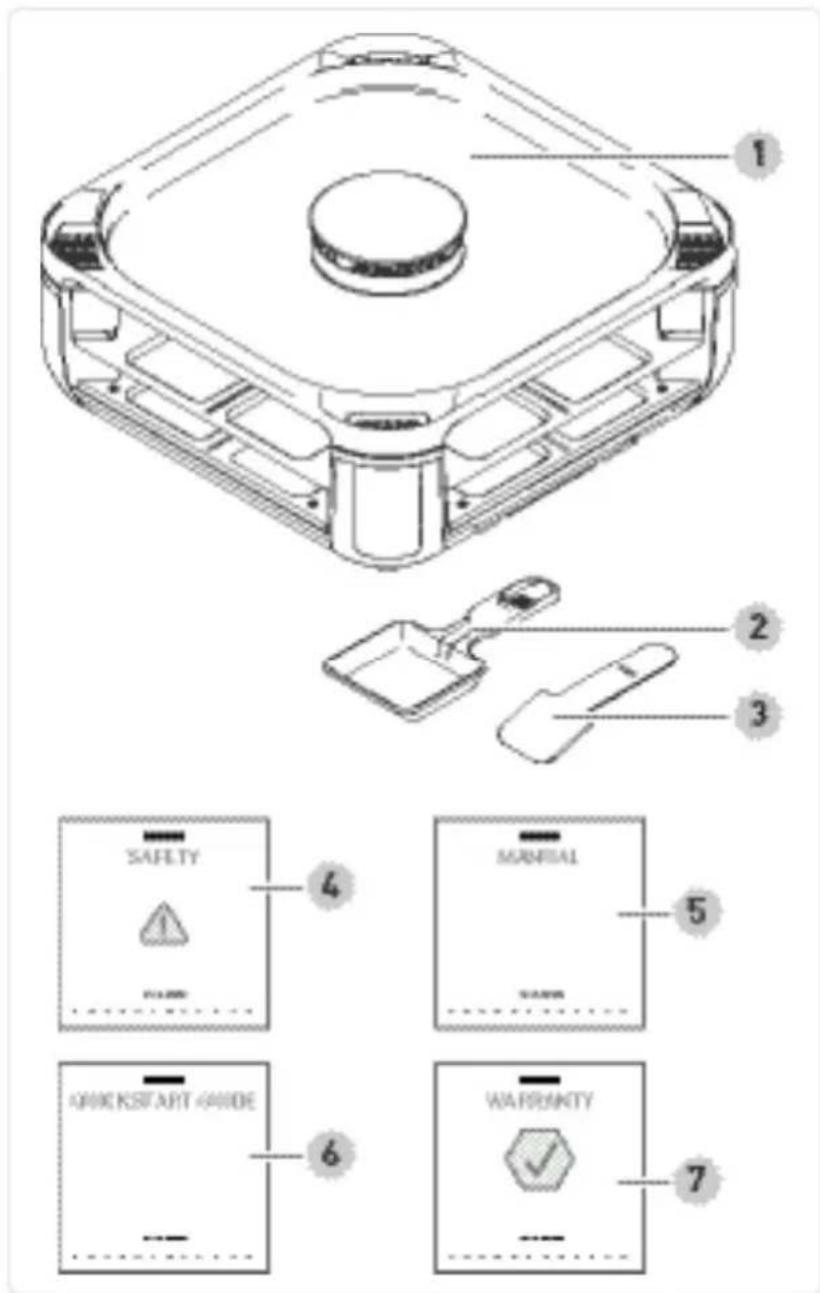
1 Raclette grill
2 Mini-pans (8 pcs)
3 Spatulas (8 pcs)
4 Safety instructions
5 User manual
6 Quick start guide
7 Warranty declaration Not illustrated: Replacement activated carbon filter
natural_image
Simple line drawing of a printer with an 'i' symbol above it (no text or labels)
www.severin.com
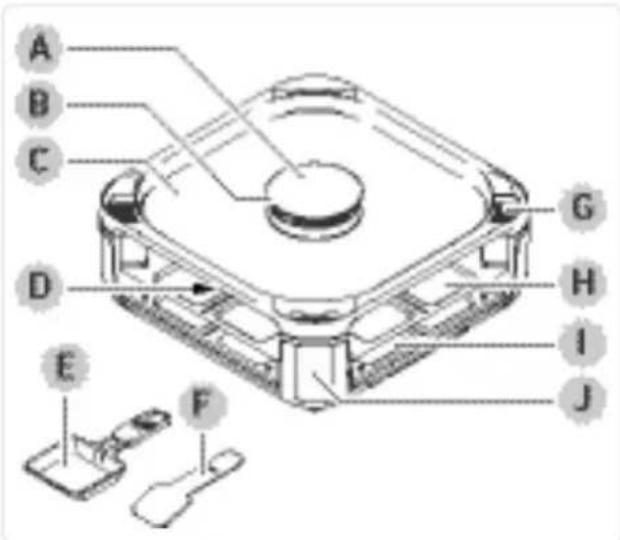
3 Description
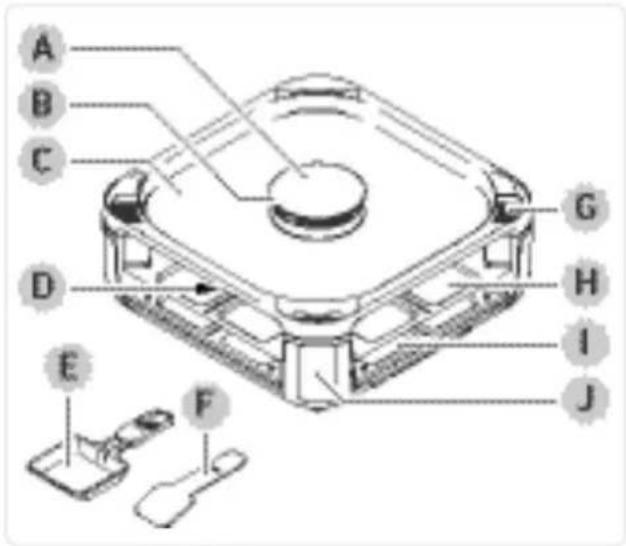
Raclette grill
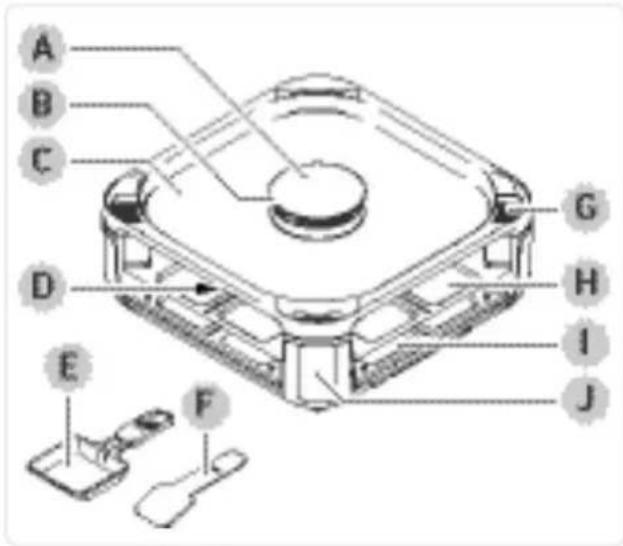
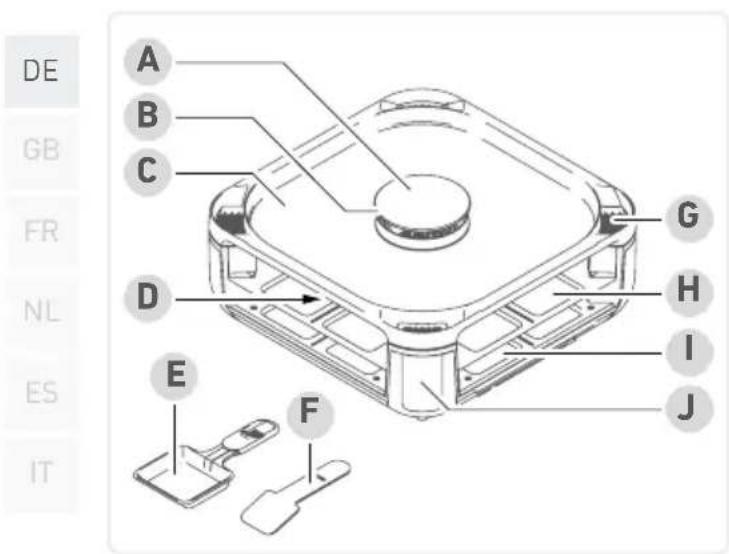
A Air inlet cover
A Air inlet
B Grill plate
C Filter consisting of filter housing, stainless steel mesh filter, activated carbon filter, filter base
D Mini-pan
E Spatula
F Air outlet with removable grille
G Raclette level
H Parking level for mini-pans
I Control panel
Control panel with control buttons
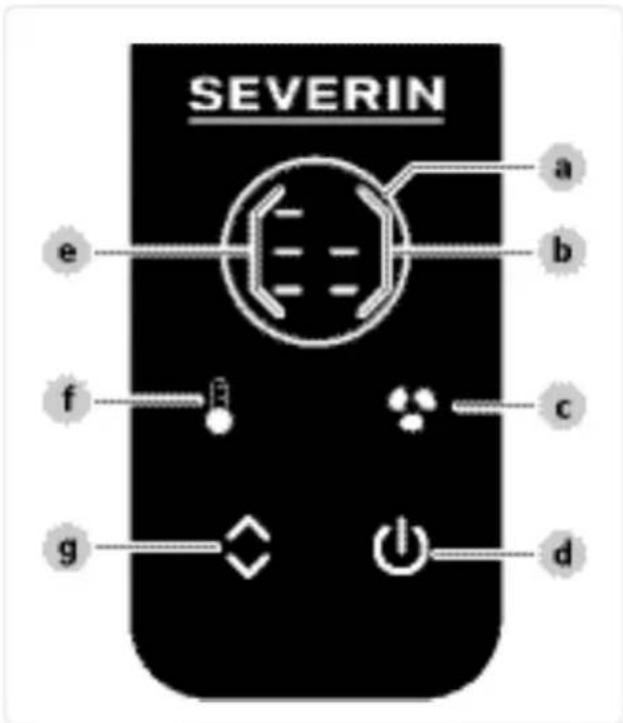
a Preheat indicator
b Fan indicator
c Fan button
d Power button
e Temperature indicator
f Temperature button
g Control button
4 Before the first use
Unpacking
Remove all parts from the packaging.
Remove all packaging material, protective film and stickers.
! Never remove the rating labels; they must always remain on the appliance.
▶ Check the scope of delivery for completeness and damage.
Cleaning
▶ Clean all accessories, see page cleaning.
Installation
This appliance is intended for indoor use only.
Place the appliance on a flat, heat-resistant surface.
Do not cover the appliance or place anything on it.
The appliance must only be connected to a properly installed earthed socket.
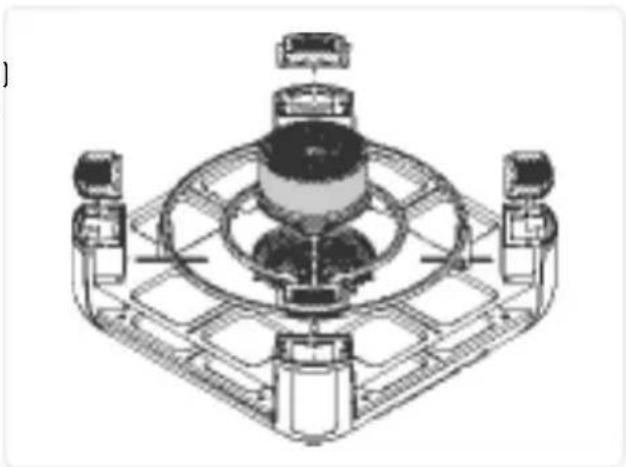
Assembly
Insert the air outlet and filter covers.
Place the grill plate so that the line marks (I) on the grill plate and the appliance are opposite each other.
Place the air inlet cover on the grill plate.
natural_image
Technical line drawing of a mechanical assembly with four components and a central circular component (no text or symbols)First use

Caution!
Risk of injury from slight build-up of smoke. Inhaling smoke can cause damage to your health.
▶ Open the windows or doors.

Attention!
Using heat sensitive spatulas can cause material damage. Spatulas can melt when placed on hot elements.
▶ Never place the spatulas on the hot elements of the appliance.
Place all the mini-pans on the raclette level.
Plug in the appliance and presso switch it on.
The appliance starts to heat up. The temperature and fan indicators show the highest level, and the preheat indicator flashes.
Once the appliance has reached the maximum temperature after approx. 10 minutes, lights up constantly with a beep.
▶ Operate the appliance at the highest temperature for another 10 minutes without food to allow any residual odour to dissipate.
▶ Allow the appliance to cool down and clean again.
5 Operating the appliance
Grilling
Set up the appliance in a suitable place, see page 20stallation.
▶ Assemble the appliance, see page assembly.
Preheat the appliance without mini-pans before grilling.
Plug in the appliance and presso switch it on.
The appliance starts to heat up. The temperature and fan indicators show the highest level, and the preheat indicator flashes.
The indicator shows the highest preset temperature and fan speed.
▶ Press to change the temperature.
Use to set the temperature to low, medium or high.
Setting Temperature
| low | approx. 80 °C Keep warm | ||
| medium | approx. 160 °C | Preparation at low temperatures (cooking) | |
| high | approx. 230 °C | Preparation at high temperatures (roasting, grilling) | |
▶ Pressto change the fan speed.
Use to set the fan speed to off, medium or high.
Setting
| off | |
| medium | |
| high |
Once the preset temperature has been reached, lights up constantly with a beep.
Lightly grease the grill plate and place food on it.
▶ Fill the mini-pans with food and slide them into the raclette level.
Make sure you do not put too much food in the mini-pans to prevent it from touching the heating coil.
When you are not using the mini-pans, always keep them on the parking level or outside the appliance on a heat-resistant surface.

Warning!
Risk of burns from hot parts of the appliance and accessories.
Do not touch hot parts of the appliance or its accessories.

Attention!
Pointed or sharp metal objects can damage the coated surfaces of the appliance when removing the food.
To remove the food, use a wooden or plastic spatula.
▶ Use the spatulas to remove the prepared food.
When you have finished grilling
▶ Pressto switch off the appliance.
The fan continues to run for some time after switching off.
Remove the mini-pans.
Remove any leftovers from the grill plate.
6 Cleaning
▶ Clean the appliance after each use.
▶ Before each cleaning, unplug the appliance and let it cool down.
Remove the air inlet cover, grill plate and air outlet grille. Dismantle the air inlet cover (→).
▶ Clean all accessories with rinse water.
Use a soft cloth or sponge and water with a mild detergent. Do not use metal sponges and abrasive cleaning agents.
The grill plate, mini-pans, filter housing and filter base are dishwasher-safe; all other appliance parts are not!
▶ Clean the appliance with a damp cloth. They must not be immersed in liquids or even allowed to come into contact with them.
▶ Lay all parts dry, assemble the air inlet cover (→) and store them in a clean, dry place.
Cleaning the filter
For optimum filter performance, clean the filter housing, stainless steel mesh filter, filter base and activated carbon filter after each use and replace the activated carbon filter regularly as indicated below.
Remove the filter.
Remove the filter housing.
Remove the stainless steel mesh filter and activated carbon filter.
▶ Clean the filter housing and filter base with rinse water or in the dishwasher.
Clean the stainless steel mesh filter with rinse water.
! Do not clean the stainless steel mesh filter in the dishwasher!
Clean the activated carbon filter in warm water (max. 30 °C). Use a little washing-up liquid if necessary. Then, allow to dry thoroughly. Activated carbon filters that are soiled or have been stored for several months after use lose their properties!
Replace the activated carbon filter depending on how long it has been used and how soiled it is, but at the latest after three cleaning cycles. Filters that are very oily, stiff or dusty must be replaced immediately.
▶ After cleaning, reassemble the filter unit in reverse order (as shown on the right).
▶ Fit the filter unit in the centre of the appliance with the filter base facing downwards.
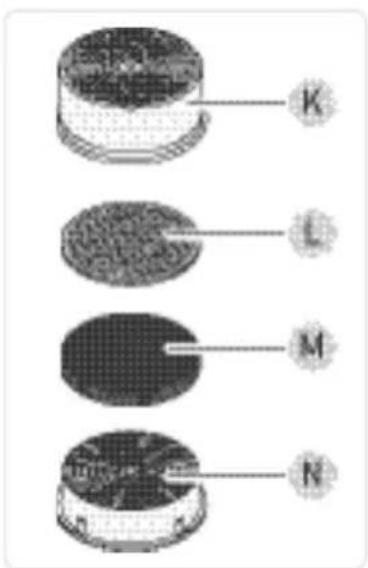
K Filter housing
L Stainless steel mesh filter
M Activated carbon filter
N Filter base
7 FAQ

Warning!
Risk of injury from operating a faulty appliance. Operating a faulty appliance can lead to electric shock.
▶ Never use a faulty appliance.
▶ Do not attempt to repair the appliance yourself.
Contact our customer service in the event of a defect.
Before contacting our customer service, check the table below to see if you can rectify the problem yourself.
Question / Possible cause Solution problem
| Grill smoke is not absorbed properly. | The fan is not running. | ▶ Set the fan to the highest speed, see page 22, Operating the appliance. |
| The filter is not inserted. | ▶ Assemble the filter correctly and insert it into the appliance, see page 24, Cleaning the filter. | |
| The filter is soiled. | ▶ Clean or replace the filter, see page 24, Cleaning the filter. | |
| The grill plate or air inlet cover is fitted incorrectly. | ▶ Fit the grill plate correctly, see page 20, Assembly. ▶ Fit the air inlet cover straight. |
8 Recommendations
- When using for the first time, rub the grill plate and mini-pans with oil. Repeat this process from time to time.
- When cooking meat on the grill plate, use the highest temperature setting.
- When cooking vegetables on the grill plate, the medium temperature setting is the best choice.
- Never use sharp-edged or hard objects to cut anything on the grill plate or remove food from it.
- Unused mini-pans can be placed on the parking level at the bottom of the appliance.
- The spatulas can be stored on the mini-pan handle after use.
- Make sure the grill plate and mini-pans are clean before you start cooking. Thoroughly remove all residues before storing the appliance.
9 Spare parts
| Order number Spare part |
| 6815-048 Activated carbon filter |
| 6798-048 Stainless steel mesh filter |
| 6665-048 Spatula |
| 0800-048 Mini-pan |
10 Disposal

Appliances marked with this symbol must be disposed of separately from household waste. These appliances contain valuable raw materials that can be recycled. Proper disposal of these items protects the environment and public health. Your local authority or retailer can provide detailed information on proper disposal.
11 Technical Data
| Article number RG 2379 | |
| Power 1,900 W | |
| Voltage/Frequency 220-240 V-/50-60 Hz | |
| Colour black | |
| Temperature range 80 - 230 °C | |
| Grill plate Ceramic coating | |
| Grill plate size 41.7 x 26.3 cm | |
| Number of mini-pans 8 | |
| Number of spatulas 8 | |
| Appliance dimensions 37 x 37 x 12 cm |
Contenu
natural_image
Technical line drawing of a mechanical assembly with no visible text or symbolsPremier chauffage

Attention!
natural_image
Simple line drawing of a printer with an information icon above it (no text or symbols on the diagram itself)
www.severin.com
3 Beschrijving
Gourmetstel
natural_image
Technical line drawing of a mechanical assembly with no visible text or symbolsnatural_image
Simple line drawing of a printer with an 'i' symbol above it (no text or labels)
www.severin.com
3 Descripción
Raclette Grill
natural_image
Technical line drawing of a mechanical assembly with no visible text or symbolsK Carcasa del filtro
natural_image
Simple line drawing of a device with an information symbol above it (no text or labels)
www.severin.com
3 Descrizione
natural_image
Technical line drawing of a mechanical assembly with four components mounted on a square base (no text or symbols visible)Primo riscaldamento

Attenzione!
www.severin.com/socials
SEVERIN
Model specifications are subject to change.