Saeco 10001606 - Coffee machine PHILIPS - Free user manual and instructions
Find the device manual for free Saeco 10001606 PHILIPS in PDF.


User questions about Saeco 10001606 PHILIPS
0 question about this device. Answer the ones you know or ask your own.
Ask a new question about this device
Download the instructions for your Coffee machine in PDF format for free! Find your manual Saeco 10001606 - PHILIPS and take your electronic device back in hand. On this page are published all the documents necessary for the use of your device. Saeco 10001606 by PHILIPS.
USER MANUAL Saeco 10001606 PHILIPS
The manufacturer reserves the right to change the features of the product without prior notice.
natural_image
Exterior view of a modern Odea Dais Plus milk pump with two white cups and a coffee machine (no visible text or symbols)Operation and maintenance manual
Before using the machine, please read the attached operating instructions.
Carefully read the safety rules
Mode d'emploi
When using electrical appliances, basic safety precautions should always be followed to reduce the risk of fire, electric shock, and/or injury to persons, including the following:
1 Read all instructions and information in this instruction book and any other literature included in this carton referring to this product before operating or using this appliance.
2 Do not touch hot surfaces. Use handles or knobs.
3 To protect against fire, electric shock and personal injury do not immerse cord, plugs or appliance in water or other liquid.
4 Close supervision is necessary when any appliance is used by or near children.
5 Unplug from outlet when not in use and before cleaning. Allow to cool before putting on or taking off parts, and before cleaning the appliance.
6 Do not operate any appliance with a damaged cord or plug or after the appliance malfunctions or has been damaged in any way. Return appliance to the nearest authorized service centre for examination, repair or adjustment.
7 The use of accessory attachments not recommended by the appliance manufacturer may result in fire, electric shock or personal injury.
8 Do not use outdoors.
9 Do not let cord hang over edge of table or counter, or touch hot surfaces.
10 Do not place on or near a hot gas or electric burner, or in a heated oven.
11 Always turn appliance "OFF", then plug cord into the wall outlet. To disconnect, turn switch to "OFF", then remove plug from wall outlet.
12 Do not use appliance for other than intended household use.
13 Use extreme caution when using hot steam.
SAVE THESE INSTRUCTIONS
CAUTION
This appliance is for household use only. Any servicing, other than cleaning and user maintenance, should be performed by an authorized service centre. Do not immerse machine in water. To reduce the risk of fire or electric shock, do not disassemble the machine. There are no parts inside the machine serviceable by the user. Repair should be done by authorized service personnel only.
1 Check voltage to be sure that the voltage indicated on the nameplate corresponds with your voltage.
2 Never use warm or hot water to fill the water tank. Use cold water only.
3 Keep your hands and the cord away from hot parts of the appliance during operation.
4 Never clean with scrubbing powders or harsh cleaners. Simply use a soft cloth dampened with water.
5 For optimal taste of your coffee, use purified or bottled water. Periodic descaling is still recommended every 2-3 months.
INSTRUCTIONS FOR THE POWER SUPPLY CORD
A short power-supply cord is provided to reduce risks of tangling or tripping over a longer cord.
B Longer extension cords are available and may be used if care is exercised in their use.
C If a long extension cord is used:
1 the marked electrical rating of the extension cord should be at least as great as the electrical rating of the appliance.
2 if the appliance is of the grounded type, the extension cord should be a grounding type
3 the cord should not hang from the table to avoid the risk of tangling or tripping.
GENERAL INFORMATION ....5
APPLIANCE....6
ACCESSORIES 6
INSTALLATION....7
STARTING THE MACHINE....7
"AQUA PRIMA" FILTER....8
CONTROL PANEL....9
ADJUSTMENTS 10
COFFEE VOLUME ADJUSTMENT PER CUP....10
"AROMA" (OPTI-DOSE) INDICATES THE COFFEE DOSE PER CUP....10
DRIP TRAY HEIGHT ADJUSTMENT 10
COFFEE GRINDER ADJUSTMENT 11
COFFEE BREWING....12
HOT WATER DISPENSING ....13
CAPPUCCINO 14
DESCALING 15
CLEANING AND MAINTENANCE 17
HOW TO CLEAN THE MACHINE....17
CLEANING THE BREW GROUP....18
TROUBLESHOOTING 19
SAFETY RULES......20
TECHNICAL DATA....22
GENERAL INFORMATION
This coffee machine is suitable for preparing espresso coffee using coffee beans, and it is equipped with a device to dispense steam and hot water.
The machine is designed for domestic use only and is not suitable for heavy or professional use.
Warning: no liability is assumed for any damage caused by:
- incorrect use not in accordance with the intended uses;
• repairs not carried out by authorized customer service centres;
• tampering with the power cable;
• tampering with any part of the machine; - the use of non-original spare parts and accessories;
- failure to descale the machine or use at temperatures below 0^ (32°F).
IN THESE CASES, THE WARRANTY IS NOT VALID.

THE WARNING TRIANGLE INDICATES ALL IMPORTANT INSTRUCTIONS FOR THE USER'S SAFETY. PLEASE FOLLOW THESE INSTRUCTIONS CAREFULLY TO PREVENT SERIOUS INJURIES!
HOW TO USE THESE OPERATING INSTRUCTIONS.
Keep these operating instructions in a safe place and make them available to anyone else who may use the coffee machine. For further information or in case of problems, please refer to any authorized service centre.
KEEP THESE INSTRUCTIONS FOR FUTURE REFERENCE.
text_image
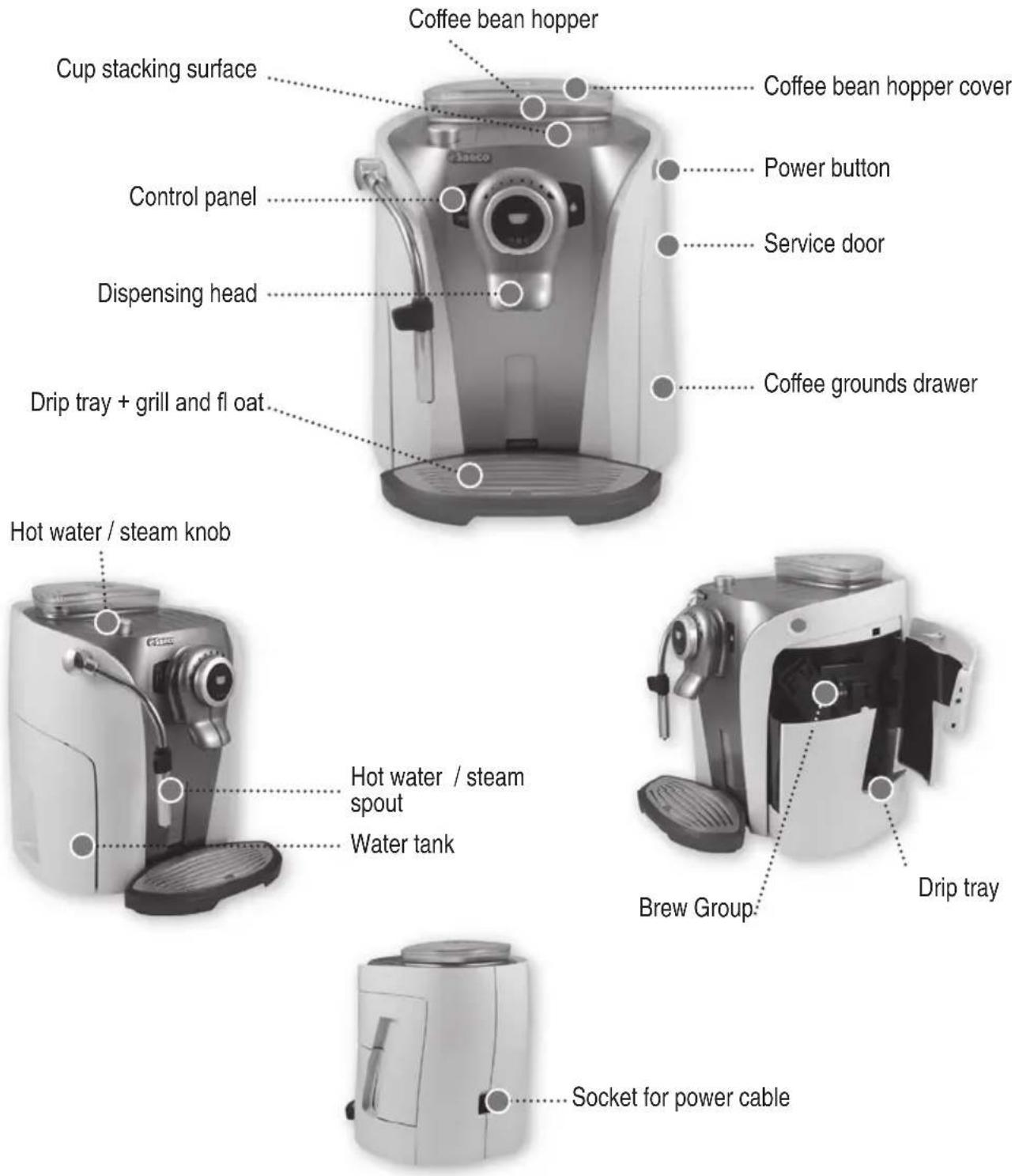
Coffee bean hopper Cup stacking surface Control panel Dispensing head Drip tray + grill and float Hot water / steam knob Hot water / steam spout Water tank Coffee bean hopper cover Power button Service door Coffee grounds drawer Brew Group: Drip tray Socket for power cableACCESSORIES
natural_image
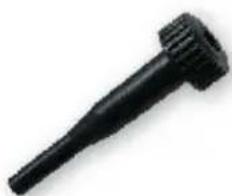
Black mechanical component with threaded end and tapered shaft (no visible text or symbols)Grinder adjustment key
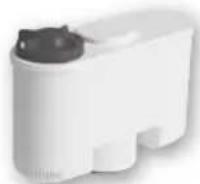
"Aqua Prima" water fi Iter (optional)
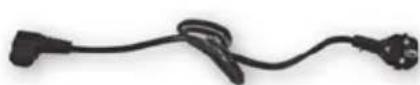
Power cable
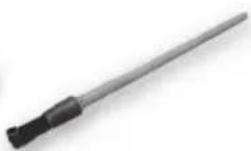
Cleaning brush
STARTING THE MACHINE
Make sure the power button is not pressed and the machine is turned off. Check the machine features on the label on the bottom of the appliance.
natural_image
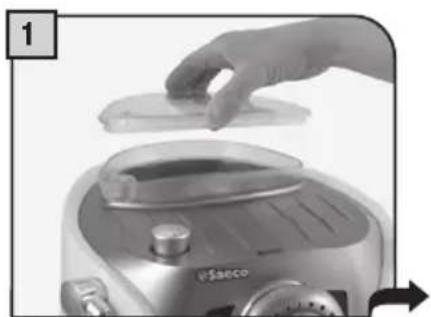
Close-up of a hand placing a small object onto a device, possibly a food appliance or appliance (no visible text or symbols)Lift the cover of the coffee bean hopper.
natural_image
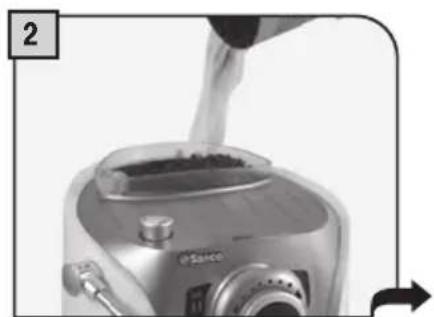
Close-up of a kitchen blender with liquid being poured into it (no visible text or symbols)Fill the container with coffee beans. Close the cover placing it correctly on the hopper.
natural_image
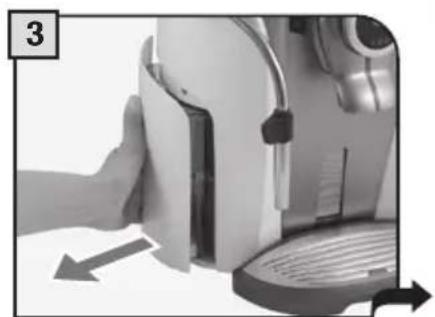
Close-up of a hand pressing down on a device component, showing a curved arrow indicating motion (no text or symbols visible)Remove the water tank. We recommend installing the "Aqua Prima" water fi Iter (see page 8).
natural_image
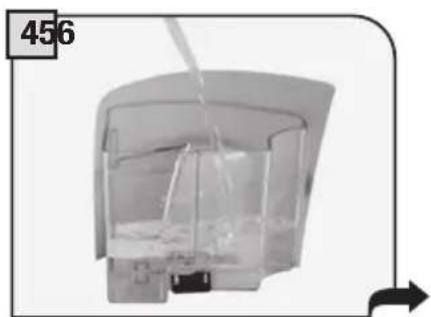
Exterior view of a modern office building (no signage)Fill the tank with fresh drinking water up to the MAX level. Reinsert the tank.
natural_image
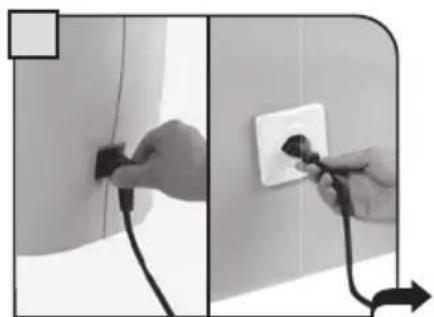
Two-panel black-and-white photo showing hands inserting a plug into a wall, with one being pulled and the other holding a socket (no text or symbols visible)Insert the plug into the socket located in the rear panel of the machine and insert the other end into a socket with suitable current.
natural_image
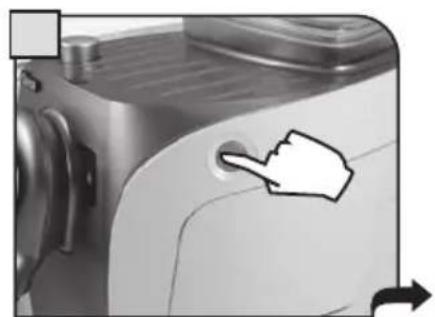
Close-up of a kitchen appliance with a hand pointing to a button (no text or symbols visible)Firmly push down the power button to turn on the machine. The machine performs a self-test.
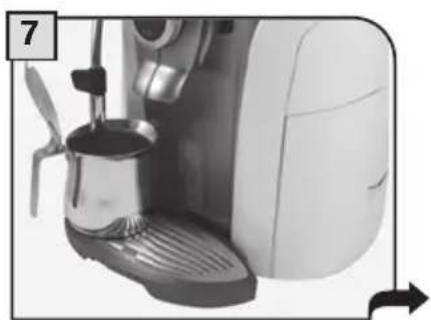
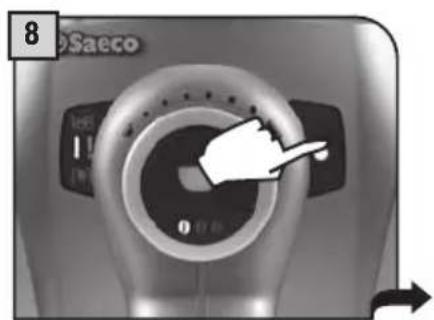
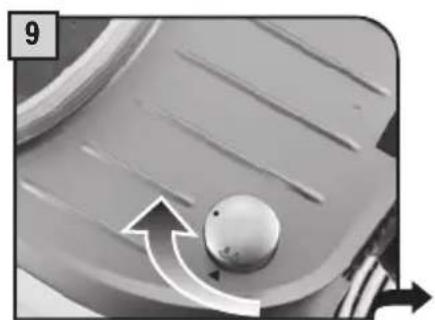
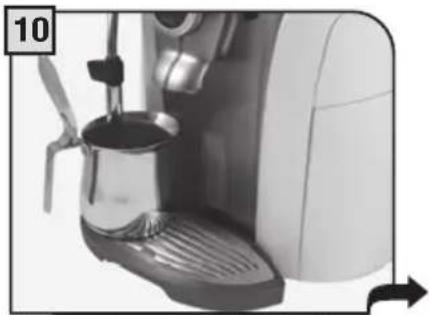
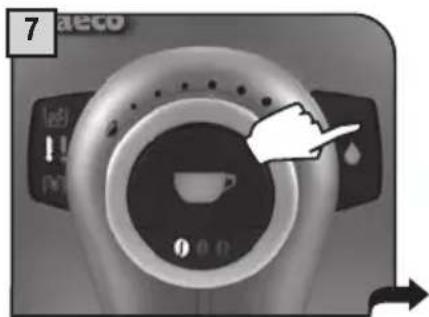
The machine automatically primes the circuit. If this operation is not completed, proceed manually as described from step 7 to 12.
natural_image
Close-up of a white espresso machine with a glass pitcher and lever, no visible text or symbolsPlace a container beneath the steam spout.
text_image
8 SaecoPress the water button. The indicator light turns on.
natural_image
Close-up of a mechanical component with a spherical knob and directional arrows (no text or symbols)Turn the knob until the position is reached.

natural_image
Close-up of a white espresso machine with a glass pitcher and lever, no visible text or symbolsWait until a steady flow of water comes out of the spout.
natural_image
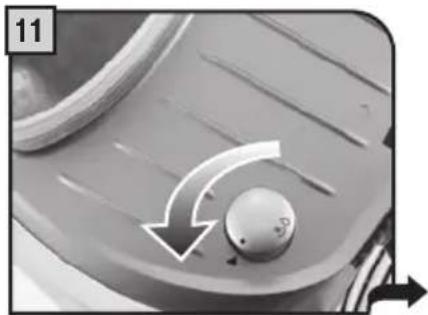
Close-up of a mechanical component with a knob and directional arrows indicating motion (no text or symbols)Turn the knob until it is in the rest position (●).
text_image
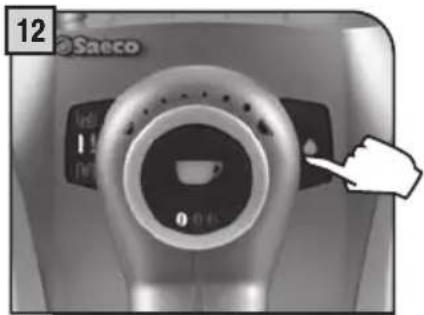
12 SaecoPress the water button again. The indicator light turns off. Remove the container. The machine is ready for use.
When the correct temperature is reached, the machine performs a rinse cycle of the internal circuits. A small amount of water is dispensed; during this phase, the lights flash counterclockwise. Wait for this cycle to be completed.
"AQUA PRIMA" WATER FILTER (OPTIONAL)
To improve the quality of the water you use, it is recommended to install the "Aqua Prima" filter. Before using it, leave the filter immersed in the tank for 30 minutes.
natural_image
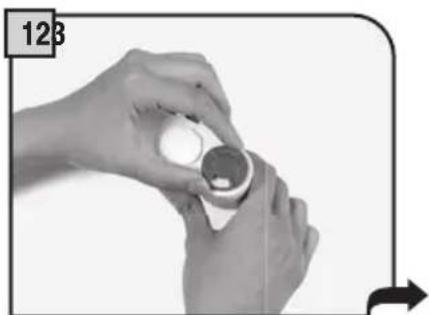
Close-up of hands holding a small cylindrical object with a white circular top, no visible text or symbolsRemove the "Aqua Prima" fi Iter from its packaging. Enter the date of the current month.
natural_image
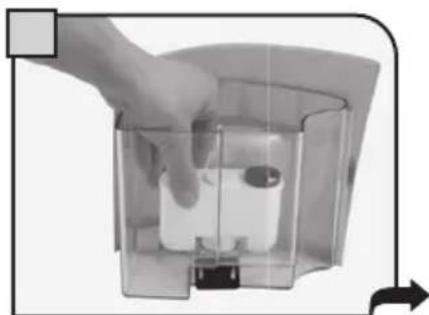
Hand holding a transparent container with a small cylindrical object inside, connected by an arrow (no text or symbols visible)Insert the filter in the empty tank. The reference mark and the groove must match. Push firmly until it is completely inserted.
natural_image
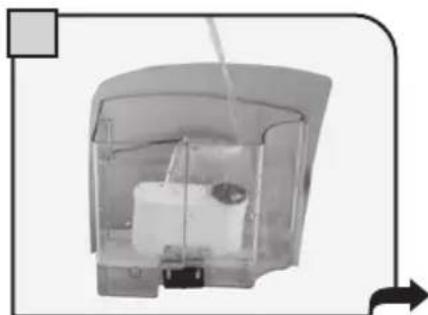
Interior view of a transparent cylindrical device with internal components and a directional arrow (no visible text or symbols)Fill the tank with fresh water. Let the fi Iter soak for 30 minutes. After 30 minutes discard the water in the tank and refi ll with fresh water.
natural_image
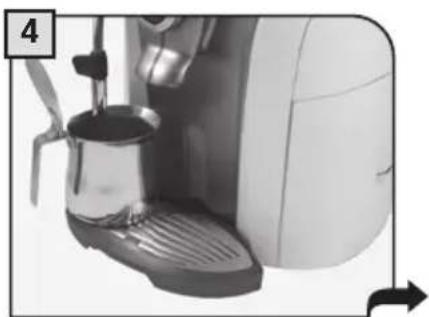
Close-up of a white espresso machine with a glass pitcher and lever, no visible text or symbolsPlace a container beneath the steam spout. Dispense the water in the tank using the hot water function (see page 13).
natural_image
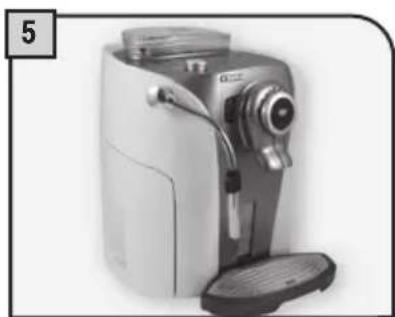
Exterior view of a modern white and gray digital camera with a flat lid (no visible text or symbols)Fill the tank again with fresh drinking water. The machine is ready for use.
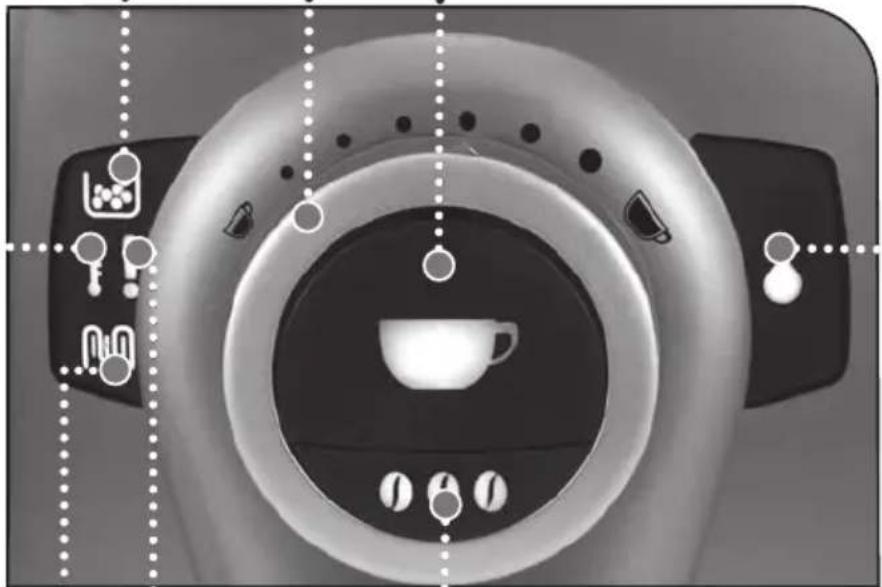
Alarm light to empty the coffee grounds drawer:
permanently on: signals the need to empty the grounds drawer; this operation must be performed with the machine turned on (steps 4 and 5, page 17).
Coffee dose adjusting knob (see page 10).
Coffee button:
- slow flash:1 coffee has been selected (the button has been pushed once).
quick flash: 2 coffees have been selected (the button has been pushed twice).
natural_image
Top-down view of a medical CT scanner with circular dial and control buttons (no visible text or symbols)Hot water button:
• off: steam function is selected
• on: hot water function is selected
Ground coffee quantity button (Opti-dose) (see page 10).
Alarm light:
• permanently on (one or more events): signals the machine is out of coffee, that the water tank is empty, or the drip tray is full.
- on and slowly flashing (one or more events): signals that the Brew Group is not inserted, the grounds drawer is not inserted, the cover of the coffee hopper is not closed, the service door is open.
- on and quickly fl ashing: signals the need to prime the water circuit.
Descaling light:
• on and flashing: signals the need to perform a descaling cycle (see page 15).
Machine ready light:
• permanently on: signals that the machine is ready for use.
- on and fl ashing: signals that the machine is warming up.
If the 📄 and 🐃 lights flash alternately, switch off the machine and turn it on again after 30 seconds. If this signal appears again, contact the customer service centre.
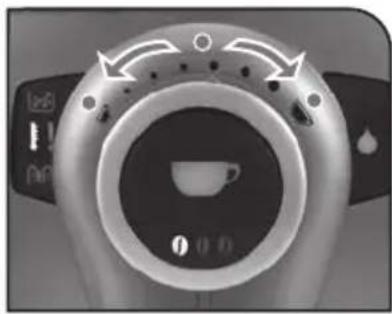
COFFEE VOLUME ADJUSTMENT PER CUP
The coffee volume knob adjusts the amount of coffee brewed per cup. This adjustment has an immediate effect on the selected type of brewing.
Espresso coffee
Medium coffee
natural_image
Close-up of a coffee machine control panel with no visible text or symbols on the face or background.Long coffee
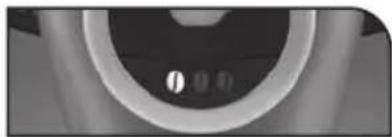
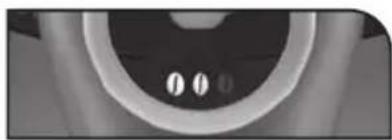
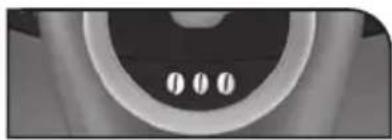
"AROMA" (OPTI-DOSE) INDICATES THE COFFEE DOSE PER CUP
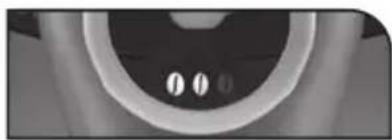
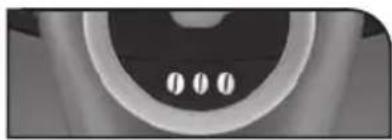
By pressing the Ⓛ, Ⓜ, Ⓤ is possible to choose either a mild, a medium or a strong coffee. The coffee intensity is adjusted by setting the coffee quantity to be ground.
natural_image
Close-up of a circular mechanical component with two small holes, no visible text or symbolsMild aroma
natural_image
Close-up of a circular mechanical component with two small holes, no visible text or symbolsMedium aroma
natural_image
Close-up of a circular mechanical component with three small holes, no visible text or symbolsStrong aroma
DRIP TRAY HEIGHT ADJUSTMENT
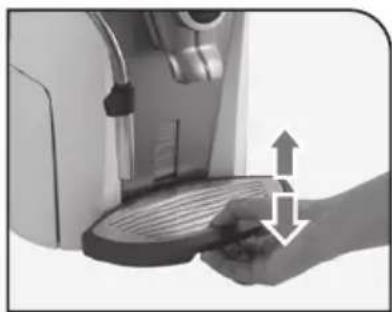
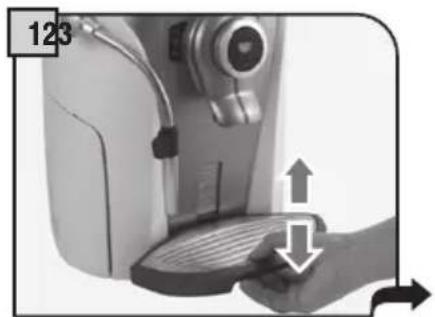
The drip tray is height-adjustable to fit different sized cups.
To adjust the drip tray, lift it or lower it manually until it reaches the desired height.
Note: a red float is visible in the tray; when it lifts, the tray must be drained.
natural_image
Hand holding a small appliance with a lid and a tray, showing a mechanical setup with arrows indicating motion (no text or symbols visible)COFFEE GRINDER ADJUSTMENT
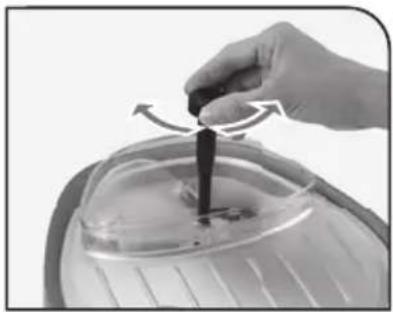
The machine enables a slight adjustment of the coffee grinder. Coffee may be ground according to your own tastes.
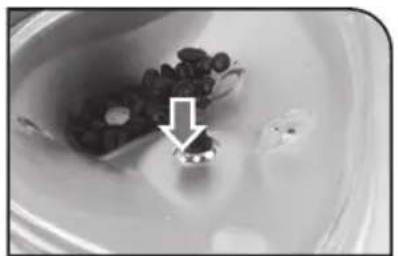
The adjustment must be performed turning the pin – located inside the coffee container – by means of the supplied key only.
Turn the pin one setting at a time and brew 2-3 cups of coffee; the change in the grind will be noticeable after a couple of cycles.
The references located inside the container indicate the grind setting.
natural_image
Close-up of a hand holding a small black object with directional arrows, interacting with a transparent container (no text or symbols visible)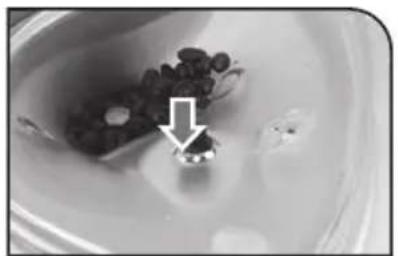
natural_image
Close-up of a small object with dark granular substance inside a bowl, marked by an arrow (no visible text or symbols)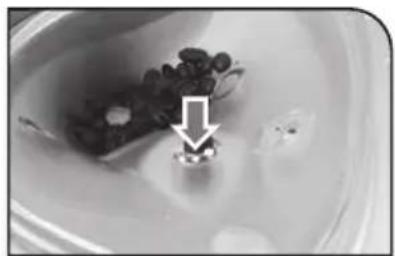
natural_image
Close-up of a small object with dark spherical elements and a white arrow pointing to a small feature, possibly a device or component (no visible text or symbols)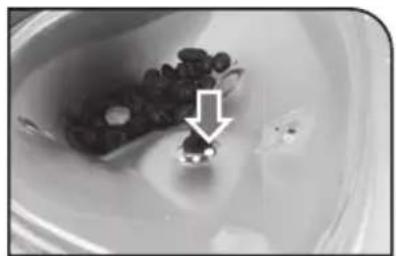
natural_image
Close-up of a small container with dark granular substance and an arrow pointing to it, no visible text or symbolsFINE GRIND MEDIUM GRIND COARSE GRIND
COFFEE BREWING
The coffee brewing cycle can be interrupted at any moment by pushing the onion.
To brew 2 cups, the machine dispenses half of the entered quantity and briefly interrupts dispensing in order to grind the second serving of coffee. Coffee dispensing is then restarted and completed.
natural_image
Close-up of a hand pressing down on a mechanical device with directional arrows indicating motion (no text or symbols)Adjust the drip tray according to the height of the cup(s).

natural_image
Close-up of a coffee machine with a cup on its side, showing mechanical components and motion arrows (no text or symbols visible)Place one cup if you want one coffee only.
natural_image
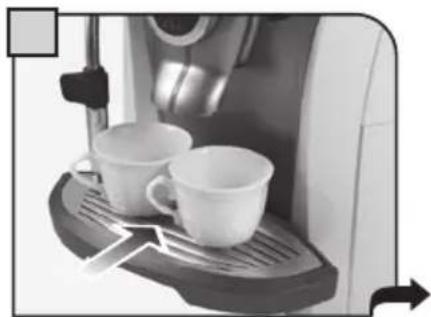
Close-up of a coffee machine with two cups on a tray, no visible text or symbolsPlace two cups if you want two coffees.
text_image
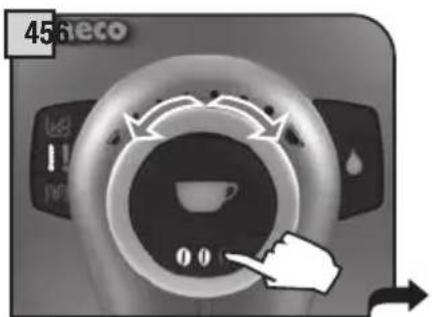
45%eco 168 11 0 0Adjust the quantity of coffee by turning the knob. Select the aroma by pushing the button one or more times (see page 10).
text_image
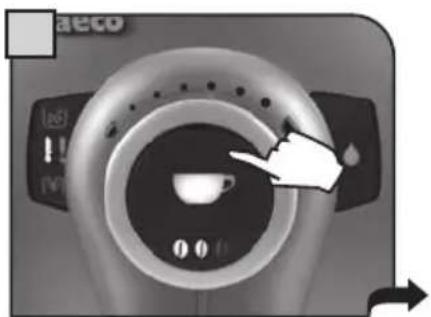
aeco (a) (V)Press the central button: once for 1 coffee twice for 2 coffees
natural_image
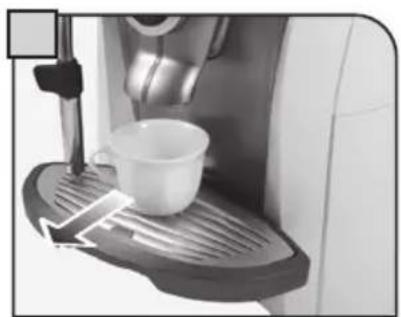
Close-up of a coffee machine with a white cup on its side, no visible text or symbolsThe machine automatically starts brewing coffee. When the machine has finished brewing, remove the cup(s).
HOT WATER DISPENSING
Dispensing may be preceded by short sprays of hot water, and scalding is possible. The hot water/steam spout may reach high temperatures: do not touch it with bare hands. Use the appropriate handle only.
natural_image
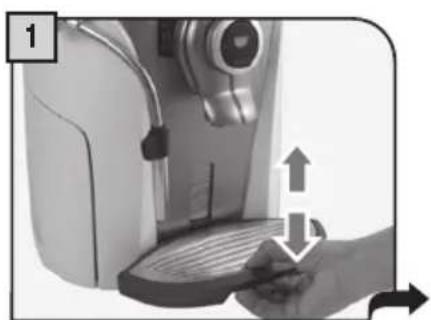
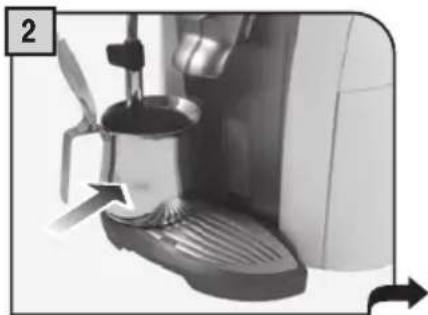
Close-up of a hand pressing down on a mechanical device with directional arrows indicating motion (no text or symbols)Adjust the height of the drip tray. Press Flacuate contained the heart the steam spout.
natural_image
Close-up of a coffee machine with a side panel and lever mechanism (no visible text or symbols)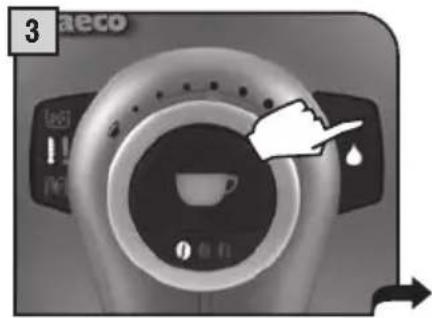
text_image
3 aeco 160 1 1m 0 有 0 有hot water function. The hot water light will turn on.
natural_image
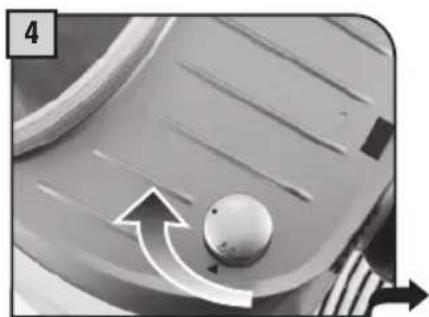
Close-up of a mechanical component with a knob and directional arrows (no text or symbols)Turn the knob until the position is reached.

natural_image
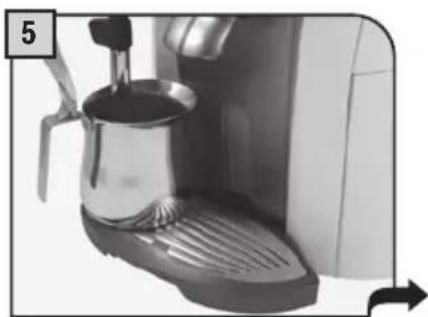
Close-up of a modern espresso machine with a glass pitcher and lever, no visible text or symbolsWait for the container to be filled with the desired quantity of water.
natural_image
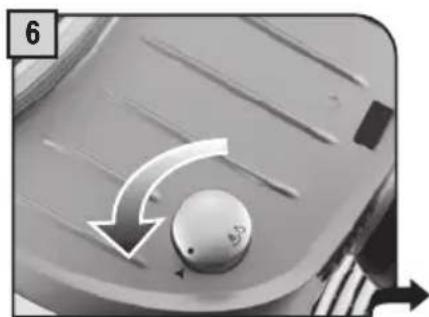
Close-up of a mechanical knob with directional arrows indicating rotation (no text or symbols)Turn the knob until it is in the rest position (●).
text_image
7 aeco 1e8 11 Pm 0 0 0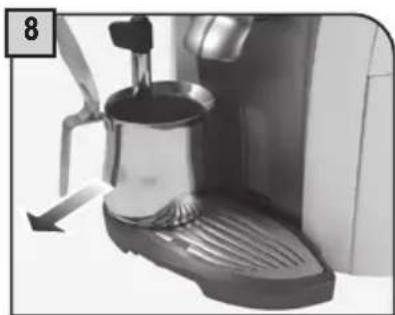
natural_image
Close-up of a coffee machine with a hand mixer and lid, no visible text or symbolsRemove the container. Press the hot water button.
CAPPUCCINO

Dispensing may be preceded by short sprays of hot water, and scalding is possible. The hot water/steam spout may reach high temperatures: do not touch it with bare hands. Use appropriate handle only.
natural_image
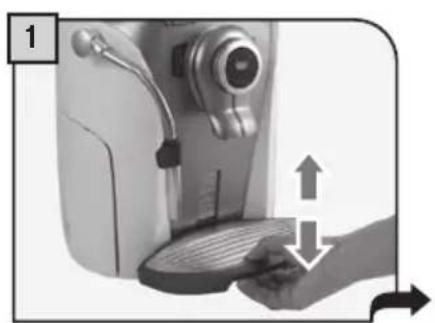
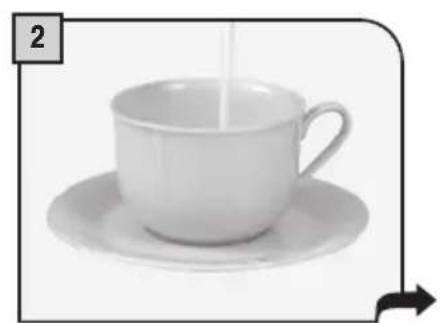
Illustration of a hand operating a coffee machine with a hand pressing a button (no text or symbols visible)Adjust the height of the drip tray. Fill 1/3 of the cup with cold milk.
natural_image
White ceramic teacup with saucer and side rim, no text or symbols visible
natural_image
Person using a coffee machine to add coffee into a cup (no visible text or symbols)Immerse the steam spout in the milk.
natural_image
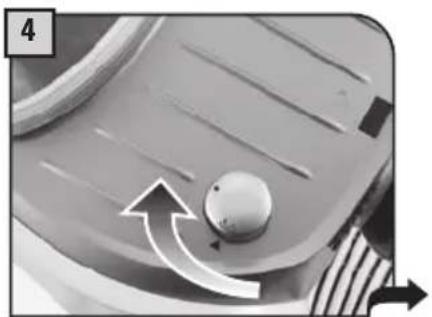
Close-up of a mechanical component with a knob and directional arrows indicating motion (no text or symbols)Turn the knob until the position is reached.

natural_image
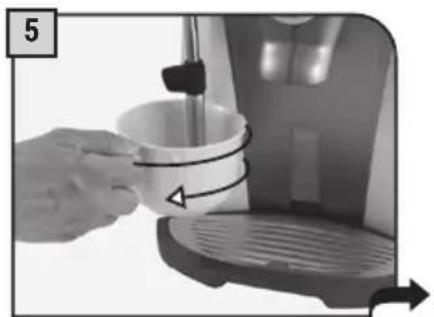
Close-up of a hand pouring liquid into a white cup on a coffee machine (no text or symbols visible)Froth the milk by gently rotating the container.
natural_image
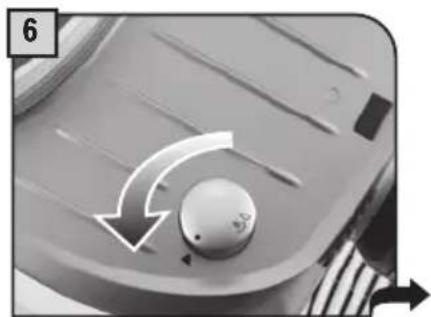
Close-up of a mechanical knob with directional arrows indicating rotation (no text or symbols)Turn the knob until it is in the rest position ( ).
natural_image
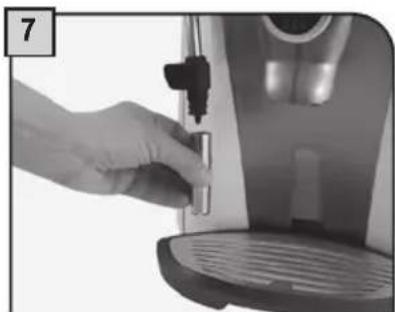
Close-up of a hand using a self-service water dispenser to press or install a small container (no visible text or symbols)When the spout has cooled down, disassemble it and wash it carefully.
After frothing the milk, brew coffee into the cup for a creamy cappuccino.
DESCALING

When performing a descaling cycle, it is necessary to be present during the entire process (about 40 minutes).
Caution! Do not use vinegar as a descaler.
The descaling must be done when indicated by the machine. Use a non-toxic, non-harmful descaling solution. Saeco descaling solution is recommended.
The used solution should be disposed according to the manufacturer instructions and/or regulations in the country of use.
Note: before starting a descaling cycle make sure that:
1 a container of adequate size is available;
2 if the "Aqua Prima" fi Iter is used, make sure that it has been removed.
natural_image
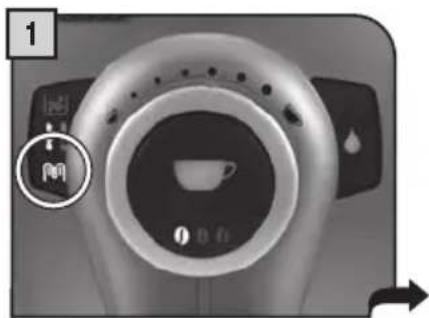
Close-up of a coffee maker's rotary dial with a circular control knob and a small lock icon (no text or symbols visible)When the descaling light is fl ashing, a descaling cycle must be performed.

natural_image
Exterior view of a modern office building (no signage)Empty the tank and refi ll it, dissolving the descaling solution in a full tank of water.
natural_image
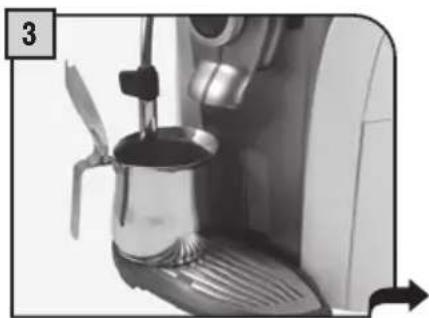
Close-up of a coffee maker's side mirror with a propeller and lid, showing mechanical components (no text or symbols visible)Place a large container beneath the steam spout.
text_image
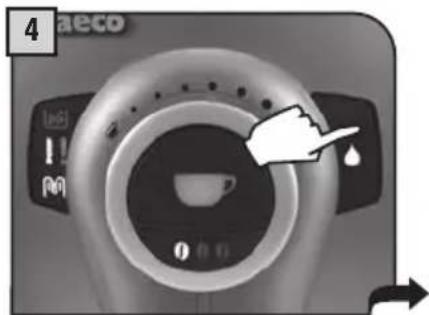
4 aeco 1:50 ! NoPress the hot water button.
natural_image
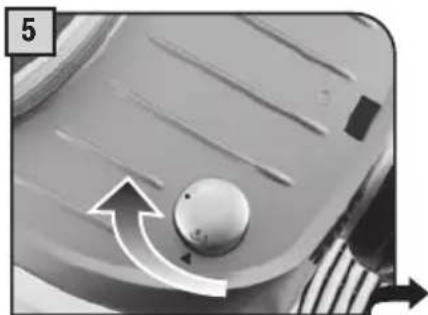
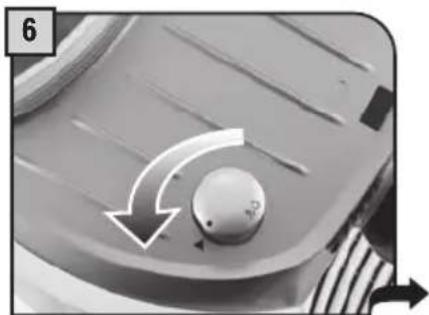
Close-up of a mechanical component with a circular knob and directional arrows indicating motion (no text or symbols)Turn the knob until the position is reached. Dispense the descaling solution into the container for 15 seconds.
natural_image
Close-up of a mechanical component with a circular knob and directional arrows indicating rotation (no text or symbols)Turn the knob until it is in the rest position (●).
natural_image
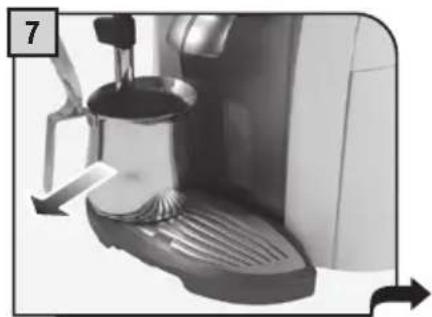
Close-up of a coffee machine with a lid and side arm, showing a lever mechanism (no text or symbols visible)Empty the container with the used descaling solution.
natural_image
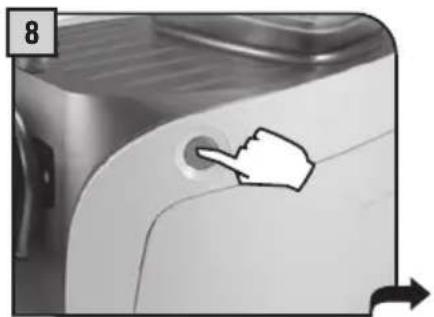
Close-up of a white kitchen appliance with a hand pointing to a circular button (no text or symbols visible)Press the button to turn off the machine. After 10 minutes, turn on the machine again.
flowchart
graph TD
    A["3"] --> B["8"]
    B --> C["9"]
    C --> A
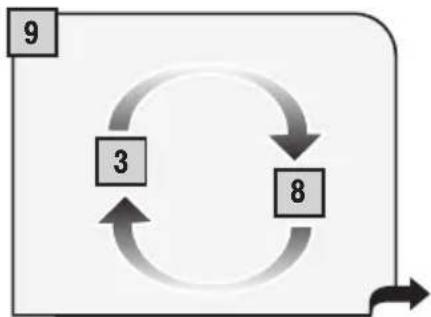
Repeat steps 3 - 8 until all the descaling solution in the tank has been dispensed.
natural_image
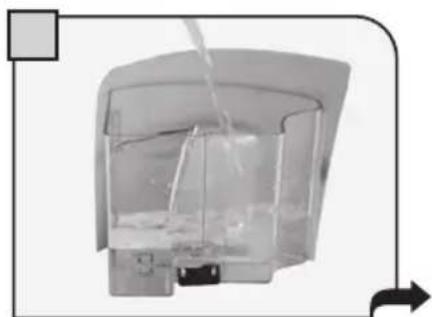
Transparent container with liquid and a side outlet, no visible text or symbolsRinse and fi ll the tank with fresh drinking water.
text_image
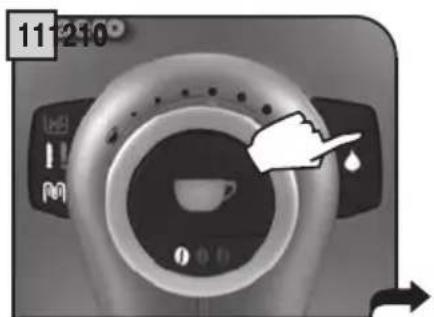
11:210 11:210Press the hot water button. Place a large container beneath the steam spout.
natural_image
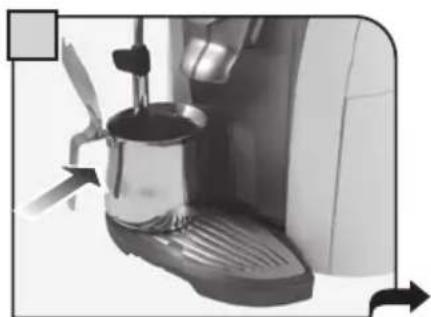
Close-up of a coffee maker with a propeller and fan, showing mechanical parts and directional arrows (no text or symbols)ge container beneath the steam spout.
natural_image
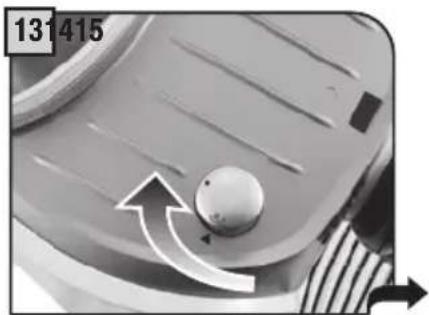
Close-up of a mechanical component with a knob and directional arrow (no text or symbols)Turn the knob until the position is reached to empty the water tank. When this operation is completed, turn the knob until it is in the rest position (●).
text_image
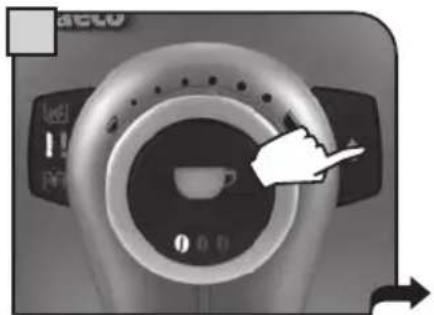
Close-up of a medical CT scan device with control buttons and a hand pointing to a coffee cup, showing measurement ranges.Press the hot water button for 6 seconds to disable the descaling alarm.
natural_image
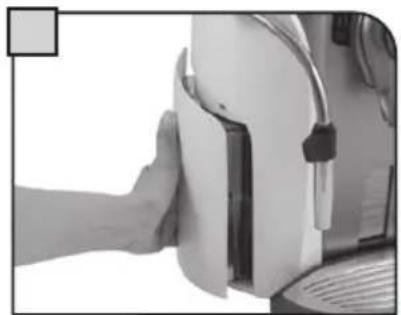
Close-up of a hand pressing down on a white electronic device (no visible text or symbols)Fill the tank again with fresh drinking water.
Once descaling has been performed:
- Install the "Aqua Prima" fi Iter, if available;
- Prime the circuit as described on page 7, from step 7.
HOW TO CLEAN THE MACHINE

The machine must be cleaned at least once a week.
Do not immerse the machine in water or place any of its parts in a dishwasher.
Do not use alcohol, solvents, benzene and/or abrasive objects to clean the machine.
The water left in the tank for several days must be disposed of.
Do not dry the machine and/or its components using a microwave and/or conventional oven.
text_image
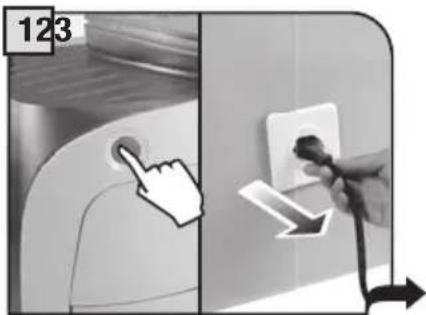
123Turn off the machine and unplug it.
natural_image
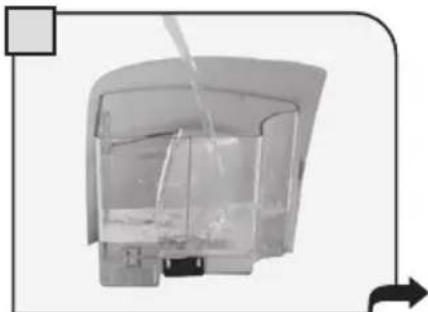
Diagram of a transparent container with liquid and internal structure, no text or symbols presentRemove the filter, if fitted, and wash the water tank.
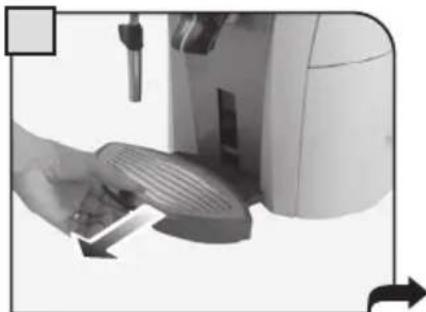
natural_image
Close-up of a hand using a digital device to press or adjust a surface, no visible text or symbolsRemove the drip tray and wash it under running water.
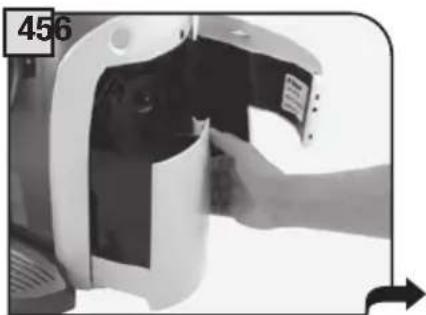
natural_image
Close-up of a hand inserting a device into a machine (no visible text or symbols)Remove the coffee grounds drawer.
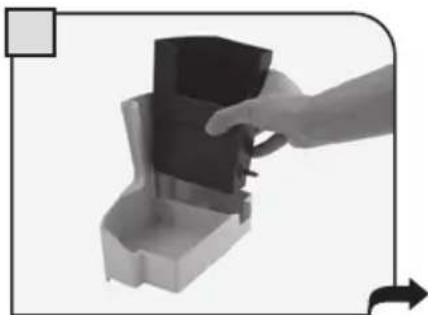
natural_image
Hand inserting a small black object into a gray container, with an arrow indicating direction (no text or symbols)Empty the coffee grounds and the residual liquids separately. Wash all containers.
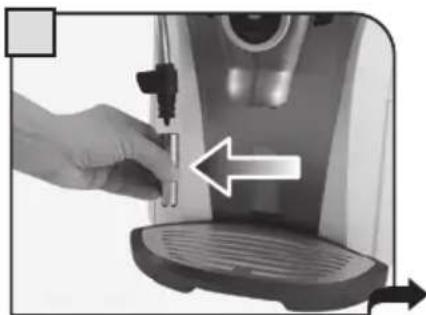
natural_image
Close-up of a hand inserting a small electronic device into a coffee machine (no text or symbols visible)Remove and wash the steam spout. Wash all external components.
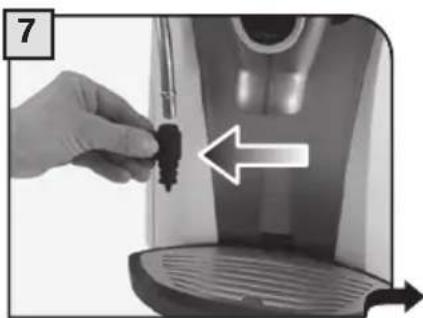
natural_image
Close-up of a hand inserting a small black object into a white device, with an arrow indicating direction (no text or symbols visible)Remove and wash the handgrip.
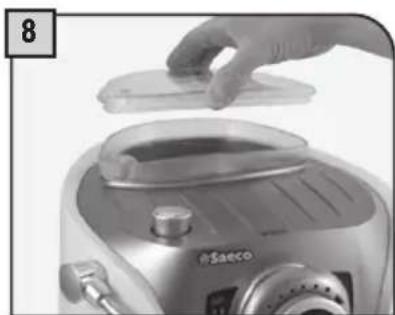
natural_image
Close-up of a hand placing a plastic lid onto a saeco rice cooker (no visible text or symbols)Before filling the coffee bean hopper, clean it using a soft wet cloth.
If the grounds drawer is emptied with the machine turned off, or when the alarm light to empty the drawer is not on (see page 9), the count of the coffee portions contained in the grounds drawer is not restarted. For this reason, the alarm light to empty drawer may illuminate even when it is not full.
CLEANING THE BREW GROUP
The Brew Group must be cleaned at least once a week. Before removing the Brew Group, remove the coffee grounds drawer as shown in fig. 4 on page 17. Once you have washed and inserted the Brew Group, insert the grounds drawer and close the service door.
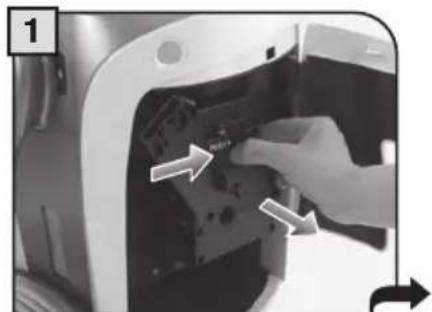
natural_image
Close-up of a hand inserting a component into a device casing (no visible text or symbols)Press the "PUSH" button to remove the Brew Group.
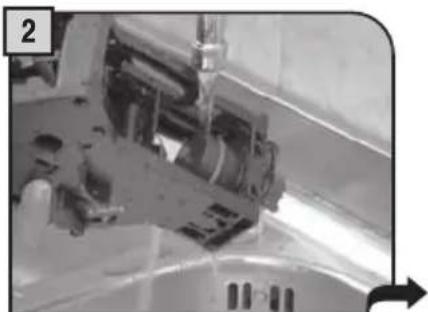
natural_image
Close-up of a mechanical assembly with no visible text or symbolsWash the Brew Group with running water. Wash fil Iters carefully.
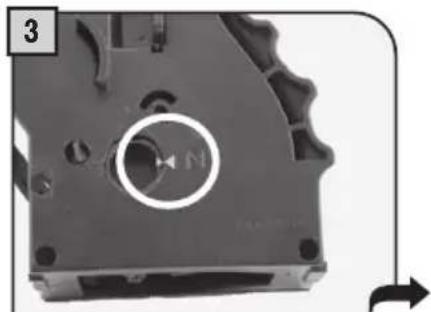
natural_image
Close-up of a mechanical component with a circular arrow and 'N' marking, no readable text or symbols present.Make sure the Brew Group is in rest position; the two references must match.
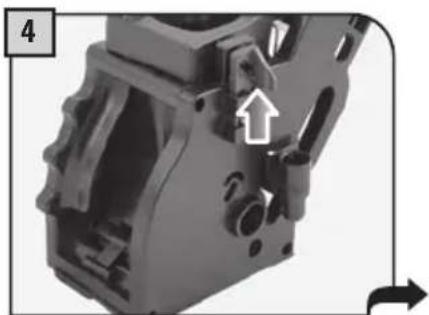
natural_image
Close-up of a mechanical component with a highlighted arrow and numbered label (4), no readable text or symbols present.Make sure the components are in the correct position.
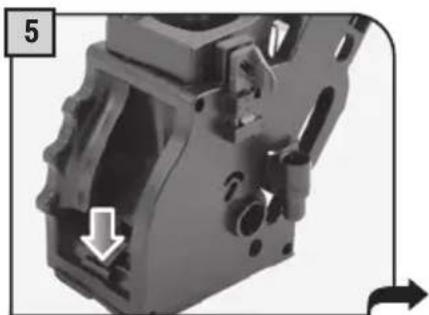
natural_image
Close-up of a mechanical component with a highlighted section and directional arrows (no text or symbols)The lever on the rear part of the group must be in contact with the brew group base.
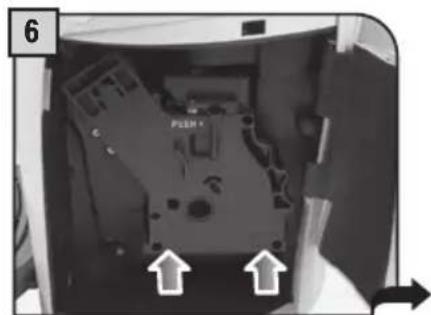
natural_image
Interior view of a computer case with an internal component and directional arrows indicating movement (no text or symbols)Insert the washed and dried Brew Group.
DO NOT PRESS THE "PUSH" BUTTON.
The hook shown must be in the correct position; to check its position, fi rmly press the "PUSH" button.
natural_image
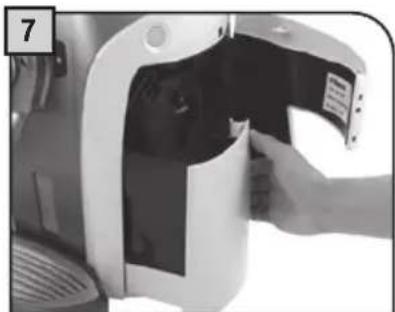
Close-up of a hand inserting a device into a plastic housing (no visible text or symbols)Insert the grounds drawer and close the service door.
PROBLEMS CAUSES SOLUTIONS
| The machine does not turn on. The machine is not connected to the power source. | Connect the machine to the power source. | |
| The plug has not been plugged into the back of the machine. | ||
| Coffee is not hot enough. The cups are cold. Warm the cups with hot water. | ||
| Hot water or steam is not dispensed. | The hole of the steam spout is clogged. | Clean the hole of the steam spout using a pin. |
| Coffee has little crema. The coffee blend is unsuitable or coffee is not freshly roasted. | Change coffee blend. | |
| The machine takes a long time to warm up or the amount of water dispensed from the spout is too little. | The machine circuit is obstructed by limescale build-up. | Descale the machine. |
| The Brew Group does not come out. | The Brew Group is out of place. | Turn the machine on. Close the service door. The Brew Group is automatically placed in the correct position. |
| Coffee grounds drawer is inserted. Remove the grounds drawer first, then the brew group. | ||
| Coffee is not brewed. Water tank is empty. Fill the water tank and prime the circuit again. | ||
| Coffee is brewed slowly. Coffee is too fine. Change coffee blend. | Decrease the dose. | |
| Circuit is not primed. Prime the circuit again by dispensing water from the steam spout. | ||
| Brew Group dirty. Clean the Brew Group. | ||
| Coffee leaks out of the dispensing head. | Dispensing head is clogged. | Clean the dispensing holes with a soft cloth. |
| Brewing does not start. Coffee bean hopper cover is in wrong position. | Correctly place the cover on the coffee bean hopper and press it firmly. | |
Please contact the service centre for any problems not covered in the above table or when the suggested solutions do not solve the problem.
IN CASE OF EMERGENCY
Immediately unplug the cable from the outlet.
USE THE APPLIANCE ONLY
- Indoors.
- To prepare coffee, dispense hot water, froth milk or heat beverages using steam.
- For domestic use only.
- By adults in non altered psycho-physical conditions.
NEVER USE THE APPLIANCE
For purposes other than those indicated above, in order to avoid danger.
Do not introduce any substances other than those indicated in the instruction manual.
During the normal fi lling of any reservoirs, all nearby reservoirs must be closed.
Fill the water tank only with fresh drinking water: Hot water and/or any other liquid may damage the machine.
Do not use carbonated water.
Do not put fingers or any material other than coffee beans in the coffee grinder. Before manipulating the coffee grinder, turn off the machine's main switch and unplug the cable.
POWER CONNECTION
Only connect the coffee machine to a suitable power socket. The voltage must correspond to the indication on the machine's label.
INSTALLATION
- Choose a level surface. Do not place on heated surfaces!
- Allow a distance of 10 cm / 4" between walls and cooking hotplates.
- Do not keep the machine at temperatures below 0^ C / 32^ F – danger of freezing damage.
- There must be easy access to the socket at all times.
- The power cable must not be damaged, tied up with clamps, placed on very hot surfaces, etc.
- The power cable must not hang. (Danger of tripping or dropping the appliance).
- Do not use the power cable to carry or pull the coffee machine.
DANGER
- The appliance must not be used by children and persons who have not been informed on its operation.
- The appliance is dangerous to children. If left unattended, please disable it.
- Do not leave the coffee machine packaging within the reach of children.
- Never direct the jet of hot water and/or steam towards yourself or others. Danger of scalding.
- Do not insert objects through the appliance's openings (Danger! Electrical current!).
- Do not touch the plug with wet hands and feet. Do not remove the plug by pulling the cable.
- Warning, danger of burns caused by hot water, steam and hot water/steam spout.
FAILURES
- Do not use the appliance in case of sure or suspected faults such as after falls.
- Any repairs must be performed by an authorized customer service centre.
- Do not use the appliance with a defective power cable. If damaged, the power cable must be replaced by the manufacturer or authorized service centre. (Caution! Electrical current).
- Turn off the appliance before opening the service door.
CLEANING / DESCALING
- Before cleaning, unplug the machine and let the appliance cool.
- Keep the appliance from coming into contact with splashes of water or immersing in water.
- Do not dry the machine's parts in conventional or microwave ovens.
SPARE PARTS
For safety reasons, use only original spare parts and original accessories.
DISPOSAL
- The packing materials can be recycled.
- Appliance: unplug the appliance and cut the power cord.
- Deliver the appliance and power cord to a service center or public waste disposal facility.
This product complies with EU Directive 2002/96/EC.
The symbol on the product or on its packaging indicates that this product may not be treated as household waste. Instead it shall be handed over to the applicable collection point for the recycling of electrical and electronic equipment.
By ensuring this product is disposed of correctly, you will help prevent potential negative consequences for the environment and human health, which could otherwise be caused by inappropriate waste handling of this product. For more detailed information about recycling of this product, please contact your local city offi ce, your household waste disposal service or the retailer where you purchased the product.
TECHNICAL DATA
• Nominal voltage See label on the appliance
• Power rating See label on the appliance
• Power supply See label on the appliance
- Shell material ABS - Thermoplastic
- Size (w x h x d) 290 x 370 x 385 mm - 11.41 x 14.57 x 15.18 in
• Weight 8,5 Kg - 18.73 lbs
• Cable length 1200 mm - 47.24 in
- Control panel Front
• Water tank 1,5 liters - 50.72 oz / Removable
- Pump pressure (bars) 15
- Boiler Stainless steel
• Coffee bean hopper capacity 180 grams - 6.35 oz / coffee beans
• Quantity of ground coffee 7 - 10.5 grams / 0.25 - 0.37 oz.
• Grounds drawer capacity 14
- Safety devices
Boiler pressure safety valve – Double safety thermostat.
Subject to engineering and manufacturing changes due to technological developments.
The machine conforms to the European Directive 89/336/EEC (Italian Legislative Decree 476 dated 04/12/92) concerning electromagnetic compatibility.
IMPORTANT
(OPTI-DOSE) INDICATION DE LA QUANTITÉ DE CAFÉ MOULU 10
RÉGLAGE DE LA HAUTEUR DU BAC D'ÉGOUTTEMENT ....10
RÉGLAGE DU MOULIN....11
DISTRIBUTION DE CAFÉ 12
DISTRIBUTION D'EAU CHAUDE....13
CAPPUCCINO....14
DÉTARTRAGE....15
NETTOYAGE ET ENTRETIEN ....17
NETTOYAGE DE LA MACHINE....17
NETTOYER LE GROUPE DE DISTRIBUTION....18
PROBLÈMES - CAUSES - REMÈDES....19
CONSIGNES DE SÉCURITÉ ....20
DONNÉES TECHNIQUES ......22
GÉNÉRALITÉS
natural_image
Close-up of a hand placing a lid onto a device with a label 'pSaco' on the base (no other text or symbols visible)natural_image
Close-up of a stainless steel Bosch air fryer being poured into a container (no visible text or symbols)natural_image
Close-up of a hand pressing down on a white industrial machine component, with arrows indicating motion (no text or symbols visible)natural_image
Close-up of a transparent cylindrical device with internal components and a water outlet, no visible text or symbolsnatural_image
Two-panel black-and-white photo showing hands connecting wires to a wall socket and a power outlet (no text or symbols visible)natural_image
Close-up of a white appliance with a hand pointing to a circular opening, showing no visible text or symbols.natural_image
Close-up of a white espresso machine with a side panel and handle, no visible text or symbolsnatural_image
Close-up of a mechanical component with a spherical knob and directional arrows (no text or symbols)natural_image
Close-up of a white espresso machine with a glass pitcher and lever, no visible text or symbolsnatural_image
Close-up of a mechanical component with a knob and curved arrow indicating rotation (no text or symbols)natural_image
Close-up of hands holding a small cylindrical object with a white circular top, no visible text or symbolsnatural_image
Hand placing a small object into a transparent container with a cylindrical body, no visible text or symbolsnatural_image
Interior view of a transparent cylindrical device with internal components and a directional arrow (no visible text or symbols)natural_image
Close-up of a coffee machine with a side arm and cup, no visible text or symbolsnatural_image
Exterior view of a silver and black compact digital camera with a flat lid (no visible text or symbols)natural_image
Close-up of a camera lens with control panel and display icons (no readable text or symbols)natural_image
Close-up of a coffee machine control panel with no visible text or symbols on the face or background.Café allongé
(OPTI-DOSE) INDICATION DE LA QUANTITÉ DE CAFÉ MOULU
natural_image
Close-up of a circular mechanical component with two small holes, no visible text or symbolsArôme léger
natural_image
Close-up of a circular mechanical component with two small holes, no visible text or symbolsArôme moyen
natural_image
Close-up of a circular mechanical component with three holes, no visible text or symbolsArôme fort
RÉGLAGE DE LA HAUTEUR DU BAC D'ÉGOUTTEMENT
natural_image
Close-up of a hand holding a small appliance with a circular tray and directional arrows indicating motion (no text or symbols)RÉGLAGE DU MOULIN
natural_image
Close-up of a hand holding a small black object with directional arrows, next to a transparent container (no text or symbols visible)
natural_image
Close-up of a small, dark object with a white arrow pointing to it, possibly a device or component (no visible text or symbols)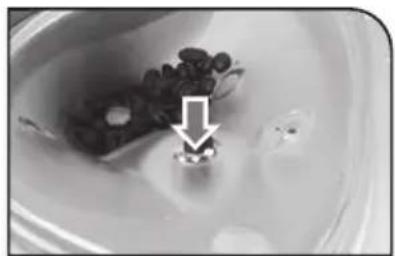
natural_image
Close-up of a bowl containing a small bowl with dark granular substance and a white arrow pointing to a small object (no text or symbols visible)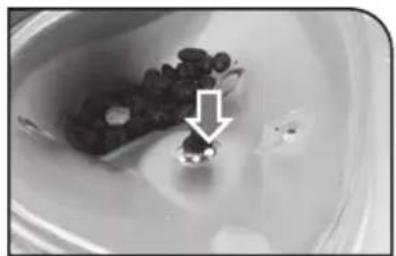
natural_image
Close-up of a bowl containing a dark container with small objects, marked by an arrow (no text or symbols visible)MOUTURE FINE MOUTURE MOYENNE MOUTURE GROSSIÈRE
DISTRIBUTION DE CAFÉ
natural_image
Close-up of a hand pressing down on a mechanical device with directional arrows indicating motion (no text or symbols)natural_image
Close-up of a coffee machine with a cup on its side, showing mechanical components and motion arrows (no text or symbols visible)natural_image
Close-up of a coffee machine with two cups on a tray, no visible text or symbolsnatural_image
Close-up of a coffee machine with a white cup on its side (no visible text or symbols)natural_image
Close-up of a hand pressing down on a mechanical device with directional arrows indicating movement (no text or symbols)natural_image
Close-up of a coffee machine with a side panel and a hand mixer, showing no visible text or symbols.natural_image
Close-up of a mechanical component with a knob and directional arrows (no text or symbols)natural_image
Close-up of a coffee machine with a side panel and lid, showing liquid being poured into it (no text or symbols visible)natural_image
Close-up of a mechanical knob with directional arrows indicating rotation (no text or symbols)natural_image
Close-up of a coffee machine with a side arm and lid, no visible text or symbolsnatural_image
Close-up of a hand operating a sewing machine with a curved ramp and directional arrows indicating motion (no text or symbols)natural_image
White ceramic teacup with saucer and side rim, no visible text or symbolsnatural_image
Close-up of a hand using a coffee machine to add a cup, no text or symbols visiblenatural_image
Close-up of a mechanical component with a knob and directional arrow (no text or symbols)natural_image
Close-up of a hand pouring liquid into a white cup on a coffee machine (no text or symbols visible)natural_image
Close-up of a mechanical component with a circular knob and directional arrows indicating motion (no text or symbols)natural_image
Close-up of a hand using a self-service water dispenser to press or install a small container (no visible text or symbols)natural_image
Close-up of a coffee machine control panel with a circular dial and teacup icon (no readable text or symbols)natural_image
Interior view of a transparent cylindrical device with internal components and a handle, no visible text or symbolsnatural_image
Close-up of a coffee machine with a side panel and lid, showing no visible text or symbols.natural_image
Close-up of a mechanical component with a knob and directional arrows indicating motion (no text or symbols)natural_image
Close-up of a mechanical component with a circular knob and directional arrows indicating rotation (no text or symbols)natural_image
Close-up of a coffee machine with a lid and side arm, showing a lever mechanism (no text or symbols visible)natural_image
Close-up of a white refrigerator with a hand pointing to the button (no text or symbols visible)natural_image
Close-up of a transparent cylindrical container with liquid and a side outlet, no visible text or symbolsnatural_image
Close-up of a coffee maker with a propeller and fan, showing mechanical parts and directional arrows (no text or symbols)natural_image
Close-up of a mechanical component with a knob and directional arrow (no text or symbols)natural_image
Close-up of a coffee machine control panel with a hand pointing to the center (no visible text or symbols)natural_image
Close-up of a hand pressing down on a white industrial machine component (no visible text or symbols)natural_image
Diagram of a water tank with inlet and outlet pipes, showing internal flow (no text or labels)natural_image
Close-up of a hand pressing down on a kitchen appliance with a scroll wheel (no visible text or symbols)natural_image
Close-up of a hand inserting a device into a device casing (no visible text or symbols)natural_image
Hand placing a dark object into a small container with an arrow indicating motion (no text or symbols)natural_image
Close-up of a hand using a pour-over machine to press or install a small object, with no visible text or symbols.natural_image
Close-up of a hand inserting a small black object into a white appliance, with an arrow indicating direction (no text or symbols)natural_image
Close-up of a hand placing a plastic lid onto a saeco rice cooker (no visible text or symbols)natural_image
Close-up of a hand inserting a component into a device casing (no visible text or symbols)natural_image
Close-up of a mechanical assembly with no visible text or symbolsnatural_image
Close-up of a mechanical component with a circular arrow and 'N' marking, no readable text or symbols present.natural_image
Close-up of a mechanical component with a highlighted arrow and numbered label (4), no readable text or symbols present.natural_image
Close-up of a mechanical component with a highlighted section and directional arrows (no text or symbols)natural_image
Interior view of a computer case showing internal components and directional arrows (no readable text or symbols)natural_image
Close-up of a hand inserting a device into a plastic housing (no visible text or symbols)PROBLÈMES CAUSES REMÈDES
natural_image
Blank white image with no visible content, text, or symbolsThe image contains only background ruled lines. According to Rule 2, these stylistic or background lines must be ignored by the OCR result. Therefore, the corrected OCR text is:
[Empty String]