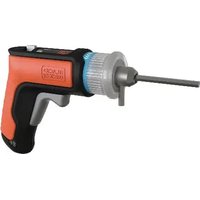
BCRTA601 - Screwdriver BLACK & DECKER - Free user manual and instructions
Find the device manual for free BCRTA601 BLACK & DECKER in PDF.


| Product Type | Cordless Screwdriver |
| Brand | Black & Decker |
| Model | BCRTA601 |
| Power Source | Integrated lithium-ion battery, rechargeable via USB |
| Chuck | Keyless, single sleeve |
| Rotation Direction | Forward/Reverse with center lock |
| Work Light | Integrated LED, illuminates with trigger |
| Charging Port | Micro USB |
| Included Accessories | 4 mm hex key, extension ring, USB cable |
| Intended Use | Household use only |
| Safety | Electronic protection system against overload, overheating, and deep discharge |
| Operating Temperature | Between +4.5°C and +40°C |
| Optimal Charging Temperature | Between 18°C and 24°C |
| Maintenance | Clean air vents with dry compressed air once a week. Do not use solvents. |
| Repairs | Take to a Black & Decker authorized service center. Battery is non-serviceable. |
| Warranty | 2 years for household use |
| Recycling | Lithium-ion battery recyclable. Do not dispose with household waste. |
| Standards | ANSI Z87.1 safety glasses, ANSI S12.6 hearing protection, NIOSH/OSHA/MSHA respiratory protection |
Frequently Asked Questions - BCRTA601 BLACK & DECKER
User questions about BCRTA601 BLACK & DECKER
0 question about this device. Answer the ones you know or ask your own.
Ask a new question about this device
Download the instructions for your Screwdriver in PDF format for free! Find your manual BCRTA601 - BLACK & DECKER and take your electronic device back in hand. On this page are published all the documents necessary for the use of your device. BCRTA601 by BLACK & DECKER.
USER MANUAL BCRTA601 BLACK & DECKER
1 Main handle
2 Forward/Reverse/Lock-off slider
3 Trigger switch
4 LED worklight
5 Chuck sleeve
6 Chuck
7 Hex key slot
8 Micro USB charge port
9 Micro USB plug
10 USB plug
11 4 mm hex key
12 Extension ring
13 Charge indicator LED
14 USB cable
Composantes
WARNING: Read all safety warnings and all
instructions. Failure to follow the warnings and instructions may result in electric shock, fire and/or serious injury.

WARNING: To reduce the risk of injury, read the instruction manual.
Intended Use
Your BLACK+DECKER screwdriver is designed for household, consumer use only.
DO nOT use under wet conditions or in presence of flammable liquids or gases.
DO nOT let children come into contact with the tool. Supervision is required when inexperienced operators use this tool.
Definitions: Safety Alert Symbols and Words
This instruction manual uses the following safety alert symbols and words to alert you to hazardous situations and your risk of personal injury or property damage.
DANGER: Indicates an imminently hazardous situation which, if not avoided, will result in death or serious injury.
WARNING: Indicates a potentially hazardous situation which, if not avoided, could result in death or serious injury.
CAUTION: Indicates a potentially hazardous situation which, if not avoided, may result in minor or moderate injury.
(Ued without word) Indicates a safety related message.
NOTICE: Indicates a practice not related to personal injury which, if not avoided, may result in property damage.
GENERAL POWER TOOL SAFETY WARNINGS
WARNING: Read all safety warnings, instructions, illustrations and specifications
provided with this power tool. Failure to follow all instructions listed below may result in electric shock, fire and/or serious injury.
SAVE ALL WARNINGS AND INSTRUCTIONS FOR FUTURE REFERENCE.
The term "power tool" in the warnings refers to your mains-operated (corded) power tool or battery-operated (cordless) power tool.
1) Work Area Safety
a) Keep work area clean and well lit. Cluttered or dark areas invite accidents.
b) Do not operate power tools in explosive atmospheres, such as in the presence of flammable liquids, gases or dust. Power tools create sparks which may ignite the dust or fumes.
c) Keep children and bystanders away while operating a power tool. Distractions can cause you to lose control.
2) Electrical Safety
a) Power tool plugs must match the outlet. Never modify the plug in any way. Do not use any adapter plugs with earthed (grounded) power tools. Unmodified plugs and matching outlets will reduce risk of electric shock.
b) Avoid body contact with earthed or grounded surfaces, such as pipes, radiators, ranges and refrigerators. There is an increased risk of electric shock if your body is earthed or grounded.
c) Do not expose power tools to rain or wet conditions. Water entering a power tool will increase the risk of electric shock.
d) Do not abuse the cord. Never use the cord for carrying, pulling or unplugging the power tool. Keep cord away from heat, oil, sharp edges or moving parts. Damaged or entangled cords increase the risk of electric shock.
e) When operating a power tool outdoors, use an extension cord suitable for outdoor use. Use of a cord suitable for outdoor use reduces the risk of electric shock.
f) If operating a power tool in a damp location is unavoidable, use a ground fault circuit interrupter (GFCI) protected supply. Use of a GFCI reduces the risk of electric shock.
3) Personal Safety
a) Stay alert, watch what you are doing and use common sense when operating a power tool. Do not use a power tool while you are tired or under the influence of drugs, alcohol or medication. A moment of inattention while operating power tools may result in serious personal injury.
b) Use personal protective equipment. Always wear eye protection. Protective equipment such as a dust mask, non-skid safety shoes, hard hat, or hearing protection used for appropriate conditions will reduce personal injuries.
c) Prevent unintentional starting. Ensure the switch is in the off-position before connecting to power source and/or battery pack, picking up or carrying the tool. Carrying power tools with your finger on the switch or energizing power tools that have the switch on invites accidents.
d) Remove any adjusting key or wrench before turning the power tool on. A wrench or a key left attached to a rotating part of the power tool may result in personal injury.
e) Do not overreach. Keep proper footing and balance at all times. This enables better control of the power tool in unexpected situations.
f) Dress properly. Do not wear loose clothing or jewelry. Keep your hair, clothing and gloves away from moving parts. Loose clothes, jewelry or long hair can be caught in moving parts.
g) If devices are provided for the connection of dust extraction and collection facilities, ensure these are connected and properly used. Use of dust collection can reduce dust-related hazards.
EnGLIsH
h) Do not let familiarity gained from frequent use of tools allow you to become complacent and ignore tool safety principles. A careless action can cause severe injury within a fraction of a second.
4) Power Tool Use and Care
a) Do not force the power tool. Use the correct power tool for your application. The correct power tool will do the job better and safer at the rate for which it was designed.
b) Do not use the power tool if the switch does not turn it on and off. Any power tool that cannot be controlled with the switch is dangerous and must be repaired.
c) Disconnect the plug from the power source and/or remove the battery pack, if detachable, from the power tool before making any adjustments, changing accessories, or storing power tools. Such preventive safety measures reduce the risk of starting the power tool accidentally.
d) Store idle power tools out of the reach of children and do not allow persons unfamiliar with the power tool or these instructions to operate the power tool. Power tools are dangerous in the hands of untrained users.
e) Maintain power tools and accessories. Check for misalignment or binding of moving parts, breakage of parts and any other condition that may affect the power tool's operation. If damaged, have the power tool repaired before use. Many accidents are caused by poorly maintained power tools.
f) Keep cutting tools sharp and clean. Properly maintained cutting tools with sharp cutting edges are less likely to bind and are easier to control.
g) Use the power tool, accessories and tool bits etc. in accordance with these instructions, taking into account the working conditions and the work to be performed. Use of the power tool for operations different from those intended could result in a hazardous situation.
h) Keep handles and grasping surfaces dry, clean and free from oil and grease. Slippery handles and grasping surfaces do not allow for safe handling and control of the tool in unexpected situations.
5) Battery Tool Use and Care
a) Recharge only with the charger specified by the manufacturer. A charger that is suitable for one type of battery pack may create a risk of fire when used with another battery pack.
b) Use power tools only with specifically designated battery packs. Use of any other battery packs may create a risk of injury and fire.
c) When battery pack is not in use, keep it away from other metal objects, like paper clips, coins, keys, nails, screws or other small metal objects, that can make a connection from one terminal to another. Shorting the battery terminals together may cause burns or a fire.
d) Under abusive conditions, liquid may be ejected from the battery; avoid contact. If contact accidentally occurs, flush with water. If liquid contacts eyes, additionally seek medical help. Liquid ejected from the battery may cause irritation or burns.
e) Do not use a battery pack or tool that is damaged or modified. Damaged or modified batteries may exhibit unpredictable behavior resulting in fire, explosion or risk of injury.
f) Do not expose a battery pack or tool to fire or excessive temperature. Exposure to fire or temperature above 265 °F (130 °C) may cause explosion.
g) Follow all charging instructions and do not charge the battery pack or tool outside the temperature range specified in the instructions. Charging improperly or at temperatures outside the specified range may damage the battery and increase the risk of fire.
6) Service
a) Have your power tool serviced by a qualified repair person using only identical replacement parts. This will ensure that the safety of the power tool is maintained.
b) Never service damaged battery packs. Service of battery packs should only be performed by the manufacturer or authorized service providers.
DRILL/DRIVER SAFETY WARNINGS
1) Safety Instructions for All Operations
a) Hold power tool by insulated gripping surfaces, when performing an operation where the cutting accessory or fasteners may contact hidden wiring. Cutting accessory or fasteners contacting a "live" wire may make exposed metal parts of the power tool "live" and could give the operator an electric shock.
2) Safety Instructions When Using Long Drill Bits
a) Never operate at higher speed than the maximum speed rating of the drill bit. At higher speeds, the bit is likely to bend if allowed to rotate freely without contacting the workpiece, resulting in personal injury.
b) Always start drilling at low speed and with the bit tip in contact with the workpiece. At higher speeds, the bit is likely to bend if allowed to rotate freely without contacting the workpiece, resulting in personal injury.
c) Apply pressure only in direct line with the bit and do not apply excessive pressure. Bits can bend causing breakage or loss of control, resulting in personal injury.
Additional Safety Rules for Screwdrivers
- Hold power tool by insulated gripping surfaces, when performing an operation where the cutting accessory or fasteners may contact hidden wiring.
Fasteners contacting a "live" wire may make exposed
metal parts of the power tool "live" and could give the operator an electric shock.
- Use clamps or another practical way to secure and support the workpiece to a stable platform. Holding the work by hand or against your body leaves it unstable and may lead to loss of control.
- When working on a ladder or on scaffolding be sure to lay the tool down on its side when not in use. Some tools with large batteries will stand upright but may be easily knocked over.
- Do not use a tool that is damaged or modified. Damaged or modified battery may exhibit unpredictable behavior resulting in fire, explosion or risk of injury.
- Do not expose a tool to fire or excessive temperature. Exposure to fire or temperature above 265 °F (130 °C) may cause explosion.
- Follow all charging instructions and do not charge the tool outside the temperature range specified in the instructions. Charging improperly or at temperatures outside the specified range may damage the battery and increase the risk of fire.
- Best performance can be obtained when the air temperature is between 65 °F and 75 °F (18 °C – 24 °C). DO NOT operate the tool below +40 °F (+4.5 °C), or above +104 °F (+40 °C).
Additional Safety Information
WARNING: Never modify the power tool or any part of damage or personal injury could result.
WARNING: ALWAYS use safety glasses. Everyday eyeglasses are NOT safety glasses. Also use face or dust mask if cutting operation is dusty. ALWAYS WEAR CERTIFIED SAFETY EQUIPMENT:
• ANSI Z87.1 eye protection (CAN/CSA Z94.3),
• ANSI S12.6 (S3.19) hearing protection,
• NIOSH/OSHA/MSHA respiratory protection.
WARNING: Some dust created by power sanding, sanding, grinding, drilling, and other construction activities contains chemicals known to the State of California to cause cancer, birth defects or other reproductive harm. Some examples of these chemicals are:
- lead from lead-based paints,
• crystalline silica from bricks and cement and other masonry products, and
• arsenic and chromium from chemically-treated lumber.
Your risk from these exposures varies, depending on how often you do this type of work. To reduce your exposure to these chemicals: work in a well ventilated area, and work with approved safety equipment, such as those dust masks that are specially designed to filter out microscopic particles.
- Wear protective clothing and wash exposed areas with soap and water. Allowing dust to get into your mouth, eyes, or lay on the skin may promote absorption of harmful chemicals. Direct particles away from face and body.
- Use the appropriate dust extractor vacuum to remove the vast majority of static and airborne dust. Failure to remove static and airborne dust could contaminate the working environment or pose an increased health risk to the operator and those in close proximity.
- Use clamps or other practical ways to secure and support the workpiece to a stable platform. Holding the work by hand or against your body is unstable and may lead to loss of control and injury.
- Air vents often cover moving parts and should be avoided. Loose clothes, jewelry or long hair can be caught in moving parts.
CAUTION: When not in use, place tool on its surface on a stable surface where it will not cause
a tripping or falling hazard. Some tools with large battery packs will stand upright on the battery pack but may be easily knocked over.
The label on your tool may include the following symbols. The symbols and their definitions are as follows:
BPM.....beats per minute
V....volts
min......minutes
= - = or DC.....direct current
.../min.....per minute
RPM......revolutionsper minute
A.....amperes
Hz......hertz
W.....watts
Wh.....watt hours
n_0 ......no load speed
n ......rated speed
⚠️ ......safety alert symbol
E......wearrespiratory
protection
weareye
protection
ClassII
Construction (double insulated)
O....wearhearing
protection
readall
documentation
avoid staring at light
\~ or AC......alternating current Ah......amphours
BATTERY AND CHARGER
The battery is not fully charged out of the carton. Before using the battery and charger, read the safety instructions below and then follow charging procedures outlined.
READ ALL INSTRUCTIONS
Important Safety Instructions for All Integral Battery Tools
WARNING: Read all safety warnings, instructions, and cautionary markings for the battery, USB cable and product. Failure to follow the warnings and instructions may result in electric shock, fire and/or serious injury.
- NEVER force a charger cord plug into the tool.
- DO NOT modify a charger cord plug in any way to fit into the tool as the battery may rupture causing serious personal injury.
- DO NOT charge or use the battery in explosive atmospheres, such as in the presence of flammable liquids, gases or dust. Inserting or removing the USB cable plug from the tool may ignite the dust or fumes.
EnGLIsH
• DO NOT splash or immerse in water or other liquids.
• DO NOT allow water or any liquid to enter tool.
- DO NOT store or use the tool in locations where the temperature may reach or exceed 104 °F (40 °C) (such as outside sheds or metal buildings in summer). For best life store tools in a cool, dry location. NOTE: Do not store the tool with the switch locked on. Never tape the switch in the ON position.
- DO NOT incinerate the tool even if it is severely damaged or is completely worn out. The battery can explode in a fire. Toxic fumes and materials are created when lithium-ion batteries are burned.
- If battery contents come into contact with the skin, immediately wash area with mild soap and water. If battery liquid gets into the eye, rinse water over the open eye for 15 minutes or until irritation ceases. If medical attention is needed, the battery electrolyte is composed of a mixture of liquid organic carbonates and lithium salts.
- Contents of opened battery cells may cause respiratory irritation. Provide fresh air. If symptoms persist, seek medical attention.
- Battery liquid may be flammable if exposed to spark or flame.
- Never attempt to open the tool for any reason. If the tool case is cracked or damaged, do not charge. Do not crush, drop or damage the tool. Do not use a tool or USB cable that has received a sharp blow, been dropped, run over or damaged in any way (e.g., pierced with a nail, hit with a hammer, stepped on). Damaged tools should be returned to the service center for recycling.
Storage Recommendations
The best storage place is one that is cool and dry, away from direct sunlight and excess heat or cold. Store the fully charged tool disconnected from the USB cable.
Transportation
NOTE: Integral Li-ion tools should not be put in checked baggage on airplanes and must be properly protected from short circuits if they are in carry-on baggage.
Tool Disposal
This product uses a lithium-ion rechargeable and recyclable battery. When the battery no longer holds a charge, the tool should be recycled. The tool should not be incinerated or placed in the trash.
The tool can be taken for disposal to an Authorized Service Center. Some local retailers are also participating in a national recycling program (refer to RBRC®). Call your local retailer for details. If you bring the tool to an Authorized Service Center, the Center will arrange to recycle the tool and its battery. Or, contact your local municipality for proper disposal instructions in your city/town.
Important Safety Instructions for All Integral Battery Charging
WARNING: Read all safety warnings, instructions, and cautionary markings for the
battery, USB cable and product. Failure to follow the warnings and instructions may result in electric shock, fire and/or serious injury.
- The provided USB cable is not intended for any uses other than charging BLACK+DECKER rechargeable tools with micro USB ports. Charging other types of tools may cause their batteries to overheat and burst, resulting in personal injury, property damage, fire, electric shock or electrocution.
- Use only with the Listed/Certified Information Technology (computer) Equipment.
- DO NOT expose USB cable to water, rain or snow.
- Pull by the plugs rather than the cord when disconnecting the USB cable. This will reduce the risk of damage to the plugs and cord.
- Make sure that the cord is located so that it will not be stepped on, tripped over or otherwise subjected to damage or stress.
- When charging the tool outdoors, always provide a dry location.
- DO NOT use a USB cable with a damaged cord or plugs. Have them replaced immediately.
- Foreign materials of a conductive nature, such as, but not limited to, grinding dust, metal chips, steel wool, aluminum foil or any buildup of metallic particles should be kept away from the USB and micro USB plugs and port.
• Always unplug the USB cable from the power supply when there is no tool attached to it.
Charging Procedure (Fig. B)
WARNING: Do not use tool while it is connected to the USB cable.
- Insert the micro USB plug 9 into the micro USB charge port 8.
- Plug the USB plug 10 into any USB port (such as on a computer). The green charging LED 13 will be continuously ON while charging.
- Charging is complete when the green charging LED 13 is OFF. Battery can be left charging or USB cable can be disconnected.
Hot/Cold Delay
When the tool detects that the battery is too hot or too cold, it automatically starts a hot/cold delay, suspending charging until the battery has reached an appropriate temperature. The tool then automatically switches to the charging mode. This feature ensures maximum battery life.
- A cold battery may charge at a slower rate than a warm battery.
- The hot/cold delay will be indicated by the green charging LED 13 remaining OFF.
- Once the battery has reached an appropriate temperature, the green charging LED 13 will be continuously ON, indicating the tool has resumed the charging procedure.
Electronic Protection System
Li-Ion tools are designed with an Electronic Protection System that will protect the battery against overloading, overheating or deep discharge. The tool will automatically turn off and the battery will need to be recharged.
Important Charging Notes
- The tool may become warm to the touch while charging. This is a normal condition, and does not indicate a problem. To facilitate the cooling of the tool after use, avoid placing the tool in a warm environment such as in a metal shed or an uninsulated trailer.
- If the tool does not charge properly, take the tool and USB cable to your local service center.
- You may charge a partially used battery whenever you desire, with no adverse effect on the tool.
ASSEMBLY AND ADJUSTMENTS
WARNING: To reduce the risk of serious personal injury, turn unit off before making any adjustments or removing/installing attachments or accessories. An accidental start-up can cause injury.
Installing a Bit or Accessory Into a Keyless Single Sleeve Chuck (Fig. A, C)
WARNING: Do not attempt to tighten drill bits (or any other accessory) by gripping the front part of the chuck and turning the tool on. Damage to the chuck and personal injury may result. Always lock off trigger switch when changing acces sories.
WARNING: Always ensure the bit is secure before seeking the tool. A loose bit may eject from tool causing possible personal injury.
CAUTION: Do not install an accessory so that any feature extends sideways past the outer rim of the chuck sleeve.
Your tool features a keyless chuck 6 with one rotating sleeve. To insert a bit or accessory, follow these steps.
- Turn the tool off and position the forward/reverse slider 2 into the center, locked position.
- Grasp the chuck sleeve 5 with one hand and use the other hand to secure the tool. Rotate the sleeve counterclockwise far enough to accept the desired bit or accessory.
- Insert the bit or accessory into the chuck 6 and tighten securely by grasping and rotating the chuck sleeve 5 clockwise with one hand while securing the tool with the other until the chuck 6 is securely tightened around the bit or accessory.
nOTE: Your tool is equipped with an automatic spindle lock mechanism. This allows you to open and close the chuck with one hand.
NOTE: Be sure to tighten the chuck with one hand on the chuck sleeve and one hand holding the tool for maximum tightness.
- To release the bit or accessory, repeat steps 1 and 2 above. Lift the bit or accessory out once it is no longer held by the chuck 6
Installing a Hex Key Into a Keyless Single Sleeve Chuck (Fig. C, E)
WARNING: Do not attempt to tighten drill bits (or any other accessory) by gripping the front part of the chuck and turning the tool on. Damage to the chuck and personal injury may result. Always lock off trigger switch when changing acces sories.
WARNING: Always ensure the bit is secure before seeking the tool. A loose bit may eject from tool causing possible personal injury.
CAUTION: Do not install an accessory so that any feature exends sideways past the outer rim of the chuck sleeve.
CAUTION: Do not install an "S" shaped key into the other Personal injury may result.
CAUTION: Do not install hex key with short end out of known in Fig. E. Personal injury may result.
Your tool is equipped with a special hex key slot 7. This allows you to install a hex key up to 5 mm. A 4 mm hex key 11 has been included with this screwdriver. Various sized hex keys may be supplied with assembly required furniture.
- Turn the tool off and position the forward/reverse slider 2 into the center, locked position.
- Grasp the chuck sleeve 5 with one hand and use the other hand to secure the tool. Rotate the sleeve counterclockwise far enough to accept the hex key 11.
-
To install a hex key 11 slide the hex key, short end first, into the chuck 6 as shown in Fig. C.
nOTE: A built in magnet at the back of the chuck will hold the hex key in place as you tighten the chuck.
NOTE: Ensure the hex key is centered in the chuck jaws and the flats align with the tips of the jaws. -
Rotate the chuck sleeve 5 clockwise with one hand while securing the tool with the other until the chuck 6 is securely tightened around the hex key 11.
NOTE: Be sure to tighten the chuck with one hand on the chuck sleeve and one hand holding the tool for maximum tightness.
NOTE: A clip-on extension ring 12 is provided to accept larger sized hex keys. Install as shown in Fig. D.
- To release the hex key 11, repeat steps 1 and 2 above. Lift the hex key 11 out once it is no longer held by the chuck 6
OPERATION
WARNING: To reduce the risk of serious personal injury, turn unit off before making any adjustments or removing/installing attachments or accessories. An accidental start-up can cause injury.
Proper Hand Position (Fig. F)
WARNING: To reduce the risk of serious personal injury, ALWAYS use proper hand position as shown.
WARNING: To reduce the risk of serious personal injury, ALWAYS hold securely in anticipation of a sudden reaction.
LED Worklight (Fig. A)
CAUTION: When using the worklight for purposes can be more than screwdriving or drilling be sure to remove all accessories. Unused accessories could cause injury or property damage.
CAUTION: Do not stare into the LED. Serious eye injury could result.
When the screwdriver is activated by pulling the trigger switch 3, the LED worklight 4 will automatically come on. The LED worklight will go off when the trigger is released.
Performing an Application (Fig. A, F)
The forward/reverse slider 2 determines the direction of the tool and also serves as a lock off button.
- Insert and secure the appropriate bit or accessory into the chuck 6.
- Grasp the screwdriver as shown in Figure F.
- The screwdriver is turned on and off by squeezing and releasing the trigger switch 3.
- To select forward rotation, release the trigger switch and slide the forward/reverse slider 2 to the right.
- To select reverse rotation, slide the forward/ reverse slider 2 the left.
nOTE: The center position of the forward/reverse slider 2 locks the trigger switch 3 in the off position. When changing the position of the forward/reverse slider 2, be sure the trigger switch is released.
NOTE: For best performance, #8, 2" and smaller fasteners are recommended, or screw into pre-drilled holes.
NOTE: When the screwdriver is activated by squeezing the trigger switch 3, the LED worklight 4 will automatically illuminate.
MAINTENANCE
WARNING: To reduce the risk of serious personal injury, turn unit off before making any adjustments or removing/installing attachments or accessories. An accidental start-up can cause injury.
Cleaning
WARNING: Blow dirt and dust out of all air vents with dry air at least once a week. To minimize the risk of eye injury, always wear ANSI Z87.1 approved eye protection when performing this procedure.
WARNING: Never use solvents or other harsh chemicals for cleaning the non-metallic parts of the tool. These chemicals may weaken the plastic materials used in these parts. Use a cloth dampened only with water and mild soap. Never let any liquid get inside the tool; never immerse any part of the tool into a liquid.
Accessories
WARNING: Since accessories, other than those offered by BLACK+DECKER, have not been tested with this product, use of such accessories with this tool could be hazardous. To reduce the risk of injury, only BLACK+DECKER recommended accessories should be used with this product.
Recommended accessories for use with your tool are available at extra cost from your local dealer or authorized service center. If you need assistance in locating any accessory, please contact BLACK+DECKER call 1-800-544-6986.
Repairs
The battery pack is not serviceable. There are no serviceable parts inside the tool or battery pack.
WARNING: To assure product SAFETY and REEMIBILITY, repairs, maintenance and adjustment (including brush inspection and replacement, when applicable) should be performed by a BLACK+DECKER factory service center or a BLACK+DECKER authorized service center. Always use identical replacement parts.
RegisterOnline
Thank you for your purchase. Register your product now for:
- WARRAnTY sSERVICE: Registering your product will help you obtain more efficient warranty service in case there is a problem with your product.
- COnFIRMATION OF OWnERsHIP: In case of an insurance loss, such as fire, flood or theft, your registration of ownership will serve as your proof of purchase.
- FOR YOUR SAFETY: Registering your product will allow us to contact you in the unlikely event a safety notification is required under the Federal Consumer Safety Act.
- Register online at www.BlackandDecker.com/NewOwner
TWO-YEAR LIMITED WARRANTY
Black & Decker (U.S.) Inc. warranties this product to be free from defects in material or workmanship for a period of two (2) years following the date of purchase, provided that the product is used in a home environment. This limited warranty does not cover failures due to abuse, accidental damage or when repairs have been made or attempted by anyone other than BLACK+DECKER and its Authorized Service Centers. A defective product meeting the warranty conditions set forth herein will be replaced or repaired at no charge in either of two ways:
The first, which will result in exchanges only, is to return the product to the retailer from whom it was purchased (provided that the store is a participating retailer). Returns should be made within the time period of the retailer's policy for exchanges. Proof of purchase may be required. Please check with the retailer for its specific return policy regarding time limits for returns or exchanges. The second option is to take or send the product (prepaid) to a BLACK+DECKER owned or authorized Service Center for repair or replacement at BLACK+DECKER's option. Proof of purchase may be required. BLACK+DECKER owned and authorized service centers are listed online at www.blackanddecker.com. This warranty does not apply to accessories. This warranty gives you specific legal rights and you may have other rights which vary from state to state or province to province. Should you have any questions, contact the manager of your nearest BLACK+DECKER Service Center. This product is not intended for commercial use, and accordingly, such commercial use of this product will void this warranty. All other guarantees, express or implied, are hereby disclaimed.
LATIN AMERICA: This warranty does not apply to products sold in Latin America. For products sold in Latin America, check country specific warranty information contained in the packaging, call the local company or see the website for such information.
Imported by. Black & Decker (U.S.) Inc.,
701 E. Joppa Rd.
Towson, MD 21286

BlackandDecker.com
(1-800-544-6986)
FRAnÇAIs
Imported by. Black & Decker (U.S.) Inc.,
701 E. Joppa Rd.
Towson, MD 21286

BlackandDecker.com
(1-800-544-6986)
EsPAÑOL
Imported by. Black & Decker (U.S.) Inc.,
701 E. Joppa Rd.
Towson, MD 21286

BlackandDecker.com
(1-800-544-6986)

- Composantes
- Intended Use
- Definitions: Safety Alert Symbols and Words
- GENERAL POWER TOOL SAFETY WARNINGS
- SAVE ALL WARNINGS AND INSTRUCTIONS FOR FUTURE REFERENCE.
- 1) Work Area Safety
- 2) Electrical Safety
- 3) Personal Safety
- EnGLIsH
- 4) Power Tool Use and Care
- 5) Battery Tool Use and Care
- 6) Service
- DRILL/DRIVER SAFETY WARNINGS
- 1) Safety Instructions for All Operations
- 2) Safety Instructions When Using Long Drill Bits
- Additional Safety Rules for Screwdrivers
- Additional Safety Information
- CAUTION: When not in use, place tool on its surface on a stable surface where it will not cause
- BATTERY AND CHARGER
- READ ALL INSTRUCTIONS
- Important Safety Instructions for All Integral Battery Tools
- Storage Recommendations
- Transportation
- Tool Disposal
- Important Safety Instructions for All Integral Battery Charging
- Charging Procedure (Fig. B)
- Hot/Cold Delay
- Electronic Protection System
- Important Charging Notes
- ASSEMBLY AND ADJUSTMENTS
- Installing a Bit or Accessory Into a Keyless Single Sleeve Chuck (Fig. A, C)
- Installing a Hex Key Into a Keyless Single Sleeve Chuck (Fig. C, E)
- OPERATION
- Proper Hand Position (Fig. F)
- LED Worklight (Fig. A)
- Performing an Application (Fig. A, F)
- MAINTENANCE
- Cleaning
- Accessories
- Repairs
- RegisterOnline
- TWO-YEAR LIMITED WARRANTY
- FRAnÇAIs
- EsPAÑOL
Brand : BLACK & DECKER
Model : BCRTA601
Category : Screwdriver