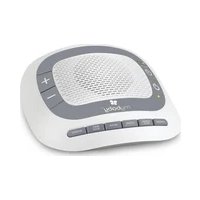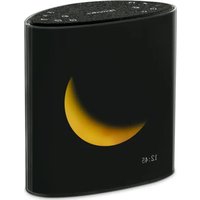
SS-6200 - Bluetooth speaker HOMEDICS - Free user manual and instructions
Find the device manual for free SS-6200 HOMEDICS in PDF.


| Product type | Bluetooth speaker with sound machine and lunar display |
| Brand | HOMEDICS |
| Model | SS-6200 |
| Power supply | AC adapter (model PP-ADPSS6200) and CR2032 button cell battery |
| Speakers | 2 x 3 W |
| Connectivity | Bluetooth 5.0 |
| Bluetooth range | 10 meters (33 feet) |
| Built-in sounds | 18 (10 nature sounds, 8 original music tracks) |
| Alarms | Two independent alarms (AL1/AL2) with 60-minute duration |
| Snooze | 9 minutes, up to 7 repetitions |
| Sleep timer | 15, 30 or 60 minutes |
| Display | OLED with perpetual calendar (year, month, date, time) |
| Lunar display | 9 projected lunar phases |
| Adjustable brightness | 4 levels for clock and lunar display |
| Warranty | 1 year (manufacturing defects) |
| Care and cleaning | Clean with a soft, dry cloth; do not use abrasive products or solvents |
| Safety | Keep out of reach of children, do not use near water, do not use an unauthorized adapter |
| Replacement parts | AC adapter (PP-ADPSS6200) and CR2032 battery |
| General information | Made in China, distributed by Homedics LLC |
Frequently Asked Questions - SS-6200 HOMEDICS
User questions about SS-6200 HOMEDICS
0 question about this device. Answer the ones you know or ask your own.
Ask a new question about this device
Download the instructions for your Bluetooth speaker in PDF format for free! Find your manual SS-6200 - HOMEDICS and take your electronic device back in hand. On this page are published all the documents necessary for the use of your device. SS-6200 by HOMEDICS.
USER MANUAL SS-6200 HOMEDICS
sound machine + Bluetooth® speaker
instruction manual & warranty information
natural_image
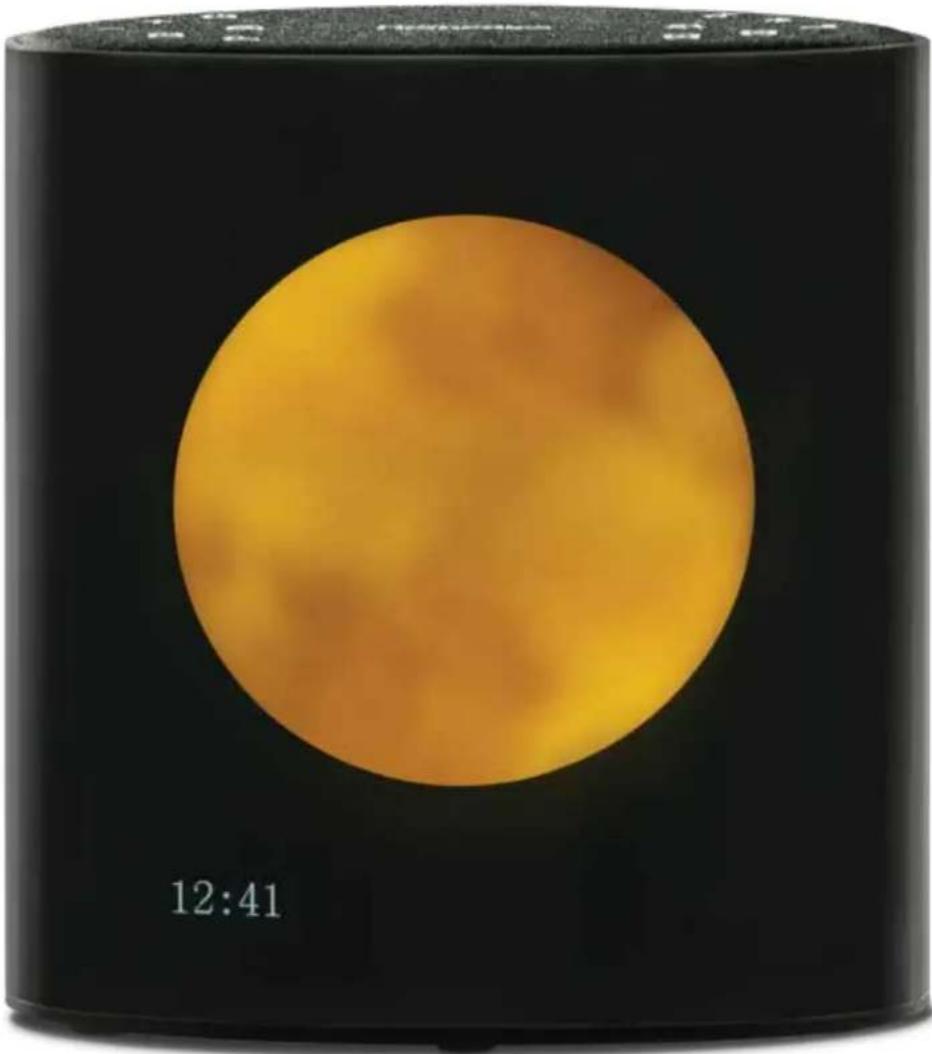
Black cylindrical container with a large orange circular display, labeled '12:41' at the bottom (no other text or symbols visible)READ AND SAVE THESE INSTRUCTIONS
IMPORTANT SAFETY INSTRUCTIONS - WHEN USING AN ELECTRICAL APPLIANCE, BASIC PRECAUTIONS SHOULD ALWAYS BE FOLLOWED, INCLUDING THE FOLLOWING:
READ ALL INSTRUCTIONS BEFORE USING.
- All packing material, such as tags and packaging locks, are not part of this product and should be discarded for your child's safety.
- DO NOT PLACE SPEAKERS TOO CLOSE TO EARS. MAY CAUSE DAMAGE TO EAR DRUMS, ESPECIALLY IN YOUNG CHILDREN.
- This product is not a toy and is not intended for use or play by children.
- Use this product only for its intended use as described in this manual.
- DO NOT use attachments not recommended by Homedics.
- DO NOT place or store this product where it can fall or be dropped into a tub or sink.
- DO NOT place or drop into water or any other liquid.
- NEVER operate this product if it has a damaged cord, plug, cable, or housing.
- Keep away from heated surfaces.
- Only set on dry surfaces. Do not place on surface wet from water or cleaning solvents.
- This unit should not be used by children without adult supervision.
- Always keep the product away from high temperatures and fire.
- Do not use any other AC adapter than what is supplied with the product. Use of any other AC adapter may damage the product and may increase risk of harm to user or property. Only AC adapter bearing the Part #: PP-ADPSS6200 should be used.
- This product is intended for indoor, household use only.
- All servicing of this product must be performed by authorized Homedics Service Personnel only.
- Remove and immediately recycle or dispose of used batteries according to local regulations and keep away from children. DO NOT dispose of batteries in household trash or incinerate.
- Even used batteries may cause severe injury or death.
- Call a local poison control center for treatment information.
- Provided battery is a non-rechargeable CR2032, 3VDC.
• Non-rechargeable batteries are not to be recharged. - Do not force discharge, recharge, disassemble, heat above (manufacturer's specified temperature rating) or incinerate. Doing so may result in injury due to venting, leakage or explosion resulting in chemical burns.
- Even used batteries may cause severe injury or death.
- Ensure the batteries are installed correctly according to polarity (+ and -)
- Do not mix old and new batteries, different brands or types of batteries, such as alkaline, carbon-zinc, or rechargeable batteries.
- Remove and immediately recycle or dispose of batteries from equipment not used for an extended period of time according to local regulations.
- Always completely secure the battery compartment. If the battery compartment does not close securely, stop using the product, remove the batteries, and keep them away from children.

WARNING
• INGESTION HAZARD: This product contains a button cell or coin battery.
- DEATH or serious injury can occur if ingested.
- A swallowed button cell or coin battery can cause Internal Chemical Burns in as little as 2 hours.
- KEEP new and used batteries OUT OF REACH of CHILDREN.
- Seek immediate medical attention if a battery is suspected to be swallowed or inserted inside any part of the body.

what's in the box
01
natural_image
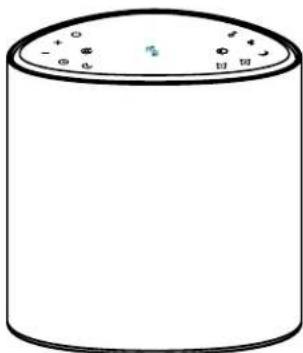
Simple line drawing of a cylindrical container with lid and side markers (no text or symbols)sound machine + Bluetooth® speaker
02
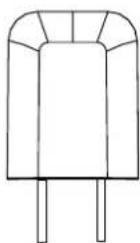
AC adapter
03
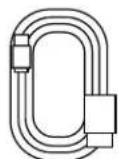
usbadapter
cable
04
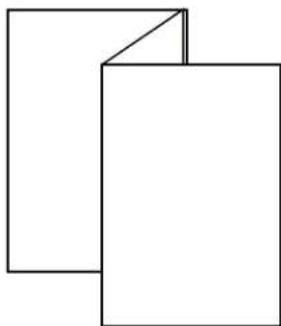
natural_image
Two overlapping rectangular shapes with no text or symbolsquick-startguidesafety/
05
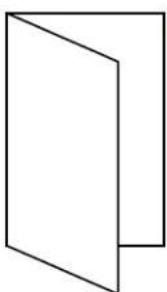
natural_image
Simple line drawing of a 3D rectangular box with no text or symbolswarranty card
- Before using this device, please read this manual carefully and keep it for future reference.
- DO NOT immerse the machine in water or other liquids.
- DO NOT press two or more keys at the same time.
- To avoid operation failure, the interval between key presses must be more than 1 second.
enable battery backup
- Pull battery tab to ensure that the time is kept during brief power outage.
- Replace battery with a CR2032 when the battery is depleted.
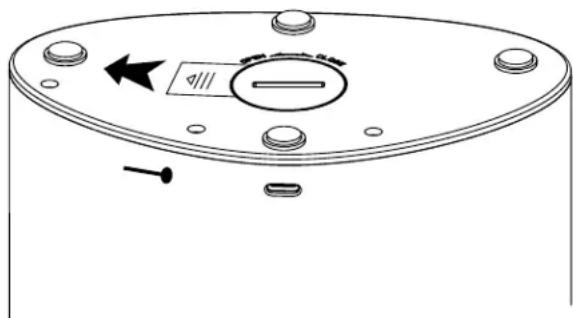
connect to power and switch ON sound machine + Bluetooth® speaker
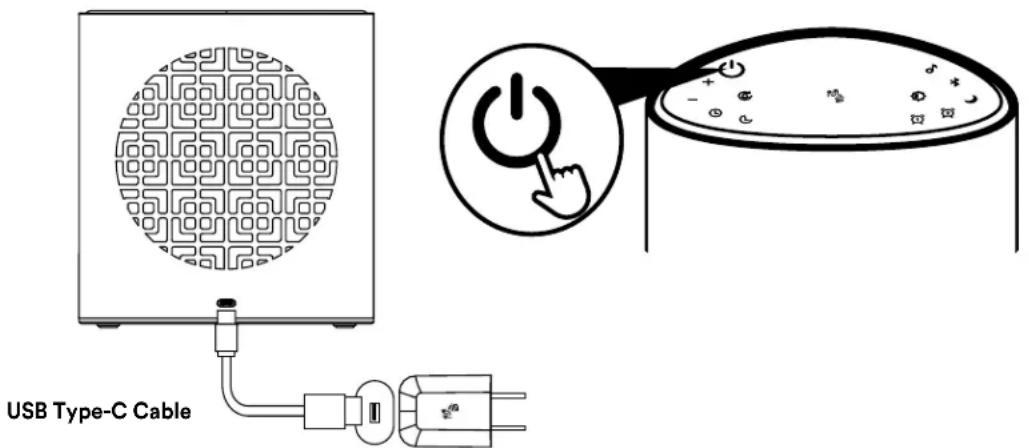
- Connect the Type-C Cable to the USB-C port on the back of the machine, plug the power adapter (5V/2A) into an AC (mains) power outlet, and the display in the front will start to flash.
- Press any button and the display will show 12:00.
- Short press the power button to turn on the Bluetooth® status screen by default. The Bluetooth® indicator flashes to enter the pairing mode. Short press to turn off Bluetooth® or built-in sound track display 12:00.
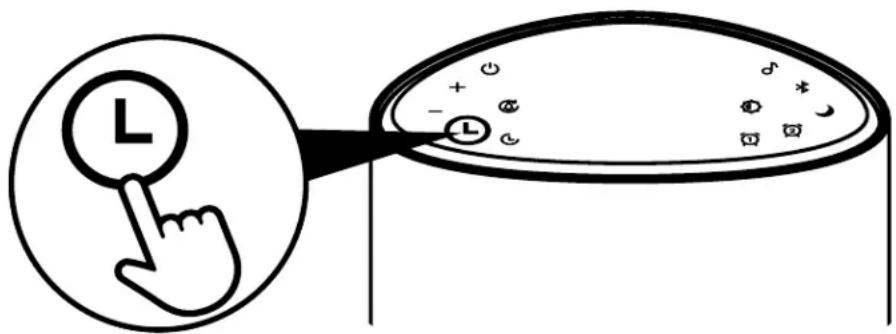
- To enter the time setting mode, press and hold the Time set button for 2 seconds until the hour starts flashing. Use the volume +/- buttons for short presses to adjust the hour and for long presses to quickly adjust it. Once done, press the minute button to make it flash, then use the volume +/- buttons for short presses to adjust the minute, and for long presses to quickly adjust it.
- Keep short-pressing to access the year setting mode, indicated by the year flashing. Utilize the volume +/- buttons for short presses to adjust the year and for long presses to quickly adjust it. Next, press the month button to make it flash, then use the volume +/- buttons for short presses to adjust the month. Lastly, press the date button to make it flash, and long press to quickly adjust it.
- Finally, short press to complete the time setting.
- Short press to view the year, month and date.
setting the timer
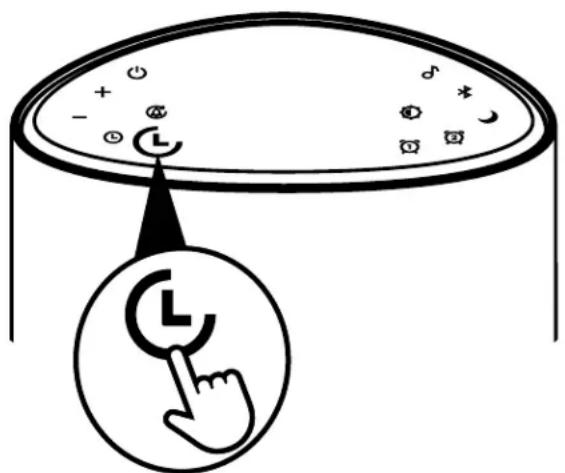
- With unit on, short press to select the timer setting: 15, 30 or 60 minutes and the screen will display the corresponding time, which can be selected cyclically.
- When the timer turns off, turn off the built-in sound track and Bluetooth® function.
moon phases: your sleep ally
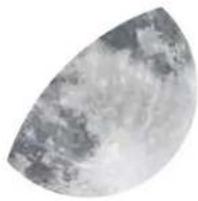
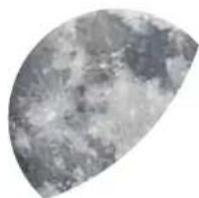
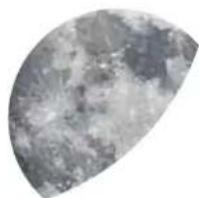
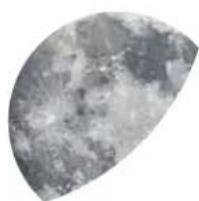
- unveil 9 moon phases, each casting a tranquil moonlight that transforms with the night
- the phases displayed are synchronized with the date entered and the lunar calendar

Fig. 1

Fig. 2
natural_image
Close-up of a curved, textured surface resembling a moon or moon with no visible text or symbolsFig. 3

natural_image
Close-up grayscale image of the Moon's surface showing craters and maria (no text or symbols)Fig. 4

natural_image
Close-up grayscale image of the Moon's surface showing craters and maria (no text or symbols)Fig. 5

natural_image
Close-up of a textured, cloud-like surface resembling the Moon or moonlight (no text or symbols visible)Fig. 6
natural_image
Close-up of a textured, semi-circular surface with no visible text or symbolsFig. 7

Fig. 8

Fig. 9
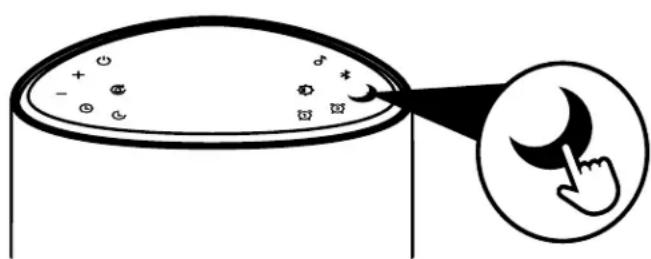
- short press moon button ↕ to adjust the brightness of the moon display
- short press of sun button ⚙ adjusts the brightness of the clock display
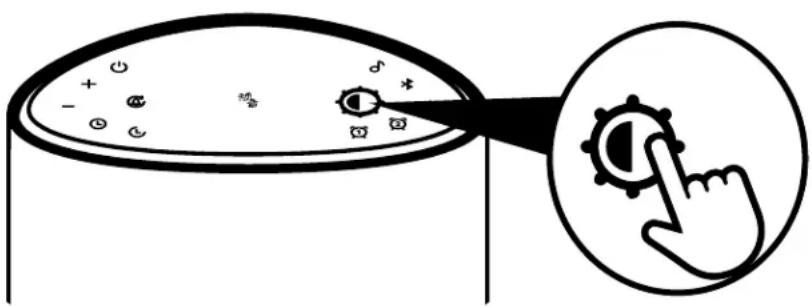
- When the clock is on, short press to adjust the brightness of the clock display: high, medium, low, off.
- When the brightness of the OLED display backlight is in the off mode, short press any button (except the clock brightness adjustment button) and it will light up for 5 seconds and then turn off automatically.
- When the timer has stopped, turn off the built-in sound track and Bluetooth® function.
setting the alarm
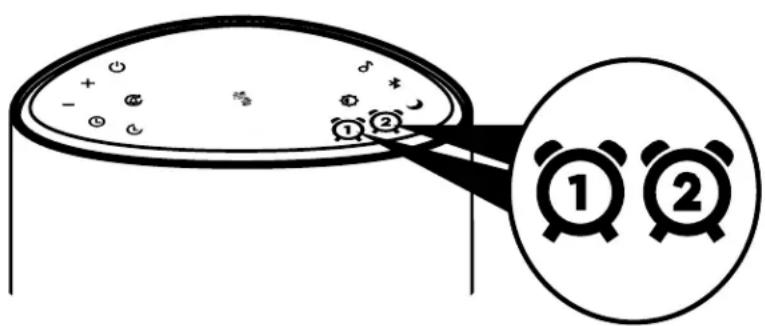
- Short press to turn off/on the alarm clock. The alarm clock symbol will be displayed on the screen when it is turned on, and the alarm clock symbol will be off when it is turned off.
- Long press for 2 seconds to enter the time setting of alarm clock 1 or alarm clock 2. The hour flashes, short press the volume +/- button to adjust the hour, then short press the minute to flash. Short press the volume +/- to adjust the minute, and then short press the screen to appear Buzz. Short press the volume +/- button to select the alarm clock sound, the screen displays Buzz or the built-in sound track Spa01-Spa18. Short press the alarm clock button to confirm the alarm sound and enter the alarm clock volume setting by short pressing the volume +/- button to adjust the volume of the alarm clock sound. Finally, short press the alarm clock button to finish.
- When alarm clock 1 or alarm clock 2 sounds, short press any button (except the snooze button) to stop the alarm clock.
- When the timer goes off, turn off the built-in sound track and Bluetooth® function.
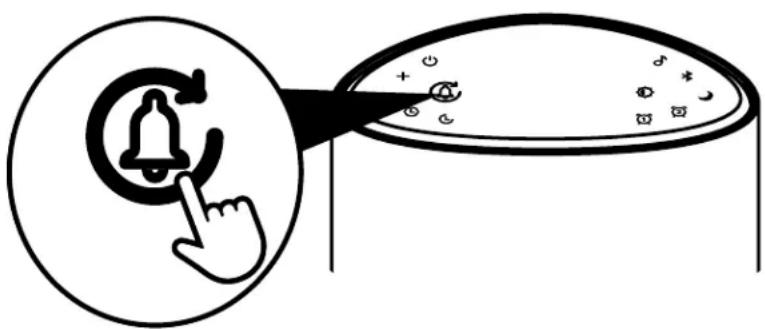
When the alarm clock sounds, short press the snooze button to enter the 9-minute snooze. The snooze icon and the alarm clock icon flash on the display. You can snooze up to 7 times.
moon phase brightness adjustment
natural_image
Diagram showing a container with particles and a hand pointing at it, with an inset magnifying the hand (no text or symbols)- While the unit is on, the moon phase light mode is turned on by default.
- Short press to adjust the brightness of the moon phase light: high, medium, low, off.
built-in music mode
natural_image
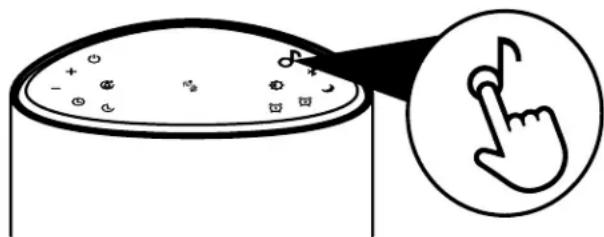
Simple line drawing of a container with a magnified view showing a pointing hand gesture (no text or symbols)- While the unit is on, short press to start the built-in music play. The music icon on the screen lights up, and the first tune is played by default. Short press the music key to select one of 18 music selections. The selection order is: Skylark, New Jump, Forest Walk, Companion, Clouds, Sky Castle, Moonlight, Moonlight Etude in B Minor, Insects Singing in Summer Night, Trickling Stream, Small Rain in the Forest, Frogs Croaking After the Rain, Campfire, Swelling Waves, Thunder and Rain, Old Clock Ticking, White Noise and Heartbeat.
- Short press the power button to shut down the music play.
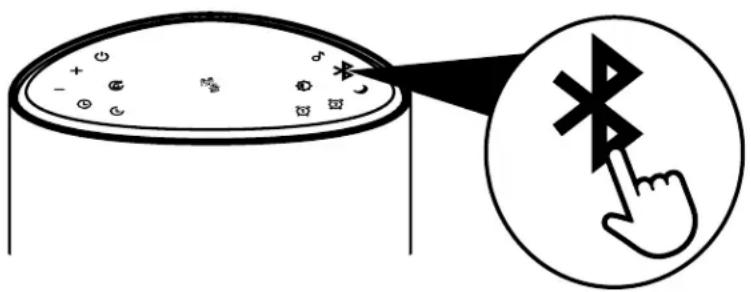
- While the unit is on, the Bluetooth® function is turned on by default, and the Bluetooth® light flashes quickly.
- Select "Moon Speaker" from the pairing options on your smart device with Bluetooth® enabled to connect and pair. After the connection is successful, the product will sound "Bluetooth® connected", and the Bluetooth® logo on the screen will be on.
- To disconnect from Bluetooth ^® , press and hold the bluetooth button for 2 seconds, and the prompt “Bluetooth ^® has been disconnected” will sound, and the Bluetooth ^® logo on the screen will flash quickly.
- When the Bluetooth® logo on the screen flashes quickly, you can reconnect according to step 2.
connectivity faq
- The working range of Bluetooth® wireless connection is within 33 feet (10 meters). However, this range may vary due to other factors such as room layout, wall materials, obstacles, device's Bluetooth® performance, etc. If you have trouble connecting to the product, please move your Bluetooth® device closer to the product.
- When the Bluetooth® function is turned on, if no device is paired with the product within 15 minutes, the Bluetooth® function will be automatically turned off, and the Bluetooth® logo on the display screen will go out.
- After the product is connected to the device via Bluetooth ^® , if there is no music playing within 15 minutes, the Bluetooth ^® function will automatically turn off, and the Bluetooth ^® icon on the display will go out.
product features
- OLED display perpetual calendar function (display year, month, date, time)
• Time: 12-hour display - Moon phase mode display
- 5.0 Bluetooth® voice playback (10 natural sounds/8 original music)
- Two sets of alarms (AL1/AL2); each set of alarms lasts 60 minutes
- 9-minute snooze function (can be repeated for 60 minutes)
- Sleep timer with 15, 30 or 60 minutes
• 4 brightness levels for OLED clock display - 2×3W speaker
Product Description: sound machine + Bluetooth® speaker
Model Numbers: SS-6200
Trade Name: Homedics
FCC Compliance Statement
This device complies with Part 15 of the FCC Rules. This device contains license-exempt transmitter/receiver that complies with Innovation, Science and Economic Development Canada's license-exempt RSS(s). Operation is subject to the following two conditions: (1) This device may not cause harmful interference, and (2) This device must accept any interference received, including interference that may cause undesired operation.
U.S. Contact Information
Company: Homedics, LLC.
Address: 3000 N. Pontiac Trail, Commerce Township, MI 48390
8:30am-7:00pm EST Monday-Friday 1-800-466-3342
Homedics is not responsible for any radio or TV interference caused by unauthorized modifications to this equipment. Such modifications could void the user authority to operate the equipment.
This equipment has been tested and found to comply with the limits for a Class B digital device, pursuant to Part 15 of the FCC Rules. These limits are designed to provide reasonable protection against harmful interference in a residential installation. This equipment generates, uses, and can radiate radio frequency energy and, if not installed and used in accordance with the instructions, may cause harmful interference to radio communications. However, there is no guarantee that interference will not occur in a particular installation. If this equipment does cause harmful interference to radio or television reception, which can be determined by turning the equipment off and on, the user is encouraged to try to correct the interference by one or more of the following measures:
- Reorient or relocate the receiving antenna.
- Increase the separation between the equipment and receiver.
- Connect the equipment to an outlet on a circuit different from that to which the receiver is connected.
- Consult the dealer or an experienced radio/TV technician for help.
CAN ICES-003(B)/NMB-003(B)
RF Exposure Statement
This equipment complies with FCC and ISED RF radiation exposure limits set forth for an uncontrolled environment. This equipment should be installed and operated with a minimum distance of 20 cm between the radiator and your body. This transmitter must not be co-located or operated in conjunction with any other antenna or transmitter.
Homedics sells its products with the intent that they are free of defects in manufacture and workmanship for a period of 1 year from the date of original purchase, except as noted below. Homedics warrants that its products will be free of defects in material and workmanship under normal use and service. This warranty extends only to consumers and does not extend to Retailers.
To obtain warranty service on your Homedics product, contact a Consumer Relations representative for assistance. Please make sure to have the model number of the product available.
Homedics does not authorize anyone, including but not limited to Retailers, the subsequent consumer purchaser of the product from a Retailer, or remote purchasers, to obligate Homedics in any way beyond the terms set forth herein. This warranty does not cover damage caused by misuse or abuse; accident; the attachment of any unauthorized accessory; alteration to the product; improper installation; unauthorized repairs or modifications; improper use of electrical/power supply; loss of power; dropped product; malfunction or damage of an operating part from failure to provide manufacturer's recommended maintenance; transportation damage; theft; neglect; vandalism; or environmental conditions; loss of use during the period the product is at a repair facility or otherwise awaiting parts or repair; or any other conditions whatsoever that are beyond the control of Homedics.
This warranty is effective only if the product is purchased and operated in the country in which the product is purchased. A product that requires modifications or adoption to enable it to operate in any other country than the country for which it was designed, manufactured, approved, and/or authorized, or repair of products damaged by these modifications is not covered under this warranty.
THE WARRANTY PROVIDED HEREIN SHALL BE THE SOLE AND EXCLUSIVE WARRANTY. THERE SHALL BE NO OTHER WARRANTIES EXPRESS OR IMPLIED, INCLUDING ANY IMPLIED WARRANTY OF MERCHANTABILITY OR FITNESS OR ANY OTHER OBLIGATION ON THE PART OF THE COMPANY WITH RESPECT TO PRODUCTS COVERED BY THIS WARRANTY. Homedics SHALL HAVE NO LIABILITY FOR ANY INCIDENTAL, CONSEQUENTIAL, OR SPECIAL DAMAGES. IN NO EVENT SHALL THIS WARRANTY REQUIRE MORE THAN THE REPAIR OR REPLACEMENT OF ANY PART OR PARTS THAT ARE FOUND TO BE DEFECTIVE WITHIN THE EFFECTIVE PERIOD OF THE WARRANTY. NO REFUNDS WILL BE GIVEN. IF REPLACEMENT PARTS FOR DEFECTIVE MATERIALS ARE NOT AVAILABLE, Homedics RESERVES THE RIGHT TO MAKE PRODUCT SUBSTITUTIONS IN LIEU OF REPAIR OR REPLACEMENT.
This warranty does not extend to the purchase of opened, used, repaired, repackaged, and/or resealed products, including but not limited to sale of such products on internet auction sites and/or sales of such products by surplus or bulk resellers. Any and all warranties or guarantees shall immediately cease and terminate as to any products or parts thereof that are repaired, replaced, altered, or modified, without the prior express and written consent of Homedics.
This warranty provides you with specific legal rights. You may have additional rights that may vary from country to country. Because of individual country regulations, some of the above limitations and exclusions may not apply to you.
For more information regarding our product line in the USA, please visit www.Homedics.com. For Canada, please visit www.Homedics.ca.
FOR SERVICE IN THE USA
cservice@Homedics.com
8:30am-7:00pm EST Monday-Friday
1-800-466-3342
FOR SERVICE IN CANADA
cservice@Homedics.ca
8:30am-5:00pm EST Monday-Friday
1-888-225-7378
©2024 Homedics, LLC. All rights reserved.
Homedics is a registered trademark of Homedics, LLC. The Bluetooth® word mark and logos are registered
trademarks owned by Bluetooth SIG, Inc. and any use of such marks by Homedics is under license.
Distributed by Homedics, LLC, 3000 N Pontiac Trail, Commerce Township, MI 48390.
IB-SS2600
Made in China
Homedics ^MD
natural_image
Black cylindrical container with a large orange circular display, labeled '12:41' at the bottom (no other text or symbols visible)natural_image
Simple line drawing of a cylindrical container with lid and side markers (no text or symbols)natural_image
Two overlapping rectangular shapes with no text or symbolsnatural_image
Simple line drawing of a 3D rectangular box with no text or symbolsnatural_image
Close-up of a petal-shaped object with textured surface (no visible text or symbols)Fig. 3

natural_image
Close-up grayscale image of the Moon's surface showing craters and maria (no text or symbols)Fig. 4

natural_image
Close-up grayscale image of the Moon's surface showing craters and maria (no text or symbols)Fig. 5

natural_image
Close-up of a textured, cloud-like surface with no visible text or symbolsFig. 6
natural_image
Close-up of a textured, semi-circular surface with no visible text or symbolsFig. 7

Fig. 8

Fig. 9
natural_image
Diagram showing a container with particles and a magnified view of a pointing hand (no text or symbols)Adresse : 3000 N. Pontiac Trail, Commerce Township, MI 48390
POUR LE SERVICE AU CANADA
cservice@Homedics.ca
natural_image
Black cylindrical container with a large orange circular display, labeled '12:41' at the bottom (no other text or symbols visible)natural_image
Simple line drawing of a cylindrical container with lid and side markers (no text or symbols)natural_image
Two overlapping rectangular shapes with no text or symbolsnatural_image
Simple line drawing of a 3D rectangular box with no text or symbolsnatural_image
Close-up of a petal-shaped metallic object with textured surface (no visible text or symbols)Fig. 3

natural_image
Close-up grayscale image of the Moon's surface showing craters and maria (no text or symbols)Fig. 4

natural_image
Close-up grayscale image of the Moon's surface showing craters and maria (no text or symbols)Fig. 5

natural_image
Close-up of a textured, cloud-like surface resembling the Moon or moonlight (no text or symbols visible)Fig. 6
natural_image
Close-up grayscale image of the Moon's surface showing craters and maria (no text or symbols)Fig. 7

Fig. 8

Fig. 9
natural_image
Diagram showing a container with labeled items and an arrow pointing to a hand gesture (no text or symbols present)natural_image
Simple line drawing of a container with a pointing hand icon, no text or symbols presentEmpresa: Homedics, LLC.
Dirección: 3000 N. Pontiac Trail, Commerce Township, MI 48390
De lunes a viernes, de 8:30 a.m. a 7:00 p.m. EST 1-800-466-3342
8:30am-7:00pm EST Lunes-Viernes
1-800-466-3342
PARA SERVICIO EN CANADA
cservice@Homedics.ca
8:30am-5:00pm EST Lunes-Viernes
1-888-225-7378