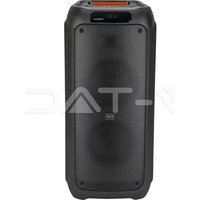
VT-6282-2 - Speaker V-TAC - Free user manual and instructions
Find the device manual for free VT-6282-2 V-TAC in PDF.


| Brand | V-TAC |
| Model | VT-6282-2 |
| Product type | Versatile wireless speaker |
| Power supply | Built-in rechargeable battery, charging via AC/DC power adapter |
| Battery life | 2 to 4 hours depending on usage |
| Initial charging time | 10 to 12 hours |
| Audio sources | Bluetooth, USB, SD/TF card, AUX, FM |
| Bluetooth function | Wireless connection for audio streaming |
| True Wireless Stereo (TWS) function | Pairing two speakers for stereo sound |
| Recording | Voice recording via microphone to USB drive or TF card |
| FM radio | Automatic channel scanning |
| Equalizer (EQ) | Modes Normal, Jazz, Rock, Pop, Classical |
| Repeat playback | Repeat one track or all tracks |
| Voice guide | Chinese and English languages (switchable) |
| Remote control | Included with numbered buttons and dedicated functions |
| Safety | Keep out of reach of children; do not open the device |
| Maintenance | Recharge regularly to preserve battery |
Frequently Asked Questions - VT-6282-2 V-TAC
User questions about VT-6282-2 V-TAC
0 question about this device. Answer the ones you know or ask your own.
Ask a new question about this device
Download the instructions for your Speaker in PDF format for free! Find your manual VT-6282-2 - V-TAC and take your electronic device back in hand. On this page are published all the documents necessary for the use of your device. VT-6282-2 by V-TAC.
USER MANUAL VT-6282-2 V-TAC
natural_image
Red and magenta portable speaker with two black buttons (no visible text or symbols)INTRODUCTION & WARRANTY
Thank you for selecting and buying V-TAC Product. V-TAC will serve you the best. Please read these instructions carefully & keep this user manual handy for future reference. If you have any another query, please contact our dealer or local vendor from whom you have purchased the product. They are trained and ready to serve you at the best.

Multi-Language Manual QR CODE
Please scan the QR code to access the manual in multiple languages.
(FR) INTRODUCTION
• Frequency Range: 2.4-2.48Ghz
- Working Distance: up to 15 meters in open space.
• Supporting: USB/TF card play
• FM Radio: frequency 87.5\~1080MHz
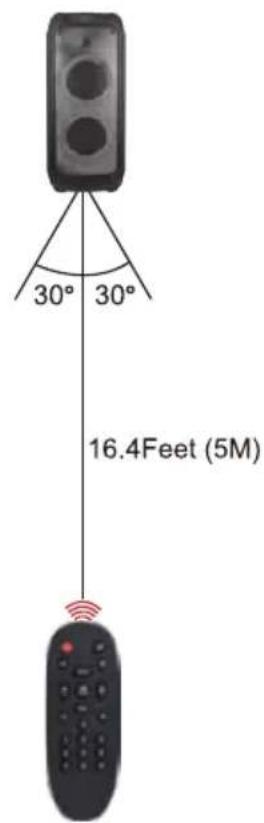
- Remote Control: up to 5m in open space.
• LED light with on/off Switch
• P.M.PO power: 1000w
- Distortion ≤ 1.0%
• Frequency response: 180Hz-20Khz
• Microphone sensitivity: -40dB
• Working time: Music time 2 to 4 hours
- Input jack: Aux input, wired microphone input
- Charging input power: DC 9V INPUT
(Power Adaptor - AC:100-240V)
- Charging time: 5 to 6 hours
Charging: The led light will be in red color
Full: When full-charged the led light will be in green color.
Working Time: 2 to 4 hours
Charging Time: 5 to 6 hours
PANEL FUNCTION
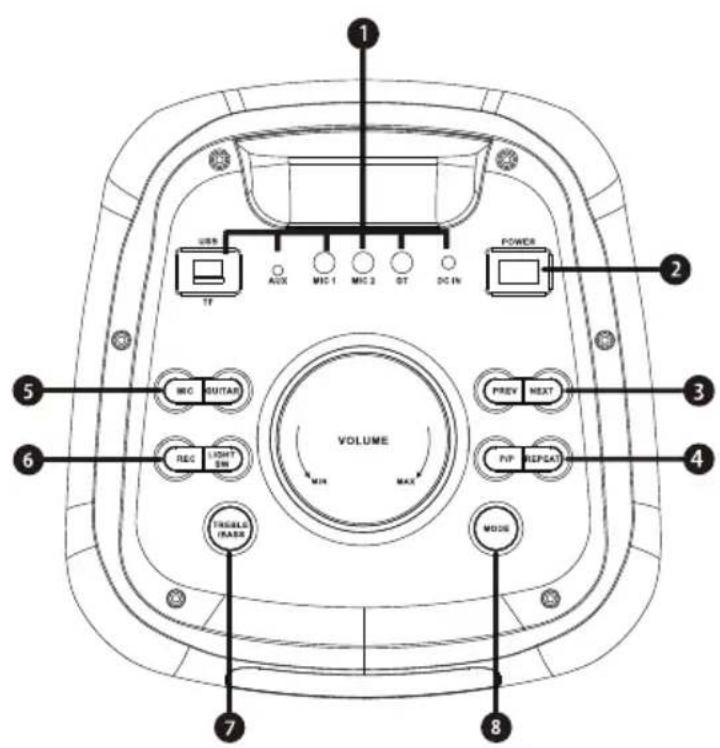
- USB / TF / AUX INPUT GUITAR MICROPHONE1 / MICROHPHONE2 INPUT JACK
- POWER ON/OFF
- PREVIOUS / NEXT SONG
- PAUSE / PLAY /REPEAT
- MIC: Short press then adjust volume to control mic volume; short press again and adjust volume to control mic echo.
GUITAR: Press then adjust volume to control guitar volume - REC / LIGHT SW
- TREBLE / BASS
- MODE (FM / AUX / BLUETOOTH / USB / TF / TWS MODE)
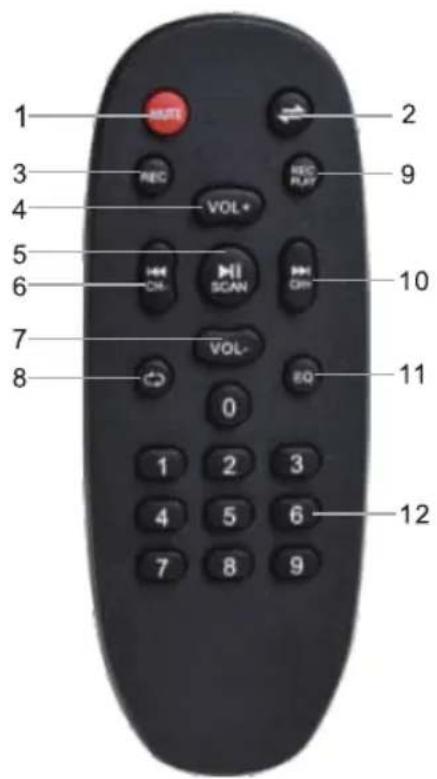
REMOTE FUNCTION
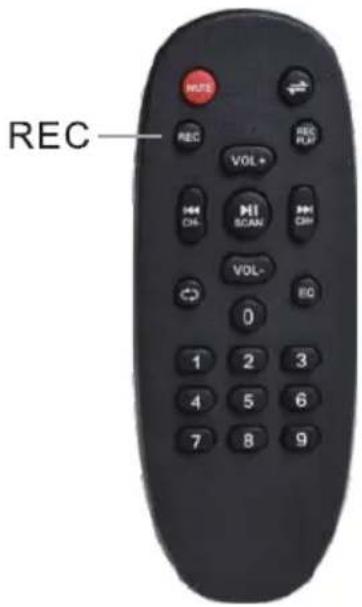
PICTURE 1
- MUTE: Press this button to mute the unit.
- Press this button to toggle between the various inputs (AUX,USB,SD,FM, BLUETOOTH), Long press this button to turn on/off the voice prompt.
- Press button to start recording.
- Press this button to increase the master volume for the unit.
- Press this button to pause or play the unit when it is on the mode of USB. When it is on the mode of FM, press this button to auto scan all channels. Long press to change language to Chinese/English for the voice prompt.
- Press this button to select the previous song/channels
- Press this button to reduce the master volume for the unit.
- Press this button to repeat one/repeat all.
- Press this button to play the recording.
- Press this button to select the next song/channel.
- Press this button to the EQ mode of Normal, Jazz, Rock, POP & Classical
- 0-9, Key number for selecting the certain songs in the USB/SD/TF Card.
REC FUNCTION
HOW TO USE RECORDING FUNCTION:
STEP 1: Make sure the unit is switched on, and there is a USB memory stick or TF card inserted in the slot.
STEP 2: Plug and test the microphone upon plugging. The device is ready to record once your voice is audible from the speaker.
STEP 3:
Press the button 'REC' on the remote control to start/stop recording, you are freely to rec what you want.
Press the button 'REC PLAY' to play your recording.
PICTURE 2
TWS FUNCTION
You can connect your one speaker with another speaker and enjoy a True Wireless Stereo experience.
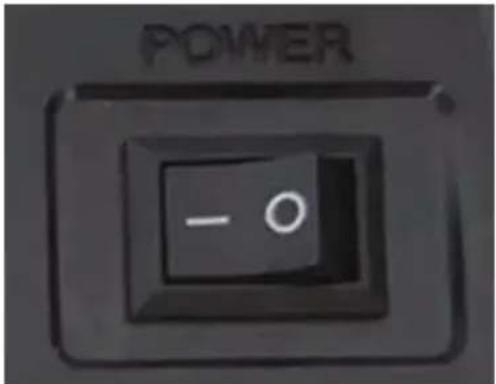
- Turn ON speaker NO.1 (Master speaker).
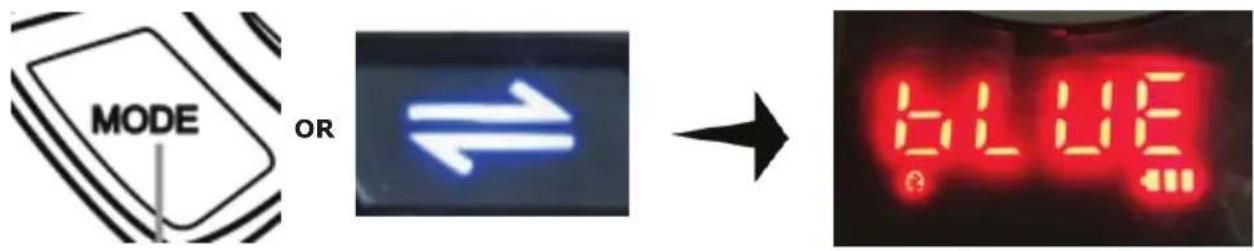
- Press MODE button to interchange bluetooth function (screen message bLUE)
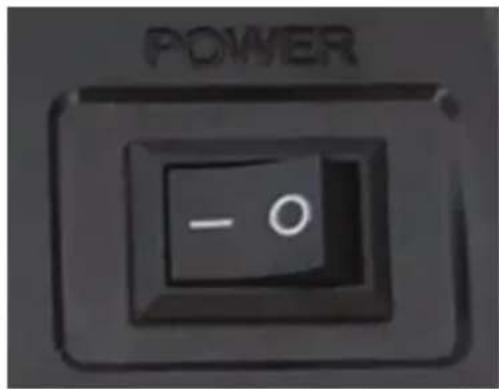
- Turn ON speaker NO.2 (Slave speaker).
- Press MODE button (Slave speaker) to interchange bluetooth function (screen message bLUE)

- Keep pressing "NEXT" button (Slave speaker) until "BLUETOOTH CONNECTED" voice, The speakers will pair automatically

- Connect your audio device to the MASTER speaker and enjoy TRUE WIRELESS STEREO sound.
WIRELESS FUNCTION
STEP 1: Press the mode button on front panel to launch the bluetooth application. This will show the Bluetooth logo show on the screen.
STEP 2: Toggle the Bluetooth switch on to activate. The device will automatically begin to scan for nearby Bluetooth devices.
STEP 3: Tap "V-TAC VT-6282-2" on your list of devices. Depending on the device you are trying to connect the speaker to, it may be necessary to enter a pass code. Enter the default passcode "0000" if prompted by the device. Then, wait for your device to be connected successfully.
STEP 4: Tap the entry for bluetooth accessory when it is detected by the smart phone or computer and displayed on the screen. Then it can use bluetooth to operate in conjunction with accessory.
INSTRUCTIONS
- This unit uses a rechargeable battery. When the battery power is depleted, please plug the device to an electric socket with the correct input voltage.
- When the unit is charging, please make sure to switch on the AC/DC option, then safely unplug when finished.
- On first use, the battery must be charged for 10 to 12 hours.
- The unit's battery working time lasts up to 2 to 4 hours, depending on the usage.
ATTENTION
- To maintain battery life, please charge the battery every time the power is completely depleted. Damage may occur if the battery is not charged for longer periods, so please use and charge the battery at regular intervals.
- Our company reserves the right to update the product without any notice.
- If you have any issue with the product, kindly contact a professional technician. Do not open the unit yourself.
- For safety reasons, keep the device away from children.
TÉLÉCOMMANDE
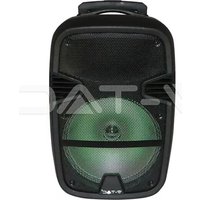


Brand : V-TAC
Model : VT-6282-2
Category : Speaker