VT6208 - Loudspeaker V-TAC - Free user manual and instructions
Find the device manual for free VT6208 V-TAC in PDF.


| Brand | V-TAC |
| Model | VT6208 |
| Product type | Portable speaker |
| Power supply | Built-in rechargeable battery, charges via AC/DC adapter |
| Charging time | Approximately 10 to 12 hours for the first charge |
| Battery life | 2 to 4 hours depending on usage |
| Connectivity | Bluetooth, AUX input, USB, SD/TF card reader, FM radio |
| Main functions | USB/SD playback, FM radio, microphone recording, voice guide (Chinese/English), equalizer (Normal, Jazz, Rock, Pop, Classic) |
| Control buttons | MUTE, mode, volume +/-, play/pause, previous/next, repeat, REC, playback recording, EQ, numbered keys 0-9 |
| Inputs | AUX, USB, TF/SD card, microphone (jack) |
| Voice guide | Activate/deactivate by long press on mode button; change language Chinese/English |
| Automatic FM scan | Press the play/pause button in FM mode |
| Recording | Requires a USB drive or TF card inserted; press REC to start/stop; press REC/PLAY to listen |
| Maintenance and cleaning | Use a soft, dry cloth; do not use abrasive products or liquids |
| Safety | Keep out of reach of children; do not open the device; contact a professional technician if a problem occurs |
| Spare parts and repairability | Contact the distributor or an authorized technician; do not disassemble yourself |
| General information | Full manual downloadable from notice-facile.com; questions possible via AI |
Frequently Asked Questions - VT6208 V-TAC
User questions about VT6208 V-TAC
0 question about this device. Answer the ones you know or ask your own.
Ask a new question about this device
Download the instructions for your Loudspeaker in PDF format for free! Find your manual VT6208 - V-TAC and take your electronic device back in hand. On this page are published all the documents necessary for the use of your device. VT6208 by V-TAC.
USER MANUAL VT6208 V-TAC
Thank you for selecting and buying V-TAC Product. V-TAC will serve you the best. Please read these instructions carefully & keep this user manual handy for future reference. If you have any another query, please contact our dealer or local vendor from whom you have purchased the product. They are trained and ready to serve you at the best.

Multi-Language Manual QR CODE
Please scan the QR code to access the manual in multiple languages.
(FR) INTRODUCTION
Frequency Range: 2.4-2.48Ghz
- Working Distance: up to 15 meters in open space.
- Supporting: USB/TF card play
FM Radio: frequency 87.5~1080MHz
- Remote Control: up to 5 meters in open space.
- LED light with on/off Switch
Output power: 15w
- Distortion ≤ 1.0%
Frequency response: 180Hz-20Khz
- Microphone sensitivity: -40dB
- Working time: Music time 2 to 4 hours
- Input jack: Aux input, wired microphone input
- Charging input power: DC 5V (USB Cable)
- Charging time: 3 to 4 hours
CHARGING INDICATOR
Charging: The led light will be in red color
Full: When full-charged the led light will be in green color.
Charging Time: 3 to 4 hours
Working Time: 2 to 4 hours
PANEL FUNCTION
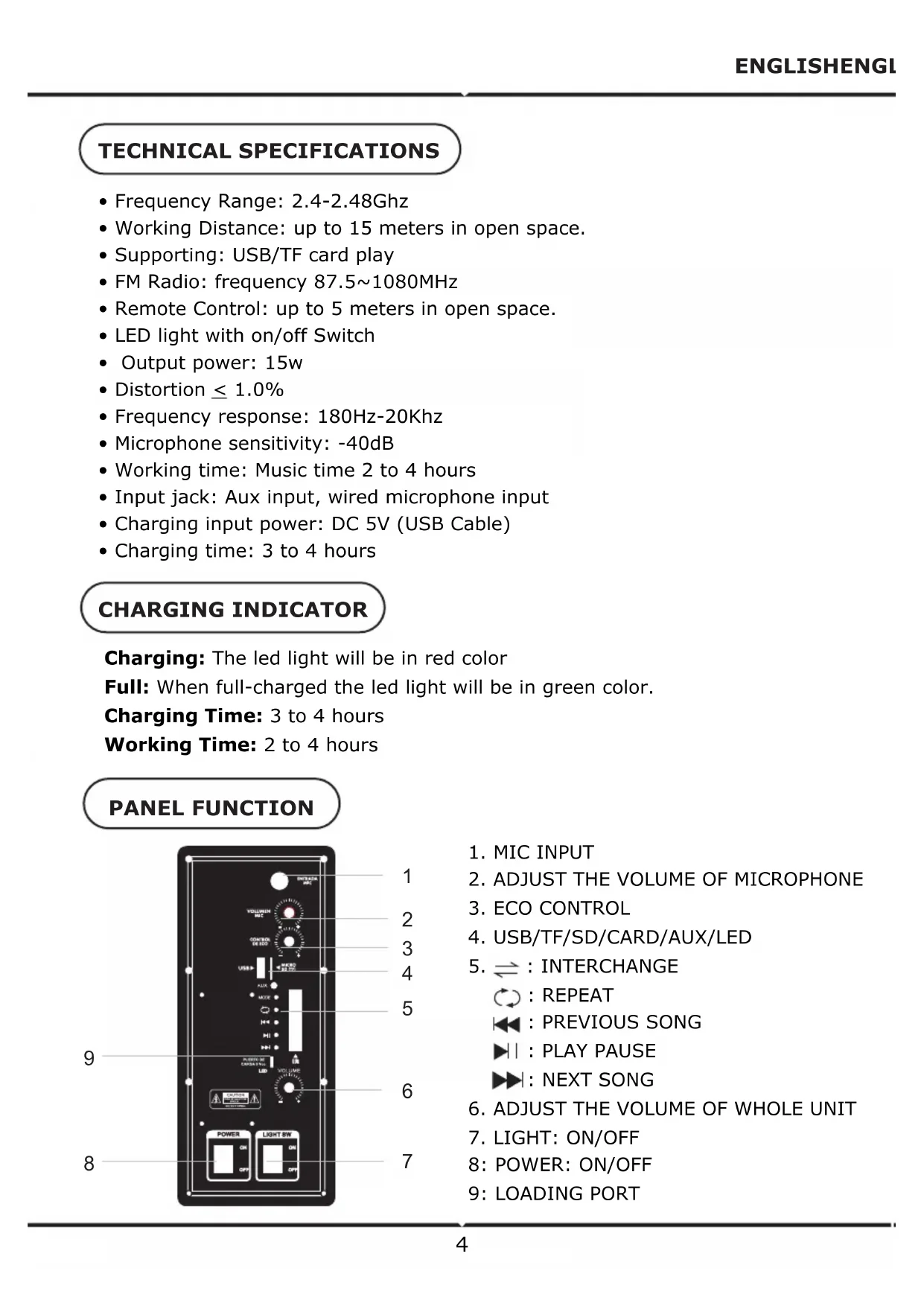
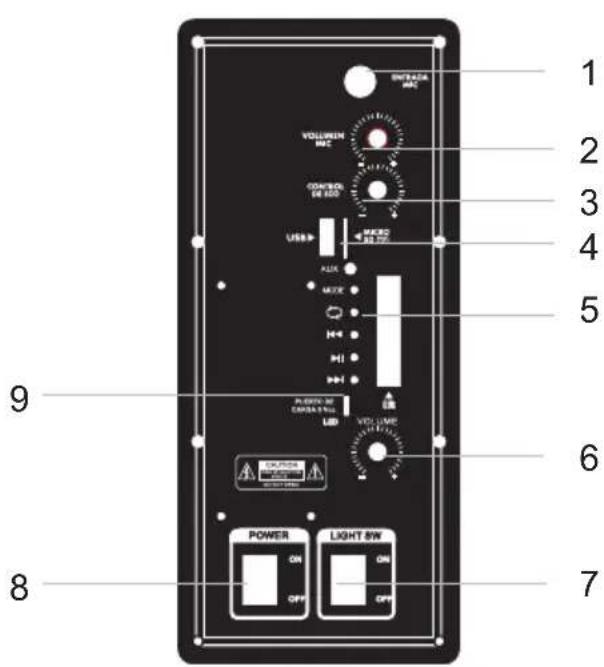
- MIC INPUT
- ADJUST THE VOLUME OF MICROPHONE
- ECO CONTROL
- USB/TF/SD/CARD/AUX/LED
- :INTERCHANGE
:REPEAT
: PREVIOUS SONG
I:PLAY PAUSE
NEXT SONG
-
ADJUST THE VOLUME OF WHOLE UNIT
-
LIGHT: ON/OFF
8: POWER: ON/OFF
9: LOADING PORT
REMOTE FUNCTION
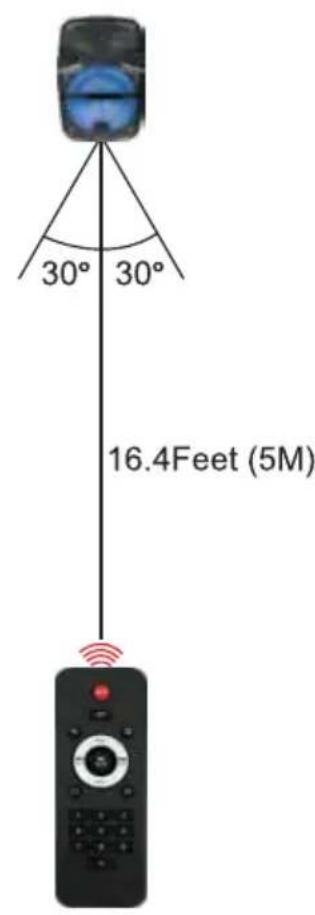
PICTURE 1
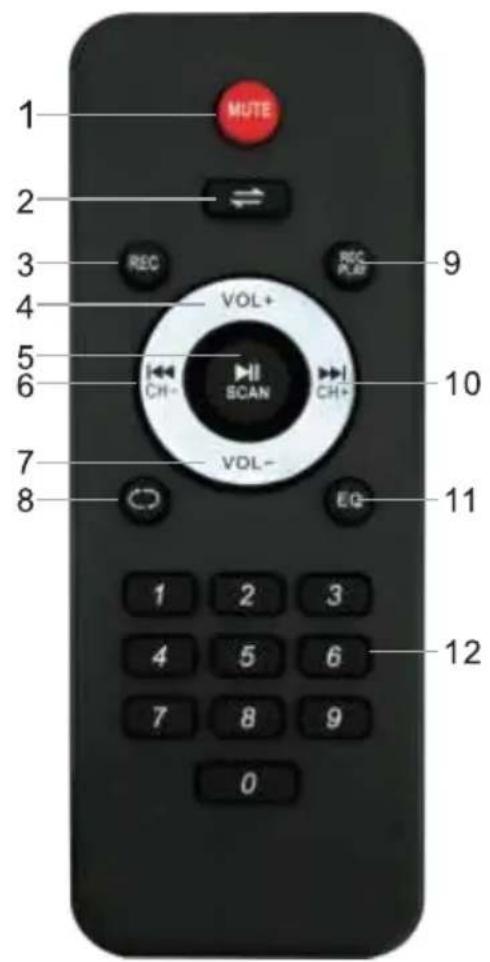
- MUTE: Press this button to mute the unit.
- Press this button to toggle between the various inputs (AUX,USB,SD,FM, BLUETOOTH), Long press this button to turn on/off the voice prompt.
- Press button to start recording.
- Press this button to increase the master volume for the unit.
- Press this button to pause or play the unit when it is on the mode of USB. When it is on the mode of FM, press this button to auto scan all channels. Long press to change language to Chinese/English for the voice prompt.
- Press this button to select the previous song/channels
- Press this button to reduce the master volume for the unit.
- Press this button to repeat one/repeat all.
- Press this button to play the recording.
- Press this button to select the next song/channel.
- Press this button to the EQ mode of Normal, Jazz, Rock, POP & Classical
- 0-9, Key number for selecting the certain songs in the USB/SD/TF Card.
REC FUNCTION
HOW TO USE RECORDING FUNCTION:
STEP 1: Make sure the unit is switched on, and there is a USB memory stick or TF card inserted in the slot.
STEP 2: Plug and test the microphone upon plugging. The device is ready to record once your voice is audible from the speaker.
STEP 3:
Press the button 'REC' on the remote control to start/stop recording, you are freely to rec what you want.
Press the button 'REC/PLAY' to play your recording.
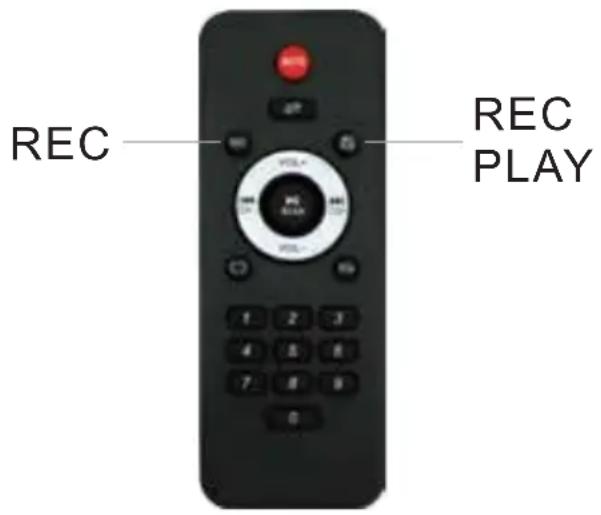
PICTURE 2
WIRELESS FUNCTION
STEP 1: Press the mode button on front panel to launch the bluetooth application. This will show the Bluetooth logo show on the screen.
STEP 2: Toggle the Bluetooth switch on to activate. The device will automatically begin to scan for nearby Bluetooth devices.
STEP 3: Tap "V-TAC VT-6208" on your list of devices. Depending on the device you are trying to connect the speaker to, it may be necessary to enter a pass code. Enter the default passcode "0000" if prompted by the device. Then, wait for your device to be connected successfully.
STEP 4: Tap the entry for bluetooth accessory when it is detected by the smart phone or computer and displayed on the screen. Then it can use bluetooth to operate in conjunction with accessory.
INSTRUCTIONS
- This unit uses a rechargeable battery. When the battery power is depleted, please plug the device to an electric socket with the correct input voltage.
- When the unit is charging, please make sure to switch on the AC/DC option, then safely unplug when finished.
- On first use, the battery must be charged for 10 to 12 hours.
- The unit's battery working time lasts up to 2 to 4 hours, depending on the usage.
ATTENTION
- To maintain battery life, please charge the battery every time the power is completely depleted. Damage may occur if the battery is not charged for longer periods, so please use and charge the battery at regular intervals.
- Our company reserves the right to update the product without any notice.
- If you have any issue with the product, kindly contact a professional technician. Do not open the unit yourself.
- For safety reasons, keep the device away from children.
TELECOMMANDE
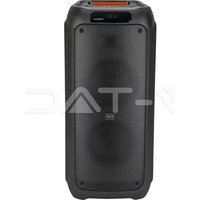
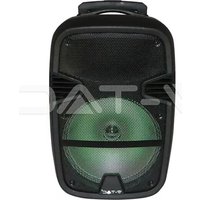
Brand : V-TAC
Model : VT6208
Category : Loudspeaker