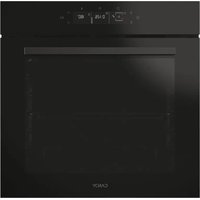
CA6 N5G3YTB - Oven CANDY - Free user manual and instructions
Find the device manual for free CA6 N5G3YTB CANDY in PDF.


User questions about CA6 N5G3YTB CANDY
0 question about this device. Answer the ones you know or ask your own.
Ask a new question about this device
Download the instructions for your Oven in PDF format for free! Find your manual CA6 N5G3YTB - CANDY and take your electronic device back in hand. On this page are published all the documents necessary for the use of your device. CA6 N5G3YTB by CANDY.
USER MANUAL CA6 N5G3YTB CANDY
text_image
QR code displayed inside a microwave oven with two circular buttons above and below the screen.English
Deutsch
Français
Italiano
Español
Ελληνικά
Nederlands
Português
Slovenčina
Slovenščina
Српски
Polski
Čeština
Dansk
Suomi
Norsk
Svenska
Казак
Русский
Українська
Български
Hrvatski
Română
Türkçe
العربيya
中文
Magyar
תָרִי
Lietuvių
Eesti
Latviešu
WELCOME
Thank you for choosing our product. To ensure your safety and get the best results, please read this manual carefully, including the safety instructions, and keep it for future reference.
Before installing the oven note the serial number, which you might need for repairs. Check for any damage during transportation and consult a technician if you're unsure before using it. Keep packaging materials away from children.
NOTE: Please note that the oven's features and accessories may vary depending on the model you purchased.
SUMMARY
1. SAFETY INFORMATION
2. PRODUCT INTRODUCTION
2.1. Overview of the product
2.2. Accessories
2.3. Control panel
2.4. Connectivity
3. BEFORE STARTING
3.1. Information to start
3.2. First usage
3.3. Preliminary cleanin
4. OPERATION OF PRODUCT
4.1. How the product works
4.2. Cooking functions
4.2.1. Standard functions
4.2.2. Special functions
5. COOKING GUIDELINES
5.1. General Cooking tables
5.2. Everyday Cooking tables
6. CARE & CLEANING
6.1. General recommendations
6.2. Cleaning the oven
6.2.1. Inside the oven: cleaning functions
6.2.2. Outside the oven: removal and cleaning the glass door
6.3. Cleaning of accessories
6.4. Maintenance
7. TROUBLESHOOTING
8. ENVIRONMENTAL PROTECTION & DISPOSAL
8.1. Appliance disposal
8.2. Saving and respecting the environment
9. INSTALLATION
GENERAL WARNINGS
- Do not use a steam cleaner for cleaning operations.
- CAUTION: in order to avoid a hazard due to inadvertent resetting of the thermal cut-out, this appliance must not be supplied through an external switching device, such as a timer, or connected to a circuit that is regularly switched on and off by the utility
- During use the appliance become hot. Care should be taken to avoid touching heating elements inside the oven.
Use in accordance with attendend use
- Only use the oven for its intended purpose, that is only for the cooking of foods: any other use, for example as a heat source, is considered improper and therefore dangerous. The manufacturer cannot be held responsible for any damage resulting from improper, incorrect or unreasonable usage.
Use limitations
- The appliance can be used by children aged from 8 years and above and persons with reduced physical, sensory or mental capabilities or lack of experience and knowledge if they have been given supervision or instruction concerning use of the appliance in a safe way and understand the hazards involved. Children shall not play with the appliance. Cleaning and maintenance shall not be made by children without supervision.
- This appliance is not intended to be used by persons (including children) with reduced physical, sensory or mental capabilities, or lack of experience and knowledge, unless they have been given supervision or instruction concerning use of the appliance by a person responsible for their safety.
- Children should be supervised to ensure that they do not play with the appliance.
- WARNING: the appliance and its accessible parts become hot during use. Care should be taken to avoid touching heating elements. Children less than 8 years of age shall be kept at away unless
continuously supervised.
- WARNING: Accessible parts may become hot during use. Young children should be kept away.
INSTALLATION WARNINGS
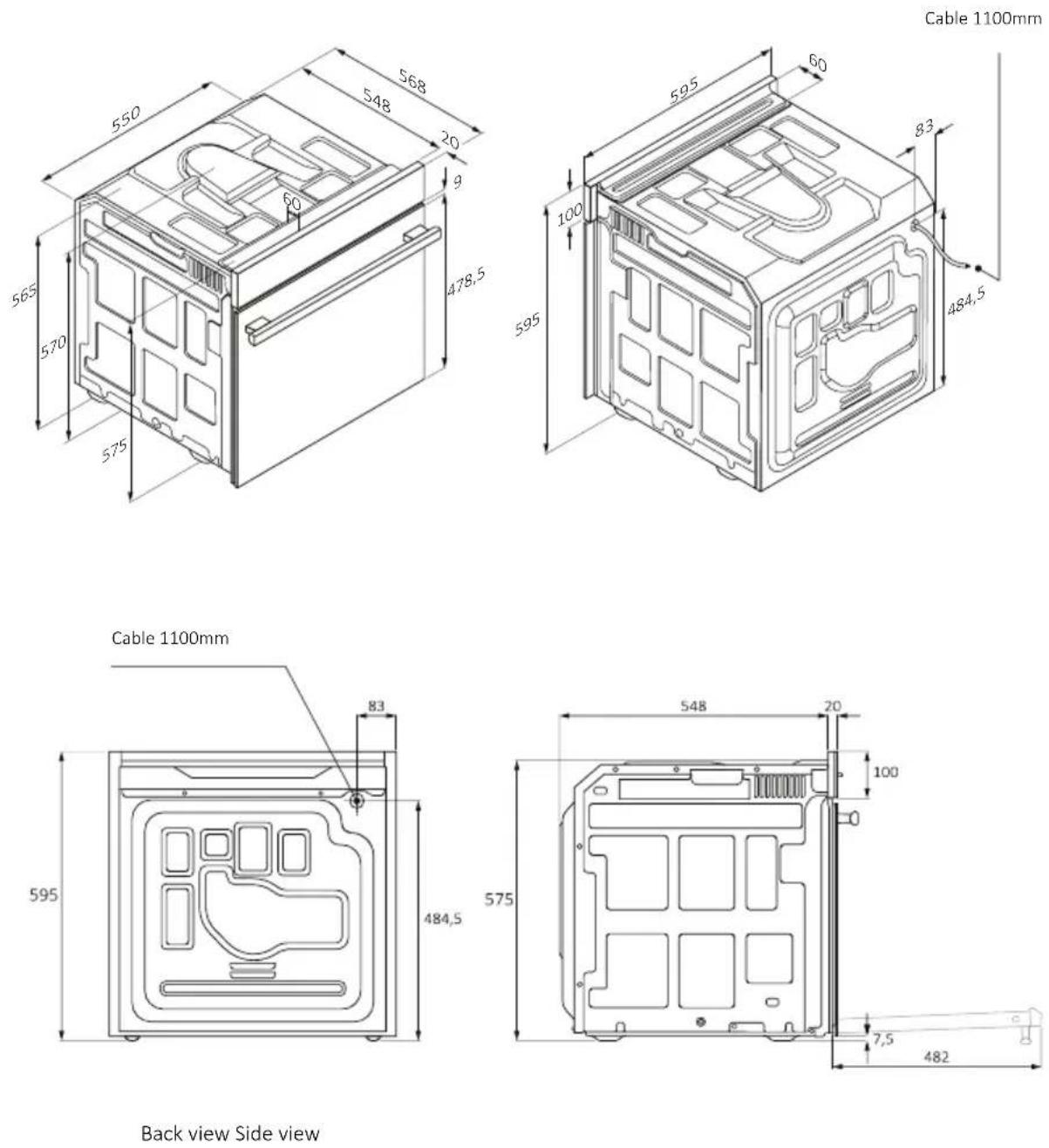
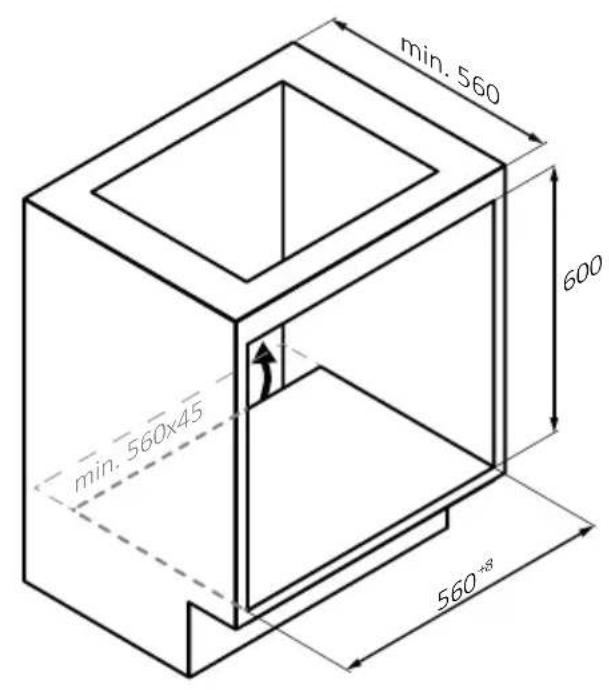
- The oven can be located high in a column or under a worktop.
- Before fixing, you must ensure good ventilation in the oven space to allow proper circulation of the fresh air required for cooling and protecting the internal parts. Make the openings specified on the illustrations according to the type of fitting. Always fix the oven to the furniture with screws provided with the appliance.
- No additional operation/setting is required in order to operate the appliance at the rated frequencies.
- The appliance must not be installed behind a decorative door in order to avoid overheating.
- During installation the oven should be disconnected from the mains to avoid overheating.
- If the assistance of the manufacturer is required to rectify faults arising from incorrect installation, this assistance is not covered by the guarantee. The installation instructions for professionally qualified personnel must be followed.
- Incorrect installation may cause harm or injury to people, animals or belongings. The manufacturer cannot be held responsible for such harm or injury.
- Installation must be carried on by a qualified technician who must know and respect the laws in force in the country of installation and the manufacturer's instruction.
- After unboxing the appliance, always check it is not damaged, in case of issue contact the customer service before installing and do not connect to the power supply.
- Remove the packaging material before operating the appliance.
- During installation do not use the oven door's handle to lift and move the oven.
- The installation furniture and the adjacent ones must withstand temperatures of 95°C.
- It is recommended to wear protective gloves during installation to avoid cut injuries.
- Do not install the product in open environments exposed to
atmospheric agents.
- This appliance is designed to be used at altitude lower than 2000m.
- To remove protective films and advertisement stickers on front surface of the oven before first usage
ELECTRICAL WARNINGS
- The socket must be suitable for the load indicated on the tag and must have ground contact connected and in operation. The earth conductor is yellow-green in colour. This operation should be carried out by a suitably qualified professional.
- Connection to the power source can be made by plug or by fixed wiring placing an omnipolar breaker, with contact separation compliant to the requirements for overvoltage category III, between the appliance and the power source that can bear the maximum connected load and that is in line with current legislation.
- In case of incompatibility between the socket and the appliance plug, ask a qualified electrician to substitute the socket with another suitable type. The plug and the socket must be conformed to the current norms of the installation country.
- The yellow-green earth cable should not be interrupted by the breaker. The socket or omnipolar breaker used for the connection should be easily accessible when the appliance is installed.
- If the supply cord is damaged, it must be replaced by the manufacturer, its service agent or similarly qualified persons in order to avoid a hazard. For any repairs, refer only to the Customer Care Department and request the use of original spare parts.
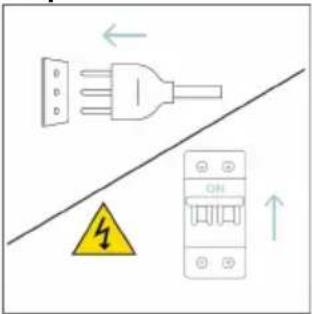
- Disconnect the appliance from the mains electricity supply before carrying out any work or maintenance on it.
- WARNING: ensure that the appliance is switched off before replacing the bulb, to avoid the possibility of electric shocks.
- The oven must be switched off before removing the removable parts. After cleaning, reassemble them according the instructions.
- The use of any electrical appliance implies the observance of some fundamental rules:
- do not pull on the power cable to disconnect the appliance from the power source;
- do not touch the appliance with wet or damp hands or feet;
- in general the use of adaptors, multiple sockets and extension cables is not recommended;
- in case of malfunction and /or poor operation, switch off the appliance and do not tamper with it.
- NOTE: as the oven could require maintenance work, it is advisable to keep another wall socket available so that the oven can be connected to this if it is removed from the space in which it is installed.
- Any repair, installation and maintenance not carried out correctly can seriously endanger the user.
- The manufacturing company hereby states that it does not assume any responsibility for direct or indirect damages caused by incorrect installation, maintenance, or repair work. Furthermore, it is not liable for damages caused by the absence or interruption of the grounding system (e.g., electric shock).
- CAUTION: in order to avoid a hazard due to inadvertent resetting of the thermal cut-out, this appliance must not be supplier through an external switching device, such as a timer, or connected to a circuit that is regularly switched on and off by the utility.
- The appliance is not designed to be activated by an external timer or separate remote control system.
USE & MANTEINANCE
- The dripping pan collects the residues that drip during cooking.
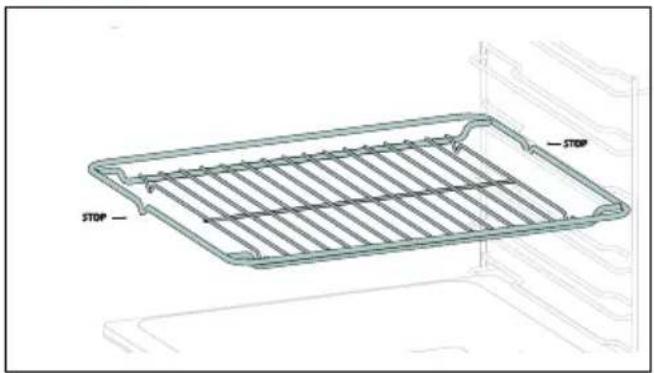
- When you place the Airfry tray or the grid on the side racks, make sure that the shorter section of the side (between the stop and the extremity) is directed towards the interior of the oven. If the grid has a decorative metal bar, pay attention to position it on the exterior of the oven so that the brand logo can be visible and readable. For the correct positioning refer also to the image in the Accessories section of this user manual.
- Do not use harsh abrasive cleaners or sharp metal scrapers to clean the oven door glasses, since they can scratch the surface, which may result in shattering of the glass.
- Only use the temperature probe recommended for this oven.
- During cooking, moisture may condense inside the oven cavity or on the glass of the door. This is a normal condition. To reduce this effect,
wait 10-15 minutes after turning on the power before putting food inside the oven. In any case, the condensation disappears when the oven reaches the cooking temperature.
- Cook the vegetables in a container with a lid instead of an open tray.
- Avoid leaving food inside the oven after cooking for more than 15/20 minutes.
- A long power supply failure during an occurring cooking phase may cause a malfunction of the monitor. In this case contact customer service.
- WARNING: Do not line the oven walls with aluminium foil or single-use protection available from stores. Aluminium foil or any other protection, in direct contact with the hot enamel, risk melting and deteriorating the enamel of the insides.
- WARNING: Never remove the oven door seal.
- CAUTION: Do not refill the cavity bottom with water during cooking or when the oven is hot.
- For a correct use of the oven it is advisable not to put the food in direct contact with the racks and trays, but to use oven papers and/or special containers.
WARNINGS (\*FOR PYRO OVENS)
- Excess spillage must be removed before cleaning.
-
WARNING: before initiating the automatic cleaning cycle:
-
Clean the oven door;
- Remove large or coarse food residues from the inside of the oven using a damp sponge. Do not use detergents;
- Remove all accessories and the sliding rack kit (where present);
- Do not place tea towels.
- In ovens with meat probe it is necessary, before making the cleaning cycle, close the hole with the nut provided. Always close the hole with the nut when the meat probe is not used.
- During the pyrolytic cleaning process (if available), the surfaces may get hottewhildren should be kept away.
- If a hob has been fitted above the oven, never use the hob while the Pyrolizer is working, this will prevent the hob from overheating.
WARNINGS for WIRELESS TEMPERATURE PROBE (only if present\*)
- This product is exclusive for oven appliances. It should only be used as described in this User Manual.
- DO NOT TOUCH Preci Probe WITH BARE HANDS JUST AFTER COOKING. Always wear oven gloves to remove Preci Probe from the food after cooking.
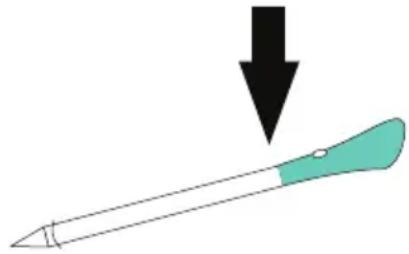
- To use the temperature probe correctly, it is essential to fully insert the metal bar of the probe into the food during cooking until it reaches the black-colored ceramic portion located at the tip of the probe.
Insert Preci Probe in the food up to there
natural_image
Simple illustration of a pen with a downward arrow pointing to it (no text or symbols)- Do not expose the metal part of Preci Probe to the heat generated by oven directly.
- Do not use Preci Probe in another appliance except for the built-in oven.
- Do not use Preci Probe in a microwave oven.
- Preci Probe can be cleaned and washed but do not immerse it long in water.
- This product is not intended for use by persons with ages 12 and under.
- The supplier will not be liable for any damage of Preci Probe due to misuse of the device.
- Clean the Preci Probe before the use.
- Probe can work in this range of temperature: 10 °C to an internal maximum temperature of 100°C of the metal part. Ceramic part can reach 350°C.
- If the Preci Probe temperature exceeds 100°C, cooking will stop and the Preci Probe must be removed from the oven as soon as possible, wearing gloves, to avoid damage to the probe.
2.PRODUCT INTRODUCTION
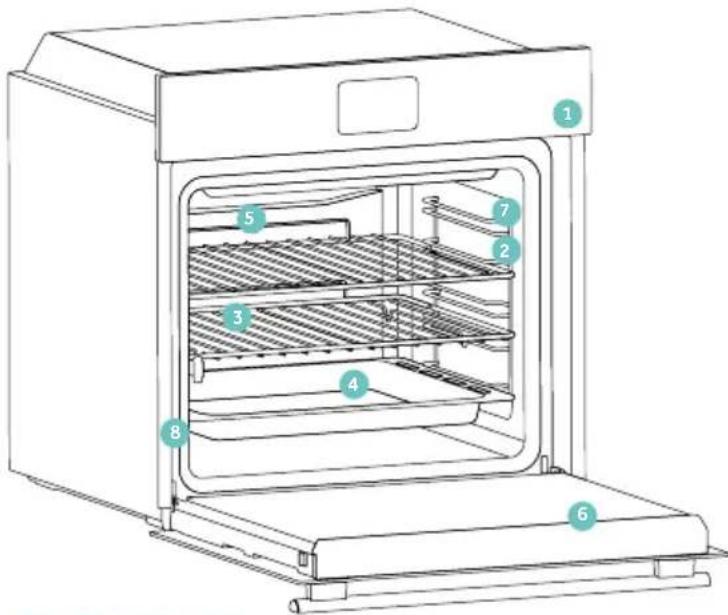
2.1. OVERVIEW OF THE PRODUCT
text_image
Diagram of an oven with numbered parts for identification- Control panel
- Shelf positions numbers
- Grids
- Trays
- Fan cover
- Oven door
- Lateral wire grids (if present: only for flat cavity)
- Serial number & QR Code
natural_image
Empty white rectangle with black border (no text or symbols)Write here your serial number for future reference.
2.2. ACCESSORIES
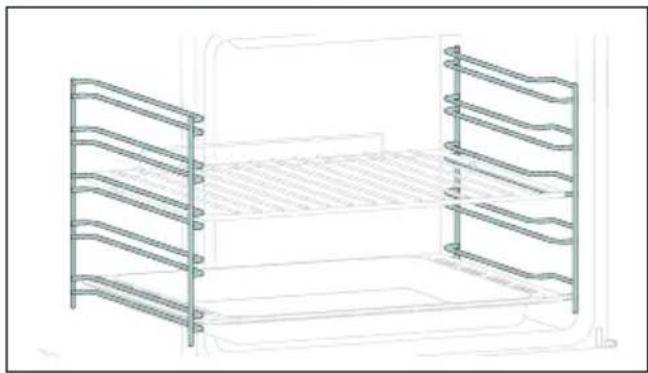
Lateral Wire Grids (only if present*)
natural_image
Technical line drawing of a two-tiered storage unit with horizontal and vertical metal bands (no text or symbols)Located on both sides of the oven cavity, the side racks are designed for placing baking tray and grids during the cooking.
NOTE: 6 or 7 levels depending on the model.
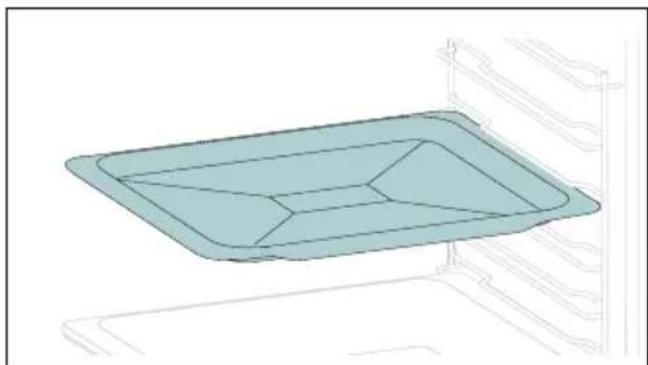
Baking Tray (only if present*)
natural_image
3D diagram of a rectangular tray with internal compartments, placed inside an oven (no text or symbols)A baking tray is ideal for achieving even bottom browning, making it perfect for cookies and pastries due to its shallow, flat design. Additionally, placing it under a cooking grid can help collect drips and prevent messes in the oven.
Metal Grid
text_image
STOP — STOPA metal grid in an oven is a removable, adjustable shelf that supports cookware, ensuring even cooking, and makes cleaning easy. It can be used to hold plates and pans at different heights for various cooking needs.
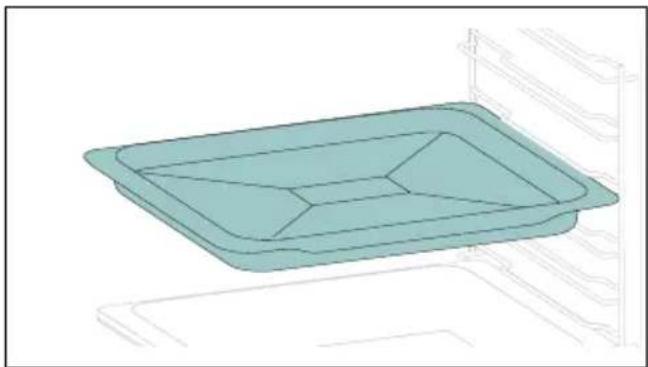
Deeper tray
natural_image
3D technical line drawing of a rectangular tray with internal compartments, mounted on a shelf (no text or symbols)The deeper tray is ideal for recipes with added liquids or layers, such as casseroles or roasts. Its depth is specifically designed to ensure the desired consistency of the food prepared in it.
Telescopic Guides (only if present*)
natural_image
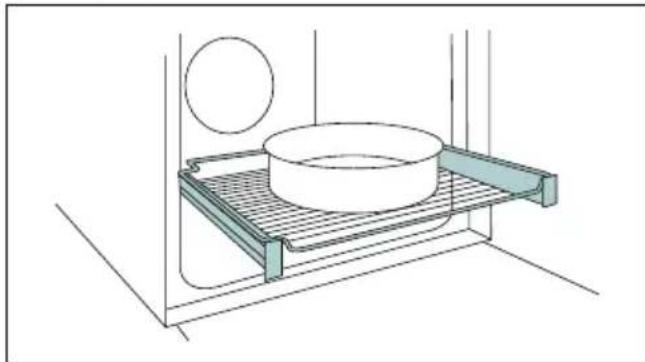
Technical line drawing of a bathroom sink with a circular object on the wall and a plate with a cylindrical basin (no text or symbols)Telescopic oven rails are shelves that can be extended, making it easier to place or remove items, without the need to reach deep inside a hot oven. They improve safety, stability, and can be adjusted at different level positions.
H-Lab Tray - BBQ Mode (only if present*)
natural_image
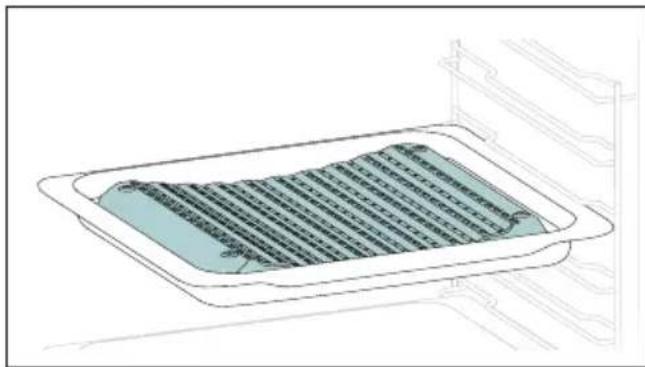
Technical line drawing of a rectangular tray with internal grid pattern, no text or symbols presentThe concave shape allows a correct circulation of humidity generated in cooking, keeping the food humidity rate high. According to the quantity of water inserted in the tray, a drier or more “wet” cooking will be obtained.
Turnspit (only if present*)
natural_image
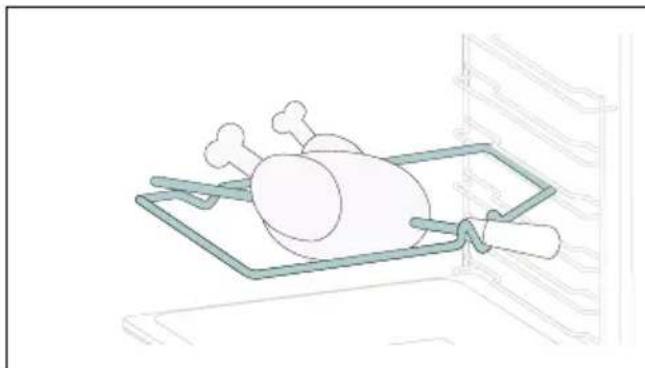
Line drawing of a rooster on an open kitchen tray (no text or symbols)The turnspit works together with the top heating element, by rotating the food can be cooked omogeniously. It is best used for medium-sized food. Ideal for rediscovering the taste of traditional roast.
Softclose/Softopen Hinges (only if present*)
natural_image
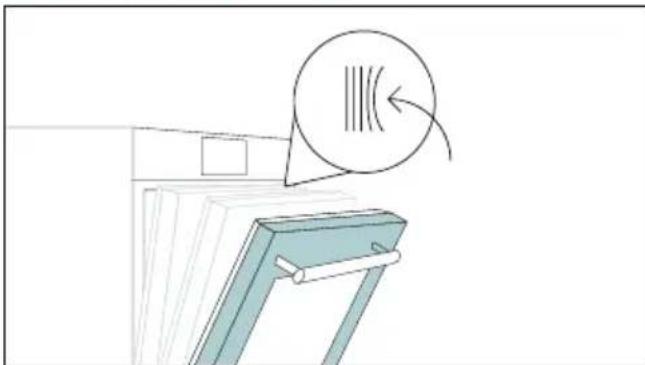
Illustration of a document holder with a magnified circular arrow indicating motion or rotation (no text or symbols)Soft close and open hinges control the door's motion, ensuring smooth movement and preventing slamming.
H-Lab Tray - STEAM Mode (only if present*)
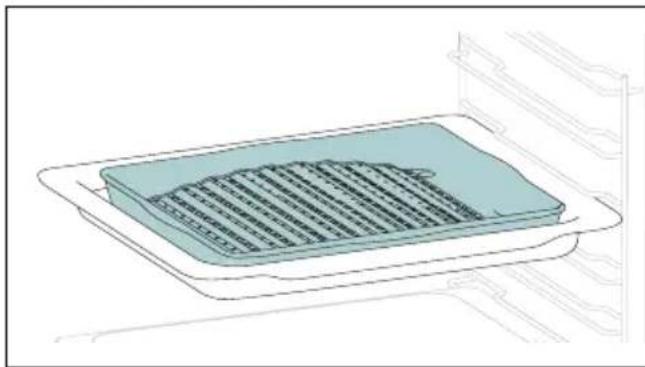
natural_image
Illustration of a rectangular appliance with a grid-patterned lid and tray, placed inside an oven (no text or symbols)The convex shape is suitable for grilling in the oven at high temperature (220°) allowing a BBQ result even at home with little smoke thanks to the drainage action of the fats on the bottom of the tray.
Preci Probe (only if present*)
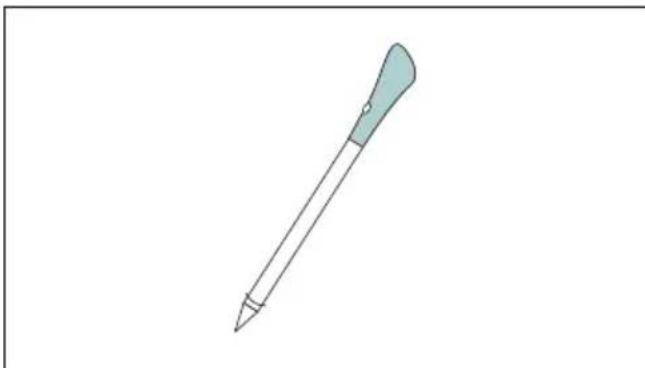
natural_image
Simple line drawing of a pen with a pointed tip and handle (no text or symbols)This probe is a temperature sensor that, inserted into the food and connected to the oven via bluetooth, allows to control the inner temperature of the food during cooking. It is mainly used for fish and meat.
Airfry Tray (only if present*)
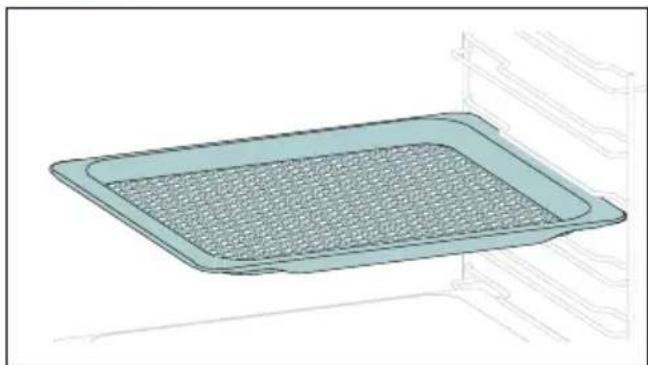
natural_image
3D rendering of a rectangular kitchen tray with mesh pattern inside, mounted on an oven (no text or symbols)The airfry tray ensures that hot air reaches the food evenly and tridimensionally, resulting in a crispier exterior while maintaining tenderness inside. To collect juices and breading, place it on top of the baking tray.
2.3. CONTROL PANEL
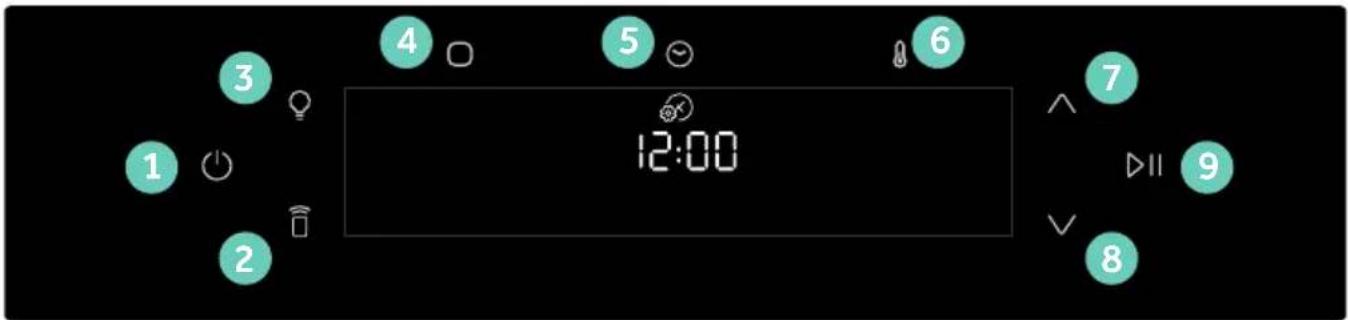
text_image
1 2 3 4 5 6 7 12:00 8 9 ▷IIFunctions and function ranking can be changed depending on the model.
- On/Off
- Remote Control
- Lamp
- Functions
- Time
- Temperature
7/8. Navigation buttons - Start/Pause
MAIN FUNCTIONS
The display has 4 main functions:
| Symbol Function Description | ||
| On/Of Press to turn on/off the oven. | ||
| Remote Control ON/OFF | Press the button to activate remote control, after pairing the oven with the hOn app (through the application). | |
| Light Press to turn on/off the oven cavity light | ||
| Functions | Press once to access Manual functions, twice for Everyday cooking programs, three times for Cleaning menu, and four times for WIFI menu. | |
| Time | Press once for cooking duration, twice for the minute minder (available in standby mode), three times for delay start. In standby mode are available the kitchen timer and, by pressing for 3 sec, the Time of day. | |
| Temperature | Press once to check the cavity temperature, twice to activate the fastpreheating option (only available during the oven's preheat phase). | |
| Navigation buttons | Press Navigation buttons to scroll between function and to adjust the parameters. | |
| Start/Pause Press to Start/Pause cooking or to confirm the functions | ||
2.4. CONNECTIVITY
Wireless parameters
| Technology Wi-Fi Bluetooth | ||
| Standard IEEE 802.11 | b/g/n Bluetooth v4.2, | BR/EDR, BLE |
| Frequency Band(s) [MHz] | 2401÷2483 2402÷2480 | |
| Maximum Power [mW] | 100 10 |
PRODUCT INFORMATION FOR NETWORKED EQUIPMENT
Power consumption of the product in networked standby if all wired network ports are connected and all wireless network ports are activated: 2,0 W
How to activate wireless network port:
Wifi module switches on as soon as the user press the power on button.
How to deactivate wireless network port:
Wi-fi module deactivates as soon as the user presses the power off button. The wi-fi can also be deactivated when the oven is on by selecting "off" in the Wi-fi settings menu.
Hereby, Candy Hoover Group Srl declares that the radio equipment is in compliance with Directive 2014/53/EU and with the relevant statutory requirements for the UK market. The full text of the declaration of conformity is available at the following internet address: www.candy-group.com.
HOW TO INTERACT WITH THE APP
Your appliance may be connected to your home wireless network and operated remotely using the app. Connect your appliance to ensure it stays up to date with the latest software and features.
NOTE
- Once the oven is turned on, the WIFI icons blinks for 30 minutes. During this period it's possible to enroll the product.
- Ensure your home Wi-Fi network is turned on.
- You will be given step by step guidance on both your appliance and mobile device.
- It may take up to 10 minutes to connect your oven.
- For further guidance and troubleshooting, please refer to the app.
Download on your smartphone.


text_image
Available on the App Store GET IT ON Google PlayNEW USER REGISTRATION
- Click on "Register"
- You can register through social accounts or sign up with your personal email

text_image
hOn Welcome! Sign is to enter in your home page ENTER REGISTER Are you now to hOn? Click below to learn about our products TRY DEMO
text_image
Do you already have a thousand passwords? Register with your social accounts and log is in the easiest and fastest way. SIGN UP WITH GOOGLE SIGN UP WITH APPLE SIGN UP WITH FACEBOOK No information relating to you will be shared and we will not post anything from you. OR SIGN UP WITH EMAIL Already registered? LOGINQUICK PAIR ENROLLMENT
Step 1
- Select "Add appliance".
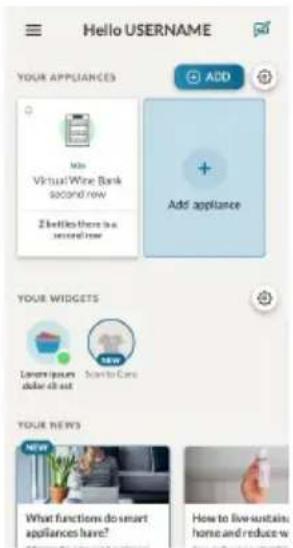
text_image
Hello USERNAME YOUR APPLICANCES Add + Add appliance YOUR WIDGETS Lowers your seller list out New YOUR NEWS What functions do smart appliances have? How to live sustain, home and reduce wStep 2
- Allow your location permission.

text_image
Allow your location permission To enhance your experience, please allow location permission to hOn app in the next step. CONTINUEStep 3
- Select oven from the appliance category.
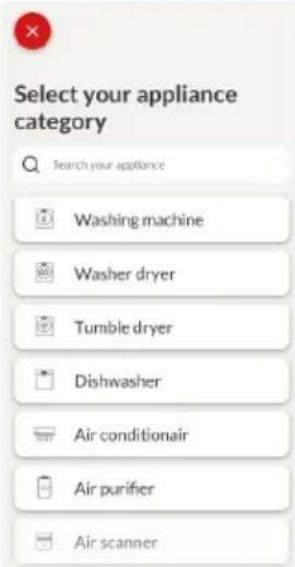
text_image
Select your appliance category Search your appliance Washing machine Washer dryer Tumble dryer Dishwasher Air conditionair Air purifier Air scannerStep 4
- Turn on your appliance; if it is already on, turn it off and on again.
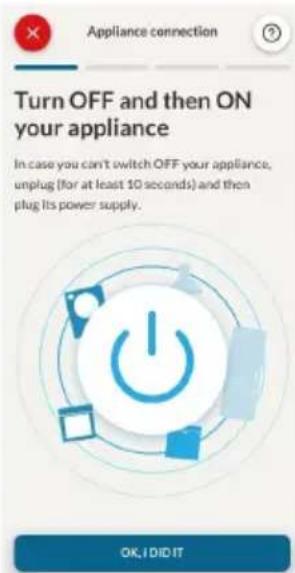
text_image
Turn OFF and then ON your appliance In case you can't switch OFF your appliance, unplug (for at least 10 seconds) and then plug its power supply. OK, I DID ITStep 5
• After turning on, the hOn app will start searching for your home appliance.
Step 6.1-6.2
- Select your home appliance, tap on "connect" and wait a few seconds.
Step 7
- Your Oven will be found and you can control it through hOn.
Once the appliance is connected, the user can change the WIFI settings between:
- WIFI ON: It is only possible to monitor the oven status by App.
- WIFI hOn: The oven can be used exclusively by App.
- WIFI OFF: The oven is not connected but still enrolled with network credentials saved.
-
WIFI RESET: The connection is reset and a new enrollment is possible.
-
Tap and enter in WIFI menu. On display appears "On".
- On display appears "On".
- Use the arrows until "Off" or reset setting "rSt" will be showed.
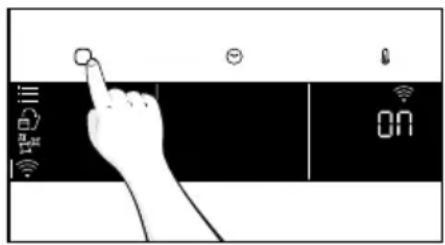
text_image
Hand interacting with a touchscreen device showing icons for visibility, speed, and battery status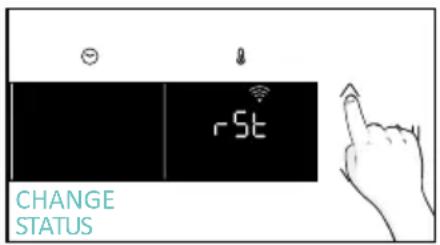
text_image
CHANGE STATUS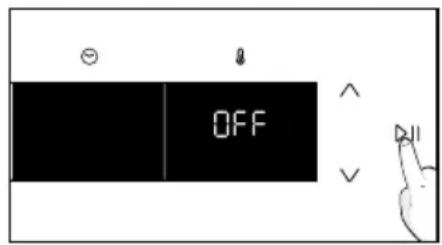
text_image
OFF
REMOTE CONTROL
The Remote Control offers numerous advantages for users, enhancing convenience, efficiency, and the overall cooking experience, by giving the capability to control the product directly from both the appliance and hOn App.
This function allows, through your device, to enjoy various features, such as: instant or scheduled start of recipes or cooking programs already available in the app; real-time monitoring of the progress of your recipes; adjustment of the cooking parameters in use; monitoring of the cooking process using the probe. Furthermore, it is possible to receive notifications once programs or recipes are completed.
The Remote Control can be activated exclusively when the product is enrolled.

NOTE: It is available for all cooking functions on the product, except for Gratin, Grill and Supergrill programs.
How to activate Remote Control:
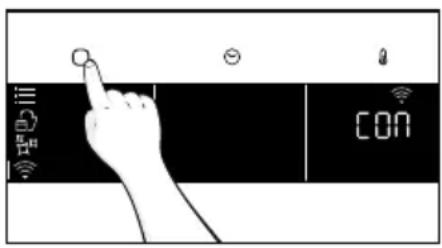
- Tap to select the WIFI mode.
- On display appears "connect". Tap .On" will start blinking.
- Tap to select the "hOn" mode and tap to activate Remote Control.
- Press to exit "hOn" mode.
- Access to the App, select a program and let the cooking starts. During the process is possible to control and change the program parameters from both product and App.
text_image
Diagram showing a hand interacting with a touchscreen device displaying 'CON' and icons for Wi-Fi, Wi-Fi, and Wi-Fi.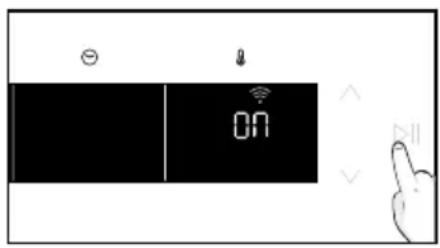
text_image
ON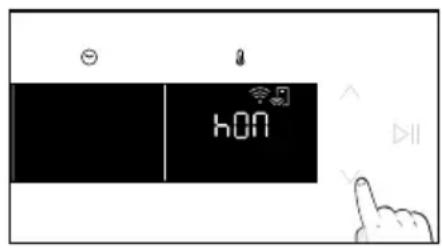
text_image
hON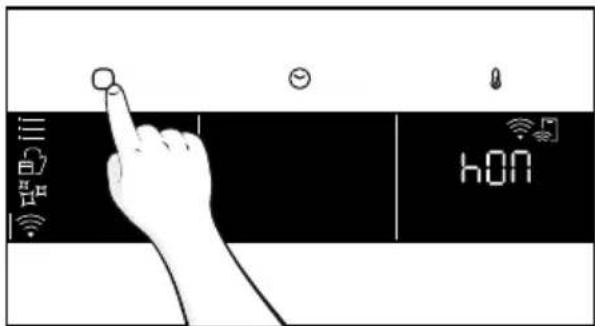
text_image
Hand interacting with a touchscreen device displaying 'hON' and icons for Wi-Fi, alarm, and function buttonsIt's also possible to activate Remote Control during cooking process by pressing related button
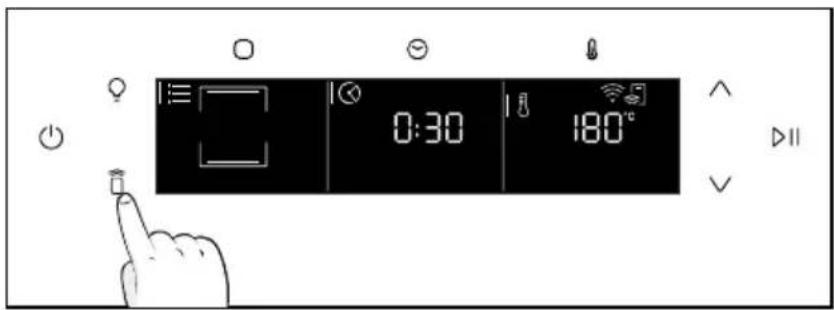
text_image
0:30 180°CHow to stop Remote Control:
While the cooking program is in progress, it can be stopped directly from the product itself by pressing the corresponding button of Remote Control that came with your appliance.

text_image
0:30 180°CYou can also stop the cooking program remotely using the app by clicking the 'STOP' Button on display device. The oven will automatically stop the cooking.
NOTE: If the user stops the cooking in progress from the oven, simultaneously the stopped cooking will be seen in the App.
3. BEFORE STARTING
3.1. INFORMATION TO START
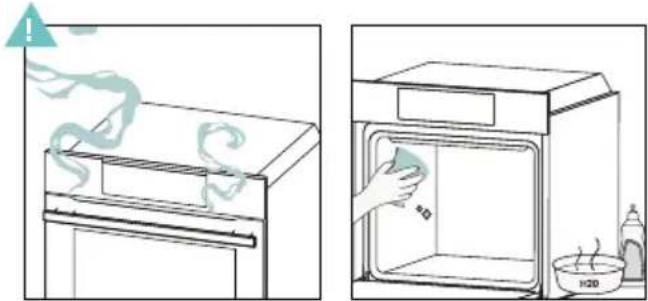
When you first turn on the oven, you might notice some smoke. Don't worry, just wait for the smoke to clear before using the oven.
How door works
For functions that use the grill, thanks to the door switch technology the oven will automatically pause the heating elements when you open the door and continue cooking once you close it.
This feature is available only on specific oven configurations. All the pyro models have it.
During the pyrolytic cleaning process, the oven door remains locked at all times. If it's not locked, the oven will display error code 24 and pause the cleaning function.
How illumination works
The oven cavity is illuminated by one or more light bulbs, typically activated each time a cooking function begins.
For ovens equipped with a door switch (see below), the light automatically turns on when the door is opened.
For ovens equipped with lamp button, it can also be used to activate the lighting.
If the oven door remains open for more than 10 minutes, the lights will automatically turn off.
During pyrolytic cleaning process light remains off. *
How cooling fan works
The cooling fan is responsible for dissipating the heat, keeping the oven and its surroundings from getting too hot, as well as protecting kitchen appliances from the effects of high temperatures. For this reason, the cooling fan remains audible for a period of time even after the oven is turned off. It operates during and after cooking cycle in relation to the internal temperature of the oven.
When the cooling fan is operational, it usually generates a gentle humming or whirring noise. You may also notice a warm airflow emanating from the gap between the oven door and the control panel. During pyrolytic cleaning and when door is locked, cooling fan is switched on. *
During ECO function the light will remain off.
(*only for pyro ovens)
3.2. FIRST USAGE
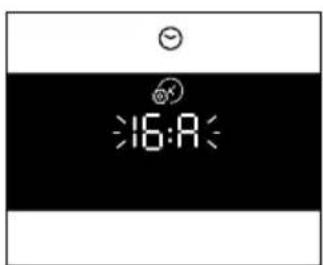
When the appliance is switched On for the first time, the initial step is to set time of day, choose between 13 ampere or 16 ampere, and select sound level.
- SET THE TIME: The display will show the blinking preset time '12:00'. To modify it, hold ⏻ and use the arrows to set the current hour. Press ⚙ to confirm hours. Follow the same procedure to set the minutes. To confirm press ▶II
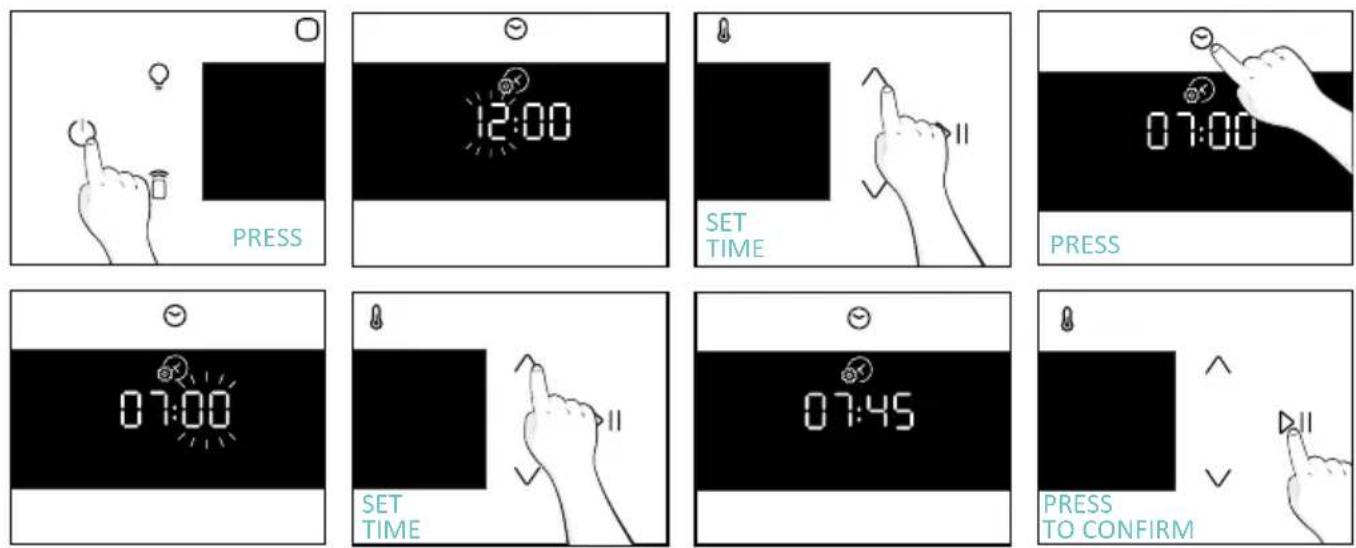
- AMPERAGE: By default, the oven is set to work with higher power suitable for households with more than 3 kW (16 A). If your home has lower power, you can change this setting to ▷II 13 A. This setting affects how quickly the oven heats up. Choosing the higher option (16A) means it heats up faster (because the power absorption is increased). On the display, you'll see two choices: 13A and 16A. Select your preferred one by using the arrows. To confirm press ▷II
text_image
16:40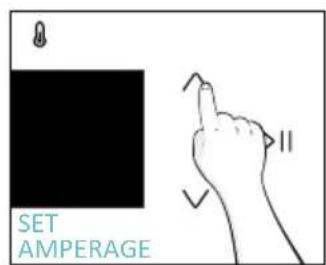
text_image
SET AMPERAGE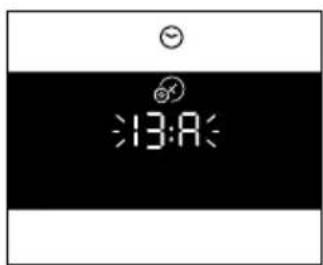
text_image
13:40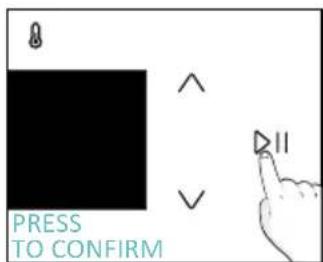
text_image
PRESS TO CONFIRMNOTE: The option to set the amperage is only available during the initial installation. To modify the set amperage, please refer to the post-installation instructions.
BRIGHTNESS: The display shows the symbol "brig". The numbers represent the level of brightness intensity, editable using the arrows. To confirm press
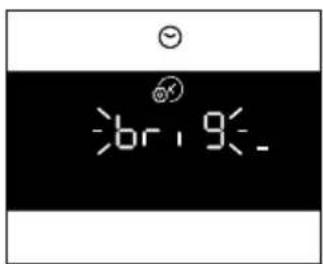
text_image
6br, 9-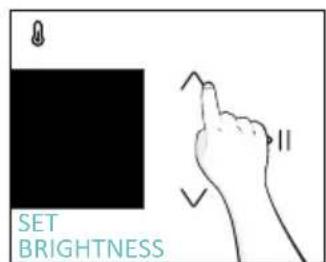
text_image
SET BRIGHTNESS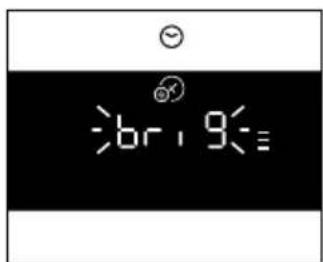
text_image
6br, 9=3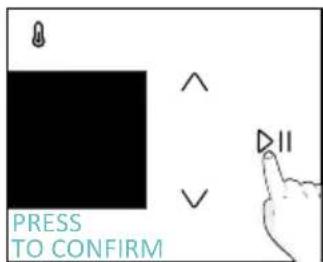
text_image
PRESS TO CONFIRM- SOUND: The display shows the symbol "Sound". The numbers represent the level of sound intensity, editable using the arrows. To confirm press ▷ll
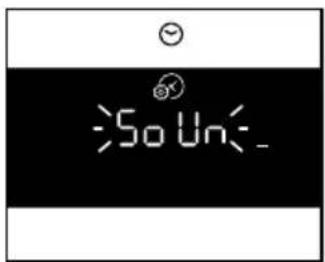
text_image
So Un-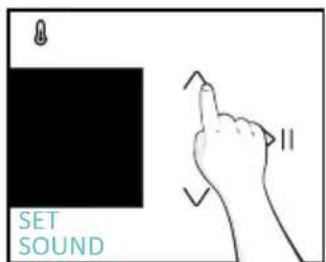
text_image
SET SOUND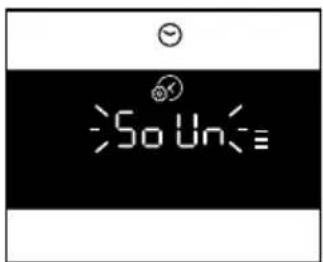
text_image
So Un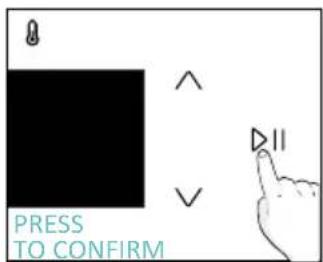
text_image
PRESS TO CONFIRM• POST INSTALLATION INSTRUCTION
It is possible to go back to initial settings by pressing Lamp button for 5 sec
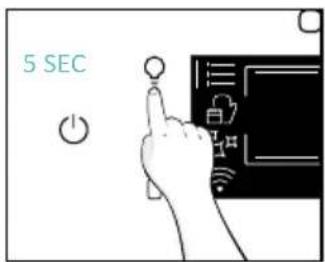
text_image
5 SEC3.3. PRELIMINARY CLEANING
Clean the oven before using for the first time. Wipe over external surfaces with a damp soft cloth. Wash all accessories and wipe inside the oven with a solution of hot water and washing up liquid. Set the empty oven to the maximum temperature and leave on for about 1 hour, this will remove any lingering smells of newness.
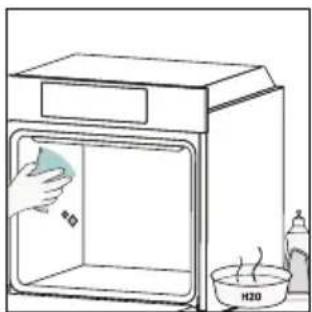
natural_image
Simple line drawing of a kitchen oven with a hand cleaning the interior and a water bottle labeled H20 nearby (no text or symbols on main objects)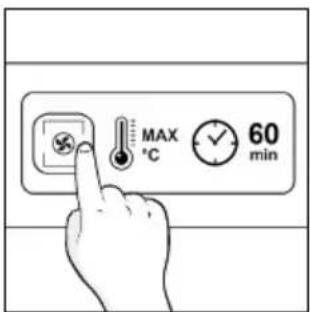
text_image
MAX °C 60 min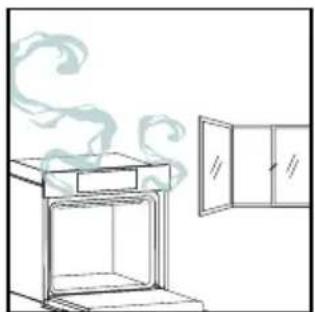
natural_image
Line drawing of a kitchen oven with steam rising, next to an open door (no text or symbols)4. OPERATION OF PRODUCT
4.1. HOW THE PRODUCT WORKS
SWITCHING ON/OFF THE OVEN
To turn ON/OFF the oven, hold ⏻
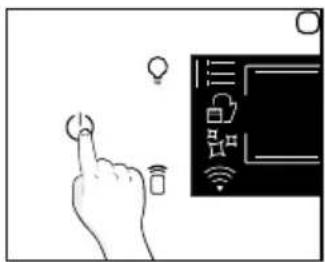
text_image
Diagram showing a hand interacting with a smart device displaying icons like lights, Wi-Fi, and a screen with network symbols.FUNCTIONS MENU
Access the Function menu by pressing ○.
To navigate into tap as many times as is needed to enter in the f wing settings:
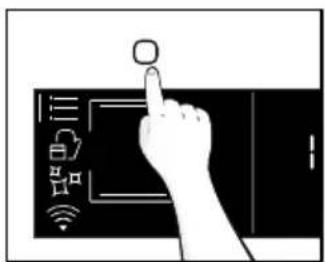
text_image
Diagram showing a hand interacting with a touchscreen device displaying icons for smart devices and connectivity.| Symbol Function Description | ||
| !—— | MAIN FUNCTIONS | This function allows to select the desired cooking program by using arrows. Tap♡ and ⚫ to set time and temperature. Press ➕ to start the function. To pause the program, click again. |
 | FOOD CATEGORIES | In this menu you can access to 4 food cooking categories already integrated on your oven by using arrows. The display will show default time and temperature. |
 | WIFI | In this mode you can connect your oven to a network and enroll it with the hOn App. |
 | CLEANING FUNCTIONS | This function allows to choose a cleaning system available on your oven. |
TIME MENU
After having selecting the cooking program, access Time menu by pressing √.
To navigate into tap—as many times as is needed to enter in the following settings:
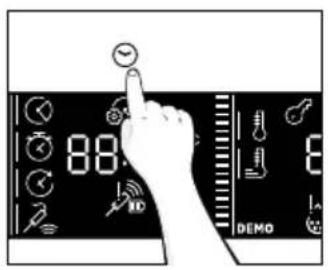
text_image
88 DEMO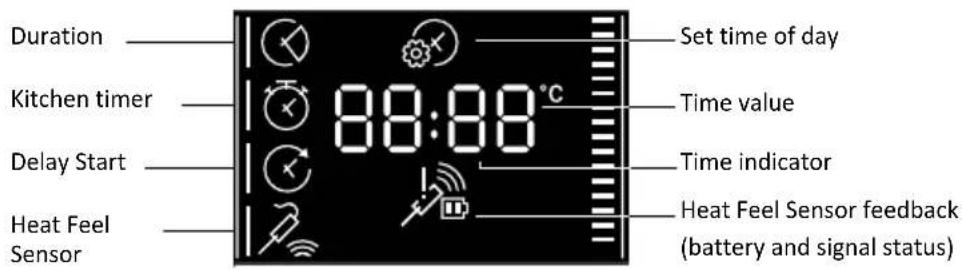
text_image
Duration Kitchen timer Delay Start Heat Feel Sensor 88:88°C Set time of day Time value Time indicator Heat Feel Sensor feedback (battery and signal status)NOTE: several parameters cannot be set at the same time, therefore only the last set remains in the memory while the previous one is deleted.
| Symbol Function Description | ||
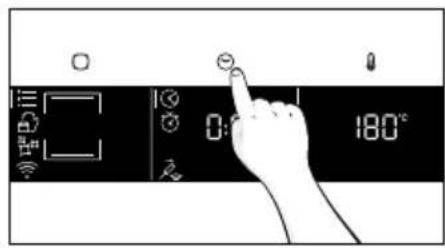
 | a)COOKING DURATION | Allows to preset the cooking time required for the recipe chosen.Press ☺ to enter in the Time menu. Tap ☺ as many times as you need to select “Cooking duration” function. Then use the arrows to regulate the value and press ▷ to confirm. The countdown starts at the end of preheating (if present). During cooking phase is possible to change the duration value by pressing ☺ and by using the arrows. When duration is elapsed the display shows “End” and the cooking stops. |
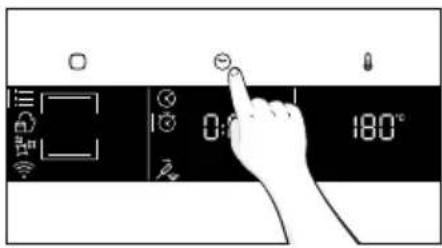
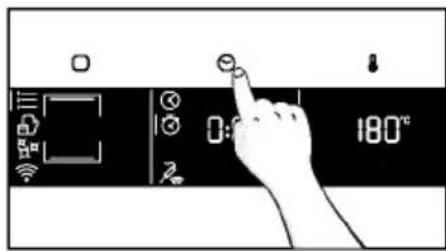
 | b)MINUTE MINDER | Allows to use the oven as alarm clock.Press ☺ to enter in the Time menu. Tap ☺ as many times as you need to select “Minute minder” function. Then use the arrows to regulate the value and press ▷ to confirm.During cooking phase is possible to change the duration value by pressing ☺ and by using the arrows. Then press ▷ to restart the cooking. When duration is elapsed, the cooking continues until manually interrupted.This function can be also set when the oven is in stand by mode by pressing ☺ When activated, the minute minder operates independently of the oven’s cooking functions. |
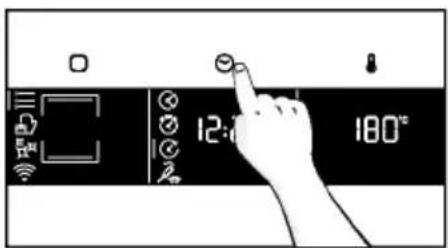
 | c)DELAY START | Allows to choose the cooking start time.Press ☺ to enter in the Time menu. Tap ☺ as many times as you need to select “Delay start” function. Then use the arrows to regulate the value and press ▷ to confirm.NOTE: Delay start is activable only after setting Cooking Duration and it is not available with grill’s functions |
a. COOKING DURATION
text_image
0:180°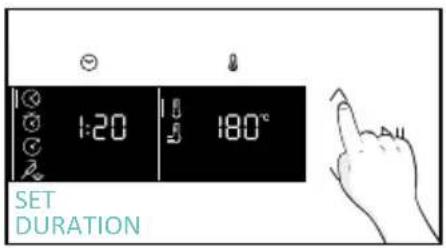
text_image
1:20 8:50 180° SET DURATION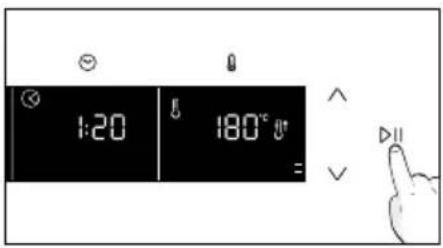
text_image
1:20 180° =a. MINUTE MINDER
text_image
0:180°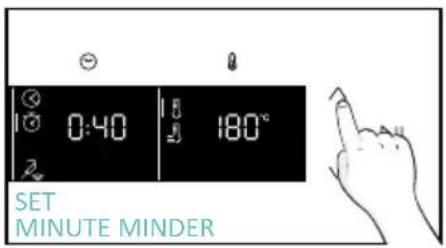
text_image
0:40 180° SET MINUTE MINDER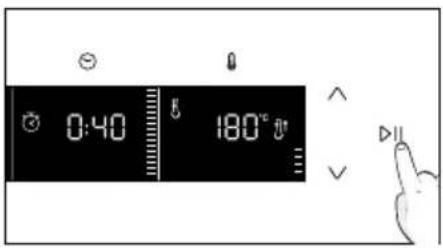
text_image
0:40 180°a. DELAY START
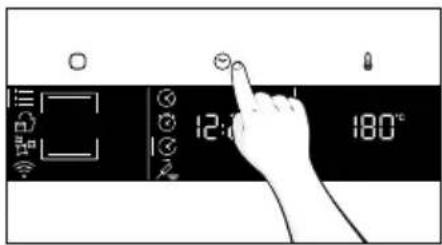
text_image
12:00 180°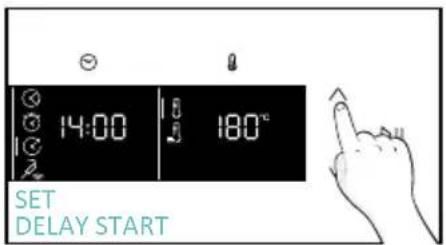
text_image
14:00 180° SET DELAY START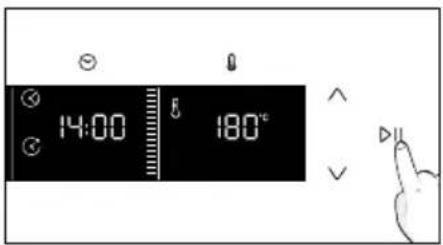
text_image
14:00 8 180°TEMPERATURE MENU
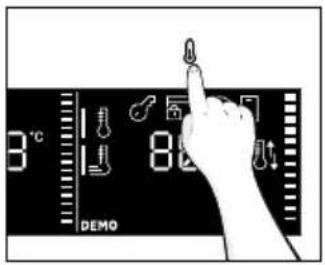
After having selecting the cooking program, access Temperature menu by pressing 🔊. To navigate into tap 🔊 as many times as is needed to enter in the following settings:
text_image
3°C 82 DEMO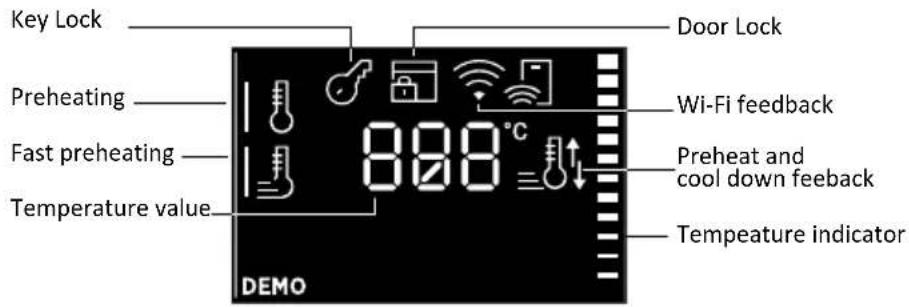
text_image
Key Lock Preheating Fast preheating Temperature value 888 °C DOOR Lock Wi-Fi feedback Preheat and cool down feedback Tempeature indicator DEMO| Symbol Function Description | ||
 | TEMPERATURE | Press 🔒 to set the temperature and use arrows to regulate the value. |
 | FAST PREHEATING | Press twice 🔒 to set the fast temperature. |
ADDITIONAL FUNCTION
| Symbol Function Description | |
| CHILD LOCK |
4.2. COOKING FUNCTIONS
FAST PREHEATING OPTION
In order to accelerate preheating phase, the fast-preheating option can be selected by pressing the temperature icon for 3s after having selected cooking program and temperature. This option will activate a combination of fan and heating elements regardless of the chosen cooking function.
To save energy, when fast preheating is activated the lamp will be turned OFF until the oven reaches the desired temperature
4.2.1. STANDARD FUNCTIONS
NOTE: for functions that require preheating, ensure all accessories are removed during this phase. Follow instructions in the table below for what regards preheating. "YES/FAST PREHEAT" means that preheating is required and fast preheat option is available; "NO" means that preheat is not available and foods must be inserted with cold oven.
| Symbol Function | T°C default T°C range | Suggested shelf position | Preheat Suggestions | ||
 | *Conventional | 200°C 30-250°C | L2/L3 | YES/FAST PREHEAT | IDEAL FOR: cakes, breads, biscuits, quiches on one level using both upper and lower heating.Can be used with Heat Feel Sensor. |
 | Convection + fan | 50-250°C L2 | /L3/L4 | YES/FAST PREHEAT | IDEAL FOR: roasts, casseroles, vegetables and pies with moist fillings on one level. Ideal for cooking foods with high water content.Can be used with Heat Feel Sensor. |
 | Multi-Level | 160°C 50-250°C | L4 for single level L2+L5 for double level L2+L4+L6 for triple level | YES/FAST PREHEAT | IDEAL FOR: cakes, biscuits and pizzas on one or more levels. Ideal to cook different foods.Can be used with Heat Feel Sensor. |
 | Bottom heating | 50-230°C L2 | YES/FAST PREHEAT | IDEAL FOR: crème caramel, puddings and bain marie on one level. This function can be also used for finishing a preparation.Can be used with Heat Feel Sensor | |
  | Bottom heating+fanGrill 01-05 | 170°C 50-230°C | L2L6 for thin foodL5 for thicker foods | YES/FAST PREHEATNO | IDEAL FOR: pizzas, salty cakes, tarts and foods with liquid toppings on one level. Can be used with Heat Feel Sensor.IDEAL FOR: gratin, grilled meat, fish, vegetables. This function uses only the inner top heating element. Use with the door closed. Place a tray underneath to collect juices. |
 | **Supergrill | 0501-05 | L6 NO | IDEAL FOR: big quantities of sausages, steaks and toast bread. The entire area below the grill element becomes hot. Use with the door closed. Turn food two thirds of the way through cooking (If necessary). | |
 | **Gratin | 200°C150-250°C | L4/L5 | YES/FAST PREHEAT | IDEAL FOR: whole pieces of meat (roasts) or gratinated foods. Use with the door closed. Slide the drip tray under the shelf to collect juices. Turn food over halfway through cooking if needed. |
 | Multilevel + 150-250°C | YES/FAST PREHEAT | IDEAL FOR: complete menu cooking without odor mixing. Foods do not have to be extracted at the same cooking timeSee dedicated paragraph (insert paragraph number) for menu suggestions | ||
 | *ECO | 190°C150-220°C | 3rd / 4th level NO | IDEAL FOR: cooking meat, fish or vegetablesThis function allows to save energy during cooking keeping the food moist and tender. Cavity lamp is switched off. | |
 | Airfry | 200°C150-250°C | 3rd / 4th level NO | IDEAL FOR: preparing frozen foods or breaded par-cooked foods which are usually fried. Thanks to the dedicated tray, the hot air can flow evenly over the foods. | |
 | Bread | 210°C190-220°C | L2/L3 NO | IDEAL FOR: cooking bread and bread loaves | |
5.1. GENERAL COOKING TABLE
| Category Recipe | N° of levels | Cooking Program | T°C | Pre-heat | Cooking accessory | Shelf position | Cooking time after preheating* (min) | |
| Sweet bakery | Small cakes /Muffins | 1 | Conventional Multilevel | 175°C 160°C | Y | Baking tray Baking tray | L3 L4 | 20-30 30-40 |
| 2 Mul | tilevel 150°C | Baking + Deeper trays | L2+L5 30-40 | |||||
| 3 Mul | tilevel 140°C Baking trays L2-L4+L6 40-50 | |||||||
| Sponge cakes (26 cm ∅) | 1 | Conventional 170°C | Y | Metal grid + Cake tin | L2 30-40 | |||
| Multilevel 150°C | Metal grid + Cake tin | L4 40-50 | ||||||
| 2 Mul | tilevel 150°C | Metal grids + Cake tin | L1+L4 50-60 | |||||
| Biscuits/Shortbreads | 1 | Conventional Multilevel | 150°C 150°C | Y | Baking tray Baking tray | L3 L4 | 25-30 30-40 | |
| 2 Mul | tilevel 140°C | Baking +Deeper trays | L2+L5 30-40 | |||||
| 3 Mul | tilevel 140°C Baking trays L2-L4+L6 35-40 | |||||||
| Choquettes | 1 Conventional 190°C Baking tray L4 25-35 | |||||||
| 2 Mul | tilevel 170°C Baking tray L3 25-35 | |||||||
| Yorkshire pudding | 1 Conventional 200°C Y Baking tray L3 20-30 | |||||||
| Meringues 1 | Multilevel | 90°C Y Baking tray | 90-160 | |||||
| Macaron 1 | Conventional 150°C Y Baking tray L3 | 15-20 | ||||||
| Apple pie | 1 Conventional 185°C Y | Metal grids + Cake tin | L2 60-70 | |||||
| 1 Mul | tilevel 170°C Y | Metal grids + Cake tin | L4 65-75 | |||||
| Tarte tatin | 1 Conventional 170°C Y | Metal grids + Cake tin | L2 40-60 | |||||
| Chocolate souffle | 1 Conventional 200°C Y | Baking tray + molds | L3 10-15 | |||||
| Cheesecake | 1 Conventional 150°C Y | Metal grids + Cake tin | L2 50-65 | |||||
| Frozen croissants | 1 Conventional 180°C | Y L2-L5 25-35 | ||||||
| 2 Conventional 180°C Baking trays | ||||||||
| 3 Mul | tilevel 160°C Baking trays L2-L4+L6 30-40 | |||||||
| Category Recipe | N° of levels | Cooking Program | T°C | Pre-heat | Cooking accessory | Shelf position | Cooking time after preheating* (min) | |
| Sweet bakery | Strudel, frozen | 1 | Conventional | 210°C Y | Baking tray | L3 30-45 | ||
| Breads and Flatbread | Toast bread 1 Supergrill 5°C N Metal grid L6 4-6 | |||||||
| Focaccia 1 | Conventional | 200°C Y | Baking tray | L2 or L3 25-35 | ||||
| Bread, whole | 1 | Conventional | 200°C Y | Baking tray | L3 25-50 | |||
| Savory pies and casseroles | Salty cakes / Quiches (26 cm Ø) | 1 | Conventional | 200°C Y | Metal grid + Quiche tin | L1 or L2 30-50 | ||
| 2 Multilevel 180°C Y | Metal grid + Quiche tin | L1+L4 | 50-70 | |||||
| Cheese souffle | 1 | Conventional | 200°C Y | Baking tray + molds | L3 20-35 | |||
| Lasagna, fresh | 1 | Conventional | 200°C Y | Metal grid + ovenproof dish | L3 40-60 | |||
| Lasagna, frozen | 1 | Conventional | 180°C Y | Metal grid + ovenproof dish | L3 50-60 | |||
| Cannelloni, frozen | 1 | Conventional | 180°C Y | Metal grid + ovenproof dish | L3 45-55 | |||
| Baked pasta 1 | Gratin 200°C Y | Metal grid + ovenproof dish | L4 20-30 | |||||
| Pizza | Pizza, fresh (Tray) | 1 | Conventional | 250°C Y | Baking tray | L2 or L3 15-20 | ||
| Pizza, fresh (Tray) | 1 | Pizza | 250°C | N | Baking tray | L2 or L3 | 18-25 | |
| 2 Multilevel 180°C Y | Baking + Deeper trays | L2+L5 | 25-35 | |||||
| Pizza, fresh (Round) | 1 | Conventional | 250°C | Y | Baking tray | L2 or L3 | 8-10 | |
| Pizza, fresh (Round) | 1 | Pizza | 300°C | N | Baking tray | L2 or L3 | 15-20 | |
| 2 Multilevel 180°C Y | Baking tray + molds | L3 30-40 | ||||||
| Pizza, frozen (thin crust) | 1 | Conventional | 220°C | Y | Metal grid | L3 10-15 | ||
| 2 Multilevel 180°C Y | 200°C | Metal grid | L2+L5 | 15-25 | ||||
| 3 Multilevel 180°C Y | L2+L4+L6 | |||||||
| Pizza, frozen (thin crust) | 1 | Pizza 200°C | N M | Metal grid | L2 10-15 | |||
| Category Recipe | N° of levels | Cooking Program | T°C | Pre-heat | Cooking accessory | Shelf position | Cooking time after preheat-ing* (min) | |
| Meat & Poultry | Roasted whole chicken (1-1.2kg) | 1 Gratin 220°C Y | Metal grid/L4 Place Backing tray at L1 with 150ml of water | L4 40-60 | ||||
| Chicken thighs 1 | AirFry** 220°C N Air fry tray** L4 30-50 | |||||||
| Roasted duck | 1 Gratin 200°C Y | Metal grid + Ovenproof dish | L3 50-60 | |||||
| Rooster 1 Gratin 220°C Y | Metal grid Place baking tray at L1 | L4 20-40 | ||||||
| Roasted Turkey | 1 Gratin 200°C Y | Metal grid + Oven-proof dish | L3 50-60 | |||||
| Pork ribs (1000-1200g) | 1 Conventional 200°C Y | Metal grid + Oven-proof dish | L3 80-100 | |||||
| Sausages | 1 Supergrill | 4 | Y | Metal grid | L5 | 40-50 | ||
| Beef fillet (1000-1500g) | 1 Gentle cooking** | 60°C | N | Metal grid + Oven-proof dish | L3 60-80 | |||
| Roast beef (500g) | 1 Gratin 220°C Y Baking tray | L3 20-40 | ||||||
| Meatloaf (1000-1500g) | 1 Conventional 180°C Y Baking tray | L3 40-50 | ||||||
| Roasted chicken with potatoes | 1 Gratin 200°C Y Deeper tray | L4 45-60 | ||||||
| Fish and Seafood | Grilled seafood | 1 Supergrill 4 N | Metal grid L5 15-30 | |||||
| Frozen fish sticks | 1 Air Fry** 200°C N Air fry tray** L4 20-25 | |||||||
| Baked fish | 1 ECO 200°C N | Metal grid Place baking tray at L1 | L3 40-60 | |||||
| Vegetables | Vegetable gratin | 1 ECO 200°C N | Metal grid + Oven-proof dish | L3 80-90 | ||||
| Frozen french fries (300-500g) | 1 Air Fry** 200°C N Air fry tray** L4 18-25 | |||||||
| Potato gratin | 2 Gratin 180°C Y | Metal grid + Oven-proof dish | L4 15-25 | |||||
| Roasted potatoes | 1 Conventional 200°C Y Baking tray | L4 30-50 | ||||||
Cooking times may vary according to consumer's recipe and ingredients.
*if preheating required
** Depending on the oven model.
NOTE: For cooking cakes, quiches and other recipes that require a mold or a container on 2 levels, place the staggered: the upper tray on the left side and the lower tray on the right side.
5.2. EVERYDAY COOKING TABLE
Food category menu allows to cook a variety of recipes without preheating the oven, thanks to dedicated cooking programs tailored to each category needs.
After selecting the cooking program, the default time will be shown and can be edited by turning the right knob; cooking temperature can be changed by pressing the dedicated icon. Both parameters can be set within a limited range as shown in the table below.
| Symbol | Description Preheat | Shelf position | Temperature range (°C) | Time Range (min) | Heat Feel Sensor temperature (if available) | Description | |
 | Meat NO 2-3-4 180-200 20-80 55-85°C | For beef, veal and pork roasts, poultry and cuts of meat. | |||||
 | Fish NO 3-4 160-180 15-45 55-65°C | For whole fish and fillets. | |||||
 | Vegetables NO 3-4 180-200 30-80 70-90°C | For roasted vegetables and potatoes | |||||
NOTE: : if, after turning off the oven, there is a need to continue cooking, it's recommended avoiding th use of everyday cooking programs and instead opting for standard functions.
| Recipe Serving size | Cooking program | T°C | Cooking accessory | Shelf position | Cooking time (min) | |
| Beef roast 500 | -800g Meat 190°C | Metal grid L3 30-40 | ||||
| Beef fillet 200g | Meat Metal grid | L3 | ||||
| Meatloaf 1000 | -1500g Meat 180°C | Metal grid L3 40-50 | ||||
| Beef wellington | 500g Meat | 200°C Metal grid L3 50-80 | ||||
| Port roast 800 | -1000g Meat 200°C | Metal grid L3 40-70 | ||||
| Pork ribs 1000 | -1200g Meat 200°C | Metal grid L3 80-100 | ||||
| Lamb rack 800 | -1000g Meat 200°C | Metal grid L3 60-80 | ||||
| Lamb leg | 1500-2000g Meat | 190°C Metal grid L3 80-100 | ||||
| Salmon fillets | 200-600g | Fish | 170°C | Baking tray | L3 | 20-35 |
| Tuna steaks | 600g (app. 4 pcs) | Fish | 180°C Meta | grid L3 10-20 | ||
| Swordfish steaks | 700g (app. 4 pcs) | Fish | 200°C | Baking tray | L3 15-20 | |
| Cod fillet | 600g (app. 4 pcs) | Fish | 150°C | Baking tray | L3 10-20 | |
| Seabream, whole | 1 | Fish | 170°C | Baking tray | L3 | 35-45 |
| Seabream, fillet | 600g (app. 4 pcs) | Fish | 150°C | Baking tray | L3 10-20 | |
| Seabass fillet | 600g (app. 4 pcs) | Fish | 150°C | Baking tray | L3 10-20 | |
| Salt baked fish | 1 | Fish | 220°C | Baking tray | L3 | 30-40 |
| Fish skewers | 8 pieces | Fish | 150°C Meta | grid L3 20-30 | ||
| Stuffed squid | 4 pieces | Fish | 180°C | Baking tray | L3 | 25-40 |
| Whole bread | 1 Bakery | 200°C Metal grid L3 35-50 | ||||
| Rye bread 1 Bakery | 190°C Metal grid L3 35-50 | |||||
| Sandwich loaf | 1 Bakery | 200°C Metal grid L3 35-50 | ||||
| Frozen baguettes | 1 Bakery | 200°C Metal grid L3 15-25 | ||||
| Frozen puff pastry snacks | 1 Bakery | 190°C Metal grid L3 20-30 | ||||
| Fennels | 1 tray | Vegetables | 200°C | Metal grid | L3 | 30-40 |
| Recipe Serving size | Cooking program | T°C | Cooking accessory | Shelf position | Cooking time (min) |
| Mixed vegetables | 1 tray Vegetables 190°C Metal grid L3 40-45 | ||||
| Cauliflowers 1 tray Vegetables 190°C Metal grid L3 40-50 | |||||
| Pumpkins, cubed | 1 tray Vegetables 200°C Metal grid L3 30-40 | ||||
| Stuffed peppers | 1 tray Vegetables 180°C Metal grid L3 70-80 | ||||
| Stuffed zucchini | 1 tray Vegetables 190°C Metal grid L3 35-45 | ||||
| Carrot sticks | 1 tray Vegetables 180°C Baking tray L3 35-40 | ||||
| Broccoli 1 tray Vegetables 190°C Baking tray L3 30-40 | |||||
| Ratatouille 1 tray Vegetables 190°C Metal grid L3 40-45 | |||||
| Vegetable flan | 6 ramekins Vegetables 180°C | Baking tray + molds | L3 25-35 |
6.1. GENERAL RECOMMENDATIONS
Regular cleaning can extend the lifecycle of your appliance. Wait for the oven to cool before carrying out manual cleaning.
• After each use of the oven, a minimum of cleaning will help keep the oven perfectly clean.
- Do not line the oven walls with aluminum foil or single-use protection available from stores. Aluminum foil or any other protection, in direct contact with the hot enamel, risks melting and deteriorating the enamel of the insides.
- In order to prevent excessive dirt of your oven and the resulting strong smokey smells, we recommend not using the oven at very high temperature. It is better to extend the cooking time and lower the temperature a little.
- In addition to the accessories supplied with the oven, we advise you only use dishes and baking molds resistant to very high temperatures.
6.2. CLEANING THE OVEN
6.2.1. INSIDE THE OVEN: cleaning functions
Pyrolytic cleaning (*depending on the oven model)
This process relies on the chemical process bearing the same name, which involves the decomposition of complex substances through the application of heat treatment.
Once initiated, it automatically locks the oven door and swiftly elevates the temperature to a searing 410^ C.
At the end of the cleaning cycle, food residues will leave a white coating on the enamel surfaces. To remove these particles, wipe with a cloth soaked in hot soapy water and use a brush or steel wool. Suitable cleaning agents are hot soapy water or oven cleaner.
How does it work:
- Remove any accessories from the oven, such as grids, side racks and side racks screw (*);
-
Turn function knob on . Turn the dial control to set the Pyrolytic program;
WAllow the function to operate for the preset time. During this process and the following cooling phase, the oven door will remain locked. -
When the appliance is cool, clean the inner surfaces of the oven with a cloth.
WARNING: Make sure that the appliance is cool before you touch it. Care must be taken with all hot surfaces as there is a risk of burns. Use distilled or drinkable water.
(*) only for models with 7 levels.
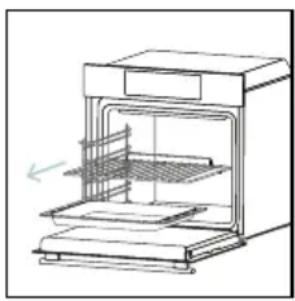
natural_image
Line drawing of an oven with cooling unit and side panel (no text or symbols)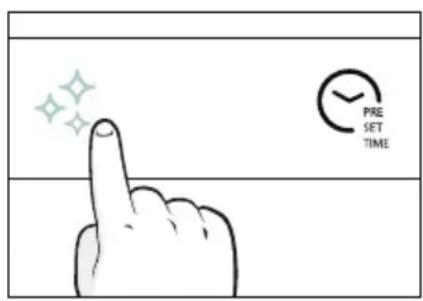
text_image
PRE SET TIME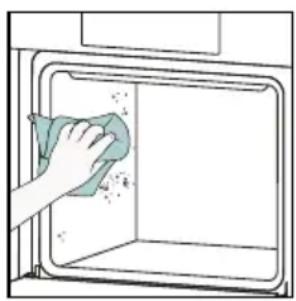
natural_image
Illustration of a hand cleaning a window with a cloth (no text or symbols)Aquactiva
The Aquactiva function is designed to effortlessly tackle light dirt and provide a quick and eco-friendly solution for cleaning your oven cavity using the power of steam.
How does it work:
- Pour 100 ml of water with a drop of washing-up liquid into the bottom embossment of the oven.
- Turn the knob on ⚡️. If necessary, turn the dial control to set the Hydro clean program. Allow the function to operate for the preset time.
- At the end of the cleaning process, allow the oven to cool down.
- When the appliance is cool, clean the inner surfaces of the oven with a cloth.
- ⚠ WARNING: Make sure that the appliance is cool before you touch it. Care must be taken with all hot surfaces as there is a risk of burns. Use distilled or drinkable water. Wipe the cooking compartment and allow it to dry completely to avoid possible corrosions.
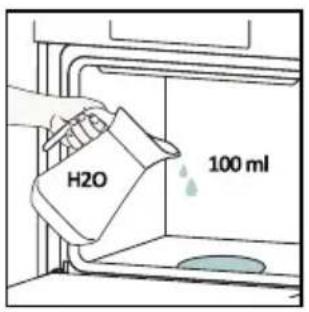
text_image
H2O 100 ml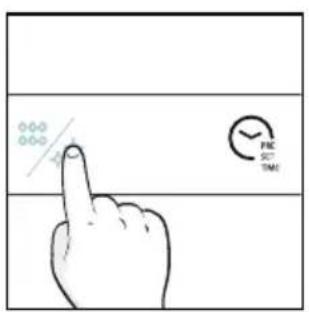
text_image
FIC SET TIME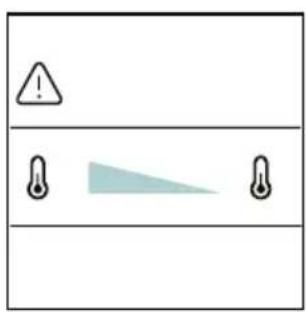
text_image
Warning symbol with warning triangle and three triangular warning symbols below, likely indicating hazard or alert conditions.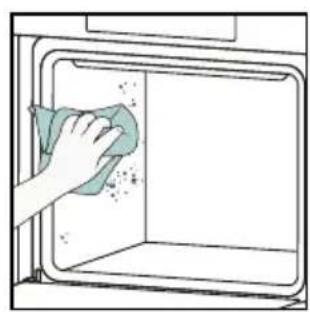
natural_image
Illustration of a hand cleaning a clean window with a cloth (no text or symbols)Catalytic cleaning
The Catalytic panels line the oven cavity and grant you the luxury of never having to contend with a dirty oven.
The panels are coated with a specialized enamel that boasts a microporous structure, adept at absorbing absorbs grease from splashes.
Through a catalytic chemical reaction, they efficiently convert the absorbed grease into gaseous elements when exposed to high temperatures.
Recommendation: Consider replacing the catalytic panels after approximately three years of use, especially if you use your oven for two to three cooking cycles per week. This ensures optimal performance and cleanliness.
6.2.2. OUTSIDE THE OVEN: removal and cleaning the glass door
- Position the door at 90°. Rotate the hinge locking tabs outward from the oven.
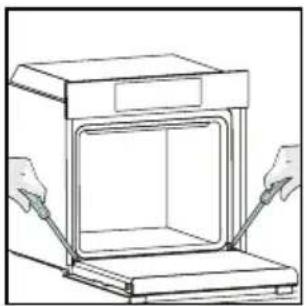
natural_image
Line drawing of a box being handled with two hands, no text or symbols present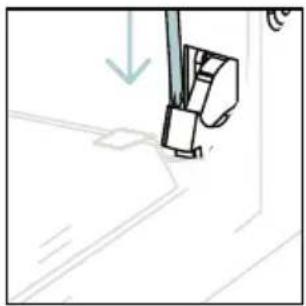
natural_image
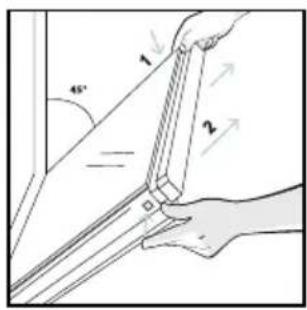
Simple line drawing of a sewing machine needle stitching fabric (no text or symbols)- Position the door at 45°. Simultaneously press the two buttons on both the sides of the door's lateral shoulders and pull towards yourself to remove the upper glasses' door cover.
text_image
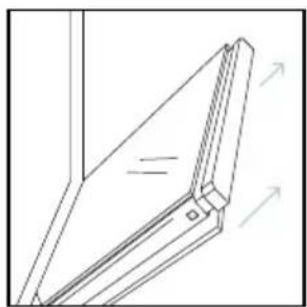
Technical diagram showing hands holding a bracket with numbered parts and angular measurement- Very carefully remove the oven glass, starting with the inner one. During the procedure, firmly hold the glass with both hands and place them on a cushioned flat surface (e.g., on a fabric).
natural_image
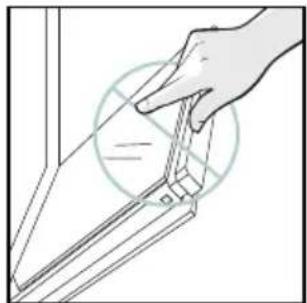
Technical line drawing of a mechanical joint or bracket assembly (no text or symbols)- WARNING: The outer glass is not removable.
natural_image
Illustration of a hand holding a tool interacting with a bracket (no text or symbols visible)- Clean the glass using a soft cloth and suitable cleaning products.
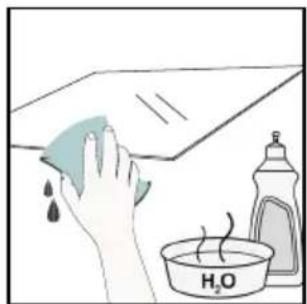
natural_image
Illustration of a hand cleaning a tiled surface with a water bottle and a bowl labeled 'H2O' (no text or symbols on the main objects)-
Insert the glass panels, making sure that the "Low-E" label is correctly readable and positioned on the lower left side of the door, near the left-side hinge. This way, the printed label on the first glass will remain on the inside of the door.
-
Reattach the upper glasses' door cover by pushing it inwards until you hear a click from the two side buttons.
-
Then, bring the door back to 90^ and rotate the hinge locking tabs inward towards the inside of the oven.
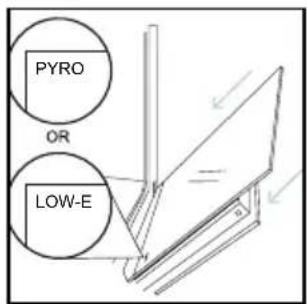
text_image
PYRO OR LOW-E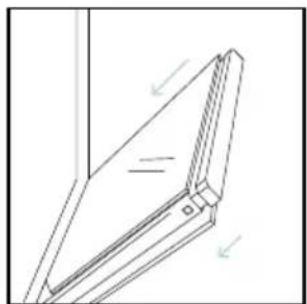
natural_image
Technical line drawing of a mechanical joint or bracket assembly (no text or symbols)
natural_image
Line drawing of a box with two hands inserting a tray into the opening (no text or symbols)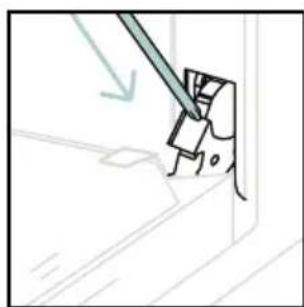
natural_image
Simple line drawing of a tool interacting with a mechanical component (no text or symbols)6.3 CLEANING OF ACCESSORIES
Ensure that you clean the accessories thoroughly after every use and dry them using a towel. For persistent residues, consider soaking the accessories in a mixture of water and soap for approximately 30 minutes before giving them a second wash.
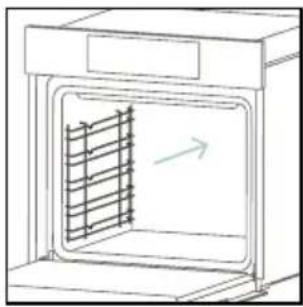
CLEANING OF SIDE RACKS:
- 6 levels model
- Remove the side racks by pulling them in the direction of the arrows.
- To clean the side racks either put them in the dishwasher or use a wet sponge, ensuring that they are dried afterwards.
- After the cleaning process install the side racks in reverse order
natural_image
Line drawing of a laboratory oven with a rack inside and an arrow indicating direction (no text or symbols)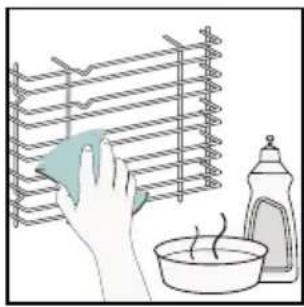
natural_image
Illustration of a hand cleaning a rack with a cloth, a bowl, and a spray bottle nearby (no text or symbols)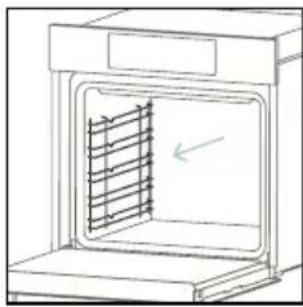
natural_image
Line drawing of an oven with a rack inside, showing airflow direction (no text or symbols)6.4. MAINTENANCE
COMPONENTS REPLACEMENT
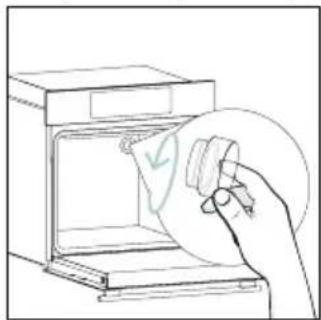
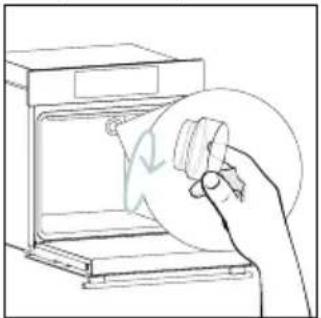
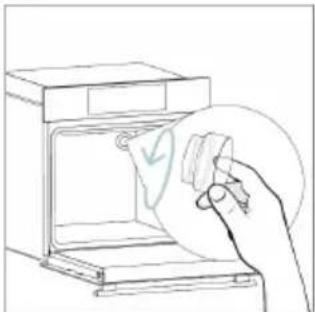
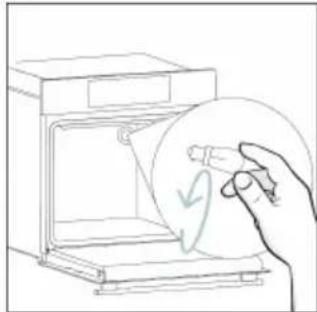
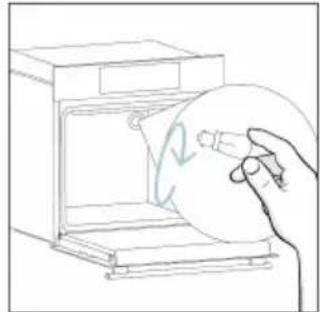
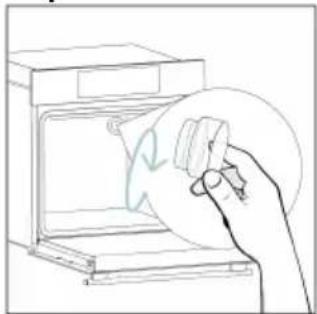
Changing the bulb on top:
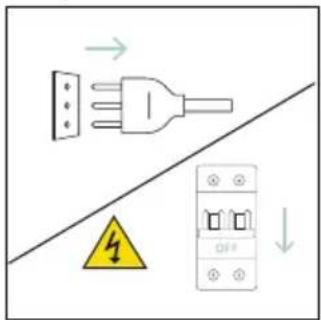
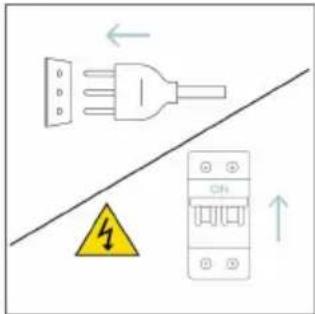
- Disconnect the oven from mains supply.
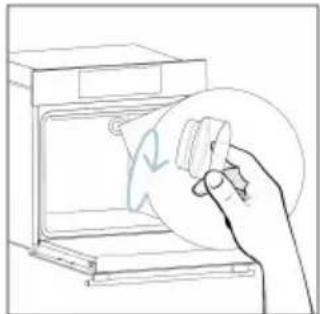
- Remove the lamp's glass cover.
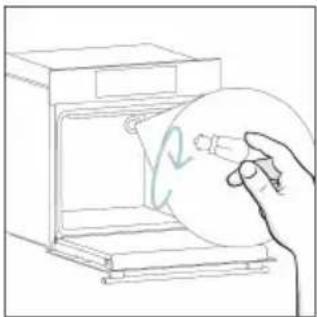
- Disassemble the bulb.
- Replace the bulb with a new one of the same type.
- Relocate the lamp's glass cover.
- Reconnect the oven from mains supply.
Step 1
text_image
Electrical hazard warning diagram showing a plug and fuse with safety symbol and circuit breakerStep 2 Step 3 Step 4
natural_image
Line drawing of a hand inserting a card into an oven (no text or symbols)
natural_image
Line drawing of a hand holding a circular object with a checkmark inside, next to an open oven (no text or symbols)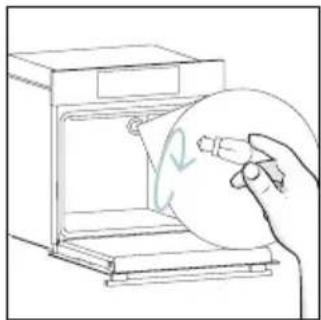
natural_image
Line drawing of a hand holding a circular object inside an oven (no text or symbols)Step 5 Step 6
natural_image
Line drawing of a hand holding a circular object inside an oven (no text or symbols)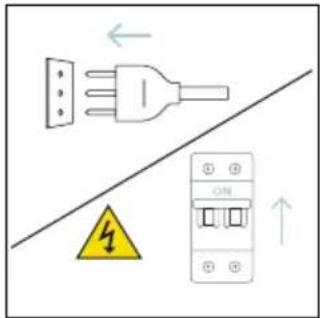
text_image
Electrical diagram showing a plug connected to an ON panel with warning symbol and airflow arrowsThis product contains one or more light sources of energy efficiency class G (Lamp)
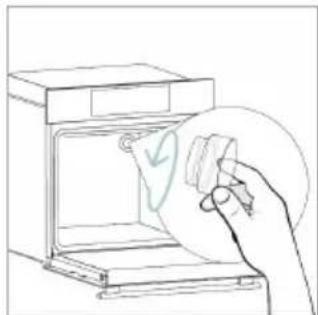
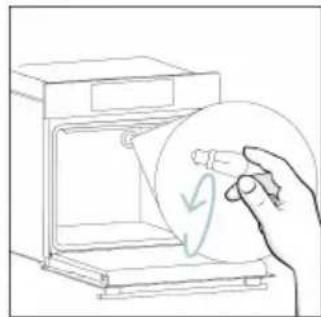
Changing the lateral bulb:
- Disconnect the oven from mains supply.
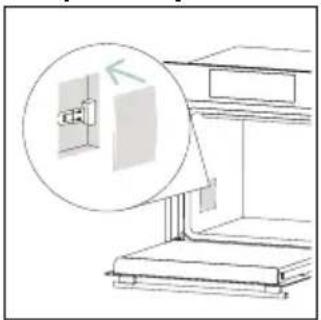
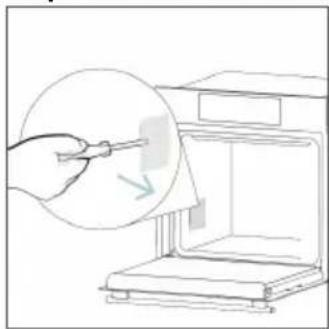
- Use a flat-head screwdriver by positioning it to the side of the protective glass and gently apply pressure to remove it.
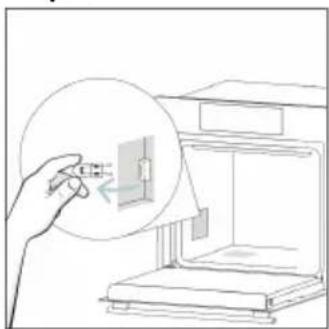
- Carefully grasp the bulb from its base.
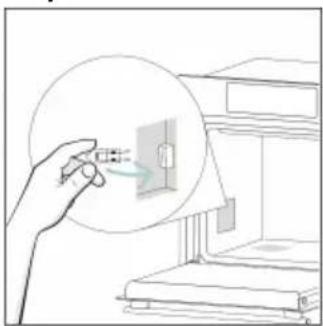
- Insert the new one.
- Reinstall the protective glass by pressing it gently until it's locked into position.
- Reconnect the oven from mains supply.
Step 1
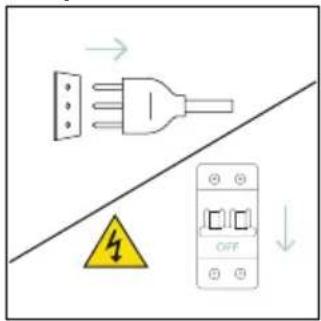
text_image
Electrical warning symbol and diagram showing a plug, safety warning sign, and OFF button with arrowsStep 2 Step 3 Step 4
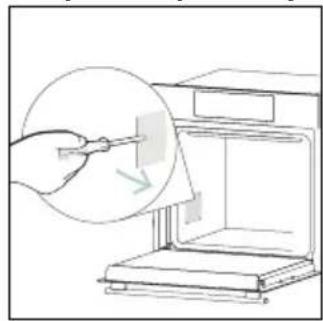
natural_image
Illustration of a hand using a tool to clean or store items from a machine (no text or symbols visible)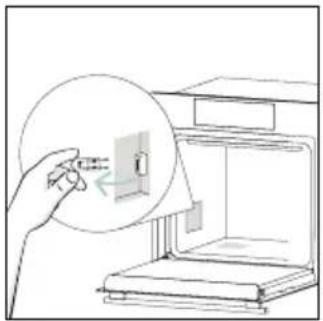
natural_image
Illustration of a hand inserting a small object into a device inside a kitchen appliance (no text or symbols)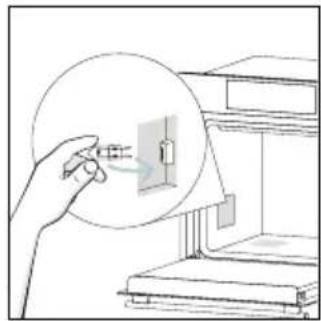
natural_image
Illustration of a hand holding a small electronic component with a magnified inset showing internal components (no text or symbols)Step 5 Step 6
natural_image
Line drawing of a cabinet with an open door and a magnified inset showing the exterior wall (no text or symbols)
text_image
Diagram showing electrical connections with a plug, warning symbol, and circuit breaker componentsThis product contains one or more light sources of energy efficiency class G (Lamp)
7. TROUBLESHOOTING
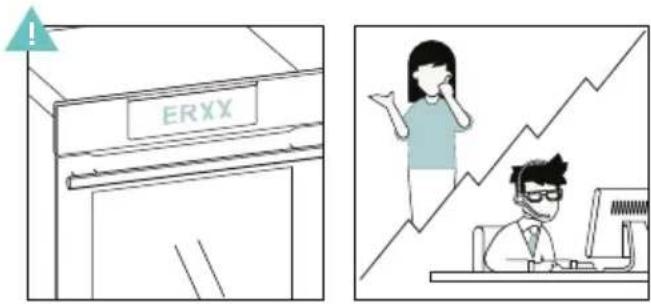
If, during oven use, an error occurs, the display will show the code "ER" followed by two digits, which will identify the error.
Proceed by turn off the oven and un-plug it, wait for a few minutes, and then reconnect it.
If the error disappears, you can resume using the oven. If it doesn't, call customer service and communicate the code (ERXX) you see on the display.
Error
text_image
ERXXSmoke
text_image
Illustration showing a kitchen scene with steam rising and a hand cleaning the oven, accompanied by a cooking step labeled 'H20'.8. ENVIRONMENTAL PROTECTION & DISPOSAL
8.1. APPLIANCE DISPOSAL
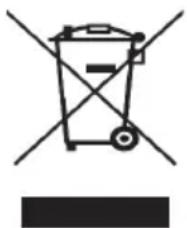
This appliance is labelled in accordance with European Directive 2012/19/EU regarding electric and electronic appliances (WEEE). The WEEE contain both polluting substances (that can have a negative
natural_image
Simple line drawing of a trash bin with crossed lines indicating no waste or plastic (no text or symbols)effect on the environment) and base elements (that can be reused). It is important that the WEEE undergo specific treatments to correctly remove and dispose of the pollutants and recover all the materials.
Individuals can play an important role in ensuring that the WEEE do not become an environmental problem; it is essential to follow a few basic rules:
- the WEEE should not be treated as domestic waste;
- the WEEE should be taken to dedicated collection areas managed by the town council or a registered company.
In many countries, domestic collections may be available for large WEEEs. When you buy a new appliance, the old one can be returned to the vendor who must
accept it free of charge as a one-off, as long as the appliance is of an equivalent type and has the same functions as the purchased appliance.
8.2. SAVING AND RESPECTING THE ENVIRONMENT
Where possible, avoid pre-heating the oven and always try to fill it.
Open the oven door as infrequently as possible, because heat from the cavity disperses every time it is opened. For a significant energy saving, switch off the oven between 5 and 10 minutes before the planned end of the cooking time, and use the residual heat that the oven continues to generate.
Keep the seals clean and in order, to avoid any heat dispersal outside of the cavity. If you have an electric contract with an hourly tariff, the "delayed cooking" programme makes energy saving simpler, moving the cooking process to start at the reduced tariff time slot.
text_image
min. 560 600 min. 560x45 560+8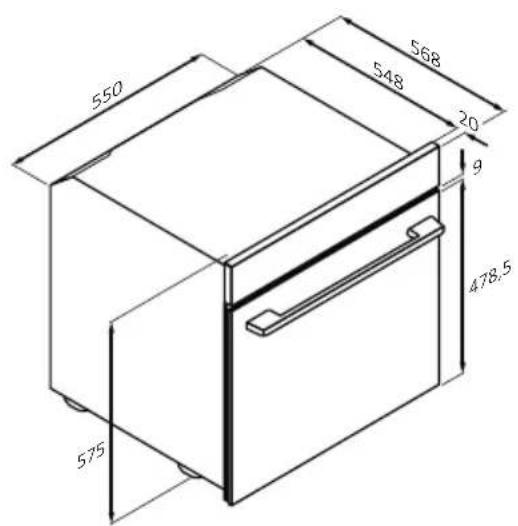
text_image
550 568 548 20 9 478.5 575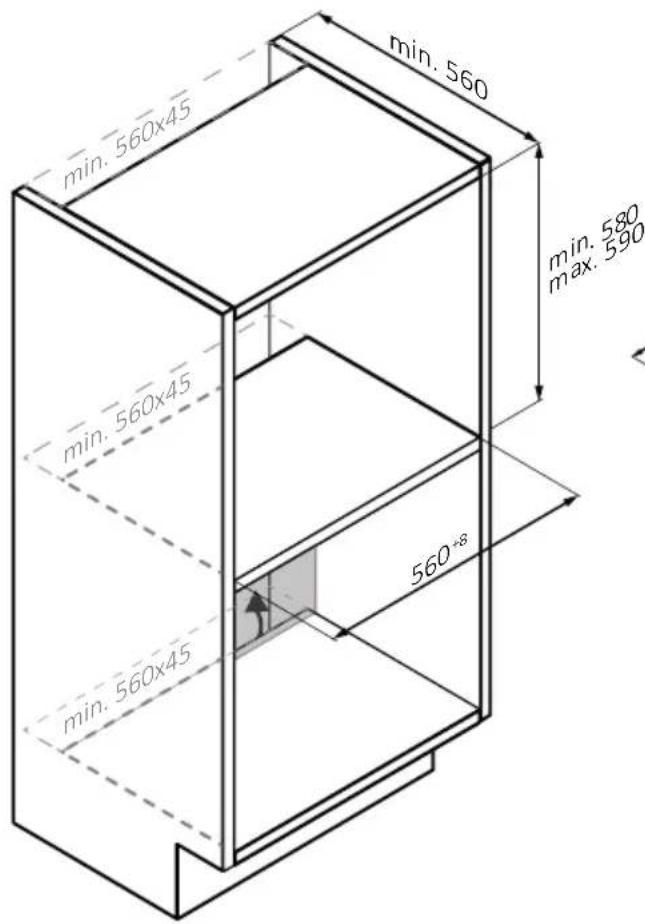
natural_image
Isometric line drawing of a multi-level cabinet or refrigerator with internal compartments and drawers (no text or symbols)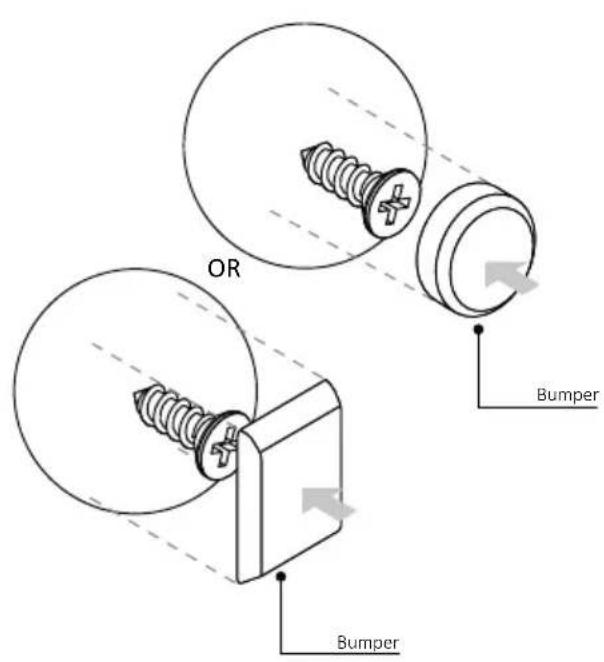
text_image
OR Bumper Bumper
BIENVENUE
natural_image
Simple illustration of a pen with a downward arrow pointing to it (no text or symbols)text_image
Line drawing of an oven with numbered compartments for identificationnatural_image
Empty white rectangle with a thin border (no text or symbols)natural_image
Line drawing of a multi-tiered storage unit with horizontal shelves and vertical supports (no text or symbols)natural_image
3D diagram of a rectangular tray with internal compartments, placed on an open shelf (no text or symbols)natural_image
Technical line drawing of a rectangular metal grate or rack with 'STOP' annotations (no text or symbols on the grate itself)natural_image
3D rendering of a rectangular tray with internal compartments, placed on a shelf (no text or symbols)natural_image
Technical line drawing of a kitchen sink with a round pan, a sphere, and a mesh tray (no text or symbols)natural_image
Technical line drawing of a rectangular tray with internal grid pattern (no text or symbols)natural_image
Line drawing of a rooster on a cutting board inside a kitchen (no text or symbols)natural_image
Illustration of a cabinet with a fan and a circular arrow indicating airflow or motion (no text or symbols)natural_image
Diagram of a rectangular appliance with a grating or filter array, placed inside an oven (no text or symbols)natural_image
Simple line drawing of a pen with a pointed tip and handle (no text or symbols)natural_image
3D rendering of a rectangular tray with mesh pattern inside, placed on an open shelf (no text or symbols)COMMENT INTERAGIR AVEC L'APPLICATION
text_image
Available on the App Store GET IT ON Google PlayINSCRIPTION D'UN NOUVEL UTILISATEUR
text_image
Welcome! Sign in to enter in your home page ENTER REGISTER Are you new to hOn? Click below to learn about our products ① TRY DEMO
text_image
Do you already have a thousand passwords? Register with your social accounts and log in the easiest and fastest way. SIGN UP WITH GOOGLE SIGN UP WITH APPLE SIGN UP WITH FACEBOOK New recommendations relating to you will be shared and we will not just something free you OR SIGN UP WITH EMAIL Already registered? LOGINAPPAIRAGE RAPIDE
Étape 1
text_image
Hello USERNAME YOUR APPLIANCES Add Add appliance 10% Virtual Wine Bank second row 2 seconds there is a second row YOUR WIDGETS Current power double x8 net NEW Search the Care YOUR NEWS NEW What functions do smart appliances have? How to live sustain tove and reduce wÉtape 2
text_image
Allow your location permission To enhance your experience, please allow location permission to hOn app in the next step. CONTINUEÉtape 3
text_image
Select your appliance category Search your appliance Washing machine Washer dryer Tumble dryer Dishwasher Air conditionair Air purifier Air scannerÉtape 4
text_image
Turn OFF and then ON your appliance In case you can't switch OFF your appliance, unplug (for at least 10 seconds) and then plug its power supply. OK. I DID ITÉtape 5
text_image
Appliance connection Searching your appliance Don't turn off your Bluetooth. hOn app is looking for your appliance... 00:00:40 Stay close to your appliance in order to correctly capture the signal.Étape 6.1-6.2
text_image
Appliance connection Searching your appliance Don't turn off your Bluetooth. Oven New appliance Long appliance name to... CONNECT PRODUCT NOT FOUND Appliance connection Searching your appliance Don't turn off your Bluetooth Oven Connecting New appliance Long appliance name to... Stay close to your appliance in order to correctly capture the signal.Étape 7
text_image
Appliance connection Your appliance has been correctly identified! Brand Hoover Model 31008486-7888-1824 Serial number 12345678-1234-1234 Is this your appliance? YES IT'S MY OVEN NO IT'S NOT
COMMENT MODIFIER LES PARAMÈTRES DU WI-FI
text_image
Diagram showing a hand interacting with a device interface with icons for wireless, Wi-Fi, and ON status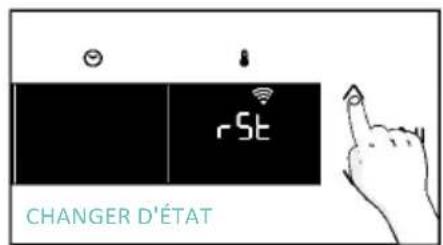
text_image
rSt CHANGER D'ÉTAT
text_image
OFF
CONTRÔLE À DISTANCE
text_image
Hand interacting with a touchscreen device displaying 'CON' and icons for wireless signals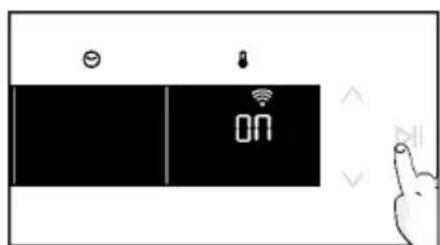
text_image
Diagram showing a device with 'ON' status and icons for battery, lock, and function buttons, alongside a hand gesture.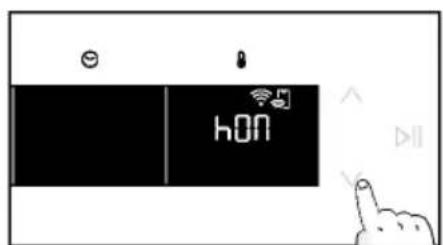
text_image
hON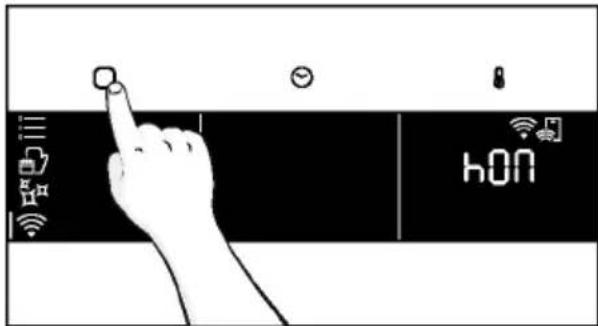
text_image
hONnatural_image
Simple line drawing of a kitchen appliance with a hand cleaning the interior (no text or symbols)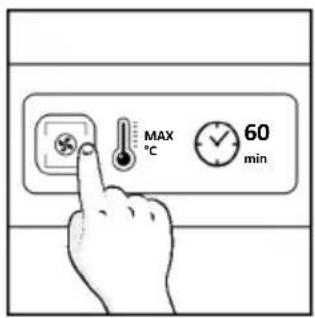
text_image
MAX °C 60 min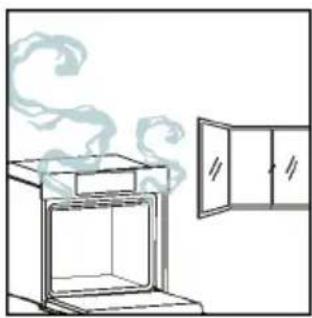
natural_image
Simple line drawing of a cabinet with steam rising from the top (no text or symbols)4. FONCTIONNEMENT DU PRODUIT
4.1. FONCTIONNEMENT DU PRODUIT
MISE EN MARCHE/ARRÊT DU FOUR
natural_image
Illustration of a hand interacting with a digital interface displaying icons like a light bulb, lock, and Wi-Fi symbol (no text or labels present)MENU DES FONCTIONS
text_image
Diagram showing a hand interacting with a smartphone screen displaying connected icons for connectivity and security.natural_image
Line drawing of an oven with cooling rack and side panel (no text or symbols)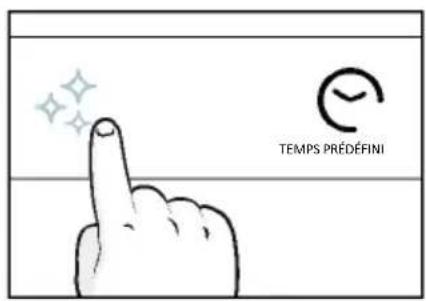
text_image
TEMPS PRÉDÉFINI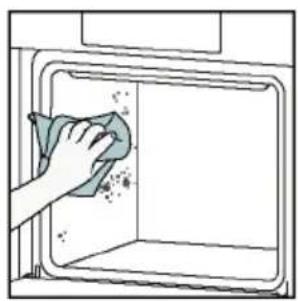
natural_image
Illustration of a hand cleaning a window with a cloth (no text or symbols)Aquactiva
text_image
Warning symbol with exclamation mark and two warning symbols below, one shaded triangle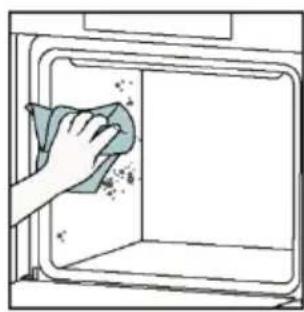
natural_image
Hand cleaning a clean window with a cloth (no text or symbols visible)natural_image
Line drawing of a box with two hands inserting a spring into the opening (no text or symbols)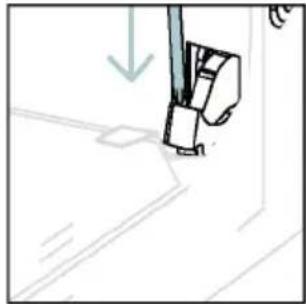
natural_image
Simple line drawing of a sewing machine needle and foot (no text or symbols)text_image
Diagram showing hand positioning of a tool with numbered parts and directional arrows indicating movementnatural_image
Pure technical line drawing of a mechanical joint or bracket (no text or symbols)natural_image
Line drawing of a hand using scissors to cut a piece of paper (no text or symbols)natural_image
Illustration of a hand cleaning a tiled surface with a water bottle and a bowl labeled H₂O (no text or symbols on the main image)text_image
PYRO OU BASnatural_image
Technical line drawing of a mechanical bracket or hinge assembly (no text or symbols)natural_image
Line drawing of a cabinet with two hands inserting a tray into the opening (no text or symbols)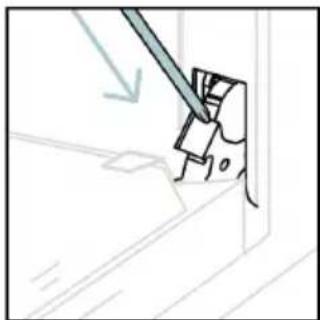
natural_image
Simple line drawing of a tool interacting with a mechanical component (no text or symbols)6.3. NETTOYAGE DES ACCESSOIRES
natural_image
Line drawing of an oven with internal rack structure and a green arrow indicating direction (no text or symbols)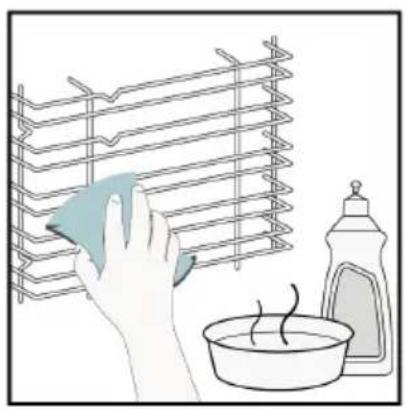
natural_image
Illustration of a hand cleaning a rack with a cloth, next to a bowl and a spray bottle (no text or symbols)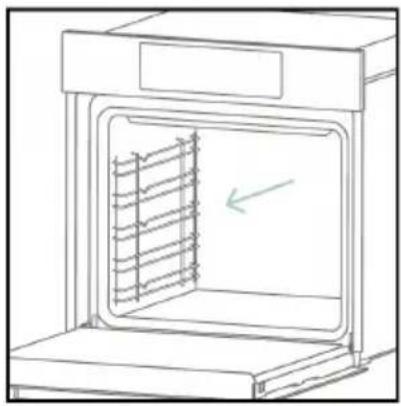
natural_image
Line drawing of an oven with a rack inside, showing internal structure and a green arrow indicating direction (no text or symbols)6.4. ENTRETIEN
REMPLACEMENT DES COMPOSANTS
text_image
Safety warning diagram showing a plug connected to an electrical outlet with a warning symbol and 'OFF' labelÉtape 2
natural_image
Line drawing of a hand inserting a card into an oven (no text or symbols)Étape 3
natural_image
Line drawing of a hand holding a circular object with a checkmark, next to an open appliance (no text or symbols)Étape 4
natural_image
Line drawing of a hand holding a circular object inside an oven (no text or symbols)Étape 5
natural_image
Line drawing of a hand inserting a circular object into an oven (no text or symbols)Étape 6
text_image
Electrical diagram showing a plug connected to a circuit breaker with warning symbol and current direction arrowstext_image
Diagram showing electrical connections with a plug, warning symbol, and circuit breaker labeled OFFÉtape 2
natural_image
Line drawing of a hand using a tool to clean or store items inside a microwave oven (no text or symbols)Étape 3
natural_image
Line drawing of a hand inserting a small component into an open storage unit (no text or symbols)Étape 4
natural_image
Illustration of a hand holding a magnified view of an electrical outlet with a cable, next to a cabinet (no text or symbols)Étape 5
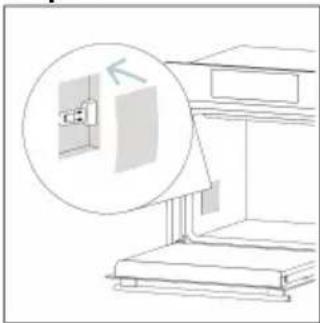
natural_image
Diagram of a staircase with an inset showing a window and a magnified view of the wall (no text or symbols)Étape 6
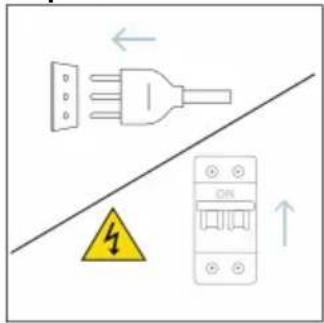
text_image
Electrical hazard warning diagram showing a plug and fuse with a warning symbol and circuit breakertext_image
Diagram showing a kitchen appliance with a hand cleaning it, labeled with environmental hazard and water level indicator8. PROTECTION DE L'ENVIRONNEMENT ET ÉLIMINATION
8.1. ÉLIMINATION DE L'APPAREIL
natural_image
Simple line drawing of a trash bin with crossed lines indicating no waste or discharge (no text or symbols)natural_image
Isometric line drawing of a multi-level cabinet or refrigerator with internal compartments and drawers (no text or symbols)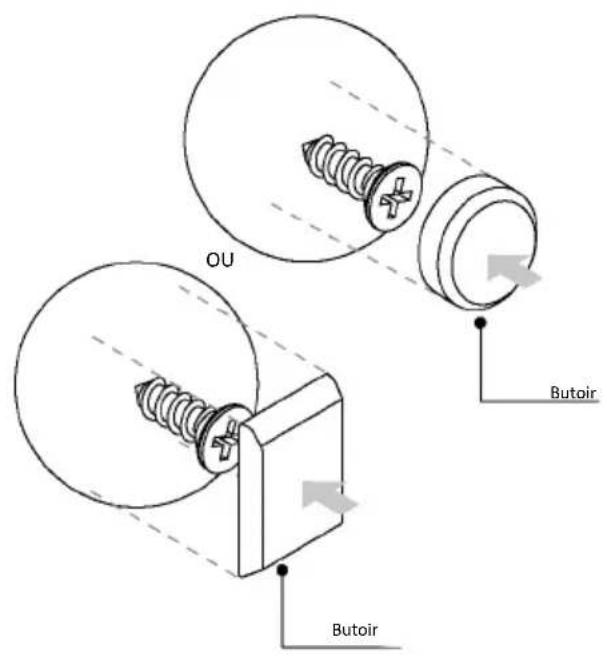
text_image
OU Butoir Butoir
BENVENUTI
natural_image
Simple illustration of a pen with a downward arrow pointing to it (no text or symbols)text_image
Technical diagram of an oven with numbered parts for identificationnatural_image
Empty white rectangle with a thin gray border (no text or symbols)natural_image
Line drawing of a multi-tiered storage unit with horizontal bars (no text or symbols)natural_image
Illustration of a rectangular tray with internal compartments, placed inside a rack (no text or symbols)natural_image
Line drawing of a rectangular appliance with horizontal slats and labeled 'STOP' (no text or symbols beyond labels)natural_image
3D rendering of a rectangular tray with internal compartments, placed on a shelf (no text or symbols)natural_image
Technical line drawing of a bathroom sink with a round basin and wall-mounted shelf (no text or symbols)natural_image
Technical line drawing of a rectangular tray with internal grid pattern (no text or symbols)natural_image
Line drawing of a rooster on an induction cooktop, with steam rising from the pan (no text or symbols)natural_image
Illustration of a cabinet with a blue handle and a circular arrow indicating rotation or motion (no text or symbols)natural_image
Line drawing of a rectangular appliance with a grid-patterned lid and base, placed on a tray (no text or symbols)natural_image
Simple line drawing of a pen with a pointed tip and handle (no text or symbols)natural_image
3D rendering of a rectangular tray with mesh pattern inside, placed on a shelf (no text or symbols)text_image
Available on the App Store GET IT ON Google Playtext_image
Welcome! Sign in to enter in your home page ENTER REGISTER Are you now to hOn? Click below to learn about our products TRY DEMO
text_image
Do you already have a thousand passwords? Register with your social accounts and log is in the easiest and fastest way. SIGN UP WITH GOOGLE SIGN UP WITH APPLE SIGN UP WITH FACEBOOK *Information relating to you will be shared and we will not add anything from you or SIGN UP WITH EMAIL Already registered? LOGINtext_image
Hello USERNAME YOUR APPLIANCES ADD 10% Virtual Wine Bank second now 2 bottles there is a second now Add appliance YOUR WIDGETS Lorem ipsum darker of eat Don't to Care YOUR NEWS NEW What functions do smart appliances have? How to live sustain: home and reduce wPasso 2
text_image
Allow your location permission To enhance your experience, please allow location permission to hOn app in the next step. CONTINUEPasso 3
text_image
Select your appliance category Search your appliance Washing machine Washer dryer Tumble dryer Dishwasher Air conditionair Air purifier Air scannerPasso 4
text_image
Turn OFF and then ON your appliance In case you can't switch OFF your appliance, unplug (for at least 10 seconds) and then plug its power supply. OK.I DID ITPasso 5
text_image
Appliance connection Searching your appliance Don't turn off your Bluetooth. hOn app is looking for your appliance... 00:00:40 Stay close to your appliance in order to correctly capture the signal.Passo 6.1-6.2
text_image
Appliance connection Searching your appliance Don't turn off your Bluetooth. Oven New appliance Long appliance name to... CONNECT PRODUCT NOT FOUND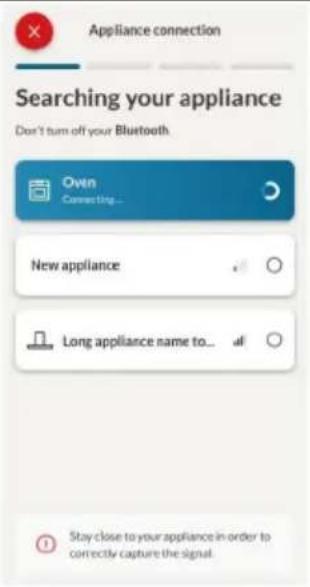
text_image
Appliance connection Searching your appliance Don't turn off your Bluetooth Ovtn Connecting... New appliance Long appliance name to... Stay close to your appliance in order to correctly capture the signal.Passo 7
text_image
Appliance connection Your appliance has been correctly identified! Brand Hoover Model 31008486-7888-1824 Serial number 12345678-1234-1234 Is this your appliance? YES IT'S MY OVEN NOIT'S NOT
text_image
Hand interacting with a touchscreen device displaying icons for signal, app, and control buttons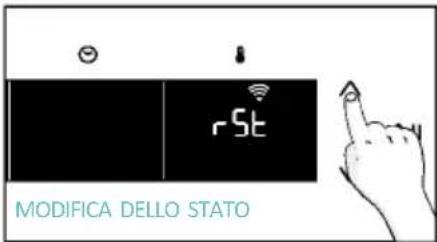
text_image
rSt MODIFICA DELLO STATO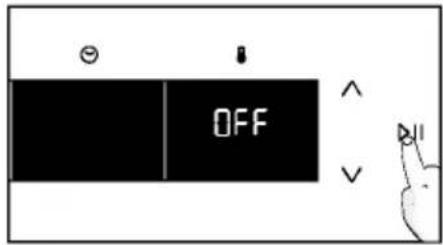
text_image
OFF
CONTROLLO DA REMOTO
text_image
Diagram showing a hand interacting with a touchscreen device and displaying 'CON' text, likely illustrating a UI or system control interface.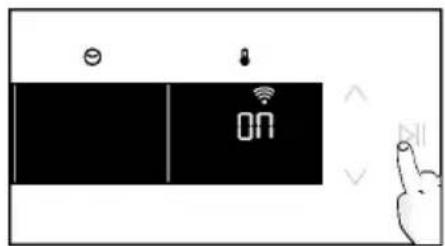
text_image
ON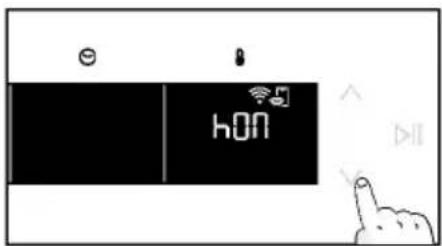
text_image
hON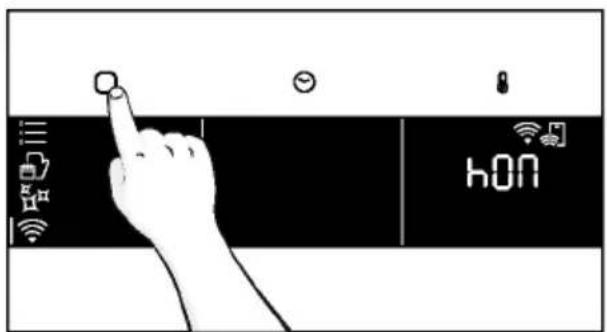
text_image
hONtext_image
PREMERE PER CONFERMAREtext_image
6br 1 9=3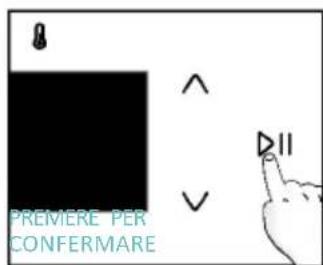
text_image
PREMERE PER CONFERMAREtext_image
PREMERE PER CONFERMAREnatural_image
Simple line drawing of a kitchen appliance with a hand cleaning it, no text or symbols present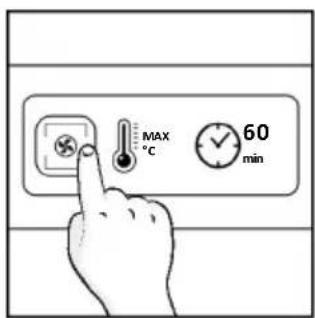
text_image
MAX °C 60 min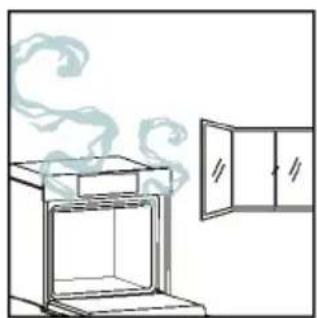
natural_image
Line drawing of an oven with steam rising, next to a cabinet (no text or symbols)natural_image
Illustration of a hand interacting with a digital interface displaying icons like a lightbulb, lock, and Wi-Fi symbol (no text or labels)MENÙ FUNZIONI
text_image
Diagram showing a hand interacting with a smartphone screen displaying a control interface with icons for connectivity, security, and data.text_image
IMPOSTARE LA DURATA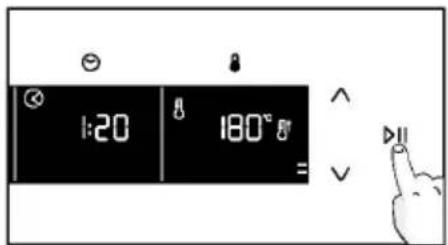
text_image
1:20 180° =a. PROMEMORIA MINUTI
text_image
Diagram showing a hand pressing a button on a digital camera control panel with time and angle labels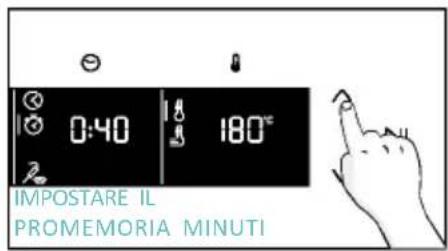
text_image
0:40 180°C IMPOSTARE IL PROMEMORIA MINUTI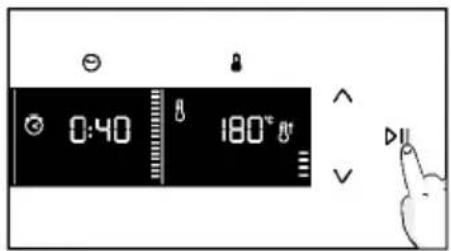
text_image
0:40 180°a. PARTENZA RITARDATA
text_image
12:00 180°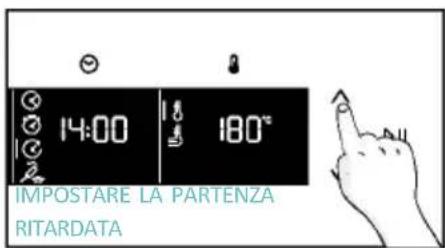
text_image
IMPOSTARE LA PARTENZA RITARDATA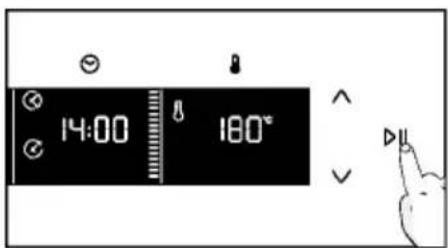
text_image
14:00 180°text_image
PREIMPOSTARE ORA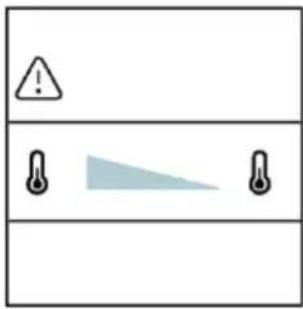
text_image
Warning symbol with exclamation mark and three warning symbols: thermometer, triangular warning triangle, and thermometer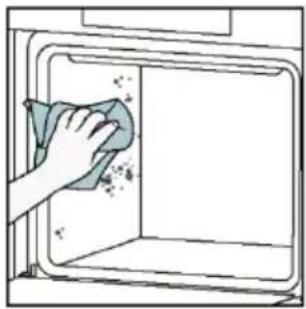
natural_image
Hand cleaning a kitchen appliance with a cloth (no text or symbols visible)Pulizia catalitica
natural_image
Line drawing of a box being lifted by two hands, showing internal structure and support (no text or symbols)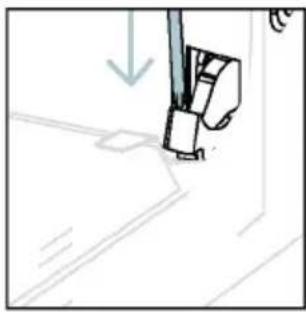
natural_image
Simple line drawing of a sewing machine needle stitching fabric (no text or symbols)text_image
Diagram showing a hand holding a tool with numbered parts and directional arrows indicating movement or force.natural_image
Pure technical line drawing of a mechanical joint or bracket (no text or symbols)natural_image
Illustration of a hand using a tool to cut or trim a curved surface, with no visible text or symbols.natural_image
Illustration of a hand cleaning a surface with a cloth, water droplets, and a small bowl labeled H₂O (no text or symbols on main objects)text_image
PYRO OPPURE LOW-Enatural_image
Pure technical line drawing of a mechanical component or bracket (no text or symbols)natural_image
Line drawing of a cabinet with two hands inserting a tool into the opening (no text or symbols)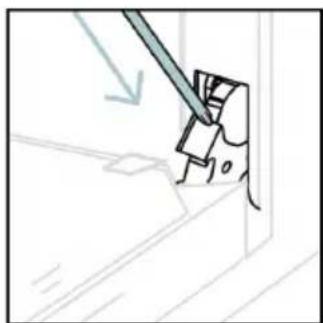
natural_image
Simple line drawing of a tool interacting with a wall corner, no text or symbols present6.3. PULIZIA DEGLI ACCESSORI
natural_image
Line drawing of an oven with internal rack structure and a directional arrow (no text or symbols)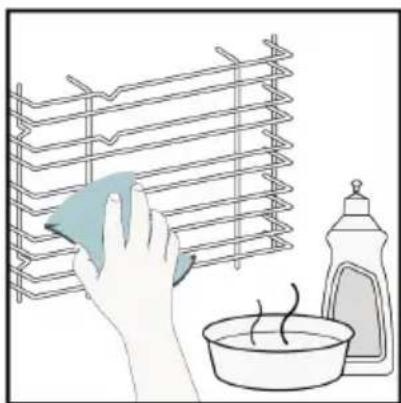
natural_image
Illustration of a hand cleaning a rack with a cloth, next to a washing bottle and bowl (no text or symbols)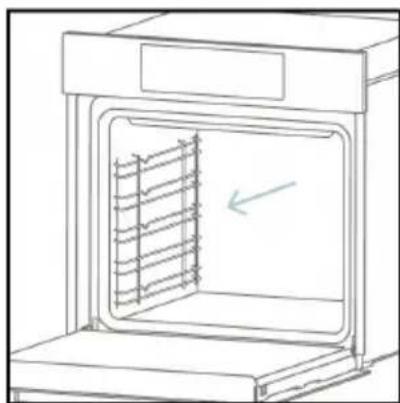
natural_image
Line drawing of an oven with a rack inside, showing internal structure and a directional arrow (no text or symbols)6.4. MANUTENZIONE
text_image
Diagram showing a plug connected to an electrical terminal with a warning symbol and downward arrow indicating current flow.Passo 2
natural_image
Line drawing of a hand inserting a card into an oven (no text or symbols)Passo 3
natural_image
Line drawing of a hand inserting a circular component into an oven (no text or symbols)Passo 4
natural_image
Line drawing of a hand holding a circular object inside an oven (no text or symbols)Passo 5
natural_image
Line drawing of a hand holding a circular object over an open appliance (no text or symbols)Passo 6
text_image
Diagram showing electrical connections with a plug, warning symbol, and circuit breaker componentstext_image
Safety warning diagram showing a plug connected to an electrical outlet with a warning symbol and 'OFF' labelPasso 2
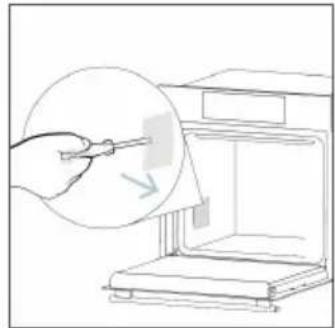
natural_image
Line drawing of a hand using a tool to clean or store items, with no visible text or symbolsPasso 3
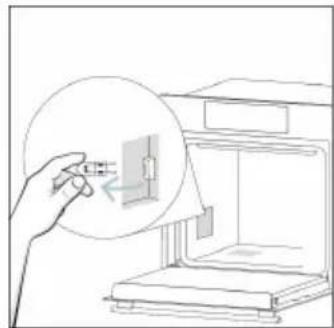
natural_image
Illustration of a hand holding a small electronic component inside an open device (no text or symbols visible)Passo 4
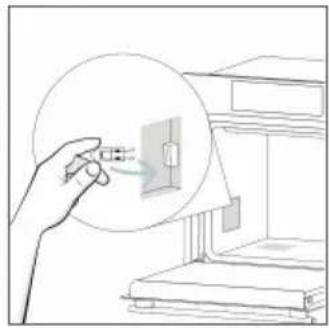
natural_image
Illustration of a hand holding a small electrical outlet connected to a wall-mounted device (no text or symbols visible)Passo 5
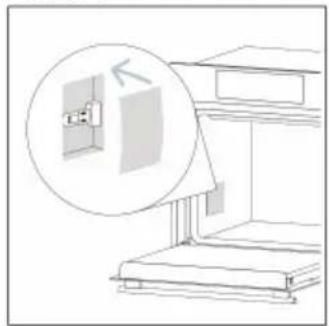
natural_image
Line drawing of a staircase with an inset showing a wall-mounted fixture (no text or symbols)Passo 6
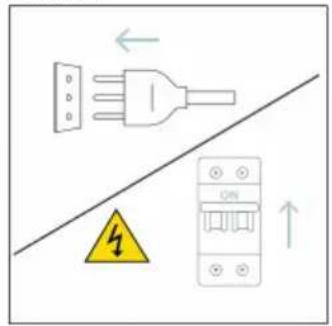
text_image
Electrical hazard warning diagram showing a plug and fuse with a warning symbol and circuit breakernatural_image
Illustration of two people working at a computer with a rising trend line in the background (no text or symbols)Fumo
!
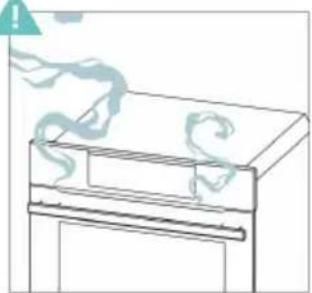
natural_image
Simple line drawing of a refrigerator with a handle and a wavy line above it (no text or symbols)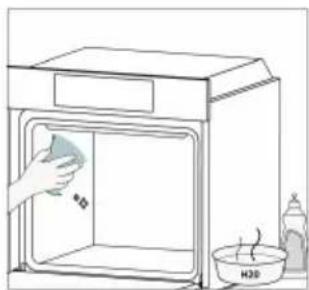
natural_image
Simple line drawing of a kitchen sink with a hand cleaning the interior (no text or symbols)8.1. SMALTIMENTO DELL'ELETTRODOMESTICO
natural_image
Simple line drawing of a trash bin with crossed lines indicating no waste or discharge (no text or symbols)natural_image
Isometric line drawing of a multi-level refrigerator with drawers and shelves (no text or symbols)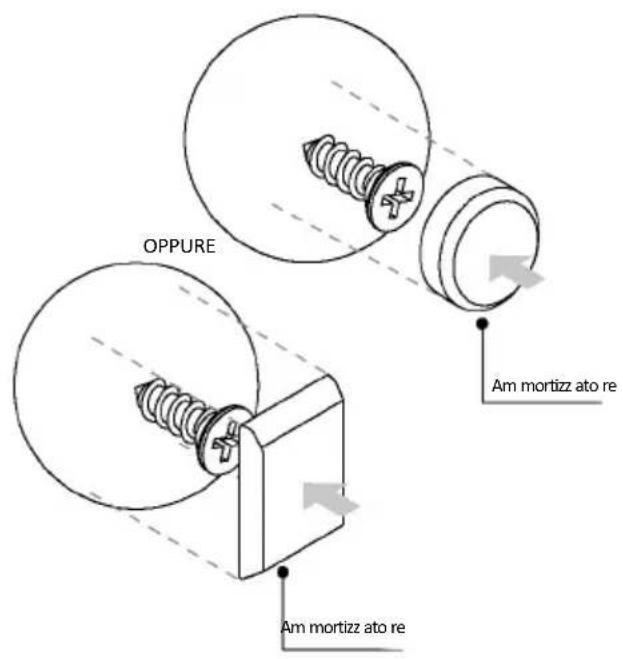
text_image
OPPURE Am mortizz ato re Am mortizz ato re
WILLKOMMEN
natural_image
Simple illustration of a pen with a black arrow pointing downward (no text or symbols)text_image
Line drawing of an oven with numbered compartments for identificationnatural_image
Empty white rectangle with a thin border (no text or symbols)natural_image
Line drawing of a multi-tiered storage unit with horizontal shelves and top panel (no text or symbols)natural_image
3D diagram of a rectangular tray with internal compartments, placed on a shelf (no text or symbols)natural_image
Technical line drawing of a rectangular metal grate with 'STOP' and 'STOP' annotations (no text or symbols on the grate itself)natural_image
3D rendering of a rectangular tray or basin with internal compartments, placed on a shelf (no text or symbols visible)natural_image
Technical line drawing of a kitchen sink with a bowl, a round head, and a mesh tray (no text or symbols)natural_image
Diagram of a rectangular tray with internal grid pattern, placed inside a rack (no text or symbols)natural_image
Line drawing of a roasted chicken on a cutting board (no text or symbols)natural_image
Illustration of a document holder with a circular arrow indicating rotation or motion (no text or symbols)natural_image
Illustration of a rectangular appliance with a grid-patterned lid, placed on a tray (no text or symbols)natural_image
Simple line drawing of a pen with a handle and pointed tip (no text or symbols)natural_image
3D rendering of a rectangular tray with a mesh pattern inside, placed on an oven (no text or symbols visible)text_image
Available on the App Store GET IT ON Google Playtext_image
Welcome! Sign in to enter in your home page ENTER REGISTER Are you new to hOn? Click below to learn about our products © TRY DEMO
text_image
Do you already have a thousand passwords? Register with your social accounts and log in as the easiest and fastest way. SIGN UP WITH GOOGLE SIGN UP WITH APPLE SIGN UP WITH FACEBOOK No information relating to you will be stored and we will sell part and listing from you or SIGN UP WITH EMAIL Already registered? LOGINtext_image
Hello USERNAME YOUR APPLIANCES ADD Add appliance YOUR WIDGETS Current room door all art New YOUR NEWS What functions do smart appliances have? How to live sustain home and reduce wSchritt 2
text_image
Allow your location permission To enhance your experience, please allow location permission to hOn app in the next step. CONTINUESchritt 3
text_image
Select your appliance category Search your appliance Washing machine Washer dryer Tumble dryer Dishwasher Air conditionair Air purifier Air scannerSchritt 4
text_image
Turn OFF and then ON your appliance In case you can't switch OFF your appliance, unplug (for at least 10 seconds) and then plug Its power supply. OK I DID ITSchritt 5
text_image
Appliance connection Searching your appliance Don't turn off your Bluetooth. On app is looking for your appliance... 00:00:40 Stay close to your appliance in order to correctly capture the signal.Schritt 6.1-6.2
text_image
Appliance connection Searching your appliance Don't turn off your Bluetooth. Oven New appliance Long appliance name to... CONNECT PRODUCT NOT FOUND Appliance connection Searching your appliance Don't turn off your Bluetooth. Oven Connecting... New appliance Long appliance name to... Stay close to your appliance in order to correctly capture the signal.Schritt 7
text_image
Appliance connection Your appliance has been correctly identified! Brand Hoover Model 31008486-7888-1824 Serial number 12345678-1234-1234 Is this your appliance? YES IT'S MY OVEN NO IT'S NOTtext_image
Hand interacting with a touchscreen device displaying icons for settings, battery, and status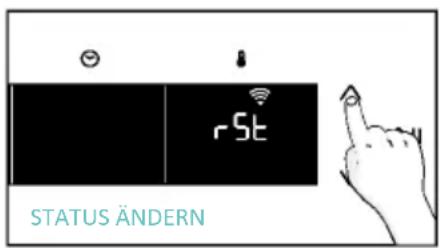
text_image
rSt STATUS ÄNDERN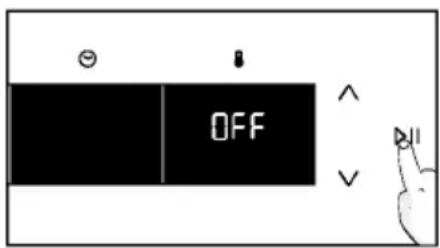
text_image
OFF
FERNSTEUERUNG
text_image
Diagram showing a hand interacting with a device, displaying icons for contact and interaction states.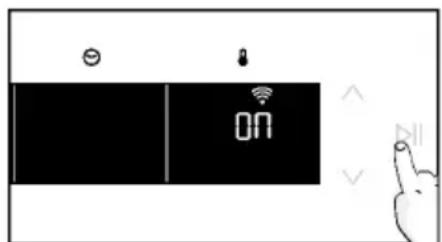
text_image
Diagram showing a device with icons for battery, lock, and display, alongside a hand gesture pointing to it.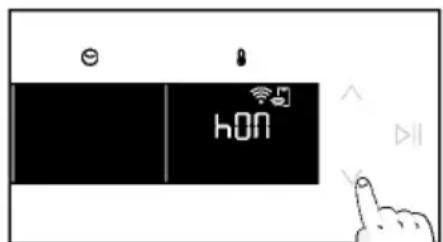
text_image
e hON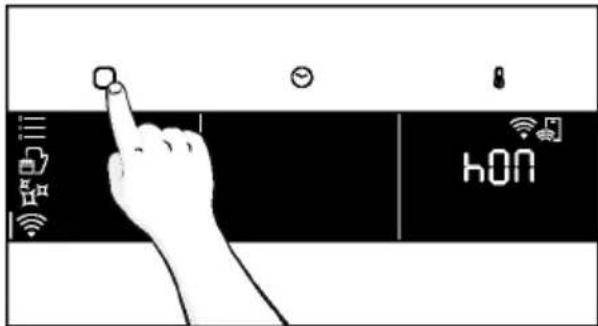
text_image
hONnatural_image
Simple line drawing of a hand cleaning a small container with a bottle nearby (no text or symbols)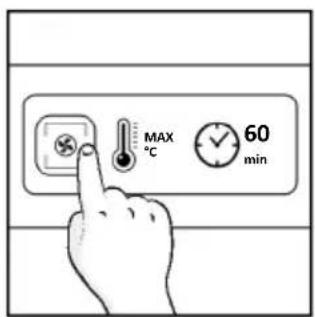
text_image
MAX °C 60 min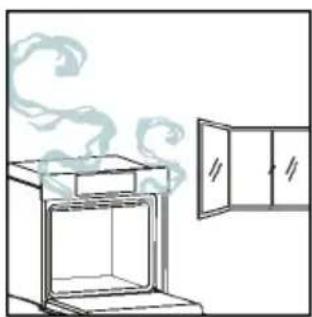
natural_image
Line drawing of an oven with steam rising from the top, next to a cabinet (no text or symbols)natural_image
Illustration of a hand interacting with a digital interface displaying icons like a light bulb, lock, and Wi-Fi symbol (no text or labels present)MENÜ FUNKTIONEN
text_image
Diagram showing a hand interacting with a smartphone screen displaying a control interface with icons for connectivity and security.text_image
88 8 DEMO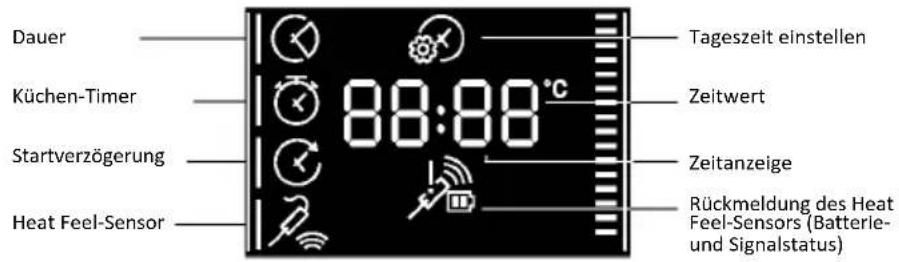
text_image
1:20 180° =a. MINUTENZÄHLER
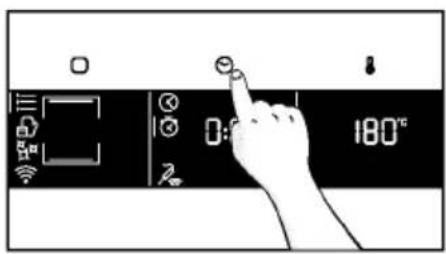
text_image
Diagram showing a hand pressing a button on a digital timer or control panel with icons for settings and temperature reading.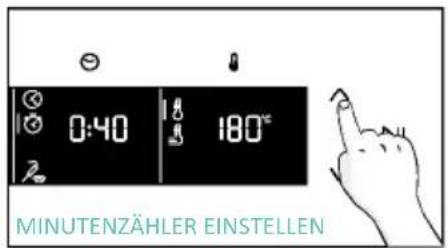
text_image
0:40 180° MINUTENZÄHLER EINSTELLEN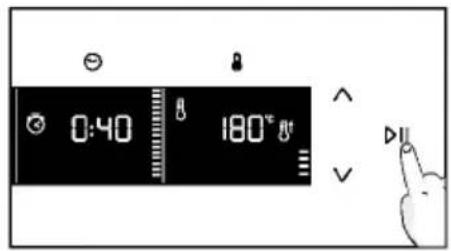
text_image
0:40 180°a. STARTVERZÖGERUNG
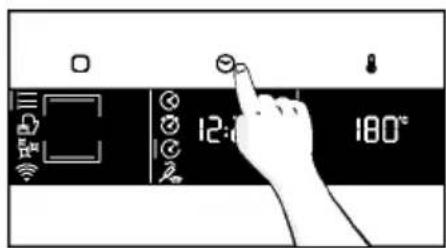
text_image
12:0 180°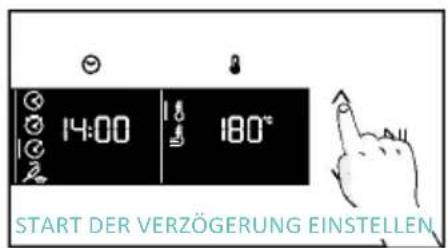
natural_image
Line drawing of an oven with cooling rack and side panel (no text or symbols)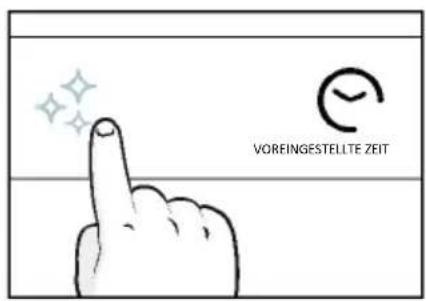
natural_image
Illustration of a hand cleaning a window with a cloth (no text or symbols)Aquactiva
text_image
Warning symbol with exclamation mark and two temperature sensors, one shaded triangle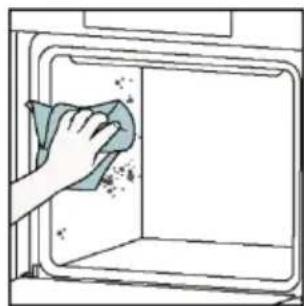
natural_image
Hand cleaning a kitchen appliance with a cloth (no text or symbols visible)natural_image
Line drawing of a box with two hands inserting a spring into the opening (no text or symbols)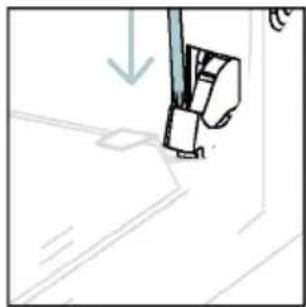
natural_image
Simple line drawing of a sewing machine needle and foot (no text or symbols)natural_image
Pure technical line drawing of a mechanical joint or bracket (no text or symbols)natural_image
Illustration of a hand using a tool to cut or trim a piece of paper (no text or symbols visible)natural_image
Illustration of a hand cleaning a tiled surface with a water bottle and a bowl labeled H₂O (no text or symbols on the main image)natural_image
Technical line drawing of a mechanical bracket or hinge assembly (no text or symbols)natural_image
Line drawing of a double oven with two hands inserting a tray (no text or symbols)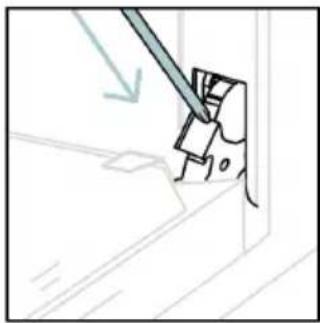
natural_image
Illustration of a tool interacting with a mechanical component (no text or symbols visible)natural_image
Line drawing of an oven with a rack inside, showing internal structure and airflow direction (no text or symbols)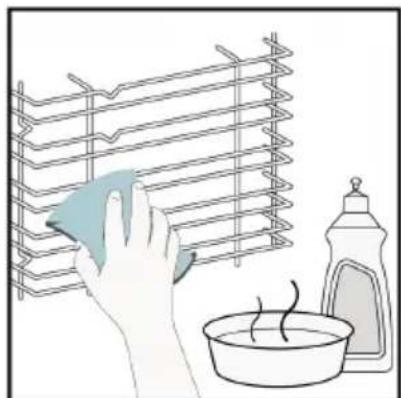
natural_image
Illustration of a hand cleaning a rack with a cloth, next to a washing bottle and bowl (no text or symbols)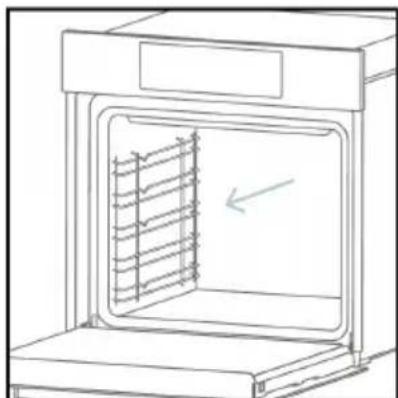
natural_image
Line drawing of an oven with a rack inside, showing internal structure and a directional arrow (no text or symbols)6.4. WARTUNG
AUSTAUSCH VON KOMPONENTEN
text_image
Safety warning diagram showing a plug connected to an electrical outlet with a warning symbol and 'OFF' labelSchritt 2
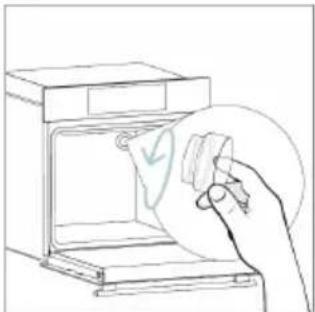
natural_image
Line drawing of a hand inserting a card into an oven (no text or symbols)Schritt 3
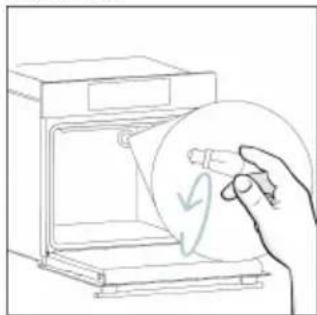
natural_image
Line drawing of a hand holding a circular object with a curved arrow inside, next to an open appliance (no text or symbols)Schritt 4
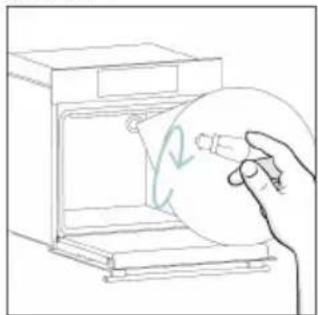
natural_image
Line drawing of a hand holding a circular object inside an oven (no text or symbols)Schritt 5

natural_image
Line drawing of a hand holding a circular object over an open appliance (no text or symbols)Schritt 6
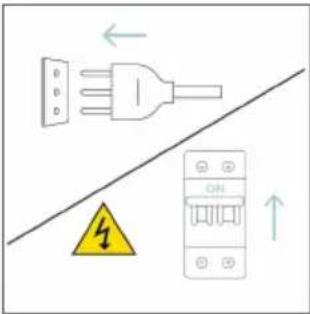
text_image
Diagram showing electrical connections with a plug, warning symbol, and circuit breaker componentstext_image
Electrical diagram showing a plug connected to an ON/OFF panel with warning symbol and directional arrowsSchritt 2
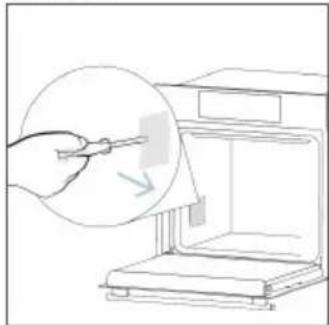
natural_image
Line drawing of a hand using a tool to clean or store items inside a microwave oven (no text or symbols)Schritt 3
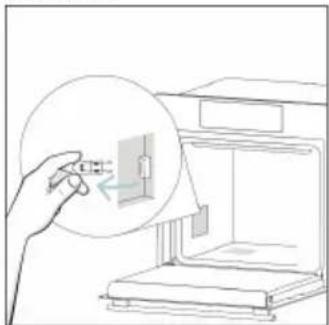
natural_image
Line drawing of a hand inserting a small component into a 3D printer (no text or symbols)Schritt 4
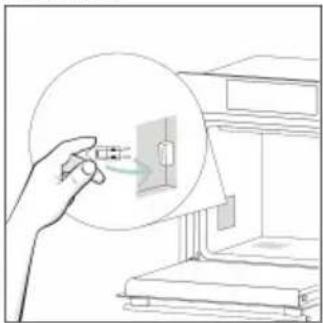
natural_image
Illustration of a hand holding a small electronic component with a magnified view (no text or symbols)Schritt 5
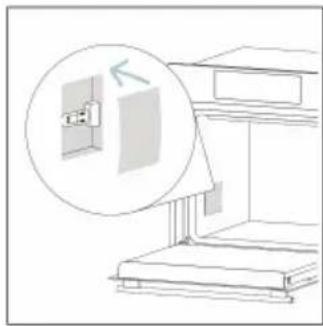
natural_image
Diagram of a staircase with an inset showing a wall-mounted cabinet and a magnified view of the cabinet (no text or symbols present)Schritt 6
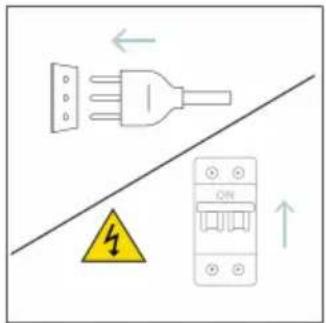
text_image
Diagram showing a plug connected to an electrical panel with warning symbol and directional arrowstext_image
Illustration showing a kitchen scene with a hand cleaning a stove and a water filter, accompanied by a warning sign and labeled dish H20.natural_image
Symbol of a trash bin crossed with diagonal lines, no text or labels presentnatural_image
Isometric line drawing of a multi-level cabinet or enclosure with internal compartments and structural elements (no text or symbols)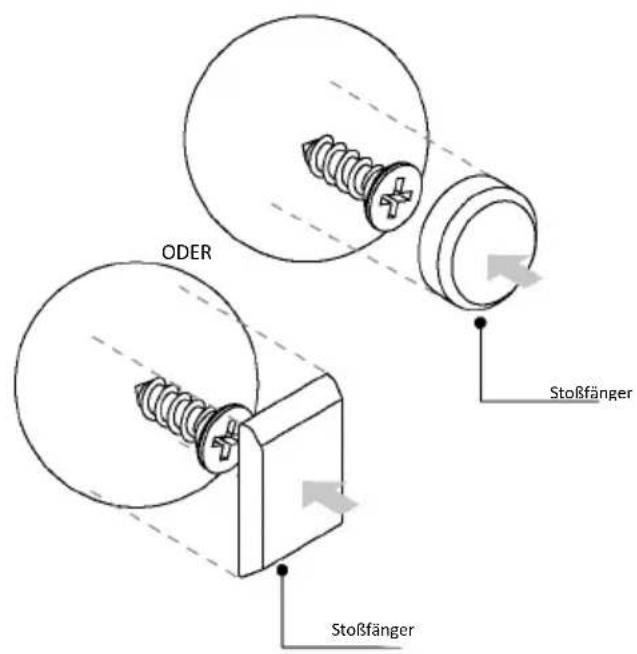
natural_image
Simple illustration of a pen with a downward arrow pointing to it (no text or symbols)text_image
Technical diagram of an oven with numbered components for identificationnatural_image
Empty white rectangle with a thin gray border (no text or symbols)natural_image
Line drawing of a multi-tiered storage unit with horizontal shelves and vertical supports (no text or symbols)natural_image
3D diagram of a rectangular tray with internal compartments, placed on an oven (no text or symbols)text_image
STOP STOPnatural_image
3D rendering of a rectangular tray or basin with internal partitioning, placed on a stand (no text or symbols)natural_image
Technical line drawing of a kitchen sink with a bowl, a sphere, and a metal rack (no text or symbols)natural_image
Technical line drawing of a rectangular tray with internal grid pattern (no text or symbols)natural_image
Line drawing of a roasted chicken on an open kitchen tray (no text or symbols)natural_image
Illustration of a cabinet with a circular arrow indicating rotation or motion, no text or symbols presentnatural_image
Illustration of a rectangular appliance with a grid-patterned lid placed inside an oven (no text or symbols)natural_image
Simple line drawing of a pen or stylus with a pointed tip and handle (no text or symbols)natural_image
3D rendering of a rectangular tray with a mesh pattern inside, placed on a shelf (no text or symbols visible)text_image
Available on the App Store GET IT ON Google Playtext_image
Welcome! Sign in to enter in your home page ENTER REGISTER Are you new to hOn? Click below to learn about our products © TRY DEMO
text_image
Do you already have a thousand passwords? Register with your social accounts and log in the easiest, and fastest way. SIGN UP WITH GOOGLE SIGN UP WITH APPLE SIGN UP WITH FACEBOOK Now information relating to your will be shared and we will not yet something then plus. or SIGN UP WITH EMAIL Already registered? LOGINREGISTRO RÁPIDO PARA EMPAREJAMIENTO
Paso 1
text_image
Hello USERNAME YOUR APPLIANCES ADD 10% Virtual Wine Bank second one 2 bottles there is a second one Add appliance YOUR WIGGETS Lorem ipsum dollar sit out NEW YOUR NEWS NEW What functions do smart appliances have? How to live sustain: home and reduce wPaso 2
text_image
Allow your location permission To enhance your experience, please allow location permission to hOn app in the next step. CONTINUEPaso 3
text_image
Select your appliance category Search your appliance Washing machine Washer dryer Tumble dryer Dishwasher Air conditionair Air purifier Air scannerPaso 4
text_image
Turn OFF and then ON your appliance In case you can't switch OFF your appliance, unplug (for at least 10 seconds) and then plug its power supply. OK.I DID ITPaso 5
text_image
Appliance connection Searching your appliance Don't turn off your Bluetooth. hOn app is looking for your appliance... 00:00:40 Stay close to your appliance in order to correctly capture the signal.Paso 6.1-6.2
text_image
Appliance connection Searching your appliance Don't turn off your Bluetooth. Oven New appliance Long appliance name to... CONNECT PRODUCT NOT FOUND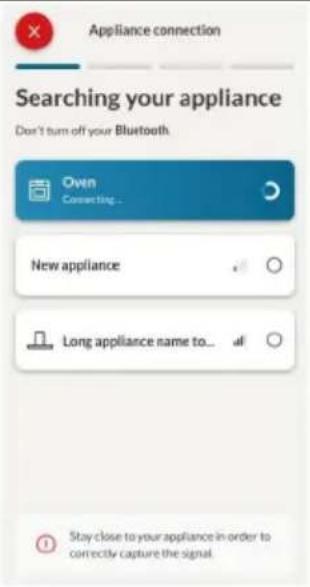
text_image
Appliance connection Searching your appliance Don't turn off your Bluetooth Ovin Connecting... New appliance Long appliance name to... Stay close to your appliance in order to correctly capture the signalPaso 7
text_image
Appliance connection Your appliance has been correctly identified! Brand Hoover Model 31008486-7888-1824 Serial number 12345678-1234-1234 Is this your appliance? YES IT'S MY OVEN NO IT'S NOTtext_image
Diagram showing a hand pressing a button on a black screen with icons for Wi-Fi, battery, and ON status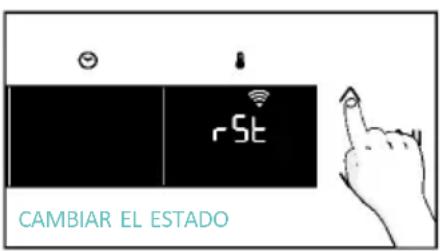
text_image
rSt CAMBIAR EL ESTADO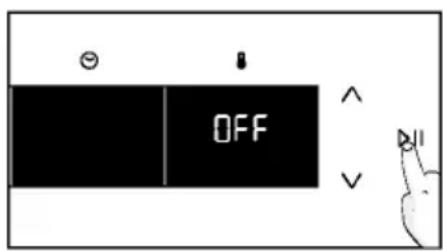
text_image
OFFCONTROL REMOTO
text_image
Hand interacting with a touchscreen device displaying 'CON' and icons for function, battery, and sensor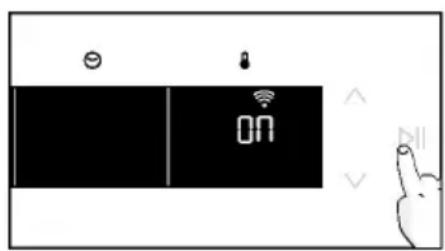
text_image
ON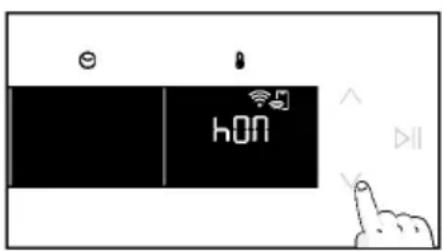
text_image
e hON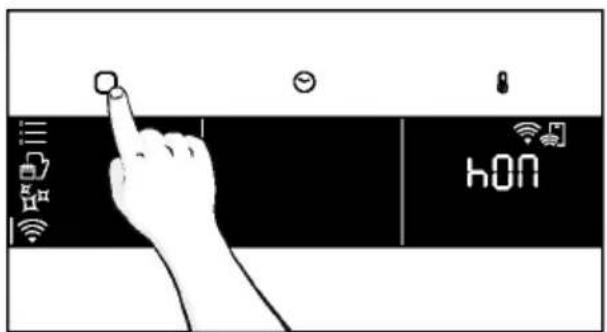
text_image
hONtext_image
6br 1 9=3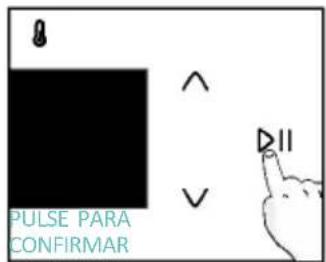
text_image
8 PULSE PARA CONFIRMAR ^ V DIInatural_image
Simple line drawing of a kitchen appliance with a hand cleaning it and a bottle nearby (no text or symbols)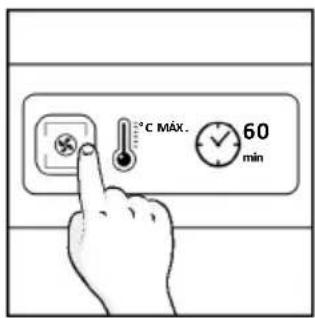
text_image
°C MAX. 60 min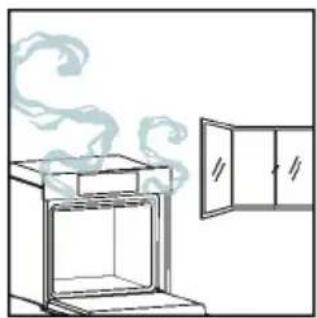
natural_image
Simple line drawing of an oven with a chimney emitting steam, next to a cabinet (no text or symbols)4.1. CÓMO FUNCIONA ESTE PRODUCTO
natural_image
Illustration of a hand interacting with a digital interface displaying icons like a lightbulb, lock, and Wi-Fi symbol (no text or labels present)MENÚ DE FUNCIONES
text_image
Diagram showing a hand interacting with a smartphone screen displaying a control interface with icons for connectivity, security, and data.text_image
1:20 180° =a. MINUTERO
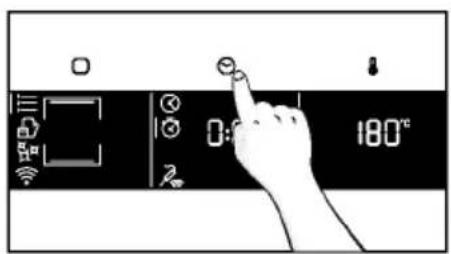
text_image
Diagram showing a hand interacting with a digital timer or control panel displaying time and temperature readings.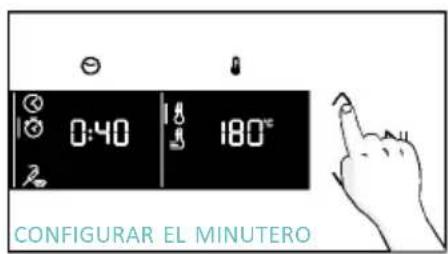
text_image
0:40 180° CONFIGURAR EL MINUTERO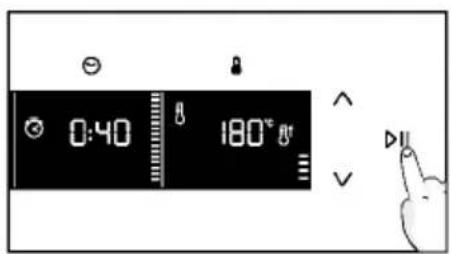
text_image
0:40 180°a. INICIO DIFERIDO
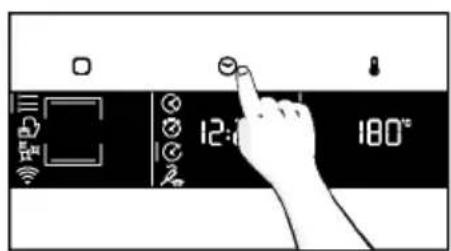
text_image
12:00 180°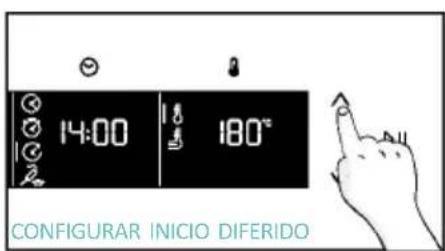
text_image
14:00 180° CONFIGURAR INICIO DIFERIDO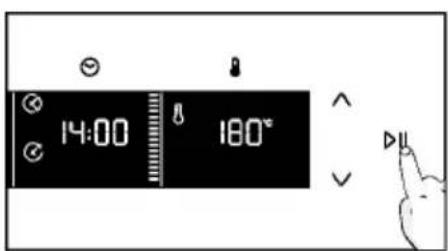
text_image
14:00 180°text_image
Warning symbol with exclamation mark and three warning symbols: thermometer, triangular warning triangle, and thermometer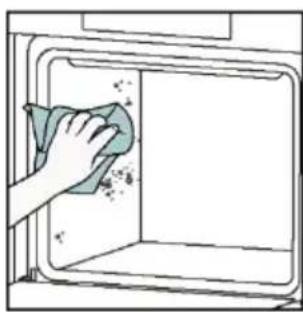
natural_image
Hand cleaning a kitchen appliance with a cloth (no text or symbols visible)Limpieza catalítica
natural_image
Line drawing of a box being lifted by two hands, showing internal structure and support (no text or symbols)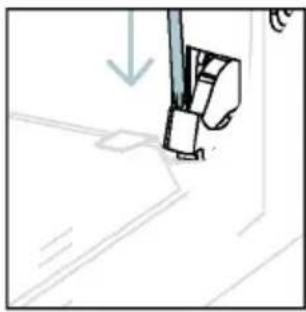
natural_image
Simple line drawing of a sewing machine needle stitching fabric (no text or symbols)text_image
Diagram showing a hand holding a tool with numbered parts and directional arrows indicating movement or force.natural_image
Technical line drawing of a mechanical joint or bracket assembly (no text or symbols)natural_image
Illustration of a hand using a tool to cut or trim a curved surface, with no visible text or symbols.natural_image
Illustration of a hand cleaning a tiled surface with a water bottle and a bowl labeled H₂O (no text or symbols on the main image)text_image
PYRO O LOW-Enatural_image
Technical line drawing of a mechanical component with arrows indicating direction (no text or symbols)natural_image
Line drawing of a cabinet with two hands operating it, no text or symbols present
natural_image
Illustration of a tool interacting with a wall-mounted device (no text or symbols visible)6.3. LIMPIEZA DE ACCESORIOS
natural_image
Line drawing of an oven with internal rack structure and a green arrow indicating direction (no text or symbols)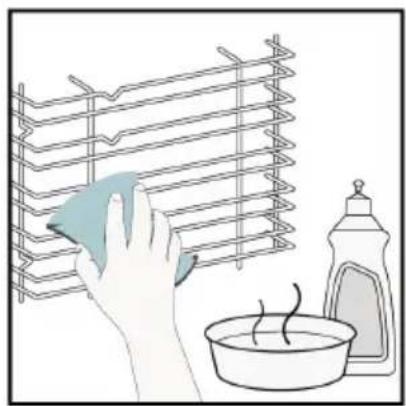
natural_image
Illustration of a hand cleaning a rack with a cloth, next to a washing bottle and bowl (no text or symbols)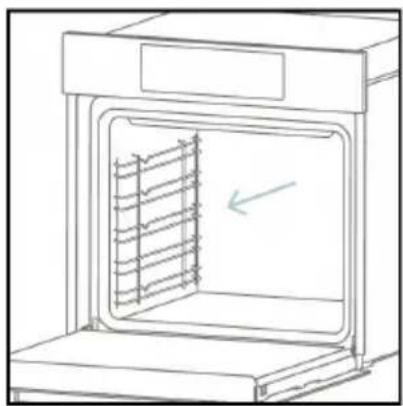
natural_image
Line drawing of an oven with a rack inside, showing internal structure and a directional arrow (no text or symbols)6.4. MANTENIMIENTO
text_image
Diagram showing a plug connected to an electrical terminal with a warning symbol and downward arrow indicating current flow.Paso 2
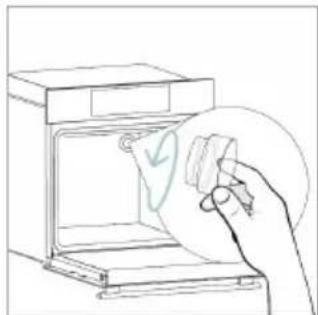
natural_image
Line drawing of a hand inserting a card into an oven (no text or symbols)Paso 3
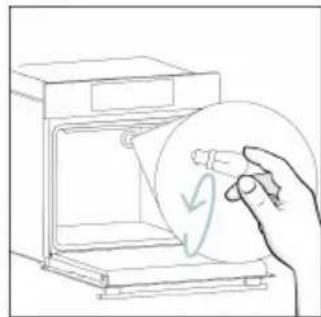
natural_image
Line drawing of a hand holding a circular object with a checkmark inside, next to an open oven (no text or symbols)Paso 4
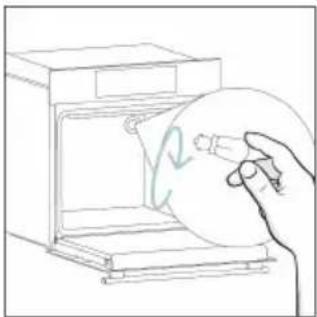
natural_image
Line drawing of a hand holding a circular object inside an oven (no text or symbols)Paso 5
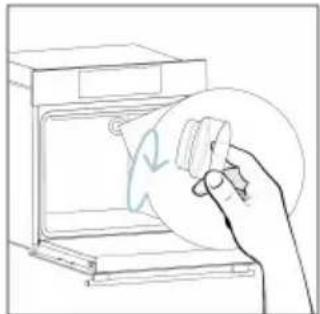
natural_image
Line drawing of a hand holding a circular object over an open appliance (no text or symbols)Paso 6
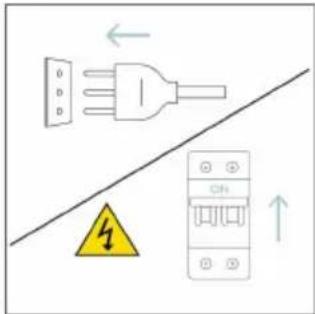
text_image
Electrical diagram showing a plug, fuse, and circuit breaker with warning symbol and airflow arrowstext_image
Safety warning diagram showing a plug connected to an electrical panel with a warning symbol and downward arrowPaso 2
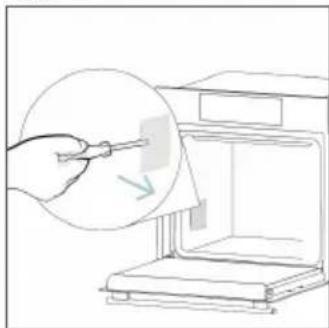
natural_image
Line drawing of a hand using a tool to clean or store items from a microwave oven (no text or symbols)Paso 3
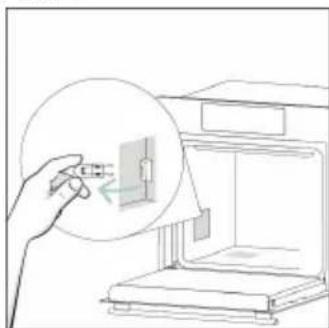
natural_image
Line drawing of a hand inserting a small component into an open device (no text or symbols)Paso 4
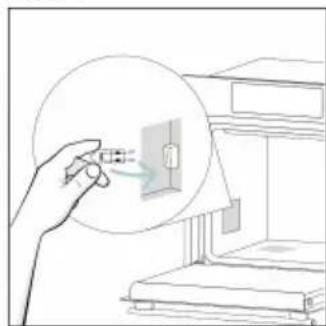
natural_image
Illustration of a hand interacting with a wall-mounted device, showing a magnified view (no text or symbols present)Paso 5
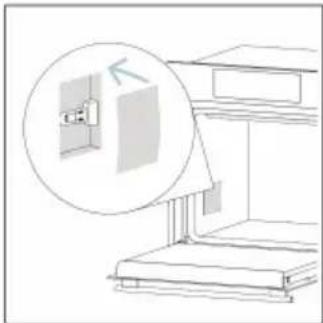
natural_image
Line drawing of a staircase with an inset showing a wall-mounted cabinet (no text or symbols)Paso 6
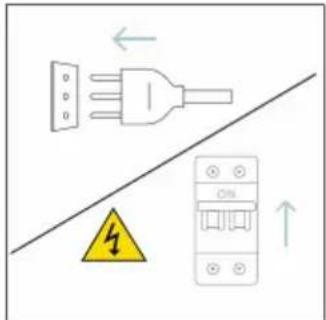
text_image
Safety warning diagram showing electrical hazard symbol and circuit breaker with Chinese labelsnatural_image
Illustration of two people working at a computer with a rising trend line in the background (no text or symbols)Humo
!
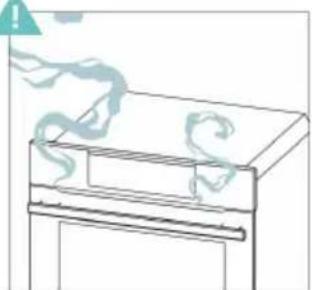
natural_image
Simple line drawing of a refrigerator with a handle and decorative swirls above (no text or symbols)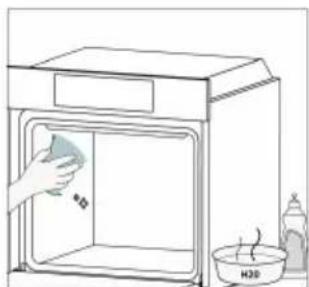
natural_image
Line drawing of a kitchen appliance with a hand cleaning the interior (no text or symbols)natural_image
Simple line drawing of a trash bin with crossed lines indicating no waste or discharge (no text or symbols)natural_image
Isometric line drawing of a multi-level refrigerator with drawers and shelves (no text or symbols)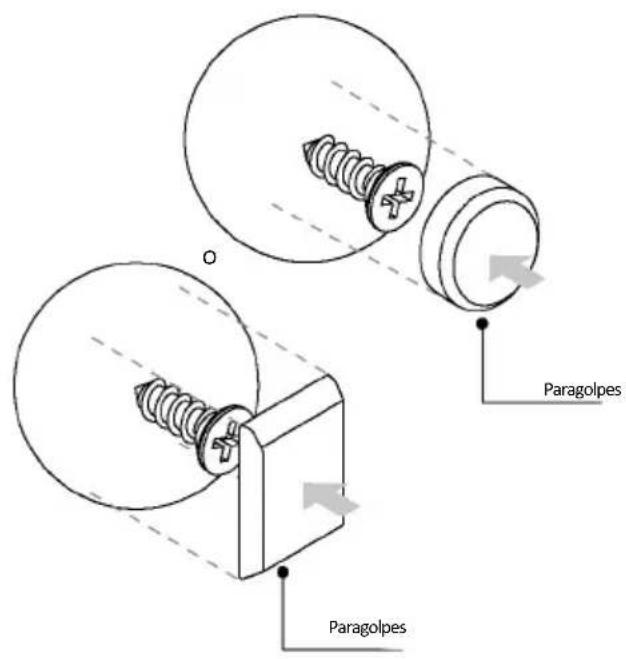
text_image
Paragolpes Paragolpesen mm


ΚΑΛΩΣΗΡΘΑΤΕ
natural_image
Simple illustration of a pen with a downward arrow pointing to it (no text or symbols)text_image
Line drawing of an oven with numbered compartments for identificationnatural_image
Empty white rectangle with a thin gray border (no text or symbols)natural_image
Line drawing of a two-tiered storage unit with horizontal shelves and a central tray (no text or symbols)natural_image
3D diagram of a rectangular tray with internal compartments, placed on an inclined shelf (no text or symbols)text_image
STOP STOPnatural_image
3D rendering of a rectangular tray with a lid, placed on a shelf (no text or symbols)natural_image
Technical line drawing of a kitchen sink with a bowl, a sphere, and a metal rack (no text or symbols)natural_image
Technical line drawing of a rectangular tray with internal grid pattern (no text or symbols)natural_image
Line drawing of a rooster on a cutting board inside a kitchen (no text or symbols)natural_image
Simple line drawing of a cabinet with a circular arrow indicating motion or rotation (no text or symbols)natural_image
Illustration of a rectangular appliance with a grid-patterned lid, placed on a tray (no text or symbols)natural_image
Simple line drawing of a pen with a blue handle and pointed tip (no text or symbols)natural_image
3D rendering of a rectangular kitchen tray with mesh pattern (no text or symbols)text_image
Available on the App Store GET IT ON Google PlayΕΓΓΡΑΦΗ ΝΕΟΥ ΧΡΗΣΤΗ
text_image
Welcome! Sign in to enter in your home page ENTER REGISTER Are you new to hOn? Click below to learn about our products ② TRY DEMO
text_image
Do you already have a thousand passwords? Register with your social accounts and log in in the easiest and fastest way. G SIGN UP WITH GOOGLE i SIGN UP WITH APPLE f SIGN UP WITH FACEBOOK No information relating to you will be shared and we will not send anything from your or SIGN UP WITH EMAIL Already registered? LOGINtext_image
Hello USERNAME YOUR APPLIANCES ADD Add appliance YOUR WIGGETS Current Iqurn door will eat Scenic Care YOUR NEWS What functions do smart appliances have? How to live sustain home and reduce wΒήμα 2
text_image
Allow your location permission To enhance your experience, please allow location permission to hOn app in the next step. CONTINUEΒήμα 3
text_image
Select your appliance category Search your appliances Washing machine Washer dryer Tumble dryer Dishwasher Air conditionair Air purifier Air scannerΒήμα 4
text_image
Turn OFF and then ON your appliance In case you can't switch OFF your appliance, unplug (for at least 10 seconds) and then plug its power supply. OK I DID ITΒήμα 5
text_image
Appliance connection Searching your appliance Don't turn off your Bluetooth. On app is looking for your appliance... 00:00:40 Stay close to your appliance in order to correctly capture the signal.Βήμα 6.1-6.2
text_image
Appliance connection Searching your appliance Don't turn off your Bluetooth. Appliance connection Searching your appliance Don't turn off your Bluetooth. Oven New appliance Long appliance name to... CONNECT PRODUCT NOT FOUND Oven Connecting... New appliance Long appliance name to... Stay close to your appliance in order to correctly capture the signal.Βήμα 7
text_image
Your appliance has been correctly identified! Brand Hoover Model 31008486-7888-1824 Serial number 12345678-1234-1234 Is this your appliance? YES IT'S MY OVEN NO IT'S NOTtext_image
Diagram showing a hand interacting with a touchscreen device, labeled with icons for Wi-Fi and ON status.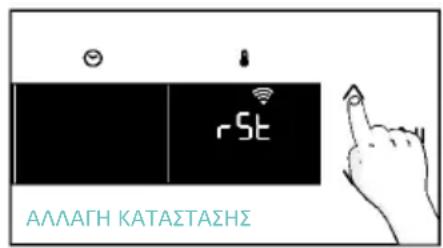
text_image
Diagram showing a hand interacting with a touchscreen device, labeled 'CON' and icons for function keys and connectivity.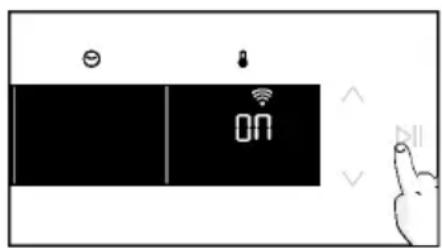
text_image
Diagram showing a device interface with battery, lock, and 'ON' display, alongside a hand gesture pointing to it.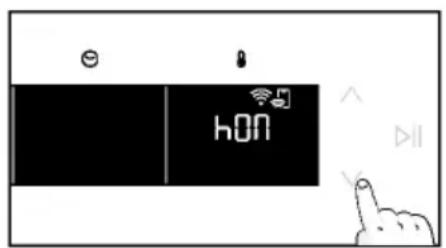
text_image
hON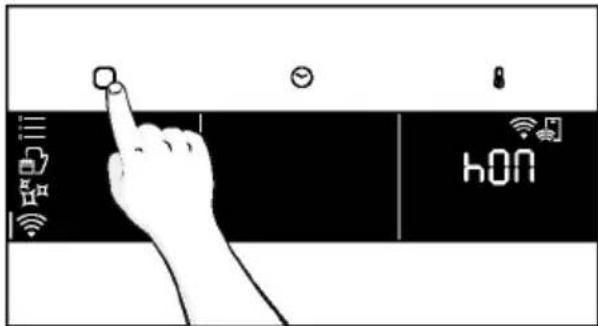
text_image
hONnatural_image
Simple line drawing of a hand cleaning a kitchen with a water bottle and bowl (no text or symbols)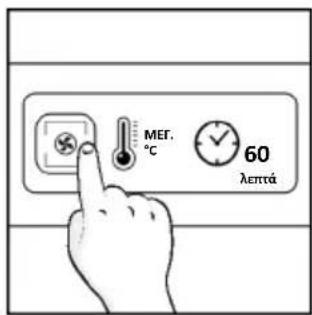
text_image
MER. °C 60 λεπτά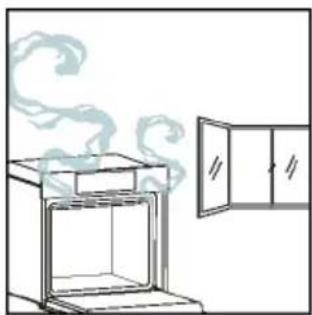
natural_image
Simple line drawing of a steam rising from an oven next to a door (no text or symbols)natural_image
Illustration of a hand interacting with a digital interface displaying icons like a light bulb, lock, and Wi-Fi symbol (no text or labels present)MENOY ΛΕΙΤΟΥΡΓΙΩΝ
text_image
Diagram showing a hand interacting with a smartphone screen displaying connected icons for smart devices and connectivity.natural_image
Line drawing of an oven with cooling rack and side panel (no text or symbols)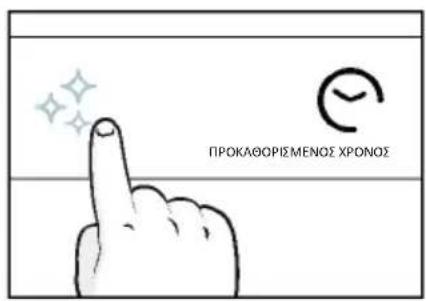
text_image
ΠΡΟΚΛΘΟΡΙΣΜΕΝΟΣ ΧΡΟΝΟΣ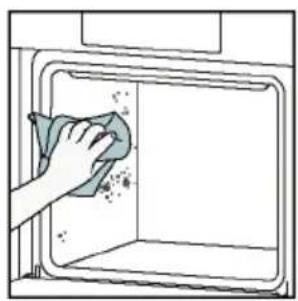
natural_image
Illustration of a hand cleaning a window with a cloth (no text or symbols)Aquactiva
text_image
Warning symbol with exclamation mark and three warning symbols: thermometer, triangular warning triangle, and thermometer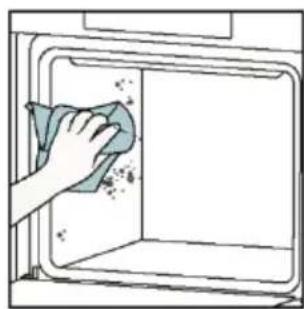
natural_image
Hand cleaning a kitchen appliance with a cloth (no text or symbols visible)natural_image
Line drawing of a box with two hands clapping, no text or symbols present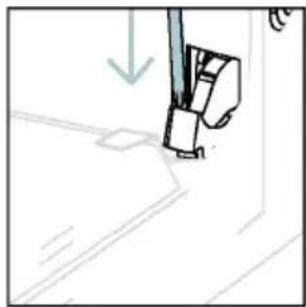
natural_image
Simple line drawing of a sewing machine needle and foot (no text or symbols)text_image
Diagram showing hand positioning of a tool with numbered parts and directional arrows indicating movementnatural_image
Pure technical line drawing of a mechanical joint or bracket (no text or symbols)natural_image
Line drawing of a hand holding a tool over a curved surface, with no text or symbols present.natural_image
Illustration of a hand cleaning a tiled surface with a water bottle and a bowl labeled H₂O (no text or symbols on the main image)text_image
PYRO 'H LOW-Enatural_image
Pure technical line drawing of a mechanical component or bracket (no text or symbols)natural_image
Line drawing of a kitchen oven with two hands inserting a tray (no text or symbols)
natural_image
Technical line drawing of a mechanical component with a tool, no visible text or symbols6.3. ΚΑΘΑΡΙΣΜΌΣ ΕΞΑΡΤΗΜΪΑΤΩΝ
natural_image
Line drawing of an oven with internal rack structure and a green arrow indicating direction (no text or symbols)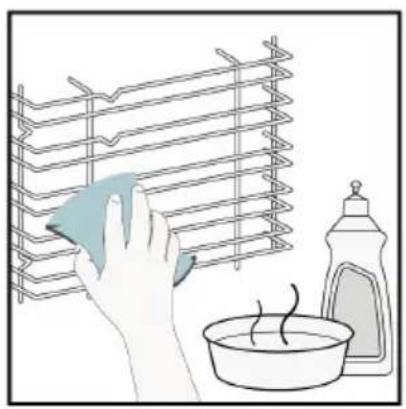
natural_image
Illustration of a hand cleaning a rack with a cloth, next to a bowl and a spray bottle (no text or symbols)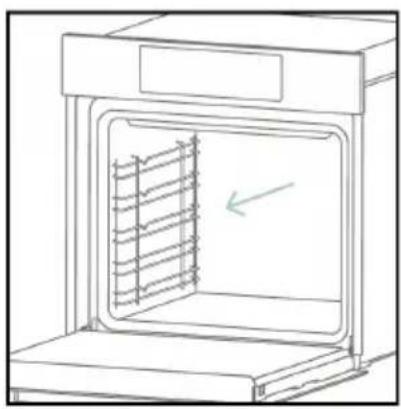
natural_image
Line drawing of an oven with a rack inside, showing internal structure and a green arrow indicating direction (no text or symbols)6.4. ΣΥΝΤΗΡΗΣΗ
text_image
Electrical diagram showing a plug connected to an ON/OFF switch with warning symbol and directional arrowsΒήμα 2
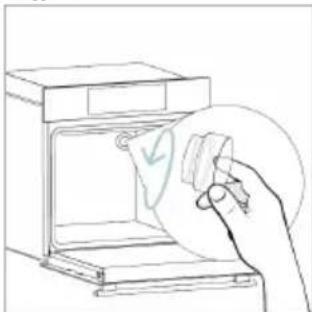
natural_image
Line drawing of a hand holding a circular object over an open oven (no text or symbols)Βήμα 3
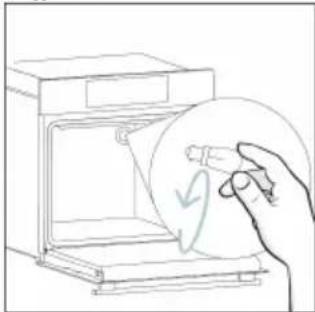
natural_image
Line drawing of a hand holding a circular object with a leaf-like symbol inside, next to an open oven (no text or symbols)Βήμα 4
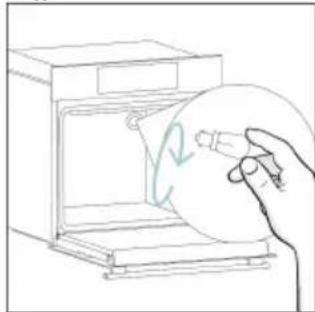
natural_image
Line drawing of a hand holding a circular object inside an oven (no text or symbols)Βήμα 5
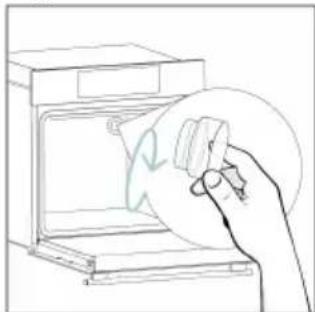
natural_image
Line drawing of a hand cleaning a kitchen appliance with a circular object (no text or symbols)Βήμα 6
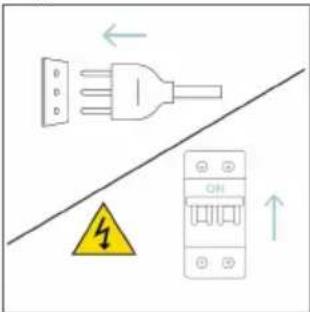
text_image
Diagram showing electrical connections with a plug, warning symbol, and circuit breaker componentstext_image
Diagram showing electrical connections with a plug, warning symbol, and circuit breaker labeled OFFΒήμα 2
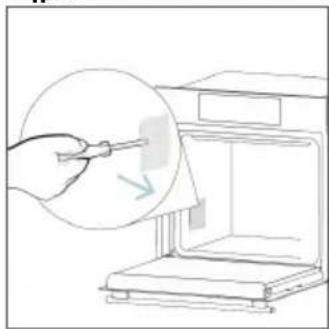
natural_image
Line drawing of a hand using a tool to clean or store items inside a microwave oven (no text or symbols)Βήμα 3
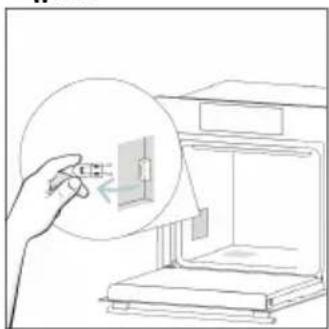
natural_image
Line drawing of a hand inserting a small component into an open storage unit (no text or symbols)Βήμα 4
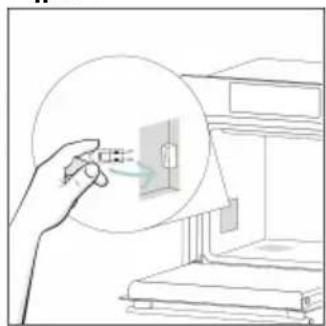
natural_image
Illustration of a hand holding a magnified inset showing electrical outlet connections (no text or symbols)Βήμα 5
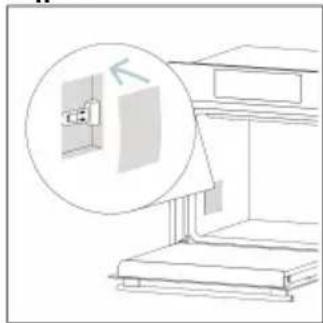
natural_image
Line drawing of a wall-mounted electrical outlet with an inset magnified view showing the exterior wall (no text or symbols)Βήμα 6
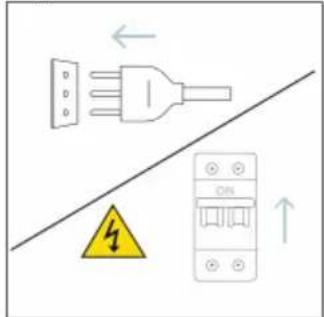
text_image
Safety warning diagram showing electrical plug, safety symbol, and circuit breaker with Chinese labelsnatural_image
Illustration of two people working at a computer with a rising trend line (no text or symbols)Καπνός
!
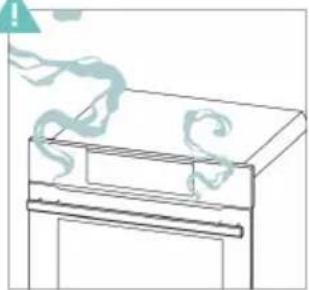
natural_image
Simple line drawing of a cabinet with a handle and a scroll, no text or symbols present
natural_image
Illustration of a hand cleaning a kitchen oven with a water stop, showing a bowl and a dish (no text or symbols)natural_image
Simple line drawing of a trash bin with crossed lines indicating no waste or discharge (no text or symbols)natural_image
Isometric line drawing of a multi-level cabinet or enclosure with internal compartments and structural elements (no text or symbols)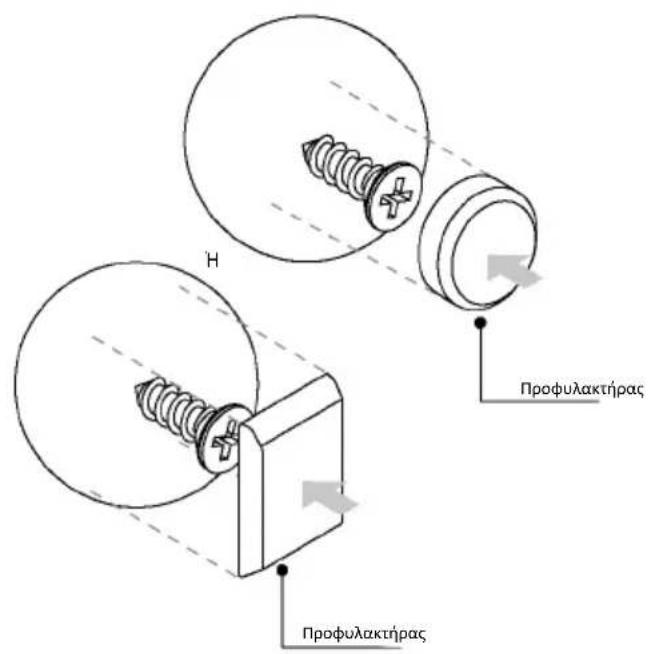
2. PRODUCTINTRODUCTIE
2.1. OVERZICHT VAN HET PRODUCT
2.2. ACCESSOIRES
2.3. BEDIENINGSPANEEEL
2.4. CONNECTIVITEIT
3. VOORDAT U BEGINT
3.1. INFORMATIE OM TE BEGINNEN
3.2. EERSTE GEBRUIK
3.3. VOORAFGAANDE REINIGING
4. WERKING VAN HET PRODUCT
4.1. HOE HET PRODUCT WERKT
4.2. KOOKFUNCTIES
4.2.1. STANDAARDFUNCTIES
ALGEMENE WAARSCHUWINGEN
INSTALLATIEWAARSCHUWINGEN
natural_image
Simple illustration of a pen with a black arrow pointing downward (no text or symbols)2. PRODUCTINTRODUCTIE
2.1. OVERZICHT VAN HET PRODUCT
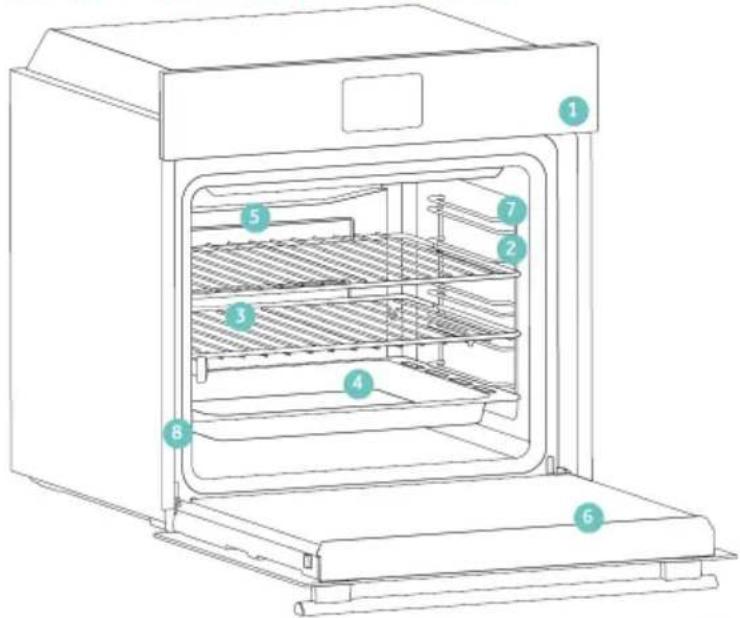
text_image
Technical diagram of an oven with numbered components for identificationnatural_image
Empty white rectangle with a thin gray border (no text or symbols)natural_image
Line drawing of a multi-tiered storage unit with horizontal shelves and top panel (no text or symbols)natural_image
Simple line drawing of a rectangular tray or basin with internal compartments, placed on a shelf (no text or symbols)text_image
STOP STOPnatural_image
3D wireframe diagram of a rectangular tray or basin with internal compartments, placed on a shelf (no text or symbols)natural_image
Technical line drawing of a room interior with a cylindrical tank and circular object (no text or symbols)natural_image
Diagram of a rectangular tray with a blue patterned interior and a grid-like structure inside, placed on a shelf (no text or symbols)natural_image
Line drawing of a roasted chicken on a tray with dough and steam (no text or symbols)natural_image
Illustration of a cabinet with a circular arrow indicating rotation or motion (no text or symbols)natural_image
Line drawing of a rectangular appliance with a grid-patterned lid, placed on a tray (no text or symbols)natural_image
Simple line drawing of a pen or stylus with a pointed tip and handle (no text or symbols)natural_image
3D rendering of a rectangular kitchen tray with mesh pattern inside, placed on an oven (no text or symbols)text_image
Available on the App Store GET IT ON Google PlayREGISTRATIE NIEUWE GEBRUIKER
text_image
hOn Welcome! Sign in to enter in your home page ENTER REGISTER Are you now to hOn?? Click below to learn about our products ① TRY DEMO
text_image
Do you already have a thousand passwords? Register with your social accounts and log in in the easiest and fastest way. G SIGN UP WITH GOOGLE i SIGN UP WITH APPLE f SIGN UP WITH FACEBOOK No information relating to you will be offered and we will not add anything from you. or i SIGN UP WITH EMAIL Already registered? LOGINSNELLE KOPPELING
Stap 1
text_image
Hello USERNAME YOUR APPLIANCES Add Add appliance YOUR WIGGERS Lower quick door pick out How to Can YOUR NEWS What functions do smart appliances have? How to live sustain home and reduce wStap 2
text_image
Allow your location permission To enhance your experience, please allow location permission to hOn app in the next step. CONTINUEStap 3
• Selecteer 'Oven' in de apparaatcategorie.
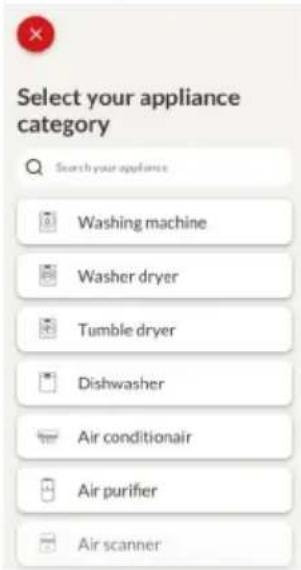
text_image
Select your appliance category Search your appliances Washing machine Washer dryer Tumble dryer Dishwasher Air conditionair Air purifier Air scannerStap 4
text_image
Appliance connection Turn OFF and then ON your appliance. In case you can't switch OFF your appliance, unplug (for at least 10 seconds) and then plug its power supply. OK! DID ITStap 5
text_image
Appliance connection Searching your appliance Don't turn off your Bluetooth. On app is looking for your appliance... 00:00:40 Stay close to your appliance in order to correctly capture the signal.Stap 6.1–6.2
text_image
Appliance connection Searching your appliance Don't turn off your Bluetooth. Oven New appliance Long appliance name to... CONNECT PRODUCT NOT FOUND Appliance connection Searching your appliance Don't turn off your Bluetooth. Oven Connecting... New appliance Long appliance name to... Stay close to your appliance in order to correctly capture the signal.Stap 7
text_image
Appliance connection Your appliance has been correctly identified! Brand Hoover Model 31008486-7888-1824 Serial number 12345678-1234-1234 Is this your appliance? YES IT'S MY OVEN NO IT'S NOTtext_image
Diagram showing a hand interacting with a touchscreen device, displaying icons for settings, battery, and status.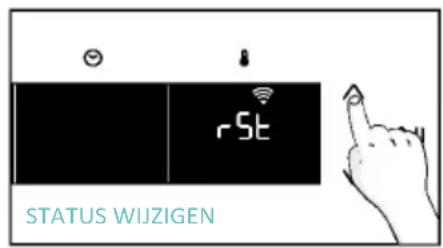
text_image
rSt STATUS WIJZIGEN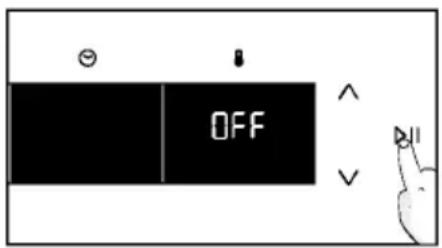
text_image
OFF
text_image
Diagram showing a hand interacting with a touchscreen device and displaying 'CON' text, likely illustrating a UI or system interface.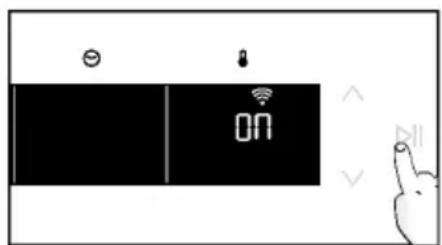
text_image
ON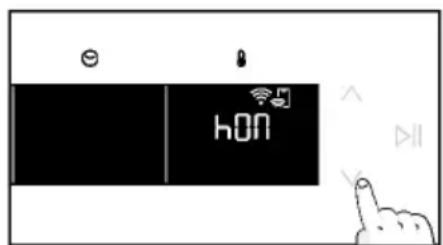
text_image
hON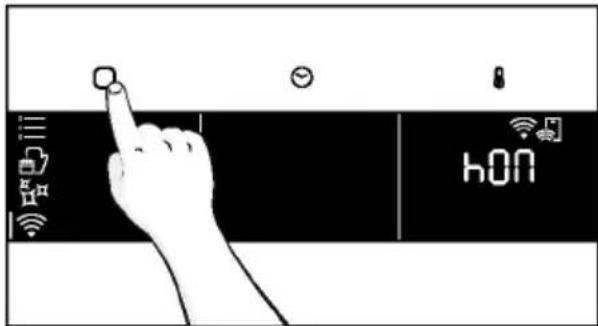
text_image
hONtext_image
6br 1 9=3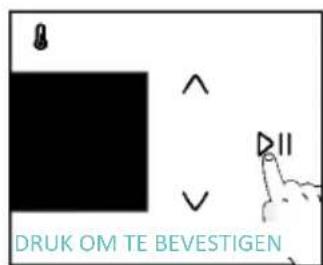
text_image
DRUK OM TE BEVESTIGENnatural_image
Simple line drawing of a hand cleaning a small kitchen appliance with a BHAO lamp nearby (no text or symbols)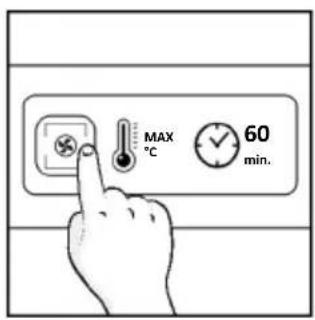
text_image
MAX °C 60 min.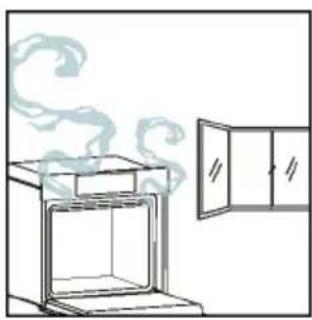
natural_image
Simple line drawing of an oven with steam rising from the top, next to a cabinet (no text or symbols)4. WERKING VAN HET PRODUCT
4.1. HOE HET PRODUCT WERKT
DE OVEN AAN-/UITZETTEN
natural_image
Illustration of a hand interacting with a digital device displaying icons like a light bulb, lock, and Wi-Fi (no text or symbols present)FUNCTIEMENU
text_image
Diagram showing a hand pressing a button on a smartphone screen with icons for connectivity and securitytext_image
1:20 180° =a. MINUTENTELLER
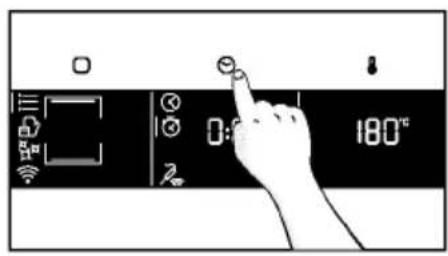
text_image
0:180°C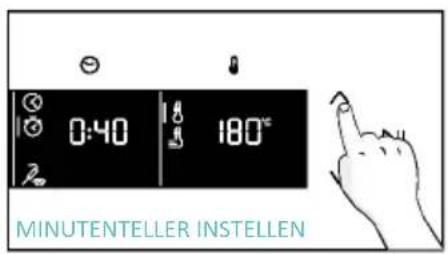
text_image
0:40 180°C MINUTENTELLER INSTELLEN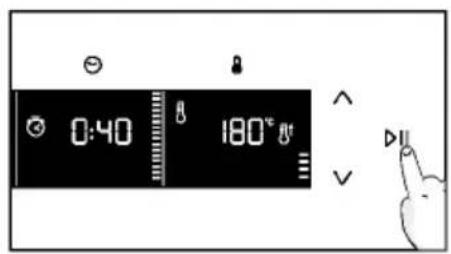
text_image
0:40 180° Va. UITGESTELDE START
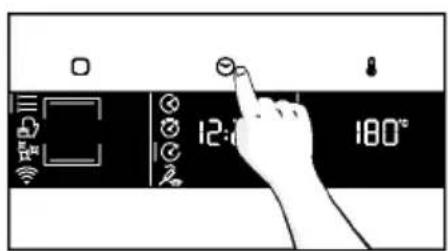
text_image
12:0 180°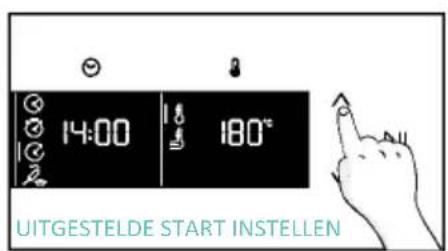
text_image
14:00 180° UITGESTELDE START INSTELLEN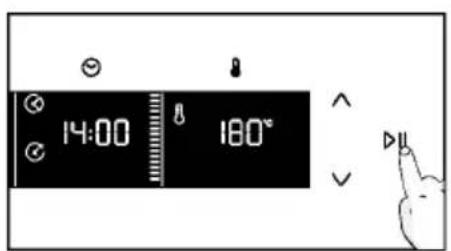
text_image
14:00 180°text_image
3°C 80°C DEMO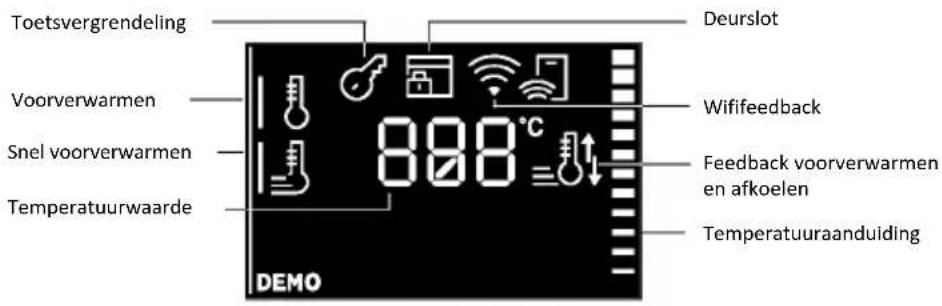
natural_image
Line drawing of an oven with cooling rack and side panel (no text or symbols)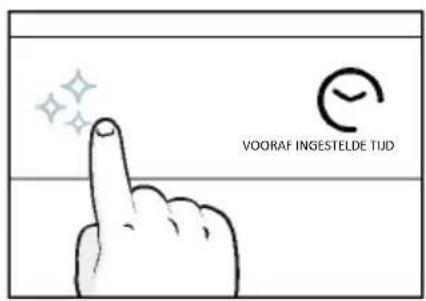
text_image
VOORAF INGESTELDE TUD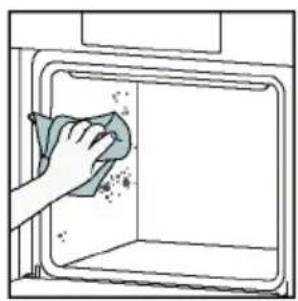
natural_image
Illustration of a hand cleaning a window with a cloth (no text or symbols)Aquactiva
text_image
Warning symbol with exclamation mark and three warning symbols: thermometer, triangular warning triangle, and thermometer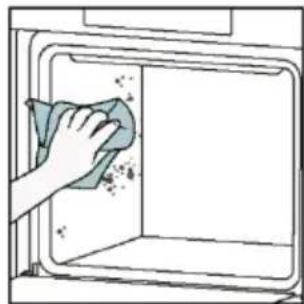
natural_image
Hand cleaning a kitchen appliance with a cloth (no text or symbols visible)Katalytisch reinigen
natural_image
Line drawing of a box with two hands inserting a spring (no text or symbols)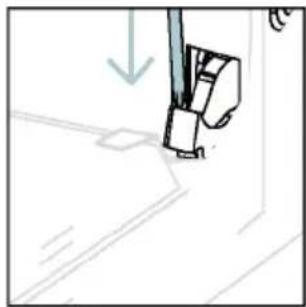
natural_image
Simple line drawing of a sewing machine needle and foot (no text or symbols)natural_image
Pure technical line drawing of a mechanical joint or bracket (no text or symbols)natural_image
Line drawing of a hand holding a tool over a surface, with no visible text or symbolsnatural_image
Illustration of a hand cleaning a tiled surface with a water bottle and a bowl labeled H₂O (no text or symbols on the main image)text_image
PYRO OF LOW-Enatural_image
Technical line drawing of a mechanical bracket or hinge assembly (no text or symbols)natural_image
Line drawing of a double-bowel oven with two hands inserting a tray (no text or symbols)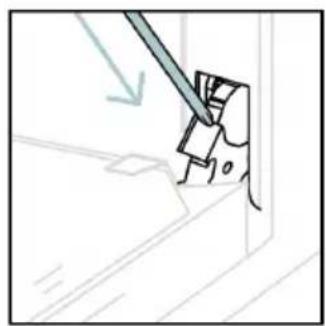
natural_image
Simple line drawing of a tool interacting with a mechanical component (no text or symbols)6.3. SCHOONMAKEN VAN ACCESSOIRES
natural_image
Line drawing of an oven with internal rack structure and a green arrow indicating direction (no text or symbols)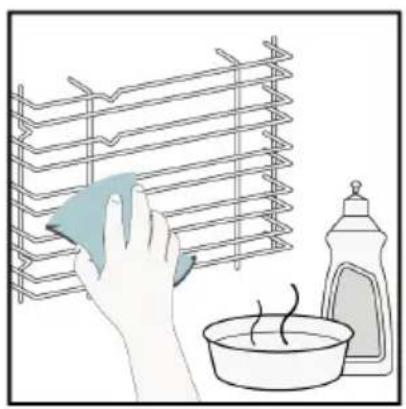
natural_image
Illustration of a hand cleaning a rack with a cloth, next to a bowl and a spray bottle (no text or symbols)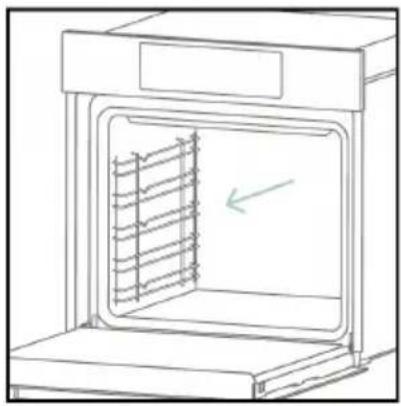
natural_image
Line drawing of an oven with a rack inside, showing internal structure and a green arrow indicating direction (no text or symbols)6.4. ONDERHOUD
VERVANGING VAN ONDERDELEN
text_image
Diagram showing a plug connected to an electrical panel with a warning symbol and directional arrows indicating current flow.Stap 2
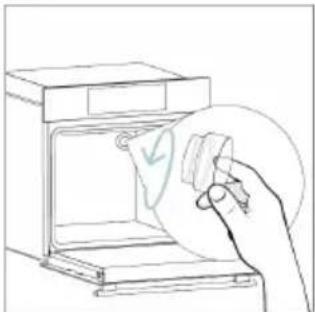
natural_image
Line drawing of a hand holding a paper with a checkmark inside an oven (no text or symbols)Stap 3
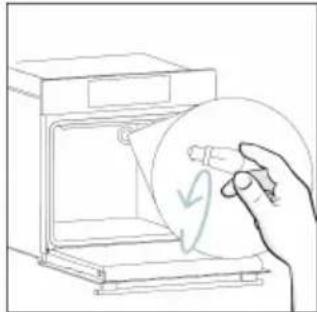
natural_image
Line drawing of a hand holding a circular object with a curved arrow inside, next to an open oven (no text or symbols)Stap 4
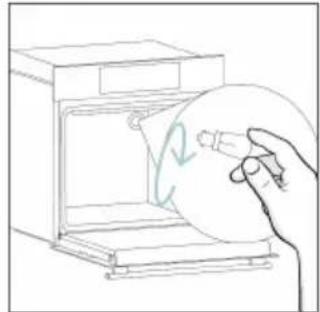
natural_image
Line drawing of a hand holding a circular object inside a kitchen appliance (no text or symbols)Stap 5
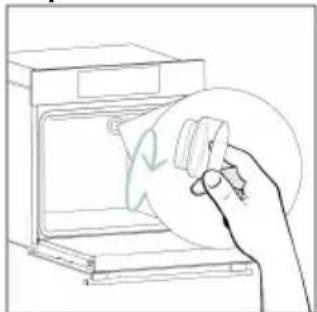
natural_image
Line drawing of a hand holding a circular object over an open oven (no text or symbols)Stap 6
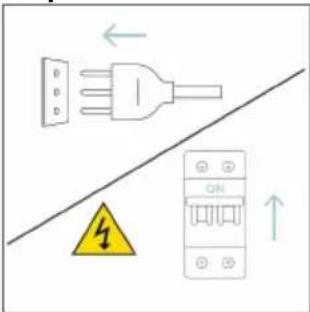
text_image
Diagram showing electrical connections with a plug, fuse, and warning symbol indicating hazard or safetytext_image
Electrical diagram showing a plug connected to an ON/OFF panel with warning symbol and directional arrowsStap 2
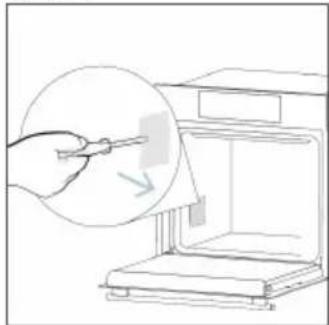
natural_image
Line drawing of a hand using a tool to clean or store items from a microwave oven (no text or symbols)Stap 3
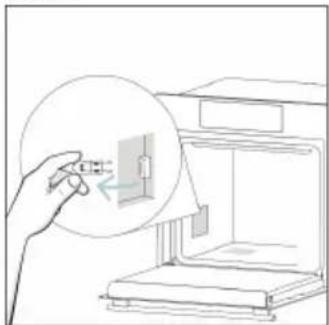
natural_image
Line drawing of a hand inserting a small component into a device (no text or symbols)Stap 4
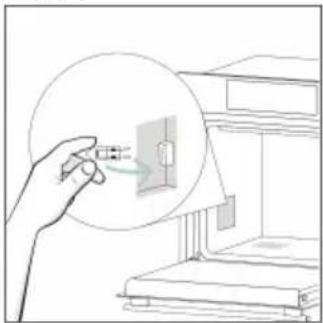
natural_image
Line drawing of a hand holding a small electronic component, with no visible text or symbolsStap 5
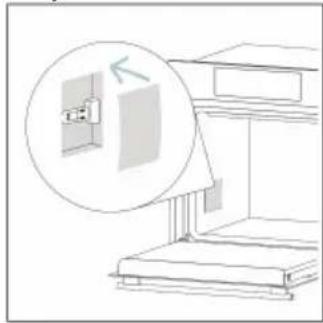
natural_image
Line drawing of a cabinet with an open door and a magnified inset showing the exterior wall (no text or symbols)Stap 6
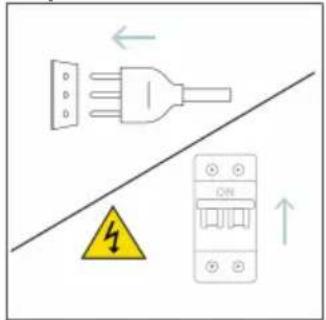
text_image
Diagram showing electrical grounding symbols including a plug, warning symbol, and circuit breaker with Chinese labelstext_image
Illustration showing a kitchen appliance with steam rising and a hand cleaning the interior, alongside a chemical setup with H2O and a bottle.8.1. VERWIJDERING VAN APPARATEN
natural_image
Simple line drawing of a trash bin with crossed lines indicating no waste or discharge (no text or symbols)natural_image
Isometric line drawing of a multi-level cabinet or enclosure with internal compartments and structural elements (no text or symbols)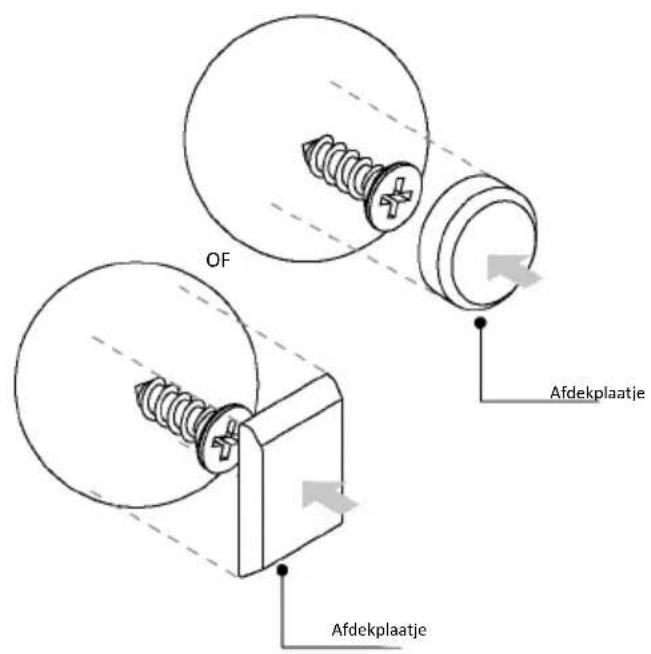
natural_image
Simple illustration of a pen with a black arrow pointing downward (no text or symbols)text_image
Line drawing of a multi-level oven with numbered compartments for identificationnatural_image
Empty white rectangle with a thin gray border (no text or symbols)natural_image
Line drawing of a two-tiered storage unit with horizontal and vertical metal racks (no text or symbols)natural_image
3D diagram of a rectangular tray with internal geometric patterns, placed on a shelf (no text or symbols)text_image
STOP STOPnatural_image
3D rendering of a rectangular tray with internal compartments, placed on a shelf (no text or symbols)natural_image
Technical line drawing of a kitchen sink with a bowl and a sphere on a platform (no text or symbols)natural_image
Technical line drawing of a rectangular tray with internal grid pattern (no text or symbols)natural_image
Line drawing of a rooster on a cutting board inside a kitchen (no text or symbols)natural_image
Illustration of a cabinet with a circular arrow indicating rotation or motion (no text or symbols)natural_image
Illustration of a rectangular appliance with a grating or lid, placed inside an oven (no text or symbols visible)natural_image
Simple line drawing of a pen with a handle and pointed tip (no text or symbols)natural_image
3D rendering of a rectangular tray with mesh pattern inside, placed on an open shelf (no text or symbols)text_image
Available on the App Store GET IT ON Google Playtext_image
hOn Welcome! Sign in to enter in your home page ENTER REGISTER Are you new to hOn? Click below to learn about our products ① TRY DEMO
text_image
Do you already have a thousand passwords? Register with your social accounts and log is in the easiest and fastest way. SIGN UP WITH GOOGLE SIGN UP WITH APPLE SIGN UP WITH FACEBOOK 'Now information relating to you will be shared and we will not just something free you' OR SIGN UP WITH EMAIL Already registered? LOGINtext_image
Hello USERNAME YOUR APPLIANCES Add Virtual Wine Bank second row 2 seconds there is a second row Add appliance YOUR WIDGETS Current power double x8 net NEW Search the Care YOUR NEWS What functions do smart appliances have? How to live sustain tove and reduce wPasso 2
text_image
Allow your location permission To enhance your experience, please allow location permission to hOn app in the next step. CONTINUEPasso 3
text_image
Select your appliance category Search your appliance Washing machine Washer dryer Tumble dryer Dishwasher Air conditionair Air purifier Air scannerPasso 4
text_image
Turn OFF and then ON your appliance In case you can't switch OFF your appliance, unplug (for at least 10 seconds) and then plug its power supply. OK. I DID ITPasso 5
text_image
Appliance connection Searching your appliance Don't turn off your Bluetooth. hOn app is looking for your appliance... 00:00:40 Stay close to your appliance in order to correctly capture the signal.Passo 6.1-6.2
text_image
Appliance connection Searching your appliance Don't turn off your Bluetooth. Oven New appliance Long appliance name to... CONNECT PRODUCT NOT FOUND Appliance connection Searching your appliance Don't turn off your Bluetooth Oven Connecting... New appliance Long appliance name to... Stay close to your appliance in order to correctly capture the signal.Passo 7
text_image
Your appliance has been correctly identified! Brand Hoover Model 31008486-7888-1824 Serial number 12345678-1234-1234 Is this your appliance? YES IT'S MY OVEN NO IT'S NOTtext_image
Hand interacting with a touchscreen device displaying icons for settings, battery, and status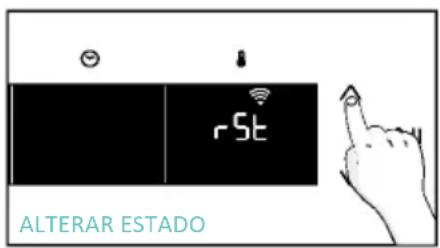
text_image
ALTERAR ESTADO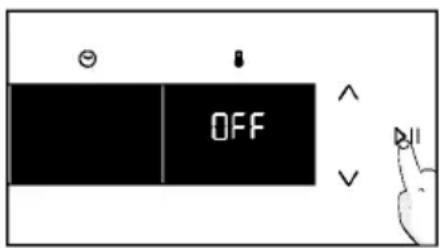
text_image
OFF
CONTROLO REMOTO
text_image
Hand interacting with a touchscreen device displaying 'CON' and icons for Wi-Fi, battery, and function buttons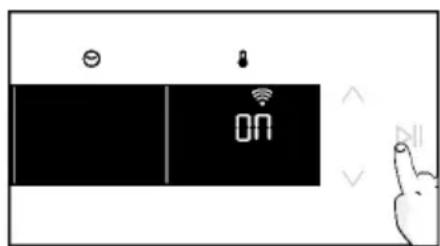
text_image
Diagram showing a device with 'ON' status and icons for battery, lock, and function buttons, alongside a hand gesture.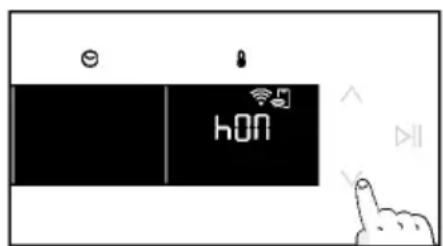
text_image
e hON
text_image
hONnatural_image
Simple line drawing of a kitchen appliance with a hand cleaning the interior (no text or symbols)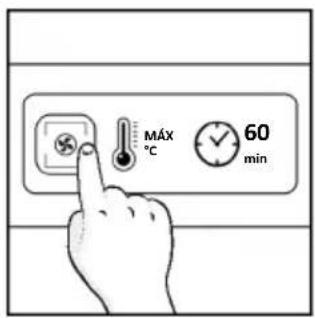
text_image
MÁX °C 60 min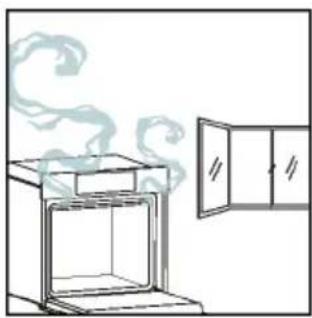
natural_image
Simple line drawing of an oven with steam rising from the top, next to a cabinet (no text or symbols)natural_image
Illustration of a hand interacting with a digital interface displaying icons like a light bulb, lock, and Wi-Fi symbol (no text or labels present)MENU FUNÇÕES
text_image
Diagram showing a hand interacting with a smartphone screen displaying a control interface with icons for wireless connectivity and security.text_image
88 E DEMO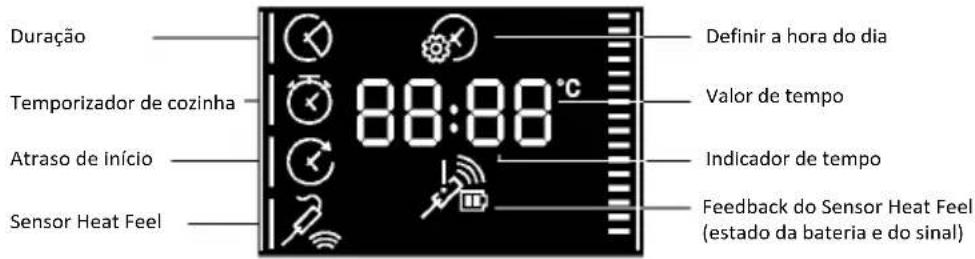
text_image
Diagram showing a hand pressing a button on a digital timer with icons for settings and temperature reading.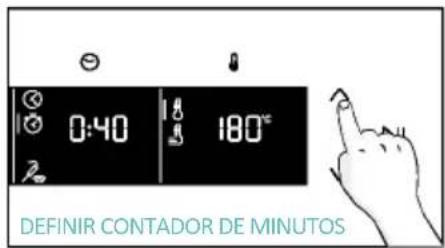
text_image
0:40 180° DEFINIR CONTADOR DE MINUTOS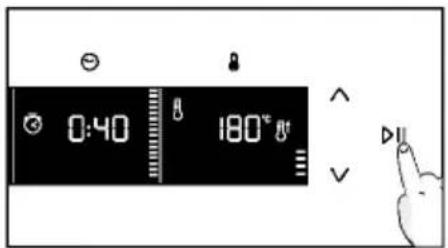
text_image
0:40 180°C Va. ATRASO DE INÍCIO
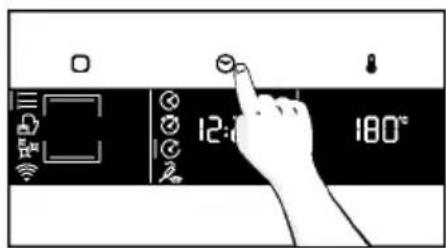
text_image
12:00 180°C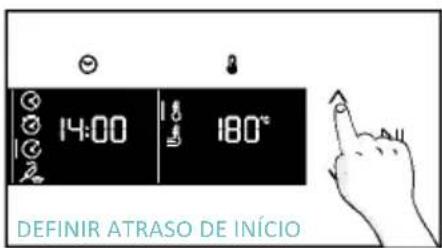
text_image
14:00 180° DEFINIR ATRASO DE INÍCIO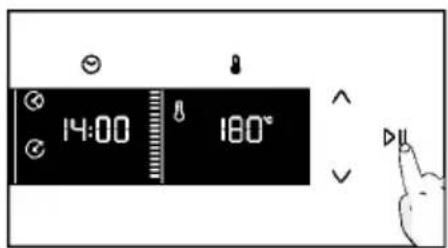
text_image
14:00 180°natural_image
Line drawing of an oven with cooling rack and side panel (no text or symbols)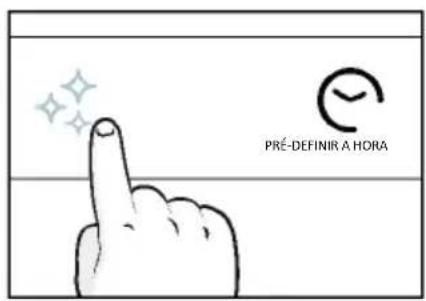
text_image
PRÉ-DEFINIR A HORA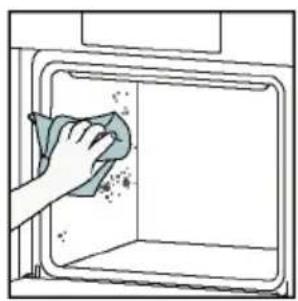
natural_image
Illustration of a hand cleaning a window with a cloth (no text or symbols)Aquactiva
text_image
Warning symbol with exclamation mark and three warning symbols: thermometer, triangular warning triangle, and thermometer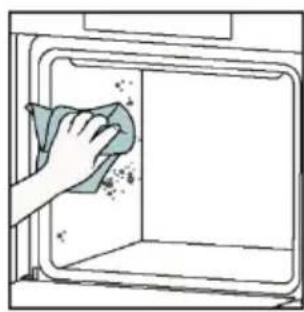
natural_image
Hand cleaning a clean window with a cloth (no text or symbols visible)Limpeza catalítica
natural_image
Line drawing of a box being lifted by two hands, showing internal structure and support (no text or symbols)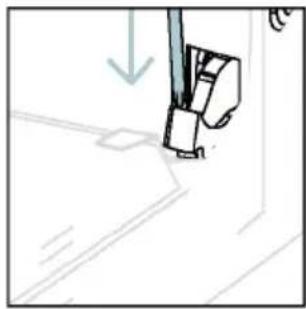
natural_image
Simple line drawing of a sewing machine needle with a downward arrow indicating force or direction (no text or symbols)natural_image
Pure technical line drawing of a mechanical joint or bracket (no text or symbols)natural_image
Illustration of a hand using scissors to cut a sheet of paper (no text or symbols present)natural_image
Illustration of a hand cleaning a tiled surface with a water bottle and a bowl labeled H₂O (no text or symbols on the main image)text_image
PYRO OU LOW-Enatural_image
Technical line drawing of a mechanical bracket or hinge assembly (no text or symbols)natural_image
Line drawing of a cabinet with open lid and two hands adjusting the tray (no text or symbols)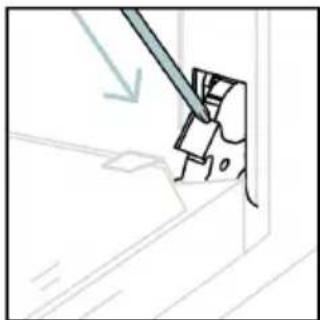
natural_image
Simple line drawing of a tool interacting with a mechanical component (no text or symbols)6.3. LIMPEZA DOS ACESSÓRIOS
natural_image
Line drawing of an oven with internal rack structure and a green arrow indicating direction (no text or symbols)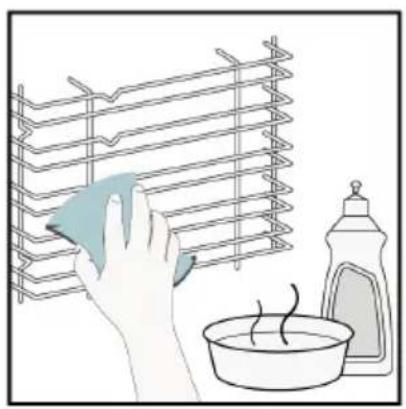
natural_image
Illustration of a hand cleaning a rack with a cloth, next to a bowl and a spray bottle (no text or symbols)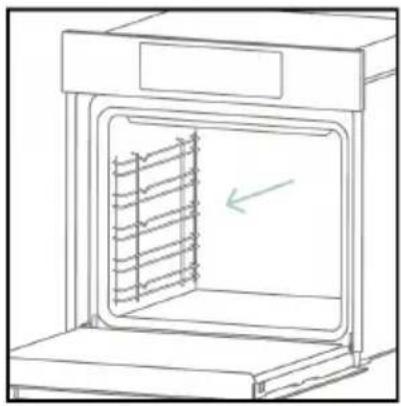
natural_image
Line drawing of an oven with a rack inside, showing internal structure and a green arrow indicating direction (no text or symbols)6.4. MANUTENÇÃO
text_image
Safety warning diagram showing a plug connected to an electrical outlet with a warning symbol and 'OFF' labelPasso 2
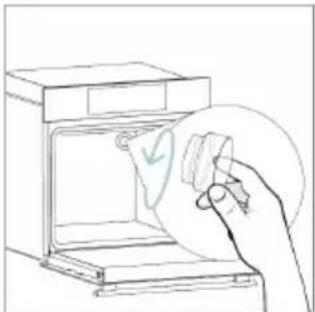
natural_image
Line drawing of a hand inserting a card into an oven (no text or symbols)Passo 3
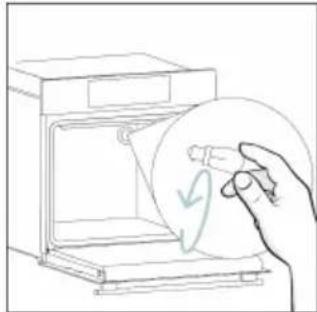
natural_image
Line drawing of a hand holding a circular object with a checkmark, next to an open appliance (no text or symbols)Passo 4

natural_image
Line drawing of a hand holding a circular object inside an oven (no text or symbols)Passo 5
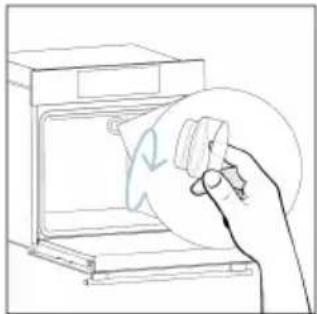
natural_image
Line drawing of a hand using a circular tool to clean or remove a device from an open oven (no text or symbols)Passo 6
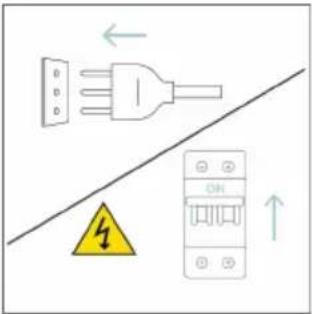
text_image
Diagram showing electrical connections with a plug, warning symbol, and circuit breaker componentstext_image
Electrical diagram showing a plug connected to an ON/OFF panel with warning symbol and directional arrowsPasso 2
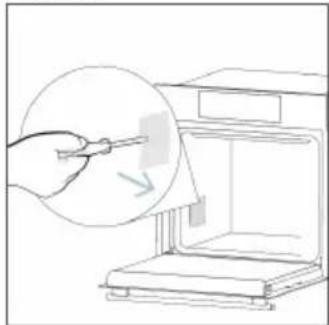
natural_image
Line drawing of a hand using a tool to clean or store items from a microwave oven (no text or symbols)Passo 3
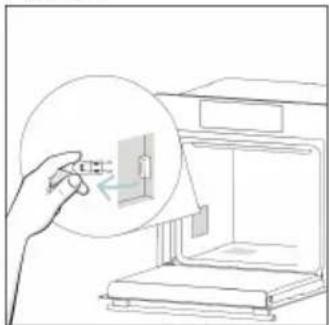
natural_image
Line drawing of a hand inserting a small component into a device (no text or symbols)Passo 4
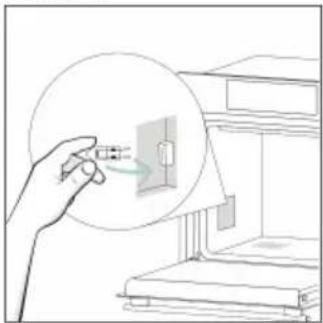
natural_image
Illustration of a hand holding a device with a magnified view of an electrical component inside a cabinet (no text or symbols)Passo 5
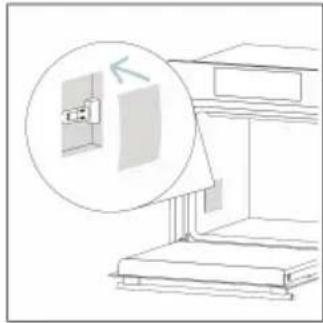
natural_image
Line drawing of a cabinet or rack with an inset showing a wall-mounted device (no text or symbols)Passo 6
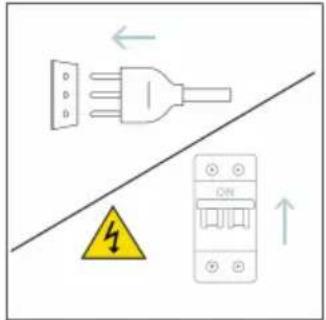
text_image
Diagram showing electrical grounding symbols including a plug, warning symbol, and circuit breaker with Chinese labelstext_image
Illustration showing a kitchen appliance with a hand cleaning it, accompanied by a chemical reaction diagram and water displacement label.natural_image
Symbol of a trash bin with crossed lines indicating no waste or discharge, and a solid black rectangle below (no text or labels)natural_image
Isometric line drawing of a multi-level cabinet or refrigerator with internal compartments and drawers (no text or symbols)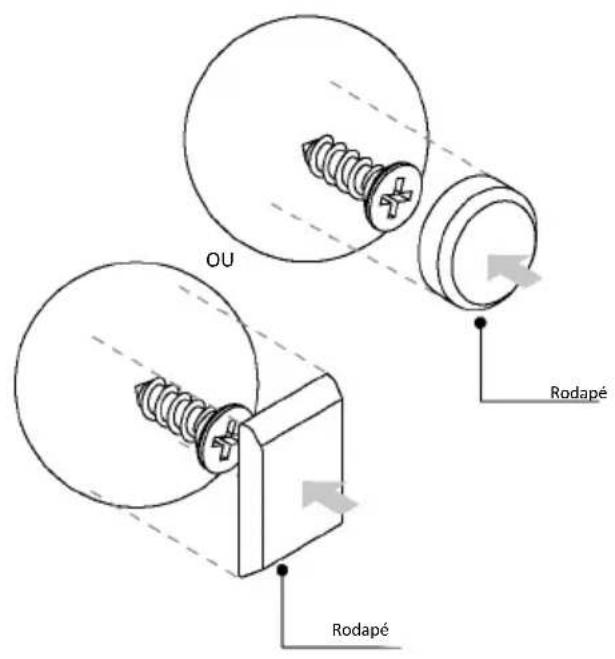
text_image
OU Rodapé Rodapé
VITAJTE
natural_image
Simple illustration of a pen with a downward arrow pointing to it (no text or symbols)text_image
Line drawing of an oven with numbered labels pointing to each interior layernatural_image
Empty white rectangle with a thin gray border (no text or symbols)natural_image
Line drawing of a two-tiered storage unit with horizontal shelves and top panel (no text or symbols)natural_image
3D diagram of a rectangular tray with internal compartments, placed on an oven (no text or symbols)text_image
STOP STOPnatural_image
3D rendering of a rectangular tray with internal compartments, placed on a shelf (no text or symbols)natural_image
Technical line drawing of a kitchen sink with a round pan, metal grate, and wall-mounted dish (no text or symbols)natural_image
Illustration of a file cabinet with a circular arrow indicating rotation or motion (no text or symbols)natural_image
Line drawing of a rectangular tray with a patterned lid and internal structure, placed inside an oven (no text or symbols)natural_image
Illustration of a rectangular appliance with a grid pattern on its side, placed inside a rack (no text or symbols)natural_image
Line drawing of a rooster on a cutting board with dough and steam (no text or symbols)natural_image
Simple line drawing of a pen or stylus (no text or symbols)natural_image
Illustration of a rectangular kitchen tray with mesh pattern inside, placed on a shelf (no text or symbols)AKO KOMUNIKOVAŤ S APLIKÁCIOU
text_image
Available on the App Store GET IT ON Google PlayREGISTRÁCIA NOVÉHO POUŽÍVATEL'A
text_image
hOn Welcome! Sign in to enter in your home page ENTER REGISTER Are you new to hOn? Click below to learn about our products © TRV DEMO
text_image
Do you already have a thousand passwords? Register with your social accounts and log in the easiest and fastest way. SIGN UP WITH GOOGLE SIGN UP WITH APPLE SIGN UP WITH FACEBOOK No information relating to you will be shared and we will not past anything from you. OR SIGN UP WITH EMAIL Already registered? LOGINRÝCHLE PÁROVANIE
Krok 1
text_image
Hello USERNAME YOUR APPLIANCES ADD 10% Virtual Wine Bank second row 2 bottles then is a second row Add appliance YOUR WIDGETS Lorem ipsum darker all net Skarita Camp YOUR NEWS NEW What functions do smart appliances have? How to live sustain home and reduce wKrok 2
- Povol'te lokalizáciu zariadenia.
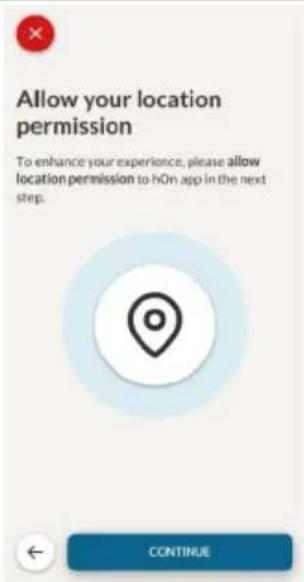
text_image
Allow your location permission To enhance your experience, please allow location permission to hOn app in the next step. CONTINUEKrok 3
• Vyberte rúru z kategórie spotrebičov.
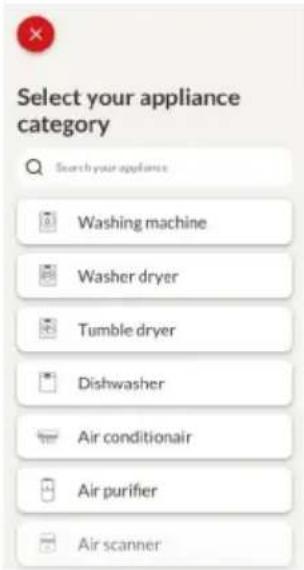
text_image
Select your appliance category Search your appliance Washing machine Washer dryer Tumble dryer Dishwasher Air conditionair Air purifier Air scannerKrok 4
- Zapnite spotrebič. Ak už je zapnutý, vypnite ho a znova zapnite.
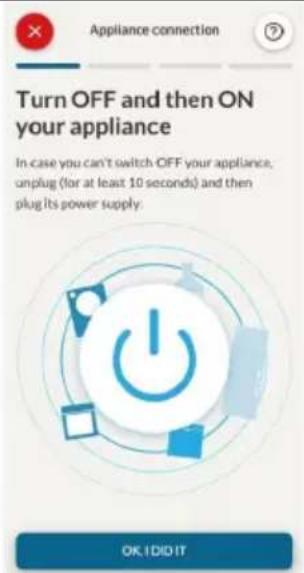
text_image
Turn OFF and then ON your appliance. In case you can't switch OFF your appliance, unplug (for at least 10 seconds) and then plug its power supply. OK I DID ITKrok 5
text_image
Appliance connection Searching your appliance Don't turn off your Bluetooth. On app is looking for your appliance... 00:00:40 Stay close to your appliance in order to correctly capture the signal.Krok 6.1-6.2
text_image
Appliance connection Searching your appliance Don't turn off your Bluetooth. Oven New appliance Long appliance name to... CONNECT PRODUCT NOT FOUND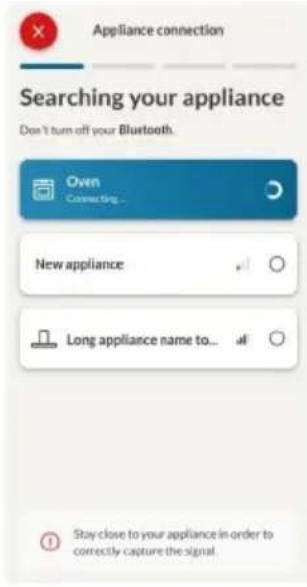
text_image
Appliance connection Searching your appliance Don't turn off your Bluetooth. Own Connecting... New appliance Long appliance name to... Stay close to your appliance in order to correctly capture the signal.Krok 7
text_image
Your appliance has been correctly identified! Brand Hoover Model 31008486-7888-1824 Serial number 12345678-1234-1234 Is this your appliance? YES IT'S MY OVEN NO IT'S NOTtext_image
Diagram showing a hand interacting with a touchscreen device, labeled with icons for sensor, function, and status.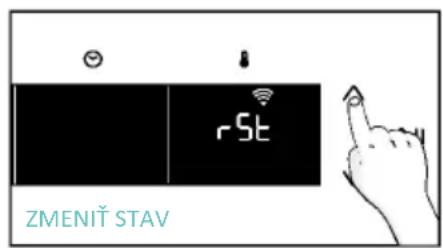
text_image
rSt ZMENIT STAV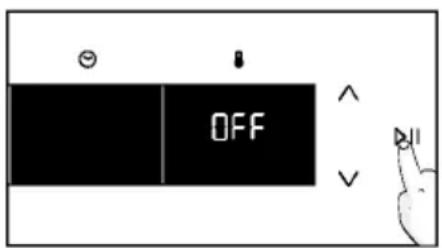
text_image
OFFDIAŁKOVÉ OVLÁDANIE
text_image
Diagram showing a hand interacting with a touchscreen device and displaying 'CON' text, likely illustrating a UI or control interface.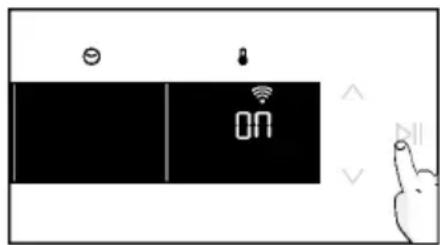
text_image
ON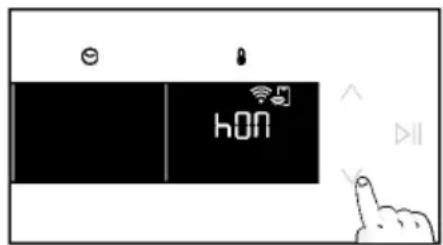
text_image
hON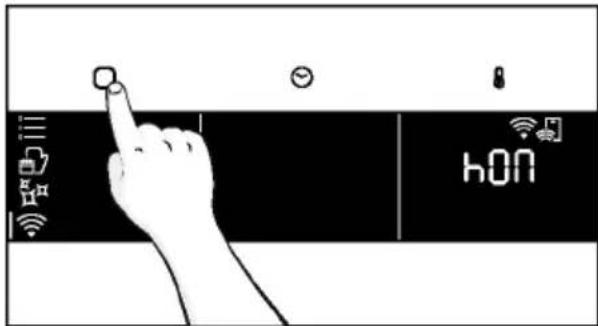
text_image
hONPOKYNY PO INŠTALÁCII
natural_image
Simple line drawing of a kitchen appliance with a hand cleaning it, no text or symbols present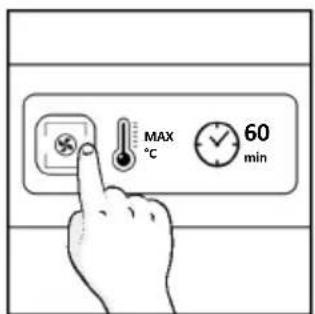
text_image
MAX °C 60 min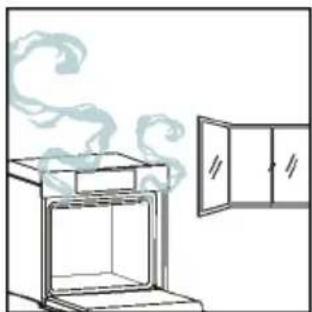
natural_image
Simple line drawing of an oven with steam rising from the top, next to a cabinet (no text or symbols)4. OBSLUHA SPOTREBIČA
4.1. FUNGOVANIE SPOTREBIČA
ZAPNUTIE/VYPNUTIE RÚRY
natural_image
Illustration of a hand interacting with a digital device displaying icons like a light bulb, lock, and Wi-Fi (no text or symbols present)PONUKA FUNKCIÍ
text_image
Diagram showing a hand pressing a button on a smartphone screen with icons for connectivity and securitytext_image
1:20 180° =a. ČASOVAČ
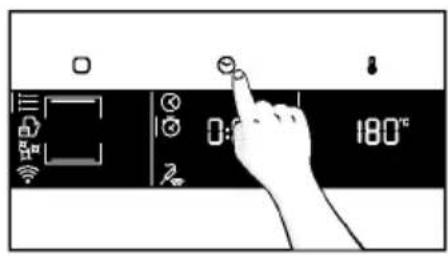
text_image
0:180°C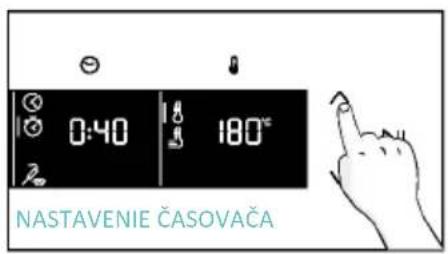
text_image
0:40 180° NASTAVENIE ČASOVAČA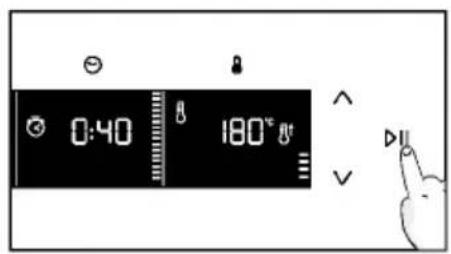
text_image
0:40 180°C Va. ODLOŽENÝ ŠTART
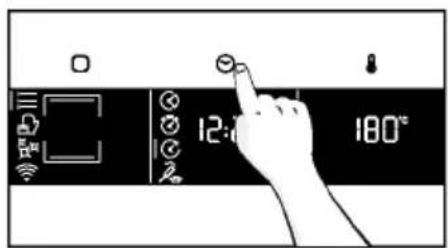
text_image
12:00 180°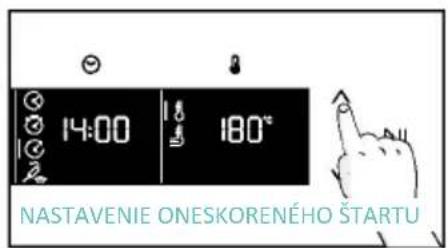
text_image
14:00 180° NASTAVENIE ONESKORENÉHO ŠTARTU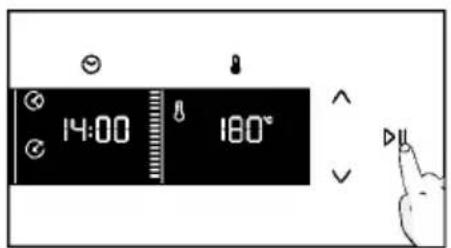
text_image
14:00 180°PONUKA TEPLOTA
natural_image
Line drawing of an oven with cooling rack and tray (no text or symbols)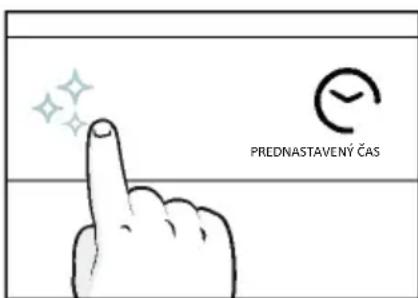
text_image
PREDNASTAVENÝ ČAS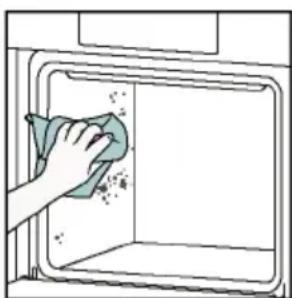
natural_image
Hand cleaning a clean-out oven with a cloth (no text or symbols visible)Aquactiva
text_image
Warning symbol with exclamation mark and three warning symbols: thermometer, triangular warning triangle, and thermometer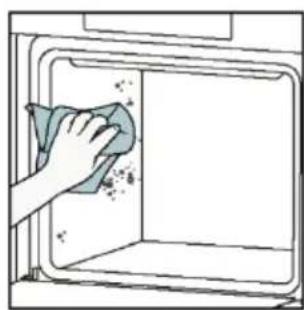
natural_image
Hand cleaning a clean window with a cloth (no text or symbols visible)natural_image
Line drawing of a box with two hands inserting a spring into the opening (no text or symbols)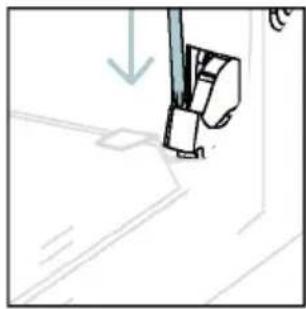
natural_image
Simple line drawing of a sewing machine needle with a downward arrow indicating compression (no text or symbols)text_image
Diagram showing hand positioning of a tool with numbered parts and directional arrows indicating movementnatural_image
Pure technical line drawing of a mechanical joint or bracket (no text or symbols)natural_image
Line drawing of a hand holding a tool over a curved surface, with no text or symbols present.natural_image
Illustration of a hand cleaning a tiled surface with a water bottle and a bowl labeled H₂O (no text or symbols on the main image)natural_image
Technical line drawing of a mechanical bracket or hinge assembly (no text or symbols)natural_image
Line drawing of a box with open lid and two hands inserting a cable (no text or symbols)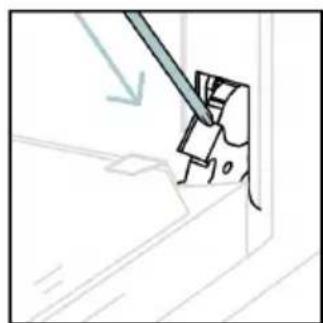
natural_image
Simple line drawing of a tool interacting with a component, no text or symbols present6.3. ČISTENIE PRÍSLUŠENSTVA
natural_image
Line drawing of an oven with internal rack structure and a green arrow indicating direction (no text or symbols)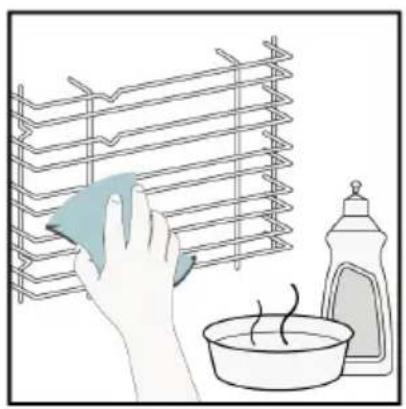
natural_image
Illustration of a hand cleaning a rack with a cloth, next to a bowl and a spray bottle (no text or symbols)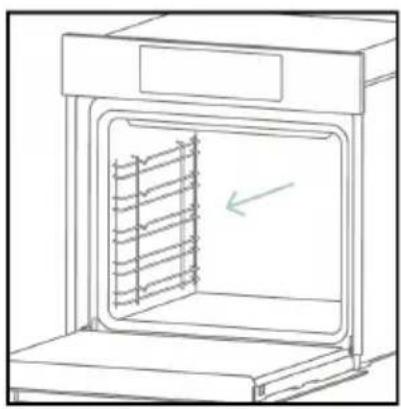
natural_image
Line drawing of an oven with a rack inside, showing internal structure and a green arrow indicating direction (no text or symbols)6.4. ÚDRŽBA
VÝMENA KOMPONENTOV
text_image
Safety warning diagram showing a plug connected to an electrical outlet with a warning symbol and 'OFF' labelKrok 2
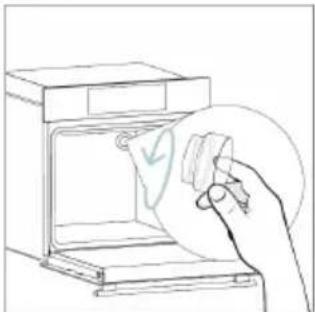
natural_image
Line drawing of a hand inserting a card into an oven (no text or symbols)Krok 3
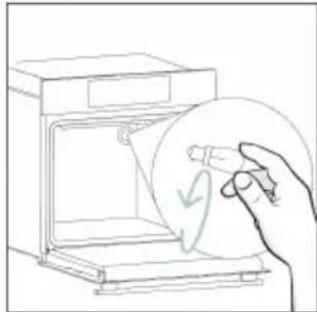
natural_image
Line drawing of a hand holding a circular object inside an open appliance (no text or symbols)Krok 4
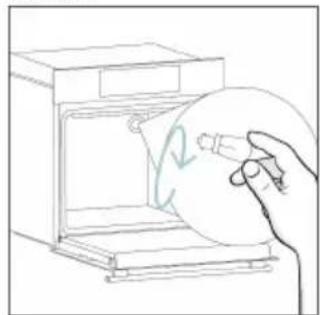
natural_image
Line drawing of a hand holding a circular object inside an oven (no text or symbols)Krok 5
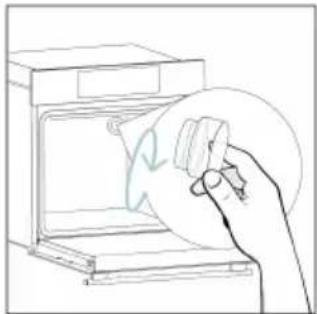
natural_image
Line drawing of a hand holding a circular object over an open appliance (no text or symbols)Krok 6
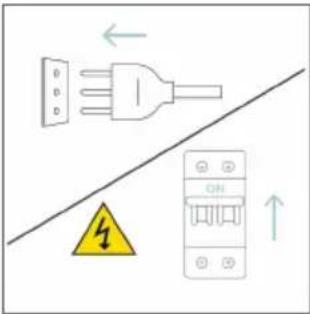
text_image
Diagram showing electrical connections with a plug, warning symbol, and circuit breaker componentstext_image
Safety warning diagram showing a plug connected to an electrical outlet with a warning symbol and downward arrow.Krok 2
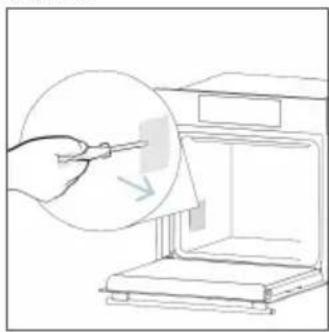
natural_image
Line drawing of a hand using a tool to clean or store items inside a 3D printer (no text or symbols)Krok 3

natural_image
Line drawing of a hand holding a small object inside a device, with no visible text or symbolsKrok 4
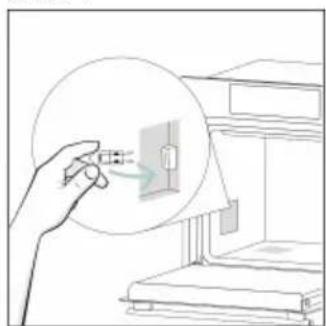
natural_image
Illustration of a hand holding a magnified view of a small electronic component inside a device (no text or symbols visible)Krok 5
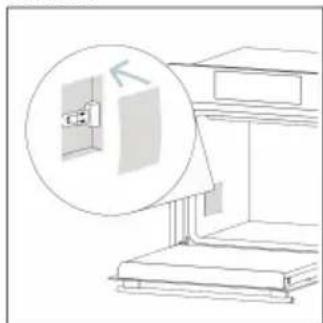
natural_image
Line drawing of a staircase with an inset showing a wall-mounted fixture (no text or symbols)Krok 6
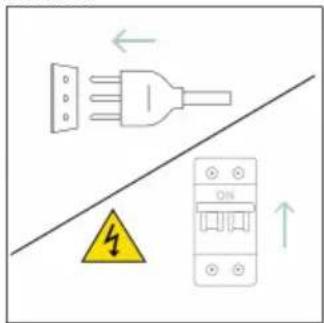
text_image
Diagram showing a plug and fuse connected to an ON panel with warning symbol and directional arrowstext_image
Diagram showing two steps of a kitchen appliance: heating a stove and cleaning a water tower with a water bottle labeled H20.8. OCHRANA ŽIVOTNÉHO PROSTREDIA A LIKVIDÁCIA SPOTREBIČA
8.1. LIKVIDÁCIA SPOTREBIČA
natural_image
Simple line drawing of a trash bin with crossed lines indicating no waste or discharge (no text or symbols)natural_image
Isometric line drawing of a multi-level cabinet or enclosure with internal compartments and structural elements (no text or symbols)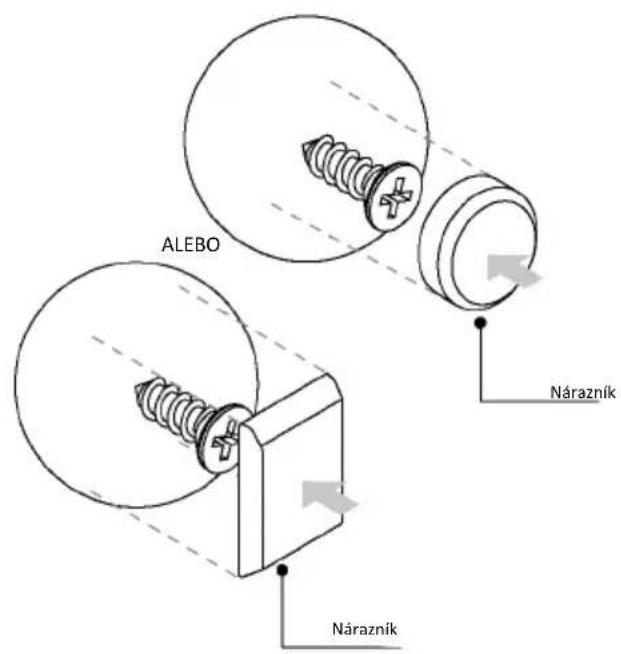
text_image
ALEBO Nárazník Nárazník
WITAMY
natural_image
Simple illustration of a pen with a black arrow pointing downward (no text or symbols)text_image
Line drawing of an oven with numbered compartments for identificationnatural_image
Empty white rectangle with a thin gray border (no text or symbols)natural_image
Line drawing of a two-tiered storage unit with horizontal bars and a central tray (no text or symbols)natural_image
3D diagram of a rectangular tray with internal compartments, placed on a shelf (no text or symbols)natural_image
Line drawing of a rectangular metal tray with horizontal slats and labeled stop points (no text or symbols beyond labels)natural_image
3D rendering of a rectangular tray with internal compartments, placed on a shelf (no text or symbols)natural_image
Technical line drawing of a bathroom sink with a bowl, sink tray, and wall-mounted fixtures (no text or symbols)natural_image
Line drawing of a rectangular tray with a blue patterned lid and a grid of printed text, placed inside an oven (no readable text or symbols)natural_image
Line drawing of a rooster on an induction cooktop inside a kitchen (no text or symbols)natural_image
Illustration of a cabinet with a circular arrow indicating airflow or motion, no text or symbols presentnatural_image
Diagram of a rectangular appliance with a grid-patterned lid, placed on a tray (no text or symbols)natural_image
Simple line drawing of a pen with a handle and pointed tip (no text or symbols)natural_image
Illustration of a rectangular kitchen tray with mesh pattern inside, placed on a shelf (no text or symbols)INFORMACJE O PRODUKCIE DOT. URZĄDZEŃ SIECIOWYCH
text_image
Available on the App Store GET IT ON Google Playtext_image
Welcome! Sign in to enter in your home page ENTER REGISTER Are you new to hOn? Click below to learn about our products TRY DEMO
text_image
Do you already have a thousand passwords? Register with your social accounts and log is in the easiest and fastest way. SIGN UP WITH GOOGLE SIGN UP WITH APPLE SIGN UP WITH FACEBOOK 'Now information relating to you will be shared and we will not just anything free you' OR SIGN UP WITH EMAIL Already registered? LOGINSZYBKA REJESTRACJA PAROWANIA
Krok 1
text_image
Hello USERNAME YOUR APPLIANCES Add Virtual Wine Bank second row 2 seconds there is a second row Add appliance YOUR WIDGETS Current power double x8 net NEW Search the Care YOUR NEWS What functions do smart appliances have? How to live sustain home and reduce wKrok 2
text_image
Allow your location permission To enhance your experience, please allow location permission to hOn app in the next step. CONTINUEKrok 3
text_image
Select your appliance category Search your appliance Washing machine Washer dryer Tumble dryer Dishwasher Air conditionair Air purifier Air scannerKrok 4
text_image
Turn OFF and then ON your appliance In case you can't switch OFF your appliance, unplug (for at least 10 seconds) and then plug its power supply. OK. I DID ITKrok 5
text_image
Appliance connection Searching your appliance Don't turn off your Bluetooth. hOn app is looking for your appliance... 00:00:40 Stay close to your appliance in order to correctly capture the signal.Krok 6.1-6.2
text_image
Appliance connection Searching your appliance Don't turn off your Bluetooth. Oven New appliance Long appliance name to... CONNECT PRODUCT NOT FOUND Appliance connection Searching your appliance Don't turn off your Bluetooth Oven Connecting... New appliance Long appliance name to... Stay close to your appliance in order to correctly capture the signal.Krok 7
text_image
Appliance connection Your appliance has been correctly identified! Brand Hoover Model 31008486-7888-1824 Serial number 12345678-1234-1234 Is this your appliance? YES IT'S MY OVEN NO IT'S NOTtext_image
Hand interacting with a touchscreen device displaying icons for phone, settings, and status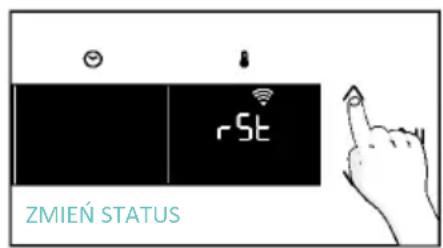
text_image
rSt ZMIEŃ STATUS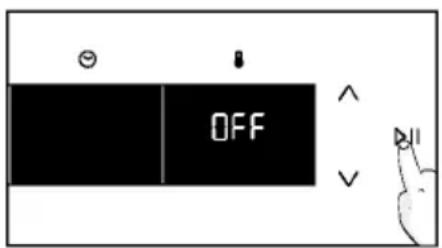
text_image
OFF
ZDALNE STEROWANIE
text_image
Hand interacting with a touchscreen device displaying 'CON' and icons for Wi-Fi, battery, and function buttons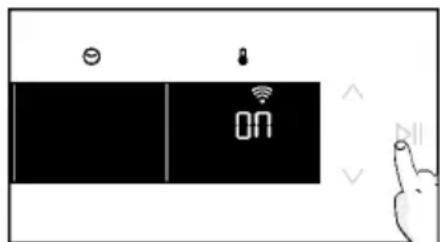
text_image
ON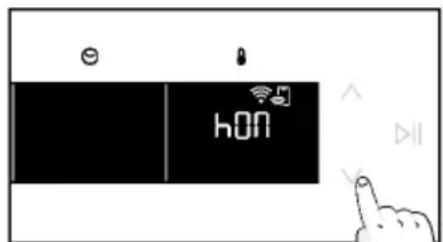
text_image
hON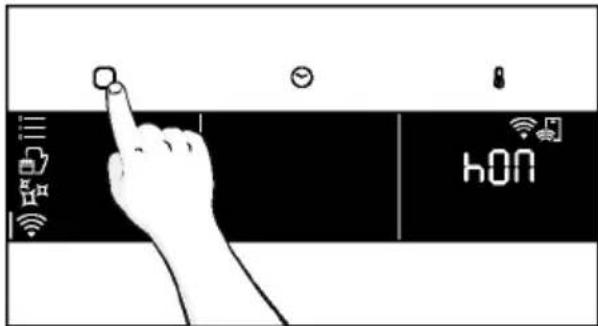
text_image
hONnatural_image
Simple line drawing of a kitchen appliance with a hand cleaning the interior (no text or symbols)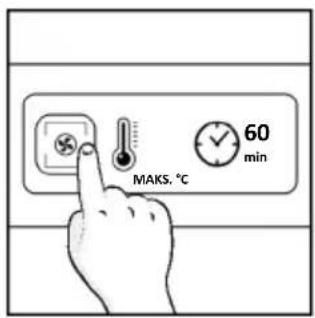
text_image
MAKS. °C 60 min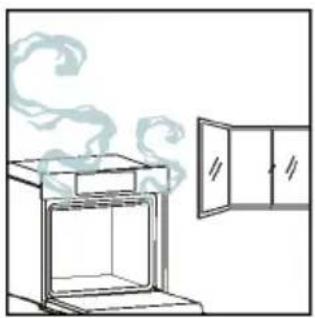
natural_image
Simple line drawing of a steam rising from an open oven next to a cabinet (no text or symbols)4.1. JAK DZIAŁA PRODUKT
WŁĄCZANIE/WYŁĄCZANIE PIEKARNIKA
natural_image
Illustration of a hand interacting with a digital interface displaying icons like a light bulb, lock, and Wi-Fi symbol (no text or labels present)MENU FUNKCJI
text_image
Diagram showing a hand interacting with a smartphone screen displaying connected icons for smart devices and connectivity.text_image
3°C 80 DEMO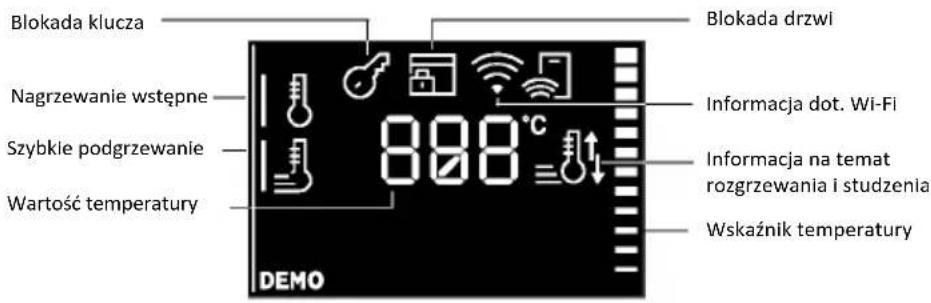
natural_image
Line drawing of an oven with cooling rack and side panel (no text or symbols)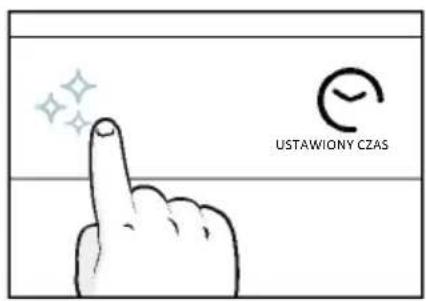
text_image
USTAWIONY CZAS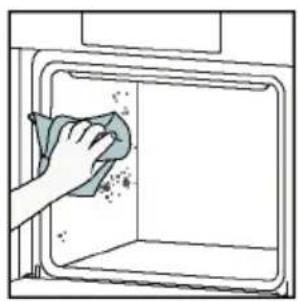
natural_image
Illustration of a hand cleaning a window with a cloth (no text or symbols)Aguactiva
text_image
USTAWIONY CZAS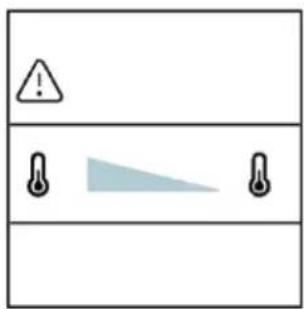
text_image
Warning symbol with exclamation mark and three warning symbols: thermometer, triangular warning triangle, and thermometer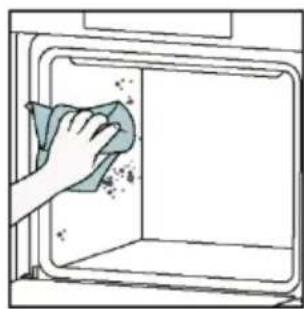
natural_image
Hand cleaning a kitchen appliance with a cloth (no text or symbols visible)natural_image
Line drawing of a box with two hands clapping, no text or symbols present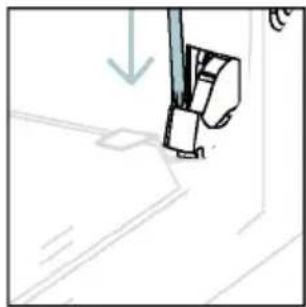
natural_image
Simple line drawing of a sewing machine needle and foot (no text or symbols)text_image
Diagram showing hand positioning of a tool with numbered parts and directional arrows indicating movementnatural_image
Pure technical line drawing of a mechanical joint or bracket (no text or symbols)natural_image
Line drawing of a hand using scissors to cut a piece of paper (no text or symbols)natural_image
Illustration of a hand cleaning a tiled surface with a water bottle and a bowl labeled H₂O (no text or symbols on the main image)natural_image
Technical line drawing of a mechanical bracket or hinge assembly (no text or symbols)natural_image
Line drawing of a box being opened with two hands, no text or symbols present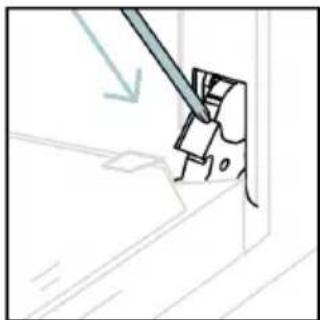
natural_image
Simple line drawing of a tool interacting with a mechanical component (no text or symbols)6.3. CZYSZCZENIE AKCESORIÓW
natural_image
Line drawing of an oven with a rack inside, showing internal structure and airflow direction (no text or symbols)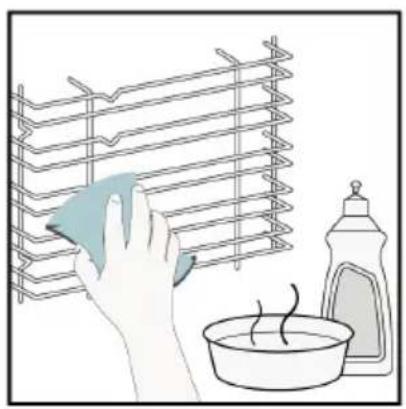
natural_image
Illustration of a hand cleaning a rack with a cloth, next to a bowl and a spray bottle (no text or symbols)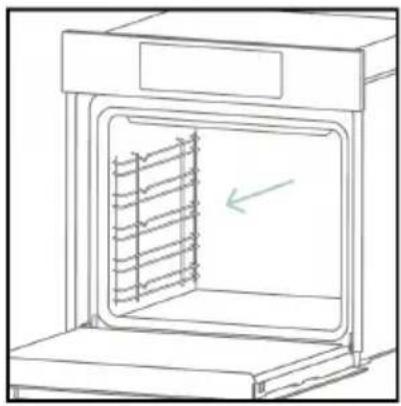
natural_image
Line drawing of an oven with a rack inside, showing internal structure and a green arrow indicating direction (no text or symbols)6.4. KONSERWACJA
WYMIANA KOMPONENTÓW
text_image
Safety warning diagram showing a plug connected to an electrical panel with a warning symbol and downward arrow.Krok 2
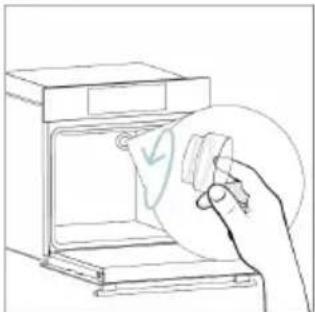
natural_image
Line drawing of a hand holding a paper with a checkmark inside an oven (no text or symbols)Krok 3
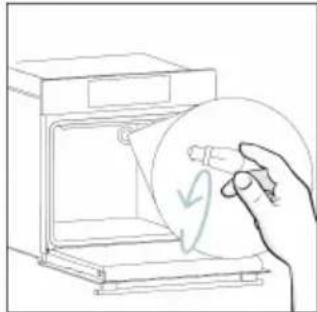
natural_image
Line drawing of a hand holding a circular object with a checkmark, next to an open appliance (no text or symbols)Krok 4
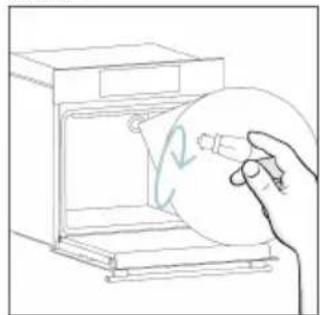
natural_image
Line drawing of a hand holding a circular object inside an oven (no text or symbols)Krok 5
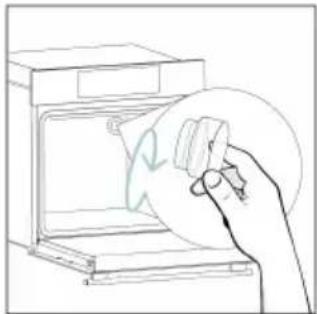
natural_image
Line drawing of a hand holding a circular object over an open oven (no text or symbols)Krok 6

text_image
Diagram showing electrical connections with a plug, warning symbol, and circuit breaker componentstext_image
Diagram showing a plug connected to an electrical panel with warning symbol and downward arrow, indicating safety or hazard.Krok 2
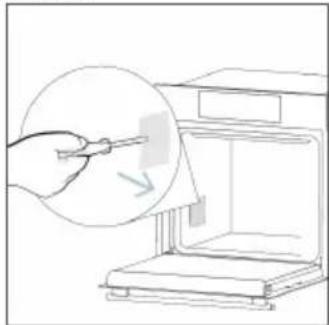
natural_image
Line drawing of a hand using a tool to clean or store items from a machine (no text or symbols)Krok 3
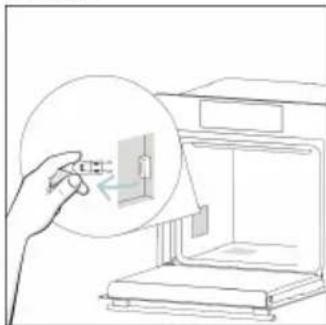
natural_image
Line drawing of a hand inserting a small component into an oven (no text or symbols)Krok 4
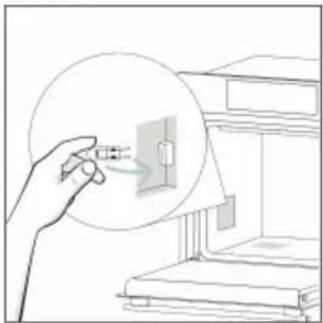
natural_image
Illustration of a hand holding a device with a magnified view of an electrical component inside a cabinet (no text or symbols)Krok 5

natural_image
Line drawing of a staircase with an inset showing a wall-mounted device (no text or symbols)Krok 6
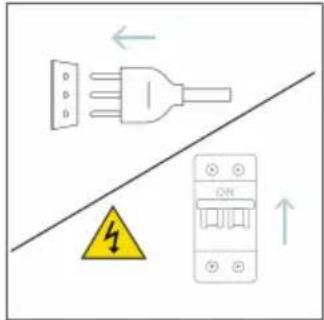
text_image
Diagram showing electrical connections with a plug, warning symbol, and circuit breaker labeled 'ON'text_image
Diagram showing two steps of a chemical experiment: heating a lid with steam and a wash bottle labeled H2D.8.1. UTYLIZACJA URZĄDZENIA
natural_image
Simple line drawing of a trash bin with crossed lines indicating no waste or discharge (no text or symbols)natural_image
Isometric line drawing of a multi-level cabinet or refrigerator with internal compartments and drawers (no text or symbols)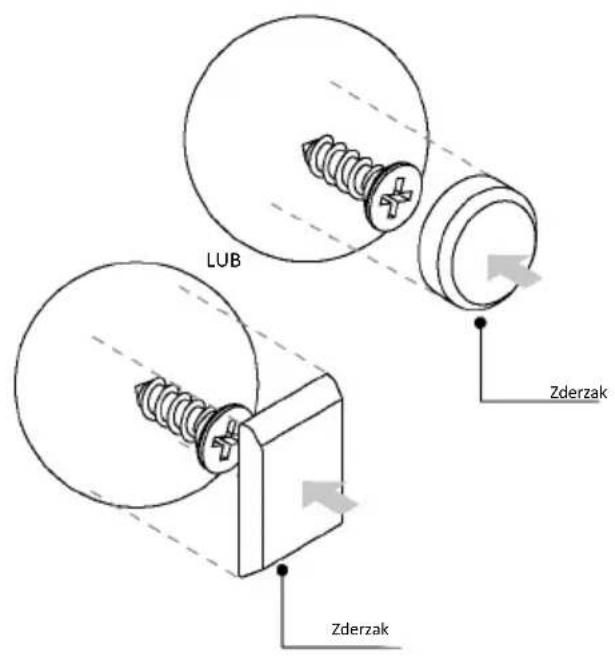
text_image
LUB Zderzak Zderzak
VÍTEJTE
natural_image
Simple illustration of a pen with a black arrow pointing downward (no text or symbols)text_image
Line drawing of an oven with numbered components for identificationnatural_image
Empty white rectangle with a thin gray border (no text or symbols)natural_image
Line drawing of a multi-tiered storage unit with horizontal shelves and a central rack (no text or symbols)natural_image
Illustration of a rectangular tray or container with internal compartments, placed on an open shelf (no text or symbols)natural_image
Technical line drawing of a rectangular metal grate with 'STOP' annotations indicating stop points (no text or symbols beyond labels)natural_image
3D rendering of a rectangular tray with internal compartments, placed on an inclined shelf (no text or symbols)natural_image
Line drawing of a kitchen sink with a bowl, a sphere, and a mesh rack (no text or symbols)natural_image
Diagram of a rectangular tray with a patterned lid and label, placed inside an oven (no text or symbols present)natural_image
Line drawing of a roasted chicken on an oven (no text or symbols)natural_image
Illustration of a cabinet with a circular arrow indicating rotation or motion (no text or symbols)natural_image
Line drawing of a rectangular appliance with a grid-patterned lid, placed on an oven (no text or symbols)natural_image
Simple line drawing of a pen or stylus with a pointed tip and handle (no text or symbols)natural_image
3D rendering of a rectangular tray with a mesh pattern inside, placed on a shelf (no text or symbols)text_image
Available on the App Store GET IT ON Google PlayREGISTRACE NOVÉHO UŽIVATELE
text_image
Welcome! Sign in to enter in your home page ENTER REGISTER Are you new to hOn? Click below to learn about our products © TRY DEMO
text_image
Do you already have a thousand passwords? Register with your social accounts and log in the easiest and fastest way. SIGN UP WITH GOOGLE SIGN UP WITH APPLE SIGN UP WITH FACEBOOK No information relating to you will be stored and we will not pay anything from your OR SIGN UP WITH EMAIL Already registered? LOGINRYCHLÉ PÁROVÁNÍ S REGISTRACÍ
Krok 1
text_image
Hello USERNAME YOUR APPLIANCES ADD Add appliance YOUR WIDGETS Lower item door off eat Scantle Care YOUR NEWS What functions do smart appliances have? How to live sustain home and reduce wKrok 2
text_image
Allow your location permission To enhance your experience, please allow location permission to hOn app in the next step. CONTINUEKrok 3
text_image
Select your appliance category Search your appliance Washing machine Washer dryer Tumble dryer Dishwasher Air conditionair Air purifier Air scannerKrok 4
text_image
Turn OFF and then ON your appliance In case you can't switch OFF your appliance, unplug (for at least 10 seconds) and then plug its power supply. OK I DID ITKrok 5
text_image
Appliance connection Searching your appliance Don't turn off your Bluetooth. On app is looking for your appliance... 00:00:40 Stay close to your appliance in order to correctly capture the signal.Kroky 6.1–6.2
text_image
Appliance connection Searching your appliance Don't turn off your Bluetooth. Oven New appliance Long appliance name to... CONNECT PRODUCT NOT FOUND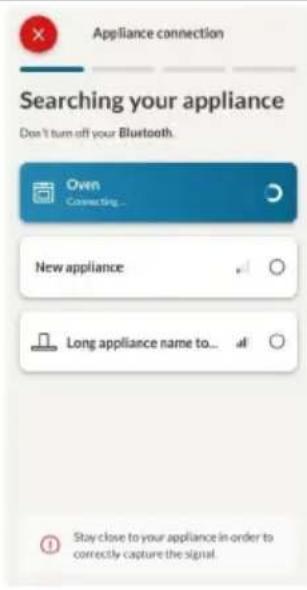
text_image
Appliance connection Searching your appliance Don't turn off your Bluetooth. Own Connecting... New appliance Long appliance name to... Stay close to your appliance in-order to correctly capture the signal.Krok 7
text_image
Your appliance has been correctly identified! Brand Hoover Model 31008486-7888-1824 Serial number 12345678-1234-1234 Is this your appliance? YES IT'S MY OVEN NO IT'S NOTtext_image
Diagram showing a hand interacting with a touchscreen device, with icons for Wi-Fi and ON status indicators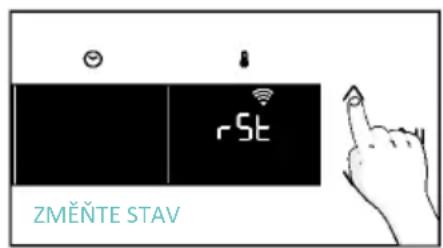
text_image
rSt ZMĚNTE STAV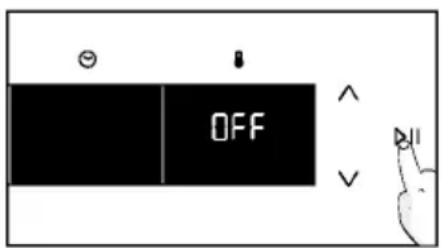
text_image
OFFDÁLKOVÉ OVLÁDÁNÍ
text_image
Diagram showing a hand interacting with a touchscreen device, labeled 'CON' and icons for wireless signals.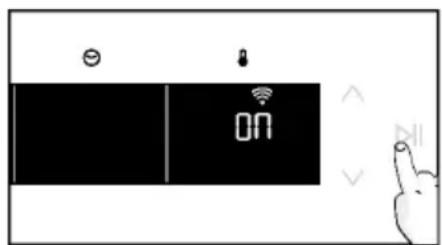
text_image
ON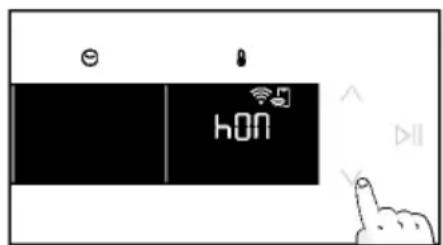
text_image
hON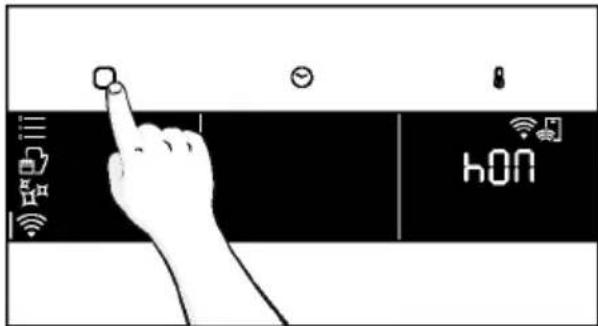
text_image
hONnatural_image
Line drawing of a kitchen appliance with a hand cleaning a bowl, no text or symbols present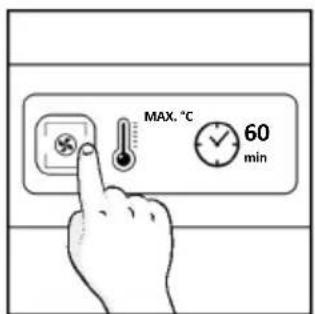
text_image
MAX. °C 60 min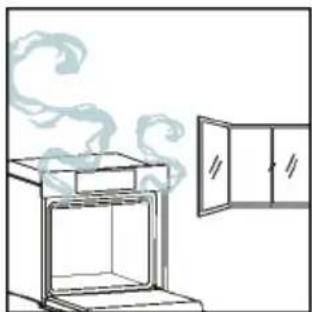
natural_image
Simple line drawing of an oven with steam rising, next to a cabinet (no text or symbols)4. OVLÁDÁNÍ SPOTŘEBIČE
4.1. JAK TENTO VÝROBEK FUNGUJE
natural_image
Illustration of a hand interacting with a digital interface displaying icons like a light bulb, lock, and Wi-Fi symbol (no text or labels)NABÍDKA FUNKCÍ
text_image
Diagram showing a hand pressing a button on a smartphone screen with icons for connectivity and security.text_image
1:20 180° =a. MINUTKA
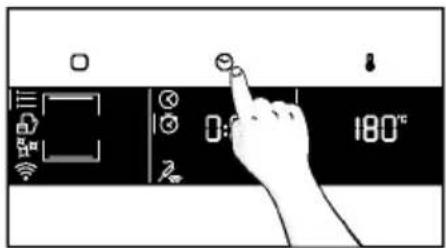
text_image
Diagram showing a hand pressing a button on a digital timer with icons for settings and temperature reading.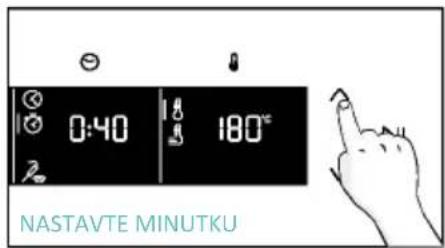
text_image
0:40 180° NASTAVTE MINUTKU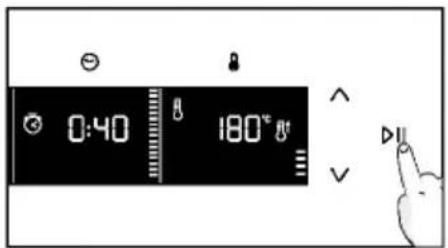
text_image
0:40 180° Va. ODLOŽENÉ SPUŠTĚNÍ
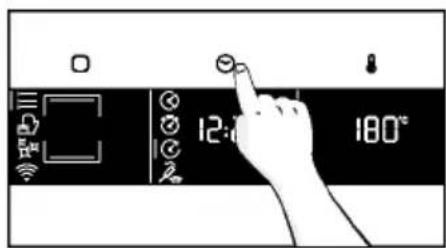
text_image
12:00 180°C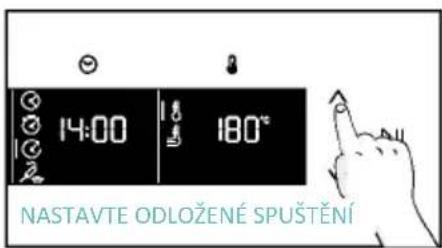
text_image
14:00 180° NASTAVTE ODLOŽENÉ SPUŠTĚNÍ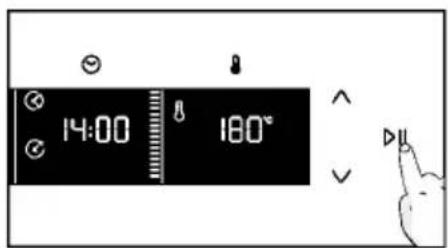
text_image
14:00 180°NABÍDKA TEPLOTA
natural_image
Line drawing of an oven with cooling rack and tray (no text or symbols)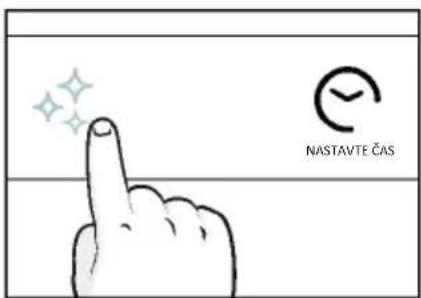
text_image
NASTAVTE ČAS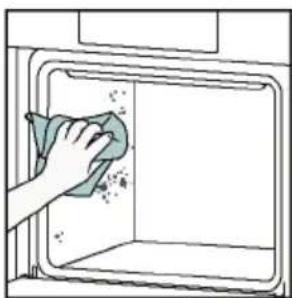
natural_image
Hand cleaning a clean window with a cloth (no text or symbols visible)Aquactiva
text_image
Warning symbol with exclamation mark and three warning symbols: thermometer, triangular warning triangle, and thermometer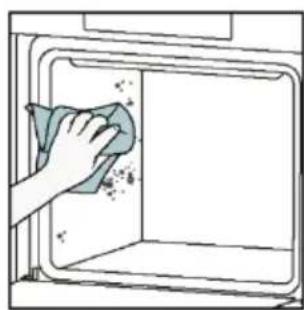
natural_image
Hand cleaning a clean appliance into a microwave oven (no text or symbols visible)Katalytické čištění
natural_image
Line drawing of a box with two hands inserting a spring into the opening (no text or symbols)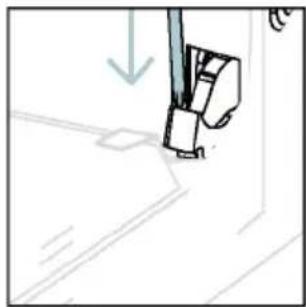
natural_image
Simple line drawing of a sewing machine needle and foot (no text or symbols)natural_image
Pure technical line drawing of a mechanical joint or bracket (no text or symbols)natural_image
Illustration of a hand using scissors to cut a piece of paper (no text or symbols visible)natural_image
Illustration of a hand cleaning a tiled surface with a water bottle and a bowl labeled H₂O (no text or symbols on the main image)natural_image
Technical line drawing of a mechanical bracket or hinge assembly (no text or symbols)natural_image
Line drawing of a box being opened with two hands, no text or symbols present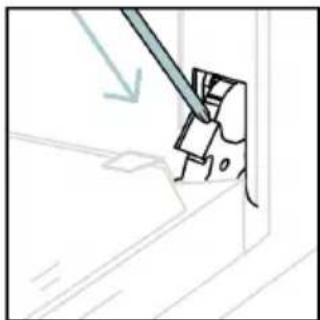
natural_image
Simple line drawing of a tool interacting with a mechanical component (no text or symbols)natural_image
Line drawing of an oven with a rack inside, showing airflow direction (no text or symbols)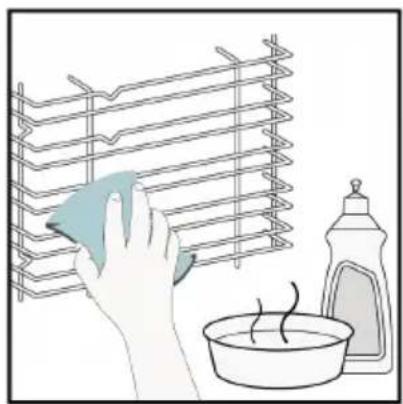
natural_image
Illustration of a hand cleaning a rack with a cloth, next to a bowl of water and a bottle (no text or symbols)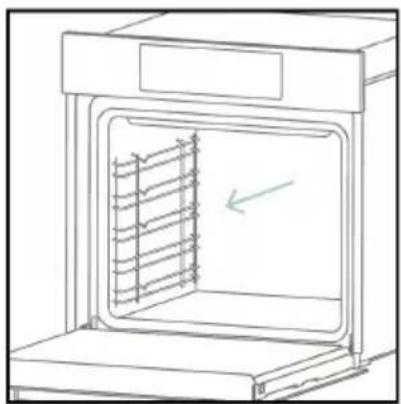
natural_image
Line drawing of an oven with a rack inside, showing internal structure and a green arrow indicating direction (no text or symbols)6.4. ÚDRŽBA
VÝMĚNA SOUČÁSTÍ
text_image
Safety warning diagram showing a plug connected to an electrical panel with a warning symbol and downward arrow.Krok 2
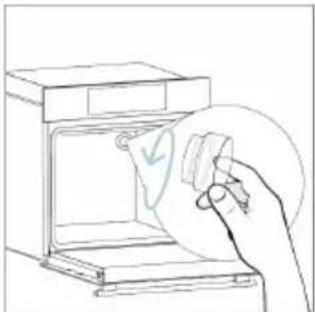
natural_image
Line drawing of a hand holding a paper with a checkmark inside an oven (no text or symbols)Krok 3
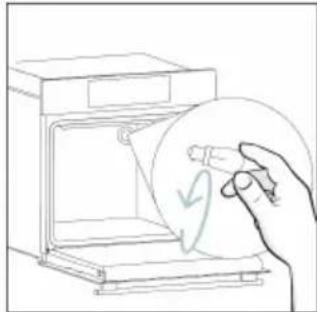
natural_image
Line drawing of a hand holding a circular object with a checkmark, next to an open appliance (no text or symbols)Krok 4
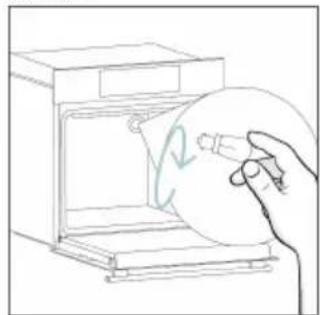
natural_image
Line drawing of a hand holding a circular object inside an oven (no text or symbols)Krok 5
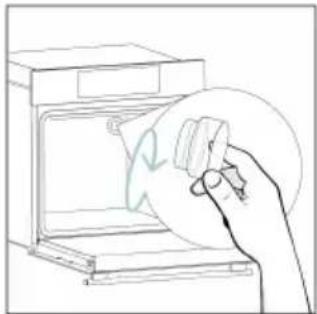
natural_image
Line drawing of a hand holding a circular object over an open oven (no text or symbols)Krok 6
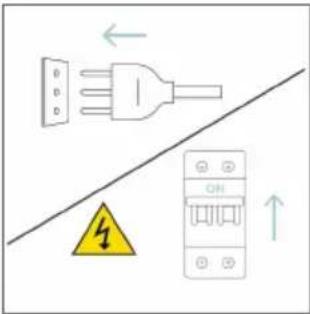
text_image
Diagram showing electrical connections with a plug, warning symbol, and circuit breaker componentstext_image
Safety warning diagram showing a plug connected to an electrical outlet with a warning symbol and downward arrow.Krok 2

natural_image
Line drawing of a hand using a tool to clean or store items inside a microwave oven (no text or symbols)Krok 3
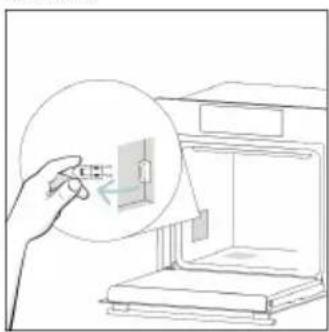
natural_image
Line drawing of a hand holding a small object inside a device, with no visible text or symbolsKrok 4
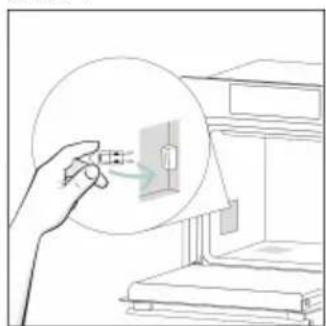
natural_image
Illustration of a hand holding a magnified view of a small electronic component, next to an open device (no text or symbols visible)Krok 5
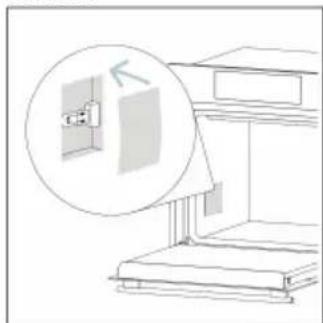
natural_image
Line drawing of a staircase with an inset showing a wall-mounted fixture (no text or symbols)Krok 6
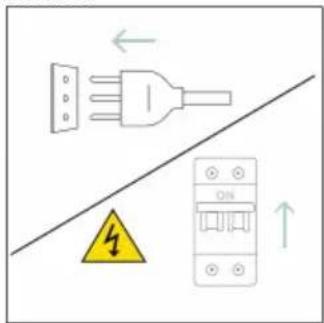
text_image
Diagram showing electrical connections with a plug, fuse, and circuit breaker, including a warning symbol and directional arrows.text_image
Illustration showing a chemical experiment: heating a smoke from a stove next to an oven with a water bottle labeled H2O.8. OCHRANA ŽIVOTNÍHO PROSTŘEDÍ A LIKVIDACE
8.1. LIKVIDACE SPOTŘEBIČE
natural_image
Symbol of a trash bin with crossed lines indicating no waste or discharge, and a solid black rectangle below (no text or labels)natural_image
Isometric line drawing of a multi-level cabinet or enclosure with internal compartments and structural elements (no text or symbols)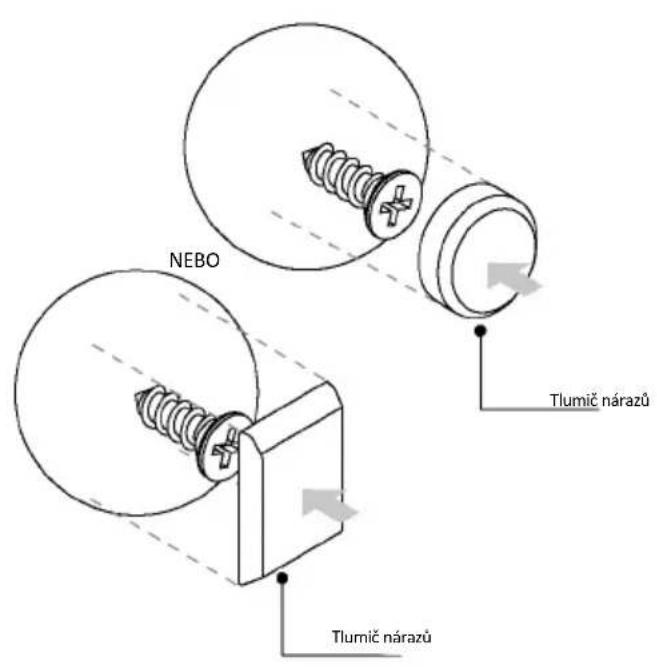
natural_image
Simple illustration of a pen with a downward arrow pointing to it, no text or symbols present.text_image
Line drawing of an oven with numbered components for identificationnatural_image
Empty white rectangle with a thin border (no text or symbols)natural_image
Line drawing of a two-tiered storage unit with horizontal shelves and top panel (no text or symbols)natural_image
3D diagram of a rectangular tray with internal compartments, placed on a shelf (no text or symbols)natural_image
Technical line drawing of a rectangular metal grate or rack with 'STOP' annotations indicating a stop point (no text or symbols beyond labels)natural_image
3D rendering of a rectangular tray or basin with internal partitioning, placed on a shelf (no text or symbols)natural_image
Technical line drawing of a bathroom sink with a bowl, sink tray, and wall-mounted fixtures (no text or symbols)natural_image
Technical line drawing of a rectangular tray with internal striped pattern (no text or symbols)natural_image
Line drawing of a rooster on an open kitchen grater (no text or symbols)natural_image
Illustration of a window with a circular arrow and motion indicator (no text or symbols)natural_image
Illustration of a rectangular appliance with a grid-patterned lid, placed inside an oven (no text or symbols)natural_image
Simple line drawing of a pen with a pointed tip and handle (no text or symbols)natural_image
3D rendering of a rectangular tray with mesh pattern inside, placed on an open shelf (no text or symbols)text_image
Available on the App Store GET IT ON Google PlayÎNREGISTRAREA UNUI NOU UTILIZATOR
text_image
hOn Welcome! Sign in to enter in your home page ENTER REGISTER Are you now to hOn? Click below to learn about our products ① TRY DEMO
text_image
Do you already have a thousand passwords? Register with your social accounts and log in the easiest and fastest way. SIGN UP WITH GOOGLE SIGN UP WITH APPLE SIGN UP WITH FACEBOOK No information holding to you will be shared and we will not add anything from you. OR SIGN UP WITH EMAIL Already registered? LOGINÎNREGISTRAREA RAPIDĂ A ASOCIERILOR
Pasul 1
text_image
Hello USERNAME YOUR APPLIANCES Add Add Virtual Wine Bank second row 3 Don't tie there is a second row + Add appliance YOUR WIDGETS Lorem ipsum darker sit est Sous to Use YOUR NEWS What functions do smart appliances have? How to live sustain: home and reduce wPasul 2
text_image
Allow your location permission To enhance your experience, please allow location permission to hOn app in the next step. CONTINUEPasul 3
text_image
Select your appliance category Search your appliance Washing machine Washer dryer Tumble dryer Dishwasher Air conditionair Air purifier Air scannerPasul 4
text_image
Turn OFF and then ON your appliance In case you can't switch OFF your appliance, unplug (for at least 10 seconds) and then plug its power supply. OK I DID ITPasul 5
text_image
Appliance connection Searching your appliance Don't turn off your Bluetooth. On app is looking for your appliance... 00:00:40 Stay close to your appliance in order to correctly capture the signal.Pasul 6.1-6.2
text_image
Appliance connection Searching your appliance Don't turn off your Bluetooth. Oven New appliance Long appliance name to... CONNECT PRODUCT NOT FOUND Appliance connection Searching your appliance Don't turn off your Bluetooth. Oven Connecting... New appliance Long appliance name to... Stay close to your appliance in order to correctly capture the signal.Pasul 7
text_image
Your appliance has been correctly identified! Brand Hoover Model 31008486-7888-1824 Serial number 12345678-1234-1234 Is this your appliance? YES IT'S MY OVEN NO IT'S NOTtext_image
Diagram showing a hand interacting with a touchscreen device, with icons for Wi-Fi and ON status indicators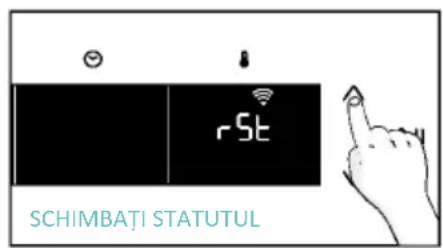
text_image
rSt SCHIMBAȚI STATUTUL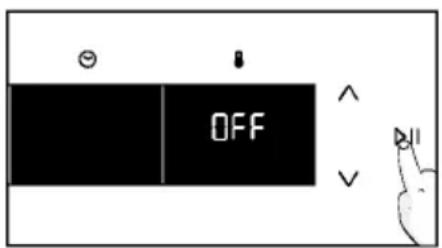
text_image
OFFCONTROL LA DISTANȚĂ
text_image
Diagram showing a hand interacting with a touchscreen device and displaying 'CON' text, likely illustrating a UI or control interface.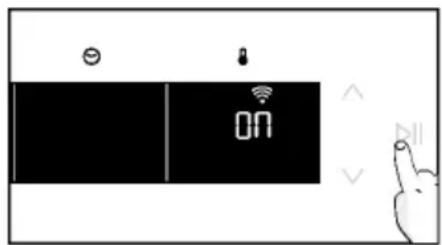
text_image
ON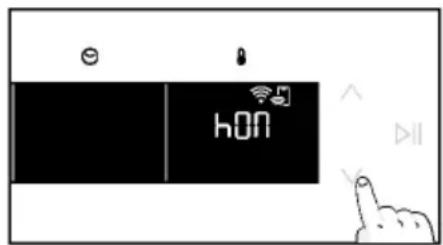
text_image
hON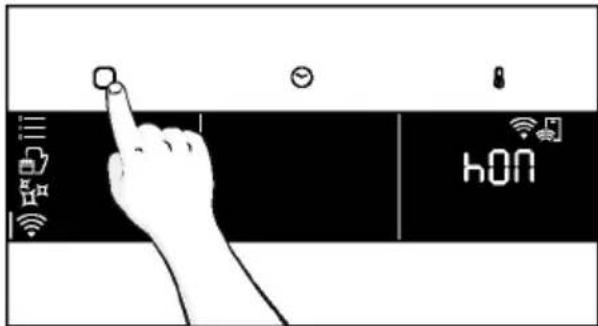
text_image
hONtext_image
SETAREA SUNETULUI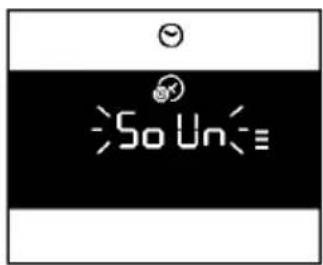
text_image
So Un=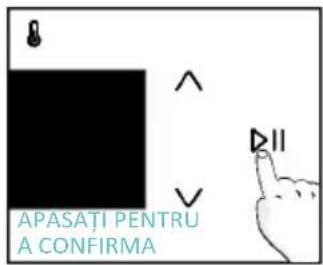
text_image
APASATI PENTRU A CONFIRMA• INSTRUCTIUNI DE INSTALARE ULTERIOARĂ
natural_image
Line drawing of a kitchen appliance with a hand cleaning it, no text or symbols present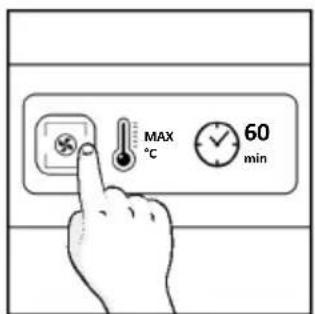
text_image
MAX °C 60 min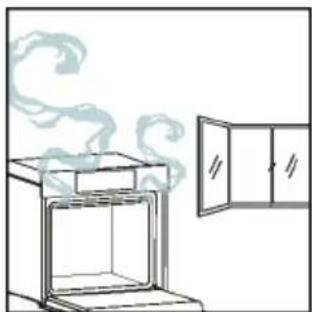
natural_image
Simple line drawing of an oven with steam rising, next to a cabinet (no text or symbols)4. UTILIZAREA PRODUSULUI
4.1. CUM FUNCȚIONEAZĂ PRODUSUL
PORNIREA/OPRIREA CUPTORULUI
natural_image
Illustration of a hand interacting with a digital device displaying icons like a light bulb, lock, and Wi-Fi (no text or symbols present)MENIUL FUNCTIUNI
text_image
Diagram showing a hand pressing a button on a smartphone screen with icons for connectivity and security.text_image
Diagram showing a hand pressing a button on a digital timer with icons for settings and temperature reading.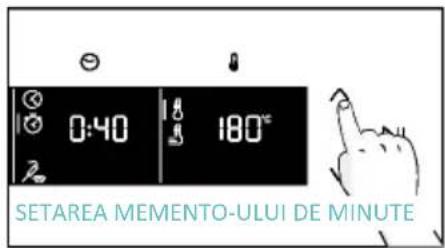
text_image
0:40 180° SETAREA MEMENTO-ULUI DE MINUTE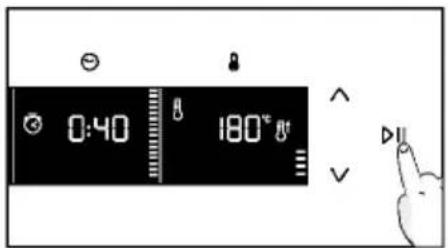
text_image
0:40 180°C Va. AMÂNARE PORNIRE
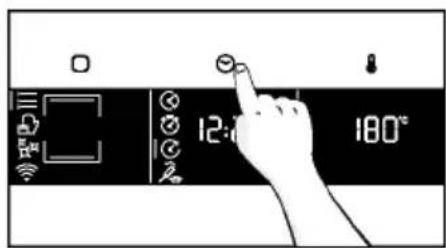
text_image
12:00 180°C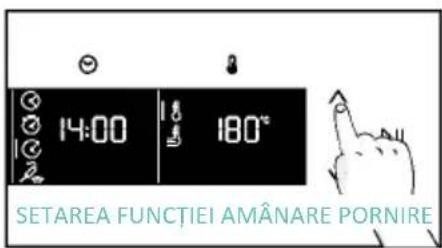
text_image
14:00 180° SETAREA FUNCTIEI AMÂNARE PORNIRE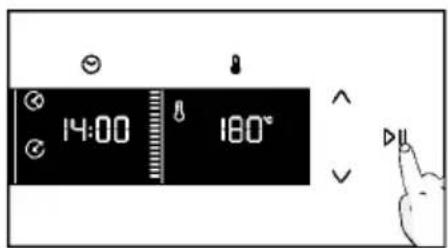
text_image
14:00 180°MENIUL DE TEMPERATURĂ
text_image
3°C 80°C DEMO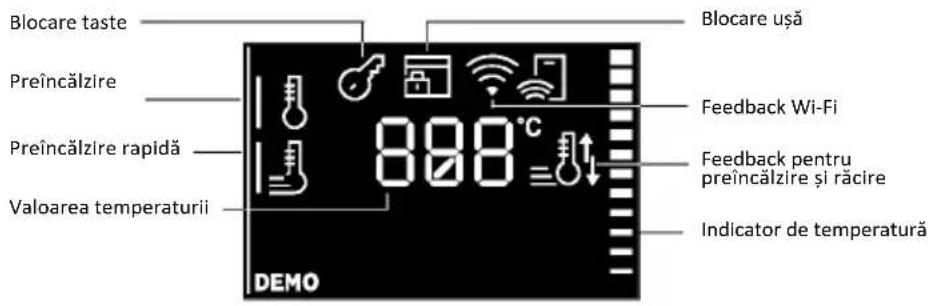
natural_image
Line drawing of a laboratory oven with cooling fins and internal structure (no text or labels)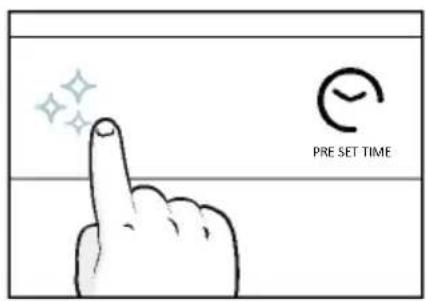
text_image
PRE SET TIME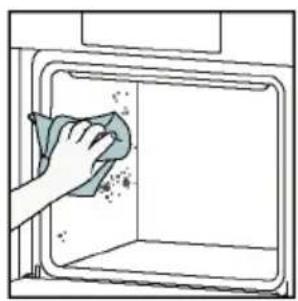
natural_image
Illustration of a hand cleaning a window with a cloth (no text or symbols)Aguactiva
text_image
Warning symbol with exclamation mark and three temperature indicators below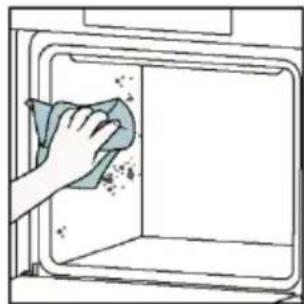
natural_image
Hand cleaning a kitchen appliance with a cloth (no text or symbols visible)Curățare catalitică
natural_image
Line drawing of a box with two hands inserting a spring into the opening (no text or symbols)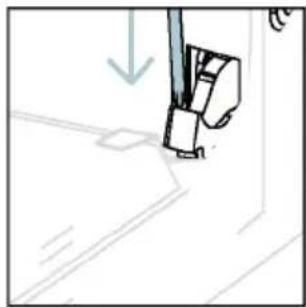
natural_image
Simple line drawing of a sewing machine needle and foot (no text or symbols)text_image
Diagram showing hand positioning of a tool with numbered parts and directional arrows indicating movementnatural_image
Pure technical line drawing of a mechanical joint or bracket (no text or symbols)natural_image
Line drawing of a hand holding a tool over a curved surface, with no visible text or symbolsnatural_image
Illustration of a hand cleaning a tiled surface with a water bottle and a bowl labeled H₂O (no text or symbols on the main image)text_image
PYRO SAU LOW-Enatural_image
Technical line drawing of a mechanical bracket or hinge assembly (no text or symbols)natural_image
Line drawing of a box being opened with two hands, no text or symbols present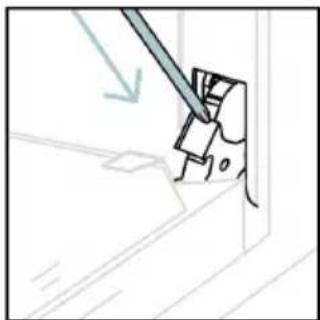
natural_image
Simple line drawing of a tool interacting with a mechanical component (no text or symbols)6.3. CURĂȚAREA ACCESORIILOR
natural_image
Line drawing of an oven with a rack inside and a green arrow indicating direction (no text or symbols)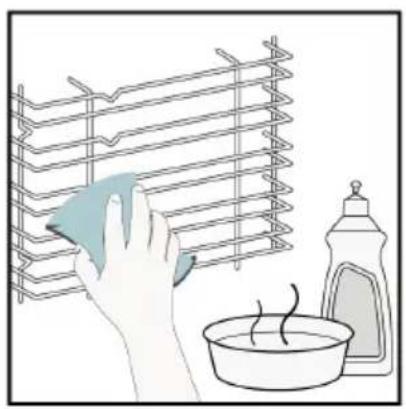
natural_image
Illustration of a hand cleaning a rack with a cloth, next to a bowl and a spray bottle (no text or symbols)
natural_image
Line drawing of an oven with a rack inside, showing internal structure and a green arrow indicating direction (no text or symbols)6.4. ÎNTRETINEREA
ÎNLOCUIREA COMPONENTELOR
text_image
Safety warning diagram showing a plug connected to an electrical panel with a warning symbol and downward arrow.Pasul 2
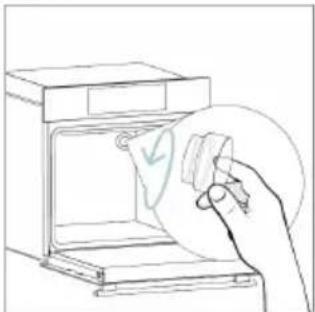
natural_image
Line drawing of a hand holding a paper with a checkmark inside an oven (no text or symbols)Pasul 3
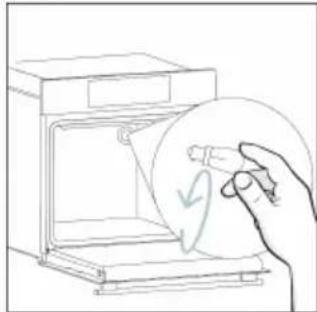
natural_image
Line drawing of a hand holding a circular object with a checkmark, next to an open appliance (no text or symbols)Pasul 4

natural_image
Line drawing of a hand holding a circular object inside an oven (no text or symbols)Pasul 5
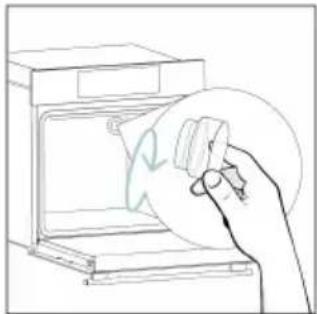
natural_image
Line drawing of a hand holding a circular object over an open oven (no text or symbols)Pasul 6
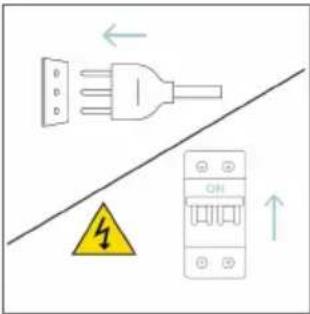
text_image
Diagram showing electrical connections with a plug, warning symbol, and circuit breaker componentstext_image
Electrical diagram showing a plug connected to an ON/OFF panel with warning symbol and directional arrowsPasul 2
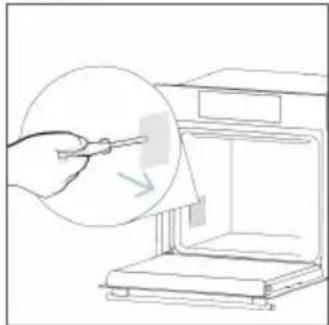
natural_image
Line drawing of a hand using a tool to clean or store items from a microwave oven (no text or symbols)Pasul 3
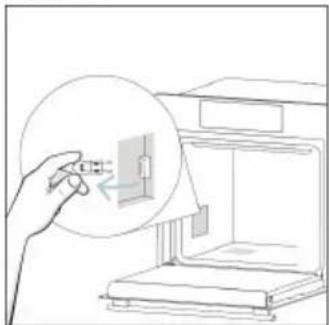
natural_image
Line drawing of a hand inserting a small component into a device (no text or symbols)Pasul 4
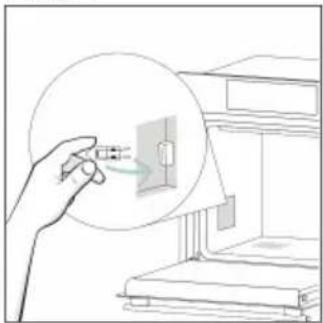
natural_image
Line drawing of a hand holding a magnified inset showing electrical connections (no text or symbols)Pasul 5
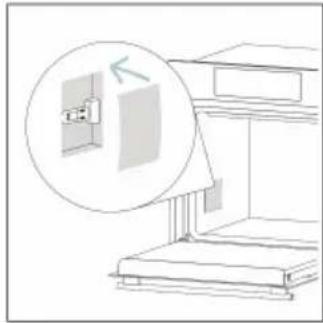
natural_image
Line drawing of a cabinet with an open door and a magnified inset showing the exterior wall (no text or symbols)Pasul 6
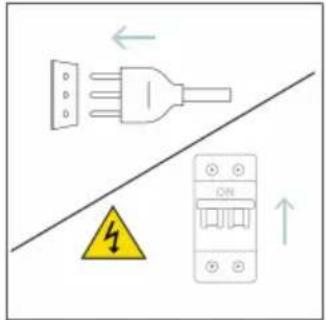
text_image
Diagram showing electrical grounding symbols including a plug, warning symbol, and circuit breaker with Chinese labelstext_image
Illustration showing a chemical process: heating a stove with smoke and a hand cleaning the oven with water, next to a water bottle labeled H2O.8.1. ELIMINAREA APARATULUI
natural_image
Simple line drawing of a trash bin with crossed lines indicating no waste or discharge (no text or symbols)natural_image
Isometric line drawing of a multi-level cabinet or enclosure with internal compartments and structural elements (no text or symbols)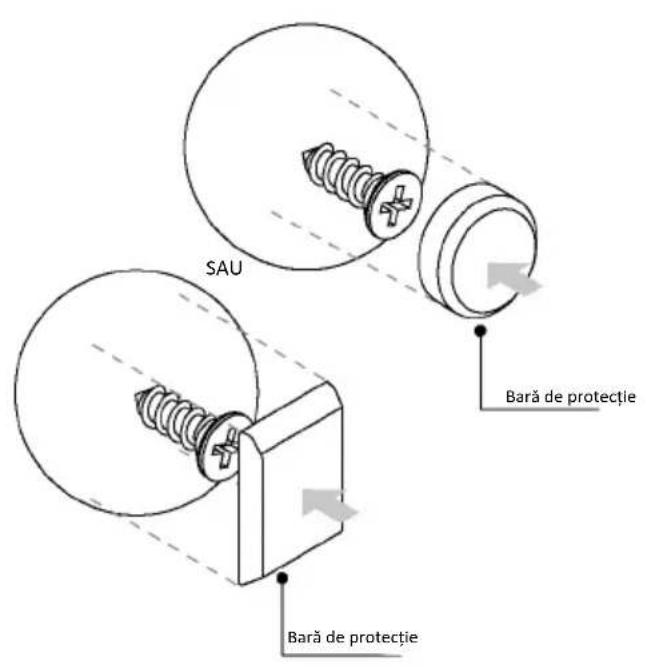
natural_image
Simple illustration of a pen with a black arrow pointing downward (no text or symbols)text_image
Technical diagram of an oven with numbered components for identificationnatural_image
Empty white rectangle with a thin gray border (no text or symbols)natural_image
Line drawing of a two-tiered storage unit with horizontal and vertical metal racks (no text or symbols)natural_image
3D diagram of a rectangular tray with internal compartments, placed on an open shelf (no text or symbols)text_image
STOP → → STOPnatural_image
3D diagram of a rectangular tray with internal compartments, placed on a shelf (no text or symbols)natural_image
Technical line drawing of a kitchen sink with a bowl, a sphere, and a tray (no text or symbols)natural_image
Illustration of a cabinet with a circular arrow indicating airflow or motion, no text or symbols presentnatural_image
Technical line drawing of a rectangular tray with internal grid pattern, no text or symbols presentnatural_image
Line drawing of a rectangular appliance with a grid-patterned lid, placed inside an oven (no text or symbols)natural_image
Line drawing of a roasted chicken on a cutting board inside an oven (no text or symbols)natural_image
Simple line drawing of a pen or stylus with a pointed tip and handle (no text or symbols)natural_image
3D rendering of a rectangular tray with a mesh pattern inside, placed on a shelf (no text or symbols visible)text_image
Available on the App Store GET IT ON Google PlayÚJ FELHASZNÁLÓ REGISZTRÁLÁSA
text_image
hOn Welcome! Sign in to enter in your home page ENTER REGISTER Are you now to HOn?? Click below to learn about our products ① TRY DEMO
text_image
Do you already have a thousand passwords? Register with your social accounts and log in in the easiest and fastest way. SIGN UP WITH GOOGLE SIGN UP WITH APPLE SIGN UP WITH FACEBOOK No information relating to you will be shared and we will not add anything from you. OR SIGN UP WITH EMAIL Already registered? LOGINGYORS PÁROSÍTÁS
1. lépés
text_image
Hello USERNAME YOUR APPLIANCES Add Add appliance Your WIDGETS Loren image door pick out New Your NEWS What functions do smart appliances have? How to live sustain home and reduce w2. lépés
text_image
Allow your location permission To enhance your experience, please allow location permission to hOn app in the next step. CONTINUE3. lépés
text_image
Select your appliance category Search your appliance Washing machine Washer dryer Tumble dryer Dishwasher Air conditionair Air purifier Air scanner4. lépés
text_image
Turn OFF and then ON your appliance In case you can't switch OFF your appliance, unplug (for at least 10 seconds) and then plug Its power supply. OK I DID IT5. lépés
text_image
Appliance connection Searching your appliance Don't turn off your Bluetooth. On app is looking for your appliance... 00:00:40 Stay close to your appliance in order to correctly capture the signal.6.1-6.2. lépés
text_image
Appliance connection Searching your appliance Don't turn off your Bluetooth. Appliance connection Searching your appliance Don't turn off your Bluetooth. Oven New appliance Long appliance name to... CONNECT PRODUCT NOT FOUND Oven Connecting... New appliance Long appliance name to... Stay close to your appliance in order to correctly capture the signal.7. lépés
text_image
Your appliance has been correctly identified! Brand Hoover Model 31008486-7888-1824 Serial number 12345678-1234-1234 Is this your appliance? YES IT'S MY OVEN NO IT'S NOTtext_image
Diagram showing a hand interacting with a touchscreen device, displaying icons for function keys and status indicators.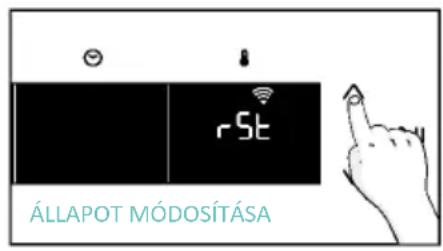
text_image
rSt ÁLLAPOT MÓDOSÍTÁSA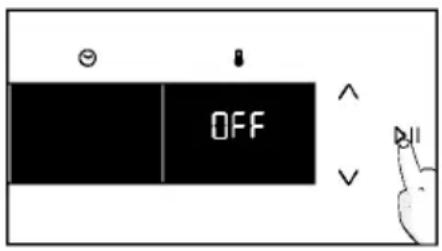
text_image
OFFTÁVVEZÉRLÉS
text_image
Hand interacting with a touchscreen device displaying 'CON' and icons for function, status, and control buttons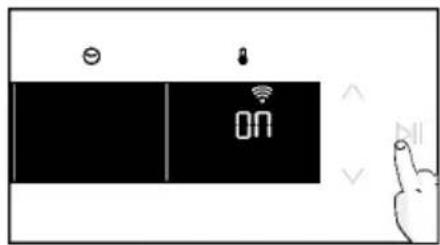
text_image
ON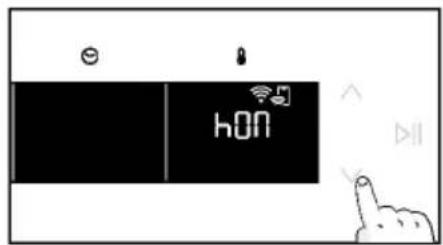
text_image
e hON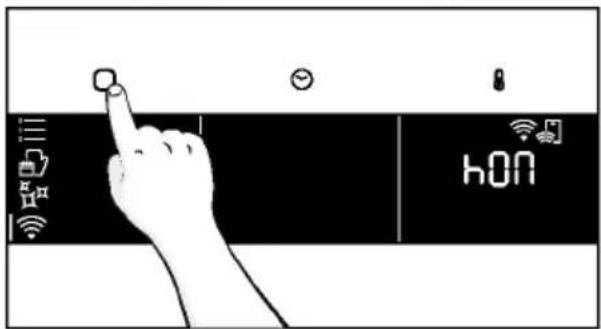
text_image
hONtext_image
NYOMJA MEG A BEÁLLÍTOTTnatural_image
Simple line drawing of a hand washing a small bowl inside a microwave oven, with a bottle nearby (no text or symbols)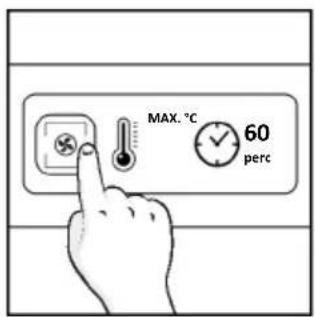
text_image
MAX. °C 60 perc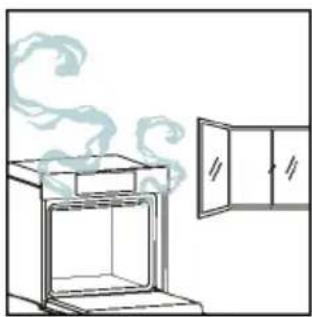
natural_image
Simple line drawing of an oven with steam rising, next to a cabinet (no text or symbols)4. A TERMÉK MÚKÖDÉSE
4.1. A TERMÉK MÜKÖDÉSE
A SÜTŐ BE-/KIKAPCSOLÁSA
natural_image
Illustration of a hand interacting with a digital interface displaying icons like a light bulb, lock, and Wi-Fi symbol (no text or labels present)FUNKCIÓK MENÜ
text_image
Diagram showing a hand pressing a button on a smartphone screen with icons for connectivity and securitynatural_image
Line drawing of an oven with cooling rack and side panel (no text or symbols)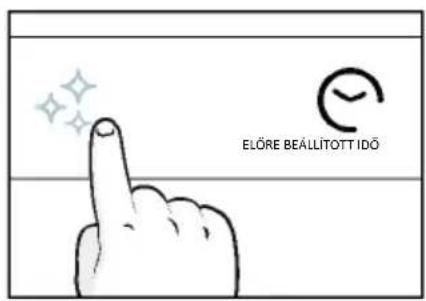
text_image
ELÖRE BEÄLLITOTT IDÖ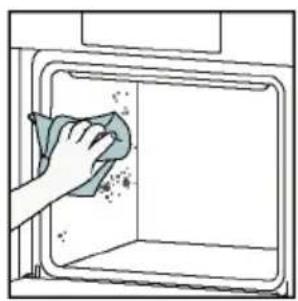
natural_image
Illustration of a hand cleaning a window with a cloth (no text or symbols)Aguactiva
text_image
Warning symbol with exclamation mark and two temperature sensors below, indicating hazard or alert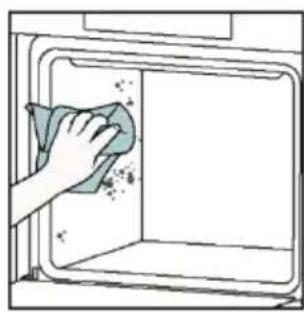
natural_image
Hand cleaning a clean appliance into a microwave oven (no text or symbols visible)natural_image
Line drawing of a box with two hands inserting a spring into the opening (no text or symbols)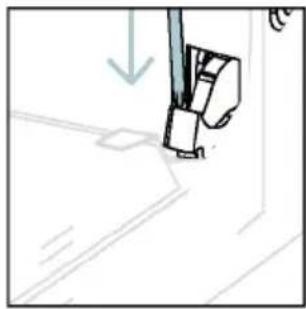
natural_image
Simple line drawing of a sewing machine needle with a downward arrow indicating force or direction (no text or symbols)text_image
Technical diagram showing a hand operating a tool with labeled parts and directional arrows indicating motion or assembly.natural_image
Pure technical line drawing of a mechanical joint or bracket (no text or symbols)natural_image
Line drawing of a hand using scissors to cut a piece of paper (no text or symbols)natural_image
Illustration of a hand cleaning a tiled surface with a water bottle and a bowl labeled H₂O (no text or symbols on the main image)text_image
PYRO VAGY LOW-Enatural_image
Technical line drawing of a mechanical bracket or hinge assembly (no text or symbols)natural_image
Line drawing of a box being opened with two hands, no text or symbols present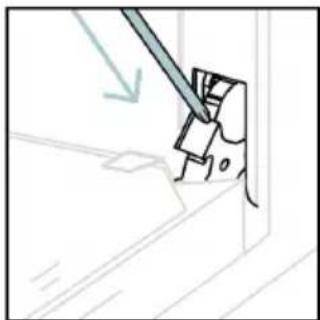
natural_image
Simple line drawing of a tool interacting with a mechanical component (no text or symbols)natural_image
Line drawing of an oven with internal rack structure and a green arrow indicating direction (no text or symbols)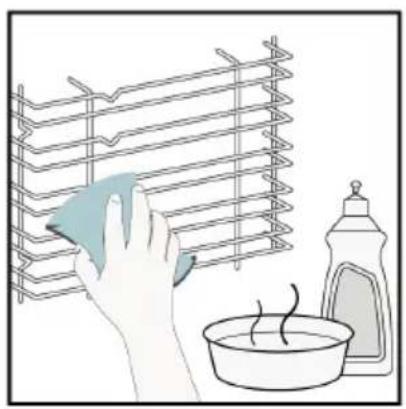
natural_image
Illustration of a hand cleaning a rack with a cloth, next to a bowl and a spray bottle (no text or symbols)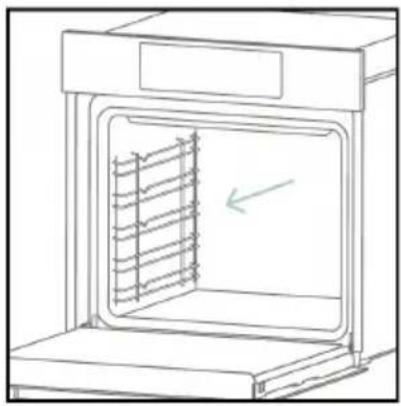
natural_image
Line drawing of an oven with a rack inside, showing internal structure and a green arrow indicating direction (no text or symbols)6.4. KARBANTARTÁS
ALKATRÉSZEK CSERÉJE
text_image
Electrical diagram showing a plug connected to an ON/OFF switch with warning symbol and directional arrows- lépés
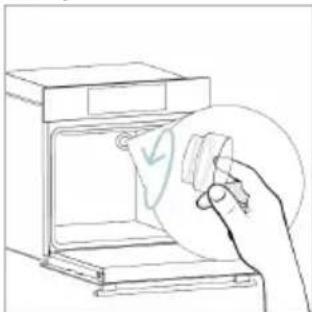
natural_image
Line drawing of a hand holding a circular object over an open oven (no text or symbols)- lépés
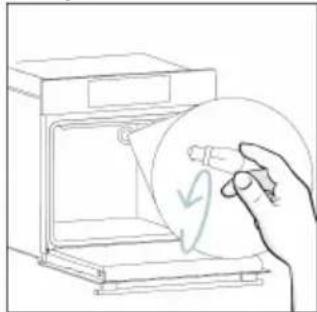
natural_image
Line drawing of a hand holding a circular object with a leaf symbol inside, next to an open oven (no text or symbols)- lépés
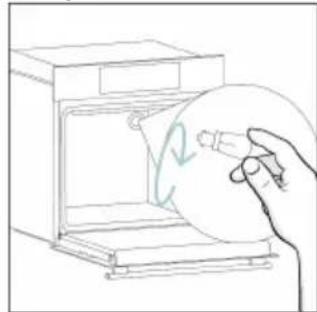
natural_image
Line drawing of a hand holding a circular object inside an oven (no text or symbols)- lépés
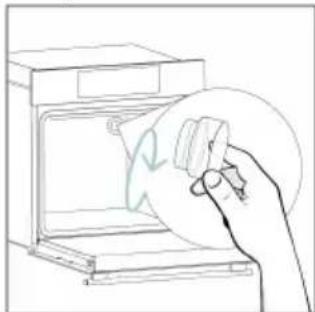
natural_image
Line drawing of a hand cleaning a kitchen appliance with a circular object (no text or symbols)- lépés
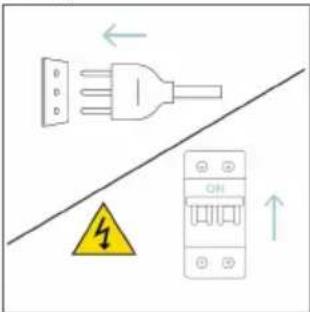
text_image
Diagram showing electrical connections with a plug, warning symbol, and circuit breaker componentstext_image
Diagram showing a plug connected to an electrical panel with warning symbol and downward arrow, indicating safety or hazard.- lépés
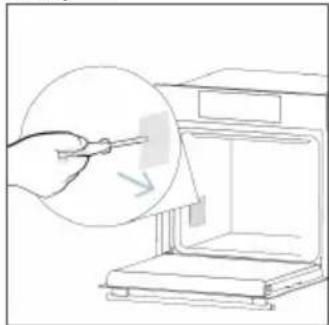
natural_image
Line drawing of a hand using a tool to clean or store items from a machine (no text or symbols)- lépés
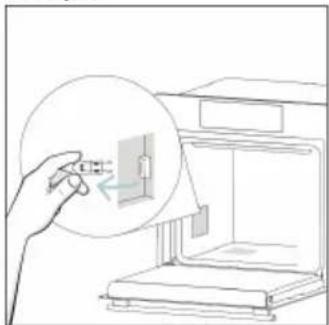
natural_image
Line drawing of a hand inserting a small component into a device (no text or symbols)- lépés
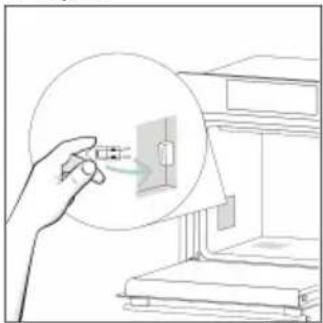
natural_image
Illustration of a hand holding a device with a magnified circular view showing internal components (no text or symbols)- lépés
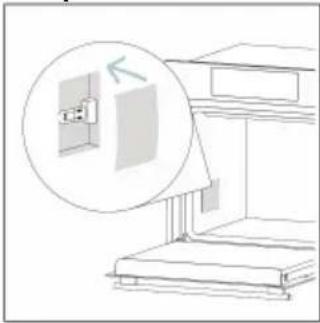
natural_image
Line drawing of a staircase with an inset showing a wall-mounted switch (no text or symbols)- lépés
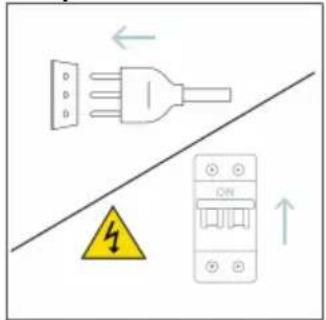
text_image
Diagram showing electrical grounding symbols including a plug, warning symbol, and circuit breaker with Chinese labelstext_image
Illustration showing a chemical process: heating a stove with smoke and a hand cleaning the oven with water, next to a water bottle labeled H2O.natural_image
Symbol of a trash bin with crossed lines indicating no waste or discharge (no text or labels)natural_image
Isometric line drawing of a multi-level cabinet or enclosure with internal compartments and structural elements (no text or symbols)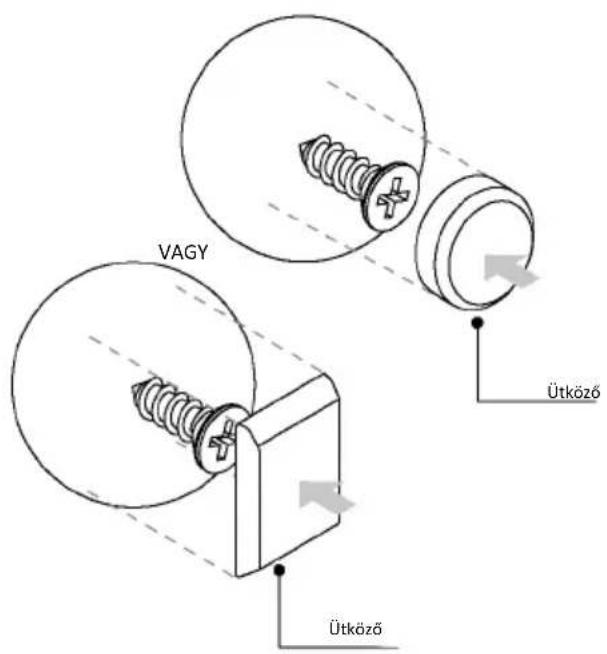
natural_image
Simple illustration of a pen with a blue handle and black arrow pointing downward (no text or symbols)text_image
Technical diagram of an oven with numbered components for identificationnatural_image
Empty white rectangle with a thin gray border (no text or symbols)natural_image
Line drawing of a two-tiered storage unit with horizontal shelves and top panel (no text or symbols)natural_image
3D diagram of a rectangular tray with internal compartments, placed on an open shelf (no text or symbols)text_image
STOP STOPnatural_image
3D rendering of a rectangular tray or basin with internal partitioning, placed on a shelf (no text or symbols)natural_image
Technical line drawing of a kitchen sink with a bowl, a sphere, and a mesh tray (no text or symbols)natural_image
Diagram of a rectangular tray with a patterned lid and internal structure, placed inside an appliance rack (no text or symbols)natural_image
Line drawing of a rooster on an induction cooktop, with steam rising from the pan (no text or symbols)natural_image
Illustration of a cabinet with a circular arrow indicating rotation or motion (no text or symbols)natural_image
Line drawing of a rectangular appliance with a grid-patterned lid, placed on an oven (no text or symbols)natural_image
Simple line drawing of a pen with a blue handle and pointed tip (no text or symbols)natural_image
3D rendering of a rectangular tray with a mesh pattern inside, placed on an open shelf (no text or symbols visible)text_image
Available on the App Store GET IT ON Google PlayREGISTRACIJA NOVEGA UPORABNIKA
text_image
hOn Welcome! Sign in to enter in your home page ENTER REGISTER Are you new to hOn? Click below to learn about our products ① TRY DEMO
text_image
Do you already have a thousand passwords? Register with your social accounts and log in the easiest and fastest way. SIGN UP WITH GOOGLE SIGN UP WITH APPLE SIGN UP WITH FACEBOOK No information relating to you will be stored and we will not add anything from you. or SIGN UP WITH EMAIL Already registered? LOGINVPIS S HITRO SEZNANITVIJO
1. korak
text_image
Hello USERNAME YOUR APPLIANCES Add Virtual Wine Bank second row 2 bottles there is a second row + Add appliance YOUR WIGGETS Longen brand double slit out Santo Care YOUR NEWS What functions do smart appliances have? How to live sustain: home and reduce w2. korak
• Dajte dovoljenje za lokacijo.
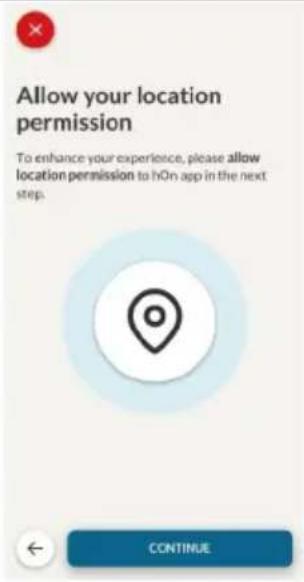
text_image
Allow your location permission To enhance your experience, please allow location permission to hOn app in the next step. CONTINUE3. korak
• Izberite pečico v kategorijah aparatov.
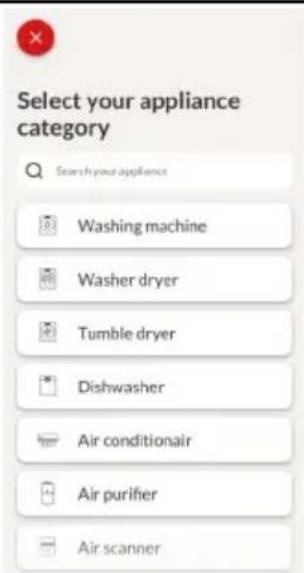
text_image
Select your appliance category Search your appliance Washing machine Washer dryer Tumble dryer Dishwasher Air conditionair Air purifier Air scanner4. korak
text_image
Turn OFF and then ON your appliance In case you can't switch OFF your appliance, unplug (for at least 10 seconds) and then plug its power supply. OK. I DID IT5. korak
text_image
Appliance connection Searching your appliance Don't turn off your Bluetooth. hOn app is looking for your appliance... 00:00:40 Stay close to your appliance in order to correctly capture the signal.6.1-6.2 korak
text_image
Appliance connection Searching your appliance Don't turn off your Bluetooth. Oven New appliance Long appliance name to... CONNECT PRODUCT NOT FOUND Appliance connection Searching your appliance Don't turn off your Bluetooth Oven Connecting... New appliance Long appliance name to... Stay close to your appliance in order to correctly capture the signal.7. korak
text_image
Appliance connection Your appliance has been correctly identified! Brand Hoover Model 31008486-7888-1824 Serial number 12345678-1234-1234 Is this your appliance? YES IT'S MY OVEN NO IT'S NOTtext_image
Diagram showing a hand interacting with a touchscreen device, with icons for Wi-Fi and ON status indicators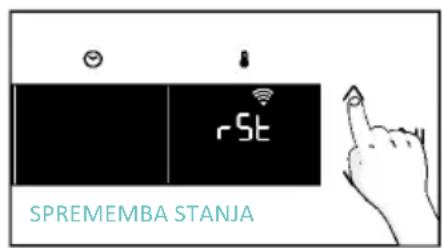
text_image
SPREMEMBA STANJA
text_image
OFF
DALJINSKO UPRAVLJANJE
text_image
Diagram showing a hand interacting with a touchscreen device displaying 'CON' and icons for function, status, and control.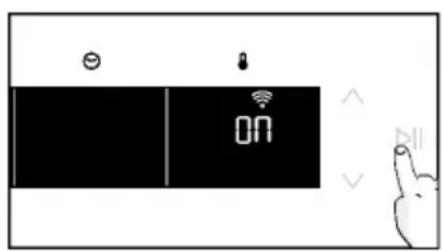
text_image
Diagram showing a device interface with battery, lock, and ON button, alongside a hand gesture pointing to it.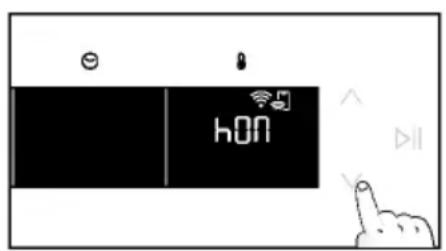
text_image
hON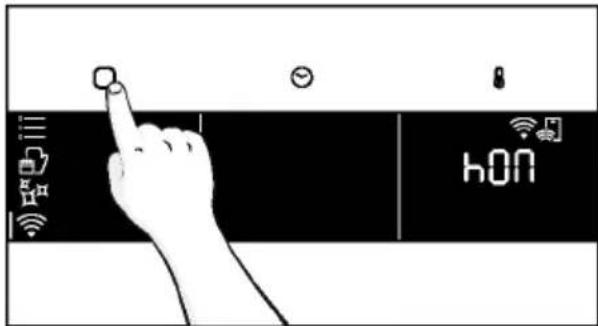
text_image
hONnatural_image
Line drawing of a kitchen appliance with a hand cleaning it, no text or symbols present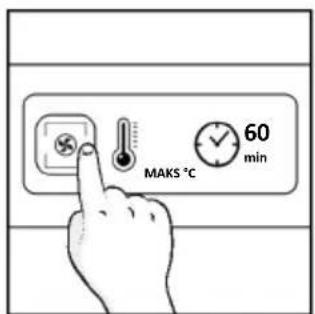
text_image
MAKS °C 60 min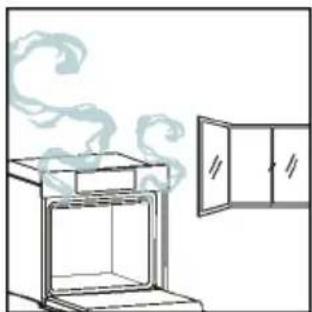
natural_image
Simple line drawing of an oven with steam rising, next to a cabinet (no text or symbols)4. DELOVANJE IZDELKA
4.1. KAKO IZDELEK DELUJE
VKLOP/IZKLOP PEČICE
natural_image
Illustration of a hand interacting with a digital interface displaying icons like a light bulb, lock, and Wi-Fi symbol (no text or labels)MENI FUNKCIJ
text_image
Diagram showing a hand pressing a button on a smartphone screen with icons for connectivity and securitytext_image
3°C 80°C DEMO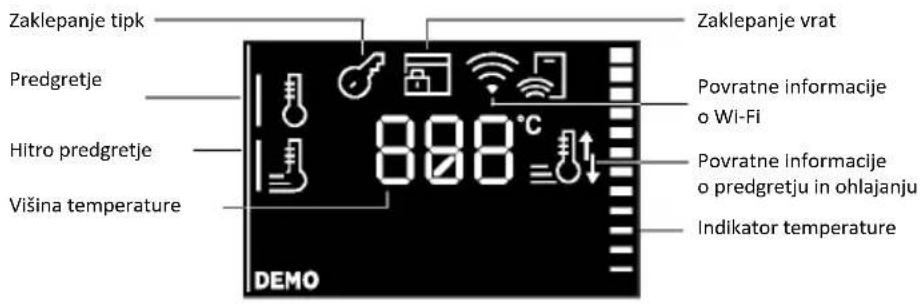
text_image
Zaklepanje tipk Predgretje Hitro predgretje Višina temperature 888°C Zaklepanje vrat Povratne informacije o Wi-Fi Povratne informacije o predgretju in ohlajanju Indikator temperature DEMO| Simbol Funkcija Opis | ||
 | TEMPERATURA | Pritisnite 📄za nastavitev temperature in uporabite puščice za uravnavanje vrednosti. |
 | HITRO PREDGRETJE | Dvakrat pritisnite 📄da nastavite hitro temperaturo. |
DODATNE FUNKCIJE
natural_image
Line drawing of an oven with a rack and vent, showing internal structure without any text or symbols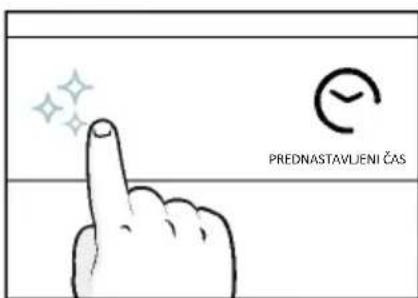
text_image
PREDNASTAVLIENI ČAS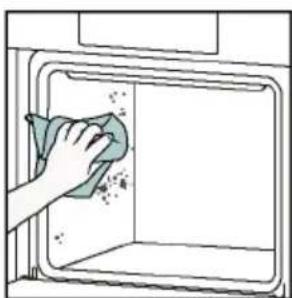
natural_image
Hand cleaning a clean window with a cloth (no text or symbols visible)Aquactiva
text_image
Warning symbol with exclamation mark and three warning symbols below, likely indicating hazard or alert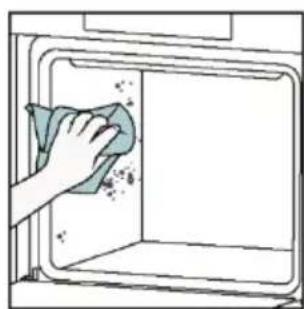
natural_image
Hand cleaning a kitchen appliance with a cloth (no text or symbols visible)Čiščenje s katalizo
natural_image
Line drawing of a box with two hands holding it, showing internal structure and frame (no text or symbols)
natural_image
Simple line drawing of a sewing machine needle and foot, no text or symbols present- Vrata postavite pod kotom 45°. Hkrati pritisnite oba gumba na obeh straneh stranskih ramen vrat in jih povlecite proti sebi, da odstranite pokrov zgornjih stekel vrat.
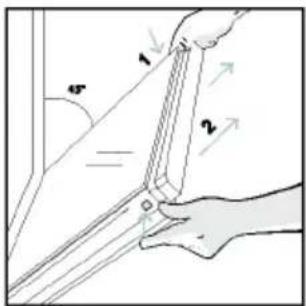
text_image
1 2 45°natural_image
Pure technical line drawing of a mechanical joint or bracket (no text or symbols)natural_image
Illustration of a hand using scissors to cut a piece of paper (no text or symbols present)- Očistite steklo z mehko krpo in ustreznim čistilnim sredstvom.
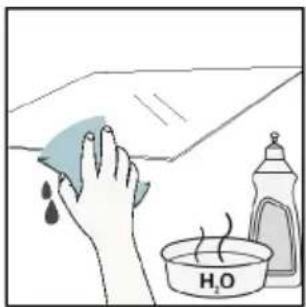
natural_image
Illustration of a hand cleaning a tiled surface with a water bottle and a bowl labeled H₂O (no text or symbols on the main image)text_image
PYRO ALI LOW-E- Ponovno pritrdite zgornji pokrov stekla vrat tako, da ga potisnete navznoter, dokler ne zaslišite klika obeh stranskih gumbov.
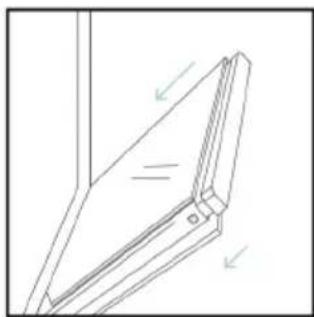
natural_image
Technical line drawing of a mechanical bracket or hinge assembly (no text or symbols)- Nato vrnite vrata v položaj 90° in zavrtite jezičke za zaklepanje tečajev navznoter proti notranjosti pečice.
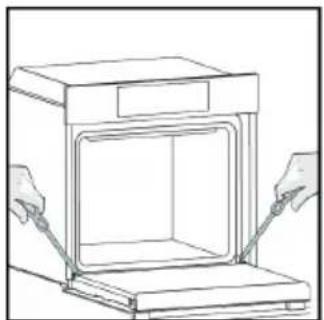
natural_image
Line drawing of a cabinet with two hands inserting a tray into the opening (no text or symbols)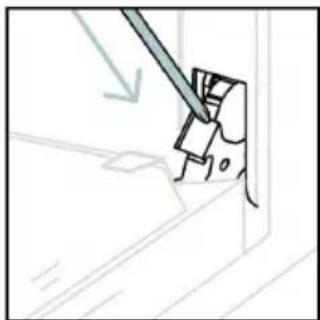
natural_image
Simple line drawing of a tool interacting with a mechanical component (no text or symbols)6.3. ČIŠČENJE DODATKOV
natural_image
Line drawing of an oven with internal rack structure and a green arrow indicating direction (no text or symbols)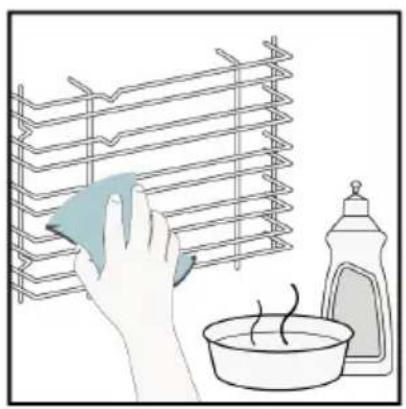
natural_image
Illustration of a hand cleaning a rack with a cloth, next to a bowl and a spray bottle (no text or symbols)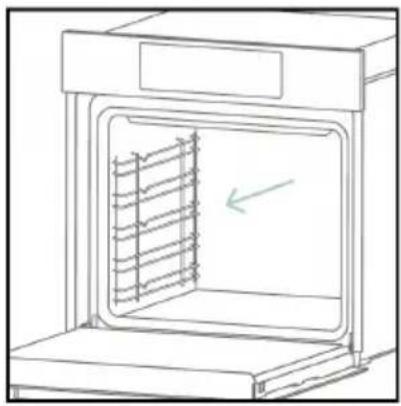
natural_image
Line drawing of an oven with a rack inside, showing internal structure and a green arrow indicating direction (no text or symbols)6.4. VZDRŽEVANJE
ZAMENJAVA DELOV
text_image
Diagram showing a plug connected to an electrical panel with a warning symbol and directional arrows indicating current flow.- korak
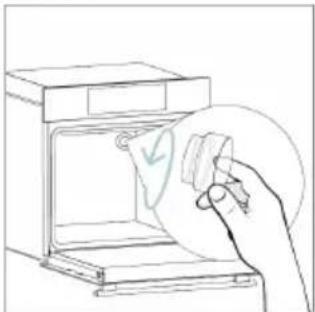
natural_image
Line drawing of a hand holding a paper with a checkmark inside an oven (no text or symbols)- korak
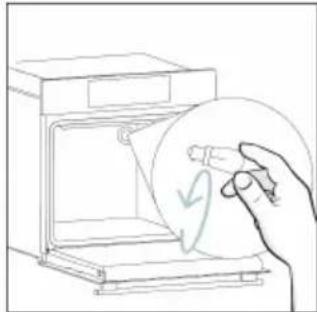
natural_image
Line drawing of a hand holding a circular object with a checkmark, next to an open appliance (no text or symbols)- korak
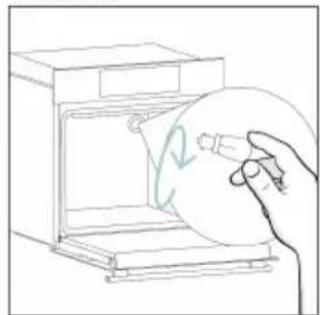
natural_image
Line drawing of a hand holding a circular object inside an oven (no text or symbols)- korak
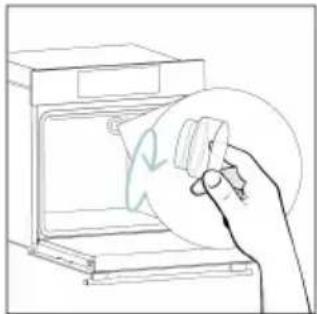
natural_image
Line drawing of a hand holding a circular object over an open oven (no text or symbols)- korak
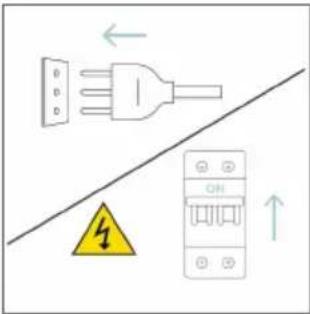
text_image
Diagram showing electrical connections with a plug, warning symbol, and circuit breaker componentstext_image
Safety warning diagram showing a plug connected to an electrical outlet with a warning symbol and downward arrow.- korak
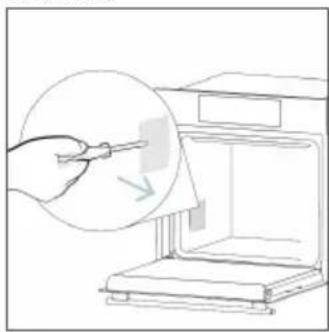
natural_image
Line drawing of a hand using a tool to clean or store items inside a kitchen appliance (no text or symbols)- korak
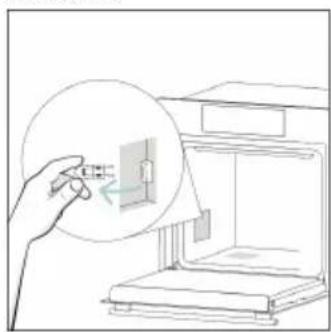
natural_image
Line drawing of a hand holding a small object inside a device (no text or symbols)- korak
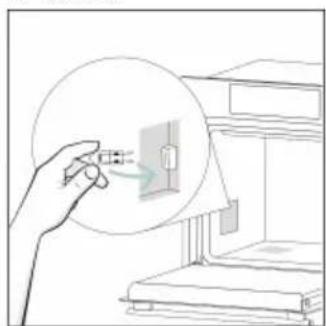
natural_image
Line drawing of a hand holding a magnifying glass over a small electronic component, with no visible text or symbols.- korak
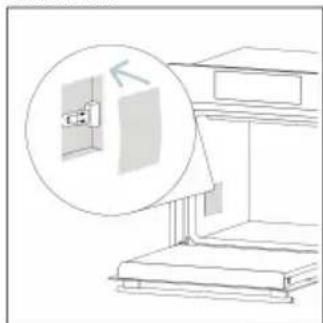
natural_image
Line drawing of a staircase with an inset showing a wall-mounted fixture (no text or symbols)- korak
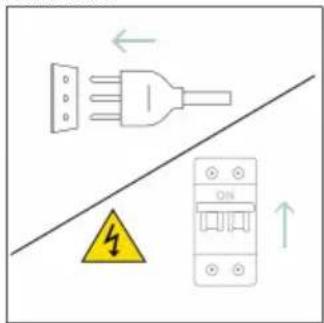
text_image
Diagram showing electrical connections with a plug, fuse, and circuit breaker, including a warning symbol and directional arrows.text_image
Diagram showing a kitchen appliance with a hand cleaning it, labeled with environmental hazard and water level indicator8.1. ODSTRANJEVANJE APARATA
natural_image
Simple line drawing of a trash bin with crossed lines indicating no waste or discharge (no text or symbols)natural_image
Isometric line drawing of a multi-level cabinet or refrigerator with internal compartments and drawers (no text or symbols)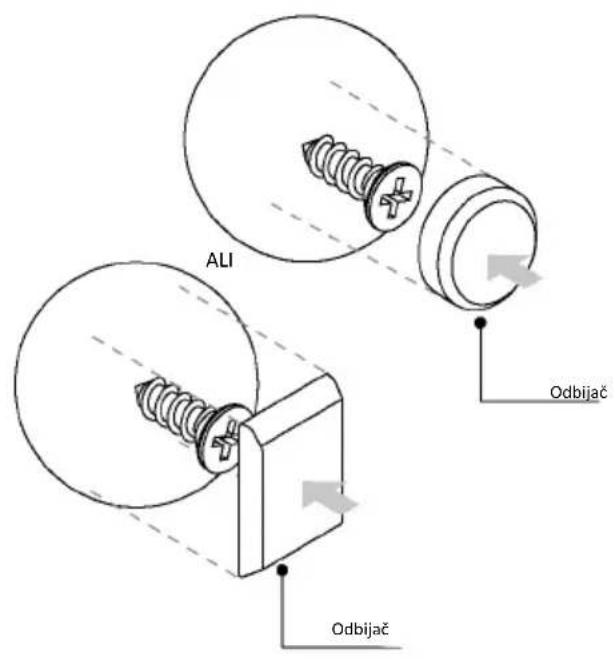
text_image
ALI Odbijač Odbijač
DOBRO DOŠLI
natural_image
Simple line drawing of a pen with a downward arrow pointing to it (no text or symbols)- Ne izlažite metalni deo Preci Probe direktno toploti koju proizvodi pećnica.
- Nemojte koristiti Preci Probe u drugim uređajima već samo u ugrađenoj pećnici.
- Nemojte koristiti Preci Probe u mikrotalasnoj pećnici.
- Preci Probe može da se očisti i opere, ali ne sme dugo da se potapa u vodu.
- Ovaj proizvod nije namenjen za upotrebu od strane osoba uzrasta 12 i manje godina.
text_image
Line drawing of an oven with numbered compartments for identification- Kontrolni panel
- Brojevi pozicija polica
- Rešetke
- Plehovi
- Poklopac ventilatora
- Vrata pećnice
- Bočne žičane rešetke (ako su deo opreme: samo za ravnu šupljinu)
- Serijski broj i QR kod
natural_image
Empty white rectangle with a thin gray border (no text or symbols)natural_image
Line drawing of a multi-tiered storage unit with horizontal shelves and vertical supports (no text or symbols)Postavljene na obe strane unutrašnjosti pećnice, bočne rešetke su dizajnirane za postavljanje pleha za pečenje i rešetki tokom kuvanja.
NAPOMENA: 6 ili 7 nivoa u zavisnosti od modela.
Pleh za pečenje (samo ako je deo opreme*)
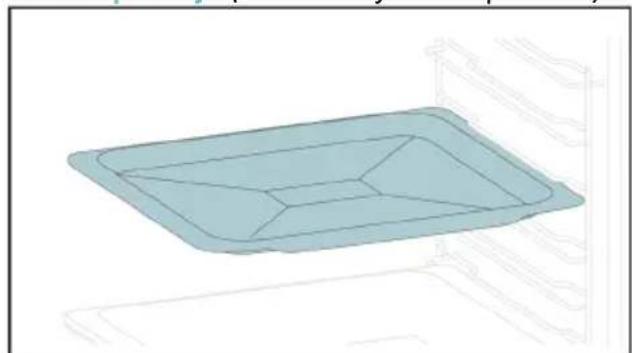
natural_image
Illustration of a rectangular tray with internal compartments, placed on an oven (no text or symbols)Pleh za pečenje je idealan za postizanje ravnomernog potamnjivanja sa donje strane, što ga čini savršenim za kolače i peciva zbog svog plitkog, ravnog dizajna. Pored toga, ako se postavi ispod rešetke za kuvanje može pomoći u sakupljanju curenja i sprečava prljanje pećnice.
Metalna rešetka
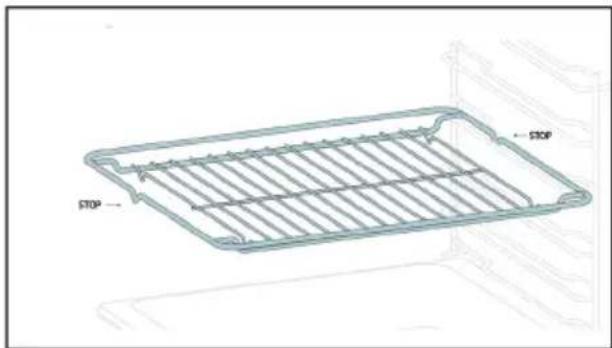
natural_image
Technical line drawing of a rectangular appliance with horizontal slats and labeled 'STOP' (no text or symbols beyond labels)natural_image
3D rendering of a rectangular tray with internal compartments, placed on an inclined shelf (no text or symbols)Dublji pleh je idealan za recepte prema kojima se dodaju tečnosti ili slojevi, kao što su duveč ili pečenja. Njegova dubina je posebno dizajnirana da osigura željenu ujednačenost hrane pripremljene u njemu.
Teleskopske vodice
(samo ako su deo opreme*)
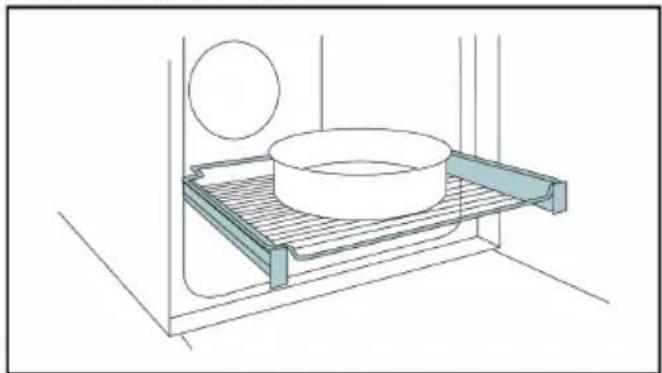
natural_image
Technical line drawing of a kitchen sink with a bowl, a sphere, and a tray (no text or symbols)natural_image
Diagram of a rectangular tray with a patterned lid and internal structure, placed on a shelf (no text or symbols)natural_image
Line drawing of a rooster on a cutting board with dough and steam (no text or symbols)Ražanj funkcioniše zajedno sa gornjim grejnim elementom, a okretanjem se hrana može pripremati ujednačeno. Najbolje se koristi za hranu srednje veličine. Idealno za ponovno otkrivanje ukusa tradicionalnih pečenja.
Šarke za lagano zatvaranje/otvaranje (samo ako su deo opreme\*)
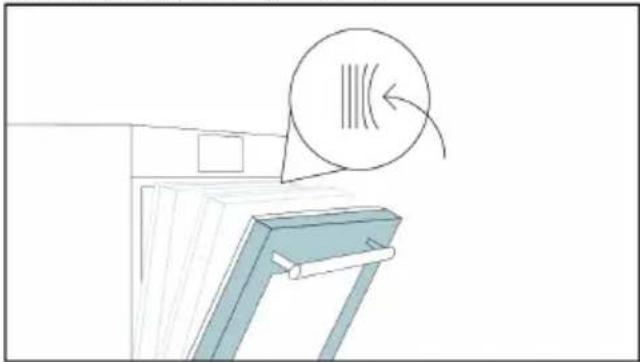
natural_image
Illustration of a cabinet with a circular arrow indicating rotation or motion (no text or symbols)natural_image
Line drawing of a rectangular appliance with a grid-patterned lid, placed inside an oven (no text or symbols)Konveksni oblik je pogodan za pravljenje roštilja u pećnici na visokoj temperaturi (220°), omogućavajući rezultat roštiljanja čak i kod kuće sa malo dima zahvaljujući dejstvu ceđenja masti na dno posude.
Preci Probe (samo ako je deo opreme*)
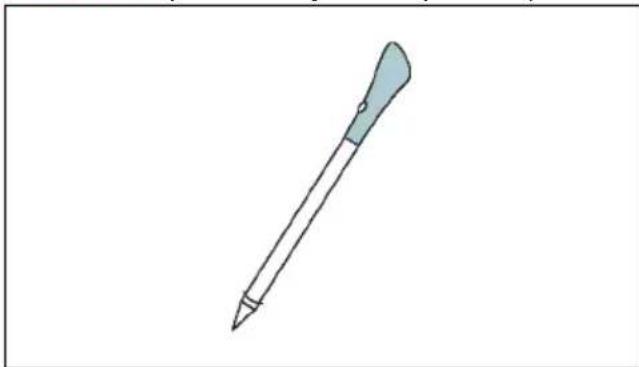
natural_image
Simple line drawing of a pen with a blue handle and pointed tip (no text or symbols)natural_image
3D rendering of a rectangular kitchen tray with mesh pattern inside, placed on a shelf (no text or symbols)Airfry pleh obezbeđuje da vruć vazduh ravnomerno i trodimenzionalno dođe do hrane, čime se dobija hrskavija spoljašnjost uz održavanje mekoće unutra. Da biste sakupljali sokove i mrvice, stavite ga na vrh pleha za pečenje.
2.3. KONTROLNI PANEL
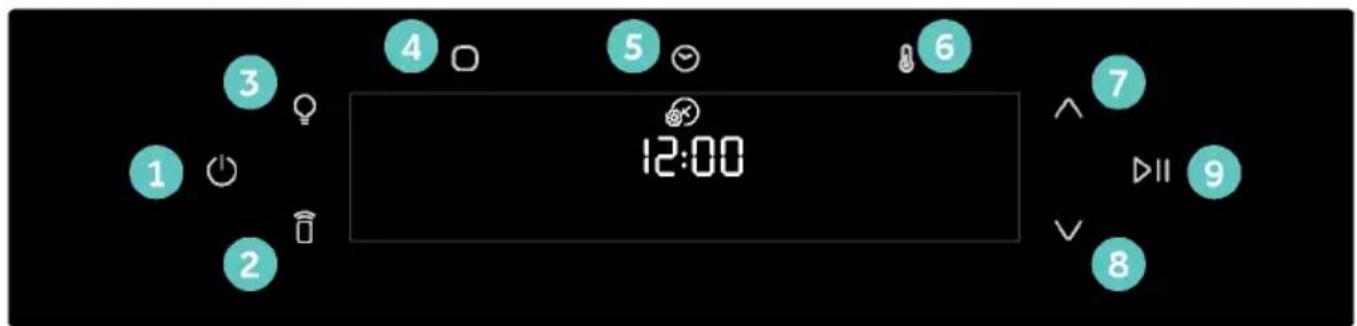
text_image
1 2 3 4 5 6 12:00 7 8 9 DIItext_image
Available on the App Store GET IT ON Google PlayREGISTRACIJA NOVOG KORISNIKA
text_image
hOn Welcome! Sign in to enter in your home page ENTER REGISTER Are you new to hOn? Click below to learn about our products TRY DEMO
text_image
Do you already have a thousand passwords? Register with your social accounts and log in the easiest and fastest way. G SIGN UP WITH GOOGLE i SIGN UP WITH APPLE f SIGN UP WITH FACEBOOK No information relating to you will be shared and we will not add anything from you. or SIGN UP WITH EMAIL Already registered? LOGINPRIJAVLJIVANJE ZA BRZO UPARIVANJE
1. korak
text_image
Hello USERNAME YOUR APPLIANCES Add Virtual Wine Bank second row 2 bottles there is a second row Add appliance YOUR WIDGETS Current Upson darker oil est Scene to Care YOUR NEWS What functions do smart appliances have? How to live sustain home and reduce w2. korak
text_image
Allow your location permission To enhance your experience, please allow location permission to hOn app in the next step. CONTINUE3. korak
text_image
Select your appliance category Search your appliance Washing machine Washer dryer Tumble dryer Dishwasher Air conditionair Air purifier Air scanner4. korak
text_image
Turn OFF and then ON your appliance In case you can't switch OFF your appliance, unplug (for at least 10 seconds) and then plug its power supply. OK. I DID IT5. korak
- Nakon uključivanja, aplikacija hOn počinje da traži vaš kućni uređaj.
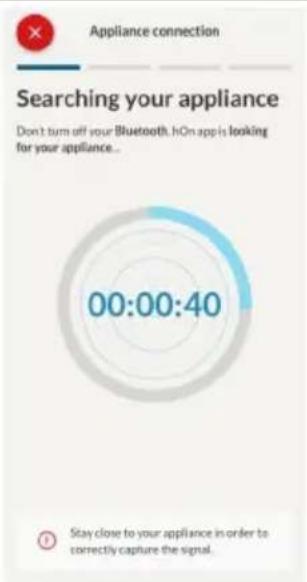
text_image
Appliance connection Searching your appliance Don't turn off your Bluetooth. hOn app is looking for your appliance... 00:00:40 Stay close to your appliance in order to correctly capture the signal.6.1-6.2. korak
text_image
Appliance connection Searching your appliance Don't turn off your Bluetooth. Oven New appliance Long appliance name to... CONNECT PRODUCT NOT FOUND Appliance connection Searching your appliance Don't turn off your Bluetooth Oven Connecting... New appliance Long appliance name to... Stay close to your appliance in order to correctly capture the signal.7. korak
text_image
Appliance connection Your appliance has been correctly identified! Brand Hoover Model 31008486-7888-1824 Serial number 12345678-1234-1234 Is this your appliance? YES IT'S MY OVEN NO IT'S NOTKada je uređaj povezan, korisnik može da promeni Wi-Fi podešavanja između:
• Wi-Fi ON: Moguće je pratiti stanje pećnice samo pomoću aplikacije.
- Wi-Fi hOn: Pećnica može da se koristi samo preko aplikacije.
- Wi-Fi OFF: Pećnica nije povezana, ali je i dalje registrovana sa sačuvanim mrežnim akreditivima.
• Wi-Fi RESET: Veza se resetuje i registracija može ponovo da se izvrši.
- Dodirnite O i uđite u Wi-Fi meni. Na displeju se pojavljuje „On“.
- Na displeju se pojavljuje „On“.
- Koristite strelice dok se ne prikaže „Off“ ili resetovanje podešavanja „rSt“.
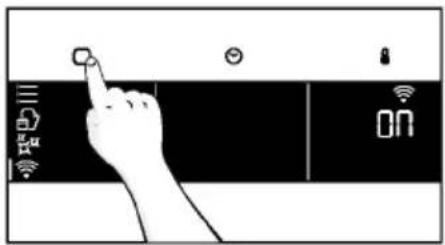
text_image
Hand interacting with a touchscreen device displaying icons for app, battery, and status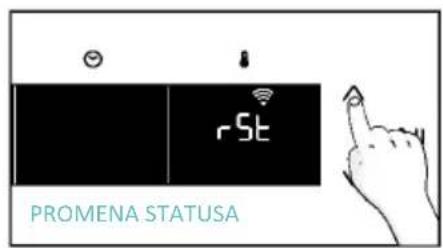
text_image
rSt PROMENA STATUSA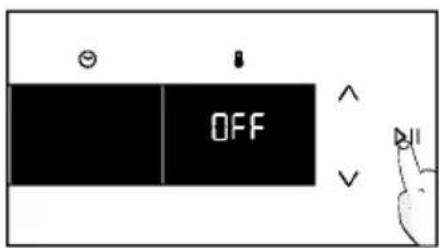
text_image
OFF
DALJINSKO UPRAVLJANJE
text_image
Diagram showing a hand interacting with a device, displaying icons for 'CON' and control buttons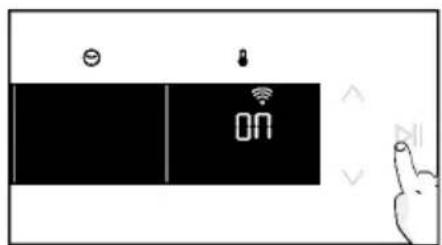
text_image
Diagram showing a device with icons for battery, switch, and timer, alongside a hand gesture.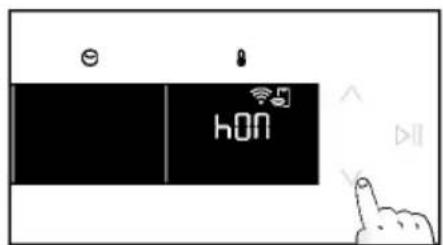
text_image
hON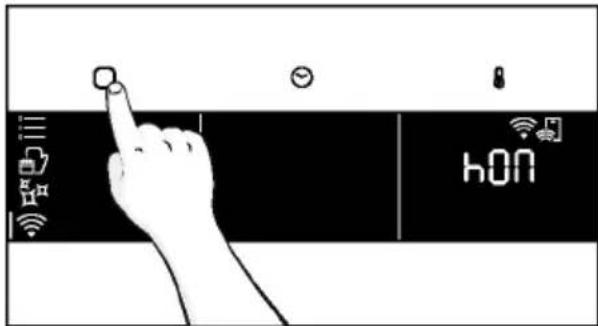
text_image
hONnatural_image
Line drawing of a kitchen appliance with a hand cleaning a bowl and a bottle nearby (no text or symbols)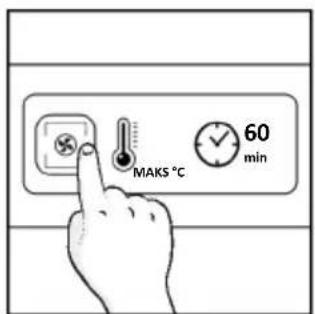
text_image
MAKS °C 60 min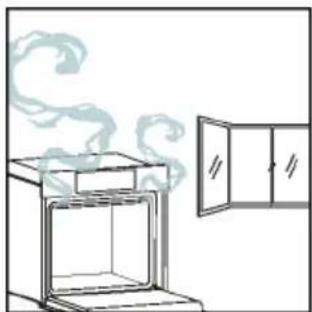
natural_image
Simple line drawing of an oven with steam rising from the top, next to a cabinet (no text or symbols)4.1. KAKO PROIZVOD RAD
UKLJUČIVANJE/ISKLJUČIVANJE PEĆNICE
natural_image
Illustration of a hand interacting with a digital interface displaying icons like a light bulb, lock, and Wi-Fi symbol (no text or labels present)MENI FUNKCIJA
Pristupite meniju Funkcija pritiskom na dugme ☐
text_image
Diagram showing a hand interacting with a smartphone screen displaying a control interface with icons for connectivity and security.text_image
3°C 80°C DEMO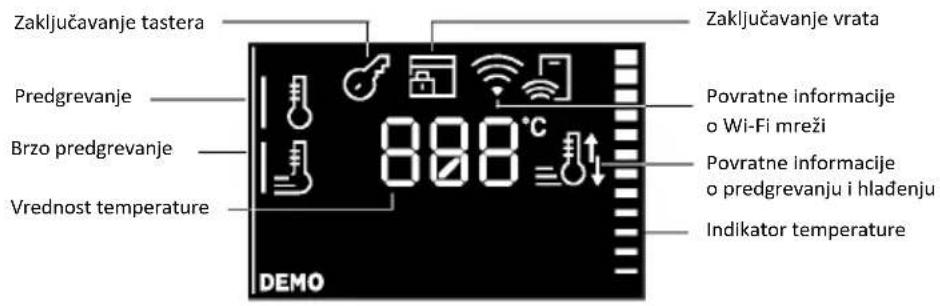
text_image
Zaključavanje tastera Predgrevanje Brzo predgrevanje Vrednost temperature 898°C DEMO Zaključavanje vrata Povratne informacije o Wi-Fi mreži Povratne informacije o predgrevanju i hlađenju Indikator temperature| Simbol Funkcija Opis | ||
| [77Y8] | TEMPERATURA | Pritisnite da biste podesili temperaturu i koristite strelice za regulisanje vrednosti. |
 | BRZO PREDGREVANJE | Pritisnite dva puta da biste podesili brzu temperaturu. |
DODATNE FUNKCIJE
| Simbol Funkcija Opis | ||
 | ZAKLJUČANO ZA DECU | 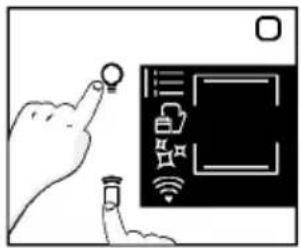 Ova funkcija vam omogućava da zaključate displej kako biste sprečili neželjenu upotrebu od strane maloletnika. Da biste ga aktivirali, istovremeno pritisnite dugmad Lampa i Daljinsko upravljanje na 3 sekunde. Na korisničkom interfejsu će se pojaviti ikona sa ključem. U ovom stanju, korisnički interfejs pećnice je zaključan i ne mogu se vršiti promene podešavanja.Da biste isključili zaključavanje za decu, ponovo pritisnite tastere Lampa i Daljinsko upravljanje na 3 sekunde (ikona sa ključem će nestati). Ova funkcija vam omogućava da zaključate displej kako biste sprečili neželjenu upotrebu od strane maloletnika. Da biste ga aktivirali, istovremeno pritisnite dugmad Lampa i Daljinsko upravljanje na 3 sekunde. Na korisničkom interfejsu će se pojaviti ikona sa ključem. U ovom stanju, korisnički interfejs pećnice je zaključan i ne mogu se vršiti promene podešavanja.Da biste isključili zaključavanje za decu, ponovo pritisnite tastere Lampa i Daljinsko upravljanje na 3 sekunde (ikona sa ključem će nestati). |
4.2. FUNKCIJE KUVANJA
OPCIJA BRZOG PREDGREVANJA
natural_image
Line drawing of an oven with cooling rack and tray (no text or symbols)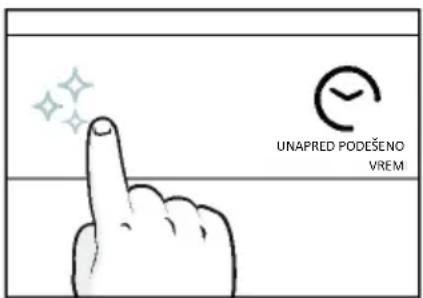
text_image
UNAPRED PODEŠENO VREM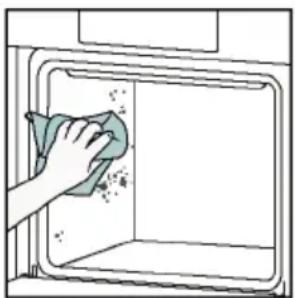
natural_image
Illustration of a hand cleaning a window with a cloth (no text or symbols)Aquactiva
Funkcija Aquactiva je dizajnirana da se bez napora uhvati u koštac sa laganom zaprljanošću i pruži brzo i ekološki prihvatljivo rešenje za čišćenje unutrašnjosti pećnice pomoću snage pare.
Kako funkcioniše:
- Sipajte 100 ml vode s kapljicom tečnosti za pranje posuđa u donji deo pećnice.
- Uključite dugme ✉. Ako je potrebno, okrenite kontrolu brojčanika da biste podesili program Hydro Clean. Funkcija će raditi tokom unapred podešenog vremena.
- Na kraju postupka čišćenja, pustite pećnicu da se ohladi.
- Kada se uređaj ohladi, očistite unutrašnje površine pećnice krpom.
- UPOZORENJE: Proverite da li je uređaj ohlađen pre nego što ga dodirnete. Vodite računa o svim vrućim površinama jer postoji rizik od opekotina. Koristite destilovanu ili pijaću vodu. Obrišite odeljak za kuvanje i neka se dobro osuši kako bi se izbegla eventualna korozija.
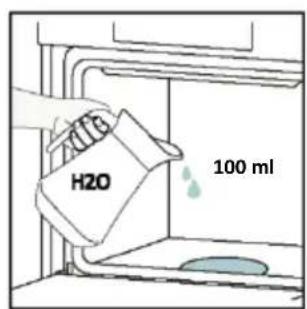
text_image
H2O 100 ml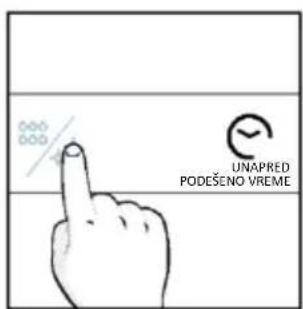
text_image
UNAPRED PODEŠENO VREME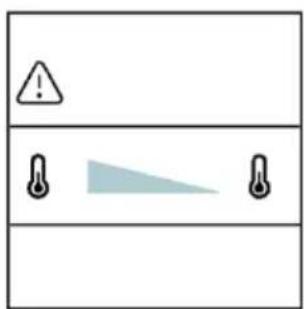
text_image
Warning symbol with exclamation mark and three warning symbols: thermometer, triangular warning triangle, and thermometer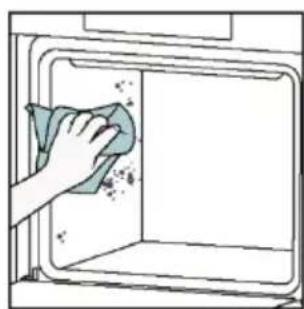
natural_image
Hand cleaning a kitchen appliance with a cloth (no text or symbols visible)Katalitičko čišćenje
Katalitički paneli oblažu unutrašnjost pećnice i pružaju vam luksuz da se nikada ne borite sa prljavom pećnicom.
Paneli su obloženi specijalizovanim emajlom koji se može pohvaliti mikroporoznom strukturom koja dobro apsorbuje mast koja prska.
Katalitičkom hemijskom reakcijom oni efikasno pretvaraju apsorbovanu mast u gasovite elemente kada su izloženi visokim temperaturama.
natural_image
Line drawing of a box with two hands inserting a spring into the opening (no text or symbols)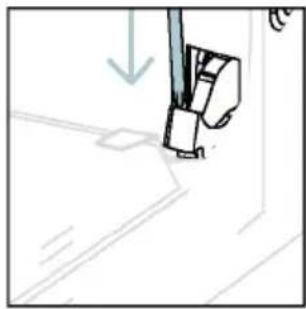
natural_image
Simple line drawing of a sewing machine needle and foot, no text or symbols present- Postavite vrata na 45°. Istovremeno pritisnite dva dugmeta sa obe strane bočnih stranavrata i povucite prema sebi da biste uklonili poklopac gornjih stakala.
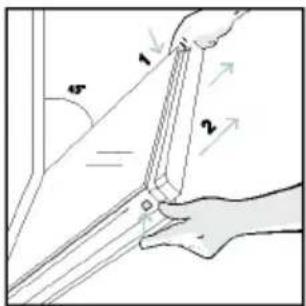
text_image
1 2 45°- Veoma pažljivo uklonite staklo pećnice, počevši od unutrašnjeg stakla. Tokom postupka, čvrsto držite staklo obema rukama i stavite ga na mekanu ravnu površinu (npr. na tkaninu).
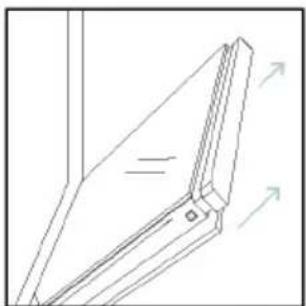
natural_image
Pure technical line drawing of a mechanical joint or bracket (no text or symbols)natural_image
Illustration of a hand using scissors to cut a piece of paper (no text or symbols present)- Očistite staklo mekom krpom i odgovarajućim sredstvima za čišćenje.
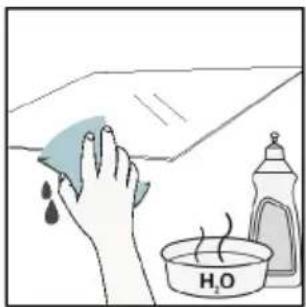
natural_image
Illustration of a hand cleaning a tiled surface with a water bottle and a bowl labeled H₂O (no text or symbols on the main image)- Umetnite staklene ploče, vodeći računa da oznaka „Low-E“ bude ispravno čitljiva i postavljena na donjoj levoj strani vrata, u blizini leve šarke. Na taj način će štampana etiketa na prvom staklu ostati na unutrašnjoj strani vrata.
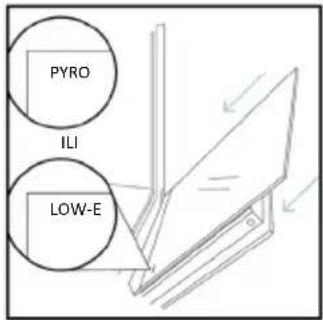
text_image
PYRO ILI LOW-E- Ponovo pričvrstite poklopac vrata gornjeg stakla tako što ćete ga gurati prema unutra dok ne čujete klik dva bočna dugmeta.
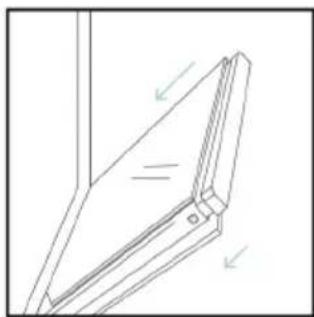
natural_image
Technical line drawing of a mechanical bracket or hinge assembly (no text or symbols)- Zatim vratite vrata na 90° i okrenite jezičke za zaključavanje šarki prema unutrašnjosti pećnice.
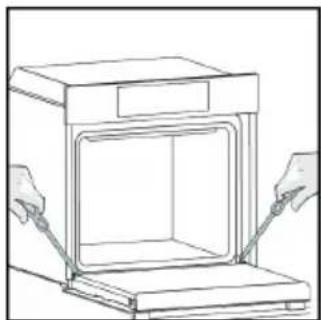
natural_image
Line drawing of a kitchen appliance with two hands operating it (no text or symbols)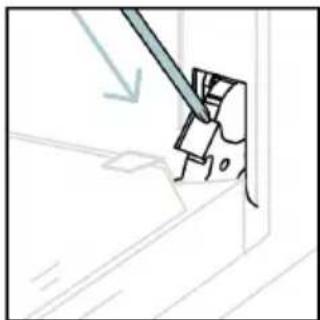
natural_image
Simple line drawing of a mechanical component with a tool, no text or symbols present6.3. ČIŠĆENJE DODATNE OPREME
Obavezno temeljno očistite dodatnu opremu nakon svake upotrebe i osušite je peškirom. Za tvrdokorne naslage, natopite dodatnu opremu u mešavini vode i sapuna oko 30 minuta pre nego što je ponovo operete.
ČIŠĆENJE BOČNIH NOSAČA:
- Model sa 6 nivoa
- Uklonite bočne nosače povlačenjem u pravcu strelica.
- Da biste očistili žičane nosače, stavite ih u mašinu za pranje sudova ili koristite vlažni suđer i obavezno ih posle osušite.
- Nakon procesa čišćenja, postavite žičane nosače obrnutim redosledom
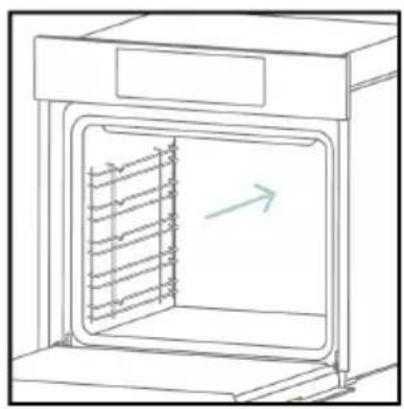
natural_image
Line drawing of an oven with internal rack structure and a green arrow indicating direction (no text or symbols)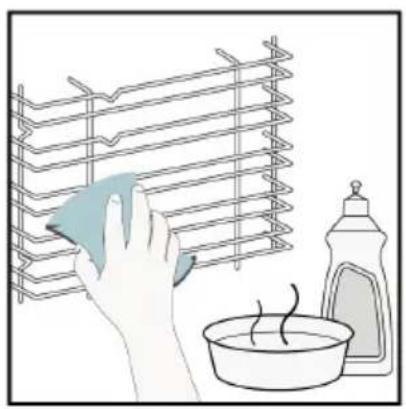
natural_image
Illustration of a hand cleaning a rack with a cloth, next to a bowl and a spray bottle (no text or symbols)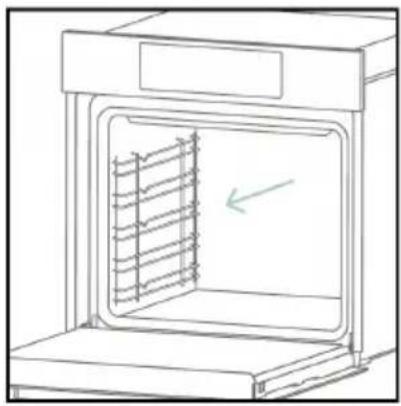
natural_image
Line drawing of an oven with a rack inside, showing internal structure and a green arrow indicating direction (no text or symbols)6.4. ODRŽAVANJE
ZAMENA KOMPONENTI
text_image
Diagram showing a plug connected to an electrical panel with a warning symbol and directional arrows indicating current flow.- korak
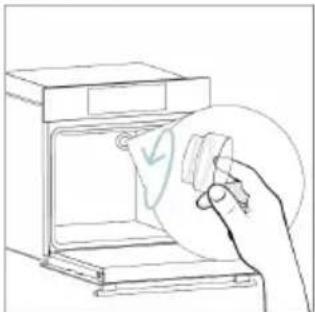
natural_image
Line drawing of a hand holding a paper with a checkmark inside an oven (no text or symbols)- korak

natural_image
Line drawing of a hand holding a circular object with a curved arrow inside, next to an open appliance (no text or symbols)- korak
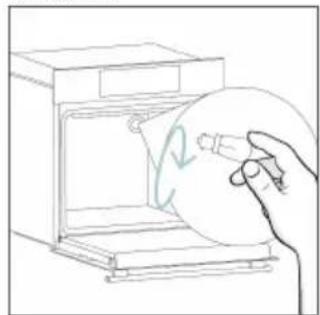
natural_image
Line drawing of a hand holding a circular object inside an oven (no text or symbols)- korak
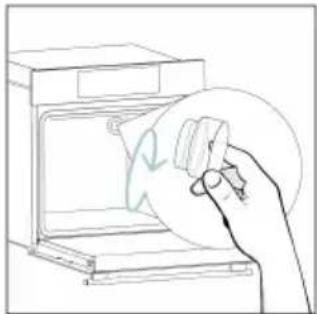
natural_image
Line drawing of a hand holding a circular object over an open oven (no text or symbols)- korak
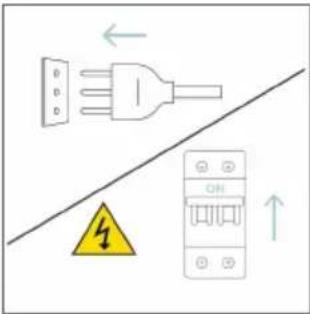
text_image
Diagram showing electrical connections with a plug, warning symbol, and circuit breaker componentstext_image
Electrical diagram showing a plug connected to an ON/OFF switch with warning symbol and directional arrows- korak
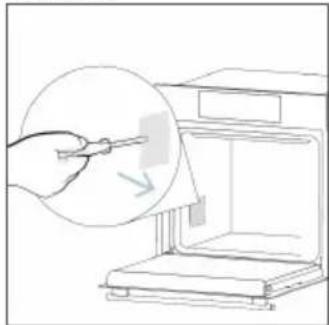
natural_image
Line drawing of a hand using a tool to clean or store items inside a microwave oven (no text or symbols)- korak
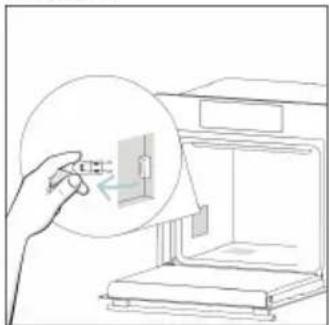
natural_image
Line drawing of a hand inserting a small component into a device (no text or symbols)- korak
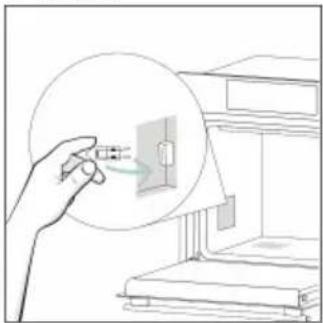
natural_image
Illustration of a hand holding a magnified inset showing electrical connections (no text or symbols)- korak
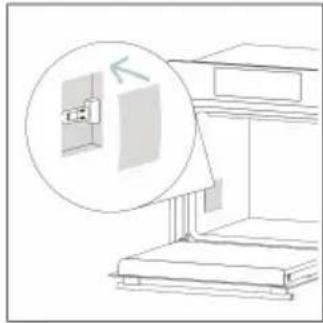
natural_image
Line drawing of a cabinet with an open door and a magnified inset showing the exterior wall (no text or symbols)- korak
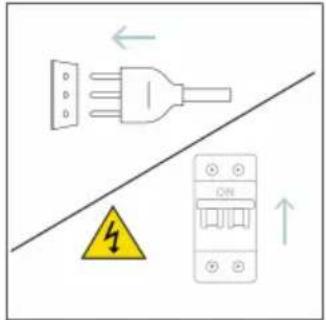
text_image
Diagram showing electrical grounding symbols including a plug, warning symbol, and circuit breaker with Chinese labelstext_image
Illustration showing a kitchen scene with a steaming stove and a hand cleaning the oven, accompanied by a chemical reaction diagram.8. ZAŠTITA ŽIVOTNE SREDINE I ODLAGANJE NA OTPAD
8.1. ODLAGANJE UREĐAJA NA OTPAD
natural_image
Simple line drawing of a trash bin with crossed lines indicating no waste or discharge (no text or symbols)Pojedinci mogu igrati važnu ulogu u osiguravanju da EE ne postane ekološki problem; neophodno je pratiti nekoliko osnovnih pravila:
natural_image
Isometric line drawing of a multi-level cabinet or refrigerator with internal compartments and drawers (no text or symbols)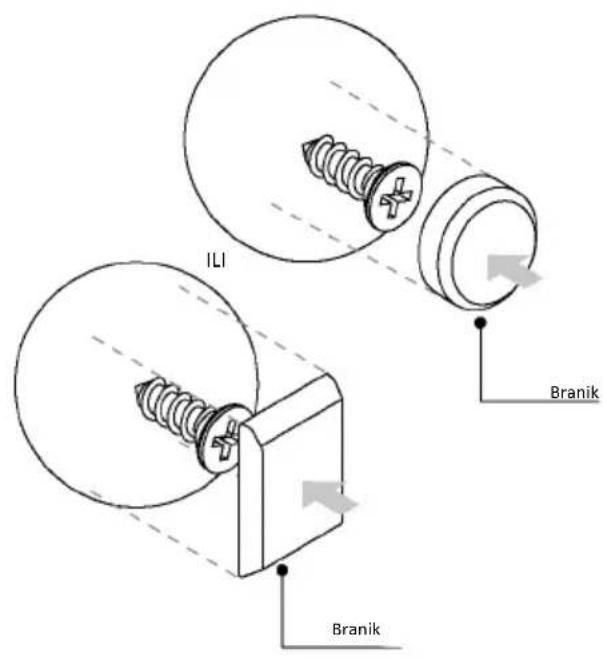
text_image
ILI Branik Branik
SVEIKI
natural_image
Simple illustration of a pen with a downward arrow pointing to it (no text or symbols)text_image
Technical diagram of an oven with numbered components for identificationnatural_image
Empty white rectangle with a thin gray border (no text or symbols)natural_image
Technical line drawing of a multi-tiered storage unit with no text or symbolsnatural_image
3D diagram of a rectangular tray with internal compartments, placed inside an oven (no text or symbols)natural_image
Technical line drawing of a rectangular grid structure with 'STOP' and 'STOP' labels, no readable text or symbols beyond annotationsnatural_image
3D rendering of a rectangular tray or basin with internal compartments, placed on a shelf (no text or symbols visible)natural_image
Technical line drawing of a kitchen sink with a bowl, plate, and circular object (no text or symbols)natural_image
Illustration of a cabinet with a circular arrow indicating motion or force, no text or symbols presentnatural_image
Diagram of a rectangular tray with a patterned lid and label, placed inside an oven (no text or symbols present)natural_image
Illustration of a rectangular appliance with a grid pattern on its side, placed inside an oven (no text or symbols)natural_image
Line drawing of a rooster on an open kitchen grater (no text or symbols)natural_image
Simple line drawing of a pen with a pointed tip and handle (no text or symbols)natural_image
3D rendering of a rectangular tray with a mesh pattern inside, placed on an open shelf (no text or symbols visible)text_image
Available on the App Store GET IT ON Google PlayNAUJO NAUDOTOJO REGISTRACIJA
text_image
Welcome! Sign in to enter in your home page ENTER REGISTER Are you new to hOn? Click below to learn about our products ② TRY DEMO
text_image
Do you already have a thousand passwords? Register with your social accounts and log is in the easiest and fastest way. SIGN UP WITH GOOGLE SIGN UP WITH APPLE SIGN UP WITH FACEBOOK New instructions relating to you will be shared and we will not just something free you OR SIGN UP WITH EMAIL Already registered? LOGINSPARČIOJO SUSIEJIMO REGISTRACIJA
1 veiksmas
text_image
Hello USERNAME YOUR APPLIANCES Add Add appliance 10% Virtual Wine Bank second row 2 seconds there is a second row YOUR WIDGETS Current power double x8 net NEW Search the Care YOUR NEWS NEW What functions do smart appliances have? How to live sustain home and reduce w2 veiksmas
text_image
Allow your location permission To enhance your experience, please allow location permission to hOn app in the next step. CONTINUE3 veiksmas
text_image
Select your appliance category Search your appliance Washing machine Washer dryer Tumble dryer Dishwasher Air conditionair Air purifier Air scanner4 veiksmas
text_image
Turn OFF and then ON your appliance In case you can't switch OFF your appliance, unplug (for at least 10 seconds) and then plug its power supply. OK I DID IT5 veiksmas
text_image
Appliance connection Searching your appliance Don't turn off your Bluetooth. hOn app is looking for your appliance... 00:00:40 Stay close to your appliance in order to correctly capture the signal.6.1–6.2 veiksmai
text_image
Appliance connection Searching your appliance Don't turn off your Bluetooth. Oven New appliance Long appliance name to... CONNECT PRODUCT NOT FOUND Appliance connection Searching your appliance Don't turn off your Bluetooth Oven Connecting... New appliance Long appliance name to... Stay close to your appliance in order to correctly capture the signal.7 veiksmas
text_image
Your appliance has been correctly identified! Brand Hoover Model 31008486-7888-1824 Serial number 12345678-1234-1234 Is this your appliance? YES IT'S MY OVEN NO IT'S NOTtext_image
Diagram showing a hand interacting with a device interface with icons for sensor, battery, and control buttons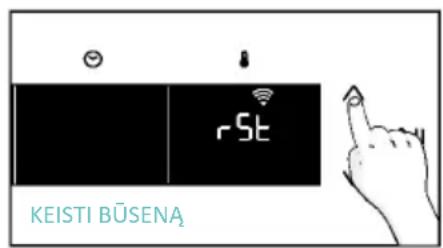
text_image
rSt KEISTI BÜSENA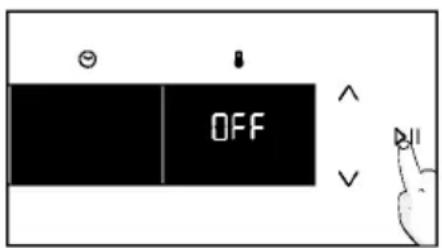
text_image
OFFNUOTOLINIO VALDYMO PULTELIS
text_image
Diagram showing a hand interacting with a touchscreen device, displaying icons for Wi-Fi and CON status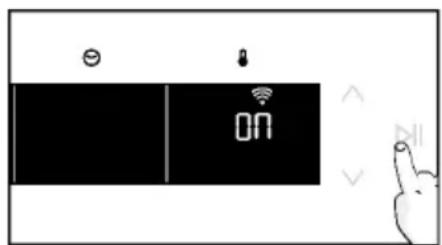
text_image
ON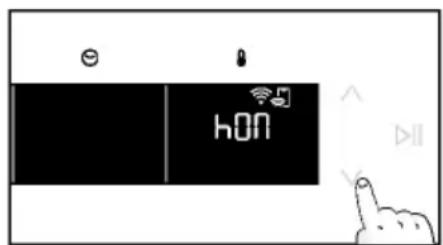
text_image
hON
text_image
hONnatural_image
Simple line drawing of a kitchen appliance with a hand cleaning the interior (no text or symbols)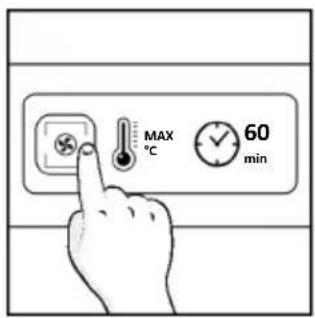
text_image
MAX °C 60 min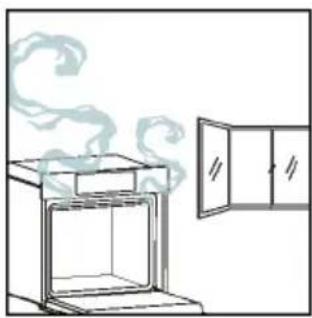
natural_image
Simple line drawing of a cabinet with steam rising from the top (no text or symbols)4.1. KAIP GAMINYS VEIKIA
ORKAITĖS IJUNGIMAS / IŠJUNGIMAS
natural_image
Illustration of a hand interacting with a digital interface displaying icons like a light bulb, lock, and Wi-Fi symbol (no text or labels present)FUNKCIJŲ MENIU
Atidarykite funkciju meniu paspausdami
text_image
Diagram showing a hand interacting with a smartphone screen displaying a smart interface with icons for connectivity and security.text_image
1:20 180° =a. LAIKMATIS
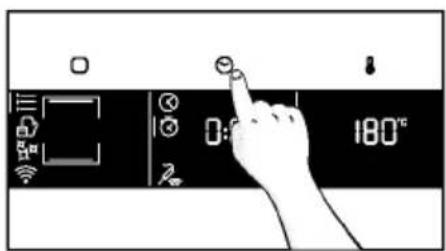
text_image
Diagram showing a hand interacting with a digital timer or control panel displaying time and temperature readings.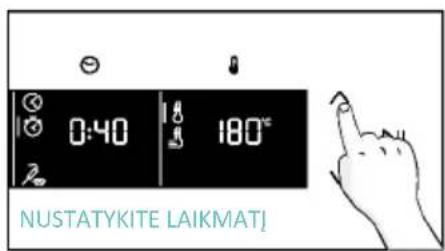
text_image
0:40 180°C NUSTATYKITE LAIKMAT!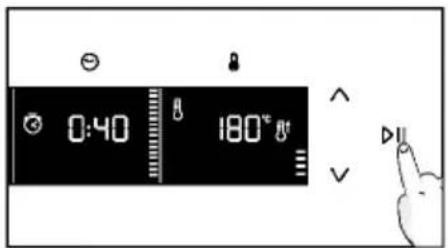
text_image
0:40 180° Va. UŽDELSTA PRADŽIA
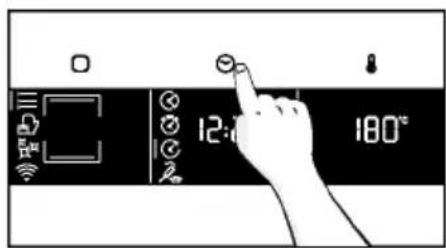
text_image
12:00 180°C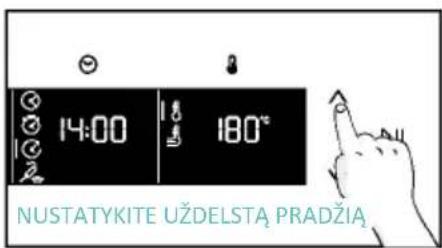
text_image
14:00 180° NUSTATYKITE UŽDELSTĄ PRADŽIĄ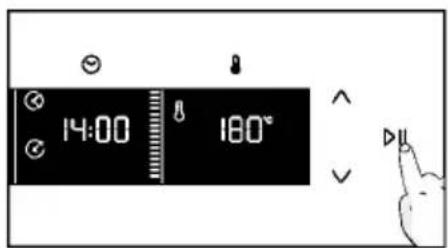
text_image
14:00 180°text_image
3°C 80°C DEMO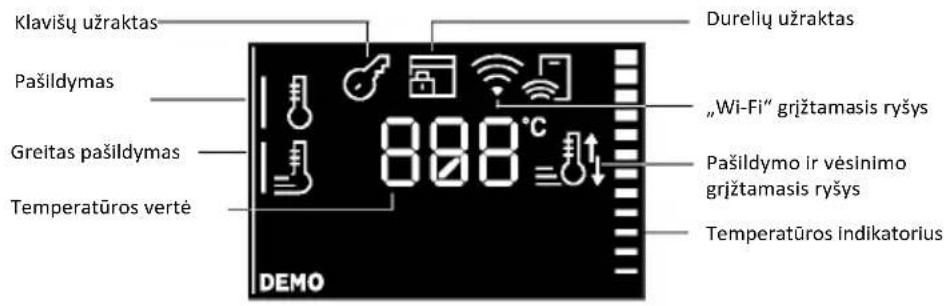
natural_image
Line drawing of an oven with cooling rack and tray (no text or symbols)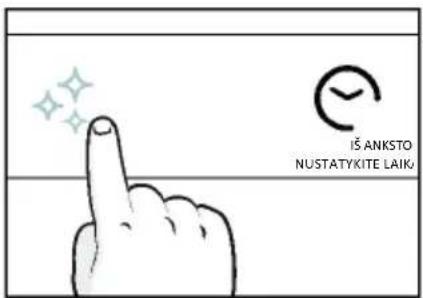
text_image
IŠ ANKSTO NUSTATYKITE LAIK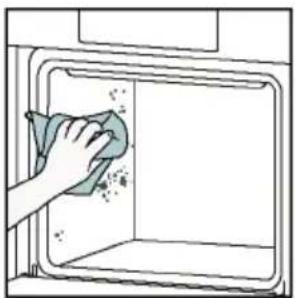
natural_image
Illustration of a hand cleaning a window with a cloth (no text or symbols)Aquactiva
text_image
Warning symbol with exclamation mark and three warning symbols: thermometer, triangular warning triangle, and thermometer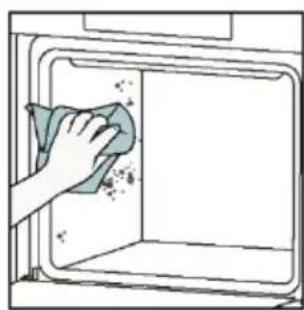
natural_image
Hand cleaning a clean appliance into a microwave oven (no text or symbols visible)natural_image
Line drawing of a box with two hands inserting a spring into the opening (no text or symbols)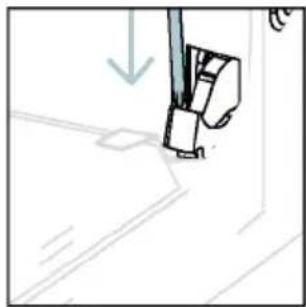
natural_image
Simple line drawing of a sewing machine needle and foot (no text or symbols)text_image
Diagram showing hand positioning of a mechanical component with numbered parts and directional arrows indicating motion or force.natural_image
Pure technical line drawing of a mechanical joint or bracket (no text or symbols)natural_image
Line drawing of a hand holding a tool over a curved surface, with no visible text or symbolsnatural_image
Illustration of a hand cleaning a tiled surface with a water bottle and a bowl labeled H₂O (no text or symbols on the main image)text_image
PYRO ARBA LOW-Enatural_image
Technical line drawing of a mechanical bracket or hinge assembly (no text or symbols)natural_image
Line drawing of a kitchen appliance with two hands operating it (no text or symbols)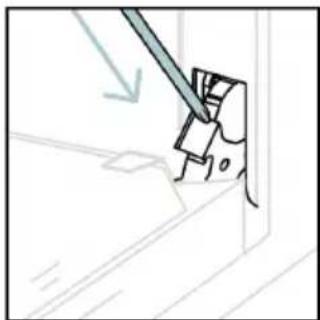
natural_image
Simple line drawing of a mechanical component with a tool, no text or symbols present6.3. PRIEDU VALYMAS
natural_image
Line drawing of an oven with internal rack structure and a green arrow indicating direction (no text or symbols)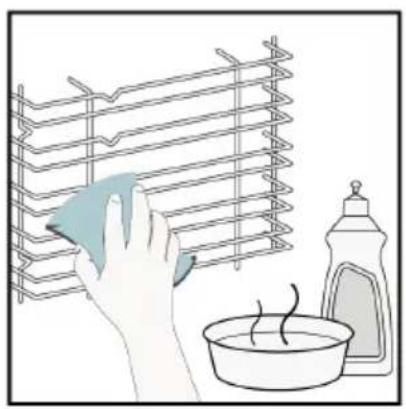
natural_image
Illustration of a hand cleaning a rack with a cloth, next to a bowl and a spray bottle (no text or symbols)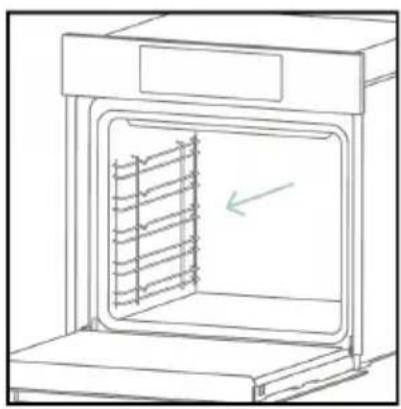
natural_image
Line drawing of an oven with a rack inside, showing internal structure and a green arrow indicating direction (no text or symbols)6.4. PRIEŽIŪRA
KOMPONENTŲ KEITIMAS
text_image
Diagram showing a plug connected to an electrical panel with a warning symbol and directional arrows indicating current flow.2 veiksmas
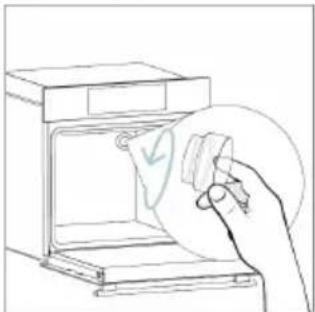
natural_image
Line drawing of a hand holding a paper with a checkmark inside an oven (no text or symbols)3 veiksmas
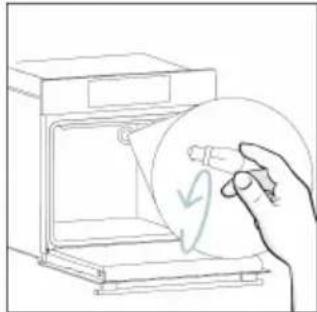
natural_image
Line drawing of a hand holding a circular object with a checkmark, next to an open appliance (no text or symbols)4 veiksmas
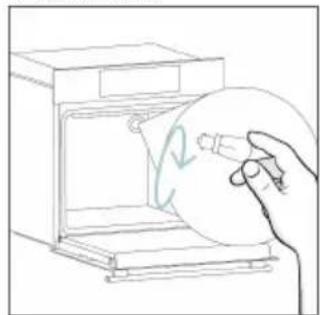
natural_image
Line drawing of a hand holding a circular object inside an oven (no text or symbols)5 veiksmas
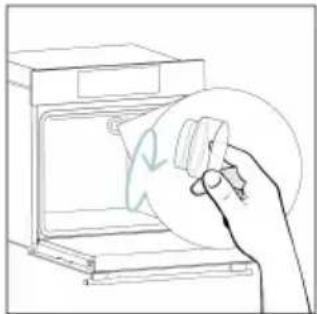
natural_image
Line drawing of a hand holding a circular object over an open oven (no text or symbols)6 veiksmas
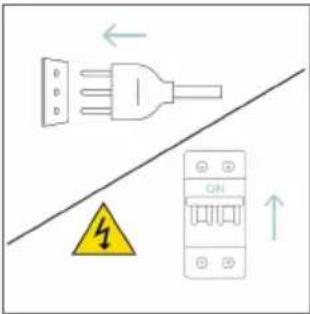
text_image
Diagram showing electrical connections with a plug, warning symbol, and circuit breaker componentstext_image
Safety warning diagram showing a plug connected to an electrical outlet with a warning symbol and downward arrow.2 veiksmas
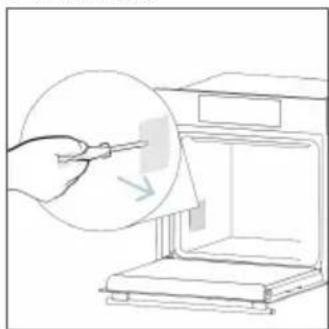
natural_image
Line drawing of a hand using a tool to clean or store items inside a 3D printer (no text or symbols)3 veiksmas
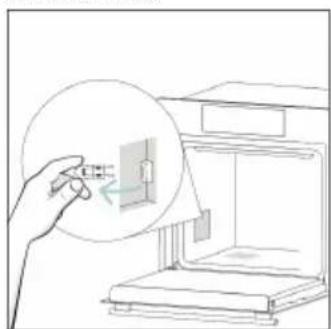
natural_image
Line drawing of a hand inserting a small object into an open 3D printer (no text or symbols)4 veiksmas
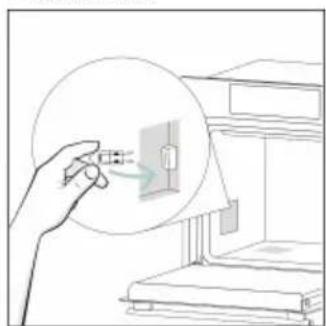
natural_image
Line drawing of a hand holding a magnified view of a small electronic component, with no visible text or symbols.5 veiksmas
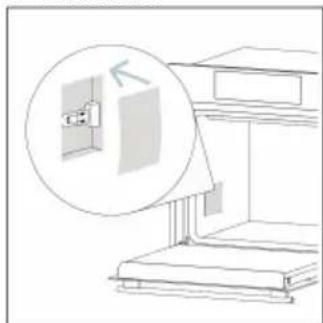
natural_image
Line drawing of a staircase with an inset showing a wall-mounted fixture (no text or symbols)6 veiksmas
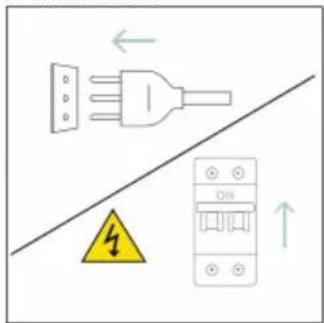
text_image
Safety warning diagram showing electrical hazard symbol and circuit breaker with ON/OFF indicatorstext_image
Diagram showing a kitchen appliance with a hand cleaning it, labeled with warning symbol and water level indicators.8. APLINKOS APSAUGA IR ATLIEKŲ ŠALINIMAS
8.1. PRIETAISO ŠALINIMAS
natural_image
Simple line drawing of a trash bin with crossed lines indicating no waste or discharge (no text or symbols)natural_image
Isometric line drawing of a multi-level cabinet or refrigerator with internal compartments and drawers (no text or symbols)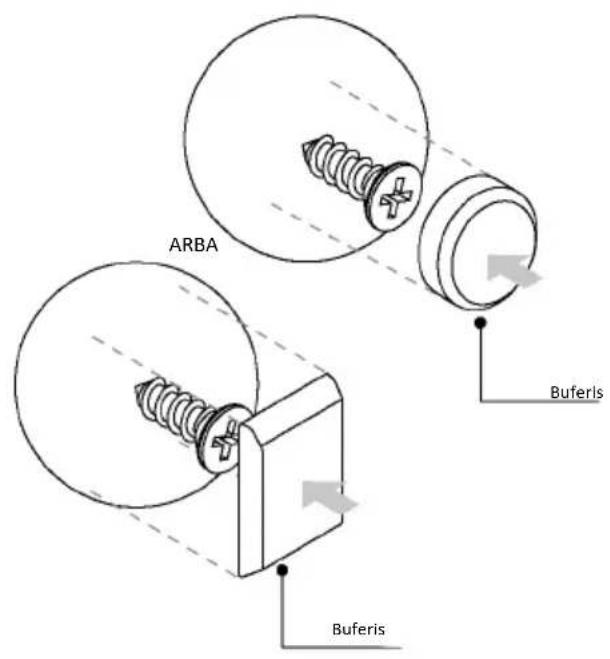
text_image
ARBA Buferis Buferis
TERE TULEMAST!
natural_image
Simple illustration of a pen with a black arrow pointing downward (no text or symbols)text_image
Technical diagram of an oven with numbered components for identificationnatural_image
Empty white rectangle with a thin gray border (no text or symbols)natural_image
Line drawing of a multi-tiered storage unit with horizontal shelves and top panel (no text or symbols)natural_image
Illustration of a rectangular tray with internal compartments, placed on an open shelf (no text or symbols)natural_image
Technical line drawing of a rectangular appliance with horizontal and vertical lines, labeled 'STOP' (no text or symbols beyond labels)natural_image
3D rendering of a rectangular tray with internal compartments, placed on a shelf (no text or symbols)natural_image
Technical line drawing of a bathroom sink with a circular basin and mesh platform (no text or symbols)natural_image
Line drawing of a rectangular tray with a grid pattern inside, placed on an open shelf (no text or symbols)natural_image
Line drawing of a rolling pin on an open kitchen counter with steam rising from the side (no text or symbols)natural_image
Illustration of a cabinet with a circular arrow indicating rotation or motion, no text or symbols presentnatural_image
Illustration of a rectangular appliance with a grid pattern on top, placed inside an oven (no text or symbols)natural_image
Simple line drawing of a pen with a blue handle and pointed tip (no text or symbols)natural_image
3D rendering of a rectangular tray with a mesh pattern inside, placed on an inclined shelf (no text or symbols visible)text_image
Available on the App Store GET IT ON Google PlayUUE KASUTAJA REGISTREERIMINE
text_image
Welcome! Sign in to enter in your home page ENTER REGISTER Are you now to hOn? Click below to learn about our products TRV DEMO
text_image
Do you already have a thousand passwords? Register with your social accounts and log in the easiest and fastest way. SIGN UP WITH GOOGLE SIGN UP WITH APPLE SIGN UP WITH FACEBOOK No information relating to you will be shared and would not just anything from your OR SIGN UP WITH EMAIL Already registered? LOGINKIIRÜHENDAMINE
1. samm
text_image
Hello USERNAME YOUR APPLIANCES Add Add appliance YOUR WIDGETS Current screen darker slit ext NEW Your NEWS What functions do smart appliances have? How to live sustain home and reduce w2. samm
text_image
Allow your location permission To enhance your experience, please allow location permission to hOn app in the next step. CONTINUE3. samm
text_image
Select your appliance category Search your appliances Washing machine Washer dryer Tumble dryer Dishwasher Air conditionair Air purifier Air scanner4. samm
text_image
Turn OFF and then ON your appliance In case you can't switch OFF your appliance, unplug (for at least 10 seconds) and then plug its power supply. OK. I DID IT5. samm
text_image
Appliance connection Searching your appliance Don't turn off your Bluetooth. On app is looking for your appliance... 00:00:40 Stay close to your appliance in order to correctly capture the signal.6.1-6.2. samm
text_image
Appliance connection Searching your appliance Don't turn off your Bluetooth. Oven New appliance Long appliance name to... CONNECT PRODUCT NOT FOUND
text_image
Appliance connection Searching your appliance Don't turn off your Bluetooth. Own Connecting... New appliance Long appliance name to... Stay close to your appliance in-order to correctly capture the signal.7. samm
text_image
Your appliance has been correctly identified! Brand Hoover Model 31008486-7888-1824 Serial number 12345678-1234-1234 Is this your appliance? YES IT'S MY OVEN NO IT'S NOTtext_image
Diagram showing a hand interacting with a touchscreen device, displaying icons for settings, function, and status.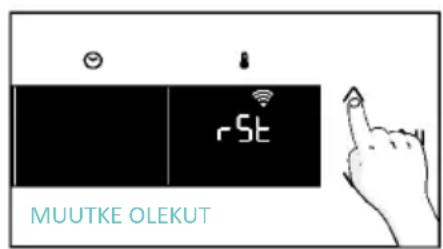
text_image
rSt MUUTKE OLEKUT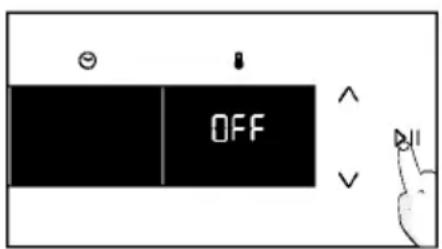
text_image
OFF
KAUGJUHTIMISPULT
text_image
Hand interacting with a touchscreen display showing icons for Wi-Fi, battery, and control buttons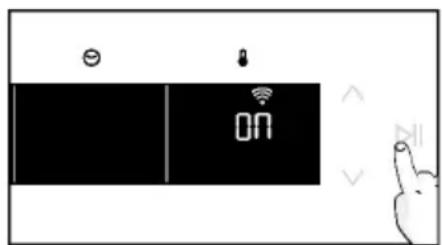
text_image
Diagram showing a device with 'ON' status and icons for battery, lock, and function buttons, alongside a hand gesture.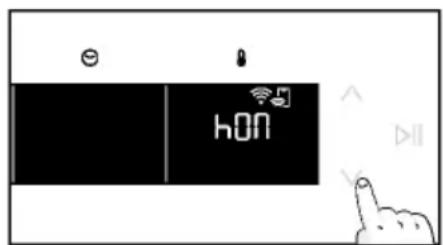
text_image
e hON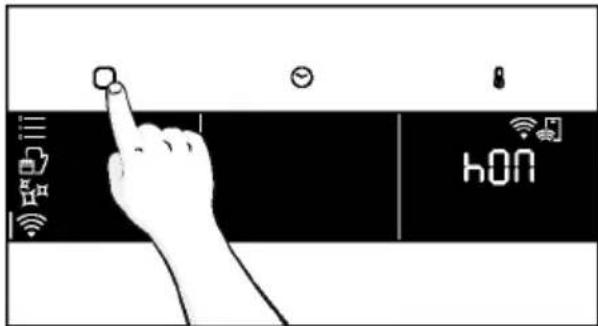
text_image
hONnatural_image
Line drawing of a kitchen appliance with a hand cleaning it, no text or symbols present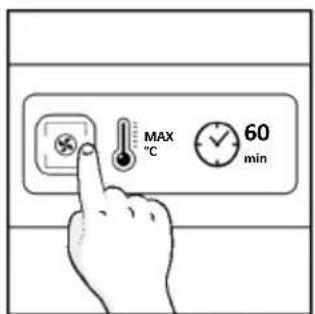
text_image
MAX °C 60 min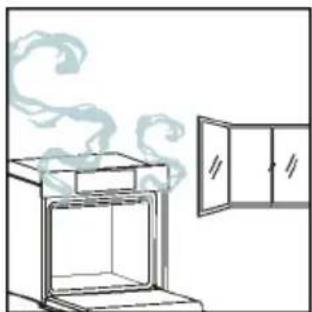
natural_image
Simple line drawing of an oven with steam rising from the top, next to a cabinet (no text or symbols)4. TOOTE KASUTAMINE
4.1. KUIDAS TOODE TOIMIB
AHJU SISSE-/VÄLJALÜLITAMINE
natural_image
Illustration of a hand interacting with a digital interface displaying icons like a light bulb, lock, and Wi-Fi symbol (no text or labels)FUNKTSIOONIDE MENÜÜ
text_image
Diagram showing a hand pressing a button on a smartphone screen with icons for connectivity and securitytext_image
3°C 80°C DEMO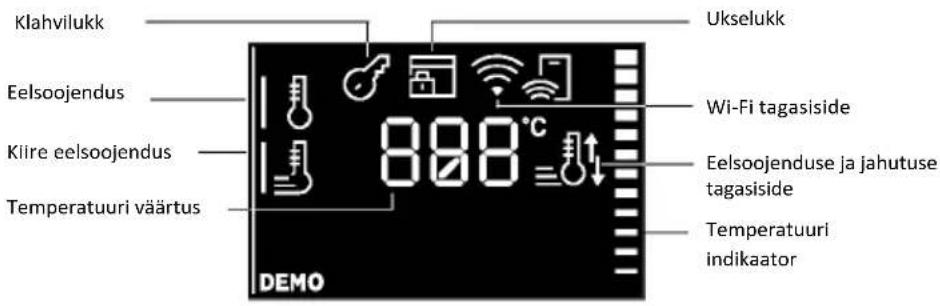
natural_image
Line drawing of an oven with cooling rack and tray (no text or symbols)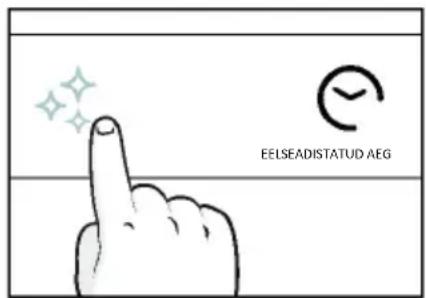
text_image
EELSEADISTATUD AEG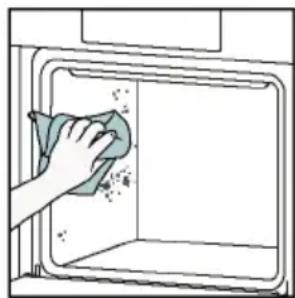
natural_image
Hand cleaning a clean window with a cloth (no text or symbols visible)Aquactiva
text_image
Warning symbol with exclamation mark and two temperature sensors below, likely indicating a hazard or alert condition.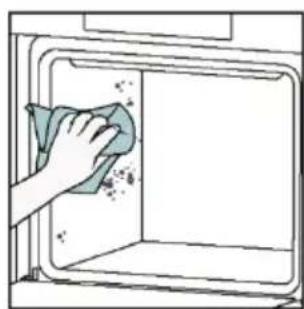
natural_image
Hand cleaning a kitchen appliance with a cloth (no text or symbols visible)natural_image
Line drawing of a box being lifted by two hands, showing internal structure and support (no text or symbols)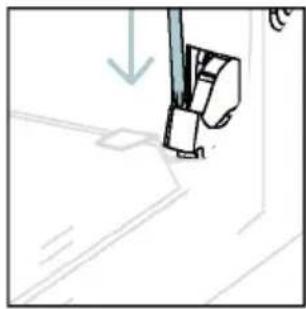
natural_image
Simple line drawing of a sewing machine needle with a downward arrow indicating compression (no text or symbols)natural_image
Pure technical line drawing of a mechanical joint or bracket (no text or symbols)natural_image
Illustration of a hand using scissors to cut a piece of paper (no text or symbols present)natural_image
Illustration of a hand cleaning a tiled surface with a water bottle and a bowl labeled H₂O (no text or symbols on the main image)text_image
PYRO VõI LOW-Enatural_image
Technical line drawing of a mechanical bracket or hinge assembly (no text or symbols)natural_image
Line drawing of a box being opened with two hands, no text or symbols present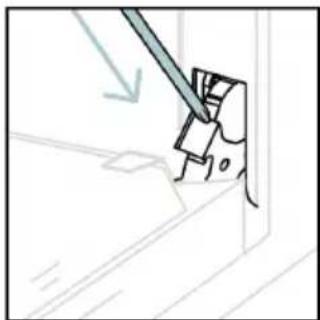
natural_image
Simple line drawing of a mechanical component with a tool, no text or symbols present6.3. TARVIKUTE PUHASTAMINE
natural_image
Line drawing of an oven with a rack inside, showing airflow direction (no text or symbols)
natural_image
Illustration of a hand cleaning a rack with a cloth, next to a bowl of water and a bottle (no text or symbols)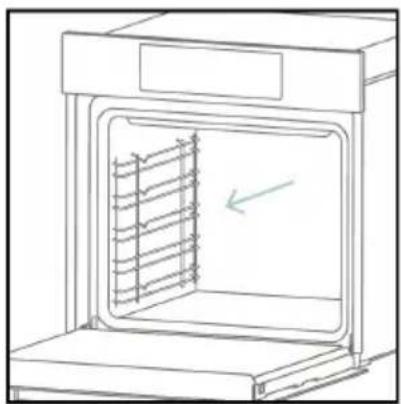
natural_image
Line drawing of an oven with a rack inside, showing internal structure and a green arrow indicating direction (no text or symbols)6.4. HOOLDUS
KOMPONENTIDE VAHETAMINE
Lambipirni vahetamine:
text_image
Diagram showing a plug connected to an electrical panel with a warning symbol and directional arrows indicating current flow.- samm
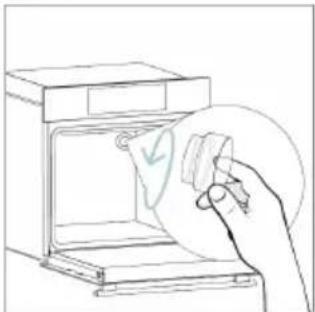
natural_image
Line drawing of a hand holding a paper with a checkmark inside an oven (no text or symbols)- samm
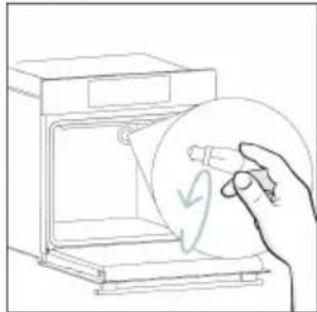
natural_image
Line drawing of a hand holding a circular object with a curved arrow inside, next to an open oven (no text or symbols)- samm
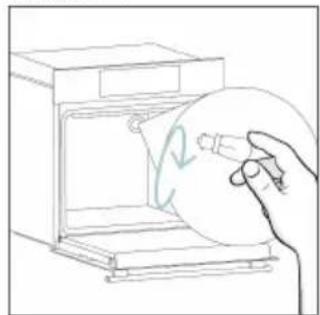
natural_image
Line drawing of a hand holding a circular object inside an oven (no text or symbols)- samm
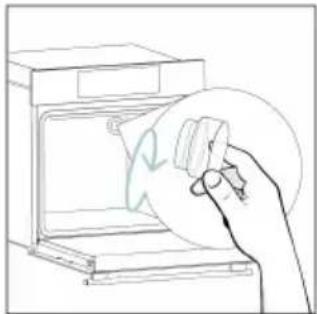
natural_image
Line drawing of a hand holding a circular object over an open oven (no text or symbols)- samm
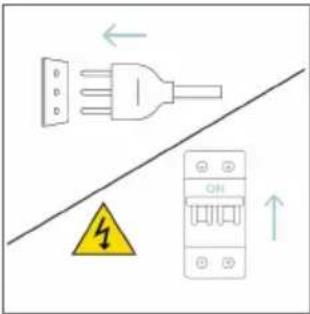
text_image
Diagram showing electrical connections with a plug, warning symbol, and circuit breaker componentstext_image
Electrical diagram showing a plug connected to an ON/OFF panel with warning symbol and directional arrows- samm
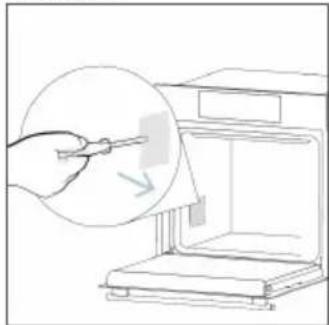
natural_image
Line drawing of a hand using a tool to clean or store items from a microwave oven (no text or symbols)- samm
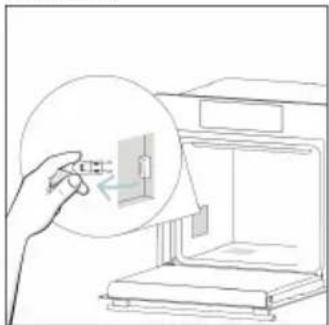
natural_image
Line drawing of a hand inserting a small component into a device (no text or symbols)- samm
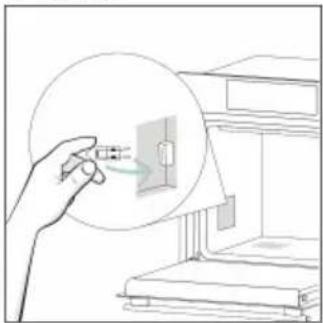
natural_image
Illustration of a hand holding a small electronic component with a magnified view (no text or symbols)- samm
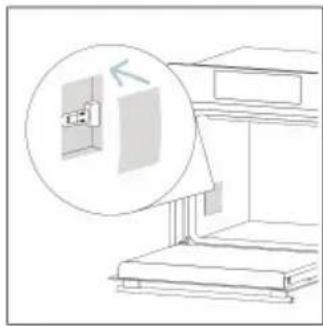
natural_image
Diagram of a staircase with an inset showing a wall-mounted cabinet and a magnified view of the cabinet (no text or symbols)- samm
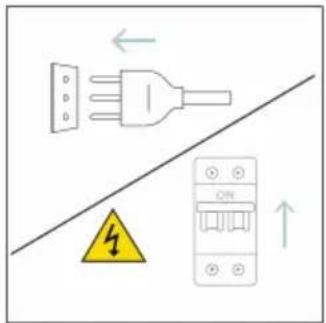
text_image
Diagram showing electrical grounding symbols including a plug, warning symbol, and circuit breaker with Chinese labelstext_image
Diagram showing a kitchen appliance with a hand cleaning it, labeled with environmental hazard and water level indicator H20.8. KESKKONNAKAITSE JA KÖRVALDAMINE
8.1. SEADME KÖRVALDAMINE
natural_image
Simple line drawing of a trash bin with crossed lines indicating no waste or discharge (no text or symbols)natural_image
Isometric line drawing of a multi-level cabinet or enclosure with internal compartments and structural elements (no text or symbols)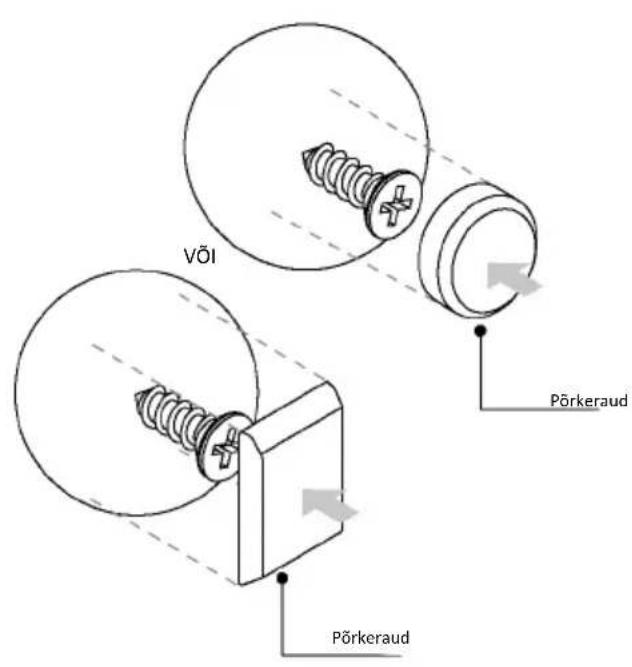
text_image
VÖI Pörkeraud Pörkeraud
LAIPNI LÜDZAM
natural_image
Simple illustration of a pen with a black arrow pointing downward (no text or symbols)2.1. PRODUKTA PÄRSKATS
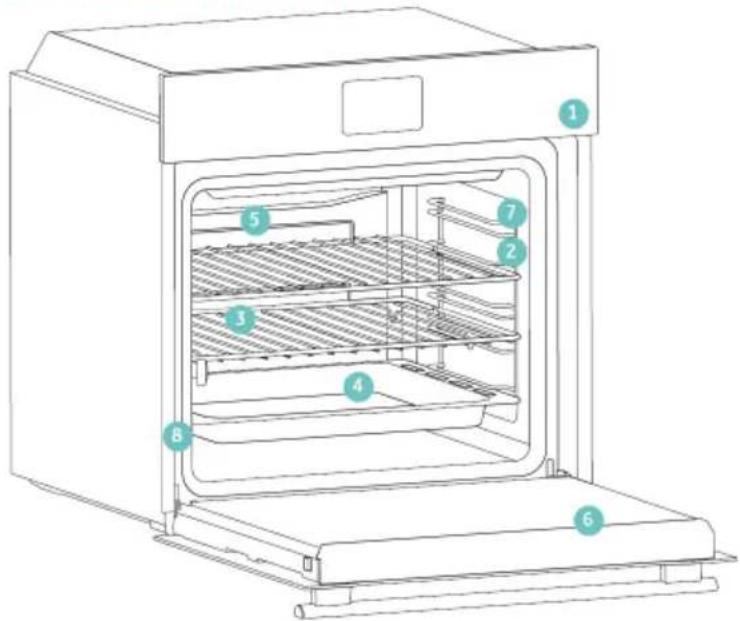
text_image
Line drawing of an oven with numbered components for identificationnatural_image
Blank white image with a thin gray border (no text, symbols, or markings)natural_image
Line drawing of a two-tiered storage unit with horizontal and vertical metal racks (no text or symbols)natural_image
3D diagram of a rectangular tray or basin with internal partitioning, placed on an open shelf (no text or symbols)natural_image
Technical line drawing of a rectangular grid structure with 'STOP' annotations (no text or symbols on the diagram itself)natural_image
3D rendering of a rectangular tray or basin with internal partitioning, placed on an inclined shelf (no text or symbols)natural_image
Technical line drawing of a kitchen sink with a round pan and side shelf (no text or symbols)natural_image
Illustration of a document with a magnified circular arrow indicating motion or circulation (no text or symbols present)natural_image
Diagram of a rectangular tray with a patterned lid and label, placed inside an oven (no text or symbols on the tray itself)natural_image
Illustration of a rectangular tray with a grid pattern inside, placed on an appliance rack (no text or symbols)natural_image
Line drawing of a rooster on an induction cooktop, with steam rising from the pan (no text or symbols)natural_image
Simple line drawing of a pen with a pointed tip and handle (no text or symbols)natural_image
3D rendering of a rectangular tray with a mesh pattern inside, placed on an open shelf (no text or symbols visible)text_image
Available on the App Store GET IT ON Google PlayJAUNA LIETOTĀJA REGISTRĀCIJA
text_image
hOn Welcome! Sign in to enter in your home page ENTER REGISTER Are you now to hOn? Click below to learn about our products ① TRY DEMO
text_image
Do you already have a thousand passwords? Register with your social accounts and log in in the easiest and fastest way. SIGN UP WITH GOOGLE SIGN UP WITH APPLE SIGN UP WITH FACEBOOK Next confirmation relating to you will be stored and we will not need anything from you. OR SIGN UP WITH EMAIL Already registered? LOGINĀTRĀ PĀRA REGISTRĀCIJA
1. darbība
- Atlasiet "Pievienot ierīci".
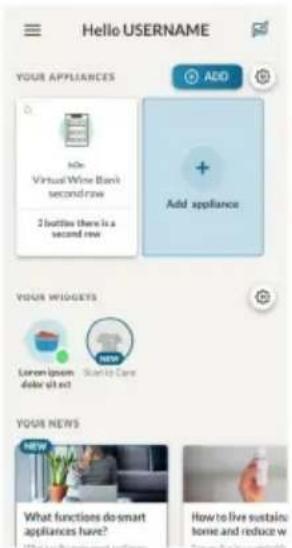
text_image
Hello USERNAME YOUR APPLIANCES Add Add appliance Your WISGERS Lemon ipsum dollar split out Santo Care YOUR NEWS What functions do smart appliances have? How to live sustain: home and reduce w2. darbība
text_image
Allow your location permission To enhance your experience, please allow location permission to hOn app in the next step. CONTINUE3. darbība
text_image
Select your appliance category Search your appliance Washing machine Washer dryer Tumble dryer Dishwasher Air conditionair Air purifier Air scanner4. darbība
text_image
Turn OFF and then ON your appliance In case you can't switch OFF your appliance, unplug (for at least 10 seconds) and then plug its power supply. OK. I DID IT5. darbība
text_image
Appliance connection Searching your appliance Don't turn off your Bluetooth. hOn app is looking for your appliance... 00:00:40 Stay close to your appliance in order to correctly capture the signal.6.1.-6.2. darbība
- Atlasiet savu sadzīves tehniku, pieskarieties pie “Savienot” un uzgaidiet dažas sekundes.
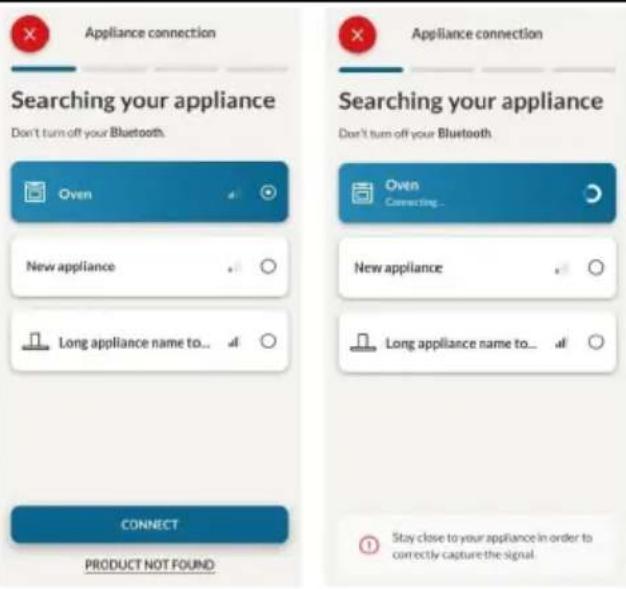
text_image
Appliance connection Searching your appliance Don't turn off your Bluetooth. Appliance connection Searching your appliance Don't turn off your Bluetooth Oven New appliance Long appliance name to... CONNECT PRODUCT NOT FOUND Oven Connecting... New appliance Long appliance name to... Stay close to your appliance in order to correctly capture the signal.7. darbība
text_image
Appliance connection Your appliance has been correctly identified! Brand Hoover Model 31008486-7888-1824 Serial number 12345678-1234-1234 Is this your appliance? YES IT'S MY OVEN NO IT'S NOTtext_image
Diagram showing a hand interacting with a touchscreen device, with icons for Wi-Fi and ON status indicators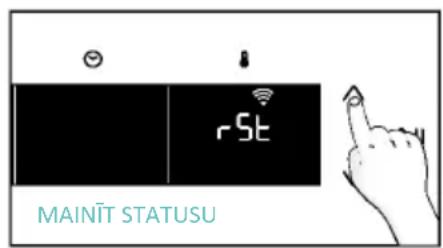
text_image
MAINIT STATUSU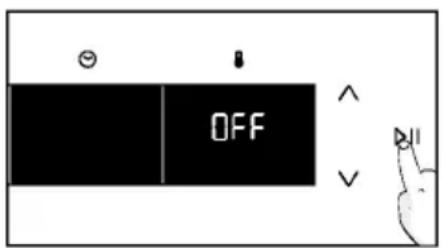
text_image
OFFTĀLVADĪBA
text_image
Diagram showing a hand interacting with a device interface, labeled with icons for function, display, and control buttons.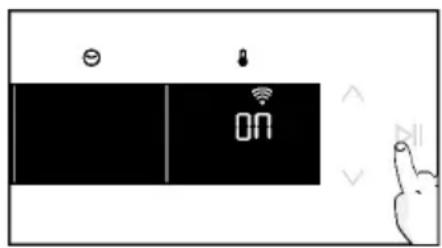
text_image
ON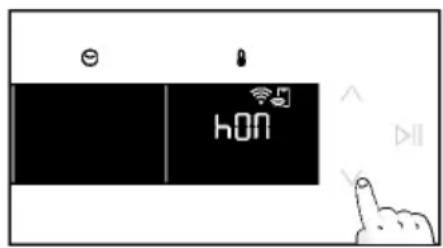
text_image
e hON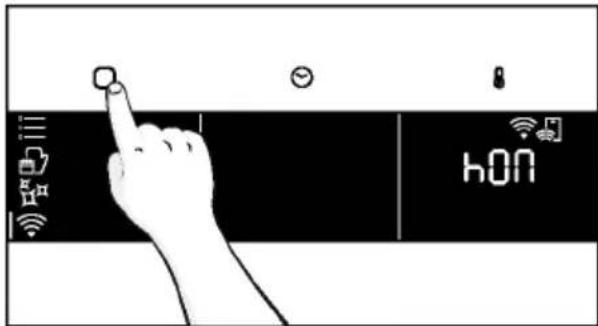
text_image
hONnatural_image
Simple line drawing of a kitchen appliance with a hand cleaning it, no text or symbols present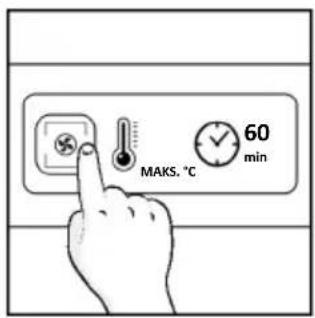
text_image
MAKS. °C 60 min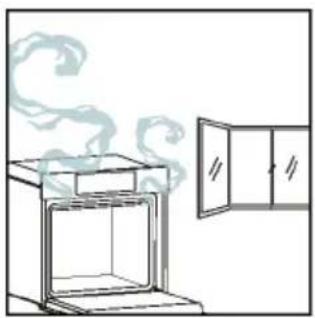
natural_image
Simple line drawing of a cabinet with steam rising from the top (no text or symbols)4. PRODUKTA DARBĪBA
4.1. KÄ PRODUKTS DARBOJAS
CEPEŠKRĀSNS IESLĒGŠANA/IZSLĒGŠANA
natural_image
Illustration of a hand interacting with a digital interface displaying icons like a light bulb, lock, and Wi-Fi symbol (no text or labels)FUNKCIJU IZVĚLNE
text_image
Diagram showing a hand pressing a button on a smartphone screen with icons for connectivity and securitytext_image
1:20 180° =a. MINŪŠU SKAITĪTĀJS
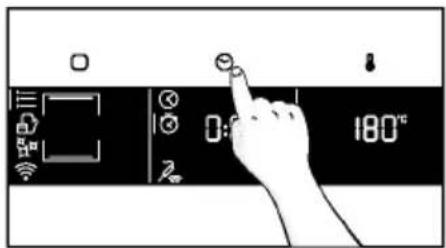
text_image
Diagram showing a hand pressing a button on a digital timer with icons for time and temperature settings.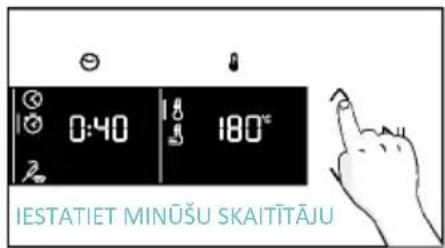
text_image
0:40 180° IESTATIET MINUŠU SKAITITAJU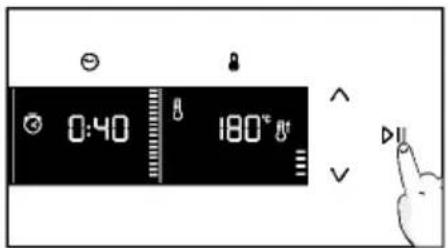
text_image
0:40 180° IIa. UZSĀKŠANAS AIZKAVE
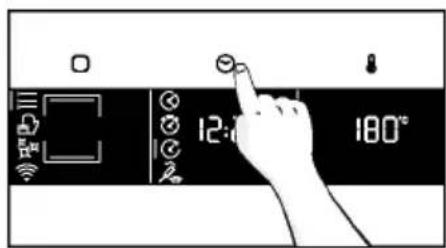
text_image
12:00 180°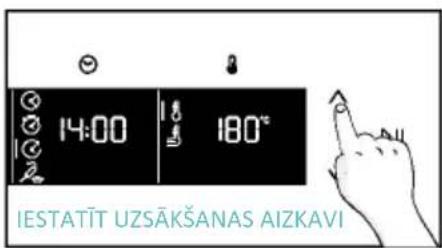
text_image
14:00 180° IESTATIT UZSÄKŠANAS AIZKAVI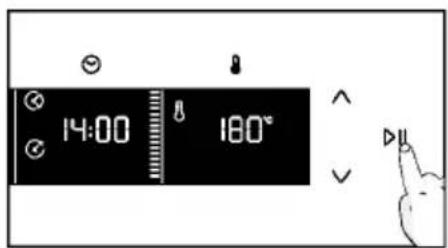
text_image
14:00 180°TEMPERATÜRAS IZVËLNE
natural_image
Line drawing of an oven with cooling rack and tray (no text or symbols)
text_image
IEPRIEKŠ IESTATITŠ LAIKS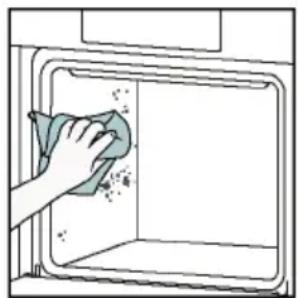
natural_image
Illustration of a hand cleaning a window with a cloth (no text or symbols)Aquactiva
text_image
Warning symbol with exclamation mark and three warning symbols: thermometer, triangular warning triangle, and thermometer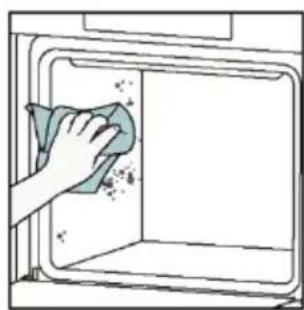
natural_image
Hand cleaning a kitchen appliance with a cloth (no text or symbols visible)natural_image
Line drawing of a box with two hands inserting a spring into the opening (no text or symbols)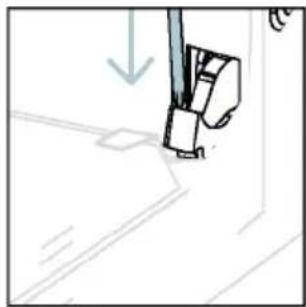
natural_image
Simple line drawing of a sewing machine needle and foot (no text or symbols)natural_image
Pure technical line drawing of a mechanical joint or bracket (no text or symbols)natural_image
Illustration of a hand using scissors to cut a piece of paper (no text or symbols present)natural_image
Illustration of a hand cleaning a surface with a cloth and a water bottle, no text or symbols presenttext_image
PYRO VAI LOW-Enatural_image
Technical line drawing of a mechanical bracket or hinge assembly (no text or symbols)natural_image
Line drawing of a box being opened with two hands, no text or symbols present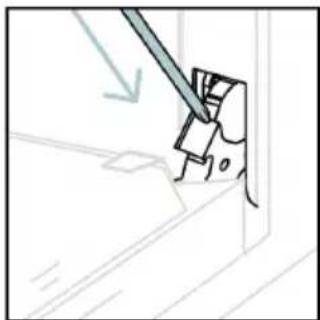
natural_image
Simple line drawing of a mechanical component with a tool, no text or symbols present6.3. PIEDERUMU TİRİŞANA
natural_image
Line drawing of an oven with internal rack structure and a green arrow indicating direction (no text or symbols)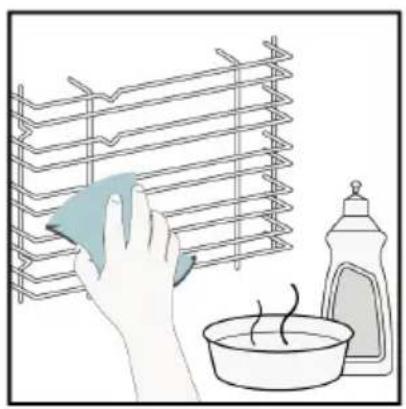
natural_image
Illustration of a hand cleaning a rack with a cloth, next to a bowl and a spray bottle (no text or symbols)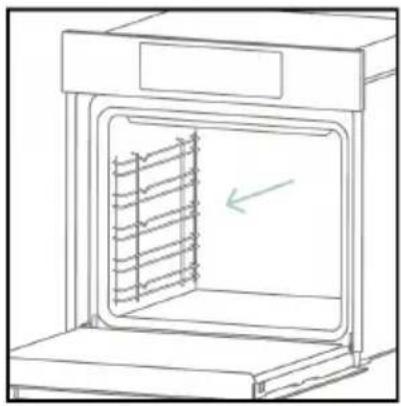
natural_image
Line drawing of an oven with a rack inside, showing internal structure and a green arrow indicating direction (no text or symbols)6.4. APKOPE
KOMPONENTU NOMAINA
text_image
Diagram showing a plug connected to an electrical panel with a warning symbol and directional arrows indicating current flow.- darbība
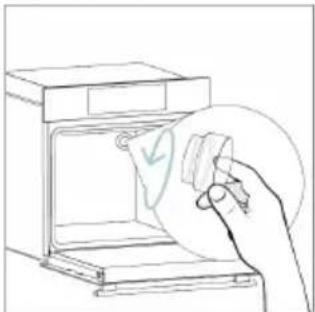
natural_image
Line drawing of a hand holding a paper with a checkmark inside an oven (no text or symbols)- darbība
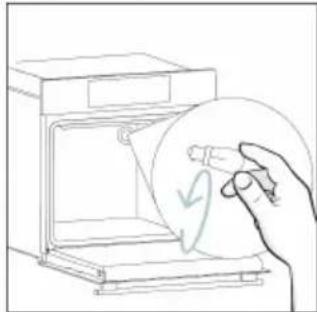
natural_image
Line drawing of a hand holding a circular object with a checkmark, next to an open appliance (no text or symbols)- darbība
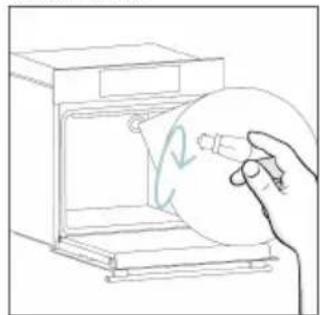
natural_image
Line drawing of a hand holding a circular object inside an oven (no text or symbols)- darbība
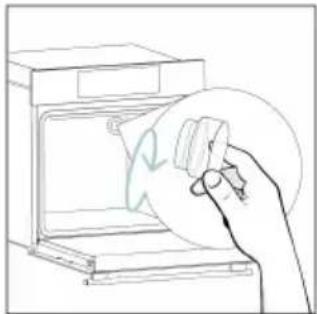
natural_image
Line drawing of a hand holding a circular object over an open oven (no text or symbols)- darbība
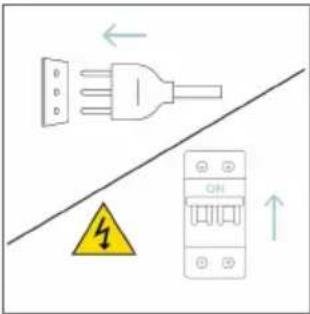
text_image
Diagram showing electrical connections with a plug, warning symbol, and circuit breaker componentstext_image
Electrical diagram showing a plug connected to an ON/OFF panel with warning symbol and directional arrows- darbība
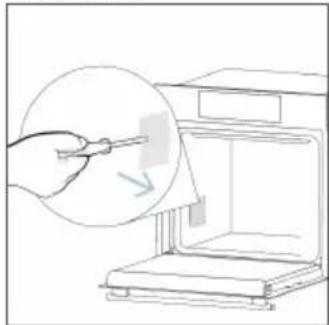
natural_image
Line drawing of a hand using a tool to clean or inspect the interior of an open kitchen appliance (no text or symbols)- darbība
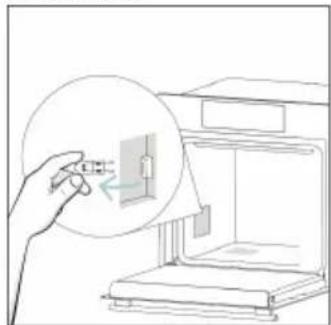
natural_image
Line drawing of a hand inserting a small component into an open 3D printer (no text or symbols)- darbība
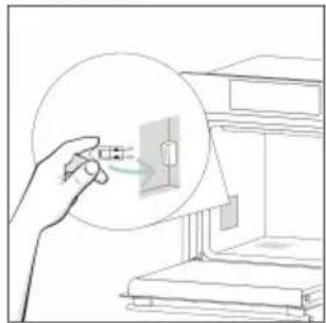
natural_image
Line drawing of a hand holding a small electrical component, with no visible text or symbols- darbība
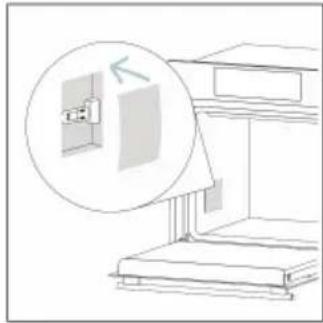
natural_image
Line drawing of a cabinet with an open door and a magnified inset showing the exterior wall (no text or symbols)- darbība
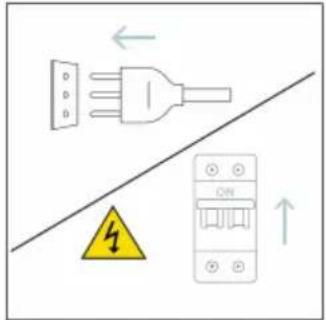
text_image
Diagram showing electrical grounding symbols including a plug, warning symbol, and circuit breaker with Chinese labelstext_image
Illustration showing a kitchen scene with a hand cleaning a stove and a water heater, accompanied by a warning sign and labeled components.8.1. IERICES UTILIZACIJA
natural_image
Simple line drawing of a trash bin with crossed lines indicating no waste or discharge (no text or symbols)natural_image
Isometric line drawing of a multi-level cabinet or refrigerator with internal compartments and drawers (no text or symbols)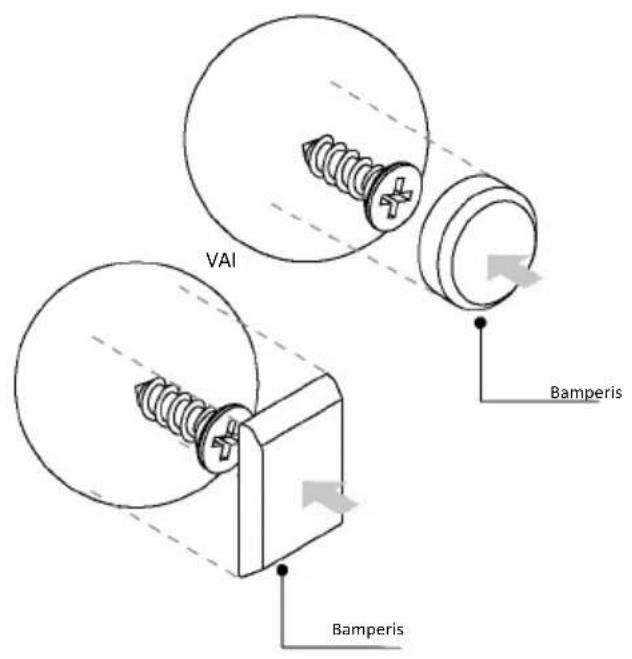
text_image
VAI Bamperis Bamperis
ДОБРЕ ДОШЛИ
natural_image
Simple illustration of a pen with a downward arrow pointing to it (no text or symbols)text_image
Line drawing of an oven with numbered components for identificationnatural_image
Empty white rectangle with a thin gray border (no text or symbols)natural_image
Line drawing of a multi-tiered storage rack unit with no text or symbolsnatural_image
Simple line drawing of a rectangular tray or container with internal compartments, placed on a shelf (no text or symbols)natural_image
Line drawing of a rectangular metal grate with 'STOP' and 'STOP' labels indicating two positions (no text or symbols beyond labels)natural_image
3D rendering of a rectangular tray or basin with internal grid pattern, placed on a shelf (no text or symbols)natural_image
Technical line drawing of a room interior with a cylindrical tank, a sphere, and a mesh platform (no text or symbols)natural_image
Technical line drawing of a rectangular tray with internal grid pattern (no text or symbols)natural_image
Line drawing of a rolling pin on an open kitchen tray with dough and steam (no text or symbols)natural_image
Simple line drawing of a cabinet with a circular arrow indicating rotation or motion (no text or symbols)natural_image
Line drawing of a rectangular appliance with a grid-patterned lid and base tray (no text or symbols)natural_image
Simple line drawing of a pen with a pointed tip and handle (no text or symbols)natural_image
3D rendering of a rectangular tray with a mesh pattern inside, placed on an open shelf (no text or symbols visible)text_image
Available on the App Store GET IT ON Google Playtext_image
hOn Welcome! Sign in to enter in your home page ENTER REGISTER Are you new to hOn? Click below to learn about our products © TRY DEMO
text_image
Do you already have a thousand passwords? Register with your social accounts and log in as the easiest and fastest way. G SIGN UP WITH GOOGLE i SIGN UP WITH APPLE f SIGN UP WITH FACEBOOK No information relating to you will be started and we will not need any using from you or SIGN UP WITH EMAIL Already registered? LOGINtext_image
Hello USERNAME YOUR APPLIANCES Add Add Virtual Wine Bank second row 2 bottles there is a second row + Add appliance YOUR WIDGETS Current quick door all eat NEW Start to Care YOUR NEWS NEW What functions do smart appliances have? How to live sustain home and reduce wСтъпка 2
text_image
Allow your location permission To enhance your experience, please allow location permission to hOn app in the next step. CONTINUEСтъпка 3
text_image
Select your appliance category Search your appliances Washing machine Washer dryer Tumble dryer Dishwasher Air conditionair Air purifier Air scannerСтъпка 4
text_image
Appliance connection Turn OFF and then ON your appliance. In case you can't switch OFF your appliance, unplug (for at least 10 seconds) and then plug its power supply. OK I DID ITСтъпка 5
text_image
Appliance connection Searching your appliance Don't turn off your Bluetooth. On app is looking for your appliance... 00:00:40 Stay close to your appliance in order to correctly capture the signal.Стъпка 6.1 – 6.2
text_image
Appliance connection Searching your appliance Don't turn off your Bluetooth. Appliance connection Searching your appliance Don't turn off your Bluetooth. Oven New appliance Long appliance name to... CONNECT PRODUCT NOT FOUND Oven Connecting... New appliance Long appliance name to... Stay close to your appliance in order to correctly capture the signal.Стъпка 7
text_image
Appliance connection Your appliance has been correctly identified! Brand Hoover Model 31008486-7888-1824 Serial number 12345678-1234-1234 Is this your appliance? YES IT'S MY OVEN NO IT'S NOTtext_image
Diagram showing a hand interacting with a touchscreen device, labeled with icons for function, display, and control buttons.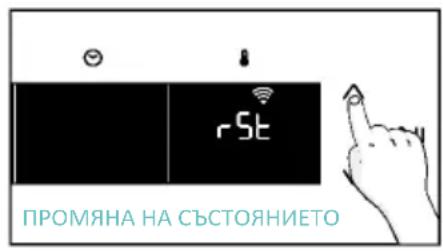
text_image
rSt ПРОМЯНА НА СЪСТОЯНИЕТО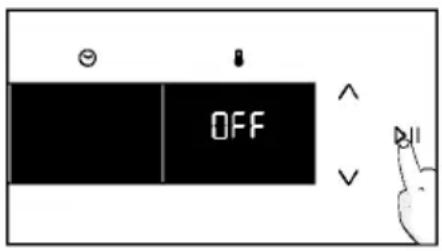
text_image
OFF
text_image
Hand interacting with a touchscreen device displaying 'CON' and icons for function, status, and control buttons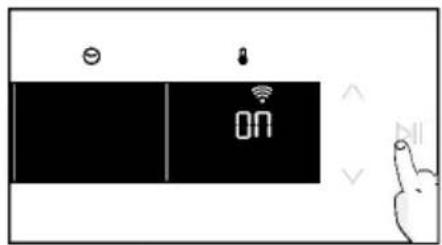
text_image
ON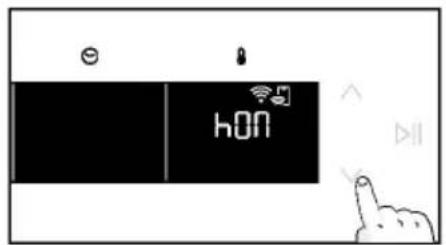
text_image
hON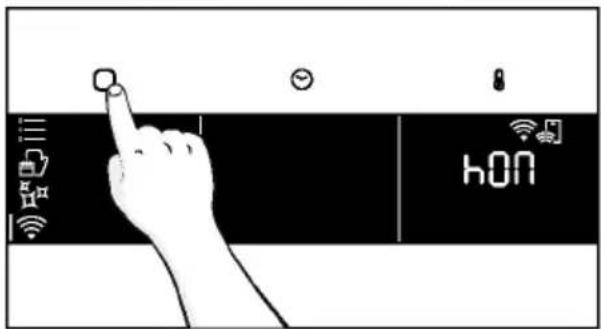
text_image
i ii hONtext_image
6br 1 9:-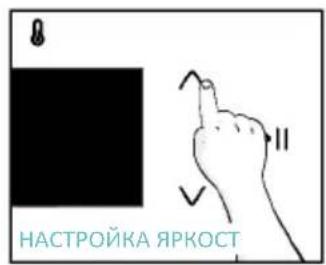
text_image
НАСТРОЙКА ЯРКОСТ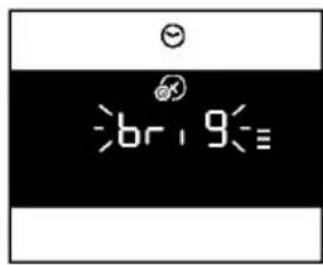
text_image
br19=3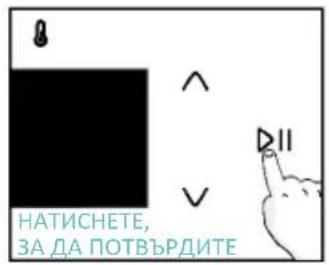
text_image
8 ^ V DII НАТИСНЕТЕ, ЗА ДА ПОТВЪРДИТЕnatural_image
Simple line drawing of a hand washing a small container with a bottle nearby (no text or symbols)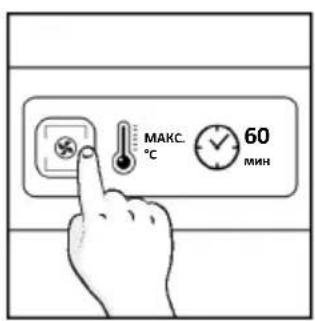
text_image
MAKC. 60 MIN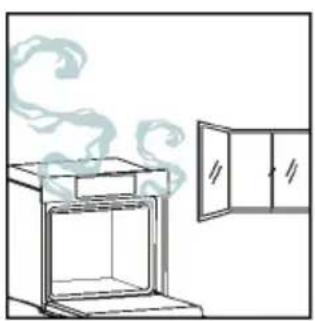
natural_image
Simple line drawing of an oven with steam rising from the top, next to a cabinet (no text or symbols)natural_image
Illustration of a hand interacting with a digital interface displaying icons like a light bulb, lock, and Wi-Fi symbol (no text or labels present)МЕНЮ С ФУНКЦИИ
text_image
Diagram showing a hand pressing a button on a smartphone screen with icons for connectivity and security.natural_image
Line drawing of an oven with cooling rack and side panel (no text or symbols)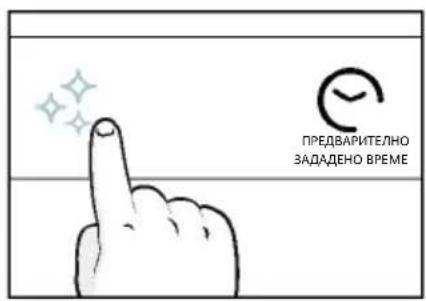
text_image
ПРЕДВАРИТЕЛНО ЗАДАДЕНО ВРЕМЕ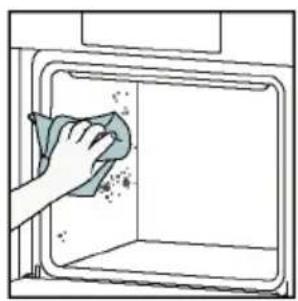
natural_image
Illustration of a hand cleaning a window with a cloth (no text or symbols)Aquactiva
text_image
Warning symbol with exclamation mark and three warning symbols: thermometer, triangular warning triangle, and thermometer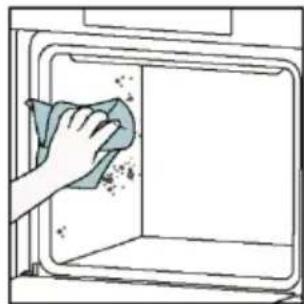
natural_image
Hand cleaning a kitchen appliance with a cloth (no text or symbols visible)natural_image
Line drawing of a box being lifted by two hands, showing internal structure and support (no text or symbols)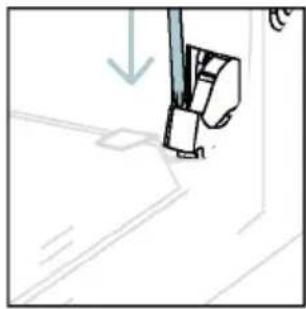
natural_image
Simple line drawing of a sewing machine needle and foot (no text or symbols)natural_image
Pure technical line drawing of a mechanical joint or bracket (no text or symbols)natural_image
Illustration of a hand using scissors to cut a sheet of paper (no text or symbols present)natural_image
Illustration of a hand cleaning a tiled surface with a water bottle and a bowl labeled H₂O (no text or symbols on the main image)natural_image
Technical line drawing of a mechanical bracket or hinge assembly (no text or symbols)natural_image
Line drawing of a box being opened with two hands, no text or symbols present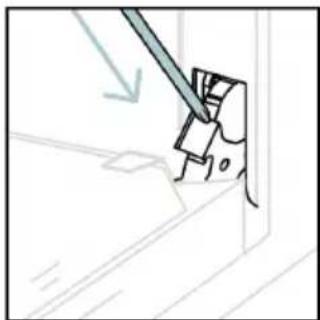
natural_image
Simple line drawing of a mechanical component with a tool, no text or symbols present6.3. ПОЧИСТВАНЕ НА ПРИНАДЛЕЖНОСТИ
natural_image
Line drawing of an oven with internal rack structure and a green arrow indicating direction (no text or symbols)
natural_image
Illustration of a hand cleaning a rack with a cloth, next to a bowl and a spray bottle (no text or symbols)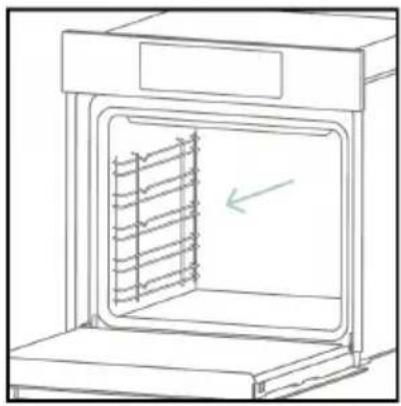
natural_image
Line drawing of an oven with a rack inside, showing internal structure and a green arrow indicating direction (no text or symbols)6.4. ПОДДРЪЖКА
ПОДМЯНА НА КОМПОНЕНТИ
text_image
Safety warning diagram showing a plug connected to an electrical outlet with a warning symbol and safety symbols.Стъпка 2
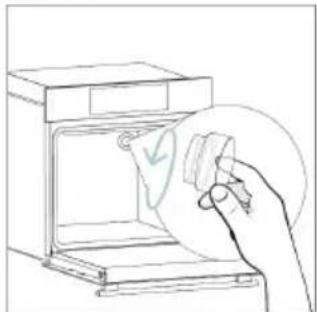
natural_image
Line drawing of a hand inserting a card into an oven (no text or symbols)Стъпка 3
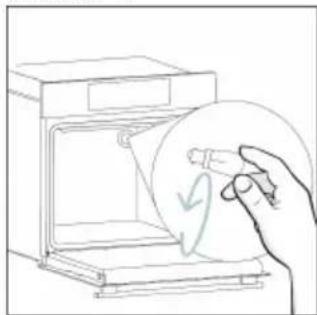
natural_image
Line drawing of a hand holding a circular object with a curved arrow, next to an open appliance (no text or symbols)Стъпка 4
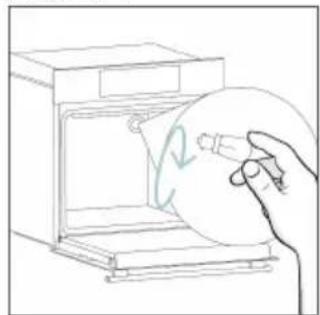
natural_image
Line drawing of a hand holding a circular object inside an oven (no text or symbols)Стъпка 5
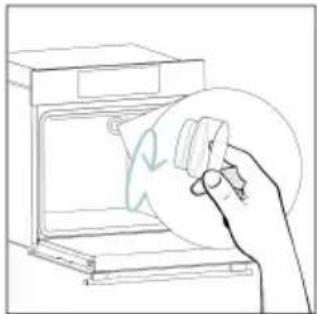
natural_image
Line drawing of a hand holding a circular object over an open oven (no text or symbols)Стъпка 6
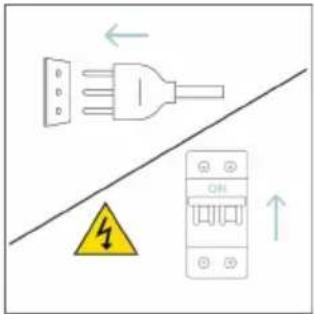
text_image
Diagram showing electrical connections with a plug, warning symbol, and circuit breaker componentstext_image
Safety warning diagram showing a plug connected to an electrical outlet with a warning symbol and downward arrow.Стъпка 2
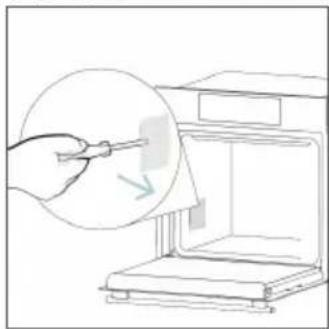
natural_image
Line drawing of a hand using a tool to clean or store items inside a microwave oven (no text or symbols)Стъпка 3
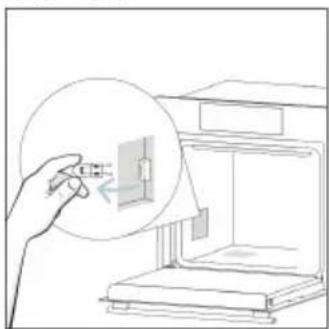
natural_image
Line drawing of a hand inserting a small component into an open storage unit (no text or symbols)Стъпка 4
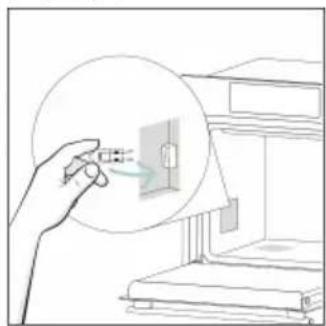
natural_image
Illustration of a hand holding a magnified view of an electrical outlet with a cable, next to a cabinet (no text or symbols)Стъпка 5
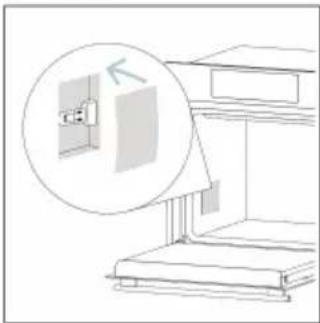
natural_image
Diagram showing a window mounted on a staircase with an inset magnified view of the wall (no text or symbols)Стъпка 6
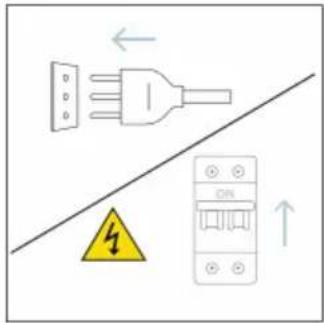
text_image
Electrical hazard warning diagram showing a plug and fuse with a warning symbol and electrical circuit breakertext_image
Illustration showing a kitchen appliance with steam rising and a hand cleaning the interior, alongside a chemical setup with H2O and a bottle.8.1. ИЗХВЪРЛЯНЕ НА УРЕДА
natural_image
Simple line drawing of a trash bin with crossed lines indicating no waste or discharge (no text or symbols)natural_image
Isometric line drawing of a multi-level cabinet or refrigerator with internal compartments and drawers (no text or symbols)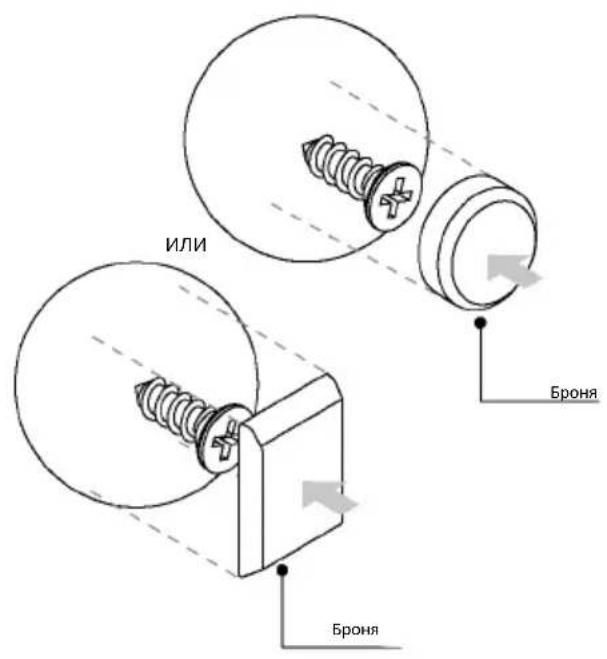
natural_image
Simple line drawing of a pen with a black arrow pointing downward (no text or symbols)text_image
Line drawing of a multi-level oven with numbered compartments for identification- Upravljačka ploča
- Brojevi položaja polica
- Rešetke
- Plitice
- Poklopac ventilatora
- Vrata pećnice
- Bočne žičane rešetke(ako postoje: samo za ravni prostor za pečenje)
- Serijski broj i QR kôd
natural_image
Empty white rectangle with a thin border (no text or symbols)natural_image
Line drawing of a multi-tiered storage unit with horizontal shelves and vertical supports (no text or symbols)natural_image
Illustration of a rectangular tray with internal compartments, placed inside a rack (no text or symbols)natural_image
Technical line drawing of a rectangular grid structure with 'STOP' annotations (no text or symbols on the diagram itself)natural_image
3D rendering of a rectangular tray or basin with internal partitioning lines, placed on a shelf (no text or symbols)Duboka ladica idealna je za recepte s dodanim tekućinama ili slojevima, kao što su složenci ili pečenja. Njena je dubina posebno dizajnirana kako bi hrana koja se u njenoj priprema imala željenu konzistentnost.
Teleskopske vodilice
natural_image
Line drawing of a bathroom sink with a bowl, sink tray, and wall-mounted fixtures (no text or symbols)Teleskopske vodilice u pećnici police su koje se mogu produljiti, što olakšava postavljanje i uklanjanje predmeta, bez potrebe za posezanjem duboko u vruću pećnicu. Poboljšavaju sigurnost, stabilnost i mogu se postaviti na različite razine.
Ladica H-Lab - način rada za roštilj
(samo ako postoji*)
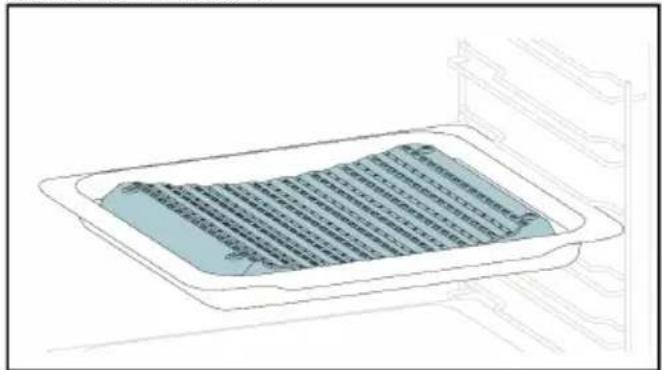
natural_image
Diagram of a rectangular tray with a blue patterned lid and grid lines, placed inside an appliance rack (no text or symbols)natural_image
Line drawing of a rooster on an induction cooktop, with steam rising from the pan (no text or symbols)Ražanj radi zajedno s gornjim grijaćim elemen tom, hrana se okretanjem peče ravnomjerno. Najbolje ga je upotrebljavati za hranu srednje veličine. Idealno za ponovno otkrivanje okusa tradicionalnog pečenja.
Šarke za postupno zatvaranje/otvaranje (samo ako je uređaj opremljen\*)
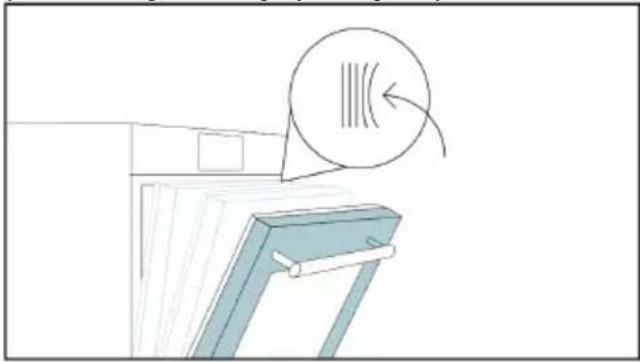
natural_image
Illustration of a cabinet with a circular arrow indicating airflow or motion (no text or symbols)Šarke za postupno zatvaranje i otvaranje upravljanju kretanjem vrata koja se zbog njih zatvaraju glatko, bez lupanja.
Ladica H-Lab - način rada s PAROM (samo ako postoji\*)
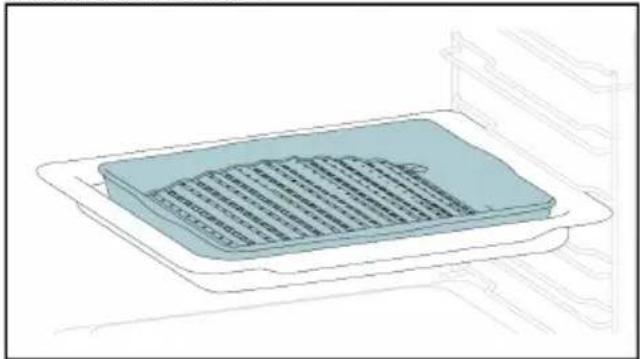
natural_image
Illustration of a rectangular appliance with a grid pattern on its side, placed inside an oven (no text or symbols)Konveksni oblik prikladan je za pečenje roštiljanje u pećnici na visokoj temperaturi (220°), omogućujući rezultate kao na roštilju čak i kod kuće, s malo dima zahvaljujući drenažnom djelovanju masti na dnu ladice.
Preci Probe (samo ako postoji\*)
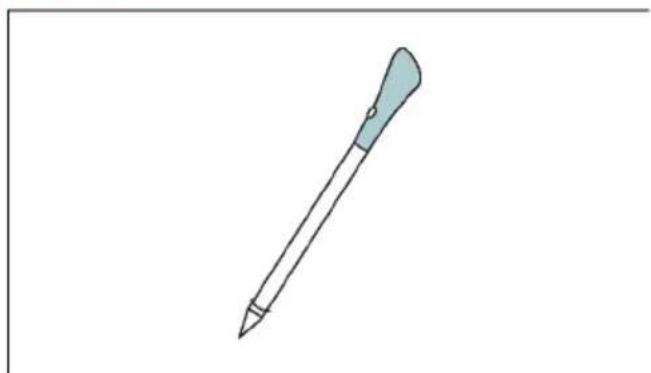
natural_image
Simple line drawing of a pen with a pointed tip and handle (no text or symbols)Ova sonda je senzor temperature koji, kada je postavljena u hranu i povezana s pećnicom putem kabela Bluetooth veze, omogućuje upravljanje unutarnjom temperaturom hrane tijekom njene pripreme. Uglavnom se koristi za ribu i meso.
Airfry tava (samo ako je uređaj opremljen*)
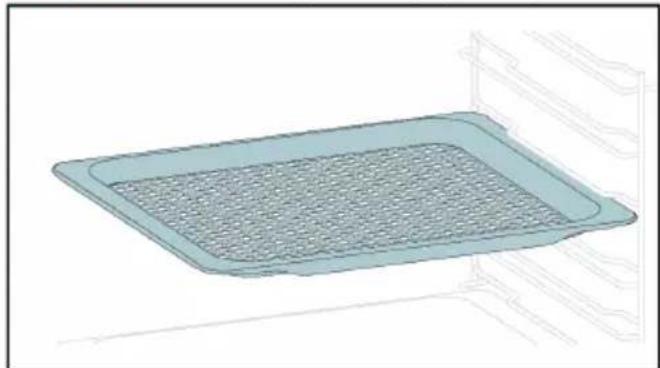
natural_image
3D rendering of a rectangular tray with mesh pattern inside, placed on a shelf (no text or symbols)text_image
Available on the App Store GET IT ON Google PlayREGISTRACIJA NOVOG KORISNIKA
• Kliknite na „Registriraj se”
- Možete se registrirati putem računa društvenih mreža ili se registrirati adresom osobne e-pošte
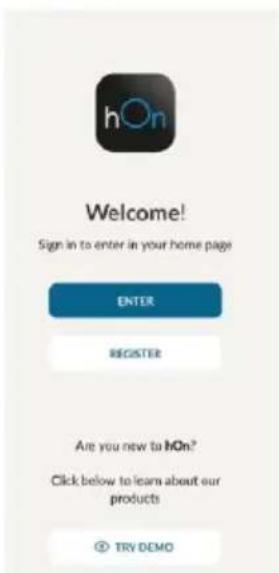
text_image
hOn Welcome! Sign in to enter in your home page ENTER REGISTER Are you new to hOn? Click below to learn about our products ② TRY DEMO
text_image
Do you already have a thousand passwords? Register with your social accounts and log is in the easiest and fastest way. SIGN UP WITH GOOGLE SIGN UP WITH APPLE SIGN UP WITH FACEBOOK 'New recommendations relating to you will be shared and we will not just something free you' OR SIGN UP WITH EMAIL Already registered? LOGINBRZA REGISTRACIJA ZA UPARIVANJE
1. korak
- Odaberite „Add appliance” (Dodaj uređaj).
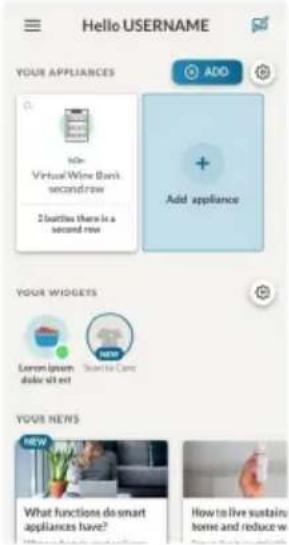
text_image
Hello USERNAME YOUR APPLIANCES ADD + Add appliance YOUR WIDGETS Current power double x8 net NEW Your NEWS What functions do smart appliances have? How to live sustain home and reduce w2. korak
text_image
Allow your location permission To enhance your experience, please allow location permission to hOn app in the next step. CONTINUE3. korak
- Odaberite pećnicu iz kategorije uređaja.
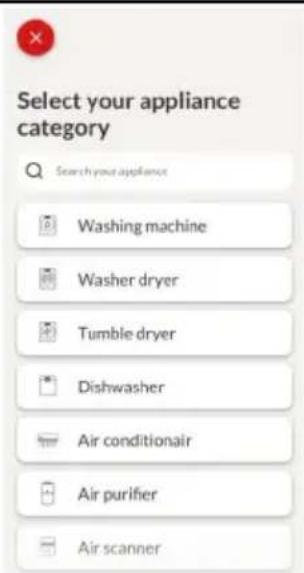
text_image
Select your appliance category Search your appliance Washing machine Washer dryer Tumble dryer Dishwasher Air conditionair Air purifier Air scanner4. korak
text_image
Turn OFF and then ON your appliance In case you can't switch OFF your appliance, unplug (for at least 10 seconds) and then plug its power supply. OK. I DID IT5. korak
text_image
Appliance connection Searching your appliance Don't turn off your Bluetooth. hOn app is looking for your appliance... 00:00:40 Stay close to your appliance in order to correctly capture the signal.Korak 6.1 - 6.2
- Odaberite kućanski uređaj, dodirnite „Connect” (Poveži se) i pričekajte nekoliko sekundi.
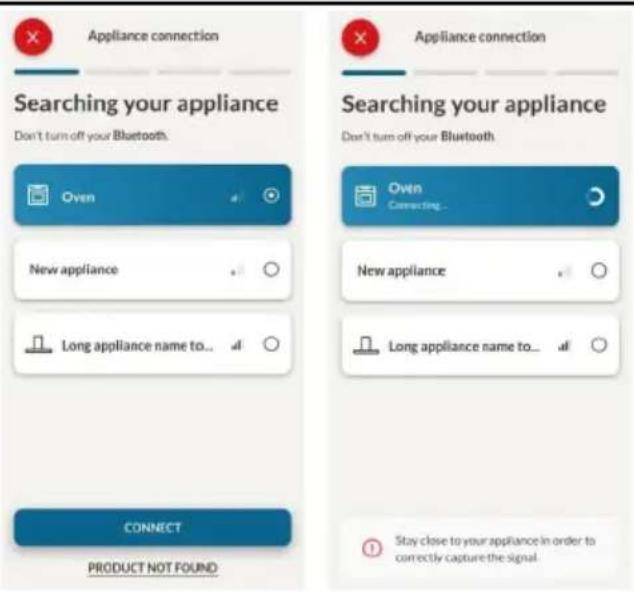
text_image
Appliance connection Searching your appliance Don't turn off your Bluetooth. Oven New appliance Long appliance name to... CONNECT PRODUCT NOT FOUND Appliance connection Searching your appliance Don't turn off your Bluetooth Oven Connecting... New appliance Long appliance name to... Stay close to your appliance in order to correctly capture the signal.7. korak
text_image
Your appliance has been correctly identified! Brand Hoover Model 31008486-7888-1824 Serial number 12345678-1234-1234 Is this your appliance? YES IT'S MY OVEN NO IT'S NOT
KAKO PROMIJENITI POSTAVKE WI-FI MREŽE
Nakon povezivanja uređaja, korisnik može odabrati sljedeće postavke Wi-Fi mreže:
- WIFI ON (UKLJUČI Wi-Fi): Stanje pećnice može se pratiti samo putem aplikacije.
- WIFI hOn: Pećnica se može koristiti isključivo putem aplikacije.
- WIFI OFF (ISKLJUČI Wi-Fi): Pećnica nije spojena, ali je i dalje registrirana sa spremljenim mrežnim vjerodajnicama.
-
WIFI RESET (RESETIRAJ Wi-Fi): Veza je ponovno uspostavljena i moguća je nova registracija.
-
Dodirnite O i uđi u izbornik Wi-Fi mreže. Na zaslonu se prikazuje „On” (Uključeno).
- Na zaslonu se prikazuje „On” (Uključeno).
- Koristite strelice dok se ne prikaže „Off“ (Isključeno) ili postavka za resetiranje „rSt”.
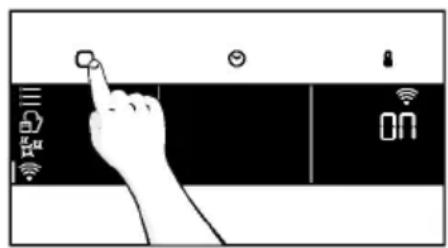
text_image
Hand interacting with a touchscreen device displaying icons for settings, battery, and status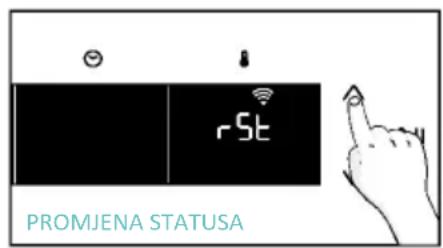
text_image
rSt PROMJENA STATUSA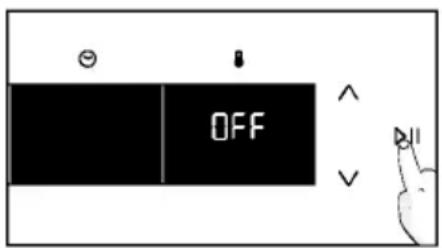
text_image
OFF
DALJINSKO UPRAVLJANJE
Daljinsko upravljanje nudi brojne prednosti za korisnike, povećava praktičnost, učinkovitost i cjelokupno iskustvo pripreme hrane i pružaj mogućnost upravljanja proizvodom izravno s uređaja i iz aplikacije hOn.
Ova funkcija omogućuje da putem uređaja uživate u raznim značajkama, kao što su: trenutno ili planirano pokretanje recepata ili programa kuhanja koji su već dostupni u aplikaciji; praćenje napretka vaših recepata u stvarnom vremenu; podešavanje korištenih parametara kuhanja; praćenje postupka kuhanja pomoću sonde. Nadalje, moguće je primati obavijesti nakon završetka programa ili recepata.
Daljinsko upravljanje možete aktivirati isključivo kada je proizvod registriran.
NAPOMENA: Dostupan je za sve funkcije kuhanja na proizvodu, osim za programe Gratiniranje, Roštilj i Supergrill.
text_image
Hand interacting with a touchscreen device displaying 'CON' and icons for function, status, and control buttons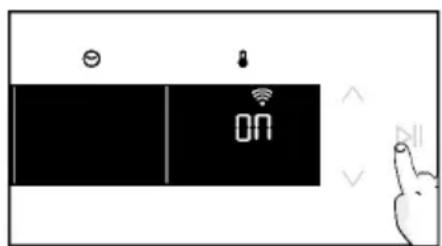
text_image
Diagram showing a device with ON/OFF status indicators and a hand gesture pointing to it, likely indicating navigation or notification.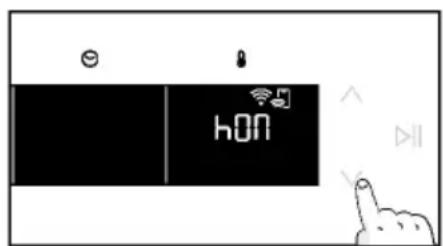
text_image
e hON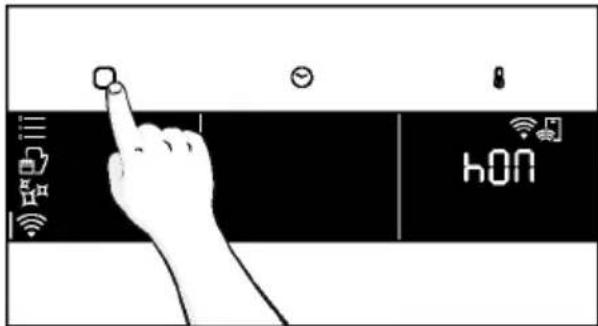
text_image
hONnatural_image
Line drawing of a kitchen appliance with a hand cleaning it, no text or symbols present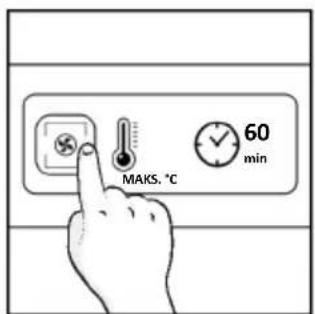
text_image
MAKS. °C 60 min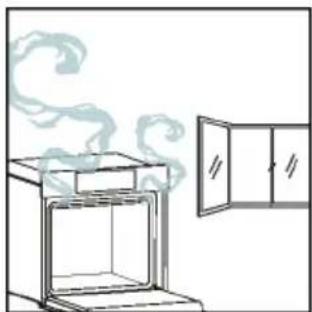
natural_image
Simple line drawing of an oven with steam rising, next to a cabinet (no text or symbols)4. UPOTREBA PROIZVODA
4.1. NAČIN RADA PROIZVODA
UKLJUČIVANJE/ISKLJUČIVANJE PEĆNICE
natural_image
Illustration of a hand interacting with a digital device displaying icons like lights, a lock, and Wi-Fi (no text or symbols present)IZBORNIK FUNKCIJA
Pristupite izborniku Funkcija pritiskom gumba

Za navigaciju dodirnite onoliko puta koliko je potrebno za unos sljedećih postavki:
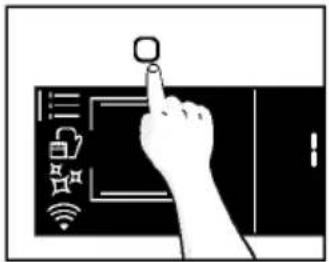
text_image
Diagram showing a hand pressing a button on a smartphone screen with icons for connectivity and security| Simbol | Funkcija | Opis |
 | GLAVNE FUNKCIJE | Ova funkcija omogućuje odabir željenog programa kuhanja strelicama. Dodirnite ☺ i ☺ za postavljanje vremena i temperature. Pritisnite ☺ za pokretanje funkcije. Želite li pauzirati program, ponovno kliknite. |
 | KATEGORIJE HRANE | U ovom izborniku strelicama možete pristupiti 4 kategorije hrane za kuhanje koje su već integrirane u pećnicu. Na zaslonu će se prikazati zadano vrijeme i temperatura. |
 | Wi-Fi | U ovom načinu rada možete spojiti pećnicu na mrežu i registrirati je pomoću aplikacije hOn. |
 | FUNKCIJE ČIŠĆENJA | Ova funkcija omogućuje odabir sustava čišćenja dostupnog na vašoj pećnici. |
Nakon odabira programa kuhanja, otvorite izbornik Vrijeme pritiskom na ☺ Za navigaciju dodirnite ☺ onoliko puta koliko je potrebno za unos sljedećih postavki:
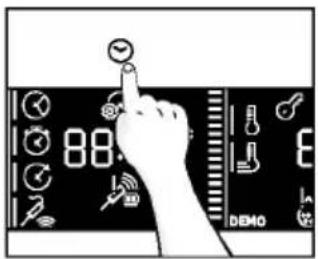
text_image
88 DEMO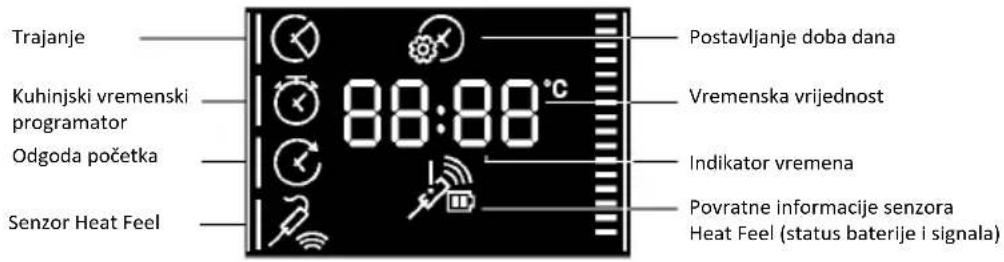
text_image
Trajanje Kuhinjski vremenski programator Odgoda početka Senzor Heat Feel Postavljanje doba dana 88:88°C Vremenska vrijednost Indikator vremena Povratne informacije senzora Heat Feel (status baterije i signala)NAPOMENA: nije moguće postaviti nekoliko parametara istovremeno, stoga u memoriji ostaje samo posljednji, a prethodni se briše.
| Simbol | Funkcija | Opis |
 | a) TRAJANJE KUHANJA | Omogućuje se prethodno postavljanje vremena kuhanja za odabrani recept.Pritisnite ☺ za ulazak u izbornik Vrijeme. Dodirnite ☺ onoliko puta koliko je potrebno za odabir funkcije „Trajanje kuhanja”. Zatim strelicama postavite vrijednosti i pritisnite ▶II za potvrdu. Odbrojavanje počinje po završetku zagrijavanja (ako je uređaj opremljen). Tijekom faze kuhanja moguće je promijeniti trajanje pritiskom gumba ☺ i korištenjem strelica. Po isteku vremena, na se prikazuje „End” (Završetak) i kuhanje se zaustavlja. |
 | b) TAJMER | Omogućuje upotrebu pećnice kao budilice.Pritisnite ☺ za ulazak u izbornik Vrijeme. Dodirnite ☺ onoliko puta koliko vam je potrebno za odabir funkcije „Tajmer”. Zatim strelicama postavite vrijednosti i pritisnite ▶II za potvrdu.Tijekom faze kuhanja moguće je promijeniti trajanje pritiskom gumba ☺ korištenjem strelica. Zatim pritisnite ▶II za ponovno pokretanje kuhanja. Po isteku vremena, kuhanje se nastavlja dok se ručno ne prekine.Ovu funkciju možete postaviti i kad je pećnica u stanju pripravnosti pritiskom gumba ☺ kad je uključena, tajmer radi neovisno o funkcijama kuhanja. |
 | c) ODGODA POČETKA | Omogućuje odabir vremena početka kuhanja.Pritisnite ☺ za ulazak u izbornik Vrijeme. Dodirni ☺ onoliko puta koliko ti je potrebno za odabir funkcije „Delay start” (Odgoda početka). Zatim strelicama postavite vrijednosti i pritisnite ▶II za potvrdu.NAPOMENA: Odgoda početka moguća je tek nakon postavljanja trajanja kuhanja i nije dostupna zajedno s funkcijama roštilja |
a. TRAJANJE KUHANJA

a. TAJMER

a. ODGODA POČETKA

IZBORNIK TEMPERATURE
Nakon odabira programa pečenja, otvorite izbornik Temperatura pritiskom na ⚠. Za navigaciju dodirnite ⚡ onoliko puta koliko je potrebno za unos sljedećih postavki:
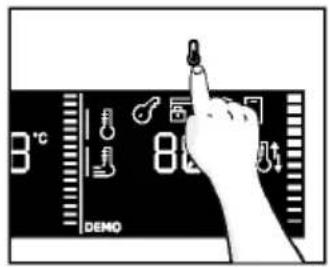
text_image
3°C 80°C DEMO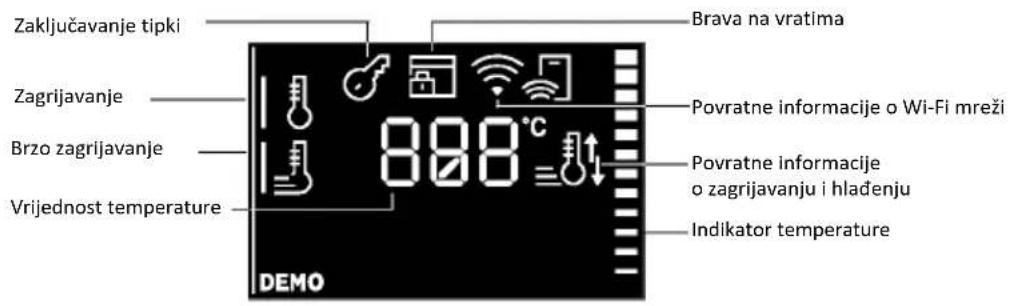
text_image
Zaključavanje tipki Zagrijavanje Brzo zagrijavanje Vrijednost temperature 888°C Brava na vratima Povratne informacije o Wi-Fi mreži Povratne informacije o zagrijavanju i hlađenju Indikator temperature DEMO| Simbol | Funkcija | Opis |
 | TEMPERATURA | Pritisnite ☐za postavljanje temperature i strelicama odaberite vrijednost. |
 | BRZO ZAGRIJAVANJE | Pritisnite dvaput ☐za brzo podešavanje temperature. |
DODATNA FUNKCIJA
| Simbol | Funkcija | Opis |
 | ZAKLJUČAVANJE ZA ZAŠTITU DJECE | 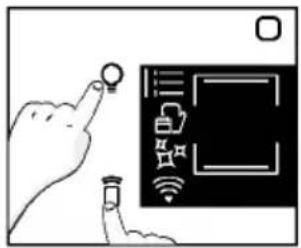 Ova funkcija omogućuje zaključavanje zaslona kako bi se maloljetnicima onemogućila neželjena upotreba uređaja. Da biste ga aktivirali, istodobno pritisnite tipke Lamp i Remote Control na 3 sekunde. Na korisničkom sučelju pojavit će se ikona s ključem. U tom stanju korisničko sučelje pećnice je zaključano i ne može se mijenjati postavke.Za isključivanje sigurnosne blokade za djecu ponovno pritisnite tipke Lamp i Remote Control na 3 sekunde (ikona s ključem će nestati). Ova funkcija omogućuje zaključavanje zaslona kako bi se maloljetnicima onemogućila neželjena upotreba uređaja. Da biste ga aktivirali, istodobno pritisnite tipke Lamp i Remote Control na 3 sekunde. Na korisničkom sučelju pojavit će se ikona s ključem. U tom stanju korisničko sučelje pećnice je zaključano i ne može se mijenjati postavke.Za isključivanje sigurnosne blokade za djecu ponovno pritisnite tipke Lamp i Remote Control na 3 sekunde (ikona s ključem će nestati). |
4.2. FUNKCIJE KUHANJA
OPCIJA BRZOG ZAGRIJAVANJA
Kako biste ubrzali fazu zagrijavanja, možete odabrati opciju brzog zagrijavanja pritiskom ikone temperature na 3 sekunde nakon odabira programa kuhanja i temperature. Ova opcija aktivirat će kombinaciju ventilatora i grijaćih elemenata bez obzira na odabranu funkciju kuhanja. Kako biste uštedjeli energiju kada je uključeno brzo zagrijavanje, lampica će se ISKLJUČITI dok pećnica ne dosegne željenu temperaturu
4.2.1. STANDARDNE FUNKCIJE

natural_image
Line drawing of an oven with cooling rack and tray (no text or symbols)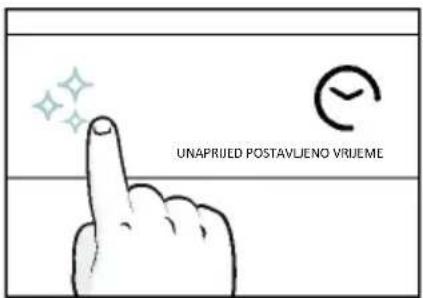
text_image
UNAPRIJED POSTAVLJENO VRIJEME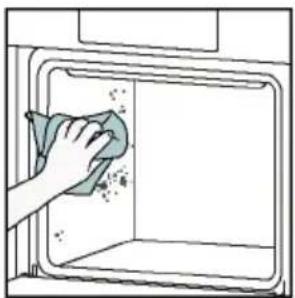
natural_image
Illustration of a hand cleaning a window with a cloth (no text or symbols)Aquactiva
Funkcija Aquactiva dizajnirana je za lako uklanjanje lagane prljavštine, brzo je i ekološki prihvatljivo rješenje za čišćenje unutrašnjosti pećnice snagom pare.
Kako funkcionira:
- Ulijte 100 ml vode s kapljicom tekućine za pranje suđa u donje izbočenje pećnice.
- Okrenite birač na ✅. Ako je potrebno, okrenite birač za podešavanje programa Hydro Clean. Pričekajte da funkcija odradi svoj posao tijekom postavljenog vremena.
- Po završetku postupka čišćenja, pričekajte da se pećnica ohladi.
-
Kad se uređaj ohladi, očistite unutarnje površine pećnice krpom.
-
UPOZORENJE: Provjerite je li se uređaj ohladio prije nego ga dodirnete. Vodite računa o svim vrućim površinama jer postoji opasnost od opeklina. Koristite destiliranu ili pitku vodu. Obrišite odjeljak za kuhanje i ostavite da se potpuno osuši kako biste izbjegli moguću koroziju.
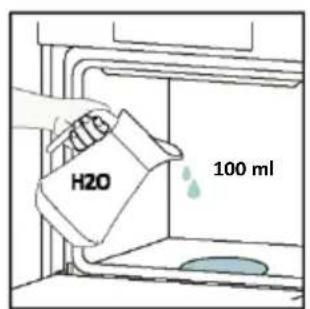
text_image
H2O 100 ml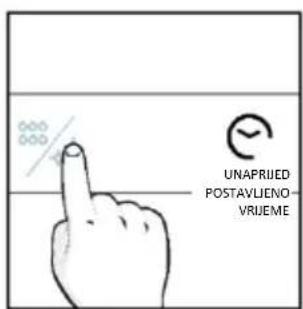
text_image
UNAPRIJED POSTAVLIENO- VRJEME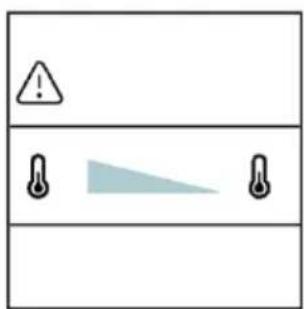
text_image
Warning symbol with exclamation mark and two temperature sensors below, likely indicating a hazard or alert condition.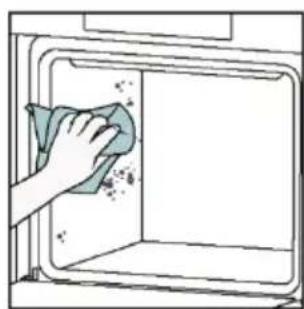
natural_image
Hand cleaning a kitchen appliance with a cloth (no text or symbols visible)Katalitičko čišćenje
Katalitičke ploče oblažu pećnicu i pružaju vam luksuz da se ne morate boriti s prljavom pećnicom. Ploče su obložene specijaliziranim emajlom koji se diči mikroporoznom strukturom, vještom u apsorpciji masnih ostataka prskanja.
Katalitičkom kemijskom reakcijom učinkovito pretvaraju apsorbiranu mast u plinovite elemente kada su izloženi visokim temperaturama.
natural_image
Line drawing of a box with two hands holding it, no text or symbols present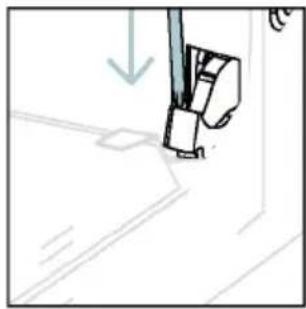
natural_image
Simple line drawing of a sewing machine needle with a downward arrow indicating compression (no text or symbols)text_image
Diagram showing hand positioning of a tool with numbered parts and directional arrows indicating movementnatural_image
Pure technical line drawing of a mechanical joint or bracket (no text or symbols)- UPOZORENJE Vanjsko staklo ne može se ukloniti.
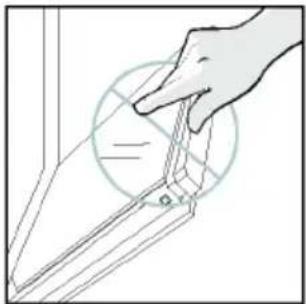
natural_image
Line drawing of a hand holding a tool over a surface, with no visible text or symbols- Očistite staklo mekom krpom i odgovarajućim sredstvima za čišćenje.
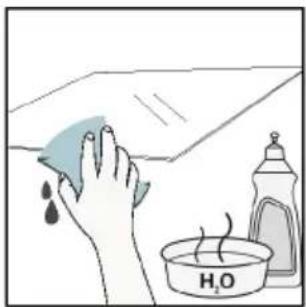
natural_image
Illustration of a hand cleaning a surface with a cloth and a water bottle, no text or symbols presenttext_image
PYRO ILI LOW-Enatural_image
Technical line drawing of a mechanical bracket or hinge assembly (no text or symbols)- Zatim vratite vrata na 90° i zakrenite jezičke za zaključavanje šarki tako da gledaju prema unutrašnjosti pećnice.
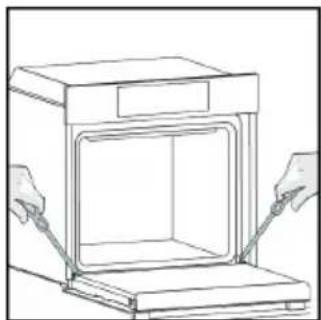
natural_image
Line drawing of a box being opened with two hands, no text or symbols present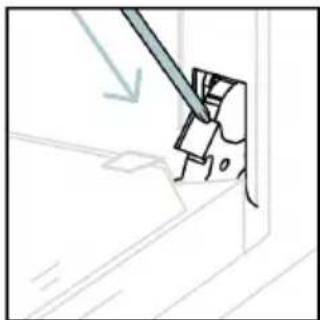
natural_image
Simple line drawing of a mechanical component with a tool, no text or symbols present6.3. ČIŠĆENJE PRIBORA
Nakon svake upotrebe temeljito očistite pribor i osušite ga ručnikom. Tvrdokorne je ostatke na priboru pribora možda najbolje namočiti u mješavini vode i sapuna otprilike 30 minuta prije drugog pranja.
ČIŠĆENJE BOČNIH REŠETKI:
- Model sa 6 razina
- Uklonite bočne rešetke povlačenjem u smjeru strelica.
- Žičane rešetke prilikom čišćenja stavite u perilicu posuđa ili upotrijebite mokru spužvu, a zatim ih obavezno osušite.
- Nakon postupka čišćenja postavite bočne police obrnutim redoslijedom
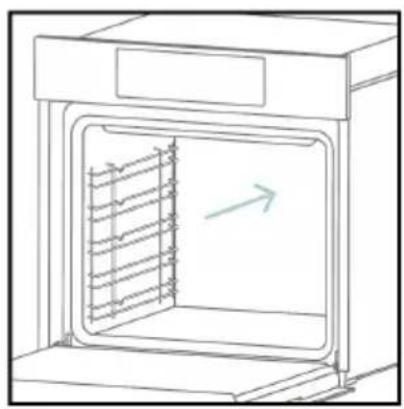
natural_image
Line drawing of an oven with internal rack structure and a green arrow indicating direction (no text or symbols)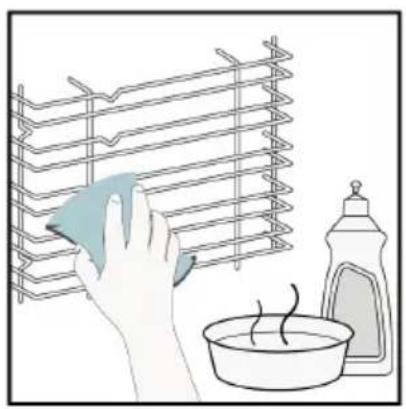
natural_image
Illustration of a hand cleaning a rack with a cloth, next to a bowl and a spray bottle (no text or symbols)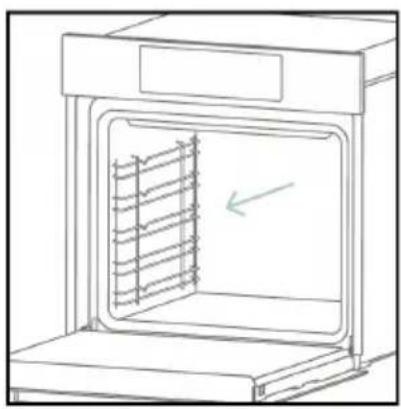
natural_image
Line drawing of an oven with a rack inside, showing internal structure and a green arrow indicating direction (no text or symbols)6.4. ODRŽAVANJE
ZAMJENA DIJELOVA
text_image
Diagram showing a plug connected to an electrical panel with a warning symbol and directional arrows indicating current flow.- korak
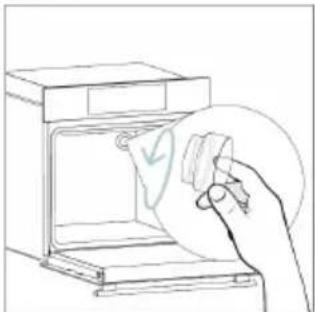
natural_image
Line drawing of a hand inserting a card into an oven (no text or symbols)- korak
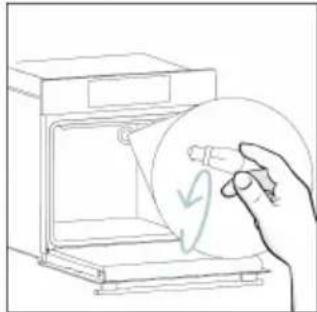
natural_image
Line drawing of a hand holding a circular object inside an open appliance (no text or symbols)- korak
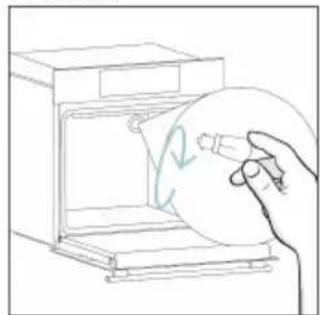
natural_image
Line drawing of a hand holding a circular object inside an oven (no text or symbols)- korak
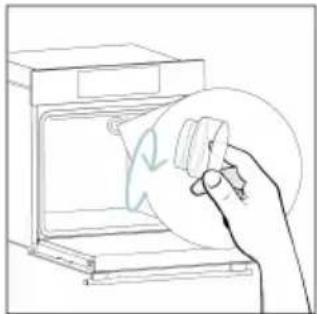
natural_image
Line drawing of a hand holding a circular object over an open oven (no text or symbols)- korak
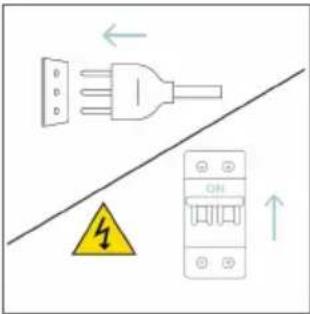
text_image
Diagram showing electrical connections with a plug, warning symbol, and circuit breaker componentstext_image
Safety warning diagram showing a plug connected to an electrical outlet with a warning symbol and 'OFF' label- korak
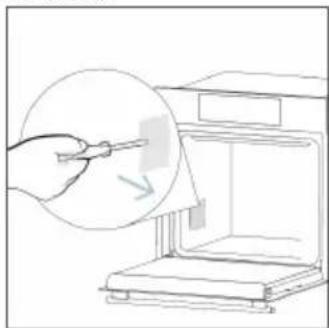
natural_image
Line drawing of a hand using a tool to clean or store items from a machine (no text or symbols)- korak
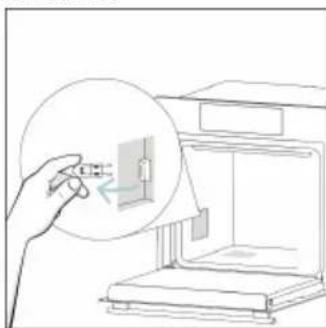
natural_image
Line drawing of a hand inserting a component into an open device (no text or symbols)- korak
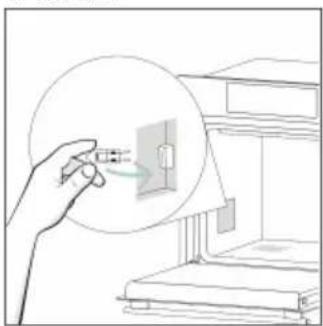
natural_image
Illustration of a hand holding a small electronic component with a magnified inset showing internal structure (no text or symbols)- korak
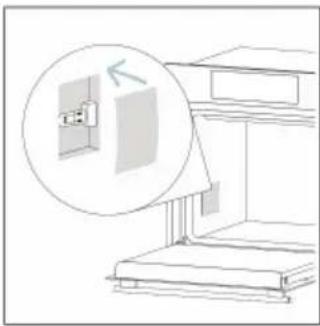
natural_image
Diagram of a staircase with an inset showing a window and a magnified view of the wall (no text or symbols)- korak
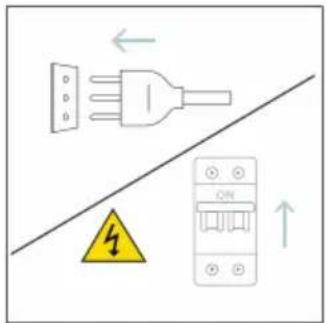
text_image
Diagram showing electrical grounding symbols including a plug, warning symbol, and circuit breaker with Chinese labelstext_image
Diagram showing two steps of a kitchen or oven cleaning process: before and after installation, with warning symbol and labeled components.8.1. ZBRINJAVANJE UREĐAJA
Ovaj uređaj označen je u skladu s Direktivom 2012/19/EZ o otpadnoj električnoj i elektroničkoj opremi (OEEO). Otpadna električna i elektronička oprema sadrži onečišćujuće tvari (koje mogu imati negativan učinak na okoliš) i bazne elemente (koji se mogu ponovno upotrijebiti). Važno je posebno obraditi otpadnu električnu i elektroničku opremu da bi se ispravno uklonili i odložili onečišćivači i vratili svi materijali.
natural_image
Symbol of a trash bin with crossed lines indicating no waste or discharge, and a solid black rectangle below (no text or labels)Pojedinci mogu imati važnu ulogu u postizanju cilja da otpadna električna i elektronička oprema ne postane ekološki problem. Treba se pridržavati nekoliko osnovnih pravila:
natural_image
Isometric line drawing of a multi-level cabinet or refrigerator with internal compartments and drawers (no text or symbols)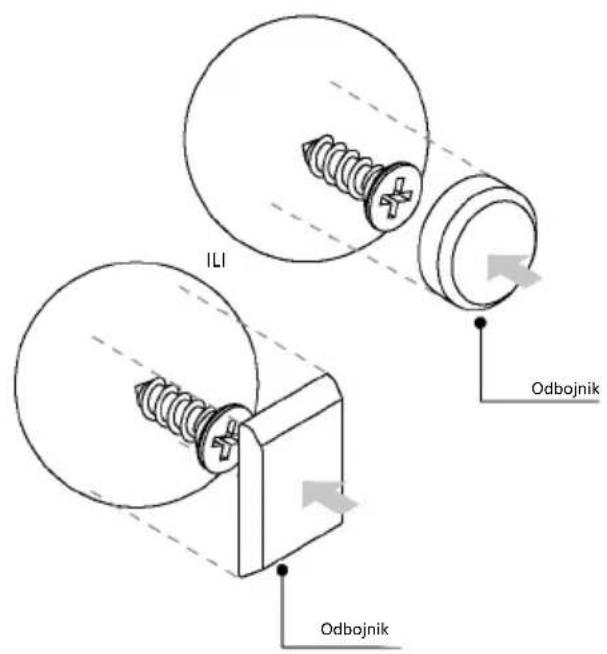
text_image
ILI Odbojnik Odbojnik
70050253
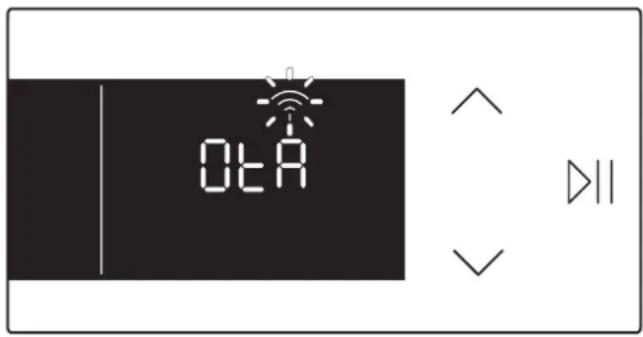
text_image
0tA ▷||(EN) Thanks to the "Over The Air" technology, you can effortlessly keep your oven up-to-date with the latest features.
If available, once the oven is connected to the app and no cooking functions are active, the update will automatically initiate. "OtA" will appear on the display, the Wi-Fi icon will blink, and all product commands will be temporarily unavailable. This process may take a few minutes, so please do not disconnect or unplug the oven during this time. Once the update is complete, "12:00" will blink on the display. Simply reset the time and start cooking!