
CoolFun SC 30B - Refrigerator DOMETIC - Free user manual and instructions
Find the device manual for free CoolFun SC 30B DOMETIC in PDF.
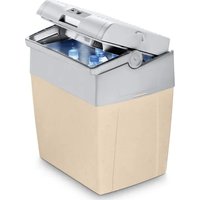


| Product type | Thermoelectric cooler |
| Brand | Dometic |
| Model | CoolFun SC 30B |
| Category | Refrigerator / Heater |
| Dimensions (W x H x D) | 396 x 296 x 445 mm |
| Weight | 4.3 kg |
| Gross capacity | 30 L |
| Net capacity | 29 L |
| Power supply | 12 V DC and 230 V AC (50/60 Hz) |
| Power consumption (12 V DC cooling) | 47 W |
| Power consumption (12 V DC heating) | 39 W |
| Power consumption (230 V AC cooling) | max. 55 W |
| Power consumption (230 V AC heating) | 39 W |
| Cooling performance | up to 18 °C below ambient temperature |
| Heating performance | up to 65 °C |
| Climate class | ST (16 to 38 °C) |
| Energy efficiency class | A++ |
| Annual energy consumption | 66 kWh/year |
| Noise emission | 39 dB |
| USB port | Yes (5 V/500 mA) for charging small devices |
| Operating modes | ECO and MAX (on AC power) |
| Functions | Cooling and heating (selectable) |
| Intended use | Camping, mobile, domestic, catering, etc. |
| Required ventilation | 50 mm clearance around the appliance |
| Maintenance | Clean inside and outside with a damp cloth; do not immerse |
| Safety | Circuit breaker (fuse) in the DC connector; do not use near flames |
| Package contents | Cooler, DC cable, AC cable, user manual |
Frequently Asked Questions - CoolFun SC 30B DOMETIC
User questions about CoolFun SC 30B DOMETIC
0 question about this device. Answer the ones you know or ask your own.
Ask a new question about this device
Download the instructions for your Refrigerator in PDF format for free! Find your manual CoolFun SC 30B - DOMETIC and take your electronic device back in hand. On this page are published all the documents necessary for the use of your device. CoolFun SC 30B by DOMETIC.
USER MANUAL CoolFun SC 30B DOMETIC
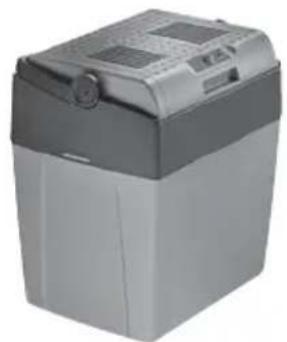
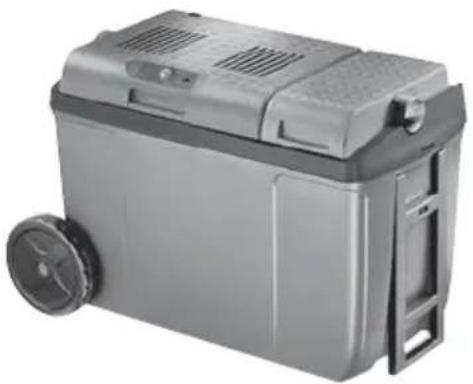
SC26, SCT26, SC30, SC30B, SC38
EN Thermoelectric cooler
Operating manual....6
4 ABC
Please read this manual carefully before starting the device. Keep it in a safe place for future reference. If the device is passed on to another person, this manual must be handed over to the user along with it.
The manufacturer cannot be held liable for damage resulting from improper usage or incorrect operation.
Contents
1 Explanation of symbols....6 2 Safety instructions....7 3 Scope of delivery 9 4 Intended use....10 5 Technical description ....10 6 Operation 12 7 Cleaning and maintenance....15 8 Guarantee....16 9 Troubleshooting....16 10 Disposal....17 11 Technical data....17
1 Explanation of symbols

WARNING!
Safety instruction: Indicates a hazardous situation that, if not avoided, could result in death or serious injury.

CAUTION!
Safety instruction: Indicates a hazardous situation that, if not avoided, could result in minor or moderate injury.

NOTICE!
Indicates a situation that, if not avoided, can result in property damage.

NOTE
Supplementary information for operating the product.
2 Safety instructions
2.1 General safety

WARNING! Failure to obey these warnings could result in death or serious injury.
Electrocution hazard
- Do not operate the cooling device if it is visibly damaged.
- If this cooling device's power cable is damaged, it must be replaced by the manufacturer, customer service or a similarly qualified person in order to prevent safety hazards.
- This cooling device may only be repaired by qualified personnel. Improper repairs can lead to considerable hazards.
Health hazard
- This device can be used by children aged from 8 years and above and persons with reduced physical, sensory or mental capabilities or lack of experience and knowledge if they have been given supervision or instruction concerning use of the device in a safe way and understand the hazards involved. Children shall not play with the device.
- Cleaning and user maintenance shall not be made by children without supervision.
- Children aged from 3 to 8 years are allowed to load and unload cooling devices.
Explosion hazard
Do not store any explosive substances such as spray cans with a flammable propellant in the cooling device.

CAUTION! Failure to obey these cautions could result in minor or moderate injury.
Electrocution hazard
- Disconnect the cooling device from the power supply – before each cleaning and maintenance – after every use
Health hazard
- Food may only be stored in its original packaging or in suitable containers.

NOTICE! Damage hazard
- Check that the voltage specification on the type plate corresponds to that of the energy supply.
- Only connect the cooling device as follows: - With the DC connection cable to a DC power supply in the vehicle - Or with the AC connection cable to an AC power supply
- Never pull the plug out of the socket by the cable.
- If the cooling device is connected to a DC outlet: Disconnect the cooling device and other power consuming devices from the battery before connecting a quick charging device.
- If the cooling device is connected to a DC outlet: Disconnect the cooling device or switch it off when you turn off the engine. Otherwise you may discharge the battery.
- The cooling device is not suitable for transporting caustic materials or materials containing solvents.
2.2 Operating the cooling device safely

CAUTION! Failure to obey these cautions could result in minor or moderate injury.
Electrocution hazard
- Before starting the cooling device, ensure that the power supply line and the plug are dry.
Health hazard
- Opening the door for long periods can cause significant increase of the temperature in the compartments of the device.
- Clean regularly surfaces that can come in contact with food and accessible drainage systems.
- Store raw meat and fish in suitable containers in the device, so that it is not in contact with or drip onto other food.
- If the device is left empty for long periods:
- Switch off the device.
- Defrost the device. – Clean and dry the device.
- Leave the door open to prevent mould developing within the device.

NOTICE! Damage hazard
- Do not use electrical devices inside the cooling device unless they are recommended by the manufacturer for the purpose.
- Do not place the cooling device near naked flames or other heat sources (heaters, direct sunlight, gas ovens etc.).
- Risk of overheating!
Ensure at all times that there is a minimum of 50 mm ventilation on all four sides of the cooling device. Keep the ventilation area free of any objects that could restrict the air flow to the cooling components.
Do not place the cooling device in closed compartments or areas with none or minimal air flow.
- Ensure that the ventilation openings are not covered.
- Do not fill the inner container with ice or fluids.
- Never immerse the cooling device in water.
- Protect the cooling device and cables against heat and moisture.
Quantity Description
1 Thermoelectric cooler
1 Instruction manual
4 Intended use
The cooling device can be used to cool (SC26, SCT26, SC30, SC30B, SC38) and keep foodstuffs warm (only SC30, SC30B, SC38). It is possible to change between the heating and cooling operation by means of a switch (only SC30, SC30B, SC38).
The device can be connected as follows:
- SC26: to 12 V= • SCT26: to 12 V--- or to 24 V--- • SC30, SC30B, SC38: to 12 V== or to 230 V\~
The cooling device is intended to be used in household and similar applications such as
- staff kitchen areas in shops, offices and other working environments
- farm houses
- clients in hotels, motels and other residential type environments • bed and breakfast type environments • catering and similar non-retail applications
The appliance may also be used for camping use. The appliance shall not be exposed to rain.

CAUTION! Health hazard!
Please check if the cooling capacity of the device is suitable for storing the food or medicine you wish to cool.
5 Technical description
The cooler is suitable for mobile use. You can cool products to a maximum of 18 °C below the ambient temperature (SC26, SCT26, SC30, SC30B, SC38) or warm them to a maximum of 65 °C (SC30, SC30B, SC38).
Its cooling system is a non-wearing Peltier cooling, the heat is discharged by a fan.
5.1 Control elements
| No. in fig. 2, page 3 | Description |
| 1 USB port for power supply | |
| 2 Connection cable for DC connection | |
| 3 Connection cable for AC connection | |
| 4 Ventilation slots | |
| 5 C o l d / h | |
| 6 Cooling capacity control | |
| 7 Handle | |
Only SC30, SC30B, SC38
The desired mode is selected with the cold/hot switch (fig. 2 5, page 3).
When the cooler is connected to an AC mains supply, it can be used in two different operating modes:
• ECO mode: the cooler consumes less energy - MAX mode: the cooler reaches maximum cooling capacity
The desired cooling capacity is selected with the cooling capacity control (fig. 2 6, page 3):
▶ To increase the cooling capacity, turn the cooling capacity control clockwise. For the maximum cooling capacity turn the cooling capacity control clockwise all the way to the stop (MAX position).
To decrease the cooling capacity, turn the cooling capacity control counterclockwise.
To turn off the cooler, turn the cooling capacity control counterclockwise all the way to the stop (OFF position).
When the cooler is connected to the DC socket, the cooling capacity cannot be adjusted.
6 Operation

WARNING! Fire hazard!
- When positioning the device, ensure the supply cord is not trapped or damaged.
- Do not locate multiple portable socket-outlets or portable power supplies at the rear of the device.

CAUTION! Health hazard!
Food may only be stored in its original packaging or in suitable containers.

NOTICE! Risk of damage
- Ensure that the objects placed in the cooler are suitable for cooling to the selected temperature.
- Ensure that food or liquids in glass containers are not excessively refrigerated. Liquids expand when they freeze and can therefore destroy the glass containers.
- Ensure that your cooler is well ventilated so that any heat created can dissipate. Otherwise proper functioning cannot be ensured. It is especially important not to cover the air vents.

NOTE
- Before starting your new cooling device for the first time, you should clean it inside and outside with a damp cloth for hygienic reasons (please also refer to the chapter “Cleaning and maintenance” on page 15).
- A few water drops may form inside the cooler if it has been cooling for a lengthy period. This is normal because the moisture in the air condenses to water when the temperature in the cooler falls. The cooler is not defective. Wipe it out with a dry cloth if necessary.
- If the handle is folded back or if the cooler is being carried, the lid is locked. You can only open the lid when the handle is folded forwards.
6.1 Energy saving tips
- Choose a well ventilated location which is protected from direct sunlight.
- If you want to set an increased energy efficiency and a limited cooling capacity for the cooler device, use the device's ECO mode.
- Allow warm food to cool down first before placing it in the cooling device to keep cool.
- Do not open the cooling device more often than necessary.
- Do not leave the cooling device open for longer than necessary.
6.2 Mounting the wheels (only SC38)
Mount the wheels as shown to the cooling device (fig. 3, page 4).
6.3 Using the cooler in DC mode

NOTE
If you connect the cooler to the cigarette lighter of your vehicle, remember that the ignition must be turned on to supply it with power.
Place the device on a firm base. Connect the DC connection cable to the cigarette lighter or the DC socket in the vehicle.
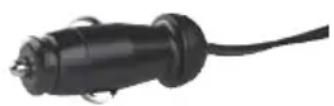
The device starts cooling/heating the interior. To switch off the cooling device, disconnect the DC connection cable.
6.4 Using the cooler in AC mode (only SC30, SC30B, SC38)
Place the device on a firm base. Connect the AC cable to the AC mains supply.
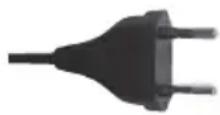
Turn the cooling capacity control (fig. 2 6, page 3) to the desired position. Push the cold/hot switch (fig. 2 5, page 3) to the position "Cold" (cooling) or "Hot" (heating) to switch the device on. The device starts cooling/heating the interior.
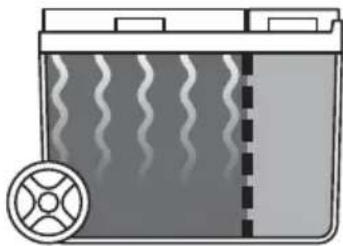
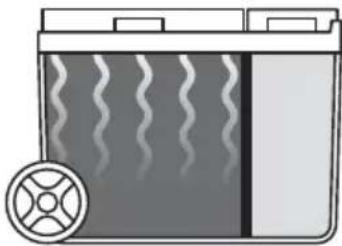
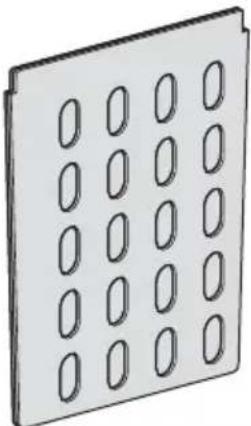
6.5 Divide the interior (only SC38)
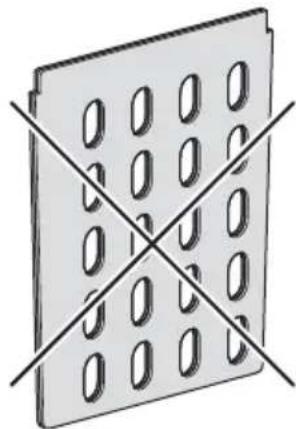
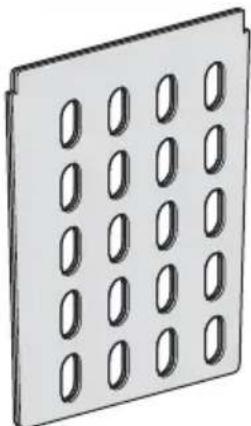
You can divide the interior of the refrigerator as follows (fig. 4, page 4):
- No partition grille (A): Both coolers are actively cooled or heated.
- Open partition grille (B): The large cooling compartment is actively cooled or heated. The small cooling compartment is less cooled or heated.
- Closed partition grille (C): The big cooling compartment is actively cooled or heated. The small refrigerator compartment is passively cooled or heated.

NOTE
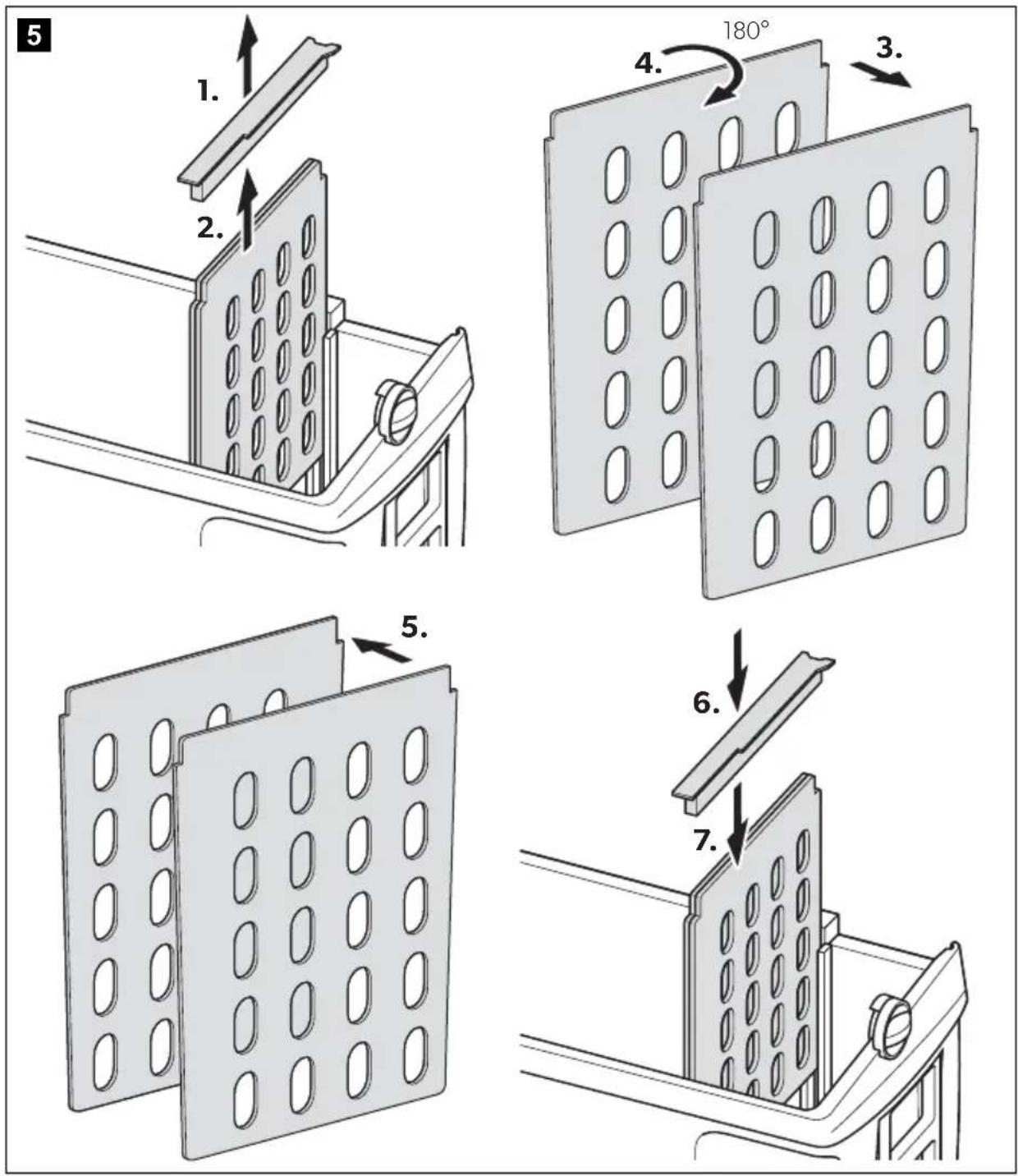
Mount the bar, even if you operate the cooling device without partition grille, so that the lids can close properly.
Mount the partition grille as shown (fig. 5, page 5).
6.6 USB port for power supply
The USB port (fig. 2 1, page 3) allows you to charge small devices like mobile phones and mp3-players.
Using the USB port does not affect the cooling performance.

NOTICE!
Ensure that any device connected to the USB port is compatible with 5 V/500 mA operation.
Proceed as follows (fig. 2, page 3):
▶ Connect the DC connection cable (2) or the AC connection cable (3) of the cooling device to the power supply. ▶ SC30, SC30B, SC38: Turn the cooling capacity control (6) to the "MAX" position. ▶ Connect your device to the USB port (1).
7 Cleaning and maintenance

WARNING! Electrocution hazard
Always disconnect the device from the power supply before you clean and service it.

NOTICE! Risk of damage
- Never clean the cooler under running water or in dish water.
- Do not use abrasive cleaning agents or hard objects during cleaning as these can damage the cooler.
▶ Occasionally clean the device interior and exterior with a damp cloth. ▶ Make sure that the air inlet and outlet vents on the device are free of any dust and dirt, so that heat can be released and the device is not damaged.
8 Guarantee
The statutory warranty period applies. If the product is defective, please contact the manufacturer's branch in your country (see the back of the instruction manual for the addresses) or your retailer.
For repair and warranty processing, please include the following documents when you send in the device:
• A copy of the receipt with purchasing date - A reason for the claim or description of the fault
9 Troubleshooting
| Problem Possible cause Suggested remedy | ||
| Your device is not working (plug is inserted). | There is no voltage flowing in the DC socket in your vehicle. | The ignition must be switched on in most vehicles to apply current to the DC socket. |
| No voltage present in the AC voltage socket. | Try using another plug socket. | |
| The inner fan or the cooling element is defective. | This can only be repaired by an authorised repair centre. | |
| When operating from the DC socket:The ignition is on and the cooler is not working. | The fuse of the DC plug is dirty. This results in a poor electrical contact. | If the plug of your cooler becomes very warm in the DC socket fitting, either the fitting must be cleaned or the plug has not been assembled correctly. |
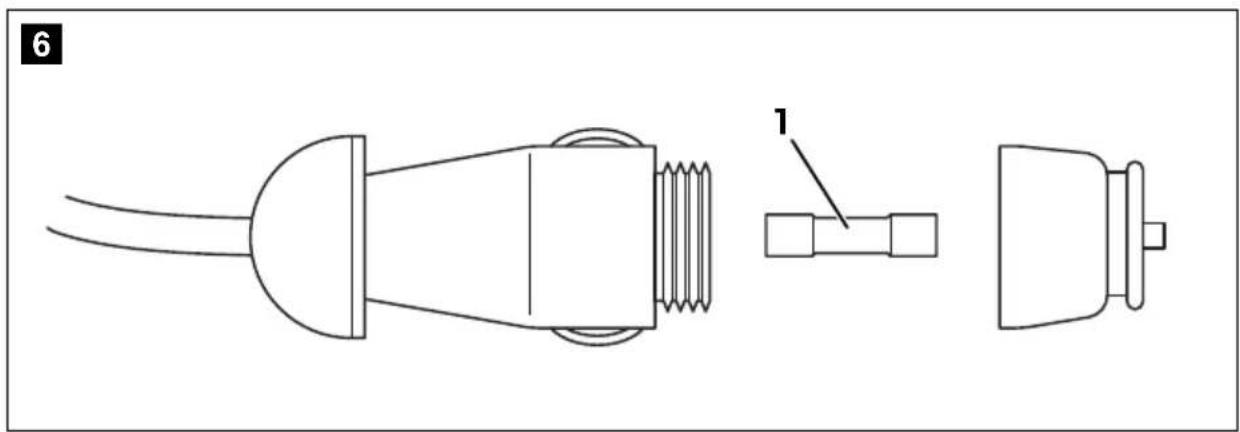
| The fuse of the DC plug has blown. | Replace the fuse (fig. 6 1, page 5) of the DC plug with one of the same rating. | |
| The vehicle fuse has blown. | Replace the vehicle's DC socket fuse (usually 15 A). Please refer to the operating manual of your vehicle. | |
10 Disposal
▶ Place the packaging material in the appropriate recycling waste bins wherever possible.
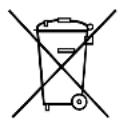
If you wish to finally dispose of the product, ask your local recycling centre or specialist dealer for details about how to do this in accordance with the applicable disposal regulations.
11 Technical data
| CoolFun SC26 CoolFun SCT26 | ||
| Ref. number: 9600000484 9600000485 | ||
| Connection voltage: | 12 V--- | 12/24 V |
| Power consumption: | 47 W | 47 W (12 V---)55 W (24 V---) |
| Cooling capacity: | max. 18 °C under ambient temperature | |
| Gross capacity: | 25 l | 26 l |
| Usable capacity: | 24 l | 25 l |
| Climate class: | N | |
| Ambient temperature: | +16 °C - +32 °C | |
| Dimensions(W x H x D) in mm: | 396 x 296 x 395 | 396 x 296 x 395 |
| Weight: | ca. 3.7 kg | ca. 4.0 kg |
| Testing/certification: | CE E4CoolFun SC30 CoolFun SC30B CoolFun SC38 | |
| Ref. number: 9600000486 9600024482 960000487 | ||
| Connection voltage: 12 V=220-240 V~, 50/60 Hz | ||
| Power consumption12 V=, cold mode:12 V=, hot mode:230 V~, cold mode:230 V~, hot mode: | 47 W39 Wmax. 55 W39 W | |
| Cooling capacity: max. 18 °C under ambient temperature | ||
| Thermal energy: 65 °C | ||
| Category: Pantry | ||
| Energy efficiencyclass: | A++ | |
| Energy consumption: | 66 kWh/annum | |
| Gross capacity: | 30 l | 38 l |
| Usable capacity: | 29 l | 37 l |
| Climate class: | ST | |
| Ambient tempera-ture: | +16 °C - +38 °C | |
| Noise emission: | 39 dB | |
| Dimensions(W x H x D) in mm: | 396 x 296 x 445 | 565 x 391 x 295 |
| Weight: | ca. 4.3 kg | 5.4 kg |
| Testing/certification: | CE E4 | |
5 Description technique
6.2 Montar as rodas (apenas SC38)
WAARSCHUWING! Brandgevaar
PASS PÅ! Fare for skade
PASS PÅ! Fare for skade
- Fare for overoppheting!
6.1 Tips for energisparing
dometic.com/sales-offices
- EN THERMOELECTRIC COOLER
- PLEASE READ THIS MANUAL CAREFULLY BEFORE STARTING THE DEVICE. KEEP IT IN A SAFE PLACE FOR FUTURE REFERENCE. IF THE DEVICE IS PASSED ON TO ANOTHER PERSON, THIS MANUAL MUST BE HANDED OVER TO THE USER ALONG WITH IT
- CONTENTS
- EXPLANATION OF SYMBOLS
- WARNING
- CAUTION
- NOTICE
- NOTE
- SAFETY INSTRUCTIONS
- GENERAL SAFETY
- WARNING! FAILURE TO OBEY THESE WARNINGS COULD RESULT IN DEATH OR SERIOUS INJURY
- ELECTROCUTION HAZARD
- HEALTH HAZARD
- EXPLOSION HAZARD
- CAUTION! FAILURE TO OBEY THESE CAUTIONS COULD RESULT IN MINOR OR MODERATE INJURY
- NOTICE! DAMAGE HAZARD
- OPERATING THE COOLING DEVICE SAFELY
- RISK OF OVERHEATING
- QUANTITY DESCRIPTION
- INTENDED USE
- CAUTION! HEALTH HAZARD
- TECHNICAL DESCRIPTION
- CONTROL ELEMENTS
- ONLY SC30, SC30B, SC
- OPERATION
- WARNING! FIRE HAZARD
- NOTICE! RISK OF DAMAGE
- ENERGY SAVING TIPS
- MOUNTING THE WHEELS (ONLY SC38)
- USING THE COOLER IN DC MODE
- USING THE COOLER IN AC MODE (ONLY SC30, SC30B, SC38)
- DIVIDE THE INTERIOR (ONLY SC38)
- USB PORT FOR POWER SUPPLY
- CLEANING AND MAINTENANCE
- WARNING! ELECTROCUTION HAZARD
- GUARANTEE
- TROUBLESHOOTING
- DISPOSAL
- DESCRIPTION TECHNIQUE
- MONTAR AS RODAS (APENAS SC38)
- WAARSCHUWING! BRANDGEVAAR
- PASS PÅ! FARE FOR SKADE
- FARE FOR OVEROPPHETING
- TIPS FOR ENERGISPARING
Brand : DOMETIC
Model : CoolFun SC 30B
Category : Refrigerator