
PQWRHQ0FDB - Water pump LG - Free user manual and instructions
Find the device manual for free PQWRHQ0FDB LG in PDF.
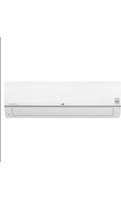


| Product Type | Wireless Remote Control for Air Conditioner |
| Compatible Models | PQWRCQOFDB, PQWRHQOFDB |
| Power Supply | 2 AAA 1.5V batteries |
| Remote Control Range | Approximately 7 meters |
| Display | LCD Screen |
| Operating Modes | Cooling, heating, dehumidification, ventilation, automatic, auto inversion |
| Temperature Setting | Cooling: 18-30 °C; Heating: 16-30 °C |
| Fan Speed | Low, medium, high, Chaos |
| Airflow Direction | Vertical (up/down) and horizontal (left/right) depending on model |
| Special Functions | Quick cooling (Jet Cool), plasma filtration, self-cleaning, smart cleaning, electric heating |
| Programming | Sleep, scheduled on/off, time adjustment |
| Installation Settings | Centralized control address, mode inversion, ceiling height, group control, auxiliary heating |
| Reset Button | Yes (Reset) |
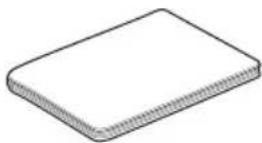
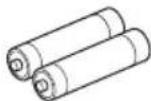
| Included Accessories | Base, mounting screws, installation and user manual, AAA batteries |
| Maintenance | Clean the transmitter and receiver with a soft cloth; replace batteries if display fades |
| Safety | Do not expose to moisture, heat or sunlight; use only batteries of the same type; do not disassemble |
Frequently Asked Questions - PQWRHQ0FDB LG
User questions about PQWRHQ0FDB LG
0 question about this device. Answer the ones you know or ask your own.
Ask a new question about this device
Download the instructions for your Water pump in PDF format for free! Find your manual PQWRHQ0FDB - LG and take your electronic device back in hand. On this page are published all the documents necessary for the use of your device. PQWRHQ0FDB by LG.
USER MANUAL PQWRHQ0FDB LG
Please read this manual carefully before operating your set and retain it for future reference.
TYPE : Wireless Remote Controller
Models : PQWRCQOFDB
PQWRHQOFDB
TABLE OF CONTENTS
■ Safety Precaution....3 ■ Part Description ....4
Wireless Remote Controller....5
■ Operating Instruction ....6
How to insert the Batteries....6 Wireless Remote Controller Maintenance 6 Operating Method....6 Installer Setting - Setting Address of Central Control ....7
■ Installation Instructions ....7
Installer Setting - Checking Address of Central Control ....7 Installer Setting -How to enter installer setting mode ....8 Installer Setting - Installer Setting Code Table 9
■ Owner's Instruction ....10
Cooling Mode - Standard Operation 10 Cooling Mode - Power Cooling 10 Auto Operation Mode....11 Auto Changeover Mode....12 Auto Changeover Mode - Setting the Mode Change Temperature .....13 Dehumidification Mode 14 Heating Mode ....15 Fan Mode....16
■ Temperature Setting/Room Temperature checking ....17 ■ Airflow Setting....18
Up/Down Airflow Direction Control (Optional)....18 Left/Right Airflow Direction Control (Optional) 18
■ Sub function....19
Plasma Purification (Optional) 19 Auto Clean (Optional) 19 Smart Clean (Optional) 20 LCD Luminosity Control (Optional) 21 Celsius/Fahrenheit Switching 21 Electric heater (Optional) 21 Individual vane angle control (Optional) 22
■ Timer ....23
Setting the Current Time....23 Sleep Timer Setting 23 On Timer Setting....23 Off Timer Setting....24 To cancel the Timer Setting....24
Safety Precautions
- The installation requires expert skills, and it should be installed by the service center or other shops specialized in the installation and recognized by our company.
- For all the problems arising after installation by someone who has no relevant qualifications, our company will not provide free service.
- The following safety cautions are provided to prevent unexpected dangers or losses.
WARNING: If the user does not follow the mandatory items, it may result in serious injury or death.
CAUTION: If the user does not follow the mandatory items, it may cause personal injury or property damage. Warning and Caution are to call the user's attention to the possible danger. Read and follow them carefully in order to prevent a safety accident. Warning and Caution are indicated in this guide and the product itself to help protect the users from danger.


WARNING
Installation
Replace all batteries in the remote control with new ones of the same type. Do not mix old and new batteries or different types of batteries. There is risk of fire or explosion.
Do not disassemble, repair, or modify the product at your discretion in order to prevent fire or an electric shock.
Operation
Do not recharge or disassemble the batteries. Do not dispose of batteries in a fire. They may burn or explode.
If the liquid from the batteries gets onto your skin or clothes, wash it well with clean water. Do not use the remote if the batteries have leaked. The chemicals in batteries could cause burns or other health hazards.
Push one button at a time. There will be no operation if you press several buttons at once.
Do not drop or throw the remote controller. Do not give it any strong impact and do not step on it.
Do not use this in moist or humid places.
Do not use this in heating or firing conditions.
Do not place the remote controller in a location exposed to direct sunlight.
Aim at the signal receptor on the wireless remote controller so as to operate.
The remote control signal can be received at a distance of up to about 7m.
Be sure that there are no obstructions between the remote controller and the signal receptor.
Part Description
![LCD Screen FUNC. VANE ANGLE PLASMA TEMP. MODE JET COOL FAN SPEED SWING SWING ROOM TEMP TIMER [C/15SEC] SLEEP ON OFF LIGHT SET CLEAR TIME[3SEC] LG](/content/2026/04/693431/images/d2897ec59be28ee2f86e692d683277103deeaa6af7c1cf6861cc8dd94d3f9b85.jpg)
Wireless Remote Controller
Accessory
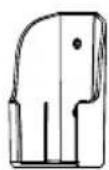
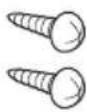
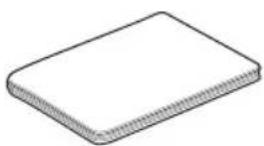

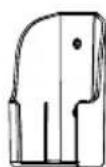
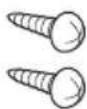
Holder (1EA) Fixing Screw (2EA) Owner's / Installation
Manual
AAA (1.5V)
Batteries (2 EA)
Wireless Remote Controller
![graph TD A["Operation Mode"] --> B["Cooling Mode"] B --> C["Auto Mode or Auto Changeover"] C --> D["Dehumidification mode"] D --> E["Heating Mode"] E --> F["Fan Mode"] F --> A style A fill:#f9f,stroke:#333 style B fill:#ccf,stroke:#333 style C fill:#cfc,stroke:#333 style D fill:#fcc,stroke:#333 styl…](/content/2026/04/693431/images/489eb2bb190983b310f949a2b70cfcdff68338fe4ca0c1946e045ff0709fcfbe.jpg)
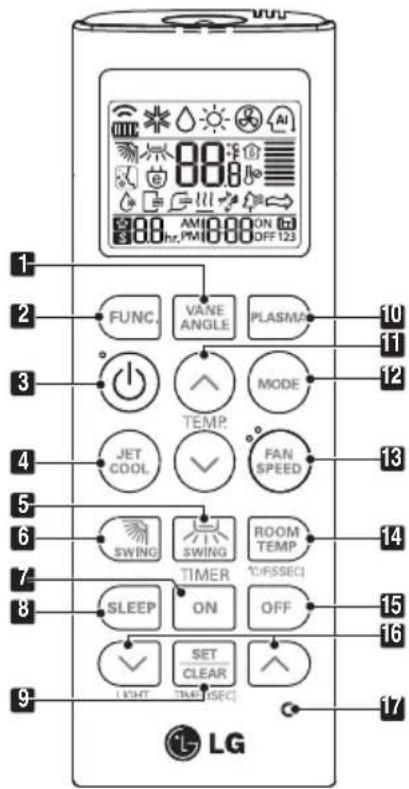
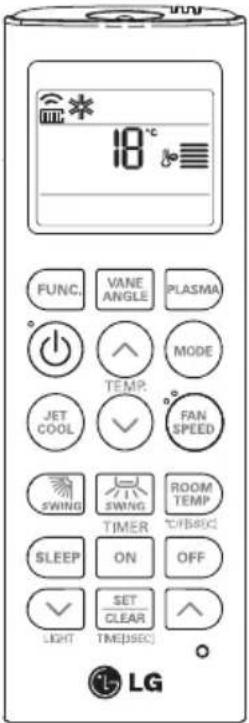
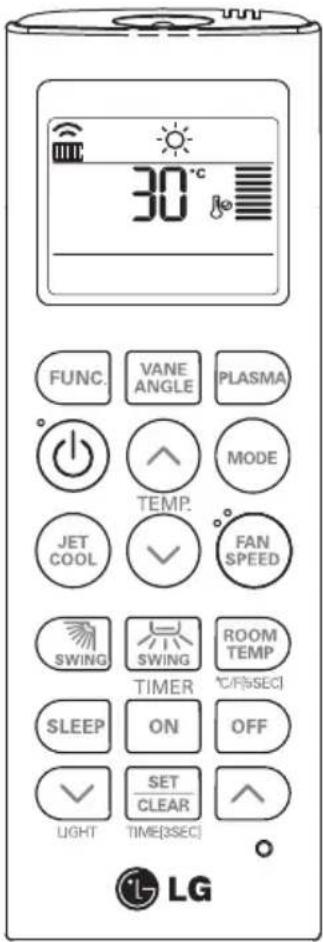
1 VANE ANGLE Button Used to set each vane angle. 2 FUNCTION SETTING Button Used to set or clear Auto Clean, Smart Clean, Electric heater, or Individual vane angle control. 3 ON/OFF Button Used to turn the unit on or off. 4 JET COOL Button Speed cooling operates at super high fan speed. 5 LEFT/RIGHT AIRFLOW Button (OPTIONAL) Used to set the desired left/right (horizontal) airflow direction. 6 UP/DOWN AIRFLOW Button Used to stop or start louver movement and set the desired up/down airflow direction. 7 ON TIMER Button Used to set the time to start operation. 8 SLEEP TIMER Button Used to set the time for sleep operation. 9 SET / CLEAR Button Used to set or clear the timer. Used to set the current time (if pressed for 3 seconds). 10 PLASMA Button (OPTIONAL) Used to start or stop the plasma purification function. 11 ROOM TEMPERATURE SETTING Button Used to select the room temperature. 12 OPERATION MODE SELECTION Button Used to select the operation mode. 13 INDOOR FAN SPEED SELECTION Button Used to select fan speed in four steps: low, medium, high, and chaos. 14 ROOM TEMPERATURE CHECKING Button Used to check the room temperature. 15 OFF TIMER Button Used to set the time to stop operation. 16 TIMER SETTING (Up/Down)/LIGHT Button Used to set the timer. Used to adjust the brightness (if not in time adjust mode). 17 RESET Button Used to reset the remote controller.
Operating Instructions
How to Insert the Batteries
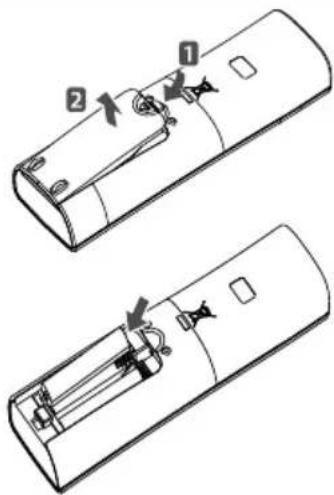
- Remove the battery cover by pulling it according to the arrow direction.
- Insert new batteries, making sure that the (+) and (-) of the batteries are installed correctly.
- Reattach the cover by sliding it back into position.
NOTE
- Always use or replace both batteries of the same type.
- If the system is not to be used for a long time, remove the batteries to save their working life.
- If the display screen of the remote controller starts fading, replace both batteries.
Wireless Remote Controller Maintenance
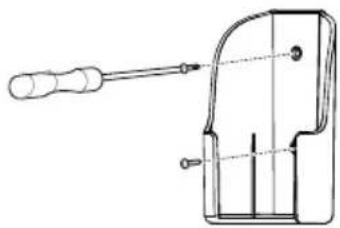
- Choose a suitable place where it is safe and easy to reach.
- Fix the holder to the wall, etc., firmly with the supplied screws.
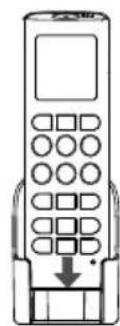
- Slide the remote controller inside the holder.
NOTE
- The remote controller should never be exposed to direct sunlight.
- The signal transmitter and receiver should always be clean for proper communication. Use a soft cloth to clean them.
- If other appliances also operate with the remote control, change their position or consult your serviceman.
Operating Method
- The signal receiver is inside the unit.
- Aim the remote controller towards the unit to operate it. There should be no blockage in between.
Installation Instructions
Installer Setting - Setting Address of Central Control
![23 FUNC. VANE ANGLE PLASMA ° 功 功 ↑ MODE TEMP. JET COOL ✓ FAN SPEED SWING SWING ROOM TEMP TIMER °C/[5SEC] SLEEP ON OFF ✓ SET CLEAR LIGHT TIME[3SEC] ○ LG](/content/2026/04/693431/images/953ac313b85afcea50e5824ce567c3cedb5028c8dd4d07f03e287df3014c6b87.jpg)
1. With the MODE button pressed, press the RESET button.
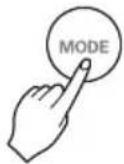
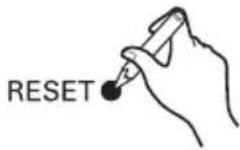
2. Using the TEMPERATURE SETTING button, set the indoor unit address. - Setting range: 00 ~ FF
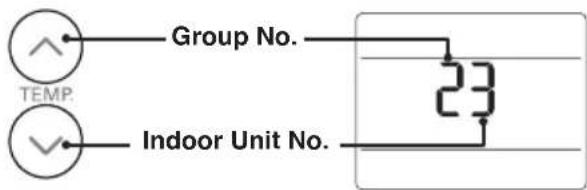
3. After setting the address, press the ON/OFF button towards the indoor unit once.
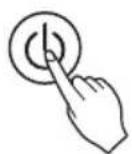
4. The indoor unit will display the set address to complete the address setting. - The address display time and method may differ depending on the indoor unit type.
5 Reset the remote controller to use the general operation mode.
Installer Setting - Checking Address of Central Control
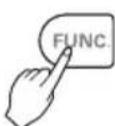
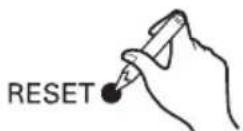
When FUNCTION button pressed, press RESET button
RESET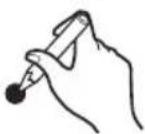
88
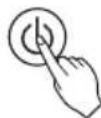
2 Press the ON/OFF button toward the indoor unit 1 time, and the indoor unit will display the set address in the display window.
- The address display time and method can differ by the indoor unit type.
3 Reset the remote controller to use the general operation mode.
Installer Setting - How to enter installer setting mode
CAUTION
Installer setting mode is to set the detail function of the remote controller.
If the installer setting mode is not set correctly, it can cause problems to the product, user injury or property damage. This must be set by a certificated installer, and any installation or change that is carried out by a non-certificated person should be responsible for the results. In this case, free service cannot be provided.
![00 FUNC. VANE ANGLE PLASMA ° 功 功 MODE TEMP. JET COOL ° FAN SPEED SWING SWING ROOM TEMP TIMER °C/[5SEC] SLEEP ON OFF LIGHT SET CLEAR TIME(3SEC) LG](/content/2026/04/693431/images/ea79c4dbddbbf742ad2b242a1d3289694736d9d4748f24a228c805ea8b0c3412.jpg)
When JET COOL button pressed, press RESET button

2 By using the TEMPERATURE SETTING button, set function code and setting value. (Please refer the Installer Setting Code Table.)
![graph LR A["00"] --> B["Function Code"] A --> C["Setting Code"] B --> D["△"] C --> E["▽"] D --> F["TEMP."] E --> F](/content/2026/04/693431/images/90b1d64330a9f61ac701121ef9ced1b6442d1b9621bf02d133afddebfacfbc3b.jpg)
Press the ON/OFF button toward the indoor unit 1 time.
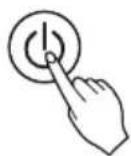
4 Reset the remote controller to use the general operation mode.
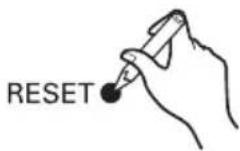
Refer to the Installer Setting Code Table on the next page.
Installer Setting - Installer Setting Code Table
Installer Setting Code Table
| No. | Function Function | Code Setting Value | Remote Controller LCD | |
| 0 Mode Override | 0 | 0 : Set to Master | 00 | |
| 1 : Set to Slave | 01 | |||
| 1 | Ceiling Height Selection | 1 | 1 : Standard | 11 |
| 2 : Low | 12 | |||
| 3 : High | 13 | |||
| 4 : Super High | 14 | |||
| 2 | Group Control 1 : Set to Slave | 0 : Set to Master | 20 | |
| 21 | ||||
| 2 : Check Master/Slave | 22 | |||
| Auxiliary heater 4 : 2 | 3 : Set to Auxiliary heater | 23 | ||
| Cancel Auxiliary heater | 24 | |||
| 2 : Check Auxiliary heater Installation | 25 | |||
Mode Override
This Function is only for Non-Auto Changeover H/P model.
Ceiling Height Selection
Indoor unit connected to wired remote controller operate as wired remote controller setting.
Group Control
This function is only for group control. Please don't set this function in case of non-group control.
After setting Group Control of the product, turn off the power then turn it back on after 1 minute.
Auxiliary heater
This function is only applied to models with Auxiliary Heater function being activated.
Owner's Instruction
Cooling Mode - Standard Operation
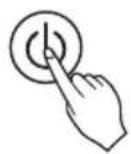
1 Press the ON/OFF button. The unit will respond with a beep sound.
2 Press the MODE button to select Cooling Mode.
3 Set the desired temperature by pressing the TEMP button. Press the ROOM TEMPERATURE CHECKING button to check the room temperature. When the desired temperature is set higher than the room temperature, cooling wind will not blow out.
*Setting Temp. Range: 18~30°C (64~86°F)
Cooling Mode - Power Cooling
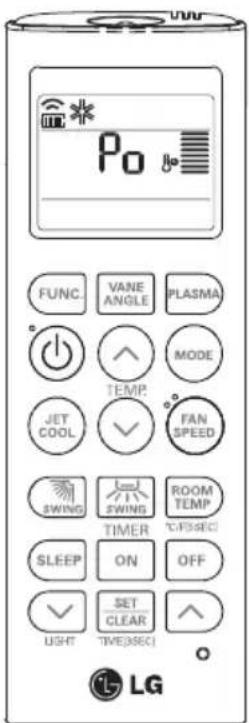
1 Press the ON/OFF button. The unit will respond with a beep sound.
2 Press the MODE button to select Cooling Mode.
3 Press the JET COOL button. The unit will operate at super high fan speed in cooling mode. *Wall mounted models operate in power cooling mode for 30 minutes.
4 To cancel the Power Cooling Mode, press the Jet Cool button, the fan button, or the room temperature setting button again, and the unit will operate at high fan speed in cooling mode.

or or

Auto Operation Mode
![AI AI °C FUNC. VANE ANGLE PLASMA ° 功 功 ↑ MODE TEMP. JET COOL ✓ FAN SPEED SWING SWING ROOM TEMP TIMER °C/F(5SEC) SLEEP ON OFF ✓ SET CLEAR LIGHT TIME[3SEC] ○ ① LG](/content/2026/04/693431/images/82430e65aeb852929bda58837907678ed8c70934ea70d1992ebb2a56d8df5d90.jpg)
1 Press the ON/OFF button. The unit will respond with a beep sound.
Press the MODE button to select Auto Operation Mode.
3 Set the desired temperature.
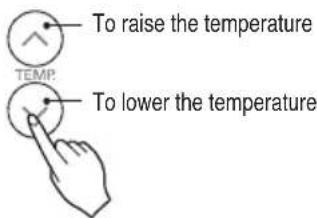
The temperature and fan speed are automatically set by the electronic controls based on the actual room temperature. If you feel hot or cold, press the TEMPERATURE SETTING buttons for more cooling or heating effect. You cannot switch the indoor fan speed. It has already been set by the Auto Operation Mode rule.
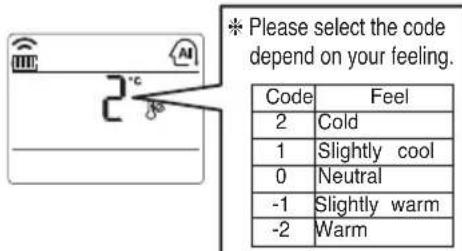
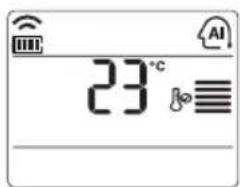
You can set desired temperature and indoor fan speed. Setting Temp. Range : 18~30°C (64~86°F)
During Auto Operation Mode
- If the system is not operating as desired, manually switch to another mode. The system will not automatically switch from the cooling mode to the heating mode, or from heating to cooling, then you must set the mode and the desired temperature again.
Auto Changeover Mode
This Function is only available on some products.
![00 88 88 AM1 ON hr. PM OFF123 FUNC. VANE ANGLE PLASMA POWER ↑ MODE TEMP. JET COOL ✓ FAN SPEED SWING SWING ROOM TEMP TIMER °C/F[5SEC] SLEEP ON OFF LIGHT SET CLEAR TIME[3SEC] LG](/content/2026/04/693431/images/20cdf6b869d53e4fb4b6304a4a7cdac26064e86b8161a0d11bc52f0fa7bc2c95.jpg)
1 Press the ON/OFF button. The unit will respond with beep sound.
Press MODE button to select Auto Changeover Mode.
3 Set the desired room temperature. *Setting Temp. Range in Auto Changeover Mode : 18~30°C (64~86°F)

4 You can select the fan speed in four steps-low, medium, high and chaos. Each time the button is pressed, the fan speed mode is shifted.
During Auto changeover Mode
The air conditioner changes the operation mode automatically to keep indoor temperature. When room temperature vary over ±2°C (4°F) with respect to setting temperature, air conditioner keeps the room temperature within ±2°C (4°F) with respect to setting temperature by auto changeover mode.
Auto Changeover Mode - Setting the Mode Change Temperature
This Function is to set the operating mode of the Auto Changeover Mode.
1 In Auto Changeover Mode, Press FUNCTION button to select Setting the Mode Change Temperature.
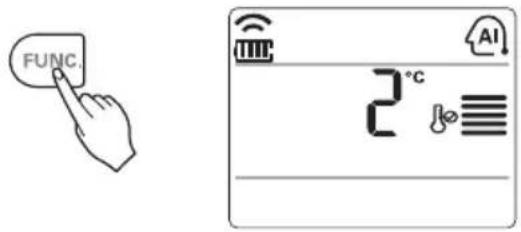
2 Press the TEMPERATURE SETTING button to set desired Mode Change Temperature. (Default value is 2°C (4°F).)
To raise the temperature
To lower the temperature
*Mode Change Temp. Range: 1~7°C (2~14°F)
The Mode Change Temperature is the difference in temperature when switching from cooling mode to heating mode or from heating mode to cooling mode.
Example: When the set temperature is 25°C (76°F) and the room temperature is 20°C (68°F), the operating mode is heating. If you set the mode change temperature to 2°C (4°F), when the room temperature rises to 27°C (25°C + 2°C) (80°F (76°F + 4°F)), the unit starts cooling operation.
Dehumidification Mode
![FUNC. VANE ANGLE PLASMA + 功 功 TEMP. JET COOL FAN SPEED SWING SWING ROOM TEMP TIMER °C/°F[5sec] SLEEP ON OFF LIGHT SET CLEAR TIME[3sec] LG](/content/2026/04/693431/images/72bbde7a4de4ef0661f5b195651bfdabe8b1ed8b5691bc4385ec4a9af0de4515.jpg)
1. Press the ON/OFF button. The unit will respond with a beep sound.
Press the MODE button to select Dehumidification Mode.
3. Set the fan speed. You can select the fan speed in four steps: low, medium, high, or chaos. Each time the button is pressed, the fan speed mode is shifted.
During Dehumidification Mode
- If you select the dehumidification mode on the operation selection button, the indoor unit starts to run the dehumidification function, automatically setting the room temperature and air volume to the best condition for dehumidification based on the sensed room temperature. In this case, the set temperature is not displayed on the remote controller, and you are not able to control the room temperature either.
- During the healthy dehumidification function, the air volume is automatically set according to the algorithm responding to the current room temperature and makes the room condition healthy and comfortable even in the high humidity season.
Heating Mode
This function is only for H/P model.
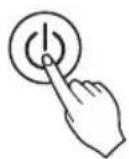
1. Press the ON/OFF button. The unit will respond with a beep sound.
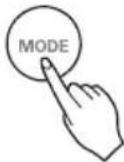
2 Press MODE button to select Heating Mode.
3 Set the desired temperature by pressing TEMP button. Press ROOM TEMPERATURE CHECKING button to check the room temperature. When setting the desired temperature is lower than room temperature, heating wind isn't blow out.
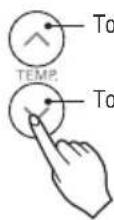
*Setting Temp. Range in Heating Mode : 16\~30°C (60°F\~86°F)
4 Set the fan speed again. You can select the fan speed in four steps—low, medium, high, or chaos. Each time the button is pressed, the fan speed mode is shifted.
Fan Mode
![FUNC. VANE ANGLE PLASMA TEMP. JET COOL FAN SPEED SWING SWING ROOM TEMP TIMER °C/[BSEC] SLEEP ON OFF SET CLEAR LIGHT TIME[3SEC] LG](/content/2026/04/693431/images/265e2add96c72c9089c2f121d6785f9180e2499ba95b54e3df745d418d767c39.jpg)
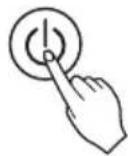
1 Press the ON/OFF button. The unit will respond with beep sound.
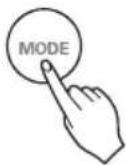
Press MODE button to select Fan Mode.
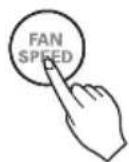
3 Set the fan speed again. You can select the fan speed in four steps—low, medium, high, or chaos. Each time the button is pressed, the fan speed mode is shifted.
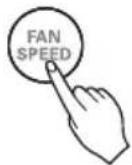
Natural Wind by the chaos Logic
- For more fresh feeling than other fan speed, press the Indoor Fan Speed Selector and set to chaos mode. In this mode, the wind blows like natural breeze by automatically changing fan speed according to the chaos logic.
During Fan Mode
- The outdoor compressor doesn't work. Have a function to circulate the indoor as it sends out the air that doesn't have much temperature difference with indoor.
Temperature Setting/Room Temperature checking
![18°C FUNC. VANE ANGLE PLASMA + 功 功 + ↑ MODE TEMP. JET COOL ✓ FAN SPEED SWING SWING ROOM TEMP TIMER OFF[SEC] SLEEP ON OFF ✓ SET CLEAR LIGHT TIME[SEC] LG](/content/2026/04/693431/images/1f02c35b3b58c801f1551bc0bda4109d3540479b868608fa9cc9c1c4cfa86f2e.jpg)
We can simply adjust the desired temperature
- Press the buttons to adjust the desired temperature

: Increase Temp. per one time pressing
: Decrease Temp. per one time pressing
Room temp: Indicate the current room temperature
Set temp: Indicate the temperature that user want to set
The cooling mode doesn't work if desired temperature is higher than room temperature. Please lower the desired temperature
The heating mode doesn't work if desired temperature is lower than room temperature. Please increase the desired temperature
Whenever press ROOM TEMPERATURE button, the room temperature will be displayed within 5 seconds.
After 5 seconds, it turns to display the desired temperature.
Because of location of remote controller, the real room temperature and the this displayed value can be different.
Press ROOM TEMPERATURE button for 5 seconds, temperature unit change Celsius to Fahrenheit or Fahrenheit to Celsius.
Airflow Setting
Up/Down Airflow Direction Control (Optional)
The up/down airflow (Vertical Airflow) can be adjusted by using the remote controller.
- Press the ON/OFF button to start the unit.
- Press UP/DOWN AIRFLOW button and the louvers will swing up and down. Press the UP/DOWN AIRFLOW button again to set the vertical louver at the desired airflow direction.
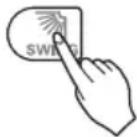
NOTE
- If you press the UP/DOWN AIRFLOW button, the horizontal airflow direction is changed automatically based on the Auto Swing algorithm to distribute the air in the room evenly and at the same time to make the human body feel more comfortable, as if enjoying a natural breeze.
- Always use the remote controller to adjust the up/down airflow direction. Manually moving the vertical airflow direction louver by hand could damage the air conditioner.
- When the unit is shut off, the up/down airflow direction louver will close the air outlet vent of the system.
Left/Right Airflow Direction Control (Optional)
The left/right (horizontal) airflow can be adjusted by using the remote control.
- Press the ON/OFF button to start the unit.
- Press the LEFT/RIGHT AIRFLOW button and the louvers will swing left and right. Press the Horizontal Airflow Direction Control Button again to set the horizontal louver at the desired airflow direction.
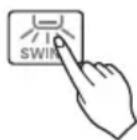
*Up/Down and Left/Right Airflow function isn't shown on display of remote controller.
Sub function
Plasma Purification (Optional)

1 Press the ON/OFF button. The unit will respond with a beep sound.

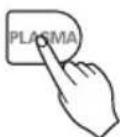
2 Press the PLASMA button. Plasma Purification will start when the button is pressed and stop when the button is pressed again.
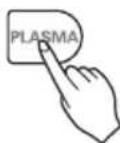
PLASMA Purification only
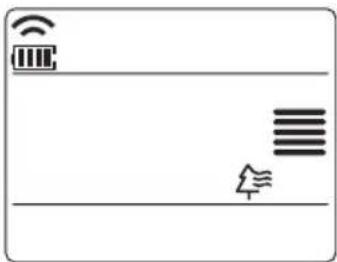
If you press the PLASMA button, Plasma Purification operates.
- Plasma filter is a technology developed by LG to get rid of microscopic contaminants in the intake air generating a plasma of high charge electrons. This plasma kills and destroys the contaminants completely to provide clean and hygienic air.
- This function can be used in any operation mode and any fan speed can be used while plasma filter is functioning.
Auto Clean (Optional)
This function operates when the unit is turned off.
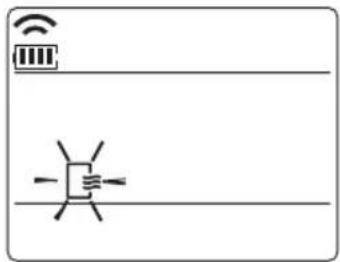
1 Press the FUNCTION SETTING button 1 time. Auto Clean symbol will blink.

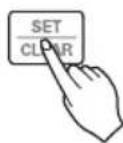
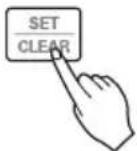
2 Press the SET/CLEAR button to reserve or cancel the Auto Clean function.
If the Auto Clean function is reserved, whenever the unit is turned off, the indoor fan is still running for about 30 minutes internally without cooling or dehumidification operation. Also the louver is closed.
This dries up any remains of moisture & cleans the unit internally.
Smart Clean (Optional)
The Smart Clean function can be used by setting to manual or automatic.
Auto Smart Clean operation
If the accumulated operation time of the product exceeds 30 hours, the Smart Clean automatically starts when the unit is turned off.
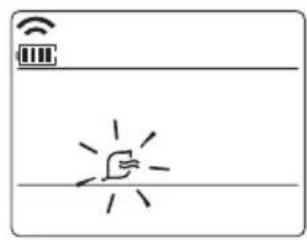
- Press the FUNCTION SETTING button 2 times. Smart Clean symbol will blink.
- Press the SET/CLEAR button to reserve or cancel the Smart Clean function. You can set/clear with out on or off.

Manual Smart Clean operation
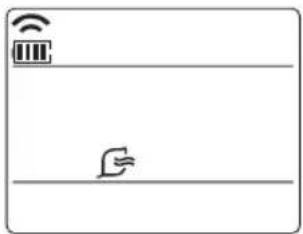
- When the unit stops, press the FUNCTION button to select Smart Clean. The Smart Clean symbol blinks, then press the SET/CLEAR button.
- To stop Manual Smart Clean operation, press the FUNCTION button to select Smart Clean and press the SET/CLEAR button.
The brush cleans dust from the filter by moving from left to right or from right to left on the filter.
The sucked dust is collected into the dust box.
The operating process of Smart Clean differs depending on the product type.
LCD Luminosity Control (Optional)
Press the LCD LUMINOSITY button.
It is comfortable when you feel that the display of the unit is too bright.
Press the °C/°F SWITCH button to change from Celsius to Fahrenheit or from Fahrenheit to Celsius.
Whenever you press the TEMPERATURE SETTING button in Fahrenheit mode, the temperature will increase or decrease by 2°F.
Electric Heater (Optional)
It can only be set during heating operation.
1. Press the FUNCTION SETTING button 3 times. The Electric Heater symbol will blink.

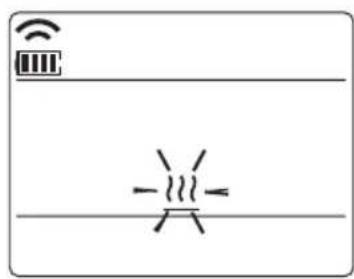
2. Press the SET/CLEAR button to reserve or cancel the Electric Heater function.
- During heating mode, the indoor unit displays that the Auxiliary Heater is automatically turned on, but it is not displayed separately on the wireless remote controller.
- It operates in Floor heating mode in Console products.
Individual vane angle control (Optional)
This function allows individual control of the 4 vane angles in the ceiling-type 4-way cassette product group.
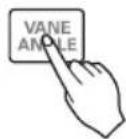
1 Press the FUNCTION SETTING button 3 times. (4 times during heating operation) The individual vane angle control symbol will blink.
- If you press the SET/CLEAR button at that time, all vanes are set to the standard angle.
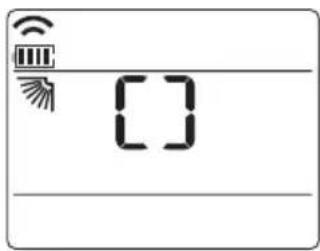
2 Set each vane angle by pressing the up/down/left/right direction keys.
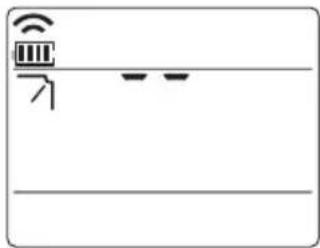
- Each time a button is pressed, the corresponding vane angle and set values are displayed.
- When the up direction button is pressed, the display window appears as shown in the figure on the right, and the angle can be set from 1 to 6.
3 Press the SET/CLEAR button to reserve or cancel the individual vane angle control function.

- There may be differences between the wireless remote controller's up/down/left/right buttons and the wind discharge port directions.
- Set the desired angle while checking the vane angle movement of the product.
- The individual vane control function is an additional feature of the product and may not work on some models.
Timer
Setting the Current Time
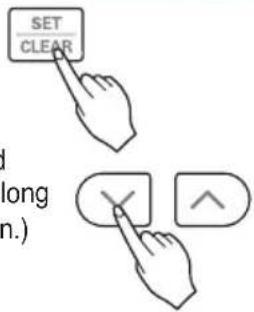
- Press the SET / CLEAN button for 3 seconds.
- Press TIME SETTING buttons until the desired time is set. (If you press down the button for a long time, it will change quickly in the units of 10 min.)
- Press the SET / CLEAR button.
NOTE
Check the indicator for A.M. and P.M.
Sleep Timer Setting
- Press the TIMER button to turn timer on or off.
- Press TIME SETTING buttons until the desired time is set. (7 hours is the maximum setting)
- Press the SET / CLEAR button.

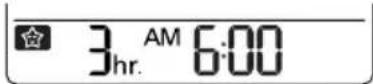
Timer Sleep
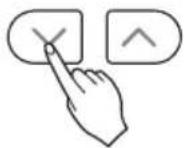
On Timer Setting
- Press the ON button to turn timer on or off.
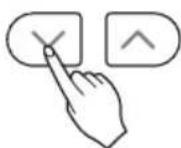
- Press TIME SETTING buttons until the desired time is set.
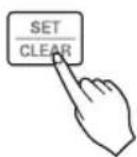
- Press the SET / CLEAR button.
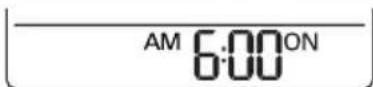
Timer ON
Off Timer Setting
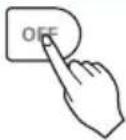
- Press the OFF button to turn timer on or off.
Timer OFF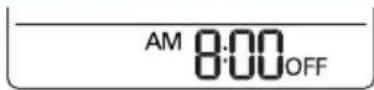
- Press TIME SETTING buttons until the desired time is set.
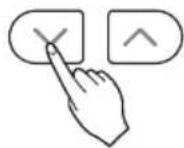
- Press the SET / CLEAR button.
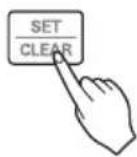
To cancel the Timer Setting
- If you wish to cancel all timer setting, press the CLEAR ALL button.
- If you wish to cancel each timer setting, press the each timer button to turn timer sleep or on or off as you want. And then press the SET/CLEAR button aiming the remote controller at the signal receptor.
(The timer lamp on the air conditioner and the display will go off.)
![LCD screen FUNCTION VANE PLASMA OFF. ANG. MODE TEMP. FAN SPEED JET COOL ✓ ✓ ✓ ✓ SWING SWING ROOM TEMP TIMER C/H[5SEC] SLEEP ON OFF LIGHT SET CLEAR TIME[3SEC] LG](/content/2026/04/693431/images/239ed5c42a70e80a2be211337fa106e3dea5388e80e5b9c73f2daf2bdbc9dcba.jpg)
Wireless remote control
Accessory
NOTE
NOTE
Remote control
Accessory
NOTE
* Please select the code depending on your feeling.
| Code | Feel |
| 2 | Cold |
| 1 | Slightly cool |
| 0 | Neutral |
| -1 | Slightly warm |
| -2 | Warm |
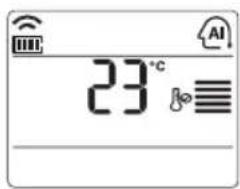
NOTE
* Please select the code depending on your feeling.
| Code | Feel |
| 2 | Cold |
| 1 | Slightly cool |
| 0 | Neutral |
| -1 | Slightly warm |
| -2 | Warm |
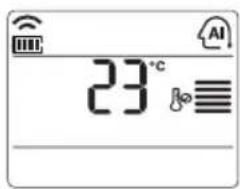
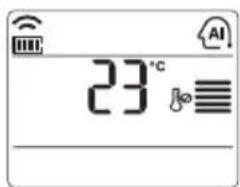
You can set the desired temperature and indoor fan speed.
Setting Temp. Range: 18~30°C (64~86°F)
NOTE
Pay attention to the AM and PM indications.
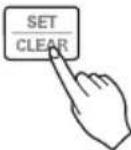
NOTE
Operation
| Code | Feel |
| 2 | Cold |
| 1 | Slightly cool |
| 0 | Neutral |
| -1 | Slightly warm |
| -2 | Warm |
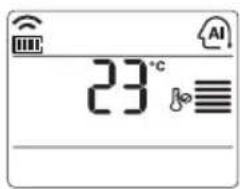
NOTE
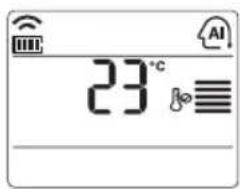
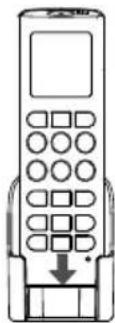
Operating Method
* Please select the code depending on your feeling.
| Code | Feel |
| 2 | Cold |
| 1 | Slightly cool |
| 0 | Neutral |
| -1 | Slightly warm |
| -2 | Warm |
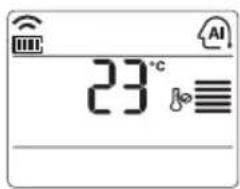
You can set the desired temperature and indoor fan speed. Setting Temp. Range: 18~30°C (64~86°F)
NOTE
* Please select the code depending on your feeling.
| Code | Feel |
| 2 | Cold |
| 1 | Slightly cool |
| 0 | Neutral |
| -1 | Slightly warm |
| -2 | Warm |
3


- TABLE OF CONTENTS
- SAFETY PRECAUTIONS
- WARNING
- INSTALLATION
- OPERATION
- PART DESCRIPTION
- ACCESSORY
- WIRELESS REMOTE CONTROLLER
- OPERATING INSTRUCTIONS
- HOW TO INSERT THE BATTERIES
- NOTE
- WIRELESS REMOTE CONTROLLER MAINTENANCE
- OPERATING METHOD
- INSTALLATION INSTRUCTIONS
- INSTALLER SETTING - SETTING ADDRESS OF CENTRAL CONTROL
- INSTALLER SETTING - CHECKING ADDRESS OF CENTRAL CONTROL
- INSTALLER SETTING - HOW TO ENTER INSTALLER SETTING MODE
- CAUTION
- INSTALLER SETTING - INSTALLER SETTING CODE TABLE
- MODE OVERRIDE
- CEILING HEIGHT SELECTION
- GROUP CONTROL
- AUXILIARY HEATER
- OWNER'S INSTRUCTION
- COOLING MODE - STANDARD OPERATION
- COOLING MODE - POWER COOLING
- AUTO OPERATION MODE
- DURING AUTO OPERATION MODE
- AUTO CHANGEOVER MODE
- THIS FUNCTION IS ONLY AVAILABLE ON SOME PRODUCTS
- DURING AUTO CHANGEOVER MODE
- AUTO CHANGEOVER MODE - SETTING THE MODE CHANGE TEMPERATURE
- DEHUMIDIFICATION MODE
- DURING DEHUMIDIFICATION MODE
- HEATING MODE
- FAN MODE
- NATURAL WIND BY THE CHAOS LOGIC
- DURING FAN MODE
- TEMPERATURE SETTING/ROOM TEMPERATURE CHECKING
- AIRFLOW SETTING
- UP/DOWN AIRFLOW DIRECTION CONTROL (OPTIONAL)
- LEFT/RIGHT AIRFLOW DIRECTION CONTROL (OPTIONAL)
- SUB FUNCTION
- PLASMA PURIFICATION (OPTIONAL)
- PLASMA PURIFICATION ONLY
- AUTO CLEAN (OPTIONAL)
- THIS FUNCTION OPERATES WHEN THE UNIT IS TURNED OFF
- SMART CLEAN (OPTIONAL)
- THE SMART CLEAN FUNCTION CAN BE USED BY SETTING TO MANUAL OR AUTOMATIC
- AUTO SMART CLEAN OPERATION
- MANUAL SMART CLEAN OPERATION
- LCD LUMINOSITY CONTROL (OPTIONAL)
- ELECTRIC HEATER (OPTIONAL)
- IT CAN ONLY BE SET DURING HEATING OPERATION
- INDIVIDUAL VANE ANGLE CONTROL (OPTIONAL)
- TIMER
- SETTING THE CURRENT TIME
- SLEEP TIMER SETTING
- ON TIMER SETTING
- OFF TIMER SETTING
- TO CANCEL THE TIMER SETTING
Brand : LG
Model : PQWRHQ0FDB
Category : Water pump