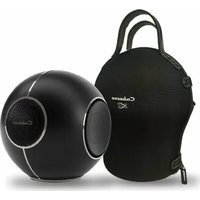
The Pearl Myuki - Music receiver CABASSE - Free user manual and instructions
Find the device manual for free The Pearl Myuki CABASSE in PDF.


| Product Type | Music receiver / Connected speaker |
| Brand | Cabasse |
| Model | The Pearl Myuki |
| Dimensions (W x D x H) | 186 x 174 x 180 mm |
| Weight | 2.1 kg |
| Power supply | Power adapter 100-240V, power cable |
| Connectivity | WiFi, Bluetooth, Ethernet RJ45, 3.5 mm jack, USB-C, optical SPDIF |
| Supported audio formats | MP3, WAV, AAC, WMA, AIFF, FLAC, ALAC, Ogg Vorbis, DSD 64/128, WMA lossless |
| Power | 99 dB RMS / 109 dB peak stereo |
| Frequency response | 30 – 23,000 Hz |
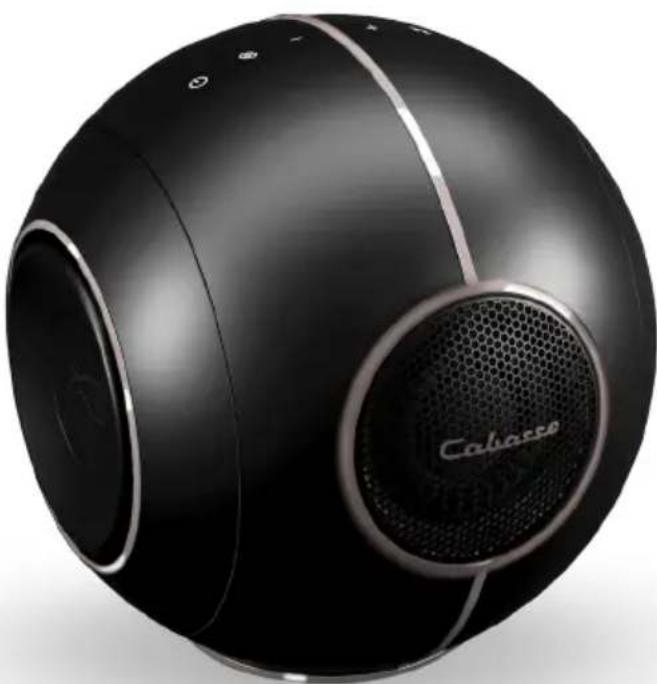
| Speakers | 1x 45 mm dome midrange-tweeter, 2x 12 cm woofer |
| Amplification | 65 W tweeter, 76 W woofer |
| Main functions | Audio streaming, AirPlay, DLNA, Bluetooth, high-resolution multiroom, automatic calibration |
| Control | Cabasse StreamCONTROL app (iOS/Android), physical buttons (volume, pairing, sources) |
| Maintenance | Clean with a soft, dry cloth. Do not use detergents, solvents, or chemical products. |
| Safety | Do not expose to water, do not block vents, unplug before cleaning, use only recommended accessories. |
| Spare parts and repairability | Have repairs done by a qualified technician. Use only spare parts that match Cabasse references. |
| Included accessories | Carrying bag, charger, power cable |
| Wall mount compatibility | Compatible with Cabasse The Pearl Akoya wall mount (adapter required) |
Frequently Asked Questions - The Pearl Myuki CABASSE
User questions about The Pearl Myuki CABASSE
0 question about this device. Answer the ones you know or ask your own.
Ask a new question about this device
Download the instructions for your Music receiver in PDF format for free! Find your manual The Pearl Myuki - CABASSE and take your electronic device back in hand. On this page are published all the documents necessary for the use of your device. The Pearl Myuki by CABASSE.
USER MANUAL The Pearl Myuki CABASSE
natural_image
Black spherical electronic device with a Cahasse logo and its side panel, no visible text or symbols on the body.natural_image
Black spherical electronic device with a metallic grille and 'Cabaco' logo, no visible text or symbols on the body.Déballage
1 MANUEL D'INSTALLATION
CONNEXION WIFI
VERT Spotify Connect
○ BLANC Entrée Aux In
natural_image
Line drawing of a vintage camera with a circular lens and attached base mount (no text or symbols)https://cabasse.happyfox.com/home/
THE PEARL MYUKITHE P
Table of Content
Download and install the Cabasse StreamCONTROL app 16
SYSTEME USAGE
Bluetooth / Wireless DLNA Connection 17
Status lights 18
System ources 19
Wall bracket 20
Technical specifications 21
FONCTIONNALITÉS AVANCÉES
Safety instructions 24
DEE marking, updates and cleaning 26
After sales service / FAQ 27
natural_image
Black spherical electronic device with a metallic grille and 'Calasse' logo, no visible text or symbols on the body.Unpacking
Open the cardboard box widely and take out the different elements one by one. If any of the items on the carton appear to be damaged, do not use it, put it back in the original carton and contact your dealer immediately.
Keep your packaging for possible future transport of your system.
The components of your system
1 THE PERAL MYUKI
1 CHARGER
1 POWER CABLE
1 CUSTOM TRANSPORT BAG
1 USER MANUAL
Download and install the Cabasse StreamCONTROL app
Cabasse StreamCONTROL app
WIFI CONNECTION
- Install the Cabasse Stream Control application on an Android or Mac tablet or smartphone from «Play Store» or «Control Application Store».
- Start the application. If it is the first product, click on «Add a new player».
Otherwise, go to the «Settings» section of the application and choose «Add a new player».

WARNING!
An update of software can start automatically as soon as an internet connection is made. The beginning and the end of the update are announced by voice.
Do not turn off or disconnect your speaker during updates that may require several minutes.
Bluetooth Connection
- Once the speaker is powered on, short press on the «Pairing» button located on the top
- The «Pairing» LED must blink
- Activate the Bluetooth on your smartphone
- Select «THE PEARL MYUKI» in the list of the available devices
- Once the pairing succeeded, the «Pairing» LED stops blinking
Wireless DLNA Connection
Your DLNA device can play several roles on your home network
Digital Media Player (DMP) - Network player
- Access media stored on your network (on a content server (DMS) NAS, PC/Mac servers, Router+USB...) from the Cabasse application, «Music» tab.
Digital Media Renderer (DMR) - Content receiver
- Play your audio media through your speakers directly from your DLNA/UPnP-compatible content server interface.
Digital Media Server (DMS) - Content server
- Play music services and USB media from your main speaker to other DLNA-compatible network players
Pro-tip: Choose an Ethernet network connection for optimal playback of your heaviest media.
Status Lights
Plug your amplifier into the mains with the appropriate power cord
Your amplifier is ready for use as soon as the LED on the left side of the rear panel is lighted in solid cyan.
A voice announcement, if the volume of your amplifier is not at minimum, indicates the status of the network connection: in progress, successful, failed.
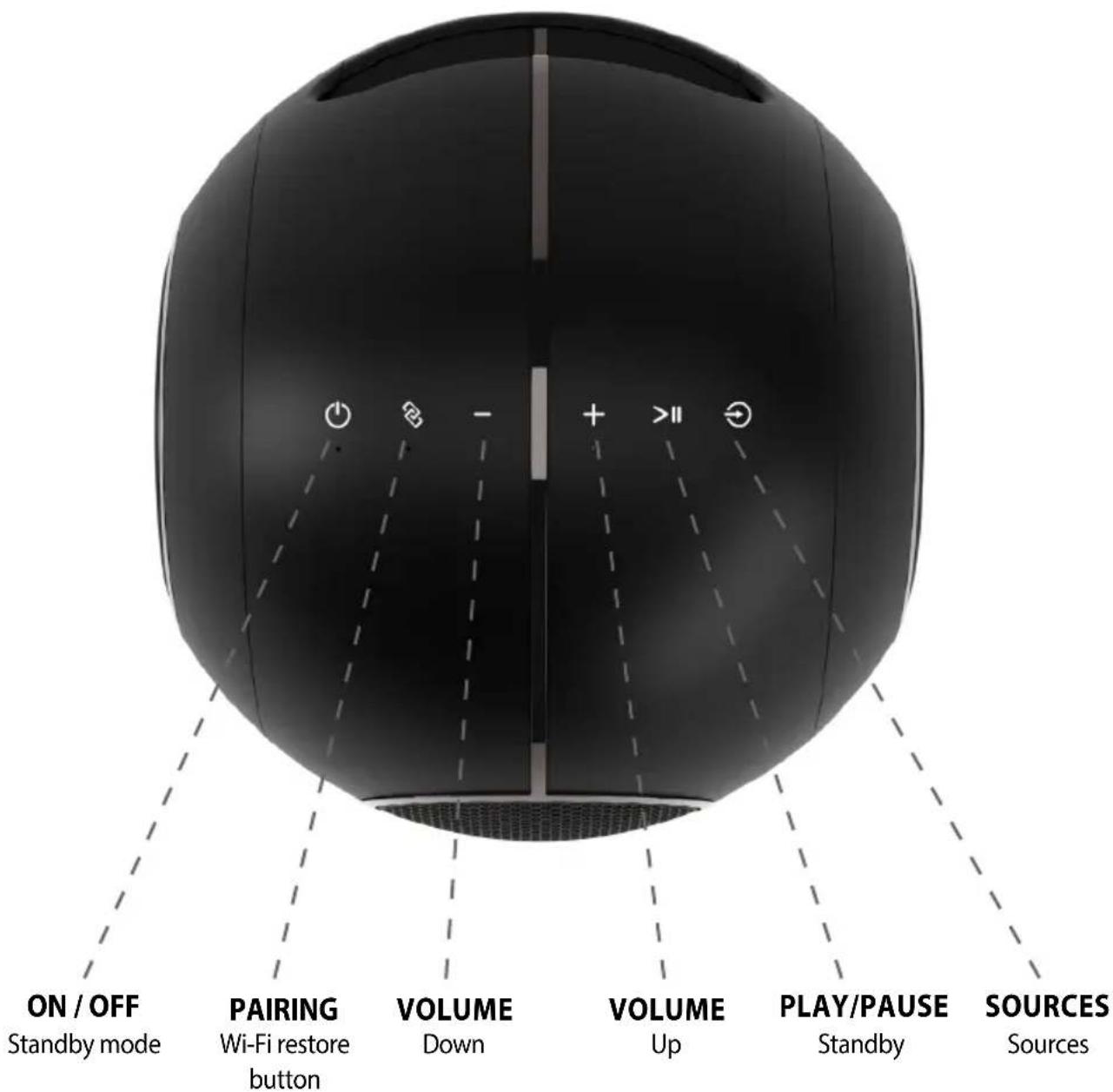
System sources
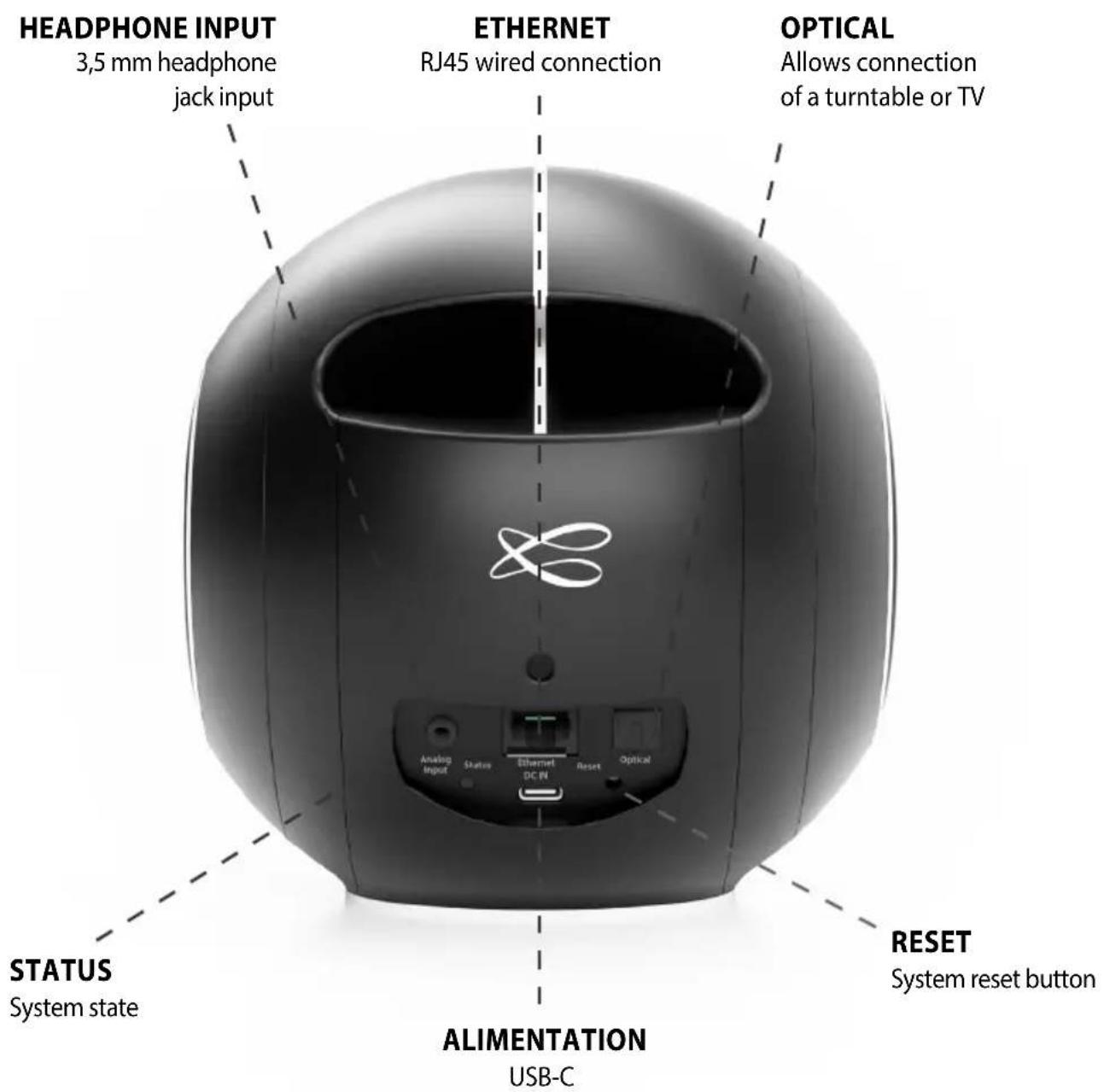
CYAN DLNA input: wifi, Ethernet, domestic streaming, internet streaming, AirPlay
GREEN Spotify Connect
○ WHITE Aux In Input
YELLOW Optical input
BLUE Bluetooth input
RED Flashing Connection to network failed
PURPLE Automatic calibration running + Update in progress
Wall mount
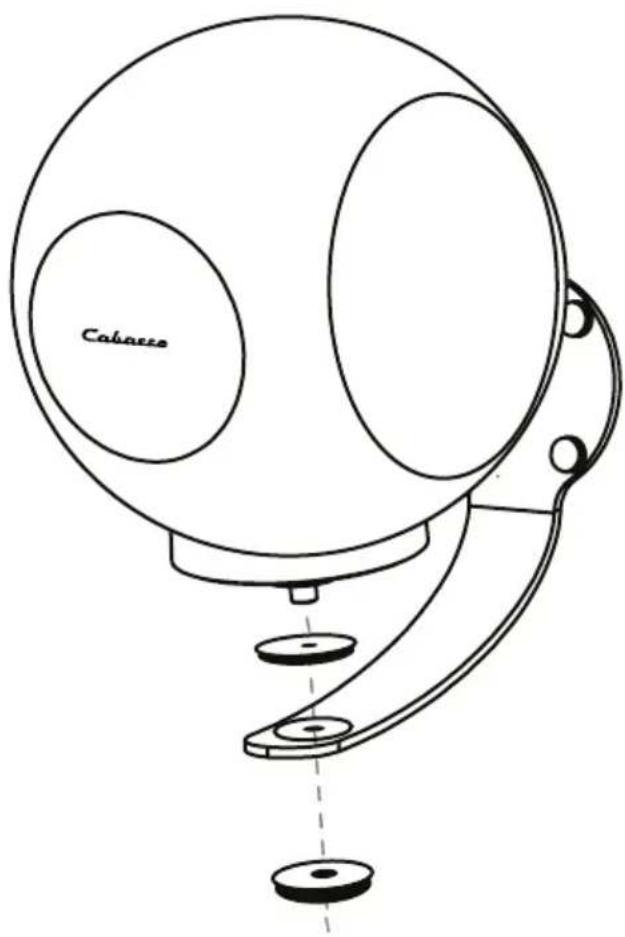
THE PEARL MYUKI is compatible with THE PEARL AKOYA wall bracket, simply add the specific adapter once the bracket is fixed to the wall. Please refer to the manual supplied with the wall bracket for further information.
natural_image
Line drawing of a vintage camera with a circular lens and attached base mount (no text or symbols)Technical Specifications
THE PEARL MYUKITHE PEARL M
99 dB RMS / 109 dB crete stereo
30 - 23 000Hz
Medium-tweeter | Mid-range-tweeter dôme 45
Woofer 2x 12 cm
65 watts aigu / trebble
76 watts woofer
Ethernet - WiFi - Bluetooth - Jack 3.5 mm - USB-C
SPDIF Optical
Formats MP3 - WAV - AAC - WMA - AIFF - FLAC - ALAC
Ogg - Vorbis - DSD 64/128 - WMA lossless
Automatic calibration
High-Resolution Multi-room
186 x 174 x 180 mm
2.1 kg
Carrying bag included
DEE marking, updates and cleaning
DEEE MARKING
Treatment of electrical and electronic devices at the end of their life (applicable in the countries of the European Union).
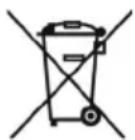
This crossed-out wheeled bin symbol affixed to the product indicates that this product should not be treated with household waste. It must be handed over to a collection point for the treatment of electrical and electronic equipment at the end of its life. By ensuring that this product is disposed of properly, you will help prevent potential negative consequences for the environment and human health. Recycling materials will help conserve natural resources. For more information about recycling this product, you may contact your municipality, your dump or the store where you purchased the product.
REPLACING THE BATTERY FROM THE REMOTE CONTROL
Turn the remote control over, facing towards the floor. Remove the old battery and replace it with another type CR-2450 coin cell. Dispose of the used battery according to the information below.
Information about batteries and accumulators in the equipment (Applicable in the countries of the European Union).
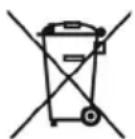
This crossed-out wheeled bin symbol affixed to a battery or accumulator indicates that the battery or accumulator should not be disposed of as unsorted household waste but should be collected separately from the battery. to make it easier to process and recycle. It must be returned to a collection point for the treatment of used batteries and accumula-
tors. By ensuring that this product is disposed of properly, you will help prevent potential negative consequences for the environment and human health. Recycling materials will help conserve natural resources. For more information about recycling this product, you may contact your municipality, your dump or the store where you purchased the product.
AUTOMATIC UPDATE
The software updates are automatic.
The update time is variable and can last up to fifteen minutes during the first connection to the Internet.
The beginning and the end of the update are announced by voice.
The speaker is not functional during this phase.
CLEANING
The product can be cleaned with a soft cloth, do not use detergent or liquid that can run inside the appliance.
Do not use any solvents, chemicals, or cleaning solutions containing alcohol, ammonia, or abrasives.

WARNING
For explosion hazard if battery is incorrectly replaced: use only the same or equivalent battery. Do not expose batteries to excessive heat such as the sun, fire or the like.
After-sales service
Cabasse has a network of authorized dealers who are available to provide after-sales service for your equipment.
For a list of authorized Cabasse dealers, please contact us or visit our website www.cabasse.com:
Cabasse hereby declares that the radio equipment of the type «THE PEARL MYUKI» complies with Directive 2014/53/EU. This marking attests to the conformity of the equipment for the aspects of safety and health of users, electromagnetic compatibility of the equipment, and proper use of the radio frequency spectrum and reduction of the product's impact on the environment. Software updates are issued by the manufacturer to correct or improve product functions.
For the latest information on accessories and software, please consult the EU Declaration of Conformity at :
www.cabasse.com/faq-stream/
or send a written request to
Cabasse SAS - 210 rue René Descartes - F 29280 - Plouzané - France
FAQ
See our answers to frequently asked questions on our website, page : https://cabasse.happyfox.com/home/
FCC STATEMENT
This equipment has been tested and found to comply with the limits for a Class B digital device, pursuant to Part 15 of the FCC Rules. These limits are designed to provide reasonable protection against harmful interference in a residential installation. This equipment generates uses and can radiate radio frequency energy and, if not installed and used in accordance with the instructions, may cause harmful interference to radio communications. However, there is no guarantee that interference will not occur in a particular installation. If this equipment does cause harmful interference to radio or television reception, which can be determined by turning the equipment off and on, the user is encouraged to try to correct the interference by one or more of the following measures:
-- Reorient or relocate the receiving antenna.
-- Increase the separation between the equipment and receiver.
-- Connect the equipment into an outlet on a circuit different from that to which the receiver is connected.
-- Consult the dealer or an experienced radio/TV technician for help.
This device complies with part 15 of the FCC Rules. Operation is subject to the following two conditions : (1) This device may not cause harmful interference, and (2) this device must accept any interference received, including interference that may cause undesired operation.
Changes or modifications not expressly approved by the party responsible for compliance could void the user's authority to operate the equipment. This equipment complies with FCC radiation exposure limits set forth for an uncontrolled environment.
This equipment should be installed and operated with minimum distance 20 cm between the radiator & your body
Cabasse
Cabasse SAS - 210, rue René Descartes - BP 10 - 29280 Plouzané - FRANCE
Tel +33 298 05 88 88 - Fax +33 298 05 88 99
www.cabasse.com

- Déballage
- CONNEXION WIFI
- THE PEARL MYUKITHE P
- Table of Content
- SYSTEME USAGE
- FONCTIONNALITÉS AVANCÉES
- Unpacking
- The components of your system
- Download and install the Cabasse StreamCONTROL app
- WIFI CONNECTION
- WARNING!
- Bluetooth Connection
- Wireless DLNA Connection
- Digital Media Player (DMP) - Network player
- Digital Media Renderer (DMR) - Content receiver
- Digital Media Server (DMS) - Content server
- Status Lights
- System sources
- Wall mount
- Technical Specifications
- THE PEARL MYUKITHE PEARL M
- DEE marking, updates and cleaning
- DEEE MARKING
- Treatment of electrical and electronic devices at the end of their life (applicable in the countries of the European Union).
- REPLACING THE BATTERY FROM THE REMOTE CONTROL
- Information about batteries and accumulators in the equipment (Applicable in the countries of the European Union).
- AUTOMATIC UPDATE
- CLEANING
- WARNING
- After-sales service
- www.cabasse.com/faq-stream/
- FAQ
- FCC STATEMENT
- Cabasse
Brand : CABASSE
Model : The Pearl Myuki
Category : Music receiver