
Connected Active Amplifier - Audio Amplifier CABASSE - Free user manual and instructions
Find the device manual for free Connected Active Amplifier CABASSE in PDF.


| Product type | Connected audio amplifier |
| Brand | Cabasse |
| Model | Connected Active Amplifier |
| Amplification | 2 x 215 W @ 4 Ohms, 2 x 120 W @ 8 Ohms |
| Frequency response | 20 Hz - 20 kHz |
| Inputs | 1 DLNA input (RJ45), dual-band Wi-Fi 802.11a/b/g/n/ac, Bluetooth 4.2, 1 optical S/PDIF input, 1 USB 2.0 input (5V-1A), 1 TV socket, stereo RCA analog input |
| Outputs | 3.5mm headphone jack on front panel |
| Display | Color touch LED with rotary volume ring and proximity sensor |
| Power supply | 100-240 VAC, 50/60 Hz, 600 W |
| Dimensions (W x H x D) | 245 x 97 x 220 mm |
| Weight | 3.5 kg |
| Operating temperature | +5°C to +35°C |
| Operating humidity | 40% to 70% |
| Network connectivity | Ethernet 10/100 Mb, Wi-Fi 802.11b/g/n, WPS 2.0 |
| Multi-room | Yes |
| Online music services | Qobuz, Deezer, Napster, Spotify, Tidal, Vtuner |
| Streaming audio formats | Wi-Fi/RJ45 (DLNA, AirPlay, Bluetooth) |
| Maintenance and cleaning | Clean with a soft, dry cloth. Do not use solvents, chemicals, or liquids. |
| Safety | Follow safety instructions: do not expose to water, do not block ventilation, use only recommended accessories. |
| Spare parts and repairability | Use only spare parts recommended by the manufacturer. Have any repairs carried out by a qualified technician. |
| After-sales service | Network of Cabasse authorized dealers. Contact via www.cabasse.com |
Frequently Asked Questions - Connected Active Amplifier CABASSE
User questions about Connected Active Amplifier CABASSE
0 question about this device. Answer the ones you know or ask your own.
Ask a new question about this device
Download the instructions for your Audio Amplifier in PDF format for free! Find your manual Connected Active Amplifier - CABASSE and take your electronic device back in hand. On this page are published all the documents necessary for the use of your device. Connected Active Amplifier by CABASSE.
USER MANUAL Connected Active Amplifier CABASSE
High Resolution Connected Active Amplifier
User Guide
User Guide
User Guide
UNPACKING
ON/OFF BUTTON
GREEN Spotify Connect
WHITE Aux In Input
BLUETOOTH CONNECTION
SPEAKER OUTPUT
Min 4 Ohms
WIRED (LAN) CONNECTION TO ETHERNET NETWORK
WARNING!
Consumption in Eco mode 2.9 W @ 100-240VAC ~ 50/60Hz
MP3, AAC, WMA, WAV, AIFF, FLAC, ALAC up to 24 bits/192 kHz
Voice control
Music Services
Qobuz, Deezer, Napster, Spotify Connect, Tidal connect, vTuner, AirPlay
https://cabasse.happyfox.com/home/
User guide
UNPACKING
Open the cardboard box widely and take out the different elements one by one. If any of the items on the carton appear to be damaged, do not use it, put it back in the original carton and contact your dealer immediately.
Keep your packaging for possible future transport of your system.
THE COMPONENTS OF YOUR SYSTEM
Connected Active Amplifier
HDMI cable 1.5m
Optical cable 2m
1 Power cord
1 Protection cover
Installation guide
Thank you for purchasing a Cabasse device. We recommend you read this leaflet carefully to take full advantage of the product.
SAFETY INSTRUCTIONS
Explanation of symbols
Lightning within an equilateral triangle warns of the existence of dangerous, uninsulated high voltage inside the product enclosure, of sufficient value to present a risk of electric shock.
The exclamation point in an equilateral triangle warns of the existence of important instructions for use and maintenance in the documentation attached to this product.
Cleaning - Unplug the unit before cleaning. Do not use liquid or aerosol cleaning solutions. Use preferably a damp cloth.
Installation on furniture and stands - Do not place this unit on an unstable stand, such as stands, tripods, tables, shelves, etc. It could fall and cause serious injury to a child or adult who is nearby.
Ventilation - The appliance must be positioned so that it does not interfere with its own ventilation. For example, it should not be installed on a bed, sofa, blanket or similar surfaces that could block its vents. It should not be embedded in confined spaces such as narrow shelves or furniture that could limit the amount of air available to the air intakes.
Power supply - The appliance must only be connected to a power source of the type written in the user manual or in line with the product. If you are unsure of the type of power supplied to your location, contact your dealer or the local power company.
Electrical Overloads - Do not overload power outlets, extension cords, or power strips. This could result in fire or electrocution.
Foreign bodies and liquids - Care should be taken never to let foreign objects or liquids enter the unit. They could cause fires or electrocutions. Never pour liquid of any kind into the device.
Maintenance - In the following cases, you must unplug your appliance and have it checked by a qualified technician:
The power supply or plug has been damaged. Foreign bodies or liquid have entered the device.
The unit has been exposed to rain or has been sprayed with water.
The unit does not seem to be working properly while you are using it as part of its normal operating instructions.
Only handle the controls covered by the user manual. Any other procedure could damage it and require the intervention of a qualified technician.
The unit has fallen or its bodywork is damaged.
The device shows significantly changed performance.
In a disturbed area environment (thunderstorm, etc.), the product may sometimes require shutdown and restart by means of the ON/OFF power switch located on the rear panel of the device to work properly again.
Spare parts - If the repair required the use of spare parts, make sure that the technician has used the references recommended by the manufacturer or having the same characteristics as the original parts. Non-conforming
parts may cause fire, electric shock, or other hazards.
Checks - After any work on the unit, have the technician perform tests to ensure that the unit operates safely.
Plastic Bags - Do not leave plastic bags in the box within reach of children to avoid choking.
IMPORTANT SAFETY INSTRUCTIONS!
- READ these instructions.
- SAVE these instructions.
- RESPECT all warnings.
- FOLLOW all instructions.
- DO NOT use this unit near water.
- Clean only with a dry cloth.
- Do not obstruct the ventilation holes. Install according to the manufacturer's instructions.
- Do not install near any heat sources such as radiators, heat registers, stoves, or other apparatus (including amplifiers) that produce heat.
- Do not disable the safety feature of the polarized or grounding-type plug. A polarized plug has two blades with one wider than the other. A grounding-type plug has two blades and a third grounding prong. The wide blade or the third prong are provided for your safety. If the provided plug does not fit into your outlet, consult an electrician for replacement of the obsolete outlet.
- Protect the power cord from being walked on or pinched, particularly at plugs, convenience receptacles, and the point where they exit from the apparatus.
plugs, power strips and its point of exit from the device.
- Use only the accessories recommended by the manufacturer.
- Refer all servicing to qualified service personnel. Servicing is required when the apparatus has been damaged in any way, such as power-supply cord or plug is damaged, liquid has been spilled or objects have fallen into the apparatus, the apparatus has been exposed to rain or moisture, does not operate normally, or has been dropped.
- To prevent fire or shock hazard, do not expose this apparatus to rain or moisture. The apparatus shall not be exposed to dripping or splashing and no objects filled with liquids, such as vases, shall be placed on the apparatus.
To prevent fire or shock hazard, do not expose this apparatus to rain or moisture. The apparatus shall not be exposed to dripping or splashing and no objects filled with liquids, such as vases, shall be placed on the apparatus.
- RUNOFF / HUMIDITY: To prevent fire or shock hazard, do not expose the unit to water or moisture. The appliance must not be exposed to any risk of liquid leaks, and no object such as a vase should be placed on or above the appliance.
- Keep this product a safe distance away from any naked flame, such as a lit candle.

CAUTION: do not ingest the battery, fatal risk of chemical burn within 2 hours. Always keep button cells, new and used, out of reach of children. Seek immediate medical attention if you think that batteries may have been swallowed or inserted anywhere in the body. If the battery compartment no longer closes securely, stop using the product and keep it away from children.
FUNCTIONS
| Bluetooth connection | WLAN/LAN via internet routeur / box | |
| Loss less audio broadcast YES | ||
| Access to all audio media from the WIFI network (computer ...) | YES | |
| Multi-room YES | ||
| Broadcast smartphone / tablet audio content | YES YES | |
| Broadcast audio application (youtube ...) from smartphone / tablet | YES | |
| Broadcasting from USB media | YES | |
| Internet radio and music services Qobuz, Deezer, | Napster, Spotify, Tidal, Vtuner | |
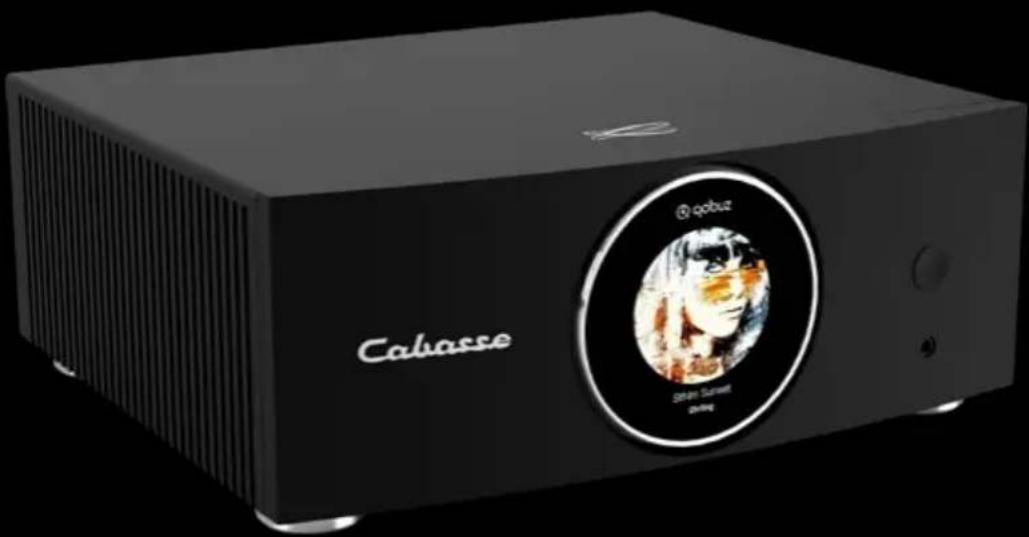
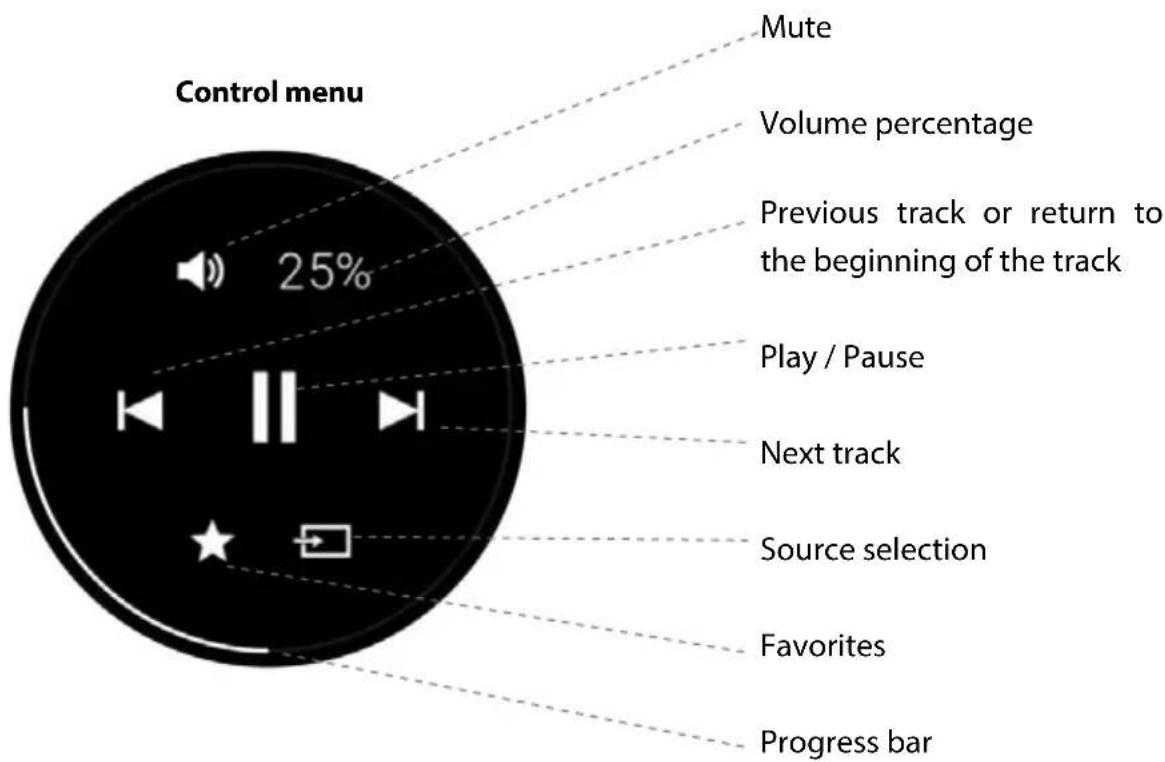
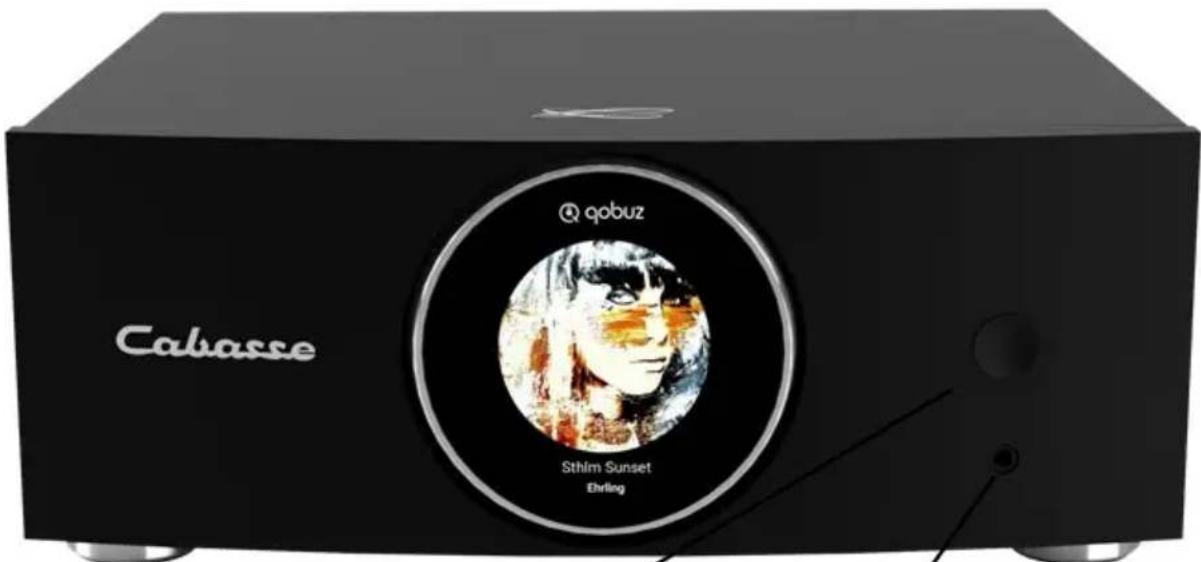
SMART DIGITAL DISPLAY
ON/OFF BUTTON
You can switch off or on the unit by pressing the power button to the right of the unit's display.
HEADPHONE INPUT
You will find a 3.5 mm headphone input on the front side of the product
FIRST USE
Connect your speaker to the mains with the proper power cord.
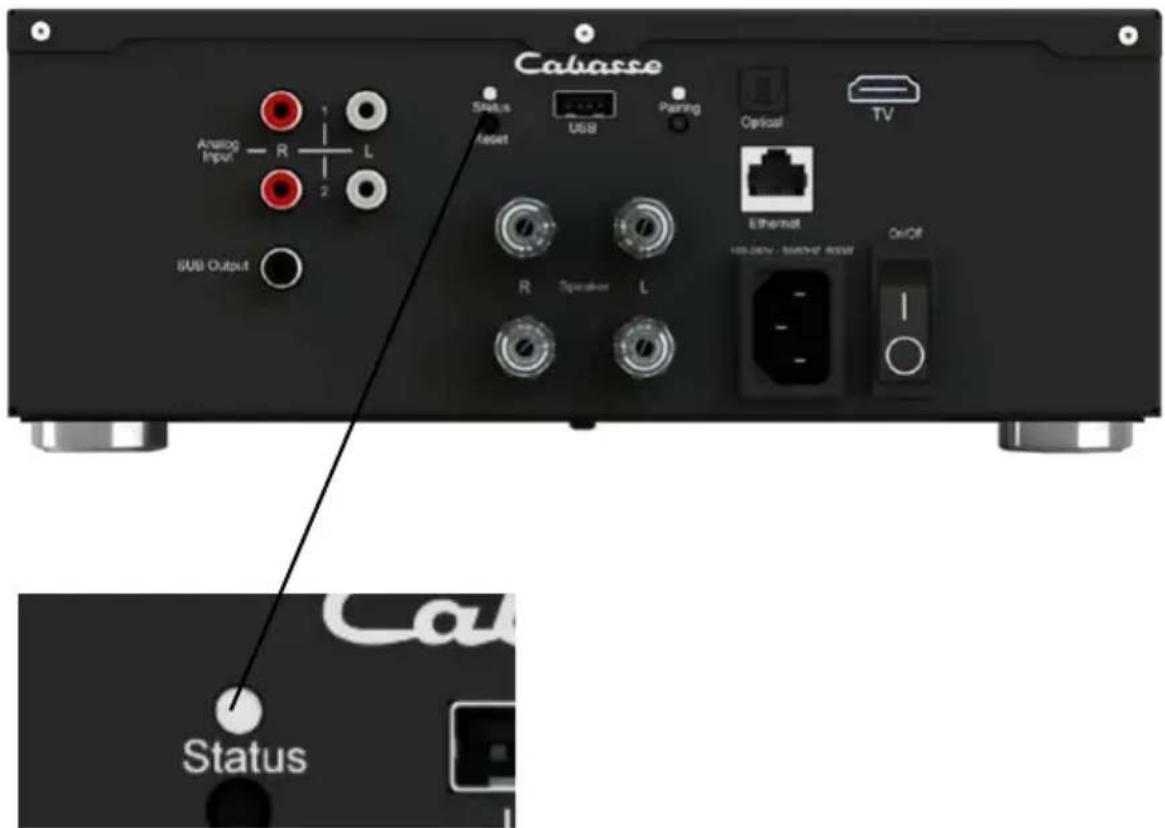
Your speaker is operational as soon as the LED on the left of the rear panel opposite is lit in solid blue.
A voice announcement, if the volume of your speaker is not at a minimum, indicates the status of the network connection: in progress, success, fail.
COLOR CODES OF THE STATUS LED
CYAN DLNA input: wifi, Ethernet, domestic streaming, internet streaming, AirPlay
GREEN Spotify Connect
WHITE Aux In input
YELLOW Optical input
BLUE Bluetooth input
RED (flashing) Connection to network failed
PURPLE Automatic calibration running + Update in progress
WIRED AND NON-WIRED INPUTS

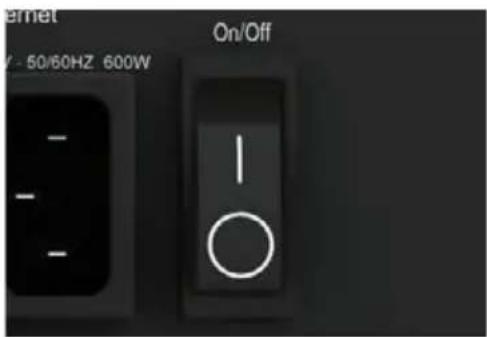
POWER BUTTON
The On/off button located on the back of the device allows you to switch on or off your amplifier.
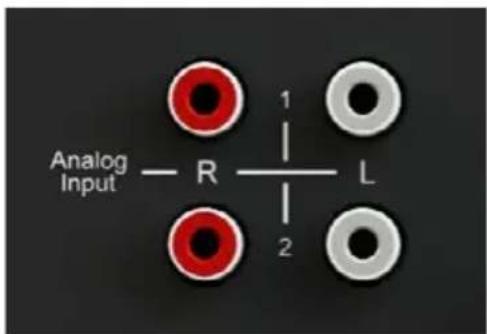
ANALOG INPUT
This input can be connected to an audio source (CD player, MP3 player, smartphone, TV) equipped with an analog output RCA. Use RCA / RCA cord (not included)
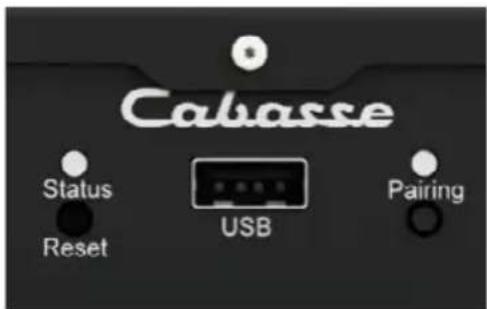
USB INPUT
This input is only useful for use in Wi-Fi / Ethernet mode (paragraphs 4,5,6 below). Connect a USB stick or hard drive containing audio files to this input to automatically network them. All files in formats recognized by the DLNA server are then listed in the Stream Audio Control application and can be read by all Cabasse Stream players connected to the same network. The USB socket has a 5V - 1A DC power supply for use with a portable hard drive without external power supply.
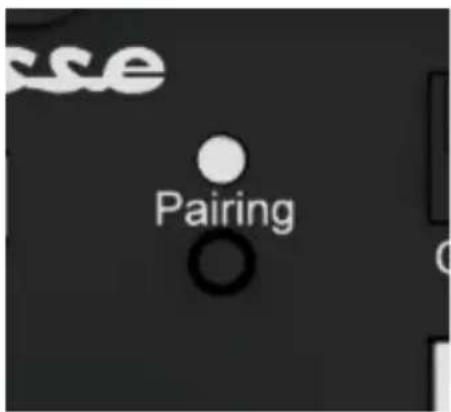
BLUETOOTH CONNECTION
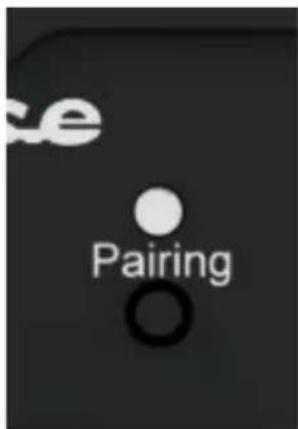
- Once the speaker is on, press the "Pairing" button on the back
- The "Pairing" LED on the back should flash
- Activate Bluetooth on your mobile
- Select "Amplifier" from the list of available devices
- Once the connection is successful, the "Pairing" LED on the back stops flashing
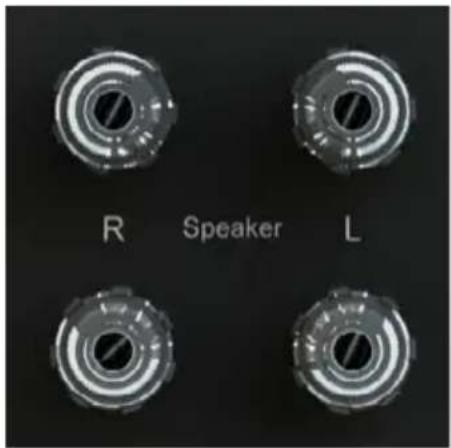
SPEAKER OUTPUT
Min 4 Ohms
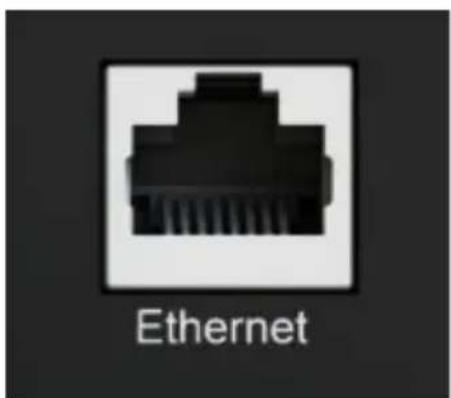
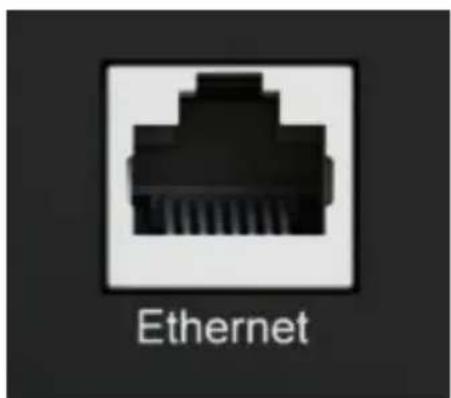
WIRE CONNECTION (LAN) TO THE ETHERNET NETWORK
The wired Ethernet connection guarantees an optimum and constant transfer rate in any environment. Use this if Wi-Fi mode operation shows untimely cuts or stops of music, signs of a saturated Wi-Fi network, or too much router-to-stream distance.
Connect an RJ45 cable between the speaker and your router (or Box Internet).
The connection is established when the STATUS diode changes to solid blue. The WIFI connection is then automatically disabled.
CAUTION: DHCP mode of the router must be enabled.

WARNING!
An update of software can start automatically as soon as an internet connection is made.
The beginning and the end of the update are announced by voice.
Do not turn off or disconnect
your speaker during updates that may require several minutes.
WIRELESS DLNA CONNECTION (WLAN) TO WI-FI NETWORK WITH THE CABASSE STREAM CONTROL APPLICATION
- Install the Cabasse Stream CONTROL App on your tablet or smartphone from "Play Store" for an Android device, or "App Store" for an Apple product.
- Open the application and follow the tutorial.
- Follow the instructions and, when prompted, select the Wi-Fi network to be used and enter the network password.
- Start listening to your favorite music from your smartphone, USB key, or hard drive connected to the device's USB input, or using sources connected to its analog or optical input.
The sources connected to the analog and optical inputs of the device can be played by all the other Stream devices belonging to the same zone.
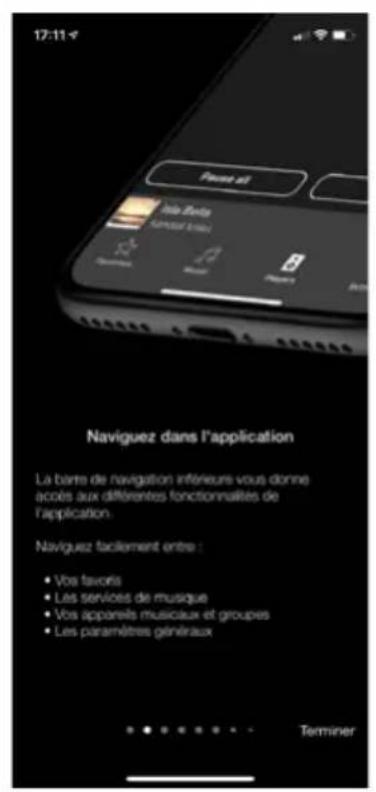
STREAM CONTROL APPLICATION
Open the Cabasse Stream CONTROL application and launch the tutorial to discover the main features of the application.
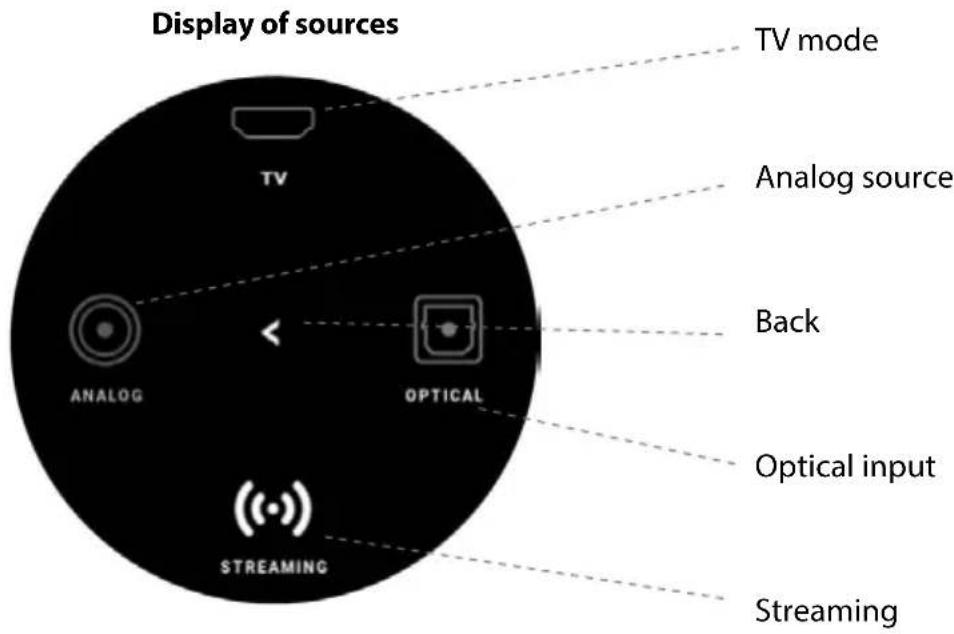
USE / SYNCHRONIZE WITH A TV SET
MODE TV
- Connect the primary speaker to the TV with the TV cable, and connect the primary speaker to the secondary speaker with the optical cable.
- If you find latency between the picture and sound of your speakers, please try the time delay or audio synchronization feature of your TV set if available.
- If the TV icon does not appear on the primary speaker display, the TV connection is not found. Check your connections or replace the TV cable.
- With this connection, you can control the volume of your system via your TV remote control.
Choose the coaxial SPDIF solution.
There are 3 modes that will allow you to adapt the latency of your audio system to your needs:
- TV/DIRECT: This mode does not use the network. The sound is broadcast directly from the audio input to the device. Therefore, the sound must be distributed to each device in the zone and all must have the same configuration.
- Low latency: This mode allows the streaming of one device to the others. The latency is less than 1 second, the stability of this setting will depend on the quality of the network and the bandwidth. If one of your devices cuts out, it is generally due to a lack of buffering data, a wired Ethernet connection is preferable to a wireless connection.
If this setting remains unstable, we advise you to configure the direct TV mode so as not to depend on your network.
DEACTIVATION OF THE SPEAKERS OF THE TELEVISION
Turn on the TV, open the TV menu, and look for a tab such as Audio, Sound or Speakers. Use the menu function to switch off the TV speakers. This menu item may for example be labeled «Speaker On / Off» for speakers on / off. If this function does not exist, bring the TV sound volume with the TV remote control to the minimum level.
ACTIVATION OF THE OPTICAL OUTPUT OF THE TELEVISION
If there is no sound with an optical connection, set the chosen optical output in the TV menu if necessary.
DEEE MARKING
Treatment of electrical and electronic devices at the end of their life (applicable in the countries of the European Union).
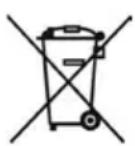
This crossed-out wheeled bin symbol affixed to the product indicates that this product should not be treated with household waste. It must be handed over to a collection point for the treatment of electrical and electronic equipment at the end of its life. By ensuring that this product is disposed of properly, you will help prevent potential negative consequences for the environment and human health. Recycling materials will help conserve natural resources. For more information about recycling this product, you may contact your municipality, your dump or the store where you purchased the product.
REPLACING THE BATTERY FROM THE REMOTE CONTROL
Turn the remote control over, facing towards the floor. Remove the old battery and replace it with another type CR-2450 coin cell. Dispose of the used battery according to the information below.

WARNING for explosion hazard if battery is incorrectly replaced: use only the same or equivalent battery. Do not expose batteries
to excessive heat such as the sun, fire or the like.
Information about batteries and accumulators in the equipment (Applicable in the countries of the European Union).
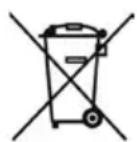
This crossed-out wheeled bin symbol affixed to a battery or accumulator indicates that the battery or accumulator should not be disposed of as unsorted household waste but should be collected separately from the battery. to make it easier to process and recycle. It must be returned to a collection point for the treatment of used batteries and accumulators. By ensuring that this product is disposed of properly, you will help prevent potential negative consequences for the environment and human health. Recycling materials will help conserve natural resources. For more information about recycling this product, you may contact your municipality, your dump or the store where you purchased the product.
AUTOMATIC UPDATE
The software updates are automatic.
The update time is variable and can last up to fifteen minutes during the first connection to the Internet.
The beginning and the end of the update are announced by voice.
The speaker is not functional during this phase.
CLEANING
The device can be cleaned with a soft cloth, do not use detergent or liquid that can run inside the appliance.
Do not use any solvents, chemicals, or cleaning solutions containing alcohol, ammonia, or abrasives.
Digital inputs
- 1 DLNA input: wired with RJ45 plug or Wi-Fi dual band 2x2 802.11a / b / g / n / ac
- 1 Bluetooth 4.2 input
- 1 S / PDIF optical input
- 1 USB 2.0 input 5V-1A
- 1 TV input
- Analog RCA x 2
- Sub headphone jack output on front panel
Analog input RCA stereo
Power supply 100-240 VAC ~ 50/60Hz
Consumption 600 W
Consumption in Eco mode 2.9 W @ 100-240VAC ~ 50/60Hz
Controller
Color LED touch screen with rotary volume control and proximity sensor
Operating temperature
+5 °C to +35 °C
Storage temperature
-5 °C to +40 °C
Moisture rate in use
40% to 70%
Network
10/100Mb Ethernet
MAC & PHY
Wireless LAN 802.11b/g/n
WPS 2.0 Security
Digital audio player
(DMR with DLNA 1.5)
Frequency response
20Hz to 20 KHz / Headphone from 12.8 Ohms to 600 Ohms
Streaming audio formats Wifi/RJ45
MP3, AAC, WMA, WAV, AIFF, FLAC, ALAC up to 24 bits/192 kHz
Voice control
Music services
Qobuz, Deezer, Napster, Spotify Connect, Tidal Connect, vTuner, AirPlay
Class D stereo amplifier
Amplification per channel:
2 x 215 W @ 4 Ohms
2 x 120 W @ 8 Ohms
Dimensions
245 x 97 x 220 mm
Weight
3.5 kg
FCC STATEMENT
This equipment has been tested and found to comply with the limits for a Class B digital device, pursuant to Part 15 of the FCC Rules. These limits are designed to provide reasonable protection against harmful interference in a residential installation. This equipment generates, uses, and can radiate radio frequency energy and, if not installed and used in accordance with the instructions, may cause harmful interference to radio communications. However, there is no guarantee that interference will not occur in a particular installation. If this equipment does cause harmful interference to radio or television reception, which can be determined by turning the equipment off and on, the user is encouraged to try to correct the interference by one or more of the following measures:
-- Reorient or relocate the receiving antenna. -- Increase the separation between the equipment and receiver. -- Connect the equipment into an outlet on a circuit different from that to which the receiver is connected. -- Consult the dealer or an experienced radio/TV technician for help.
This device complies with part 15 of the FCC Rules. Operation is subject to the following two conditions: (1) This device may not cause harmful interference, and (2) this device must accept any interference received, including interference that may cause undesired operation.
Changes or modifications not expressly approved by the party responsible for compliance could void the user's authority to operate the equipment. This equipment complies with FCC radiation exposure limits set forth for an uncontrolled environment.
This equipment should be installed and operated with minimum distance 20 cm between the radiator & your body.
Cabasse
Cabasse SAS - 210, rue René Descartes - BP 10 - 29280 Plouzané - FRANCE
Tel +33 298 05 88 88 - Fax +33 298 05 88 99
- HIGH RESOLUTION CONNECTED ACTIVE AMPLIFIER
- USER GUIDE
- UNPACKING
- ON/OFF BUTTON
- BLUETOOTH CONNECTION
- SPEAKER OUTPUT
- WIRED (LAN) CONNECTION TO ETHERNET NETWORK
- WARNING
- VOICE CONTROL
- MUSIC SERVICES
- THE COMPONENTS OF YOUR SYSTEM
- SAFETY INSTRUCTIONS
- EXPLANATION OF SYMBOLS
- IMPORTANT SAFETY INSTRUCTIONS
- SMART DIGITAL DISPLAY
- HEADPHONE INPUT
- FIRST USE
- COLOR CODES OF THE STATUS LED
- WIRED AND NON-WIRED INPUTS
- POWER BUTTON
- ANALOG INPUT
- USB INPUT
- WIRE CONNECTION (LAN) TO THE ETHERNET NETWORK
- DO NOT TURN OFF OR DISCONNECT
- WIRELESS DLNA CONNECTION (WLAN) TO WI-FI NETWORK WITH THE CABASSE STREAM CONTROL APPLICATION
- STREAM CONTROL APPLICATION
- USE / SYNCHRONIZE WITH A TV SET
- MODE TV
- DEACTIVATION OF THE SPEAKERS OF THE TELEVISION
- ACTIVATION OF THE OPTICAL OUTPUT OF THE TELEVISION
- DEEE MARKING
- REPLACING THE BATTERY FROM THE REMOTE CONTROL
- AUTOMATIC UPDATE
- CLEANING
- DIGITAL INPUTS
- CONTROLLER
- OPERATING TEMPERATURE
- STORAGE TEMPERATURE
- MOISTURE RATE IN USE
- NETWORK
- FREQUENCY RESPONSE
- STREAMING AUDIO FORMATS WIFI/RJ45
- CLASS D STEREO AMPLIFIER
- DIMENSIONS
- WEIGHT
- FCC STATEMENT
- CABASSE
Brand : CABASSE
Model : Connected Active Amplifier
Category : Audio Amplifier