303339 - Mouse Titanwolf - Free user manual and instructions
Find the device manual for free 303339 Titanwolf in PDF.


User questions about 303339 Titanwolf
0 question about this device. Answer the ones you know or ask your own.
Ask a new question about this device
Download the instructions for your Mouse in PDF format for free! Find your manual 303339 - Titanwolf and take your electronic device back in hand. On this page are published all the documents necessary for the use of your device. 303339 by Titanwolf.
USER MANUAL 303339 Titanwolf
text_image
TITANWOLF® User Manual LAW Wired Gaming MouseTITANWOLF®
User Manual
LAW Wired Gaming Mouse
Table of contents (languages)
- Deutsch .... 2
- English 12
- Français 22
- Italiano 32
- Español....42
Inhaltsverzeichnis
- Scope of delivery.... 12
- Specifications .... 13
- System requirements .... 13
- Installation.... 14
- Software settings ...... 15
- Adjusting the weight 20
- Safety instructions and Disclaimer 20
- Disposal instructions ...... 21
Thank you for choosing a TITANWOLF product. Please read the following user manual carefully so that you can enjoy the purchased product for a long time.
1. Scope of delivery
• LAW Wired Gaming Mouse
- Weights (already fitted)
- User manual
- Software CD
2. Specifications
- Perfectly designed to meet the needs of gamers: up to 24000 DPI, variable polling rate up to 1000Hz
- Avago 3360 sensor ensures accurate gaming and a more thrilling gaming experience in conjunction with Omron mouse buttons
- 12 programmable buttons, 3 x 3g weights to customise the handling, configurable LED lighting
- 6 DPI levels
• 2-way mouse scrolling wheel - Durable gliding pads, 6 side buttons, ergonomic design for right-handed people, rubberised surface for better grip
3. System requirements
- Operating system: Microsoft® Windows® 10 (32/64bit), Windows® 8.1, Windows® 8 (32/64bit), Windows® 7 (32/64bit), Windows® Vista (32/64bit), Windows® XP (32/64bit)
- Hard disk: 20MB of free disk space is required
4. Installation
Connect the device to a free USB port on your computer.
Installation is necessary to use the gaming mouse that you have purchased. Insert the driver CD into your drive. The automatic playback opens.
Click on "Run autorun.exe" to start the installation. If you need to install the software manually, then open the contents of the software CD and then run the "Titanwolf_LAW.exe"

Titanwolf\_LAW
A confirmation prompt is displayed that needs to be accepted with "Yes".

Now follow the instructions of the installation wizard to carry out the installation properly.
Once the process is completed, you can stop the installation program by clicking on "Finish". The software is now fully installed and can be used immediately.
5. Software settings
You have the option of carrying out many settings in the configuration software of the gaming mouse.
5.1 Resetting to factory settings
- Reset All: It is possible to reset the settings of the current profile back to the factory settings using the "Reset" button.
5.2 Configuration
The options, which are explained in detail below, can be configured and saved as profiles. Using the mouse, select "Export" in the menu to save the current profile with the current settings.
To enable a different profile, click on the "Import" button and then select the previously saved profile.
5.2.1 General
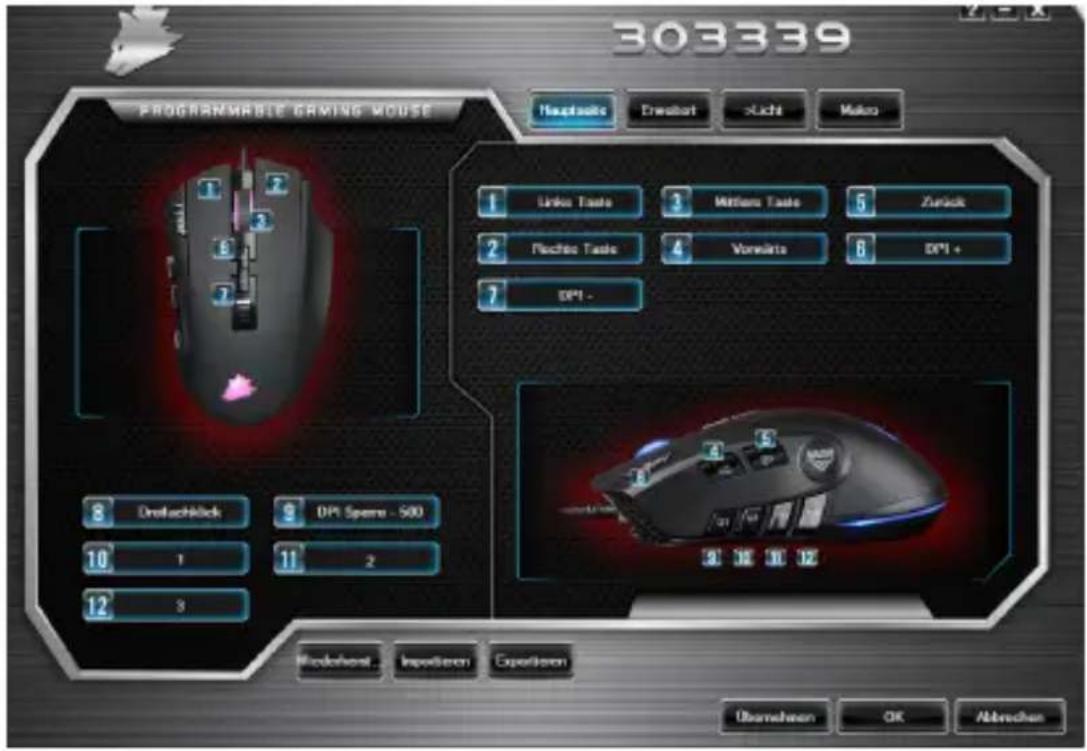
text_image
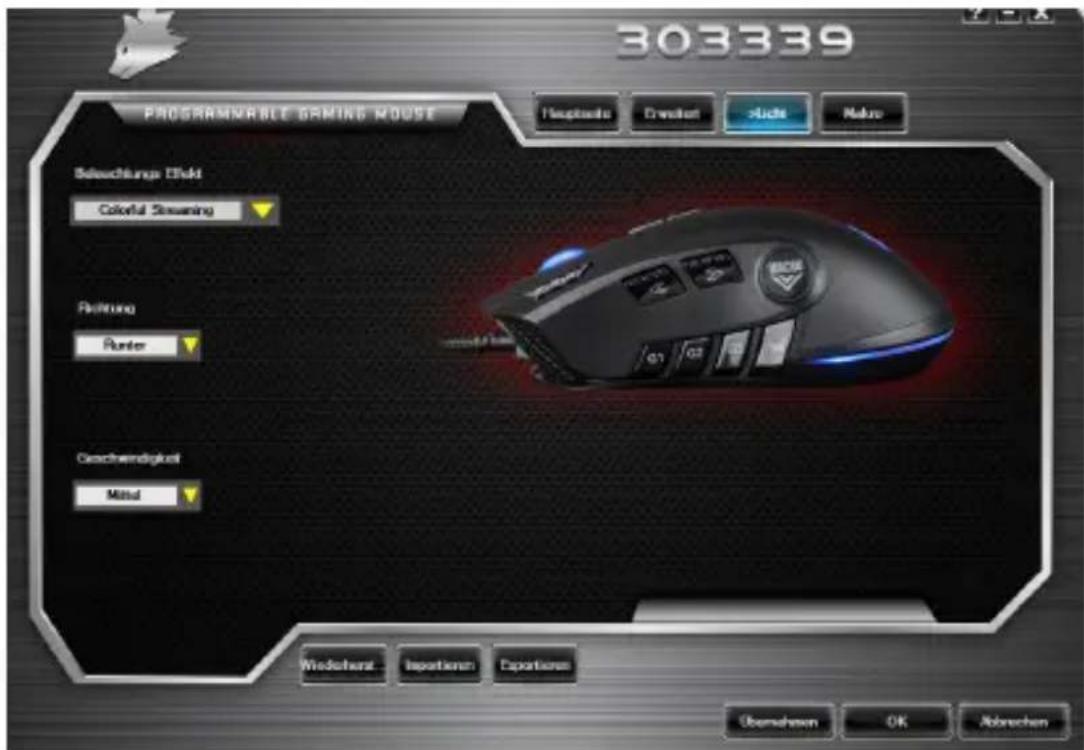
303339 PROGRAMMABLE GAMING MOUSE Hauptsois Dressort Xlicht Makko Linko Taste Mittons Taste Zurick Pachino Taste Vorsilte DPI + DPI - Dreuschlick DPI Spene - 500 10 1 11 2 12 3 Microshost Inpositionen Expositionen Überlehen OK Abbrachen- Light: You can configure the light effects individually in the "Light" menu item. You can select between several light modes and colours and they can also be changed as desired.
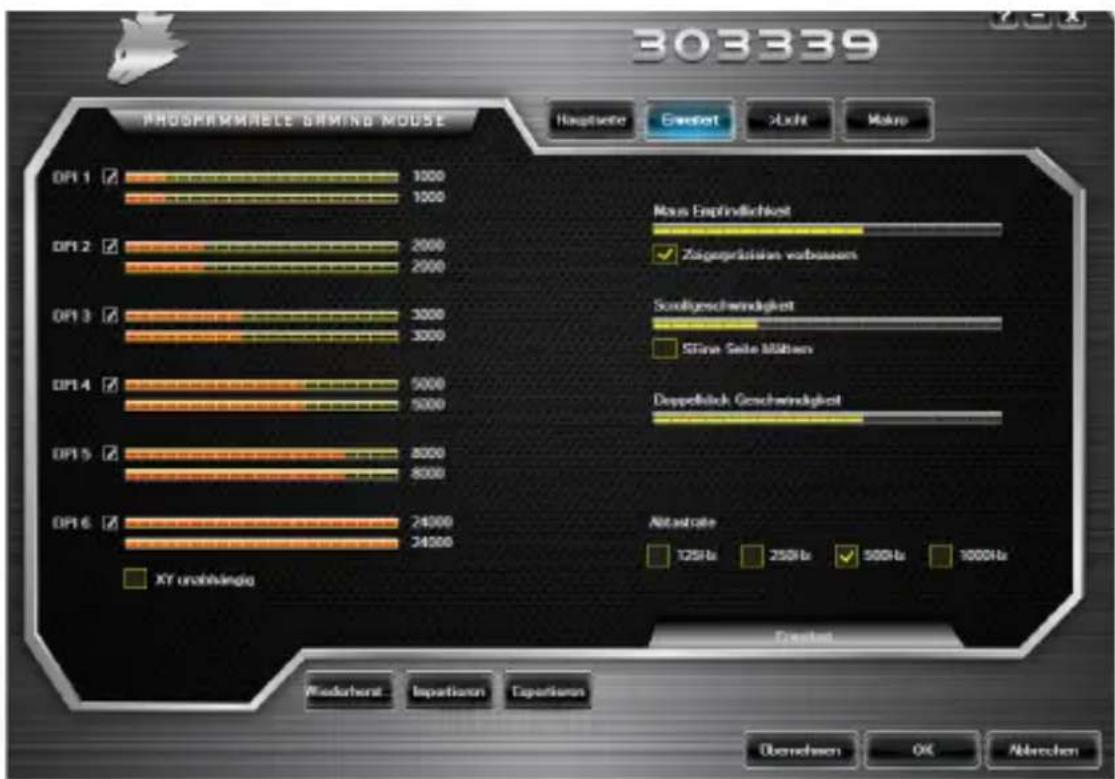
- Advanced: In the "Advanced" menu item, you can configure the different DPI levels, the sensitivity of the mouse, the scrolling speed, the double-click speed, as well as the report rate (polling rate).
- Polling rate: Select your preferred polling rate to define the intervals at which the mouse sends the position data to the computer. A polling rate of 1000 Hz means that data is sent 1000 times per second.
- Double-click speed: The double-click speed defines the maximum time between two clicks, so that it can be registered as a double click and not two individual clicks.
- Scrolling speed: The scrolling speed of the mouse wheel can be configured here.
- Mouse sensitivity: You can adjust the sensitivity of the mouse in this menu item.
- Configuring the mouse buttons: The buttons at the top of the mouse as well as those at the side can be freely configured. Please click on "Main" to access the desired settings. To reconfigure a button, click on the appropriate number next to the mouse symbol which corresponds to the desired button. The mapping of numbers and buttons is shown in the diagram. You not only can choose from preconfigured options, but can also make individual settings. A special feature is the option of creating macros, which is explained in detail later in section 5.3.
Note: Please remember that the "Z" and "Y" keys are reversed. To configure, use the letter other than the one desired to get the proper result.
5.2.2 DPI
In the DPI settings, you have the option of configuring 6 individual DPI levels or disabling them if required. You can also choose different DPI values between 400 and 5000 DPI using the 6 DPI levels.
Note: The DPI setting is in the "Advanced" menu.
You can customise the LED lighting of the mouse accordingly. The effect can be selected individually depending on the appearance desired. Under the "Lighting effect" menu item, you can choose from many available effects. For some of them, you have the option to select, e.g., the colour or brightness.
text_image
303339 PROGRAMMABLE GAMING MOUSE Hospitals Drawlist Aids Make Selechungs Disk Colorful Streaming Reitung Punter Geschwindigkeit Metal Wiedehart Isoperten Eportens Überhausen OK Abbrachen5.3 Creating macros
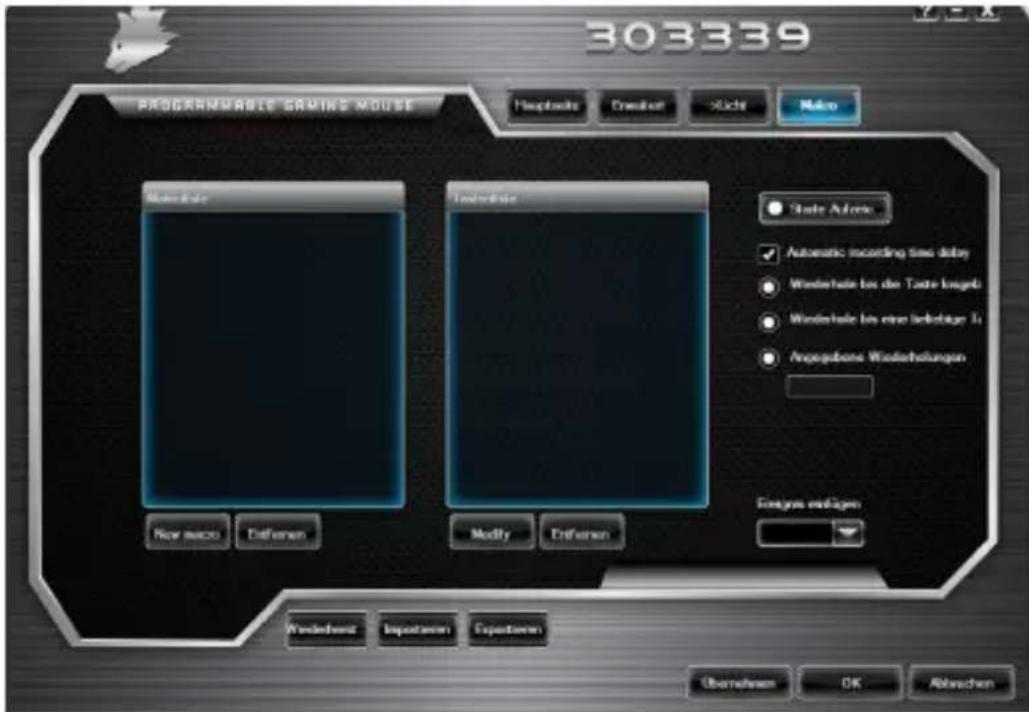
Macros are recordings of specific key sequences, which can be run by pressing a single mouse button depending on the configuration. This can, for example, be keystrokes or mouse commands. To define a macro, click the "Macro Manager" button in the left section of the software.
To start recording a new macro, first click on "New macro". Then, define a name by double clicking on the macro. The recording can then be started using the "Start recording" button and stopped using the "Stop recording" button. Additional options are available on the right side of the Macro Manager for recording the steps. In this way, you can define whether the time between pressing the individual buttons and the stop times are measured and recorded, so that the recorded macro is executed
several times when the mouse button is pressed. You can customise other settings by right clicking on the "List of keys" field. This, for example, can be a delay of 50 milliseconds between the desired keystrokes. The option of editing the recorded steps subsequently is also available.
- Please remember that the "Z" and "Y" keys are reversed. To configure, use the letter other than the one desired to obtain the right result. Special characters and the numpad cannot be used as a macro.
- The macro function is limited to 62 combinations (31 characters). Ensure that you do not exceed this limit.
6. Adjusting the weight
The weight compartment is located below the mouse. Open it and remove the weights from the mouse. You can now add or remove weights to arrive at your preferred mouse weight. Before closing the cover, ensure that the weights are complete and placed straight inside the place holders, to prevent any damage to the mouse.

7. Safety instructions and disclaimer
Never try to open the device to carry out repairs or modifications. Avoid contact with the mains voltage. Do not short-circuit the product. The device is not water-proof, therefore please use it only in dry surroundings. Protect it from high humidity, water and snow. Do not expose the device to high temperatures. Do not expose the device to sudden changes in temperature or strong vibrations, as this could damage the electronic components.
Check the device for any damage before using it. The device should not be used if it was subject to impact or has been damaged in some other manner. Please comply with the local regulations and restrictions. Do not use the device for purposes other than those described in the user manual. This product is not a toy. Keep it out of the reach of children or mentally disabled persons. Any repair or modifications to the device, which is not carried out by the original supplier, will void any warranty and guarantee claims.
The device should be used only by persons who have read and understood this user manual. The specifications of the device may be changed without prior notice.

8. Disposal instructions
In line with the European WEEE directive, electrical and electronic devices should not be disposed of along with domestic waste. Their components must be sent separately for recycling or disposal, as improper disposal of toxic and dangerous components may permanently damage the environment. According to the electrical and electronic equipment act (ElektroG), you are obliged (as a consumer) to return (free of charge) all electrical and electronic devices to the manufacturer, the point of sale, or public collection points at the end of their service life. The relevant local laws regulate the details in this regard. The symbol on the product, in the user manual or/and the packaging refers to these regulations. With this manner of sorting, recycling and disposal of used devices, you make an important contribution towards protecting our environment.

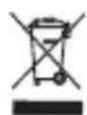
WEEE Guideline: 2012/19/EU WEEE Register no.: DE 67896761
WD Plus GmbH hereby certifies that the device 303339/20180703SZ232 complies with the fundamental requirements and all other relevant stipulations. A complete conformity statement can be obtained from: WD Plus GmbH, Wohlenbergstraße 16, 30179 Hannover
Table des matières
text_image
QR code image containing encoded data, no visible human-readable text
Titanwolf.Gaming
www.ganzeinfach.de