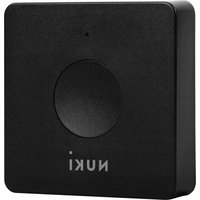
Opener - Lock Nuki - Free user manual and instructions
Find the device manual for free Opener Nuki in PDF.


| Product type | Smart door opener for intercom |
| Brand | Nuki |
| Model | Opener (060.119) |
| Power supply | 4 AAA batteries (1.5 V) or 5 V via micro USB cable (not included) |
| Connectivity | Bluetooth 5.0, 2.4 GHz ISM band |
| Operating temperature | 10 °C to 40 °C |
| Maximum humidity | 95% (non-condensing) |
| Usage | Indoor only, dry |
| Intercom compatibility | Max. voltage 50 V AC/DC, max. current 2 A |
| Main functions | Electric strike control, doorbell detection, generic door opener via Nuki app |
| Installation | Mounting on intercom screw terminals, adhesive or screws/anchors |
| Maintenance and cleaning | Clean with a soft dry cloth; do not use chemicals |
| Safety | Do not expose to extreme heat, frost or moisture; keep out of reach of children under 36 months |
| Spare parts and repairability | Replaceable AAA batteries; no specific spare parts mentioned |
| Warranty | 24 months (except normal wear, modifications, non-compliant use) |
| Standards and certifications | Directive 2014/53/EU, declaration of conformity available at nuki.io/legal |
| Technical support | Email: service@nuki.io ; online help: nuki.io/help |
Frequently Asked Questions - Opener Nuki
User questions about Opener Nuki
0 question about this device. Answer the ones you know or ask your own.
Ask a new question about this device
Download the instructions for your Lock in PDF format for free! Find your manual Opener - Nuki and take your electronic device back in hand. On this page are published all the documents necessary for the use of your device. Opener by Nuki.
USER MANUAL Opener Nuki
natural_image
Simple icon of a circular ring with a dot above it, labeled 'NUKI' at the bottom (no additional text or symbols)Smarten up your intercom.
Article Type: 060.119
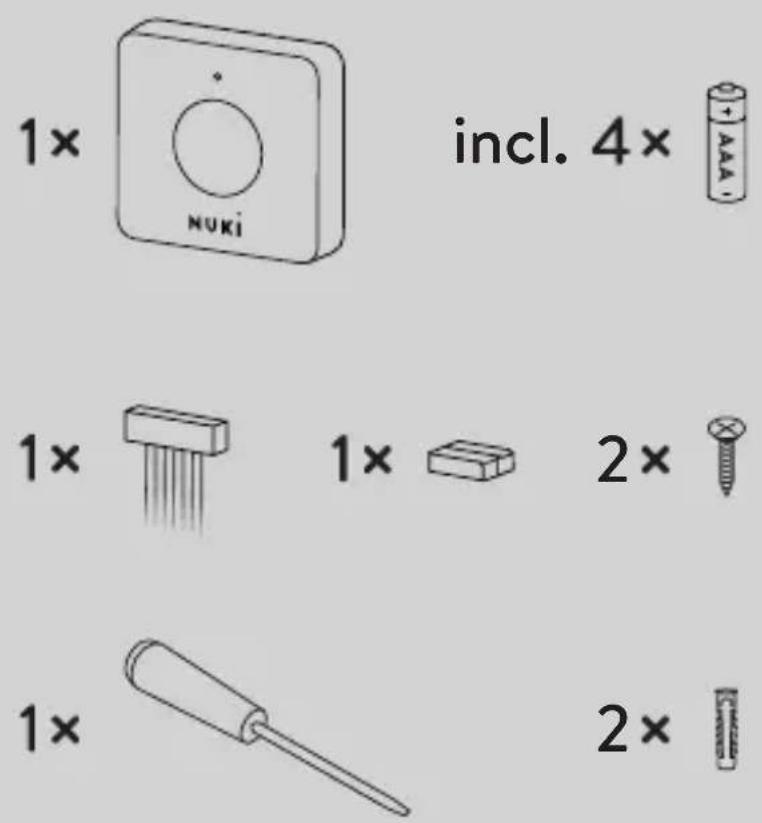
incl. 4×
www.nuki.io
Installation
Installation • Installazione • Installation • Instalación • Instalace • Instalácia Instalacja • Instalação • Installatie • Εγκατάσταση • Монтаж • Beszerelés Montaj • الترkeysib
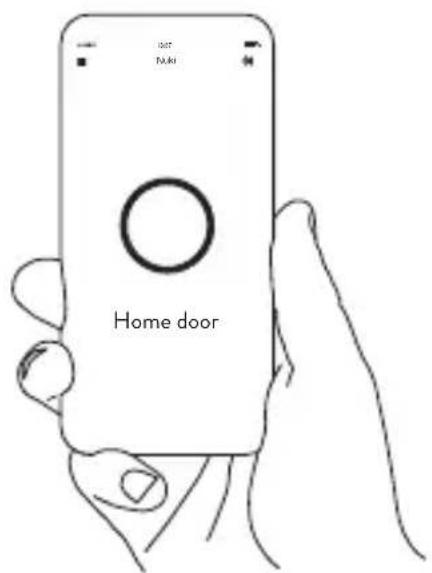

www.nuki.io/download
www.nuki.io
Version number: 060.119-D03
Date: 02/2022
DE Bedienungsanleitung 6
EN Operating Instructions 9
FR Mode d'emploi....12
NL Instructies voor gebruik 15
ES Instrucciones de uso....18
IT Libretto di istruzioni 21
PT Instruções para o uso 24
CZ Návod k použití 27
SK Návod na použitie 30
PL Instrukcja obsługi 33
GR Οδηγίες λειτουργίας 36
RU Руководство по эксплуатации 39
TR Kullanım kılavuzu 42
HU Használat 45
AR دليل التشفيل 48
DE
Produktbeschreibung
The Nuki Opener was designed as a smart door opener in the form of a retrofit solution for existing intercom systems and makes it possible to control electric door openers and detect doorbell signals.
Proper use
Only use the Nuki Opener (060.119) with intercom systems with a maximum voltage of 50 V AC/DC and a maximum current of 2 A.
Operating temperature: 10–40°C, maximum humidity 95%, non-condensing.
The device is only suitable for use in dry interior spaces and must not be installed on fire doors, escape doors or other doors with special requirements for door lock drives.
Any other use is deemed improper and shall result in an exclusion of warranty and liability.
Suitable for type AAA batteries (4 pieces). The lid of the Nuki Opener can be lifted to replace the batteries. Alternatively, the Nuki Opener can be operated with 5 V using a micro USB cable (not included with delivery).
EN
Assembly and installation
The Nuki Opener is connected using the screw terminals that are already present in the intercom. The corresponding installation instruction manual can be found in the Nuki app for iOS or Android smartphones. Please only use the wiring diagrams specified by us. Nuki Home Solutions GmbH shall not be liable for any damages to the property and/or intercom system.
For installations with an adhesive pad, the surface must be even and free from grease, dust, and dirt. Alternatively, the Nuki Opener can be screwed on. You can either use the included screws and dowels, or other installation materials that are appropriate for the wall texture.
Safety instructions

The following safety and hazard instructions not only serve to protect the device, they also prevent personal injury. Please read through the instructions carefully.
The Nuki Opener might malfunction due to technical faults. Please always carry the key of the lock with you or store where it's easily accessible in case of a malfunction.
EN
When using the Opener as a generic door opener, the maximum load must be within the range of intended use (max 50V AC / DC and 2A).
Improper handling of the device might lead to damages to the product and the system. Do not expose the device to extreme heat or cold. Do not leave the product in direct sunlight, near open fire or extreme heat sources.
Do not short-circuit the batteries! Do not dispose of the batteries in fire. There is a risk of explosion!
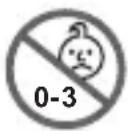
This product and its packaging materials contain small parts which children might swallow; therefore, store it away from children younger than 36 months of age. This product is not a toy. Leaking or damaged batteries might cause chemical burns.
Disposal
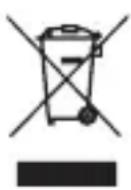
Do not dispose of the device with the household rubbish!
Electronic devices must be disposed of at local collection stations, in accordance with the guidelines on used electric and electronic devices.
Batteries may not be disposed off with the household rubbish!
Dispose of batteries at your local battery collection point!
EN
Technical data
Model name: Nuki Opener
Article type: 060.119
Standards: Bluetooth specification 5.0, 2.4GHz ISM band
Bluetooth antenna: 2.4 GHz ceramic antenna
BLE Frequency Range: 2402MHz-2480MHz,
Max. Transmit Power: -0.48dBm (0.90mW)
Warranty and support
Scope of warranty
Nuki Home Solutions GmbH guarantees first-time buyers and authorised distributors (hereinafter referred to as “buyers”) that the products shall remain free from any manufacturing or material defects when subjected to proven normal use for a period of 24 months from the date of purchase (“warranty period”).
- Excluded from this warranty are any defects arising from:
- Modifications and/or changes to the product that can be attributed to a party other than Nuki Home Solutions GmbH,
- Incorrect maintenance, incorrect installation or faulty repairs by a party other than Nuki Home Solutions GmbH,
- Improper use,
EN
- Misuse, mechanical damage, overvoltage, negligence or accidents,
• Normal wear and tear.
For more information on the warranty, please visit: nuki.io/warranty
Applicable law
This warranty shall be governed by the law of the Republic of Austria. The place of jurisdiction shall be Graz, Austria.
Contact information
Email: service@nuki.io
You can find other ways to contact the Nuki support team at: nuki.io/help
Keep these instructions as well as the operating instructions for later use!
Nuki Home Solutions GmbH hereby declares that the radio equipment type Nuki Opener (060.119) complies with the Directive 2014/53/EU.
The full text of the EU Declaration of Conformity is available at the following link: www.nuki.io/legal
FR

Brand : Nuki
Model : Opener
Category : Lock