Smart Lock 3.0 Pro - Smart Home Nuki - Free user manual and instructions
Find the device manual for free Smart Lock 3.0 Pro Nuki in PDF.


| Product type | Motorized smart lock |
| Brand | Nuki |
| Model | Smart Lock 3.0 Pro |
| Reference | 011.318 |
| Wireless communication | Bluetooth 5.0, Wi-Fi 802.11b/g/n |
| Bluetooth frequency | 2402-2480 MHz |
| Bluetooth transmission power | 10 dBm (10 mW) |
| Wi-Fi frequency | 2412-2484 MHz |
| Wi-Fi transmission power | 17 dBm (50 mW) |
| Power supply | 4 AA NiMH rechargeable batteries (4.8 V DC, 2.5 Ah) via Nuki Power Pack |
| Charging | USB-C 5 V (Power Pack) |
| Operating temperature | 10 °C to 40 °C |
| Maximum humidity | 95% without condensation |
| Installation | On existing cylinder with emergency/danger function (interior side) |
| Dimensions (approximate) | 80 x 80 x 40 mm |
| Weight (approximate, without batteries) | 150 g |
| Main functions | Lock motorization, smartphone control, digital access, manual unlocking |
| Lock compatibility | Cylinder with emergency/danger function |
| Warranty | 24 months |
| Customer service | service@nuki.io | nuki.io/help |
| Included accessories | Nuki Power Pack (rechargeable batteries) |
Frequently Asked Questions - Smart Lock 3.0 Pro Nuki
User questions about Smart Lock 3.0 Pro Nuki
0 question about this device. Answer the ones you know or ask your own.
Ask a new question about this device
Download the instructions for your Smart Home in PDF format for free! Find your manual Smart Lock 3.0 Pro - Nuki and take your electronic device back in hand. On this page are published all the documents necessary for the use of your device. Smart Lock 3.0 Pro by Nuki.
USER MANUAL Smart Lock 3.0 Pro Nuki
natural_image
Simple line drawing of a device with a circular top and 'NUKI' text below (no other symbols or text)Welcome home.
Article Type: 011.318
Article Type: 070.120
1×
natural_image
Line drawing of a cylindrical mechanical component with a flanged top (no text or symbols)1×
natural_image
Technical diagram of a mechanical device with labeled component A (no text or symbols beyond label)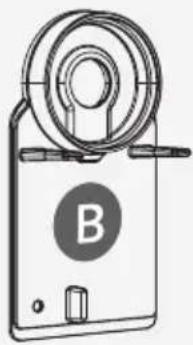
natural_image
Line drawing of a mechanical device with a circular component and labeled part B (no text or symbols beyond the label)1×
natural_image
Technical line drawing of a mechanical component or housing (no text or symbols)1×
1×
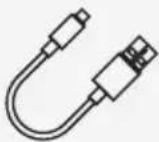
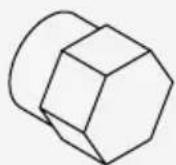
Knob cylinder adapter not included
Adapter available free of charge at www.nuki.io/adapter
Installation Guide
Installation Guide
Smart Lock 3.0 Pro Power Pack
www.nuki.io
Version number: 011.318-070.120-D01
Date: 01/2021
Installation
1A
2A
- or
1B
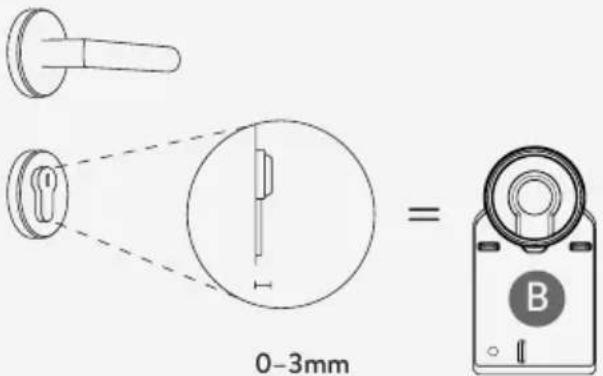
2B
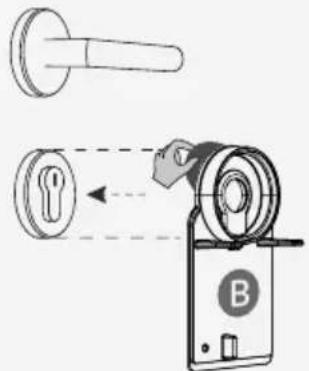
3
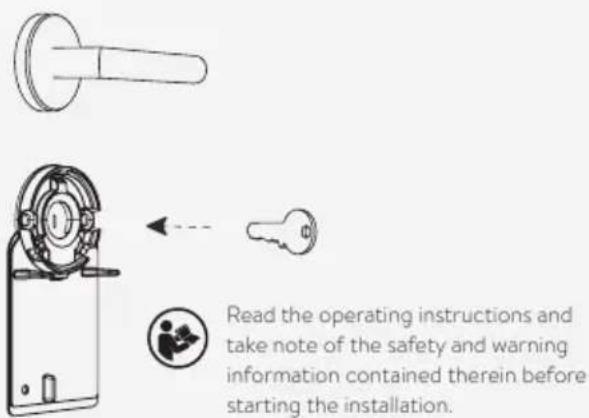
④
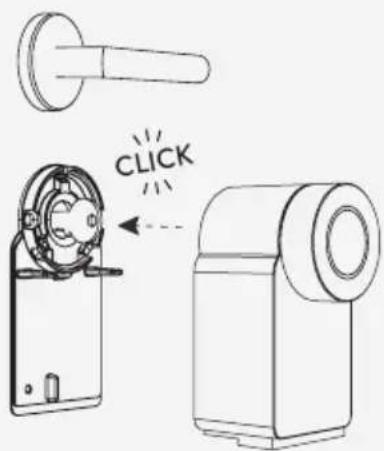
Indoor use only
Uninstallation
Charging process
USB charger
USB port of PC or laptop
Power bank
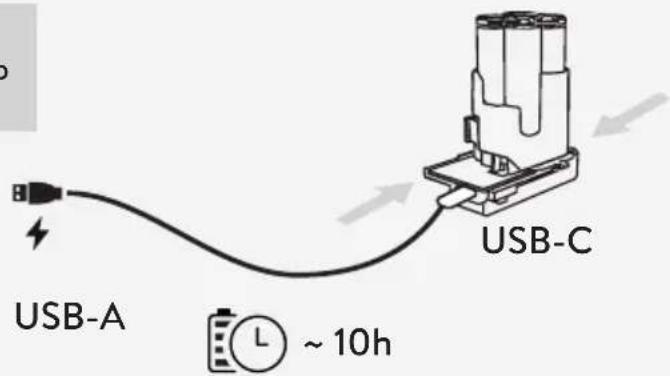
LED Status

Charging process active
(fashing slowly: 1s)

Charging process complete
Please note that the charging process on USB connection does not start when the battery level is already greater than 75%.

Error: loose connection / contact fault

Error: possible short-circuit
(flashing quickly: 0.25s)
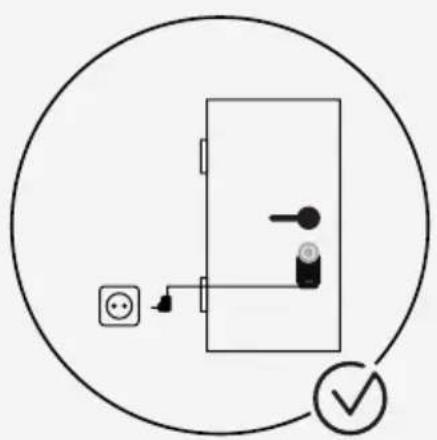
Permanent Charging
natural_image
Simple line drawing of a door with electrical outlet, switch, and lock (no text or symbols)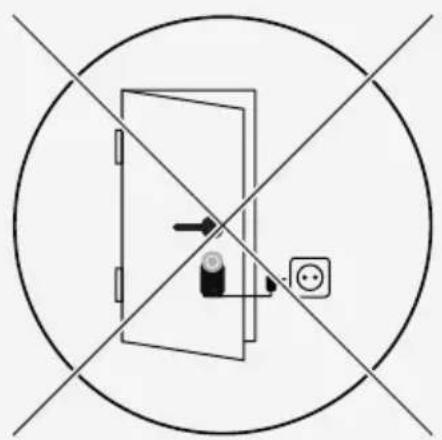
natural_image
Simple line drawing of a door with an arrow pointing to the door and a power outlet, enclosed in a circle with intersecting lines (no text or symbols)DE Bedienungsanleitung 8
EN Operating Instructions 11
FR Mode d'emploi 14
NL Instructies voor gebruik 17
ES Instrucciones de uso 20
IT Libretto di istruzioni 23
PT Instruções para o uso 26
CZ Návod k použití 29
SK Návod na použitie 32
PL Instrukcja obsługi 35
GR Οδηγίες λειτουργίας 38
RU Руководство по эксплуатации 41
TR Kullanım kılavuzu 44
HU Használat 47
AR دليل التشفيل 50
Imprint:
Standards: Bluetooth Specification 5.0, 2.4GHz ISM band
Antenne: interne HF Keramik-Chip-Antenne
Operating Instructions
Product description
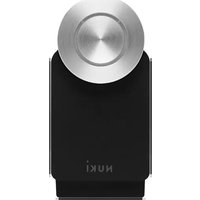
The Nuki Smart Lock 3.0 Pro motorises existing door locks and creates a digital access system when combined with a smartphone.
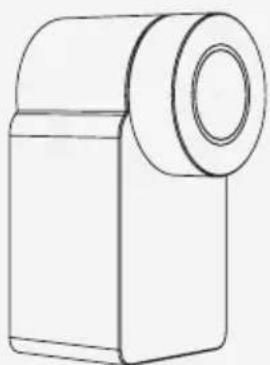
The electronic door lock is placed on the inside of the door on the existing cylinder with the key inserted. The key is turned by the Nuki Smart Lock 3.0 Pro motor, but can also be turned manually using the knob. The integrated Wi-Fi module can also establish a connection between the Smart Lock 3.0 Pro and other Nuki actuators via the internet. This means Nuki locking systems can also be accessed online and/or a connection to other Smart Home products can be established.
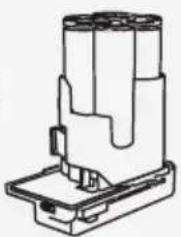
The Nuki Power Pack is a rechargeable battery pack for the Nuki Smart Lock. The Nuki Power Pack is charged via a 5 V USB type C connection. The Power Pack can also remain permanently connected to the USB power supply and be recharged this way.
Proper use
We recommend only mounting the Nuki Smart Lock 3.0 Pro onto lock cylinders with an emergency function. If the key is inserted from the inside, these can also be locked and unlocked from the outside using another key.
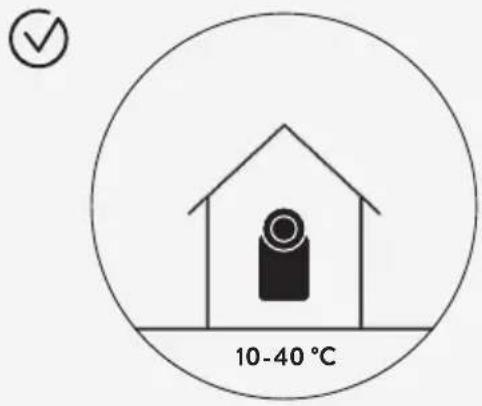
Operating temperature: 10–40°C, maximum humidity 95%, non-condensing. The device is only suitable for use in dry interior spaces and must not be installed on fire doors, escape doors or other doors with special requirements for door lock drives.
The Wi-Fi connection may fail due to technical malfunctions, meaning control functions may be temporarily unavailable while you're on the move. Any other use is deemed improper and shall result in an exclusion of warranty and liability.
Only certified 5V USB-C connections may be used when charging the Nuki Power Pack or using it with a permanent power supply. The charger technology is already included in the Nuki Power Pack.
Assembly and installation
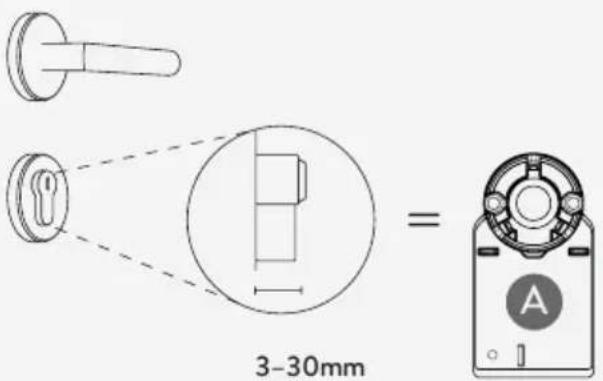
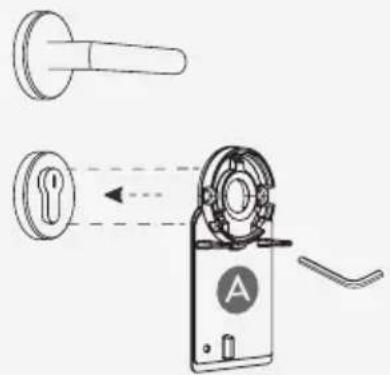
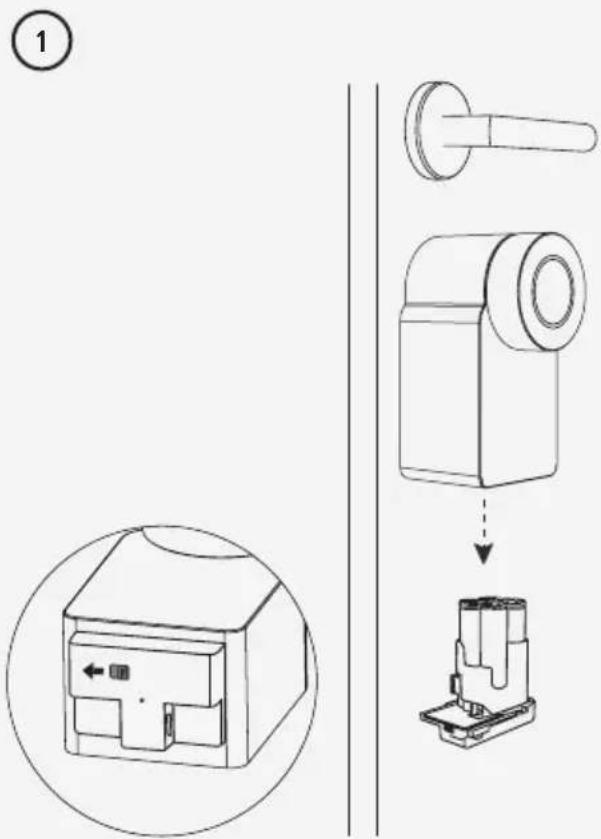
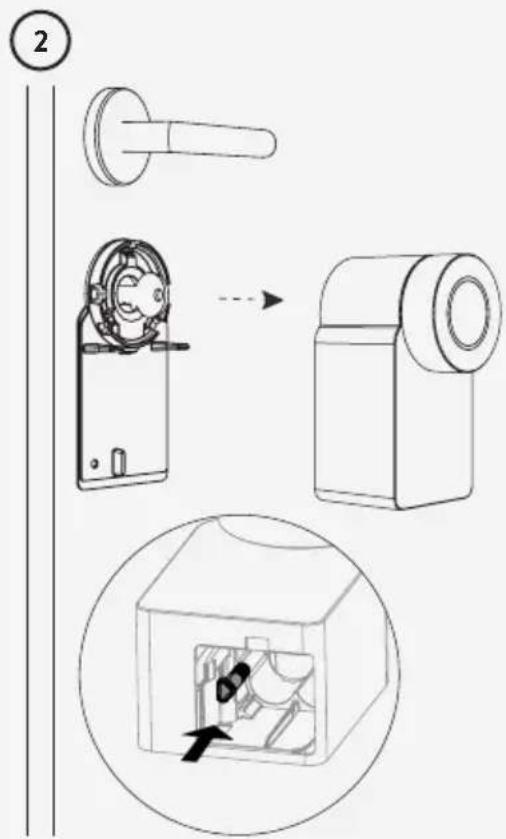
Information on assembly can be found in the enclosed installation instructions.
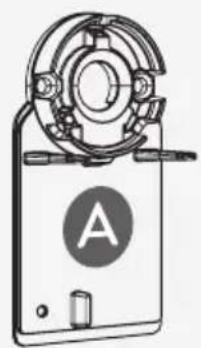
To use the adhesive pad (B), the surface must be cleaned (with residue-free cleaning agents) and free of any grease.
If your surface is made of materials other than metal or similarly smooth surfaces, please contact our customer service.
Safety instructions

The following safety and hazard instructions not only serve to protect the device, they also prevent personal injury. Please read through the instructions carefully:
- The Nuki Smart Lock 3.0 Pro may fail due to technical malfunctions and thus be unable to open the door. Always carry the key to the lock with you or leave it in an accessible place so that the door can be opened manually in the event of an error.
- Improper use of the device might result in damage.
- Do not expose the device to extreme heat or cold, direct sunlight, open flames or other extreme conditions.
EN
- Do not use a defective or deformed Power Pack!
- Do not open the Power Pack!
- Do not short-circuit the battery pack's contact points!
- Liquid can leak from defective battery cells. If battery fluid comes into contact with skin or clothing, rinse the affected area with water. If liquid gets into your eyes, immediately rinse the affected area with water and seek medical attention. Do not rub your eyes.

Protect battery packs from moisture!

Do not expose battery packs to fire!

This product and its packaging materials contain small parts which children might swallow; therefore, store it away from children younger than 36 months of age.
This product is not a toy. Leaking or damaged batteries might cause chemical burns.
Disposal
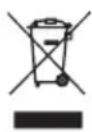
Do not dispose of the device with the household rubbish! Electronic devices must be disposed of at local collection stations, in accordance
with the guidelines on used electric and electronic devices.
Technical data Smart Lock 3.0 Pro
Model name: Nuki Smart Lock 3.0 Pro Article type: 011.318
Standards: Bluetooth specification 5.0, 2.4GHz ISM band
Antenna: internal RF ceramic chip antenna
Frequency range: 2402 MHz - 2480 MHz
Max. transmission power: 10 dBm (10 mW)
Wi-Fi standards: Wi-Fi 802.11 b/g/n
Wi-Fi antenna: 2.4 GHz ceramic antenna
Wi-Fi frequency range: 2412 MHz - 2484 MHz
Wi-Fi max. transmission power: 17 dBm (50 mW)
Technical data Power Pack
Model name: Nuki Power Pack
Article type: 070.120
4 × AA NiMH accumulators
4.8 V DC | 2.5 Ah | 12 Wh
Warranty and support
Scope of warranty
Nuki Home Solutions GmbH guarantees first-time buyers and authorised distributors (hereinafter referred to as “buyers”) that the products shall remain free from any manufacturing or material defects when subjected to proven normal use for a period of 24 months from the date of purchase (“warranty period”).
Excluded from this warranty are any defects arising from:
- Modifications and/or changes to the product that can be attributed to a party other than Nuki Home Solutions GmbH,
- Incorrect maintenance, incorrect installation or faulty repairs by a party other than Nuki Home Solutions GmbH,
- Improper use,
- Misuse, mechanical damage, overvoltage, negligence or accidents,
• Normal wear and tear.
For more information on the warranty, please visit: nuki.io/warranty
Applicable law
This warranty shall be governed by the law of the Republic of Austria. The place of jurisdiction shall be Graz, Austria.
Contact information
E-Mail: service@nuki.io
You can find other ways to contact the Nuki support team at: nuki.io/help
Keep these instructions as well as the operating instructions for later use!
Nuki Home Solutions GmbH hereby declares that the radio equipment type Nuki Smart Lock 3.0 Pro (011.318) complies with the Directive 2014/53/EU.
The full text of the EU Declaration of Conformity is available at the following link: nuki.io/legal
Mode d'emploi
Get the Nuki app Add the Nuki Smart Lock Follow the steps
in the Nuki app
www.nuki.io/start
Article 220654
Version number: 011.318-070.120-D01
Date: 01/2021