IFP92UW - Monitor VIEWSONIC - Free user manual and instructions
Find the device manual for free IFP92UW VIEWSONIC in PDF.


User questions about IFP92UW VIEWSONIC
0 question about this device. Answer the ones you know or ask your own.
Ask a new question about this device
Download the instructions for your Monitor in PDF format for free! Find your manual IFP92UW - VIEWSONIC and take your electronic device back in hand. On this page are published all the documents necessary for the use of your device. IFP92UW by VIEWSONIC.
USER MANUAL IFP92UW VIEWSONIC
備註:The Power Switch is located at the bottom of the ViewBoard.
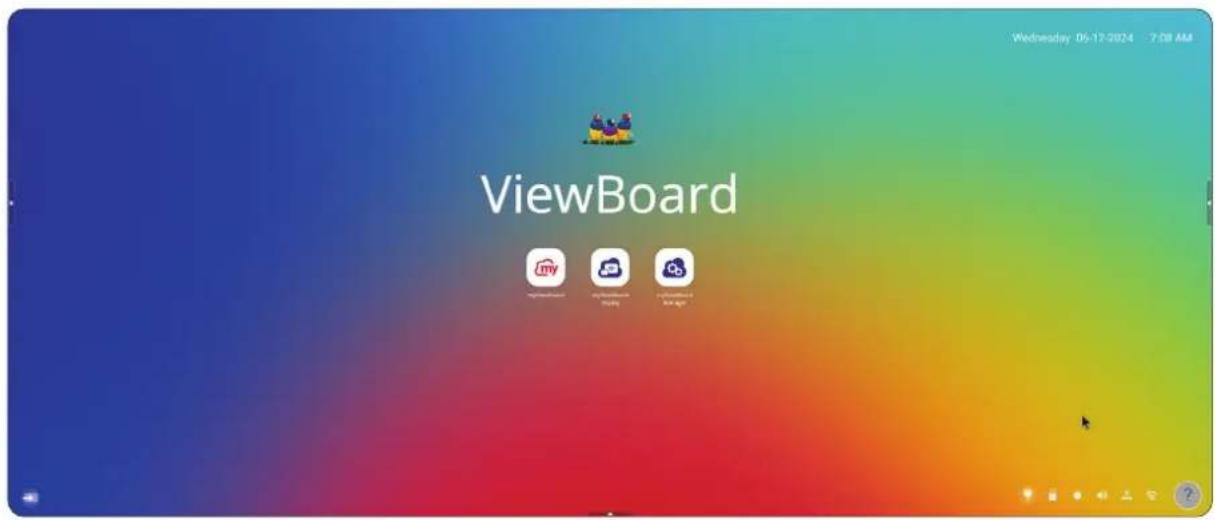
On the Home Screen select from Use as Guest and Sign In.
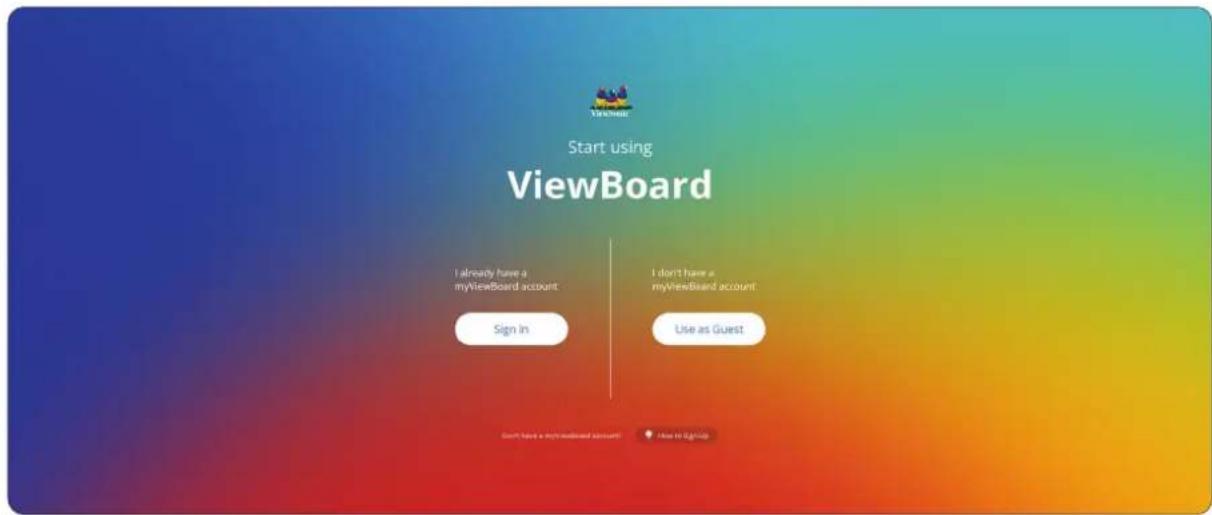
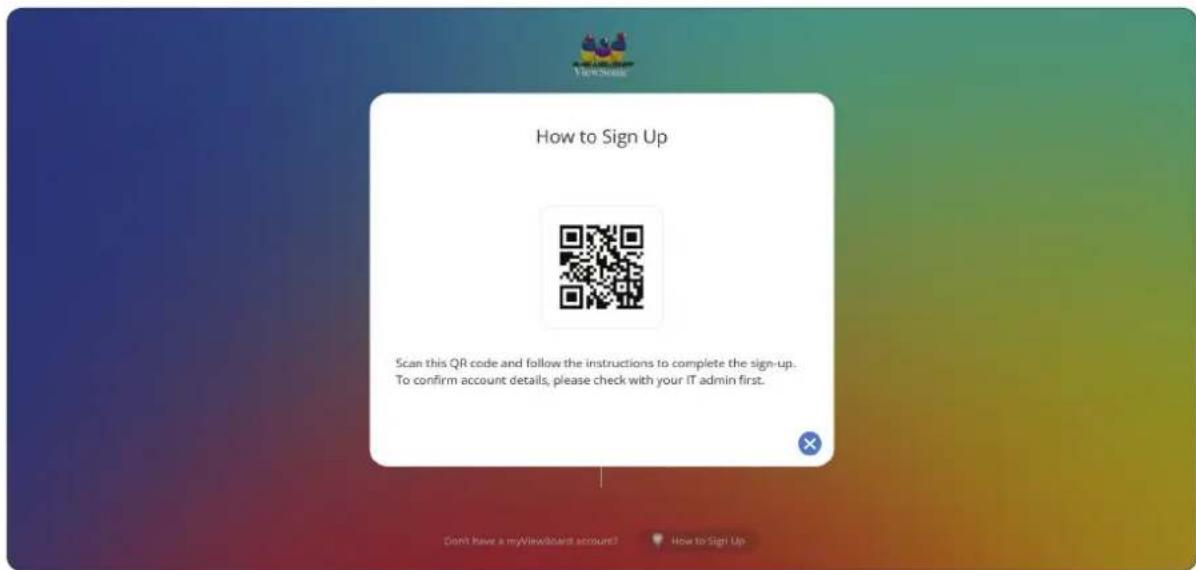
How to Sign Up
Select the How to Sign Up button at the bottom of the screen, then scan the QR code and follow the directions to log in.
Use as Guest
Select the Use as Guest button to log in with a guest account.
備註:Please note that user settings cannot be saved when logging in with a guest account.
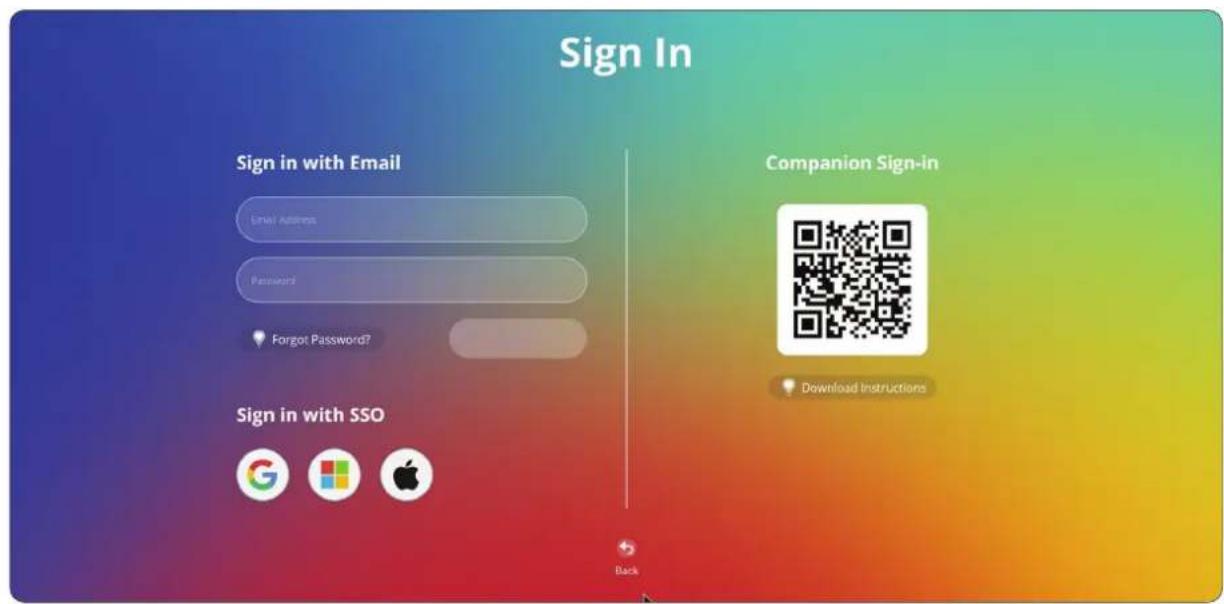
Sign In
Select the Sign In button to log in with various accounts.
Home Screen Message
The Home Screen message can be edited by selecting it directly on the Home Screen.
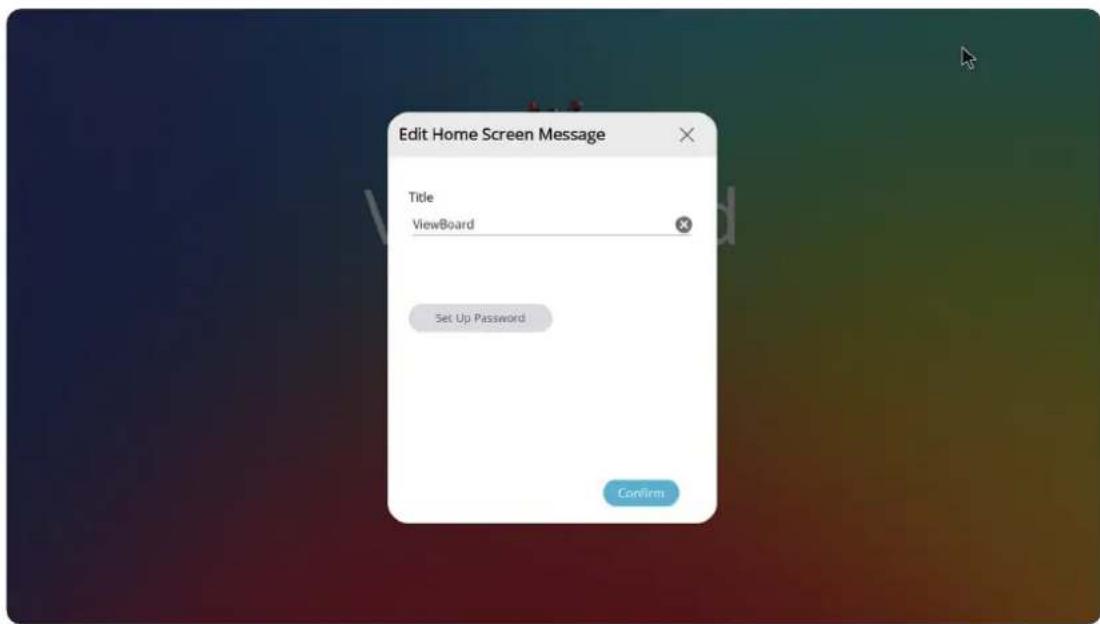
Additionally, a password can be set by selecting the Set Up Password button.
工具列
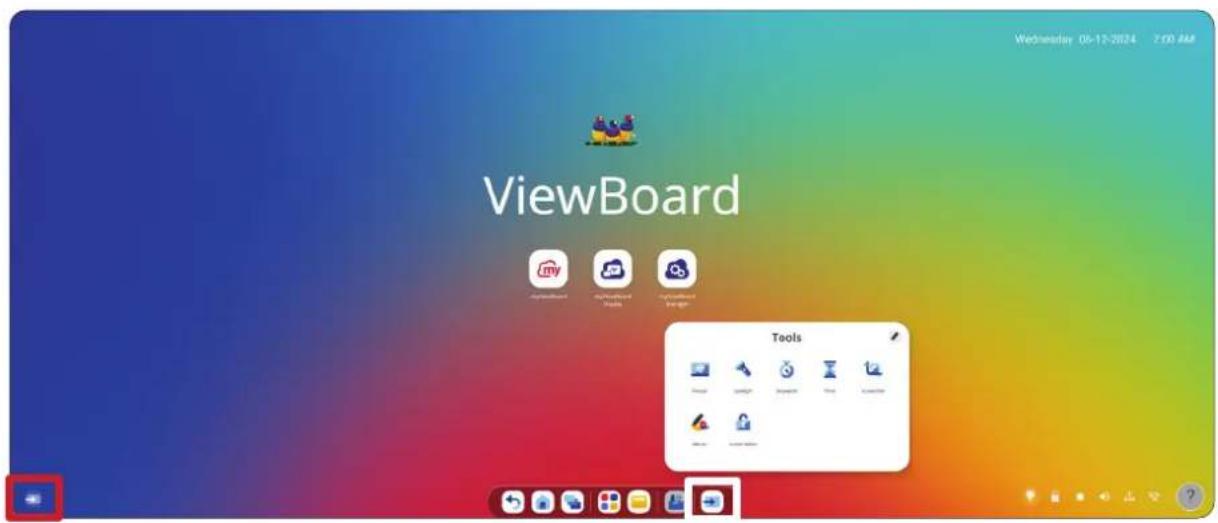
Open the OSD Menu by pressing INPUT on the remote control, touching the Input Source icon () on the Home Screen or the Input Source icon () in the Toolbar.
Input Source (輸入來源)
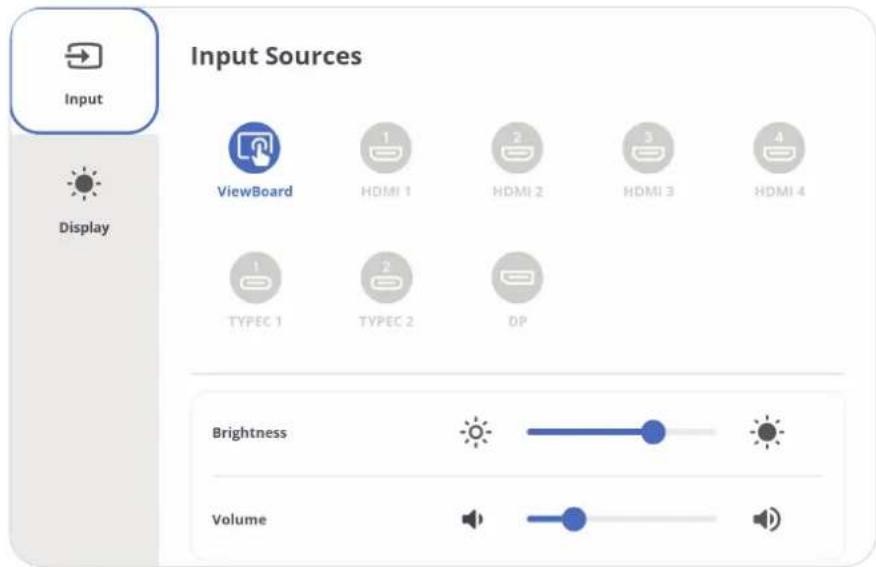
若要選擇輸入來源:
Wireless Hotspot (無線熱點)
與其他裝置設定與共用我的網際網路連線。
HDCP is a secure protocol for protecting transmission of audio and video signals.
HDMI Out (HDMI輸出) (選購)
備註:When an external USB keyboard is connected, the menu will display the physical keyboard settings option.
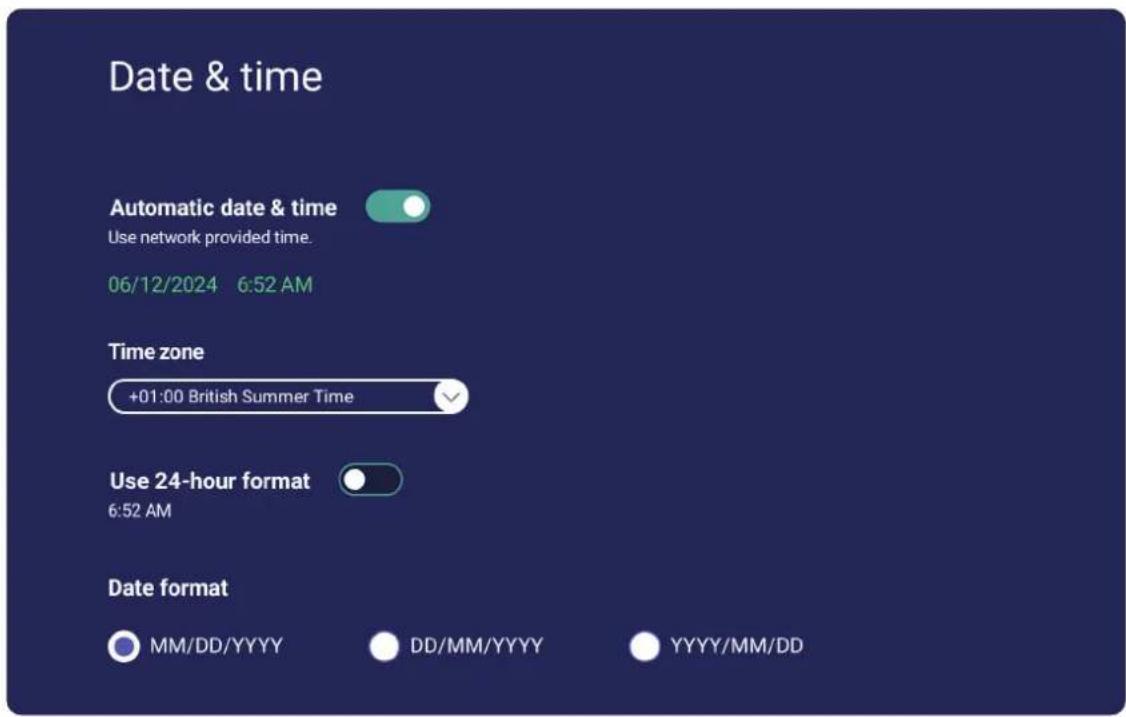
Date & Time (日期與時間)
設定系統時間及格式。
Launch startup programs, begin all services configured to start, and loads the hardware drivers you have installed as normal.

Secure mode
Removes embedded screen sharing apps such as V-Cast, E-Airplay, and Chrome Cast.

Disable embedded OS
The embedded OS will be disabled after reboot.
Enable password for ViewBoard settings

If enabled users will have to enter a password to open ViewBoard settings
Boot mode and advanced settings password

Local File Protections Policy
To protect personal files, the local storage file in Folder app will be deleted automatically at the time of your c

Do not clear file(s)

Delete after 1 Day

Delete after 1 Hour

Delete immediately
Color correction


Monochromacy

Deuteronomally (red-green)

Protonomaly (red-green)

Tritonomaly (blue-yellow)
Non-ViewBoard OS mode side toolbar settings
Set side toolbar on/off for non-ViewBoard OS mode

ResetBoard
Disable in all input port sources
Multi-Window Mode (多視窗模式)
開啟時在畫面上同時顯示多個應用程式。
Multi-Window Mode
Multi-Window Mode

Supports displaying more than one app at the same time, but may consume more energy.
Sound(聲音)
- 輕觸任何應用程式,將會顯示進一步的資訊與選項。
- Selecting Download will list all installed applications that can be uninstalled.
System (系統)
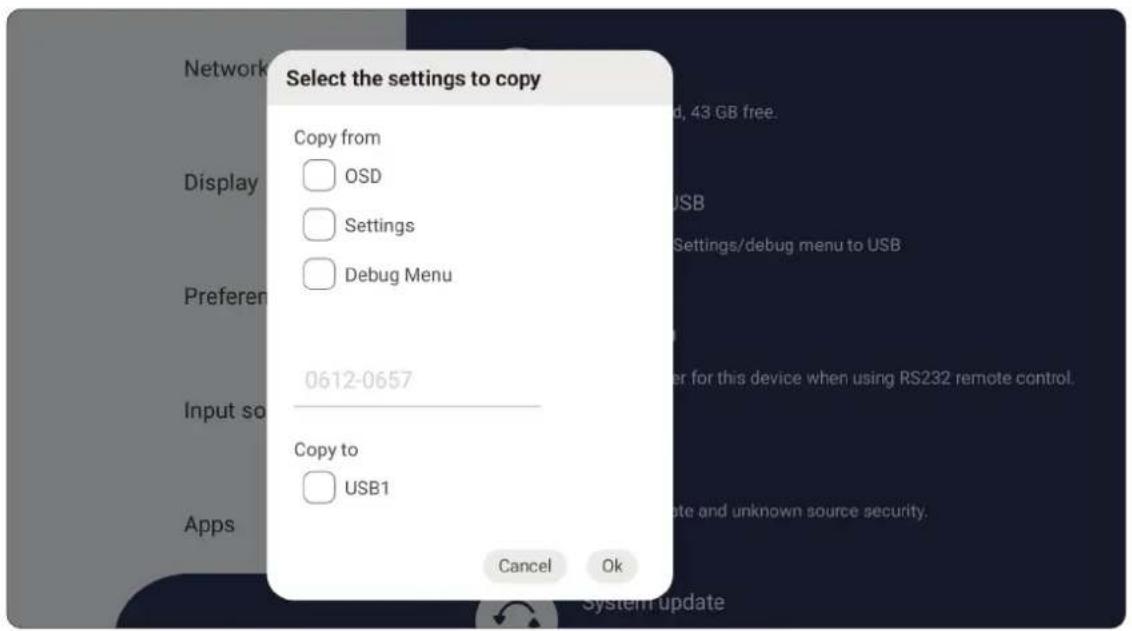
Clone to USB (複製到 USB)
將設定複製到外接式USB磁碟機。
Display ID (顯示器ID)
Unknown source security

Allow installation of apps from unknown sources
備 註:欲深入瞭解 myViewBoard Whiteboard,請造訪:https://myviewboard.com/kb/getting-started-whiteboard/overview-whiteboard
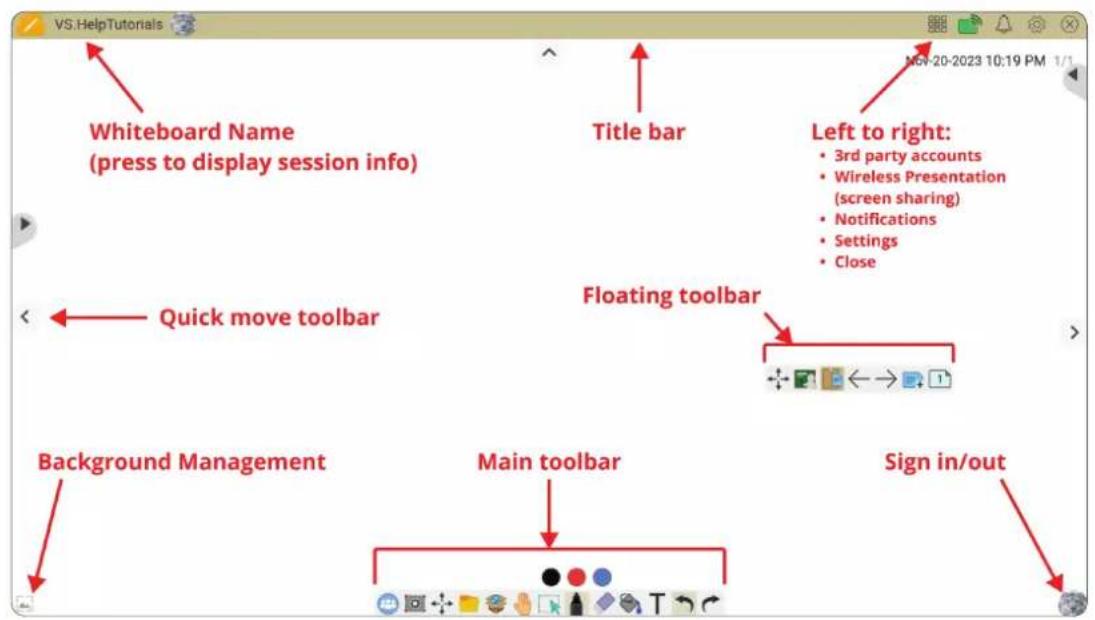
浮動工具列
備 註:The toolbar can be hidden by touching the down arrow.
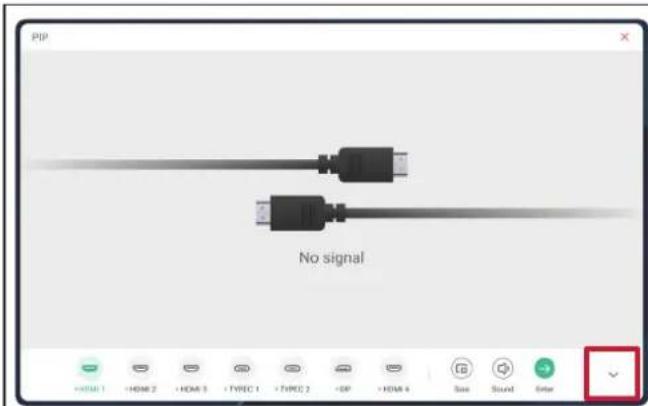
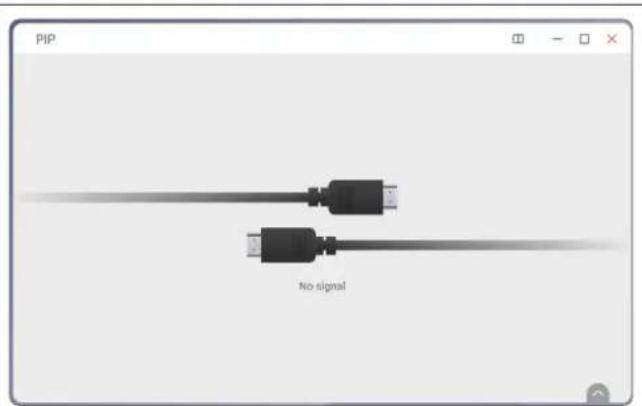
https://www.viewsonic.com/us/go-green-with-viewsonic
歐洲:
https://www.viewsonic.com/eu/environmental-social-governance/recycle
台灣:
https://recycle.moenv.gov.tw/
https://www.viewsonic.com/eu/
版權聲明
Copyright© ViewSonic® Corporation, 2025。保留所有權利。