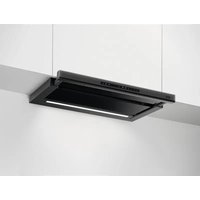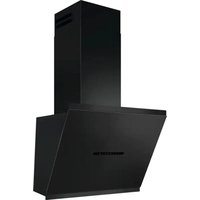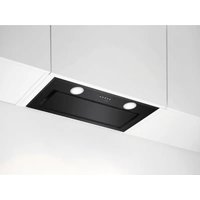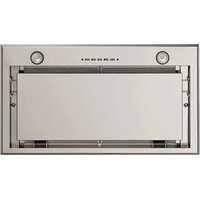
DL8560-M - Basket AEG - Free user manual and instructions
Find the device manual for free DL8560-M AEG in PDF.


User questions about DL8560-M AEG
0 question about this device. Answer the ones you know or ask your own.
Ask a new question about this device
Download the instructions for your Basket in PDF format for free! Find your manual DL8560-M - AEG and take your electronic device back in hand. On this page are published all the documents necessary for the use of your device. DL8560-M by AEG.
USER MANUAL DL8560-M AEG
natural_image
Modern kitchen interior with white cabinets, a large stainless steel refrigerator, and a black stove (no visible text or symbols)FOR PERFECT RESULTS
Thank you for choosing this AEG product. We have created it to give you impeccable performance for many years, with innovative technologies that help make life simpler – features you might not find on ordinary appliances. Please spend a few minutes reading to get the very best from it.
ACCESSORIES AND CONSUMABLES
In the AEG webshop, you'll find everything you need to keep all your AEG appliances looking spotless and working perfectly. Along with a wide range of accessories designed and built to the high quality standards you would expect, from specialist cookware to cutlery baskets, from bottle holders to delicate laundry bags...

Visit the webshop at: www.aeg.com/shop
ENVIRONMENT CONCERNS
Recycle the materials with the symbol △Put the packaging in applicable containersto recycle it.
Help protect the environment and human health and to recycle waste of electrical and electronic appliances. Do not dispose appliances marked with the symbol ☒ with the household waste. Return the product to your local recycling facility or contact your municipal office.
CUSTOMER CARE AND SERVICE
We recommend the use of original spare parts.
When contacting Service, ensure that you have the following data available. The information can be found on the rating plate.
Model
PNC ____
Serial Number ____
1. RECOMMENDATIONS AND SUGGESTIONS
- The Instructions for Use apply to several versions of this appliance. Accordingly, you may find descriptions of individual features that do not apply to your specific appliance.
- The manufacturer will not be held liable for any damages resulting from incorrect or improper installation.
- The minimum safety distance between the cooker top and the extractor hood is 650 mm (some models can be installed at a lower height, please refer to the paragraphs on working dimensions and installation).
- Check that the mains voltage corresponds to that indicated on the rating plate fixed to the inside of the hood.
- For Class I appliances, check that the domestic power supply guarantees adequate earthing.
- Connect the extractor to the exhaust flue through a pipe of minimum diameter 120 mm. The route of the flue must be as short as possible.
- Do not connect the extractor hood to exhaust ducts carrying combustion fumes (boilers, fireplaces, etc.).
- If the extractor is used in conjunction with non-electrical appliances (e.g. gas burning appliances), a sufficient degree of aeration must be guaranteed in the room in order to prevent the backflow of exhaust gas. The kitchen must have an opening communicating directly with the open air in order to guarantee the entry of clean air. When the cooker hood is used in conjunction with appliances supplied with energy other than electric, the negative pressure in the room must not exceed 0,04 mbar to prevent fumes being drawn back into the room by the cooker hood.
- In the event of damage to the power cable, it must be replaced by the manufacturer or by the technical service department, in order to prevent any risks.
- Connect the hood to the mains through a two-pole switch having a contact gap of at least 3 mm.
- If the instructions for installation for the gas hob specify a greater distance specified above, this has to be taken into account. Regulations concerning the discharge of air have to be fulfilled.
2. USE
- The extractor hood has been designed exclusively for domestic use to eliminate kitchen smells.
- Never use the hood for purposes other than
for which it has been designed.
- Never leave high naked flames under the hood when it is in operation.
- Adjust the flame intensity to direct it onto the bottom of the pan only, making sure that it does not engulf the sides.
- Deep fat fryers must be continuously monitored during use: overheated oil can burst into flames.
- Do not flambè under the range hood; risk of fire.
- This appliance is not intended for use by persons (including children) with reduced physical, sensory or mental capabilities, or lack of experience and knowledge, unless they have been given supervision or instruction concerning use of the appliance by a person responsible for their safety.
- Children should be supervised to ensure that they do not play with the appliance.
- "CAUTION: Accessible parts may become hot when used with cooking appliances".
3. MAINTENANCE
-
- Switch off or unplug the appliance from the mains supply before carrying out any maintenance work.
- Clean and/or replace the Filters after the specified time period (Fire hazard).
- Activated charcoal filter W These filters are not washable and cannot be regenerated, and must be replaced approximately every 4 months of operation, or more frequently with heavy usage.
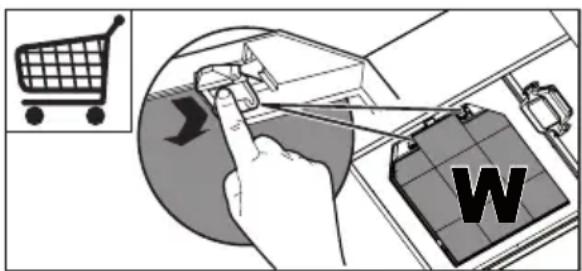
text_image
Diagram illustrating a shopping checkout with a hand interacting with a laptop, showing a shopping cart icon and a 'W' label.- Grease filters Z The filters must be cleaned every 2 months of operation, or more frequently for particularly heavy usage, and can be washed in a dishwasher.
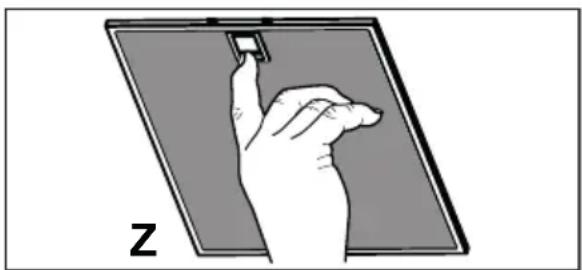
natural_image
Illustration of a hand interacting with a small electronic device on a screen (no text or symbols)- Control lights, if present.
- Clean the hood using a damp cloth and a neutral liquid detergent.
4. CONTROLS
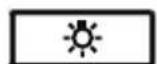
LT1T2T3T4
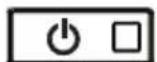
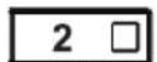
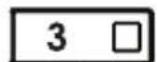

| Button Function Led | ||
| L Turns the lights on/off at maximum strength. - | ||
| T1 Turns the motor on/off at speed one. Fixed. | ||
| T2 Turns the Motor on at speed two.Press and hold the button for approximately 3 seconds, with all the loads turned off (Motor and Lights), to turn the Activated Charcoal Filter alarm on. The relevant LED flashes twice to confirm.To turn the alarm off, press the button again and hold for at least 3 seconds. The relevant LED flashes once. | Fixed. | |
| T3 Turns the Motor on at speed three.Press and hold the button for approximately 3 seconds, with all the loads turned off (Motor and Lights), to perform a reset of signals Metal Grease Filter and Activated Charcoal Filter alarm. The LED S1 flashes three times. | Fixed. | |
| T4 Turns the Motor on at INTENSIVE Speed.This speed is timed to run for 6 minutes. At the end of this time, the system returns automatically to the speed that was set before.If it is activated with the motor turned off, the hood will switch to OFF at the end of the time.Press and hold for 3 seconds to enable the remote control, indicated by the LED flashing twice.Press and hold for 3 seconds to disable the remote control, indicated by the LED flashing just once. | Fixed. | |
| S1 Signals the Metal Grease Filter saturation alarm, indicating that it is necessary to wash the filters. The alarm is triggered after the Hood has been in operation for 100 working hours. | Fixed. | |
| When this is activated, it signals the Activated Charcoal Filter saturation alarm, indicating that the filter must be changed; the Metal Grease Filters must also be washed. The Activated Charcoal Filter saturation alarm comes into operation after the Hood has been working for 200 hours. | ||
5. REMOTE CONTROL
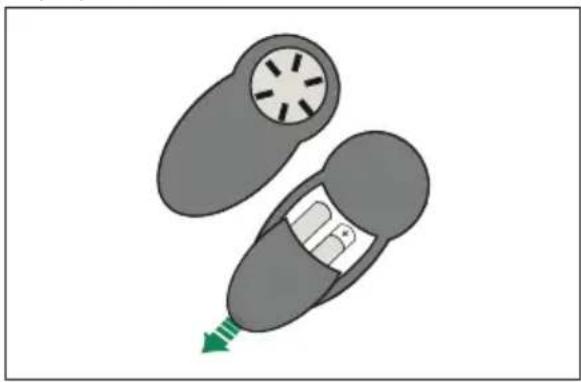
The appliance can be controlled using a remote control powered by a 1.5 V carbon-zinc alkaline batteries of the standard LR03-AAA type (not included).
- Do not place the remote control near to heat sources.
• Used batteries must be disposed of in the proper manner.
natural_image
Diagram of a car interior with a circular vent and arrow indicating direction (no text or symbols)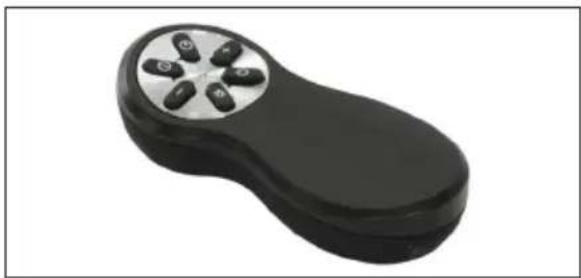
natural_image
Black handheld electronic device with six circular buttons on a silver rim (no text or symbols visible)| Motor Motor On / Off. | ||
| - | Decreases the working speed each time it is pressed. | |
| + | Increases the working speed each time it is pressed. | |
| i | Intensive | Activates the Intensive function. |
| # | -- | |
| Light Lights On / Off. | ||
6. LIGHTING
natural_image
Line drawing of two hands holding a tool, no text or symbols presenttext_image
Diagram illustrating a shopping cart with a hand interacting with a battery labeled 'W', showing a shopping icon and directional arrow.natural_image
Illustration of a hand interacting with a small electronic device on a screen (no text or symbols)natural_image
Top-down diagram of a car with a circular vent and directional arrow (no text or symbols)- BELEUCHTUNG
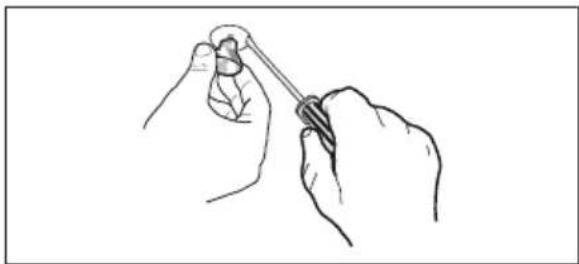
natural_image
Line drawing of two hands holding a tool, no text or symbols present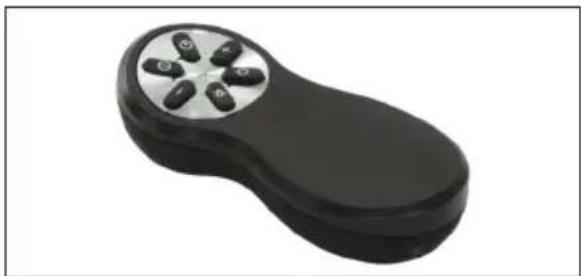
natural_image
Black handheld electronic device with six circular buttons on a silver rim (no text or symbols visible)text_image
Diagram illustrating a shopping cart with a hand interacting with a laptop, showing a shopping icon and a labeled 'W' on the screen.natural_image
Illustration of a hand holding a small object above a flat panel, labeled 'Z' (no text or symbols on the diagram itself)natural_image
Diagram of a car interior showing a circular vent with starburst pattern and a green arrow pointing to the bottom (no text or symbols)- ÉCLAIRAGE
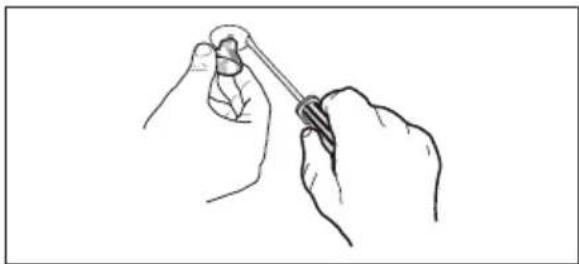
natural_image
Line drawing of two hands holding a tool, no text or symbols present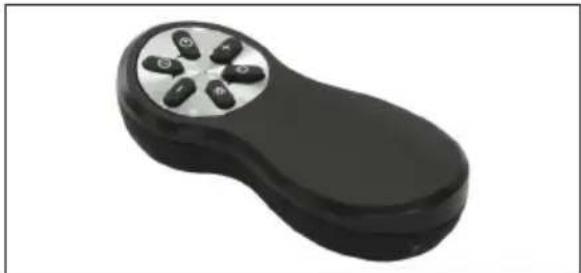
natural_image
Black handheld electronic device with four metallic buttons on a silver top (no text or symbols visible)text_image
Diagram illustrating a shopping cart with a hand interacting with a product box, labeled 'W', and an arrow indicating direction.natural_image
Illustration of a hand interacting with a device on a screen, labeled 'Z' (no text or symbols on the diagram itself)natural_image
Diagram of a car interior with a circular vent and a green arrow indicating direction (no text or symbols)- VERLICHTING
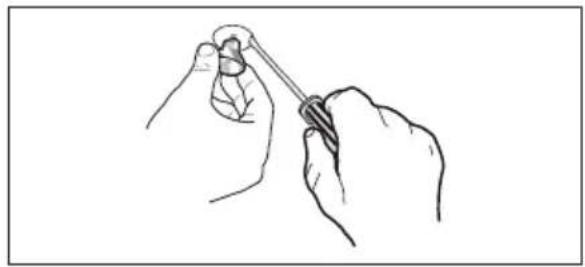
natural_image
Line drawing of a hand holding a small object with a string, no text or symbols present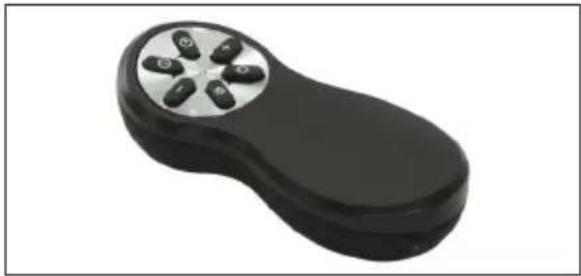
natural_image
Black handheld electronic device with four circular buttons on a silver surface (no text or symbols visible)text_image
Diagram illustrating shopping process with hand pointing to product box, shopping cart icon, and 'W' labelnatural_image
Illustration of a hand interacting with a device on a screen, labeled 'Z' (no text or symbols on the diagram itself)natural_image
Diagram of a car interior showing a seatbelt with a fan and a vehicle, with a green arrow indicating direction (no text or symbols)
natural_image
Black handheld electronic device with five metallic buttons on a silver circular top (no text or symbols visible)natural_image
Line drawing of two hands holding a tool, no text or symbols presenttext_image
Diagram illustrating a shopping cart with a hand interacting with a laptop and a battery labeled 'W', accompanied by an icon of a shopping cart.natural_image
Illustration of a hand holding a small object over a screen, labeled 'Z' (no text or symbols on the diagram itself)natural_image
Line drawing of two hands holding a tool, no text or symbols present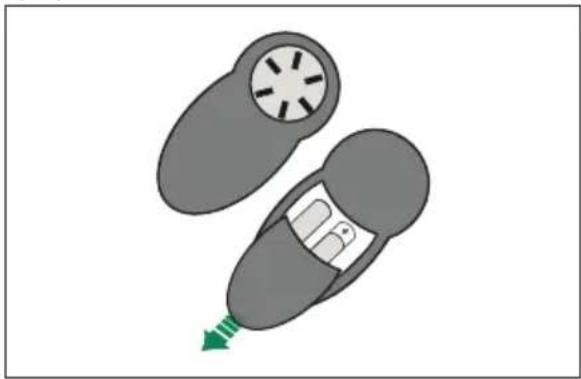
natural_image
Diagram of a car interior showing two car seats with a highlighted seat and green arrow indicating direction (no text or symbols)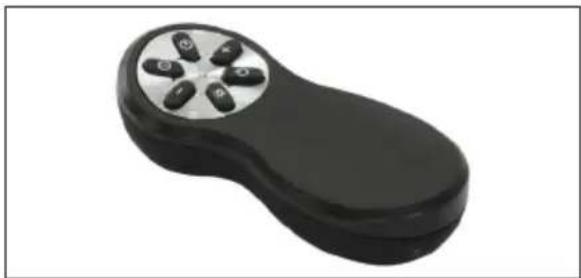
natural_image
Black handheld electronic device with six circular buttons on a silver rim (no text or symbols visible)text_image
Diagram illustrating shopping order steps with a hand pointing to a product box, shopping cart icon, and 'W' labelnatural_image
Illustration of a hand holding a small object on a flat surface, labeled 'Z' (no text or symbols on the diagram itself)natural_image
Line drawing of two hands holding a tool, no text or symbols present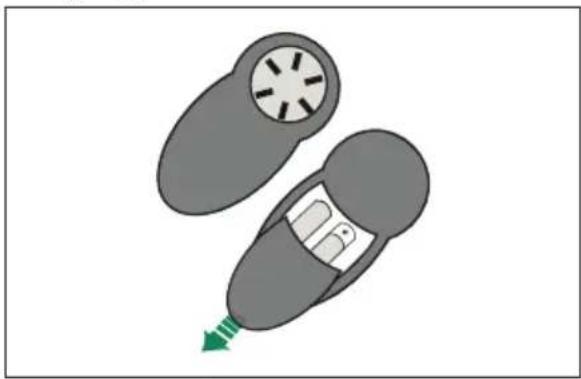
natural_image
Illustration of a car with a circular vent and a green arrow pointing to the side (no text or symbols)
natural_image
Black handheld electronic device with six circular buttons on a silver rim (no text or symbols visible)text_image
Diagram illustrating a shopping cart concept with a hand interacting with a laptop and a battery labeled 'W', alongside an inset image of a shopping cart.natural_image
Illustration of a hand interacting with a small electronic component on a screen (no text or symbols)natural_image
Diagram of a car interior showing two car parts with a highlighted seat and green arrow indicating direction (no text or symbols)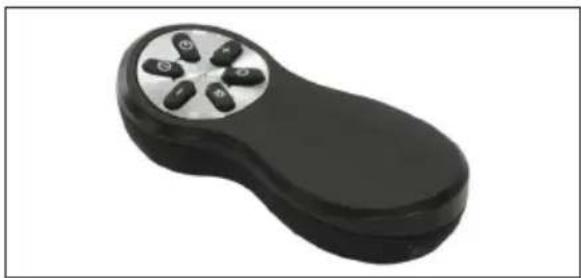
natural_image
Black handheld electronic device with five circular ports, isolated on white background (no text or symbols)natural_image
Line drawing of two hands holding a tool, no text or symbols presentFOR PERFEKTE RESULTATER
natural_image
Five icon buttons representing shopping, washing machine, washing machine with gears, and shopping cart (no text or symbols)text_image
Diagram illustrating a shopping cart with a hand interacting with a battery pack, showing a shopping icon and labeled 'W' (likely part of the battery).natural_image
Illustration of a hand holding a small object on a tablet screen, labeled 'Z' (no text or symbols on the diagram itself)- Kontrollamper hvis installert
natural_image
Diagram of a car interior showing two compartments with a central vehicle and a green arrow indicating direction (no text or symbols)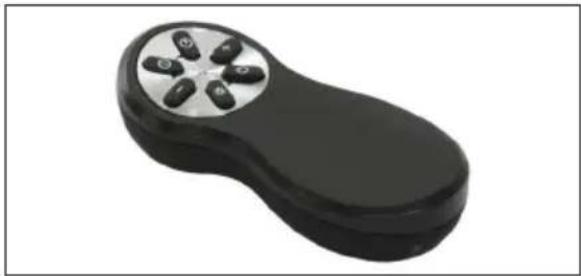
natural_image
Black handheld electronic device with four metallic buttons on a silver rim (no text or symbols visible)natural_image
Line drawing of two hands holding a tool, no text or symbols presentTÄYDELLISTEN TULOSTEN SAAVUTTAMISEKSI
text_image
Diagram illustrating a shopping checkout with a hand pointing to a product box, a shopping cart icon, and a battery labeled 'W'.natural_image
Illustration of a hand interacting with a small electronic component on a screen (no text or symbols)natural_image
Diagram of a car with a circular vent and internal compartments, showing a green arrow pointing to the bottom-right (no text or symbols)
natural_image
Black handheld electronic device with six circular buttons on a silver rim (no text or symbols visible)natural_image
Line drawing of two hands holding a tool, no text or symbols presentFOR PERFEKTE RESULTATER
natural_image
Five icon buttons representing shopping, washing machine, washing machine with gears, and shopping cart (no text or symbols)PRODUKTNR. (PNC) ____
Serienummer ____
1. RÅD OG ANVISNINGER
text_image
Diagram illustrating shopping order steps with hand pointing to a product box, shopping cart icon, and 'W' labelnatural_image
Illustration of a hand inserting a small object into a tablet device (no text or symbols)- Eventuelle kontrollamper.
natural_image
Line drawing of a hand holding a small object with a string, no text or symbols present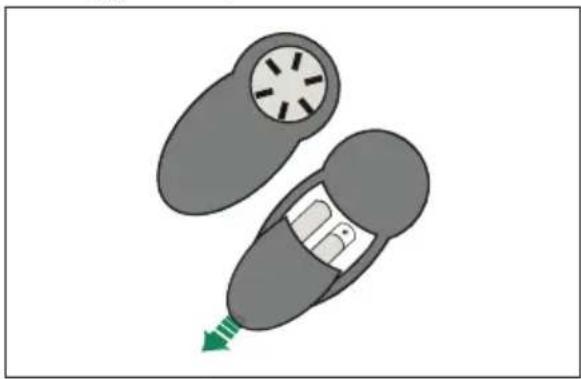
natural_image
Diagram of a car with a circular vent and internal compartments, showing a green arrow pointing to the bottom-right (no text or symbols)
natural_image
Black handheld electronic device with six circular buttons on a silver rim (no text or symbols visible)text_image
Diagram illustrating a shopping cart with a hand interacting with a battery labeled 'W', showing directional arrows and components.natural_image
Illustration of a hand interacting with a device on a screen, labeled 'Z' (no text or symbols on the diagram itself)natural_image
Illustration of a car with a circular vent and a green arrow pointing to the bottom (no text or symbols)
natural_image
Black handheld electronic device with four metallic buttons and a circular top (no text or symbols visible)natural_image
Line drawing of two hands holding a tool, no text or symbols presentPARIMATE TULEMUSTE SAAVUTAMISEKS
text_image
Diagram illustrating a shopping cart and product packaging with a hand pointing to a device, labeled 'W' in the background.natural_image
Illustration of a hand interacting with a small electronic device on a screen (no text or symbols)natural_image
Illustration of a car with a circular vent and a green arrow pointing to the bottom (no text or symbols)- VALGUSTUS
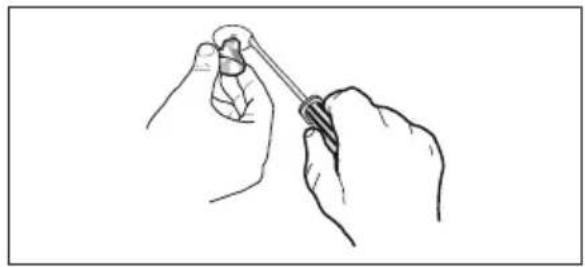
natural_image
Line drawing of a hand holding a small object with a string, no text or symbols present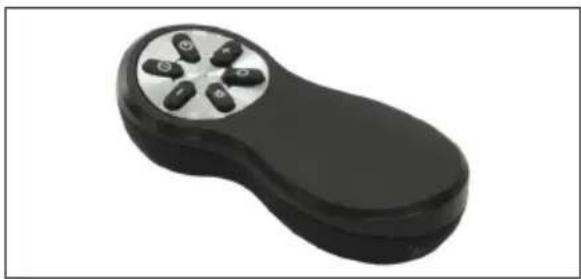
natural_image
Black handheld electronic device with four metallic buttons and a circular top (no text or symbols visible)text_image
Diagram illustrating shopping order steps with a hand pointing to a product box and a 'W' label, alongside an inset of a shopping cart.natural_image
Illustration of a hand holding a small object on a flat surface, labeled 'Z' (no text or symbols on the diagram itself)natural_image
Diagram of a car interior showing two compartments with a central vehicle and a green arrow indicating direction (no text or symbols)- APGAISMOJUMS
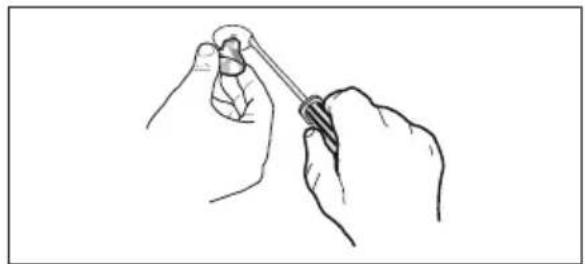
natural_image
Line drawing of a hand holding a small object with a string, no text or symbols present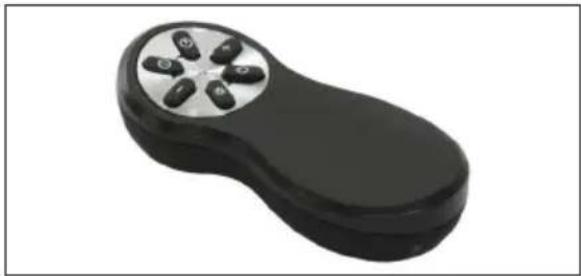
natural_image
Black handheld electronic device with four metallic buttons on a silver rim (no text or symbols visible)| Motors Motora iesl./izsl. | |
| - | |
| + | |
| i | Intensīvi |
| -- | |
| (AW52) | Apgaimojums Apgaismojuma iesl./izsl. |
PUIKIEMS REZULTATAMS PASIEKTI
text_image
Diagram illustrating a shopping cart with a hand interacting with a product box labeled 'W', showing a shopping icon and directional arrow.natural_image
Illustration of a hand holding a small electronic component, with no visible text or symbolsnatural_image
Line drawing of two hands holding a tool, no text or symbols present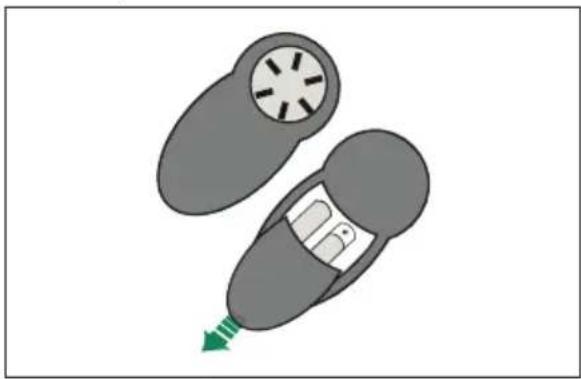
natural_image
Diagram of a car interior showing a seatbelt with a circular vent and a green arrow indicating direction (no text or symbols)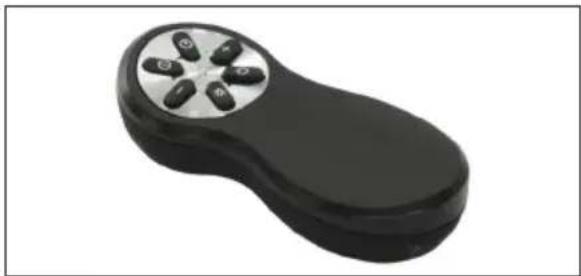
natural_image
Black handheld electronic device with six metallic buttons on a silver circular top (no text or symbols visible)text_image
Diagram illustrating shopping order steps with hand pointing to a product box and labeled 'W' (likely part of 'W')natural_image
Illustration of a hand interacting with a device on a tablet screen (no text or symbols)natural_image
Line drawing of two hands holding a tool, no text or symbols present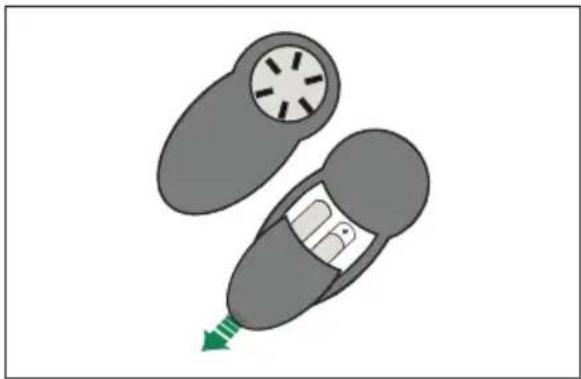
natural_image
Diagram of a car interior showing a circular vent with radial blades and a green arrow indicating direction (no text or symbols)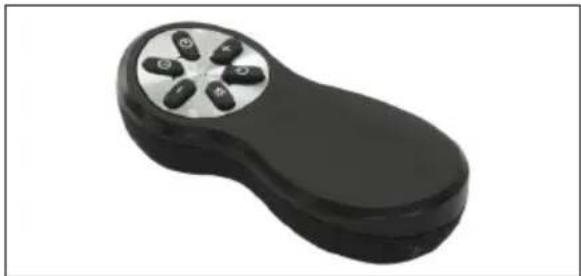
natural_image
Black handheld electronic device with four circular buttons on a silver rim (no text or symbols visible)text_image
Diagram illustrating a shopping cart with a hand interacting with a laptop, next to a battery labeled 'W' and an arrow indicating direction.natural_image
Illustration of a hand holding a small object above a rectangular panel, labeled 'Z' (no text or symbols on the diagram itself)natural_image
Illustration of a car with a circular vent and a green arrow indicating motion (no text or symbols)
natural_image
Black handheld electronic device with four metallic buttons on a silver top (no text or symbols visible)natural_image
Line drawing of a hand holding a small object with a string, no text or symbols presentCE