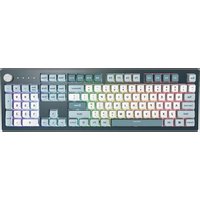
MKey - Keyboard Montech - Free user manual and instructions
Find the device manual for free MKey Montech in PDF.


User questions about MKey Montech
0 question about this device. Answer the ones you know or ask your own.
Ask a new question about this device
Download the instructions for your Keyboard in PDF format for free! Find your manual MKey - Montech and take your electronic device back in hand. On this page are published all the documents necessary for the use of your device. MKey by Montech.
USER MANUAL MKey Montech
natural_image
Abstract geometric pattern with nested triangular and rectangular lines forming a symmetrical design (no text or symbols)The
Best Value!
MONTECH
MKey
Keyboard shortcuts directions
中文 3
English 6
Arabic 10
French 14
German 18
日本語 22
한국어 26
Portuguese 30
Spanish 34
Thai 38
| MACRO 錄製 | |
| Fn+Alt+0~9 長按 | 三秒開始 Macro 錄製功能 |
| Fn+Alt+End | 長按一秒結束 Macro 錄製或是 Fn+Alt 繼續錄製其他按鍵 |
| Fn+Alt+Space 長 | 按三秒回復 Macro 原廠設定 |
| Fn+ALT+0~9:長按 3 秒開始 Macro 錄製Fn+ALT+END:長按一秒結束 Macro 錄製或是 Fn+ALT 繼續錄製其他按鍵Fn+ALT+SPACE:長按三秒回復 Macro 原廠設定錄製完成後切換快捷設定 Fn+0~9:切換至第 0 組設定 原始鍵盤設定(預設值)切換至第 1 組設定切換至第 2 組設定切換至第 3 組設定......可自訂義的 Macro 功能群組Scope of delivery (packaging content = Lieferumfang) + required tools | |
| Packaging Content | 1. Keyboard x12. Manual x13. USB A to C |
| Required Tools | 1. Computer with Windows OS2. USB-A Host at PC |
| Note on proper installation / commissioning | |
| Ensure that the USB cable already insert into USB HostTip: When connecting a USB keyboard, the computer can be off or on during the installation. Connect the USB keyboard plug into the USB ports on the back or front of your computer. If using a USB hub, direct connection to the back of the computer is recommended. For laptops, an external keyboard can be connected to one of the USB ports, or a USB hub may be used if no ports are available. The keyboard should be automatically detected and installed after connecting. | |
| Advice on safe use | |
| 1. Dust, dirt, and bacteria: Computer keyboards can harbor a significant amount of bacteria and dirt. Cleaning the keyboard helps remove dangerous bacteria, prevents stuck keys, and maintains proper functionality.Procedure for cleaning: Before cleaning, turn off the computer and unplug the USB. This prevents accidental key presses that could cause undesired tasks.Use compressed air to blow away dust and debris between the key caps. A vacuum cleaner can also be used, be cautious of loose "pop off" key being sucked up.2. 2. No waterproof: If any liquid is spilled on the keyboard, immediately turn off the computer or disconnect the keyboard. Flip the keyboard upside down to prevent liquid from damaging the circuits, shake it over a surface that can be cleaned, and use a cloth to clean the keys. Leave the keyboard upside down for at least two days to dry before continuing to clean any remaining substances.3.3. Electric shock: Montech KEYBOARD is a DC 5V device, which reduces the risk of electric shock.4. Damage to the keyboard: Proper cleaning techniques and precautions for spills can help prevent damage to the keyboard. | |
Note on disposal
Please follow the WEEE / ROHS 2012/19/EU instructions for recycling disposal.
Top/Bottom Case: ABS
Key Cap: PBT
PCB: FRP PCB
Switch Frame: Steel
manufacturer name
MONTECH / TELON TECHNOLOGY CO., LTD
manufacturer adress
22F., No. 63, Zhongxiao 3rd Rd., Linkou Dist., New Taipei City 244, Taiwan
Product name / code (Manufacturer partnumber)
MKey87/ MKey105
| Specification | |
| Model name MKey | 105/MKey87 |
| Structure Mechanical | Hot-Swappable |
| Switches Gateron G pro 2.0 | |
| Keycaps material PBT | |
| Printing Method Dye-Sublimation | |
| Full Size(100%) | Dimension(mm):443*136*41Weight(g):1563 |
| TKL(80%) | Dimension(mm):363*136*41Weight(g):1335 |
| MKey | |
| Fn+Esc Turn of all Lighting | |
| Fn+F1 Lighting Direction Control | |
| Fn+F2 Lighting Effect Speed UP_3 Levels | |
| Fn+F3 Lighting Effect Speed Down_3 Levels | |
| Fn+F4 Turn Off the Knob's Light | |
| Fn+F5 Previous Track | |
| Fn+F6 Play/Pause | |
| Fn+F7 Stop | |
| Fn+F8 Next Track | |
| Fn+F9 Mute | |
| Fn+F10 Turn of Mic | |
| Fn+F11 Calculator | |
| Fn+F12 Boss Key! (Go back to Home page) | |
| Fn+ ↑ | Increase Brightness |
| Fn+ ↓ | Decrease Brightness |
| Fn+ ← → | Change Lighting Color |
| Fn+C Lighting mode | |
| Fn+ Windows Lock/Unlock | |
| Fn+Shift+Esc Long | Press 3 Seconds to Reset to Factory Settings |
| Rotary knob control:Default: Volume controlSwitch mode by pressing the knob.In sequence of: Volume control, Lighting mode, Zoom in/outCorresponding lighting to each mode:Blue and White comet: Volume control (Lighting rotates clockwise)Colorful RGB:Lighting mode (Lighting rotates clockwise)Red and White comet: Zoom mode (Lighting rotates clockwise)Lighting can be changed by using the rotary knob or Fn+C | |
22F., No. 63, Zhongxiao 3rd Rd., Linkou Dist., New Taipei City 244, Taiwan
22F., No. 63, Zhongxiao 3rd Rd., Linkou Dist., New Taipei City 244, Taiwan
22F., No. 63, Zhongxiao 3rd Rd., Linkou Dist., New Taipei City 244, Taiwan
製品名 / コード(メーカー品番)
MKey87 / MKey105
22F., No. 63, Zhongxiao 3rd Rd., Linkou Dist., New Taipei City 244, Taiwan
제품명/코드(제조사 부품 번호)
MKey87 / MKey105
22F., No. 63, Zhongxiao 3rd Rd., Linkou Dist., New Taipei City 244, Taiwan
22F., No. 63, Zhongxiao 3rd Rd., Linkou Dist., New Taipei City 244, Taiwán
22F., No. 63, Zhongxiao 3rd Rd., Linkou Dist., New Taipei City 244, Taiwan