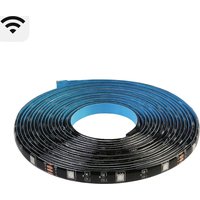
L1 - Lamp Sonoff - Free user manual and instructions
Find the device manual for free L1 Sonoff in PDF.


User questions about L1 Sonoff
0 question about this device. Answer the ones you know or ask your own.
Ask a new question about this device
Download the instructions for your Lamp in PDF format for free! Find your manual L1 - Sonoff and take your electronic device back in hand. On this page are published all the documents necessary for the use of your device. L1 by Sonoff.
USER MANUAL L1 Sonoff
natural_image
Concentric circular lines forming a spiral pattern with a small square marker at the center (no text or symbols)Wi-Fi Smart LED Light Strip
· 中 文 ---- 1 - 4
· Deutsch ---- 9-12
• Français ---- 17-20
· Русский язык-- 25-28
natural_image
Line drawing of a hand holding a rectangular object above a horizontal line (no text or symbols)- 撕开背部胶纸
natural_image
Illustration of a hand holding a curved object with an upward arrow, no text or symbols present- 将灯带粘贴在安装表面
natural_image
Line drawing of a hand holding a ruler measuring a surface (no text or symbols present)- 下载“易微联”APP
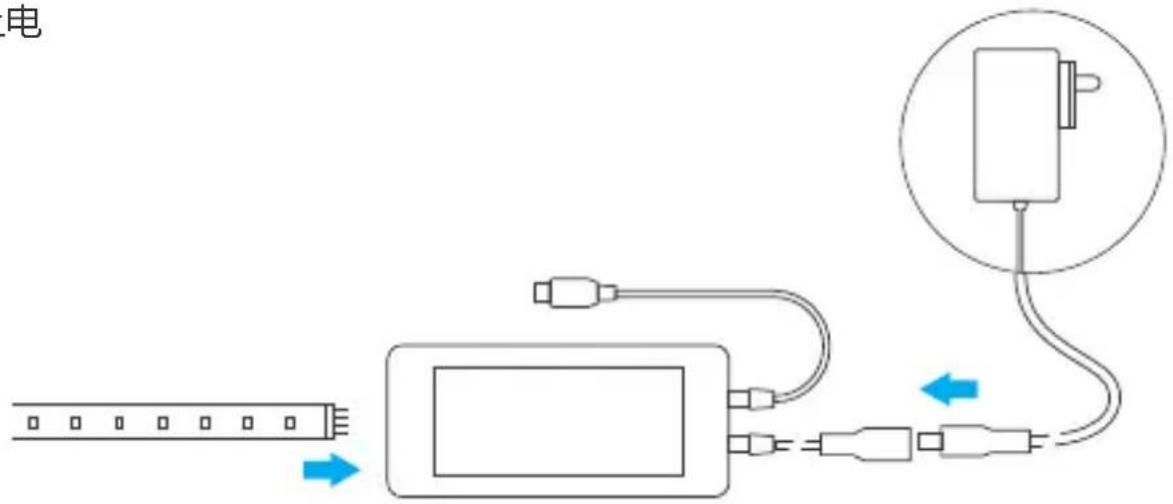
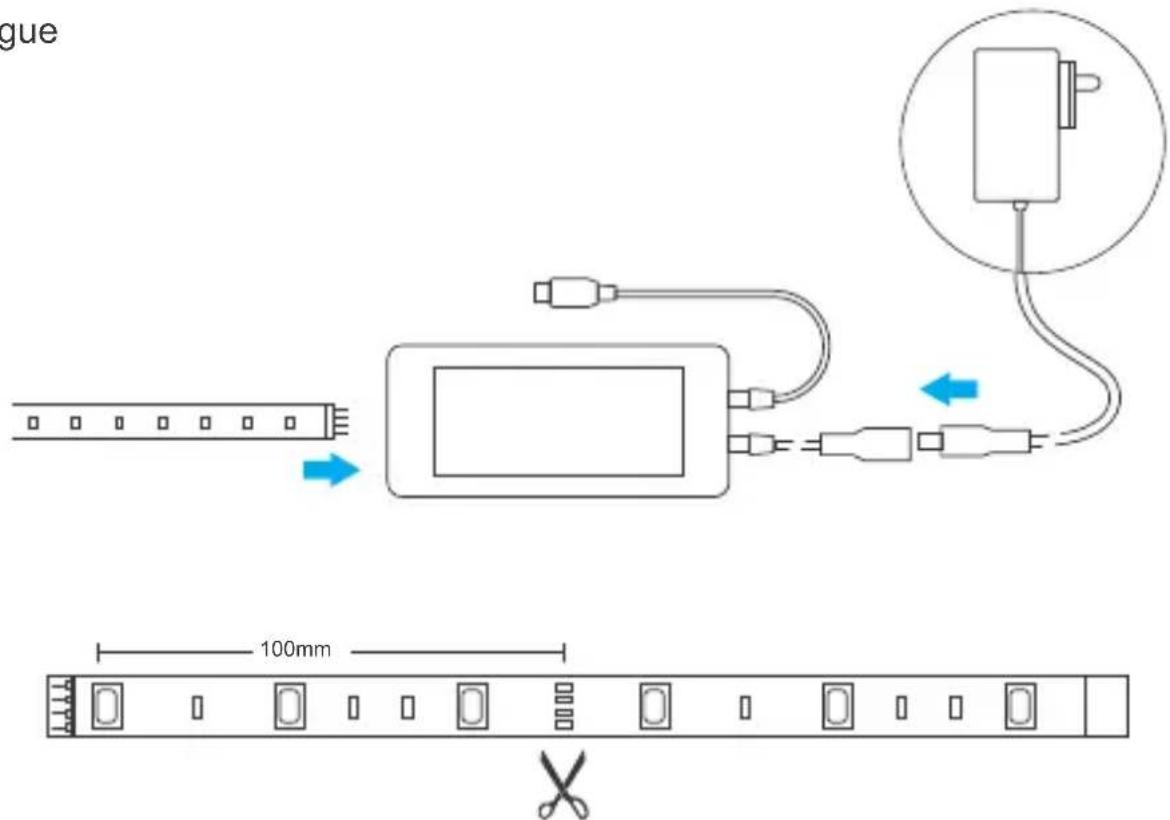
5. 上电
! 每100mm可剪切

Operation instruction
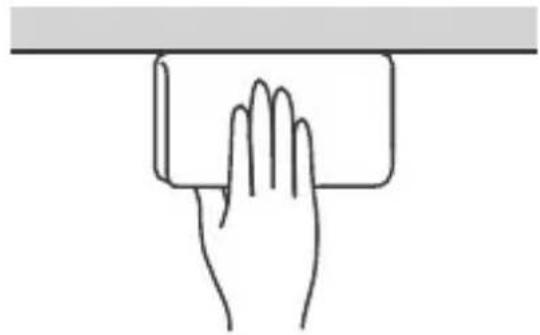
- Clean the surface
natural_image
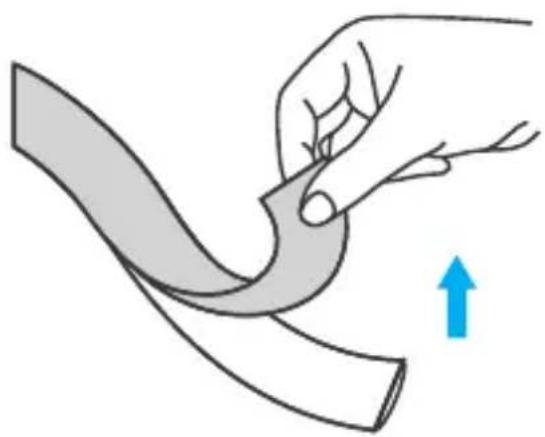
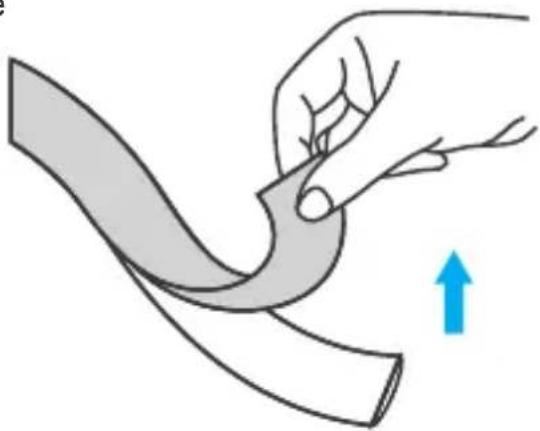
Line drawing of a hand holding a rectangular object above a horizontal line (no text or symbols)- Tear the backing tape
natural_image
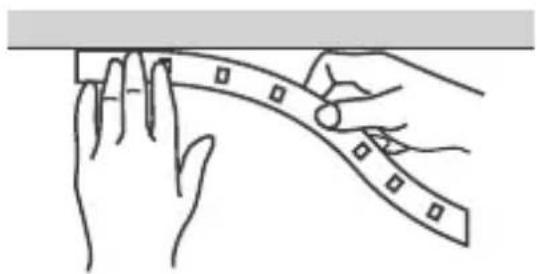
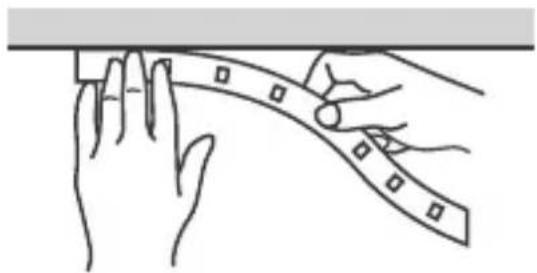
Illustration of a hand holding a curved object with a blue upward arrow indicating motion (no text or symbols)- Adhere it to the surface
natural_image
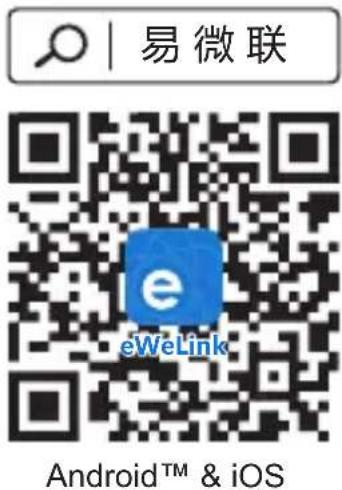
Line drawing of hands measuring a ruler on a surface (no text or symbols)- Download APP
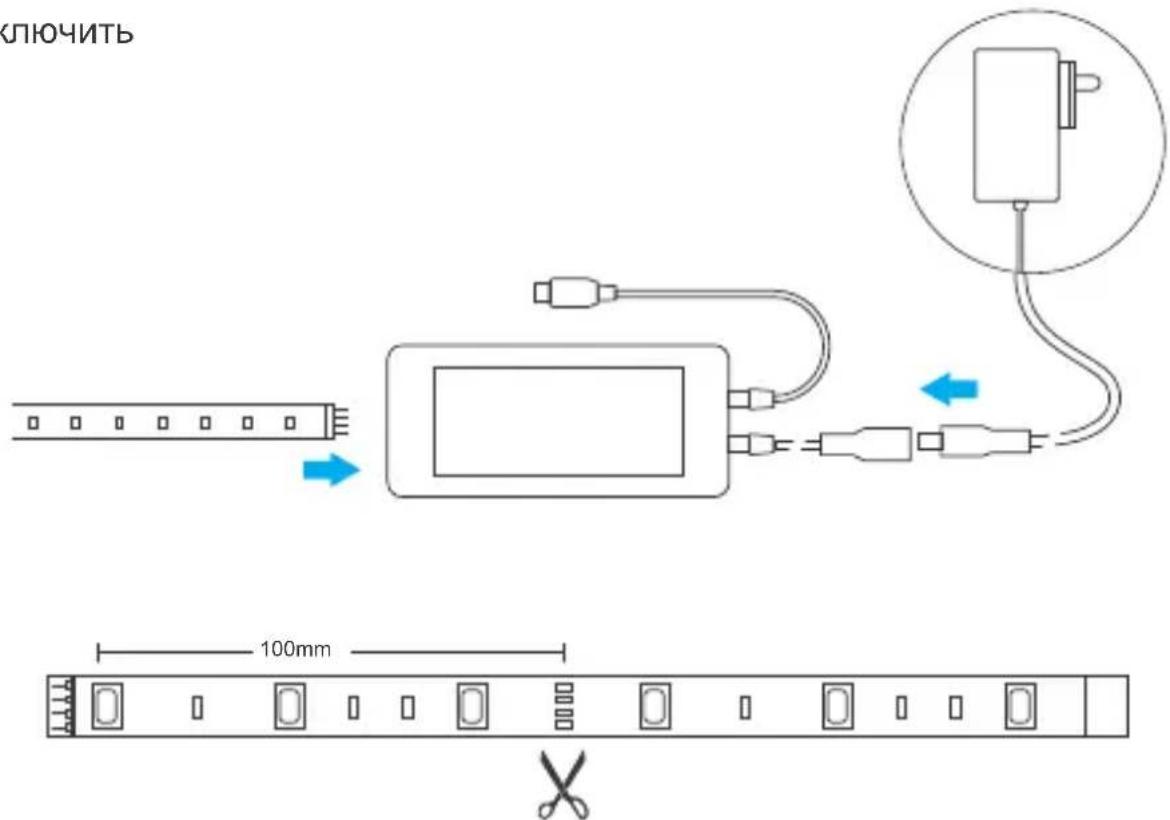
5. Power on
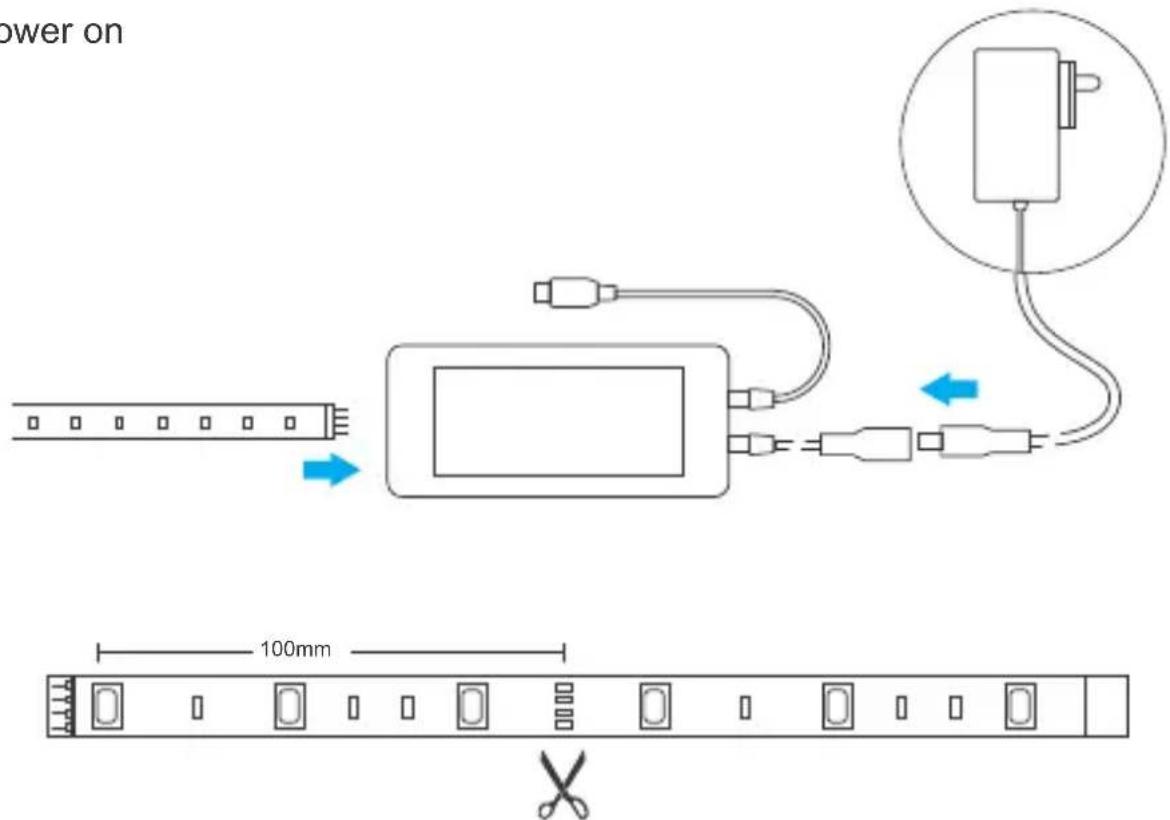
Cutable every 100mm
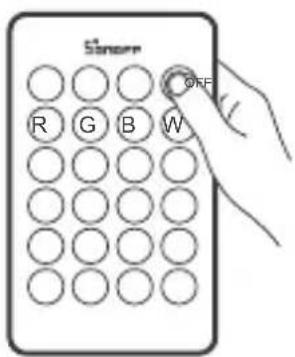
- Pull out the insulation sheet, then long press "on" button for 5s until the light strip "flashes", which means it enters the quick pairing mode.
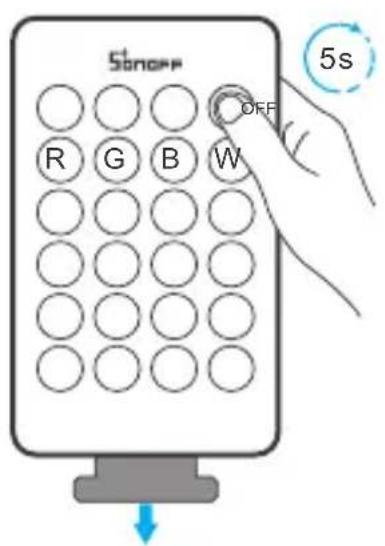
The device will exit the quick pairing mode if not paired within 3mins. If you want to enter this mode again, long press the "on" button on the remote controller for 5s until the light strip "flashes" and release.
- Tap “+” and select “Quick Pairing”, then operate following the prompt on the app.
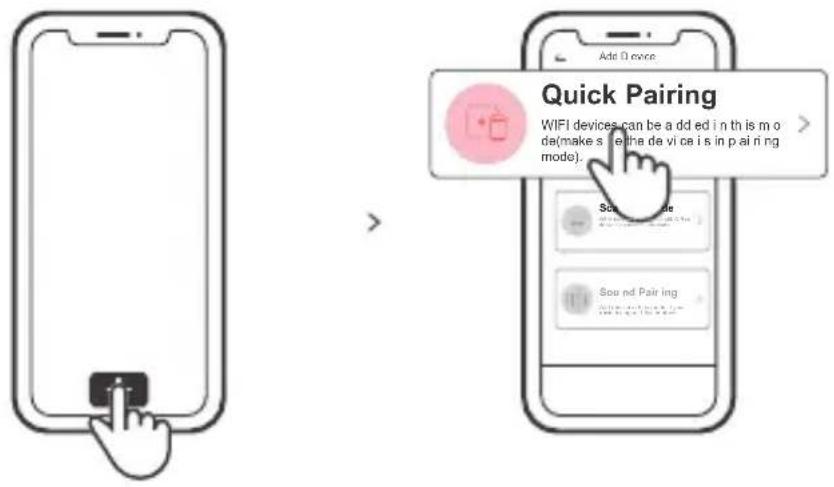
Compatible Pairing Mode
If you fail to enter Quick Pairing Mode (Touch), please try "Compatible Pairing Mode " to pair.
1 Long press the "on" button on the remote controller for 5s until the device "flashes" and release. Long press this button for 5s again until the device status changes from "flashing" to "quick flashing", then the device enters the Compatible Pairing Mode.
2 Tap “+” and select “Compatible Pairing Mode ” on APP.
Select Wi-Fi SSID with ITEAD-***** and enter the password 12345678, and then go back to eWeLink APP and tap "Next". Be patient until pairing completes.
Specifications
Model: L1-2M/L1-5M/L1 Lite-5M-EU/L1 Lite-5M-US
LED Light Strips
| Input Voltage | DC 12V | LED QTY | 30LEDs/m |
| Luminous Flux | ≥slant 300lumens/m | Life Expectancy | >25000 hours |
| Beam Angle | L1: 140° L1 Lite: 120° | Operating Temperature | -15°C ~ 50°C |
| Working Humidity | ≤slant 95% | Protect Range | L1: IP65L1 Lite: IP20 |
| Material | FPCB | ||
| Light Decay | Less than 3% after 1000 hours constant work | ||
Power Adapter
| Input | 100-240V AC 50/60Hz 0.6A Max | Output | DC 12V 2000mA(24W) |
| Protection | Anti-overvoltage, Anti-overload, Anti-overtemperature | ||
Wi-Fi Controller
| Input | DC 5-24V | Power | 144W |
| Remote Control | 24 Keys IR Remote Controller | Wi-Fi | IEEE 802.11 b/g/n 2.4GHz |
| Remote controller battery | 3V(CR2025) | Operating systems | Android & iOS |
Features of the Smart LED Light Strip
- SMD5050 LED Beads; FPCB Circuit Board; Every 3 LED lights in one segment.
- Main Colors of the Light: Red/Blue/Green.


Voice ControlAPP Control Single/Countdown Timing
Share Control

Music Reactive Mode
16M Colors

Remote control

Color Picker
Factory Reset
Long press the "on" button on the remote controller for 5s until the device starts flashing, then the device has been reset successfully and enters the quick pairing mode.

When the light strip is used on a new network, it must first be reset to its factory settings and then set up again on the new network.
Safety Warning
- Before using this product, please make sure that your voltage is appropriate for this product's working voltage. Using this product with a voltage other than the one specified may damage the product and cause safety hazards.
- LED Light Sources are unchangeable, please don't dismantle them.
- While the Light Strip is working, it will generate heat so please keep it in a cross-ventilation environment for heat dissipation.
Betriebsanweisung
natural_image
Line drawing of a hand holding a rectangular object above a horizontal line (no text or symbols)natural_image
Line drawing of hands measuring a curved object with square markers (no text or symbols)- APP herunterladen
5. Einschalten
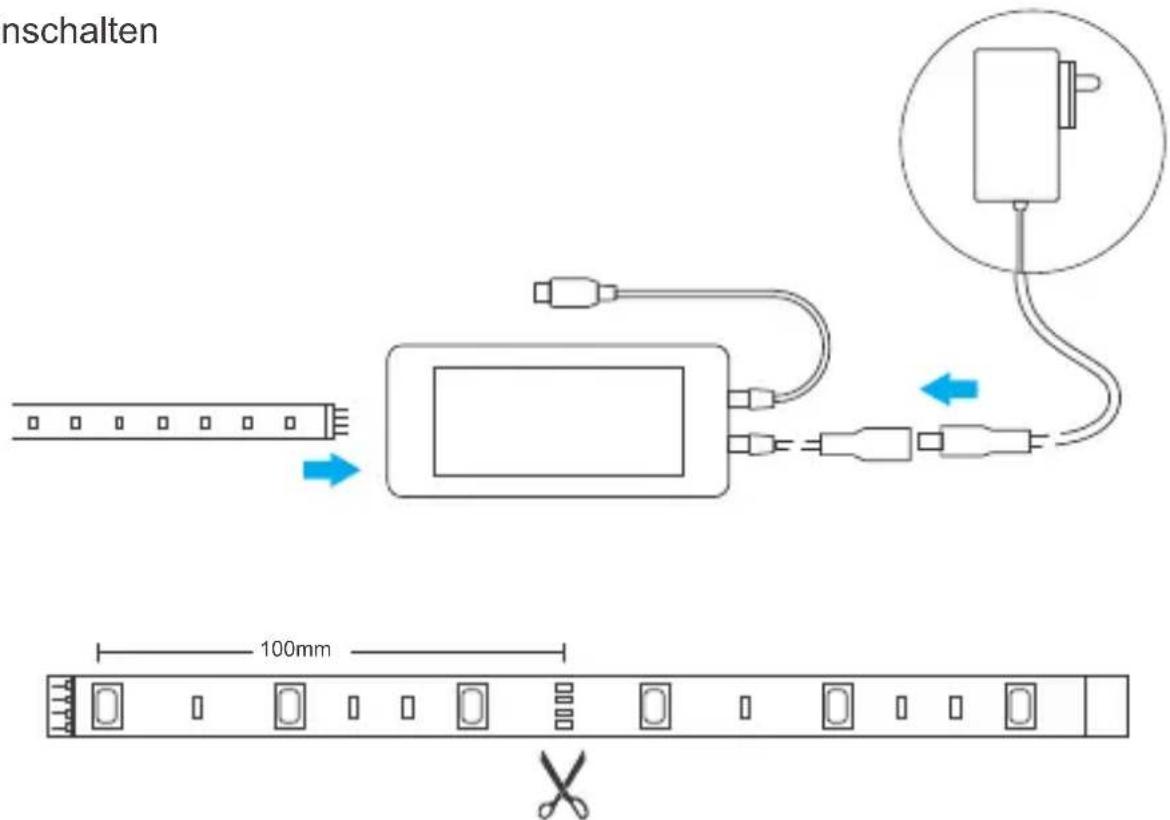
Schneidbar alle 100 mm
Sicherheitswarnung
natural_image
Line drawing of a hand holding a rectangular object above a horizontal line (no text or symbols)natural_image
Illustration of a hand holding a curved object with an upward arrow, no text or symbols presentnatural_image
Line drawing of hands holding a ruler measuring a surface (no text or symbols)5. Encender
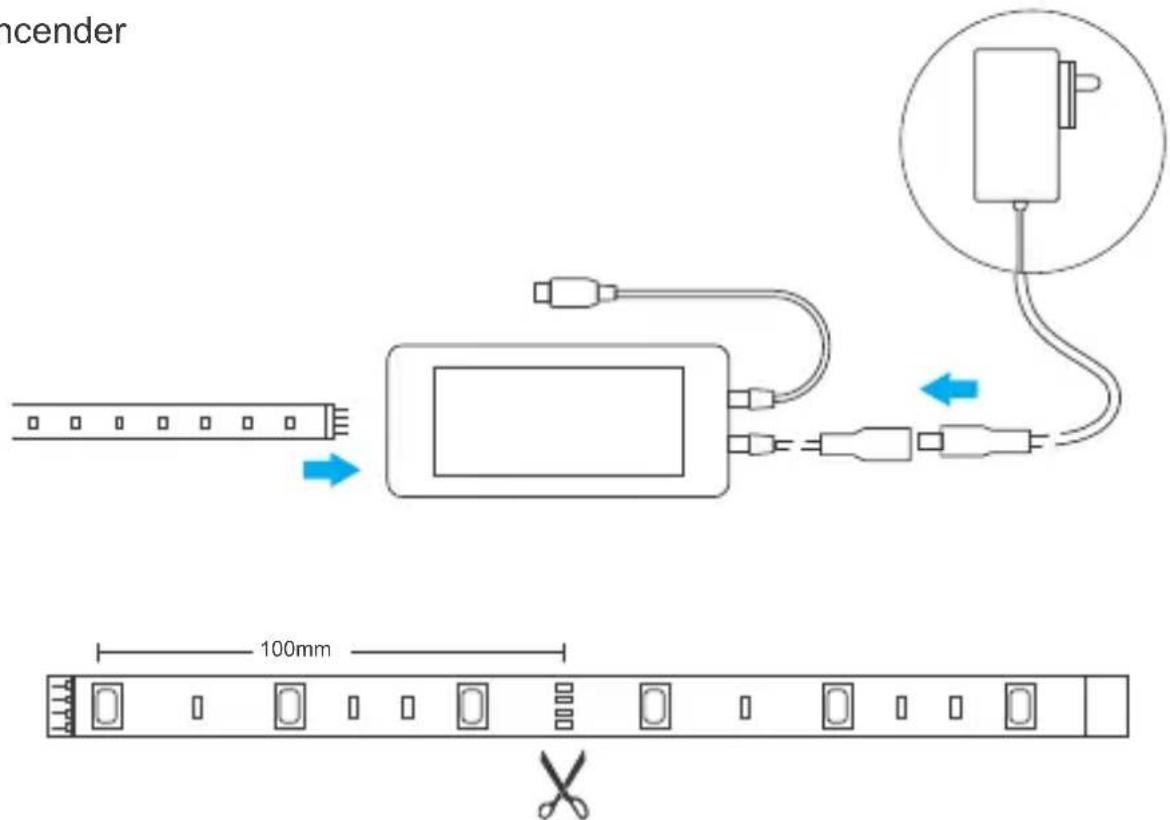
natural_image
Line drawing of a hand holding a rectangular object above a horizontal line (no text or symbols)- Enlever la bande de support
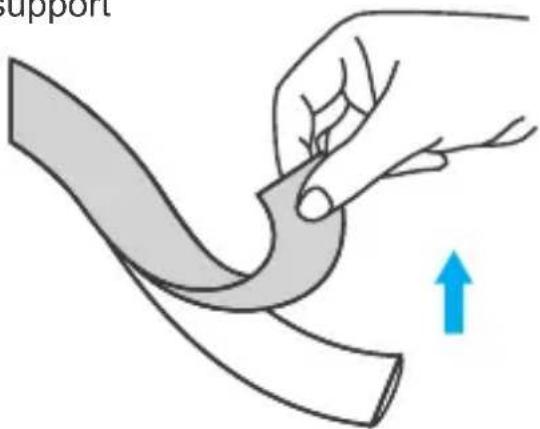
natural_image
Illustration of a hand holding a curved ribbon with an upward arrow, no text or symbols presentnatural_image
Line drawing of hands holding a ruler measuring a surface (no text or symbols)5. Allumer
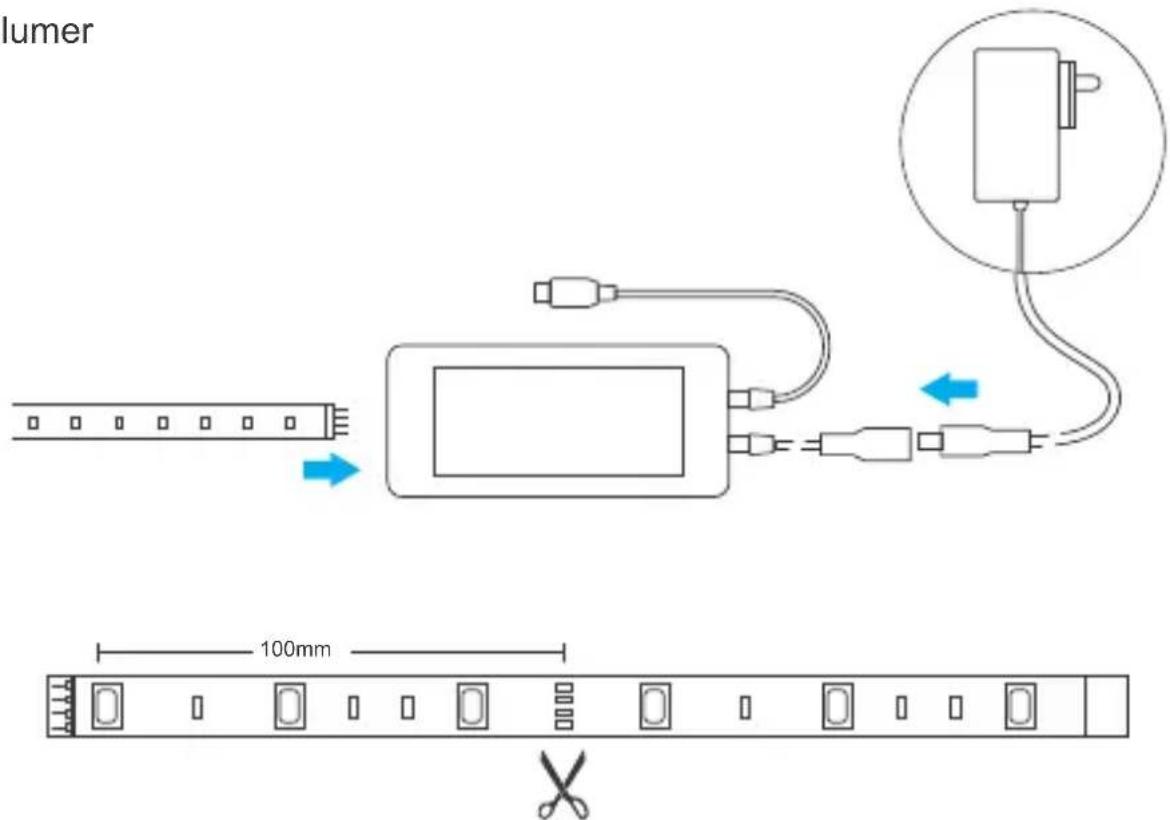
natural_image
Line drawing of a hand holding a rectangular object above a horizontal line (no text or symbols)natural_image
Illustration of a hand holding a curved ribbon or blade, with a blue upward arrow indicating motion (no text or symbols)natural_image
Line drawing of hands measuring a curved object with square markers (no text or symbols)- Scarica la APP

5. Accensione

Avviso di sicurezza
natural_image
Line drawing of a hand holding a rectangular object above a horizontal line (no text or symbols)natural_image
Illustration of a hand holding a curved ribbon with an upward arrow indicating motion (no text or symbols)natural_image
Line drawing of hands measuring a curved object with square markers (no text or symbols)- Скачать приложение

5. Включить
natural_image
Line drawing of a hand holding a rectangular object above a horizontal line (no text or symbols)natural_image
Illustration of a hand holding a curved strip with an upward arrow indicating motion (no text or symbols)natural_image
Line drawing of hands measuring a curved object with square markers (no text or symbols)- Baixe o APP

- Ligue
Aviso de segurança
Changes or modifications not expressly approved by the party responsible for compliance could avoid the user's authority to operate the equipment.
This device complies with part 15 of the FCC Rules. Operation is subject to the following two conditions: (1) This device may not cause harmful interference, and (2) this device must accept any interference received, including interference that may cause undesired operation.
FCC Radiation Exposure Statement:
This equipment complies with FCC radiation exposure limits set forth for an uncontrolled environment. This equipment should be installed and operated with minimum distance 20cm between the radiator & your body. This transmitter must not be co-located or operating in conjunction with any other antenna or transmitter.
Note:
This equipment has been tested and found to comply with the limits for a Class B digital device, pursuant to part 15 of the FCC Rules. These limits are designed to provide reasonable protection against harmful interference in a residential installation. This equipment generates, uses and can radiate radio frequency energy and, if not installed and used in accordance with the instructions, may cause harmful interference to radio communications. However, there is no guarantee that interference will not occur in a particular installation. If this equipment does cause harmful interference to radio or television reception, which can be determined by turning the equipment off and on, the user is encouraged to try to correct the interference by one or more of the following measures:
— Reorient or relocate the receiving antenna.
— Increase the separation between the equipment and receiver.
— Connect the equipment into an outlet on a circuit different from that to which the receiver is connected.
— Consult the dealer or an experienced radio/TV technician for help.
Hereby, Shenzhen Sonoff Technologies Co., Ltd. declares that the radio equipment type L1-2M/L1-5M/L1 Lite-5M-US/L1 Lite-5M-EU is in compliance with Directive 2014/53/EU. The full text of the EU declaration of conformity is available at the following internet address:
https://sonoff.tech/usermanuals
5000FF
Shenzhen Sonoff Technologies Co., Ltd.
1001, BLDG8, Lianhua Industrial Park, shenzhen, GD, China ZIP code: 518000 Website: sonoff.tech
MADE IN CHINA

RoHS

- Wi-Fi Smart LED Light Strip
- 上电
- ! 每100mm可剪切
- Operation instruction
- Power on
- Compatible Pairing Mode
- Specifications
- Features of the Smart LED Light Strip
- Factory Reset
- Safety Warning
- Betriebsanweisung
- Einschalten
- Sicherheitswarnung
- Encender
- Allumer
- Accensione
- Avviso di sicurezza
- Включить
- Aviso de segurança
- FCC Radiation Exposure Statement:
- Note:
- 5000FF
Brand : Sonoff
Model : L1
Category : Lamp