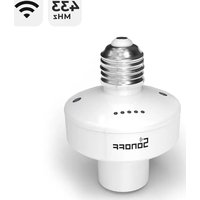
SlampherR2 - Smart bulb Sonoff - Free user manual and instructions
Find the device manual for free SlampherR2 Sonoff in PDF.


| Product Type | WiFi+RF Smart Socket (E27) |
| Brand | Sonoff |
| Model | SlampherR2 |
| Dimensions | 67 × 67 × 98 mm |
| Power Supply | 100-240 V AC, 50/60 Hz |
| Max Power | 450 W / 2 A |
| Connectivity | Wi-Fi 2.4 GHz (IEEE 802.11 b/g/n) and RF 433.92 MHz |
| Socket Type | E27 (screw) |
| Compatible Operating Systems | Android & iOS |
| Operating Temperature | -10 °C to 40 °C |
| Material | PC V0 Plastic (fireproof) |
| Main Functions | Remote on/off, scheduling, voice control, sharing, smart scenes, RF remote, LAN control, status sync |
| Wi-Fi LED Indicator | Flashes indicating modes (quick pairing, compatible, connection, etc.) |
| Safety | Disconnect power before installation/removal |
| Maintenance and Cleaning | Clean with a dry, lint-free cloth. Do not use liquids. |
Frequently Asked Questions - SlampherR2 Sonoff
User questions about SlampherR2 Sonoff
0 question about this device. Answer the ones you know or ask your own.
Ask a new question about this device
Download the instructions for your Smart bulb in PDF format for free! Find your manual SlampherR2 - Sonoff and take your electronic device back in hand. On this page are published all the documents necessary for the use of your device. SlampherR2 by Sonoff.
USER MANUAL SlampherR2 Sonoff
Operating Instruction
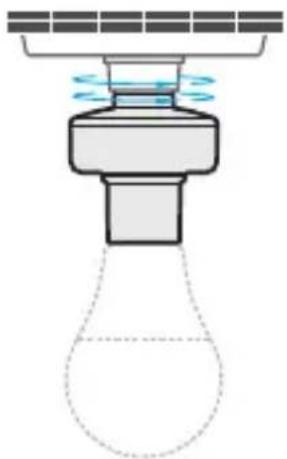
- Install lamp base
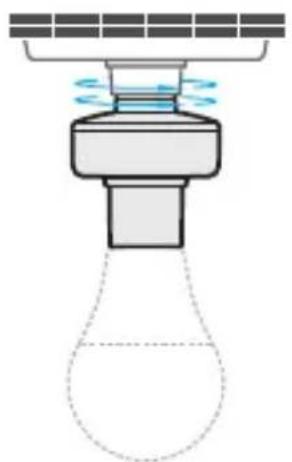
To avoid electric shock, please turn off the power before installing the lamp base.
- Download the eWeLink APP




Android™ & iOS
- Power on
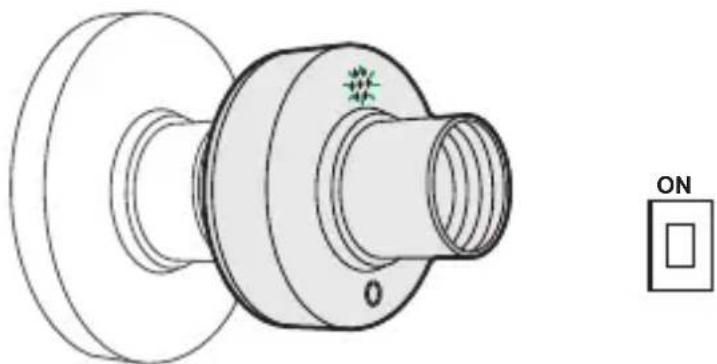
After powering on, the device will enter the quick pairing mode (Touch) during the first use. The Wi-Fi LED indicator changes in a cycle of two short and one long flash and release.
The device will exit the quick pairing mode (Touch) if not paired within 3mins. If you want to enter this mode, please long press the manual button for about 5s until the Wi-Fi LED indicator changes in a cycle of two short and one long flash and release.
4. Add the device
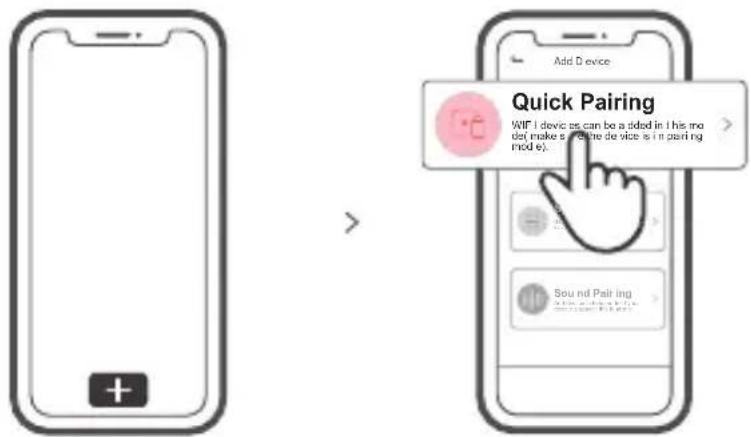
Tap "+" and select "Quick Pairing", then operate following the prompt on the APP.
Compatible Pairing Mode
If you fail to enter Quick Pairing Mode (Touch), please try "Compatible Pairing Mode" to pair.
1 Long press Pairing button for 5s until the Wi-Fi LED indicator changes in a cycle of two short flashes and one long flash and release. Long press Pairing button for 5s again until the Wi-Fi LED indicator flashes quickly. Then, the device enters Compatible Pairing Mode.
2 Tap "+" and select "Compatible Pairing Mode" on APP.
Select Wi-Fi SSID with ITEAD-**** and enter the password 12345678, and then go back to eWeLink APP and tap "Next". Be patient until pairing completes.
Specifications
| Model | SlampherR2 |
| Input | 100-240V AC 50/60Hz |
| Output | 100-240V AC 50/60Hz |
| Max.Load | 450W/2A |
| RF | 433.92MHz |
| Screw base | E27 |
| Wi-Fi | IEEE 802.11 b/g/n 2.4GHz |
| Operating systems | Android & iOS |
| Working temperature | -10°C~40°C |
| Material | PC V0 |
| Dimension | 67x67x98mm |
Product Introduction
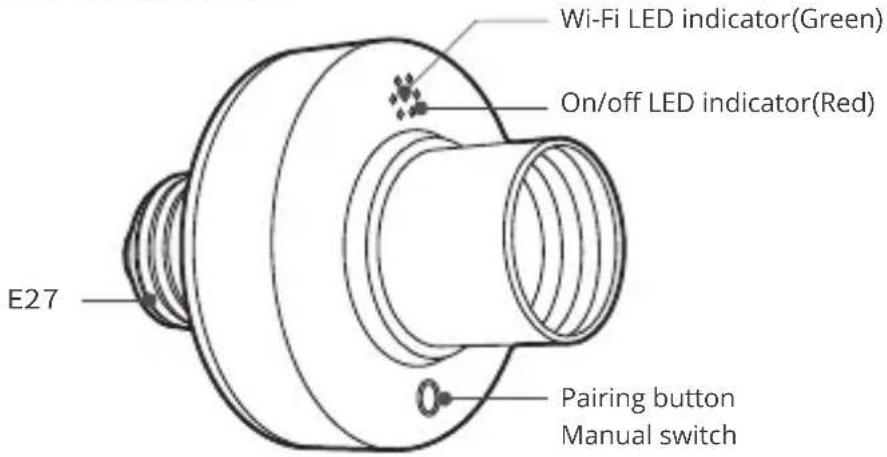
Wi-Fi LED indicator status instruction
| Wi-Fi LED indicator status | Status instruction |
| Quick Pairing ModeFlashes (one long and two short) | |
| Keeps on | Device is connected successfully |
| Flashes quickly | Compatible Pairing Mode |
| Flashes quickly once | Unable to discover the router |
| Flashes quickly twice | Connect to the router but fail to connect to Wi-Fi |
| Flashes quickly three times | Upgrading |
Features
Remotely turn on/off the device, schedule it on/off or share it with your family to control together.

Remote Control

Single/Countdown Timing

Voice Control
Share Control

Smart Scene


Sync Status LAN CorrBPPWReState Control

Camera Linking

RF Remote Controller Pairing
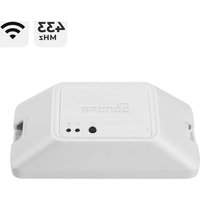
SlampherR2 supports the remote controller with 433.92MHz frequency band to turn on/off, which is local short-range wireless control not Wi-Fi control.
Pairing Method:
Long press the configuration button for 3s until the red LED indicator flashesred once, then short press the remote control button you want to pair for successful learning.
Clearing Method:
Long press the configuration button for 5s until the red LED indicator flashes red twice, then short press the learned button corresponding to the remote controller to clear code values of all learned buttons.
Switch Network
If you need to change the network, long press the pairing button for 5s until the Wi-Fi LED indicator changes in a cycle of two short and one long flash and release, then the device enters quick pairing mode and you can pair again.
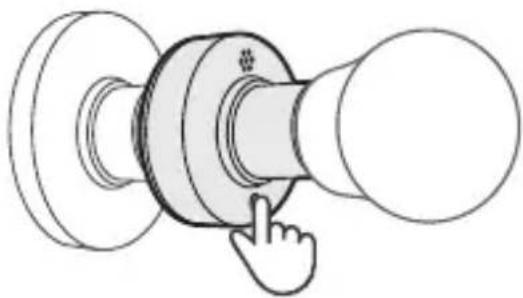
Factory Reset
Deleting the device on the eWeLink app indicates you restore it to factory setting.
Common Problems
Q: Why my device stays "Offline"?
A: The newly added device needs 1 - 2mins to connect Wi-Fi and network. If it stays offline for a long time, please judge these problems by the green Wi-Fi indicator status:
- The green Wi-Fi indicator quickly flashes once per second, which means that the switch failed to connect your Wi-Fi:
① Maybe you have entered a wrong Wi-Fi password.
② Maybe there's too much distance between the switch your router or the environment causes interference, consider getting close to the router. If failed, please add it again.
③ The 5G Wi-Fi network is not supported and only supports the 2.4GHz wireless network.
④ Maybe the MAC address filtering is open. Please turn it off.
If none of the above methods solved the problem, you can open the mobile dataanetwork on your phone to create a Wi-Fi hotspot, then add the device again.
- Green indicator quickly flashes twice per second, which means your device has connected to Wi-Fi but failed to connect to the server.
Ensure steady enough network. If double flash occurs frequently, which means you access an unsteady network, not a product problem. If thenetwork is normal, try to turn off the power to restart the switch.
Betriebsanweisung
1. Lampensockel installmenten
The SlampherR2 supports the remote controller with 433.92MHz frequency brand to turn on/off, and each channel can learn it independently, which is local short-range wireless control not Wi-Fi control.
Método de pareamento:
Changes or modifications not expressly approved by the party responsible for compliance could avoid the user's authority to operate the equipment.
This device complies with part 15 of the FCC Rules. Operation is subject to the following two conditions: (1) This device may not cause harmful interference, and (2) this device must accept any interference received, including interference that may cause undesired operation.
FCC Radiation Exposure Statement:
This equipment complies with FCC radiation exposure limits set forth for an uncontrolled environment. This equipment should be installed and operated with minimum distance 20cm between the radiator & your body. This transmitter must not be co-located or operating in conjunction with any other antenna or transmitter.
Note:
This equipment has been tested and found to comply with the limits for a Class B digital device, pursuant to part 15 of the FCC Rules. These limits are designed to provide reasonable protection against harmful interference in a residential installation. This equipment generates, uses and can radiate radio frequency energy and, if not installed and used in accordance with the instructions, may cause harmful interference to radio communications. However, there is no guarantee that interference will not occur in a particular installation. If this equipment does cause harmful interference to radio or television reception, which can be determined by turning the equipment off and on, the user is encouraged to try to correct the interference by one or more of the following measures:
— Reorient or relocate the receiving antenna.
— Increase the separation between the equipment and receiver.
- Connect the equipment into an outlet on a circuit different from that to which the receiver is connected.
- Consult the dealer or an experienced radio/TV technician for help.
Hereby, Shenzhen Sonoff Technologies Co., Ltd. declares that the radio equipment type is in compliance with Directive 2014/53/EU. The full text of the EU SlampherR2 declaration of conformity is available at the following internet address:
https://sonoff.tech/usermanuals
TX Frequency:
WiFi: 2412-2472MHz
RX Frequency:
WiFi: 2412-2472MHz SRD: 433.92MHz
Output Power:
11.45dBm EIRP

Shenzhen Sonoff Technologies Co., Ltd.
1001, BLDG8, Lianhua Industrial Park, shenzhen, GD, China
ZIP code: 518000
Website: sonoff.tech
- Operating Instruction
- Add the device
- Compatible Pairing Mode
- Specifications
- Product Introduction
- Wi-Fi LED indicator status instruction
- Features
- RF Remote Controller Pairing
- Pairing Method:
- Clearing Method:
- Switch Network
- Factory Reset
- Common Problems
- Betriebsanweisung
- Lampensockel installmenten
- Método de pareamento:
- FCC Radiation Exposure Statement:
- Note:
- https://sonoff.tech/usermanuals
Brand : Sonoff
Model : SlampherR2
Category : Smart bulb