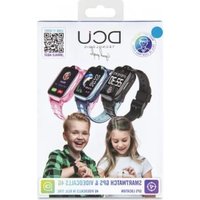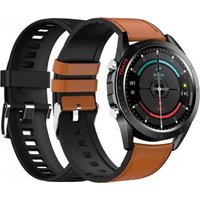
Elegance - Smartwatch DCU - Free user manual and instructions
Find the device manual for free Elegance DCU in PDF.


User questions about Elegance DCU
0 question about this device. Answer the ones you know or ask your own.
Ask a new question about this device
Download the instructions for your Smartwatch in PDF format for free! Find your manual Elegance - DCU and take your electronic device back in hand. On this page are published all the documents necessary for the use of your device. Elegance by DCU.
USER MANUAL Elegance DCU
natural_image
Close-up of a modern smartwatch with white strap and digital display showing temperature, date, and time (no readable text or symbols beyond branding)Smartwatch Elegance
IOS - ANDROID
34157015 / 34157016
Manual de usuario 3
User manual 13
Manual d'usuari 23
Mode d'emploi 33
text_image
QR code image containing encoded data, no visible human-readable textCARGA Y ACTIVACIÓN:
natural_image
Close-up of a black smartwatch with a circular lens and wrist strap (no visible text or symbols)natural_image
Circular icon with a green footprint and surrounding icons (no text or symbols)Menú
natural_image
Close-up of a mechanical gear mechanism with visible gears and shafts (no text or symbols)text_image
SP02 98% ▲ 99% ▼ 95% BLOOD OXYGEN HEALTH ZONE SPO2 < 99% SPO2 > 96% NEARLY 7 BLOOD OXYGENOxígeno en sangre:
Thank you very much for purchasing this watch, the DCU team has been working hard to offer you a comfortable, beautiful and functional watch.
If you have any questions that this manual cannot solve, we will be happy to assist you, you can write to info@dcutec.com and in less than 24 hours we will answer you.
We wish you enjoy it!
If you want to know a little more, go to www.dcutec.com or visit our Instagram profile @dcutecnologic. Sometimes we do raffles.
Device maintenance
Remember the following tips to keep your Smartwatch in good condition:
- Clean the watch regularly, especially the back side, and keep it dry.
- Adjust the watch strap to ensure the air circulation.
- Skin care products should not be used on the wrist with the smartwatch.
- Please stop wearing the watch in case of skin allergy or any discomfort.
www.dcutec.com
DOWNLOAD THE SMARTWATCH APP:
Scan the QR code to download and install the APP, or search in your APP Store or Play Store the name of the APP "Da Fit".
Device requirements: iOS 9.0 and above; Android 4.4 and above, compatible with Bluetooth 5.0.
text_image
QR code image containing encoded data, no visible human-readable textCHARGE AND ACTIVATE THE SMARTWATCH:
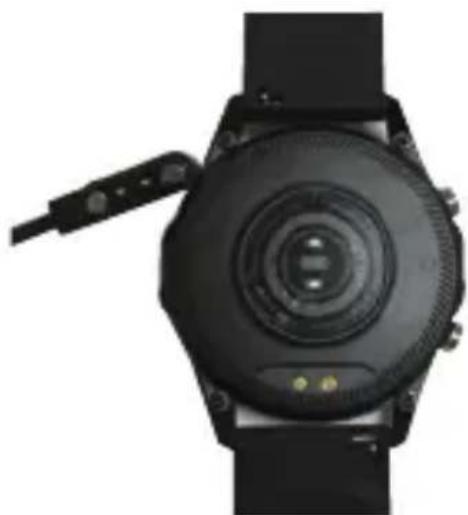
Before using the watch for the first time, you need to fully charge the battery, use the magnetic charging cable provided to connect the metal charging contacts on the back of the watch, connect the other end of the charging cable to an USB charger or an USB computer interface that provides a minimum of 5V/1A and a maximum of 5V/2A.
The estimated time for a full charge is between 2-3 hours. To extend battery life, never let it discharge to 100% and charge it regularly, even if you are not going to use it.

Caution: Don't connect the 2 pins of the magnetic charging cable with conductive material at the same time, it may cause a short circuit
The battery of smartwatch can be damaged or discharged very quickly at very low or very high temperatures.
natural_image
Close-up of a black smartwatch with a circular lens and wrist strap (no visible text or symbols)BLUETOOTH CONNECTION WITH THE APP:
The MAC address on the “Setting”-“About” page could help you to identify your device on the scanning list.
After successfully pairing the smartwatch, every time that you will open the App in the future, the smartwatch watch will automatically connect to the phone and the data can be synced by swiping up and down from the main page in the App.

Remark: The product supports waterproof with IP68 level, it is available to wear it while wash hands, 30min swimming pool, in raining, etc.
Do not use it with saltwater or when have a hot shower/bath or sauna, the vapors will get into the host, scratch damage of peripheral components. All these are beyond the scope of the warranty.
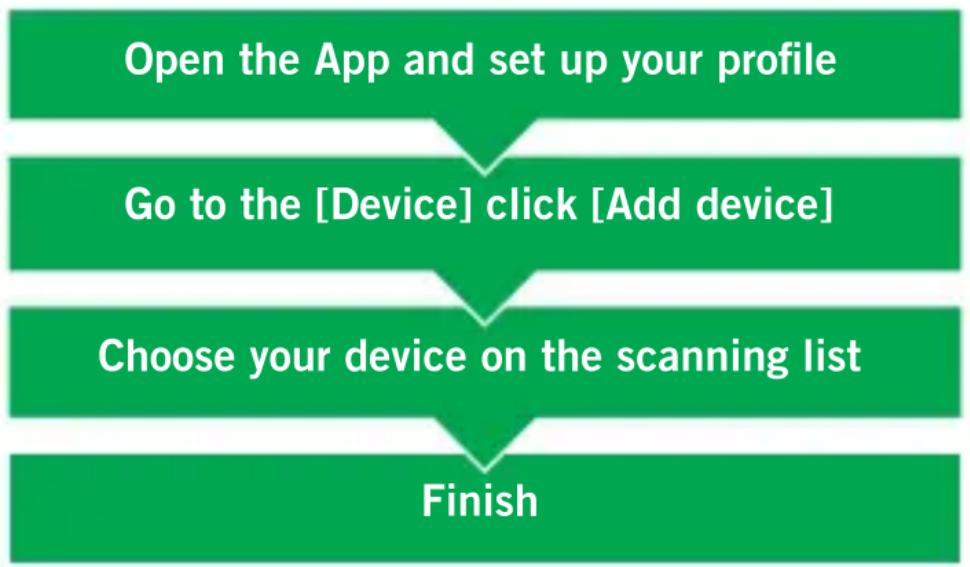
flowchart
graph TD
    A["Open the App and set up your profile"] --> B["Go to the [Device"] click["Add device"]]
    B --> C["Choose your device on the scanning list"]
    C --> D["Finish"]
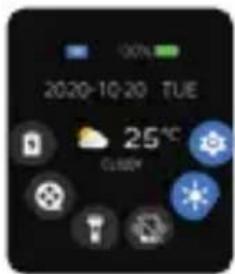
CONTROL PANEL
text_image
2020-10-20 TUE 25℃ CURRYControl Center
Swipe Up ↑↓ Swipe Down
natural_image
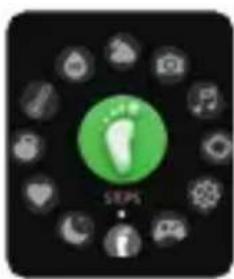
Circular icon with a green footprint and surrounding icons (no text or symbols)Swipe Right ← → Press the key
natural_image
Close-up of a mechanical gear mechanism with visible gears and shafts (no text or symbols)Swipe Left ← → Swipe Right
text_image
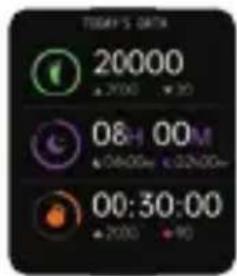
TOMY'S DATA 20000 + 2000 - 10 0&H 00M + 06:00m + 02:00m 00:30:00 + 2000 - 90Feature pagesMenu
Swipe Up ↑↓ Swipe Down
text_image
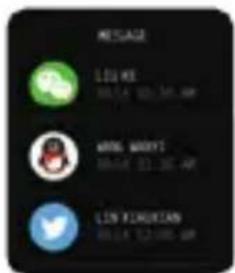
MESSAGE LISKE MESSAGE 10:30 AM LINK EXERCAN MESSAGE 12:00 AMMessages
ENG
SMARTWATCH FEATURES:
text_image
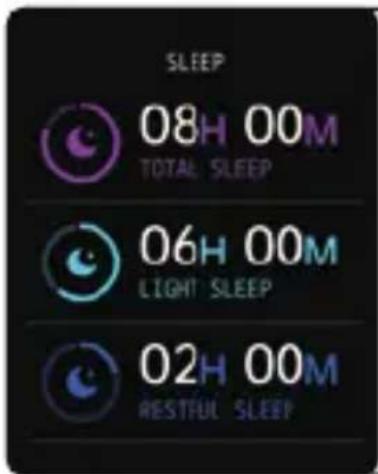
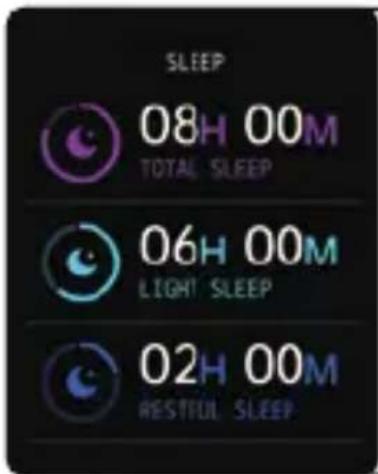
SLEEP 08H 00M TOTAL SLEEP 06H 00M LIGHT SLEEP 02H 00M RESTFUL SLEEPSleep:
If you keep wearing Smartwatch in your sleep, it can provide the hours slept and quality of sleep stats on both the screen and the APP.
NOTE: Sleep stats reset to zero at 8:00 pm.
text_image
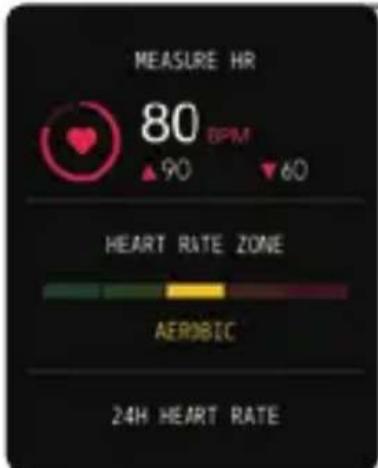
MEASURE HR 80 BPM ▲90 ▼60 HEART RATE ZONE AEROBIC 24H HEART RATEHeart Rate Test:
The Smartwatch could record your heart rate daily.
You also could tap on the heart rate interface to start measuring the current heart rate.
text_image
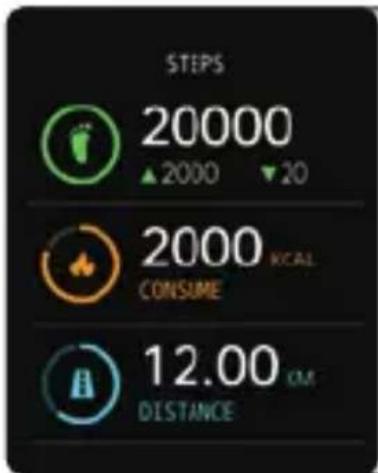
STEPS 20000 ▲2000 ▼20 2000 KCAL CONSUME 12.00 KM DISTANCESteps:
Smartwatch automatically records the steps during the day.
NOTE: Your movement stats reset to zero at midnight.
text_image
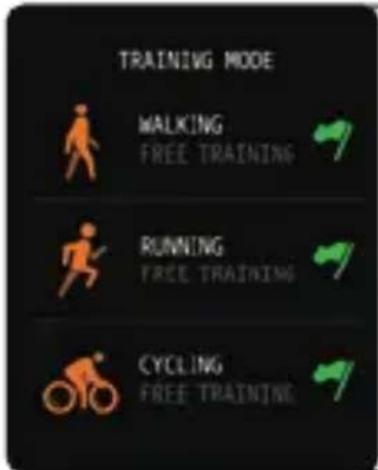
TRAINING MODE MALKING FREE TRAINING RUNNING FREE TRAINING CYCLING FREE TRAININGTraining:
Tap the training icon on the menu to start a new training measure recording, there are 8 sport modes to be chosen: walking, running, cycling, basketball, football, badminton, skipping rope and swimming pool (do not use in saltwater). The last training recording will be showed on the training interface.
ENG
text_image
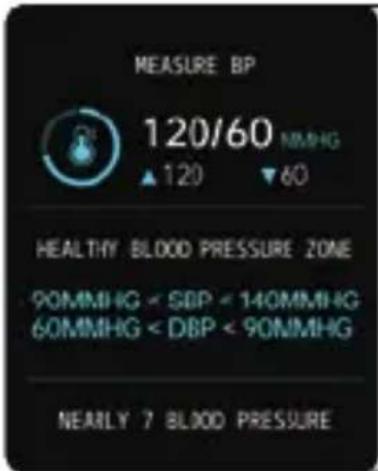
MEASURE BP 120/60 MMHG ▲ 120 ▼ 60 HEALTHY BLOOD PRESSURE ZONE 90MMHG < SBP < 140MMHG 60MMHG < DBP < 90MMHG NEARLY 7 BLOOD PRESSUREBlood pressure test:
Tap on the blood pressure page to start measuring your blood pressure. On the blood pressure page, it can show the blood pressure measured data of the last times.
text_image
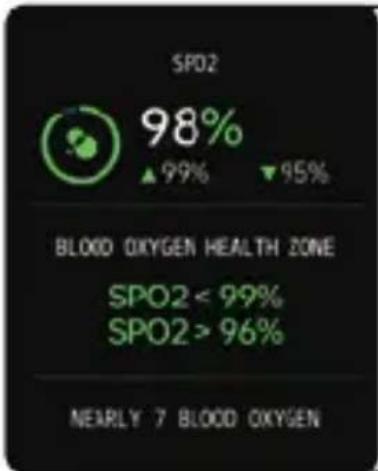
SPO2 98% ▲ 99% ▼ 95% BLOOD OXYGEN HEALTH ZONE SPO2 < 99% SPO2 > 96% NEARLY 7 BLOOD OXYGENSpO_2 Test:
Tap the SpO_2 interface to start measuring your SpO_2 . On the SpO_2 interface, it can show the SpO_2 measured data of the last times.
text_image
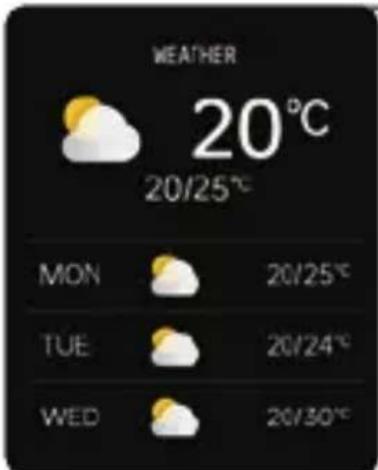
WEATHER 20°C 20/25°C MON 20/25°C TUE 20/24°C WED 20/30°CWeather:
The weather page shows the current weather and the information for the next day. Weather information must be connected to the DaFit APP before data can be obtained. The weather information cannot be updated if it is disconnected from the APP for a long time.
text_image
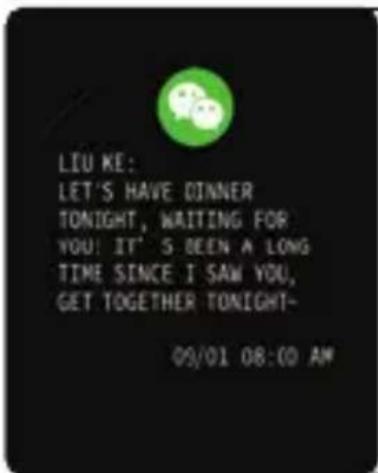
LIU KE: LET'S HAVE DINNER TONIGHT, WAITING FOR YOU! IT'S BEEN A LONG TIME SINCE I SAW YOU, GET TOGETHER TONIGHT- 09/01 08:00 AMMessages reminder:
The device can sync incoming notifications from Twitter, Facebook, Whatsapp, Instagram etc. Recently 5 messages can be stored. Note: You can switch off/on the incoming notification in the APP DaFit.
ENG
text_image
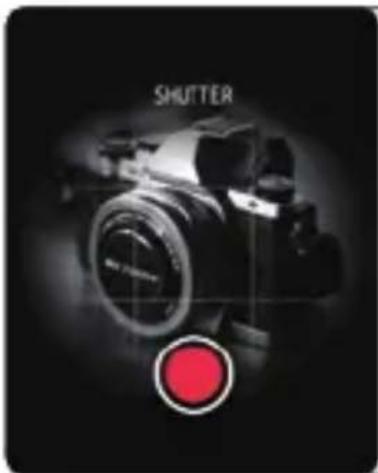
SHUTTERRemote shutter:
After connecting the device, you can remotely control your phone's camera.
text_image
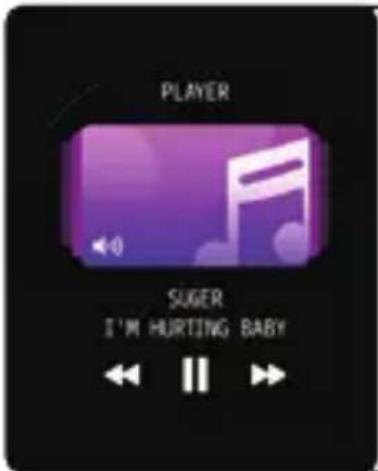
PLAYER SUGER I'M HURTING BABYPlayer shutter:
After connecting the device, you can remotely control the music player on your phone.
text_image
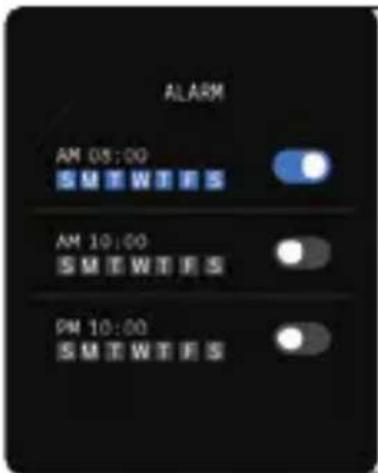
ALARM AM 08:00 SWEWES AM 10:00 SWEWES PM 10:00 SWEWESAlarms:
Set up the alarm on the APP, the device will vibrate to remind on time.
text_image
THEATER MODE THEATER MODE: TURN OFF VIBRATION AND TURN DOWN BRIGHTNESSTheater Mode:
The device will turn off the vibration and turn down the brightness when the theater mode is turned on.
Note: You can turn on/off the theater mode in the control center.
text_image
DRINK WATERRemind to Drink:
The smartwatch will remind you “Time to Drink Some Water” at the planned drinking time.
Note: You can set the feature in the APP DaFit.
text_image
WALK AROUND!Remind to Move:
The device will vibrate to remind you to make a relax after 1 hour sitting. Note: You can switch on/off the feature in the APP DaFit.
FREQUENTLY ASKED QUESTIONS AND ANSWERS
Why do the blood pressure values deviate from the blood pressure monitor?
The deviation between the watch and the blood pressure monitor measurements is due to several factors. The blood pressure monitor measures the brachial artery and the watch measures the two main branches of the microartery; Under normal circumstances, the difference between the aortic blood pressure measurement and the microartery blood pressure measurement will be thirty to forty; If you use a watch and a blood pressure monitor to take measurements at the same time, as the blood flows through the arteries in a centrifugal direction, the strap puts pressure on the area below the middle of the elbow when the blood pressure monitor is measuring, preventing Temporarily allowing blood to flow smoothly into the arterial branches below; increased blood pressure will deviate the upper and lower blood pressure measurements even more.
Why can't the watch be worn in a hot shower?
The temperature of the bath water is relatively high, which will produce a large amount of water vapor, and the water vapor is in the gas phase, its molecular radius is small, easy to filter through
ENG
the gap of the watch case, when the temperature drops and will condense into liquid phase water droplets, easy to cause the watch's internal circuit short circuit, damage the watch's circuit board, and then damage the watch.
Why is my smartwatch not receiving notifications?
- Confirm that you have given all the necessary permissions to the DaFit APP to read the notifications and that the APP is running in the background.
- Confirm that the messages are displayed normally in the notification bar of the phone. Watch message notifications are done by reading the message from the phone's notification bar; If there is no message in the notification bar of the phone, the watch will not receive it.
- Confirm that you have enabled notifications in the DaFit watch APP settings.
OTHER FEATURES:
Other smartwatch functions include stopwatch, alarm, timer, brightness adjustment, vibration on/off, do not disturb mode, movie mode, factory reset, power off and smartwatch information.
CHANGE THE MAIN SCREEN STYLE:
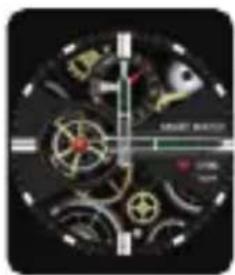
Hold down the main screen, swipe from left to right to change the dial, click confirm.
You can find more designs available in the DaFit APP.
PAY SPECIAL ATTENTION TO THESE TIPS:
- Avoid the watch being subjected to strong impacts, extreme heat and/or sun exposure.
- Do not disassemble, repair or modify the watch yourself.
- This device uses 5V 500mA for charging. It is strictly forbidden to use a power supply with a load greater than 5V.
- The operating environment of this device is 0^ 45^ . Keep it away from extreme heat sources.
- When the watch is wet, wipe it dry with a soft cloth before charging, otherwise it will corrode the charging contacts and cause charging failure.
- Do not touch chemicals such as gasoline, cleaning solvents, propanol, alcohol, or insect repellent.
- Do not use this device in high voltage and high magnetism environment.
- If you have sensitive skin or wear the watch too tight, it may feel uncomfortable.
ENG
-
Wipe the sweat beads off your wrist from time to time, as the strap may be exposed to soap, sweat, allergens, or contaminants for a long time, which can cause itchy skin.
-
If you wear it frequently, it is recommended to clean the watch every week. Wipe with a damp cloth and remove oil or dust with a mild soap. It is not recommended to use the watch in hot water. Water vapor could enter the sphere and damage the components.
WARNING:
This product is not a medical device. The Smartwatch and their applications should not be used for the diagnosis, treatment or prevention of diseases or ailments. To change your exercise and sleep habits, be sure to consult a qualified medical professional to avoid serious damages. Our company reserves the right to modify and improve any of the functions described in this manual without prior notice. At the same time, the company reserves the right to update the contents of the product. All contents are subject to the real product.
WARRANTY
-
The warranty covers quality problems caused by manufacturing, materials or design within the first year of purchase and battery and charger problems within the first 6 months.
-
About the fault caused by the user's personal reasons, we don't offer free warranty, as follows:
1). Disassemble or refit the product.
2). Caused by immodesty drop
3). All artificial damage or misuse (such as: make water into the host, the external force shatter, scratch damage of peripheral components, etc.), all these are beyond the scope of the warranty.
-
When ask for free warranty, you must provide a receipt of purchase.
-
If you met problems during use, please contact the shop customer service which you bought from.
CAT
text_image
QR code image containing encoded data, no visible human-readable textCARREGAR I ACTIVAR EL RELLOTGE:
natural_image
Close-up of a black smartwatch with a circular lens and strap, showing front camera and sensor interface (no text or symbols visible)CONNEXIÓ AMB L'APP:
natural_image
Circular icon with a green footprint and surrounding icons (no text or symbols)Menú
Lliscar a la dreta
Pressionar
natural_image
Close-up of a mechanical watch face with visible gears and control buttons (no readable text or symbols)SMARTWATCH FEATURES:
text_image
SLEEP 08H 00M TOTAL SLEEP 06H 00M LIGHT SLEEP 02H 00M RESTFUL SLEEPDormir:
text_image
SP02 98% ▲ 99% ▼ 95% BLOOD OXYGEN HEALTH ZONE SPO2 < 99% SPO2 > 96% NEARLY 7 BLOOD OXYGENOxígen en sang:
text_image
ALARM AM 08:00 SWEWTE S AM 10:00 SWEWTE S PM 10:00 SWEWTE SAlarmes:
PREGUNTES FREQÜENTS I RESPOSTES
text_image
QR code image containing encoded data, no visible human-readable textCHARGER ET ACTIVER LA MONTRE:
natural_image
Close-up of a black smartwatch with a circular lens and wrist strap, showing no visible text or symbols.CONNEXION BLUETOOTH AVEC L'APP DAFIT:
natural_image
Circular icon with a green footprint and surrounding icons (no text or symbols)Menu
natural_image
Close-up of a mechanical watch face with visible gears and control buttons (no readable text or symbols)
Glisser vers le bas