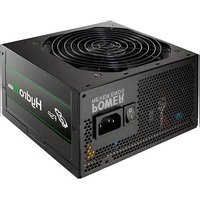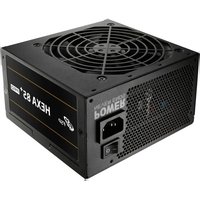
Hydro K Pro 850W ATX 2.52 - PC Power Supply FSP - Free user manual and instructions
Find the device manual for free Hydro K Pro 850W ATX 2.52 FSP in PDF.



User questions about Hydro K Pro 850W ATX 2.52 FSP
0 question about this device. Answer the ones you know or ask your own.
Ask a new question about this device
Download the instructions for your PC Power Supply in PDF format for free! Find your manual Hydro K Pro 850W ATX 2.52 - FSP and take your electronic device back in hand. On this page are published all the documents necessary for the use of your device. Hydro K Pro 850W ATX 2.52 by FSP.
USER MANUAL Hydro K Pro 850W ATX 2.52 FSP
At first, remove the old PSU from the system case. Firstly, draw off all plugs from the PSU, that are connected with the mainboard or other components in the PC. Now remove the screws at the back side of the case which connects the PSU with the case. After the screws are removed, remove the old PSU from the case carefully and replace it with your new FSP PSU.
Set the PSU into the intended position in the housing and tighten it with the supplied screws. If you purchased a PSU with modular cables, put all necessary cables on the PSU. No need to connect cables that are not intended to be used on the PSU.
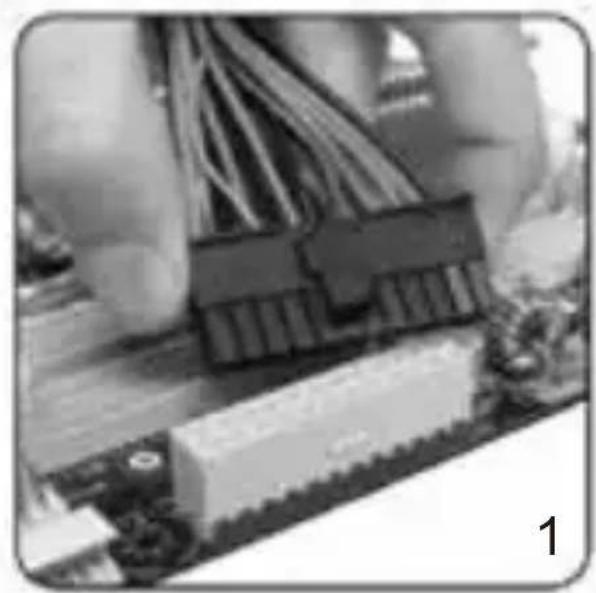
Put the 20 + 4 / 24 -pin ATX plug through the housing to the correct connection of the mainboard.

Connect the 8-pin plug to the mainboard. If your mainboard only has a 4-pin connector, then use the 4-pin plug or split the 8-pin connector in half.
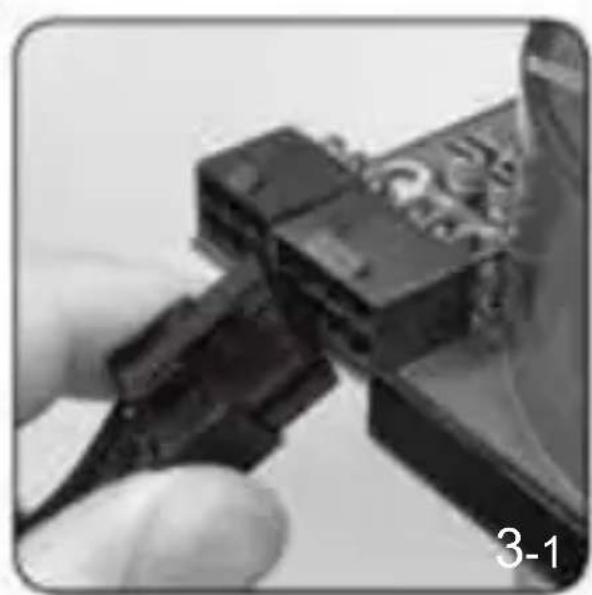
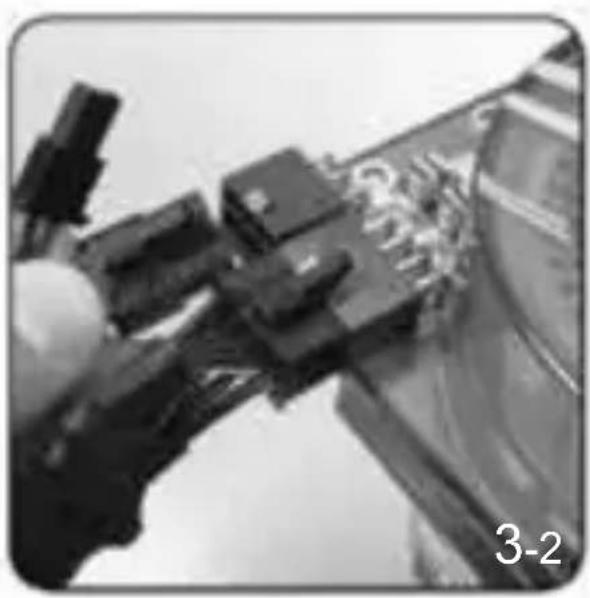
For graphic cards with 6-pin connector or connectors, use the suitable cables. Modern graphic cards with 8-pin connectors are also supported. In this case, use the other two pins beside the regular 6-pin plug in order to create an 8-pin connector.
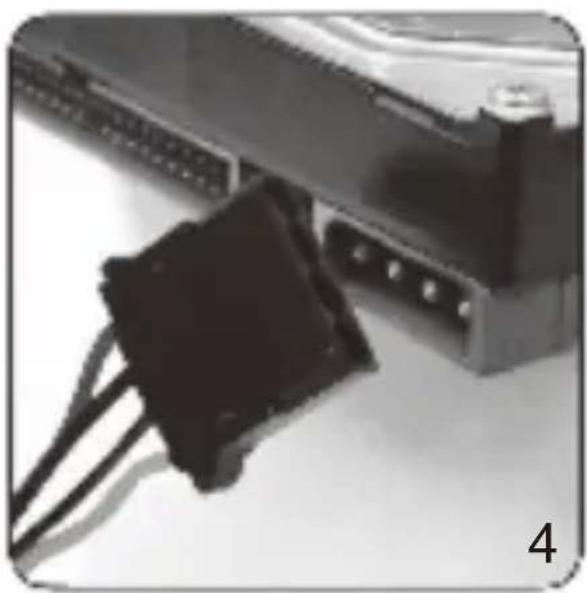
Lastly connect the peripheral devices such as hard disks and optical drives with 4-pin Molex-or 15-pin SATA connectors.

Connectors
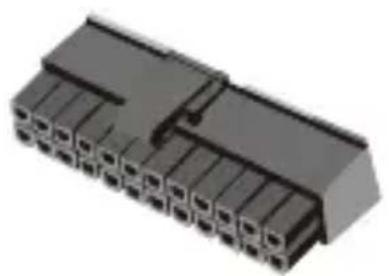
20+4 / 24-pin connection to mainboard (ATX)
| Pin 1 | +3.3V | Pin 13 | +3.3V |
| Pin 2 | +3.3V | Pin 14 | -12V |
| Pin 3 | GND | Pin 15 | GND |
| Pin 4 | +5V | Pin 16 | PS-ON |
| Pin 5 | GND | Pin 17 | GND |
| Pin 6 | +5V | Pin 18 | GND |
| Pin 7 | GND | Pin 19 | GND |
| Pin 8 | PG | NOT CONNECTED | N/C |
| Pin 9 | +5VSB | Pin 20 | +5V |
| Pin 10 | +12V | Pin 21 | +5V |
| Pin 11 | +12V | Pin 22 | +5V |
| Pin 12 | +3.3V | Pin 23 | GND |
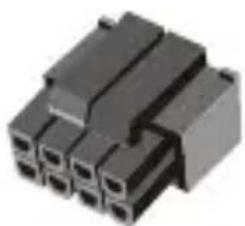
4+4-pin connection to mainboard (EPS)
| Pin 1 | GND | Pin 5 | +12V |
| Pin 2 | GND | Pin 6 | +12V |
| Pin 3 | GND | Pin 7 | +12V |
| Pin 4 | GND | Pin 8 | +12V |
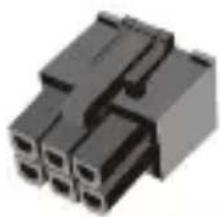
6-pin connection to graphics card (PCI-E)
| Pin 1 | +12V | Pin 4 | GND |
| Pin 2 | +12V | Pin 5 | GND |
| Pin 3 | +12V | Pin 6 | GND |
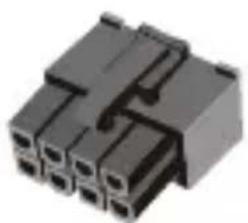
6+2-pin connection to graphics card (PCI-E)
| Pin 1 | +12V | Pin 5 | GND |
| Pin 2 | +12V | Pin 6 | GND |
| Pin 3 | +12V | Pin 7 | GND |
| Pin 4 | GND | Pin 8 | GND |
Serial-ATA connection for components (SATA)
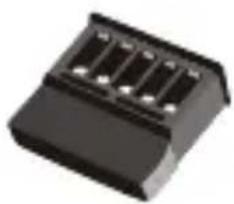
Pin 1 +12V
Pin 2 GND
Pin 3 +5V
Pin 4 GND
Pin 5 +3.3V
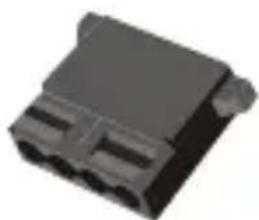
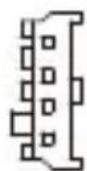
4-pin molex connection for components (4P)
Pin 1 +12V
Pin 2 GND
Pin 3 GND
Pin 4 +5V

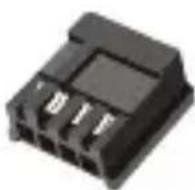
4-pin connector for floppy drives (4P)
Pin 1 +12V
Pin 2 GND
Pin 3 GND
Pin 4 +5V
Attention
- Please make sure the modular connector must be connected with flat cable closely.
- If power supply is modular design, please double check the followings:
1) Make sure connectors have been connected until hear "Click"
2) If connectors broken, please stop using and contact with your dealer immediately.
3) It's recommended to check connectors per 6 months.
4) Connectors would be burned or short circuit occurred if connectors loose.
- Warranty does not cover side stickers. Stickers should only be used once.
3
Warranty Policy
Thank you for purchasing FSP product!
FSP warrants that the product will be free of defects in material and workmanship, and provides the warranty period-identified on the product package from the power supply on the date of purchase.
In the event that warranty policy might be different in certain regions; please contact local authorized FSP reseller where the product is purchased.
The warranty is applied to damages caused through normal use and is void if it is resulted from, but not limited to, the following situations:
-
Wear and tear associated with normal use
-
Any modification, abuse, accident, disassembly, misapplication, or unauthorized repair
-
Removal of any manufacturer label(s) or sticker(s)
-
Any improper operation, including any use not in accordance with any supplied product instructions
-
Connection to any improper voltage supply
-
Any other cause which does not relate to a product defect in materials or workmanship
4
Trouble Shooting
If the power supply unit fails to function properly, please check the following:
- Is the AC input connected securely and electrical outlet switched out?
- Check that the output connectors are connected properly to all the components.
- Disconnect the power cord from the unit to reset supply unit.
However, if the power supply unit still does not function properly, please contact your original vendor or retailer for repair or replacement.
5
WEEE
ATTENTION!!!
The product contains hazardous waste and/or recycling goods. According to the law it is not allowed to be disposed of in the household waste.
For more detailed information please contact the applicable collection point for hazardous waste or recycling goods.

Garantierichtlinie
WEEE (Waste Electrical and Electronic Equipment)
IapaHTnpaCnpocTpaHareTcHaNoBpeXeHn, npOn3oWeDiune npHOpMaJIbHOJ 3KcNpyatauH, n He paCnpocTpaHareTc B CJeDyUOxNxCtYaucnX (Ho He ORpaHnUHBAETcNMI):
- N3HOC, CBA3aHHbI C O6bIyHBIM NCIOJIb3OBAHHeM
MoHnKau, HnpaBnIbHoe o6paueHne, aBapnHbIe npOncSceTBn, demoHTaK, nCNoJIb3OBaHHe He No Ha3HaueHIO IIN HecaHKUHOHPOBaHHbI peMOHT
-
YdaJIeHHe 3TnKeTOK nIHaKneE K pON3BOUNTeJRA
-
Henpabnblhaj 3Kcnnyataun, B TOM Yncne NcnoB3OBaHne He B COOTBETCTBmC npedocTabnemIMN INCTpyKzmaM K npOdykTy
-ПОДКЛЮЧЕНИКЭЛЕКТРOCETИС HENODXODIUSM HAPRJKEHNEM
Bce octaIbHbI npuHbI, He OTHocAunecK depeKTam MaTePnaIOB nnn npOn3BOdCTBeHHbIM depeKTam npOdykTa
4
YctpaHHe HeNCpPaBHOCTe
Ecni nctouhik nHTaHna pa6oTaet HnpaBnIbHo, npOBepbTe:
- HadejHo JI NOdkJIOueHne BXoDHorO HaipJxHnepMeHHoro Toka, He OTKJIIOUHnCRA JI npOyKT OT 3JIeKTPuYeCKoPozETKn?
- PpOBeBte IpaBnJIbHOCTb IODKJIIOUeHnB bIXoHbIX pa3beMOB KO BCEM KOMHOHTAM.
- OTKIIOHTe 5Hyp nHTaHnO rT6LOKa nHTaHnO, YTO6bI nepe3aRpy3NTb erO.
Ondako ecnn 6nok nntaHna BCE eue pa6oTaET HnnpaBnIbHO, CBXHTecc C NxCODhbIM NOCTABUHKOM IIN p03HnHbIM PpOaBcOM, YTO6bl OTpeMOHTnPOBaTb IIN 3aMeHNT b npOdykT.
5
WEEE
BHUMAHNE!!
DaHHbI npOdyKT coepxHt onaChbI e OTXoDbI n/nn nepepa6oTaHHbIe npOdyKbI. B COOTBeTCTBmC 3aKOHOdaTeJIbHbIMn HOpMaMn He dOnyckaetcra YTNIN3aunr DaHHoro npOdyKta C 6bITOBbIMn OTXoDamN.
3a noIyueHnem IopobHO IHOpMaun ObaaTecb B COOTBeTCTByIOuN NyHK Tcbopa onachbx OTXOB INI nepepa6oTaHHbIX npOdyKTOB.
3
a a a a a a a a a a a a a a a a a a a a

ПравILA rapaHTi
UcynenHHeCnpaBHOCTeN
JaKIO dxKepeIoo KINBJIeHHn HeINpaBnIbHO npaioe, 6yNb Iaca, nepeBipTe HAcTyIHHe:
-Чи бezпуно пдкюецьхд 3minho осту吗?Чи вимкино розу щелковам?
-нлгICALS?
- Ipebeipte, nu HadiHIO pIKIoueHO cnoJyBaui Do BCix KOMnoHeHTiB?
- BiДКЛЮчITb шнур кИВЛЕннЯ BiД npICТpoI, ьб сKNHyTи npICТpiJ KИВЛЕннЯ Ha
фабрични habaHTyBaHHя.
IpoTe, kUo IxepeNo XnBHeHNa Bce OndHO noraHo npaue, 6yNb Jnacka, 3BepHiTbcJIoOpriHaJIbHorO noCTaayabHnka a6o po3dpi6Horo po3noBcIoxjyBaaya odo peMOHTy a6o 3amH.

WEEE
YBARA!!!
Bnpi6 mictnb shkiinbi biXoN Ta/a60 MaTepiAn, 1oo NiIpaTb nepepo6ci. 3riHno 3aKohy 3abOpOHeHO BnKnDaTu Noro 3 NobyTOBm CmTTam.
| 單元Unit | 限用物質及其化學符號 | |||||
| 鉛 Lead(Pb) | 汞 Mercury(Hg) | 鎘 Cadmium(Cd) | 六價鉻 Hexavalent chromium (Cr+6) | 多溴聯苯 Polybrominated biphenyls (PBB) | 多溴二苯醚 Polybrominated diphenyl ethers (PBDE) | |
| 印刷電路板 及其零件 | - | ○ | ○ | ○ | ○ | ○ |
| 金屬結構件 | - | ○ | ○ | ○ | ○ | ○ |
| 塑膠結構件 | ○ | ○ | ○ | ○ | ○ | ○ |
| 線材 | - | ○ | ○ | ○ | ○ | ○ |
| 備考1. “超出0.1wt%”及“超出0.01wt%”係指限用物質之百分比含量超出百分比含量基準值。 備考2. “○”係指該項限用物質之百分比含量未超出百分比含量基準值。 備考3. “-”係指該項限用物質為排除項目。 | ||||||
| 产品中有害物质的名称及含量 (Name and Concentration of Toxic Substances) | ||||||
| 部件名称(Parts) | 有害物质 (Toxic substances) | |||||
| 铅(Pb) | 汞(Hg) | 镉(Cd) | 六价铬(Cr(VI)) | 多溴联苯(PBB) | 多溴二苯醚(PBDE) | |
| 电子零件 | X | 0 | 0 | 0 | 0 | 0 |
| PCB | 0 | 0 | 0 | 0 | 0 | 0 |
| 线材 | X | 0 | 0 | 0 | 0 | 0 |
| 外壳(塑料) | 0 | 0 | 0 | 0 | 0 | 0 |
| 外壳(金属) | X | 0 | 0 | 0 | 0 | 0 |
| 其它辅助材料 | 0 | 0 | 0 | 0 | 0 | 0 |
| ---以下空白(Blank Below)--- | ||||||
| 本表格依据SJ/T 11364的规定编制。(This table is based on SJ/T 11364.)0:表示该有害物质在该部件所有均质材料中的含量均在GB/T 26572规定的限量要求以下。(Indicates that this toxic or hazardous substances contained in all of the homogeneous materials for this part is below the limit requirement specified in GB/T 26572.)X:表示该有害物质至少在该部件的某一均质材料中的含量超出GB/T 26572规定的限量要求。(Indicates that this toxic or hazardous substances contained in at least one of the homogeneous materials used for this part is above the limit requirement specified in GB/T 26572.) | ||||||
5
警告
FSP TECHNOLOGY INC. (Headquarters)
NO.22, Jianguo E. Rd., Taoyuan Dist.,
Taoyuan City 330, Taiwan.
TEL: +886-3-3577359
FAX: +886-3-3577597
United States Office
FSP Group USA Corp.
14284 Albers Way, Chino, CA 91710, U.S.A.
TEL: +1-909-606-0960
FAX: +1-909-606-0014
E-mail: info@fspgroupusa.com
Germany Office
Fortron/Source (Europa) GmbH
Carl-Friedrich-Benz-Strasse 13, D-47877
Willich, Germany
TEL: +49-2154-894-012-0
FAX: +49-2154-894-012-20
E-mail: sales@fortron-source.de
French Office
FSP Group France
Bat 123A BP625 Zone Juliette, Rue Du Sel,
94392 Orly Aerogare, Cedex France
TEL: + 33(0)1-70-03-60-60
+33(0)1-70-03-60-64
E-mail: contact@fsp-group.fr
commercial@fsp-group.fr
U.K. Office
FSP (GB) LTD.
Unit 8, Curo Park, Frogmore, St. Albans,
Hertfordshire, AL2 2DD, United Kingdom
TEL: +44-1727-873-888
FAX: +44-1727-873-668
E-mail: sales@fspgroup.co.uk
Turkey Office
FSP Technology Inc. Istanbul Irtibat Burosu
Thank you for purchasing FSP products!
FSP Technology Inc., the world's most respected designer and manufacturer of switching power supply unit(PSU) and mobile power solutions.