
UltraView UV652 - Television Peerless-AV - Free user manual and instructions
Find the device manual for free UltraView UV652 Peerless-AV in PDF.


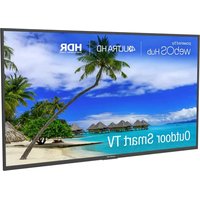
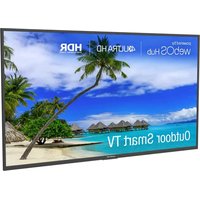
| Product Type | Outdoor UHD TV |
| Brand | Peerless-AV |
| Model | UltraView UV652 |
| Screen Size | 65 inches (diagonal) |
| Resolution | 3840 x 2160 (4K UHD) |
| Brightness | 500 cd/m² |
| Contrast Ratio | 1100:1 |
| Viewing Angle | 178° horizontal/vertical |
| Response Time | 8 ms (gray to gray) |
| Refresh Rate | 60 Hz |
| Protection Rating | IP55 |
| Operating Temperature | -30°C to 50°C |
| Power Supply | 100-240 V AC, 50-60 Hz |
| Dimensions (W x H x D) | 1501 x 877 x 102 mm |
| Net Weight | 38.58 kg |
| VESA Mounting | 400 x 400 mm |
| Tuner | ATSC / QAM 256 (Analog NTSC) |
| Main Inputs/Outputs | Coax, VGA, HDMI (x3), DisplayPort, CVBS, YPbPr, USB 2.0, RS232, Optical Audio Out |
| Special Features | V-chip, Closed Captioning, EPG, Noise Reduction, 3D Filter, Parental Lock |
| Warranty | 2 years parts and labor (limited) |
Frequently Asked Questions - UltraView UV652 Peerless-AV
User questions about UltraView UV652 Peerless-AV
0 question about this device. Answer the ones you know or ask your own.
Ask a new question about this device
Download the instructions for your Television in PDF format for free! Find your manual UltraView UV652 - Peerless-AV and take your electronic device back in hand. On this page are published all the documents necessary for the use of your device. UltraView UV652 by Peerless-AV.
USER MANUAL UltraView UV652 Peerless-AV
natural_image
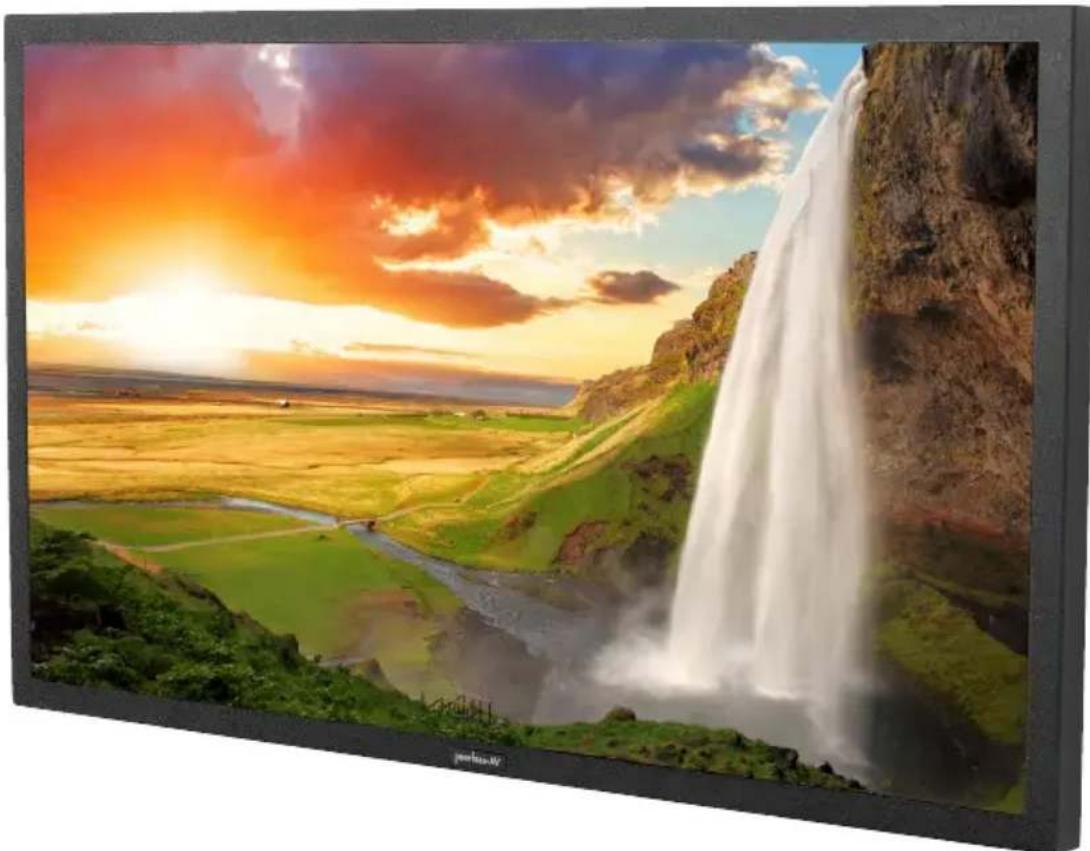
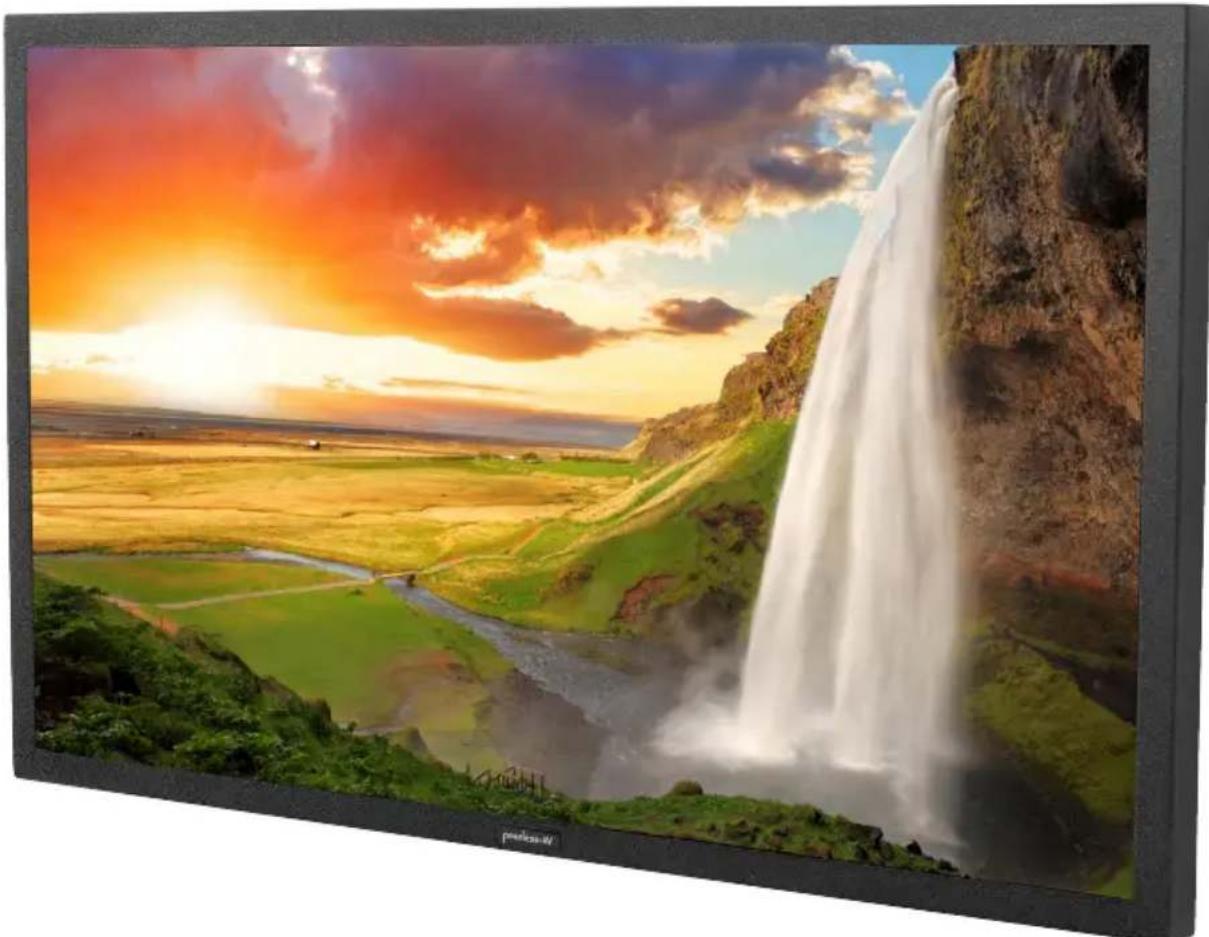
Scenic view of a colorful tropical waterfall over rolling hills under a vibrant sunset sky (no text or symbols visible)SYSTEM INSTALLATION AND ELECTRICAL REQUIREMENTS
Electrical Code
Note: To the display system installer: This reminder is provided to call attention to Article 820-44 of the National Electric Code that provides guidelines for proper grounding and, in particular, specifies that the cable ground shall be connected to the grounding system of the facility. Outlet shall be installed near the equipment and shall be easily accessible.
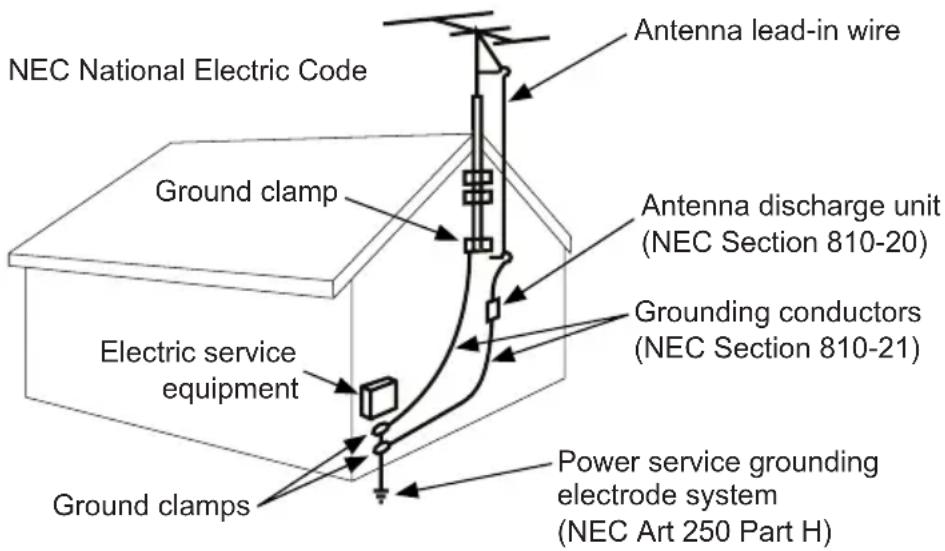
Note: Installation shall incorporate UL Listed external surge protection rated 2500 Vpk or less, for 150 to 300 Vac mains, installed in accordance with Article 285 of ANSI/NFPA 70 or applicable local codes.
Power Source
The display must be connected to a mains socket outlet with a protective grounding connection.
The mains plug is used as the disconnect device and shall remain readily accessible.
Electrical installation shall be in accordance with the applicable parts of Chapter 8 of ANSI/NFPA70.
An outdoor antenna should not be located near overhead electrical lines or any electrical circuits.
If an outside antenna is connected to the receiver, confirm that the antenna system is grounded to protect against voltage surges and built up static charges. Section 810 of the National Electric Code, ANSI/NFPA No 70-1984, provides information with respect to proper grounding for the mast and supporting structure, grounding of the lead-in wire to an antenna discharge unit, size of grounding connectors, location of antenna discharge unit, connection to grounding electrodes and requirements for the grounding electrode.
This display operates on 100-240 volts 50-60 Hz, AC current. Insert the power cord into a 120 volt 60 Hz outlet. Never connect the display to direct current or anything other than the specified voltage.
To prevent electric shock from the display, do not use with an extension cord, receptacle, or other outlet unless the blades and ground terminal can be fully inserted to prevent blade exposure.
All secondary lines must be routed through grounded conduit and kept separate from AC line.
FCC CAUTION
To assure continued compliance and possible undesirable interference, ferrite cores may be used when connecting this display to video equipment; maintain at least 400mm (15.75 inches) spacing to other peripheral devices.
FCC STATEMENT
This equipment has been tested and found to comply with the limits for a Class B digital device, pursuant to Part 15 of the FCC Rule. These limits are designed to provide reasonable protection against harmful interference in a residential installation. This equipment generates, uses and can radiate radio frequency energy and, if not installed and used in accordance with these instructions, may cause harmful interference to radio communications; however, there is no guarantee that interference will not occur in a particular installation. If this equipment does cause harmful interference to radio or television reception, which can be determined by turning the equipment off and on, the user is encouraged to try to correct the interference by one or more of the following measures:
- Reorient or relocate the receiving antenna.
- Increase the separation between the equipment and receiver.
- Connect the equipment into an outlet on a circuit different from that to which the receiver is connected.
- Consult the dealer or an experienced radio/display technician for help.
This device complies with Part 15 of the FCC Rules. Operation is subject to the following two conditions:
- This device may not cause harmful interference.
- This device must accept any interference received, including interference that may cause undesired operation.
Relevant Information
Record your display's model and serial number here for future reference. Keep this user manual in an accessible location in the event service is required.
Note: Your display's serial number can be found on the box and underneath the rear cover plate.
Model Number ____
Serial Number ____
GENERAL SAFETY PRECAUTIONS
Read before operating equipment
Thank you for purchasing our product. Before using it, please read this user guide carefully and follow the instructions for safe operation. Please keep this manual for future reference and always include it when transferring or transporting this product to a different location.
WARNING
In case of emergency such as fire or electric shock caused by the product, immediately contact 911 or proper emergency police/fire service agencies in your country.
To reduce the risk of electric shock or fire, heed the following:
- In case of product malfunction or unusual events such as electrical burning smell, smoke, or loss of content signals due to internal overheating, immediately turn off, unplug the electrical cord and contact the manufacturer.
- Do NOT disassemble, modify or service product in any way other than that contained in this instruction. Any unauthorized modifications made to the product automatically void product warranty.
- Do NOT touch antenna lines or wires, electrical cables or plugs when lightning or thunder is present or with wet hands
- Do NOT submerge in water.
- Do NOT destroy, process, or place close to any heat source.
- Do NOT install near poisonous gas or chemically unstable atmosphere.
- Do NOT install near strong magnetic or electrical current field.
- Do NOT install the product in unstable locations or near moving objects, constantly vibrating equipment, or uneven surfaces.
- Do NOT leave any fire source, such as candles, close to or on the product.
- Do NOT operate the product if it has been dropped or struck. Severe physical impact to the product may cause components to fall out of place within and break.
- Do NOT bend or twist electrical cords, electrical plugs, cables, or wires with excessive force.
- Do NOT block ventilation slots or place any heavy object on the product.
- Use properly rated electrical voltage.
- Do NOT use any electrical sockets or power strips with many other devices jointly plugged in. Use a single, directly dedicated and rated GFCI electrical outlet for the product for safe operation.
- Do NOT move or transport with any cables (electrical, content connectivity) plugged in to the source devices.
- Always connect the electrical plug firmly and completely. When disconnecting any cables, always pull on the plug and not the cord.
- Always leave the power off when plugging or unplugging the electrical cords or connection cables.
- Do not defeat the safety purpose of the polarized or grounding type electrical plug. A polarized plug has two blades with one wider than the other. A grounding type plug has two blades and a third grounding prong. The wide blade or the third prong are provided for your safety. If the provided plug does not fit into your outlet, consult an electrician for replacement of the obsolete outlet.
- Protect the electrical cord from being walked on or pinched particularly at plugs, convenience receptacles, and the point where they exit from the apparatus.
WARNING
- Never apply pressure to the exterior of the LCD screen.
- If monitor or glass is broken, do not come in contact with the liquid crystal and handle with care.
- Do NOT climb on the product.
- Do NOT install within five feet from a body of water.
- Do NOT use if ambient air temperature exceeds the operating limits.
- Do NOT install in enclosure or recessed cavity with less than 2 inches of airflow around the display. Air inside fully encased display must be ventilated.
- The product is to be secured to building before operation.
- Product must be carried and supported by at least two persons.
- Periodically clean dust off the electrical plug to keep it clean and dry, ensuring proper and safe operation.
- Only use attachments/accessories specified by the manufacturer.
CONTENTS
System Installation And Electrical Requirements ....2
Electrical Code 2
Power Source 2
FCC Caution....3
FCC Statement....3
Relevant Information ....3
General Safety Precautions ....4
Set Up Instructions....7
Parts List 7
Removing Cord Cover 8
Connecting Cords 9
Installing IR Extender 9
Replacing Cord Cover....10
Connecting To The Power Source....11
Prepare The Display For Mounting ....12
Remote Control Battery Installation And Replacement 14
Operating Instructions 15
Power On/Off the Display....15
Onboard Controls....15
Navigating The On-Screen Menu ....16
Channel 16
Picture 16
Audio 16
Time 17
Setup 17
Lock 18
USB Functionality 19
(RS-232C) Serial Control Of The TV 21
Maintenance 22
Care Of Screen 22
Mobile Telephone Caution 22
End Of Life Directives 22
Product Specifications 23
Display....23
Power 23
TV Controller Features 23
Environmental 23
Mechanical 24
Input/Output Connections 24
Warranty 25
SET UP INSTRUCTIONS
Parts List
Description Qty
A television 1
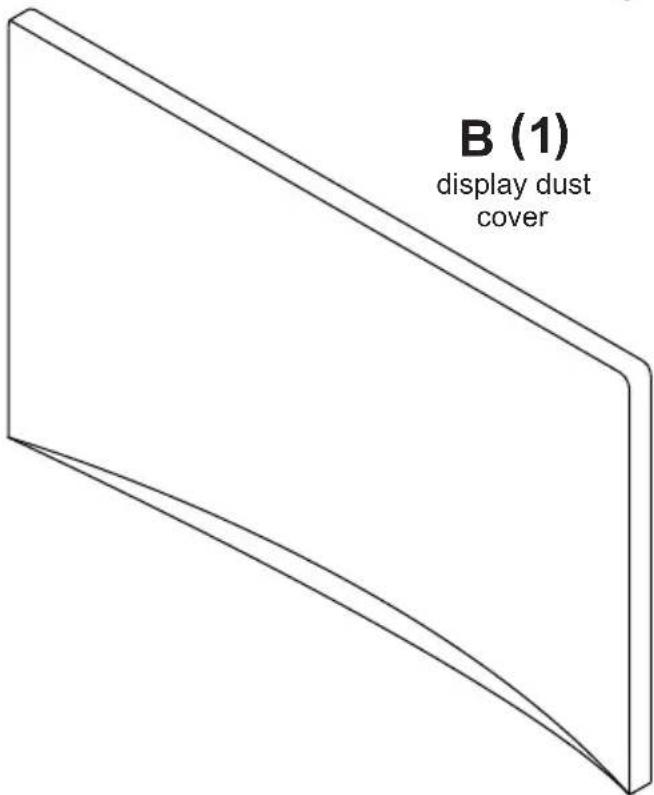
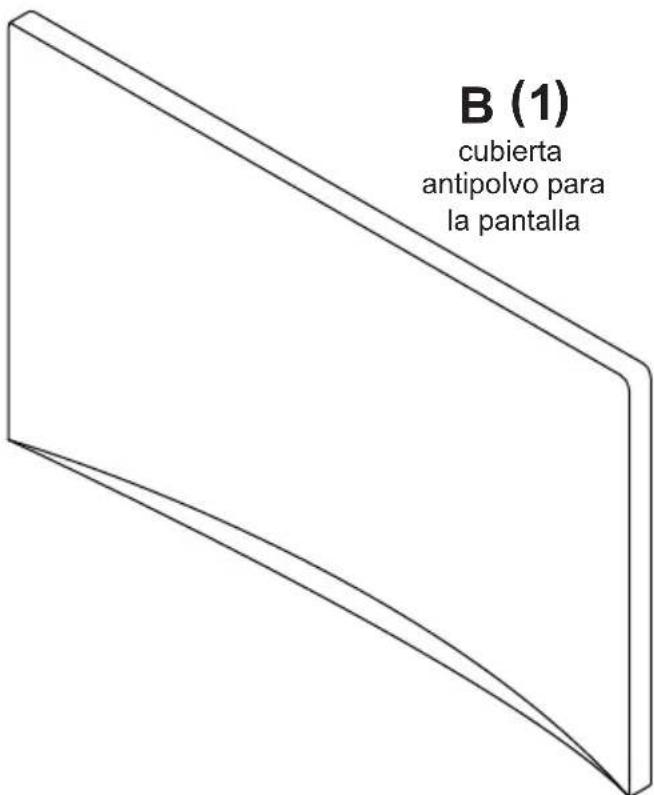
B display dust cover 1
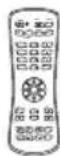
C remote 1
D thumb screw (preinstalled) 4
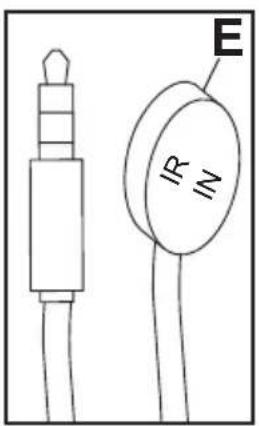
E IR extender 1
F user guide (not shown) 1
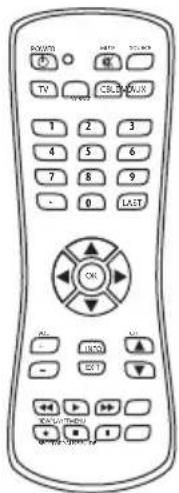
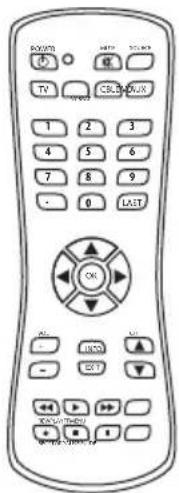
C (1)
remote
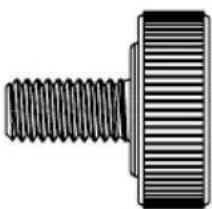
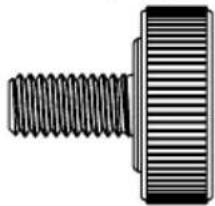
D (4)
thumb screw
natural_image
Mechanical component diagram showing a threaded fastener and a rectangular block (no text or symbols)E (1)
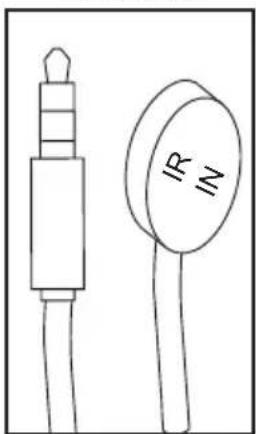
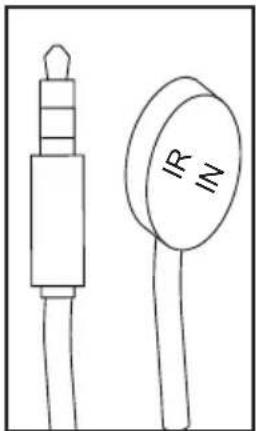
IR extender
natural_image
Simple line drawing of two electronic components: a cylindrical device with a protruding shaft and a circular component labeled 'IR' (no text or symbols on the devices themselves)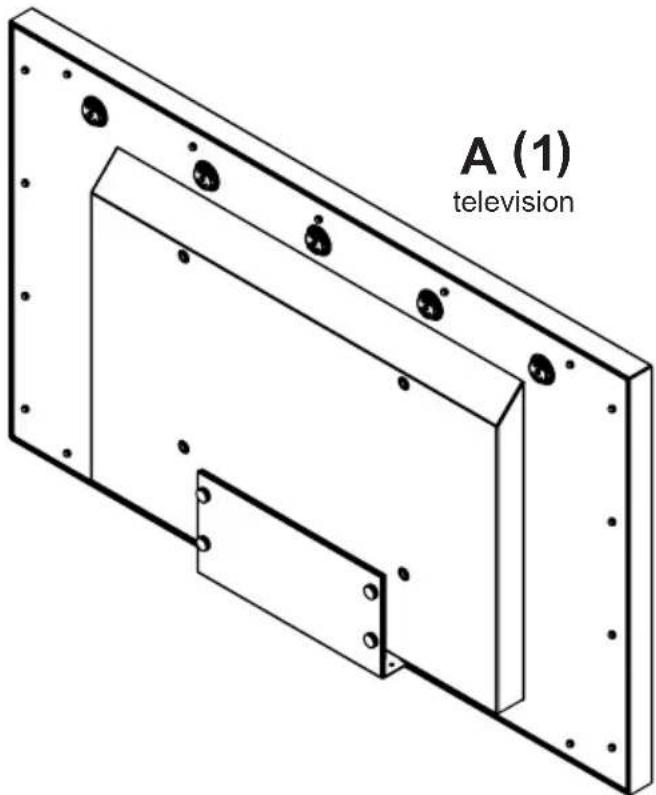
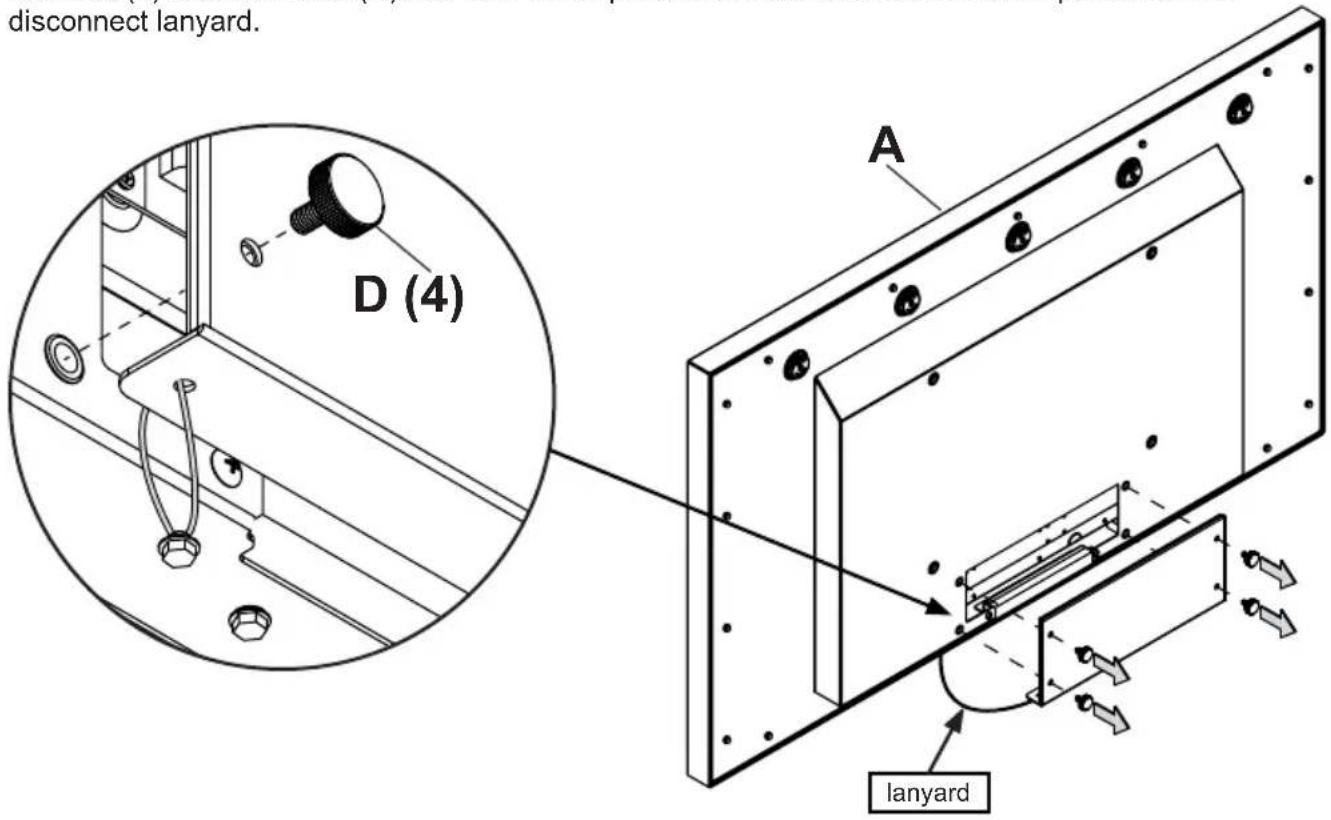
Removing Cord Cover
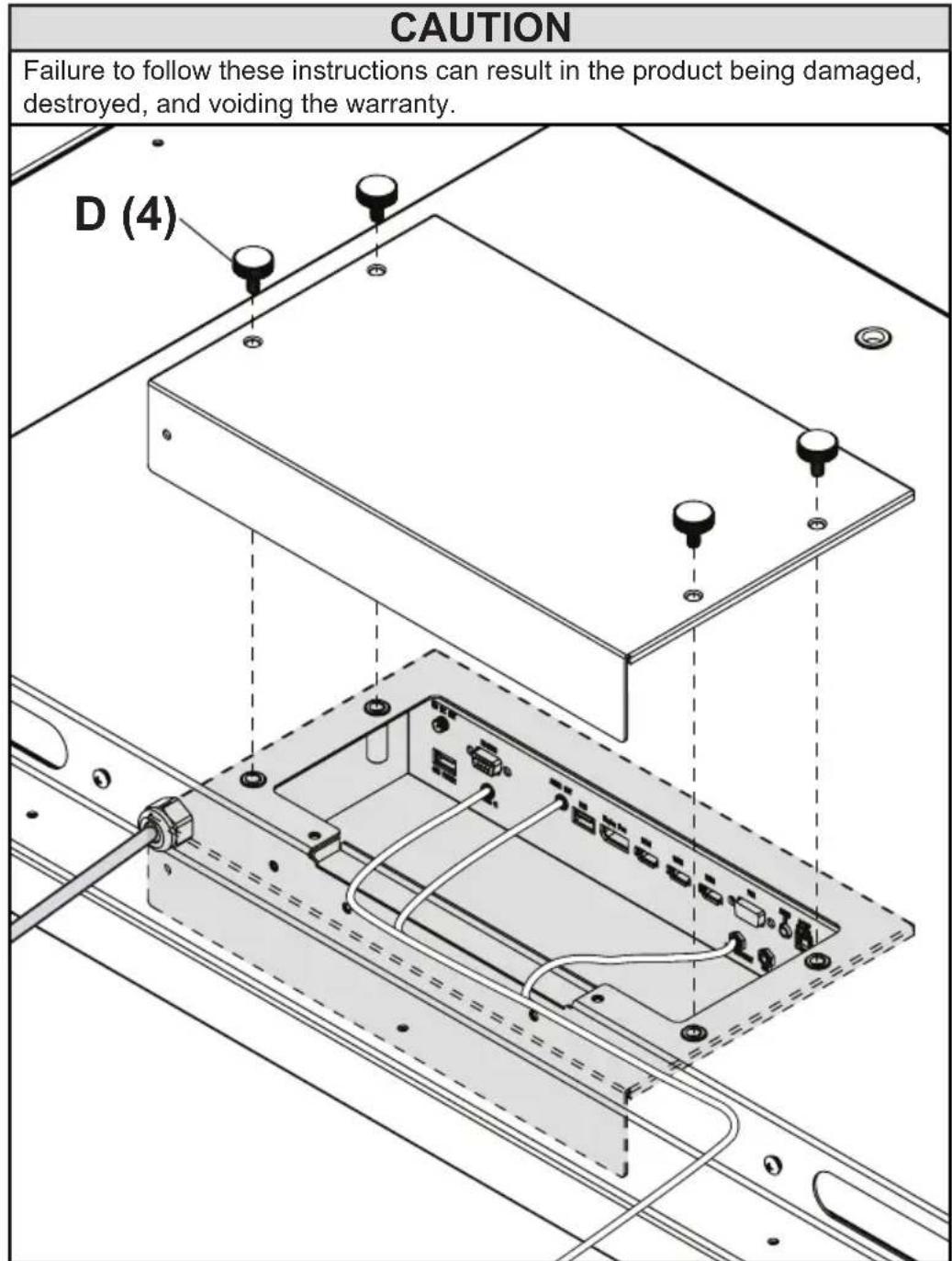
Remove (4) thumb screws (D) and cord cover plate to access source connection panel. Do not disconnect lanyard.
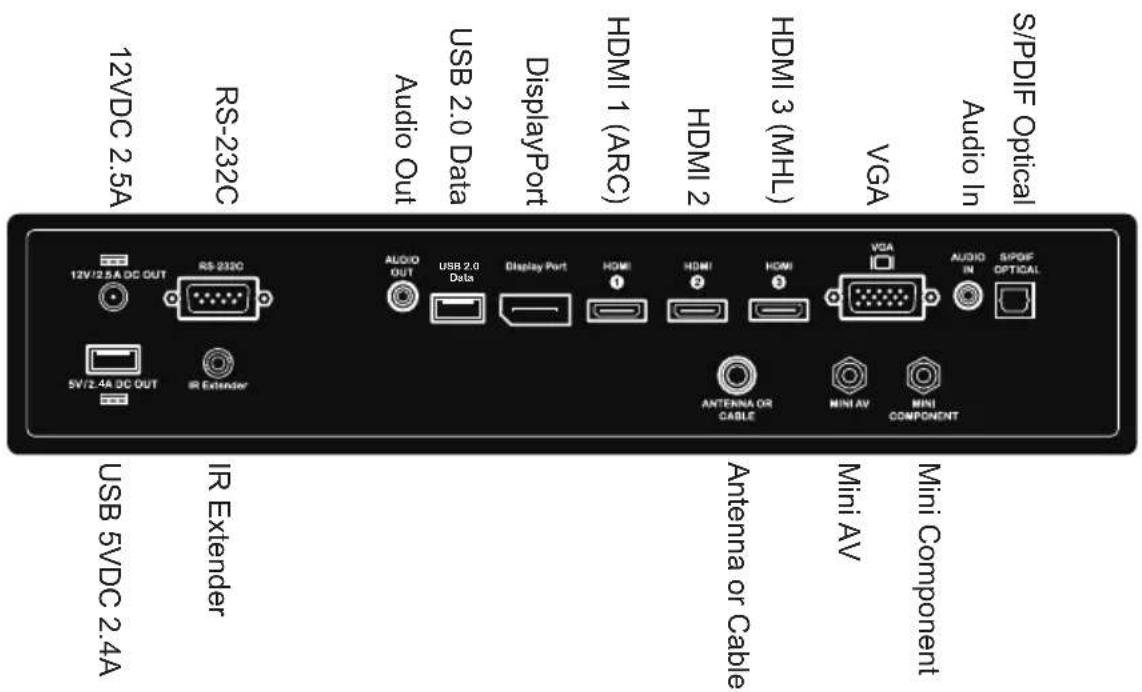
Connecting Cords
Connect source devices to appropriate display input. Make all connections prior to powering on the display. The USB 2.0 Data port is for service and media only. For 5VDC power, use the 5VDC power port.
Installing IR Extender (Optional)
Insert the 3.5mm end of the included 5V IR extender into the IR Extender port on the input panel of the display. IR extender port may not be compatible with other 3 ^rd party extenders.
Replacing Cord Cover
- Run cables across foam gasket block. Leave approximately 1/2" (13mm) between cables to ensure a proper seal.
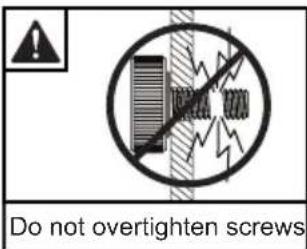
- Replace cord cover plate and (4) thumb screws (D). Fasten thumb screws until gasket on cord cover plate is fully compressed to back of television. Cables will seal between TV's gasket and cord cover's gasket as cover is pressed into place. Route cables through opening at end of cord cover.
CAUTION
- Ensure cord bend radius does not exceed limits set by the manufacturer.
- Ensure cords are seated properly in the cable channels to avoid potential damage to cords when rear cover plate is installed.
- Do not remove lanyard that connects the rear cover plate to the display.
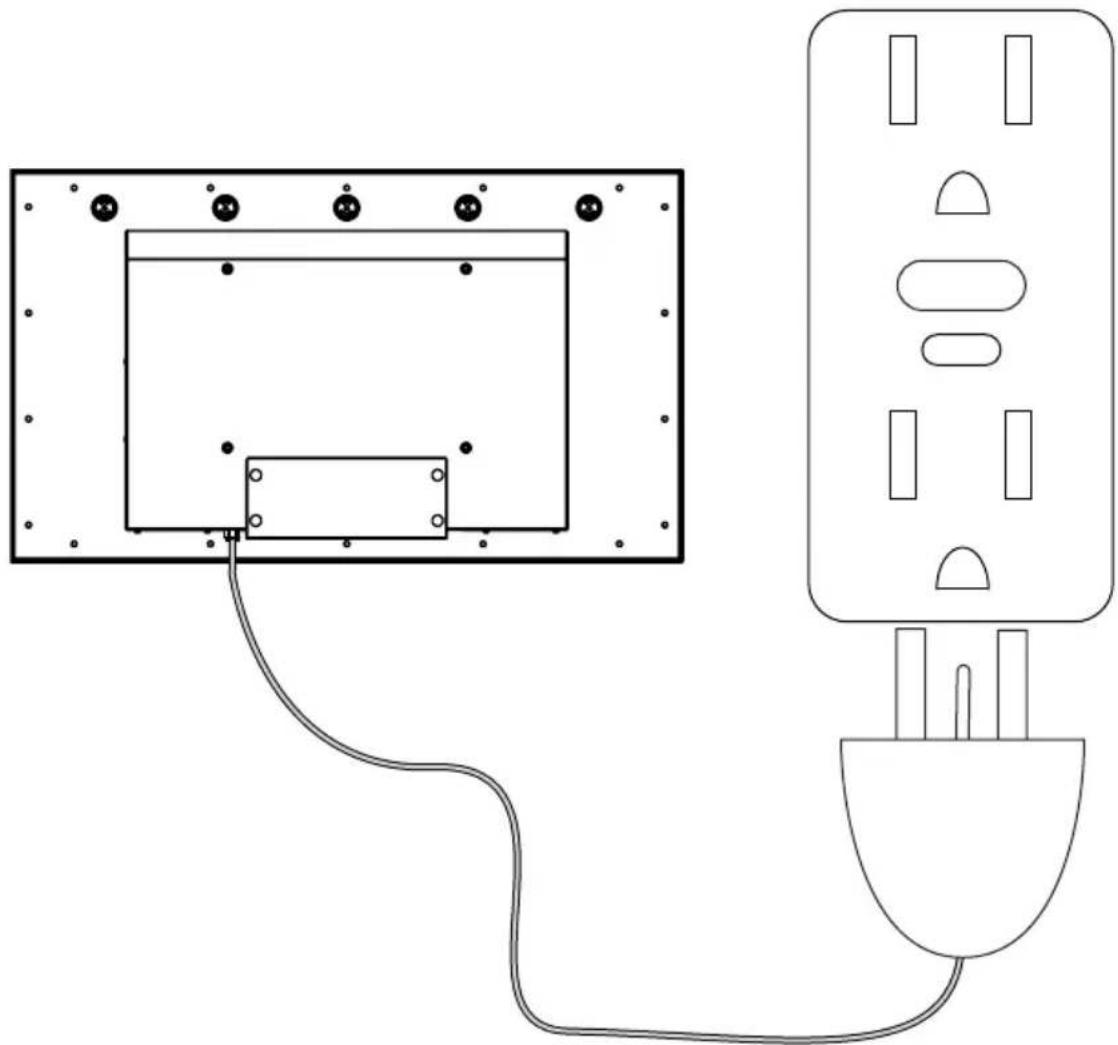
Connect power cord to GFCI outlet.
natural_image
Pure electrical circuit lines without any symbolsPrepare The Display For Mounting
Install cords prior to mounting your display. Input panel may be obstructed once the display is mounted.
A mounting solution is sold separately. Contact your Peerless-AV representative for an outdoor rated mounting solution for your particular application.
For your safety, only install an outdoor-rated mount that is suitable for the application and supports the weight of the display. When mounting a display outdoors, use proper environmentally rated mounts to ensure longevity in harsh environments.
Examine the chart below to determine the mounting specifications for your display:
| Model | Mounting Hole Pattern | Required Mounting Screws |
| UV492 | 400x200mm | (4) M8 screws |
| UV552 | 400x300mm | (17.4mm long) |
| UV652 | 400x400mm |
| Model A B C D E F | ||||||
| UV492 | 15.75"(400mm) | 7.87"(200mm) | 14.69"(373mm) | 8.38"(213mm) | 3.34"(85mm) | .61"(16mm) |
| UV552 | 15.75"(400mm) | 11.81"(300mm) | 17.37"(441mm) | 7.93"(201mm) | 3.34"(85mm) | .61"(16mm) |
| UV652 | 15.75"(400mm) | 15.75"(400mm) | 21.69"(551mm) | 8.39"(213mm) | 3.39"(86mm) | .61"(16mm) |
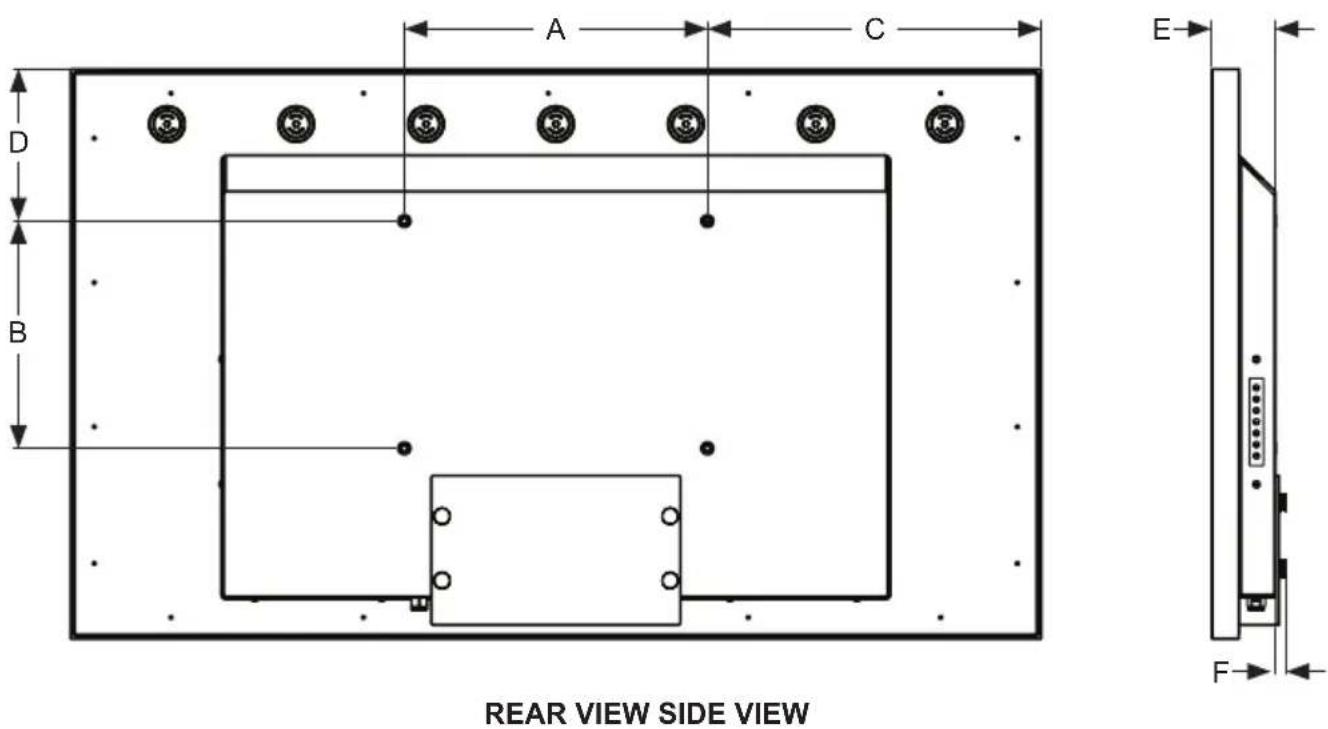
Prepare The Display For Mounting
| Model A | B C D E | ||||
| UV492 | 45.13"(1146mm) | 26.64"(677mm) | 42.3"(1074mm) | 23.8"(605mm) | 48.28"(1226mm) |
| UV552 | 50.50"(1283mm) | 29.66"(753mm) | 47.66"(1211mm) | 26.833"(681mm) | 54.62"(1387mm) |
| UV652 | 59.00"(1501mm) | 34.53"(877mm) | 56.28"(1429mm) | 31.68"(805mm) | 64.19"(1630mm) |
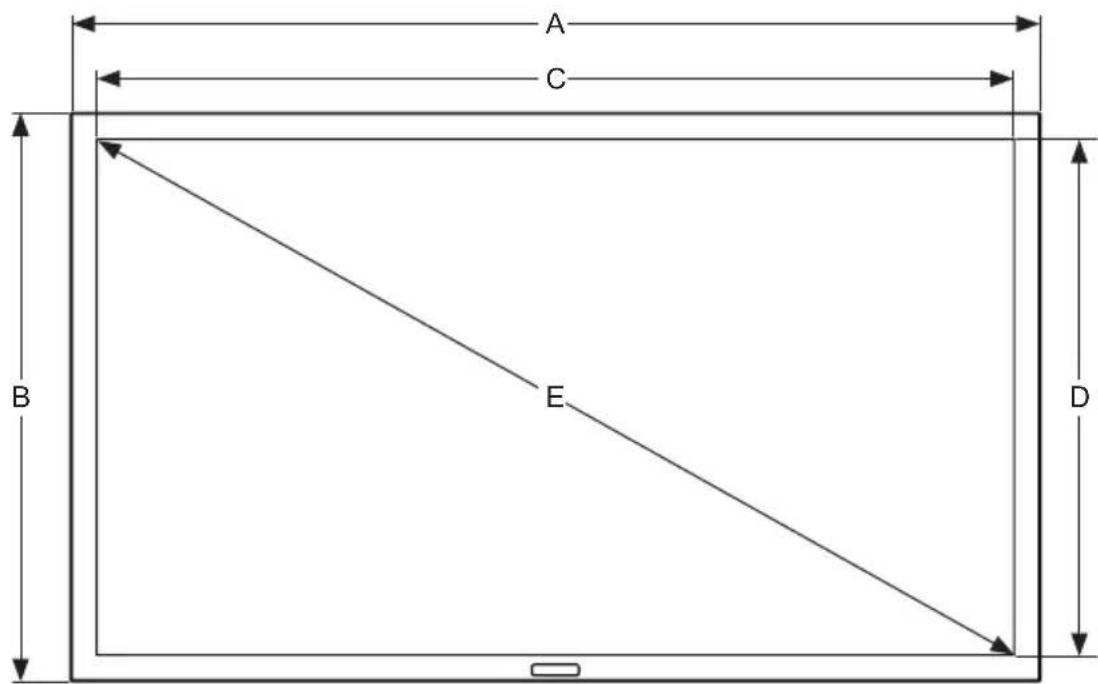
FRONT VIEW
Remote Control Battery Installation And Replacement
The remote control is powered by two 1.5V AAA batteries installed at the factory.
To install or replace batteries:
- To remove the battery module of the remote control, remove the two screws on the end of the battery module. Slide the battery module out of the remote control.
- Insert two new "AAA" size batteries into the battery module.
- Slide the battery module back into the remote control and reinsert the two screws in the end of the battery module.
CAUTION
Incorrect usage of batteries can result in leaks or bursting. Peerless-AV recommends the following battery use:
- Do not mix battery brands.
- Do not combine new and old batteries. This can shorten the battery life or cause battery acid leaks.
- Remove dead batteries immediately to prevent battery acid from leaking into the battery compartment.
- Do not touch exposed battery acid as it may injure skin.
- Remove the batteries if you do not intend to use the remote control for a long period of time.
- Do not expose the batteries to excessive heat from sunlight, fire or other heat sources or batteries could explode.
- Fully tighten screws to maintain the ingress protection rating of the remote.
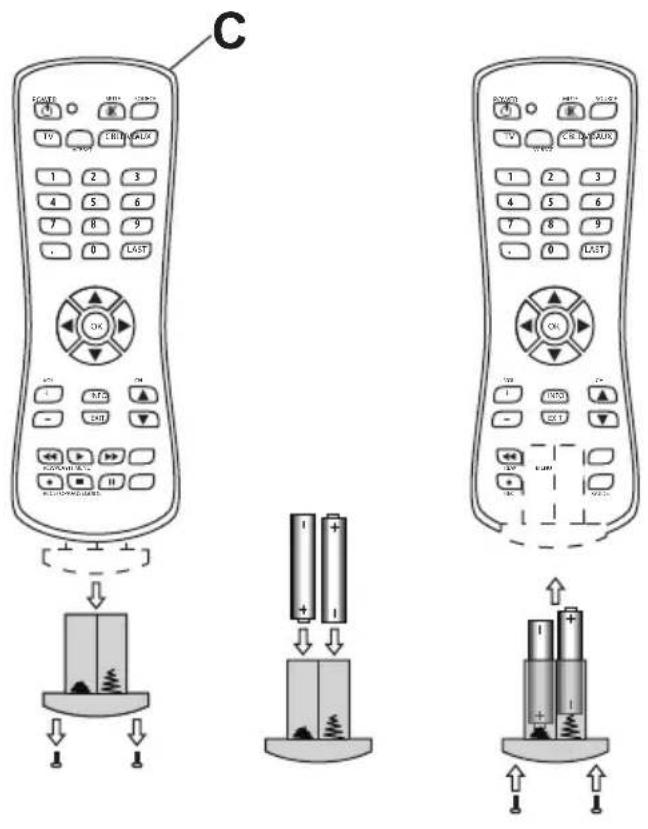
OPERATING INSTRUCTIONS
Power On/Off The Display
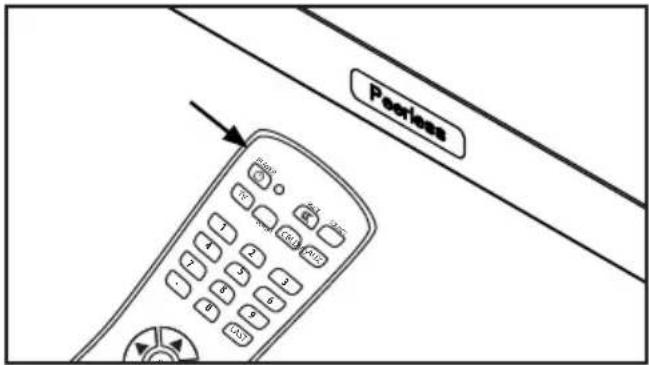
Power on your TV by using the remote control or the rear power button on the side of the TV. The TV will power on but image may not appear for several seconds as it completes its power up sequence.
Point the remote control at the IR sensor located behind the Peerless-AV logo at the center of the TV and press the power button
Onboard Controls
Direct Mode: Allows for quick access to source selection, volume settings and channel selection.
Menu Mode: Press the Menu button to access Menu Mode and activate the On Screen Display (OSD). For a description of OSD operation refer to the next section.
The keypad buttons are assigned as indicated in the table below.
| Menu Mode Direct Mode | |
| On/Off On/Off | |
| OK Input Select | |
| Menu Menu | |
| Up Channel Up | |
| Down Channel Down | |
| Right Volume Up | |
| Left Volume Down | |

Channel
| Air / Cable Choose between antenna and cable |
| Auto Scan Searches for available channels |
| Favorite Shows favorite channels |
| Show/Hide Show or hide channels |
| Channel No. Displays list of channels |
| Channel Label Change channel names |
| DTV Signal Displays channel info and signal strength |
Picture
| Picture Mode TheaterPersonalStandardDynamic |
| Color Temp. NormalWarmCoolPersonalPoint to Point |
| HDMI Mode Video ModePC Mode |
| Zoom Mode 4:316:9CinemaZoom |
| Backlight 0 - 100 |
| DLC (Dynamic On / OffBacklight) |
| Color Range Auto0 - 25516 - 234 |
| 3DNR OffWeakMiddleStrong |

Audio
| Equalizer StandardMusicMovieSportsPersonal |
| 120 Hz 50 |
| 500 Hz 50 |
| 1.5 kHz 50 |
| 5 kHz 50 |
| 10 kHz 50 |
| Balance 50 |
| Digital Output PCM / Raw / Off(Optical) |
| Surround On / Off |
| Audio Only On / Off |
| AVC On / Off |

Navigate Enter Exit Return
| Time | |
| Sleep Timer off | 60 min |
| 5 min | 90 min |
| 10 min | 120 min |
| 15 min | 180 min |
| 30 min | 240 min |
| Time Zone Atlantic | Pacific |
| Eastern | Alaska |
| Central | Hawaii |
| Mountain | Korean |
| Time Format 12-hour | |
| 24-hour | |
| Auto Sync On / Off | |
| Clock Enter Current Time | |
| Wake Up Enter desired time when display will turn on*One time event | |
| Setup | |
| Menu Languages | English / Spanish / French |
| Transparent (Menu Transparency) | 0% 75%25% 100%50% |
| Closed Caption | |
| CC Mode CC Off / CC On / CC On Mute | |
| Analog CC CC1 / CC2 /CC3 / CC4 / Text 1 / Text 2 / Text 3 / Text 4 | |
| Digital CC Off / Service 4 / Service 1 / Service 5 / Service 2 / Service 6 Service 3 / | |
| Restore Defaults Factory reset all options | |
| Setup Wizard | |
| Software Update Yes / No | |
| CEC | |
| CEC Control On / Off | |
| Device Auto On / Off Power Off | |
| TV Auto On / Off Power On | |
| Audio Receiver On / Off | |
| Device Lists Lists connected CEC devices | |
| Connect (future use) | |
| Root Menu Menu of connected souce device | |
| EDID Switch 1.4, 2.0 | |
| No Signal Auto On / Off / Backlight Power Off | |

Navigate Enter Exit Return

| Lock | |
| System LockEnter Password to enter System Lock settings Default Password: 0000 | |
| Change password | Allows the password to be changed |
| System Lock | On / Off |
| Input Block | TV, AV, Component, DP, HDMI 1, HDMI 2, HDMI 3, PC, USB |
| US TV, MPAA | |
| Canada | Canadian English, Canadian French |
| RRT Setting | |
| Reset RRT | |
| Unrated On /Off | |
| Hotel ModeEnter password to enter hotel mode settings Default Password: 0000 | |
| Hotel Mode On / Off | |
| Change Password | Allows the password to be changed |
| Picture Mode | Standard, Dynamic, Theater, Personal |
| Sound Mode | Standard, Music, Movie, Sports, Personal |
| Key Lock On / Off | |
| Power On Source | TV, AV, Component, DP, HDMI 1, HDMI 2, HDMI 3, PC, USB |
| Air / Cable | Air, Cable |
| Power On Channel | Set channel that display will tune to when powered on |
| Power On Volume | Set volume that display will output when turned on |

Navigate Enter Exit Return
1
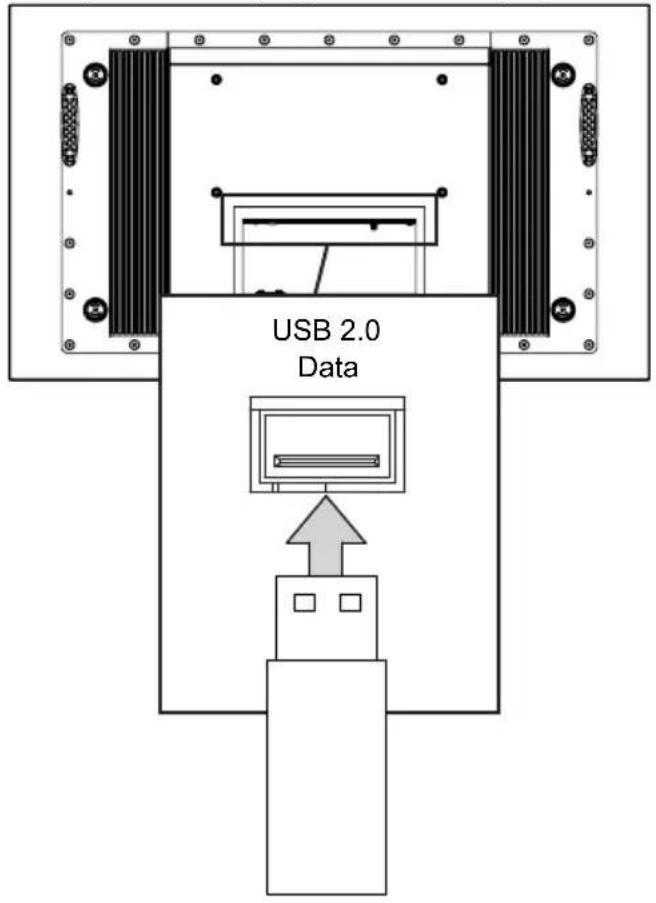
ENG Insert USB flash drive into USB 2.0 Data port on the input panel of the display.
2
ENG Select USB source to access content.
| Input Source |
| TV |
| AV |
| Component |
| DP |
| HDMI1 |
| HDMI2 |
| HDMI3 |
| PC |
| USB ← |
3
ENG Select media type and folder where content is stored.
PHOTO
MUSIC MOVIE TEXT

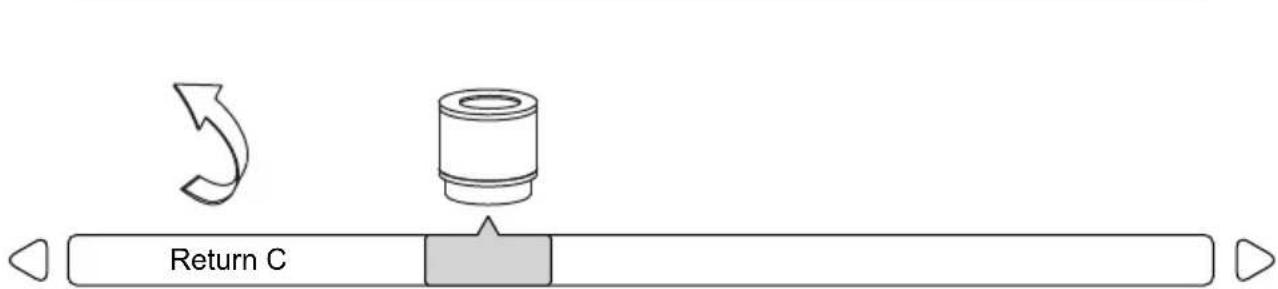
flowchart
graph LR
    A["Start"] --> B["Process Unit"]
    B --> C["Return C"]
    style A fill:#f9f,stroke:#333
    style B fill:#ccf,stroke:#333
    style C fill:#dfd,stroke:#333
4
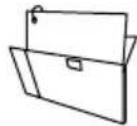
Photos – To view a single photo, select photo and press play. To view a slide show, select multiple photos and press play. Use on screen menu to control slide show.

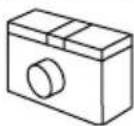
Movies – To view a single video, select video and press play. To view a playlist, select multiple videos and press play. Use on screen menu to control playlist.

Music – To listen to a single song, select song and press play. To listen to a playlist, select multiple songs and press play. Use on screen menu to control playlist.
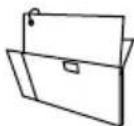
Text – To view to a single text file, select file and press play. To view a playlist, select multiple files and press play. Use on screen menu to control playlist.
natural_image
Simple curved arrow pointing right, with a square marker nearby (no text or symbols)
natural_image
Simple line drawing of a folder with a checkmark icon (no text or symbols)
natural_image
Simple line drawing of a folder with a checkmark icon (no text or symbols)
natural_image
Simple line drawing of a folder and a square (no text or symbols)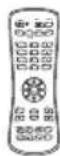

Navigate Enter Exit Return
Attach an RS-232C cable (straight through type) to the supplied D-Sub RS-232C to utilize serial control function. Control via RS232 should only be utilized by experts familiar with RS232 programing.
| Menu: | A0, F0, 55, FF, 4E, B1 |
| Right: | A0, F0, 55, FF, 05, FA |
| OK: | A0, F0, 55, FF, 02, FD |
| Down: | A0, F0, 55, FF, 0D, F2 |
| Up: | A0, F0, 55, FF, 17, E8 |
| Left: | A0, F0, 55, FF, 0C, F3 |
| Source: | A0, F0, 55, FF, 01, FE |
| (1): | A0, F0, 55, FF, 42, BD |
| (2): | A0, F0, 55, FF, 43, BC |
| (3): | A0, F0, 55, FF, 0F, F0 |
| (4): | A0, F0, 55, FF, 1E, E1 |
| (5): | A0, F0, 55, FF, 1D, E2 |
| (6): | A0, F0, 55, FF, 1C, E3 |
| (7): | A0, F0, 55, FF, 18, E7 |
| (8): | A0, F0, 55, FF, 45, BA |
| (9): | A0, F0, 55, FF, 4C, B3 |
| (0): | A0, F0, 55, FF, 56, A9 |
| Exit: | A0, F0, 55, FF, 1B, E4 |
| Power On: | A0, F0, 55, FF, AE, 51 |
| Power Off: | A0, F0, 55, FF, AD, 52 |
| Power On/Off: | A0, F0, 55, FF, 0B, F4 |
| Volume +: | A0, F0, 55, FF, 0A, F5 |
| Volume -: | A0, F0, 55, FF, 40, BF |
| Channel +: | A0, F0, 55, FF, 55, AA |
| Channel -: | A0, F0, 55, FF, 5A, A5 |
| Surround: | A0, F0, 55, FF, C7, 38 |
| CC: | A0, F0, 55, FF, 44, BB |
| EPG: | A0, F0, 55, FF, 49, B6 |
| Info: | A0, F0, 55, FF, 50, AF |
| MTS: | A0, F0, 55, FF, 11, EE |
| Mute: | A0, F0, 55, FF, 14, EB |
| Sleep: | A0, F0, 55, FF, 53, AC |
| AV: | A0, F0, 55, FF, ED, 12 |
| VGA: | A0, F0, 55, FF, EA, 15 |
| HDMI Toggle: | A0, F0, 55, FF, EC, 13 |
| HDMI1: | A0, F0, 55, FF, DE, 21 |
| HDMI2: | A0, F0, 55, FF, DF, 20 |
| HDMI3: | A0, F0, 55, FF, E0, 1F |
| DisplayPort: | A0, F0, 55, FF, E4, 1B |
| TV: | A0, F0, 55, FF, E8, 17 |
| DTV: | A0, F0, 55, FF, E9, 16 |
| Component: | A0, F0, 55, FF, E7, 18 |
| USB: | A0, F0, 55, FF, 57, A8 |
| PMODE: | A0, F0, 55, FF, 4B, B4 |
| Zoom: | A0, F0, 55, FF, 51, AE |
| SMODE: | A0, F0, 55, FF, 5B, A4 |
| VOL 0%: | A0, F0, 55, FF, 20, DF |
| VOL 25%: | A0, F0, 55, FF, 21, DE |
| VOL 50%: | A0, F0, 55, FF, 22, DD |
| VOL 75%: | A0, F0, 55, FF, 23, DC |
| VOL 100%: | A0, F0, 55, FF, 24, DB |
| Brightness 0%: | A0, F0, 55, FF, 25, DA |
| Brightness 25%: | A0, F0, 55, FF, 26, D9 |
| Brightness 50%: | A0, F0, 55, FF, 27, D8 |
| Brightness 75%: | A0, F0, 55, FF, 28, D7 |
| Brightness 100%: | A0, F0, 55, FF, 29, D6 |
| Dash: | A0, F0, 55, FF, 2E, D1 |
| Channel Fav List: | A0, F0, 55, FF, 1A, E5 |
| Channel List: | A0, F0, 55, FF, 59, A6 |
| Channel Return: | A0, F0, 55, FF, 15, EA |
COM Settings
Baud Rate 38400
Data Bits 8
Parity None
Stop Bits 1
MAINTENANCE
Care Of The Screen
Do not rub or strike the screen with anything hard as this may scratch, mark, or even damage the screen permanently. Ensure that the TV is installed in a location where it will be safe from abrasives and flying debris, which could damage the LCD panel. Never use ammonia or any product containing ammonia, as it will damage the anti-glare coating on the face of the display. Only use an approved screen cleaner to clean the display face. Dust the display by wiping the screen and the cabinet with a soft, clean cloth. If the screen requires additional cleaning, use a clean, damp cloth. Do not use aerosol cleaners or solvents of any kind. Do not use any chemical such as paint thinner or benzene to clean the product's exterior. It may cause scratches on the surface, erasing proper indications, identification labels, or instructions on the exterior, which may cause misuse and improper operation of the product. To prolong the life of the TV, install the dust cover when the TV is not is use.
Mobile Telephone Caution
Keep your mobile telephone away from your display to avoid disturbances in the picture or sound, possibly causing permanent damage to your display.
End Of Life Directives
In an effort to produce environmentally friendly products, your new display contains materials that can be recycled and reused. At the end of your display's life, specialized companies can minimize display waste by separating reusable materials from non-reusable materials. Please ensure you dispose of your display according to local regulations.
PRODUCT SPECIFICATIONS
Specifications subject to change without notice
| Display | |
| Screen Size (diagonal) | UV492: 49" UV552: 55" UV652: 65" |
| Aspect Ratio | 16:9 |
| Resolution | 3840 x 2160 |
| Brightness | 500 cd/m ^2 |
| Contrast Ratio | 1100:1 |
| Viewing Angle | 178° vertical / horizontal |
| Response Time (gray to gray) | 8ms |
| Refresh Rate | 60 Hz |
| Power | |
| AC Input | 100 VAC to 240 VAC,50 to 60 Hz |
| Environmental | |
| Operating Temperature | -22°F to 122°F (-30°C to 50°C) |
| Storage Temperature | -4°F to 140°F (-20°C to 60°C) |
| IP Rating | IP55 |
| Safety/EMC | FCC Class B |
| TV Controller Features | |
| Analog TV | NTSC |
| Digital TV | ATSC / QAM 256 |
| Picture Adjustment | Brightness / Contrast /Tint / Sharpness / NoiseReduction / Color |
| Picture Mode | Standard, Dynamic,Theater, Personal |
| Color Temperature Adjustment | Cool, Normal, Warm,Personal |
| Screen Adjustment | 16:9 / Full / Zoom / 4:3 /Point to Point |
| Clock, Sleep Timer | Yes |
| MTS | Yes |
| V-chip | Yes |
| Closed Caption | Yes |
| Electronic Program Guide | Yes |
| Noise Reduction | Yes |
| 3-D Comb Filter and De-interlace | Yes |
| Mute | Yes |
| OSD Language | English, French, Spanish |
| Mechanical | |
| Display Size: | (W x H x D) |
| UV492 | 45.13" x 26.64" x 3.95"(1146mm x 677mm x 100mm) |
| UV552 | 50.5" x 29.66" x 3.95"(1283mm x 753mm x 100mm) |
| UV652 | 59.11" x 34.51" x 4.00"(1501mm x 877mm x 102mm) |
| Enclosure Color Black | |
| VESA Mount | |
| UV492 | 400x200mm |
| UV552 | 400x300mm |
| UV652 | 400x400mm |
| Net Weight | |
| UV492 | 52.80 lbs (23.95kg) |
| UV552 | 61.18 lbs (27.75kg) |
| UV652 | 85.05 lbs (38.58kg) |
| Shipping Size | (W x H x D) |
| UV492 | 48.94" x 30.75" x 8.35"(1243mm x 781mm x 212mm) |
| UV552 | 55.31" x 34.33" 8.35"(1405mm x 872mm x 212mm) |
| UV652 | 63.98" 39.06" 8.35"(1625mm x 992mm x 212mm) |
| Shipping Weight | |
| UV492 | 62.85 lbs (28.51kg) |
| UV552 | 73.12 lbs (33.17kg) |
| UV652 | 102.22 lbs (46.37kg) |
| Input/Output Connections | |
| TV Input | Coax (x1), 75 ohm, NTSC, ATSC, 64 QAM, QAM 256 |
| VGA Input | 15 pin D-SUB (x1), Up to 1920x1080@60HZ |
| HDMI Input | HDMI (x3), 480i, 480p, 576i, 576p, 720p, 1080i, 1080p, 2160p |
| DisplayPort | DisplayPort (x1), 480i, 480p, 576i, 576p, 1080i, 1080p, 2160p |
| CVBS Input | 3.5mm (x1), 480i, 576i |
| YPbPr Input | 3.5mm (x1), 480i, 480p, 720p, 1080i |
| VGA Stereo Audio Input | 3.5mm Analog Audio (x1) |
| Audio Output | 3.5mm Stereo Headphone (x1) |
| RS232 Control | 9 pin D-SUB (Female) (x1) |
| TosLink Digital Audio Output | Optical (x1) |
| IR Extender | 3.5mm (x1) |
| USB 2.0 Data | USB A (Female) (x1) |
| 5VDC 2.4A Output (USB Power) | USB A (Female) (x1) |
| 12VDC 2.5A Output | Barrel 2.5mm (ID) 5.5mm (OD) (x1) |
LIMITED TWO-YEAR WARRANTY
TWO-YEAR PARTS & LABOR LIMITED WARRANTY
Terms of Peerless-AV®
The Peerless-AV Outdoor TV/Display is warranted to be free of defects in material and workmanship from the time of purchase by the original owner. If this product is proven to be defective under the terms and conditions of this warranty, Peerless-AV will repair or replace defective parts with new and/or reconditioned parts at no charge for the parts and labor to the original owner, subject to the terms and conditions of this Limited Warranty. This Limited Warranty covers failures due to defects in material or workmanship that occur during normal use as follows:
- Parts – the warranty period for parts is: two (2) years from the date of original purchase. During the applicable Limited Warranty period for parts, defective parts will be replaced at no charge. Parts used for the repair will be warranted for the remainder of the original warranty period for those parts.
- Labor – the warranty period for labor is: two (2) years from the date of original purchase. During the applicable Limited Warranty period for labor, Peerless-AV will provide the labor for warranty repair at no charge for a period of two (2) years from the date of original purchase.
- Original owner must provide verification of the date of purchase when requesting Limited Warranty Services. A copy of the original Dated Sales Receipt is required together with the product serial number to obtain service under this Limited Warranty.
- All repairs must be performed by a Peerless-AV Authorized Service Provider.
- Customer is responsible for returning (including any freight and shipping cost) defective unit to Peerless-AV Authorized Service Provider. If the product is found to have no defects, the customer will be responsible for return shipping costs as well the diagnostic bench fee. If the product is found to be covered by the manufacturer's warranty, Peerless will assume responsibility for return freight charges.
THIS LIMITED WARRANTY DOES NOT COVER:
• Labor to uninstall and reinstall the display / TV.
- Shipping damage.
- Damage caused during customer unpacking, and/or removal of protective packing materials.
- Damage due to improper, incorrect or insufficient AC voltage, power surges or lightning strikes.
- Damage due to inadequate signal pickup, incorporation into other products or repairs by anyone other than a Peerless-AV Technician.
- Damage due to tampering or removal of any gasket material, including but not limited to the cable gland gaskets within the cable entry way.
- Damage which results from fire, flood, lightning, tornado, hurricane, large hail, extremely gusty winds, sand storms, vandalism, terrorism or other acts of nature.
- Any unit which has been modified or damaged due to improper installation or failure to obey the operating instructions provided in the User Manual.
- Any failure, loss, damage or personal injury due to accident, neglect, misuse, abuse, improper operation, improper storage, alteration to the unit, or failure by the consumer to follow operating instructions provided in the User Manual.
- Any owner other than the original owner.
- Any unit purchased from an unauthorized seller.
- If the original product serial number has been removed, defaced or tampered with in any way.
- Any packaging or transportation charges incurred in connection with warranty services.
- Indirect, consequential, or special damages except as required by federal or state laws.
- Any unit tampered with, modified, adjusted, or repaired by any party other than the Peerless-AV Authorized Service Provider.
- Any cosmetic damages to the surface or exterior that has been defaced or faded, or caused by normal wear and tear or exposure to chemicals, acid rain, large hail or adverse weather conditions.
- Minor cabinet blemishes or minor scratches to the exterior of the unit or other cosmetic imperfections that are not within the viewable area of the LCD.
- Failure due to installation in areas with insufficient heat dissipation and/or ventilation.
- The LCD is a Class 2 ISO panel. As such, the Pixel Fault for Class II Panels states:
• Type 1 = Hot Pixel (always on – white);
• Type 2 = Dead Pixel (always off – black); or
- Type 3 = A Stuck Pixel (one or more sub-pixels (red, blue or green) are always on or always off.
• The total number of permitted defects per 2 million pixels:
• Type 1 = (4)
- Type 2 = (4)
• Type 3 = (10)
• Picture quality when installed in direct sunlight where sun is shining directly on the face of the LCD.
- Any damage, scratches or blemishes to the face of the LCD and/or exterior cabinet due to end-user cleaning.
- Dirty air waves, and/or unusual signal interference due to weak signal from multi-wire runs, weak signal from cable or satellite service providers, or unusual signal interference.
- Any damage incurred through improper packaging. If the Outdoor TV/Display needs to be returned, original packaging is required. (If packaging is needed, the end user is required to contact a Peerless-AV Care Customer Representative to request a new box to be delivered to customer shipping site)
- Return shipping when no defect is found.
For Non-Warrantied Repairs, or for claims found to not be covered by the Limited Warranty, the customer will be responsible for the diagnostic bench fee, the cost of replacement parts, and any applicable shipping charges. Repaired Non-Warrantied claims require payment in full before repaired products are returned to customer.
Peerless-AV and its representatives or agents shall in no event be liable for any general, indirect or consequential damages arising out of/or caused by the use of/or inability to use this product.
The Warranty is made in lieu of all other warranties, expressed or implied, and all other liabilities on the part of Peerless-AV. Any other warranties, including warranties of merchantability and fitness for a particular purpose are hereby disclaimed by Peerless-AV and its representatives and/or agents.
The laws of some states do not allow exclusion of implied warranties; therefore, this warranty shall be deemed modified to be consistent with such laws. This limited Warranty gives you specific legal rights. You may also have other rights that vary from state to state.
All warranty inspections and repairs must be performed by Peerless-AV or its authorized service representatives.
Please call 800.865.2112 or 630.375.5100 so that the Peerless-AV technical support team can assist with proper troubleshooting steps. Please have your receipt and serial number available during the time of call while onsite. Technical support will determine whether the product will need to be replaced or returned for repair. If a repair is needed Customer Care will issue a Return Material Authorization (RMA) number. The product will need to be in the original packaging and banded to a skid in the upright position. If the product is not covered by the warranty, Peerless-AV will contact you with repair estimates after inspection.
© 2019 Peerless Industries, Inc. All rights reserved.
ENG This page intentionally left blank.
peerless-AV®
Guía del Usuario
ULTRAVIEW™ UHD TELEVISOR PARA EXTERIORES
MODELO: UV492, UV552, UV652
natural_image
Scenic view of a colorful tropical waterfall cascading over a golden meadow at sunset, with no visible text or symbols.ESP Importado Por: Peerless Industries de Mexico S. DE R.L. DE C.V.
AV. De Las Industrias # 413, Parque Industrial Escobedo,
Escobedo, Nuevo Leon, TEL 01800 849 6577
cristal liquido (LCD)
Marca: Peerless-AV
Thank you for purchasing our product. Before using it, please read this user guide carefully and follow the instructions for safe operation. Please keep this manual for future reference and always include it when transferring or transporting this product to a different location.
ADVERTENCIA
C (1)
control remoto
D (4)
tornillo de ajuste
manual
natural_image
Close-up of a threaded fastener with a flanged end (no text or symbols visible)E (1)
extensor infrarrojo
natural_image
Two electronic components: a cylindrical connector and a circular component with 'IR' and 'N' labels (no additional text or symbols)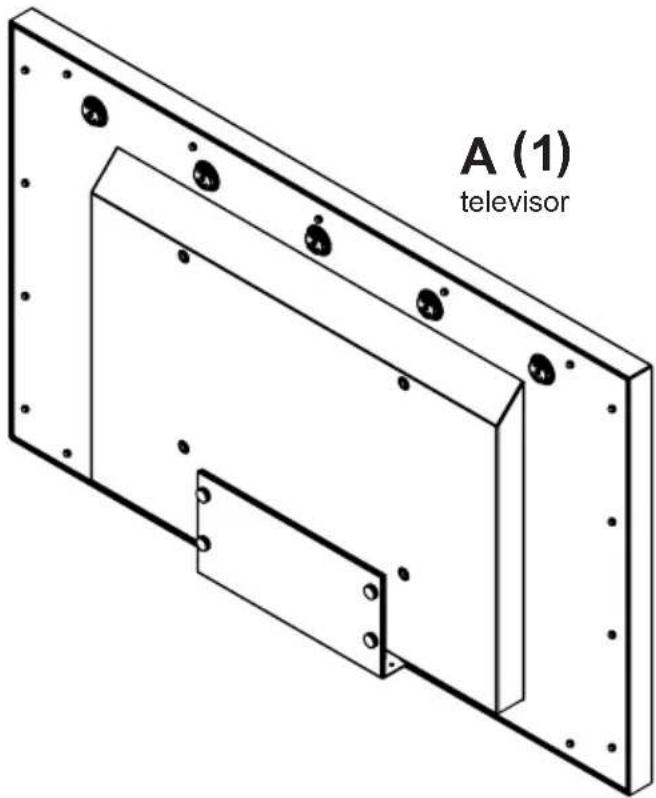
natural_image
Simple curved arrow and square diagram without any text or symbols
natural_image
Simple line drawing of a folder with a checkmark icon (no text or symbols)
natural_image
Simple line drawing of a folder with a checkmark icon (no text or symbols)
natural_image
Simple line drawing of a folder and a square (no text or symbols)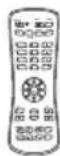

UV492 120 W UV652: 1.3 A
UV552 130 W
UV652 141 W
MODÈLE: UV492, UV552, UV652
natural_image
Scenic view of a colorful tropical waterfall over rolling hills under a vibrant sunset sky (no text or symbols visible)INSTALLATION DU SYSTÈME ET EXIGENCES EN MATIÈRE D'ÉLECTRICITÉ
natural_image
Mechanical component with threaded shaft and flanged end (no text or symbols)natural_image
Two electronic components: a cylindrical device with a protruding shaft and a circular component labeled 'IR' (no text or symbols on the devices themselves)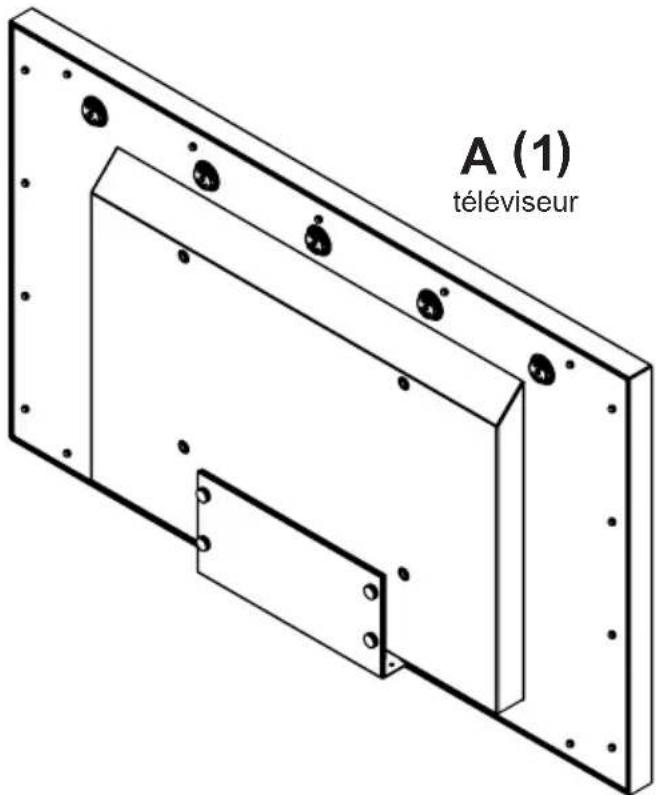
natural_image
Pure electrical circuit lines without any symbolsnatural_image
Simple curved arrow and square diagram without any text or symbols
natural_image
Simple line drawing of a folder with a checkmark icon (no text or symbols)
natural_image
Simple line drawing of a folder with a checkmark icon (no text or symbols)
natural_image
Simple line drawing of a folder and a square (no text or symbols)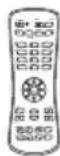


CARACTÉRISTIQUES DU PRODUIT
© 2019, Peerless Industries, Inc.
Peerless-AV Europe
Unit 3 Watford Interchange,
Colonial Way, Watford, Herts.
WD24 4WP, United Kingdom
Customer Care
44 (0) 1923 200 100
www.peerless-av.com
© 2019, Peerless Industries, Inc.
Peerless-AV de Mexico
© 2019, Peerless Industries, Inc.


- SYSTEM INSTALLATION AND ELECTRICAL REQUIREMENTS
- Electrical Code
- Power Source
- FCC CAUTION
- FCC STATEMENT
- Relevant Information
- GENERAL SAFETY PRECAUTIONS
- Read before operating equipment
- WARNING
- CONTENTS
- System Installation And Electrical Requirements ....2
- General Safety Precautions ....4
- Set Up Instructions....7
- Operating Instructions 15
- USB Functionality 19
- Maintenance 22
- Product Specifications 23
- TV Controller Features 23
- Warranty 25
- SET UP INSTRUCTIONS
- Parts List
- Description Qty
- Removing Cord Cover
- Connecting Cords
- Installing IR Extender (Optional)
- Replacing Cord Cover
- CAUTION
- Prepare The Display For Mounting
- Remote Control Battery Installation And Replacement
- OPERATING INSTRUCTIONS
- Power On/Off The Display
- Onboard Controls
- 1
- 2
- 3
- 4
- COM Settings
- MAINTENANCE
- Care Of The Screen
- Mobile Telephone Caution
- End Of Life Directives
- PRODUCT SPECIFICATIONS
- LIMITED TWO-YEAR WARRANTY
- TWO-YEAR PARTS & LABOR LIMITED WARRANTY
- Terms of Peerless-AV®
- THIS LIMITED WARRANTY DOES NOT COVER:
- peerless-AV®
- Guía del Usuario
- ULTRAVIEW™ UHD TELEVISOR PARA EXTERIORES
- ADVERTENCIA
- INSTALLATION DU SYSTÈME ET EXIGENCES EN MATIÈRE D'ÉLECTRICITÉ
- CARACTÉRISTIQUES DU PRODUIT
Brand : Peerless-AV
Model : UltraView UV652
Category : Television