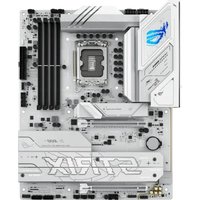
ROG STRIX Z790-F GAMING WIFI II - Wall socket ASUS - Free user manual and instructions
Find the device manual for free ROG STRIX Z790-F GAMING WIFI II ASUS in PDF.


User questions about ROG STRIX Z790-F GAMING WIFI II ASUS
0 question about this device. Answer the ones you know or ask your own.
Ask a new question about this device
Download the instructions for your Wall socket in PDF format for free! Find your manual ROG STRIX Z790-F GAMING WIFI II - ASUS and take your electronic device back in hand. On this page are published all the documents necessary for the use of your device. ROG STRIX Z790-F GAMING WIFI II by ASUS.
USER MANUAL ROG STRIX Z790-F GAMING WIFI II ASUS
The items labeled below correspond to the installation steps, for steps 1 and more information on the steps, please refer to the rest of the guide.

More info
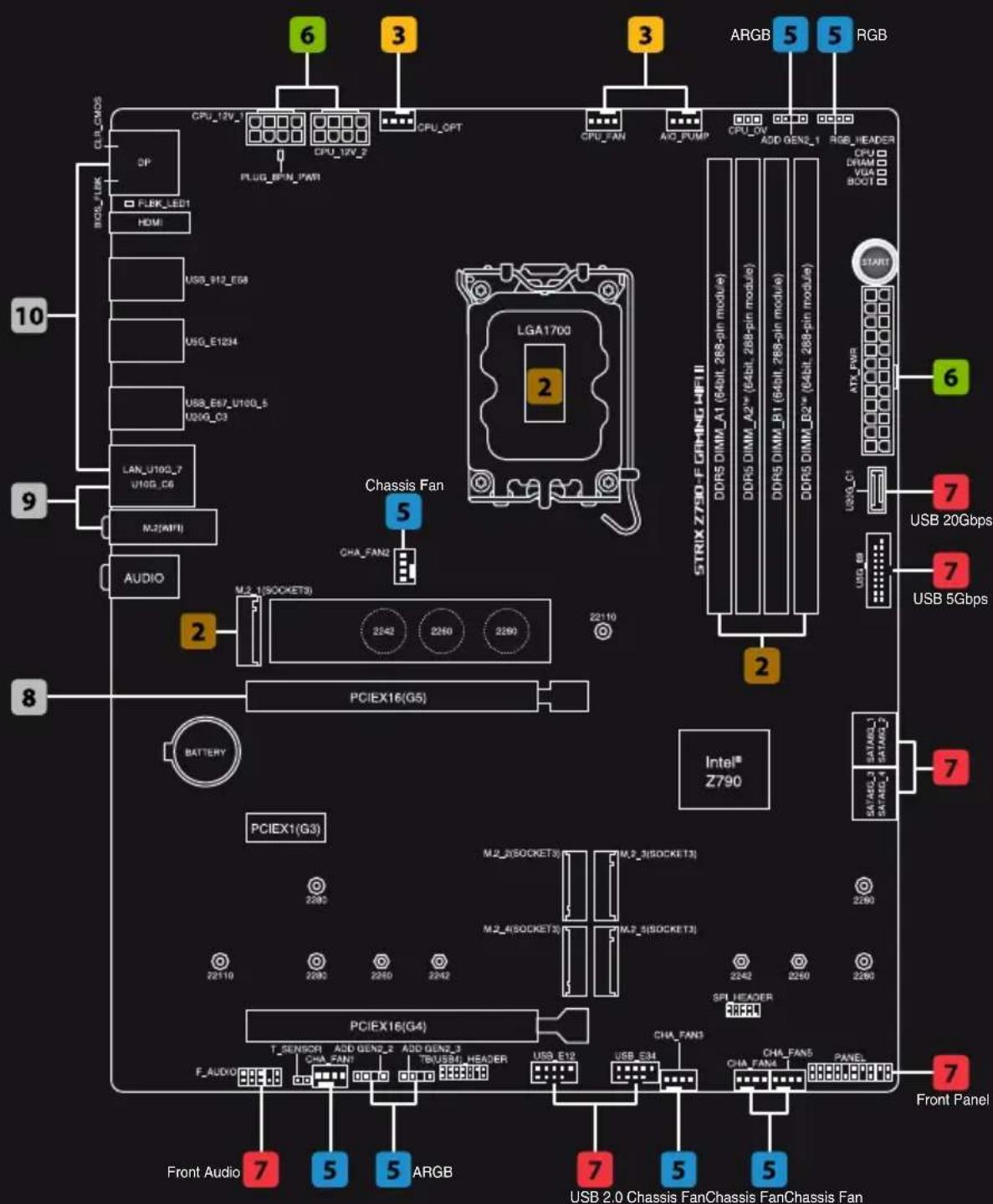
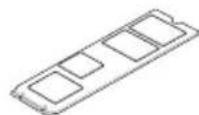
1 Prepare the components
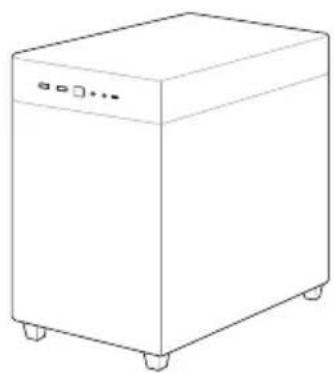
Chassis
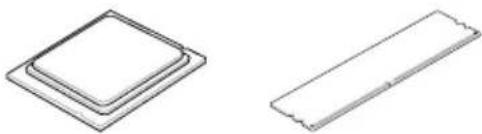
CPU Memory M.2 SSD
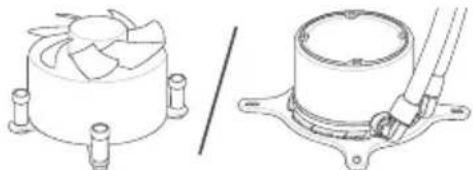
CPU cooler
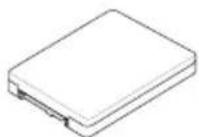
SATA device
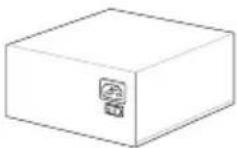
Power supply unit Graphics card
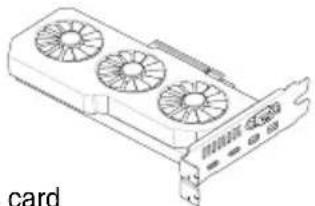
NOTE: The components listed above are recommendations, please prepare components according to your needs.
2 Install key components
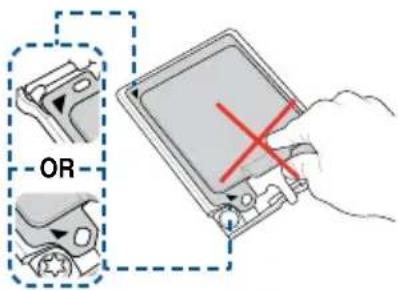
Install the CPU
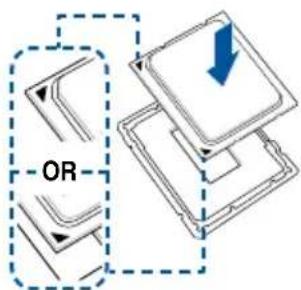
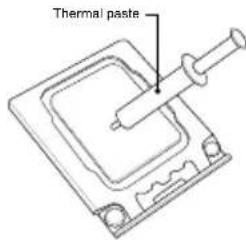

NOTE: Do not remove the PnP cap before the CPU is properly installed.
Please refer to the manual(s) for more information: Motherboard
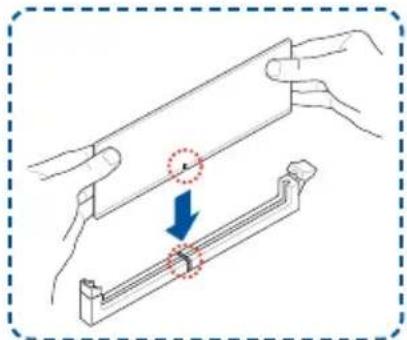
Install the Memory
NOTE: Please refer to the manual(s) for more information: Motherboard
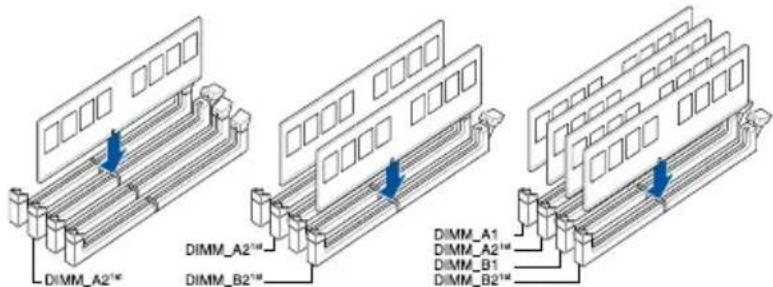
Motherboard
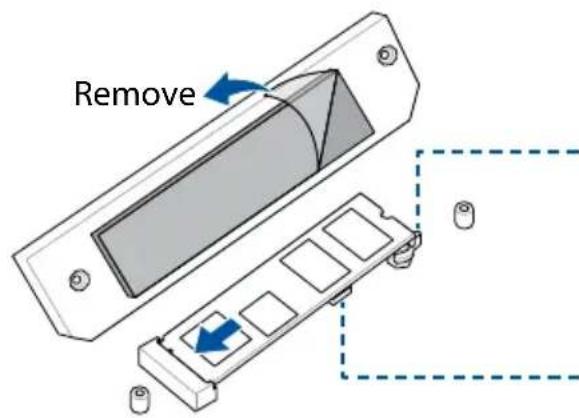
Install the M.2 SSD
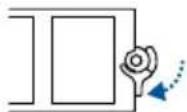
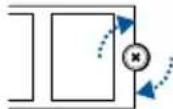
Remember to rotate the M.2 Q-latch or secure the screw properly.
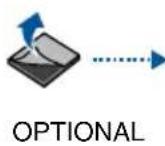
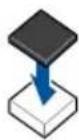
Install the bundled rubber for M.2 when installing a single sided M.2 module.
NOTE: Please refer to the manual(s) for more information: Motherboard
3 Install the cooling system
Air cooler
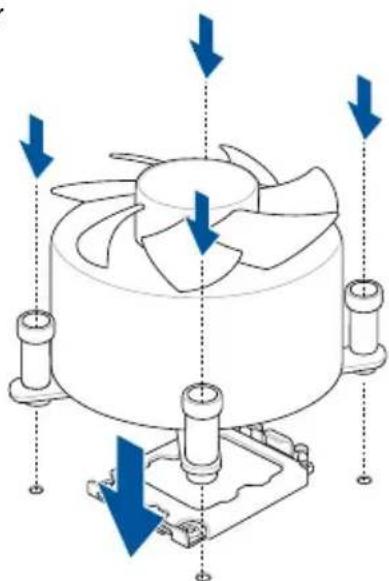
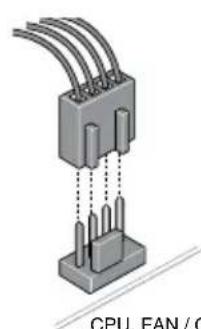
CPU_FAN / CPU_OPT
OR
AIO cooler
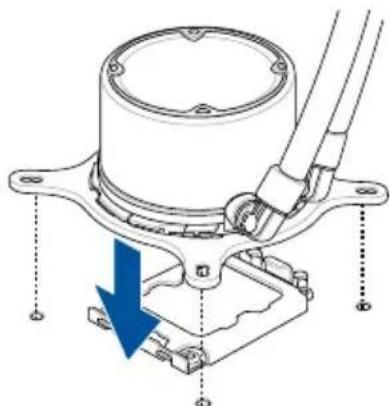
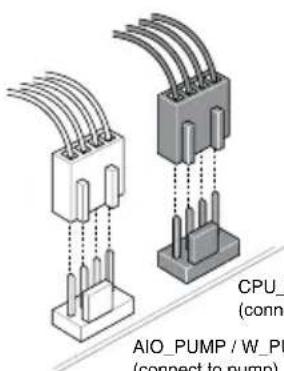
CPU_FAN / CPU_OPT (connect to radiator)
AIO_PUMP/W_PUMP (connect to pump)
NOTE: Please refer to these manual(s) for more information: Cooler Chassis
Connect cables from PSU
- Connect the power cables to the motherboard

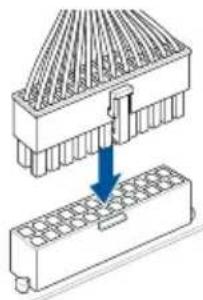

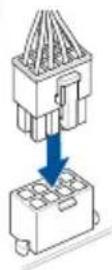
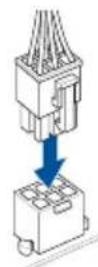
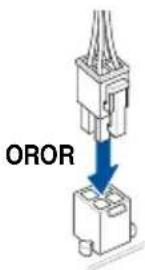
NOTE: Please refer to the manual(s) for more information: Motherboard FSU
Connect cables from Chassis
7 Connect everything to the motherboard
- Front panel header
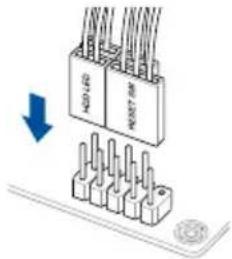
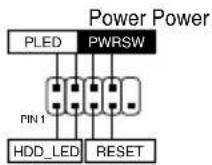
OR
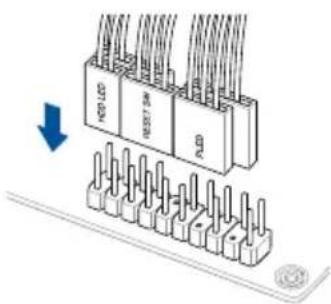
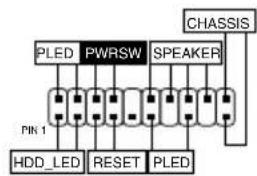
-F_AUDIO
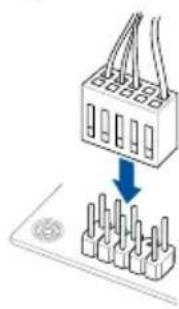
- USB connector/ header
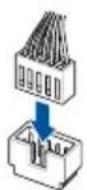
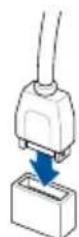
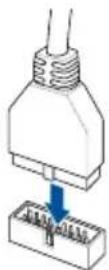
NOTE: Please refer to the manual(s) for more information:
Motherboard Chassis
Connect cables from PSU
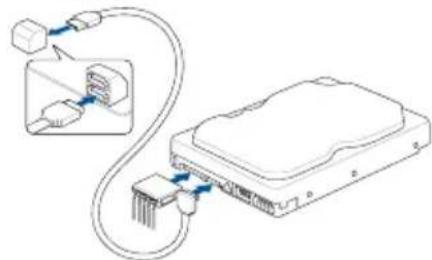
SATA
NOTE: Please refer to the manual(s) for more information: Motherboard
Connect cables from PSU
8 Install the graphics card
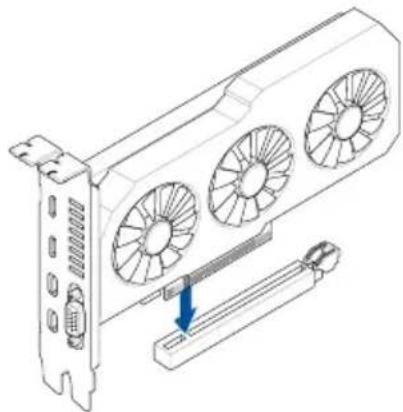
Please note that power connection is required for selected models.
NOTE: Please refer to the manual(s) for more information:
Motherboard Chassis Graphi cs Card

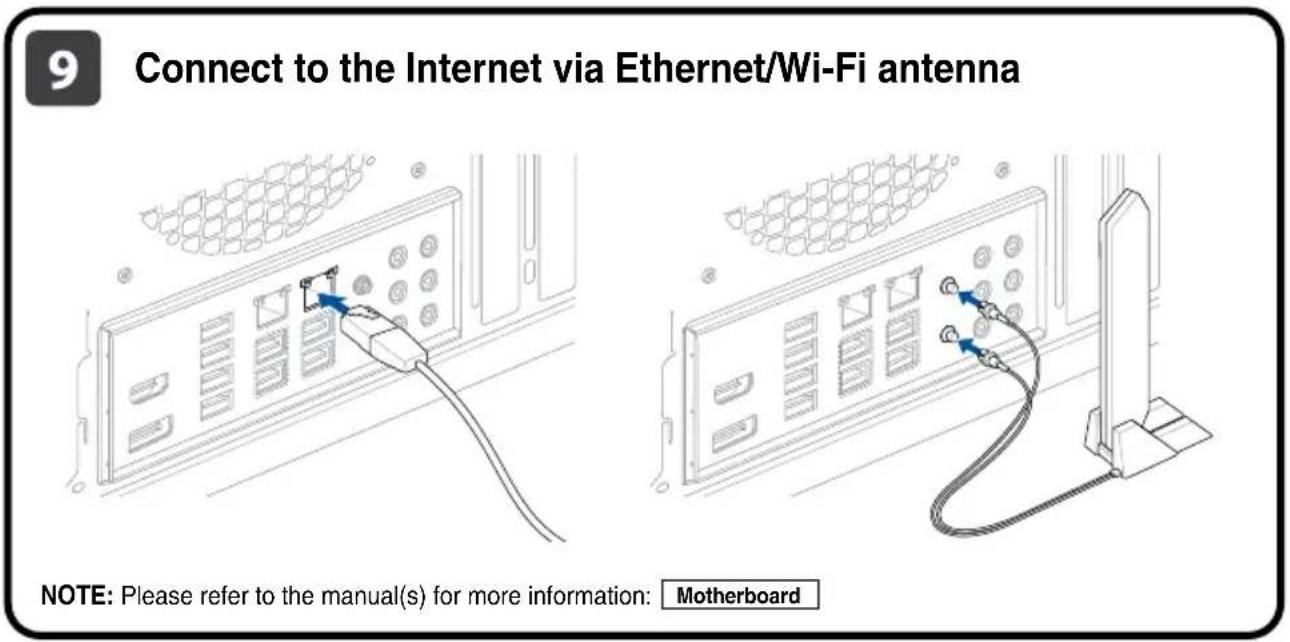
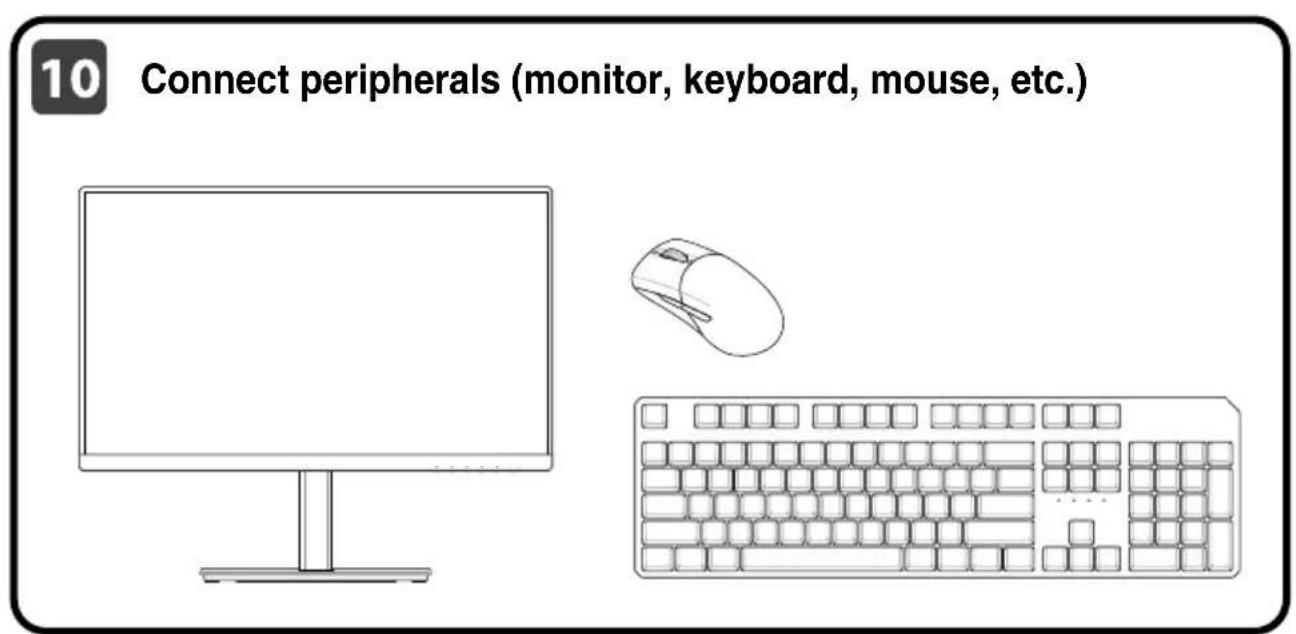
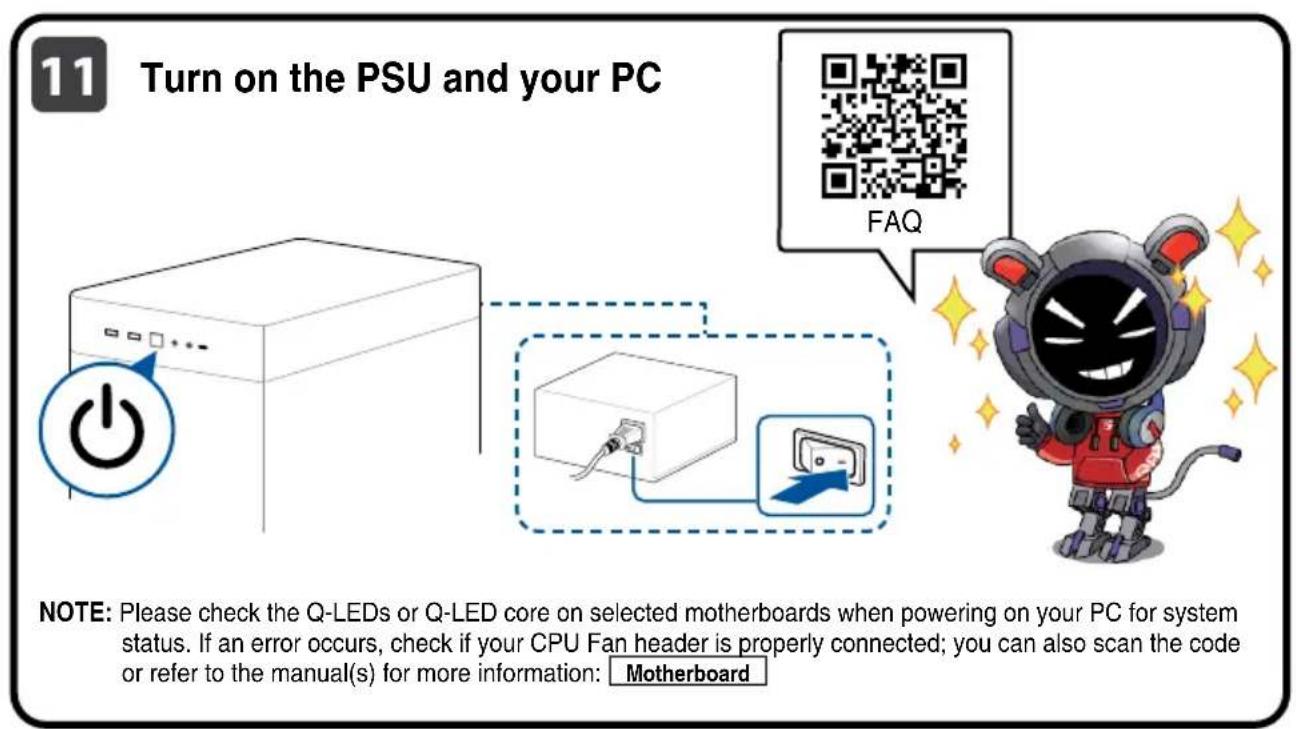
12 Install the operating system and drivers
Driver and Utilities installation
Ctbnkn:
- IIOIROTBETe KOMNOHEHTNTe
2.ИнталларгКЛIOOBOV KOMNOHEHTN
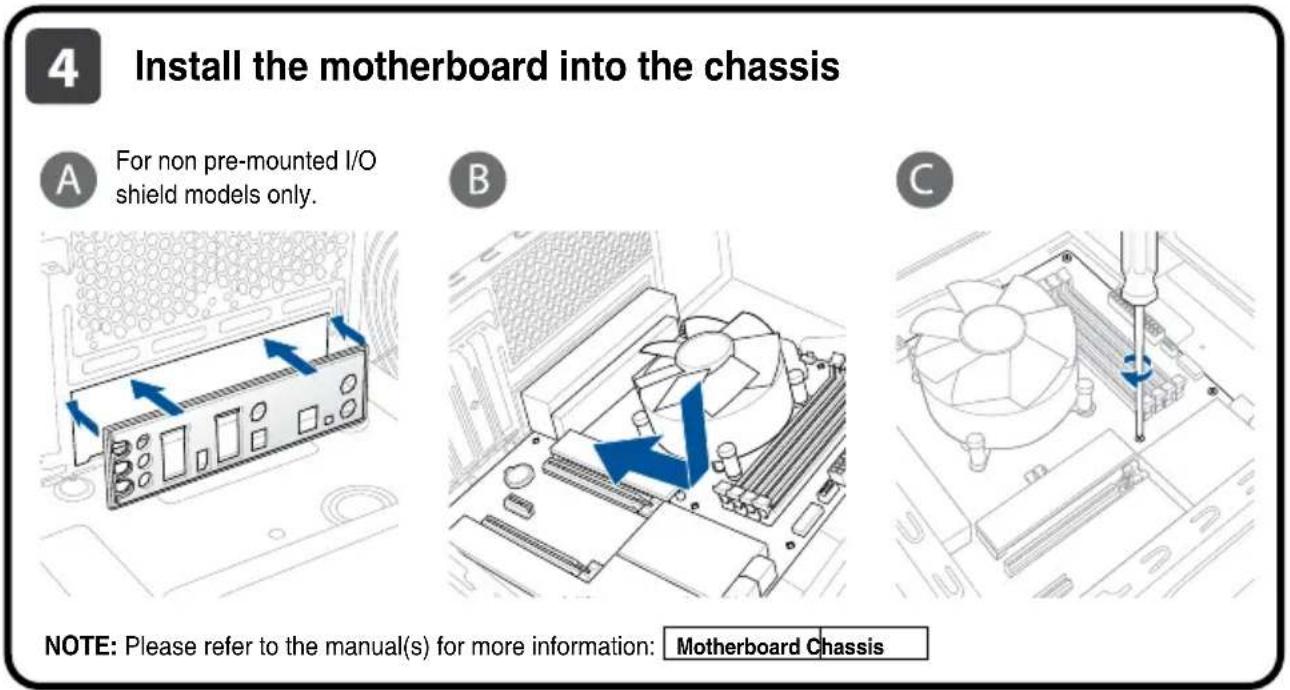
3.Инстларпуохлждаца сстema - Install the motherboard into the chassis
5.Инстаимаite bHHaTa nHaTka B KOpnyca - MoHTnpaTe n CbpxKeTe 3axpaHbauu 6nok (PSU)
7.CBpKTe BCnUko KbM DbHHaTa PnataKa
8.CBpKTe BCnUKO KbM DbHHHaTn -
CbpxteKbM INItepHET ue3 Ethernet/Wi-Fi aHTeHa
-
CbpxKeTe nepmepnH yCTPOINCTBA (MOHNTOP, KJABNAtypa, MUNKa ndp.)
-
BkIoueTe PSU u Baunu KOMnIOTpB
12.Интуларпе onepaioHHa TcNCTema ndpaBepnTe
Koraci:
- Prippremite componente
- Ugradite componente
- Ugradite sustav za hladenje
- Ugradite maticnu plocu u kuciiste
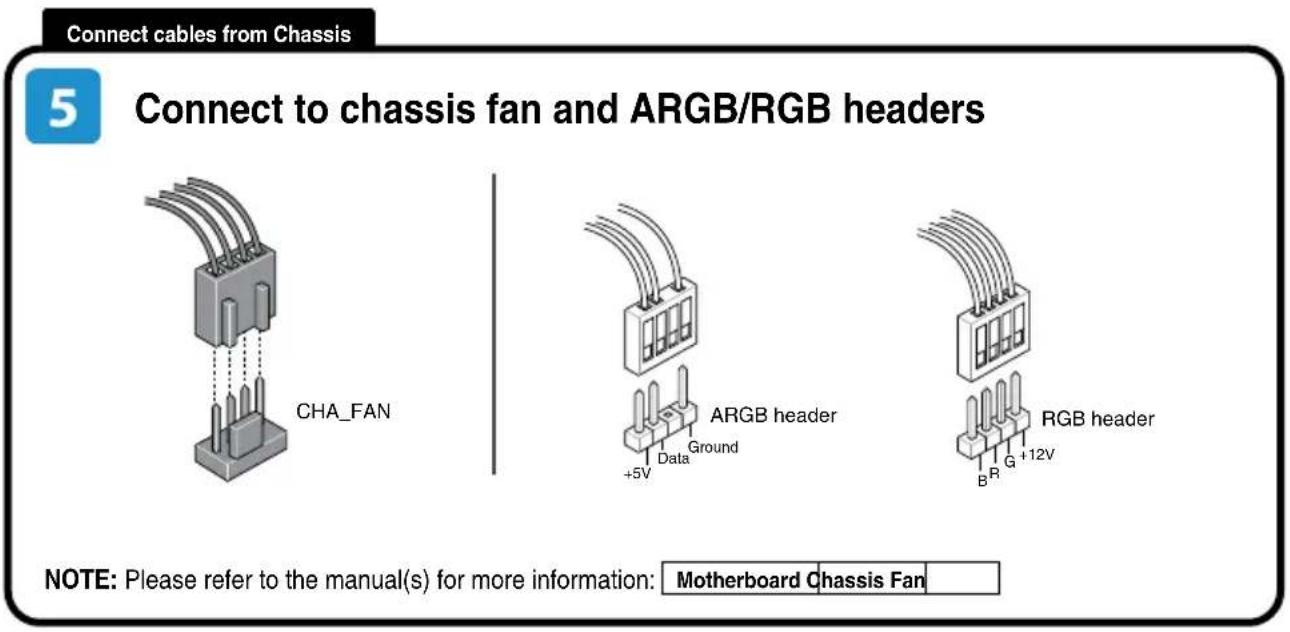
- Spojite na ventilator kucista in a konektore ARGB/RGB
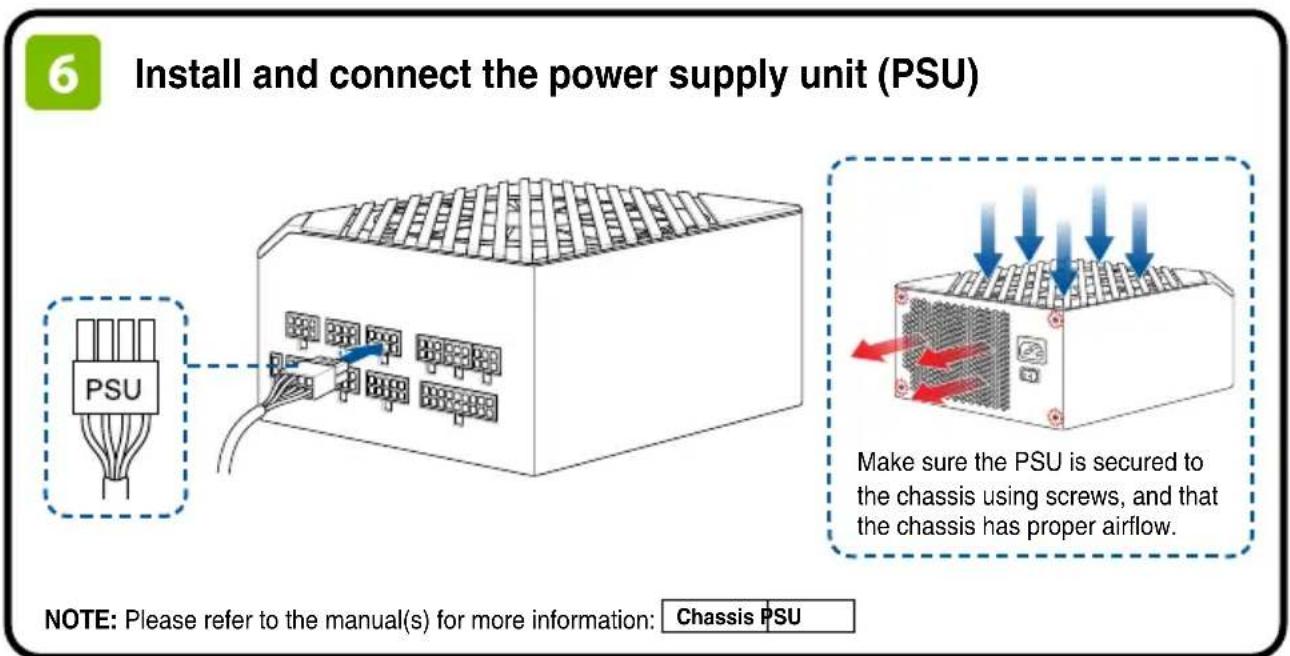
- Ugradite i spojite Jedinica za elektricno napajanje (PSU)
- Spojite sve na maticnu plocu
- Ugradite matichnu plocu
- Spojite se na internet preko Ehterneta7Wi-Fi antene
- Spojite vanjske uredaje (monitor, tipkovnica itd.)
- Ukljucite PSU i raçunalo
- Ugradite operacjski sustav i upravljacke programe
Kroky:
- To prevent electrical shock hazard, disconnect the power cable from the electrical outlet before relocating the system.
- When adding or removing devices to or from the system, ensure that the power cables for the devices are unplugged before the signal cables are connected. If possible, disconnect all power cables from the existing system before you add a device.
- Before connecting or removing signal cables from the motherboard, ensure that all power cables are unplugged.
- Seek professional assistance before using an adapter or extension cord. These devices could interrupt the grounding circuit.
- Ensure that your power supply is set to the correct voltage in your area. If you are not sure about the voltage of the electrical outlet you are using, contact your local power company.
If the power supply is broken, do not try to fix it by yourself. Contact a qualified service technician or your retailer.
Operation safety
Before installing the motherboard and adding devices on it, carefully read all the manuals that came with the package.
- Before using the product, ensure all cables are correctly connected and the power cables are not damaged. If you detect any damage, contact your dealer immediately.
- To avoid short circuits, keep paper clips, screws, and staples away from connectors, slots, sockets and circuitry.
- Avoid dust, humidity, and temperature extremes. Do not place the product in any area where it may become wet.
- Place the product on a stable surface.
- If you encounter technical problems with the product, contact a qualified service technician or your retailer.
- Your motherboard should only be used in environments with ambient temperatures between 10^ and 35^ .
Button/Coin Batteries Safety Information


WARNING
KEEP OUT OF REACH OF CHILDREN
Swallowing can lead to chemical burns, perforation of soft tissue, and death. Severe burns can occur within 2 hours of ingestion. Seek medical attention immediately.

General Notices
FCC Compliance Information
Responsible Party: Asus Computer International
Address: 48720 Kato Rd., Fremont, CA 94538, USA
Phone/Fax No: (510)739-3777/ (510)608-4555
This device complies with part 15 of the FCC Rules. Operation is subject to the following two conditions: (1) This device may not cause harmful interference, and (2) this device must accept any interference received, including interference that may cause undesired operation.
This equipment has been tested and found to comply with the limits for a Class B digital device, pursuant to part 15 of the FCC Rules. These limits are designed to provide reasonable protection against harmful interference in a residential installation. This equipment generates, uses and can radiate radio frequency energy and, if not installed and used in accordance with the instructions, may cause harmful interference to radio communications. However, there is no guarantee that interference will not occur in a particular installation. If this equipment does cause harmful interference to radio or television reception, which can be determined by turning the equipment off and on, the user is encouraged to try to correct the interference by one or more of the following measures:
- Reorient or relocate the receiving antenna.
- Increase the separation between the equipment and receiver.
- Connect the equipment into an outlet on a circuit different from that to which the receiver is connected.
- Consult the dealer or an experienced radio/TV technician for help.
HDMI Trademark Notice
The terms HDMI, HDMI High-Definition Multimedia Interface, HDMI Trade dress, and the HDMI Logo are trademarks or registered trademarks of HDMI Licensing Administrator, Inc.

HIGH-DEFINITION MULTIMEDIA INTERFACE
Safety Precautions
Accessories that came with this product have been designed and verified for the use in connection with this product. Never use accessories for other products to prevent the risk of electric shock or fire.
安全上の注意
Declaration of compliance for product environmental regulation
ASUS follows the green design concept to design and manufacture our products, and makes sure that each stage of the product life cycle of ASUS product is in line with global environmental regulations. In addition, ASUS disclose the relevant information based on regulation requirements.
Please refer to http://csr.asus.com/Compliance.htm for information disclosure based on regulation requirements. ASUS is complied with:
EU REACH and Article 33
Complying with the REACH (Registration, Evaluation, Authorisation, and Restriction of Chemicals) regulatory framework, we published the chemical substances in our products at ASUS REACH website at http://csr.asus.com/english/REACH.htm.
EU RoHS
This product complies with the EU RoHS Directive. For more details, see http://csr.asus.com/english/article.aspx?id=35
India RoHS
This product complies with the "India E-Waste (Management) Rules, 2016" and prohibits use of lead, mercury, hexavalent chromium, polybrominated biphenyls (PBBs) and polybrominated diphenyl ethers (PBDEs) in concentrations exceeding 0.1% by weight in homogenous materials and 0.01% by weight in homogenous materials for cadmium, except for the exemptions listed in Schedule II of the Rule.
Vietnam RoHS
ASUS products sold in Vietnam, on or after September 23, 2011, meet the requirements of the Vietnam Circular 30/2011/TT-BCT.
Cac san pham ASUS bàn tai Viet Nam, vao ngay 23 thang 9 nam2011 trove sau, deu thai dap ung cac yeu cau cua Thong tu 30/2011/TT-BCT cua Viet Nam.
Türkiye RoHS
ASUS recycling and takeback programs come from our commitment to the highest standards for protecting our environment. We believe in providing solutions for you to be able to responsibly recycle our products, batteries, other components as well as the packaging materials. Please go to http://csr.asus.com/english/Takeback.htm for detailed recycling information in different regions.
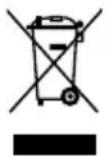
DO NOT throw the motherboard in municipal waste. This product has been designed to enable proper reuse of parts and recycling. This symbol of the crossed out wheeled bin indicates that the product (electrical and electronic equipment) should not be placed in municipal waste. Check local regulations for disposal of electronic products.
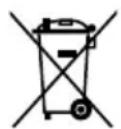
DO NOT throw the mercury-containing button cell battery in municipal waste. This symbol of the crossed out wheeled bin indicates that the battery should not be placed in municipal waste.
France sorting and recycling information


Notices for Wi-Fi model
FCC RF Caution Statement
WARNING: Any changes or modifications not expressly approved by the party responsible for compliance could void your authority to operate the equipment.
FCC Wi-Fi Caution Statement
Operation of transmitters in the 5.925-7.125 GHz band is prohibited for control of or communications with unmanned aircraft systems.
RF exposure warning
This equipment must be installed and operated in accordance with provided instructions and the antenna(s) used for this transmitter must be installed to provide a separation distance of at least 20cm from all persons and must not be co-located or operating in conjunction with any other antenna or transmitter. End-users and installers must be provided with antenna installation instructions and transmitter operating conditions for satisfying RF exposure compliance.
Compliance Statement of Innovation, Science and Economic Development Canada (ISED)
This device complies with Innovation, Science and Economic Development Canada licence exempt RSS standard(s). Operation is subject to the following two conditions: (1) this device may not cause interference, and (2) this device must accept any interference, including interference that may cause undesired operation of the device.
Operation in the band 5150-5250 MHz is only for indoor use to reduce the potential for harmful interference to co-channel mobile satellite systems.
CANICES-003(B)/NMB-003(B)
ISED Wi-Fi Caution Statement (RLAN devices)
Devices shall not be used for control of or communications with unmanned aircraft systems.
KC: Korea Warning Statement
B国()
i)其之为(B)即自的,而有
- *
NCC: Wireless Statement
Japan RF Equipment Statement
屋外その使用にて
Simplified UKCA Declaration of Conformity
ASUSTek Computer Inc. hereby declares that this device is in compliance with the essential requirements and other relevant provisions of The Radio Equipment Regulations 2017 (SI. 2017/1206). Full text of UKCA declaration of conformity is available at https://www.asus.com/support/.
The WiFi operating in the band 5150-5350MHz shall be restricted to indoor use for the country listed below:

UKCA RF Output table (The Radio Equipment Regulations 2017)
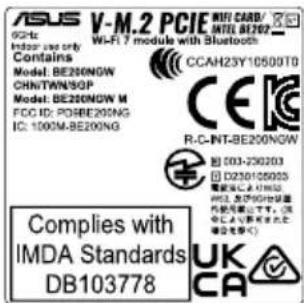
Model: BE200NGW
a. Low Power Indoor (LPI) Wi-Fi devices:
The device is restricted to indoor use only when operating in the 5925 to 6425 MHz frequency range in UK.
b. Very Low Power (VLP) Wi-Fi devices (portable devices):
The device is not permitted to be used on Unmanned Aircraft Systems (UAS) when operating in the 5925 to 6425 MHz frequency range in UK.
| Function Frequency Maximum Output Power (EIRP) | ||
| WiFi | 2412 - 2472 MHz 19 | dBm |
| 5150 - 5350 MHz 21 | dBm | |
| 5470 - 5725 MHz 21 | dBm | |
| 5725 - 5850 MHz 12 | dBm | |
| 5945 - 6425 MHz 21 | dBm | |
| Bluetooth 2402 - 2480 MHz 17 dBm | ||
* Receiver Category 1
Simplified EU Declaration of Conformity
Simplified EU Declaration of Conformity
ASUSTek Computer Inc. hereby declares that this device is in compliance with the essential requirements and other relevant provisions of Directive 2014/53/EU. Full text of EU declaration of conformity is available at https://www.asus.com/support/.
The WiFi operating in the band 5150-5350MHz shall be restricted to indoor use for countries listed in the table below:
a. Low Power Indoor (LPI) Wi-Fi devices:
The device is restricted to indoor use only when operating in the 5945 to 6425 MHz frequency range in Belgium (BE), Bulgaria (BG), Cyprus (CY), Czech Republic (CZ), Estonia (EE), France (FR), Iceland (IS), Ireland (IE), Lithuania (LT), Germany (DE), Netherlands (NL), Spain (ES).
b. Very Low Power (VLP) Wi-Fi devices (portable devices):
The device is not permitted to be used on Unmanned Aircraft Systems (UAS) when operating in the 5945 to 6425 MHz frequency range in Belgium (BE), Bulgaria (BG), Cyprus (CY), Czech Republic (CZ), Estonia (EE), France (FR), Iceland (IS), Ireland (IE), Lithuania (LT), Germany (DE), Netherlands (NL), Spain (ES).
$$ \left. \right.\left. \right.\left. \right.\left. \right.\left. \right.\left.\left.\left.\left.\left.\left.\left.\left.\left.\left.\left.\left.\left.\left.\left.\left.\left.\left.\left.\left.\left.\left.\left.\left.\left.\left.\left.\left.\left.\right.\right.\right.\right.\right.\right.\right.\right.\right.\right.\right.\right.\right.\right.\right.\right.\right.\right.\right.\right.\right.\right.\right.\right.\right.\right.\right.\right.\right\rangle_ {0} ^ {1} $$
y ASUSTek Computer 2014/53/EU
$$ \therefore \frac {1}{2} = \frac {1}{2} $$
https://www.asus.com/support/
https://www.asus.com/support/
5150-5350
222 1
(LPI)Wi-Fi
6425 5945 00
(CY)B(BG)(BE)
AnlonouinveN dIawon Suuoppwongc EE
Aia tou napovtroc n ASUSTek Computer Inc. 8nawve otui autn ouokeurivai
oumuopnpne tigbaoikc npounotheic kai aaleoxetikec diataeic nOndyiac
(ES)90, (NL)7n, (DE)7n, (LT)7n, (IE)7n
(NTWn) (VLP) nnn nn nn Wi-Fi Wb
5945 nnnn nn (UAS) ou 7010n nn nnnn nn
,EE) 6425MHz
.(ES)00,NL) (DE) (LT) (IE) (IS) (FR)
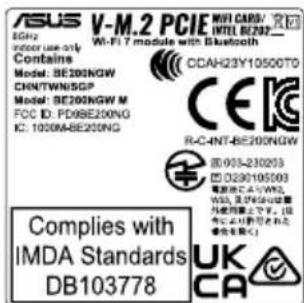
CE RED RF Output table (Directive 2014/53/EU) Model: BE200NGW
* Receiver Category 1
| Function | Frequency Maximum Output Power (EIRP) | |
| WiFi | 2412 - 2472 MHz | 19 dBm |
| 5150 - 5350 MHz | 21 dBm | |
| 5470 - 5725 MHz | 21 dBm | |
| 5725 - 5850 MHz | 12 dBm | |
| 5945 - 6425 MHz | 21 dBm | |
| Bluetooth | 2402 - 2480 MHz | 17 dBm |
Warranty
EN:ASUS Guarantee Information
ASUS offers a voluntary manufacturer's Commercial Guarantee.
- ASUS reserves the right to interpret the provisions of the ASUS Commercial Guarantee.
- This ASUS Commercial Guarantee is provided independently and in addition to the statutory Legal Guarantee and in no way affects or limits the rights under the Legal Guarantee.
For all the guarantee information, please visit https://www.asus.com/support.
F: Garantie ASUS
https://www.asus.com/ro/support.
SL: Informacije o garanciji ASUS
For all garantiinformation, besok https://www.asus.com/se/support/.
UA: Inφopmaia npo Tapahtio ASUS
- ASUS nponohy doobopinbHy Komepuiny Hapantio Bnpo6nka.
- ASUS 3actepirac3a c6oio npao Tnymaunn nnojoxehna KomepuihoI FapahntiTASUS
LIOKoMeplinyIgapAHTIOHaJaHO HeaAneXHIOHaJdoAtokdoobO'83K0BOI 3aKaHOHIOgApTII;BOHAJOHNIMYINHOMHeBnBaHnPaBa3aKaHOHIO gApTICIOJIeObEMKXYCIX.
Bcio inhphiopmauio npo rapaHTIO noaHO Tyt: https://www.asus.com/ua/support.
MX: Garantia y Soporte
https://www.asus.com/vn/support

ASUS contact information
ASUSTeK COMPUTER INC.
Address: 1F., No. 15, Lide Rd., Beitou Dist., Taipei City 112
ASUS COMPUTER INTERNATIONAL (America)
Address: 48720 Kato Rd., Fremont, CA 94538, USA
ASUS COMPUTER GmbH (Germany and Austria)
Address: Harkortstrasse 21-23, 40880 Ratingen, Germany
ASUSTeK (UK) LIMITED
Address: 1st Floor, Sackville House, 143-149 Fenchurch Street, London, EC3M 6BL, England, United Kingdom
Service and Support
Visit our multi-language website at https://www.asus.com/support.
Product Register
Log in and register your device for better product support.

REPUBLIC OF GAMERS