
SR-GA541 - Rice cooker PANASONIC - Free user manual and instructions
Find the device manual for free SR-GA541 PANASONIC in PDF.
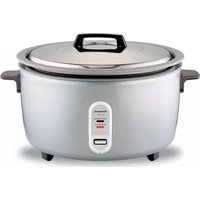


| Product Type | Automatic Rice Cooker for Professional Use |
| Brand | Panasonic |
| Model | SR-GA541 (SR-GA541H / SR-GA541FH) |
| Power Supply | 120 V ~ 60 Hz |
| Power Consumption | 1800 W |
| Cooking Capacity | 1.8 to 5.4 liters (10 to 30 measuring cups of raw rice) |
| Net Weight | 10 kg (22.04 lb) |
| Main Functions | Automatic rice cooking, automatic keep warm |
| Cooking Pan Coating | Non-stick |
| Included Accessories | Measuring cup (180 ml), spoon |
| Safety | Polarized plug, automatic shut-off at end of cooking, lid lock |
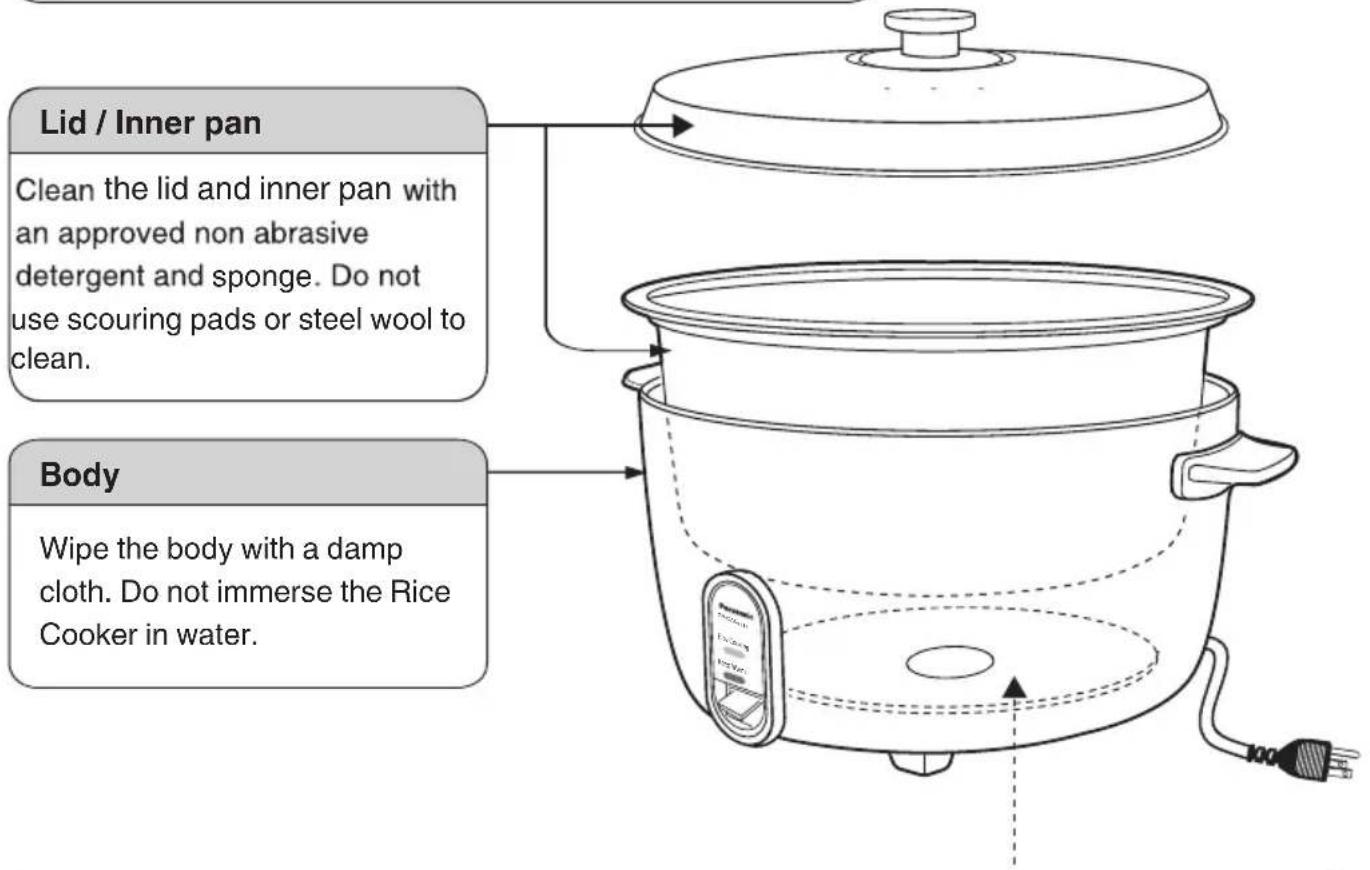
| Cleaning and Maintenance | Clean the lid and inner pan with a non-abrasive detergent and sponge; wipe body with a damp cloth; rub heating plate lightly with fine sandpaper if necessary |
| Housing Material | Metal and heat-resistant plastic |
| Cord Type | Short power cord with polarized plug |
| Indicator Lights | Rice Cooking indicator and Keep Warm indicator |
| Operating Ambient Temperature | Do not expose to high temperatures or excessive humidity |
Frequently Asked Questions - SR-GA541 PANASONIC
User questions about SR-GA541 PANASONIC
0 question about this device. Answer the ones you know or ask your own.
Ask a new question about this device
Download the instructions for your Rice cooker in PDF format for free! Find your manual SR-GA541 - PANASONIC and take your electronic device back in hand. On this page are published all the documents necessary for the use of your device. SR-GA541 by PANASONIC.
USER MANUAL SR-GA541 PANASONIC
Operating Instructions
Automatic Rice Cooker for commercial use
Instruction Manual
Commercial Rice Cooker
IMPORTANT SAFEGUARDS....2
Safety Precautions 3-4
Usage Precautions....5
How to Cook Rice 5
Parts Identification 6
How to Use the Rice Cooker....7
Tips 7
Cleaning and Maintenance....8
Troubleshooting 9
Specifications 9
Warranty Card USA ...... Back cover
Thank you very much for purchasing Panasonic Product. Please read the IMPORTANT SAFEGUARDS on page 2,
Safety Precautions on page 3-4 and Usage Precautions on page 5 before use.
Please carefully read these instructions before use, and keep these instructions for future use.
Important Safeguards....10
Safety Precautions....11-12
Usage Precautions....13
Cooking Methods....13
Parts Names 14
How to Use the Rice Cooker....15
Tips 15
Cleaning and Maintenance....16
Troubleshooting 17
Specifications 17
When using electrical appliances, basic safety precautions should always be followed, including the following:
- Read all instructions.
- Do not touch hot surfaces. Use handles or knobs.
- To protect against electrical hazards such as shocks, do not immerse the cord, plug, or Rice Cooker in water or other liquids.
- Close supervision is necessary when any appliance is used by or near children.
- Unplug from the outlet when not in use and before cleaning. Allow to cool before putting on or taking off parts.
- Do not operate any appliance with a damaged cord or plug, or after the appliance malfunctions or has been damaged in any manner. Return the appliance to the nearest authorized service facility for examination, repair, or adjustment.
- The use of accessory attachments not recommended by the appliance manufacturer may cause injuries.
- Do not use outdoors.
- Do not let the cord hang over the edge of a table or counter, or touch hot surfaces.
- Do not place on or near a hot gas or electric burner, or in a heated oven.
- Extreme caution must be used when moving an appliance containing hot oil or other hot liquids.
- To disconnect, turn any control to "off" then remove the plug from the wall outlet.
- Do not use the appliance for other than intended use.
- This appliance is not intended for use by persons, including children, with reduced physical or mental capabilities, or lack of experience and knowledge, unless they have been given supervision or instruction concerning use of the appliance by a trained person responsible for their safety.
- Do not clean with a water jet or pressure washer.
16. SAVE THESE INSTRUCTIONS

CAUTION:
A. A short power supply cord is provided to reduce the hazards resulting from becoming entangled or tripping over a longer cord. B. The cord should be arranged so that it will not drape over the countertop or tabletop where it can be pulled on by children or tripped over unintentionally. C. The use of extension cords is not recommended.
This appliance has a polarized plug: (one blade is wider than the other). As a safety feature, this plug will fit in a polarized outlet only one way. If it still does not fit, contact a qualified electrician. Do not attempt to defeat this safety feature.
Safety Precautions
This instruction manual provides operating instructions and cautions for appropriate use.
Warning and Caution for important safeguards

Warning:
This sign means [It may result in severe injuries or death].

Caution:
This sign means [It may result in injuries or malfunction].
The samples of symbols used in this manual are described below.


This sign means prohibited action.


This sign means required action.

Warning
Plug in the AC cord to the outlet firmly.

(Not doing so can result in an electrical shock or fire due to generation of heat.)
Do not use a damaged plug or outlet.
Do not plug or unplug the rice cooker with wet hands.

(Doing so can result in an electrical shock.)
Do not use wet hands.
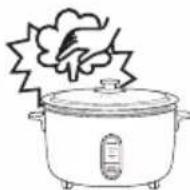
Do not place your hands or face over or near the steam vent.

Do not touch
(Exposure to steam can cause personal injury.)
Do not damage the AC cord or power plug.

Do not disassemble, expose to heat or fire, twist, pull, place heavy objects on or tie the AC cord in a bundle.
Prohibited
(A damaged cord or plug can lead to electrical shock or fire.)
If the AC cord or plug is damaged, consult your nearest retailer or service center for repair.
Do not insert metal objects such as pins or needles, or any other objects in the exhaust outlets, or in any other portion of the unit.

Particularly, do not insert clips, wire or any metal objects into the unit.
Prohibited
(Doing so can lead to an electrical shock or malfunction.)

(It may result in injuries.)
This appliance is not intended for use by persons (including children) with reduced physical, sensory or mental capabilities, or lack of experience and knowledge, unless they have been given supervision or instruction concerning use of the appliance by a trained person responsible for their safety.
Children should not be allowed to be in the area around the unit while it is in operation.
Do not allow the power plug to get dusty.

(Dust accumulation can lead to fire or a malfunction.)
Unplug and wipe with a clean cloth.
Do not use a damaged AC cord.

(As it may cause a short circuit or fire.)
Prohibited
Make sure the voltage supplied to the appliance is 120 Volts AC.

(Avoid using a multiple socket extension cord as this may cause a short circuit or fire.)
Safety Precautions

Warning
Do not immerse the appliance in water or other liquids.
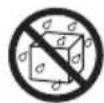
(Doing so can result in personal injury.) If water leaks inside the appliance, consult your nearest retailer or service center.
Do not attempt to disassemble or repair the unit yourself.

(Doing so can result in electrical shock.)
Submit the appliance to your dealer or the manufacturer.
Do not disassemble.

Caution
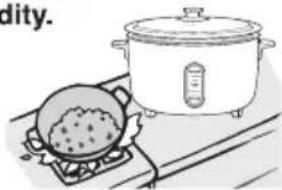
Do not operate the appliance near water, near a heat source, or expose to high humidity.

Prohibited (Doing so can lead to an electrical shock or fire.)
Allow the inner pan to cool before handling.

(Handling a hot pan can lead to personal injury.)
The appliance becomes hot when in use, especially the lid and inner pan.
This is normal.
Allow to cool before touching them.

Do not touch
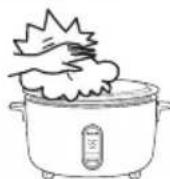
Do not touch the lid and inner pan.
(Doing so can lead to personal injury.)
Do not place the appliance on an unstable surface.

Prohibited
To prevent electric shock, be sure to grasp the power plug itself when disconnecting it; never unplug by pulling the AC cord.

(It may result in electrical shock or electrocution.)
Do not substitute the inner pan with other containers.
※ Do not use damaged inner pan with the Rice Cooker. Please contact authorized service agent for replacement.

Prohibited
(It may overheat causing personal injury or cause the appliance not to perform correctly.)
Unplug the appliance when not in use. Be sure to grasp the power plug; not the AC cord.

Unplug
(Pulling the AC cord may cause it to become damaged, leading to an electrical shock.)
Do not place the appliance near a wall or furniture.

(The steam may cause color changes or deformation of any nearby objects.)
Prohibited
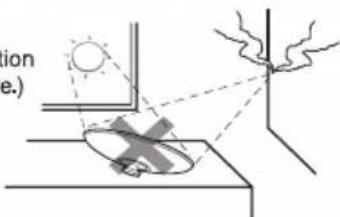
Avoid sun reflection off the lid as this light can damage wall decorations or furniture.

(Sunlight reflection may cause a fire.)
Usage Precautions
Avoiding damage to the appliance.
Do not cover the lid with a cloth.
The lid handle may become deformed, and result in malfunction.
Do not place the appliance in direct sunlight.
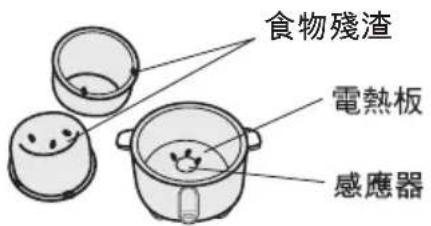
Always keep the outside bottom of the inner pan, the sensor and the heating plate clean and dry.
Otherwise, it may result in malfunction of the unit.

Avoiding damage to the inner pan.
Do not leave the rice scoop or any other objects inside the inner pan.
The inner pan should be cleaned immediately after cooking.
Do not use the inner pan as mixing utility.
Do not use metal utensils that can scratch or crack the inner pan.
Note. Using an inner pan which is dented or damaged may result in rice that is not thoroughly cooked, an overheated appliance or possibly permanent damage to the heating plate.
Do not tap or rub the inner surface of the inner pan.
Do not use steel wool to clean the inner pan. Clean only with a soft cloth or soft scouring pad.
How to Cook Rice
1 Select good rice
Glossy
Not broken
2 Measure rice
Use the measuring cup provided (Approx. 180 mL).
3 Rinse the rice, stir with hand
Rinse the rice with potable water in a separate bowl until the water becomes relatively clear.
Do not rinse the rice in the provided inner pan.
4 Adjust water level
Add water or liquid in the proper amounts.
When hot water is used to cook rice, it may result in discoloring and sogginess.
5 Stir cooked rice
When the water or liquid is completely evaporated, the rice is cooked.
Stir it gently to allow the moisture to swell the grains for the best tasting rice.
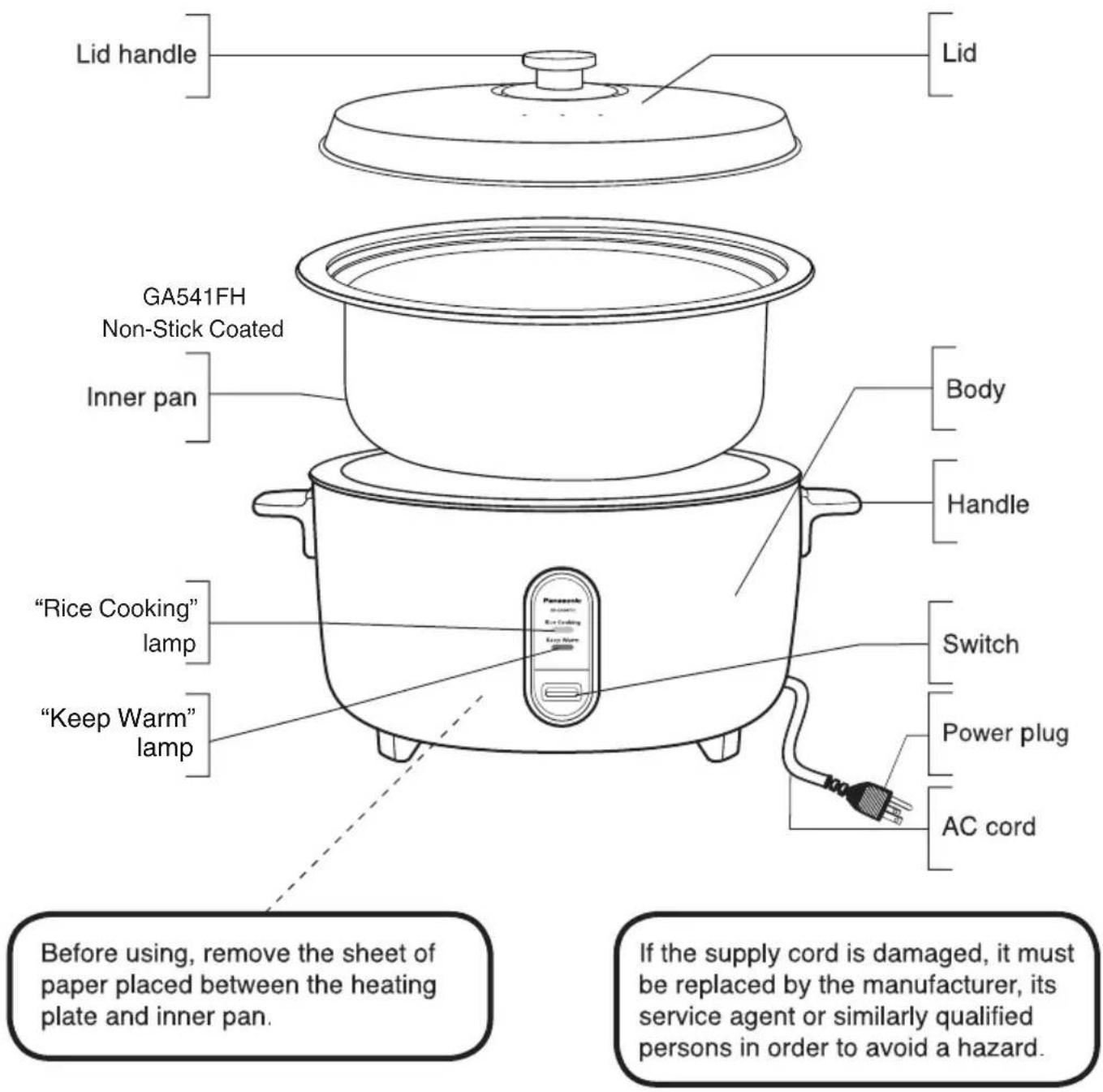
Parts Identification
Accessories
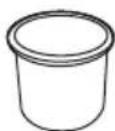
Measuring cup (1 pc.) (Approximately 180 ml)
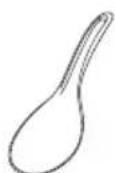
Scoop (1 pc.)
How to Use the Rice Cooker
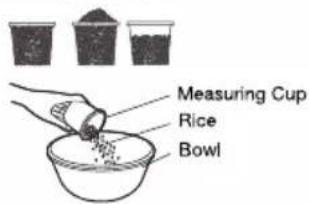
Measure rice with provided measuring cup. One cup of uncooked rice makes approximately 3 cups of cooked rice.

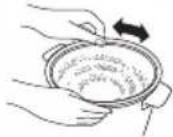
Rinse rice repeatedly in a separate bowl until the water becomes relatively clear.

Pour the rinsed rice into inner pan and add water according to the table or follow your rice package directions (example: Brown rice will require more water).
| Proportion indicated by level line inside the inner pan | Proportion indicated by the measuring cup* | |
| e.g.: For 20 cups of rice, add water until it reaches level "20".- LEVELINDICATOR MAXIMUM LEVEL Do not cook with more than this level of water | Rice amount (CUP) | Water (CUP) |
| 30 3030 | - 1/2 | |
| 25 25 25 | - 1/2 | |
| 20 20 20 | - 1/4 | |
| 15 15 15 | - 1/4 | |
| 10 10 10 | - 1/4 | |
| *Use only the provided measuring cup. | ||

Wipe the outer surface and bottom of the inner pan before use. If it is wet, it may cause a noise while cooking. It may also damage the unit.
Put the inner pan into the Rice Cooker body. Make sure that the inner pan is directly in contact with the heating plate
by turning it slightly to right and left until it sits securely.

Properly place lid on inner pan.

Firmly insert the plug into the socket.

Press the switch and then the "Rice Cooking" lamp will
light up. When rice is done, the switch changes automatically to the off position.


After rice is done, leave the lid on the unit for 15 minutes to keep the rice warm and appetizing.

Unplug after use.
Tips
For consistent rice.
This Panasonic Rice Cooker will cook rice thoroughly as desired.
The taste of rice will depend on the type and quality of rice and the period of soaking.
Adjust water quantity according to your taste.
Boiled water may overflow while cooking.
Adding excess water or placing the Rice Cooker at an angle may cause overflowing. To avoid spillages, please add water according to volume indicated with provided measuring cup.
(See above on "How to Use the Rice Cooker")
Cleaning and Maintenance
Unplug before cleaning. Check for dirt on the power plug and the AC cord and if so, clean immediately. Do not wipe or clean the Rice Cooker with benzine or thinner.
Heating plate
If an object has stuck on the heating plate, lightly polish it off using fine sandpaper (about #600) or steel wool. Then wipe with a damp cloth.
Accessories
Measuring cup
Scoop
Wash with sponge and wipe with a dry cloth.
Troubleshooting
| Description | Rice is hard | Rice is half cooked | Rice is too soft | Water overflowing | Rice on the bottom is scorched | No electrical power | Unusual noise |
| Possible causes | |||||||
| Improper proportion of rice and water | ● | ● | ● | ● | ● | No electrical power. Unplug and check the circuit breaker. If there is no problem at the breaker, take the Rice Cooker to the nearest service center. | Noise occurs if there is some water between the inner pan and heating plate. This may cause damage to the heating plate. |
| Is the rice rinsed adequately? | ● | ● | |||||
| Scratches on the inner pan | ● | ● | ● | ||||
| Rice cooked with oil | ● | ● | ● | ||||
| Has the rice been well fluffed after cooking? | ● | ● | ● | ||||
| Food debris stuck between the inner pan and heating plate | ● | ● | ● | ● | |||
| Inner pan washed but not clean | ● | ||||||
| Unplug or switch off | ● |
Specifications
| Model No. | SR-GA541H / SR-GA541FH |
| Power supply | 120 V ~ 60 Hz |
| Power consumed | 1800 W |
| Capacity | 1.8 - 5.4 liter (10 - 30 cups dry rice) |
| Net weight (approx.) | 22.04 lbs (10 kg) |
| Accessories | Measuring cup, Scoop |
Important safety measures
Allow to cool before touching.

(To avoid burns.)
Usage precautions
Avoid injury.
Do not cover the lid with a cloth.
The lid handle may deform and cause malfunction.
Do not place in direct sunlight.

Make sure the voltage supplied to the appliance is 120 Volts AC.

Usage precautions

Limited Warranty (ONLY FOR U.S.A.)
Panasonic Products Limited Warranty
Limited Warranty Coverage (For USA Only)
If your product does not work properly because of a defect in materials or workmanship, Panasonic Corporation of North America (referred to as "the warrantor") will, for the length of the period indicated on the chart below, which starts with the date of original purchase ("warranty period"), at its option either (a) repair your product with new or refurbished parts, (b) replace it with a new or a refurbished equivalent value product, or (c) refund your purchase price. The decision to repair, replace or refund will be made by the warrantor.
| Product or Part Name | Parts | Labor |
| SR-GA541HSR-GA541FH | 6 Months | 6 Months |
During the "Labor" warranty period there will be no charge for labor. During the "Parts" warranty period, there will be no charge for parts. This Limited Warranty excludes both parts and labor for non-rechargeable batteries, antennas, and cosmetic parts (cabinet). This warranty only applies to products purchased and serviced in the United States. This warranty is extended only to the original purchaser of a new product which was not sold "as is".
Mail-In Service
In the United States, call 1-877-266-6836 and press option 5, or please visit http://shop.panasonic.com/support
When shipping the unit, carefully pack, include all supplied accessories listed in the Owner's Manual, and send it prepaid, adequately insured and packed well in a carton box. When shipping Lithium Ion batteries please visit our Web Site at http://shop.panasonic.com/support as Panasonic is committed to providing the most up to date information. Include a letter detailing the complaint, a return address and provide a daytime phone number where you can be reached. A valid registered receipt is required under the Limited Warranty.
IF REPAIR IS NEEDED DURING THE WARRANTY PERIOD, THE PURCHASER WILL BE REQUIRED TO FURNISH A SALES RECEIPT/PROOF OF PURCHASE INDICATING DATE OF PURCHASE, AMOUNT PAID AND PLACE OF PURCHASE. CUSTOMER WILL BE CHARGED FOR THE REPAIR OF ANY UNIT RECEIVED WITHOUT SUCH PROOF OF PURCHASE.
Limited Warranty Limits and Exclusions
This warranty ONLY COVERS failures due to defects in materials or workmanship, and DOES NOT COVER normal wear and tear or cosmetic damage. The warranty ALSO DOES NOT COVER damages which occurred in shipment, or failures which are caused by products not supplied by the warrantor, or failures which result from accidents, misuse, abuse, neglect, mishandling, misapplication, alteration, faulty installation, set-up adjustments, misadjustment of consumer controls, improper maintenance, power line surge, lightning damage, modification, introduction of sand, humidity or liquids, or rental use of the product, or service by anyone other than a Factory Service Center or other Authorized Servicer, or damage that is attributable to acts of God.
THERE ARE NO EXPRESS WARRANTIES EXCEPT AS LISTED UNDER "LIMITED WARRANTY COVERAGE".
THE WARRANTOR IS NOT LIABLE FOR INCIDENTAL OR CONSEQUENTIAL DAMAGES RESULTING FROM THE USE OF THIS PRODUCT, OR ARISING OUT OF ANY BREACH OF THIS WARRANTY. (As examples, this excludes damages for lost time, travel to and from the servicer, loss of or damage to media or images, data or other memory or recorded content. The items listed are not exclusive, but for illustration only.)
ALL EXPRESS AND IMPLIED WARRANTIES, INCLUDING THE WARRANTY OF MERCHANTABILITY, ARE LIMITED TO THE PERIOD OF THE LIMITED WARRANTY.
Some states do not allow the exclusion or limitation of incidental or consequential damages, or limitations on how long an implied warranty lasts, so the exclusions may not apply to you.
This warranty gives you specific legal rights and you may also have other rights which vary from state to state. If a problem with this product develops during or after the warranty period, you may contact your dealer or Service Center. If the problem is not handled to your satisfaction, then write to:
Consumer Affairs Department Panasonic Corporation of North America 661 Independence Pkwy Chesapeake, VA 23320
PARTS AND SERVICE, WHICH ARE NOT COVERED BY THIS LIMITED WARRANTY, ARE YOUR RESPONSIBILITY.
Shop Accessories!
for all your Panasonic gear
Go to
http://shop.panasonic.com/support
Get everything you need to get the most out of your Panasonic products
Accessories & Parts for your Camera, Phone, A/V products, TV, Computers & Networking, Personal Care, Home Appliances, Headphones, Batteries, Backup Chargers & more...
Customer Services Directory
For Product Information, Operating Assistance, Parts, Owner's Manuals, Dealer and Service info go to http://shop.panasonic.com/support
For the hearing or speech impaired TTY: 1-877-833-8855
As of June 2015
Panasonic Appliances India Co., Ltd.
Website: www.panasonic.com
© Panasonic Appliances India Co., Ltd. 2019
Printed in India
QY00A660


- OPERATING INSTRUCTIONS
- INSTRUCTION MANUAL
- SAVE THESE INSTRUCTIONS
- CAUTION
- SAFETY PRECAUTIONS
- WARNING AND CAUTION FOR IMPORTANT SAFEGUARDS
- WARNING
- THE SAMPLES OF SYMBOLS USED IN THIS MANUAL ARE DESCRIBED BELOW
- PLUG IN THE AC CORD TO THE OUTLET FIRMLY
- DO NOT PLUG OR UNPLUG THE RICE COOKER WITH WET HANDS
- DO NOT PLACE YOUR HANDS OR FACE OVER OR NEAR THE STEAM VENT
- DO NOT DAMAGE THE AC CORD OR POWER PLUG
- DO NOT INSERT METAL OBJECTS SUCH AS PINS OR NEEDLES, OR ANY OTHER OBJECTS IN THE EXHAUST OUTLETS, OR IN ANY OTHER PORTION OF THE UNIT
- DO NOT ALLOW THE POWER PLUG TO GET DUSTY
- DO NOT USE A DAMAGED AC CORD
- MAKE SURE THE VOLTAGE SUPPLIED TO THE APPLIANCE IS 120 VOLTS AC
- USAGE PRECAUTIONS
- AVOIDING DAMAGE TO THE APPLIANCE
- AVOIDING DAMAGE TO THE INNER PAN
- HOW TO COOK RICE
- SELECT GOOD RICE
- MEASURE RICE
- RINSE THE RICE, STIR WITH HAND
- ADJUST WATER LEVEL
- STIR COOKED RICE
- PARTS IDENTIFICATION
- ACCESSORIES
- HOW TO USE THE RICE COOKER
- TIPS
- CLEANING AND MAINTENANCE
- HEATING PLATE
- TROUBLESHOOTING
- SPECIFICATIONS
- IMPORTANT SAFETY MEASURES
- AVOID INJURY
- LIMITED WARRANTY (ONLY FOR U.S.A.)
- PANASONIC PRODUCTS LIMITED WARRANTY
- LIMITED WARRANTY COVERAGE (FOR USA ONLY)
- MAIL-IN SERVICE
- LIMITED WARRANTY LIMITS AND EXCLUSIONS
- THERE ARE NO EXPRESS WARRANTIES EXCEPT AS LISTED UNDER "LIMITED WARRANTY COVERAGE
- SHOP ACCESSORIES
- CUSTOMER SERVICES DIRECTORY
Brand : PANASONIC
Model : SR-GA541
Category : Rice cooker