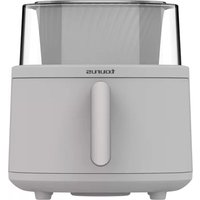
Aero Crisp Spin 6L - Deep fryer TAURUS - Free user manual and instructions
Find the device manual for free Aero Crisp Spin 6L TAURUS in PDF.


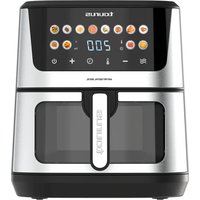
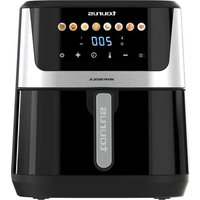
| Product type | Hot air fryer (oil-free) |
| Brand | Taurus |
| Model | Aero Crisp Spin 6L |
| Basket capacity | 6 liters |
| Power | 1700 W (estimated) |
| Supply voltage | 220-240 V ~ 50/60 Hz |
| Temperature range | 80 °C to 200 °C |
| Timer | 1 to 60 minutes |
| Preheat function | Yes (3 min at 190 °C) |
| Stir function | Yes, automatic for 5 programs |
| Delay start function | Yes, from 30 min to 9 h |
| Automatic shut-off | Yes, after 1 minute of inactivity |
| Interior lighting | Yes, automatic during cooking |
| Preset programs | 10: fries, sweet potatoes, pastries, peanuts, chicken wings, shrimp, meat, nuggets, frozen potatoes, preheating |
| Display | Digital control panel with screen |
| Viewing window | 360° window |
| Non-stick coating | Yes (grid and basket) |
| Included accessories | Basket, stirring rod, non-stick grid |
| Care and cleaning | Clean with a damp cloth and mild detergent. Do not use abrasive products. Do not immerse the appliance. Do not wash in dishwasher. |
| Safety | Automatic shut-off, overheat protection, full power cord deployed |
| Spare parts and repairability | Accessories available separately from technical service |
Frequently Asked Questions - Aero Crisp Spin 6L TAURUS
User questions about Aero Crisp Spin 6L TAURUS
0 question about this device. Answer the ones you know or ask your own.
Ask a new question about this device
Download the instructions for your Deep fryer in PDF format for free! Find your manual Aero Crisp Spin 6L - TAURUS and take your electronic device back in hand. On this page are published all the documents necessary for the use of your device. Aero Crisp Spin 6L by TAURUS.
USER MANUAL Aero Crisp Spin 6L TAURUS
natural_image
Line drawing of a cylindrical air fryer with a handle and side panel (no text or symbols)EN. Instructions for use
FR. Mode d'emploi
FREIDORA DE AIRE AERO CRISP SPIN 6L
DESCRIPCIÓN
A – Panel de control digital
B – Ventana 360°
C – Cesta
D – Barra removedora
E – Rejilla antiadherente
F - Asa
PANEL DE CONTROL
A – Digital control panel
B - 360° window
C-Basket
D - Stir Bar
E - Non-stick grid
F - Handle
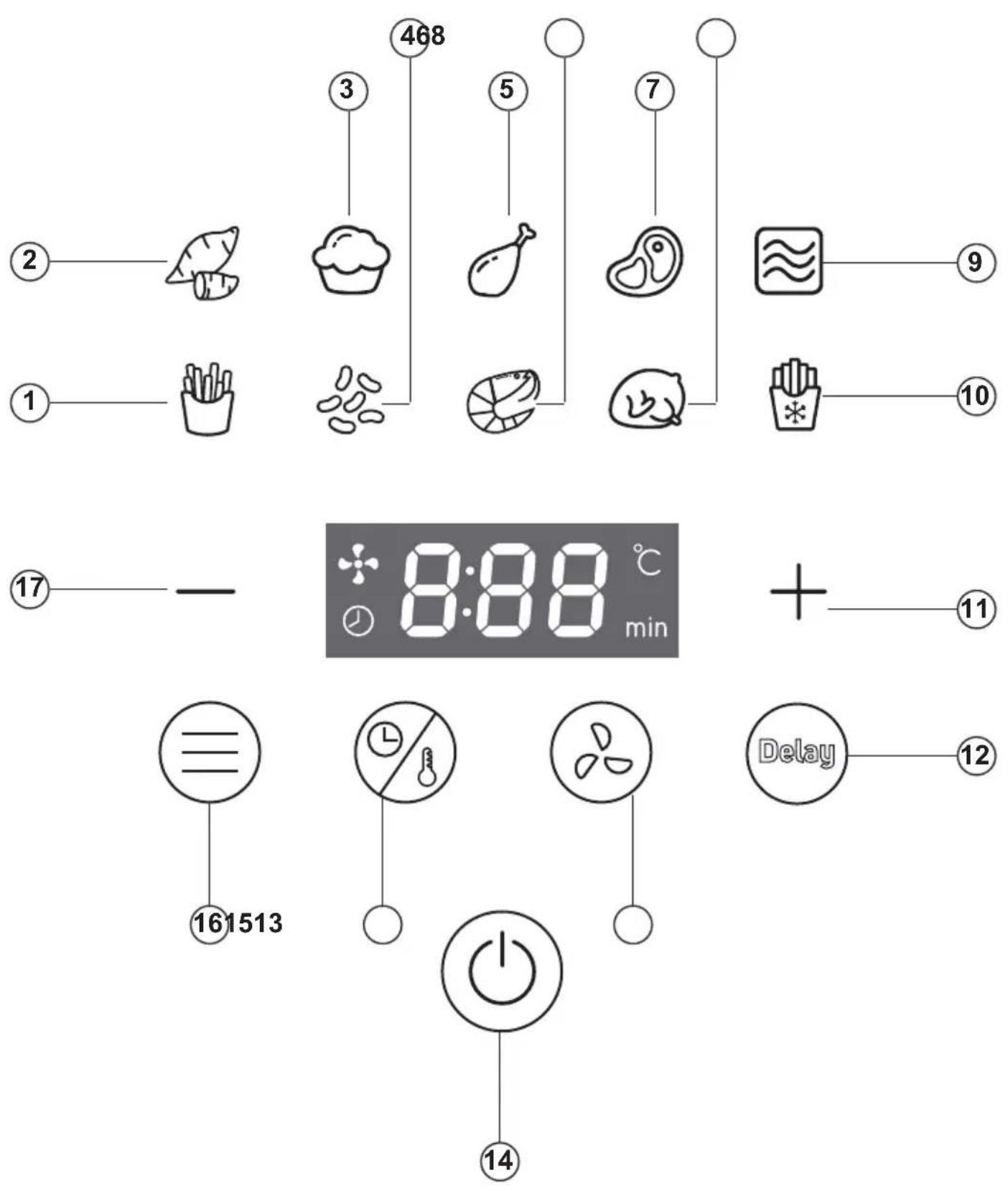
CONTROL PANEL
1 - French fries menu
2 - Sweet potato menu
3 - Pastry menu
4 - Roasted peanuts menu
5 - Chicken wings menu
6 - Shrimps menu
7 - Meat menu
8 - Nuggets menu
9 - Preheat function
10 - Frozen potatoes menu
11 - (+) button
12 - Delay function
13 - Remove function
14 - On/off button
15 - Time/temperature selector
16 - Menu selector
17 - Button (-)
If your appliance model does not have the accessories described above, these can also be purchased separately from Technical Assistance Services.
USE AND CARE
- Before each use, fully extend the power cord of the appliance.
- Do not use the appliance if its accessories are not properly coupled.
- Do not use the appliance if the accessories attached to it are defective. Proceed to replace them immediately.
- Do not use the appliance if it is empty and without the basket.
- The air fryer works only with hot air. Never fill the basket with oil or any other type of fat.
-
Do not add paper, cardboard, plastic or similar materials inside the fryer. Aluminum foil or parchment paper can be used.
-
Do not use the appliance if the timer does not work correctly.
- Do not move or move the appliance while it is in operation.
- To keep the non-stick coating in good condition, do not use metal or sharp utensils on it.
- Unplug the appliance from the mains when not in use and before carrying out any cleaning operation.
- Store this appliance out of the reach of children and/or people with reduced physical, sensory or mental capacities or lack of experience and knowledge.
- Do not store or transport the appliance if it is still hot.
- Never leave the device connected and unattended. In addition, you will save energy and prolong the life of the device.
INSTRUCTIONS FOR USE
BEFORE USE
- Ensure that all packaging material has been removed from the product.
- Before using the product for the first time, clean the parts that will come into contact with food as described in the "Cleaning" section.
- Leave a minimum of 13cm of space between the back and top of the wall.
- The appliance may emit some smoke on first use, this is normal.
USE
- Unwind the mains cable completely before plugging in.
- Plug the appliance into the mains.
- Remove the basket from the fryer.
- Insert the remover bar when you want to cook food that needs to be removed during cooking.
- Place the ingredients to be fried in the basket.
- Insert the basket back into the fryer.
- Press the on/off button (14) to switch on the appliance.
PREDEFINED MENUS
- This appliance has 10 preset programmes.
- To select a programme, press the menu selector button (16) as many times as necessary. The icon of the selected programme will flash.
- If you want to change the temperature/time of the selected menu, press the button (15) and use the +/- buttons to adjust.
- Press the on/off button to start cooking. The icon of the selected programme will remain lit.
- NOTE: Press the on/off button again if you want to stop cooking.
- A beep will sound 3 times when cooking is finished. The fan will switch off a few seconds later.
- Remove the basket from the fryer.
- WARNING: The basket and the food will be very hot.
- Remove the food from the basket.
TIME AND TEMPERATURE
- The cooking time can be set from 1 to 60 minutes.
- The cooking temperature can be set from 80^ C to 200^ C.
- Press and hold one of the two +/- buttons to decrease or increase the time quickly.
- The cooking time can be set in the preset menu mode and also during cooking. The selected time will be shown immediately on the display.
INTERNAL LIGHT
- This air fryer has a light that allows you to see inside while it is in operation.
- During cooking, the light turns on and off automatically.
STIR FUNCTION
- When this function is activated, the stirring bar rotates to automatically stir the food during cooking.
- This function is available for the following 6 preset programmes: French fries, peanuts, shrimps, nuggets, frozen potatoes, and pre-heat function.
- In these programmes the "stirring" function is automatically activated.
- The pre-heating function also has a stirring function, but it must be selected manually.
- When the "remove" function is activated, a fan-shaped light comes on in the display.
- To deactivate the function, press the "remove" function button (13). The light will go out.
- To reactivate this function, press the button (13) again.
DELAY FUNCTION
- This function allows you to program the start of cooking.
- The programming time can be from a minimum of 30 minutes to a maximum of 540 minutes (9h).
- To programme cooking, you must first choose the desired programme or the desired temperature and time as explained above.
- Then press the "delay" function button (12). Automatically the time and a clock pattern will flash on the display.
Before the display stops flashing, choose the time at which you want cooking to start.
- To do this, use the -/+ button.
- Each time one of the two -/+ buttons is pressed, the appliance will beep and 30 minutes will be subtracted/added.
- Press and hold one of the two -/+ buttons to quickly decrease or increase the time.
- Once the desired time has been entered, wait until the display stops flashing.
- If the appliance has been properly configured and the "delay" function has been activated, the clock will be permanently lit on the display.
- To start the countdown, press the on/off button.
- The countdown will be shown on the display. Cooking will start when the timer reaches 0.
AUTOMATIC SHUT-OFF
- After 1 minute without touching the digital control panel, the appliance switches off automatically.
ONCE THE APPLIANCE USE IS COMPLETED
- Unplug the appliance from the mains.
- Let it cool down.
- Clean the appliance as explained in the
"Cleaning" section.
CLEANING
- Unplug the appliance from the mains and allow it to cool down before cleaning.
- Clean the appliance and its accessories with a damp cloth soaked in a few drops of detergent and then wipe dry.
- Do not use solvents, products with an acid or basic pH factor such as bleach or abrasive products to clean the appliance.
- Never immerse the appliance in water or any other liquid, nor place it under the tap.
- It is recommended to clean the appliance regularly and remove all food residues.
- If the appliance is not kept in a good state of cleanliness, its surface may degrade and inexorably affect the life of the appliance and lead to a hazardous situation.
- All parts of this appliance are NOT dishwasher safe.
Table of recommendations
| Menu | Time | Temperature |
| Sweet potato | 35 min | 200°C |
| Pastries | 15 min | 185°C |
| Chicken wings | 15 min | 200°C |
| Meat | 10 min | 180°C |
| Preheat function | 3 min | 190°C |
| French fries | 22 min | 200°C |
| Roasted peanuts | 15 min | 180°C |
| Shrimps | 12 min | 200°C |
| Nuggets or chicken (small pieces) | 18 min | 200°C |
| Frozen french fries | 15 min | 200°C |
NOTE: It is advisable to preheat the appliance before cooking. Select the preheat menu (9) so that the fryer heats up for 3 minutes at 190^ .
- NOTE: The recommendations in the table are for guidance only. Please adjust the time and temperature according to the amount of food, as well as the size, thickness or personal cooking preferences.
Troubleshooting
| Problem | Cause | Solution |
| The screen does not turn on | Power failure | Check condition and maintenance of power supply equipment |
| Power socket without current or bad contact | ||
| The supply voltage does not match the rated voltage of the product. | ||
| Circuit board fault | Contact our Technical Assistance Service | |
| Food is raw/burnt | Incorrect time or temperature selected | Adjust the temperature and cooking time according to the amount of food and cooking preferences. |
| Too much food in the basket | If you have too much food fry it in batches. Less food in the basket allows for more even heating. | |
| Smoke comes out of the appliance during the first use | There are residues of anti-rust oil in the air fryer | Preheat the fryer for 10 to 15 minutes at maximum temperature. |
| Appliance gives off odour | There are food residues inside the fryer | Clean the fryer and its accessories as described under "Cleaning". |
| Control panel does not respond | Oil or water residue on the control panel | Clean and dry the control panel with a cloth. |
| You have oil or water on your hands | Wash and dry your hands. |
- NOTE: If after consulting this table you still cannot solve the problem, please contact our Customer Service team.
FRITEUSE À AIR AERO CRISP SPIN 6L
DESCRIPTION

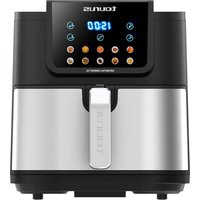
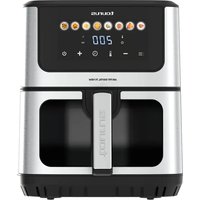
- FREIDORA DE AIRE AERO CRISP SPIN 6L
- DESCRIPCIÓN
- PANEL DE CONTROL
- CONTROL PANEL
- USE AND CARE
- INSTRUCTIONS FOR USE
- BEFORE USE
- USE
- PREDEFINED MENUS
- TIME AND TEMPERATURE
- INTERNAL LIGHT
- STIR FUNCTION
- DELAY FUNCTION
- AUTOMATIC SHUT-OFF
- ONCE THE APPLIANCE USE IS COMPLETED
- CLEANING
- FRITEUSE À AIR AERO CRISP SPIN 6L
- DESCRIPTION
Brand : TAURUS
Model : Aero Crisp Spin 6L
Category : Deep fryer