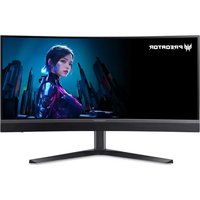
X34V - Monitor ACER - Free user manual and instructions
Find the device manual for free X34V ACER in PDF.


User questions about X34V ACER
0 question about this device. Answer the ones you know or ask your own.
Ask a new question about this device
Download the instructions for your Monitor in PDF format for free! Find your manual X34V - ACER and take your electronic device back in hand. On this page are published all the documents necessary for the use of your device. X34V by ACER.
USER MANUAL X34V ACER
Copyright © 2023. Acer Incorporated.
text_image
Mode - Standard Picture USB 3.2 Off Color Power-off USB Charge Off Audio Image Retention Refresh Yes Gaming CSD System Information Adjust OK Warning Message The monitor will automatically turn off and the LED light will flash during this process. Please note this process will take 10 minutes to complete after which the monitor will restart. Press 'Yes' to proceed. Yes No Move OK
Declaration of Conformity
We,
Acer Incorporated
8F, 88, Sec. 1, Xintai 5th Rd., Xizhi, New Taipei City 221
And,
Acer Italy s.r.l.
Viale delle Industrie 1/A, 20044 Arese (MI), Italy
Tel: +39-02-939-921, Fax: +39-02 9399-2913
www.acer.it
Product: OLED Monitor
Trade Name: acer
Model Number: X34
SKU Number: X34 xxxxxxxx
$$ \left(" x" = 0 \sim 9, a \sim z, A \sim Z, o r b l a n k\right) $$
We, Acer Incorporated, hereby declare under our sole responsibility that the product described above is in conformity with the relevant Union harmonization legislations as below Directive and following harmonized standards and/or other relevant standards have been applied:
EMC Directive: 2014/30/EU
EN 55032:2015+AC:2016 Class B
EN 61000-3-3:2013+A1:2019
EN 61000-3-2:2014 Class D
EN 55035:2017+A11:2020
EN 55024:2010+A1:2015
LVD Directive: 2014/35/EU
EN 62368-1:2014+A11:2017
RoHS Directive: 2011/65/EU
EN IEC 63000:2018
☒ ErP Directive: 2009/125/EC
☒ (EU) 2019/2021; EN 50564:2011
Year to begin affixing CE marking: 2023.
RU Jan / Manager
Acer Incorporated (New Taipei City)
Jun. 30, 2023
Date

Federal Communications Commission Declaration of Conformity
This device complies with Part 15 of the FCC Rules. Operation is subject to the following two conditions: (1) this device may not cause harmful interference, and (2) this device must accept any interference received, including interference that may cause undesired operation.
The following local Manufacturer / Importer is responsible for this declaration:
Product: OLED Monitor
Model Number: X34
SKU Number: X34 xxxxxxxx
$$ \left(" x" = 0 \sim 9, a \sim z, A \sim Z, o r b l a n k\right) $$
Name of Responsible Party: Acer America Corporation
Address of Responsible Party: 333 West San Carlos St.,
Suite 1500
San Jose, CA 95110,
U. S. A.
Contact Person: Acer Representative
Phone No.: 254-298-4000
Fax No.: 254-298-4147
EU Declaration of Conformity
We,
Acer Incorporated
8F, 88, Sec. 1, Xintai 5th Rd., Xizhi, New Taipei City 221
And,
Acer Italy s.r.l.
Viale delle Industrie 1/A, 20044 Arese (MI), Italy
Tel: +39-02-939-921, Fax: +39-02 9399-2913
www.acer.it
Product: OLED Monitor
Trade Name: acer
Model Number: X34
SKU Number: X34 xxxxxxxx
$$ \left(" x" = 0 \sim 9, a \sim z, A \sim Z, o r b l a n k\right) $$
We, Acer Incorporated, hereby declare under our sole responsibility that the product described above is in conformity with the relevant Union harmonization legislations as below Directive and following harmonized standards and/or other relevant standards have been applied:
EMC Directive: 2014/30/EU
EN 55032:2015+AC:2016 Class B
EN 61000-3-3:2013+A1:2019
EN 61000-3-2:2014 Class D
EN 55035:2017+A11:2020
EN 55024:2010+A1:2015
LVD Directive: 2014/35/EU
EN 62368-1:2014+A11:2017
RoHS Directive: 2011/65/EU
EN IEC 63000:2018
☒ ErP Directive: 2009/125/EC
☒ (EU) 2019/2021; EN 50564:2011
Year to begin affixing CE marking: 2023.
RU Jan / Manager
Acer Incorporated (New Taipei City)
Jun. 30, 2023
Date

Federal Communications Commission Declaration of Conformity
This device complies with Part 15 of the FCC Rules. Operation is subject to the following two conditions: (1) this device may not cause harmful interference, and (2) this device must accept any interference received, including interference that may cause undesired operation.
The following local Manufacturer / Importer is responsible for this declaration:
Product: OLED Monitor
Model Number: X34
SKU Number: X34 xxxxxxxx
$$ \left(" x" = 0 \sim 9, a \sim z, A \sim Z, o r b l a n k\right) $$
Name of Responsible Party: Acer America Corporation
Address of Responsible Party: 333 West San Carlos St.,
Suite 1500
San Jose, CA 95110,
U. S. A.
Contact Person: Acer Representative
Phone No.: 254-298-4000
Fax No.: 254-298-4147
natural_image
Line drawing of a flat-screen monitor with a stand (no text or symbols)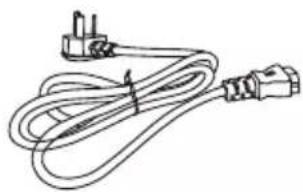
natural_image
Line drawing of a cord with two connectors and a plug, no text or symbols present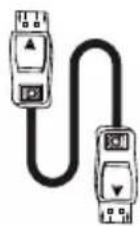
Câble HDMI (en option)
Câble de type C (en option)
natural_image
Line drawing of a rectangular box with internal compartments and a handle (no text or symbols)natural_image
Architectural line drawing of a multi-story building facade with visible structural details (no text or symbols)natural_image
Technical line drawing of a mechanical housing or enclosure with internal components (no text or symbols)natural_image
Diagram showing a mechanical assembly before and after transformation, with an inset magnified view of a hand holding a tool (no text or symbols present)natural_image
Technical line drawing of a mechanical assembly with no visible text or symbolsnatural_image
Two views of a computer monitor with stand and front panel, no text or symbols visiblenatural_image
Technical line drawing of a mechanical housing or enclosure with internal components and mounting points (no text or symbols)text_image
Support (non inclus)natural_image
Two hand-drawn sketchs of a computer monitor with one showing a checkmark and the other a cross (no text or symbols)
natural_image
Diagram of a computer monitor setup with an open screen and a vertical stand, showing no text or symbols.USB-A USB-B
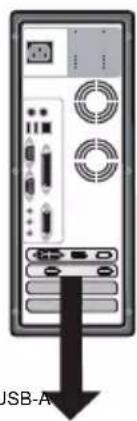
text_image
USB-AAUDIOHDMI2 HDMI1 DP ALTDPUSB-A
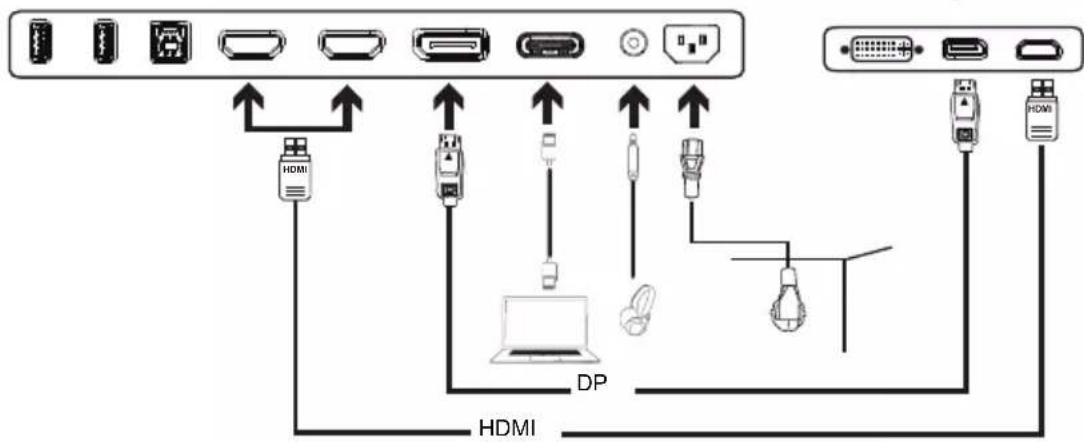
flowchart
graph TD
    A["Port 1"] -->|Data Bus| B["Port 2"]
    B -->|Data Bus| C["Port 3"]
    C -->|Data Bus| D["Port 4"]
    D -->|Data Bus| E["Port 5"]
    E -->|Data Bus| F["Port 6"]
    F -->|Data Bus| G["Port 7"]
    G -->|Data Bus| H["Port 8"]
    H -->|Data Bus| I["Port 9"]
    I -->|Data Bus| J["Port 10"]
    J -->|Data Bus| K["Port 11"]
    K -->|Data Bus| L["Port 12"]
    L -->|Data Bus| M["Port 13"]
    M -->|Data Bus| N["Port 14"]
    N -->|Data Bus| O["Port 15"]
    O -->|Data Bus| P["Port 16"]
    P -->|Data Bus| Q["Port 17"]
    Q -->|Data Bus| R["Port 18"]
    R -->|Data Bus| S["Port 19"]
    S -->|Data Bus| T["Port 20"]
    T -->|Data Bus| U["Port 21"]
    U -->|Data Bus| V["Port 22"]
    V -->|Data Bus| W["Port 23"]
    W -->|Data Bus| X["Port 24"]
    X -->|Data Bus| Y["Port 25"]

text_image
Modes G¹ Action G² Racing G³ Sports User Standard EDD Graphics HDR Move Entertext_image
Brightness 75 Adjust OKMenu principal
La page Fonction
text_image
Mode - Standard Picture Brightness 75 Color Contrast 50 Audio Black Boost 5 Gaming HDR Off QSD Super Sharpness Off System Max Brightness Off Information Move Entertext_image
Street photo with visible store signboards and people in tactical gear