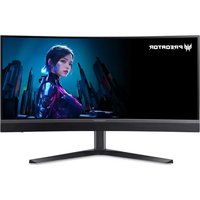
CB272E3 - Monitor ACER - Free user manual and instructions
Find the device manual for free CB272E3 ACER in PDF.


User questions about CB272E3 ACER
0 question about this device. Answer the ones you know or ask your own.
Ask a new question about this device
Download the instructions for your Monitor in PDF format for free! Find your manual CB272E3 - ACER and take your electronic device back in hand. On this page are published all the documents necessary for the use of your device. CB272E3 by ACER.
USER MANUAL CB272E3 ACER
Copyright © 2023. Acer Incorporated.
https://www.acer-group.com/sustainability/en/our-products-environment.html
Declaration of Conformity
We,
Acer Incorporated
8F, 88, Sec. 1, Xintai 5th Rd., Xizhi, New Taipei City 221
And,
Acer Italy s.r.l.
Viale delle Industrie I/A, 20044 Arese (MI), Italy
Tel: +39-02-939-921, Fax: +39-02 9399-2913
www.acer.it
Product: LCD Monitor
Trade Name: Acer
Model Number:
SKU Number:
CB272
CB272 xxxxxx;
("x" = 0\~9, a \~ z, A \~ Z, or blank)
We, Acer Incorporated, hereby declare under our sole responsibility that the product described above is in conformity with the relevant Union harmonization legislations as below Directive and following harmonized standards and/or other relevant standards have been applied:
EMC Directive: 2014/30/EU
EN 55032:2015+A11:2020 Class B
EN 55035:2017+A11:2020
RoHS Directive: 2011/65/EU
EN IEC 63000: 2018
☒ ErP Directive: 2009/125/EC
Year to begin affixing CE marking: 2023.
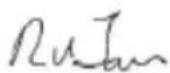
RU Jan / Sr. Manager
Acer Incorporated (New Taipei City)
Jun.30,2023
Date

text_image
FCFederal Communications Commission Supplier's Declaration of Conformity
This device complies with Part 15 of the FCC Rules. Operation is subject to the following two conditions: (1) this device may not cause harmful interference, and (2) this device must accept any interference received, including interference that may cause undesired operation.
The following local Manufacturer /Importer is responsible for this declaration:
Product: LCD Monitor
Model Number: CB272
SKU Number:
CB272 xxxxxx
$$ \left(" x" = 0 \sim 9, a \sim z, o r A \sim Z\right) $$
Name of Responsible Party: Acer America Corporation
333 West San Carlos St. Address of Responsible Suite 1500
Party:
San Jose, CA 95110
U.S.A.
Contact Person: Acer Representative
Phone No.: 254-298-4000
Fax No.: 254-298-4147
natural_image
Illustration of various electronic devices including desktops, laptops, headphones, and a projector (no text or symbols)Say hello
to a more sustainable product
IT products are associated with a wide range of sustainability risks throughout their life cycle. Human rights violations are common in the factories. Harmful substances are used both in products and their manufacture. Products can often have a short lifespan because of poor ergonomics, low quality and when they are not able to be repaired or upgraded.
This product is a better choice. It meets all the criteria in TCO Certified, the world's most comprehensive sustainability certification for IT products. Thank you for making a responsible product choice, that help drive progress towards a more sustainable future!
Criteria in TCO Certified have a life-cycle perspective and balance environmental and social responsibility. Conformity is verified by independent and approved verifiers that specialize in IT products, social responsibility or other sustainability issues. Verification is done both before and after the certificate is issued, covering the entire validity period. The process also includes ensuring that corrective actions are implemented in all cases of factory non-conformities. And last but not least, to make sure that the certification and independent verification is accurate, both TCO Certified and the verifiers are reviewed regularly.
Want to know more?
Read information about TCO Certified, full criteria documents, news and updates at tcocertified.com. On the website you'll also find our Product Finder, which presents a complete, searchable listing of certified products.
ENERGY STAR®
Acer's ENERGY STAR qualified products save you money by reducing energy costs and helps protect the environment without sacrificing features or performance. Acer is proud to offer our customers products with the ENERGY STAR mark.
What is ENERGY STAR?
Products that are ENERGY STAR qualified use less energy and prevent greenhouse gas emissions by meeting strict energy efficiency guidelines set by the
U.S. Environmental Protection Agency. Acer is committed to offer products and services worldwide that help customers save money, conserve energy and improve the quality of our environment. The more energy we can save through energy efficiency, the more we reduce greenhouse gases and the risks of climate change. More information refers to http://www.energystar.gov.
Acer ENERGY STAR qualified products:
- Produce less heat and reduce cooling loads, and warmer climates.
- Automatically go into "display sleep" within 5 minutes of inactivity.
- Wake the monitor when it is in Active Off mode, move the mouse or press any keyboard key.
ENERGY STAR and the ENERGY STAR mark are registered U.S. marks

Note: This product qualifies for ENERGY STAR in the factory default settings which can be restored by "Factory Reset" function in the OSD menu. Changing the factory default settings or enabling other features may increase power consumption that could exceed the ENERGY STAR specified limit.
Declaration of Conformity 9
Federal Communications Commission
Declaration of Conformity 10
Déballage 12
AJUSTEMENT DE LA POSITION DE L'ÉCRAN 13
natural_image
Simple line drawing of a monitor with a blank screen and stand (no text or symbols)Câble DP (en option)
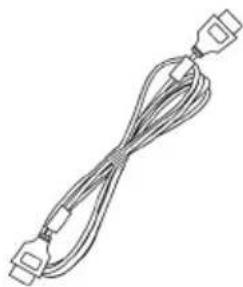
Câble HDMI (en option)
natural_image
Line drawing of a multi-woven cable with connectors (no text or symbols)natural_image
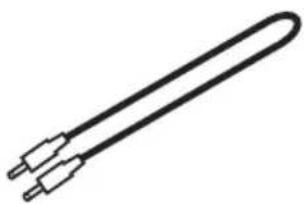
Simple line drawing of a coiled cable with connectors (no text or symbols)Câble Audio (en option)
natural_image
Line drawing of a coiled cable with two connectors (no text or symbols)natural_image
Line drawing of a single cord with two terminal plugs (no text or symbols)*Câble USB Type C (en option)
natural_image
Simple line drawing of a U-shaped tube with two metallic connectors (no text or symbols)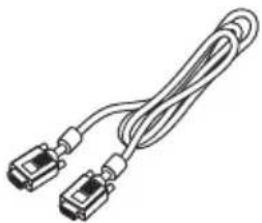
natural_image
Illustration of two connected cables with connectors (no text or symbols)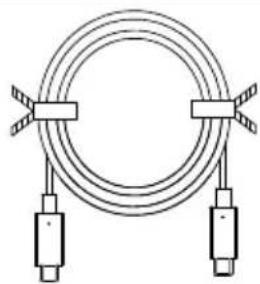
natural_image
Pure diagram of a coiled cable with two connectors and tape handles, no text or symbols present.AJUSTEMENT DE LA POSITION DE L'ÉCRAN
text_image
1 2 165mm- Inclinaison
text_image
Technical diagram showing connections between a monitor, cable, and computer interface with labeled componentsAMD FreeSync (HDMI/DP/Type C):
text_image
Modes sRGB Reading Darkroom User Standard ECO Graphics Movie Move OKtext_image
Brightness 70 Adjust OKPerformance (Performances)