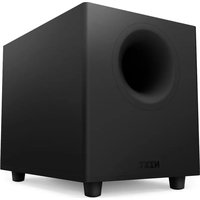
Relay Subwoofer - Memory reader NZXT - Free user manual and instructions
Find the device manual for free Relay Subwoofer NZXT in PDF.


| Product type | Powered subwoofer |
| Brand | NZXT |
| Model | Relay Subwoofer |
| Amplifier | Class D, average power 40 W (peak 80 W) |
| Woofer | 3 inches |
| Tweeter | 20 mm |
| Total harmonic distortion (THD) | < 1% at 1 kHz |
| Crossover frequency | 1600 Hz |
| Nominal impedance | Tweeter: 12 Ω ±15%, Woofer: 8 Ω ±15% |
| Input sensitivity | 20 W = 0.5 V RMS, 1 W = 0.115 V RMS |
| Inputs | RCA, TRS (3.5 mm) |
| Outputs | Subwoofer (RCA), speaker terminals |
| Standby power consumption | 0.3 W |
| Power supply | Mains via DC adapter |
| Main features | Class D amplification, preamp output for subwoofer, integration with SwitchMix, volume control |
| Maintenance and cleaning | Clean with a dry, soft cloth. Avoid liquids. |
| Safety | Do not expose to water or moisture. Adjust volume gradually to protect hearing. |
| Spare parts and repairability | Contact NZXT support (support@nzxt.com) for replacement parts. |
| General information | Compliant with European directives (EMC, RoHS, LVD, ecodesign) and FCC/IC regulations. |
Frequently Asked Questions - Relay Subwoofer NZXT
User questions about Relay Subwoofer NZXT
0 question about this device. Answer the ones you know or ask your own.
Ask a new question about this device
Download the instructions for your Memory reader in PDF format for free! Find your manual Relay Subwoofer - NZXT and take your electronic device back in hand. On this page are published all the documents necessary for the use of your device. Relay Subwoofer by NZXT.
USER MANUAL Relay Subwoofer NZXT
natural_image
Line drawing of two N2XT speakers with circular speaker holes, shown from different angles (no text or symbols on the devices themselves)RELAY SPEAKER
DESKTOP PC SPEAKERS
TABLE OF CONTENTS
VERSION 1.0, 2022/12/14
INTRODUCTION TO NZXT RELAY SPEAKERS 01
NZXT RELAY SPEAKER PACKAGE CONTENTS AND DESCRIPTION 05
HOW TO CONNECT THE NZXT RELAY SUBWOOFER ..... 19
HOW TO CONNECT THE NZXT SWITCHMIX 23
BASIC TROUBLESHOOTING 29
GENERAL SPECIFICATIONS 34
NZXT GLOBAL WARRANTY POLICY 37
REGULATORY STATEMENT 40
SUPPORT AND SERVICE 43
INTRODUCTION TO NZXT RELAY SPEAKERS

INTRODUCCIÓN A LOS ALTAVOCES RELAY DE NZXT PRÉSENTATION DES HAUT-PARLEURS NZXT RELAY NZXT RELAY-LAUTSPRECHER - EINLEITUNG INTRODUZIONE AGLI ALTOPARLANTI A RELÈ NZXT INTRODUÇÃO ÀS COLUNAS NZXT RELAY
Introduction to Relay Speakers
Congratulations on your purchase of NZXT Relay Speaker System! Whether you are a professional streamer, a casual player, or a hardcore gamer; we'd like to welcome you to the NZXT family of high-end gaming peripherals.
The NZXT Relay Speaker System comes complete with audio cables that enable you to connect to any type of audio product or gaming device that utilizes a standard 3.5mm audio connection.
This manual will help you set up your speakers and sort out any trouble with a troubleshooting guide. It also contains important warranty information in case your speakers should ever need repair.
natural_image
Line drawing of a desktop setup with speakers, headphones, and a speaker tower (no text or symbols)About NZXT's Complete Audio Solution
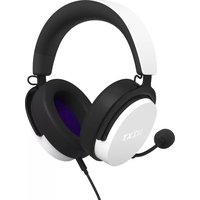
The complete NZXT Audio System consists of the NZXT Relay Speaker System (described in this guide), NZXT Relay Subwoofer, NZXT SwitchMix, and NZXT Relay Headset. All of the NZXT Audio System components are high-end desktop PC gaming audio products by themselves, but combined together, they unlock additional functionality and performance.
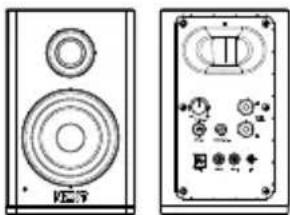
A Active Speaker (Left)
×1
natural_image
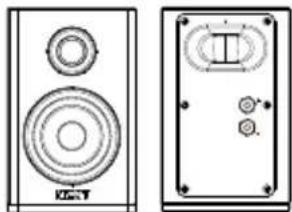
Two electronic speaker modules shown side by side, one with a speaker and two others with control knobs (no visible text or labels)B Passive Speaker (Right)
×1
natural_image
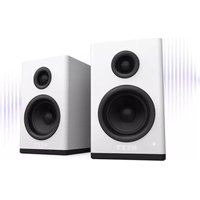
Technical line drawing of two speakers with circular speaker rings and a front panel (no text or symbols)The left "active" speaker houses the amplifier, power interface, volume control, and I/O panel. The right "passive" speaker houses only a woofer and tweeter and is driven by the active speaker. The passive speaker must be connected to the active speaker via the included speaker wire. The system is designed to operate correctly if the active speaker is placed on the left, and the passive speaker is on the right.
C Speaker Wire
×1
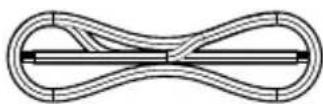
The Relay Speaker system comes complete with a speaker wire used to connect the built-in amplifier from the Active speaker to the Passive speaker. The connection is made by connecting the output terminals from the active speaker to the corresponding terminals on the passive speaker. Use the color-coded speaker to assist you to connect the positive terminal of the active speaker to the positive terminal of the passive speaker – and so on for the negative terminals of each speaker. These are marked by (+) and (-) symbols as shown in the diagram below.
D 3.5mm Cable
×2
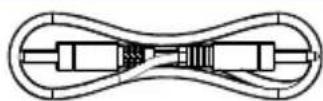
E L/R RCA Cable
×1

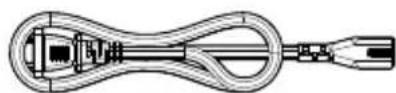
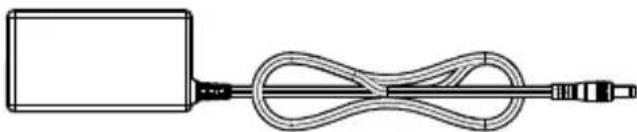
F Power Supply
×1
natural_image
Simple line drawing of a cable and connector with no text or symbols
natural_image
Line drawing of a TV setup with two speakers and a monitor, labeled A and B (no text or symbols on the devices themselves)STEP 1
Remember the Active Speaker is designed to be placed on the left side, and the Passive on the right. If these are switched, the sounds from your source will seem reversed.
Locate the speaker wire included in the packaging of your Relay Speaker System. On the rear side of the active speaker find the two (2) output terminals. These are marked by a red (+) and a black (-) symbol. Match the corresponding (+) and (-) terminals on the active speaker to the (+) and (-) terminals on the passive speaker. Insert each speaker wire into the exposed holes and tighten the screws. Important : Make sure the terminal screws are tight and secure, and all wiring is out of the way and safe from becoming a tripping hazard.
Locate the 3.5mm cable included and insert either end into the input jack titled "TRS" on the reverse side of the active speaker. Plug the opposite end into the 3.5mm connection on SwitchMix or any audio device that utilizes a 3.5mm output connection.
STEP 4
Plug the included power cable input from the DC power adapter into the back of the active speaker. Connect the DC power adapter to an AC power source.
natural_image
Line drawing of a device control panel with buttons and a hand pointing to the button (no text or symbols present)2
natural_image
Diagram of a device labeled 'NZXT' with concentric circles and a purple circle highlighting a central point (no text or symbols beyond label)STEP 5
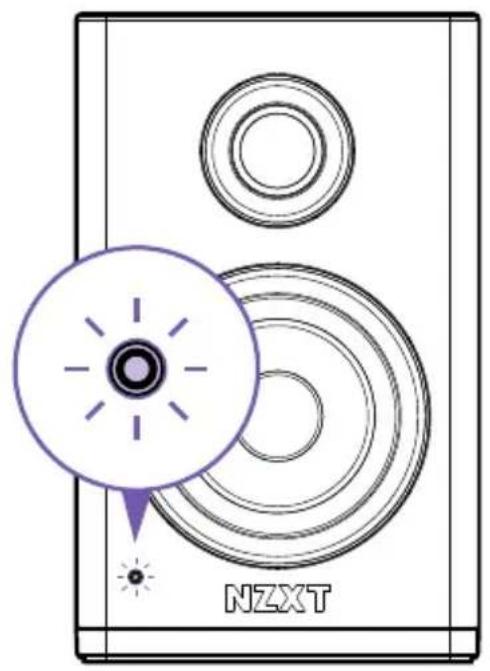
Power on the speakers pressing the power button. The LED on the front of the active speaker should now be on.
STEP 6
Rotate the volume knob clockwise. We suggest turning the volume knob to 12 o'clock (50%) and utilizing the volume on the sound source to dial-in an appropriate setting for your environment.
Note : Make sure the volume output is down on your device as well and slowly increase volume to taste. Important! Always be cautious when increasing volume in order to prevent damage to your hearing.
Adjusting to Acoustic Environment
The NZXT Relay Speaker System will sound different depending on the acoustic space immediately surrounding your desk environment. To optimize the sonic potential of your new speakers, we suggest the following:
natural_image
Line drawing of a person sitting at a desk with two speakers and a monitor, no text or symbols presentSTEP 1
Try to place the speakers so that the tweeters are aimed up as close to the height of your ears as possible. Place the subwoofer on the floor at a halfway point between the two speakers.
Speakers closer to walls or corners will have a naturally high bass response. If this is the case in your environment, try moving the speakers slightly towards or away from nearby walls and observe the results.
Pointing the speakers slightly inward will produce a better stereo image for some listeners.
HOW TO CONNECT THE NZXT RELAY SUBWOOFER
CÓMO CONECTAR EL ALTAVOZ DE SUBGRAVES RELAY DE NZXT COMMENT CONNECTER LE CAISSON DE BASSE NZXT RELAY ANSCHLIESSEN DES NZXT RELAY-SUBWOOFERS COME COLLEGARE IL SUBWOOFER A RELÈ NZXT COMO LIGAR O SUBWOOFER NZXT RELAY
natural_image
Line drawing of a desktop setup with two speakers and a monitor, no text or symbols presentIntro
The NZXT Relay speakers include a pre-amplified subwoofer output in order to add a separate subwoofer. While not strictly necessary, adding a sub enables a deeper lower octave audio experience.
Introducción
STEP 1
Connect the subwoofer to the "SUB OUTPUT" connector on the rear of the active speaker panel via any audio cable with a standard RCA connector. A cable of this type is included with the Relay Subwoofer.
Connecting the NZXT Relay Subwoofer to other audio systems
The NZXT Relay Subwoofer is compatible with any audio system utilizing an RCA-style subwoofer output. Simply connect the subwoofer to the corresponding output connection. Refer to your speaker or audio device manual for more information.
natural_image
Line drawing of a modern TV setup with two speakers and a monitor on a stand (no text or symbols)Using the NZXT Relay Speakers with NZXT SwitchMix
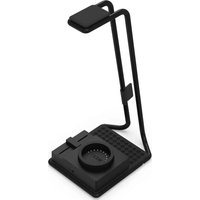
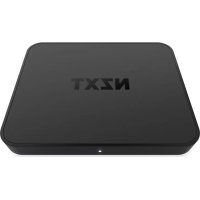
The NZXT SwitchMix, Realy Speaker System, and Relay Headset are designed to seamlessly integrate, and when connected together, they unlock the ultimate potential of the NZXT sound experience. The SwitchMix toggles between connected speakers or headsets automatically. When the Stand detects that a connected headset is docked into the storage position, it will automatically mute the headset and direct audio to the connected speakers. And conversely, when a connected headset is lifted from the Stand, audio to the speakers becomes muted and the headset becomes the active audio output.
Utilizar as Colunas NZXT Relay com o SwitchMix NZXT
To connect your Relay Speaker System to SwitchMix, follow the following instructions:
natural_image
Diagram of a portable electronic device with ports and a purple circular annotation highlighting a port (no text or symbols present)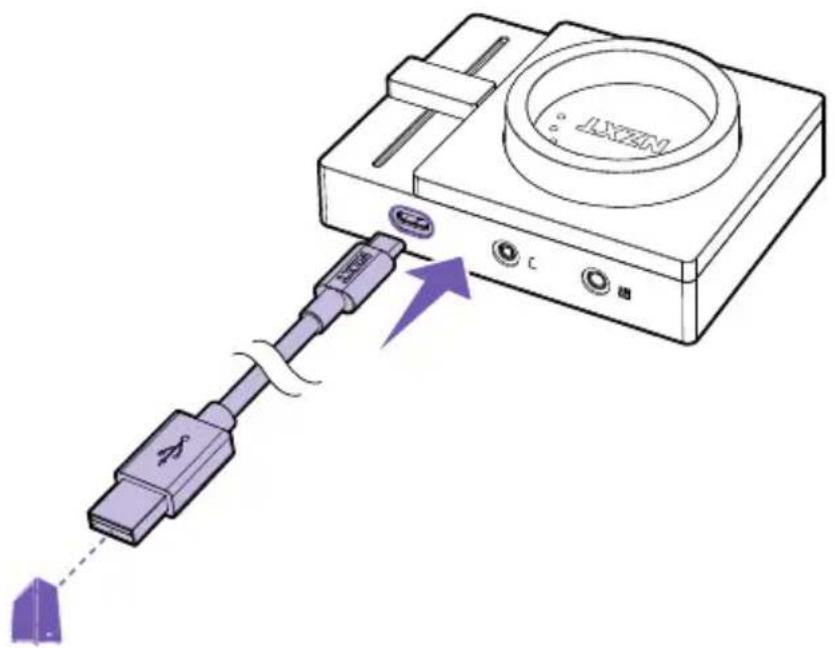
STEP 1
Connect the SwitchMix to your PC via the USB Connection.
STEP 2
Connect to Mixer.
natural_image
Front view of a portable electronic device with ports and a highlighted button (no text or symbols)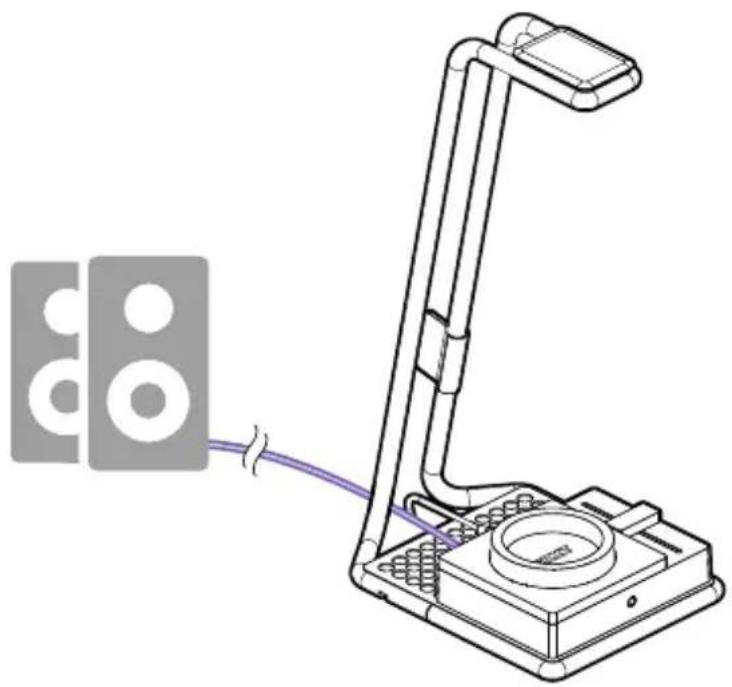
natural_image
Technical line drawing of a handheld device with a purple cable and two circular components attached (no text or symbols)STEP 3
Connect the speaker output of the SwitchMix (identified by speaker symbols) to the 3.5mm input of your Relay Speaker System.
natural_image
Line drawing of a printer with a purple circular button and an ear icon at the bottom (no text or symbols)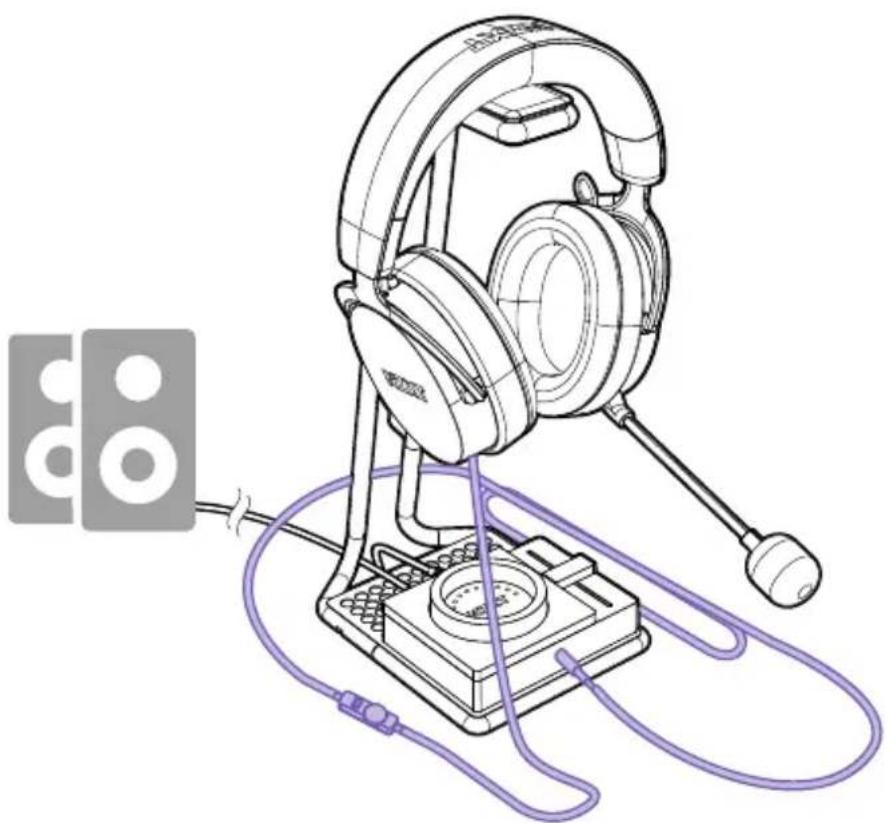
natural_image
Line drawing of a headboard-mounted audio headset with attached microphone and cable, no text or symbols presentSTEP 4
If you have a headset or headphones, connect them to the front 3.5mm headset output located on the front of SwitchMix.
BASIC TROUBLESHOOTING
If your NZXT Relay Speaker system has no sound, check...
- Are both ends of the 3.5mm audio cable firmly pushed into their 3.5mm audio connectors?
- Is the volume level of the device you are connected to set to minimum or muted?
- Is the volume level of the volume knob set to minimum (all the way counter-clockwise)?
If you NZXT Relay Speaker system has no bass response, check...
- Are the speaker wires terminated correctly into (+) and (-)? If so, you may also notice a shift in stereo imaging
• Is your Relay Subwoofer turned on? - Is your Relay Subwoofer's volume turned up?
If your NZXT Relay Speaker system has a humming sound, check...
- That all connections on the terminal are secured.
- The screws are hand-tight and not rattling.
Support
If you have an issue and you need further help to resolve, please contact us via email at: support@nzxt.com
BASIC TROUBLESHOOTING
BASIC TROUBLESHOOTING
BASIC TROUBLESHOOTING
BASIC TROUBLESHOOTING
RESOLUCIÓN DE PROBLEMAS BÁSICOS DÉPANNAGE ÉLÉMENTAIRE EINFACHE FEHLERBEHEBUNG RISOLUZIONE DEI PROBLEMI DI BASE RESOLUÇÃO DE PROBLEMAS BÁSICA
| Woofer 3" | |
| Tweeters 20mm | |
| Speaker THD <1% @ 1KHz | |
| Amplifier Class Class D | |
| Nominal Impedance Tweeter: 12 ohm +/-15%, Woofer: 8 ohm +/- 15% | |
| Total Harmonic Distortion (Amplifier output) THD < 0.5% @ 0 dBV input, 20 W output per channel | |
| Crossover Frequency 1600 Hz | |
| Inputs RCA, TRS | |
| Outputs Subwoofer, Speaker Terminals | |
| Input Sensitivity Per Channel 20W = 0.5 VRMS,1W: 0.115VRMS | |
| Power Output of Total Two Speakers 40W Average (Peak 80W) | |
| Standby Power Consumption 0.3W | |
This NZXT Global Warranty Policy governs the sale of products by NZXT to you.

I. WARRANTY LENGTH
New NZXT Product Warranty Length
Audio 2 Years
Any replacement product will be covered under warranty for the remainder of the warranty period or thirty days, whichever is longer. Proof of purchase is required for warranty service.
II. WHO IS PROTECTED
The Warranty covers only NZXT products purchased by the original consumer.
III. WHAT IS AND IS NOT COVERED
Please note that our warranty is not an unconditional guarantee. If the product, in NZXT's reasonable opinion, malfunctions within the warranty period, NZXT will provide you at its sole discretion with a repaired or replacement product, either new or refurbished, with a similar function that is equal or greater in value depending on supply. Our warranty does not cover the following:
- any product or serial number/warranty sticker modification applied without permission from NZXT;
- any damage that is not a manufacturing defect;
- damage, deterioration or malfunction resulting from: accident, abuse, misuse, neglect, fire, water, lightning, or other acts of nature, unauthorized product modification or failure to follow instructions included with the product;
- improper installation, unauthorized alterations or modifications, or repair or attempted repair by anyone not authorized by NZXT;
- shipping or transport damage (claims must be made with the carrier);
- normal wear and tear.
NZXT does not warrant that this product will meet your requirements. It is your responsibility to determine the suitability of this product for your purpose. For NZXT Store orders, we cover two way return shipping for all exchanges and returns. For all other authorized dealers, NZXT Support does not cover return shipping and only covers one way shipping from NZXT back to the end user for exchanges. Two way expedited shipping is provided for all PSUs covered under the Less Than Three program, indiscriminate of purchase location, provided the location is an approved NZXT reseller.
IV. EXCLUSION OF DAMAGES (DISCLAIMER)
NZXT's sole obligation and liability under this warranty is limited to the repair or replacement of a defective product with either a new or refurbished product with a similar function that is equal or greater in value at our option. NZXT shall not, in any event, be liable for any incidental or consequential damage, including but not limited to damages resulting from interruption of service and loss of data, business, or for liability in tort relating to this product or resulting from its use or possession.
V. LIMITATIONS OF IMPLIED WARRANTIES
There are no other warranties, expressed or implied, including but not limited to those of merchantability or fitness for a particular purpose. The duration of implied warranties is limited to the warranty length specified in Paragraph I.
VI. TO OBTAIN TECHNICAL SUPPORT
If you have already referenced your product owner's manual and still need help, you may contact us by phone at +1 (800) 228-9395, by email at service@nzxt.com, or visit the NZXT Support site at nzxt.com/customer-support.
VII. HOW TO OBTAIN A WARRANTY SERVICE FROM NZXT
To receive a warranty service for your product when purchased directly from NZXT, you must submit a request via the NZXT Support site outlining the problem. If a technician deems the product defective or requiring testing, you will be required to provide a copy of your proof of purchase, which will enable you to submit a Return Merchandise Authorization "RMA" request.
Once approved, you'll receive an RMA number, upon which you will be asked to ship the defective item back to NZXT with the RMA number clearly marked or labelled on the package. NZXT recommends that appropriate measures are taken to safeguard the product from damage during shipping.
VIII. APPLICABLE LAW AND ADDITIONAL LEGAL RIGHTS FOR CONSUMERS
This warranty gives you specific legal rights. These conditions are governed and construed in accordance with the laws of California (with exception of its conflict of law provisions), and the application of the United Nations Convention of Contracts for the International Sale of Goods is expressly excluded. The non-exclusive jurisdiction of the courts of California is agreed, which means that you may bring a claim to enforce your consumer protection rights in connection with this Global Warranty in the country which you have your habitual residence where you may have additional rights. These rights may vary.
For original consumers who are covered by consumer protection laws or regulations in their country, state, or province of purchase or, if different, their country, state, or province of residence, the benefits conferred by this warranty are in addition to all rights and remedies conveyed by such consumer protection laws and regulations. To the extent that liability under such consumer laws can be limited, NZXT's liability is limited, and its sole option, to repair or replacement, either new or refurbished, with a similar function that is equal or greater in value depending on supply.
In the United Kingdom:
• For NZXT products sold to customers in the UK, during the expected lifespan of your product your legal rights entitle you to the following:
Up to 30 days: if your goods are faulty, then you can get an immediate refund.
Up to six months: if your goods can't be repaired or replaced, then you're entitled to a full refund, in most cases.
Up to six years: if your goods do not last a reasonable length of time you may be entitled to some money back.
- If the person seeking to rely on the guarantee is not the original consumer, the NZXT Warranty will cover the product in relation to that person provided that they are able to provide proof of the transfer of the benefit of the guarantee from the original consumer.
- The implied warranties under the Consumer Rights Act 2015 says that your goods must be as described, fit for all purposes for which such goods are usually supplied, and of satisfactory quality.
In the EU:
- If you are a consumer and have your habitual residence in the EU, you additionally enjoy the protection afforded to you by provisions that cannot be derogated from by agreement by virtue of the law where you have your habitual residence.
IX. WARRANTY SERVICE FROM RESELLERS
In the event that a warranty service is sought, you must provide proof of purchase (store receipt or invoice) in order to receive the service and if deemed necessary, repair or replacement product.
In North America:
Within the first 60 days after purchase, please return your product (or for power supplies installed within our enclosures, just the failed power supply) to your dealer or reseller for a replacement. If the product is still within warranty and you can no longer return it to your dealer, please contact NZXT Customer Support (see above) for assistance and instructions. NZXT will not accept returns without prior approval and an RMA number.
In Europe:
Within the first year after purchase, please return your product (or for power supplies installed within our enclosures, just the failed power supply) to your dealer or reseller for a replacement. If the product is still within warranty and you can no longer return it to your dealer, please contact NZXT Customer Support (see above) for assistance and instructions. NZXT will not accept returns without prior approval.

In Australasia:

Within the first two years after purchase, please return your product (or for power supplies installed within our enclosures, just the failed power supply) to your dealer or reseller for a replacement. If the product is still within warranty and you can no longer return it to your dealer, please contact NZXT Customer Support (see above) for assistance and instructions. NZXT will not accept returns without prior approval.
The cost of shipping will be borne at the first instance by you; however, if the purchased item is defective, NZXT will reimburse reasonable postage or transportation of costs.
Outside North America, Europe, and Australasia:
If your product needs to be returned within the warranty period, please contact the retailer or distributor from whom you purchased the product.
X. NZXT.COM STORE RETURNS/EXCHANGE POLICY
Eligible products under this NZXT Warranty qualify for a full refund or exchange only with an authorized RMA number and if the item is returned to the NZXT.com store inventory within 30 days of purchase. Returns are not allowed beyond 30 days of the purchase date. The NZXT.com Store reserves the right to deny any return or exchange. Refunds will be credited to the original method of payment. To initiate a return, simply submit a request via NZXT support site.
Visit nzxt.com/warranty and support.nzxt.com for information on warranty coverage and service.
Visite el sitio Web nzxt.com/warranty y support.nzxt.com para obtener información sobre la cobertura y el servicio de la garantía.
Visitez nzxt.com/warranty et support.nzxt.com pour les informations de la couverture de la garantie et du service.
Informationen zu Geltungsbereich und Service der Garantie finden Sie unter support.nzxt.com und nzxt.com/warranty.
Visitare il sito nzxt.com/warranty e support.nzxt.com per informazioni sulla copertura e sul servizio della garanzia.
Visite nzxt.com/warranty e support.nzxt.com para obter informações sobre a cobertura da garantia e assistência.
제품 보증 범위와 서비스 정보를 확인하시려면 nzxt.com/warranty 또는 support.nzxt.com을 방문해 주시기 바랍니다.
保証範囲およびサービスに関する情報については、support.nzxt.com と nzxt.com/warranty にアクセスしてください。
请造访 nzxt.com/warranty 和 support.nzxt.com 了解保修范围和服务的信息。
請訪問 nzxt.com/warranty 和 support.nzxt.com 了解產品保固範圍和更多服務訊息。
NZXT, Inc. | 15736 E. Valley Blvd, City of Industry, CA 91744, USA
NZXT UK Ltd. | First Floor 5 Fleet Place London EC4M 7RD, GB United Kingdom
+1 (800) 228-9395 / service@nzxt.com / nzxt.com
REGULATORY STATEMENT

The maximum ambient temperature is 50irc C, the maximum normal operating temperature of the radiator (coolant) is 60irc C, and the maximum abnormal temperature of the radiator (coolant) is 70irc C.
This equipment is not suitable for use in locations where children are likely to be present.

CE Directive
The device complies with the requirements set out in the Council Directives relevant Union harmonization legislation:
• EMC Directive 2014/30/EU
• RoHS Directive 2011/65/EU & (EU) 2015/863
• LVD Directive 2014/35/EU
• Ecodesign Directive 2009/125/EC
DÉCLARATION DE CONFORMITÉ
The object of the declaration described above is in conformity with the relevant UK harmonization legislation:
• Electromagnetic Compatibility Regulations 2016
• Electrical Equipment (Safety) Regulations 2016
• The Restriction of the Use of Certain Hazardous Substances in Electrical and Electronic Equipment Regulations 2012
• The Ecodesign for Energy-Related Products and Energy Information (Amendment) (EU Exit) Regulations 2019
RoHS statement
This product is compliant to implemented RoHS (Restriction of Hazardous Substances) type regulations worldwide, including but not limited to Japan, India, Korea, and European Union.
REACH statement
EU REACH SVHC Disclosure on Candidate List
REACH (Registration, Evaluation, Authorization and Restriction of Chemicals, EC 1907/2006) is the European Union's (EU) chemical substances regulatory framework. REACH requires NZXT Inc. to provide customers with sufficient information on Substances of Very High Concern (SVHC) contained in products in concentration above 0.1% weight by weight (w/w) to allow safe use of the product.
WEEE
To protect the global environment and as an environmentalist, NZXT must remind you that...Under the European (“EU”) Directive on Waste Electrical and Electronic Equipment, Directive 2012/19/EU, effective February 14, 2014, products of “electrical and electronic equipment” cannot be discarded as municipal wastes, and manufacturers of covered electronics must take back such products at the end of their useful life. NZXT will comply with the product take back requirements at the end-of-life of NZXT products that are sold within the EU. You can return these products to local collection points.
FCC Compliance Statement
This equipment has been tested and found to comply with the limits for a Class B digital device, pursuant to Part 15 of the FCC Rules. These limits are designed to provide reasonable protection against harmful interference in a residential installation. This equipment generates, uses, and can radiate radio frequency energy and, if not installed and used in accordance with the instructions, may cause harmful interference to radio communications. However, there is no guarantee that interference will not occur in a particular installation. If this equipment does cause harmful interference to radio or television reception, which can be determined by turning the equipment off and on the user is encouraged to try to correct the interference by one or more of the following measures: Reorient or relocate the receiving antenna Increase the separation between the equipment and the receiver. Connect the equipment onto an outlet on a circuit different from that to which the receiver is connected Consult the dealer or an experienced radio/TV technician for help Shielded interconnect cables and a shielded AC power cable must be employed with this equipment to ensure compliance with the pertinent RF emission limits governing this device. Changes or modifications not expressly approved by the system's manufacturer could void the user's authority to operate the equipment.
SUPPORT AND SERVICE

SUPPORT AND SERVICE
If you have any questions or problems with the NZXT product you purchased, please don't hesitate to contact us using our support system. service@nzxt.com support.nzxt.com
Please include a detailed explanation of your problem and your proof of purchase. For comments and suggestions, you can e-mail our design team, designer@nzxt.com.
Lastly we would like to thank you for your support by purchasing this product. For more information about NZXT, please visit us online. NZXT Website: NZXT.com
SOPORTE Y SERVICIO
NZXT, Inc. | 15736 E. Valley Blvd, City of Industry, CA 91744, USA
NZXT UK Ltd. | First Floor 5 Fleet Place London EC4M 7RD, GB United Kingdom
+1 (800) 228-9395 / service@nzxt.com / nzxt.com
- RELAY SPEAKER
- TABLE OF CONTENTS
- INTRODUCTION TO NZXT RELAY SPEAKERS
- Introduction to Relay Speakers
- About NZXT's Complete Audio Solution
- A Active Speaker (Left)
- B Passive Speaker (Right)
- C Speaker Wire
- D 3.5mm Cable
- E L/R RCA Cable
- F Power Supply
- STEP 1
- STEP 4
- STEP 5
- STEP 6
- Adjusting to Acoustic Environment
- HOW TO CONNECT THE NZXT RELAY SUBWOOFER
- Intro
- Introducción
- Connecting the NZXT Relay Subwoofer to other audio systems
- Using the NZXT Relay Speakers with NZXT SwitchMix
- Utilizar as Colunas NZXT Relay com o SwitchMix NZXT
- STEP 2
- STEP 3
- BASIC TROUBLESHOOTING
- If your NZXT Relay Speaker system has no sound, check...
- If you NZXT Relay Speaker system has no bass response, check...
- If your NZXT Relay Speaker system has a humming sound, check...
- Support
- WARRANTY LENGTH
- New NZXT Product Warranty Length
- WHO IS PROTECTED
- WHAT IS AND IS NOT COVERED
- EXCLUSION OF DAMAGES (DISCLAIMER)
- LIMITATIONS OF IMPLIED WARRANTIES
- TO OBTAIN TECHNICAL SUPPORT
- HOW TO OBTAIN A WARRANTY SERVICE FROM NZXT
- APPLICABLE LAW AND ADDITIONAL LEGAL RIGHTS FOR CONSUMERS
- In the United Kingdom:
- In the EU:
- WARRANTY SERVICE FROM RESELLERS
- In North America:
- In Europe:
- In Australasia:
- Outside North America, Europe, and Australasia:
- NZXT.COM STORE RETURNS/EXCHANGE POLICY
- REGULATORY STATEMENT
- CE Directive
- DÉCLARATION DE CONFORMITÉ
- RoHS statement
- REACH statement
- WEEE
- SUPPORT AND SERVICE
- SOPORTE Y SERVICIO
Brand : NZXT
Model : Relay Subwoofer
Category : Memory reader