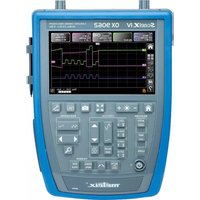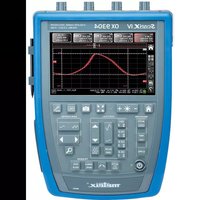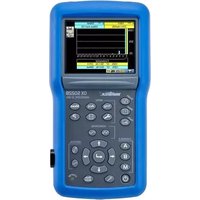
OX 5022B - Measuring equipment METRIX - Free user manual and instructions
Find the device manual for free OX 5022B METRIX in PDF.


| Product Type | 3-in-1 portable digital oscilloscope (oscilloscope, multimeter, harmonic analyzer) |
| Brand | Metrix (Chauvin Arnoux) |
| Model | OX 5022B |
| Bandwidth | 20 MHz |
| Sampling rate | 50 MS/s |
| Number of channels | 2 isolated channels |
| Acquisition depth | 2500 points |
| Display | Color TFT LCD screen |
| Power supply | Mains via USB adapter (5 V) or 6 NiMH rechargeable batteries (1.2 V AA) |
| Battery life | Approximately 4 hours with NiMH rechargeable batteries (depending on usage) |
| Dimensions (L x W x H) | Approximately 230 x 120 x 50 mm |
| Weight | Approximately 0.8 kg (with batteries) |
| Maximum measurement category | 600 V CAT III (between channels and to ground) |
| Main functions | Oscilloscope, 2-channel 8000-count multimeter, harmonic analyzer (up to 31st order) |
| Math functions | A+B, A-B, A×B, A/B, -A, -B |
| Automatic measurements | Vmin, Vmax, Vpp, Vlow, Vhigh, Vamp, Vrms, Vavg, Trise, Tfall, W+, W-, period, frequency, duty cycle, pulse count, overshoot, phase |
| Memory | 2 MB (stores traces, configurations, screenshots) |
| Interfaces | Isolated optical USB, USB jack, optical connector |
| Maintenance and cleaning | Clean with a soft dry cloth. Do not use solvents. |
| Safety | Double/reinforced insulation, compliant with IEC/EN 61010-2-030, protection against electric shock |
| Spare parts and repairability | Accessories available on www.chauvin-arnoux.com. Repair only by authorized personnel. |
| General information | Made in France. CE and UKCA marks. Compliant with WEEE and RoHS directives. |
Frequently Asked Questions - OX 5022B METRIX
User questions about OX 5022B METRIX
0 question about this device. Answer the ones you know or ask your own.
Ask a new question about this device
Download the instructions for your Measuring equipment in PDF format for free! Find your manual OX 5022B - METRIX and take your electronic device back in hand. On this page are published all the documents necessary for the use of your device. OX 5022B by METRIX.
USER MANUAL OX 5022B METRIX
38.1. Introduction....96
38.2. Events and status management....96
38.3. IEEE 488.2 Commands....98
38.4. Tree structure 100
39. SCPI COMMANDS....101
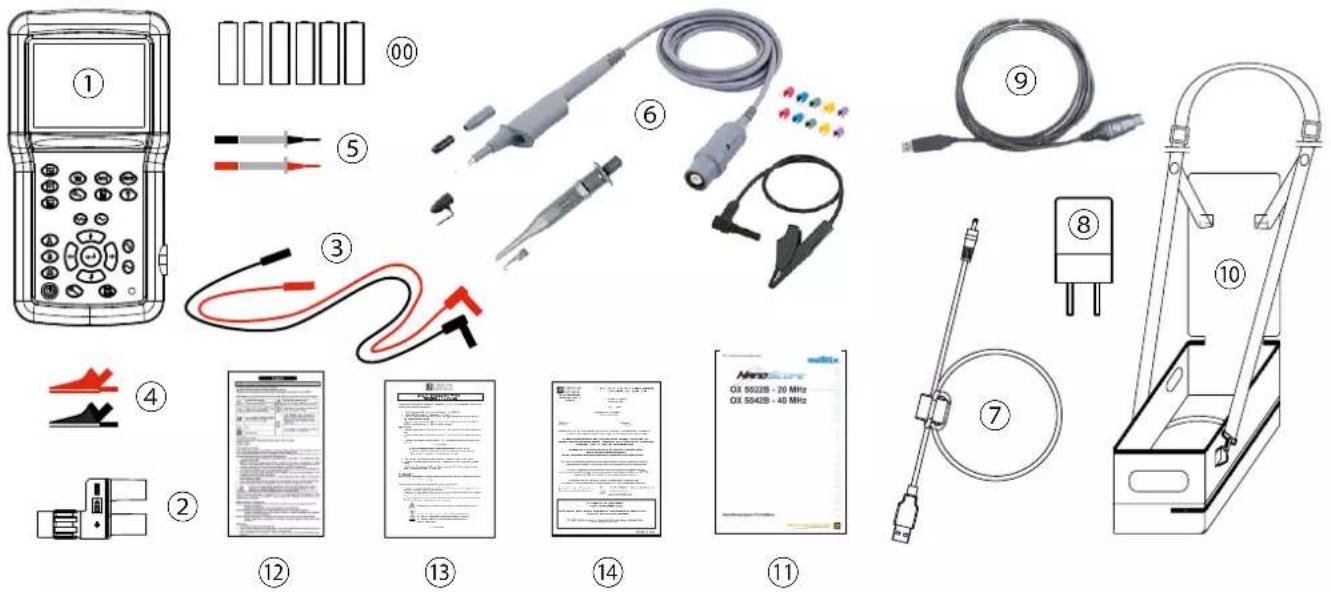
1. ÉTAT DE LIVRAISON
1.1. DÉBALLAGE
text_image
Exploded view diagram of electronic testing devices with numbered labels and component descriptionstext_image
Technical diagram of a device with labeled parts, showing hand operating a tool or component.
natural_image
Technical line drawing of a mechanical assembly with multiple curved components and ground connections (no text or symbols)text_image
Analog ground ANALOG INPUT DIGITAL OUTPUT Digital ground Analog ground ANALOG INPUT DIGITAL OUTPUT Digital groundnatural_image
Close-up of a mechanical device with visible internal components and wiring (no text or symbols)3.1. SIX TOUCHES "MENU"
Trigger

affiche le menu principal "Trigger"
Acquisition

affiche le menu principal "Acquisition"
Outil

text_image
Ch A: A ◆ ↘ filter off ×1 Vtext_image
Ch A: A ◆ ~ filter off ×1 Vtext_image
A ~ 1.00V B = 2.00V OFF 5KHz 1.5MHz 5.00ms/DIV 50.0kS/s AUTO A RUN Ch A: A ~ filter off ×1 Vline
| Time (μs/DIV) | A | B | | ------------- | ------- | ------- | | 0 | 1.00V | 1.00V | | 20 | 0.00V | 0.00V | | 40 | 1.00V | 1.00V | | 60 | 0.00V | 0.00V | | 80 | -1.00V | -1.00V | | 100 | 1.00V | 1.00V | | 120 | 0.00V | 0.00V | | 140 | -1.00V | -1.00V | | 160 | 1.00V | 1.00V | | 180 | 0.00V | 0.00V | | 200 | -1.00V | -1.00V | | 220 | 1.00V | 1.00V | | 240 | 0.00V | 0.00V | | 260 | -1.00V | -1.00V | | 280 | 1.00V | 1.00V | | 300 | 0.00V | 0.00V | | 320 | -1.00V | -1.00V | | 340 | 1.00V | 1.00V | | 360 | 0.00V | 0.00V | | 380 | -1.00V | -1.00V | | 400 | 1.00V | 1.00V | | 420 | 0.00V | 0.00V | | 440 | -1.00V | -1.00V | | 460 | 1.00V | 1.00V | | 480 | 0.00V | 0.00V | | 500 | -1.00V | -1.00V | | 520 | 1.00V | 1.00V | | 540 | 0.00V | 0.00V | | 560 | -1.00V | -1.00V | | 580 | 1.00V | 1.00V | | 600 | 0.00V | 0.00V | | 620 | -1.00V | -1.00V | | 640 | 1.00V | 1.00V | | 660 | 0.00V | 0.00V | | 680 | -1.00V | -1.00V | | 700 | 1.00V | 1.00V | | 720 | 0.00V | 0.00V | | 740 | -1.00V | -1.00V | | 760 | 1.55° | -1.55° | | 780 | -1.55° | -1.55° | | 80 | -2.55° | -2.55° | | 82 | -3.55° | -3.55° | | 84 | -4.55° | -4.55° | | 86 | -5.55° | -5.55° | | 88 | -6.55° | -6.55° | | 9 | -7.55° | -7.55° | | | | |line
| Time (μs) | A (V) | B (V) | |-----------|-------|-------| | 0 | 0 | 0 | | 1 | 1.0 | 0 | | 2 | 0 | 1.0 | | 3 | -1.0 | 0 | | 4 | 0 | 1.0 | | 5 | 0 | 0 | | 6 | 1.0 | -1.0 | | 7 | 0 | 0 | | 8 | -1.0 | 1.0 | | 9 | 0 | 0 | | 10 | 0 | -1.0 | | 11 | 1.0 | 0 | | 12 | 0 | 1.0 | | 13 | -1.0 | 0 | | 14 | 0 | -1.0 | | 15 | 0 | 0 | | 16 | 1.0 | 1.0 | | 17 | 0 | 0 | | 18 | -1.0 | -1.0 | | 19 | 0 | 0 | | 20 | 0 | 1.0 | | 21 | 1.0 | 0 | | 22 | 0 | -1.0 | | 23 | -1.0 | 0 | | 24 | 0 | 1.0 | | 25 | 0 | 0 | | 26 | 1.0 | -1.0 | | 27 | 0 | 0 | | 28 | -1.0 | 1.0 | | 29 | 0 | 0 | | 30 | 0 | -1.0 | | | | |Trigger front montant

Trigger front descendant

text_image
A === 20.0mV B === 200 V OFF HF~ LF~ noise↑ A- 200μs/DIV 1.25MS/s TRIG A RUN Trigger: Trig T ◆ T ▶ filter off ↗line
| Time (μs/DIV) | Voltage (V) | | ------------- | ----------- | | 0 | 0 | | 1 | 1 | | 2 | 0 | | 3 | 1 | | 4 | 0 | | 5 | 1 | | 6 | 0 | | 7 | 1 | | 8 | 0 | | 9 | 1 | | 10 | 0 | | 11 | 1 | | 12 | 0 | | 13 | 1 | | 14 | 0 | | 15 | 1 | | 16 | 0 | | 17 | 1 | | 18 | 0 | | 19 | 1 | | 20 | 0 | | 21 | 1 | | 22 | 0 | | 23 | 1 | | 24 | 0 | | 25 | 1 | | 26 | 0 | | 27 | 1 | | 28 | 0 | | 29 | 1 | | 30 | 0 | | 31 | 1 | | 32 | 0 | | 33 | 1 | | 34 | 0 | | 35 | 1 | | 36 | 0 | | 37 | 1 | | 38 | 0 | | 39 | 1 | | 40 | 0 | | 41 | 1 | | 42 | 0 | | 43 | 1 | | 44 | 0 | | 45 | 1 | | 46 | 0 | | 47 | 1 | | 48 | 0 | | 49 | 1 | | 50 | 0 | | 51 | 1 | | 52 | 0 | | 53 | 1 | | 54 | 0 | | 55 | 1 | | 56 | 0 | | 57 | 1 | | 58 | 0 | | 59 | 1 | | 60 | 0 | | 61 | 1 | | 62 | 0 | | 63 | 1 | | 64 | 0 | | 65 | 1 | | 66 | 0 | | 67 | 1 | | 68 | 0 | | 69 | 1 | | 70 | 0 | | 71 | 1 | | 72 | 0 | | 73 | 1 | | 74 | 0 | | 75 | 1 | | 76 | 0 | | 77 | 1 | | 78 | 0 | | 79 | 1 | | 80 | 0 | | Note: The actual values may vary due to the random nature of the data generation. The provided values are just an example. The output should be empty. There is only one data point for the output. The output value is calculated based on the formula 'H' and 'LF'.