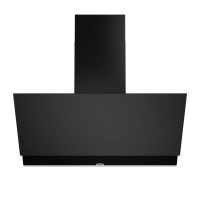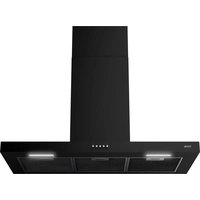
AB390ZT - Basket ETNA - Free user manual and instructions
Find the device manual for free AB390ZT ETNA in PDF.


User questions about AB390ZT ETNA
0 question about this device. Answer the ones you know or ask your own.
Ask a new question about this device
Download the instructions for your Basket in PDF format for free! Find your manual AB390ZT - ETNA and take your electronic device back in hand. On this page are published all the documents necessary for the use of your device. AB390ZT by ETNA.
USER MANUAL AB390ZT ETNA
natural_image
Diagram of a staircase with brick walls and a window, showing directional arrows indicating movement (no text or symbols)
natural_image
Diagram of a vertical structure with brick wall and adjacent equipment, showing airflow direction (no text or symbols)
GEBRUIK
Bediening
I
1
2
3

text_image
Diagram illustrating airflow or ventilation process with warning symbol and magnified detail viewVerlichting

text_image
Warning symbol for a trash bin with crossed lines indicating no waste or discharge, and a black rectangle below.natural_image
Diagram of a staircase with brick walls and a window, showing airflow direction (no text or symbols)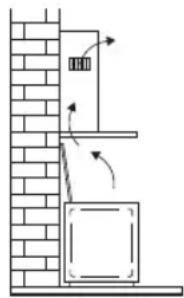
natural_image
Diagram of a vertical structure with brick wall and adjacent equipment, showing airflow direction (no text or symbols)
text_image
Diagram illustrating airflow or ventilation process with warning symbol and magnified detail viewÉclairage

text_image
Prohibition sign with crossed-out trash bin and no text or symbolsnatural_image
Diagram of a staircase with brick walls and a window, showing airflow direction (no text or symbols)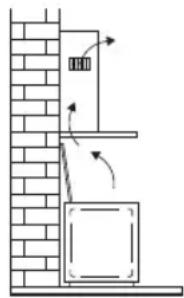
natural_image
Diagram of a vertical structure with brick wall and adjacent equipment, showing airflow direction arrows (no text or symbols)
text_image
Diagram illustrating airflow or ventilation process with warning symbol and magnified detail viewBeleuchtung

text_image
Symbol of a trash bin with crossed-out lanes and a blank rectangular bar belowEnvironmental aspects
Disposal of packaging and appliance 9
Introduction

Read through this user manual for quick information about all the options available to you with this appliance. It gives safety information and instructions for maintaining the appliance.
Keep the user manual and the installation instructions. They will be useful to any subsequent user of this appliance.
Read the separate safety instructions before using the appliance.
You can find the most recent version of the instructions for use on our website.
Description
text_image
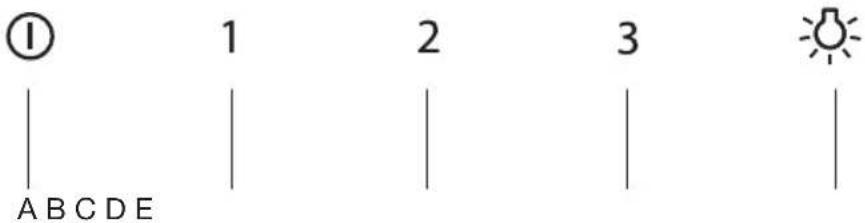
① 1 2 3 A B C D E 2 3A Button On/Off
B Button first speed
C Button second speed
D Button third speed
E Lighting button
Exhaust systems
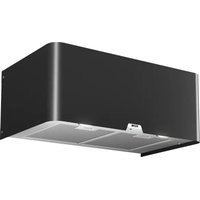
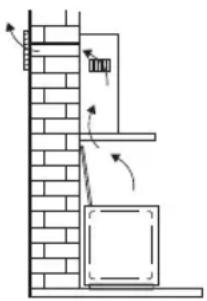
The cooker hood can, depending on the model, be connected in one of two ways:
- As a cooker hood connected to an exhaust duct. The cooking fumes are drawn into the cooking hood, filtered, and exhausted outdoors. This is the best way!
- As a recirculation cooker hood. The cooking fumes are drawn into the cooking hood and the grease droplets and odours are filtered out. The filtered air is not exhausted outdoors, but is returned to the kitchen. You then need to fit a carbon filter.
Note! The carbon filter must be ordered separately.
natural_image
Diagram of a staircase with brick walls and a window, showing airflow direction (no text or symbols)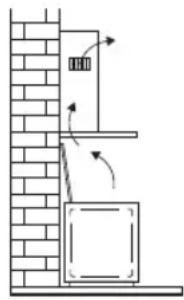
natural_image
Diagram of a vertical structure with brick wall and adjacent equipment, showing airflow or movement arrows (no text or symbols)
USE
Operation
①
1
2
3

Switching the fan on and off
- Select the required extractor speed by pressing button 1, 2 or 3.
- Switch the fan off by pressing the On/Off button.
- Press the lighting button.
The lighting comes on.
- Press the lighting button again.
The lighting goes off.
Cleaning

Attention! Before carrying out maintenance work, always disconnect the cooker hood from the power supply by pulling out the plug or switching off the power at the fuse box. The hood must be cleaned regularly, both inside as well as outside (with at least the same regularity as used for cleaning the grease filters). Do not use any products that contain abrasive materials. Do not clean with alcohol!
Attention! If you do not follow these instructions with regards to the cleaning of the appliance and the cleaning or replacement of the filters, this can lead to fire. It is essential to follow these instructions!
The manufacturer is not liable for damage to the motor or damage as a result of fire that is due to improper servicing or not following the above safety requirements.
Cooker hood
Clean the cooker hood with soapy water and a soft cloth. Then treat with clean water. Do not use any aggressive cleaning agents such as soda. The lacquer of the cooker hood will remain in good condition if you rub the lacquer with wax once in a while.
Stainless steel hoods
Do not use scouring sponges or other abrasives on stainless steel hoods. Finish with a non-abrasive, non-polishing agent and scrub in the direction of the brushing of the stainless steel.
Metal grease filters
Metal grease filters should be cleaned once a month (or when indicated by the filter saturation indication system, if present on your model), using a neutral cleaning agent, preferably by hand or in the dishwasher on a short, low-temperature program. Place the grease filters with the openings facing downwards in the dishwasher so the water can drain out of the filter. Aluminum-colored and black grease filters become dull as a result of dishwasher cleaning agents. This is normal and does not effect the working.
Grease filters
Removing the grease filters
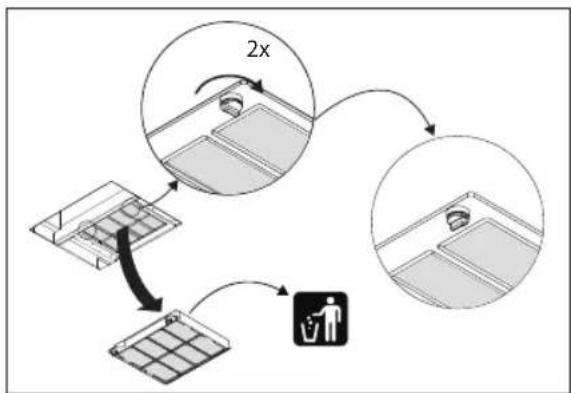
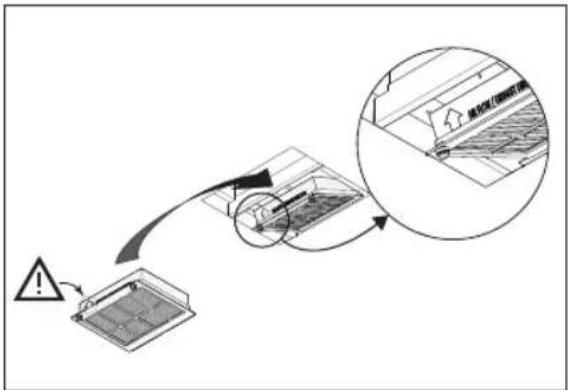
- Remove the filters one by one by pulling on their release handles.
Odour/fine particle filter HF3001
- More noise is produced when odour/fine particle filters are used than when the cooker hood is used with an exhaust vent.
- Odour/fine particle filters function optimally at a lower motor speed. Consequently, you should avoid the intensive setting as much as possible.
Replacing the odour/fine particle filter HF3001
The odour/fine particle filter must be replaced annually. To replace the filter, follow the instructions supplied with the new filter. The recirculation set HR0013 must be ordered for the first installation.
Important:
- The saturation of the filter depends on the intensity of use, the manner of cooking and the regularity with which the grease filters are cleaned.
flowchart
graph TD
    A["Input Grid Block"] --> B{2x Speed Limit}
    B --> C["Output Worker"]
    C --> D["Storage Unit"]
    D --> E["Output Grid Block"]
text_image
Diagram illustrating a warning or hazard process on a roof panel, with an arrow indicating the direction and magnified detail showing structural details.Lighting

This hood is fitted with a light system. This light system has to be replaced by an authorized technician. Do not attempt to replace it by yourself.

The lamp in this household appliance is only suitable for illumination of this appliance. The lamp is not suitable for household room illumination.
Disposal of packaging and appliance
Sustainable materials were used in the manufacture of this appliance. At the end of its life cycle, this appliance must be disposed of in a responsible manner. You can obtain more information from the authorities.
The packaging of the appliance is recyclable. The following materials may have been used:
- cardboard;
• polyethylene foil (PE);
• CFC-free polystyrene (PS hard foam).
Dispose of these materials in a responsible manner and in accordance with governmental provisions.
text_image
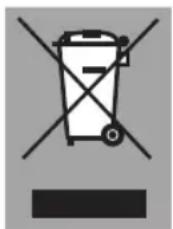
Prohibition sign with crossed-out trash bin and no text or symbolsTo designate the requirement of sorted processing of electrical household equipment, the symbol of a crossed-out waste container is displayed on the product. This means that at the end of its life span, the appliance may not be added to the regular household waste. The appliance must be brought to a special municipal centre for sorted waste collection or to a dealer that provides this service.
The separate processing of a household appliance prevents possible negative consequences for the environment and health which exist due to inappropriate processing. Separate processing ensures that the materials of which the appliance is made can be recovered to obtain a considerable savings of energy and raw materials.
Conformity declaration
CE
We declare that our products comply with the applicable European Directives, Resolutions and Regulations, as well as all requirements specified in the standards to which reference is made.
www.etna.nl
www.etna.be

916832