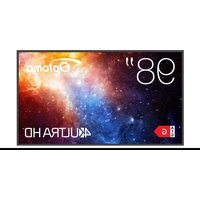
N3981K - Monitor OPTOMA - Free user manual and instructions
Find the device manual for free N3981K OPTOMA in PDF.


| Product type | 4K UHD Interactive Monitor |
| Brand | Optoma |
| Model | N3981K |
| Screen size | 98 inches (diagonal) |
| Resolution | 3840 x 2160 (4K UHD) |
| Dimensions (W x H x D) | 1930.8 x 1101.8 x 81.6 mm |
| Estimated weight | 50 kg (without stand) |
| Power supply | 100-240 V AC, 50/60 Hz |
| Typical power consumption | 350 W (estimated) |
| Operating system | Android 11 (customized) |
| Key features | 4K display, Creative Cast wireless sharing, PIP mode, screen recording, live streaming, image wall (up to 5x5), RS232 and LAN control |
| Connectivity | 3x HDMI (1 with CEC), USB-C (DP 1.2, Power Delivery 65W), 2x USB 2.0, 1x USB 3.0, RS232, RJ45 (LAN), audio output, SPDIF, HDMI output, OPS slot, Wi-Fi (via optional dongle), Bluetooth 5.2 |
| Built-in speakers | 2x speakers (power unspecified) |
| Wall mount compatibility | VESA 800 x 600 mm, M8 x 25L screws |
| Maintenance and cleaning | Unplug before cleaning. Use a soft, dry cloth for the screen and frame. Do not use water or liquid cleaners. Internal cleaning by a professional. |
| Security | OSD password lock, screen lock, unknown source enable/disable, controlled third-party app installation |
| Spare parts and repairability | Use only Optoma approved accessories. Repair by qualified personnel only. Contact Optoma support. |
| General information | Warranty varies by region. Certifications: ENERGY STAR, WEEE, FCC Class B. Includes remote control (AAA batteries included), power cord, documentation. Optional stand support. |
Frequently Asked Questions - N3981K OPTOMA
User questions about N3981K OPTOMA
0 question about this device. Answer the ones you know or ask your own.
Ask a new question about this device
Download the instructions for your Monitor in PDF format for free! Find your manual N3981K - OPTOMA and take your electronic device back in hand. On this page are published all the documents necessary for the use of your device. N3981K by OPTOMA.
USER MANUAL N3981K OPTOMA
Creative Board....72
Optoma Marketplace 88
Keeper 89
MediaPlayer....90
Optoma Management Suite (OMS)....99
INFORMATIONS SUPPLÉMENTAIRES .... 102
Dimensions....102
55 pouces....102
65 pouces....103
75 pouces....104
86 pouces....105
98 pouces....106
natural_image
Line drawing of a PC Enfichable OPS M router with two antennas and ports (no text or symbols on the device itself)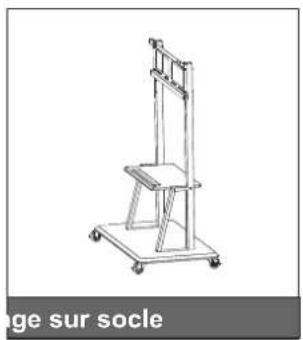
natural_image
Line drawing of a vertical support structure with wheels and a chair (no text or symbols)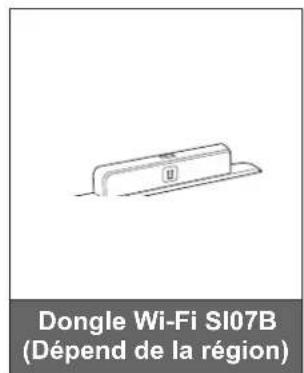
INTRODUCTION
INTRODUCTION
natural_image
Technical line drawing of a dual-tiered rack structure with no visible text or symbols75 pouces 86 pouces
![565.4mm [22.26] 800mm [31.50] 565.4mm [22.26] 250.9mm [9.88] 600mm [23.62] 4-M8×25 250.9mm [9.88]](/content/2026/04/660342/images/ab6d611b8b3314471fa144a8e61777c46ecd14a08239629e040b8dba1ba2361a.jpg)
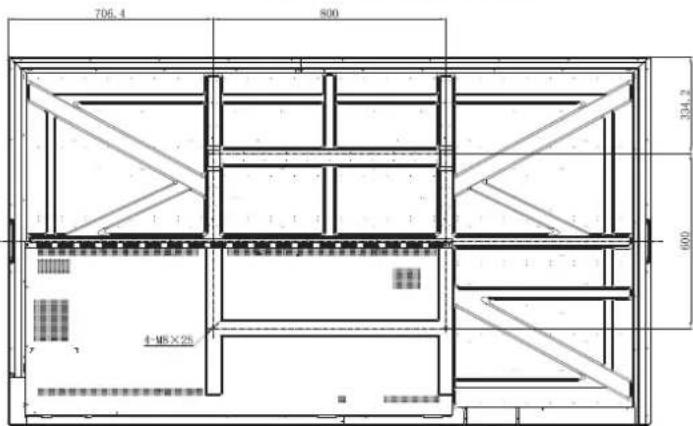
98 pouces
CONFIGURATION ET INSTALLATION
natural_image
Technical diagram of a mechanical component with a magnified inset showing a screw inserted into a slot (no text or symbols present)natural_image
Diagram showing a cylindrical device with a ring attached to a panel, connected to a dashed rectangular box (no text or symbols present)natural_image
Technical diagram of a wall-mounted device with a close-up inset showing a component labeled 'C' (no text or symbols present)Remarque :
natural_image
Technical line drawing of a mechanical component with a magnified inset showing a screw inserted into a bracket (no text or symbols)Remarque :
natural_image
Diagram showing a two-wheel platform with wheels and a close-up of its mechanical component (no text or symbols)natural_image
Technical line drawing of a vertical mechanical device with wheels and a blue arrow indicating direction (no text or symbols)CONFIGURATION ET INSTALLATION
natural_image
Diagram of a smartphone rear panel with a blue arrow indicating rotation (no text or symbols)natural_image
Diagram of a remote control panel with battery and indicator lights (no text or symbols)natural_image
Diagram of a smartphone with a blue arrow indicating the direction of change or motion (no text or symbols present)MISE EN GARDE
natural_image
Diagram showing a circular screen connected to a remote control with multiple function buttons (no text or symbols present)CONFIGURATION ET INSTALLATION
Connexions
natural_image
Diagram showing connection between a device and a laptop via USB cable (no text or symbols present)CONFIGURATION ET INSTALLATION
natural_image
Simple diagram showing a blue downward arrow between two hanging objects on a horizontal line (no text or symbols)natural_image
Diagram showing a blue upward arrow pointing to a gray base with a label 'II', above parallel lines (no text or symbols on the diagram itself)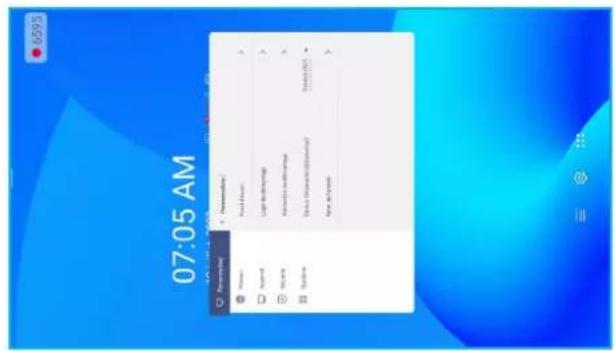
Paysage Portrait
| Advanced settings | |||
| USB WIFI Enable | <= | OPEN | => |
| USB Disk Enable | <= | OFF | => |
| Android input Enable | <= | OPEN | => |
| Back | |||
OPÉRATIONS DE BASE



Brand : OPTOMA
Model : N3981K
Category : Monitor