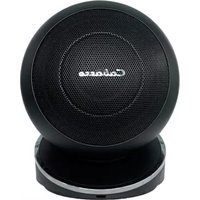
iO3 - Loudspeaker CABASSE - Free user manual and instructions
Find the device manual for free iO3 CABASSE in PDF.


| Brand | Cabasse |
| Model | iO3 |
| Product type | 2-way passive satellite speaker |
| Ways | 2-way (coaxial) |
| Speakers | Tweeter-midrange coaxial DOM25/13F15-2 |
| Crossover frequency | 2700 Hz |
| Frequency response | 145 - 22000 Hz |
| Sensitivity | 93 dB / 2.8 V / 1 m |
| Nominal impedance | 8 ohms |
| Nominal power | 80 W |
| Dimensions (on stand) | 19 x 16 x 20 cm |
| Weight (on stand) | 2.2 kg |
| Dimensions (on floor stand) | 112 x 33 x 33 cm |
| Weight (on floor stand) | 11.5 kg |
| Dimensions (flush ceiling) | ∅ 26 cm |
| Weight (flush ceiling) | 2 kg |
| Associated subwoofer | Santorin 25 (active) |
| Subwoofer frequency response | 30 - 150 Hz |
| Subwoofer nominal power | 200 W |
| Subwoofer dimensions | 42 x 36 x 38 cm |
| Subwoofer weight | 19 kg |
| Subwoofer power supply | 115/230 V AC, 50/60 Hz |
| Subwoofer max consumption | 165 W |
| Maintenance | Disconnect before cleaning, use a damp cloth |
| Warranty | Activation within 60 days after purchase (online or by card) |
Frequently Asked Questions - iO3 CABASSE
User questions about iO3 CABASSE
0 question about this device. Answer the ones you know or ask your own.
Ask a new question about this device
Download the instructions for your Loudspeaker in PDF format for free! Find your manual iO3 - CABASSE and take your electronic device back in hand. On this page are published all the documents necessary for the use of your device. iO3 by CABASSE.
USER MANUAL iO3 CABASSE
lifestyle HiFi Speaker
NOTICE D'INSTALLATION DES ENCEINTES ACOUSTIQUES LOUDSPEAKERS OWNER'S MANUAL
Cabasse

Since 1950
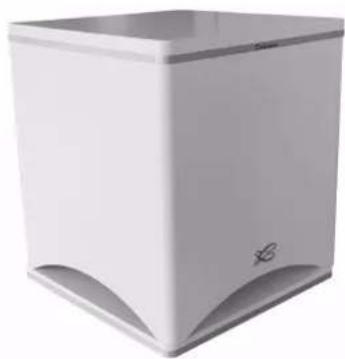
Santorin 25
caisson de graves
subwoofer
① MONTAGE MURAL DU SOCLE iO3
Wall mounting of the iO3 base
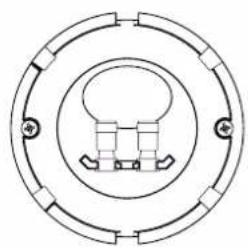
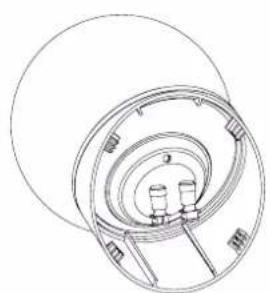
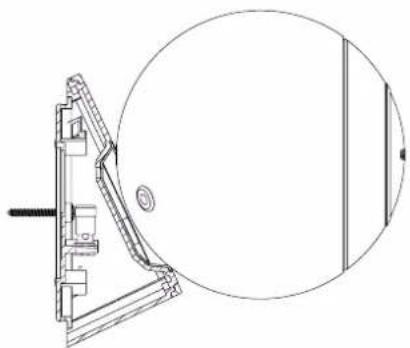
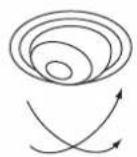
ATTENTION! : For wall mount always follow the first upper drawing regarding the set up of the base. The system is not designed for the here-under crossed-out layouts: reversed base and ceiling mounting.
② POSITIONS DU SATELLITE iO3 SUR SOCLE
iO3 speaker positions on its base
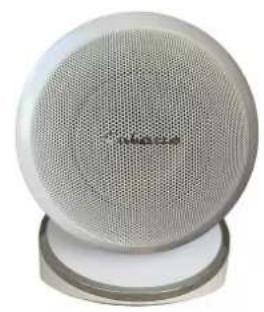
position horizontale horizontal position
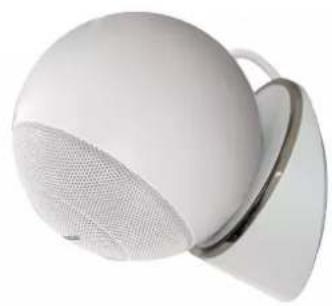
position verticale vertical position
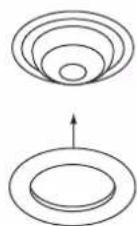
LA VERSION IN CEILING DU SATELLITE i03
The In Ceiling version of the iO3 speaker
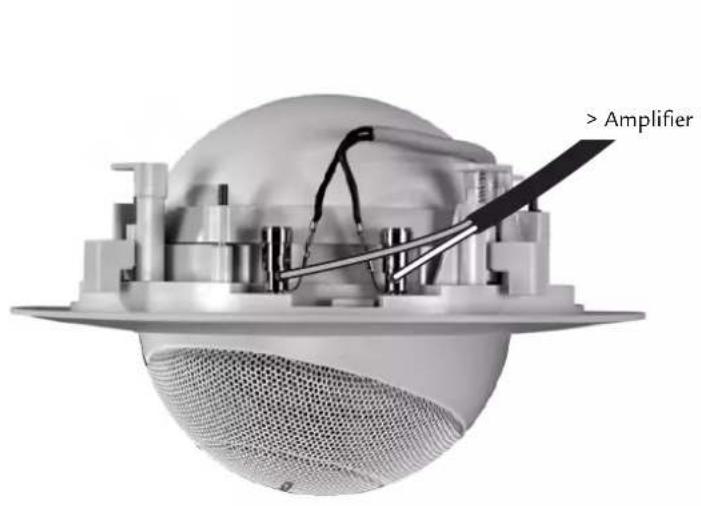
A
![graph TD A["Top Layer"] --> B["Concentric Layers"] B --> C["Bottom Layer"] C --> D["Concentric Layers"] D --> E["Bottom Layer"]](/content/2026/04/659673/images/2135dbdb3eda43b8cff2ef57855d22ec549c6c2f372b1a09b3b35318b1082ed0.jpg)
B
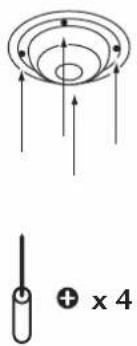
C
D
E
F
![graph TD A["Square"] --> B["Circle"] C["Square"] --> B D["Square"] --> B E["Circle"] --> F["Circle"] G["Circle"] --> F H["Circle"] --> F I["Circle"] --> F J["Circle"] --> F K["Circle"] --> F L["Circle"] --> F M["Circle"] --> F N["Circle"] --> F O["Circle"] --> F P["Circle"] --> F Q["Circle"] --> F R…](/content/2026/04/659673/images/3a0fd5edacf1a86c2224ad98b8823e099599a66ab1f290e6057d2843c2c970cd.jpg)
③ POSITIONNEMENT DES SATELLITES i03 ET DU CAISSON DE GRAVES SANTORIN 25
iO3 speakers and Satorin 25 subwoofer positioning

Configuration 5.1 (Audio Video)
5 satellites iO3 + 1 caisson de graves
Santorin 25
5.1 configuration (Audio Video)
5 iO3 speakers + 1 Santorin 25 subwoofer
Attention aux chariots de manutention
Thank you very much for choosing Cabasse speakers.
Please read carefully these instructions before setting up your speakers.
SAFETY INSTRUCTIONS
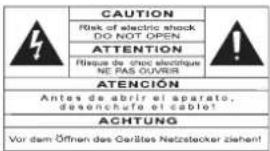
Explanation of graphical symbols - The lightning flash
with arrowhead symbol, within an equilateral triangle, is intended to alert you
to the presence of uninsulated “dangerous voltage” within the product’s enclosure that may be of sufficient magnitude to constitute a risk of electric shock to persons.
The exclamation point within an equilateral triangle is intended to alert you to the presence of important operating and maintenance (servicing) instructions in the literature accompanying the appliance.
Instructions - Carefully read through all the safety and operating instructions before switching on any device for the first time.
Keep these instructions in mind - They will be constantly referred to through this manual.
Pay special care to warnings - All the warning labels on the product or warning notes in the user's manual must be followed.
Follow the instructions - Follow carefully all the installation and operation instructions.
Cleaning - Always take off the power cord before cleaning the device. Do not use cleaning solvent, whether liquid or air spray. Using a soft damp cloth is recommended.
Accessories - To avoid incidents, only use accessories expressly recommended by Cabasse.
Water and moisture - The product shall not be used in damp or wet locations, such as humid basements, next to a bathtub, sink, swimming pool or any other similar conditions.

Carts and Stands - The appliance should be used only with a cart or stand that is recommended by the manufacturer.
Portable cart warning
Installation on a piece of furniture and stands -
Do not place this device on an unsteady surface, i.e. a stand, tripod, table, shelf, etc. It may fall and cause serious injury to a nearby child or adult.
Ventilation outlets - The device shall not be placed in a position that restrains the operation of its fans. Avoid installing the device on a bed, couch, blanket or other similar surfaces that may prevent the appropriate air flow. Do not install the device in a confined space, such as a book shelf or other piece of furniture, that could prevent sufficient air from flowing freely.
Power - The device shall only be connected to a source of power compliant to the one described in this manual or on relevant printed labels on the product. If you are not sure of the type of power available, please contact your reseller or the
local power company.
Power cords - The power cords must be laid out in such a way that they cannot be walked on, pinched, bent under other devices. Also pay special attention to the matching of the plugs and the connection of the cord to the device.
Lightning - For better protection against lightning or if the device must remain unused for long stretches of time, unplug the power cord and antenna jack. This minimizes potential damages due to lightning or line surges.
Overloads - Avoid overloading the power plugs, extension cords or power relays. This could result in fire or electric shocks.
Foreign bodies and liquids - Avoid letting foreign materials or liquids enter the device. They could cause fire or electric shocks. Never spill any liquid on the device.
Maintenance - Users must never attempt to maintain the device on their own, except for those maintenance operations described in this manual. Any task beyond regular user maintenance must be performed by qualified service operators.
Troubleshooting - You must unplug your device from the power supply and have it checked by a qualified technician if: ■The power supply or the plug is damaged.
■Foreign bodies or liquid penetrated the device.
■The device was exposed to dripping or splashing.
■The device does not seem to work correctly under normal operating conditions. Only operate the controls described in this manual. Any other operation could damage the device and require on-site visit of a qualified technician.
■The device has fallen or its housing is damaged.
■The performances of the device are strongly altered.
Spare parts - If spare parts are needed to repair the device, make sure that the technician followed the manufacturer's recommendations or that the replacing parts feature the same specifications as the original ones. Non-compliant parts can result in multiple damages, including fire or electric shocks.
Checks - After any servicing of the device, ask the technician to perform appropriate testing to make sure that the device works safely.
Exposure to high temperatures - The device should be kept away from heating sources, such as radiators, heaters, amplifiers or any other similar item likely to make the operating temperature rise excessively.
Plastic bags - Keep them away from children to prevent any risk of suffocation.
Applicable for USA, Canada or where approved for usage
Caution! To prevent electric shock, match wide blade plug to wide slot, insert fully.
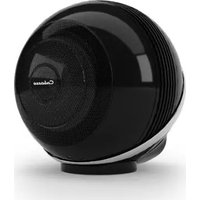
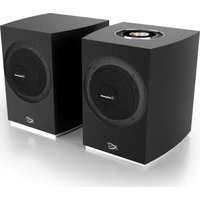
With the iO3 SYSTEM, Cabasse proposes a Hi Fi / audio video system based on the Spatially Coherent System (SCS) principles coming from our high end ARTIS range of speakers.
With these 2-way very compact speakers combined with a Santorin 25 active subwoofer, you can get a very high quality system, either in a 2.1 configuration (standard stereo), in a 5.1 configuration (5 channels system), 6.1 or 7.1...
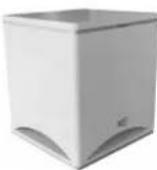
The Santorin 25 Cabasse subwoofer is dedicated to iO3 SYSTEM.
Cabasse Lipari 21 or Santorin 30-200 / 30-500 subwoofer series can be used with iO3 speakers. If you wish to use another active subwoofer, check that the
bandwidth of the subwoofer is adjustable up to 150 Hz with a very 24 dB slope at 200 Hz.
We recommend the use of the Santorin 25 or Santorin 30i subwoofers for their power handling capacity, especially for a 3 channels or more set-up.
SET-UP
The components of your system:
■ 2, 3 or 5 iO3 speakers
■ 1 Santorin 25 active subwoofer
iO3 speaker on base
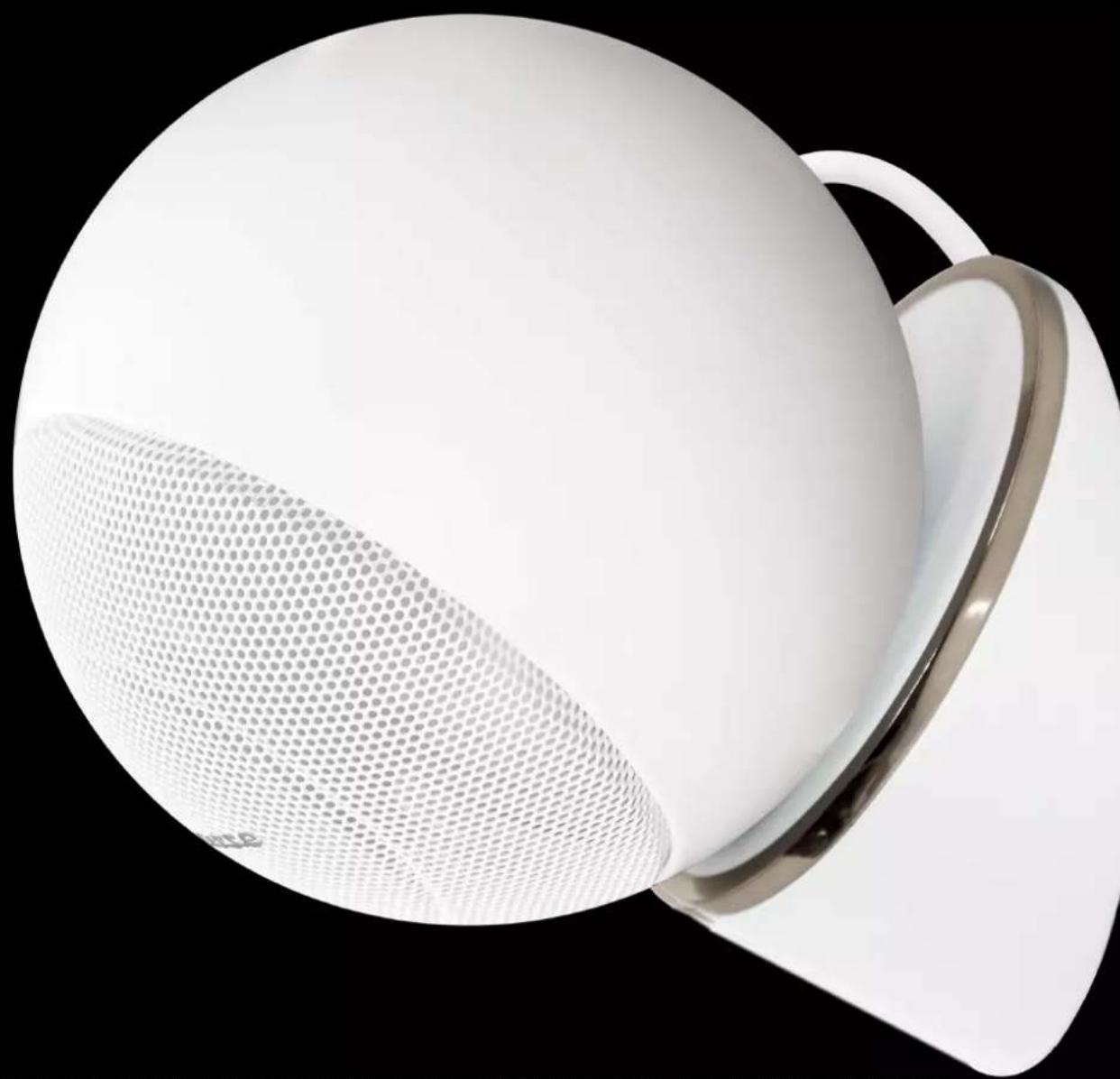
The wall mountable version of the iO3 speaker requires a single screw to be positioned on a wall ①. The base of this version is also designed for the iO3 speaker to be positioned on fur-niture like a bookshelf or a TV-set.
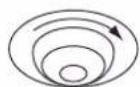
The magnetic link between the sphere and its foot enables a very easy orientation towards the listening area ⓐ. The foot is fitted with 3 cables outputs (in its centre and in both ends) and the bottom panel integrating the Cabasse logo can be turned 180°, so that you can choose the most elegant way for the cables.

Attention, the vent hole located at the back of the sphere should not be sealed by the base.
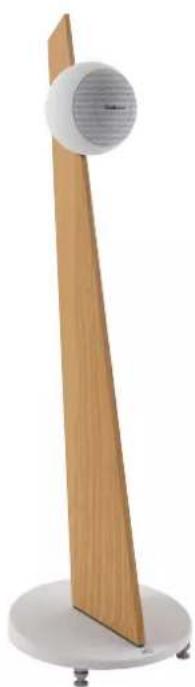
iO3 speaker stand version
The stand version is supplied with adjustable spikes for a per-
fect stability even if the floor is not horizontal.
Power supply of Santorin 25

Attention!
Before connecting the active subwoofer to the mains, be assured that the 115-230V switch is set up according to the local voltage.

Attention
Do no connect the active subwoofer to the mains with the supplied power cable before having completed all the other connections. After having selected the right voltage and connected the subwoofer to the mains, select either ON or AUTO position for the POWER switch. With the switch on the STAND BY position, the unit will mute after a few minutes without input signal. The system turns on automatically when signal comes back.
ACTIVE SUBWOOFER SANTORIN 25
| Voltage 115/230V AC-50/60 Hz |
| Maximum power consumption 165W |
| Standby power consumption 0.49W @ 230VAC0.5W @ 115VAC |
| Power consumption when off 0.04W @ 230VAC0.04W @ 115VAC |
| Useable temperature range +5°C to +35°C |
| Storage temperature -5°C to +40°C |
| Useable humidity range 40% to 70% |
iO3 SYSTEM positioning
Positioning of the speakers: if possible, try to match with the drawing, with the Santorin 25 subwoofer in the front area facing the listening spot. Its position against a wall reinforces the extreme low register and limits the reflections between 80 and 200 Hz. However to obtain the best result, it is always necessary to carry out tests according to the acoustics of the room.
CONNECTIONS
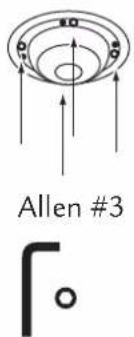
It is imperative to respect the correct phasing when connecting: + to + (red) and - to - (black). To connect the speaker cable to the terminals of the iO3 speaker, pull out the bottom plate from the base.
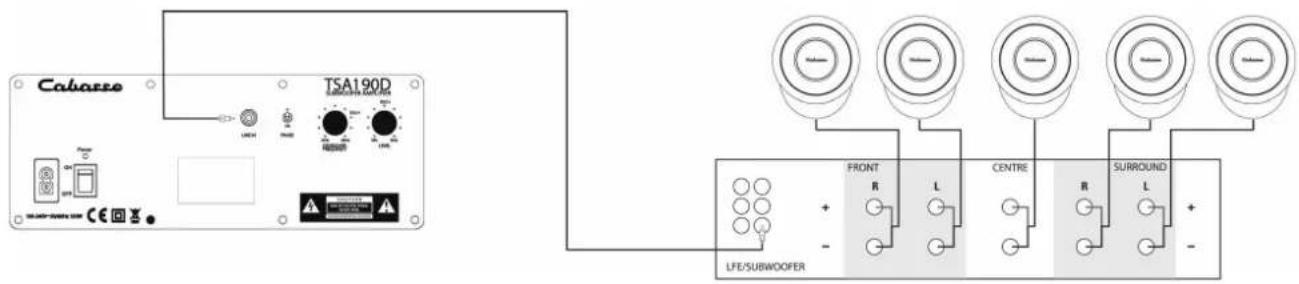
Configuration 5.1
■ 5 iO3 speakers + 1 Santorin 25 subwoofer ⑥ or
■ 2 main speakers + 3 iO3 speakers + 1 Santorin 25 subwoofer ⑥
Connect each speaker output of the 5.1 amplifier directly to the matching iO3 speaker (front right, front left, centre, etc.). Connect the subwoofer CINCH RCA output of the amplifier to one CINCH RCA LINE IN post of the subwoofer.
Connect each speaker output of the 5.1 amplifier directly to the matching iO3 speaker (front right, front left, centre, etc.). Connect the subwoofer CINCH RCA output of the amplifier to one CINCH RCA LINE IN post of the subwoofer.
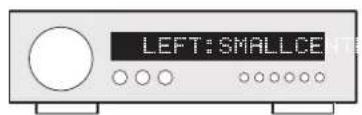
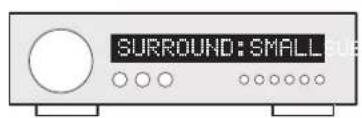
Then adjusts the set-up menu of your audio video amplifier:
For 5 iO3 speakers:
| FRONT | SMALL |
| CENTER | SMALL |
| SURROUND | SMALL |
| SUBWOOFER STEREO YES | |
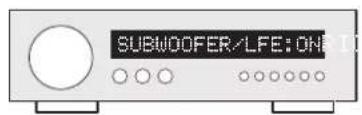
| SUBWOOFER / LFE YES | |
| SUBWOOFER FREQUENCY | 25Hz (or closest possible frequency) |
For 3 iO3 speakers and 2 large bandwidth front speakers:
| FRONT | LARGE |
| CENTER | SMALL |
| SURROUND | SMALL |
| SUBWOOFER STEREO NO | |
| SUBWOOFER / LFE YES | |
| SUBWOOFER FREQUENCY | 25 Hz (or closest possible frequency) |
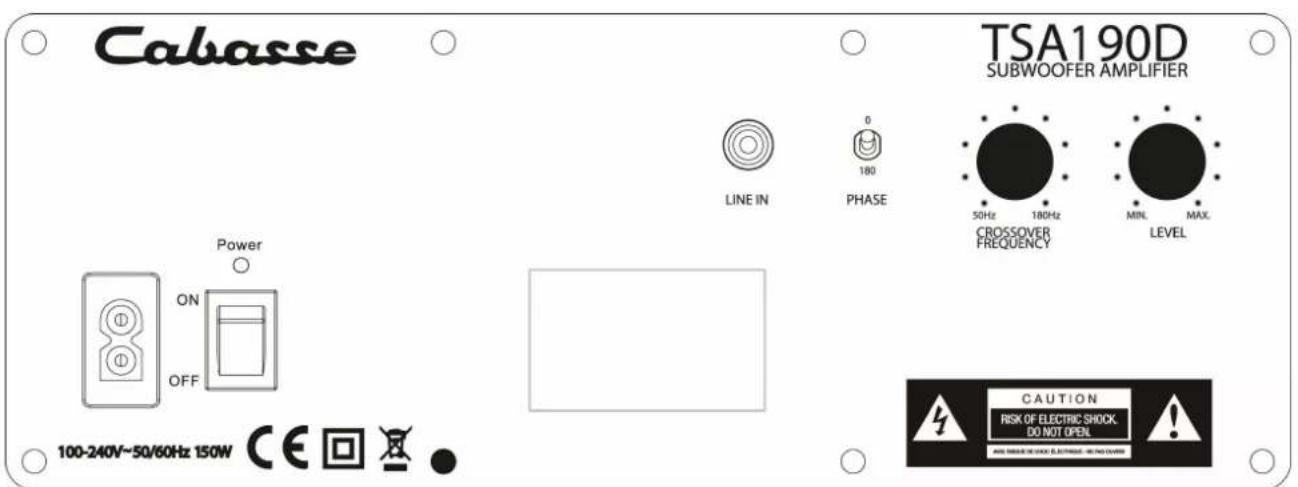
SANTORIN 25 SUBWOOFER ADJUSTMENTS
In stereo configuration ④, position the potentiometer at 2.00 o'clock, equivalent to 125 Hz.
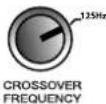
In 5.1 configuration, adjust the potentiometer on the 180 Hz position to avoid overlapping with the 125 Hz filter of the audio-video amplifier.
b) LEVEL

For both 2.1 and 5.1 configurations, adjust the LEVEL of the subwoofer with various tracks in stereo mode (CD). To adjust the level of the low frequency effect channel, do not modify the sound level of the Santorin 25 subwoofer but go into the set-up menu of your 5.1 audio video amplifier and adjust the SUBWOOFER/ LFE channel.
c) PHASE
If inverting the PHASE raises the bass level, keep this setting and adjust again the LEVEL.
WARRANTY
We thank you for registering the Cabasse warranty within 60 days after their date of purchase. You can either send us the enclosed warranty card fully completed or register on line at www.cabasse.com. In our web site you will also find information on the Cabasse manufacturer warranty.
Thanks to the above information, your system is now nicely set up and you will enjoy your speaker system for many years. We receive every day letters from customers expressing the ever growing satisfaction and musical emotion they have been getting with our speakers over the years. These letters are our first motivation.
TECHNICAL DATA
SPECIFICATIONS iO3 SPEAKER SUBWOOFER SANTORIN 25
| Installation | 2/7 channels | active subwoofer |
| Ways | 2 | 1 |
| Drivers | tweeter-midrange 2 ways coaxialDOM25/13F15-2 | 25S20 model - 25 cm / 10' |
| Crossover frequency | DOM25/13F15-2 at 2,700 Hz | |
| Frequency bandwidth | 145 - 22,000 Hzin semi-reverberating chamber | 30 - 150 Hzin semi-reverberating chamber |
| Pulsed sound pressure | 118 dB | |
| Efficiency | 93 dB/2.8 v/1 m | |
| Nominal impedance | 8 ohms | |
| Minimum impedance | 3.8 ohms | active |
| Power handling | 80 W | 200 W nominal |
| Peak power handling | 400 W peak | |
| Lowpass cut-off frequency | from 40 to 180 Hz | |
| Phase switch | 0° normal, 180° reverse | |
| Input | 1 low level | |
| Magnetic shielding | yes | |
| Diameter of the sphere | 16 cm - 6.3 in | |
| iO3 base version dimensions (hxwxd) weight | 19 x 16 x 20 cm - 7.5 x 6.3 x 8 in2.2 kg - 4.9 lb | 42 x 36 x 38 cm - 16.5 x 14.2 x 14.6 in19 kg - 42 lb |
| iO3 stand version dimensions (hxwxd) weight | 112 x 33 x 33 cm - 44 x 13 x 13 in11.5 kg - 25 lb | |
| iO3 in ceiling dimensions (hxwxd) weight | ∅ 26 cm/ 10.2 in2 kg - 4.4 lb |
Because of technical improvements already under way in our constant search for optimum quality, Cabasse reserves the right to modify all the models presented in specification sheets, advertising materials and manuals without prior notice. Our web site www.cabasse.com will give you the specific adjustments we recommend for the use of our active subwoofers.
MARQUAGE DEEE
Disposal of Wastes of Electrical & Electronic Equipment (Applicable in the European Union)

This symbol on the product, consisting of the crossed-out wheeled bin, indicates that this product shall not be treated as household waste. Instead it shall be handed over to the applicable collection point for the disposal of electrical and electronic equipment at the end of life.
By ensuring this product is disposed of correctly, you will help prevent potential negative consequences for the
environment and human health, which could otherwise be caused by inappropriate waste handling of this product. The recycling of materials will help to preserve natural resources. For more detailed information about recycling of this product, please contact your local city office, your household waste disposal service or the shop where you purchased the product.

Cabasse
Cabasse SA - 210, rue René Descartes - BP 10 - 29280 Plouzané
Tel +33 (0)2 98 05 88 88 - Fax +33 (0)2 98 05 88 99
www.cabasse.com

- LIFESTYLE HIFI SPEAKER
- NOTICE D'INSTALLATION DES ENCEINTES ACOUSTIQUES LOUDSPEAKERS OWNER'S MANUAL
- ① MONTAGE MURAL DU SOCLE IO3
- CONFIGURATION 5.1 (AUDIO VIDEO)
- SAFETY INSTRUCTIONS
- INSTALLATION ON A PIECE OF FURNITURE AND STANDS
- APPLICABLE FOR USA, CANADA OR WHERE APPROVED FOR USAGE
- THE SANTORIN 25 CABASSE SUBWOOFER IS DEDICATED TO IO3 SYSTEM
- SET-UP
- IO3 SPEAKER ON BASE
- IO3 SPEAKER STAND VERSION
- POWER SUPPLY OF SANTORIN 25
- ATTENTION
- IO3 SYSTEM POSITIONING
- CONNECTIONS
- CONFIGURATION 5.1
- SANTORIN 25 SUBWOOFER ADJUSTMENTS
- WARRANTY
- TECHNICAL DATA
- MARQUAGE DEEE
- DISPOSAL OF WASTES OF ELECTRICAL & ELECTRONIC EQUIPMENT (APPLICABLE IN THE EUROPEAN UNION)
- CABASSE
Brand : CABASSE
Model : iO3
Category : Loudspeaker