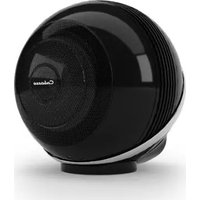
The Pearl Akoya - Loudspeaker CABASSE - Free user manual and instructions
Find the device manual for free The Pearl Akoya CABASSE in PDF.


| Product type | Active wireless speaker |
| Brand | Cabasse |
| Model | The Pearl Akoya |
| Wireless connectivity | Bluetooth, Wi-Fi (2.4/5 GHz) |
| Wired connectivity | Ethernet (RJ45) |
| Control app | Cabasse Stream CONTROL (iOS/Android) |
| Power supply | Mains 100-240 V AC, 50/60 Hz |
| Remote control battery | Battery (type not specified, remove protective film) |
| Software update | OTA via Wi-Fi or Ethernet |
| Dimensions (W x H x D) | Approx. 30 x 20 x 25 cm (estimated) |
| Weight | Approx. 3 kg (estimated) |
| Remote control pairing | Pairing button on the back of the speaker |
| LED indicators | Pairing LED on the back, remote control LED |
| Maintenance and cleaning | Soft dry cloth, avoid chemicals |
| Operating temperature | 0°C to 35°C |
| Humidity | Maximum 80% without condensation |
| Repairability | See Cabasse after-sales service |
Frequently Asked Questions - The Pearl Akoya CABASSE
User questions about The Pearl Akoya CABASSE
0 question about this device. Answer the ones you know or ask your own.
Ask a new question about this device
Download the instructions for your Loudspeaker in PDF format for free! Find your manual The Pearl Akoya - CABASSE and take your electronic device back in hand. On this page are published all the documents necessary for the use of your device. The Pearl Akoya by CABASSE.
USER MANUAL The Pearl Akoya CABASSE
THE PEARL AKOYA
Remote control pairing
- Plug the speaker to the main
- Power on the speaker with the on/off button located at the back
- Open the battery cover located at the back of the remote control
- Remove the protection film
- Close the battery cover
- Press the «Pairing» button located at the back of the speaker
- The LED of the remote control and the «Pairing» LED located at the back of the speaker will blink until the pairing is done.
Bluetooth® connection
- Once the speaker is powered on, press the «Pairing» button located at the back
- The «Pairing» LED located at the back must blink
- Activate the Bluetooth on your smartphone
- Select «THE PEARL AKOYA XXXX» in the list of the available devices
- Once the pairing succeeded, the «Pairing» LED located at the back stops blinking
WiFi
WiFi connexion
- Install the Cabasse Stream Control application on an Android or Mac tablet or smartphone from «Play Store» or «Control Application Store».
- Turn on the product and press the «Pairing» button located at the back of the speaker. Activate the WiFi on the tablet/smartphone.
- Start the application. If it is the first product, click on «Add a new player», otherwise, go to the «Settings» section of the application and choose «Add a new player». Follow the directions step by step.

Listening to music

With a Bluetooth ® connection
- Launch your application from the Bluetooth-connected phone / player to THE PEARL AKOYA.
- Adjust the volume with the sound controls of the source
WiFi
With a WiFi/LAN connection
Open the Stream Control application and follow the tutorial
To benefit of the last update for your product :
- Plug the speaker to the main
- Connect it to the network through WiFi or Ethernet
- Wait for the update to succeed ( it will be finished when you hear the voice message « Software update succeeded »)
Download the full user manual at www.cabasse.com
Cabasse

Since 1950
© 2019 CABASSE. ALL RIGHTS RESERVED. CABASSE THE PEARL, CABASSE, THE
LOGO CABASSE AND OTHER CABASSE MARKS ARE OWNED BY CABASSE.
Bluetooth®: the Bluetooth® word mark and logos are registered trademarks owned
by Bluetooth® SIG, Inc. and any use of such marks by Cabasse is under license.
www.cabasse.com
CABASSE S.A.S.
Brand : CABASSE
Model : The Pearl Akoya
Category : Loudspeaker