MM300 - Multimeter Klein Tools - Free user manual and instructions
Find the device manual for free MM300 Klein Tools in PDF.



| Product Type | Digital Manual-Ranging Multimeter |
| Brand | Klein Tools |
| Model | MM300 |
| Display | 3-1/2 digit LCD, 2000 counts |
| Measurement Functions | AC/DC Voltage, DC Current, Resistance, Battery Test, Diode Test, Continuity |
| Maximum Voltage | 600V AC/DC |
| Maximum Current | 10A DC |
| Maximum Resistance | 2MΩ |
| DC Voltage Ranges | 200mV, 20V, 200V, 600V |
| AC Voltage Ranges | 200V, 600V (50-60Hz) |
| DC Current Ranges | 200µA, 20mA, 200mA, 10A |
| Resistance Ranges | 200Ω, 2000Ω, 20kΩ, 200kΩ, 2000kΩ |
| Battery Test | 1.5V and 9V |
| Diode Test | Yes, approx. 1mA current |
| Continuity | Audible signal < 100Ω |
| Data Hold (HOLD) | Yes |
| Power | 2 AAA batteries |
| Dimensions | 153.4 x 78.0 x 45.2 mm |
| Weight | 230g |
| Safety Rating | CAT III 600V, double insulation |
| Operating Temperature | 0°C to 40°C |
| Fuses | 200mA/600V (Part No. 69031) and 10A/600V (Part No. 69032) |
| Maintenance | Clean with lint-free cloth; replace batteries and fuses as needed |
Frequently Asked Questions - MM300 Klein Tools
User questions about MM300 Klein Tools
0 question about this device. Answer the ones you know or ask your own.
Ask a new question about this device
Download the instructions for your Multimeter in PDF format for free! Find your manual MM300 - Klein Tools and take your electronic device back in hand. On this page are published all the documents necessary for the use of your device. MM300 by Klein Tools.
USER MANUAL MM300 Klein Tools
For Professionals... Since 1857™
text_image
KLEIN TOOLS. MM300 1000 1000 HOLD 600 OFF 600 200 20 2 200 m 2M 200k 20k Ω 2k 200 1.5V BATT 9V 10A +VΩ ← ~μA mA 10A MAX CCM 200A MAX CAT R 80V MAXCE


GENERAL SPECIFICATIONS
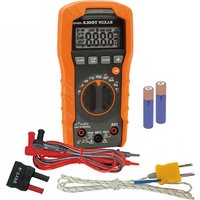
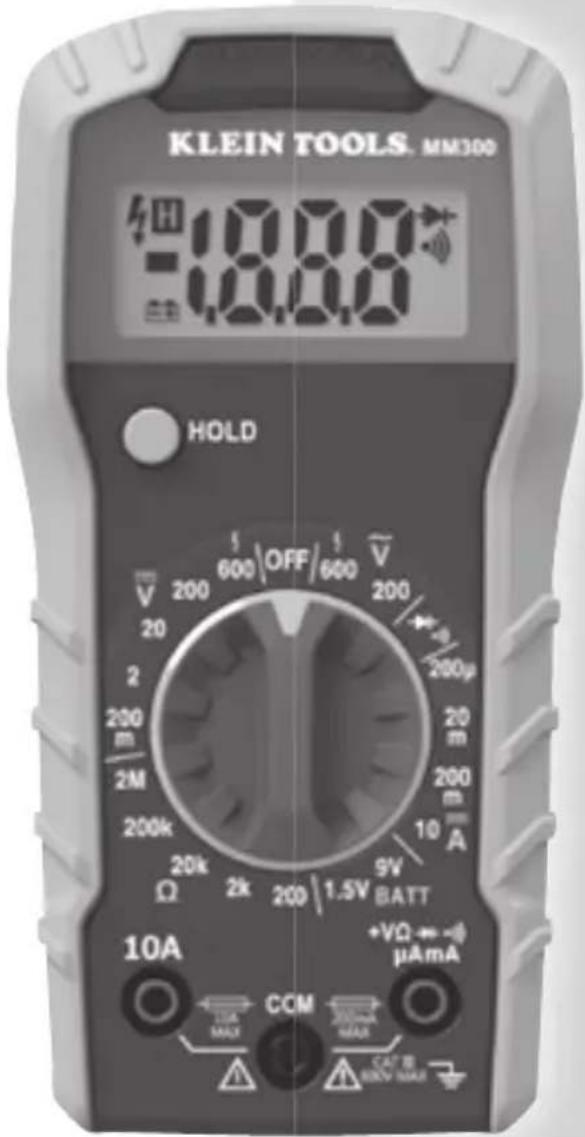
Klein Tools MM300 is a manual ranging multimeter that measures AC/DC voltage, DC current, and resistance. It can also test batteries, diodes, and continuity.
- Operating Altitude: 6562 ft. (2000m)
- Relative Humidity: <80% non-condensing
- Operating Temp: 32°F to 104°F (0°F to 40°C)
• Storage Temp: 14°C to 140°F (-10°C to 60°C)
• Accuracy: Values stated at 65° to 83°F (18° to 28°C) - Temp Coeffi cient: 0.1 x (Quoted Accuracy) per °C above 28°C or below 18°C, corrections are required when ambient working temp is outside of Accuracy Temp range
- Dimensions: 6.04" x 3.07" x 1.78" (153.4 x 78.0 x 45.2 mm)
• Weight: 8.1 oz. (230 g) - Calibration: Accurate for one year
- Standards: Conforms to: UL STD 61010-1, 61010-2-030, 61010-2-033.
Certified to: CSA STD C22.2 # 61010-1, 61010-2-030, 61010-2-033. IEC EN 61010-1, 61010-2-030, 033, 61326-1.
- Pollution degree: 2
- Accuracy: ± (% of reading + # of least significant digits)
- Drop Protection: 3.3 ft. (1m)
- Safety Rating: CAT III 600V, Class 2, Double insulation CAT III: Measurement category III is applicable to test and measuring circuits connected to the distribution part of the building's low-voltage MAINS installation.
- Electromagnetic Environment: IEC EN 61326-1. This equipment meets requirements for use in basic and controlled electromagnetic environments like residential properties, business premises, and light-industrial locations.
Specifications subject to change.
ELECTRICAL SPECIFICATIONS
| Function Range Resolution Accuracy | |||
| DC Voltage (V DC) | 200.0mV 0.1mV | ±(0.5% + 3 digits)200 | |
| 20.00V 0.01V | |||
| 200.0V 0.1V | ±(0.8% + 3 digits) | ||
| 600V 1V | |||
| AC Voltage (V AC) | 200.0V 0.1V | ±(1.2% + 10 digits)50 to 60Hz | |
| 600V 1V | |||
| DC Current (A DC) | 200.0μA 0.1μA | ±(1.0% + 5 digits) | |
| 20.00mA 10μA | |||
| 200.0mA 100μA ±(1.2% + 5 digits) | |||
| 10.00A 10 mA ±(3.0% + 5 digits) | |||
| Resistance | 200.0Ω 0.1Ω | ±(1.0% + 5 digits) | |
| 2000Ω 1Ω | |||
| 20.00kΩ 0.01kΩ | |||
| 200.0kΩ 0.1kΩ | |||
| 2000kΩ 1kΩ ±(1.5% + 5 digits) | |||
| Battery Test | 9V 10mV ±(1.0% + 2 digits) | ||
| 1.5V 10mV ±(1.0% + 2 digits) | |||
• Diode Test: Approx. 1mA, open circuit voltage 2.0V DC
• Continuity Check: Audible signal <100Ω
• Battery Test: 9V (6mA); 1.5V (100mA)
• Sampling Frequency: 2 samples per second
- Overload: "OL" indicated on display, overload protection 600V RMS in all settings
- Polarity: "-" on display indicates negative polarity
• Display: 3 ½ digit, 2000 Count LCD
⚠️ WARNINGS
To ensure safe operation and service of the meter, follow these instructions. Failure to observe these warnings can result in severe injury or death.
- Before each use verify meter operation by measuring a known voltage or current.
- Never use the meter on a circuit with voltages that exceed the category based rating of this meter.
- Do not use the meter during electrical storms or in wet weather.
- Do not use the meter or test leads if they appear to be damaged.
- Use only with CAT III or CAT IV rated test leads.
- Ensure meter leads are fully seated, and keep fingers away from the metal probe contacts when making measurements.
- Do not open the meter to replace batteries while the probes are connected.
- Use caution when working with voltages above 25V AC RMS or 60V DC. Such voltages pose a shock hazard.
- To avoid false readings that can lead to electrical shock, replace batteries when a low battery indicator appears.
- Do not attempt to measure resistance or continuity on a live circuit.
- Always adhere to local and national safety codes. Use personal protective equipment to prevent shock and arc blast injury where hazardous live conductors are exposed.
SYMBOLS ON METER
\~ AC (Alternating Current) DC (Direct Current)
Ω Resistance (in Ohms) Ground ±
Diode Audible Continuity
Fuse (with rating below symbol) Double Insulated Class II
Warning or Caution
To ensure safe operation and service of this meter, follow all warnings and instructions detailed in this manual.
Risk of Electrical Shock
Improper use of this meter can lead to risk of electrical shock. Follow all warnings and instructions detailed in this manual.
SYMBOLS ON LCD
Data Hold Audible Continuity Diode Low Battery Dangerous levels
FEATURE DETAILS
text_image
KLEIN TOOLS. MM300 18:00 H HOLD 200 20 200kΩ 20kΩ 2kΩ 200 1.5V BATT 9V 200μA 200m 200μ 200 20 2M 200 600 OFF 600 V +VΩ ↔ -(μA mA) COM 10A MAX 10A MAX 200mA MAX CAT E 500V MAX ① ② ③ ④ ⑤NOTE: There are no user-serviceable parts inside meter.
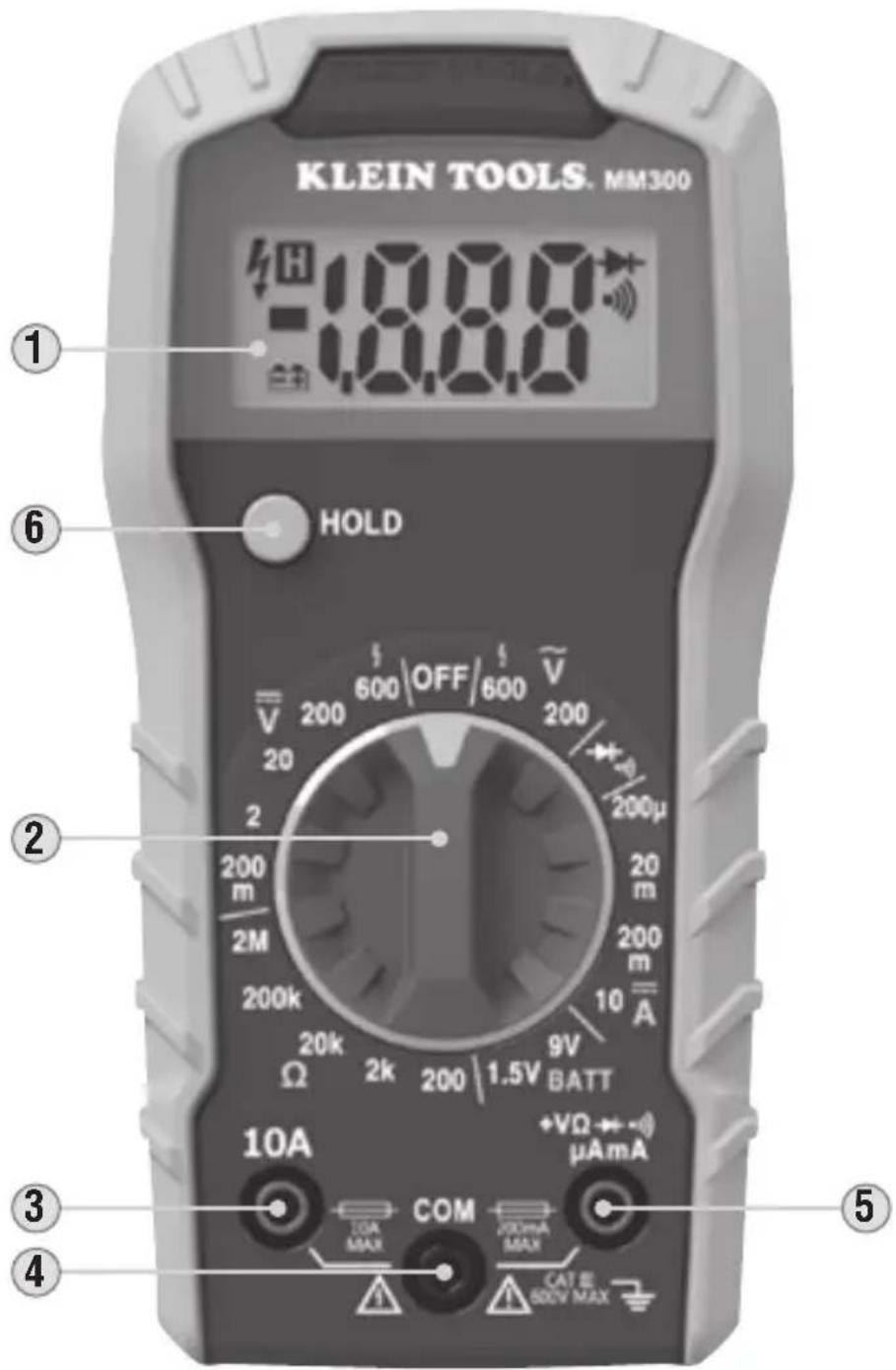
- 2000 count LCD display
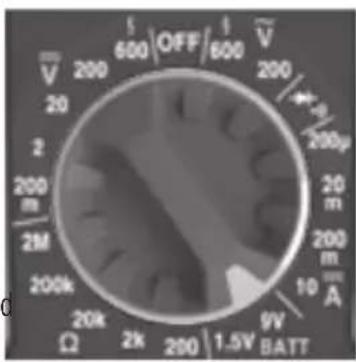
- Function selector switch
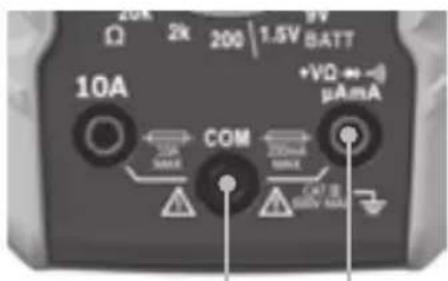
- "10A" jack
- "COM" jack
- "VΩ" jack
- "HOLD" (Data Hold) button
OPERATING INSTRUCTIONS
CONNECTING TEST LEADS
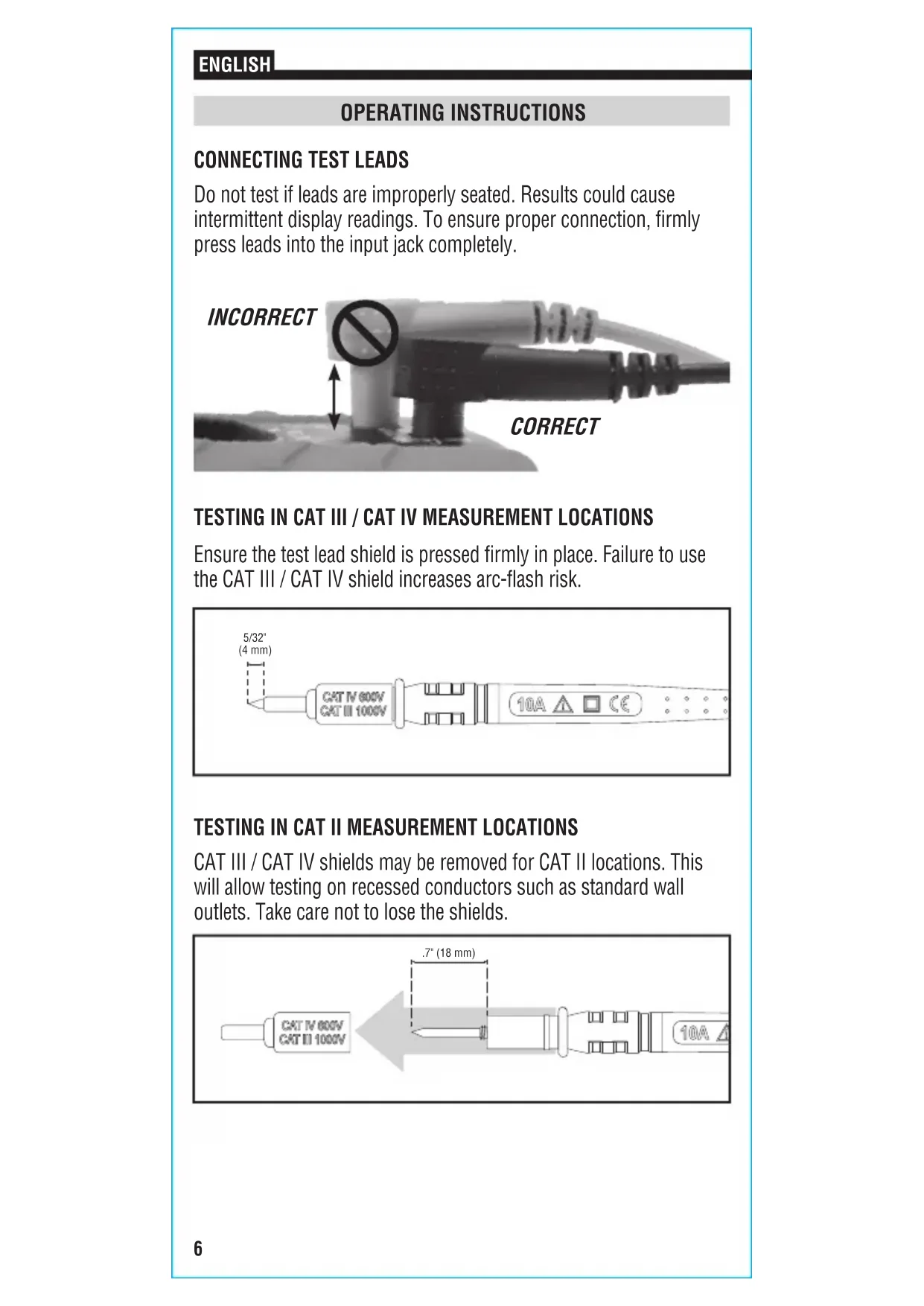
Do not test if leads are improperly seated. Results could cause intermittent display readings. To ensure proper connection, firmly press leads into the input jack completely.
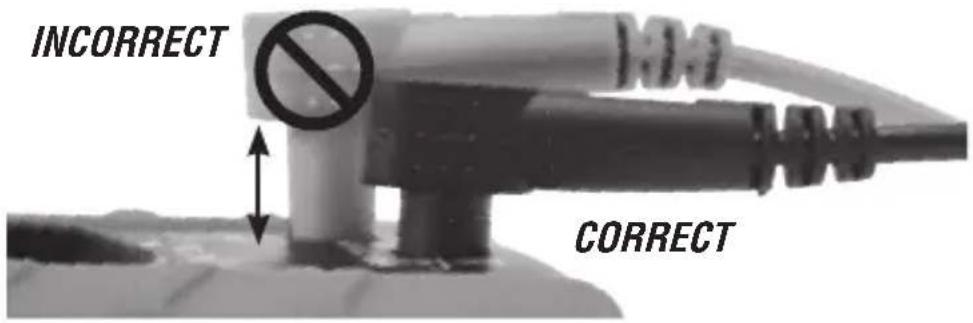
text_image
INCORRECT CORRECTTESTING IN CAT III / CAT IV MEASUREMENT LOCATIONS
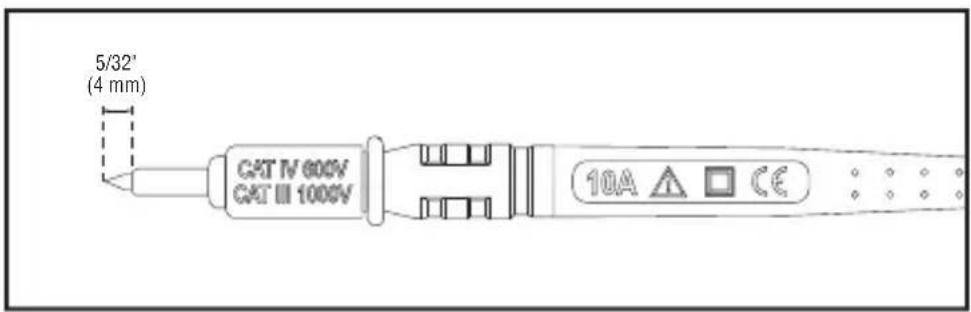
Ensure the test lead shield is pressed firmly in place. Failure to use the CAT III / CAT IV shield increases arc-flash risk.
text_image
5/32' (4 mm) CAT IV 600V CAT III 1000V 10A ▲ □ CETESTING IN CAT II MEASUREMENT LOCATIONS
CAT III / CAT IV shields may be removed for CAT II locations. This will allow testing on recessed conductors such as standard wall outlets. Take care not to lose the shields.

text_image
CAT IV 600V CAT II 1000V 7" (18 mm) 10AOPERATING INSTRUCTIONS
AC VOLTAGE (LESS THAN 600V)
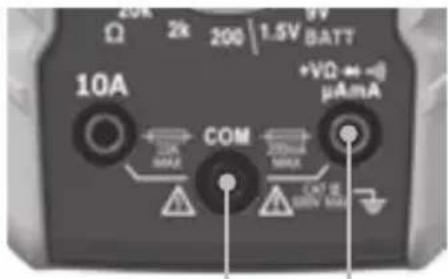
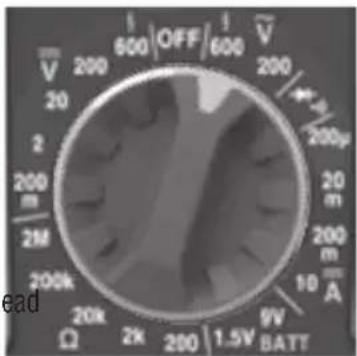
- Insert RED test lead into VΩ jack ⑤, and BLACK test lead into COM jack ④, and rotate function selector switch ② to the highest V AC (V) setting (600V).
- Measure voltage and rotate the function selector switch to successively lower V AC ( ) settings to obtain higher resolution measurements.
NOTE: Do not attempt to measure more than 600V or 200mA.
text_image
20k 2k 200 | 1.5V BATT Ω 10A +VΩ ↔ -8 μA mA COM 20mA MAX C+T 6 MINI MAXRed leadBlack lead
text_image
600 OFF 600 V 200 200μ 200 200m 2M 200k 20k Ω 2k 200 1.5V BATT 9V A 10 mA leadDC VOLTAGE (LESS THAN 600V)
- Insert RED test lead into VΩ jack ⑤, and BLACK test lead into COM jack ④, and rotate function selector switch ② to the highest V DC ( ) setting (600V).
- Measure voltage and rotate the function selector switch to successively lower V DC ( ) settings to obtain higher resolution measurements.
NOTE: When in a voltage setting and the test leads are open, readings of order mV may appear on the display. This is noise and is normal. By touching the test leads together to close the circuit the meter will measure zero volts.
NOTE: Do not attempt to measure more than 600V or 200mA.
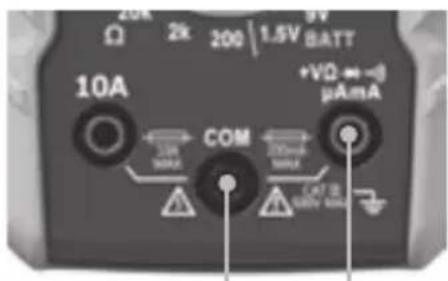
text_image
20k 2k 200 | 1.5V BATT 10A +VΩ ←→-0 μA mA COM 10k MAX 20mA MAX CAT IS 300V MAXRed leadBlack lead
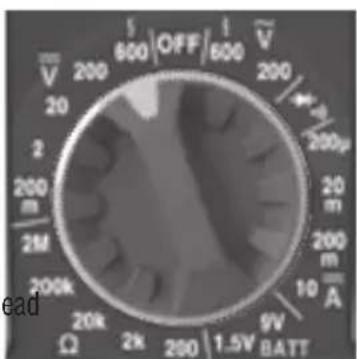
text_image
V 200 20 200 m 2M 200k Ω 20k 2k 600 OFF 1 600 V 200 4.2 200μ 20 m 200 mA 10 9V BATT leadOPERATING INSTRUCTIONS
DC CURRENT 200mA to 10A
- For DC currents more than 200mA and less than 10A, insert RED test lead into 10A jack ③, and BLACK test lead into COM jack ④, and rotate function selector switch ② to the 10A DC setting.
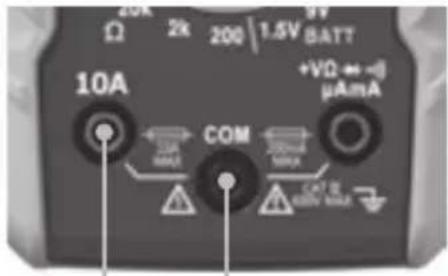
text_image
20k 2k 200 | 1.5V BATT Ω 10A +VΩ ← -i μA mA COM ΔΩ MAX ΔΩ MAX ΔΩ MAX +VΩ ← -i μA mARed lead Black lead
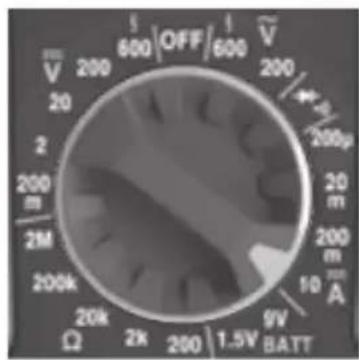
text_image
V 200 20 200 m 2M 200k Ω 20k 2k 600 OFF 600 V 200 200μ 20 m 200 m 10 mA 9V BATTDC CURRENT LESS THAN 200mA
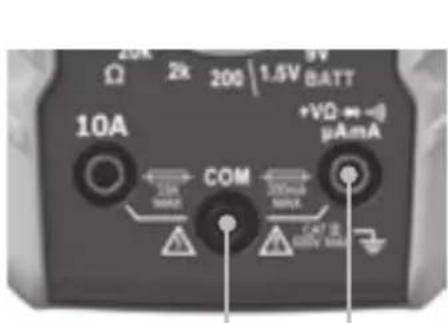
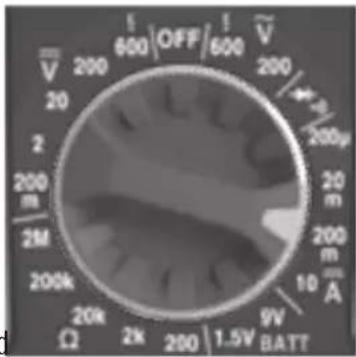
- For mA DC currents less than 200mA, insert RED test lead into VΩ jack ⑤, and BLACK test lead into COM jack ④, and rotate function selector switch ② to the highest mA DC setting (200mA).
text_image
20k 2k 200 | 1.5V BATT 10A +VΩ ⇌ -μA mA COM 200mA 200mA 200mA CAT 20 400V 500VRed leadBlack lead
text_image
V 200 20 2 200 m 2M 200k Ω 20k 2k 600 OFF 600 V 200 1.5V BATT 9V mA 200μ 20 m 200 m 10 A- To measure current: Remove power from circuit, open circuit at measurement point, connect meter in-series in the circuit using the test leads, and apply power to circuit. The meter will auto-range to display the measurement in the most appropriate range.
NOTE: If measuring mA, the function selector switch ② may be rotated to successively lower mA DC settings to obtain higher resolution measurements.
Do not attempt to measure more than 10A.
When measuring currents greater than 6A, a measurement time of 30 seconds followed by 10 minutes of recovery time is recommended.
OPERATING INSTRUCTIONS
RESISTANCE MEASUREMENTS
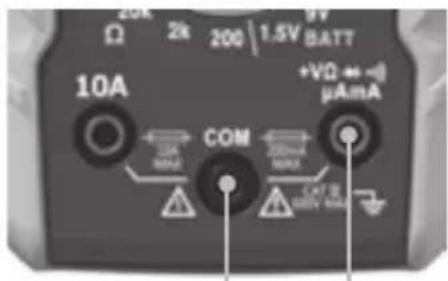
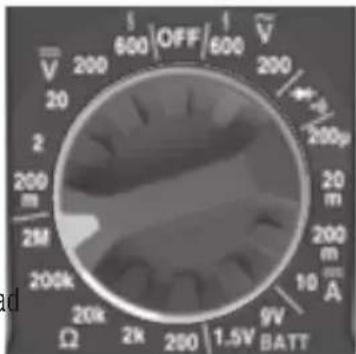
- Insert RED test lead into VΩ jack ⑤, and BLACK test lead into COM jack ④, and rotate function selector switch ② to the highest Ω setting (2MΩ).
- Remove power from circuit.
- Measure resistance by connecting test leads to circuit and rotating the function selector switch ② to successively lower settings to obtain higher resolution measurements.
text_image
20k 2k 200 | 1.5V BATT 10A +VΩ ←→ μA mA COM 10A MAX 20mA MAX C×T E MIN MAXRed leadBlack lea
text_image
V̅ 200 20 2 200 m 2M 200k Ω 20k 2k 600 OFF 600 V̅ 200 4µ 200µ 20 m 200 m 10 A 9V BATTNOTE: When in a Resistance setting and the test leads are open (not connected across a resistor), or when a failed resistor is under test, the display will indicate O.L. This is normal.
DO NOT attempt to measure resistance on a live circuit.
CONTINUITY
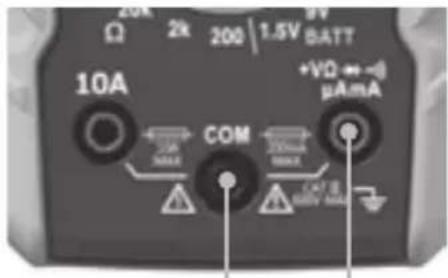
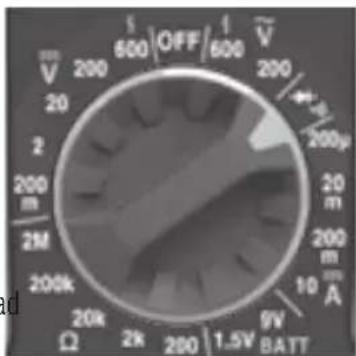
- Insert RED test lead into VΩ jack ⑤ and BLACK test lead into COM jack ④, and rotate function selector switch ② to the setting.
- Remove power from circuit.
- Test for continuity by connecting conductor or circuit with test leads. If resistance is measured less than 100 , an audible signal will sound and display will show a resistance value indicating continuity. If circuit is open, display will show "OL".
text_image
20k Ω 2k 200 | 1.5V BATT 10A +VΩ → -δ μA mA COM 200mA MAX MAX CAPB MAXRed leadBlack lea
text_image
V 200 20 2 200 m 2M 200k Ω 20k 2k 200 1.5V OFF 600 1 600 V̅ 200 +μ 200μ 20 m 200 m 10 A 9V BATT⚠️ DO NOT attempt to measure continuity on a live circuit.
OPERATING INSTRUCTIONS
DIODE TEST
- Insert RED test lead into VΩ jack ⑤ and BLACK test lead into COM jack ④, and rotate function selector switch ② to the setting.
- Touch test leads to diode. A reading of 200-700mV on display indicates forward bias, OL indicates reverse bias. An open device will show OL in both polarities. A shorted device will show approximately 0mV.
text_image
20k Ω 2k 200 | 1.5V BATT 10A +VΩ ↔ -j μAaM COM ΔR MAX ΔC MAX ΔR MAX CRT R 350V MAXRed leadBlack lead
text_image
V 200 20 2 200 m 2M 200k Ω 20k 2k 600 OFF 600 200 1.5V 1.5V BATT 9V A 10 m 200 200μ 200 200μ 200μBATTERY TEST
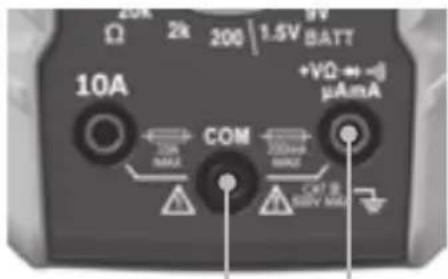
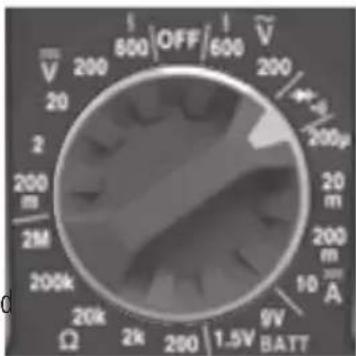
- Insert RED test lead into VΩ jack ⑤ and BLACK test lead into COM jack ④, and rotate function selector switch ② to the 1.5V or 9V battery test setting.
- Connect BLACK lead to negative, and RED lead to positive terminal of battery.
- Measure voltage on display, batteries in good condition should be within approx. 10% of rated voltage.
text_image
20k Ω 2k 200 | 1.5V BATT 10A +VΩ ↔ -μA mA COM 20mA MINI C47 E 800V MAXRed leadBlack lead
text_image
V 200 20 200 m 2M 200k Ω 2k 200 1.5V OFF 600 V 200 200μ 20 m 200 mA 9V BATTDATA HOLD
Press Data Hold button ⑥ to hold the measurement on the display. Press again to release the display and return to live measuring.
MAINTENANCE
BATTERY REPLACEMENT
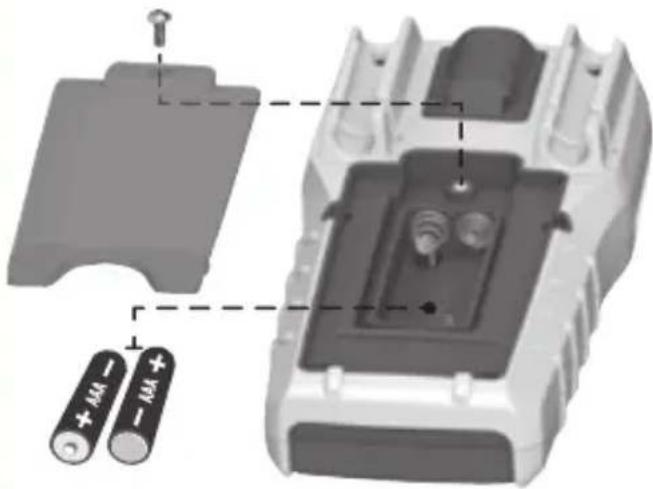
When -+ indicator is displayed on LCD, batteries must be replaced.
- Remove screw from battery door.
- Replace 2 x AAA batteries (note proper polarity).
- Replace battery door and fasten securely with screw.
natural_image
3D diagram of a battery pack with two batteries labeled '+ 44' and '− 44' connected to a housing (no text or symbols beyond labels)To avoid risk of electric shock, disconnect leads from any voltage source before removing battery door.
To avoid risk of electric shock, do not operate meter while battery door is removed.
FUSE REPLACEMENT
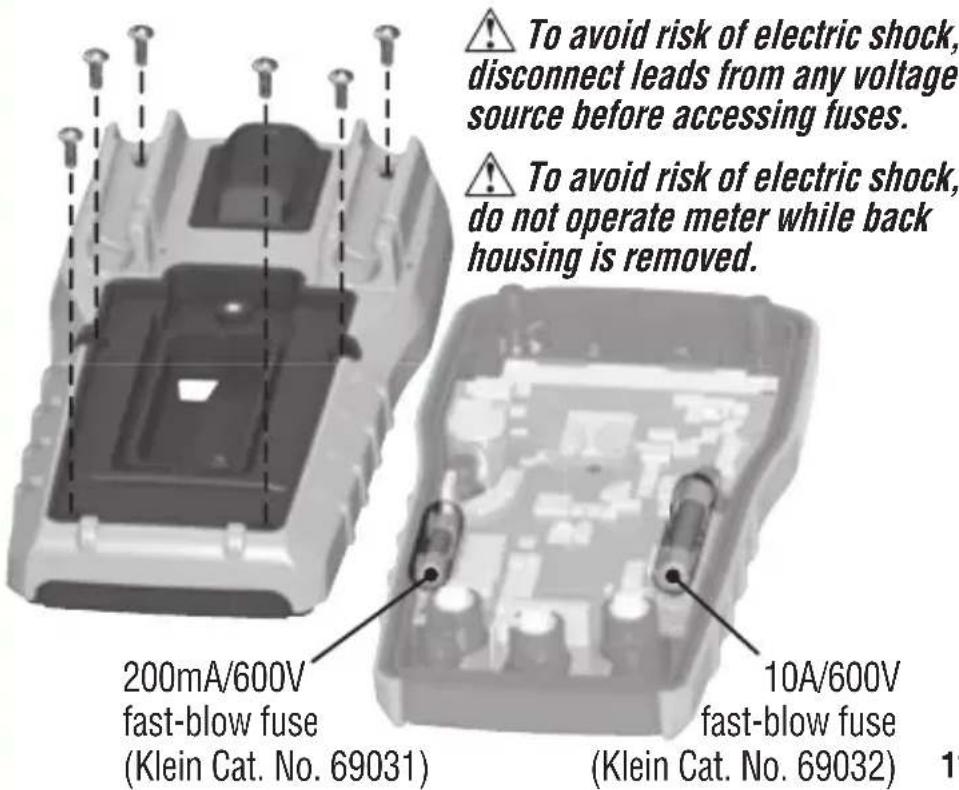
A fuse may blow if more than 200mA is applied to the VΩ jack ⑤, or more than 10A is applied to the 10A jack ③. To access fuses:
- Remove 6 screws from back of meter and remove back housing.
- Replace blown fuse(s) with:
VΩ (μA/mA) jack ⑤: 200mA/600V fast-blow (Klein Cat. No. 69031)
10A jack ③: 10A/600V fast-blow (Klein Cat. No. 69032)
- Replace back housing and fasten securely with screws.
text_image
To avoid risk of electric shock, disconnect leads from any voltage source before accessing fuses. To avoid risk of electric shock, do not operate meter while back housing is removed. 200mA/600V fast-blow fuse (Klein Cat. No. 69031) 10A/600V fast-blow fuse (Klein Cat. No. 69032)CLEANING
Be sure meter is turned off and wipe with a clean, dry lint-free cloth. Do not use abrasive cleaners or solvents.
STORAGE
Remove the batteries when meter is not in use for a prolonged period of time. Do not expose to high temperatures or humidity. After a period of storage in extreme conditions exceeding the limits mentioned in the General Specifications section, allow the meter to return to normal operating conditions before using.
WARRANTY
Do not place equipment and its accessories in the trash. Items must be properly disposed of in accordance with local regulations. Please see www.epa.gov or www.erecycle.org for additional information.
CUSTOMER SERVICE
KLEIN TOOLS, INC.
450 Bond Street
Lincolnshire, IL 60069
1-877-775-5346
customerservice@kleintools.com
www.kleintools.com
text_image
600 V ≈ 10 A == 2 M Ω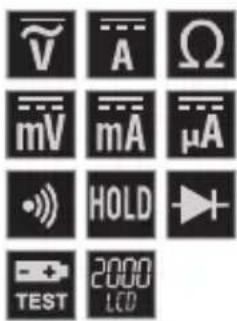
text_image
V A Ω mV mA μA HOLD + TEST 2000 LCD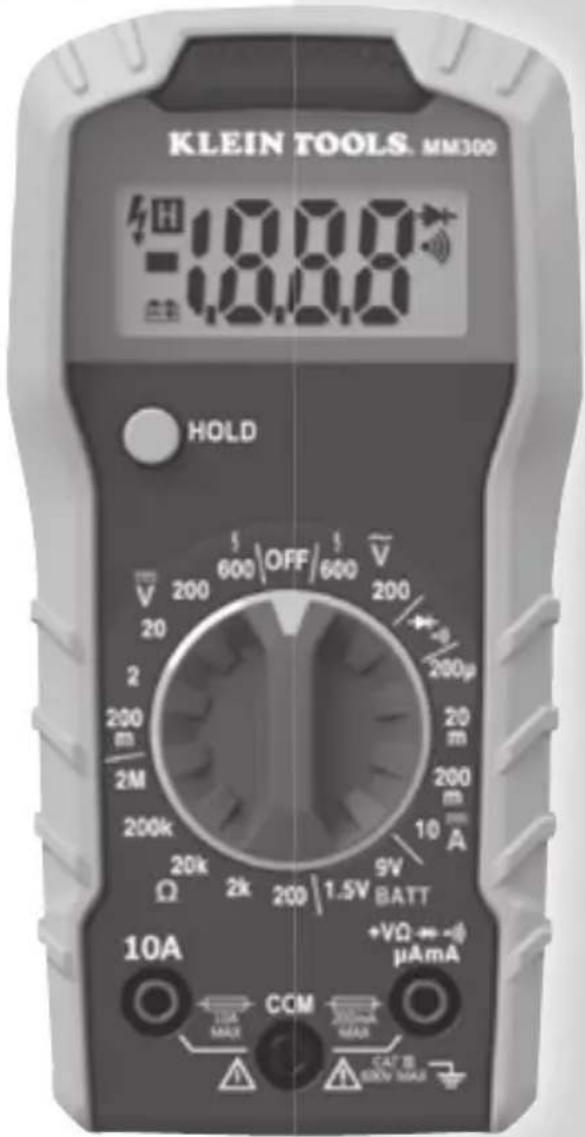
text_image
KLEIN TOOLS. MM300 1000 1000 HOLD 600 OFF 600 V 200 20 2 200 m 2M 200k Ω 20k 2k 200 | 1.5V BATT 9V 10 A +VΩ → ~μA mA 10A MAX CCM 200mA MAX CAT R 60V MAXCE


KLEIN TOOLS®

For Professionals... Since 1857™
natural_image
3D diagram of a battery pack with two batteries and a tray, no text or symbols presentFor Professionals... Since 1857™