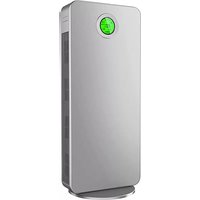
LF 2020 - Air purifier Nevoox - Free user manual and instructions
Find the device manual for free LF 2020 Nevoox in PDF.



| Product Type | Air Purifier |
| Brand | Nevoox |
| Model | LF 2020 |
| Filtration System | 6-stage HEPA 13 Filter |
| UV-C Technology | Yes |
| Display | HD LCD screen with PM2.5 indicator |
| Control Panel | Built-in + infrared remote control (range 5 m) |
| Number of Speeds | 4 levels (25%, 50%, 75%, 100% airflow) |
| Programmable Timer | 0 to 12 hours |
| Automatic Mode | Yes, adjusts speed according to air quality |
| Child Safety | Key lock |
| Filter Replacement Indicator | Displays "FILTER REMAINING TIME" after 1440 h, replacement at 1500 h |
| Power Supply | 220-240 V (estimate) |
| Recommended Distance from Wall | 10 to 15 cm |
| Cleaning | Unplug, soft cloth on interior housing |
| Filter Replacement | Remove back cover, replace filter (blue side outward), reset counter |
| Safety Instructions | Do not obstruct air inlets/outlets; avoid heat sources; unplug before cleaning |
Frequently Asked Questions - LF 2020 Nevoox
User questions about LF 2020 Nevoox
0 question about this device. Answer the ones you know or ask your own.
Ask a new question about this device
Download the instructions for your Air purifier in PDF format for free! Find your manual LF 2020 - Nevoox and take your electronic device back in hand. On this page are published all the documents necessary for the use of your device. LF 2020 by Nevoox.
USER MANUAL LF 2020 Nevoox
Front cover / Couverture
2 Gehause
Housing / Logement
3 6 fach Filter HEPA 13
Retractable handles (from model LF 2030)
Thank you for choosing a Nevoox air purifier.
Illustrations in this manual are for illustrative purposes only.
Before you start up the unit, make sure to remove the plastic foil of the filter screen in the unit.
To ensure that you use this product correctly, please read these instructions carefully.
2. Accessories
The air purifiers are supplied with the following accessories:
-1xmanual
- 1xremotecontrol
Additional, only for the models LF 2030 / LF 2040 / LF 2050 / LF 2060 / LF 2070
- 1x screw package
- 1x round base.
If the parts mentioned do not match after opening the packaging, please contact your specialist consultant immediately.
3. LCD display
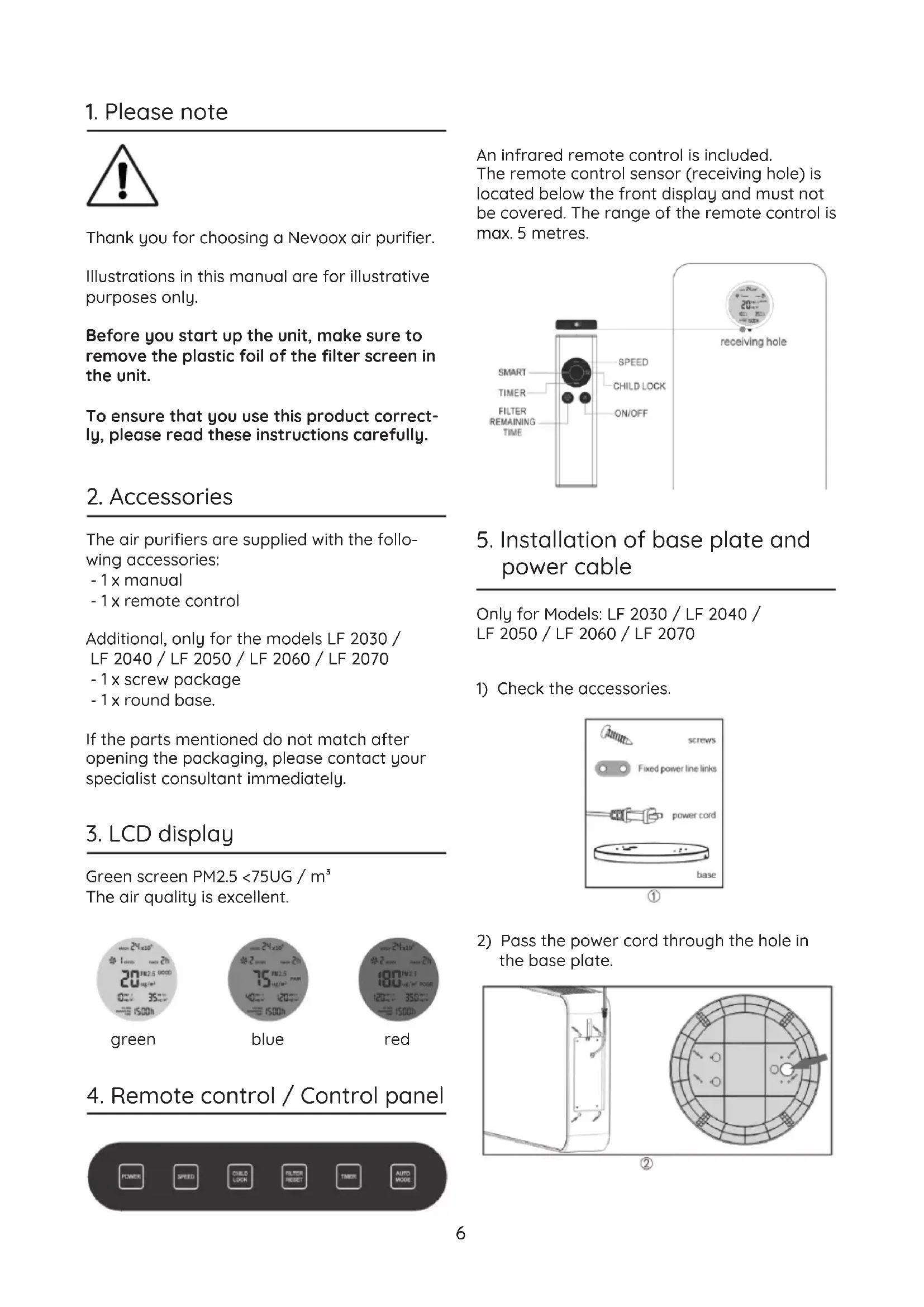
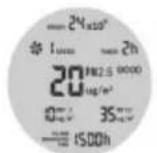
Green screen PM2.5 < 75UG / m^3 The air quality is excellent.
green
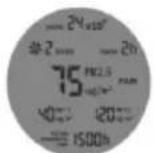
blue
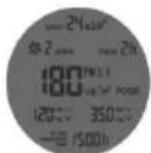
red
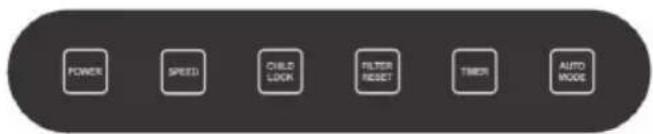
- Remote control / Control panel
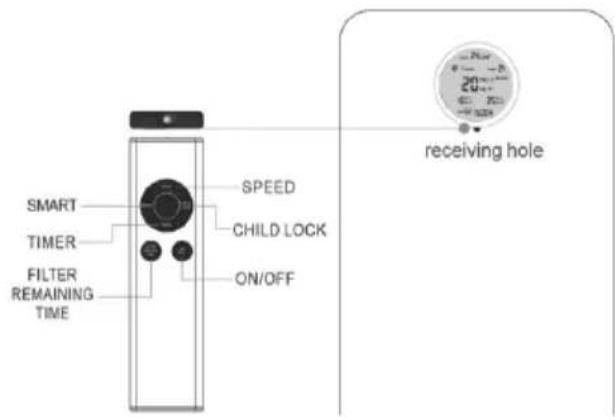
An infrared remote control is included. The remote control sensor (receiving hole) is located below the front display and must not be covered. The range of the remote control is max. 5 metres.
5. Installation of base plate and power cable
Only for Models: LF 2030 / LF 2040 / LF 2050 / LF 2060 / LF 2070
1) Check the accessories.
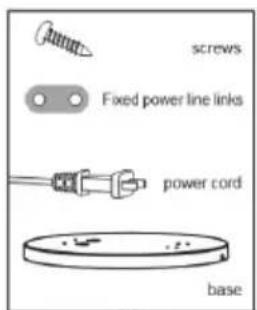
①
2) Pass the power cord through the hole in the base plate.
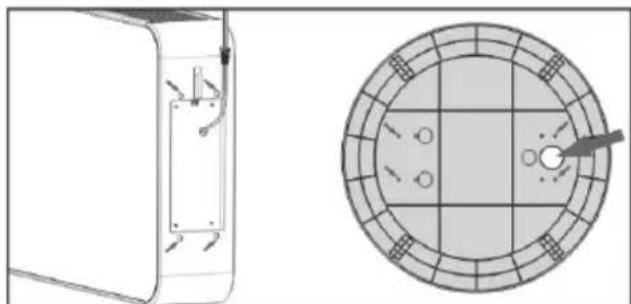
②
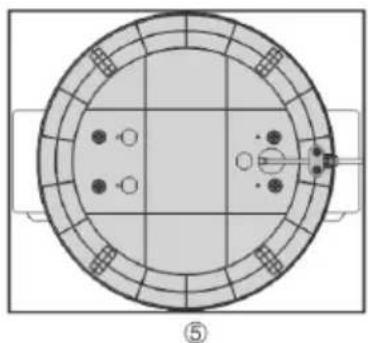
3) Screw the base plate to the holes in the bottom of the air purifier marked in the picture.
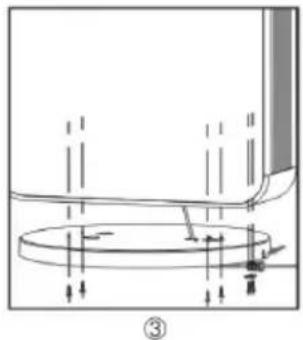
4) Press the cable guide into the base plate and screw the cable fixing to the base plate.
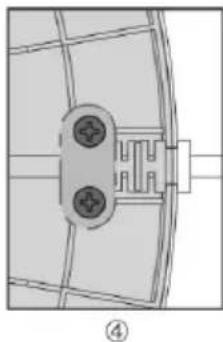
5) Check that the illustration corresponds to the base plate and cable guide of your appliance.
6. Place of installation
To make full use of the air purifier's performance, the unit should be placed at a minimum distance of 10-15cm from walls or similar. This ensures that sufficient air can be sucked in through the back of the unit.
If you use the air purifier, it is recommended that you close the doors and windows to achieve a better cleaning effect.
To prevent the appliance from wobbling or tilting, ensure that the appliance is placed on a level and non-slip surface.
7. Commissioning
7.1. Switch on and off
Press once to switch on, press again to switch off.
7.2. Fan speed (Speed)
The fan speed can be set in four stages.
7.3.Child Lock
Briefly press the key to lock all control keys. Press for three seconds to return all the control keys to the unlock modus.
7.4. Filter Timer (Filter Reset)
The maximum running time of the filters is 1,500 hours. When the remaining running time of the filters is approx. 60 hours, the display flashes and shows „FILTER REMAINING TIME". During this period the filter must be
replaced.
After changing the filter, press the „FILTER RESET“ key for 3 seconds to reset the counter to 1500 hours.
7.5. Off Timer
The unit can be switched off in 12 steps (0-12 hours) using the timer.
7.6. Automatic mode (Auto Mode)
The speed of the fans (and thus the air flow) is automatically controlled according to the measured air quality. Each fan stage less reduces the airflow by 25% .
(Level 4 = 100% / Level 3 = 75% /
Level 2=50%/ Level 1=25%)
8. Filter change
- switch off the unit, pull out the mains plug and remove the back cover by hand.
- remove the used filter; the filter can be disposed of in the household waste.
- clean the inner housing with a soft cloth.
- install the new filter with the blue side facing outwards.
- close the lid.
- the installation is complete.
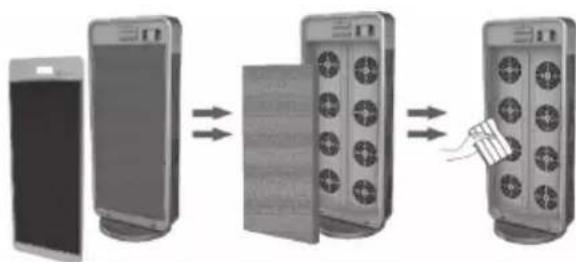
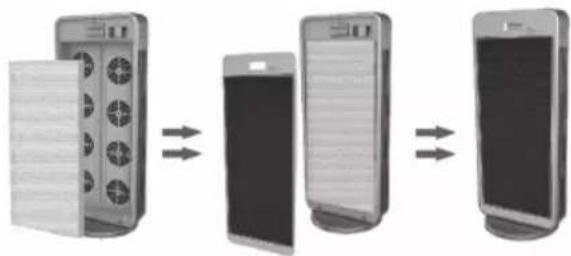
Note: After changing the filter, press the "FILTER RESET" key. The maximum running time of 1,500 hours of the replaced filter is thus correctly calculated.
The running time of the filters depends, among other things, on the load of the air sucked in and the speed of the fans and is shown on the display.
9. Safety Instructions
9.1. To prevent damage due to overheating of the air purifier, make sure that both the air inlet and the air outlet are not covered.
9.2. Do not place the unit next to a heater, as there is a risk of fire or deformation of the cabinet due to heat.
9.3. Unplug the power cord when cleaning the machine, replacing the filter or when not using it for a long period of time.
9.4. Do not move the air purifier unless it has been previously switched off.
9.5. Do not use the unit if the power supply cable is damaged. In this case contact your point of sale.
9.6. To prevent the appliance from wobbling on tilting, ensure that the appliance is placed on a level and non-slip surface.