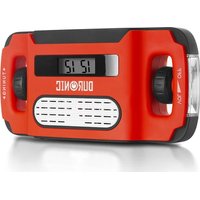
Apex - Radio Duronic - Free user manual and instructions
Find the device manual for free Apex Duronic in PDF.

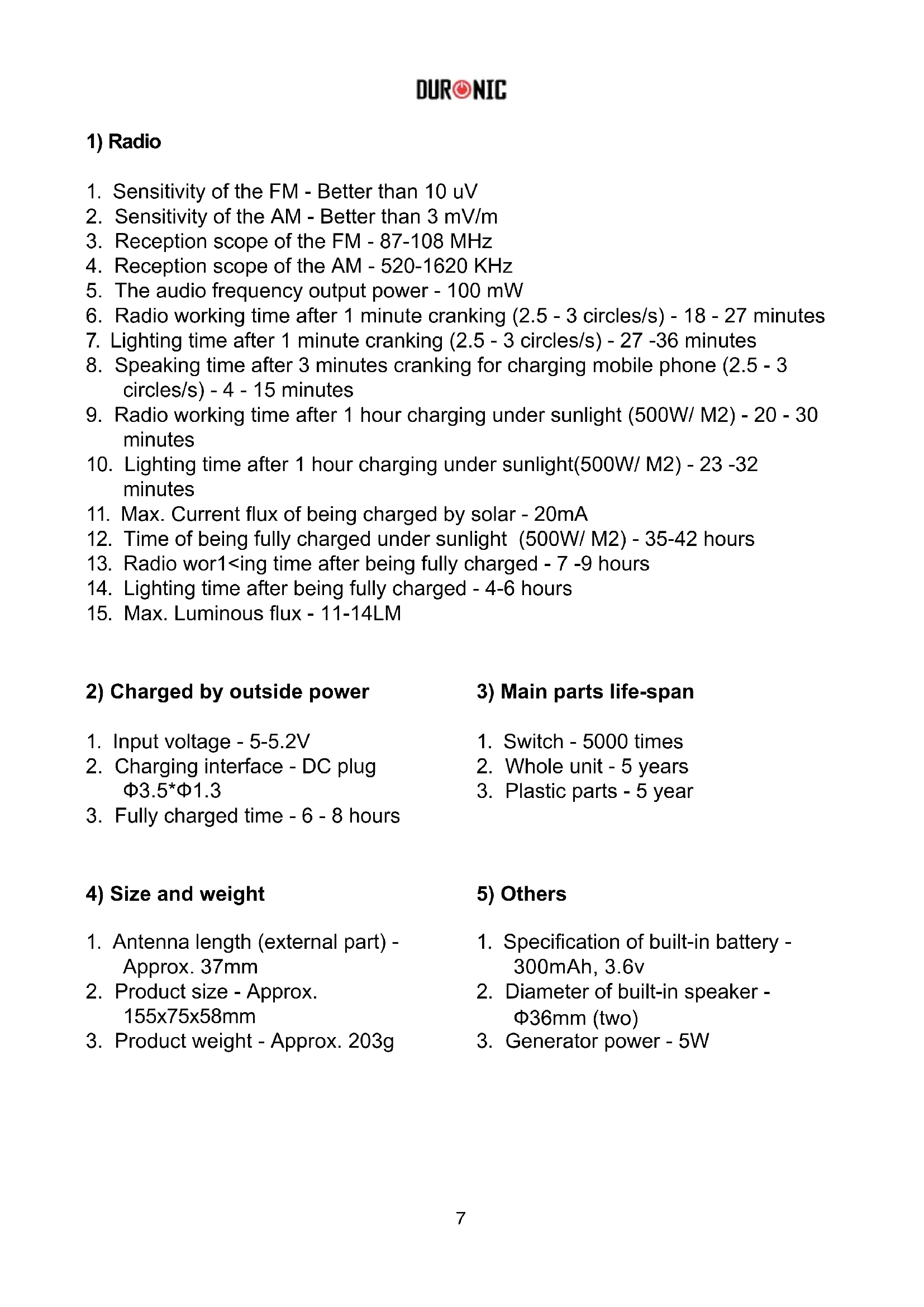


| Product Type | AM/FM Radio with dynamo, solar panel and flashlight |
| Brand | Duronic |
| Model | Apex |
| Dimensions (L x W x H) | 156 x 76 x 58 mm |
| Weight | 203 g |
| Power Source | Internal Li-ion battery 300 mAh, 3.6 V; recharge via dynamo, solar panel, USB (5 V) |
| Radio battery life (full charge) | Approximately 7 to 9 hours |
| Flashlight battery life (full charge) | Approximately 4 to 6 hours |
| Dynamo charging (1 minute) | Approximately 18-27 minutes of radio or 27-36 minutes of flashlight |
| Solar panel charging (1 hour) | Approximately 20-32 minutes of radio |
| Full USB charging | 6 to 8 hours |
| Frequency bands | FM: 87-108 MHz; AM: 520-1620 KHz |
| Audio output power | 100 mW |
| Speakers | 2 x 36 mm diameter |
| Main functions | AM/FM radio, LED flashlight, alarm, clock, backlight, 3.5 mm jack, external battery for USB charging |
| External battery capacity | 300 mAh (for charging external device) |
| Lamp luminous flux | Approximately 11-14 lumens |
| Antenna | Telescopic FM antenna + built-in magnetic AM antenna |
| Maintenance and cleaning | Do not use corrosive products; avoid wet or hot surfaces |
| Safety | Do not use while driving; do not expose to heat; avoid sudden rotation of the dynamo |
| Warranty | 1 year (Shine-Mart Ltd) |
| Spare parts | Not specified |
| Repairability | Not specified |
Frequently Asked Questions - Apex Duronic
User questions about Apex Duronic
0 question about this device. Answer the ones you know or ask your own.
Ask a new question about this device
Download the instructions for your Radio in PDF format for free! Find your manual Apex - Duronic and take your electronic device back in hand. On this page are published all the documents necessary for the use of your device. Apex by Duronic.
USER MANUAL Apex Duronic
Creative Consumer Products
text_image
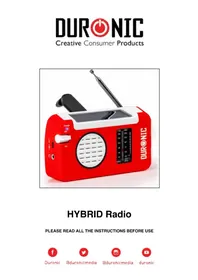
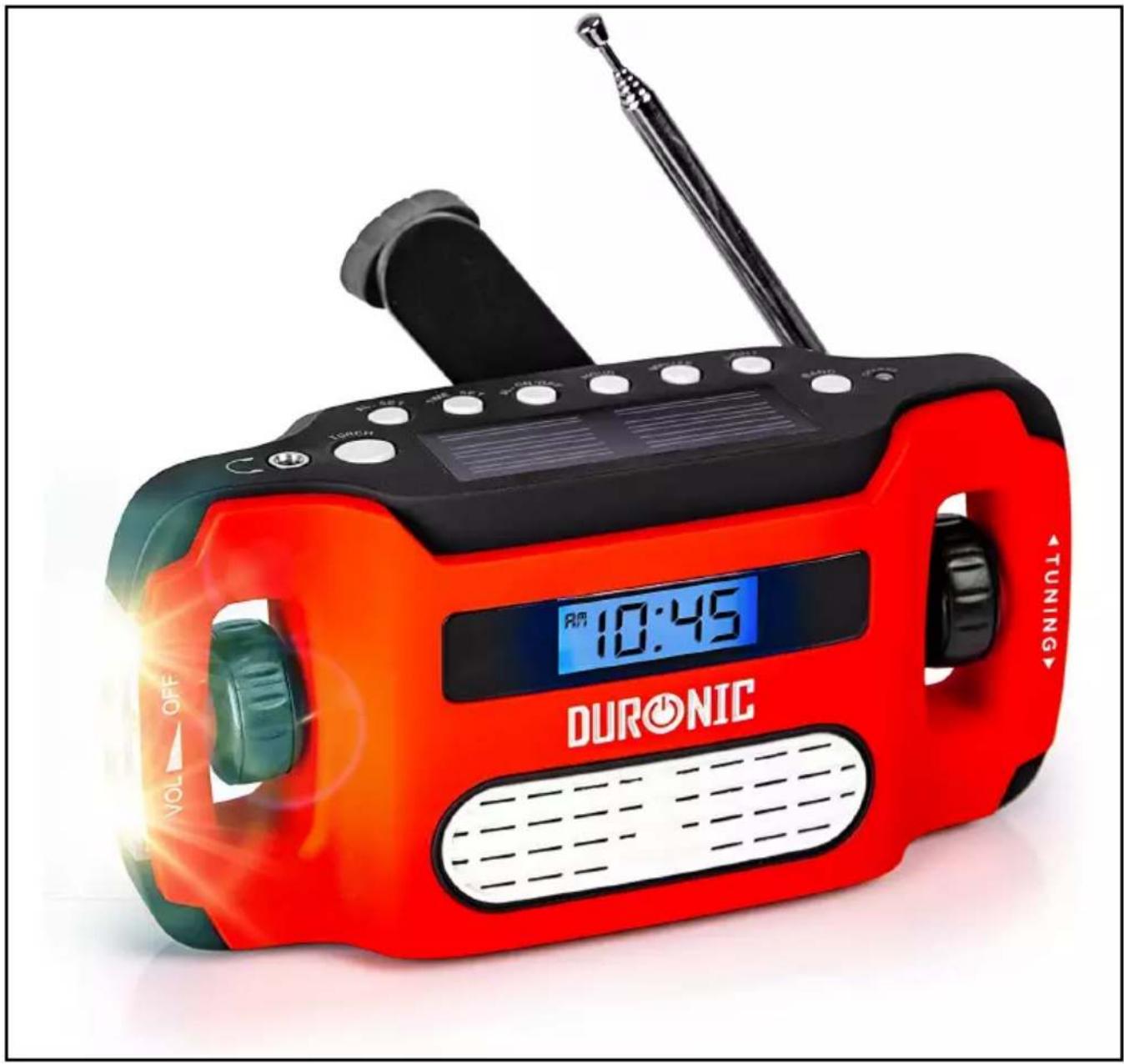
DURONIC TUNING 10:45 R/WAPEX Radio
PLEASE READ ALL THE INSTRUCTIONS BEFORE USE

duronic.com

duronic

@duronicmedia

Duronic

@duronicmedia
DURONIC
Contents
English Manual 5
Battery compartmentCranking handle
1) Radio
- Sensitivity of the FM - Better than 10 uV
- Sensitivity of the AM - Better than 3 mV/m
- Reception scope of the FM - 87-108 MHz
- Reception scope of the AM - 520-1620 KHz
- The audio frequency output power - 100 mW
- Radio working time after 1 minute cranking (2.5 - 3 circles/s) - 18 - 27 minutes
- Lighting time after 1 minute cranking (2.5 - 3 circles/s) - 27 -36 minutes
- Speaking time after 3 minutes cranking for charging mobile phone (2.5 - 3 circles/s) - 4 - 15 minutes
- Radio working time after 1 hour charging under sunlight (500W/ M2) - 20 - 30 minutes
- Lighting time after 1 hour charging under sunlight(500W/ M2) - 23 -32 minutes
- Max. Current flux of being charged by solar - 20mA
- Time of being fully charged under sunlight (500W/ M2) - 35-42 hours
- Radio wor1<ing time after being fully charged - 7 -9 hours
- Lighting time after being fully charged - 4-6 hours
- Max. Luminous flux - 11-14LM
2) Charged by outside power
- Input voltage - 5-5.2V
- Charging interface - DC plug 3.5^* 1.3
- Fully charged time - 6 - 8 hours
4) Size and weight
- Antenna length (external part) - Approx. 37mm
- Product size - Approx. 155x75x58mm
- Product weight - Approx. 203g
3) Main parts life-span
- Switch - 5000 times
- Whole unit - 5 years
- Plastic parts - 5 year
5) Others
- Specification of built-in battery - 300mAh, 3.6v
- Diameter of built-in speaker - 36mm (two)
- Generator power - 5W
DURONIC
Operation Method
-
Cranking for power: Unlock the handle, crank it at the speed of 2.5 to 3 circles per second. The faster you crank, the higher efficiency to charge. (It's better to crank it for no more than 4 circles per second.)
-
Charged by outside power: Connect with the 5V adapter to charge the internal battery, and about 6-8 hours later it will be fully charged.
-
Charge for digital devices, mobile phone, etc. Connect this product with other digital devices via connection cable, unlock the handle, crank it at the speed of 2.5 to 3 circles per second. Illumination of charging indicator indicates that charge is working.
-
Reception of radio:
A. Operation of the power switch and volume adjusting: First make sure the power switch is at "ON" position. Turn the volume knob clockwise to increase the volume. Contrariwise, turn the volume switch anticlockwise can decrease the volume gradually, a "crack" sound will be heard to show power off.
B. Wave band shifting : Push the wave band converting switch to choose FM, AM.
C. Station Search: Observe the display screen while tuning and select the radio program you needed. Tune the knob to an optimal position in which the reception effect is the best.
D. Use of antenna:
a). This product adopts telescoping antenna to receive signal for FM. When the signal is weak, you can extend the antenna or change the direction of the antenna to find the optimal position, thus can improve the effect of radio. Whereas, shrink the antenna when the signal is strong.
b). It adopts built-in magnetic antenna to receive signal for AM. You can change the position of the product properly when the signal is weak.
DURONIC
Note:
a. It is advised to turn the volume to the optimal position (be comfortable) when you listen.
b. Avoid places like high building, basement, etc as possible as you can, such places will badly influence the effect of the reception. Leave far away from the induction cooker, fluorescent lamp, car generator, motor, computer or such electrical equipment that may disturb the signal easily.
5. Time setting
1) Local time setting
Press and hold the "Time set" button, then press the hour adjust button and minute adjust button to adjust time, after adjusting the time, release the button, the system will recognize automatically.
2) Timing power on setting
Press and hold the “Alarm set” button, then press the hour adjust button and minute adjust button to adjust time, after adjusting the power on time, press the “Alarm ON/OFF” button to confirm it.
Tips: To turn on or to turn off the timing power on, press the "Alarm ON/OFF" button.
-
Use of Background light: When at night, press the background light button for lighting. Lasts for 10 seconds.
-
Earphone: Plug the earphone into the earphone jack, the speaker will be off automatically at this time. Be cautious of the things below when using the earphone:
A. Adjusting the volume to proper position when listen, too loud or listen for a long time will affect your hearing.
B. Please turn the radio off before sleep to avoid listening for a long time when you have fallen asleep.
C. When driving or walking, in order to avoid potential danger, please do not use earphones.
DURONIC
-
Pay attention to the holding gesture when cranking which can protect your finger and nail from hurting. Keep rotating steadily.
-
In order to assure the using life of the battery and mechanical parts, please pay attention to the things below:
a. Do not crank it for more than 5 minutes when the power of the battery is enough (working normally) and less than 15 minutes when it runs out of power.
b. When the light is dim or the radio is soundless, it means the battery is lack of power badly, please turn off the light and radio or crank it for a while.
c. Cranking it as even as possible (keep rotating steadily, 2.5 or 3 circles per second is best). Avoid cranking too violently and quickly or changing the cranking direction abruptly. Too slowly cranking would make current weak and influence the charging efficiency, and too violently cranking will possibly damage the driving system.
d. Do not crank it for a long time or too violentlyt.
e. In order to prolong the lifespan of the battery, you should crank it for at least one minute once a month.
-
Do not drop or hit this product.
-
Avoid using corrosive liquid or hard cloth to cleanse.
-
Turn off the light when charging to enhance the efficiency of charging.
-
The product will be a little hot if cranking for a long time.
-
We do not give notice again if the parameter of this product changed.
DURONIC
Warranty
1 Year Guarantee from Shine-Mart Ltd, Trademark owners of Duronic Products. NOTE: THESE STATEMENTS DO NOT AFFECT YOUR STATUTORY RIGHTS AS A CONSUMER
This product has been manufactured under the strictest or quality control procedures, and using the highest quality of materials, to ensure excellent performance and reliability. It will give very good and long lasting service, provided it is properly used and maintained. The product is guaranteed for 1 years from the date of original purchase. If any defect arises due to a faulty materials or poor workmanship, the faulty product must be returned to the original place of purchase. Refund or replacement is at the discretion of that company.
Duronic Products are offered with a 1 year guarantee under the following conditions:
- The product must be returned to the retailer with original proof of purchase.
- The product must be installed and used in accordance with the instructions contained in this operating manual.
- It must be used only for domestic purposes.
- It does not cover wear and tear, malicious damage, misuse, neglect, inexpert repairs or consumable parts.
- Shine-Mart Ltd has no responsibilities for accidental or consequential loss or damage.
- Shine-Mart Ltd are not liable to carry out any type of servicing work, under the guarantee
- Valid in the UK only

This product is fitted with CE:1363 plug and fuse Imported by Shine-Mart Ltd, RM3 8SB

Information on waste Disposal for Consumers of Electrical & Electronic Equipment.
This mark on a product and/or accompanying documents indicates that when it is to be disposed of, it must be treated as Waste Electrical & Electronic Equipment, (WEEE).
Any WEEE marked products must not be mixed with general household waste, but kept separate for the treatment, recovery and recycling of the materials used.
For proper treatment, recovery and recycling; please take all WEEE marked waste to your Local Authority Civic waste site, where it will be accepted free of charge.
If customers dispose of Waste Electrical & Electronic Equipment correctly, they will be helping to save valuable resources and preventing any potential negative effects upon human health and the environment, of any hazardous materials that the waste may contain.
Follow Us