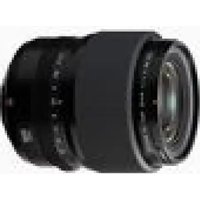
FUJIFILM GF55mmF1.7 R WR - Camera

GF55mmF1.7 R WR - Camera FUJIFILM - Free user manual and instructions

Find the device manual for free GF55mmF1.7 R WR FUJIFILM in PDF.

English EN Download 💬 AI Question 10 questions ⚙️ Specs
📄

Document temporarily unavailable

The manual is currently being transferred to our new server. It will be accessible again in a few hours. Thank you for your patience.

Pick your language and provide your email: we'll send you a specifically translated version.
Product type Lens
Brand Fujifilm
Model GF55mmF1.7 R WR
Mount Fujifilm G
Focal length 55 mm (equivalent 44 mm in 35 mm)
Maximum aperture f/1.7
Minimum aperture f/22
Optical construction 14 elements in 10 groups (2 aspherical, 2 ED)
Angle of view 52.9°
Minimum focusing distance 0.5 m
Maximum magnification 0.17×
Filter diameter 77 mm
Dimensions (Diameter × Length) ∅94.7 × 99.3 mm
Weight (without caps and hood) 780 g
Number of diaphragm blades 11 (circular aperture)
Supplied accessories Front cap, rear cap, lens hood, case
Maintenance Use a blower for dust, soft cloth for smudges, avoid organic solvents
Safety Do not look at the sun through the lens, do not use in humid environments, store away from heat
Serviceability Contact a Fujifilm repair center for weather seal replacement

Frequently Asked Questions - GF55mmF1.7 R WR FUJIFILM

How to install the lens on my Fujifilm camera?
Align the red dot on the lens with the one on the camera body, insert and turn clockwise until it clicks. Refer to the camera manual for more details.
What type of lens hood to use?
Use the supplied lens hood. Attach it by aligning the markers and turning. To remove, press the lock button and turn counterclockwise.
How to clean the lenses?
Use a blower to remove dust. For smudges, apply a small amount of optical cleaner on a soft cotton cloth and wipe in circular motions from center to edge. Never use organic solvents.
Can I use this lens with an adapter on an X mount?
No, this lens is exclusively designed for the FUJIFILM G mount. It cannot be used with X mounts, even with an adapter.
What is the minimum focusing distance?
The minimum focusing distance is 0.5 meters (measured from the focal plane).
What to do if the lens is not working properly?
Check that the lens and camera firmware are up to date. If the problem persists, contact an authorized Fujifilm repair center.
How to update the lens firmware?
Visit the Fujifilm website to download the firmware and follow the instructions. You can also ask your dealer for assistance.
Is the lens waterproof?
The lens is dust and splash resistant thanks to a rubber gasket at the mount. It is not designed for submersion.
How to adjust the aperture?
Turn the aperture ring to select a value. For C or A positions, or to switch between them, press the aperture ring lock button while turning.
What accessories are included?
The supplied accessories are: front lens cap, rear lens cap, lens hood, and lens case.

User questions about GF55mmF1.7 R WR FUJIFILM

0 question about this device. Answer the ones you know or ask your own.

Ask a new question about this device

The email remains private: it is only used to notify you if someone responds to your question.

No questions yet. Be the first to ask one.

Download the instructions for your Camera in PDF format for free! Find your manual GF55mmF1.7 R WR - FUJIFILM and take your electronic device back in hand. On this page are published all the documents necessary for the use of your device. GF55mmF1.7 R WR by FUJIFILM.

USER MANUAL GF55mmF1.7 R WR FUJIFILM

Manual assistant
Powered by Anthropic
Waiting for your message
Product information

Brand : FUJIFILM

Model : GF55mmF1.7 R WR

Category : Camera