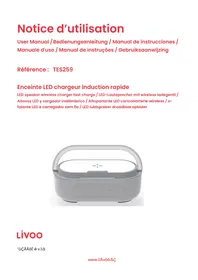
TES259 - Battery charger LIVOO - Free user manual and instructions
Find the device manual for free TES259 LIVOO in PDF.



| Product type | Battery charger |
| Brand | Livoo |
| Model | TES259 |
| Category | Battery charger with LED speaker and lamp |
| Dimensions (diameter x height) | 18 cm x 5,2 cm |
| Weight | 545 g |
| Power supply | DC input 5V/2,1A or 9V/2,1A |
| Built-in battery | 3,7 V / 1800 mAh |
| Wireless charging | Up to 15 W (depending on adapter) |
| Bluetooth | Version 5.1, range ≥10 m |
| Speaker | 2 x 5 W RMS, response 80-15 kHz |
| Night lamp | 3-level touch dimmer (30%, 70%, 100%) |
| Charging port | USB Type C |
| Package contents | Charger, USB cable, manual |
| Maintenance | Clean with a damp cloth, no detergents |
| Safety | Do not expose to water, heat, magnets |
| Spare parts / Repairability | No user-repairable parts |
| General information | Compliant with ROHS, RED, LVD directives; Bluetooth® mark |
Frequently Asked Questions - TES259 LIVOO
User questions about TES259 LIVOO
0 question about this device. Answer the ones you know or ask your own.
Ask a new question about this device
Download the instructions for your Battery charger in PDF format for free! Find your manual TES259 - LIVOO and take your electronic device back in hand. On this page are published all the documents necessary for the use of your device. TES259 by LIVOO.
USER MANUAL TES259 LIVOO
UTCAICSATCOO DA AA AUICARA
Thank you for choosing a Livoo product!
Your blender, your barbecue, and your eadp_nones are not just objects, t_ey are extensions of yourself, allowing you to get closer to your friends and family, to bring t,em toget_,er, to laugh_, and to s_,are
experiences. Livoo's aim is to help you live your life to the fullest, whatever wishes you have throughout the year. Winter raclette, summer barbecue. Or the other way around. It's up to you. Take advantage of this freedom for feel good moments every day.
That's why we're constantly innovating and creating clever products full of zest, but most of all, accessible. Find our entire collection on our website www.livoo.en.
Livoo, your daily companion till social networks

@Livoo

@livoo_officiel

@Livoo
Safety C nstructions
Please, take time to read well the instruction sheet before the first use and keep them for a future use.
A misuse of the appliance can damage it or hurt the user. Assure that you use the appliance for the use for which it is designed. We refuse any responsibilities as for the damages by an incorrect use or a bad manipulation.
- Do not use other cable than that supplied with the product.
- In case of dysfunction, entrust your wireless charger to a specialist.
- No pieces can be repaired or replaced by the user.
- Any signs of wear and tear please discard immediately.
- Maintain your product shielded from dust, rain, water or from humidity.
- Do not subject your product to sources of inflammation or important heat. Do not throw it to the fire.
- Do not place the wireless charger near magnets.
- Maintain your product out of reach children.
- Wipe clean with a damp cloth only. Do not use detergents.
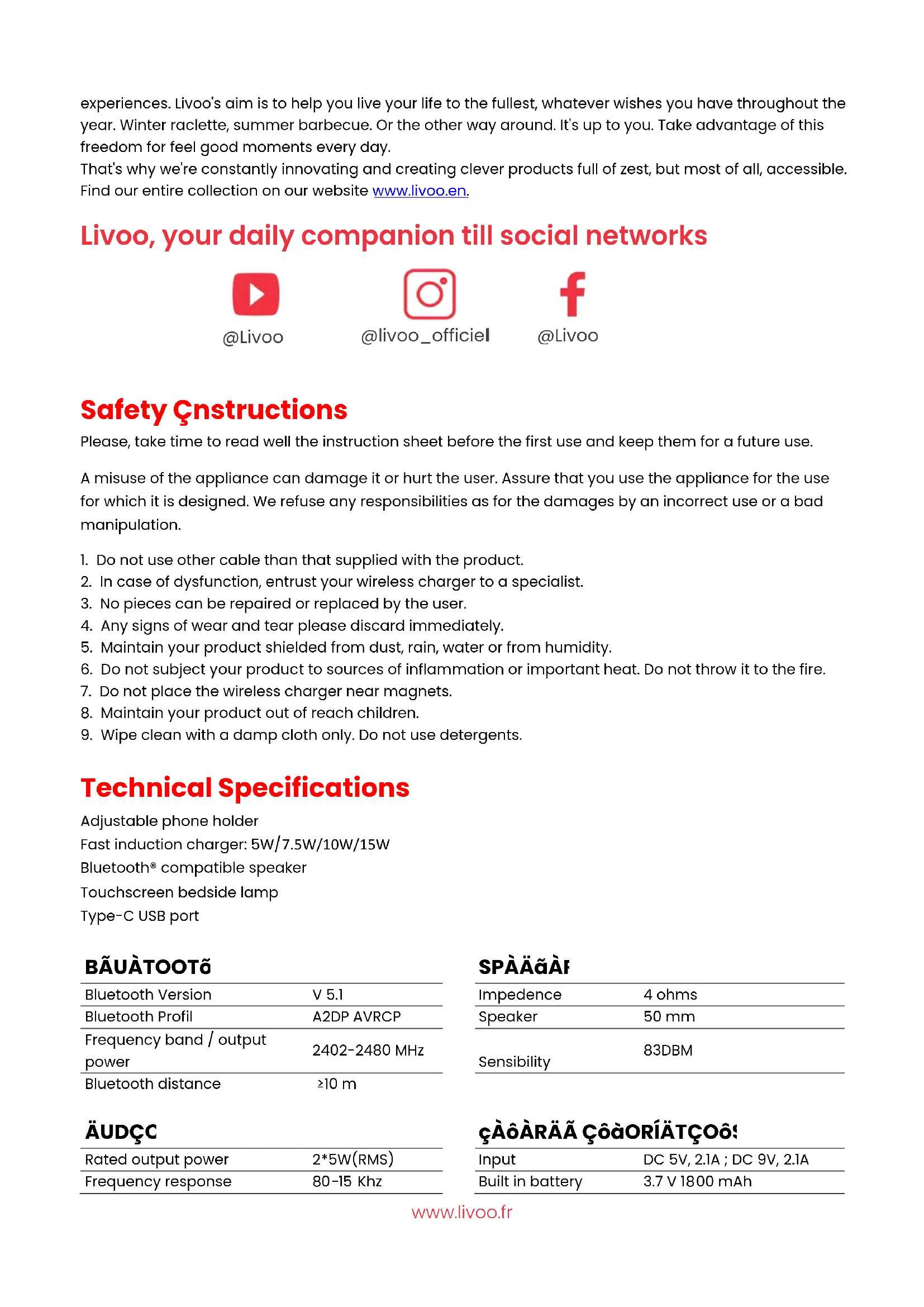
Technical Specifications
Adjustable phone holder
Fast induction charger: 5W/7.5W/10W/15W
Bluetooth® compatible speaker
Touchscreen bedside lamp
Type-C USB port
BÁUÀTOOTō
| Bluetooth Version | V 5.1 |
| Bluetooth Profil | A2DP AVRCP |
| Frequency band / output power | 2402-2480 MHz |
| Bluetooth distance | ≥10 m |
ÄUDçC
| Rated output power | 2*5W(RMS) |
| Frequency response | 80-15 Khz |
SPAAaI
| Impedence | 4 ohms |
| Speaker | 50 mm |
| Sensibility | 83DBM |
cAoARAA C0aORIATC069
| Input | DC 5V, 2.1A; DC 9V, 2.1A |
| Built in battery | 3.7 V 1800 mAh |
Drawing of the device
àigure1
- Induction c,arging slot
- Outer face of t,e lig,t ring
- Lig, t ring
- Function buttons
- Speaker
- Touc, switc, for lig, ting
àigure 2
- Port type C
Use of the device
T, is product as a wireless c,arger wit, simple design and compatible wit, any mobile p,ones wit, QI standard. Mobile p,one is wit,out plug w,en c,arging.
CDOUCTcOo CcAra
- Plug t, e "SB port of t, e "SB data cable to t, e power adapter and t, e Type C end to t, e wireless c,arger.
- Place t,e device t,at needs to be c,,arged in t,e c,,arging indication area of t,e product.
- "nplug t,e wireless c,arger after use.
Note: Tn is product supports fast wireless c,arging function, meets t,e QI wireless standard c,arging standard, and realizes s,ort-range wireless energy transmission by magnetic induction. T,is device supports all QI standard wireless c,arging devices. W,en a 5" output adapter is used, t,e wireless c,arger supports 5W load, suitable for QC2.0 and above adapters, wireless c,arging gas supports 15W load, wit, overc,arge protection (9") and overcurrent protection (2A).
USA Oà TõA AçççÖT
- Touc, t,e first time to start t,e lig,t 30% brig,tness
- Touc, t, e second time to c, ange t, e lig, t 70% brig, tness
- Touc, t, e t, ird time to c, ange t, e lig, t 100% brig, tness
- Touc, t,e fourt, time to turn off t,e lig,t
BAUATOO COIPATGBAA SPAAAR
W,en t,e unit is turned off, s,ort press t,e ON/OFF button, A beep will sound. T,e speaker is trying to pair. Activate t,e Bluetooth, function of your mobile p,one. Select t,e name of t,e TES259 device, t,e pairing is done automatically. S,ort press t,e bouton to cancel or connect Bluetooth, pairing. s,ort press ON/OFF to deactivate Bluetooth..
BUTTOO aUoCTcOoS
ON/OFF - PRE"IO"S SONG-PLAY/ PA"SE-NEXT SONG-"O"L"ME DOWN-"O"LME "P-BLL"ETOOTH
PAIRING/CANCELING
During playback, s.or t press t,e play/pause button to pause t,e song. Press again to play.

"OL"ME "P
IE e, u pOyoOao AeoEeu, A, oCe pcUAA eo AEAcUoAe, u voUau, OEd O pop-up ooAe wAUOaauC w,uE e, u voUau AA aOxAaAzud.
"OL"ME DOWN
IE,puOyoOao AoeEue,A,OcpeCuAA AE ocduc eo duOAu e,u vUauu
P-E"I0"S SONGe A, oCep CsuAe, u oueeoe wAUpUoy e,u pCuovAouAoEu
NEXT SONGe A, oC e pCuAe, u oueeoe eo e, u EuxEoE
LOW"OLTAGEALE-T
W,uE e, u ApuOouc A A OuaoAe powuCud oB, O poppAEU AouEd wAUU ou uaaeeud, AedAoEAEU e,Oe, u AouE EuudA eo ou a,OcUud
Noeue
- S,ôçé pÇuAù ðONo ñö ñeçé òBùuèoöe, òEd UÄU,ëA ōe ñ,ü Aóaú ñAù.
- S,°Cé pÇüAÀ oC®°o eö eucé Bùuüeööe, OEd UAu, eA Oe e, u Aóu eAù
Declaration of conformity
We,
DELTA - BP61071 - 67452 Mundolsheim - France
DuaUOCu ueduc ouc owE CuApoeAooAuaey eOe eUoCeAuaue
Description: LED speaker wireless charger fast charge
- Reference: TES259
ALTAVOZ COMPATIBLE COO BLUETOOTH
AATOPARAAOTACOIPATCBCAA COQBAUATO
BAUATOOT-COIPATCBAAA AUCDSPRAAR

- UTCAICSATCOO DA AA AUICARA
- Thank you for choosing a Livoo product!
- Livoo, your daily companion till social networks
- Safety C nstructions
- Technical Specifications
- Drawing of the device
- àigure1
- àigure 2
- Use of the device
- CDOUCTcOo CcAra
- USA Oà TõA AçççÖT
- BAUATOO COIPATGBAA SPAAAR
- BUTTOO aUoCTcOoS
- LOW"OLTAGEALE-T
- Declaration of conformity
- ALTAVOZ COMPATIBLE COO BLUETOOTH
- AATOPARAAOTACOIPATCBCAA COQBAUATO
- BAUATOOT-COIPATCBAAA AUCDSPRAAR
Brand : LIVOO
Model : TES259
Category : Battery charger