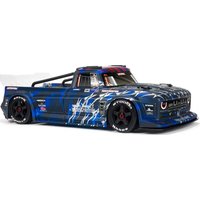
Infraction V2 6S BLX - Remote control toy ARRMA - Free user manual and instructions
Find the device manual for free Infraction V2 6S BLX ARRMA in PDF.


| Product type | Hobby-grade RC car (not a toy) |
| Brand | ARRMA |
| Model | Infraction V2 6S BLX |
| Power supply | LiPo 6S (22.2V) battery, 35C min, 100C recommended |
| Motor | Brushless |
| Electronic Speed Controller (ESC) | Brushless, waterproof, with FWD/BRK/REV modes, programmable settings |
| Radio system | Spektrum DX3 2.4GHz DSMR, SR6110AT receiver with AVC technology |
| AVC technology | Heading control assistance, adjustable gain, priority |
| Water resistance | Water-resistant (splashes), waterproof electronics, no immersion |
| Maintenance in wet conditions | Cleaning, drying, lubricating metal parts after wet use |
| Recommended age | 14 years and up, under adult supervision |
| Warranty | 6 months, extendable to 18 months according to legislation |
| Spare parts | Available from Horizon Hobby authorized dealer |
| Repairs | By dealer or Horizon Hobby service |
| Cleaning | Compressed air, brush, avoid pressure washer |
| Safety precautions | Read entire manual, do not use in thunderstorms, keep distance |
| Transmitter power | Batteries (non-rechargeable) or rechargeable cells, check voltage before use |
| Battery connectors | Specific connectors (included in kit) |
| Maintenance schedule | Regular check of axles, bearings, differentials, shock absorbers |
| Transmitter functions | Steering/throttle trim, reversing, throttle limiter (50/70/100%), brake rate |
Frequently Asked Questions - Infraction V2 6S BLX ARRMA
User questions about Infraction V2 6S BLX ARRMA
0 question about this device. Answer the ones you know or ask your own.
Ask a new question about this device
Download the instructions for your Remote control toy in PDF format for free! Find your manual Infraction V2 6S BLX - ARRMA and take your electronic device back in hand. On this page are published all the documents necessary for the use of your device. Infraction V2 6S BLX by ARRMA.
USER MANUAL Infraction V2 6S BLX ARRMA
U.S Pat. No. 9,320,977; 10,528,060
INSTRUCTION/MANUAL
BEDIENUNGSANLEITUNG
MODE D'EMPLOI
All instructions, warranties and other collateral documents are subject to change at the sole discretion of Horizon Hobby, LLC. For up-to-date product literature, visit horizonhobby.com and click on the support tab for this product.
Meaning of Special Language
The following terms are used throughout the product literature to indicate various levels of potential harm when operating this product:
WARNING: Procedures, which if not properly followed, create the probability of property damage, collateral damage, and serious injury OR create a high probability of superficial injury.
CAUTION: Procedures, which if not properly followed, create the probability of physical property damage AND a possibility of serious injury.
NOTICE: Procedures, which if not properly followed, create a possibility of physical property damage AND a little or no possibility of injury.

WARNING: Read the ENTIRE instruction manual to become familiar with the features of the product before operating. Failure to operate the product correctly can result in damage to the product, personal property and cause serious injury.
This is a sophisticated hobby product. It must be operated with caution and common sense and requires some basic mechanical ability. Failure to operate this Product in a safe and responsible manner could result in injury or damage to the product or other property. This product is not intended for use by children without direct adult supervision. Do not use with incompatible components or alter this product in any way outside of the instructions provided by Horizon Hobby, LLC. This manual contains instructions for safety, operation and maintenance. It is essential to read and follow all the instructions and warnings in the manual, prior to assembly, setup or use, in order to operate correctly and avoid damage or serious injury.

WARNING AGAINST COUNTERFEIT PRODUCTS: Always purchase from a Horizon Hobby, LLC authorized dealer to ensure authentic high-quality Spektrum product. Horizon Hobby, LLC disclaims all support and warranty with regards, but not limited to, compatibility and performance of counterfeit products or products claiming compatibility with DSM ktrum technology.
Age Recommendation: Not for children under 14 years. This is not a toy.
Safety Precautions and Warnings
As the user of this product, you are solely responsible for operating in a manner that does not endanger yourself and others or result in damage to the product or property of others.
This model is controlled by a radio signal subject to interference from many sources outside your control. This interference can cause momentary loss of control, so it is advisable to always keep a safe distance in all directions around your model as this margin will help avoid collisions or injury.
- Never operate your model with low transmitter batteries.
• Always operate your model in open spaces away from full-size vehicles, traffic and people. - Never operate the model in the street or in populated areas for any reason.
- Carefully follow the directions and warnings for this and any optional support equipment (chargers, rechargeable battery packs, etc.) you use.
-
Keep all chemicals, small parts and anything electrical out of the reach of children.
-
Never lick or place any portion of the model in your mouth as it could cause serious injury or even death.
• Exercise caution when using tools and sharp instruments.
• Take care during maintenance as some parts may have sharp edges. - Immediately after using your model, do NOT touch equipment such as the motor, electronic speed control and battery, because they generate high temperatures. You may burn yourself seriously touching them.
- Do not put fingers or any objects inside rotating and moving parts, as this may cause damage or serious injury.
- Always turn on your transmitter before you turn on the receiver in the car. Always turn off the receiver before turning your transmitter off.
- Keep the wheels of the model off the ground when checking the operation of the radio equipment.
WATER-RESISTANT VEHICLE WITH WATERPROOF ELECTRONICS
Your new Horizon Hobby vehicle has been designed and built with a combination of waterproof and water-resistant components to allow you to operate the product in many "wet conditions," including puddles, creeks, wet grass, snow and even rain.
While the entire vehicle is highly water-resistant, it is not completely waterproof and your vehicle should NOT be treated like a submarine. The various electronic components used in the vehicle, such as the Electronic Speed Control (ESC), servo(s) and receiver are waterproof, however, most of the mechanical components are water-resistant and should not be submerged.
Metal parts, including the bearings, hinge pins, screws and nuts, as well as the contacts in the electrical cables, will be susceptible to corrosion if additional maintenance is not performed after running in wet conditions. To maximize the long-term performance of your vehicle and to keep the warranty intact, the procedures described in the "Wet Conditions Maintenance" section below must be performed regularly if you choose to run in wet conditions. If you are not willing to perform the additional care and maintenance required, then you should not operate the vehicle in those conditions.

CAUTION: Failure to exercise caution while using this product and complying with the following precautions could result in product malfunction void the warranty.
General Precautions
- Read through the wet conditions maintenance procedures and make sure that you have all the tools you will need to properly maintain your vehicle.
- Not all batteries can be used in wet conditions. Consult the battery manufacturer before use. Caution should be taken when using Li-Po batteries in wet conditions.
- Most transmitters are not water-resistant. Consult your transmitter's manual or the manufacturer before operation.
- Never operate your transmitter or vehicle where lightning may be present.
- Do not operate your vehicle where it could come in contact with salt water (ocean water or water on salt-covered roads), contaminated or polluted water. Salt water is very conductive and highly corrosive, so use caution.
- Even minimal water contact can reduce the life of your motor if it has not been certified as water-resistant or waterproof. If the motor becomes excessively wet, apply very light
throttle until the water is mostly removed from the motor. Running a wet motor at high speeds may rapidly damage the motor.
- Driving in wet conditions can reduce the life of the motor. The additional resistance of operating in water causes excess strain. Alter the gear ratio by using a smaller pinion or larger spur gear. This will increase torque (and motor life) when running in mud, deeper puddles, or any wet conditions that will increase the load on the motor for an extended period of time.
Wet Conditions Maintenance

CAUTION: Always keep hands, fingers, tools and any loose or hanging objects away from rotating parts when performing the above drying technique.
- Remove the battery pack(s) and dry the contacts. If you have an air compressor or a can of compressed air, blow out any water that may be inside the recessed connector housing.
- Remove the tires/wheels from the vehicle and gently rinse the mud and dirt off with a garden hose. Avoid rinsing the bearings and transmission.
NOTICE: Never use a pressure washer to clean your vehicle.
- Use an air compressor or a can of compressed air to dry the vehicle and help remove any water that may have gotten into small crevices or corners.
- Spray the bearings, drive train, fasteners and other metal parts with a water-displacing light oil. Do not spray the motor.
- Let the vehicle air dry before you store it. Water (and oil) may continue to drip for a few hours.
- Increase the frequency of disassembly, inspection and lubrication of the following: - Front and rear axle hub assembly bearings.
- All transmission cases, gears and differentials.
- Motor—clean with an aerosol motor cleaner and re-oil the bearings with lightweight motor oil.
hinwies
| Warnings | 2 |
| Required 6 | |
| Kit Overview 7 | |
| Battery Fitting 8 | |
| Running 10 | |
| Radio Gear 13 | |
| Recommended Tools 21 | |
| Electronic Speed Controller (ESC) 22 | |
| Maintenance Schedule 25 | |
| Center Differential Maintenance 26 |
| Wheel and Tire Maintenance 27 | |
| F/R Differential Removal and Replacement 28 | |
| Shock Maintenance 30 | |
| How To...Change the Pinion/Motor | 31 |
| How To...Remove the Receiver | 32 |
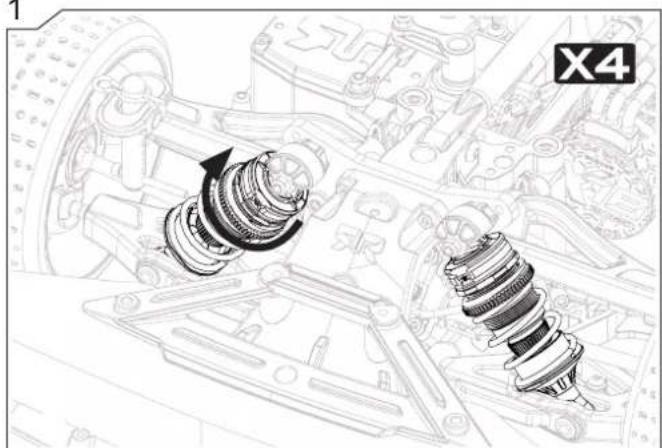
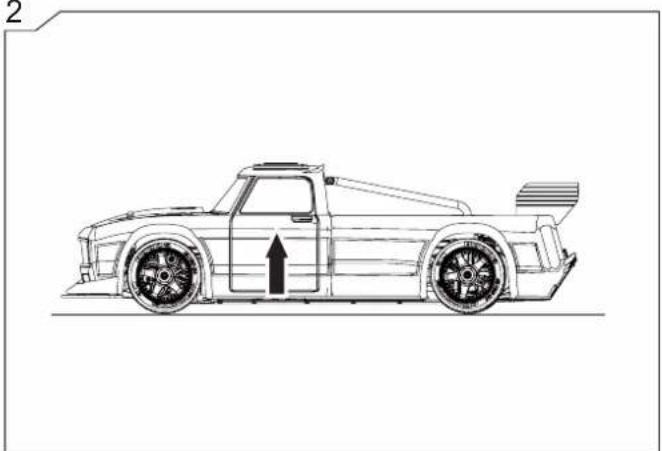
| How To...Adjust Ride Height 33 | |
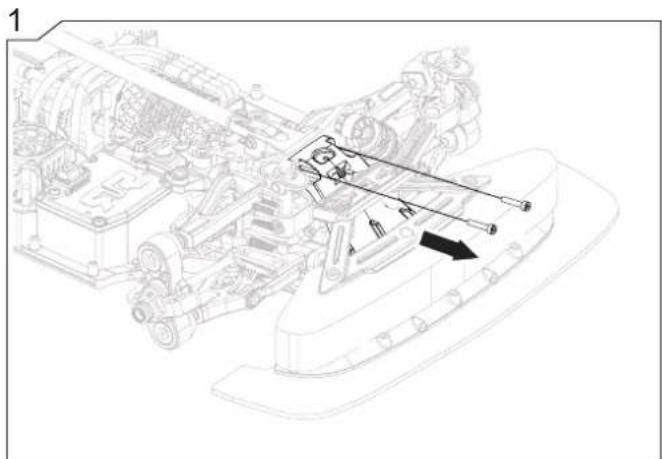
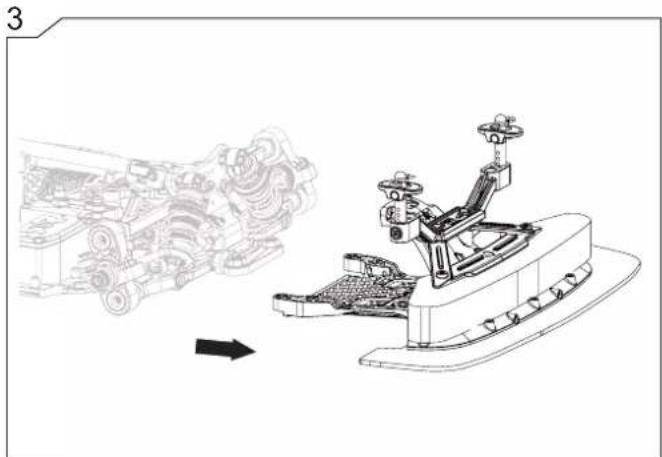
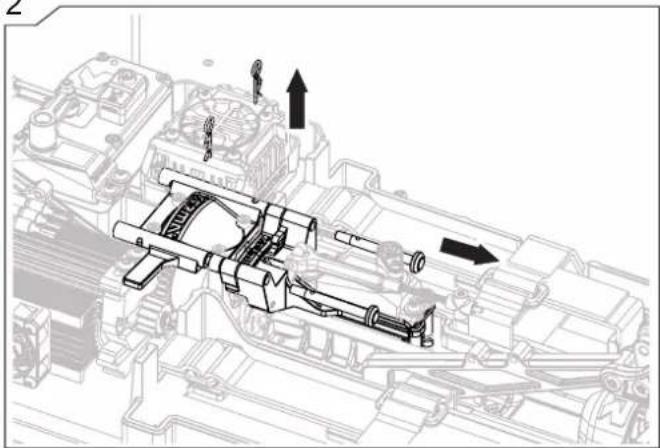
| How To...Remove the Brake Module | 34 |
| Exploded View INFRACTION | 36 |
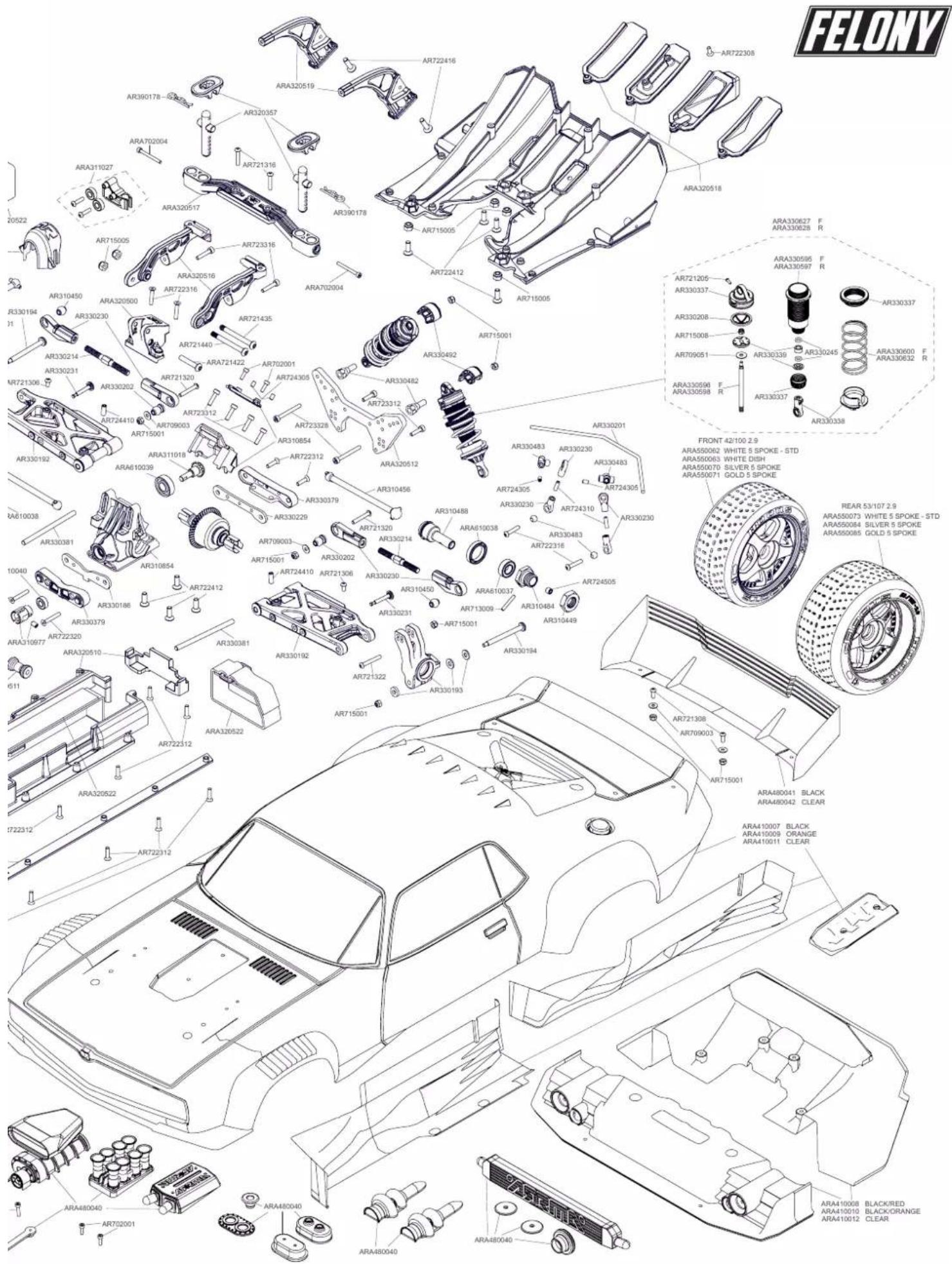
| Exploded View FELONY | 38 |
| Warranty | 40 |

Inhalte
Seite
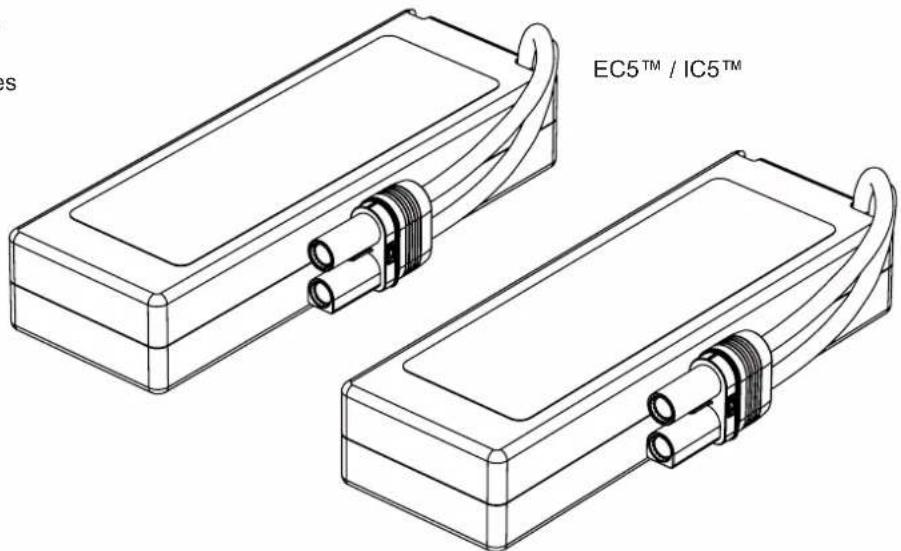
2x2S LiPo, 2x3S LiPo Battery
2x2S LiPo, 2x3S LiPo Akku
2x2S LiPo, 2x3S LiPo Batteries
natural_image
Technical line drawing of two electronic device modules with connectors and labeled 'EC5™ / IC5™' (no additional text or symbols)
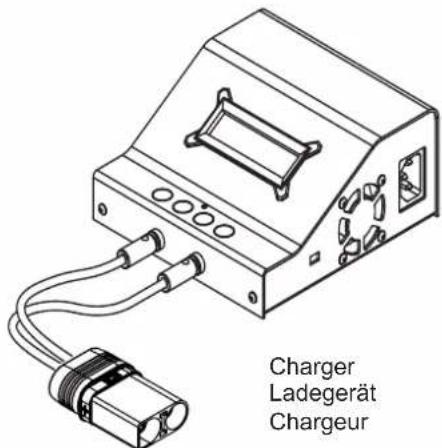
LiPo Charging Bag
LiPo Ladetasche
LiPo Sac Charge
EC5 ^TM / IC5 ^TM
natural_image
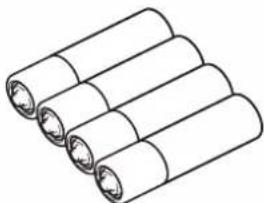
Illustration of four cylindrical batteries arranged diagonally (no text or symbols)AA batteries x4
AA Batterien x4
AA Batteries x4
natural_image
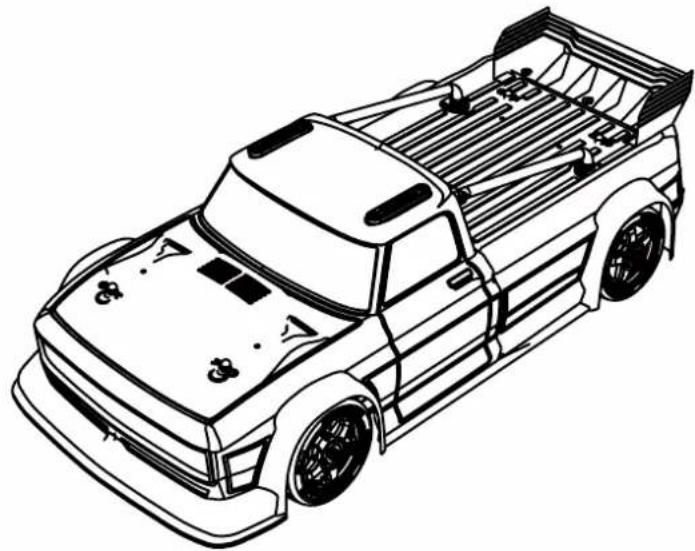
Line drawing of a pickup truck chassis (no text or symbols)INFRACTION
• ARRMA INFRACTION 6S (ARA7615V2)
- Spektrum ^TM DX3 ^TM Smart 2.4GHz Transmitter (SPM2340)
- Spektrum ^TM 2.4GHz Telemetry Receiver (SR6110AT)
- Spektrum ^TM FIRMA ^TM 150A SMART ESC (SPMXSE1150)
- Spektrum ^TM 4074 2050Kv MOTOR (SPMXSM1700)
• ARRMA ADS-15M 15KG, Metal Gear Servo, 25T (AR390139)
- Spektrum™ S650 Digital Servo, 23T (SPMS650)
natural_image
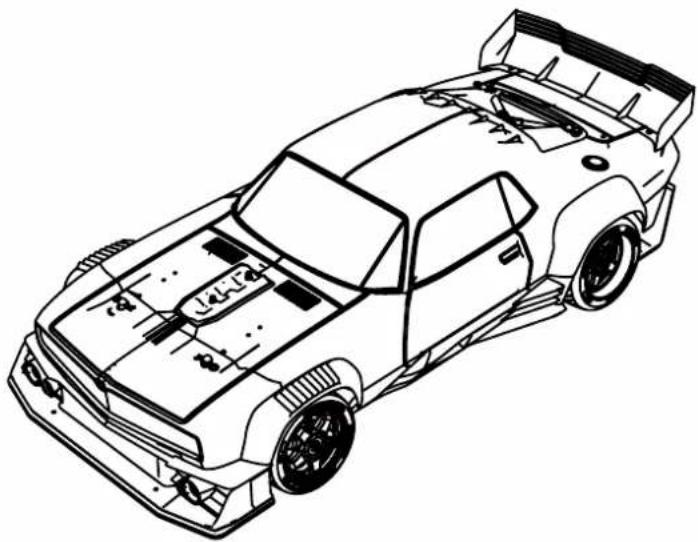
Line drawing of a sports car with visible frame, roof, and side panels (no text or symbols)FELONY
• ARRMA FELONY 6S (ARA7617V2)
- Spektrum ^TM DX3 ^TM Smart 2.4GHz Transmitter (SPM2340)
- Spektrum ^TM 2.4GHz Telemetry Receiver (SR6110AT)
- Spektrum ^TM FIRMA ^TM 150A SMART ESC (SPMXSE1150)
- Spektrum ^TM 4074 2050Kv MOTOR (SPMXSM1700)
• ARRMA ADS-15M 15KG, Metal Gear Servo, 25T (AR390139)
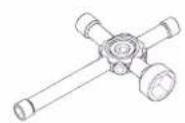
Cross wrench
Kreuzschlüssel
Clé en croix
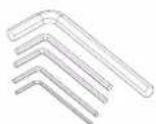
2.5mm 3.0mm2.0mm1.5mm 5.0mm
Hex Wrenches
Sechskantschlüssel
Clé hexagonale
natural_image
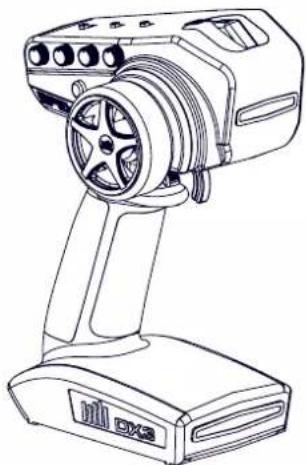
Line drawing of a handheld electronic device with a spool and base (no text or symbols)SPEKTRUM™ DX3™ SMART 2.4.GHz Transmitter
SPEKTRUM ^TM DX3 ^TM SMART 2.4.GHz Sender
SPEKTRUM™ DX3™ SMART 2.4.GHz Emetteur
SPECIFICATIONS
Transmitter DX3™ (SPM2340)
| Frequency: | 2.4GHz |
| Battery: AA x 4 |
Servo ADS-15M (AR390139)
| Power Supply: 6V~7.2V |
| Output Torque: 15kg-cm (208oz-inch) at 7.2V, 14kg-cm(195oz-in) at 6.0V |
| Operating Speed: 0.14 sec/60 deg at 7.2V,0.16 sec/60 deg at 6.0V |
| Size: 40mm x 38mm x 20mm(Excluding mounting tabs)Industry Standard size |
Electronic Speed Control (ESC)
| SpektrumTM FIRMA ESC (SPMXSE1150) |
| Input Voltage: 3S LiPo (11.1), 4S LiPo (14.8) or 6S LiPo (22.2V) |
| 4274-size or smaller motor with the KV<2400 |
| Electric Capacity: 150AMP Continuous current |
| BEC Voltage: 6V/7.4V |
| Size: 57.5 x 59.5 x 38.9mm |
| Weight: 399.5g / 14.09oz |

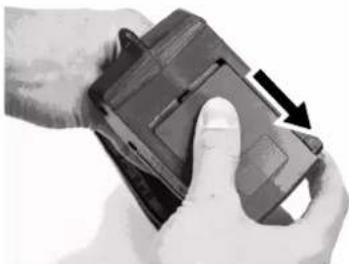
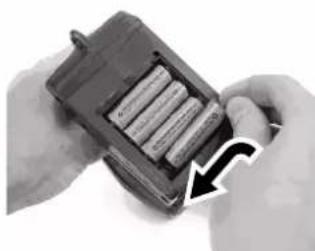
Battery Fitting
Einsetzen Der Akkus
Raccordement De Batterie
natural_image
Close-up of hands holding a black electronic device with a scroll wheel, showing a hand pressing the button (no text or symbols visible)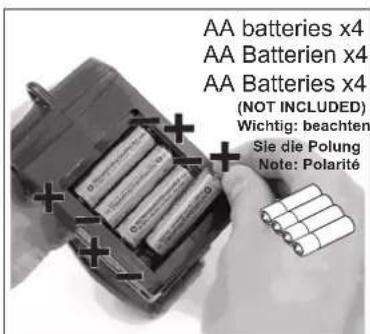
natural_image
Close-up of hands holding a battery pack with an arrow pointing to its side (no visible text or symbols)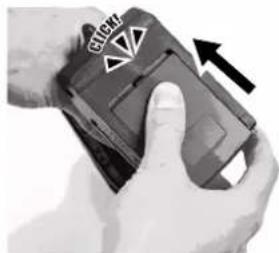
natural_image
Close-up of hands holding a handheld device with a black arrow indicating rotation (no visible text or symbols)
CAUTION: If using rechargeable batteries, only charge rechargeable batteries. Charging non-rechargeable batteries may cause the batteries to burst, resulting in injury to persons and/or damage to property. Risk of explosion if battery is replaced by an incorrect type. Dispose of used batteries according to national regulations.
natural_image
Technical line drawing of a mechanical assembly with a tire and gear assembly (no text or symbols)2
natural_image
Technical line drawing of a mechanical device with attached components, no visible text or symbols3
natural_image
Technical line drawing of a mechanical assembly with a curved arrow indicating motion (no text or symbols present)4
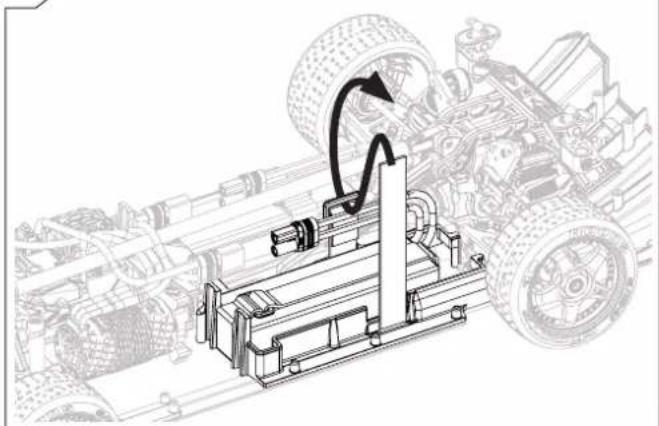
natural_image
Technical line drawing of a mechanical assembly with tire components and motion arrow (no text or symbols)5
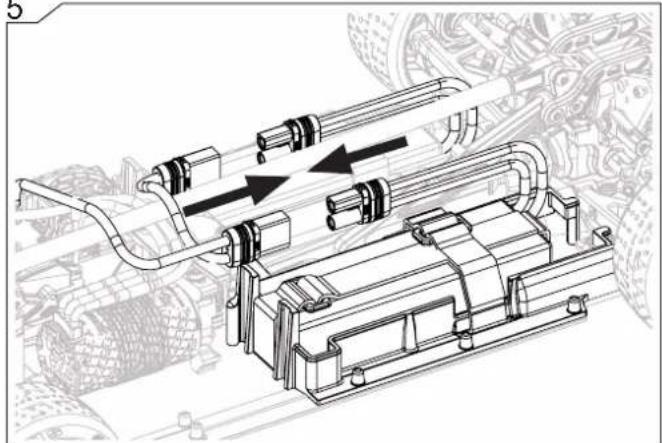
natural_image
Technical line drawing of a mechanical assembly with pipes and components (no text or symbols)
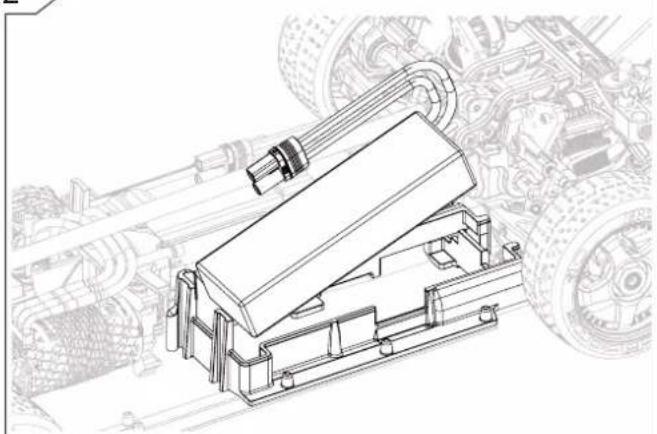
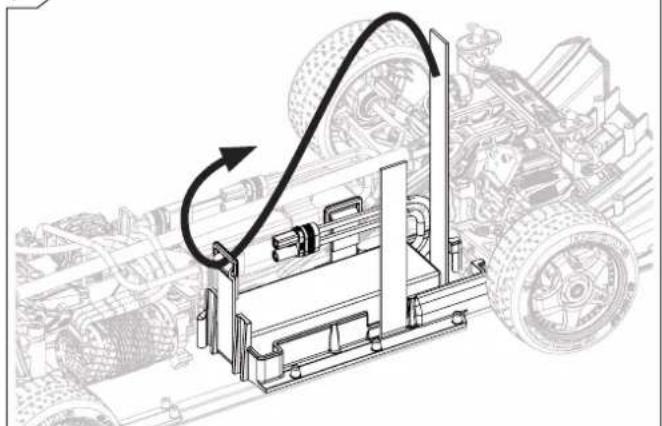
CAUTION: Connecting the battery to the ESC with reversed polarity will cause damage to the ESC, the battery or both. Damage caused by ctly connecting the battery is not covered under warranty.

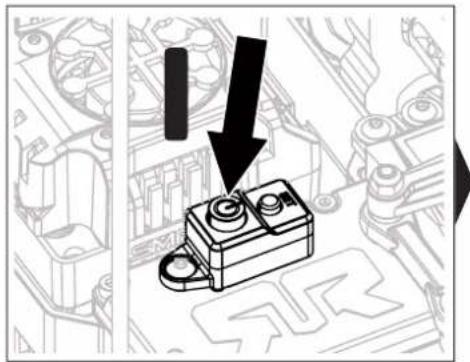
natural_image
Technical illustration of a mechanical component with a downward arrow indicating a process or assembly (no text or symbols present)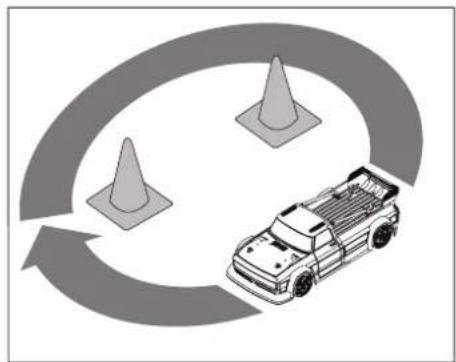
natural_image
Illustration of a pickup truck with three traffic cones surrounding it, no text or symbols present.
natural_image
Technical diagram of a mechanical component with an arrow pointing to it, overlaid on a technical schematic background (no readable text or symbols)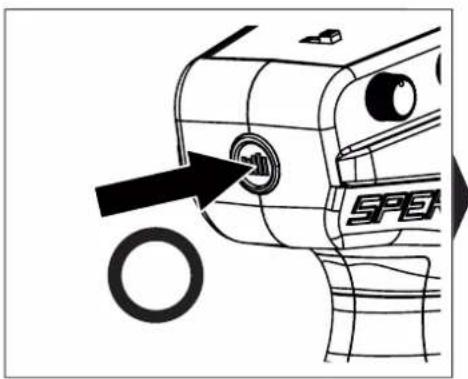
natural_image
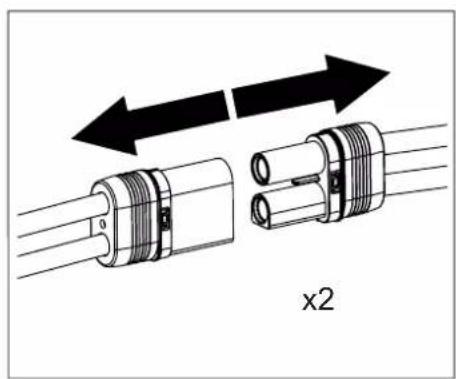
Diagram of two mechanical connectors with directional arrows indicating movement or assembly (no text or symbols)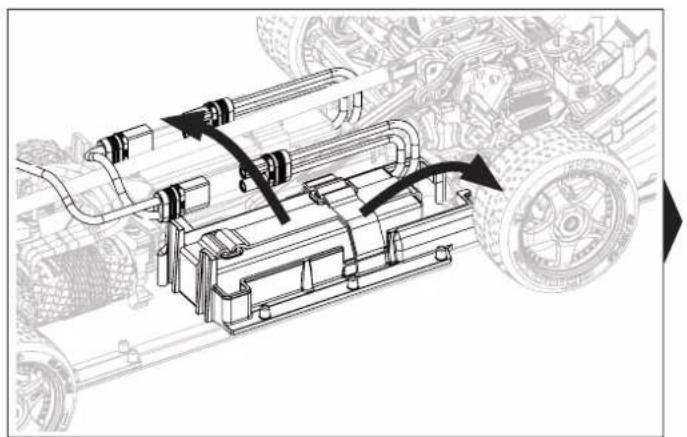
natural_image
Mechanical assembly diagram showing motor components and gear mechanism (no text or labels)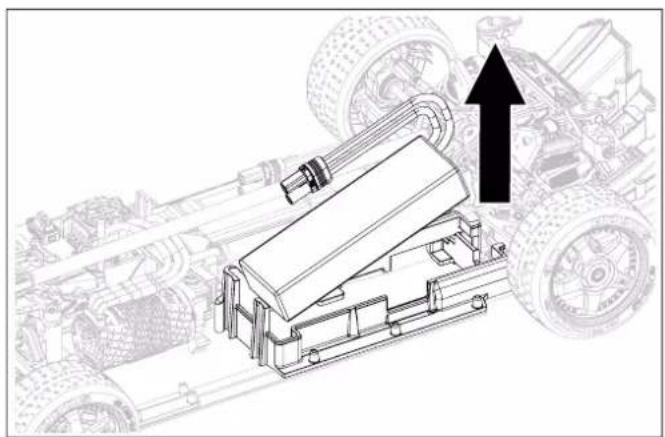
natural_image
Technical line drawing of a mechanical assembly with an upward arrow indicating motion or assembly (no text or symbols present)
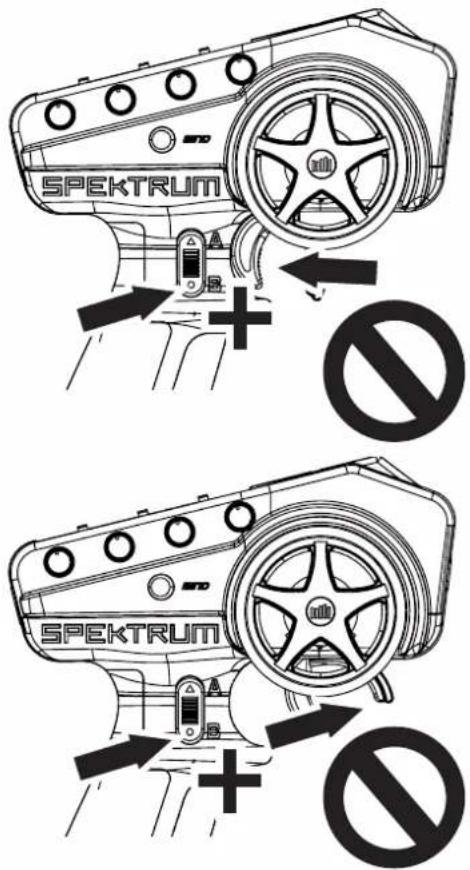
Handbrake (INFRACTION ONLY)
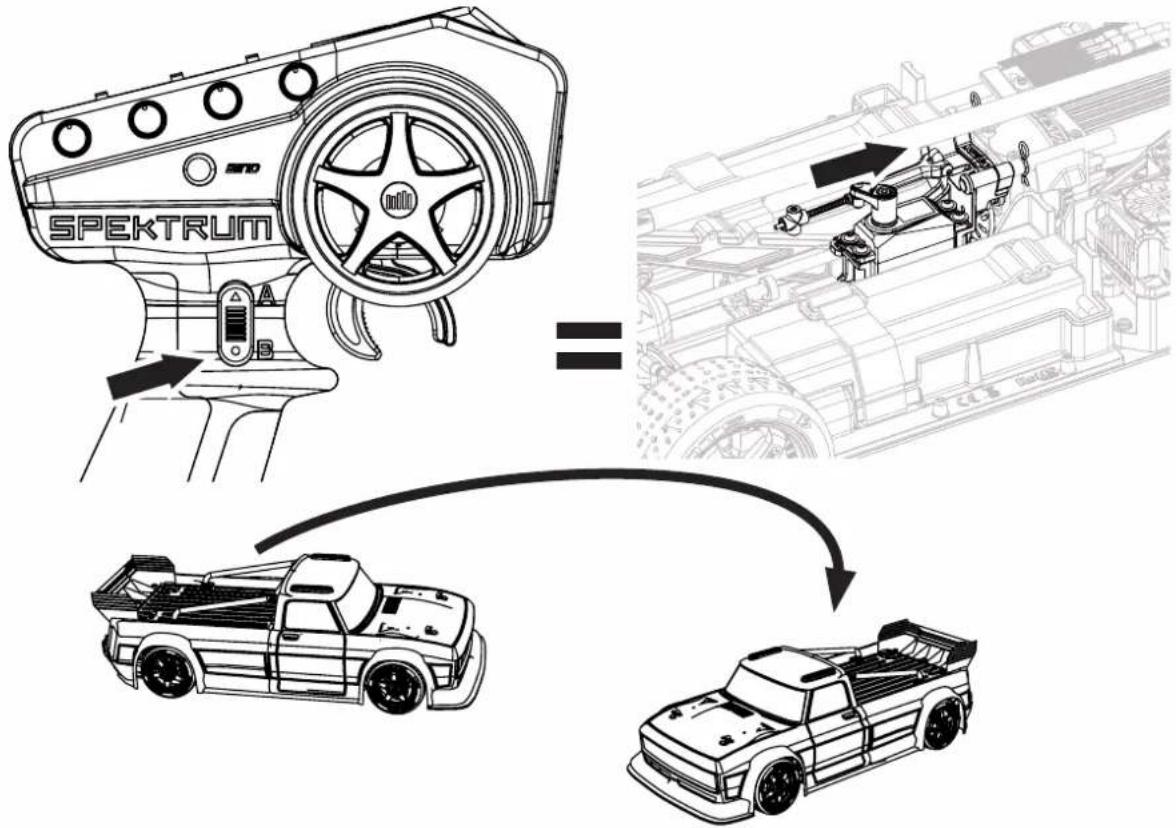

IMPORTANT
WICHTIG
IMPORTANT

natural_image
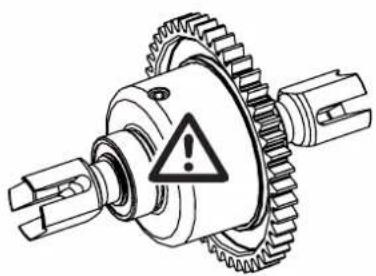
Mechanical gear assembly diagram with warning symbol (no text or labels)IMPORTANT: DO NOT HOLD HANDBRAKE BUTTON AND ACTIVATE FORWARD OR REVERSE OTHERWISE CENTER DIFFERENTIAL WILL BECOME DAMAGED
WICHTIG: DRÜCKEN SIE NICHT AUF DIE HANDBREMSE KNOPF UND AKTIVIEREN SIE SICH VORWÄRTS ODER RÜCKWÄRTS ANDERNFALLS WIRD DAS MITTELDIFFERENTIAL BESCHÄDIGT
IMPORTANT: NE PAS APPUYER SUR LE BOUTON DE FREIN À MAIN ET ACTIVER VERS L'AVANT OU MARCHE ARRIERE AUTREMENT LE DIFFÉRENTIEL CENTRAL SERA ENDOMMAGÉ

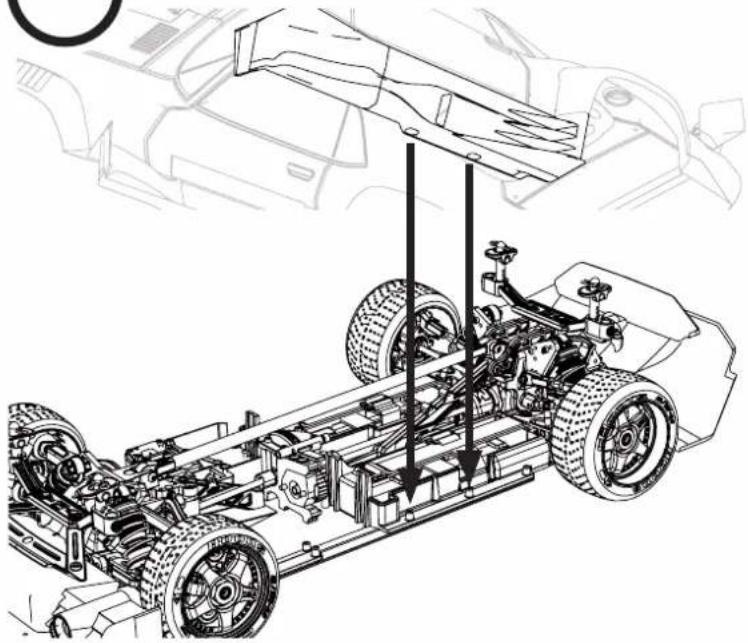
Body (FELONY ONLY)
natural_image
Technical line drawing of a vehicle chassis with suspension components and structural details (no text or symbols)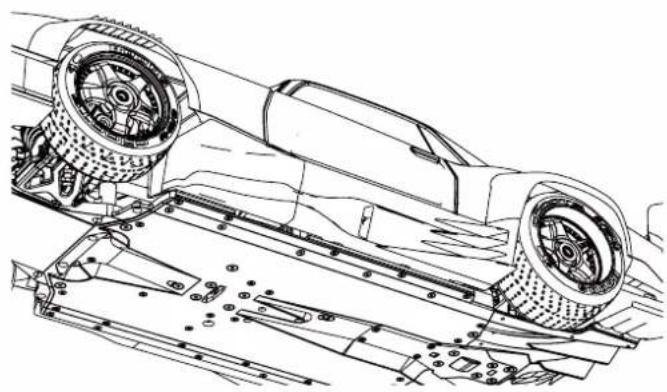
natural_image
Technical line drawing of a car chassis with visible wheels and structural components (no text or symbols)
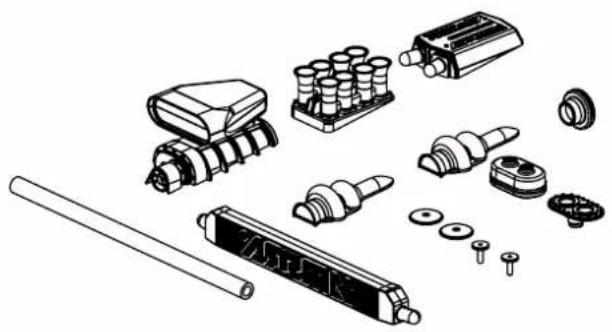
Accessories (FELONY ONLY)
natural_image
Exploded view diagram of mechanical components including gears, shafts, and housing (no text or labels)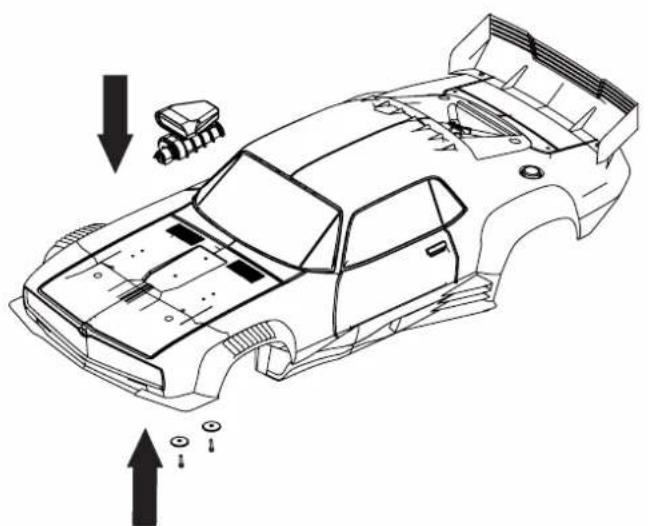
natural_image
Technical line drawing of a car body panel with mounting holes and structural components (no text or symbols)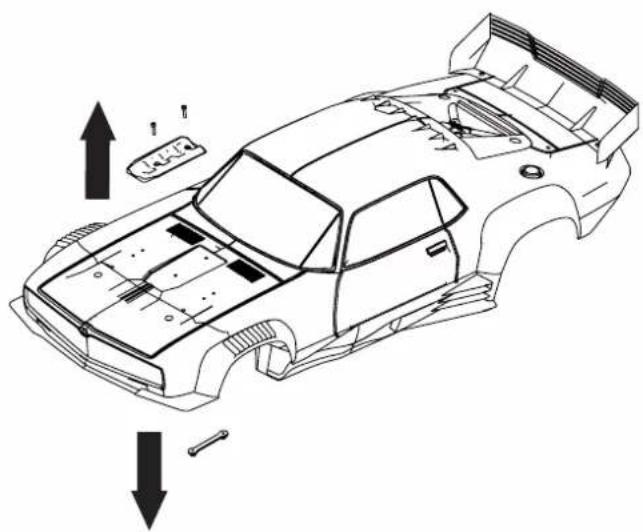
natural_image
Technical line drawing of a car chassis with structural components and directional arrows indicating movement (no text or symbols)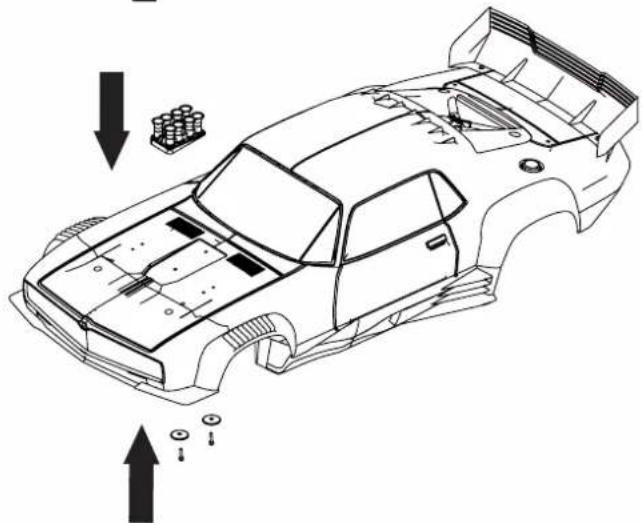
natural_image
Technical line drawing of a car body panel with mounting holes and structural components (no text or symbols)SPEKTRUM DX3 SMART RADIO SYSTEM / SPEKTRUM DX3 SMART RADIO SYSTEM / ÉMETTEUR SPEKTRUM DX3 SMART
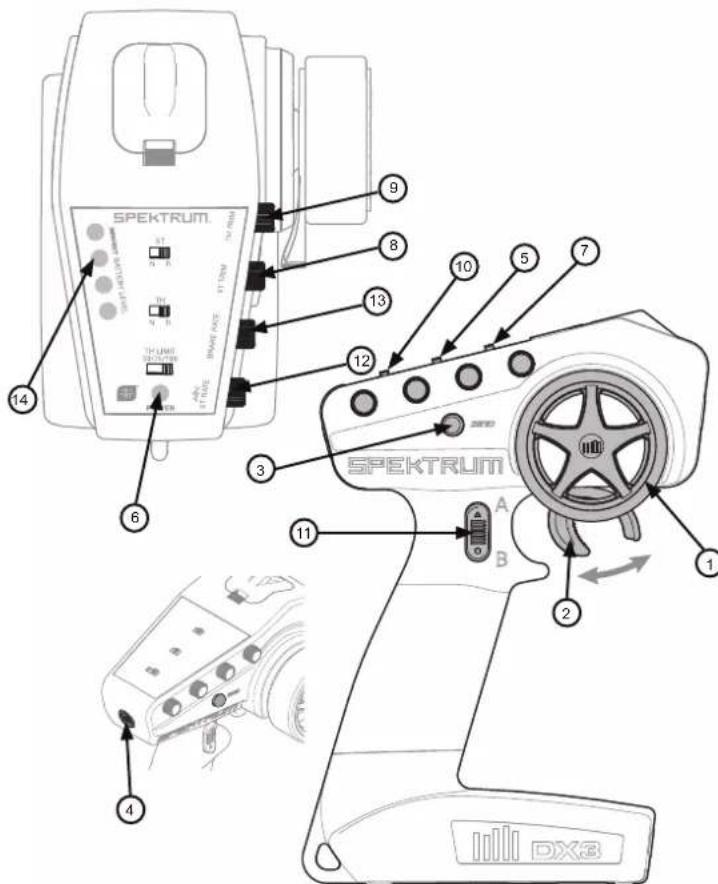
- Steering Wheel Controls direction (left/right) of the model
- Throttle Trigger Controls speed and direction (forward/brake/reverse) of the model
- BIND Button Puts the transmitter into Bind Mode
- On/Off Switch Turns the power ON/OFF for the transmitter
- TH REV Reverses function of the speed control when pulled back or pushed forward
- Indicator Lights
- Solid green light—indicates adequate battery power
- Flashing green light—indicates the battery voltage is critically low. Replace batteries
SERVO REVERSING
Reverse Switch Throttle
Reverse Switch Steering
Reverseschalter Gas
THROTTLE LIMITER
Throttle limiter Switch
natural_image
Pure diagram of a vehicle with circular components and a diagonal line, no text or symbols present3-POSITION SWITCH
3 position Switch
If a right steering command does not result in the wheels turning right (and vice versa), the channel may need to be reversed. To reverse a channel, switch the position of the correlating switch—“N” is for normal, “R” is for reverse.
The Throttle Limiter switch limits the throttle output from 50/70/100%. This is useful for limiting motor output on slick or loose traction tracks or to limit vehicle speeds for new drivers.
The 3-Position Switch is used to control a third channel and is factory preset at -100%/Neutral/100%.
The steering trim dial is used to adjust the steering trim when the wheel is centered. Rotating the dial changes the steering trim (the steering at rest position). Normally, the steering trim is adjusted until the vehicle tracks straight.
The throttle trim dial is used to adjust the throttle trim when the throttle stick is released (neutral position). This is typically used to adjust the brakes. Rotating the dial causes the throttle trim (the throttle position at rest) to be changed.
The travel function supports precise endpoint adjustments in each direction for the steering and throttle channels.
- Hold the trigger in the full brake position and the steering wheel in full right position while powering on the transmitter. The LED flashes rapidly, indicating the programming mode is active.
- Throttle End Point: Hold the trigger in the full throttle position. Turn the BRAKE RATE knob to adjust the full throttle end point.
- Brake End Point: Hold the trigger in the full brake position. Turn the BRAKE RATE knob to adjust the full brake end point. Return the trigger to the center position.
- Left Steering End Point: Hold the steering wheel in the full left position. Turn the ST RATE knob to adjust the left end point.
- Right Steering End Point: Hold the steering wheel in the full right position. Turn the ST RATE knob to adjust the right end point. Return the steering wheel to the center position.
- Power off the transmitter to save the travel adjust settings. The minimum Travel is 75%, and the Maximum travel is 150%. The default travel settings are 125% steering and 100% throttle.
IMPORTANT: If the travel is changed on the DX3, you must rebind and calibrate AVC® Receivers.
IMPORTANT: You must calibrate the SR6110AT receiver each time it is placed in bind mode, regardless of AVC being enabled or disabled.
BIND AND CALIBRATION PROCESS
Upon initial setup after the first bind, the model must be configured for servo direction, trim and travel. Then the receiver must be rebound and calibrated to those settings for proper operation. Center the steering trim and throttle trim on the transmitter before beginning.
- Press and hold the bind button on the receiver.
- Power on the receiver. The orange LED flashes, indicating the receiver is in bind mode. Release the bind button after the orange LED illuminates.
- Put your transmitter in bind mode.
- The bind process is complete when the orange LED on the receiver remains lit. At this stage the receiver is connected but must complete calibration before it will operate.
- Pull the transmitter trigger to full throttle, pause, then return the trigger to center.
- Push the transmitter trigger to full brake, pause, then return the trigger to center.
- Turn the transmitter steering wheel to full right, pause, then return the wheel to center.
- Turn the transmitter steering wheel to full left, pause, then return the steering wheel to center. The orange LED flashes to confirm the settings have been accepted.
- Turn off the vehicle to complete the binding and calibration process.

CAUTION: When the bind process is complete, the throttle and steering channels are active. Keep hands and loose objects from all spinning parts on the vehicle.
IMPORTANT: You must rebind the transmitter and receiver if you:
| Change the servo reversing after binding |
| Change the travel after binding |
| Change the receiver mounting orientation |
| Want to use the receiver with a different model memory |
| Install the receiver in a different vehicle. |
| Are using the receiver in 5.5ms and want telemetry, you must rebind in 11ms. |
| Are using the receiver with a DSMR transmitter and you change the frame rate in the transmitter. |
FAILSAFE
In the unlikely event that the radio link is lost during use, the receiver will drive the throttle channel to the neutral position. If the receiver is powered on prior to turning on the transmitter, the receiver will enter the failsafe mode, driving the throttle channel to the neutral position. When the transmitter is turned on, normal control is resumed.
IMPORTANT: Failsafe activates only in the event that signal is lost from the transmitter. Failsafe will NOT activate in the event that receiver battery power decreases below the recommended minimums or power to the receiver is lost.
Binding is the process of linking the SR6110AT receiver to your Spektrum transmitter. The AVC features on the receiver can be enabled or disabled during the binding process. There is no bind plug on the SR6110AT, a button is used to put the receiver in bind mode.
ACTIVE VEHICLE CONTROL
AVC TECHNOLOGY SETUP
For the best AVC performance, use the AVC menu on your Spektrum transmitter to tune and manage AVC settings.
Order of operations for AVC setup
- Install the receiver in your vehicle
- Bind the vehicle and complete the calibration procedure.
- Set up servo sub trim, reversing and travel to suit your vehicle.
- Re-bind and complete calibration again so calibration matches the model setup.
- Drive the vehicle with no gain on AVC settings to verify your travel and other basic settings. If any changes are made re-bind and re-calibrate.
- Follow the AVC tuning procedure in this manual.
SERVO TRAVEL WITH AVC TECHNOLOGY
AVC technology requires at least 80% travel on steering and throttle in all directions to complete calibration. If you have reduced travel to below 80%, you must increase the travel above 80% to complete calibration.
For vehicles with a mechanical brake, very little servo travel is used to apply braking force. In this case it is common to reduce throttle travel for braking well below 80%. To calibrate a vehicle with a mechanical brake, increase the brake travel above 80% whenever the vehicle is calibrated (bound), then change the braking travel back to the travel setting for your brakes.
AUX CHANNELS AND AVC TECHNOLOGY
When AVC is active, the SR6110AT receiver will use the AUX 1 and AUX 2 channels for gain control. AUX 1 and AUX 2 should be allocated for AVC when AVC is active. This is done automatically when the AVC menu is selected in your transmitter, but if you are not using the AVC menu, AUX1 or AUX2 should not be used for other mixes or to control other applications (servos, etc.)
The AUX 1 and AUX 2 ports can be used in AVC mode to power a personal transponder, lights, drive servos, or operate auxiliary devices. However, AUX 1 will command steering gain, and AUX 2 will command throttle gain regardless of what is plugged into the AUX 1 or AUX 2 ports. AUX 1 and AUX 2 are not independent when AVC is active. For an independent channel, use AUX 3 or 4.
TIP: Using the SR6110AT receiver without the AVC menu on your transmitter or using AUX 1 or AUX 2 to command auxiliary functions may result in poor AVC performance.
- If 5.5ms frame rate is selected in the transmitter, only two channels, Steering and Throttle, are operational. The Aux channels can be used to power a personal transponder or lights.
- If a frame rate other than 5.5ms is selected, the Aux channels will operate as extra servo channels.
AVC TUNING
A value from 0 to 100 is used for three settings that affect tuning; steering gain, throttle gain, and priority. These values configure the receiver to your vehicle so you can tune it for optimal performance based on your driving style. It is normal for gain and priority tuning results to vary.
WHAT IS GAIN?
A gain value of 0 will result in zero electronic corrections, and a gain of 100 will result in large corrections in an effort to hold a straight line.
• Steering gain tells the receiver how strongly to assist steering when the vehicle begins to spin out of control.
- Throttle gain manages how much the receiver can ease off the throttle when the vehicle begins to spin out of control.
The default gain values in Spektrum transmitter AVC menus are set at 50. We recommend adjusting gain values 5 points at a time. Fine tune the settings with smaller increments as desired performance is achieved.
WHAT IS PRIORITY?
Priority tells the receiver how much you want to be able to override the electronic stability with your steering commands. A low priority means AVC will make steering corrections when you turn the wheel all the way. A high priority will reduce AVC the more you turn the wheel.
The default priority value in Spektrum transmitter AVC menus is 100. This means when you turn the steering wheel to the limit, the gain is reduced to zero. This value will work well for a majority of drivers.
WHAT IS HEADING HOLD?
Heading hold maintains the vehicle's direction. It is normal to see the wheels steer in the same direction the vehicle was last pointed. If a vehicle with AVC technology is lifted off the ground and turned from side to side, the wheels will steer in an effort to get back to the original heading. When driving, heading hold only works when the steering wheel is left straight. The moment you begin to turn the wheel, heading hold turns off. When the wheel is re-centered, heading hold is turned back on and is set to the new heading.
AVC TUNING PROCEDURE
- With the transmitter and receiver already bound and properly calibrated, turn on the transmitter and vehicle.
- Apply throttle, do not turn the steering wheel, and observe how well the vehicle can maintain a straight line at high speed.
- If the vehicle does not make enough steering corrections to maintain a straight line, increase the steering gain. If the vehicle fishtails due to wheel-spin, increase the throttle gain.
- If the vehicle wobbles (oscillates), reduce the steering gain.
-
Once you find the highest steering gain values that don't cause oscillations at high speed, use those numbers as your steering gain limit and don't go any higher.
-
Drive the vehicle through accelerated turns and observe how it responds.
- If the vehicle slows down going into a turn, reduce the throttle gain.
- To allow the vehicle to slide more with intentional wheel-spin, reduce the throttle gain.
- To improve traction in slick conditions, increase throttle gain.
- If the vehicle won't turn-in, increase the priority.
- If the vehicle spins out, there are two tuning options to consider;
-
Increasing throttle gain will give the receiver more authority to reduce throttle when the vehicle begins to spin out.
-
Reducing priority will give the receiver more authority to help correct overseer.
GENERAL AVC TUNING TIPS
For beginner drivers, low grip conditions, and vehicles with excessive power, more gain will be helpful.
For terrain with more grip and increased speeds, tuning will result in lower steering gain values.
AVC TECHNOLOGY SETUP
For the best AVC performance, use the AVC menu on your Spektrum transmitter to tune and manage AVC settings.
Order of operations for AVC setup
- Install the receiver in your vehicle
- Bind the vehicle and complete the calibration procedure.
- Set up servo sub trim, reversing and travel to suit your vehicle.
- Re-bind and complete calibration again so calibration matches the model setup.
- Drive the vehicle with no gain on AVC settings to verify your travel and other basic settings. If any changes are made re-bind and re-calibrate.
- Follow the AVC tuning procedure in this manual.
SERVO TRAVEL WITH AVC TECHNOLOGY
AVC technology requires at least 80% travel on steering and throttle in all directions to complete calibration. If you have reduced travel to below 80%, you must increase the travel above 80% to complete calibration.
For vehicles with a mechanical brake, very little servo travel is used to apply braking force. In this case it is common to reduce throttle travel for braking well below 80%. To calibrate a vehicle with a mechanical brake, increase the brake travel above 80% whenever the vehicle is calibrated (bound), then change the braking travel back to the travel setting for your brakes.
AUX CHANNELS AND AVC TECHNOLOGY
When AVC is active, the SR6110AT receiver will use the AUX 1 and AUX 2 channels for gain control. AUX 1 and AUX 2 should be allocated for AVC when AVC is active. This is done automatically when the AVC menu is selected in your transmitter, but if you are not using the AVC menu, AUX1 or AUX2 should not be used for other mixes or to control other applications (servos, etc.)
The AUX 1 and AUX 2 ports can be used in AVC mode to power a personal transponder, lights, drive servos, or operate auxiliary devices. However, AUX 1 will command steering gain, and AUX 2 will command throttle gain regardless of what is plugged into the AUX 1 or AUX 2 ports. AUX 1 and AUX 2 are not independent when AVC is active. For an independent channel, use AUX 3 or 4.
TIP: Using the SR6110AT receiver without the AVC menu on your transmitter or using AUX 1 or AUX 2 to command auxiliary functions may result in poor AVC performance.
- If 5.5ms frame rate is selected in the transmitter, only two channels, Steering and Throttle, are operational. The Aux channels can be used to power a personal transponder or lights.
- If a frame rate other than 5.5ms is selected, the Aux channels will operate as extra servo channels.
DISABLING AVC TECHNOLOGY
AVC may be disabled during binding.
- Connect power to the receiver and quickly press and release the bind button three times (within 1.5 seconds).
- Press and hold the bind button and to put the receiver in bind mode. release the buton when the LED starts to flash rapidly, indicating it is in bind mode.
When the AVC system has been disabled, the LED on the receiver will show three flashes upon power up, and then remain lit. The receiver is bound and operating normally when the LED remains illuminated.
TIP: If the AVC feature in the receiver is active and the AVC menu in the transmitter is Inhibited, AVC functions will default to the AUX 1 and AUX 2 operation, and in this scenario, AVC will not work correctly.
Selecting INH in the AVC menu on your transmitter will not disable AVC.
KONFIGURATION DER AVC-TECHNOLOGIE
WAS IST HEADING HOLD?
2.4GHZ TROUBLESHOOTING GUIDE
| Problem Possible Cause Solution | ||
| The system will not connect | Your transmitter and receiver are too close together | Move transmitter 8 to 12 feet away from receiver |
| You are near metal objects Move | to an area with loss metal | |
| The receiver is bound to a different model memory | Make sure the correct model memory is active in your transmitter | |
| Your transmitter was placed into bind mode and is no longer bound to your receiver | Rebind your transmitter and receiver, and then re-calibrate | |
| The receiver goes into falsafe a short distance away from the transmitter | Check for damage on the receiver antenna | Make sure your receiver antenna is protected and located as high as practical |
| Replace the receiver or contact Horizon Product Support | ||
| The receiver stops responding during operation | Low receiver battery voltage. If the battery voltage is low, it may drop below 3.5V momentarily, causing the receiver to brown-out, then reconnect | Charge the receiver or vehicle battery. Spektrum receivers require at least 3.5V to operate |
| Loose or damaged wires or connectors between battery and receiver | Check the wires and connection between the battery and receiver. Repair or replace wires and/or connectors | |
AVC TROUBLESHOOTING GUIDE
| Problem | Possible Cause | Solution |
| Vehicle Oscillates (wobbles or shakes) at high speeds | Steering gain is too high | Reduce steering gain |
| Vehicle responds strangely to controls | Receiver not properly calibrated | Confirm servo direction and travel are correct, then re-bind and re-calibrate the receiver |
| Vehicle setup changed after calibration | ||
| Receiver not mounted level | Confirm the receiver is truly flat, it cannot be mounted at an odd angle. | |
| Receiver won't finish the calibration | Travel adjust is below 80% on steering or throttle | Increase travel adjust and re-calibrate. See page 19 for more information about setting up vehicles with a mechanical brake. |
| Driver expects AVC should be turned off, but it is still turned on | AVC menu is inhibited, but AUX values are at neutral, which works out to 50% gain but with no priority. | Disable AVC during binding, or change AVC menu to on and set all gain values to 0 |
| Problem Possible Cause Solution | ||
| No telemetry options are available in the transmitter | You are using a transmitter that does not include telemetry features | Consider changing to a transmitter which includes telemetry |
| Your transmitter is in 5.5ms mode | Select a different DSMR protocol, rebind and then recalibrate | |
| The telemetry screen is blank | The telemetry screen needs to be configured in the transmitter telemetry menu | Configure the telemetry screen |
| SMART battery information is not coming through telemetry | Not using a SMART compatible ESC or receiver | An SMART ESC and receiver are required for SMART Battery data to be sent through telemetry |
| SMART Throttle ESC data is not coming through telemetry | Throttle lead from the ESC is not plugged into the correct port on the receiver. | Connect the ESC to the Throttle (THR) port on the receiver. No other ports support SMART Technology. |
FCC ID: BRWKATY1T and FCC ID: BRWSR6100AT
This device complies with part 15 of the FCC rules. Operation is subject to the following two conditions: (1) This device may not cause harmful interference, and (2) this device must accept any interference received, including interference that may cause undesired operation.

CAUTION: Changes or modifications not expressly approved by the party responsible for compliance could void the user's authority to operate the equipment.
This product contains a radio transmitter with wireless technology which has been tested and found to be compliant with the applicable regulations governing a radio transmitter in the 2.400GHz to 2.4835GHz frequency range.
When operating your Spektrum receiver, please be sure to maintain a separation distance of at least 20 cm between your body (excluding fingers, hands, wrists, ankles, and feet) and the antenna to meet RF exposure safety requirements as determined by FCC regulations.
IC INFORMATION
CAN ICES-3 (B)/NMB-3(B)
Contains IC: 6157A-KATY1T and IC: 6157A-SR6100AT
This device complies with Industry Canada licence-exempt RSS standard(s).
Operation is subject to the following two conditions:
Supplier's Declaration of Conformity
INFRACTION 6S ARA7615V2
FELONY 6S ARA7617V2
This device complies with part 15 of the FCC Rules. Operation is subject to the following two conditions: (1) This device may not cause harmful interference, and (2) this device must accept any interference received, including interference that may cause undesired operation.

CAUTION: changes or modifications not expressly approved by the party responsible for compliance could void the user's authority to operate the equipment.
NOTE: This equipment has been tested and found to comply with the limits for a Class B digital device, pursuant to part 15 of the FCC Rules. These limits are designed to provide reasonable protection against harmful interference in a residential installation. This equipment generates, uses and can radiate radio frequency energy and, if not installed and used in accordance with the instructions, may cause harmful interference to radio communications. However, there is no guarantee that interference will not occur in a particular installation. If this equipment does cause harmful interference to radio or television reception, which can be determined by turning the equipment off and on, the user is encouraged to try to correct the interference by one or more of the following measures:
—Reorient or relocate the receiving antenna.
—Increase the separation between the equipment and receiver.
—Connect the equipment into an outlet on a circuit different from that to which the receiver is connected
—Consult the dealer or an experienced radio/TV technician for help.
Horizon Hobby, LLC
2904 Research Rd.,
Champaign, IL 61822
Email: compliance@horizonhobby.com
Web: HorizonHobby.com
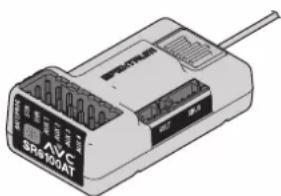
natural_image
Illustration of an electronic device labeled 'AVS SR400AT' with a cable, no readable text or symbols beyond the label.COMPLIANCE INFORMATION FOR THE EUROPEAN UNION

EU Compliance Statement: Horizon Hobby, LLC hereby declares that this product is in compliance with the essential requirements and other relevant provisions of the RED and EMC directives.
A copy of the EU Declaration of Conformity is available online at:
http://www.horizonhobby.com/content/support-render-compliance.
Operating Frequency
Band: 2402.0 – 2478.0 MHz
Max EIRP: 175dBm
INSTRUCTIONS FOR DISPOSAL OF WEEE BY USERS IN THE EUROPEAN UNION

This product must not be disposed of with other waste. Instead, it is the user's responsibility to dispose of their waste equipment by handing it over to a designated collections point for the recycling of waste electrical and electronic equipment. The separate collection and recycling of your waste equipment at the time of disposal will help to conserve natural resources and ensure that it is recycled in a manner that protects human health and the environment. For more information about where you can drop
off your waste equipment for recycling, please contact your local city office, your household waste disposal service or where you purchased the product.

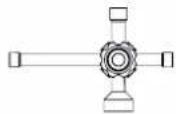
Cross wrench
Kreuzschlüssel
Clé en croix
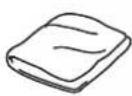
Cloth
Lappen Chiffon
natural_image
Illustration of a pair of needle tips (no text or symbols)IMPORTANT: Only use fully charged LiPo batteries (4.2V per cell) to prevent battery/ ESC damage.
Place vehicle off the ground
Connect batteries, turn on TX and press/hold the set button 'A'. Press the switch on 'B' and release the set button when the RED light flashes on the ESC.
natural_image
Line drawing of a ship's wheel and deck structure (no text or symbols)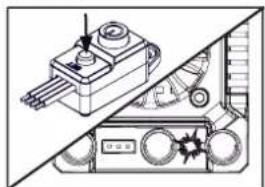
natural_image
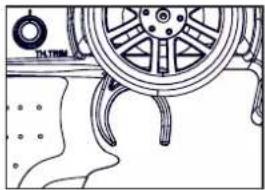
Technical illustration of a mechanical device with no visible text or symbols- TX in neutral - press set button (1 Green flash)
- Sender in Neutralposition - drücken Sie den Knopf (1 grünes Blinksignal)
- TX au point mort - appuyez sur le bouton de réglage (1 flash vert)
natural_image
Technical line drawing of a ship's wheel assembly with no visible text or symbols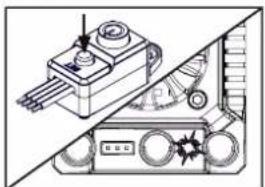
natural_image
Technical diagram of a mechanical device with no visible text or symbolsnatural_image
Line drawing of a car wheel with steering wheel and dashboard, showing no text or symbols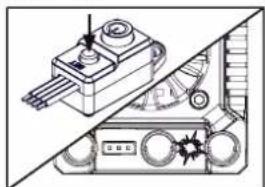
natural_image
Technical line drawing of a mechanical device with no visible text or symbolsnatural_image
Line drawing of a ship's wheel and deck structure (no text or symbols)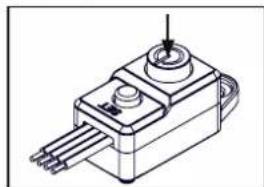
natural_image
Technical line drawing of a mechanical component with pins and a central shaft (no text or symbols)The brushless ESC is setup for use straight from the factory. If you want to alter the settings for your track or driving style please see the table and steps below:
| LED Indicator | LED Code |
| ESC turned On, LED indicator is Off | Throttle trigger is in the neutral zone |
| Red LED illuminated | ESC is operating in forward throttle |
| Red and Green LED illuminated | ESC is at full throttle, full brake or full reverse |
| LED flashes red with short single pulses | LVC protection activated |
| LED flashes green with short single pulses | The ESC is in thermal shutoff mode |
| LED flashes green with three short pulses repeating | The ESC has exceeded the continuous current limit |
| LED flashes green with four short pulses repeating | The ESC has failed the self test |
| LED flashes green with five short pulses repeating | Capacitor temp has been exceeded |
ESC LED-ANZEIGE
TROUBLESHOOTING GUIDE
| Problem and LED Indicator Error Mode Possible Causes Solution | |||
| Motor won't operate. LED flashes red with short single pulses. | LVC has been activated. | Battery voltage is below the LVC setting. | Verify the battery is charged. |
| Motor won't operate. LED flashes green with short single pulses. | The ESC is in thermal shutoff mode. | The ESC is taking too much load. | Turn off the ESC and allow it to cool before resuming operation. Consider making changes to gear ratio to reduce load to the ESC. |
| Motor won't operate. LED flashes green with four short pulses repeating. | The ESC has failed the self test. | The ESC is damaged. | Send the ESC to a Horizon Hobby service center for service. |
| Motor won't operate. LED flashes green with five short pulses repeating. | Capacitor temp has been exceeded | There is too much load on the drive system for the ESC to support. | Consider changing the battery or gearing to reduce the load on the ESC, or change your driving habits to reduce the load. |
| No throttle or steering on start up. LED flashes red with single short pulse repeating. | N/A Throttle trim not at neutral. | Turn off ESC. Adjust throttle trim on transmitter to neutral. Turn back on. | |
Duration vehicle has been used for.
Center Differential Maintenance
Mitteldifferential-Wartung
Wheel and Tire Maintenance
natural_image
Technical line drawing of a mechanical gear assembly (no text or symbols)F/R Differential Removal and Replacement
Tools required will appear in this box
Online Videos Available when you see this icon
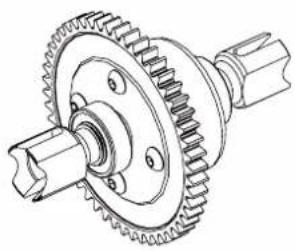
natural_image
Technical line drawing of a gear and shaft assembly (no text or symbols)

Check the areas highlighted in the image to the left after the duration of usage above. Replace parts where necessary to ensure maximum durability and enjoyment from your vehicle.
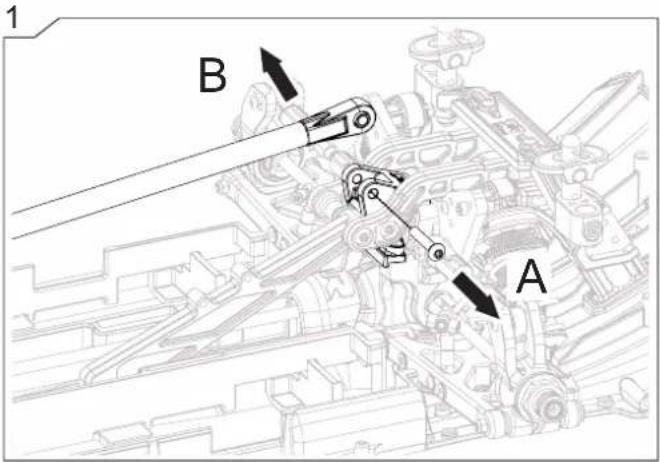
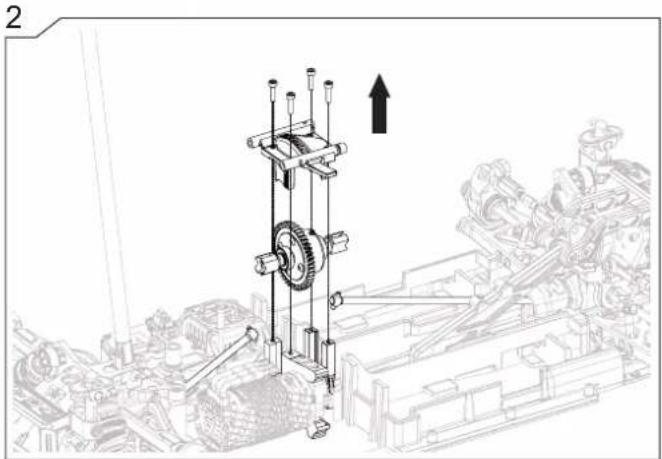
natural_image
Mechanical assembly diagram showing a vertical gear mechanism with an upward arrow, no text or symbols present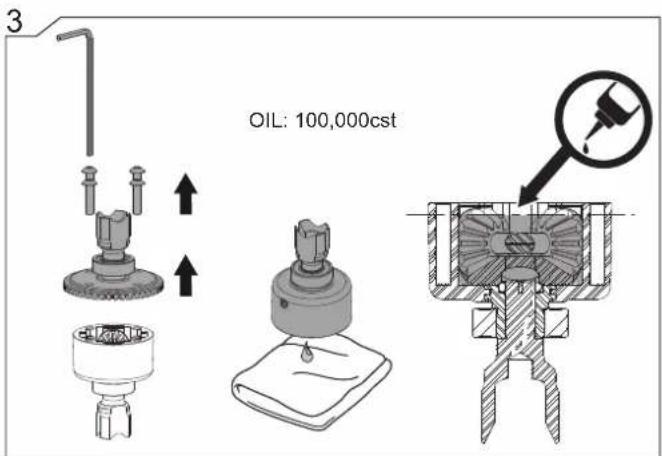
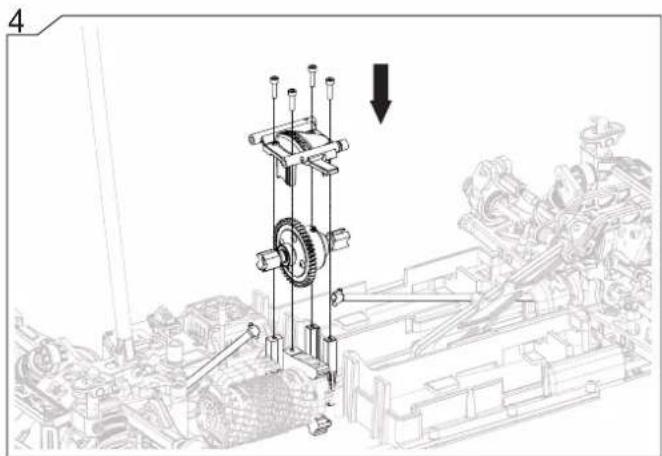
natural_image
Mechanical assembly diagram showing a vertical gear mechanism with a downward arrow indicating motion (no text or symbols present)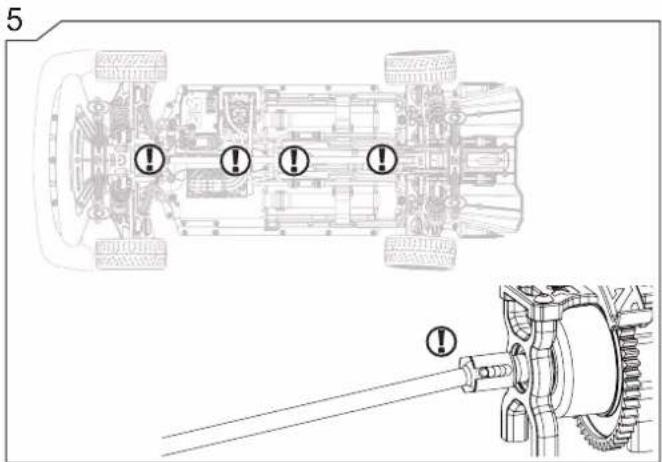
natural_image
Technical line drawing of a car wheel with visible hub, disc, and hub plate (no text or symbols)

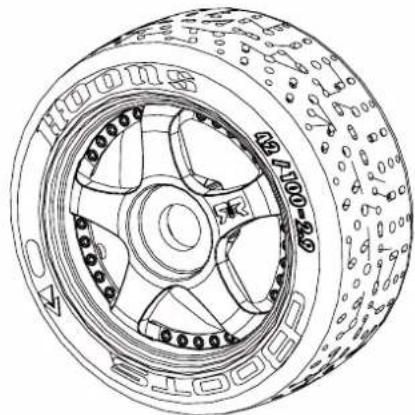
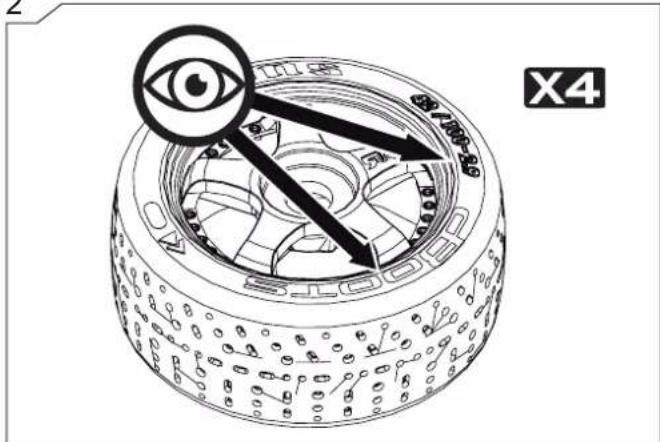
Check the areas highlighted in the image to the left after the duration of usage above. Replace parts where necessary to ensure maximum durability and enjoyment from your vehicle.
natural_image
Illustration of four mechanical parts: a pipe fitting, a hexagonal nut, a flat sheet with a textured cap, and a paintbrush (no text or symbols)2
3
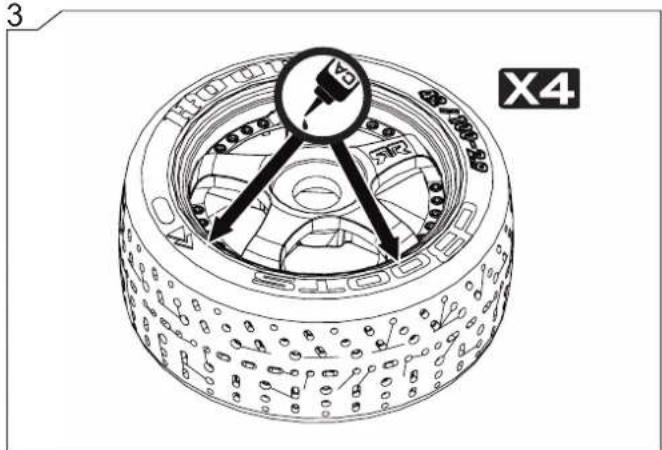
4
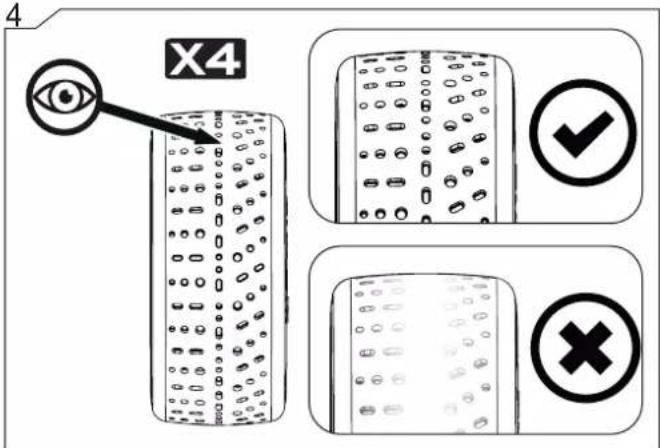
5
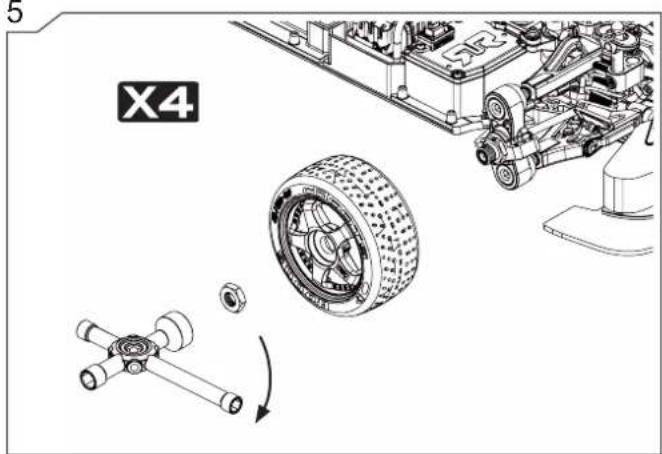


natural_image
Technical line drawing of a mechanical gear assembly (no text or symbols)Check the areas highlighted in the image to the left after the duration of usage above. Replace parts where necessary to ensure maximum durability and enjoyment from your vehicle.
natural_image
Technical line drawing of a mechanical assembly with no visible text or symbols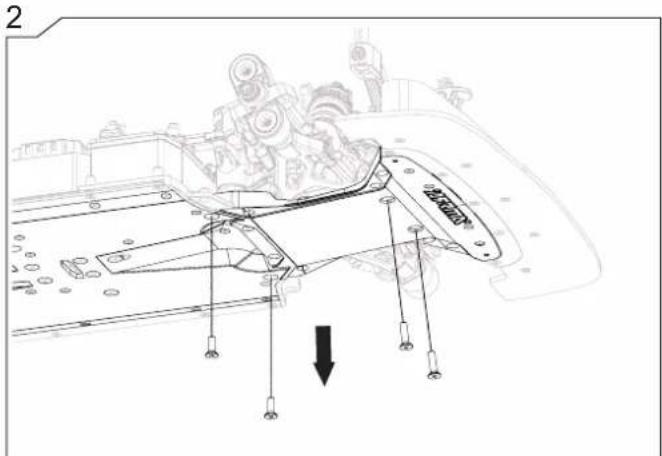
natural_image
Technical line drawing of a mechanical device with internal components and an arrow indicating motion (no text or symbols present)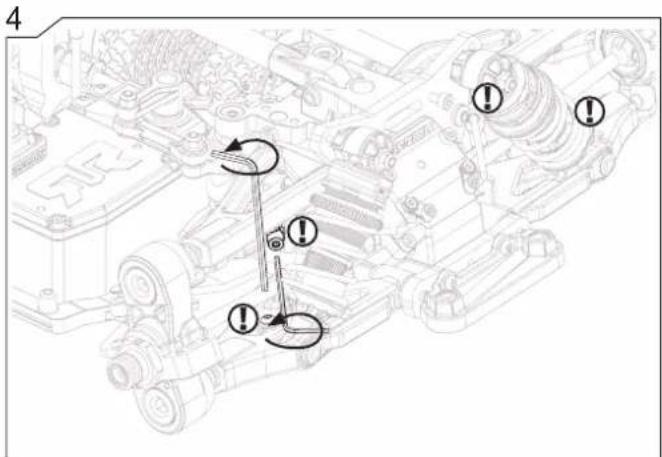
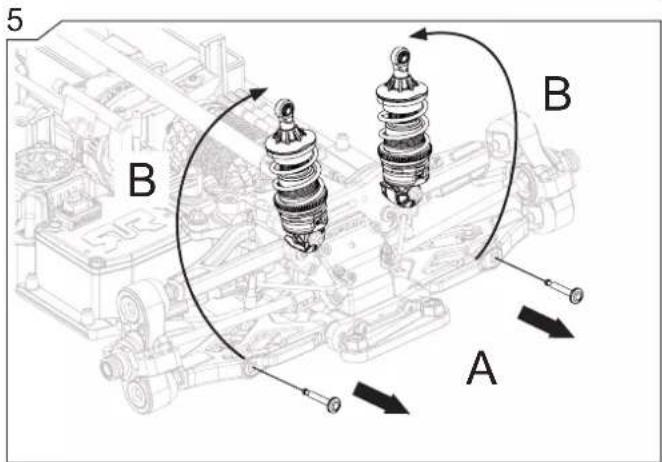
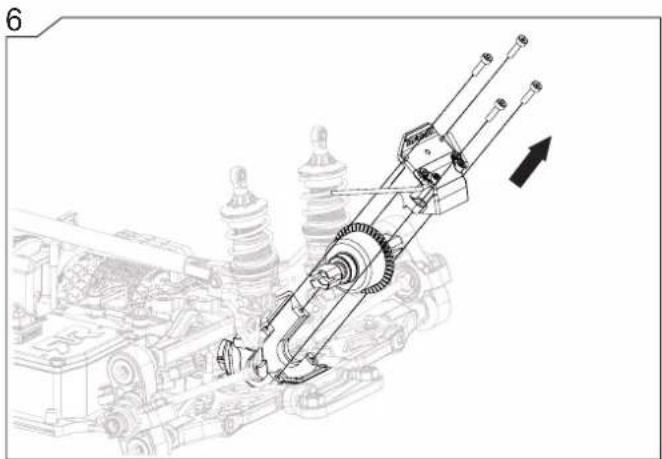
natural_image
Technical line drawing of a mechanical assembly with gears and shafts, no visible text or symbols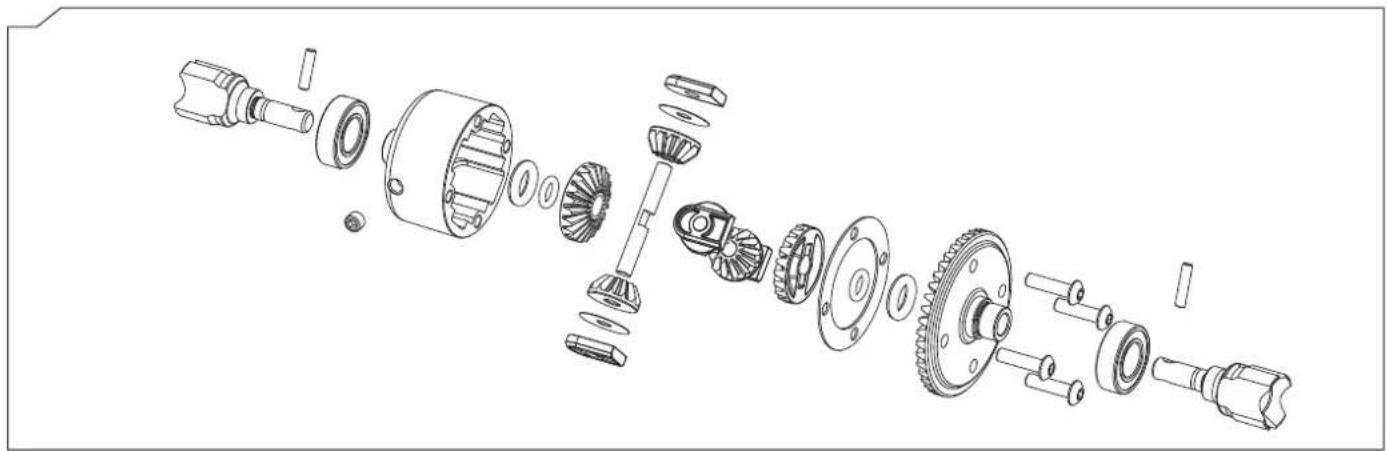
natural_image
Exploded view diagram of a mechanical assembly showing internal gears and shafts (no text or labels)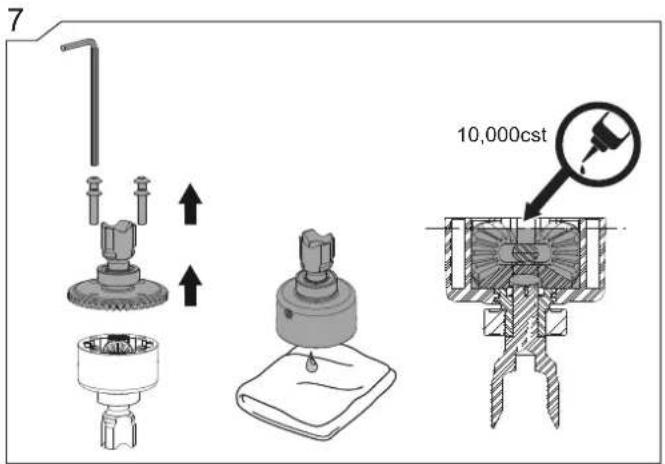
natural_image
Technical line drawing of a mechanical assembly with gears and shafts, no visible text or symbols
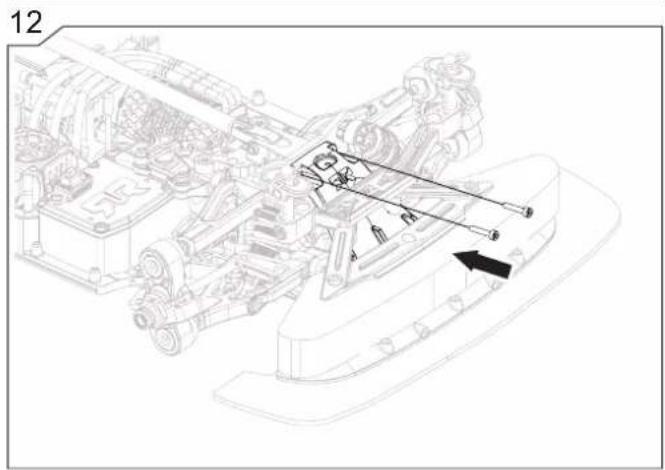
natural_image
Technical line drawing of a mechanical assembly with no visible text or symbols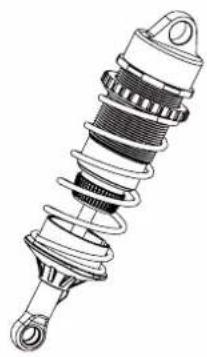
natural_image
Illustration of a mechanical suspension or shock absorber assembly (no text or symbols)

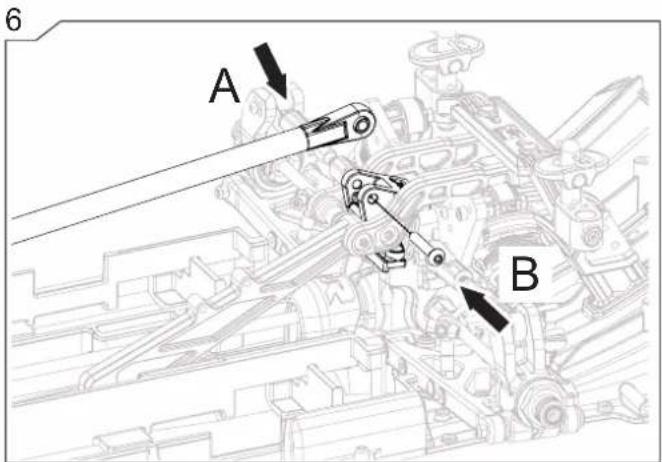
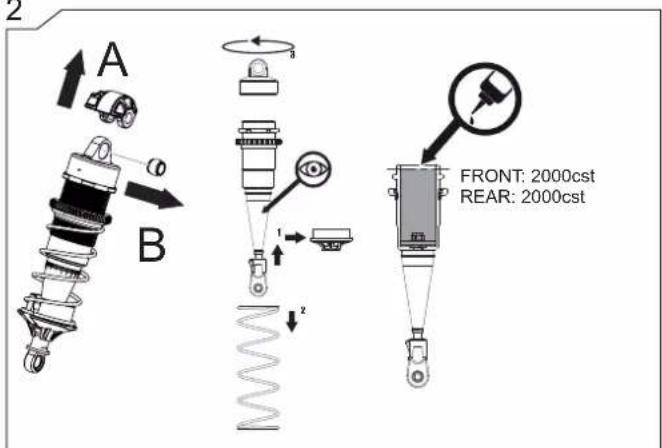
Check the areas highlighted in the image to the left after the duration of usage above. Replace parts where necessary to ensure maximum durability and enjoyment from your vehicle.
2
3
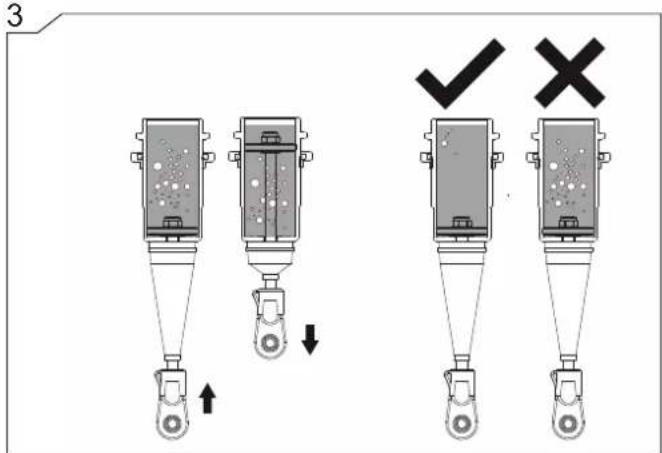
5
6
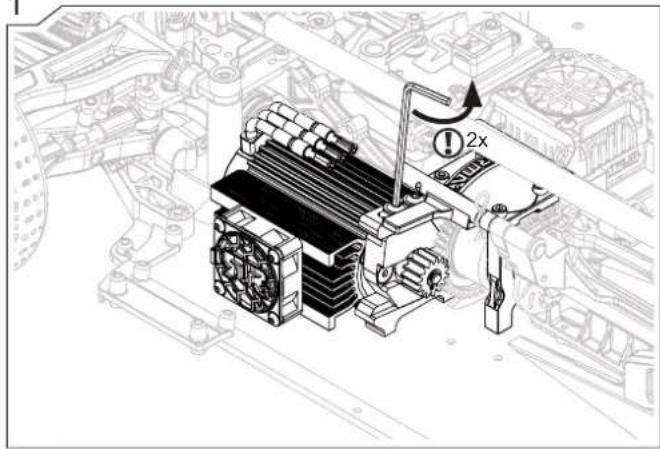
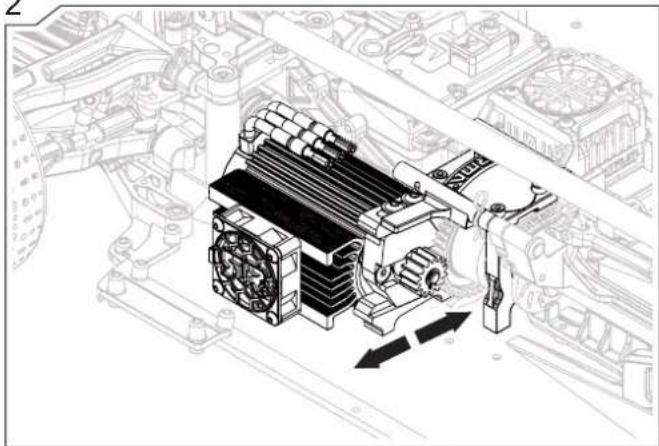
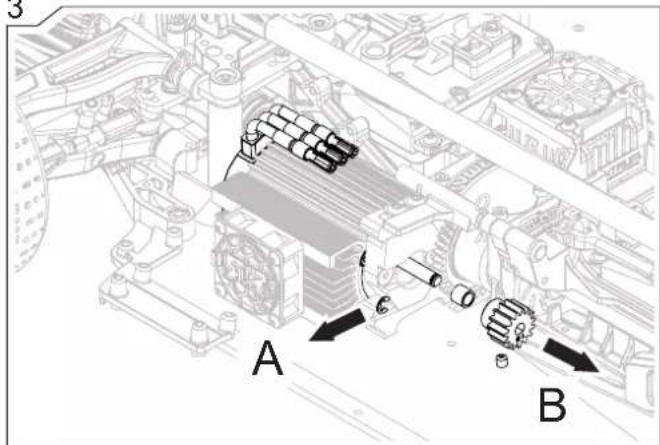
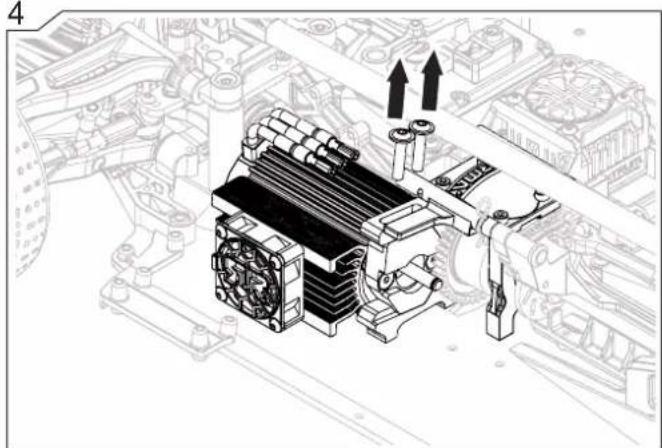
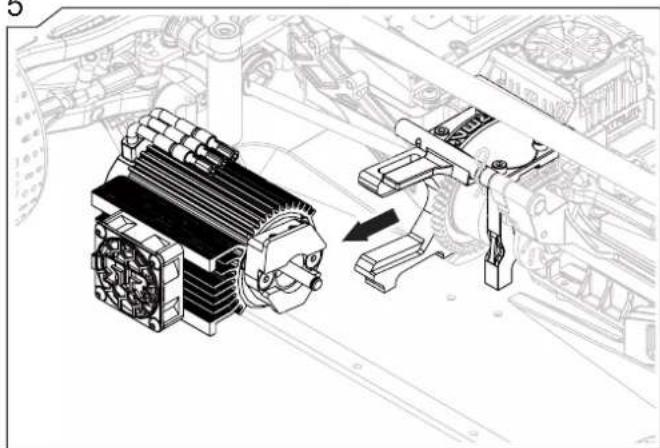
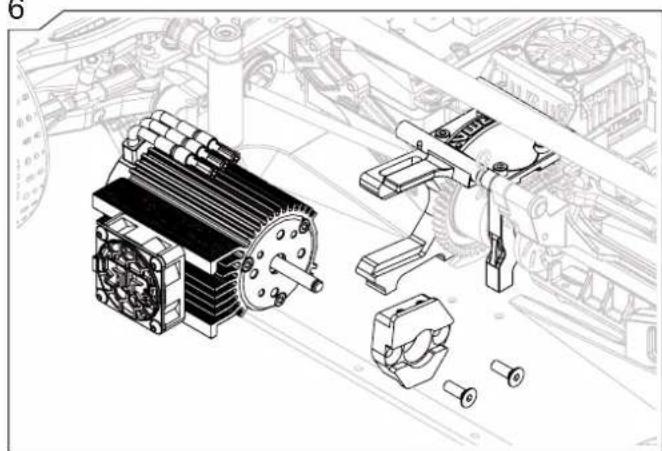
The below steps will help you to change the pinion which will alter the speed of the vehicle. Removing the motor can also be done at the same time.
natural_image
Technical line drawing of a gear and shaft assembly (no text or symbols)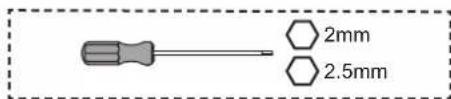
1
2
natural_image
Technical line drawing of an automotive engine assembly with cooling fan and valve components (no text or labels)3
4
natural_image
Technical illustration of a mechanical assembly with cooling fans and heat exchangers (no text or symbols)5
natural_image
Technical illustration of a mechanical assembly with a motor and clamping mechanism (no text or symbols)6
natural_image
Technical illustration of an electric motor assembly with exploded view (no text or labels)natural_image
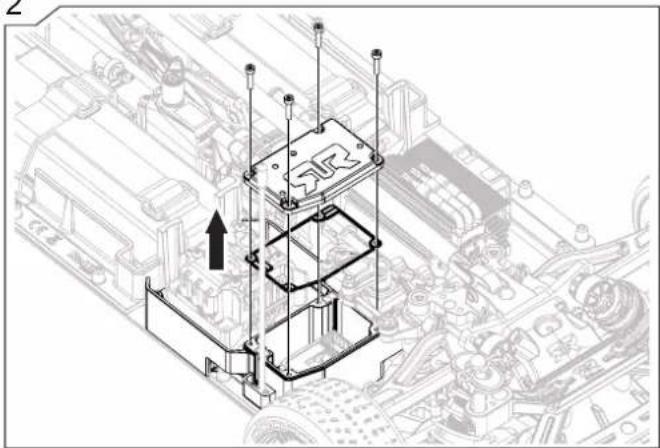
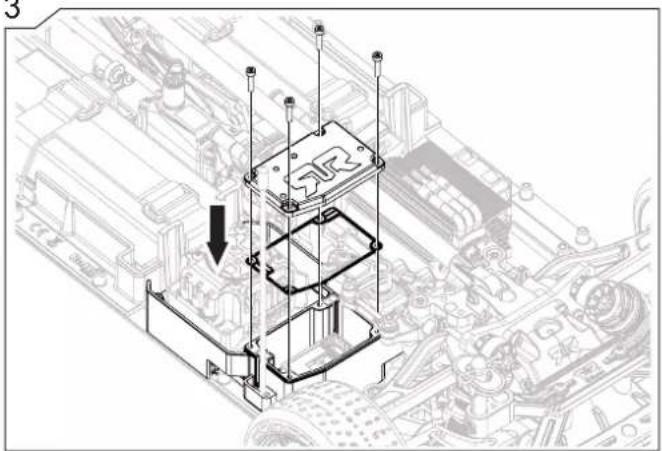
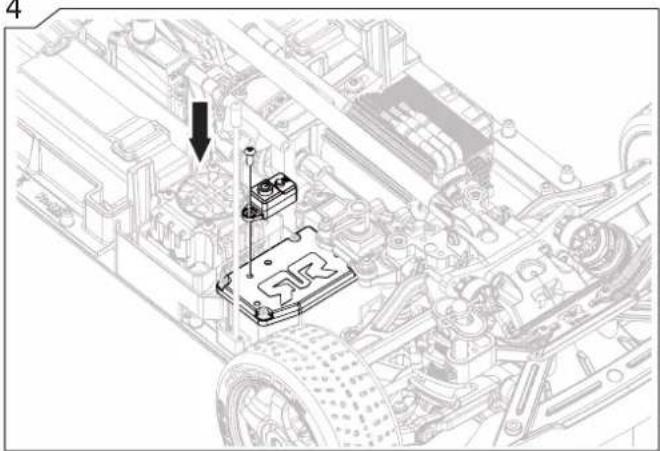
Technical line drawing of an internal combustion engine housing with fan and cooling unit (no text or symbols)The below steps will show you how to remove the Receiver for maintenance or troubleshooting.
natural_image
Simple illustration of a screwdriver and hexagonal nut (no text or symbols)1
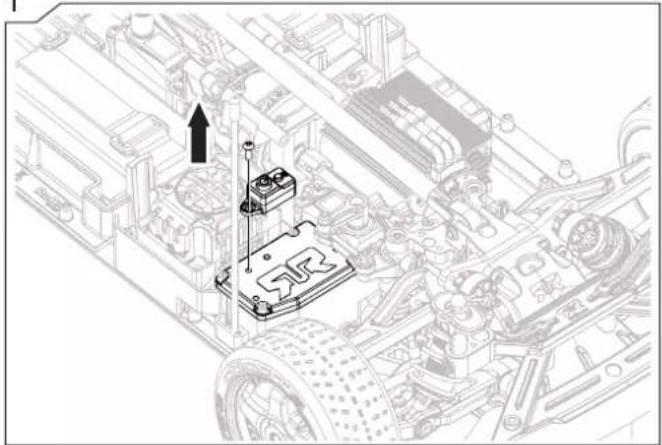
natural_image
Technical line drawing of a mechanical assembly with no visible text or symbols2
natural_image
Technical line drawing of a mechanical assembly with a highlighted component and an arrow indicating motion (no text or symbols present)3
natural_image
Technical line drawing of a mechanical assembly with a highlighted component and arrow indicating motion (no text or symbols present)4
natural_image
Technical line drawing of a mechanical assembly with no visible text or symbols
natural_image
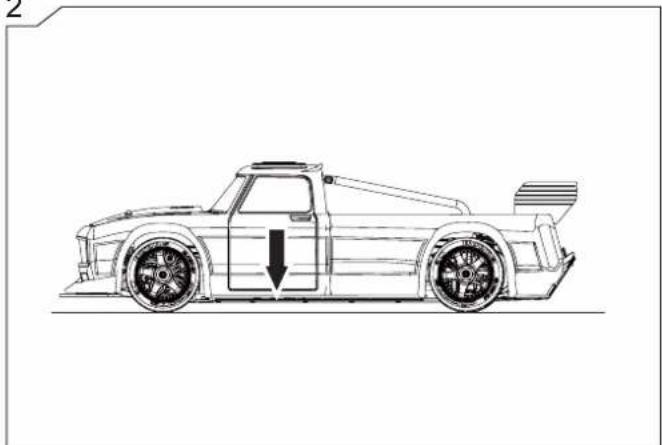
Technical line drawing of a vehicle chassis showing engine, motors, and suspension components (no text or labels)The below steps will help you to adjust the vehicle's ground clearance to suit the terrain you choose to drive on.
natural_image
Technical line drawing of a mechanical assembly with two gears and a rotating shaft (no text or symbols)2
natural_image
Side-view line drawing of a race car with visible wheelbase and side panel (no text or symbols)1
natural_image
Technical illustration of mechanical components with no visible text or symbols2
natural_image
Side-view line drawing of a race car with visible wheelbase and side panel (no text or symbols)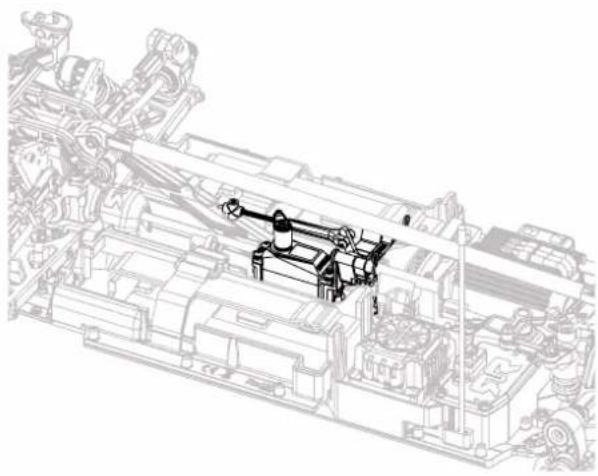
natural_image
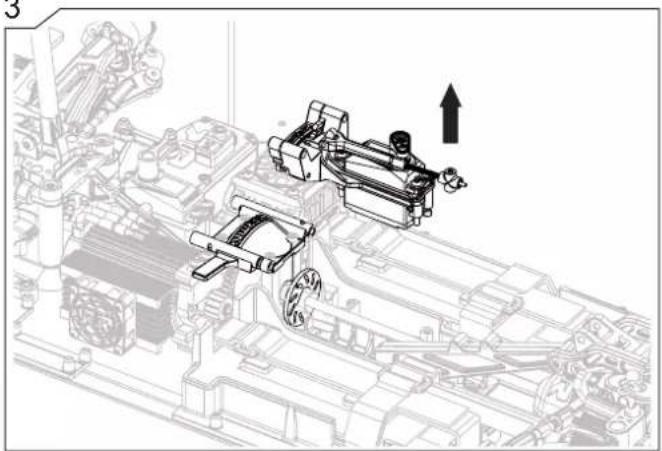
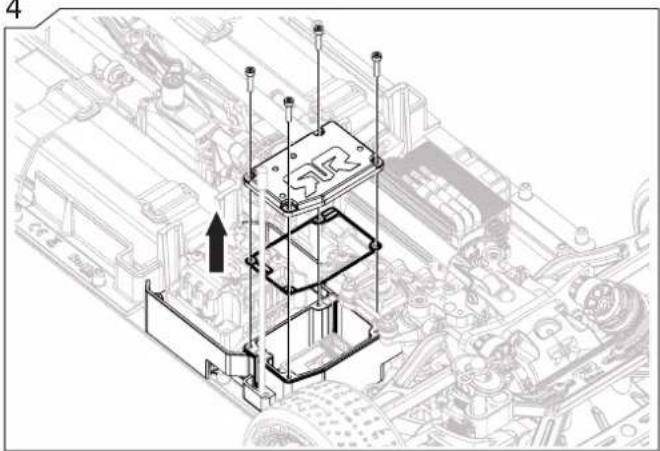
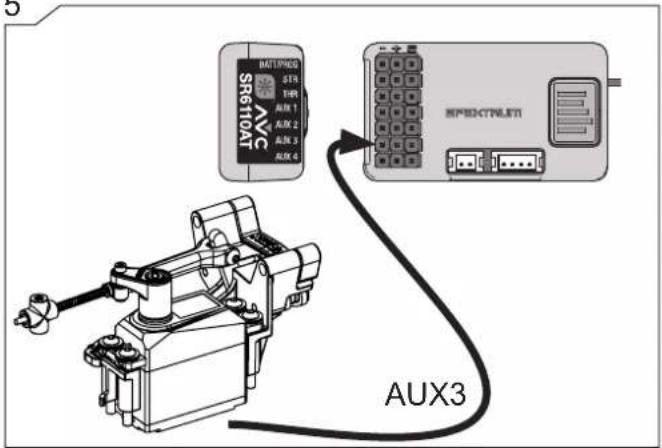
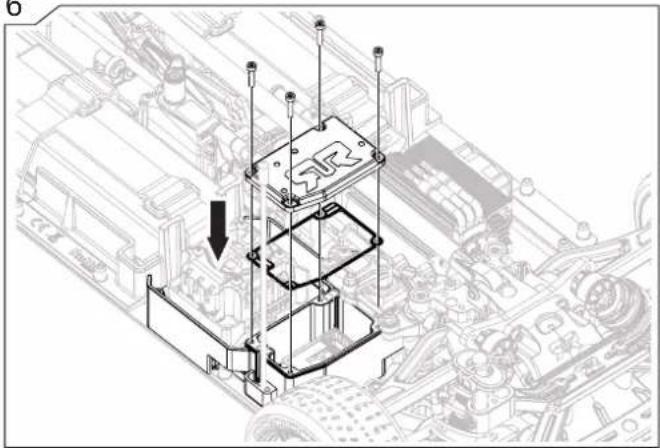
Technical line drawing of a mechanical assembly with no visible text or symbolsThe below steps will show you how to remove the Brake Module for maintenance or troubleshooting.
natural_image
Technical line drawing of a mechanical assembly with no visible text or symbols2
natural_image
Technical diagram of a mechanical assembly with directional arrows indicating movement or force (no text or labels present)3
natural_image
Technical line drawing of a mechanical assembly with no visible text or symbols4
natural_image
Technical line drawing of a mechanical assembly with a ladder-like structure and an arrow indicating direction (no text or symbols present)5
6
natural_image
Isometric technical diagram of a mechanical assembly with no visible text or symbols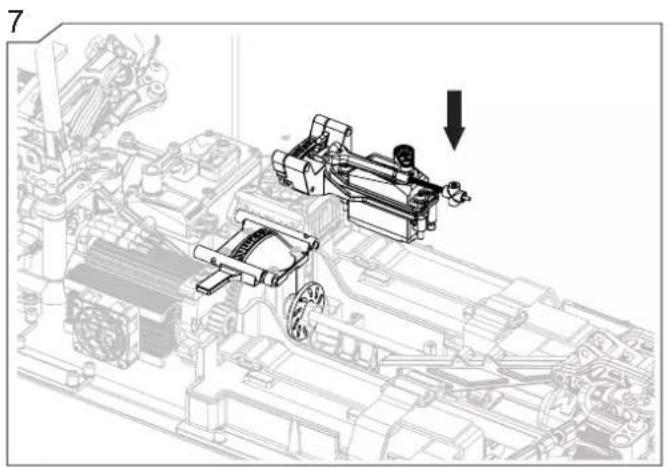
natural_image
Technical line drawing of mechanical assembly with no visible text or symbols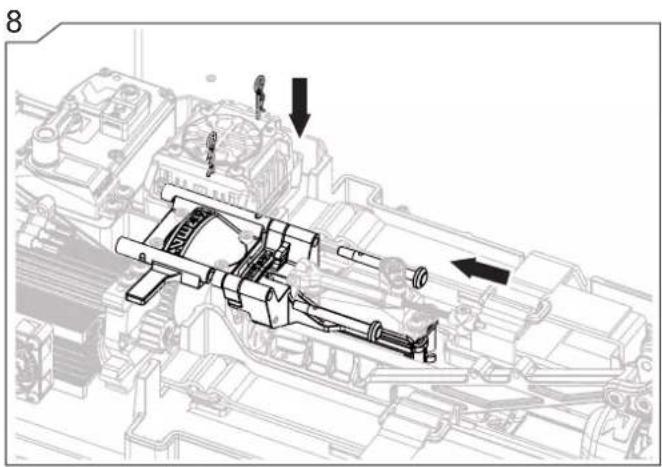
natural_image
Mechanical assembly diagram showing internal components and directional arrows (no text or labels)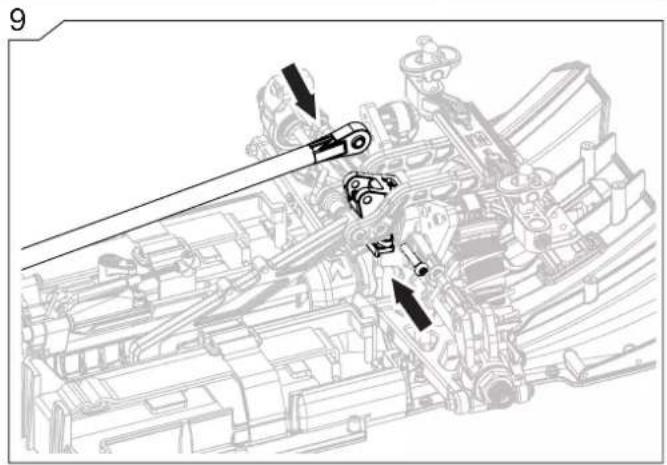
Exploded View Explosionszeichnungen Vues Éclatées
INFRICETON
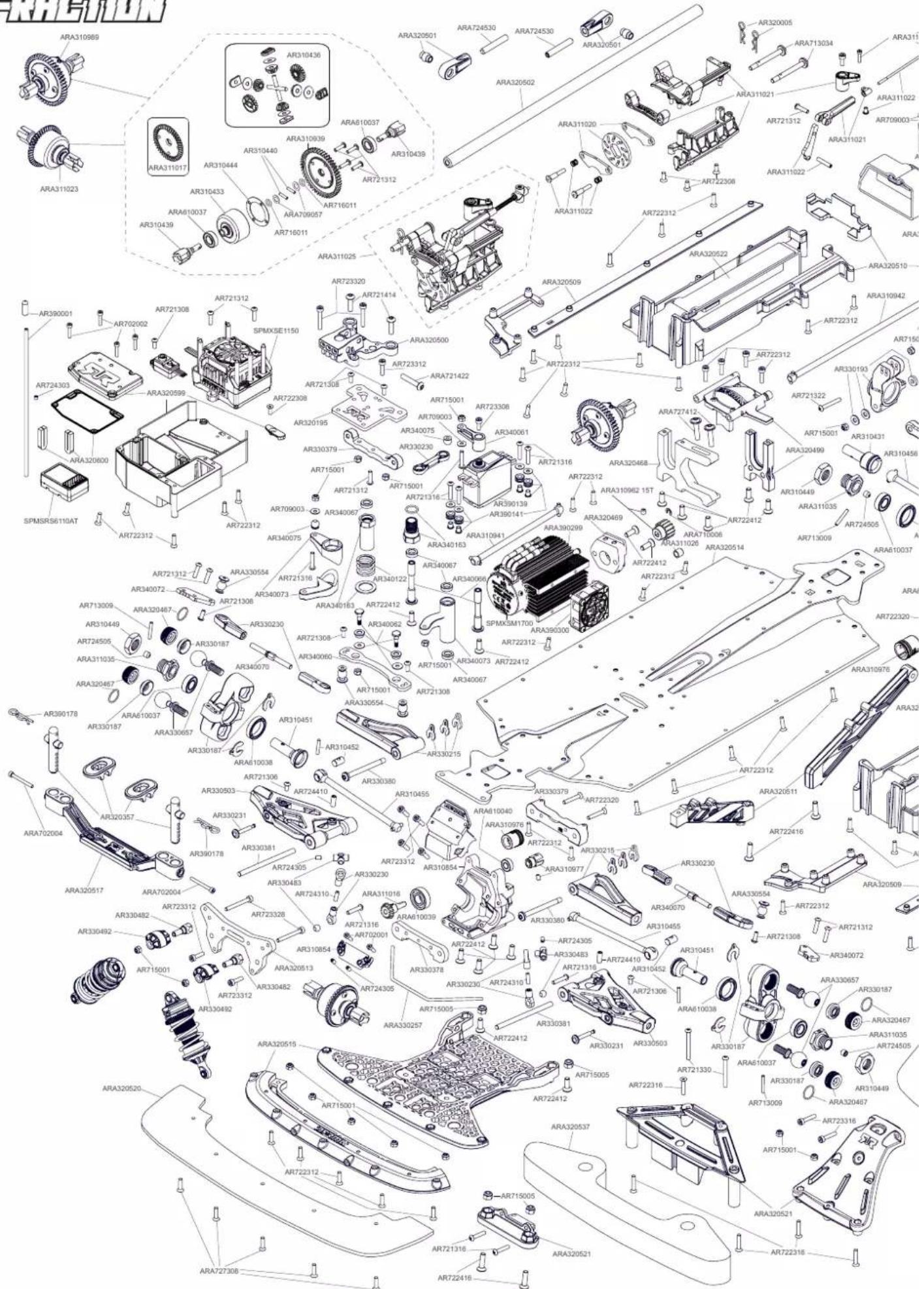
Exploded View Explosionszeichnungen Vues Éclatées
INFRACTION
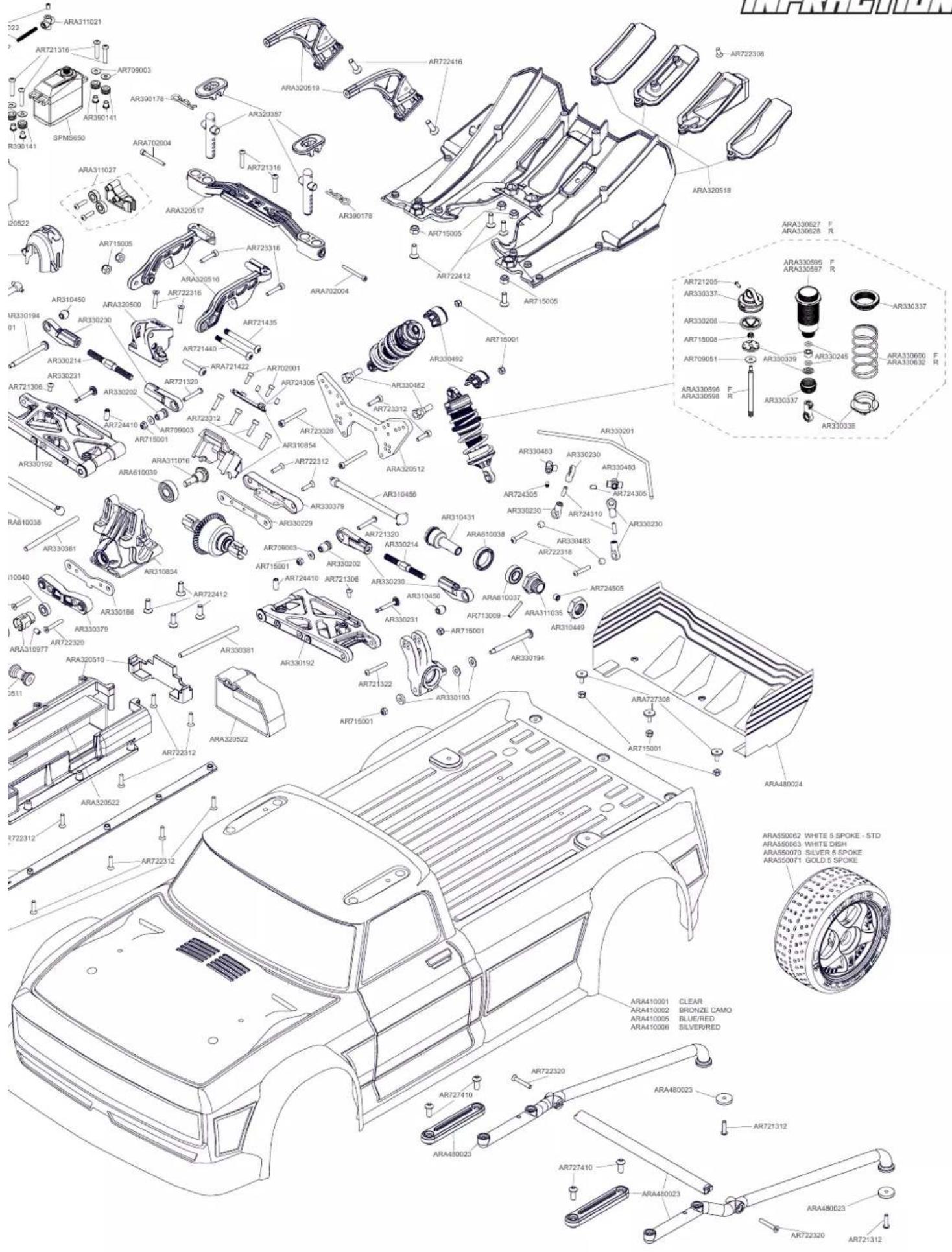
Exploded View Explosionszeichnungen Vues Éclatées
FELONY
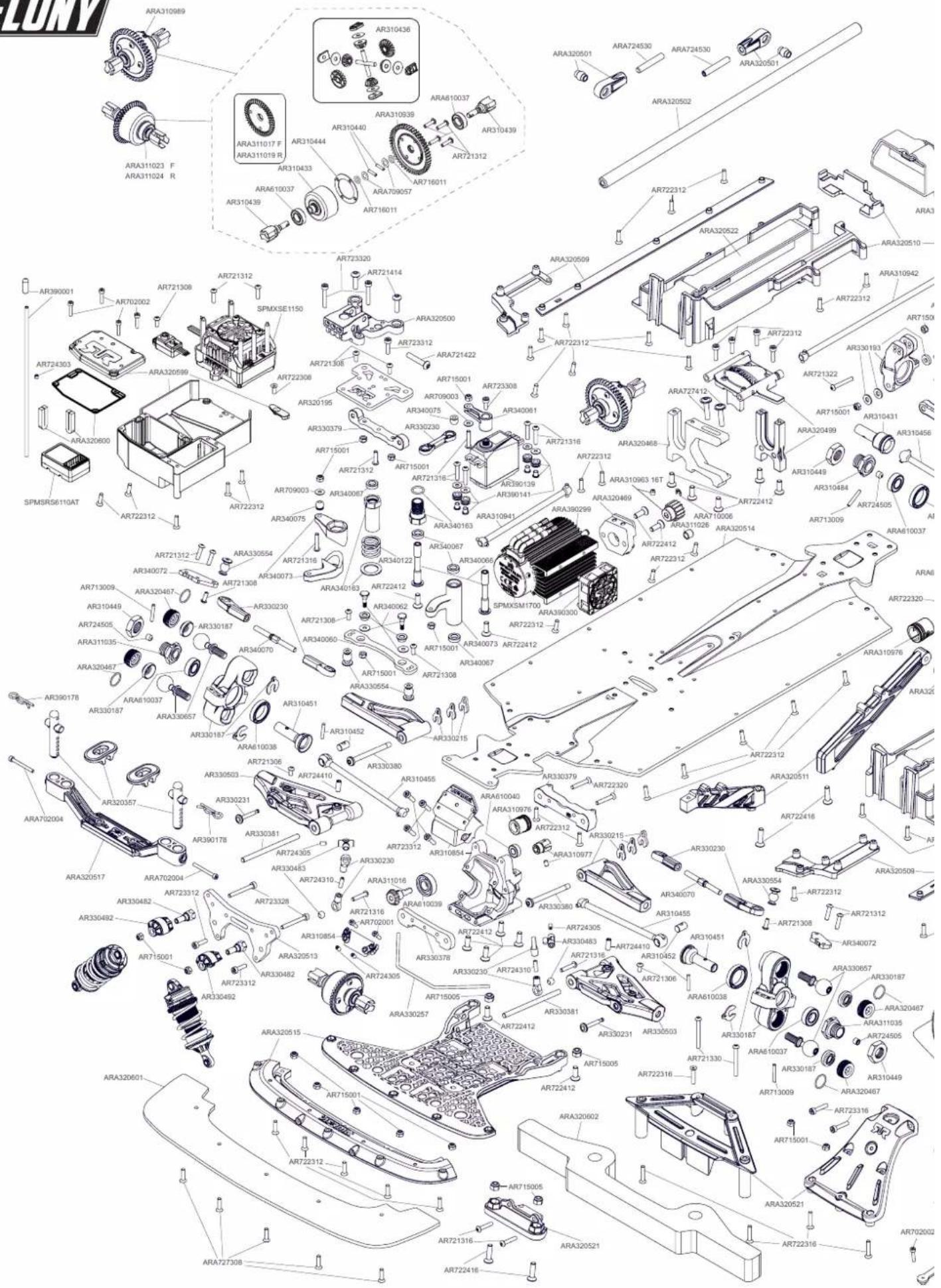
Exploded View Explosionszeichnungen Vues Éclatées
EN
LIMITED WARRANTY
What this Warranty Covers
Horizon Hobby, LLC, (Horizon) warrants to the original purchaser that the product purchased (the "Product") will be free from defects in materials and workmanship for a period of 2 years from the date of purchase.
What is Not Covered
This warranty is not transferable and does not cover (i) cosmetic damage, (ii) damage due to acts of God, accident, misuse, abuse, negligence, commercial use, or due to improper use, installation, operation or maintenance, (iii) modification of or to any part of the Product, (iv) attempted service by anyone other than a Horizon Hobby authorized service center, (v) Product not purchased from an authorized Horizon dealer, (vi) Product not compliant with applicable technical regulations, or (vii) use that violates any applicable laws, rules, or regulations.
OTHER THAN THE EXPRESS WARRANTY ABOVE, HORIZON MAKES NO OTHER WARRANTY OR REPRESENTATION, AND HEREBY DISCLAIMS ANY AND ALL IMPLIED WARRANTIES, INCLUDING, WITHOUT LIMITATION, THE IMPLIED WARRANTIES OF NON-INFRINGEMENT, MERCHANTABILITY AND FITNESS FOR A PARTICULAR PURPOSE. THE PURCHASER ACKNOWLEDGES THAT THEY ALONE HAVE DETERMINED THAT THE PRODUCT WILL SUITABLY MEET THE REQUIREMENTS OF THE PURCHASER'S INTENDED USE.
Purchaser's Remedy
Horizon's sole obligation and purchaser's sole and exclusive remedy shall be that Horizon will, at its option, either (i) service, or (ii) replace, any Product determined by Horizon to be defective. Horizon reserves the right to inspect any and all Product(s) involved in a warranty claim. Service or replacement decisions are at the sole discretion of Horizon. Proof of purchase is required for all warranty claims. SERVICE OR REPLACEMENT AS PROVIDED UNDER THIS WARRANTY IS THE PURCHASER'S SOLE AND EXCLUSIVE REMEDY.
Limitation of Liability
HORIZON SHALL NOT BE LIABLE FOR SPECIAL, INDIRECT, INCIDENTAL OR CONSEQUENTIAL DAMAGES, LOSS OF PROFITS OR PRODUCTION OR COMMERCIAL LOSS IN ANY WAY, REGARDLESS OF WHETHER SUCH CLAIM IS BASED IN CONTRACT, WARRANTY, TORT, NEGLIGENCE, STRICT LIABILITY OR ANY OTHER THEORY OF LIABILITY, EVEN IF HORIZON HAS BEEN ADVISED OF THE POSSIBILITY OF SUCH DAMAGES. Further, in no event shall the liability of Horizon exceed the individual price of the Product on which liability is asserted. As Horizon has no control over use, setup, final assembly, modification or misuse, no liability shall be assumed nor accepted for any resulting damage or injury. By the act of use, setup or assembly, the user accepts all resulting liability. If you as the purchaser or user are not prepared to accept the liability associated with the use of the Product, purchaser is advised to return the Product immediately in new and unused condition to the place of purchase.
Law
These terms are governed by Illinois law (without regard to conflict of law principals). This warranty gives you specific legal rights, and you may also have other rights which vary from state to state. Horizon reserves the right to change or modify this warranty at any time without notice.
WARRANTY SERVICES
Questions, Assistance, and Services
Your local hobby store and/or place of purchase cannot provide warranty support or service. Once assembly, setup or use of the Product has been started, you must contact your local distributor or Horizon directly. This will enable Horizon to better answer your questions and service you in the event that you may need any assistance. For questions or assistance, please visit our website at www.horizonhobby.com, submit a Product Support Inquiry, or call the toll free telephone number referenced in the Warranty and Service Contact Information section to speak with a Product Support representative.
Inspection or Services
If this Product needs to be inspected or serviced and is compliant in the country you live and use the Product in, please use the Horizon Online Service Request submission process found on our website or call Horizon to obtain a Return Merchandise Authorization (RMA) number. Pack the Product securely using a shipping carton. Please note that original boxes may be included, but are not designed to withstand the rigors of shipping without additional protection. Ship via a carrier that provides tracking and insurance for lost or damaged parcels, as Horizon is not responsible for merchandise until it arrives and is accepted at our facility. An Online Service Request is available at http://www.horizonhobby.com/content/_service-center_render-service-center. If you do not have internet access, please contact Horizon Product Support to obtain a RMA number along with instructions for submitting your product for service. When calling Horizon, you will be asked to provide your complete name, street address, email address and phone number where you can be reached during business hours. When sending product into Horizon, please include your RMA number, a list of the included items, and a brief summary of the problem. A copy of your original sales receipt must be included for warranty consideration. Be sure your name, address, and RMA number are clearly written on the outside of the shipping carton.
NOTICE: Do not ship LiPo batteries to Horizon. If you have any issue with a LiPo battery, please contact the appropriate Horizon Product Support office.
Warranty Requirements
For Warranty consideration, you must include your original sales receipt verifying the proof-of-purchase date. Provided warranty conditions have been met, your Product will be serviced or replaced free of charge. Service or replacement decisions are at the sole discretion of Horizon.
Non-Warranty Service
Should your service not be covered by warranty, service will be completed and payment will be required without notification or estimate of the expense unless the expense exceeds 50% of the retail purchase cost. By submitting the item for service you are agreeing to payment of the service without notification. Service estimates are available upon request. You must include this request with your item submitted for service. Non-warranty service estimates will be billed a minimum of 12 hour of labor. In addition you will be billed for return freight. Horizon accepts money orders and cashier's checks, as well as Visa, MasterCard, American Express, and Discover cards. By submitting any item to Horizon for service, you are agreeing to Horizon's Terms and Conditions found on our website http://www.horizonhobby.com/content/service-center.render-service-center.
ATTENTION: Horizon service is limited to Product compliant in the country of use and ownership. If received, a non-compliant Product will not be serviced. Further, the sender will be responsible for arranging return shipment of the un-serviced Product, through a carrier of the sender's choice and at the sender's expense. Horizon will hold non-compliant Product for a period of 60 days from notification, after which it will be discarded. 10/2015
DE
Warnung
Warranty and Service Contact Information
| Country of Purchase Horizon | Hobby Contact Information Address | ||
| United States of America | Horizon Service Center(Repairs and Repair Requests) | servicecenter.horizonhobby.com/RequestForm/ | 2904 Research RoadChampaign, Illinois 61822 USA |
| Horizon Product Support(Product Technical Assistance) | productsupport@horizonhobby.com877-504-0233 | ||
| Sales | websales@horizonhobby.com800-338-4639 | ||
| EU | Horizon Technischer Service | service@horizonhobby.eu+49 (0) 4121 2655 100 | Hanskampring 9D 22885 Barsbüttel, Germany |
| Sales: Horizon Hobby GmbH |
natural_image
Technical line drawing of a mechanical device with no visible text or symbolsARB200024902
ARRMA-RC.COM
©2020 Horizon Hobby, LLC. ARRMA RC is a trade name of Horizon Hobby Ltd. Horizon Hobby Ltd is a subsidiary of Horizon Hobby, LLC. ARRMA, the ARRMA logo, INFRACTION, FELONY, DSMR, DX3, FIRMA, Active, EC5, IC5, AVC, Active Vehicle Control, dBoots, DYNAMITE®, Powerstage™ and the Horizon Hobby logo are trademarks or registered trademarks of Horizon Hobby, LLC. The Spektrum trademark is used with permission of Bachmann Industries, Inc. All other trademarks or registered trademarks are property of their respective owners. US 9,320,977. US 10,528,060. US 9,930,567. US 10,419,970. Other patents pending. 59511