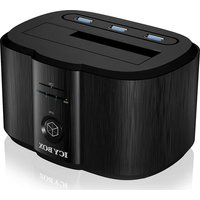
IB-125CH - Docking station Raidsonic - Free user manual and instructions
Find the device manual for free IB-125CH Raidsonic in PDF.


| Product Type | Docking Station |
| Brand | Raidsonic |
| Model | IB-125CH |
| Compatible Hard Drives | 2.5" and 3.5" SATA I/II/III |
| Interface | USB 3.0 & UASP |
| Transfer Speed | Up to 5 Gbit/s |
| USB Ports | 3 USB 3.0 ports (2x 1A, 1x 2A for charging) |
| Main Functions | OneTouchBackup, Plug & Play, Hot Swap |
| Power Supply | Power adapter 100-240 V AC, 50/60 Hz, 1.5 A; output DC 12 V/3 A |
| Color | Black |
| Package Contents | Docking station, power adapter, USB 3.0 cable, software CD, user manual |
| Care and Cleaning | Clean with a soft, dry cloth. Avoid contact with liquids. |
| Safety | Use only the included power adapter. Do not expose the device to water or excessive humidity. |
| Spare Parts and Repairability | The device contains no user-serviceable parts. Contact authorized service center for repairs. |
| General Information | Plug & Play, Hot Swap. Compatible with Windows and Mac. |
Frequently Asked Questions - IB-125CH Raidsonic
User questions about IB-125CH Raidsonic
0 question about this device. Answer the ones you know or ask your own.
Ask a new question about this device
Download the instructions for your Docking station in PDF format for free! Find your manual IB-125CH - Raidsonic and take your electronic device back in hand. On this page are published all the documents necessary for the use of your device. IB-125CH by Raidsonic.
USER MANUAL IB-125CH Raidsonic
Docking Station with OTB and 3x USB 3.0 Hub with charging function
Handbuch IB-125CH
natural_image
Black and white photo of a 3D render of an ICY BOX device with a handle and control panel (no visible text or symbols on the device body)

OTB (One Touch Backup) Software adjustments....4
EN Manual IB-125CH 5
DE Handbuch IB-125CH 6
FR Manuel IB-125CH 7
IT Manuale IB-125CH 8
ES Manual IB-125CH 9
Product overview:
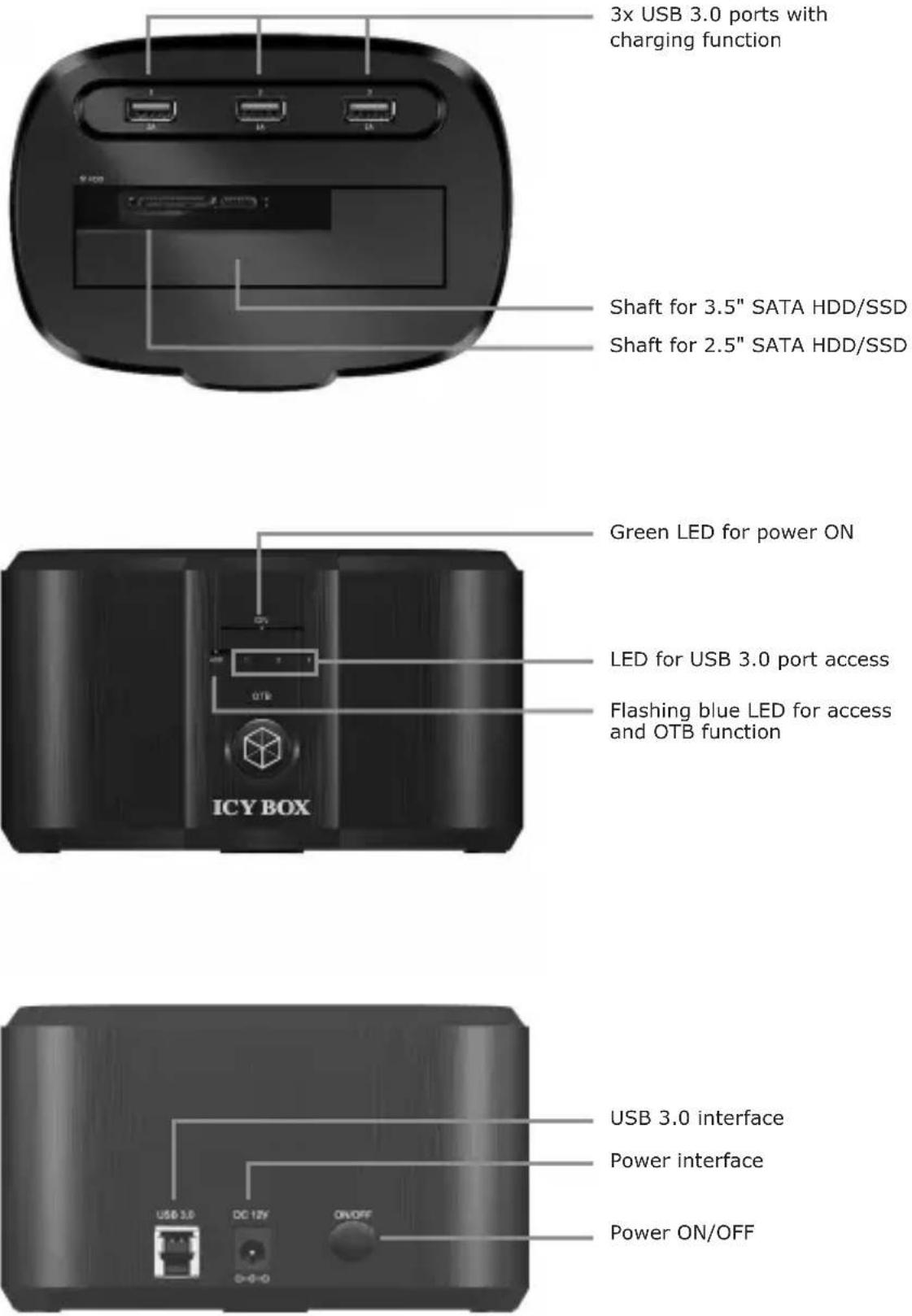
3x USB 3.0 ports with charging function
Shaft for 3.5" SATA HDD/SSD
Shaft for 2.5" SATA HDD/SSD
Green LED for power ON
LED for USB 3.0 port access
Flashing blue LED for access and OTB function
USB 3.0 interface
Power interface
Power ON/OFF
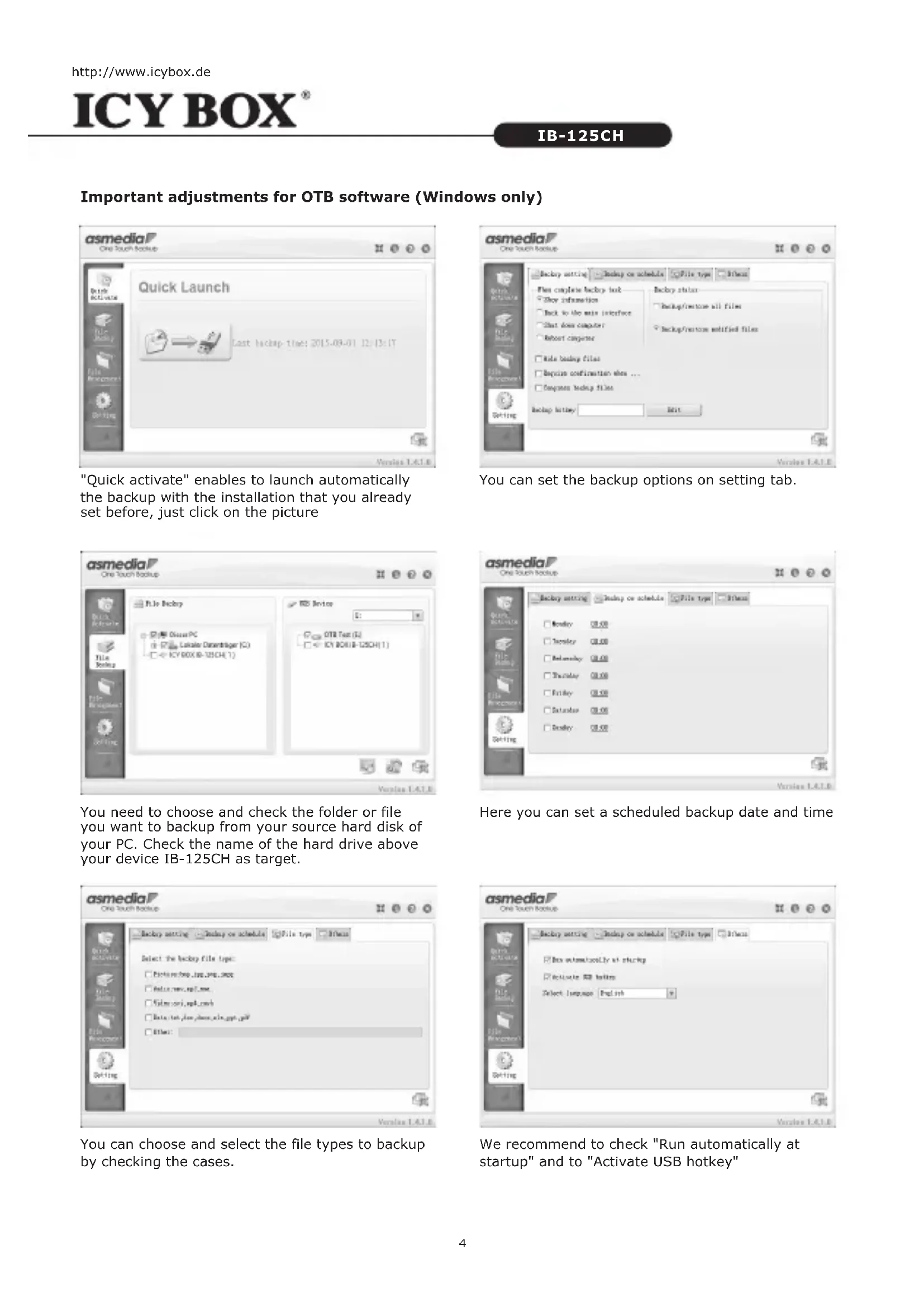
Important adjustments for OTB software (Windows only)
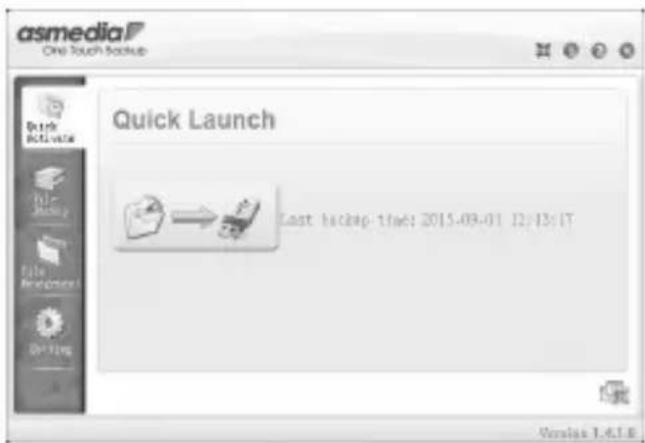
"Quick activate" enables to launch automatically the backup with the installation that you already set before, just click on the picture

You can set the backup options on setting tab.
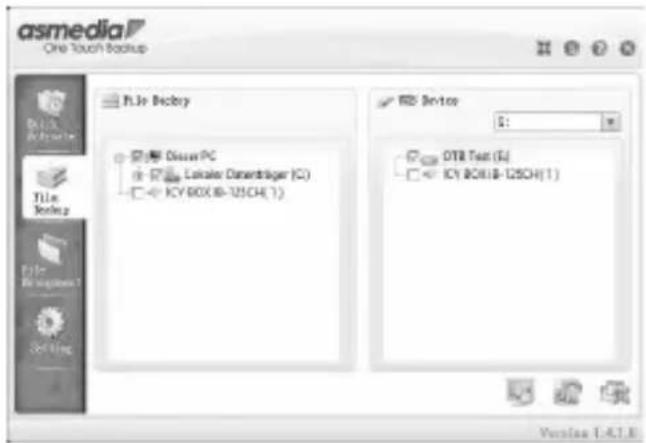
You need to choose and check the folder or file you want to backup from your source hard disk of your PC. Check the name of the hard drive above your device IB-125CH as target.

Here you can set a scheduled backup date and time

You can choose and select the file types to backup by checking the cases.
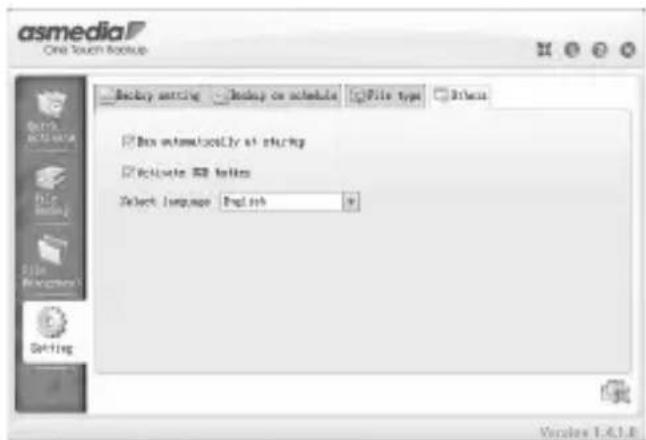
We recommend to check "Run automatically at startup" and to "Activate USB hotkey"
1. Model - HDD - Host Interface - Colour
| Model | HDD | Host Interface | Colour | |
| IB-125CH | 2.5", 3.5" SATA I/II/III | USB 3.0 with UASP | black | |
2. Package Content
Docking Station, power adapter, USB 3.0 cable, CD, manual
3. Key Features
• OneTouchBackup-Function
• Support both 2.5" and 3.5" SATA I / II / III HDD
• USB 3.0 Host Interface up 5 Gbit/s & UASP Support
• 3x USB 3.0 Hub with charging ports (2x 1 A, 1x 2 A)
- Plug & Play and Hot Swap (docking mode)
• Power AC 100-240 V\~50/60 Hz 1.5 A to DC 12 V/3 A
4. Application
4.1 Starting up
Connect the power supply. With the USB 3.0 data cable you can connect the IB-125CH to USB 2.0 or USB 3.0 interface.
4.2 HDD Initialization
A new HDD must first be initialized, partitioned and formatted by the operation system to be displayed by the system.
4.3 USB 3.0 Ports / Charging Ports
Any peripheral device can be connected to the USB 3.0 ports. You also can plug any portable device (like cellphone of tablet) by their own data cable for charging. The three ports can work simultaneously.
4.4 OTB function (Windows only)
The OTB function lets you backup your data by just pressing one button. It's an easy way to backup your important data to an external hard drive.
For more information, please visit our website to download the file about OTB introduction and operate software or install from the delivered CD.
Install the OTB software on your PC and follow the instructions described there.
Important!
If you want to backup your chosen files and folder manually, please press the OTB button on the IB-125CH enclosure.
You will be asked "Start backup now?" by your OTB software on your computer. Please confirm and click "OK" or press the OTB button again. The backup will be started.
4.3 USB 3.0 Anschlüsse / Ladeports
© Copyright 2016 by RaidSonic Technology GmbH. All Rights Reserved
The information contained in this manual is believed to be accurate and reliable. RaidSonic Technology GmbH assumes no responsibility for any errors contained in this manual. RaidSonic Technology GmbH reserves the right to make changes in the specifications and/or design of the above mentioned product without prior notice. The diagrams contained in this manual may also not fully represent the product that you are using and are there for illustration purposes only. RaidSonic Technology GmbH assumes no responsibility for any differences between the product mentioned in this manual and the product you may have.




- Handbuch IB-125CH
- Important adjustments for OTB software (Windows only)
- Model - HDD - Host Interface - Colour
- Package Content
- Key Features
- Application
- Starting up
- HDD Initialization
- USB 3.0 Ports / Charging Ports
- OTB function (Windows only)
- Important!
- USB 3.0 Anschlüsse / Ladeports
- © Copyright 2016 by RaidSonic Technology GmbH. All Rights Reserved
Brand : Raidsonic
Model : IB-125CH
Category : Docking station