EasyManual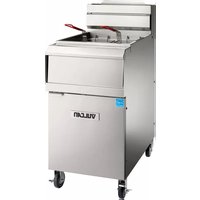
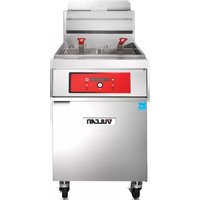
VHG75 - Deep fryer Vulcan - Free user manual and instructions
Find the device manual for free VHG75 Vulcan in PDF.


User questions about VHG75 Vulcan
0 question about this device. Answer the ones you know or ask your own.
Ask a new question about this device
Download the instructions for your Deep fryer in PDF format for free! Find your manual VHG75 - Vulcan and take your electronic device back in hand. On this page are published all the documents necessary for the use of your device. VHG75 by Vulcan.
USER MANUAL VHG75 Vulcan
MODELS: Computer Controls (C): 1VHG50C 1VHG75C 2VHG50C 2VHG75C 3VHG50C 3VHG75C 4VHG50C 4VHG75C F-47678 REV. A (3-20)Vulcan is a division of ITW Food Equipment Group | 3600 North Point Blvd., Baltimore, MD 21222 TECHNICAL SERVICE AND PARTS ASSISTANCE: 1-800-814-2028 Model 1VHG75CF filtered by For additional information on Vulcan or to locate an authorized parts and service provider in your area, visit vulcanequipment.com.
VULCAN F-47678 Rev. A (3-20)
Improper installation, adjustment, alteration, service or maintenance can cause property damage, injury or death. Read the installation, operating and maintenance instructions thoroughly before installing or servicing this equipment.
VULCAN F-47678 Rev. A (3-20)
Service in the US and Canada…………………………………...... 35
INTRODUCTION GENERAL Vulcan Fryers are produced with quality workmanship and material. Proper installation, usage and maintenance will result in years of satisfactory performance. Before installing the fryer, thoroughly read this manual and carefully follow all instruction. This manual is applicable to models listed on the cover page. Procedures in this manual will apply to all models unless specified. Pictures and illustrations can be of any model unless the picture or illustration needs to be model specific. ORDERING PARTS Customers may order parts directly from their local authorized service center. If not known, call Vulcan Technical Support at 800-814-2028. To speed up your order, provide the model number, serial number, gas type, part needed, item part number (if known) and quantity needed. UNPACKING This fryer was carefully inspected before leaving the factory. The carrier assumes full responsibility for the safe delivery upon acceptance of the shipment. Check for possible shipping damage immediately after receipt. If the fryer is found to be damaged, complete the following steps:
1. Carrier must be notified within 5 business days of receipt.
2. Carrier’s local terminal must be notified immediately upon discovery (note time,
date, and who was spoken to), and follow up and confirm with written or electronic communication.
3. All original packing materials must be kept for inspection purposes.
4. The fryer cannot have been moved, installed, or modified.
5. Notify Vulcan Customer Service immediately at 800-814-2028.
Check that the following have been included: Crumb Rack(s) Basket Hanger(s) Tank Brush for Boil Out Procedure Only Adjustable Casters (4) two locking, two non-locking for freestanding fryers. Fryer Batteries with the KleenScreen PLUS® Filtration System have casters installed from the factory. Drain Pipe Extension for freestanding fryers only.VHG SERIES GAS FRYERS VULCAN F-47678 Rev. A (3-20)
- High temperature discard hose
- Manual, Quick Start Guide(s), and Warranty-Keep in safe place for reference INSTALLATION Do not use the door or its handle to lift the fryer. Before installing the fryer, verify that the type of gas (natural or propane) agrees with the specifications on the fryer data plate, which is located on the inside of the door panel. Make sure the fryer is configured for the proper elevation. Record your fryer model, device, and serial numbers for future reference in the space provided below. This information can be found on the fryer data plate. Fryer Model No: ___________________________ Device: ___________________________________ Serial No: ________________________________ Clearances Minimum clearance from combustible construction: 6” (15 cm) from the sides of the fryer 6” (15 cm) from the back of the fryer The fryer may be installed on combustible floors Minimum clearance from noncombustible construction: 0” from the sides of the fryer 0” from the back of the fryer Between the fryer and any open-top flame units: 16” (41 cm) Allow space for servicing and operation. Some service procedures will require removal of side panels or access to rear of the unit.VHG SERIES GAS FRYERS VULCAN F-47678 Rev. A (3-20)
Location Install fryer in an area with sufficient air supply for gas combustion. Do not obstruct the flow of combustion and ventilation air. Provide adequate clearance for air openings into the combustion chamber. Do not permit fans to blow directly onto fryer. Keep the fryer area free and clear from combustibles. Avoid wall-type fans, which create cross-currents within a room. Avoid open windows next to sides or back.
The fryer must be installed in accordance with: In the United States: State and local codes, or in the absence of local codes, with: National Fuel Gas Code, ANSI-Z223.1/NFPA #54 (latest edition). Copies may be obtained from The American Gas Association Accredited Standards Committee Z223, @ 400 N. Capital St. NW, Washington, DC 20001 or the Secretary Standards Council, NFPA, 1 Batterymarch Park Quincy, MA 02169-7471. NFPA Standard #96 Vapor Removal from Cooking Equipment, latest edition, available from the National Fire Protection Association, Batterymarch Park, Quincy, MA. 02169-7471. National Electrical Code, ANSI/NFPA-70 (latest edition). Copies may be obtained from The National Fire Protection Association, Batterymarch Park, Quincy, MA. 02169-7471.
In the commonwealth of Massachusetts all gas appliances vented through a ventilation hood or exhaust system with a damper or with a power means of exhaust shall comply with 248 CMR. In Canada: Local codes CAN/CSA-B149.1 Natural Gas and Propane Installation Code (latest edition),available from the Canadian Standards Association, 155 Queen Street, Suite 1300, Ottawa, Ontario Canada K1P 6L1. CSA C22.1 Canadian Electric Code (latest edition), available from the Canadian Standards Association, 155 Queen Street, Suite 1300, Ottawa, Ontario Canada K1P 6L1.VHG SERIES GAS FRYERS VULCAN F-47678 Rev. A (3-20)
ASSEMBLY The fryer must be restrained to prevent tipping and the splashing of hot liquid. The means of restraint may be the manner of installation, such as connection to a battery of appliances, installing the fryer in an alcove, or by separate means such as adequate ties. FLUE CONNECTION Make the flue connection as follows: Comply with Vapor Removal from Cooking Equipment, ANSI-NFPA Standard #96 (latest edition), available from the National Fire Protection Association, Batterymarch Park, Quincy, MA 02269. Locate the fryer under a hood with adequate connection to an exhaust duct. The hood must extend 6” (15 cm) beyond fryer on both sides. Clearance above the fryer should be adequate for combustion byproducts to be removed efficiently. An 18” (46 cm) minimum clearance should be maintained between the flue vent and the filters of the hood venting system. Never make flue connections directly to the fryer. Do not obstruct the flow of the gases from the appliance. Proper air balance should be maintained in the room. Ensure that your ventilation system does not cause a down draft at the fryer’s flue opening. Down drafts will not allow the fryer to exhaust properly and will cause overheating which may cause permanent damage. Damage caused by down drafts will not be covered under equipment warranty. NEVER allow anything to obstruct the flue of combustibles or ventilation exiting from the fryer flue. DO NOT put anything on top of flue area.
ELECTRICAL CONNECTION Electrical Grounding Instructions: This appliance is equipped with a three prong (grounding) plug for your protection against shock hazard and should be plugged directly into a properly grounded three-prong receptacle. Do not cut or remove the grounding prong from this plug. Fryer must be electrically grounded in accordance with local codes, or in the absence of local codes, with the National Electrical Code, ANSI/NFPA 70, or the Canadian Electrical Code, CSA C22.2, as applicable. Electrical diagram located on inside of door.VHG SERIES GAS FRYERS VULCAN F-47678 Rev. A (3-20)
GAS CONNECTION All gas supply connections and any pipe joint compound must be resistant to the action of propane gases. The gas inlet is located on the lower rear of the fryer. Codes require that a gas shutoff valve be installed in the gas line ahead of the fryer.
The gas supply line must be at least the equivalent of ½” (12.7 mm) iron pipe for single units and 1-1/4” (31.75 mm) for batteries. If using the optional quick-disconnect flex hose, ¾” (19 mm) iron pipe for single units and 1-1/4” (31.75 cm) iron pipe for batteries. Make sure the pipes are clean and free of obstructions, dirt, and piping compound. A battery requires one or two connections of appropriate size for the gas requirement. Prior to lighting, check all joints in the gas supply line for leaks. Use soap and water solution. Do not use an open flame. After piping has been checked for leaks, fully purge gas pipes to remove air.
GAS PRESSURES (ALL MODELS): The gas measured exiting the gas valve should be set at 3.5” W.C. (Water Column) (0.87kPa) for natural gas and 10” W.C. (2.49 kPa) for propane gas. The supply pressure should be 7-9” W.C. for natural gas and 11-12” W.C. for propane gas. If incoming pressure exceeds 14” WC (½ psig -3.45 kPa), a step-down pressure regulator must be installed.
TESTING THE GAS SUPPLY PIPING SYSTEM: When test pressures exceed ½ psig (3.45 kPa), the fryer and its individual shutoff valve must be disconnected from the gas supply piping system. When test pressures are ½ psig (3.45 kPa) or less, the fryer must be isolated from the gas supply piping system by closing its individual shutoff valve.
Fryers with Casters: Separate instructions for installing casters are included with the casters: The installation shall be made with a connector that complies with the Standard for Connectors for Movable Gas Appliances, ANSI Z21.69, CAN/CGA- 6.16, and a quick-disconnect device that complies with the Standard for Quick- Disconnect Devices for Use with Gas Fuel, ANSI z21.41.CSA 6.9 or Quick- Disconnect Devices for Use with Gas Fuel.VHG SERIES GAS FRYERS VULCAN F-47678 Rev. A (3-20)
When installing a quick disconnect you must also install a means for limiting the movement of the fryer. This device will prevent the gas line or quick disconnect from being strained. The restraining device should be attached to the cutout on the back panel. See illustration for location.
The fryer must be installed with a connector (not supplied by Vulcan) complying with the above codes. The fryer must be installed with restraining means to guard against transmission of strain to the connector. See illustration. The fryer must be installed with the casters provided. If the restraint is ever to be disconnected, first turn the gas supply off. If disconnection of the restraint is necessary, reconnect this restraint after the fryer has been returned to its originally installed position.
Check the level of the fryer by placing a level on top of the fryer after gas connections have been made. Ensure that the fryer is level front-to-back and side-to-side in the final installed position. If using casters, lock the wheels after unit is level.
A Rear Of Fryer B Strain Relief Chan Connection (Chain supplied by others)
VULCAN F-47678 Rev. A (3-20)
OPERATION Hot oil and parts can cause burns. Use care when operating, cleaning and servicing the fryer. Spilling hot frying compound can cause severe burns. Do not move fryer without draining all frying compound from the tank. Fryer is not to be used during a power outage. FRYER CAPACITIES(PER FRY TANK) MODEL # OF BURNERS BTU/HR NATURAL GAS BTU/HR PROPANE GAS WIDTH INCH(CM) SHORTENING LBS(KG) VHG50
OVER-TEMPERATURE SHUTDOWN If the shortening becomes overheated, a high-temperature shutoff device will turn the gas valve off. The shutoff device will automatically reset after the shortening cools down. If the fryer shuts down due to overheating, DO NOT power up the fryer until the shortening temperature is below 300°F (149°C). If an overheating situation persists, contact your local Vulcan authorized service office.
Cleaning New units are wiped down at the factory to remove any visible signs of dirt, oil, grease, etc. remaining from the manufacturing process. Before any food preparation, thoroughly wash the protective oil from all surface parts and the tank interior with hot soapy water to remove any film residue and dust or debris. Do not use chlorine or sulfate/sulfide cleaners. Wash any accessories shipped with unit.
- Rinse fryer and accessories thoroughly and drain the fryer. Wipe tank completely dry with a soft, clean cloth. Close the drain valve. Fill the fryer tank with liquid shortening.VHG SERIES GAS FRYERS VULCAN F-47678 Rev. A (3-20)
The fry tank must be filled with frying oil or water before turning the burners on. The fry tank can be damaged if the burners are turned on while empty and will void your warranty.
- Close the drain valve.
- Fill the fryer tank with frying oil or shortening.
- Oil level should be between the MIN and MAX lines on the fryer tank.
- Oil will expand when heated. Do not fill the fryer tank past the MAX line.
- Add fresh shortening or frying oil as needed to maintain oil level. When using a solid shortening, ensure the shortening is packed tightly in the tank to eliminate any air pockets. Air pockets can cause ignition points and fry tank damage.
BASIC FRYING INSTRUCTION
Set the desired temperature and allow shortening to heat up to that temperature.
- Fry items that are the same size to ensure equal doneness.
- Drain or wipe dry raw or wet foods to minimize splatter when lowering into hot shortening.
- Add fresh shortening as needed.
MAX MIN Maximum oil fill level line
MAXVHG SERIES GAS FRYERS
VULCAN F-47678 Rev. A (3-20)
- Do not overfill baskets. (See table for recommended basket capacities below) .Carefully lower basket into oil.
- When frying doughnuts and fritters, turn product only once during frying.
- When cooking French fries or onion rings, shake the basket several times.
- Batter covered foods should be dropped carefully, one by one, into shortening or basket. If you use the basket, first dip the basket into the shortening to reduce batter-build up on basket surfaces.
- When frying is completed, remove basket or product. Hang basket on rear hanger.
Fry Basket Capacity: VHG50: Recommended pounds per basket are 2.5 lbs. (1.1 kg). VHG75: Recommended pounds per basket are 3.5 lbs. (1.6 kg).
EXTENDING SHORTENING LIFE
Shortening life can be extended by the following guidelines: Do not salt foods over the fryer. Use good-quality shortening. Filter shortening daily (at a minimum). Replace shortening if it becomes poorly flavored. Keep equipment and surrounding clean. Use tank covers when not in use. (accessory). Set thermostat correctly. Remove excess moisture and particles from food products before placing on fryer.
To prevent possible ignition of the shortening on start up, the melt mode must be set to solid mode when using a solid shortening. The fry tank must be filled with frying oil or water before turning the burners on. The fry tank can be damaged if the burners are turned on while empty and will void your warranty. Do not by-pass the dry fire test until proper oil or water level is confirmed. Wait 5 minutes with power switch in the off position before starting to allow any gas that may have accumulated in the burner compartment to escape.VHG SERIES GAS FRYERS VULCAN F-47678 Rev. A (3-20)
switch to the ON position. The controller will power on and begin the dry fire test. The display will cycle through showing, VATFULL? PUSH V,TEST and VAT(timer countdown). during the dry fire test. If dry fire test fails, the display will cycle, VATFULL? PUSH V. The dry fire test can be by-passed by visually confirming the oil level is correct, then press the V button.
2. After the dry fire test is either passed or manually
by-passed, the melt cycle will begin and the fryer will heat off and on until the vat temperature exceeds 135° F. The display will show the current melt cycle setting. The correct melt mode must be set to match the shortening type used. Select L(liquid), S(solid) or OFF( no melt cycle) Once temperature exceeds 135°F(or if set to MELT OFF), the fryer will heat continuously until the controller set point is reached.
3. Once the temperature reaches setpoint, the
switch to the ON position. The controller will power on and begin the dry fire test. The display will cycle through showing, VATFULL?,PUSH CONFIRM and TESTING VAT(timer countdown) during the dry fire test. If the dry fire test fails, the display will cycle through showing, VATFULL?,PUSH CONFIRM. The dry fire test can be by-passed by visually confirming the oil level is correct then press the CONFIRM button.
2. After the dry fire test is either passed or manually
by-passed, The melt cycle will begin and the fryer will heat off and on until the vat temperature exceeds 135° F. The display will show the current melt cycle setting. The correct melt mode must be set to match the shortening type used. Once temperatue exceeds 135°F(or if melt type is set to NONE),the fryer will heat continuously until the controller set point is reached.
3. Once the temperature set point is reached, the
PROGRAMMING Programming Solid State Digital Control
LEFT TIMER button twice then the RIGHT TIMER button twice to unlock and begin programming.
left timer displays. Press UP on the PROGRAM button to increase time and DOWN on the PROGRAM button to decrease time.
right timer displays. Press UP on the PROGRAM button to increase time and DOWN on the PROGRAM button to decrease time.
compensating time displays. Press UP or DOWN on the PROGRAM button to change from Y(on) or N (off).
temperature setting displays. Press UP on the PROGRAM button to increase temperature and DOWN on the PROGRAM button to decrease.
language mode displays. Press UP or DOWN on the PROGRAM button to select ENG(English) SPA(Spanish) or FRE(French). Spanish and French are currently unavailable. To prevent possible ignition of the shortening on start up, the melt mode must be set to solid mode when using a solid shortening.VHG SERIES GAS FRYERS VULCAN F-47678 Rev. A (3-20)
dry fire test mode displays. Press UP or DOWN on the PROGRAM button to change from Y(on) or N (off).
the locked mode displays. Press UP or DOWN on the PROGRAM button to change from locked or unlocked.
The dry fire test function is an important feature intended to prevent the fryer burners from turning on with no liquid in the fry tank. It is recommended to be left in the on(Y) position. The fry tank can be damaged if the burners are turned on while empty and will void your warranty.
11. Press the PROGRAM button one more time to exit the program mode
and resume operations. The controller will display one of the following. MELT – If a melt cycle has been selected and the temperature is below 135°F. HEATING – If melt selection is OFF or temperature is above 135°F and below the setpoint. READY – When fryer is ready to cook.
2. The timer light will flash and the
timer will begin countdown.
4. Press and hold desired timer button for 3 seconds to cancel a cook timer.
Note : The timer with the least amount of remaining time will display when two timers are running simultaneously. The light for the timer with the least amount of remaining time will flash faster. Note : The timer will only activate when the display says READY. If the temperature is too low, the control displays HEATING and will display READY once back up to temperature.VHG SERIES GAS FRYERS VULCAN F-47678 Rev. A (3-20)
To enter programming mode, press buttons in sequence
ADV USER SETTING will show on display. The red lights will illuminate over buttons that contain control parameter settings. There will be no response from the buttons that are not illuminated.
1. Press the 1 button, SET TEMP displays and the
current temperature setpoint flashes. Press numbers on left keypad to set desired temperature. Press the CONFIRM button to save and exit or the CANCEL button to exit without saving.
2. Press the 2 button, MELT TYPE displays. Press UP
or DOWN on the PROGRAM button to select LIQUID, NONE OR SOLID. Press the CONFIRM button to save and exit or the CANCEL button to exit without saving. To prevent possible ignition of the shortening on start up, the melt mode must be set to solid mode when using a solid shortening.VHG SERIES GAS FRYERS VULCAN F-47678 Rev. A (3-20)
3. Press the 3 button, PRODUCT LIBRARY displays. Press UP or DOWN on the PROGRAM button to cycle
through selections(ADD,EDIT,DELETE or EXIT). a. To add a product, select ADD and press the CONFIRM button. NAME? will display.
b. Type in the name of the product using the numbered buttons. Use subscript characters shown at the bottom right of each numbered button circle. EXAMPLE: The subscript 2 button on the right button set timer pad is pressed three times to display the letter C in CHIPS. c. Press LEFT AND RIGHT on the PROGRAM button to move the cursor in the display window. d. Press the CONFIRM button to save and exit or the CANCEL button to exit without saving. e. WORKING will display while the new product is saved.
f. To delete a product, select DELETE by pressing UP and DOWN on the PROGRAM button when PRODUCT LIBRARY DISPLAYS again and then press the CONFIRM button. g. Press UP and DOWN on the PROGRAM button to select the product to be deleted. h. Press the CONFIRM button, ARE YOU SURE ? will show on the display.
i. Press UP and DOWN on the PROGRAM button to select YES or NO.
j. Press the CONFIRM button to save and exit or the CANCEL button to exit without saving. k. WORKING will display while the new product is deleted.
l. To edit a product, select EDIT by pressing UP and DOWN on the PROGRAM button when PRODUCT LIBRARY DISPLAYS again and then press the CONFIRM button. m. Press UP and DOWN on the PROGRAM button to select the product to be edited. n. Press the CONFIRM button. o. Use subscript characters shown at the bottom right of each numbered button circle. EXAMPLE: The 5 button on the right button set timer pad is pressed four times to display the letter P in PICKLES. p. Press LEFT AND RIGHT on the PROGRAM button to move the cursor in the display window to edit characters. q. To delete a letter, move the cursor to the letter and press the 9 button on the right button set timer pad with the “˽” subscript character. r. Press the CONFIRM button to save and exit or the CANCEL button to exit without saving. s. WORKING will display while the new product is saved.VHG SERIES GAS FRYERS VULCAN F-47678 Rev. A (3-20)
4. Press the 4 button, RECIPE EDITOR displays. Press UP or DOWN on the PROGRAM button to select EDIT or
EXIT. a. To edit a recipe/timer, select EDIT and press the CONFIRM button. SET RECIPE will display. Eighteen different recipes/timers can be programmed.
b. Press the lit numbered button of the recipe/timer you want to edit. The name of the recipe will display. If you want to change the recipe name, press UP and DOWN on the PROGRAM button to select a different name from the product library. Press the CONFIRM button to keep the current name or the newly selected name. c. SET COOK TIME displays. Press the numbered buttons to set to desired time(00:01 to 99:59). Press the CONFIRM button to enter the new time or keep the original time.
d. ASSIGN ACTION? displays. Press UP and DOWN on the PROGRAM button to select Y(YES) or N(NO). Select Y to activate and set a sub timer action(SHAKE,TURN or STIR) to alarm during the cook time. The action timers start at the same time as the cook timer when the recipe button is pressed. e. Press UP and DOWN on the PROGRAM button to select the sub timer to be programmed and press the CONFIRM button. f. SHAKE timer is shown in the example.Press the numbered buttons to set the desired time. Press the CONFIRM button to enter the new time. ASSIGN NEXT ACTION? will display, select Y(YES) to set up a total of three action timers or N(NO) to move on to next set of recipe options.
g. ASSIGN HOLD TIME? displays. Press UP and DOWN on the PROGRAM button to select Y(YES) or N(NO). Select Y and press CONFIRM button to activate and set the hold timer(00:01 to 99:59) or N to leave inactive. h. COMPENSATING TIME? Will show next on the display. Press UP and DOWN on the PROGRAM button to select Y(YES) to activate or N(NO) to leave inactive. Press the CONFIRM button. Note: There will not be an actual time entered for the compensating time function. If set to Y(YES), compensating time makes small time adjustments to improve fried product cook consistency during periods of heavy cooking.VHG SERIES GAS FRYERS VULCAN F-47678 Rev. A (3-20)
i. PROG ADDL RECIPE KEYS? displays. Press UP and
DOWN on the PROGRAM button to select Y(YES) or N(NO). Select Y to begin programming another recipe or N to exit and return to ADV USER SETTING. Press CONFIRM button.
and DOWN on the PROGRAM button to select LOCKED or UNLOCKED. Setting to LOCKED will prevent unauthorized changes in the ADV USER SETTING mode. Press CONFIRM button.
6. Press the 6 button, BEEP VOLUME displays. Press
UP and DOWN on the PROGRAM button to select The Volume level. 0 is off and 3 is loudest. Press CONFIRM button.
and DOWN on the PROGRAM button to select the controller language(ENGLISH,FRENCH or SPANISH). Press CONFIRM button. Spanish and French are currently unavailable.
8. Press the 8 button, IDLE SETBACK? displays. Press UP and DOWN on the PROGRAM button to select Y(YES)
UP and DOWN on the PROGRAM button to select YES or NO. Select YES and press CONFIRM button to activate or NO to leave inactive. The dry fire test function is an important feature intended to prevent the fryer burners from turning on with no liquid in the fry tank. It is recommended to be left in the on(Y) position. The fry tank can be damaged if the burners are turned on while empty and will void your warranty.VHG SERIES GAS FRYERS VULCAN F-47678 Rev. A (3-20)
10. Press the 2 button on the right button set timer keypad, USB OPTION displays. Press UP and DOWN on the
PROGRAM button to select COPY FROM(to download a recipe menu from a drive), select COPY TO(to upload a recipe menu to a drive) or EXIT. Press CONFIRM button. a. Display will show COPY RECIPE FROM(or TO) USB?. Press the CONFIRM button to copy a menu.
pad, SERIAL displays. This is the controller serial number and is not a programmable parameter.
pad, LOAD FACTORY DEFAULTS? displays. Press UP and DOWN on the PROGRAM button to select Y(YES) or N(NO). Select Y and press CONFIRM button to reset the controller to the factory setpoints or N to leave inactive.
Computer Control Timer Operation
1. Press the desired numbered timer button(s) to
2. The timer light will flash and the timer will begin
3. Press and release timer button to briefly display the
corresponding recipe name.
4. Press and hold desired timer button for 3 seconds to
6. Timers with time remaining will continue to run.
Note : The two timers with the least amount of remaining time will display when more than two timers are running simultaneously.The light for the timer with the least amount of remaining time will flash faster. Note : The timer will only activate when the control displays READY. If the temperature is too low, the control displays HEATING and will display READY again once back up to temperature.VHG SERIES GAS FRYERS VULCAN F-47678 Rev. A (3-20)
1. Open the bottom fryer door and press the power switch to the off position.
Spilling hot frying compound can cause severe burns. Do not move fryer without draining all frying compound from the tank.
2. Insert the drain extension into the drain valve. Tighten only hand tight.
3. Direct the drain spout into the container that you want to drain the shortening into.
4. Open the drain valve. The oil will drain into the container. When the container is
full or the fryer tank is empty, close the drain valve. Repeat this step until the fryer is empty. Remove the drain extension and place it back into the provided holder.
5. It is recommended to now boil out your fry tank. Follow the Boil Out procedure.
Then perform the weekly clean-out as described under CLEANING.
6. Once tank is completely empty, boiled out and cleaned, close the drain valve and
add new shortening. Follow the FILLING TANK WITH SHORTENING procedure in this manual.
7. Turn on the power switch and follow the Turning On procedure for the control type
to begin heating the oil to desired temperature.
Weekly or when oil is replaced: Freestanding Models Without A Filter System Only:
1. Drain the tank as described under DRAINING THE OIL.
2. Close the drain valve and fill tank with water. Use a boil out solid degreaser which can
be ordered from your local dealer. Follow the instructions on the side of the package. Do not use chlorine or sulfate/sulfide cleaners.
3. Solution level must be between the MIN and MAX lines on the back of the fryer tank.
4. Turn the power switch to the on position, follow the Turning On procedure for the
control type. For solid state digital models (D) and computer models (C) models, the temperature will automatically set for 195-200°F. The water will not achieve an active boil.
5. Use the tank brush; clean the sides, bottom and heat exchanger tubes.VHG SERIES GAS FRYERS
VULCAN F-47678 Rev. A (3-20)
6. Screw the drain extension in the drain valve and hand tighten only. Drain the cleaning
solution from the tank into a container.
7. Close the drain valve and refill the tank with water. Add 1 cup (1/4 L) of vinegar to
neutralize alkaline left by the cleaner. Solution level must be between the MIN and MAX line on the back of the fryer tank. Press the PROGRAM button for (D) and CONFIRM button for (C) models, to allow the solution to heat up. Allow solution to stand for a few minutes.
8. Drain the tank according to DRAINING THE TANK procedure. Rinse thoroughly with
clear, hot water. All traces of cleaner must be removed. Dry the tank thoroughly.
9. Close the drain valve and add shortening. Follow the FILLING TANK WITH
SHORTENING procedure in this manual.
10. The fryer is now ready for use. Turn on the power switch and follow the Turning On
procedure for the control type to begin heating the oil to desired temperature. CLEANING Hot oil and hot parts can cause burns. Use care when operating, cleaning, and servicing the fryer. Daily Clean your fryer regularly with the tank brush along with a damp cloth, and polish with a soft dry cloth. If regular cleaning is neglected, grease will be burned on and discolorations may form. Fingerprints are sometimes a problem on highly polished surfaces of stainless steel. They can be minimized by applying a cleaner that will leave a thin oily or waxy film. Clean all exterior surfaces of your fryer at least once daily. Use a damp cloth with warm water and a mild soap or detergent. Do not use chlorine or sulfate/sulfide cleaners. Rinse thoroughly, and then dry with a soft dry cloth. Keep the fryer exterior clean and free of accumulated grease to prevent stubborn stains from forming. If regular cleaning is neglected, grease will be burned on and discolorations may form. Remove discolorations by washing with any detergent or soap and water. Use a self-soaping, non-metallic scouring pad for particularly stubborn discolorations. Always rub with the grain of the stainless steel. Do not use a metallic scoring pad or harsh cleaners.VHG SERIES GAS FRYERS VULCAN F-47678 Rev. A (3-20)
1. Thoroughly drain the fryer. Refer to DRAINING THE FRYER.
2. Clean the fryer according to CLEANING.
3. Push Power switch to the off position
4. Turn off the main gas shutoff valve.
KLEENSCREEN PLUS® FILTRATION SYSTEM
General The KleenScreen PLUS® filtration system filters the oil as it is pumped back into its’ respective tank(s). Only one tank can be drained and filtered at a time. Under no circumstances should more than one tank be drained at the same time. Assembly
- After unpacking, wash the filter pan, crumb basket, suction tube and filter screen assembly. Make sure you remove the insert located inside the filter screen. Use dishwashing detergent and warm water, (parts are dishwasher safe). Rinse the filter pan, crumb basket and filter screen components completely and wipe all parts dry with a clean cloth.
- Pull out the filter pan all the way and remove to wash.
- The filter pan slides can be removed for washing by pushing the slides back into the fryer. Then rotate the bottom of the slide toward the center of the fryer and lift out. Reverse the procedure to install.
- Slide the filter pan back into the drawer slides. Position the filter screen assembly into the suction tube clip in the filter pan positioning the filter screen assembly flat on the bottom of the filter pan.
- Carefully line up the suction tube so that it mates with the oil receptacle block mounted on the frame of the fryer battery. Close the filter pan drawer. See Figures 1 and 2.
into the filter screen and align the center holes. Close the end latch to secure into place.
2. Insert suction tube into the
filter screen hole. Align the threads of the top handle with the filter screen threads. Gently turn clockwise until tightened. Do not use tools. Hand tighten only.
VULCAN F-47678 Rev. A (3-20)
3. Gently turn the bottom handle
clockwise until tightened. Do not use tools. Hand tighten only.
Remove the fine mesh steel assembly from the filter pan and clean daily(or more frequently as required by your operation). Dissassemble the filter screen assembly by reversing steps 1-3 and removing the insert located inside the filter screen. Do not take the suction tube apart. Use dishwashing detergent and warm water, (parts are dishwasher safe).VHG SERIES GAS FRYERS VULCAN F-47678 Rev. A (3-20)
Fig.4 Slide the fabric envelope insert into the envelope and align the center holes. Fold over the open end of the envelope and place closing clip on – hinge over and firmly press clip all the way down to secure and seal filter assembly. Make sure that the folded end of the envelope is face down. Attach suction tube in same manner as the screen assembly shown on previous page. Dissassemble the fabric envelope assmebly assembly by reversing steps. Do not use tools. Hand tighten only. Remove the fabric envelope assembly from the filter pan and clean daily(or more frequently as required by your operation). Scrape debris and sludge from envelope surfaces with a spatula. Do not wash the fabric envelope.
VULCAN F-47678 Rev. A (3-20)
Hot oil and parts can cause burns. Use care when operating, cleaning and servicing the fryer. Step 1 Discard all oil from the filter vessel. When the filter pan is empty, use a spatula and scrape off all debris left on the filter envelope and in the filter pan.
Step 2 Unscrew the suction tube from filter by first turning the bottom handle fitting counter clockwise untill completely loosened. Next, turn the top handle fitting counter clockwise until completely loosened.
Step 3 Remove the closing clip.
Step 4 Remove the envelope insert,wash insert with hot water and dry thoroughly. The envelope insert is dishwasher safe. Place the insert into a new KleenScreen PLUS® Filter envelope.
Do not wash the fabric envelope.
Step 5 Slide the envelope insert Insert into the fabric envelope making sure that the holes line up. Fold over the open end of the envelope and place closing clip on – hinge over and firmly press clip all the way down to secure and seal filter assembly. Make sure that the folded end is face down. Attach the suction tube assembly by first tightening the top handle fitting and then tighten the bottom handle fitting. Do not use tools. Hand tighten only.
Step 6 Position the filter screen assembly into the suction tube clip in the filter pan, positioning the filter screen assembly flat on the bottom of the filter pan. Align the tube so that the end of the tube tube engages the oil receptacle fitting each time the drawer is opened and closed.VHG SERIES GAS FRYERS VULCAN F-47678 Rev. A (3-20)
Hot oil and parts can cause burns. Use care when operating, cleaning and servicing the fryer. Spilling hot frying compound can cause severe burns. Do not move fryer without draining all frying compound from the tank. Never run water or boil out solution through filter and motor / pump. Doing so will void your fryer warranty. Filter ONLY one fry tank at a time to avoid overflow and spillage. Do NOT turn off the power to the fryer. Leave power on.
Hot oil and parts can cause burns. Use care when operating,cleaning and servicing the fryer. Do not leave unattended. Spilling hot frying compound can cause severe burns. Do not move fryer without draining all frying compound from the tank. Never run water or boil out solution through filter and motor / pump. Doing so will void your fryer warranty. Do NOT turn off the power to the fryer. Leave power on. Filter ONLY one fry tank at a time to avoid overflow and spillage .
1. Do NOT turn off the power to the
fryer. Leave power on. Vulcan recommends adding an oil treatment media to the oil prior to filtering. Always filter the oil when hot at 300°F - 350°F.
2. Make sure that the filter drawer is
closed completely and that the suction tube and receptacle block are in the correct position.
3.Slowly open the drain valve to allow oil to flow from The fry tank to the filter pan. Then open the drain valve all the way. The fryer will automatically stop heating. RECEPTACLE BLOCK
SUCTION TUBEVHG SERIES GAS FRYERS
VULCAN F-47678 Rev. A (3-20)
4.The display will indicate DRAINING. When The fry tank is empty, turn on the filter pump by pressing the FILTER button for 3-4 seconds. Allow the pump to filter the oil for a couple of minutes before closing the drain valve.
5. Close the drain valve. Fill tank with
6. The display will alternate from
FILLING to PUSH FLT. Fill to between the MIN and MAX lines on the back of the fryer tank. Oil will expand as it is heated. Do not fill the fryer tank past the MAX line.
7.Press the FILTER button again to stop the filter pump. The display will alternate from VATFULL? to PUSH V. Confirm the oil is at the correct level and press the PROGRAM(V) button.
8.The fryer will then begin heating the oil to the desired temperature setpoint.
1.Follow filtering instructions 1-3, however do not put oil treatment media into the fryer. Drain the fryer oil into the filter pan. 2.Attach the quick disconnect hose to the discard male quick disconnect fitting. 3.To discard the oil, place the nozzle end of the discard hose into a container that is large enough to retain the discarded shortening. Press the filter switch behind the door to the “USE HOSE TO DISCARD ONLY” position. This will allow all of the oil to be pumped through the hose only. 4.For flushing/rinsing the tank with filtered oil to remove the particulates that have accumulated, press the filter switch behind the door to the “USE HOSE TO RINSE AND FILL” position. This will allow the oil to pass through the hose and come in from behind the tank at the same time. Oil will immediately exit out of the nozzle end of the hose any time the hose in plugged in and the filter pump is engaged. 5.With the power switch still ON; press and hold the filter button for at least 3 seconds and the Motor/Pump will begin to operate. 6.Once the oil has been discarded completely and the filter pan is empty, press the filter button to turn off the Motor/ Pump. The hose connection will be hot due to the temperature of the oil that was discarded and can cause burns.VHG SERIES GAS FRYERS VULCAN F-47678 Rev. A (3-20)
7.Disconnect the discard hose. Be careful to let the hose drain before putting away. Close the drain valve and fill the fry tank with new oil.
If discard vessel is not large enough to hold the entire shortening amount, stop the flow by pushing the filter button to to turn the motor/pumpoff. Empty the container and resume discard operation by pressing the filter holding for 3-4 seconds. If power is mistakenly turned off during the filtering operation, the corrective action is as follows.
1. Close the drain valve
2. Turn the power switch on
3. Immediately open drain valve
4. Continue filtering operation
FILTERING TIP: Open the filtering drawer approximately 1” to allow any oil in the return line to run back into the filter pan. This will take about 30 seconds to complete. Then open the drawer completely to clean filter components.
Filtering Computer Control Hot oil and parts can cause burns. Use care when operating,cleaning and servicing the fryer. Do not leave unattended. Spilling hot frying compound can cause severe burns. Do not move fryer without draining all frying compound from the tank. Never run water or boil out solution through filter and motor / pump. Doing so will void your fryer warranty. Do NOT turn off the power to the fryer. Leave power on. Filter ONLY one fry tank at a time to avoid overflow and spillage.
1. Do NOT turn off the power to the
fryer. Leave power on. Vulcan recommends adding an oil treatment media to the oil prior to filtering. Always filter the oil when hot at 300°F - 350°F.
2. Make sure that the filter drawer is
closed completely and that the suction tube and receptacle block are in the correct position.
3.Slowly open the drain valve to allow oil to flow from The fry tank to the filter pan. Then open the drain valve all the way. The fryer will automatically stop heating. RECEPTACLE BLOCK
SUCTION TUBEVHG SERIES GAS FRYERS
VULCAN F-47678 Rev. A (3-20)
4.The display will indicate DRAINING. When The fry tank is empty, turn on the filter pump by by pressing the FILTER button for 3-4 seconds. Allow the pump to filter the oil for a couple of minutes before closing the drain valve.
5. Close the drain valve. Fill tank with
6. The display will alternate from
FILLING to PRESS FILTER. Fill to between the MIN and MAX lines on the back of the fryer tank. Oil will expand as it is heated. Do not fill the fryer tank past the MAX line.
7.Press the FILTER icon button again to stop the filter pump. The display will indicate VATFULL? PUSH CONFIRM. Confirm the oil is at the correct level and press the CONFIRM button.
8.The fryer will then begin heating the oil to the desired temperature setpoint.
1.Follow filtering instructions 1-3, however do not put oil treatment media into the fryer. Drain the fryer oil into the filter pan. 2.Attach the quick disconnect hose to the discard male quick disconnect fitting. 3.To discard the oil, place the nozzle end of the discard hose into a container that is large enough to retain the discarded shortening. Press the filter switch behind the door to the “USE HOSE TO DISCARD ONLY” position. This will allow all of the oil to be pumped through the hose only. 4.For flushing/rinsing the tank with filtered oil to remove the particulates that have accumulated, press the filter switch behind the door to the “USE HOSE TO RINSE AND FILL” position. This will allow the oil to pass through the hose and come in from behind the tank at the same time. Oil will immediately exit out of the nozzle end of the hose any time the hose in plugged in and the filter pump is engaged. 5.With the power switch still ON; press and hold the filter button for at least 3 seconds and the Motor/Pump will begin to operate. 6.Once the oil has been discarded completely and the filter pan is empty, press the filter button to turn off the Motor/ Pump. The hose connection will be hot due to the temperature of the oil that was discarded and can cause burns. 7.Disconnect the discard hose. Be careful to let the hose drain before putting away. Close the drain valve and fill the fry tank with new oil.VHG SERIES GAS FRYERS VULCAN F-47678 Rev. A (3-20)
If discard vessel is not large enough to hold the entire shortening amount, stop the flow by pushing the filter button to to turn the motor/pumpoff. Empty the container and resume discard operation by pressing the filter holding for 3-4 seconds. If power is mistakenly turned off during the filtering operation, the corrective action is as follows.
1. Close the drain valve
2. Turn the power switch on
3. Immediately open drain valve
4. Continue filtering operation
FILTERING TIP: Open the filtering drawer approximately 1” to allow any oil in the return line to run back into the filter pan. This will take about 30 seconds to complete. Then open the drawer completely to clean filter components.
REMOVING EXCESS DEBRIS FROM THE SCREEN FILTER: Hot oil and hot parts can cause burns. Never run water or boil out solution through filter and motor / pump. Doing so will void your fryer warranty. Filter ONLY one fry tank at a time to avoid overflow and spillage. FILTERING TIP: Open the filtering drawer approximately 1” to allow any oil in the return line to run back into the filter pan. This will take about 30 seconds to complete. Then open the drawer completely to clean filter components.
1. Pull the filter drawer out.
2. Remove the filter screen assembly. Scrape debris from the filter screen. Then remove the
insert by unlatching the latch. Clean all parts thoroughly as mentioned in the assembly section on page 24.
3. Scrape debris from the bottom of the filter pan and discard in the trash. Clean all parts
thoroughly as mentioned in the Assembly section on page 24.
4. Reassemble all filter components after being dried thoroughly as in the assembly section on
page 24.VHG SERIES GAS FRYERS VULCAN F-47678 Rev. A (3-20)
BOIL OUT PROCEDURE: Hot oil and hot parts can cause burns. Never run water or boil out solution through filter and motor / pump. Doing so will void your fryer warranty.
1. Discard oil as described under FLUSH/RINSE AND DISCARD OIL section
2. Close the drain valve and fill tank with water. Use a boil out solid degreaser which can be
ordered from your local dealer. Follow the instructions on the side of the package. Do not use chlorine or sulfate /sulfide cleaners.
3. Solution level must be between the MIN and MAX levels on the fryer tank.
4. Turn the power switch to the on position. For solid state digital models (D) and computer
models (C) models, the temperature will automatically set for 195-200°F. The water will not achieve an active boil.
6. Unthread the Boil Out By-Pass™ drain plug and thread in
the Boil Out By-Pass™ extension tube as shown in in Fig. 6. The larger thread end screws into the back of the drain manifold as shown in the cutaway side view in Fig. 7.
7. Do not allow water to run through the motor/pump. Drain
the boil out solution into a bucket or place a high temperature rated water hose on the end of the drain extension allowing the other end to flow into a floor drain.
8. Close the drain valve and refill the tank with water. Add 1
cup (1/4 L) of vinegar to neutralize alkaline left by the cleaner. Solution level must be between the MIN and MAX level on the fryer tank. Press the START(V) button on solid state knob control (A), PROGRAM(V) button on solid state digital(D) and the CONFIRM button on computer(C) models, to allow the solution to heat up. Allow solution to stand for a few minutes.
9. Drain the tank by repeating step 7. Rinse thoroughly with
clear, hot water. All traces of cleaner must be removed. Dry the tank thoroughly. 10.Close the drain valve and add shortening.
The motor/pump supplied with the filter system has a thermal overload protection circuit that senses when excess heat occurs. This can occur due to filtering for long periods of time or under heavy load prior to discarding debris buildup. If the thermal overload protection is tripped, wait 5 minutes and then reset the motor by pushing in the red button. The arrow in Figure 8 shows the location of the reset button; located on the right side of the motor / pump. Fig 8. The pump may start immediately when the reset button is pushed and begin circulating hot oil. MAINTENANCE Hot oil and hot parts can cause burns. Use care when operating, cleaning, and servicing the fryer. Spilling hot fryer compound can cause severe burns. Do not move fryer without draining all frying compound from the tank. Disconnect the power supply to the fryer before servicing. LUBRICATION There are no parts that require lubrication.
FLUE VENT INSPECTION
When the fryer is cool, inspect annually. Check the flue and clear any obstructions. ANNUAL INSPECTION Contact an authorized service contractor for an annual inspection of the fryer.
Contact the factory, the factory representative or authorized service contractor in your area to perform maintenenace and repairs. For a complete listing of Service and Parts depots refer to www.vulcanequipment.com.
VULCAN F-47678 Rev. A (3-20)
PILOT OUT – If the pilot is out, the digital control displays the following message: “D” Solid State – PILOT OUT “C” Computer – PILOT OUT
NO OR LOW GAS SUPPLY – If no action is taken after 90 seconds, an alarm sounds continuously, the heat demand is disabled and any running cooking cycles are cancelled. The digital display the following message: “D” Solid State – IGNITION LOCKOUT “C” Computer – IGNITION LOCKOUT The fryer must be turned off, then back on to re-initialize the control and to have normal functions resumed.
OPEN PROBE – If an open probe is detected, the heat demand is disabled and any running cooking cycles are cancelled. All operator buttons are disabled. The digital control displays the following message: “D” Solid State – PROBE OPEN “C” Computer – PROBE OPEN
SHORTED PROBE – If a shorted probe is detected, the heat demand is disabled and any running cooking cycles are cancelled. All operator buttons are disabled. The digital control displays the following message: “D” Solid State – PROBE SHORT “C” Computer – PROBE SHORT
Hi TEMPERATURE – If the temperature is greater than or equal to 415°F (212°C) or 40°F above the setpoint, the heat demand is disabled and any running cooking cycles are cancelled. All operator buttons are disabled. The control displays the following message: “D” Solid State – HI TEMP “C” Computer – HIGH TEMPVHG SERIES GAS FRYERS VULCAN F-47678 Rev. A (3-20)
1. Power switch not turned on
2. Gas supply not turned on – check external gas valve on
and gas hose properly connected
3. Wire connections loose or need cleaning(Call service)
4. High limit tripped(Call service)
5. Check that power cord is plugged in properly
Insufficient or too much heat
1. Temperature not adjusted to desired setpoint
4. Gas pressure inadequate(Call service)
1. Shortening is too cold. Heat oil to a minimum of 300° F.
2. Drain pipe clogged with debris
Motor/pump will not pump oil