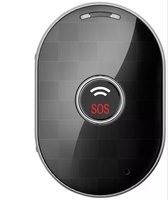
TL-5 - GPS device Trackilive - Free user manual and instructions
Find the device manual for free TL-5 Trackilive in PDF.


User questions about TL-5 Trackilive
0 question about this device. Answer the ones you know or ask your own.
Ask a new question about this device
Download the instructions for your GPS device in PDF format for free! Find your manual TL-5 - Trackilive and take your electronic device back in hand. On this page are published all the documents necessary for the use of your device. TL-5 by Trackilive.
USER MANUAL TL-5 Trackilive
natural_image
Icon of a person using a computer (no text or symbols)Package contents / product parts 12
General information 13
Initial set-up 13
Charging Battery 13
Turning "ON" the tracker 14
Activating the tracker 15
Start Tracking 15
Button functions 15
"ON/OFF" button 15
SOS Button 16
GPS signal and reception 16
Documentations 16
Declaration of Conformity 17
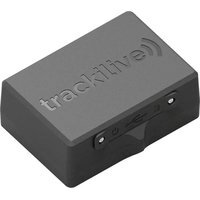
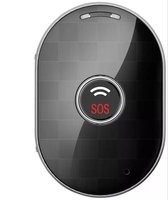
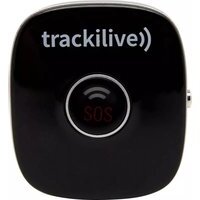
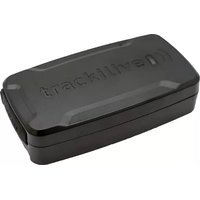
Package contents / product parts:
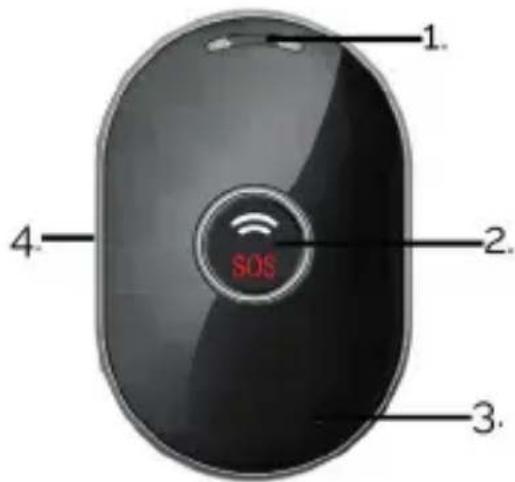
Product Parts:
- Speaker
- On-/SOS button
- Mic (disabled)
- SIM card slot / charging port
Accessories:
- USB charging cable
- Lenyard
text_image
1. 2. 3. 4. SOSGeneral information

natural_image
Icon of a person using a computer (no text or symbols)These operating instructions are for the Trackilive TL-5 2G Tracker, which will simply be referred to as 'tracker' in the following. They contain important information regarding set-up and operation.
Before using the tracker, please read the operating instructions carefully. This particularly applies to the safety notes. Failure to adhere to these operating instructions may result in severe injury or damage to
the tracker.
The operating instructions are based on the standards and rules in force in the European Union. When abroad, you must also observe country-specific guidelines and laws.
Keep the operating instructions for future use. If you pass the tracker on to third parties, please be absolutely sure, to include these operating instructions.
Initial set-up
Charging Battery
When you unpack the tracker for the first time, the battery is probably empty.
Charge it as follows:
- Connect the charging plug of the charging cable to the tracker with the charging port located at the side of the tracker.
- Connect the other end of the charging cable to the USB power adaptor and then to the power socket.
- Charge the tracker for a few hours. The blue light on SOS button will blink whilst charging. When the tracker is fully charged, the light will turn solid blue.
- Disconnect tracker from the charging cable.
Turning "ON" the tracker
Take the tracker outside so that it has the sky view.
- Press and hold the "ON-/SOS" button for 5 seconds. The blue light on the front will start to flash.
- Put the tracker down and wait a few minutes. The tracker will carry out initial GPS positioning. This is required for the device to operate correctly. The tracker will then be ready for use and can be activated.
NOTE: this procedure is only required the very first time the tracker is turned "ON".
Activating the tracker
- Open your internet browser and go to the following website: www.tracklive.com
- Select your language.
- Click on "Activate Tracker" and follow the instructions on the screen.
Start Tracking:
You can directly start tracking from our online tracking platform by visiting www.track-live.com, or download our mobile application by searching "Tracklive" in Apple's app store or Google's play store for free of charge.
Button functions
"ON-/SOS" button: Press and hold the "ON-/SOS" button to turn the tracker ON.
Briefly press the "ON-/SOS" button once to check whether the tracker is on.
Please note: If the blue light flashes, the tracker is ON. If no light comes on, the tracker is OFF.
SOS button: Press and hold the button on the top to send an SOS message: The location and a text message will be sent to the web application, mobile app or e-mail you have provided. "SOS" will appear on the tracker's display.
GPS signal and reception
The tracker uses GPS technology to calculate its current location. It receives signals from GPS satellites in space. These GPS signals can be received when the device is used outdoor.
The GPS signal is blocked, however, when the tracker is located inside a building or under a concrete roof. The signal may be blocked or diverted even if the tracker is placed near a window.
In such cases the device will use an alternative method to calculate its position. The position is determined through identification of a nearby WiFi router or mobile communications antenna. Please note that, this is less precise than GPS data.
Documentations
For the complete user manual, functionalities, application guide and all other necessary documentations, please visit the “Documentations” section of our website at: www.trackilive.com
Declaration of Conformity
CE Trackilive hereby declares that the TL-5 tracker radio equipment model conforms with EU Directive 2014/53/EU. The full text for the EU Declaration of Conformity can be found on the following webpage:
www.trackilive.com/conformity
Disposal
Disposing of the packaging

Dispose of the packaging ensuring that materials are correctly separated. Dispose of cardboard and carton as waste paper and dispose of foils via the recyclable material collection service.
Disposing of the tracker
(Applicable in the EU and other European countries with systems of separately collecting waste and recyclables).
Old devices cannot be disposed of as household waste!
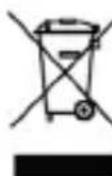
If the tracker can no longer be used, all consumers are legally obligated to separate old devices from household waste, e.g. by disposing of them using a municipal/ district collection point. This ensures that old devices are properly recycled and avoids negative environmental impact. Therefore, electronic devices are labelled with the symbol shown here.
Batteries cannot be disposed of as household waste!
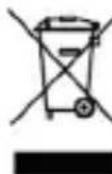
As a consumer, you are legally obligated to dispose of all batteries at a municipal/district collection point or at a retailer, regardless of whether or not they contain harmful substances*, so that they can be disposed of in an environmentally friendly way.
*labelled as:
Cd = cadmium,
Hg = mercury,
Pb = lead
Tabla de contenido:
Contenido 20
natural_image
Icon of a person using a computer (no text or symbols)natural_image
Icon of a person using a computer (no text or symbols)natural_image
Icon of a person using a computer (no text or symbols)natural_image
Icon of a person using a computer (no text or symbols)support@trackilive.com
www.trackilive.com