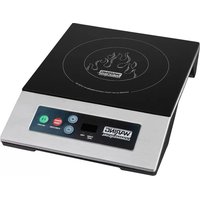
WIH200 - Cooker Waring Commercial - Free user manual and instructions
Find the device manual for free WIH200 Waring Commercial in PDF.


| Product Type | Portable Induction Cooktop |
| Brand | Waring Commercial |
| Model | WIH200 |
| Dimensions | 30 x 37 x 7.5 cm (11.8 x 14.6 x 3 in) |
| Weight | Approx. 3 kg (estimated) |
| Power Supply | 120 V, 15 A, 1800 W, NEMA 1-15P plug |
| Certifications | ETL, NSF, FCC |
| Number of Power Levels | 10 (from 1 to 10) |
| Timer | Up to 180 minutes, adjustable in 5-minute increments (increase) and 1-minute increments (decrease) |
| Surface Type | Tempered Glass |
| Housing Material | Stainless Steel |
| Weight Sensor | Yes, automatic shut-off after 60 seconds if no pan or unsuitable pan |
| Overheat Protection | Automatic shut-off in case of overheating |
| Cookware Compatibility | Only induction-compatible cookware, flat bottom 12 to 25 cm diameter |
| Cleaning | Warm soapy water, do not immerse, clean when warm |
| Warranty | 1 year limited (USA and Canada) |
| Error Code - No Pan | "---" with beep |
| Error Code - Low Voltage | E1 (voltage below 75 V) |
| Error Code - High Voltage | E2 (voltage above 145 V) |
| Error Code - Heating Element | E3, E5, E7 (contact customer service) |
| Error Code - Overheat | E6 (temperature up to 230°C, restart after cooling) |
| Error Code - Uneven Bottom | E9 (change cookware) |
Frequently Asked Questions - WIH200 Waring Commercial
User questions about WIH200 Waring Commercial
0 question about this device. Answer the ones you know or ask your own.
Ask a new question about this device
Download the instructions for your Cooker in PDF format for free! Find your manual WIH200 - Waring Commercial and take your electronic device back in hand. On this page are published all the documents necessary for the use of your device. WIH200 by Waring Commercial.
USER MANUAL WIH200 Waring Commercial
For your safety and continued enjoyment of this product, always read the instruction book carefully before using.
When using electrical appliances, especially when children are present, basic safety precautions should always be taken, including the following:
- READ ALL INSTRUCTIONS.
- Unplug from outlet when not in use, before putting on or taking off parts and before cleaning.
- To protect against electric shock, do not immerse power cord or plugs in water or other liquids.
- Do not touch surfaces that may be hot.
- Avoid contact with moving parts.
- Do not operate the Waring® Commercial Induction Range or any other electrical equipment with a damaged cord or plug, or after the unit malfunctions or is dropped or damaged in any manner. Return it to the nearest Waring Authorized Service Center for examination, repair, and/or adjustment.
- The use of attachments not recommended or sold by Waring may cause fire, electric shock, or injury.
- Do not use outdoors.
- Do not let cord hang over edge of table or counter, or touch hot surfaces.
- The Waring ^® Commercial Induction Range should always be on a stable countertop or table.
- Do not use the appliance for other than its intended use.
- This appliance is not intended for use by persons (including children) with reduced physical, sensory or mental capabilities, or lack of experience and knowledge, unless they have been given supervision or instruction concerning use of the appliance by a person responsible for their safety.
- Children should be supervised to ensure that they do not play with the appliance.
- Do not cook on broken cooktop – If the glass cooktop should break, cleaning solutions and spillovers may penetrate the broken surface and create a risk of electric shock.
-
Clean cooktop with caution – If a wet sponge or cloth is used to wipe spills on a hot cooking area, be careful to avoid steam burn; some cleaners can produce noxious fumes if applied to a hot surface.
-
Do not place metal objects such as knives, forks, spoons and lids on the glass surface; they can get hot.
SAVE THESE INSTRUCTIONS APPROVED FOR COMMERCIAL USE
| MODEL | ELECTRICAL | PLUG TYPE | DIMENSIONS (inches) | LISTING |
| WIH200 | 120V, 15 AMP, 1800W | NEMA 1-15P | 11.8 x 14.6 x 3 | ETL, NSF, FCC |
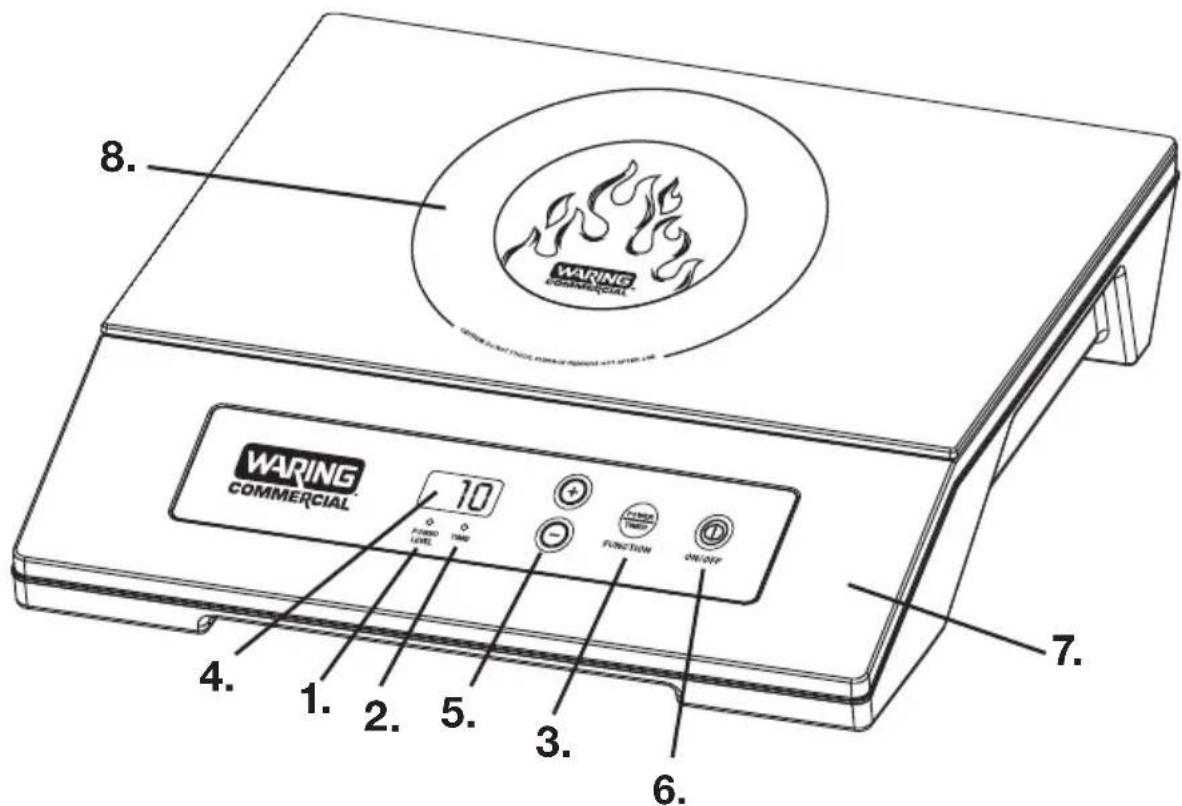
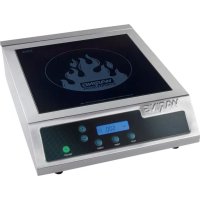
PARTS & FUNCTION
- Power Level Indicator Light
- Time Indicator Light
- POWER/TIMER Button – Select the Power or Timer function
- LED Display
-
- / - Buttons - Adjustment Control for Power Level/Timer
- ON/OFF Button
- Stainless Steel Housing
- Tempered Glass Cooking Surface
OPERATION
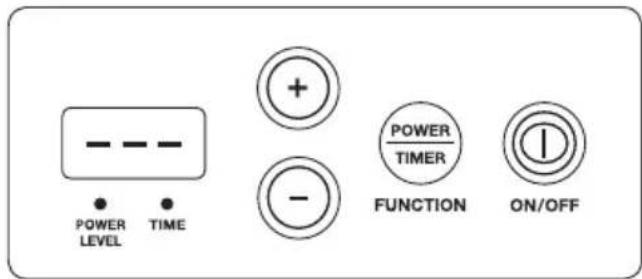
Once the unit is plugged into an electrical outlet, place the induction-ready cookware on the glass top and press the ON/OFF button to turn the unit on. The LED display will show
“---” and the POWER LEVEL and TIME indicator lights will flash. This indicates that a cooking function has not been selected. If no further action is taken, the unit will automatically turn off after 30 seconds. To start using the unit, press the POWER/TIMER button. The POWER LEVEL indicator light will illuminate. The cooktop will automatically default to the Power Level 5 setting.
EMPTY-PAN DETECTION
This unit has cookware detection:
- If the unit is turned on and cookware is not put on the cooktop glass, the unit will beep and turn off after 60 seconds.
- If the cookware is not induction compatible, the unit will beep and automatically turn off after 60 seconds.
- If you remove the cookware from the cooking surface during the operation mode, the unit will beep and will automatically turn off after 60 seconds.
10 Power Level settings for WIH200, from Low (1) to High (10)
To adjust the Power Level settings to the desired setting, press “+” or “-” buttons. The “+” increases the setting. The “-” lowers the setting. The LED display will show the current POWER LEVEL setting. The unit can be used without setting the timer.
SETTING THE TIMER
If you do want to set the timer, press the POWER/TIMER button. (Indicator light labeled TIME will illuminate.) Default is 0. Press “+” or “-” to set the timer to your desired cooking time. The timer advances in 5-minute increments and decreases in 1 minute increments. If you press and hold
the “+” or “-” button, the timer will advance rapidly. Once you have finished setting the timer, it will stay in TIMER mode.
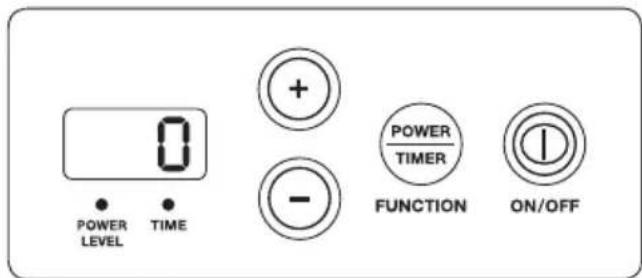
The timer can be adjusted to a maximum time of 180 minutes. At the end of the timed cycle, the timer will beep five times.
NOTE: The induction cooktop runs up to 180 minutes. If it has been cooking for more than 30 minutes, if you set a timer for an additional 160 minutes, the cooktop will still turn off after the 180-minute mark. If you need to cook for more than 180 minutes, simply turn the cooktop off and then on again. When the unit is off, the fan may continue running for a minute or more.
INDUCTION-READY POTS AND PANS
To use the Waring® Commercial Induction Cooktop, your pot or pan must have a flat bottom surface of 4.72 inches to 10.24 inches in diameter and be marked suitable for induction cooking.
SAFETY
CAUTION: UNPLUG FROM OUTLET WHEN NOT IN USE!
Please note that the unit will still be too hot to handle immediately after use.
The Waring® Commercial Induction Range has a thermal cutoff safety device to avoid overheating. If the Induction Cooktop shuts off automatically, unplug it and allow it to cool for 20 minutes. Plug back in and continue use.
CLEANING AND MAINTENANCE
Always unplug unit after each use and before cleaning. Unplug the unit when not in operation. The Waring® Commercial Induction Range should be cleaned after each use with warm, soapy water. The exterior of the unit may be cleaned by carefully wiping with a damp cloth.
Clean the cooking surface while the unit is warm, using warm, soapy water. DO NOT USE COLD WATER ON WARM SURFACE.
Do not immerse completely in water to clean. The appliance is not to be cleaned with a water jet.
NOTE: The cooking surface will be hot after use. Use caution when handling cooking utensils and cookware. Any other servicing should be performed by an authorized service representative.
ERROR CODE LIST
If LED display shows an error code, please reference to the solution as following.
| Error Code Description of Error | |
| “---” on display and beep sounded | No cookware or cookware not induction compatible is on the cooktop. |
| E1 Voltage is under 75V. | |
| E2 Voltage is over 145V. | |
| E3, E5, E7 The heater is damaged; please contact the nearest authorized service facility for troubleshooting, repair and adjustment. | |
| E6 The appliance is too hot. The cooking temperature is over 450° at highest power level. After the unit has cooled down, the unit will automatically switch to standby mode. Press ON/OFF button to restart the unit. | |
| E9 It may be caused by a concave pot. Change pot and restart the induction cooktop. If the error code still shows, please contact the nearest authorized service facility for troubleshooting, repair and adjustment. | |
Any other servicing should be done by an authorized service representative.
LIMITED ONE YEAR WARRANTY (U.S. AND CANADA ONLY)
Waring warrants every new Waring® Commercial Induction Cooktop to be free from defects in material and workmanship for a period of one year from the date of purchase when used with foodstuffs, nonabrasive liquids (other than detergents) and nonabrasive semi-liquids, provided it has not been subject to loads in excess of the indicated rating. Under this warranty, the Waring Commercial Division will repair or replace any part that, upon our examination, is defective in materials or workmanship, provided the product is delivered prepaid to the Waring Service Center at: 314 Ella T. Grasso Ave., Torrington, CT 06790, or any Factory Approved Service Center.
This warranty does not: a) apply to any product that has become worn, defective, damaged or broken due to use or due to repairs or servicing by other than the Waring Service Center or a Factory Approved Service Center, or due to abuse, misuse, overloading or tampering; or b) cover incidental or consequential damages of any kind. The one year warranty is applicable only to appliances used in the United States or Canada; this supersedes all other express product warranty or warranty statements. For Waring products sold outside of the U.S. and Canada, the warranty is the responsibility of the local importer or distributor. This warranty may vary according to local regulations. Warning: This warranty is void if appliance is used on Direct Current (DC).
Trademarks or service marks of third parties used herein are the trademarks or service marks of their respective owners.
©2018 Waring Commercial
314 Ella T. Grasso Ave.
Torrington, CT 06790
www.waringcommercialproducts.com
Printed in China
Impreso en China
Imprimé en Chine
WIH200 Series IB
18WC057085


Brand : Waring Commercial
Model : WIH200
Category : Cooker