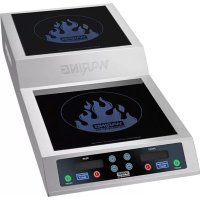
WIH800 - Cooker Waring Commercial - Free user manual and instructions
Find the device manual for free WIH800 Waring Commercial in PDF.


| Product type | Induction cooker |
| Brand | Waring Commercial |
| Model | WIH800 |
| Dimensions (W x H x D) | 72.4 x 13.3 x 33.0 cm (28.5 x 5.25 x 13.0 in) |
| Power supply | 240 V, 60 Hz, 3600 W (1800 W + 1800 W) |
| Plug type | NEMA 6-15P (grounding) |
| Cooking surfaces | Schott® ceramic glass (2 zones) |
| Temperature range | 50 °C – 260 °C (120 °F – 500 °F) |
| Adjustable power | Yes, per zone (100 W – 1800 W) |
| Timer | 1 minute to 10 hours, countdown in seconds under 1 minute |
| Display | Digital, power/temperature display |
| Housing | Stainless steel |
| Maintenance and cleaning | Unplug and cool down before cleaning; use a damp cloth and dish soap; vacuum air inlets/outlets |
| Safety | Automatic shut-off in case of overheating (E6/E7); pan detection; lock? not specified |
| Weight | Approximately 8 kg (not specified, estimate based on dimensions) |
| Power cord | Short (recommendation to use suitable extension cord) |
| Certification | ETLus, NSF |
| Usage | Commercial allowed |
| Spare parts and repairability | Repair by authorized service only; no parts available at retail |
Frequently Asked Questions - WIH800 Waring Commercial
User questions about WIH800 Waring Commercial
0 question about this device. Answer the ones you know or ask your own.
Ask a new question about this device
Download the instructions for your Cooker in PDF format for free! Find your manual WIH800 - Waring Commercial and take your electronic device back in hand. On this page are published all the documents necessary for the use of your device. WIH800 by Waring Commercial.
USER MANUAL WIH800 Waring Commercial
For your safety and continued enjoyment of this product, always read the instruction book carefully before using.
When using electrical appliances, basic safety precautions should always be followed, including the following:
1. READ ALL INSTRUCTIONS.
-
Unplug from outlet when not in use, before putting on or taking off parts and before cleaning.
-
To protect against risk of electric shock, do not put appliance in water or other liquids.
-
Do not touch surfaces that may be hot.
-
Avoid contact with moving parts.
-
Do not operate the Waring™ Commercial Induction Range or any other electrical equipment with a damaged cord or plug, or after the unit malfunctions or is dropped or damaged in any manner. Return it to the nearest Waring Authorized Service Center for examination, repair, and/or adjustment.
-
The use of attachments not recommended or sold by Waring may cause fire, electric shock, or injury.
-
Do not use outdoors.
-
Do not let cord hang over edge of table or counter, or touch hot surfaces.
-
The Waring ^™ Commercial Induction Range should always be on a stable countertop or table.
-
Do not use appliance for other than intended use.
-
This appliance is not intended for use by persons (including children) with reduced physical, sensory or mental capabilities, or lack of experience and knowledge, unless they have been given supervision or instruction concerning use of the appliance by a person responsible for their safety.
-
Children should be supervised to ensure that they do not play with the appliance.
-
Do not cook on broken cooktop – If the glass cooktop should break, cleaning solutions and spillovers may penetrate the broken surface and create a risk of electrical shock.
-
Clean cooktop with caution – If a wet sponge or cloth is used to wipe spills on a hot cooking area, be careful to avoid steam burn; some cleaners can produce noxious fumes if applied to a hot surface.
-
Do not place metal objects such as knives, forks, spoons and lids on the glass surface, since they can get hot.
- Do not place on or near a hot gas or electric burner, or in a heated oven.
- To disconnect, turn any control to off, then remove plug from wall outlet.
- Do not immerse in water.
- Caution – To ensure continued protection against risk of electric shock, connect to properly grounded outlets only.
SAVE THESE INSTRUCTIONS
APPROVED FOR COMMERCIAL USE
GROUNDING INSTRUCTIONS:
For your protection, this Waring™
Commercial Induction Range is supplied with a molded 3-prong grounding-type plug and should be used in combination with a properly connected grounding-type outlet. Use of any other voltage or altering of the plug or cord may damage the unit, will void warranty, and may cause injury.
240V

NEMA 6-15P
Models: WIH800
SPECIAL CORD SET INSTRUCTIONS
A short power-supply cord is provided to reduce the risks resulting from becoming entangled in or tripping over a longer cord.
Extension cords may be used if care is exercised in their use. If an extension cord is used, the marked electrical rating of the extension cord must be at least as great as the electrical rating of the appliance. If the appliance is of the grounded type, the extension cord should be a grounding-type 3-wire cord, and the longer cord should be arranged so that it will not drape over the countertop or tabletop where it can be pulled by children or tripped over.
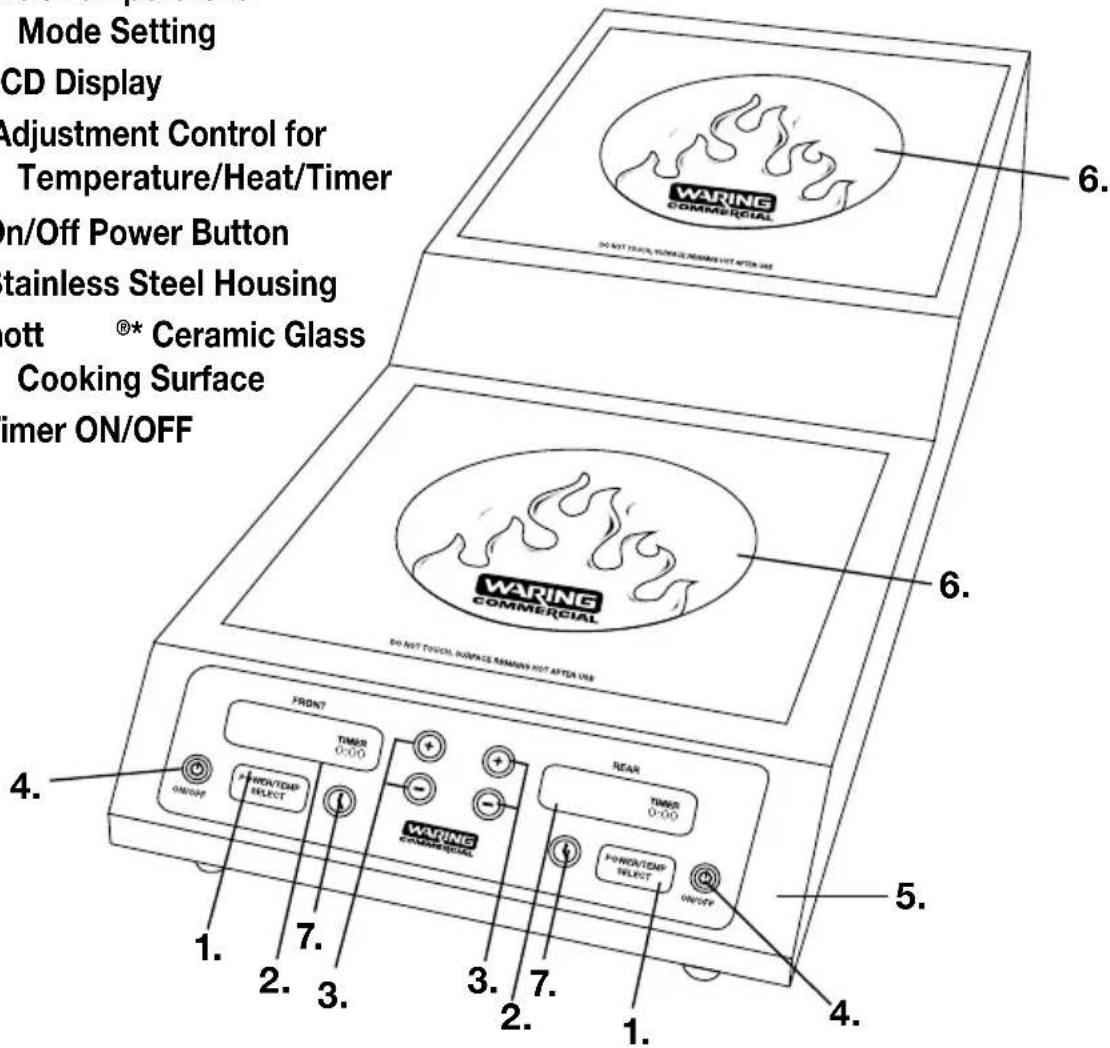
PARTS
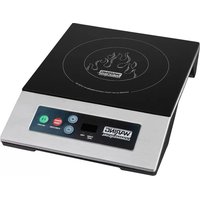
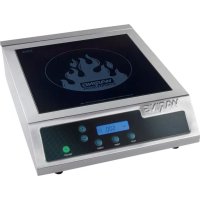
- Power/Temperature Mode Setting
- LCD Display
- Adjustment Control for Temperature/Heat/Timer
- On/Off Power Button
-
Stainless Steel Housing
6.Schott ®* Ceramic Glass Cooking Surface -
Timer ON/OFF
SPECIFICATIONS
| MODEL | ELECTRICAL | PLUG TYPE | DIMENSIONS (inches) | LISTING |
| WIH800 | 240V, 15 AMP3600 W | NEMA 6-15P | 28.5" (D) x 5.25" (H)x 13" (W) | ETLusNSF |
• Power Rate: 3600 W (1800W+1800W)
• Voltage: 240V/60 Hz
- Temperature: 120°F–500°F/50°C–260°C
NOTE: Your Waring™ Commercial Induction Range defaults to Fahrenheit setting. Every time the unit is plugged in it will default to Fahrenheit. To change to Celsius follow directions on page 6.
OPERATION
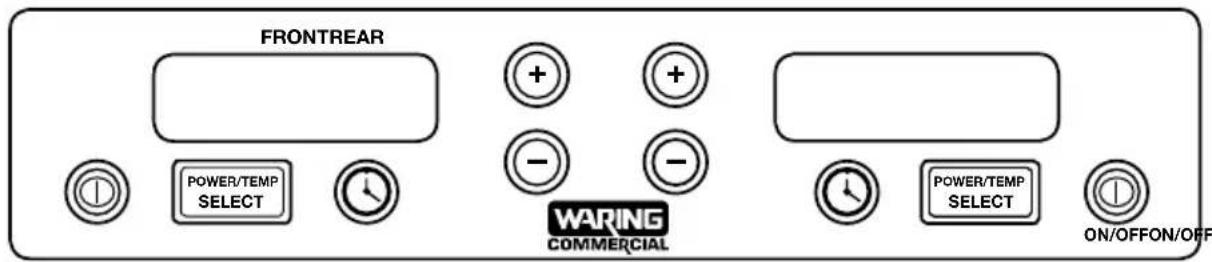
NOTE: This Induction Range requires induction-ready cookware. If the pan is not induction ready, it will not register on the induction range. The LCD display will show a flashing "STANDBY" when attempting to select a heat mode without an induction-ready pan on the glass cooking surface. The unit will automatically shut off after 60 seconds of not having an induction-ready pot/pan.
- Before turning on the power, make sure the cookware is on the ceramic glass cooking surface with ingredients inside.
- To turn the power on, press the ON/OFF button and unit starts with POWER. Choose a cooking mode by pressing POWER/TEMP SELECT.
Notice: When there is no suitable cookware or no cookware on the glass, the LCD display will show a flashing “STANDBY” and will sound with multiple audible beeps.
- To select the proper POWER setting, press the “+” or “-” until the correct POWER setting is achieved (defaults = 1000W). LCD will show appropriate setting in watts.
- To select temperature setting, press the POWER/TEMP SELECT button to transfer to TEMP (defaults to 180°F). LCD display will show “Temp” to indicate temperature mode function and 180°F. Press the “+” or “-” until the correct temperature setting is achieved.
- After cooking is completed, press the ON/OFF button again to turn off the unit.
CHOOSING FAHRENHEIT OR CELSIUS
In TEMP mode, you can choose Fahrenheit or Celsius. When the unit is plugged in and in the OFF position the LCD screen will be blank. Press and hold the POWER/TEMP SELECT button for three seconds.
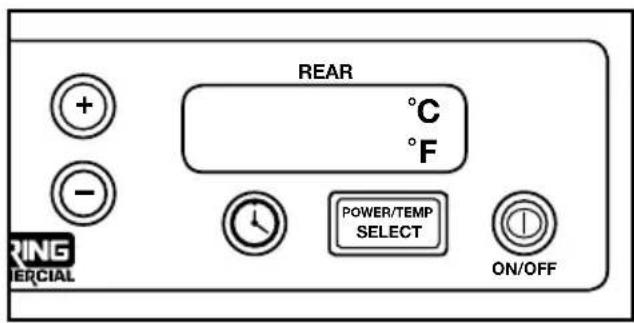
The screen will illuminate and display °C and °F, as seen above. The current setting will blink. Use the + and - buttons to switch to your desired setting. Once your desired setting is blinking, press the POWER/TEMP SELECT button to confirm, and then press the ON/OFF button.
NOTE: The induction burner automatically defaults to Fahrenheit once unplugged.
SETTING THE TIMER
-
Turn the unit on and choose your cooking mode by pressing POWER/TEMP SELECT.
-
Press the TIMER button and use the + and - buttons to adjust time anywhere from 1 minute to 10 hours. Once the timer display stops blinking, the timer will begin to count down. NOTE: It will count down seconds when it reaches :59 seconds.
-
When the set time has expired a "0" will display blinking and unit will sound four audible beeps. After beeps, "0" will return to solid display. WARNING: The unit will not automatically shut off.
INDUCTION-READY POTS AND PANS
To use the Waring™ Commercial Induction Range, your pot or pan must have a flat bottom and be marked suitable for induction cooking.
- Compatible Pans: Steel or cast iron, enameled iron, stainless steel, flat-bottom pan/pots with diameter of 4.75 inches to 10 inches (12 to 25 ~cm ).
- Non-compatible Pans: Heat-resistant glass, ceramic container, copper, aluminum pan/pots. Rounded-bottom pan/pots with the base measuring less than 4.75 inches (12 cm).
SAFETY
CAUTION: UNPLUG FROM OUTLET WHEN NOT IN USE!
Please note that the unit will still be too hot to handle immediately after use.
The Waring ^™ Commercial Induction Range has a thermal cutoff safety device to avoid overheating. If the Induction Range shuts off automatically, unplug it and allow it to cool for 20 minutes. Plug back in and continue use.
CLEANING AND MAINTENANCE
- Clean after each use. Disconnect plug and wait until the unit has cooled down.
- If the pots/pans are used without being cleaned, this may result in discoloration or stains.
- Do not use benzene, thinner, scrubbing brush or polishing powder to clean the induction cooker.
- Wipe down the unit using a dishwashing agent and a damp cloth.
- Use vacuum cleaner to suck up dirt from the air intake and exhaust vent.
- Never run water over the unit. If water gets inside it may cause malfunction.
NOTE: The cooking surface will be hot after use. Use caution when handling cooking utensils and cookware.
Any other servicing should be performed by an authorized service representative.
TROUBLESHOOTING
Error Code List on LCD Display
| Error Code | Description of Error Solutions | |
| STANDBY blinking and audible beep | There is no cookware or no suitable cookware on the range. The power will completely shut off within 60 seconds if there is no cookware or the wrong type of cookware on the unit. | Make sure your pot/pan is induction ready.Check diameter of pot/pan; it must have a flat bottom between 4.75" and 10" in diameter. |
| E1 Voltage | is under 100V. Check electrical specifications | |
| E2 Voltage | is over 275V. | |
| E3 The housing or interior parts may be damaged or defective. | Contact the nearest authorized service facility for troubleshooting, repair and adjustment. | |
| E5 The temperature sensor underneath the cooking area is defective or there is a short circuit. The housing or interior parts may be damaged or defective. | Contact the nearest authorized service facility for troubleshooting, repair and adjustment. | |
| E6 The thermal protection has shut the unit off due to overheating in the TEMP mode. | Unplug the unit and let cool for 20 minutes. Plug the unit back in and continue use. If the range still does not function, contact the nearest authorized service facility for troubleshooting, repair and adjustment. | |
| E7 The temperature inside the unit is too hot. | Unplug the unit and let cool for 20 minutes. Once the range has completely cooled, be sure it is positioned away from the wall and there are no obstructions to the airflow. Plug the unit back in and continue use. If it still doesn't work, parts may be damaged. Contact the nearest authorized service facility for troubleshooting, repair and adjustment. | |
| E9 Temperature sensor is defective. Issue is caused by a concave pot. | Change pot and restart the induction. If there is no issue with the pot, restart the unit. If the error code still shows, please contact the nearest authorized service facility for trouble shooting, repair and adjustment. | |
Trademarks or service marks of third parties used herein are the trademarks or service marks of their respective owners.
©2014 Waring Commercial


- READ ALL INSTRUCTIONS.
- SAVE THESE INSTRUCTIONS
- APPROVED FOR COMMERCIAL USE
- GROUNDING INSTRUCTIONS:
- SPECIAL CORD SET INSTRUCTIONS
- PARTS
- OPERATION
- CHOOSING FAHRENHEIT OR CELSIUS
- SETTING THE TIMER
- INDUCTION-READY POTS AND PANS
- SAFETY
- CAUTION: UNPLUG FROM OUTLET WHEN NOT IN USE!
- CLEANING AND MAINTENANCE
- TROUBLESHOOTING
- Error Code List on LCD Display
Brand : Waring Commercial
Model : WIH800
Category : Cooker