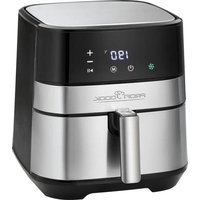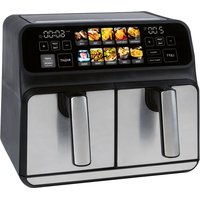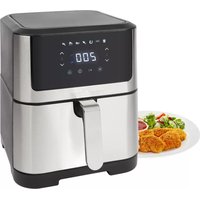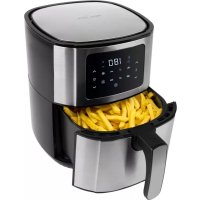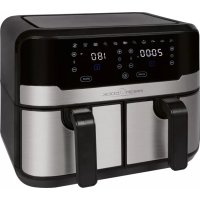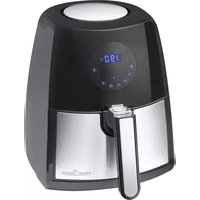
PC-FR 1147 H - Deep fryer PROFICOOK - Free user manual and instructions
Find the device manual for free PC-FR 1147 H PROFICOOK in PDF.



User questions about PC-FR 1147 H PROFICOOK
0 question about this device. Answer the ones you know or ask your own.
Ask a new question about this device
Download the instructions for your Deep fryer in PDF format for free! Find your manual PC-FR 1147 H - PROFICOOK and take your electronic device back in hand. On this page are published all the documents necessary for the use of your device. PC-FR 1147 H by PROFICOOK.
USER MANUAL PC-FR 1147 H PROFICOOK
natural_image
Black and silver PROFIT BOOK air fryer with digital display showing 190°C, no visible text or symbols on the device itself.LET OP: Anti-aanbaklaag
Thank you for choosing our product. We hope you will enjoy using the appliance.
Symbols in these Instructions for Use
Important information for your safety is specially marked. It is essential to comply with these instructions in order to avoid accidents and prevent damage to the appliance:

WARNING:
This warns you of dangers to your health and indicates possible injury risks.

CAUTION:
This refers to possible hazards to the appliance or other objects.

NOTE: This highlights tips and information.
Contents
Overview of the Components....3
General Notes......39
Special Safety Precautions for this Appliance....40
Unpacking the Appliance....41
Overview of the Components /
Scope of Delivery....41
Notes on Use....41
Location....41
Electric Connection....41
Connected Wattage 41
Standby (Standby Mode)....41
Switching the Appliance On/Off 41
Before Initial Use....41
Useful Hints for Use 42
Function Buttons 42
Set the Time....42
Set the Temperature 42
Auto Functions....42
Using the Appliance 42
Pause Operation....43
End of Operation....43
Cleaning....43
Storage....43
Troubleshooting....44
Technical Data....44
Disposal 44
Meaning of the "Wheelie Bin" Symbol....44
General Notes
Read the operating instructions carefully before putting the appliance into operation and keep the instructions including the warranty, the receipt and, if possible, the box with the internal packing. If you give this appliance to other people, please also pass on the operating instructions.
- The appliance is designed exclusively for private use and for the envisaged purpose. This appliance is not fit for commercial use.
- Do not use it outdoors. Keep it away from sources of heat, direct sunlight, humidity (never dip it into any liquid) and sharp edges. Do not use the appliance with wet hands. If the appliance is humid or wet, unplug it immediately.
- When cleaning or putting it away, switch off the appliance and always pull out the plug from the socket (pull the plug itself, not the lead) if the appliance is not being used and remove the attached accessories.
- Do not operate the appliance without supervision. If you leave the room you should always turn the appliance off. Remove the plug from the socket.
- The appliance and the mains lead have to be checked regularly for signs of damage. If damage is found the appliance must not be used.
- Use only original spare parts.
- In order to ensure your children's safety, please keep all packaging (plastic bags, boxes, polystyrene etc.) out of their reach.

WARNING:
Do not allow small children to play with the foil.
There is a danger of suffocation!
Special Safety Precautions for this Appliance
You will find the following symbol with warning character on the appliance:

WARNING: Hot surface! Danger of burns!
During operation and afterwards, the temperature of the accessible surfaces will be very high.
- Grasp the fat tank with inserted basket by the handle. If necessary, use oven gloves.
-
During operation, hot steam may escape from the air outlet opening. Keep a sufficient distance.
-
Do not cover the air inlet opening and air outlet opening, in order to ensure sufficient air circulation.
- Keep sufficient distance (15 cm) to highly flammable objects such as furniture, curtains, etc.!
- Due to rising heat and vapors do not place the appliance under wall cupboards.
- Do not operate the appliance with an external timer or separate remote control system.
- Do not tamper with the safety switch.
- This appliance can be used by children aged from 8 years and above and persons with reduced physical, sensory or mental capabilities or lack of experience and knowledge if they have been given supervision or instruction concerning use of the appliance in a safe way and understand the hazards involved.
• Children shall not play with the appliance. -
Cleaning and user maintenance shall not be made by children unless they are older 8 years and supervised.
-
Keep the appliance and its cord out of reach of children less than 8 years.
- Do not try to repair the appliance on your own. Always contact an authorized technician. If the supply cord is damaged, it must be replaced by the manufacturer, its service agent or similarly qualified persons in order to avoid a hazard.

CAUTION:
This appliance is not intended to be immersed in water during cleaning. Please observe the instructions that we have included for you in the chapter “Cleaning”.
Unpacking the Appliance
- Remove the appliance from its packaging.
- Remove all packaging materials like foils, filling materials, cable holders, and carton packaging.
- Check the scope of deliveries for completeness.
- If there are missing parts or obvious damage, do not use the appliance. Return it to your retailer immediately.
Overview of the Components / Scope of Delivery
1 Air inlet opening
2 Air outlet opening
3 Fat tank with internal basket
4 Handle of the basket
5 Cover for the underlying release button
6 Display
Notes on Use
Location
- Set the appliance onto a non-slip, level, and heat-resistant surface.
• Take care that the appliance and the mains cable never are placed onto hot surfaces or near heat sources (e.g. range, hob).
Electric Connection
Before inserting the power plug into the outlet, check that the mains voltage to be used matches that of the appliance. You can find the required information on the nameplate.
Connected Wattage
The total power consumption of this appliance can be up to 1500 W.

CAUTION: Overload!
Do not use any multiple sockets, as this appliance is too powerful.
Standby (Standby Mode)

NOTE:
The appliance is in standby, if the ⏻ button lights red.
When faced with the following situations, the appliance will switch into standby:
- When the power plug is inserted.
- When the time has elapsed.
- When you press and hold the ⏻ button for approx. 3 seconds.
Switching the Appliance On/Off
Turn the appliance on and off by using the ⏻ button.

NOTE:
- Operation is only possible if the fat tank is used with the basket in the appliance.
- Once the time is up, a bell will sound. The appliance will switch off automatically. The fan keeps running to cool down the appliance. After approx. 20 seconds, you will hear 5 beep sounds and the ⚙ symbol goes off.
Before Initial Use
- There is a protective layer on the heating element. To remove this, operate the appliance for about 10 minutes without any contents.

NOTE:
Any smoke or smells produced during this procedure are normal. Please ensure sufficient ventilation.


WARNING:
Allow the appliance to cool down before you clean it!
- Disconnect the mains plug from the wall socket.
- Before using the appliance, wipe out the basket, the fat tank and its interior.
Useful Hints for Use
- This appliance is used for the preparation of solid foods. Do not prepare any soups or liquid foodstuffs in it.
- A safety switch prevents the use of the appliance without a basket with the fat tank.
- To achieve an optimum result, you must fill the basket up to a maximum of 1 cm below the rim. Never overfill the basket, so that the food does not touch the heating element.
- Never put oil or other liquids in the fat tank. In order to achieve crispy results, you can baste the food with a little oil.
- Do not prepare the appliance for high-fat foods (e. g. sausages).
- All foods can be prepared in the appliance, which are also suitable for the oven.
- Note that the dough expands during baking of cakes, bread or similar. Nothing must come into contact with the heating element.
- Foods that are cooked over one another, must be shaken after half way through the cooking time. Thus the result is optimized and prevents uneven cooking. Tip: Remove the basket from the fat tank to be able to shake the content in a better way.
- The ideal amount for the preparation of crispy French fries is 500 g.
- Pour water on homemade potato products after cutting at least 30 minutes to reduce the potato starch. Then dry the potato pieces with paper.
- The cooking time depends on several factors: Size, condition, quantity of food and set temperature. For standard values, see "Function Buttons" "Auto functions".
- If you do not preheat the hot air fryer, add 3 minutes to the cooking time.
- Fry steaks / larger quantities of meat in a pan previously before leaving to cook in the hot air fryer. Time and temperature are dependent on the desired degree of doneness.
- With the appliance, you can also reheat food. Set the time to 10 minutes and the temperature to 150^ .
Function Buttons

NOTE:
- The buttons on the appliance are touch keys. Gently touch the buttons with a finger to execute the function. Whenever a button is pressed, it will be confirmed by a beep sound.

NOTE:
- By pressing and holding the buttons ⊕ or ⊖ a fast-forward will start.
Set the Time
Press the button ⊕ or ⊖ next to the symbol, in order to set the time.
Set the Temperature
Press the button ⊕ or ⊖ next to the symbol in order to set the temperature.
Auto Functions
Press the Ⓜ button to select from the following auto functions:
| Mode | Pre-set temperature in °C | Pre-set time in min. |
| French fries 🎨 | 200 18 | |
| Meat 🏠 | 180 25 | |
| Prawns 🌐 | 160 8 | |
| Cake 🏠 | 200 30 | |
| Poultry 🍒 | 200 20 | |
| Steak 📋 | 200 12 | |
| Fish 🏠 | 180 10 |

NOTE:
• These shall be considered as guide values. Depending on the size and weight, the time and temperature may be longer and higher or shorter and lower.
- You may, however, change the pre-set temperature and time of the auto functions.
Using the Appliance
- Make sure that the appliance is unplugged and switched off.
- Using the handle, pull the fat tank with the basket from the appliance.
- Fill the basket with the desired food.
- Slide the fat tank with the basket back into the appliance. It must engage.
- Connect the appliance to a properly installed earthed socket.

NOTE:
You will hear a beep sound and all symbols light up briefly. The ⏻ button lights red.
-
Press the ⏻ button to switch the appliance on. You will see the pre-adjustment 190 °C and 15 minutes.
-
Select an auto function by using the ⏻ button or set the time (1 - 60 minutes) and the temperature (80 °C - 200 °C) individually by using the buttons ⊕ and ⊖
-
Press the button to start the cooking process.

NOTE:
• The ⚙ symbol indicates the operation.
- Once the pre-set temperature is reached, the symbol will light green.
- The symbol is switching between the colors red and green. This is normal and it indicates that the temperature is controlled by the thermostat and is being maintained.
- If necessary, shake the food after half the cooking time. Pull it out of the fat tank with the basket on the handle.

WARNING:
• Hot steam can escape!
- Never shake the basket when it is in the fat tank, because this may contain hot oil.
- Place the fat tank with basket on a heat-resistant surface.
- Slide the cover of the release button towards the basket.
- Press the release button to remove the basket. Shake the contents of the basket.
- Put the basket back in the fat tank. This must engage.
- Slide the fat tank back into the appliance.
Pause Operation
- Press the ⏻ button to pause the operation. Press the ⏻ button again to resume the operation.
- The operation will also be paused as soon as you remove the basket. In order to turn the appliance back on, insert the basket again.

NOTE:
- The appliance will start from the spot it has been paused.
- If, however, you pull out the power plug, your current settings will be lost. When inserting the power plug and pressing the ⏻ button the appliance will show the pre-adjustment again.
End of Operation
- A beep sounds when the set time has expired. The fan keeps running to cool down the appliance. After approx. 20 seconds, you will hear 5 beep sounds and the symbol goes off.

NOTE:
By pressing the Ⓧ button for 3 seconds you may end the operation prematurely.
- Pull out the fat tank with the basket by the handle.
- Place the fat tank with basket on a heat-resistant surface.
- Slide the cover of the release button towards the basket.
- Press the release button to remove the basket. Put the food in a heatproof bowl.
- Slide the fat tank back into the appliance.
Cleaning

WARNING:
- Always turn the appliance off before cleaning it and remove the mains plug. Wait until the appliance has cooled down.
- Do not immerse the appliance in water! Doing so may result in an electric shock or fire.

CAUTION: Non-stick coating
- Do not use any wire brush or other abrasive objects.
- Do not use any acidic or abrasive detergents.
- The basket and fat tank can be cleaned in a warm rinse.
- Clean the appliance inside and outside with a slightly moist, not wet cloth.
Storage
- Clean the appliance as described. Let the accessories dry completely.
• We recommend that you store the appliance in its original packaging when it is not to be used for a longer period.
• Always store the appliance at a well ventilated and dry place outside the reach of children.
Troubleshooting
If a problem occurs, it is often only a small thing. Before you contact our service, please note the following information:
| Problem Possible | Cause Remedy | |
| The appliance is not working. | The appliance has no power supply. Check the socket with another appliance. | |
| You have not set the cooking time. Select a desired cooking time. | ||
| The grease drainage container and the basket are not properly inserted. | Check the correct position. | |
| The food is not cooked to the end. | The basket is too full. Reduce the amount of food. Smaller quantities are cooked evenly. | |
| The temperature is set too low. | Increase the temperature by using the ⊕ button next to the symbol (see “Function Buttons” → Auto functions). | |
| The cooking time is set too low. | Increase the time by using the ⊕ button next to the symbol (see “Function Buttons” → Auto functions). | |
| The food is cooked unevenly. | When foods are placed on top of each other, there is inadequate airflow. | The food must be shaken after half the cooking time. |
| The food is not crisp. | Foods are used, which is only suitable for a conventional fryer. | Use oven-ready food or sprinkle it with a little oil. |
| Smoke comes out of the appli-ance. | You are preparing very fatty foods. Fat splashes inside the appliance may cause the emission of fumes. Provide adequate ventilation. | |
| In the fat tank there are still fat residues from previous use. | Clean the fat tank after each use as described in the chapter “Cleaning”. | |
| The fat tank with internal basket does not snap. | The basket is too full. Reduce the amount of food. | |
| The basket in the fat tank is not seated properly. | Insert the basket correctly. It must audibly snap. | |
Technical Data
Model: PC-FR 1147 H
Power supply: 220 - 240 V\~, 50 / 60 Hz
Power consumption: 1500 W
Protection class:....I
Net weight: .... approx. 3.90 kg
The right to make technical and design modifications in the course of continuous product development remains reserved.
This appliance has been tested according to all relevant current CE guidelines, such as electromagnetic compatibility and low voltage directives, and has been constructed in accordance with the latest regulations.
Disposal
Meaning of the "Wheelie Bin" Symbol
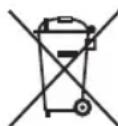
Take care of our environment; do not dispose of electrical appliances via the household waste.
Dispose of obsolete or defective electrical appliances via municipal collection points.
Please help to avoid potential environmental and health impacts through improper waste disposal.
You contribute to recycling and other forms of utilization of old electric and electronic appliances.
Your municipality provides you with information about collecting points.
Instrukcja obsługi
CTC Clatronic Sp. z o.o
Ul. Brzeska 1
45 - 960 Opole