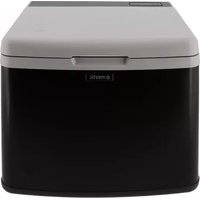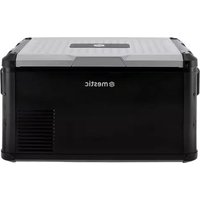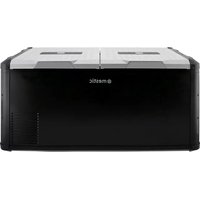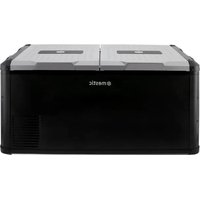
Mestic MCCP-75 - Refrigerator

MCCP-75 - Refrigerator Mestic - Free user manual and instructions

Find the device manual for free MCCP-75 Mestic in PDF.

English EN Download 💬 AI Question 10 questions ⚙️ Specs
📄

Document temporarily unavailable

The manual is currently being transferred to our new server. It will be accessible again in a few hours. Thank you for your patience.

Pick your language and provide your email: we'll send you a specifically translated version.
Product type Compressor electric cooler
Brand Mestic
Model MCCP-75
Capacity 75 liters (estimated from model)
Power supply 12/24 V DC (cigarette lighter) and 100-240 V AC
Power consumption Not specified, efficient compressor
Temperature range Adjustable (Eco and Max)
Display Digital display with temperature
Functions Refrigeration, freezing, multi-level battery protection, USB port
Battery protection 3 levels (Low, Medium, High) for 12V and 24V
USB port Yes, works only with DC power
Refrigerant type Not specified, compressor
Dimensions Not specified
Weight Not specified
Material Plastic and metal
Color Not specified
Cleaning Damp cloth, mild detergent
Defrosting Manual, turn off the appliance and open the lid
Noise level Not specified
Included accessories 12/24 V DC cable, 100-240 V AC cable, instruction manual
Use Domestic, portable (car, camping)
Safety Reverse polarity protection, 15 A fuse, automatic shut-off on low battery
Warranty Not specified (see warranty certificate)
Spare parts Contact the manufacturer or a qualified technician

Frequently Asked Questions - MCCP-75 Mestic

How to turn the Mestic MCCP-75 cooler on and off?
Press and hold the power button until the appliance turns on or off. The display will show the temperature.
How to set the temperature?
Press the temperature setting button (set) to change the desired temperature. Available modes are Eco (green) and Max (blue).
How to switch from Celsius to Fahrenheit?
Press simultaneously the temperature setting buttons (located on the right side of the panel) to switch between Celsius and Fahrenheit.
What is battery protection and how to set it?
Battery protection prevents excessive discharge of the vehicle battery. Press and hold the battery protection button to choose between Low, Medium, or High levels. The cut-off and reconnect voltages vary according to the level and voltage (12V or 24V).
Can I use the appliance in a car?
Yes, plug the 12/24V DC cable into the cigarette lighter or a suitable socket. The appliance has reverse polarity protection.
How to defrost the cooler?
Remove food, turn off the appliance, open the lid and let the frost melt. You can wipe the meltwater or drain it through the drain plug. Never use electric or sharp tools.
How to clean the interior?
Unplug the appliance, remove food, clean with a damp cloth and mild detergent. Dry all surfaces before reconnecting.
What to do if the appliance does not turn on?
Check the electrical connections, polarity (for DC), the 15A fuse in the power plug. If the problem persists, contact a qualified technician.
Can I use the USB port while the cooler is running?
The USB port only works when the cooler is powered by DC. It does not work with AC power.
Is the appliance suitable for commercial use?
No, this appliance is designed for domestic and leisure use (camping, travel). Commercial use could damage the appliance.

User questions about MCCP-75 Mestic

0 question about this device. Answer the ones you know or ask your own.

Ask a new question about this device

The email remains private: it is only used to notify you if someone responds to your question.

No questions yet. Be the first to ask one.

Download the instructions for your Refrigerator in PDF format for free! Find your manual MCCP-75 - Mestic and take your electronic device back in hand. On this page are published all the documents necessary for the use of your device. MCCP-75 by Mestic.
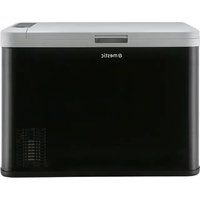
USER MANUAL MCCP-75 Mestic

Manual assistant
Powered by Anthropic
Waiting for your message
Product information

Brand : Mestic

Model : MCCP-75

Category : Refrigerator