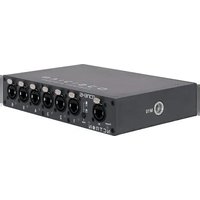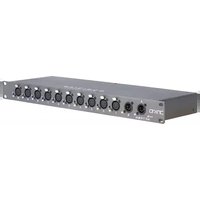
Netron DMX10 - Lighting Obsidian - Free user manual and instructions
Find the device manual for free Netron DMX10 Obsidian in PDF.



User questions about Netron DMX10 Obsidian
0 question about this device. Answer the ones you know or ask your own.
Ask a new question about this device
Download the instructions for your Lighting in PDF format for free! Find your manual Netron DMX10 - Obsidian and take your electronic device back in hand. On this page are published all the documents necessary for the use of your device. Netron DMX10 by Obsidian.
USER MANUAL Netron DMX10 Obsidian
©2021 OBSIDIAN CONTROL SYSTEMS all rights reserved. Information, specifications, diagrams, images, and instructions herein are subject to change without notice. Obsidian Control Systems logo and identifying product names and numbers herein are trademarks of ADJ PRODUCTS LLC. Copyright protection claimed includes all forms and matters of copyrightable materials and information now allowed by statutory or judicial law or hereinafter granted. Product names used in this document may be trademarks or registered trademarks of their respective companies and are hereby acknowledged. All non-ADJ brands and product names are trademarks or registered trademarks of their respective companies.
OBSIDIAN CONTROL SYSTEMS and all affiliated companies hereby disclaim all liabilities for property, equipment, building, and electrical damages, injuries to any persons, and direct or indirect economic loss associated with the use or reliance of any information contained within this document, and/or as a result of the improper, unsafe, insufficient and negligent assembly, installation, rigging, and operation of this product.
ELATION PROFESSIONAL B.V.
Junostraat 2 | 6468 EW Kerkrade, The Netherlands
+31 45 546 85 66
Energy Saving Matters (EuP 2009/125/EC)
Saving electric energy is a key to help protecting the environment. Please turn off all electrical products when they are not in use. To avoid power consumption in idle mode, disconnect all electrical equipment from power when not in use. Thank you!
Document Version: An updated version of this document may be available online.
Please check www.obsidiancontrol.com for the latest revision/update of this document before beginning installation and use.
| Date Document Version Note | |
| 07/12/2021 1 Initial Release | |
| 09/20/2021 2 Update Dimensions, Specifications | |
| 12/13/2021 3 Updated FCC Statement | |
CONTENTS
| GENERAL INFORMATION 4 | |
| LIMITED WARRANTY 5 | |
| SAFETY GUIDELINES 6 | |
| OVERVIEW 7 | |
| INSTALLATION 8 | |
| CONNECTIONS 9 | |
| OPERATION 10 | |
| MAINTENANCE 11 | |
| SPECIFICATIONS 12 | |
| DIMENSIONS 13 | |
| FCC STATEMENT 14 |
GENERAL INFORMATION
INTRODUCTION
Please read and understand the instructions in this manual carefully and thoroughly before attempting to operate this device. These instructions contain important safety and use information.
UNPACKING
Every device has been thoroughly tested and has been shipped in perfect operating condition. Carefully check the shipping carton for damage that may have occurred during shipping. If the carton is damaged, carefully inspect the device for damage, and be sure all accessories necessary to install and operate the device have arrived intact. In the event damage has been found or parts are missing, please contact our customer support team for further instructions. Please do not return this device to your dealer without first contacting customer support. Please do not discard the shipping carton in the trash. Please recycle whenever possible.
CUSTOMER SUPPORT
Contact your local Obsidian Controls Systems dealer or distributor for any product related service and support needs.
OBSIDIAN CONTROL SERVICE EUROPE - Monday - Friday 08:30 to 17:00 CET
+31 45 546 85 63 | support@obsidiancontrol.com
OBSIDIAN CONTROL SERVICE USA - Monday - Friday 08:30 to 17:00 PST
+1(844) 999-9942 | support@obsidiancontrol.com
LIMITED WARRANTY
-
Obsidian Control Systems hereby warrants, to the original purchaser, Obsidian Control Systems products to be free of manufacturing defects in material and workmanship for a period of two years (730 days).
-
For warranty service, send the product only to the Obsidian Control Systems service center. All shipping charges must be pre-paid. If the requested repairs or service (including parts replacement) are within the terms of this warranty, Obsidian Control Systems will pay return shipping charges only to a designated point within the United States. If any product is sent, it must be shipped in its original package and packaging material. No accessories should be shipped with the product. If any accessories are shipped with the product, Obsidian Control Systems shall have no liability whatsoever for loss and/or damage to any such accessories, nor for the safe return thereof.
-
This warranty is void if the product serial number and/or labels are altered or removed; if the product is modified in any manner which Obsidian Control Systems concludes, after inspection, affects the reliability of the product; if the product has been repaired or serviced by anyone other than the Obsidian Control Systems factory unless prior written authorization was issued to purchaser by Obsidian Control Systems; if the product is damaged because not properly maintained as set forth in the product instructions, guidelines and/or user manual.
-
This is not a service contract, and this warranty does not include any maintenance, cleaning or periodic check-up. During the periods as specified above, Obsidian Control Systems will replace defective parts at its expense, and will absorb all expenses for warranty service and repair labor by reason of defects in material or workmanship. The sole responsibility of Obsidian Control Systems under this warranty shall be limited to the repair of the product, or replacement thereof, including parts, at the sole discretion of Obsidian Control Systems. All products covered by this warranty were manufactured after January 1, 1990, and bare identifying marks to that effect.
-
Obsidian Control Systems reserves the right to make changes in design and/or performance improvements upon its products without any obligation to include these changes in any products theretofore manufactured.
-
No warranty, whether expressed or implied, is given or made with respect to any accessory supplied with the products described above. Except to the extent prohibited by applicable law, all implied warranties made by Obsidian Control Systems in connection with this product, including warranties of merchantability or fitness, are limited in duration to the warranty periods set forth above. And no warranties, whether expressed or implied, including warranties of merchantability or fitness, shall apply to this product after said periods have expired. The consumer's and/or dealer's sole remedy shall be such repair or replacement as is expressly provided above; and under no circumstances shall Obsidian Control Systems be liable for any loss and/or damage, direct and/or consequential, arising out of the use of, and/or the inability to use, this product.
-
This warranty is the only written warranty applicable to Obsidian Control Systems products and supersedes all prior warranties and written descriptions of warranty terms and conditions heretofore published.
-
Use of software and firmware:
-
To the maximum extent permitted by applicable law, in no event shall Elation or Obsidian Control Systems or its suppliers be liable for any damages whatsoever (including, but not limited to, damages for loss of profits or data, for business interruption, for personal injury or other loss whatsoever) arising out of or in any way related to the use of or inability to use firmware or software, the provision of or failure to provide support or other services, information, firmware, software, and related content through the software or otherwise arising out of the use of any software or firmware, even in the event of the fault, tort (including negligence), misrepresentation, strict liability, breach of warranty of Elation or Obsidian Control Systems or any supplier, and even if Elation or Obsidian Control Systems or any supplier has been advised of the possibility of such damages.
WARRANTY RETURNS: All returned service items, whether under warranty or not, must be freight pre-paid and accompany a return authorization (R.A.) number. The R.A. number must be clearly written on the outside of the return package. A brief description of the problem as well as the R.A. number must also be written down on a piece of paper and included in the shipping container. If the unit is under warranty, you must provide a copy of your proof of purchase invoice. Items returned without a R.A. number clearly marked on the outside of the package will be refused and returned at customer's expense. You may obtain a R.A. number by contacting customer support.
SAFETY GUIDELINES
This device is a sophisticated piece of electronic equipment. To guarantee a smooth operation, it is important to follow all instructions and guidelines in this manual. OBSIDIAN CONTROL SYSTEMS is not responsible for injury and/or damages resulting from the misuse of this device due to the disregard of the information printed in this manual. Only the original included parts and/or accessories for this device should be used. Any modifications to the device, included and/or accessories will void the original manufactures warranty and increase the risk of damage and/or personal injury.

text_image
KEEP DRYPROTECTION CLASS 1 - DEVICE MUST BE PROPERLY GROUNDED
DO NOT ATTEMPT TO USE THIS DEVICE WITHOUT BEING FULLY TRAINED ON HOW TO USE IT. ANY DAMAGES OR REPAIRS TO THIS DEVICE OR ANY LIGHTING FIXTURES CONTROLLED BY THIS DEVICE RESULTING FROM IMPROPER USE, AND/OR THE DISREGARD OF THE SAFETY AND OPERATION GUIDELINES IN THIS DOCUMENT VOIDS THE OBSIDIAN CONTROL SYSTEMS WARRANTY, AND ARE NOT SUBJECT TO ANY WARRANTY CLAIMS AND/OR REPAIRS, AND MAY ALSO VOID THE WARRANTY FOR ANY NON-OBSIDIAN CONTROL SYSTEMS DEVICES. KEEP FLAMMABLE MATERIALS AWAY FROM DEVICE.
DRY LOCATIONS USE ONLY! DO NOT EXPOSE DEVICE TO RAIN, MOISTURE, AND/OR SEVERE ENVIRONMENTS! DO NOT SPILL WATER AND/OR LIQUIDS ON OR INTO THE DEVICE!
DISCONNECT the device from AC power before removing fuses or any part, and when not in use.
Always electrically ground this device.
Use only a source of AC power that complies with local building and electrical codes and has both overload and ground-fault protection.
Do not expose the device to rain or moisture.
Never attempt to bypass fuses. Always replace defective fuses with ones of the specified type and rating.
Refer all service to a qualified technician.
Do not modify the device or install other than genuine Netron parts.
CAUTION: Risk of Fire and Electrical Shock. Use only in dry locations.
CAUTION: Risk of Explosion if Battery is replaced by an incorrect type. Dispose of used batteries according to local environmental regulations.
AVOID brute force handling when transporting or operating.
DO NOT expose any part of the device to open flame or smoke. Keep device away from heat sources such as radiators, heat registers, stoves, or other appliances (including amplifiers) that produce heat.
DO NOT use device in extreme and/or severe environments.
Replace fuses with ones of the same type and rating only. Never attempt to bypass a fuse. Unit provided with a single fuse in Line side.
DO NOT operate device if power cord is frayed, crimped, damaged and/or if any of the power cord connectors are damaged, and does not insert into the device securely with ease. NEVER force a power cord connector into device. If the power cord or any of its connectors are damaged, replace it immediately with a new one of similar power rating.
Strictly use a source of AC power that complies with local building and electrical codes and has both overload and ground-fault protection. Use only the provided AC power supply and power cords and the correct connector for the country of operation. Use of the factory provided power cable is mandatory for operation in the US and Canada.
Allow free unobstructed airflow to the bottom and back of the product. Do not block the ventilation slots.
Operate the console only on a stable and solid surface.
DO NOT use the product if the ambient temperature exceeds 40^ C ( 104^ F)
Transport the product only in suitable packaging or a custom fitted road case. Transportation damage is not covered under warranty.
CAUTION: Risk of explosion if CMOS battery is replaced by an incorrect type. Dispose of used batteries according to local environmental regulations.
CAUTION: Do not expose CMOS battery to excessive heat such as sun or fire.
OVERVIEW
The NETRON DMX10 is made from a rugged metal chassis featuring impact resistant paint and a lightweight yet solid construction. The DMX10 is ideally suited for installations and touring applications that do not require RDM communication and is available in 5 and 3pin XLR configurations.
KEY FEATURES: DMX10
The DMX10 is a rackmount 10-port DMX Splitter with dual inputs and freely assignable XLR DMX outputs.
Utilizing long life toggle switches every port is routed to either the A or B input, providing flexibility to accommodate any situation.
- Dual A/B XLR DMX Input
- 10 isolated XLR DMX Outputs
- A/B routing per output port
- LED feedback for In/Out/A/B/Power
- Powder-coated rackmount housing
INSTALLATION INSTRUCTIONS

DISCONNECT POWER BEFORE PERFORMING ANY MAINTENANCE!

ELECTRICAL CONNECTIONS
A qualified electrician should be used for all electrical connections and/or installations.

USE CAUTION WHEN POWER LINKING OTHER MODEL DEVICES AS THE POWER CONSUMPTION OF OTHER MODEL DEVICES MAY EXCEED THE MAXIMUM POWER OUTPUT OF THIS DEVICE. CHECK SILK SCREEN FOR MAXIMUM AMPS.
Device MUST be installed following all local, national, and country commercial electrical and construction codes and regulations.

ALWAYS ATTACH A SAFETY CABLE WHENEVER INSTALLING THIS DEVICE IN A SUSPENDED ENVIRONMENT TO ENSURE THE DEVICE WILL NOT DROP IF THE CLAMP FAILS. Overhead device installation must always be secured with a secondary safety attachment, such as an appropriately rated safety cable that can hold 10 times the weight of the device.
POWER LINKING

USE CAUTION WHEN POWER LINKING AS THE POWER CONSUMPTION MAY EXCEED THE MAXIMUM POWER OUTPUT ON THIS DEVICE. CHECK SILK SCREEN FOR MAXIMUM AMPS.

natural_image
Technical line drawing of a server rack with multiple connectors and mounting holes (no text or symbols)CONNECTIONS
AC CONNECTIONS

The Obsidian Control Systems Netron DMX10 is rated 100-240V 47/63Hz and accept AC mains power over a range of 90-264V 47/63Hz. Do not connect it to power outside this range. Damage resulting from incorrect connection is not covered under warranty.
North America: A cable with a NEMA 15-5P plug is provided for use with the DMX10 in the USA and Canada. This approved cable must be used in North America.
Rest of the world: The provided True1 cable is not fitted with a country-specific plug. Install only a plug that meets local and or national electrical codes and is suitable for the country's specific requirements.

A 3-prong grounded-type (earthed type) plug must be installed following the plug manufacturer's instructions.
FRONT DMX CONNECTIONS: DMX10-5
- (2) 5Pin DMX Input
- (10) 5Pin Opto-Isolated DMX Outputs
All DMX Output connections are 5pin female XLR; the pin-out on all sockets is pin 1 to shield, pin 2 to cold (-), and pin 3 to hot (+). Pins 4 and 5 are not used.
Carefully connect DMX cables to the respective ports.
To prevent damaging the DMX ports, provide strain relief and support. Avoid connecting FOH Snakes to the ports directly.
| Pin Connection |
| 1 Com |
| 2 Data - |
| 3 Data + |
| 4 Not connected |
| 5 Not connected |

text_image
DMX10 Power A 10 5 2° 3 2° 4 NCTRON B 1 PUSH 5° 0.1 40 °C 0.2 PUSH 5° 0.1 40 °C 0.2 PUSH 5° 0.1 40 °C 0.2 PUSH 5° 0.1 40 °C 0.2FRONT DMX CONNECTIONS: DMX10-3
- (2) 3Pin DMX Input
- (10) 3Pin Opto-Isolated DMX Outputs
All DMX Output connections are 3pin female XLR; the pin-out on all sockets is pin 1 to shield, pin 2 to cold (-), and pin 3 to hot (+).
Carefully connect DMX cables to the respective ports.
To prevent damaging the DMX ports, provide strain relief and support. Avoid connecting FOH Snakes to the ports directly.
| Pin Connection |
| 1 Com |
| 2 Data - |
| 3 Data + |

text_image
CMX10 Power NCTRN A B 1 2 3 4REAR CONNECTIONS
- Power In
- Fuse

text_image
Power In 100-240VAC 47-63Hz,0.14A Fuse: T1A/250VOPERATION: DMX10-5 & DMX10-3
The concept of the DMX Splitter is to route the A or B DMX Input to any of the 10 output ports. This allows flexible configuration of the splitter as needed. It is also possible to ignore one input, and assign all output ports to the same routing. Ports are assigned to the A or B line by the integrated toggle switches. The LED color of the output ports indicates the DMX routing.
Switch UP = A (Blue)
Switch Down = B (Orange)
DMX PORTS STATUS INDICATOR LEDs
| LED Color Solid Blink Routing | |||
| DMX PORTS BLUE DMX | Traffic No DMX Traffic A | ||
| DMX PORTS ORANGE DMX | Traffic No DMX Traffic B | ||
DMX10-5

text_image
(2) 5Pin DMX Input Note that the A & B letter positions indicate switch position for routing (10) 5PIN Opto-Isolated DMX Outputs DMX Port Toggle Switch (A up/B down) DMX Port Status Indicator LEDDMX10-3

text_image
(2) 3Pin DMX Input Note that the A & B letter position indicates switch position for routing (10) 3PIN Opto-Isolated DMX Outputs DMX Port Toggle Switch (A up/B down) DMX Port Status Indicator LEDMAINTENANCE
The Obsidian Control Systems Netron DMX10-5 and DMX10-3 are designed as rugged, roadworthy devices. The only required service is occasional cleaning. For other service-related concerns, please contact your Obsidian Control Systems dealer, or visit www.obsidiancontrol.com.
Any service that is not described in this guide must be carried out by a trained and qualified Obsidian Control Systems technician.
Never spray cleaner directly onto the device surface; always spray into a lint-free cloth and wipe it clean. Consider using cleaning products designed for cellphone and tablet devices.

Important! Excessive dust, dirt, smoke, fluid build-up, and other materials can degrade the performance of the DMX10-5 and DMX10-3 devices, causing overheating and damage to the unit that is not covered by the warranty.
Fuse Replacement:

Single fuse in the Line side; the DMX10-5 and DMX10-3 is protected by a single 1A slow blow mains fuse in a fuse holder on the back of the device.
Disconnect the product from AC mains power before replacing the fuse as parts of the product may remain live even if the mains fuse has blown.
SPECIFICATIONS
DMX10-5P:
Connections
Front
- (2) 5pin DMX Input (A & B)
- (10) 5pin Opto-Isolated DMX Outputs (Toggle between A & B)
Back
- Locking Power In
Physical
- Length: 19.0" (482.0mm)
- Width: 6.1" (155.9mm)
- Height: 1.7" (44.0mm)
- Weight: 1.50 kg (3.31 lbs)
Electrical
- 100-240 V nominal, 47/63Hz, 0.14A
- 1A Fuse
Included Items
- 1.5m power cable (EU or US version)
DMX10-3P:
Connections
Front
- (2) 3pin DMX Input (A & B)
- (10) 3pin Opto-Isolated DMX Outputs (Toggle between A & B)
Back
- Locking Power In
Physical
- Length: 19.0" (482.0mm)
- Width: 6.1" (155.9mm)
- Height: 1.7" (44.0mm)
- Weight: 1.50 kg (3.31 lbs)
Electrical
- 100-240 V nominal, 47/63Hz, 0.14A
- 1A Fuse
Included Items
- 1.5m power cable (EU or US version)
DIMENSIONS
DMX10-3
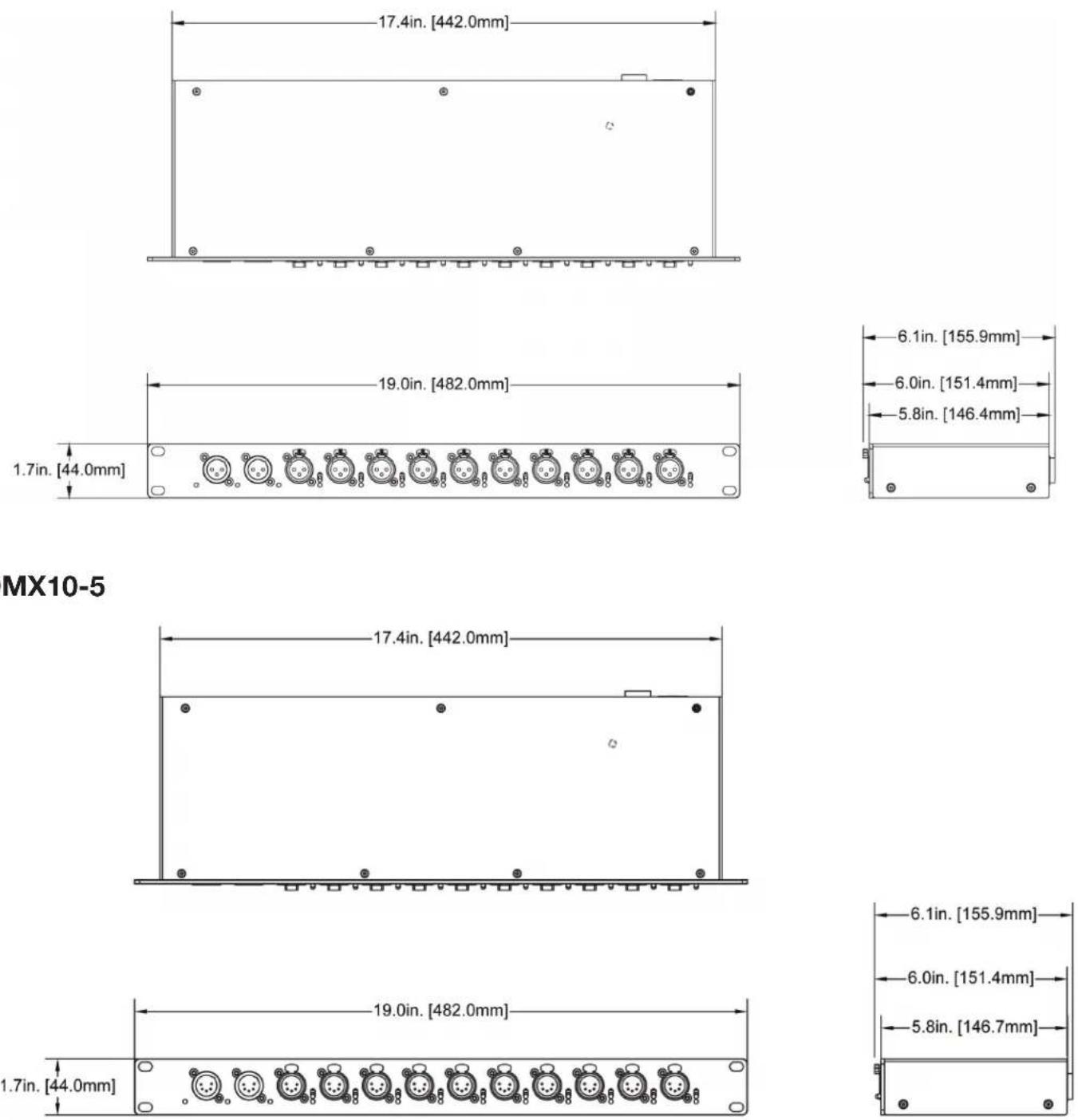
DMX10-5
FCC STATEMENT
FCC Class A Warning:
Please note that changes or modifications of this product that are not expressly approved by the party responsible for compliance could void the user's authority to operate this equipment.
NOTE: This equipment has been tested and found to comply with the limits for a Class A digital device, pursuant to part 15 of the FCC Rules. These limits are designed to provide reasonable protection against harmful interference when the equipment is operated in a commercial environment. This equipment generates, uses, and can radiate radio frequency energy and, if not installed and used in accordance with the instruction manual, may cause harmful interference to radio communications. Operation of this equipment in a residential area is likely to cause harmful interference, in which case the user will be required to correct the interference at his or her own expense.
O3S1D1AN™
CONTROL SYSTEMS

text_image
DNX10 Power NCTRON A B 1 2 3 4 5 6 7 8 9 10
text_image
DNX10 Power O NETRON A B 1 2 3 4 5 6 7 8 9 10NETRON DMX10 Guide d'installation
natural_image
Technical line drawing of a server rack unit with multiple connectors and mounting holes (no text or symbols)CONNEXIONS
CONNEXIONS CA